Sorry, there were no results found for “”
Sorry, there were no results found for “”
Sorry, there were no results found for “”
Event planning software looks like one category until your first event proves it’s two. One category handles internal operations: timelines, vendor coordination, budgets, and approvals. The other category manages the attendee experience: registration, ticketing, check-in, and engagement. Choosing the wrong category creates problems you’ll discover the week before your event launches.
This guide doesn’t designate a single winner. It ranks the ten best event planning software by how much of the event job each owns and where each one taps out.
Quick picks: For coordination-heavy teams, the best event planning software is ClickUp. Cvent wins for enterprise conferences, Eventbrite for public ticketing, and Planning Pod for venues. There’s no universal winner, only the strongest fit for your primary operational gap. Once you’ve identified that, picking the right event planning tool is easy.
Look for these five things in a strong event planning software tool: clear task ownership, calendar visibility, vendor and guest tracking, useful automation, and attendee tools if you run public events.
Here’s what to check in detail:
| Tool | Best for | Standout feature | Pricing* | Where it taps out |
|---|---|---|---|---|
| Cvent | Enterprise conferences and registration-heavy programs | Supplier Network of 340,000+ venues with built-in RFPs and onsite check-in | Custom pricing | Low ease-of-use; setup usually needs a dedicated event-ops manager |
| Whova | Attendee engagement at conferences and trade shows | All-in-one event app for networking, agenda, and exhibitor lead capture | Custom pricing | Push-notification overload, no native breakout rooms, no venue sourcing |
| Eventbrite | Public ticketed events and discovery | Discovery marketplace puts your event in front of active ticket-buyers | Free to publish; 3.7% + $1.79 per paid ticket + 2.9% processing | No vendor, budget, or back-office tracking |
| Planning Pod | Venues, weddings, and hospitality-led operations | Venue ops suite: floor plans, seating charts, and banquet orders | Custom pricing | Task tracking feels clunky for corporate project managers |
| ClickUp | Running complex event operations in one workspace | Tasks, docs, calendars, forms, and automations in one place | Free; paid plans from $7/user/mo | No native ticketing, registration page, or check-in scanner |
| Asana | Deadline-driven planning with dependencies | Automatic date cascading shifts every linked task when one slips | Free; Starter $13.49, Advanced $30.49/user/mo | Timeline view locked behind paid tier; no ticketing |
| monday.com | Visual, customizable event planning | Fully buildable boards plus free guest seats for vendors and sponsors | Free; Basic $12, Standard $14, Pro $24/user/mo | Plans events but can’t run them; 250 automations/mo cap on Standard |
| Trello | Lightweight event task tracking | Butler automation runs on every plan, including free | Free; Standard $5, Premium $10, Enterprise $17.50/user/mo | No native dashboards for budgets or workload; weak on complex timelines |
| Basecamp | Simple team collaboration around events | Hill Charts show whether work is being figured out or executed | Free; Pro $15/user/mo, Pro Unlimited $299/mo billed annually | No dependencies, time tracking, or capacity planning |
| Zoom Events | Virtual and webinar-led events | Familiar video interface guests already know how to use | Webinars $89/mo, Webinars Plus $99/mo, Events $149/mo | Can’t print badges or run physical booths |
How we review software at ClickUp
Our editorial team follows a transparent, research-backed, and vendor-neutral process, so you can trust that our recommendations are based on real product value.
Here’s a detailed rundown of how we review software at ClickUp.
Ten tools made this list: Cvent, Whova, Eventbrite, Planning Pod, ClickUp, Asana, monday.com, Trello, Basecamp, and Zoom Events.
If you need one quick decision framework, use ClickUp for internal event operations, Eventbrite for public ticket sales, Whova for attendee engagement, and Cvent for enterprise-scale conferences. The rest of this list helps you choose based on your bottleneck: coordination, registration, venue operations, or virtual delivery.
Every pick below gets the same breakdown: what it does best, where it taps out, and who should skip it.
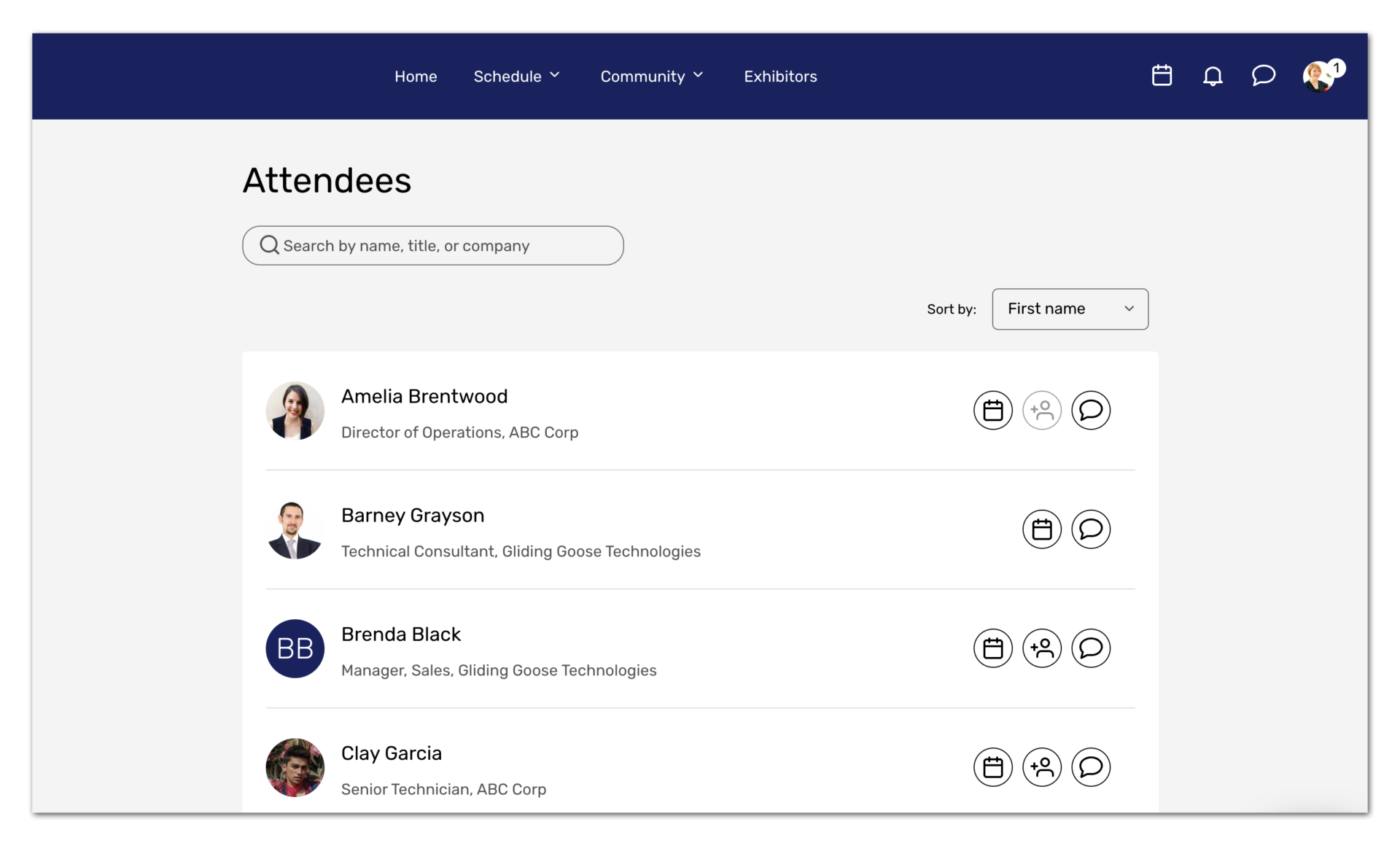
Cvent is an enterprise-grade event management platform built to handle the full event lifecycle, from venue sourcing and registration to attendee engagement, badging, and post-event analytics. It’s one of the most established names in the space and is geared toward large organizations and associations. It’s the tool of choice for dedicated event teams managing frequent or large-scale conferences, trade shows, and corporate events.
It integrates Goldcast for AI video clipping, ON24 for webinars, and strong integrations with CRM and marketing tools like Salesforce. These connectors let you run the whole event, start to finish, in one place.
The platform handles complex onsite logistics better than most basic project boards. You can build completely branded registration sites and deploy the Attendee Hub mobile app. It also features a built-in Supplier Network of over 340,000 venues. Which means you can send RFPs and secure spaces directly through the software. Cvent is the heavyweight choice for teams that live and breathe events and need depth over simplicity.
Where Cvent falls short: The software has a low ease-of-use score. Setting it up correctly usually requires a dedicated event-operations manager.
Skip Cvent if: You’re running a single small event or want something lightweight. But for enterprise event programs, few platforms match its breadth. Tools like Whova or Eventbrite will give you the basic attendee features you need without the heavy enterprise overhead.
See what this G2 reviewer thinks about Cvent:
This platform has saved me lots of time, it was an easy transition from Attendee Hub and I use this monthly based on my webinar schedule. Their tech support is always available providing excellent suggestions to my questions as needed. Our Salesforce integration works seamlessly as event attendees register.
If you’re in the event planning space, you’re spoiled for choice. The global event management software market is expected to grow to $39.6 billion by 2030, at a 13.2% CAGR, for an industry that will be worth a whopping $3.4 trillion by then.
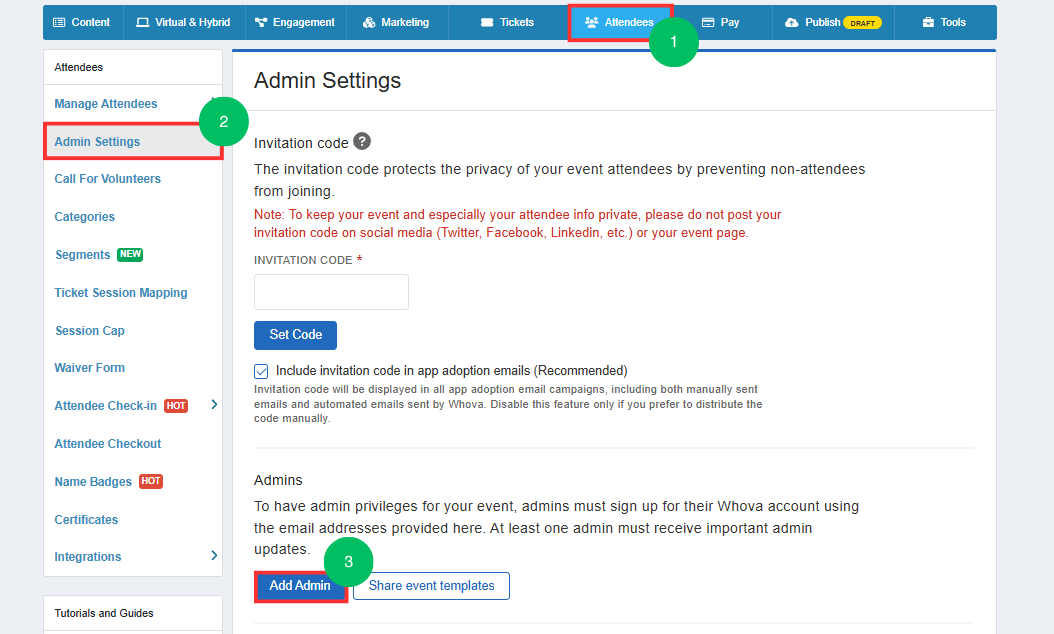
Whova is an event management and engagement platform best known for its highly rated event app. It focuses on attendee networking, agendas, and engagement for conferences and professional events.
Whova prioritizes attendee experience over internal tracking, and everything runs through the app: the agenda, speaker profiles, live polls, messaging, and community boards. For conferences and expos where people come to meet people, that focus pays off.
Whova also works well for trade shows, especially when exhibitor lead capture matters. Exhibitors scan badges by QR code and collect booth leads on the spot. Compared to Cvent, Whova is easier to set up and cheaper, though it skips the deep venue sourcing. It’s a solid choice for in-person, virtual, and hybrid events.
Where Whova falls short: Organizers frequently complain about automated push-notification overload hitting their guests. The dashboard is feature-dense, which requires extra training time, and the virtual streaming tools lack native breakout rooms.
Skip Whova if: You are hosting a small gathering with fewer than 100 people, where paying conference-grade software fees for an app doesn’t make financial sense. You should also pass if your project requires venue sourcing and deep financial audit controls.
This is what a G2 reviewer thinks about Whova:
Being able to create my own agenda; the ability to scan attendees’ QR code to collect contact details, section for note taking, detailed agenda with topic overview, room info that links to a map. Also the community meet up to share opportunities to connect. I like that the info is availbe [sic] in the app even after the event is over.
Watch how Trish Sanderson, Senior Director, Ecosystem and Field Marketing at ClickUp, grew her event charter by 7x without increasing headcount:
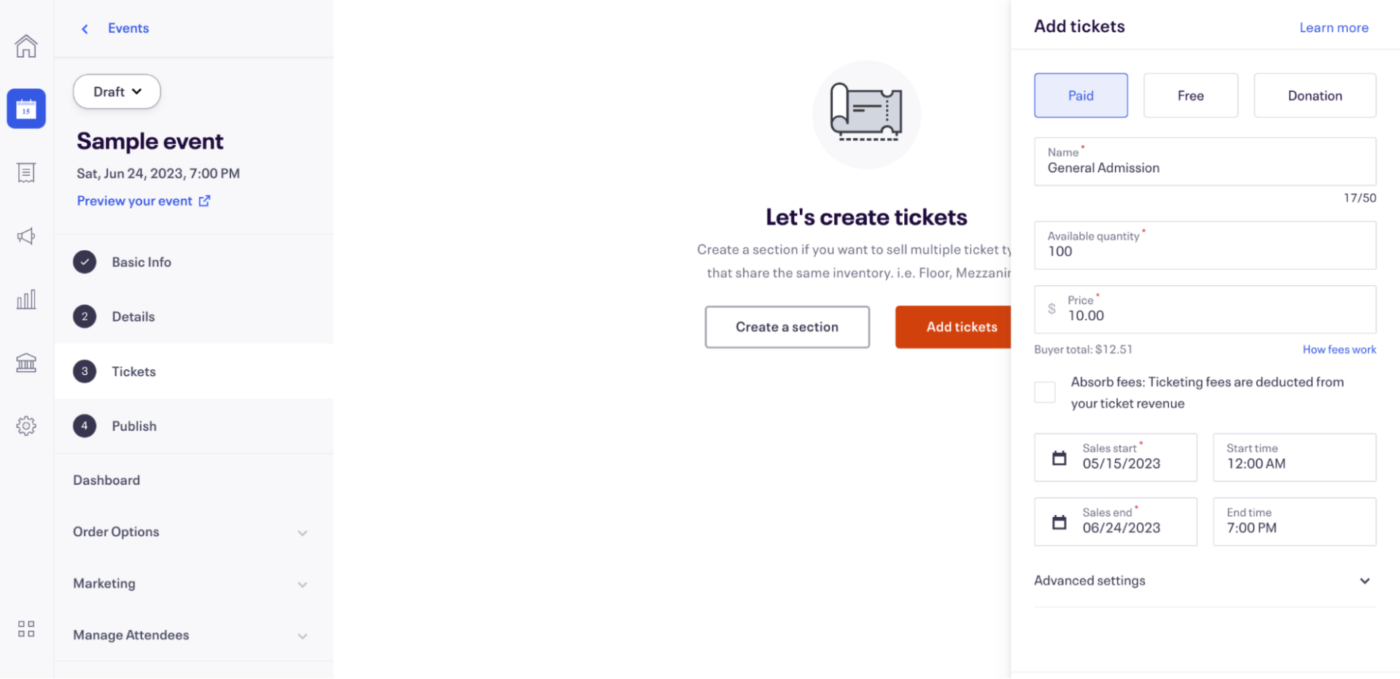
Choose Eventbrite to sell tickets to the public. It functions as a discovery marketplace, surfacing your event to audiences actively searching for experiences. In fact, Eventbrite is arguably the best-known name in self-service event ticketing, connecting organizers to a built-in marketplace of millions of unique buyers. It’s purpose-built for public, consumer-facing events where discovery and fast ticket sales matter more than complex logistics.
Publishing an event page requires only a few minutes of setup and no technical knowledge. You can launch a page in minutes and get checkout, door scanning, and email tools out of the box. Eventbrite also lets you publish free events at no platform cost, and run paid ones with tiered tickets, promo codes, and reserved seating when you need them.
Eventbrite also integrates with Facebook, so attendees can discover events and buy tickets without leaving the platform. Its organizer app also supports reliable QR check-in at the door.
Where Eventbrite falls short: The back office is not its job. It will not track vendor contracts, team workload, or budget approvals, so you need to do your pre-event planning somewhere else.
Skip Eventbrite if: You run private meetings, internal training, or invite-only events. A private registration tool gives you better control without marketplace fees.
A G2 reviewer shared their experience with Eventbrite:
The fact that the event pages are customizable and simple to build makes them look professional and with the help of the multi-purpose event pages, we will make a good first impression without the assistance of a professional designer. The integrated promotion features and social media share functionalities proved to be a beneficial addition as well, as they have assisted us in reaching a broader audience and promoting ticket sales with minimum effort and the use of other marketing resources.
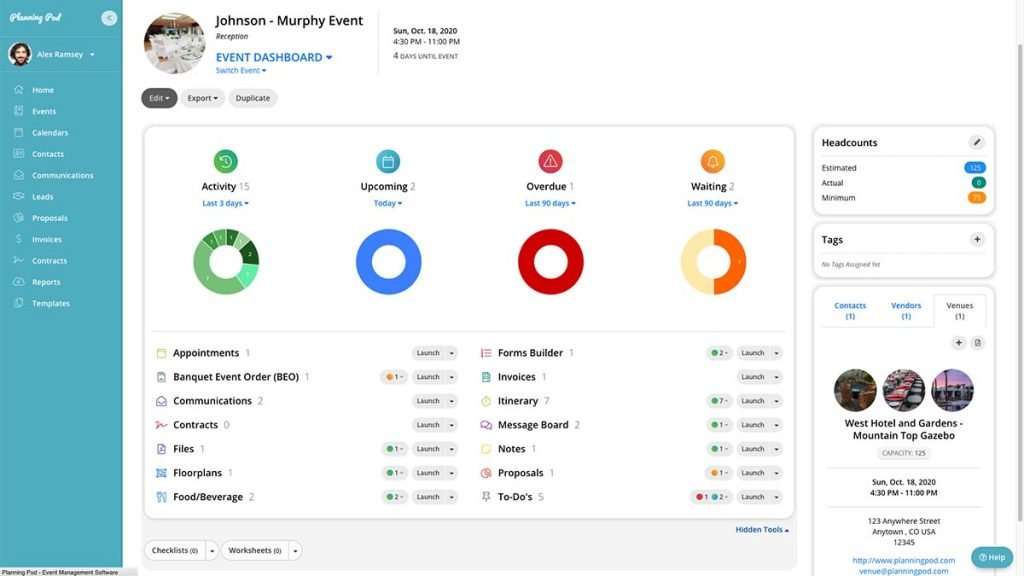
Planning Pod is built primarily for venues and professional event/hospitality operators, bundling lead intake, booking calendar, floor plans, BEOs, proposals, contracts, payments, and reporting into one system.
Venues and wedding businesses work differently from software teams, and Planning Pod is ideal for them. It runs the venue like a business. Because your leads, booking calendar, and signed contracts sit in one file, the sales pipeline stays tied to the event calendar.
Planning Pod boasts a deep, integrated toolset (40+ tools) that replaces a stack of separate apps. You can draw floor plans, set seating charts, and print banquet event orders for the kitchen and floor staff. Leads flow in from The Knot and WeddingWire, and invoices sync to QuickBooks, so the whole booking business runs in one spot.
Where Planning Pod falls short: The product and support point straight at hospitality. That focus is the strength, but corporate project managers find the task tracking clunky.
Skip Planning Pod if: You run internal company events or marketing campaigns. A flexible work tool gives those teams more room.
See how Planning Pod treated a non-event planner Capterra reviewer:
I am not an event planner and Planning Pod made planning, organizing, and executing a professional conference for 150+ attendees so ridiculously SIMPLE! The registration & ticket sales, budgeting, invoicing, contracts, email communication, template generation, attendee list, floor plan, To-Do lists with the ability to assign people and upload documents, the Itinerary, website, survey collection…I cannot adequately express how much of a lifesaver Planning Pod is for my nonprofit, volunteer, organizations conference committee!!!
Also Read: Best Venue Management Software for Events
ClickUp works best as the planning and coordination hub for an event. It’s where the event comes together before anyone walks through the door—the timeline, the vendor list, the budget, the task handoffs across marketing, logistics, and production. All of it in one workspace instead of scattered across spreadsheets and email threads.
Every task can carry Custom Fields for budget line items, vendor contract status, speaker confirmation dates, or guest-list headcounts. This way, a single Board or Table view doubles as your event tracker without a sidecar spreadsheet.
Switch to Gantt View, and you see the full production timeline with dependencies; switch to Calendar view, and you see what’s due this week. The same underlying data, just a different lens.
ClickUp Forms capture intake requests and route them straight into your pipeline with the right assignee, status, and due date already set. From there, ClickUp Automations take over the routine: reassigning tasks when a status changes or moving a completed approval into the next stage without anyone clicking a button.
Where ClickUp falls short: There is no native ticketing engine, registration page builder, or attendee check-in scanner. Teams running large public events still need a dedicated front-of-house layer.
Skip ClickUp if: You sell thousands of public tickets and need marketplace discovery or onsite badge printing as your primary function. For those jobs, start with Eventbrite or Cvent and run your back-office coordination in ClickUp alongside them.
Hear about ClickUp from this event manager reviewing on G2:
I use ClickUp for my event management work and it helps me manage my own to-do list while keeping track of what my team is working on. ClickUp breaks down communication silos, allowing me to understand project updates and team struggles without having to sit in meetings. The ‘My Tasks’ card is essential for managing my daily tasks and monitoring where I fall behind. I find the inbox feature extremely helpful for clearing messages and staying updated on tasks I’m a watcher on, without cluttering my ‘My Tasks’ list.
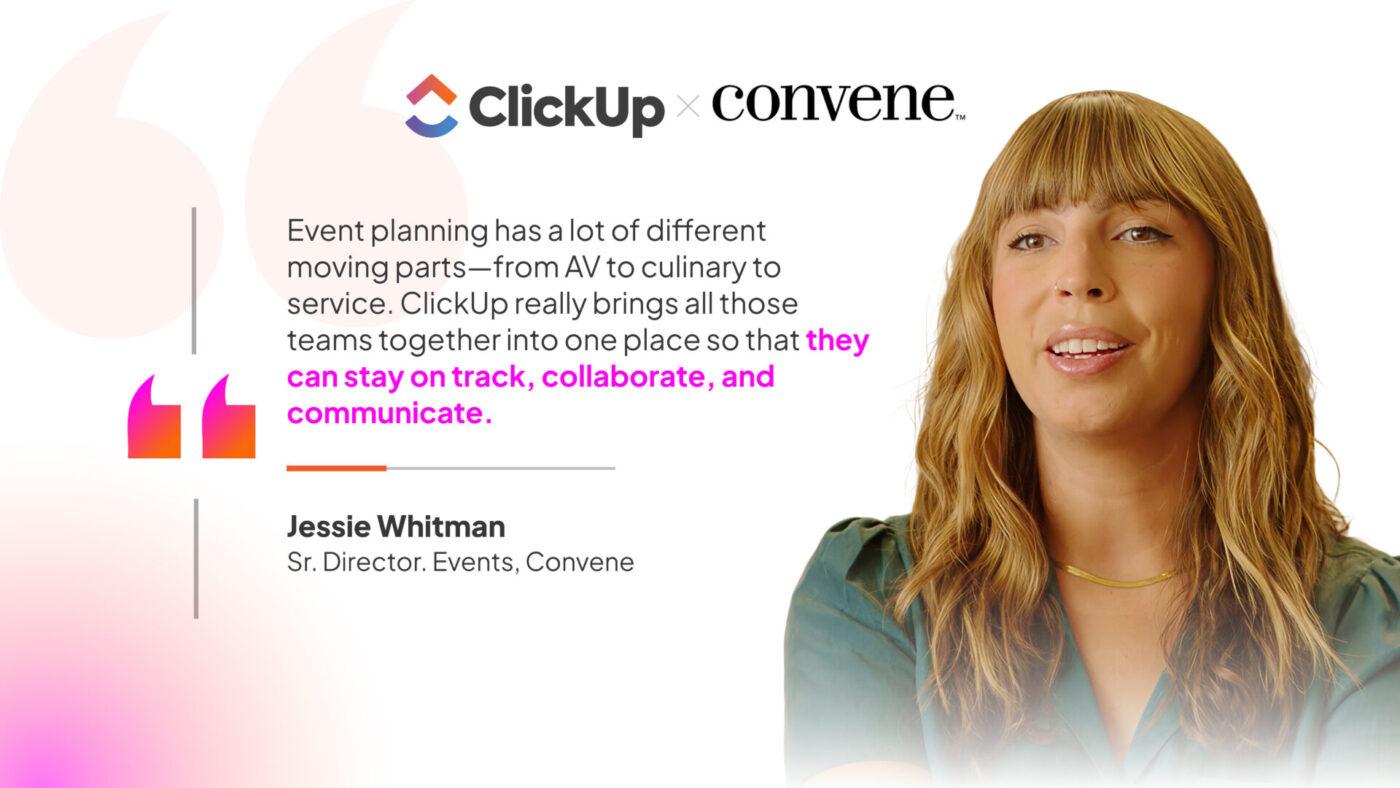
ClickUp customer, Convene, describes how they use ClickUp to manage all the moving parts of an event, from AV to culinary to service.
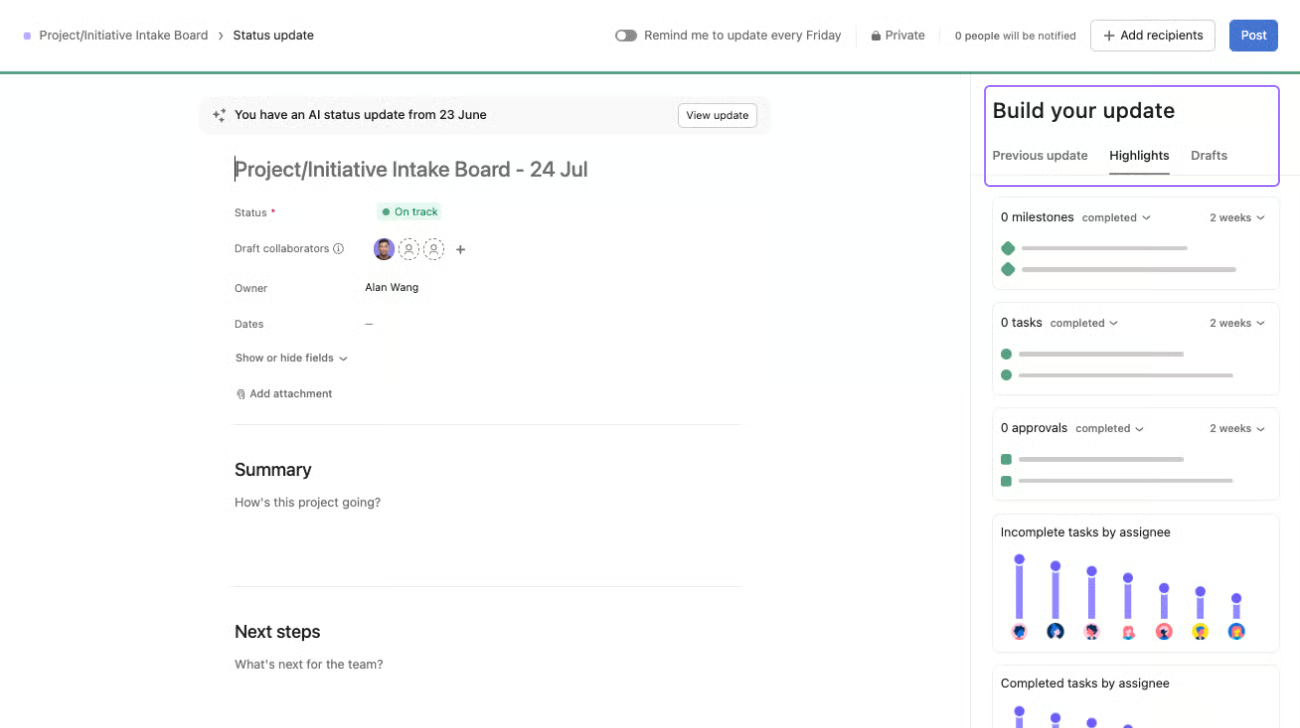
Asana, like ClickUp, is a work management platform that is not dedicated to event software, but it’s widely used to run the project side of events: tasks, timelines, owners, and cross-team coordination.
Asana is built for tight, interconnected event schedules. Its core strength is automatic date cascading. If a vendor misses a deadline, Asana automatically shifts every single task connected to that vendor down the line. This saves you from manually changing dozens of dates across your calendar.
Compared to monday.com, Asana gives you a more functional free tier to test basic task management before you upgrade. Plus, the new AI analyzes your team’s historical data to flag projects that are falling behind schedule. There is also a proofing tool, so your team can drop event signage into a task and sign off on it without a single email.
Where Asana falls short: The pricing model hurts growing teams. You must buy the Starter plan just to see the Timeline view. You also need the Advanced plan to track goals and multi-event Portfolios. No native event features (registration, ticketing, attendee management) either, so you’ll need to pair it with a dedicated tool.
Skip Asana if: You run a big team on a tight budget, where monday.com gives more per dollar. It also will not scan tickets at the door.
This G2 reviewer shares their thoughts about Asana:
I don’t know how anyone works without Asana. I love the collaboration- the ability to assign tasks to multiple coworkers at a time, project organization, using it for event planning, the templates. I use it daily and would have an unproductive day at work without it.
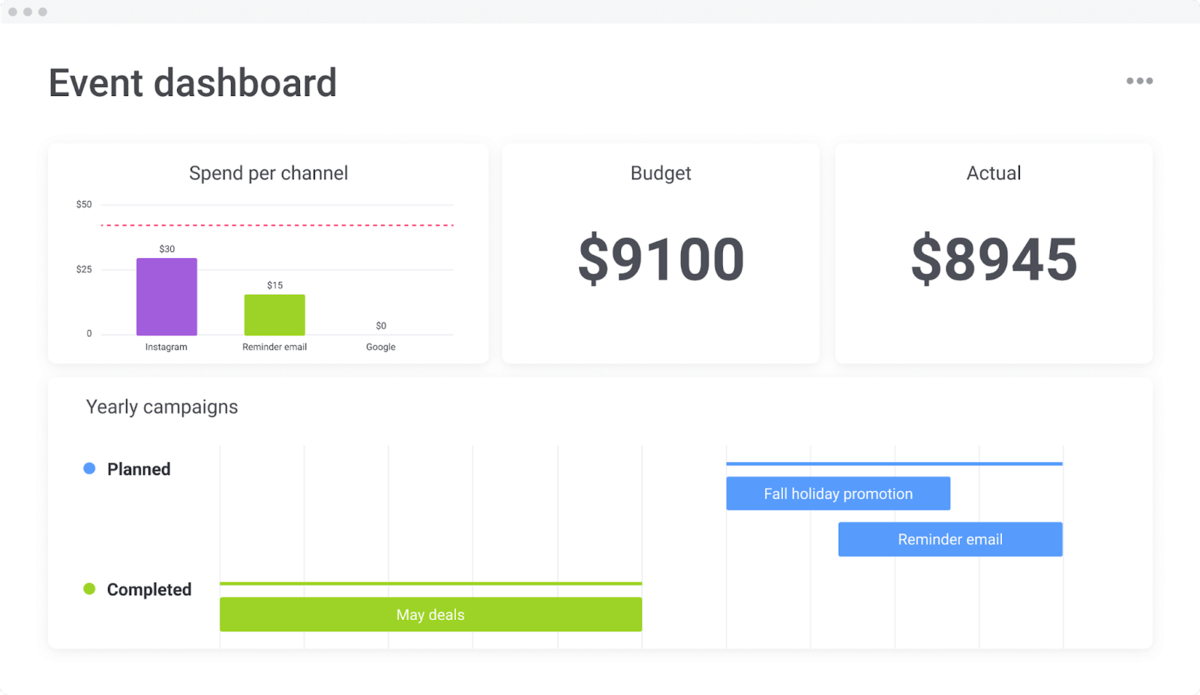
monday.com, like ClickUp and Asana, serves as a coordination tool and logistics hub rather than a registration platform. It’s a flexible “Work OS” that you can use to plan and track event logistics, like vendors, budgets, schedules, and tasks.
monday.com’s highly visual, customizable boards are perfect if your brain works in color-coded spreadsheets, timelines, and visual dashboards. It lets you build your event workspace from scratch. You can track everything from budget approvals to which vendors block which tasks, exactly how you want.
Its new Digital Workforce uses smart agents to automatically sort incoming requests and balance your team’s workload as the event calendar fills up. The best part for event planners? You don’t have to pay for client seats. You can bring vendors, sponsors, and stakeholders directly into your project as free guests.
Where monday.com falls short: It plans events but does not run them, so registration and check-in need other software. The Standard plan also caps you at 250 automations a month, easy to burn through in crunch week.
Skip monday.com if: You are a one or two-person team, since the three-seat minimum makes you pay for an empty seat. For ticketing and check-in, Eventbrite or Cvent fit better.
Learn about monday.com’s setup from this G2 reviewer:
It was easy to set up, and it’s helped us categorize event requests for our major areas, keeping events organized and improving our planning. For maintenance, it minimizes hallway requests and meetings while making it easy to track requests and their completion.
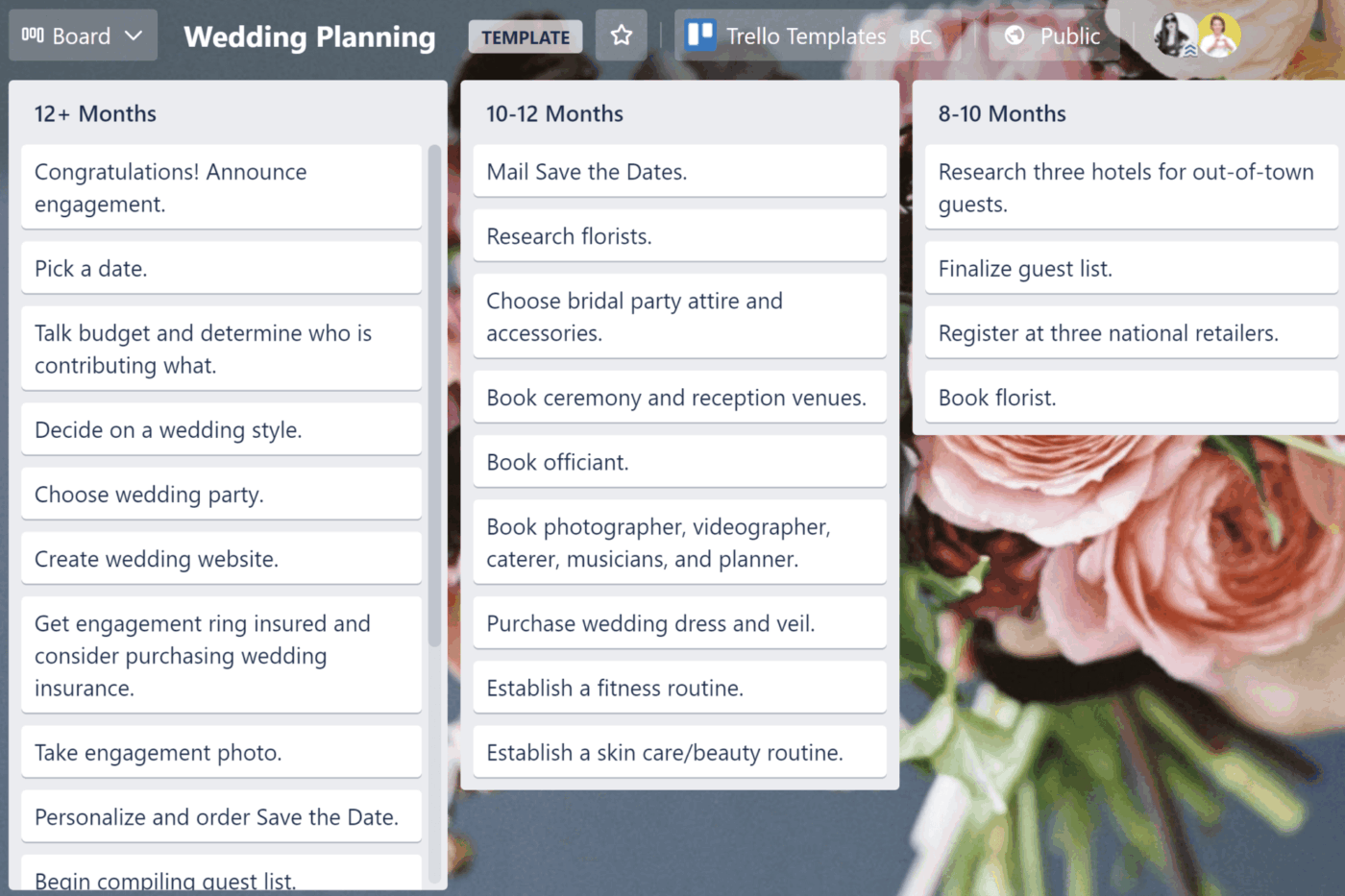
Trello keeps it simple with boards, lists, and cards that are perfect for smaller-scale events. Your team adopts it within minutes, minimizing the onboarding burden for volunteers and temporary staff. You write a task on a card, drag it across as work moves, and everyone sees who owns what.
A built-in tool called Butler runs on every plan. Configure it once, and it automatically delivers deadline reminders or updates card statuses. It eliminates repetitive administrative tasks.
And if you need to add complexity, Power-Ups add integrations and extra functionality flexibly.
Where Trello falls short: It lacks native dashboards for tracking large event budgets or managing overall team workloads. Tracking complex project timelines where a single vendor delay ruins the whole schedule is very difficult on a flat board layout.
Skip Trello if: You are running a large, multi-day conference with complex vendor timelines. For those projects, you will want a tracking tool like ClickUp, Asana, or monday.com.
See what this G2 reviewer likes about Trello:
What I like best about Trello is how dead simple it is to turn chaotic event planning—like juggling speaker schedules, sponsor lists, and attendee checklists for conferences—into visual boards with drag-and-drop cards that anyone on the team can grasp at a glance.
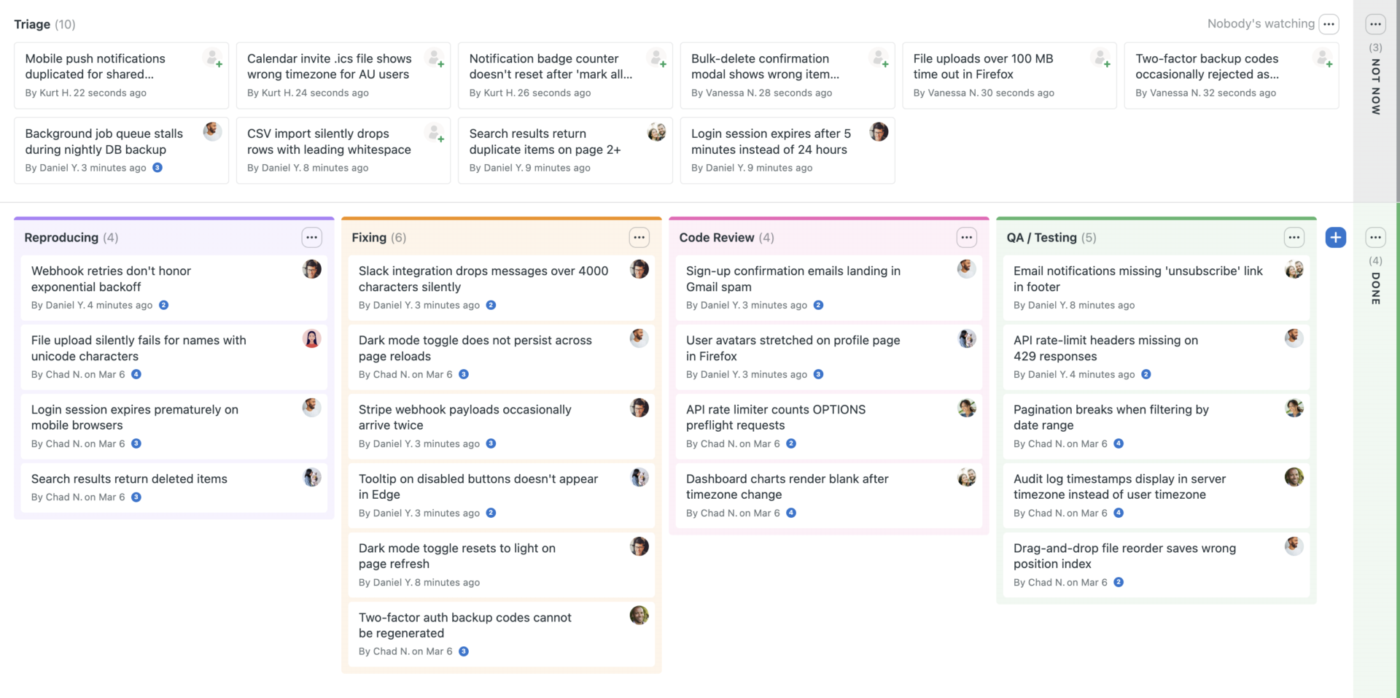
Basecamp maintains simplicity for smaller collaborative teams planning events. Messages, schedules, files, and to-do lists all live in one place, which suits teams that care more about talking clearly than building elaborate systems. You can bring clients, contractors, vendors, and sponsors into any project for free, and the flat price stays put as you grow.
For progress, it uses Hill Charts. They indicate at a glance whether a deliverable is still in the discovery phase or progressing toward completion. Compared to Trello, you get better messaging but fewer ways to lay out tasks.
Where Basecamp falls short: It skips the structure complex events lean on, with no dependency mapping, time tracking, or capacity planning. The loose setup also makes a clean data export hard later.
Skip Basecamp if: Your event hangs on linked timelines and detailed reports. ClickUp or monday.com give you that depth.
Listen to this G2 reviewer talking about Basecamp:
What I like best about Basecamp is that it made complex, repeatable work feel manageable—without turning the tool itself into a second job (because no one has time for that). It was affordable for our limited department budget. It was a stand-alone for our department, but was easily integrated into our various event and project teams.
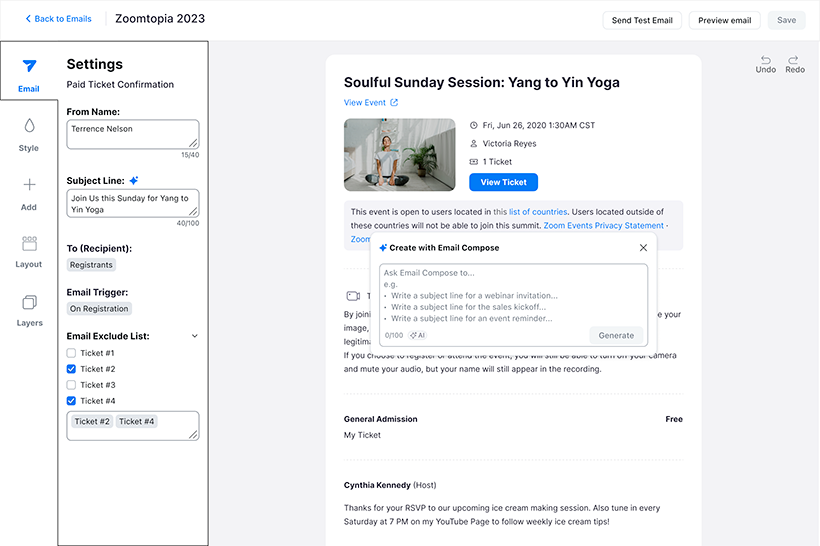
Zoom Events is Zoom’s full virtual and hybrid event platform, built on top of the video infrastructure most teams already know. It handles multi-day conferences and summits with registration, ticketing, multi-session agendas, multiple tracks, and networking, going well beyond a single webinar.
Zoom currently packages it as ‘Zoom Events and Webinars’, with Webinars as the lighter-weight tier for straightforward broadcasts and Events for the complex stuff. People know how to join a call and where the mute button is, so the tech panic drops on event day. That makes it a safe pick for online workshops, summits, and webinars.
It does more than host a call, though. You build a hub for a multi-day agenda, open a chat lobby for networking, and run live Q&A, all virtual, of course. It also reports cleanly on ticket sales and turnout, so you see what worked once the stream ends.
Where Zoom Events falls short: It is great on screens and lost on a show floor. It cannot print badges or run physical booths, and support can be slow to reach. Some users feel it’s expensive, with limited customization and a complex setup process for larger events.
Skip Zoom Events if: Your event has an in-person side with booths or badges. A venue-built tool like Whova or Cvent handles that.
Hear about Zoom Events from this G2 reviewer:
I host volunteer events using Zoom Events and Webinars, and I really like the ability to have access controls for large groups. Specifically, I appreciate features like highlighting speakers and muting people, which help in managing the event smoothly. The ability to easily host an event and use specific features like speaker highlighting stands out because it lets me focus attention effectively. Setting it up was easy, which is also a big plus.
The right tool depends on the job you are trying to fix. Choose ClickUp, Asana, or monday.com for internal coordination. Choose Eventbrite, Whova, or Cvent when attendee registration, ticketing, or engagement is the real constraint.
The right pick comes down to what you need to manage during your event. Match the bottleneck, not the feature list. Here’s the shortlist by team type.
- Cvent if you run enterprise conferences with heavy registration
- Whova if attendee networking and a strong event app matter most
- Eventbrite if you sell public tickets and want discovery
- Planning Pod if you run a venue or wedding business
- ClickUp if you need one workspace for timelines, docs, vendors, and follow-up
- Asana if linked deadlines and multi-event timelines come first
- monday.com if you want visual, drag-and-drop planning boards
- Trello if you want a simple board for a small event
- Basecamp if a small team values clear communication over structure
- Zoom Events if your events are virtual or webinar-led
A couple of noteworthy tools didn’t make it to the final list. But here are a few honorable mentions in the event planning software category:
- Hopin: Best for virtual and hybrid events. Offers built-in networking, expo booths, and streaming
- Aventri (Stova): Best for mid-to-large corporate events with global reach
- Splash: Best for branded event marketing and beautiful event pages/invitations
- RSVPify: Best for guest list management, RSVPs, and private events (weddings, galas)
- Tripleseat: Best for restaurants, hotels, and venues managing bookings and catering
Judge event planning software on six things: workflow fit, visibility, who can access it, how it handles guests, what it automates, and price as you grow.
Here are detailed questions to brainstorm with your team:
Pro Tip: Run a 30-day trial against your next event, not a sandbox. The tool that survives one full run-of-show with vendors and deadlines is the one to buy. Depending on demos to find your next fit will lead to hidden frictions later on.
If your hardest problem is internal coordination, not ticket sales, ClickUp gives you timelines, vendor tracking, approvals, and post-event follow-up in one workspace. Plus, ClickUp’s Free Forever plan lets you test a full event workflow without paying or picking a tier first.
Start planning your next event in ClickUp!
Most event planners use a stack, not a single software: a work-management tool for planning (ClickUp, Asana, monday.com, or Trello) paired with a registration or ticketing tool (Eventbrite, Cvent, or Whova). Peer threads on Reddit’s r/EventProduction and Quora consistently show ‘best-of-breed’ stacking rather than forcing one suite to do everything. The pattern: run logistics and approvals where your team already works, and add ticketing only when you sell to the public.
Eventbrite is one of the best choices for public ticketed events because it combines event publishing, checkout, and discovery in one platform. That matters when selling tickets is the main job. Cvent and Whova can also support registration-heavy programs, but Eventbrite is easier for self-serve launches and smaller teams.
Cvent is the strongest fit for enterprise conferences because it supports venue sourcing, registration, badging, attendee engagement, and post-event analytics at scale. It is built for organizations that run large or frequent conferences, not one-off internal meetings. The trade-off is complexity and cost.
Event planning software ranges from free to five figures a year. Work-management tools are cheapest: ClickUp from $7/user/mo, Trello from $5, Asana from $13.49. Planning Pod and enterprise platforms like Cvent use negotiated annual contracts. Eventbrite is free to publish but charges 3.7% + $1.79 per paid ticket plus 2.9% processing. Match the pricing model to your event volume. Note: pricing changes, so check the tool’s official website before making a decision.
Trello is one of the easiest event planning tools for small teams and small businesses. Its visual Kanban boards need almost no training. Basecamp is another strong option when communication matters more than dependency tracking. The trade-off is depth: lightweight tools become harder to manage once events grow more complex, involve more vendors, or require tighter reporting.
Yes, spreadsheets can work for one small event, but they break down once multiple owners, deadlines, vendors, and approvals enter the workflow. The failure point is usually coordination, not data entry. A free tool like ClickUp or Trello gives teams shared visibility, reminders, and ownership without much added cost.
Event planning software handles internal work such as timelines, tasks, vendors, budgets, and approvals (ClickUp, Asana, monday.com). An event management software runs the attendee-facing job: registration, ticketing, check-in, and engagement (Cvent, Whova, Eventbrite). The line blurs at the enterprise end, where suites like Cvent fold planning workflows into a registration-first platform.
Yes, there are several free event planning software tools. ClickUp, Trello, Asana, and monday.com all offer free-forever tiers that cover tasks, owners, and timelines for one event. Eventbrite is free to publish and charges fees only on paid tickets. The catch: free tiers cap automations, views, or seats, so they strain once events turn cross-functional or recurring.

Manasi Nair
Max 26min read
Manasi Nair
Max 26min read
Manasi Nair
Max 20min read

© 2026 ClickUp