The Best Process Improvement Methodologies to Follow in 2026 (with Tools and Templates)


Sorry, there were no results found for “”
Sorry, there were no results found for “”
Sorry, there were no results found for “”
As a project manager, you’re no stranger to creating and optimizing processes. While optimization is a must, there are different ways to improve your project management practices.
Process improvement methodologies help you identify problems in your business processes and fix them. With the right framework, you’ll speed up work, cut costs, and enhance work quality. ⭐
In this guide, we’ll explore business process improvement methodologies, discuss the most important approaches, and provide a few templates to speed up process improvement.
Process improvement methodologies are structured approaches or strategies used by organizations to analyze, enhance, and optimize their business processes. These methodologies aim to make operations more efficient, reduce waste, improve quality, and increase customer satisfaction.
Instead of trying to figure things out through trial and error, the methodology gives you a proven framework for analyzing, reviewing, and improving processes within your business. 🛠️
Most process improvement methodologies follow these steps:
All methodologies are different, but they all act as a blueprint to refine and manage your internal workflows and optimize existing processes.
There are a bajillion process improvement techniques out there. You’re free to choose the option that speaks to you, but let’s take a look at some of the most commonly used methodologies.
🧠 Fun Fact: Six Sigma aims to reduce defects to near perfection: 3.4 defects per million opportunities (DPMO)
Remember, these are just the most popular methodologies. Below, we share other process improvement methodologies in detail to give you a better idea of your options and why they might work for you.
Improving processes requires constant oversight and team effort. ClickUp’s free Process Improvement Work Breakdown Structure Template simplifies it by providing you and your team a dedicated space to plan improvements, assign tasks, and track progress to keep things on course.
Let’s break down some of the most useful process improvement methodologies to improve your team’s output and say bye-bye to bottlenecks. ⏱️
Before we do so, here’s a quick comparison table to give you an overview:
| Methodology | Focus | Scope | Suitability | Tools/Techniques |
|---|---|---|---|---|
| Agile | Iterative improvement through flexibility and feedback | Cross-functional, project-based | Teams needing adaptability, collaboration, and continuous iteration | Sprints, Kanban Boards, Retrospectives, Burndown Charts |
| Kanban | Visualizing workflow and reducing inefficiencies | Team or project-level | Teams managing tasks through fixed phases or wanting visibility | Kanban Boards, Custom Task Statuses, WIP Limits, Cumulative Flow Diagrams |
| Root Cause Analysis | Identifying and eliminating underlying problems | Problem-specific | Complex or recurring issues where symptoms aren’t the real problem | 5 Whys, Fishbone Diagram (Ishikawa), Fault Tree Analysis, Whiteboards |
| Just-In-Time (JIT) | Minimizing inventory waste and improving cash flow | Operational, especially production | Businesses with predictable demand and efficient supply chains | Custom Fields, Demand Forecasting Dashboards, Automations, Gantt Charts |
| SIPOC Analysis | High-level process mapping to clarify roles and steps | Cross-functional processes | Early project stages, stakeholder alignment, or complex processes | SIPOC Diagrams, Process Mapping Tools |
| Theory of Constraints | Identifying and resolving process bottlenecks | System-wide | Businesses needing throughput improvement by addressing limiting factors | Bottleneck Analysis, Drum-Buffer-Rope, Task Priorities, Dashboards |
Agile is a project management strategy that prioritizes flexibility, feedback, and collaboration. It’s typically a tool for product development, but you can also use it for process improvement.
With Agile methodology, you create a plan, design it, develop it, test it, deploy it, and review it. Once you review the process improvement plan results, you start the process over again. Agile is never really “over,” which makes it a good fit for any team that likes to iterate and work together closely.
👀 Did You Know? Organizations that adopted Agile software development said it offered a 41% improvement in the predictability of software deployment and its success rate!
Common use cases:
Best for:
Implementation tips:
Tools and templates to try:
ClickUp for Agile teams offers a suite of features that facilitate iterative development, collaboration, and continuous improvement.

Use ClickUp Sprints to plan, execute, and review sprints efficiently. Estimate sprint points, set sprint durations, and create and assign ClickUp Tasks at the click of a button. Tracking progress is also simple through built-in burndown charts and velocity reports.

ClickUp’s collaboration tools, including task comments, @mentions, and real-time editing inside shared ClickUp Docs, enable team members to communicate effectively, share updates, and resolve issues promptly without switching across multiple tools.
Learn how to apply Agile to non-software teams in our video 👇🏽
Bonus: Adaptive Project Management!
Kanban is a visual workflow management improvement tool. This tool makes it easy to see each project’s status, assignees, and progress.
For process improvement, Kanban acts as a whiteboard tool that allows you to map out your current processes and identify friction points.

Since it’s a visualization tool and not necessarily a methodology on its own, it’s best to combine Kanban boards with other process improvement methods. Even so, it’s a helpful tool for visualizing complex processes and simplifying them until you’re happy with the result. ✨
Common use cases:
Best for:
Implementation tips:
Tools and templates to try:
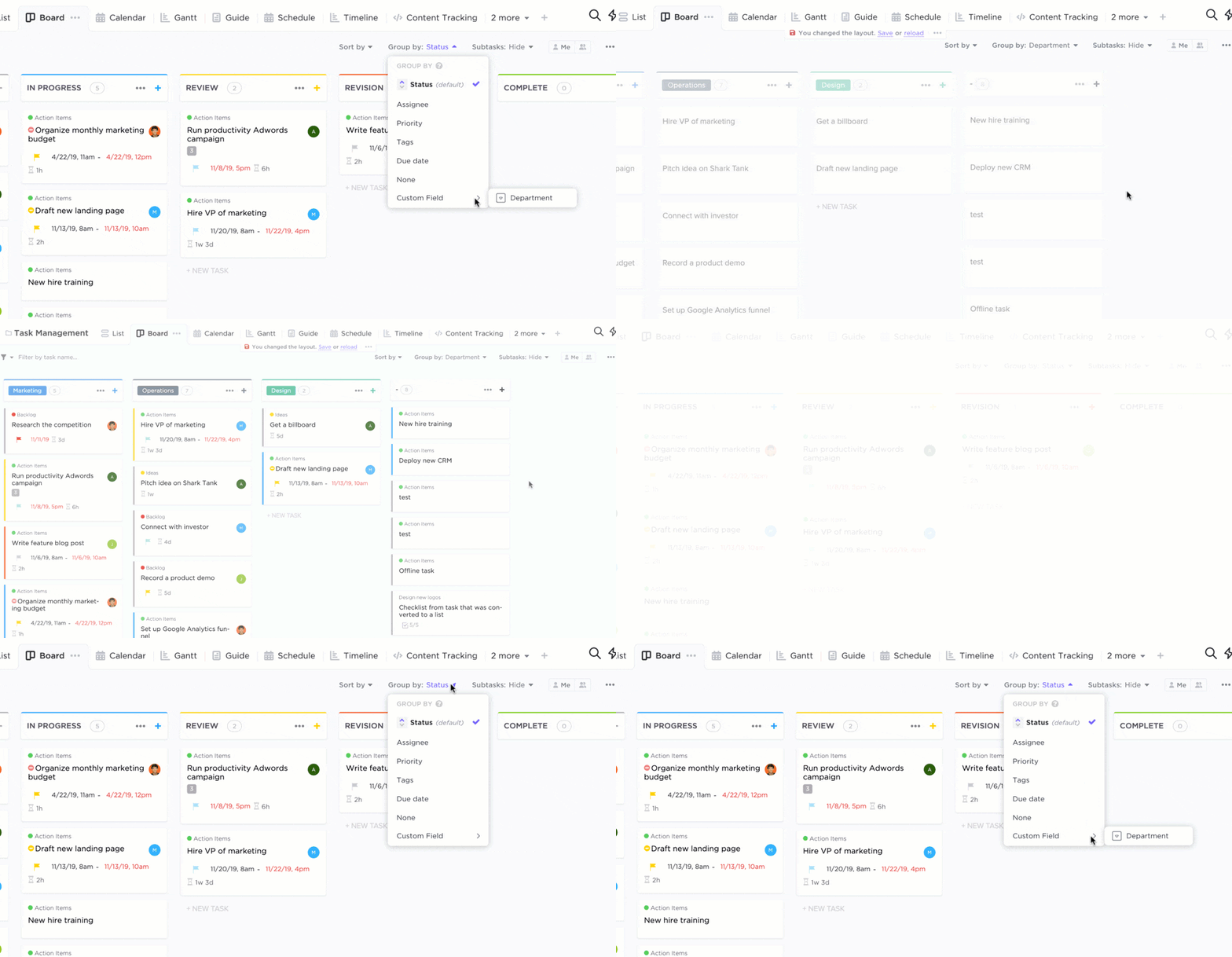
ClickUp’s Board View enables drag-and-drop functionality, allowing users to move tasks across different status columns effortlessly, reflecting real-time progress. Teams can define Custom Task Statuses in ClickUp to match their specific processes for a tailored Kanban experience.
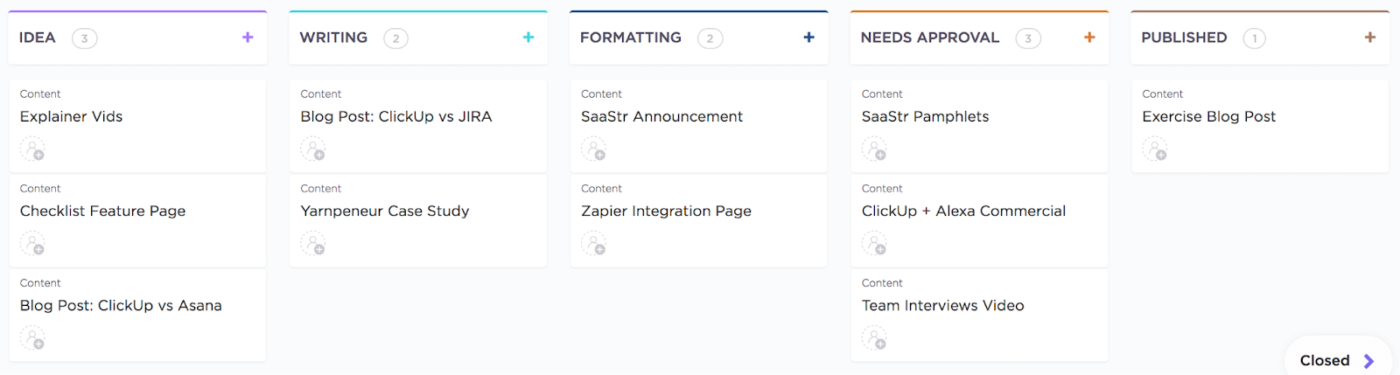
📌 For example, a content marketing team using ClickUp might set up Custom Task Statuses like Idea, Researching, Writing, Editing, Ready for Review, Scheduled, and Published. This workflow helps them track each piece of content from the initial concept all the way through to publication.
In contrast, a software team’s custom statuses could include Backlog, Ready for Development, In Progress, Code Review, QA Testing, and Done. This setup aligns with the iterative nature of software development, emphasizing stages like peer review and quality assurance testing before marking a task complete.
Root cause analysis (RCA) is a problem-solving strategy project managers use to deal with the actual problem instead of its symptoms.
📌 For example, if you have an issue with customer support response times, your knee-jerk reaction might be to put pressure on your customer service team. But with RCA and a little digging, you might realize your tech setup is actually causing the delays, not your team. 👀
By taking the time to identify the true cause of an issue, you’ll work more efficiently and prevent problems from recurring.
Common use cases:
Best for:
Implementation tips:

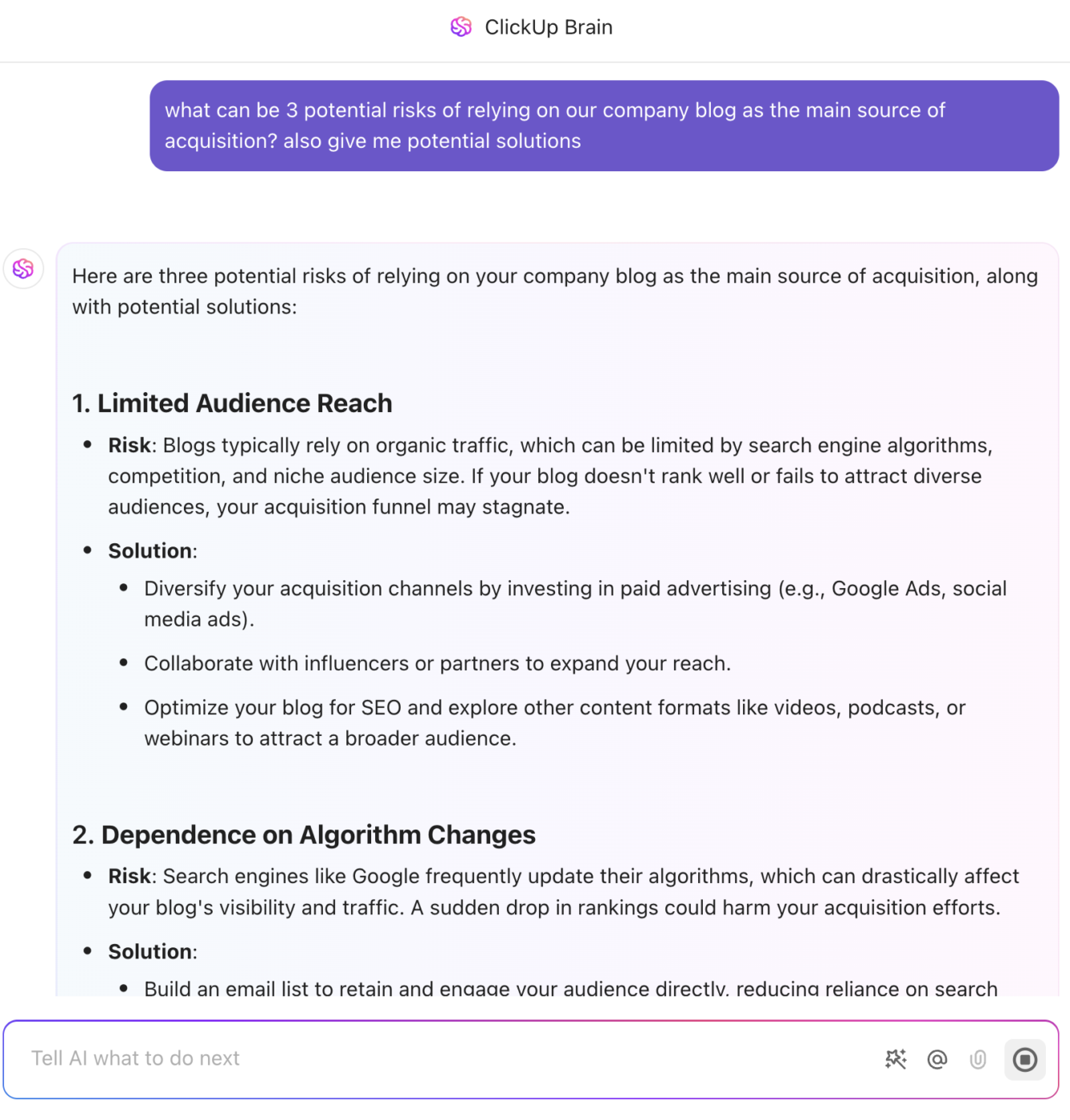
💡 Pro Tip: ClickUp Brain, ClickUp’s native AI assistant, can be of great help in RCA by summarizing complex issue threads, identifying recurring problems through natural language search, and auto-generating RCA documentation. It also suggests preventive actions to ensure long-term resolution and risk management.
Tools and templates to try:
Whiteboards in ClickUp provide the perfect canvas for brainstorming potential causes leading to a problem. Use them to create visual representations by mapping out categories such as methods, materials, and personnel, to systematically explore contributing factors.
You can also use ClickUp’s Ishikawa (Fishbone) Diagram Template for this.
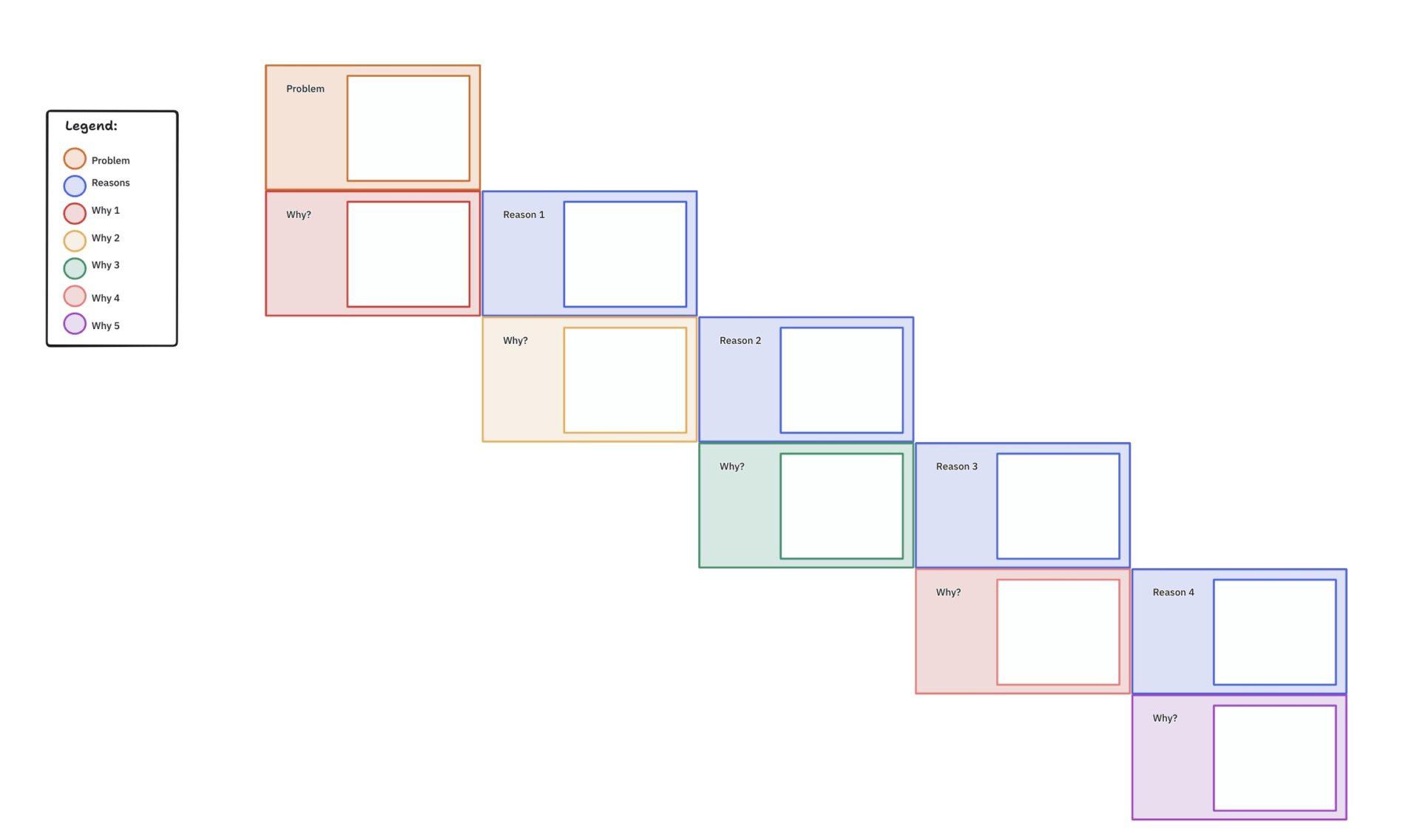
In addition, ClickUp’s 5 Whys Template guides teams through iterative questioning to uncover the root cause of issues.
It provides a straightforward format for documenting each “Why” and the corresponding answers.
JIT is a production strategy in which items are created only as needed.
🧠 Fun Fact: The JIT manufacturing approach originated from Toyota, but it can be used by any business that relies on physical inventory or materials.
If you have a lot of inventory in stock and it’s tying up your budget, switching to JIT will minimize waste and improve your cash flow. 💸
Common use cases:
Best for:
Implementation tips:

Tools and templates to try:
ClickUp makes it easy to enable smooth, demand-driven workflows with minimal waste.
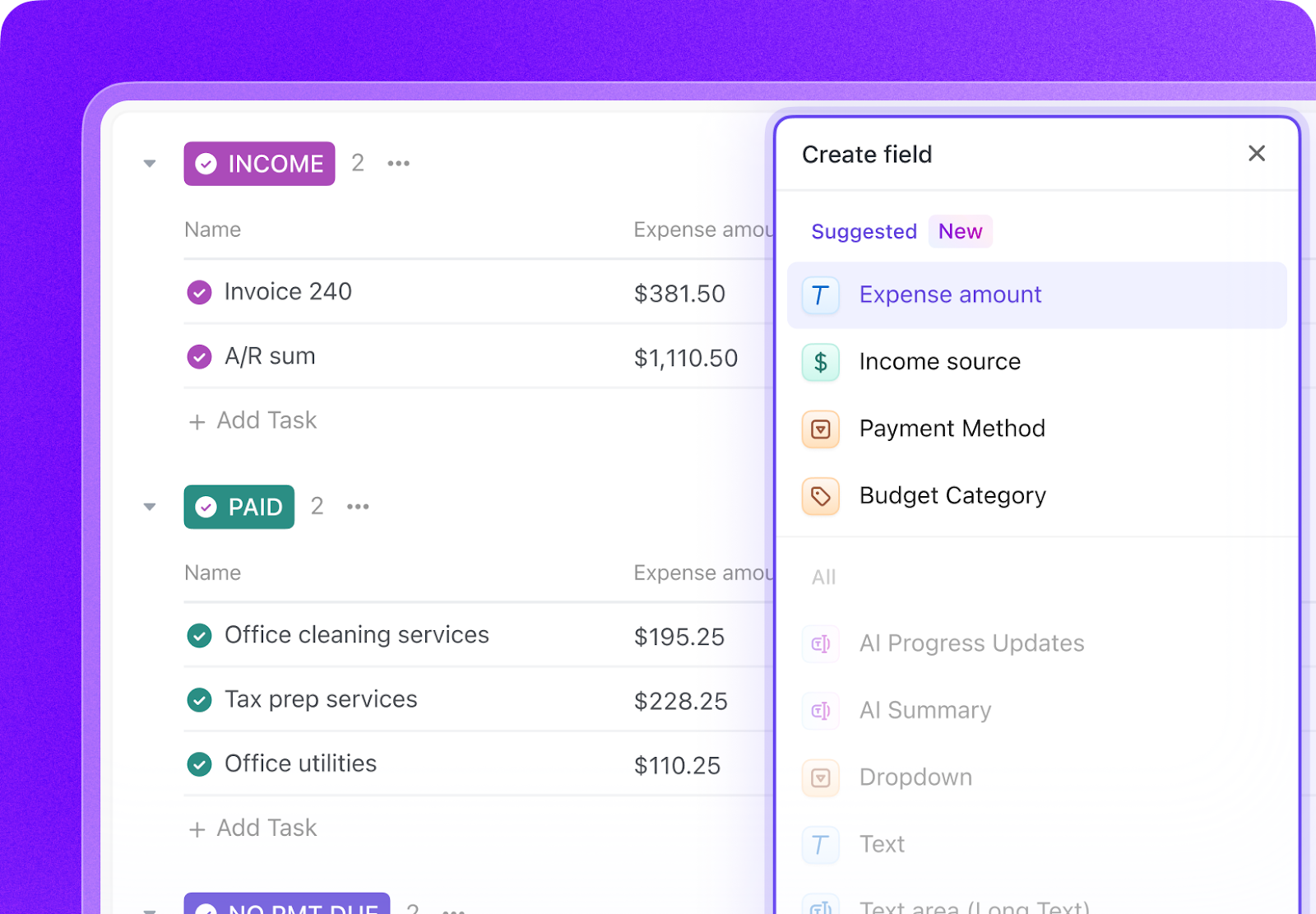
Teams can create Custom Fields in ClickUp to monitor inventory levels, reorder points, or task batch sizes, ensuring that work or materials flow only as needed.
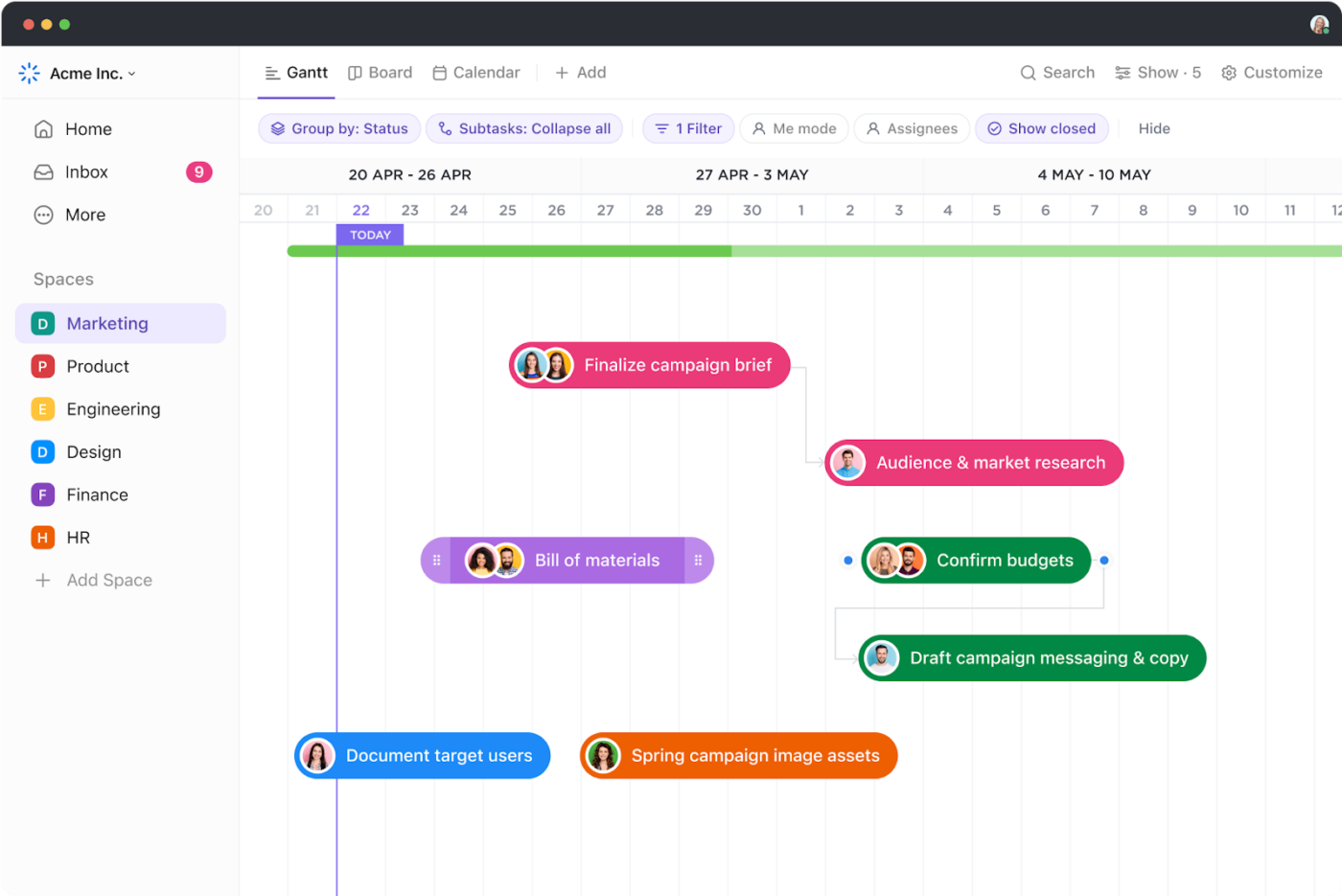
ClickUp’s Gantt Charts visualize schedules and delivery deadlines in real time, helping align production with actual demand and avoid unnecessary buildup.
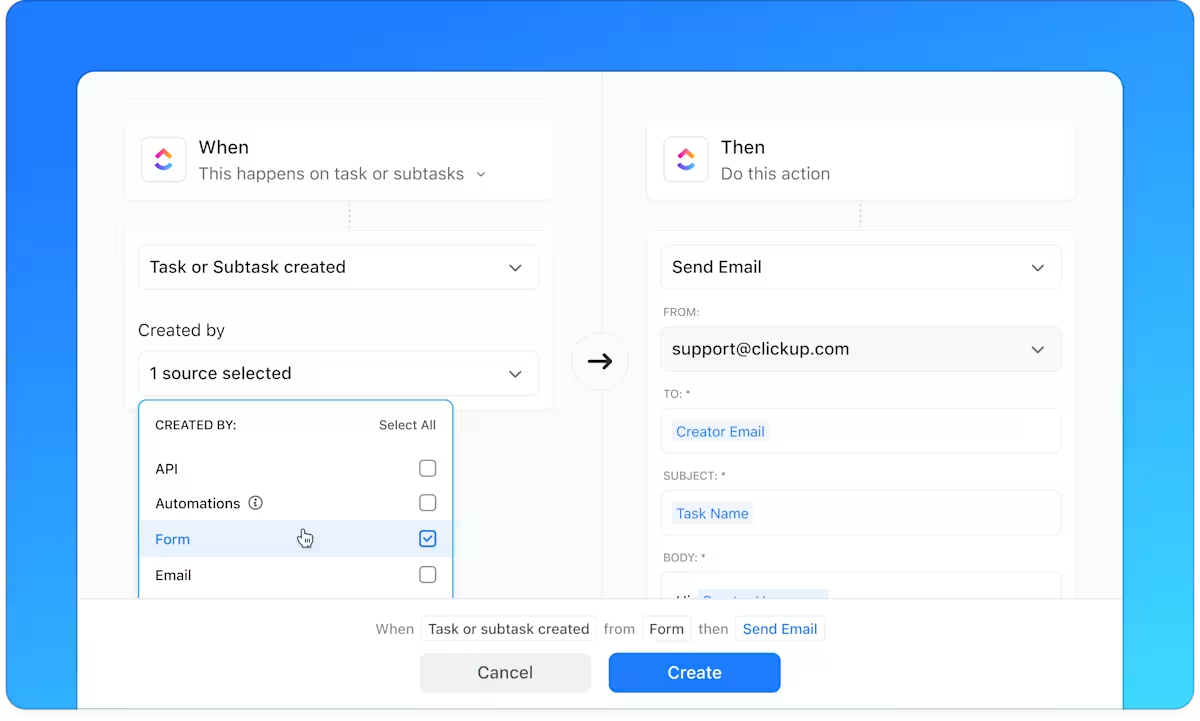
With ClickUp Automations, you can even automate task creation or notifications when stock or task capacity hits a threshold, so your team responds immediately without delays or overproduction.
Suppliers, Inputs, Process, Outputs, and Customers (SIPOC) is a process improvement methodology that visualizes processes at a high level.
It doesn’t get into the nitty-gritty details, but if you need to compare several processes simultaneously, SIPOC is the best tool for the job. SIPOC is also ideal if you want to quickly get everyone on board with your project.
Common use cases:
Best for:
Implementation tips:
Tools and templates to try:
ClickUp’s ready-to-use SIPOC Template is designed to map Suppliers, Inputs, Process, Outputs, and Customers clearly and collaboratively. The process improvement template offers predefined columns for each SIPOC element, allowing users to systematically document and visualize their processes.
📌 For example, a product launch team can use this template to identify suppliers (designers, marketing), inputs (design files, campaign briefs), process steps (content creation, approvals, distribution), outputs (launch assets), and customers (sales teams, end-users).
With features like Custom Statuses, Custom Fields, and multiple views (such as SIPOC Board, Suppliers, Inputs, Processes, Outputs), teams can gain a comprehensive understanding of their workflows and identify areas for improvement.
Theory of Constraints is a process improvement methodology that actively looks for roadblocks (constraints) and eliminates them to streamline workflows. You can’t eliminate every constraint, but even then, improving or removing a few bottlenecks can dramatically improve your processes. 🎯
Common use cases:
Best for:
Implementation tips:
Tools and templates to try:
Easily visualize workflows and spot bottlenecks in ClickUp by tracking task progress across 15+ ClickUp Views. Gantt and Timeline views highlight scheduling conflicts, while the Workload View can pinpoint overloaded resources that might be constraints.
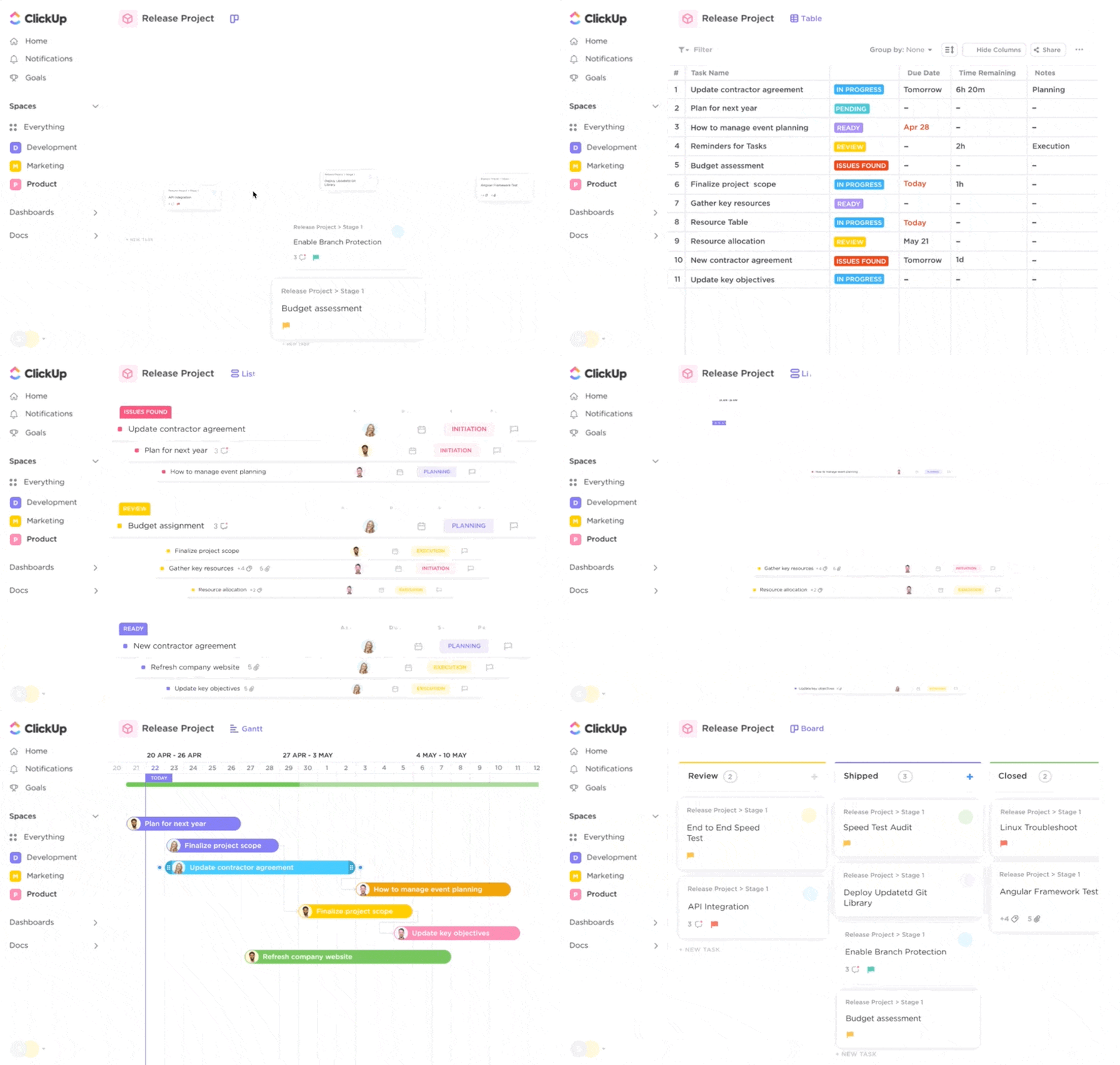
Use Task Priority Flags in ClickUp to monitor and focus efforts on tasks that may be critical bottlenecks. Automate notifications and task assignments when bottleneck tasks reach critical points, ensuring timely attention and resolution.

📮ClickUp Insight: Think your to-do list is working? Think again. Our survey shows that 76% of professionals use their own prioritization system for task management. However, recent research confirms that 65% of workers tend to focus on easy wins over high-value tasks without effective prioritization.
ClickUp’s Task Priorities transform how you visualize and tackle complex projects, highlighting critical tasks easily. With ClickUp’s AI-powered workflows and custom priority flags, you’ll always know what to tackle first.
Building custom Dashboards in ClickUp will help you monitor key metrics related to constraints, such as cycle time, task queue length, or resource availability, giving real-time insights into system performance.
Methodologies are helpful, but even with a methodology in hand, you have to create all of the process documentation yourself. That’s a lot of work, isn’t it?
Fortunately, there’s no need to do process improvement solo. As we saw, ClickUp’s free templates are here to back you up, whether you need to understand your team’s scope of work or create SOPs for new processes. 🌻
Let’s look at some of the best ones now:
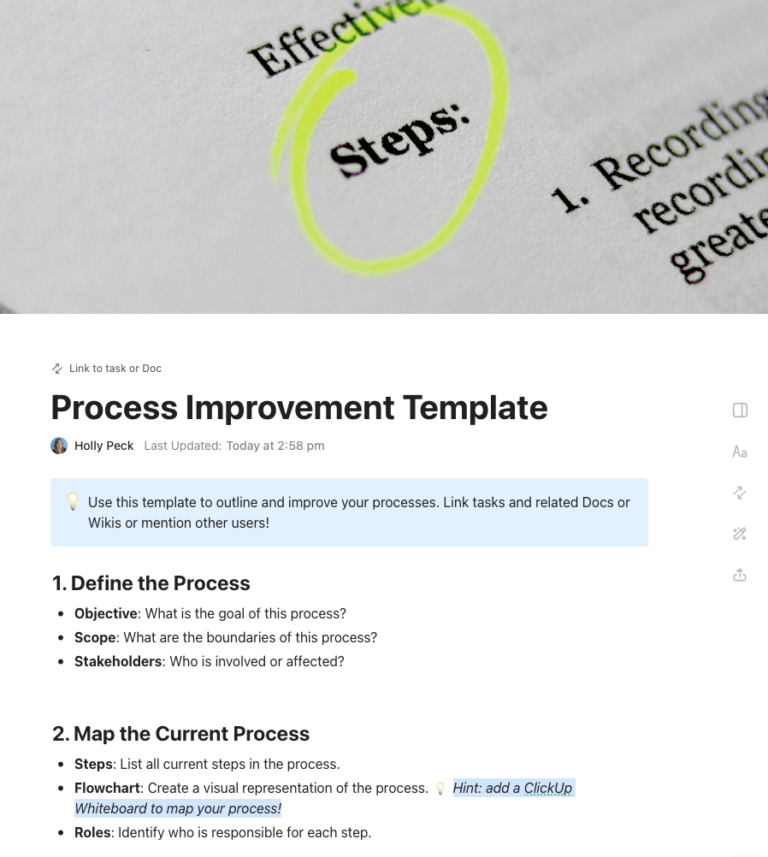
Instead of tracking everything via email, chats, or sticky notes, use the ClickUp Process Improvement Work Breakdown Structure Template.
It takes your big, audacious improvement goals and breaks them into smaller, digestible tasks. This template identifies bottlenecks in the process improvement process, assigns tasks, and tracks progress in one place.
The ClickUp Process Improvement Project Charter Template is a must-have process document for kicking off your first process improvement project. Use this template to:
If you’re trying to plan a big meeting about process improvement, this charter template will get everyone on the same page, faster.
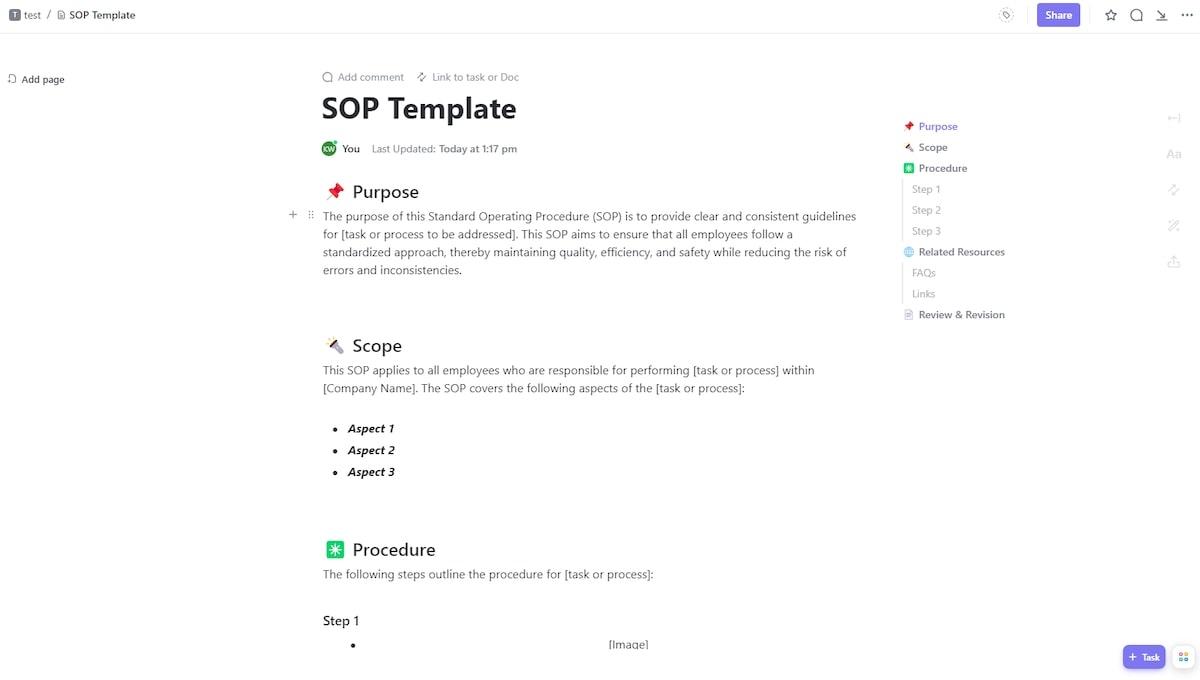
At this point, you have goals and a plan, but sometimes implementation is where projects grind to a halt. Don’t let procedural hiccups get you down. Use the ClickUp Continual Improvement SOP Template.
Standard operating procedures (SOPs) go into excruciating detail about how exactly your team will do continual process improvement. This ClickUp template also tracks progress and measures the impact of your changes, so you can tell pretty quickly if something works or needs retooling.
Everybody likes improvement, but is it really worth your time to use a process improvement methodology? Some teams can get by without one, but that isn’t a good way to see real, lasting change. Implementing process improvement methodologies comes with many benefits.
⚡️ Template Archive: Check out these quality control templates!
No process is perfect, but there’s always room for improvement. Even if your processes are near perfect, things will continue to change. Follow the best process improvement methodologies to stay on the cutting edge of your industry while working in the most efficient way possible.
The good news is that you don’t have to do this alone. ClickUp combines the power of Tasks, Automations, Templates, Whiteboards, and more to streamline your work processes.
Experience the time-saving benefits of a truly all-in-one work platform. Sign up for ClickUp now—it’s free forever.

Sudarshan Somanathan
Max 23min read
Sudarshan Somanathan
Max 22min read
Sudarshan Somanathan
Max 22min read

© 2026 ClickUp