






Still downloading templates?
There’s an easier way. Try a free AI Agent in ClickUp that actually does the work for you—set up in minutes, save hours every week.
Sorry, there were no results found for “”
Sorry, there were no results found for “”
Sorry, there were no results found for “”

Clear writing is clear thinking. Even if writing isn’t your primary domain, being coherent and grammatically sound has become a baseline expectation in the modern workplace.
With AI-powered writing assistants like WritingMate AI, it becomes much easier to express yourself clearly.
That said, users feel that
WritingMate’s final product necessitates substantial editing to meet the tone and style desired.
This is why content creators, marketers, and small businesses often explore more advanced options. In this article, we’ll break down the best WritingMate AI alternatives, compare their features, and help you find the best fit for your writing needs.
🧠 Did You Know? The phrase “content is king” wasn’t coined by a marketer. It came from Bill Gates in 1996, when he wrote an essay predicting that the internet’s real value would lie in content. Nearly three decades later, that prediction still feels like a prophecy that shaped the entire digital age.
Here’s a quick comparison of the top WritingMate alternatives to help you choose the right fit based on a few key features, additional features, pricing, and user ratings.
| Tool | Best for | Key features | Pricing* | Ratings |
| ClickUp | AI-powered content planning and team collaboration | ClickUp Brain for outlines and drafting, BrainGPT for multiple LLM models, and Talk to Text, Docs with real-time co-writing | Free plans; customizations for enterprises | G2: 4.7/5 Capterra: 4.6/5 |
| Grammarly Business | Professional writing consistency across teams | Grammar and tone suggestions, Style Guide and Brand Tones, Snippets, Knowledge Share, analytics dashboard, works across 500k+ apps | $15/month per user | G2: 4.7/5 Capterra: 4.7/5 |
| Notion AI | All-in-one productivity inside Notion | Summaries, translation, tone improvements, brainstorming, and draft generation, database autofill | Free; Starting from $12/month per user | G2: 4.6/5 (7,000+) • Capterra: 4.7/5 (2,600+) |
| Jasper AI | Marketing teams that need scale and speed | 50+ content templates, Brand Voice, Surfer SEO mode, Image Suite, Jasper Chat | Free; Starting from $59/month per user | G2: 4.7/5 Capterra: 4.8/5 |
| Writesonic | Content creation with built-in SEO support | Long-form writer, keyword and topic clustering, gap analysis, ChatSonic, 100+ templates, Chrome extension | Free; Starting from $49/month per user | G2: 4.7/5 Capterra: 4.8/5 |
| TextCortex AI | Small teams and solo creators who want quick help | Rewrite and translate, short-form generation, personas, knowledge bases, 500+ prompt templates | Free; Starting from $6.99/month per user | G2: 4.7/5 Capterra: 4.7/5 |
| MailMaestro | Email and meeting productivity | Compose, Reply, Improve for email, thread, and attachment summaries, follow-up nudges, smart labels, and TeamsMaestro action items | Free; Starting from $15/month per user | Capterra: 4.3/5 |
| Koala AI | Long-form SEO content at scale | Full articles from a keyword, real-time SERP analysis, internal linking and schema, Amazon roundup builder, bulk + WordPress | Free; Starting from $9/month per user | G2: 5.0/5 Capterra: 4.6/5 |
| Evercopy | Scaling on-brand ad creatives with AI | 30+ ad formats across image and video, AI remixes, custom templates, brand personalization, drag-and-drop studio | Free; Starting from $185/month per user | Capterra: 4.7/5 |
| Wordplay | One-click long-form SEO content | 5,000+ word articles in one click, bulk generator, WordPress publishing, SEO-friendly FAQs | Free; Starting from $99/month per user | G2: 4.7/5 |
Our editorial team follows a transparent, research-backed, and vendor-neutral process, so you can trust that our recommendations are based on real product value.
Here’s a detailed rundown of how we review software at ClickUp.
You might think flashy features will give you the best return on your buck, but that’s often not the case.
While finding the perfect AI tool that fits your style and voice is a bit of a trial-and-error process, the ideal tool will lift the weight of small details while letting your voice shine through.
Here’s how you can identify these systems:
💡 Pro Tip: Don’t just test an AI tool on long essays or articles. Try it on small everyday tasks—like drafting a quick reply, polishing a text, or brainstorming a headline. You’ll understand its real strengths much faster and see if it’s truly the right fit for you.
Here are 10 of the best WritingMate AI alternatives, each with its own way of making writing easier, clearer, and a little more enjoyable.
WritingMate helps you write with AI, but once that draft is done, you’re manually moving it into your workflow—copying text into project tools, assigning reviews, and tracking deadlines separately.
Most AI writing assistants stop at content generation. They don’t connect to where your work actually happens—the task lists, calendars, and team collaboration that turn drafts into published work.
ClickUp solves this as the world’s first Converged AI Workspace. ClickUp’s in-built AI lives inside your workspace, where content gets assigned, reviewed, edited, and shipped.
No Work Sprawl between research, writing, coordination, and execution. For content creators and marketers tired of juggling separate tools for creation and management, ClickUp Brain beats standalone writing assistants.
Let’s see how ClickUp is a steady fit for all types of teams globally.
Writing isn’t just about words—it’s about turning ideas into impact. Whether you’re crafting content, reports, or campaigns, ClickUp Brain helps you move from concept to completion seamlessly by understanding your work context and keeping creativity connected to action
Here’s how:
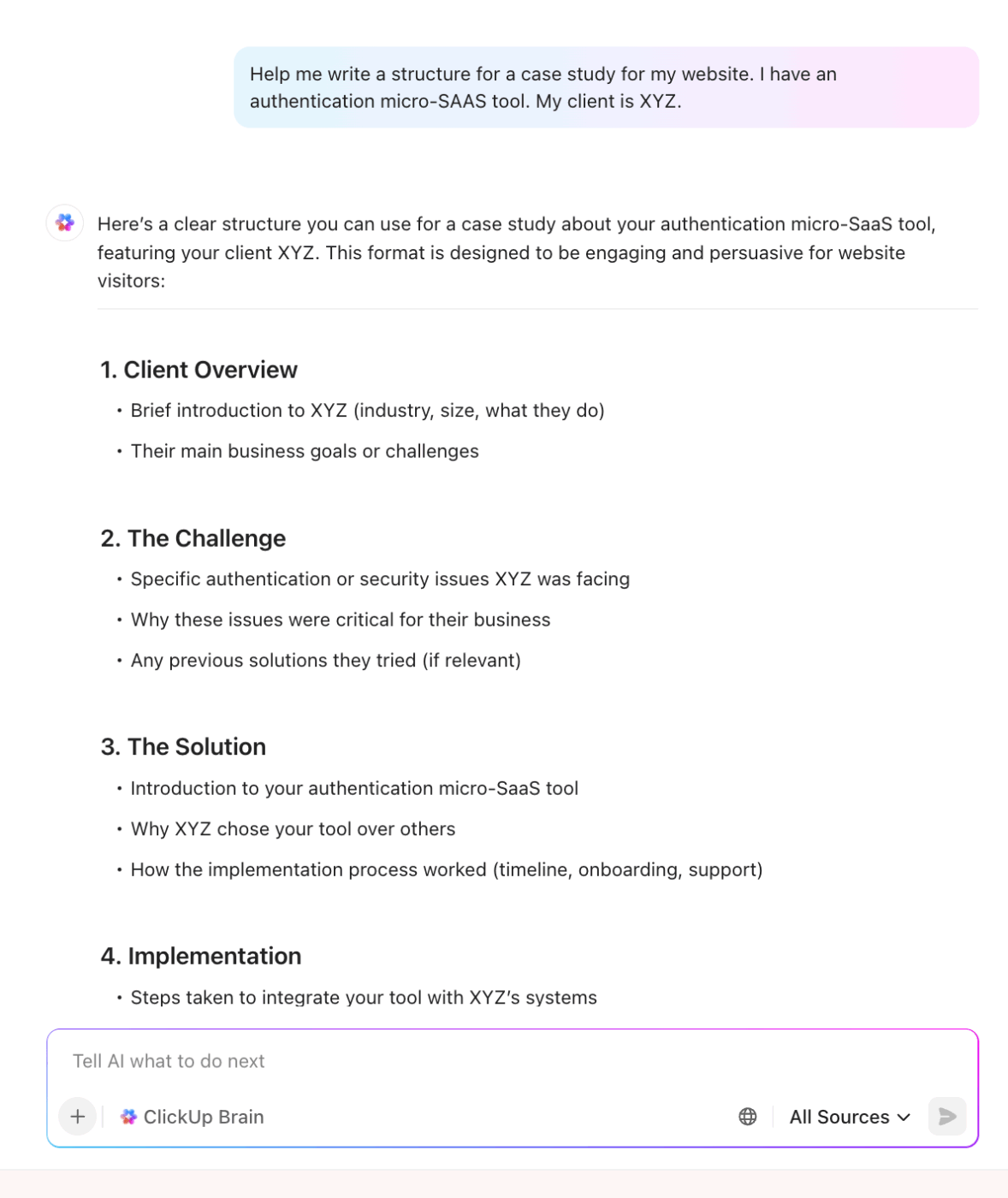
And just like WritingMate AI, Brain offers the power of multiple LLMs in one single app. So you skip the AI sprawl, and get access to Claude, Gemini, GPT-4o, and more under one roof.
📌 Example: You drop a seed idea in a doc. ClickUp AI expands it into an outline, suggests headings, and creates a task for the first draft with a due date and an assignee.
For deeper research and context, try ClickUp BrainGPT
ClickUp BrainGPT takes things even further. It’s a fully connected desktop AI app that understands your work ecosystem, unifies your tools, and helps you move seamlessly from writing to execution.
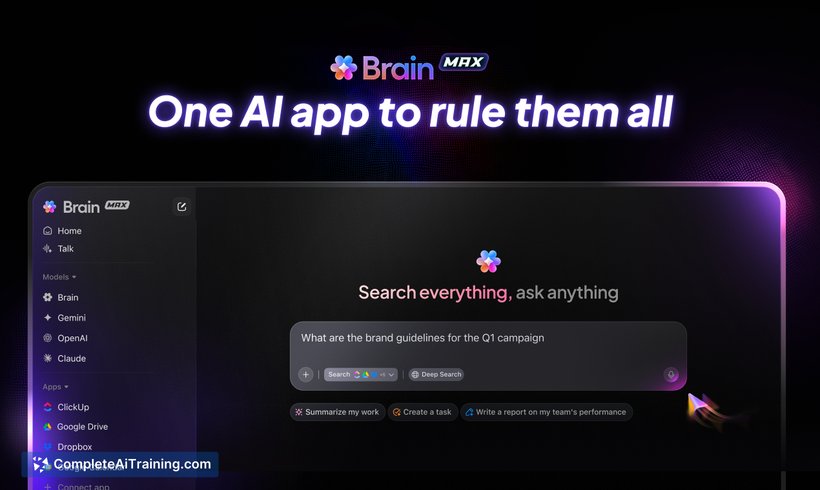
Imagine drafting a blog post or marketing campaign and needing to reference research, past assets, or design files scattered across different apps.
Instead of switching tabs, BrainGPT lets you instantly search across ClickUp, Google Drive, GitHub, OneDrive, SharePoint, and even the web—pulling everything you need into one place. Your writing becomes more informed, more accurate, and far less fragmented.
Then there’s Talk to Text, which brings true flexibility to your creative flow. Whether you’re dictating a paragraph idea on your commute or brainstorming headlines out loud, BrainGPT captures your voice and turns it into structured content.
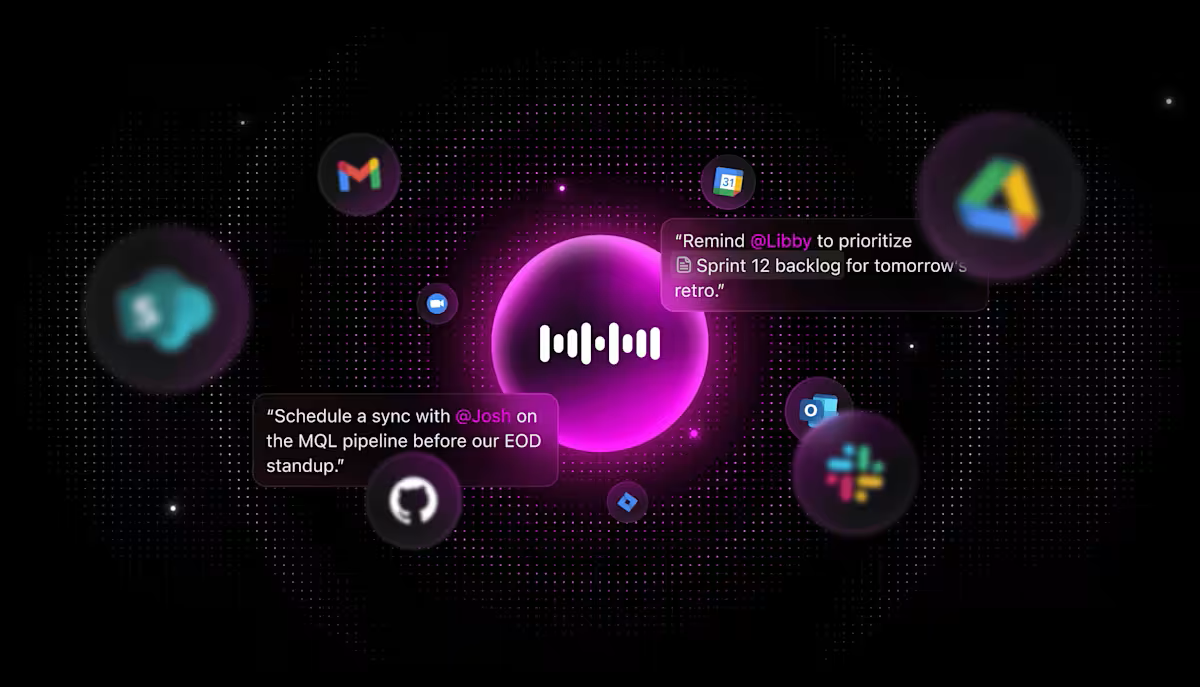
Beyond that, BrainGPT gives users access to multiple AI models like Gemini, Claude, and ChatGPT in one. That means no more juggling tabs or subscriptions to handle writing, research, and planning separately. You get a single, enterprise-ready environment that understands what you’re working on and why.
🎥 You can use ClickUp’s built-in AI in more ways than one when it comes to marketing. Here’s a quick guide:
📚 Also Read: Best AI Proofreader Software for Flawless Content
Write together in ClickUp Docs with real-time editing, gentle comments, and action items. Convert any line into a task with owners and dates, and keep everything connected with Docs Hub for easy search.
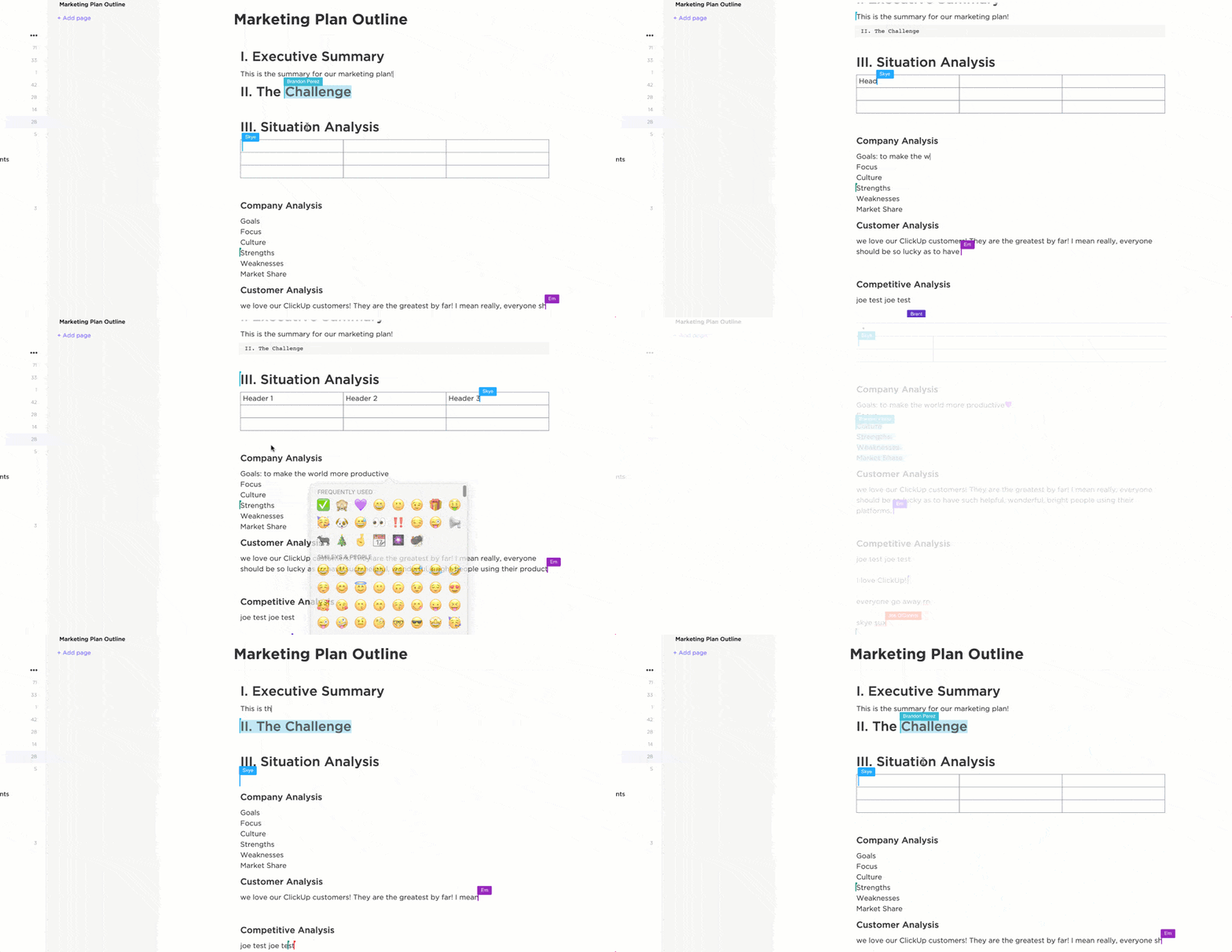
Add simple widgets to update status without leaving the page and link docs to tasks so your plan stays tidy. This approach combines drafting and execution, allowing people to quickly understand their next steps at a glance. It reduces back-and-forth and keeps each page moving toward done.
📚 Also Read: Best AI Text Simplifiers for Easy and Clear Writing
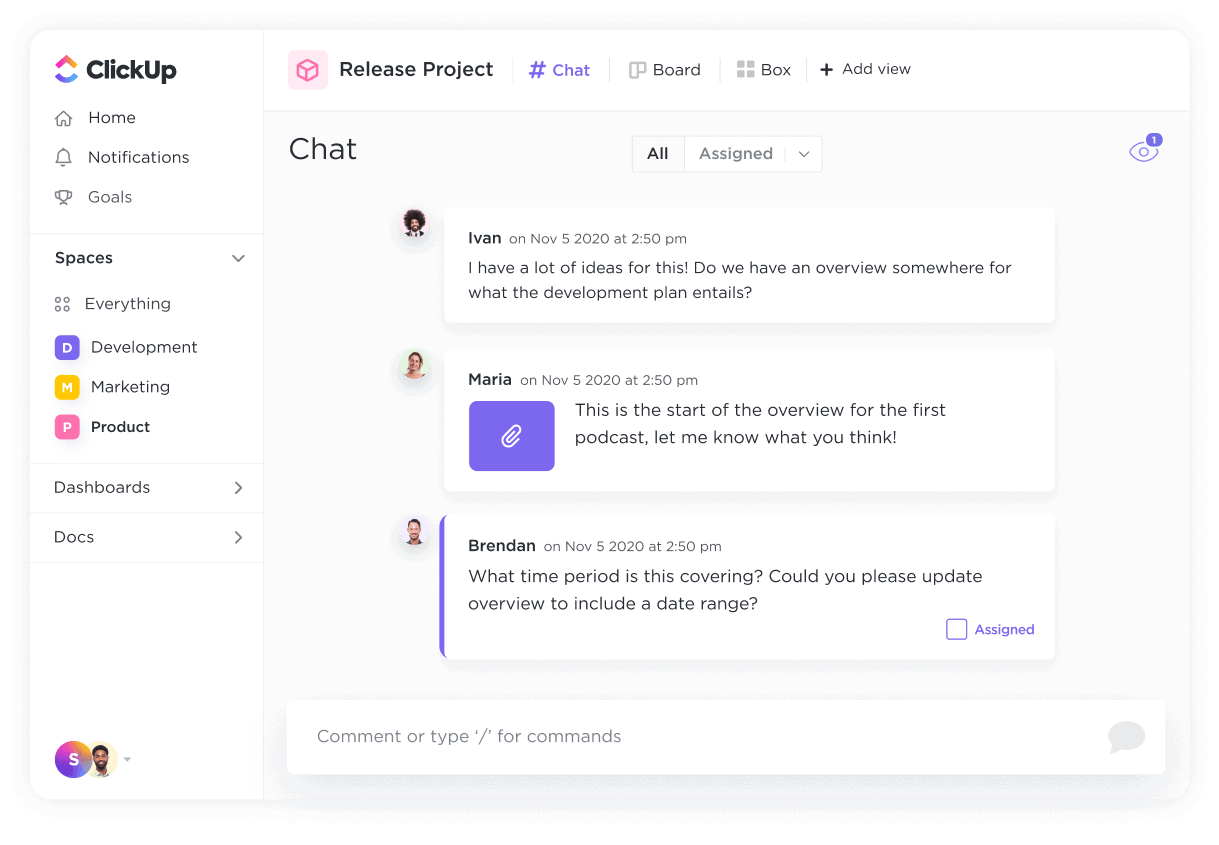
Brainstorm with colleagues in ClickUp Chat, share quick notes, and attach the conversation to the work. With just one click, you can convert any message into a task, and request AI to summarize lengthy threads to ensure everyone is informed of their responsibilities.
Keep context with the task and the doc so nothing gets lost across apps. The flow stays light because you can create, assign, and follow up without leaving the chat.
Features like Automations, AI writing assistant, and the revamped Calendar are real time-savers. And the best part? It scales with us—whether we’re launching a new campaign or managing long-term operations.
📮 ClickUp Insight: More than 50% of respondents type into three or more tools daily, battling “app sprawl” and scattered workflows.
While it may feel productive and busy, your context is simply getting lost across apps, not to mention the energy drain from typing. BrainGPT brings it all together: speak once, and your updates, tasks, and notes land exactly where they belong in ClickUp.
No more toggling, no more chaos—just seamless, centralized productivity.
Think about the last time you wrote an important email and paused, wondering if it sounded too formal or maybe not polished enough. Multiply that moment across an entire team, and you can see how small uncertainties in writing add up to lost time and mixed messages.
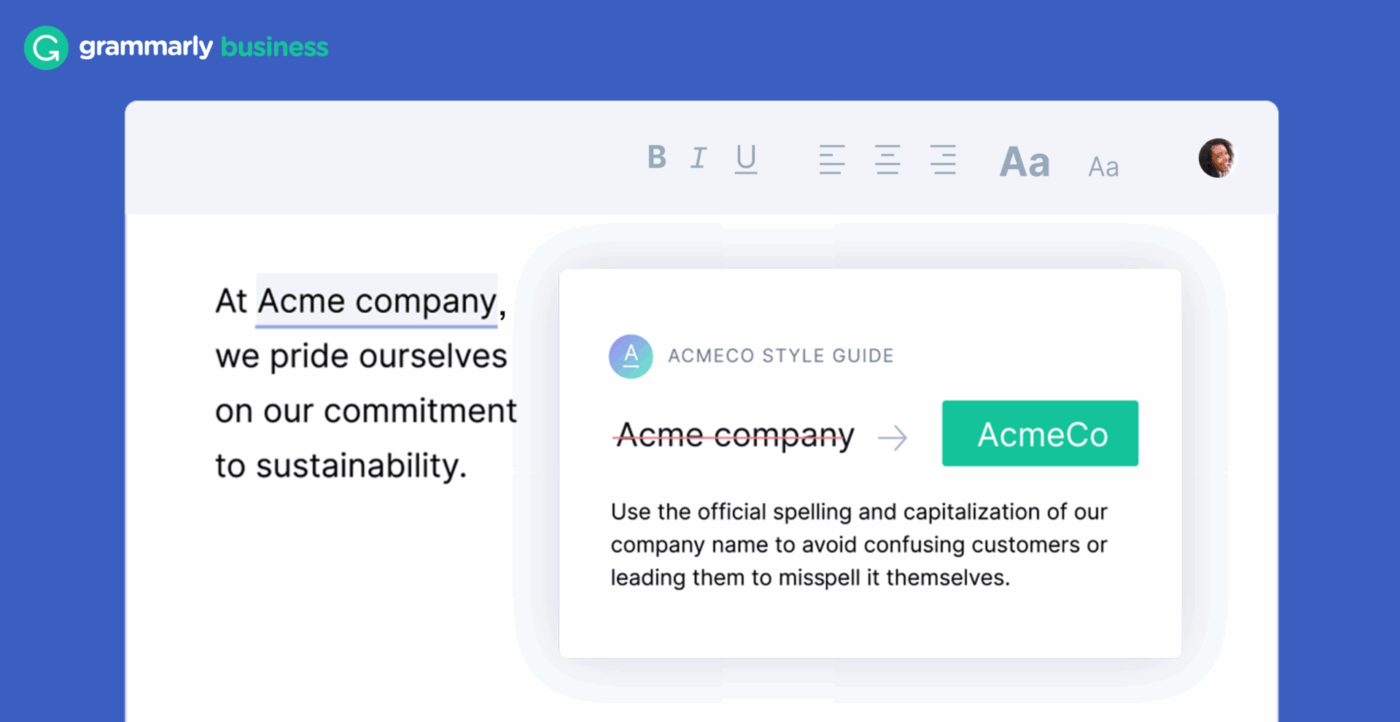
Grammarly Business helps teams avoid that. It steps in quietly, suggesting the right tone, smoothing rough sentences, and making sure your company’s voice shines through in every message.
It’s super helpful for improving writing across the team, catching mistakes, and making sure our messages are clear and professional.
📚 Also Read: Top Grammarly Alternatives and Competitors
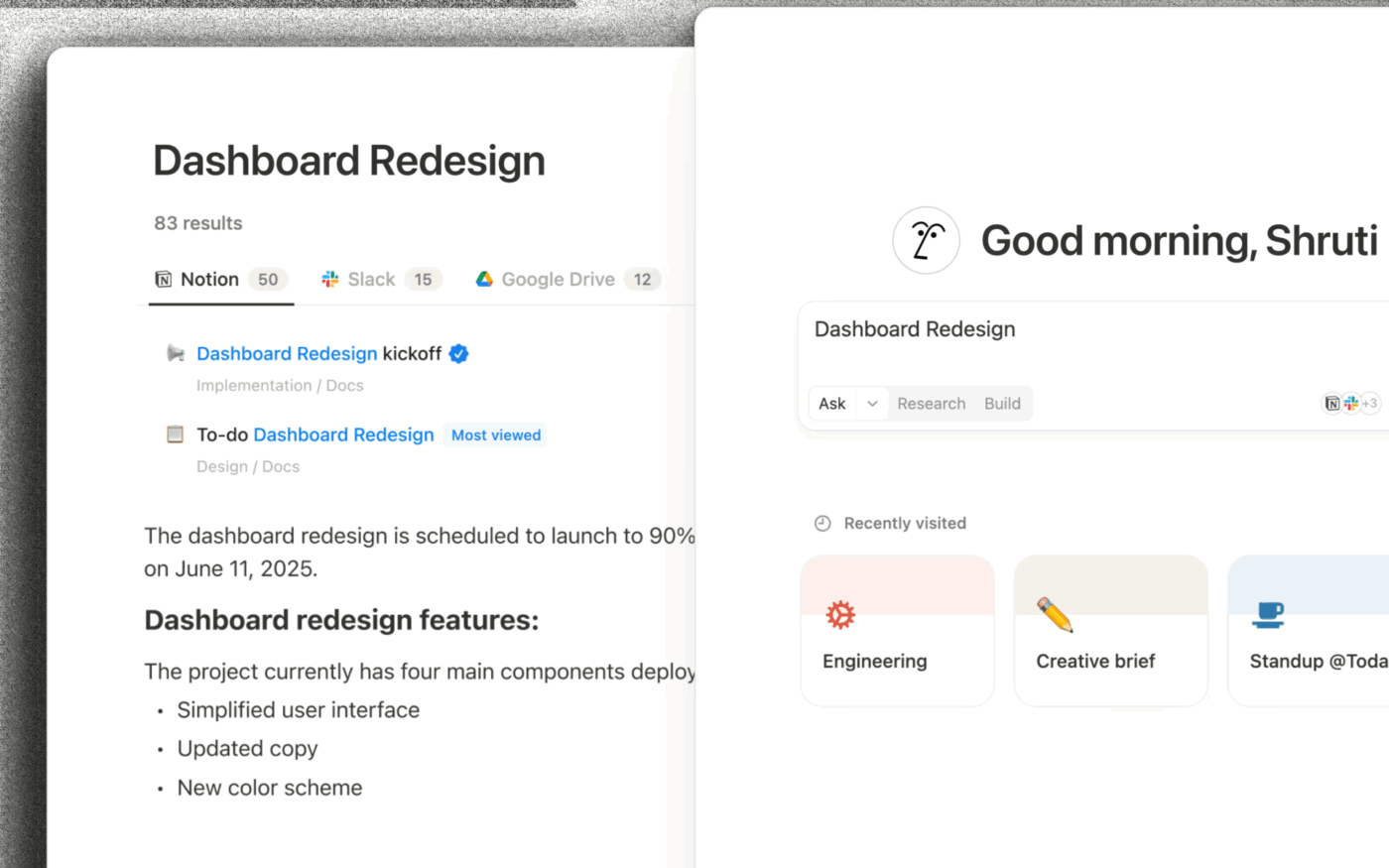
A Reddit user described how Notion AI transformed the way they worked with a huge database of travel spots. Every time they added the name of a new place, the AI would quietly fill in the details—favorite dishes, Tripadvisor rankings, even little secrets only locals might know.
Notion AI feels most at home when you’re already using Notion to organize your world. It gives structure to messy projects and lightens the load of information that might otherwise overwhelm you.
Still, many people point out that while its features are powerful, the higher cost can make you pause, especially if you only need it for lighter tasks.
The AI Writing Assistant helps me turn ideas into polished text quickly, the Knowledge Management tools keep everything organized in one place, and the Enterprise Search means I can find exactly what I need in seconds.
📚 Also Read: Best Notion AI Alternatives and Competitors
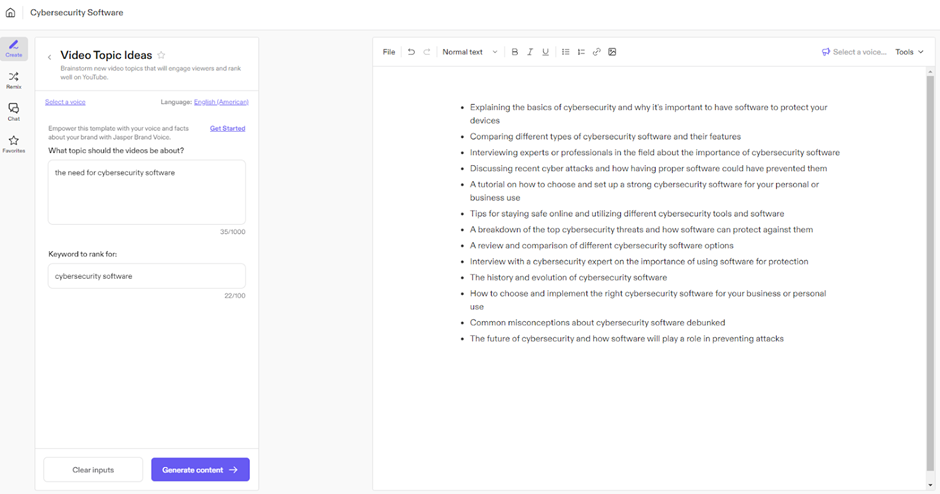
Jasper has carved a name for itself as one of the earliest AI writing platforms built with marketers in mind. Instead of just giving you a blank canvas, it’s designed to feel like a content engine that keeps running.
Many users love how its templates and brand tools remove the guesswork, especially when there are multiple campaigns running at once. You can set up brand voice profiles that keep tone consistent across blog posts, emails, and ad copy—so you’re not rewriting the same positioning every time.
And with its SEO mode and content brief integration, Jasper helps you write with search intent baked in, not bolted on after the fact.
Jasper is a simple, game-changing tool that has helped streamline our content creation process. It consistently delivers first drafts that align perfectly with our tone of voice, saving us both time and effort.
📚Also Read: Best Jasper AI Alternatives & Competitors
More content marketers are leaning on AI than before. Surveys note that just over half now use it to spark ideas, yet only a small number let it write full articles. That shows something important: most people want AI as a guide, not a ghostwriter.
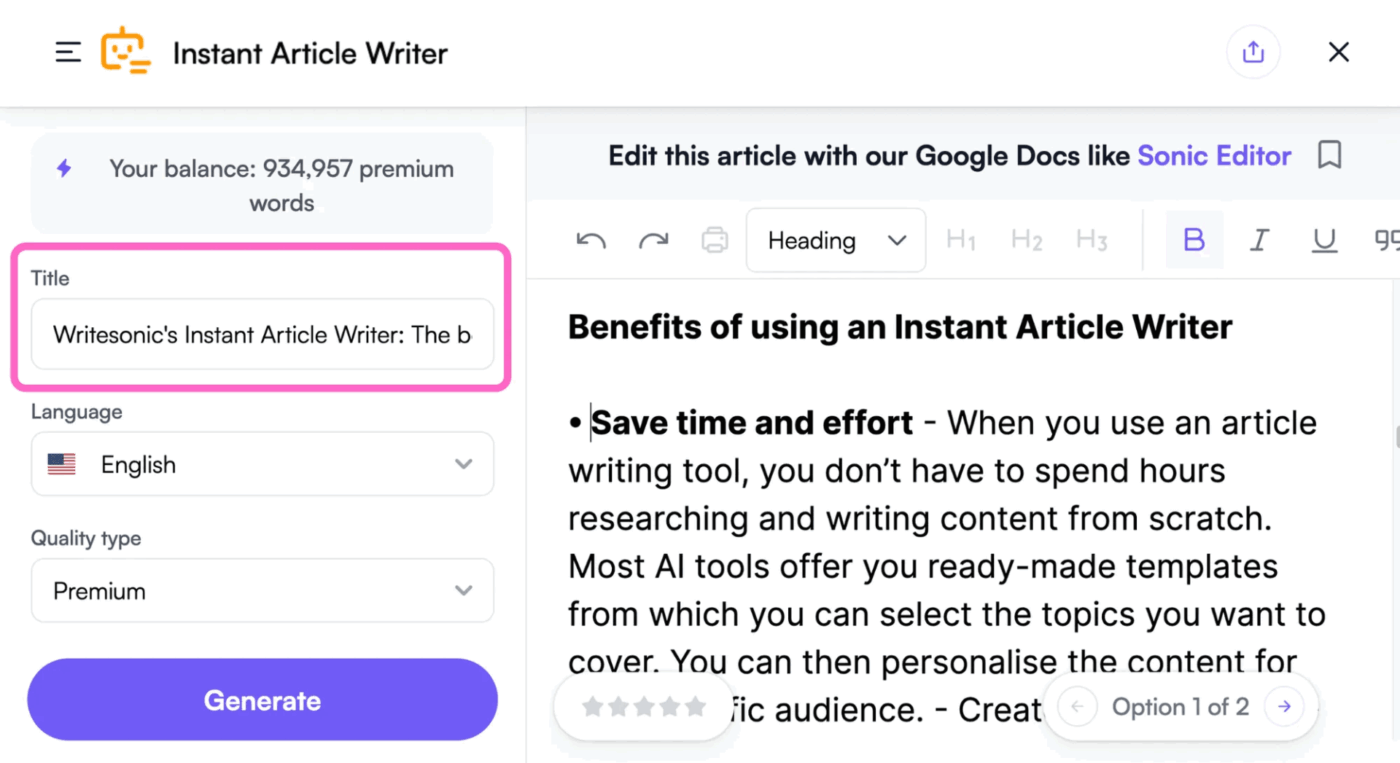
Writesonic works beautifully in that space. It helps you brainstorm, build outlines, and polish your work with SEO insights, while still leaving room for your own voice. For freelancers and small businesses, it can take the weight off planning and drafting without ever stealing the spotlight.
Writesonic stands out for its ease of use and flexibility in generating high-quality content across multiple formats. I especially appreciate the variety of templates and the ability to fine-tune tone and style.
📚 Also Read: Best Writesonic Alternatives and Competitors
Sometimes the biggest challenge is simply getting started. Many users find TextCortex handy because it helps turn rough prompts into usable copy. Its browser extension works across platforms like Gmail, Google Docs, and social media, so you can generate content wherever you’re already working without switching tabs.
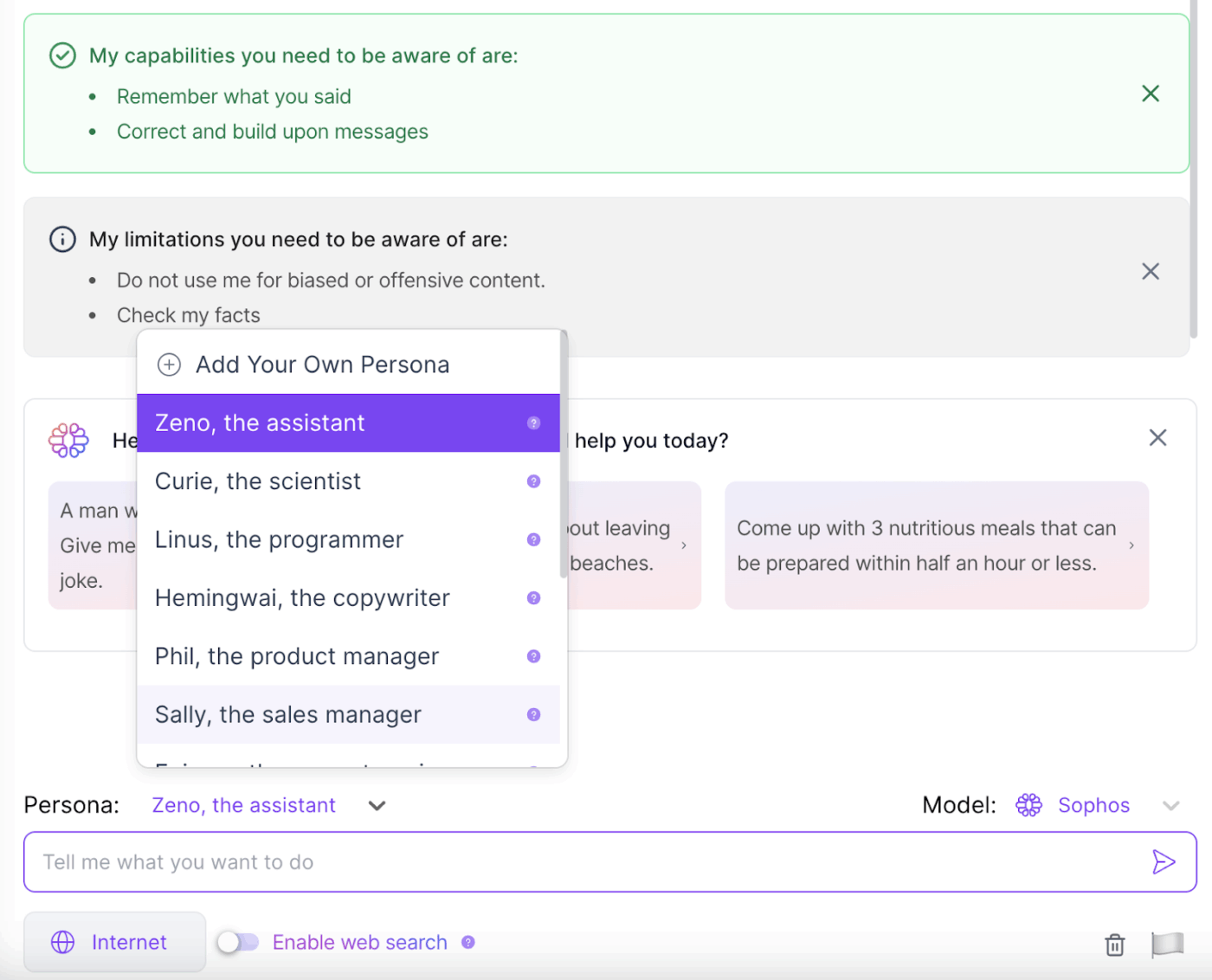
What sets TextCortex apart is its “Zeno Chat” feature, which allows you to have back-and-forth conversations with the AI to refine outputs, rather than starting over with new prompts.
This is a great tool to assist me in writing my novel. It gives great feedback and makes me excited to see what my readers will think.
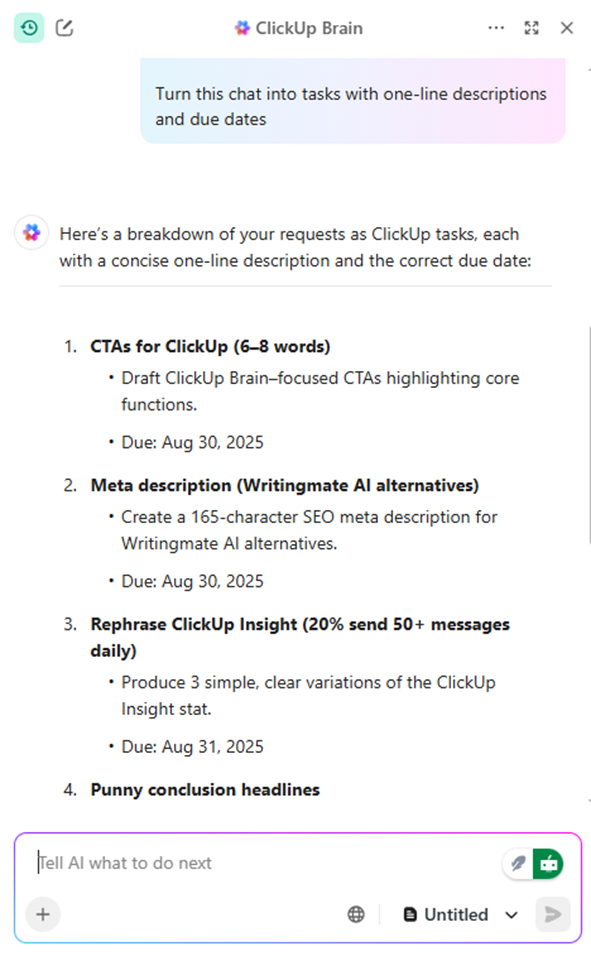
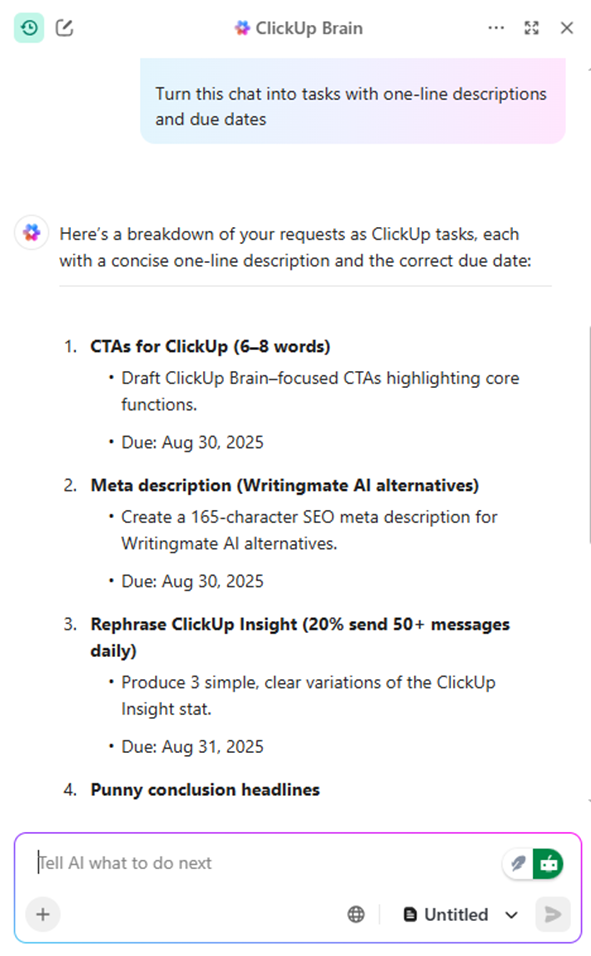
📮 ClickUp Insight: About 1 in 5 survey respondents send more than 50 instant messages a day. While this keeps things moving quickly, it can also lead to overload and missed details.
With ClickUp’s built-in tools, such as Chat and Assigned Comments, every conversation remains tied to the correct task, making collaboration clearer and follow-ups less frequent.
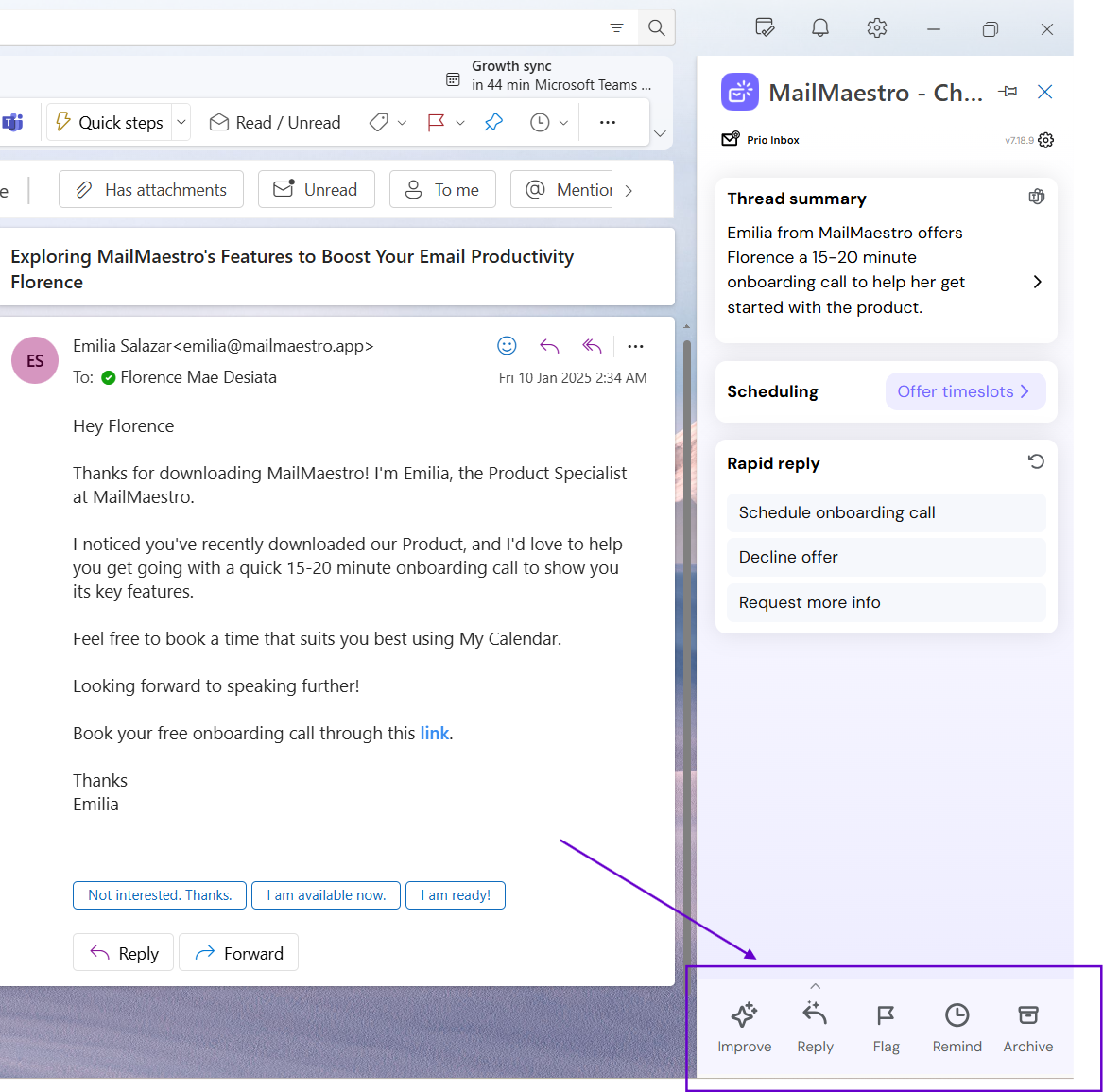
If you’ve ever felt weighed down by a cluttered inbox or endless meeting notes, MailMaestro promises a lighter way forward. Instead of typing every reply from scratch, this AI writing tool quietly drafts polished emails for you, summarizes long threads, and even turns meeting chatter into neat action items.
What makes MailMaestro stand out is its ability to work right where you already are—inside Outlook, Gmail, and Teams. You can compose new emails, reply with context-aware drafts, or improve your text with a single click.
I love how MailMaestro makes managing emails so much easier. The AI helps draft personalized responses quickly, saving me a ton of time while still keeping things professional.
📚 Also Read: How to Use ChatGPT for Content Creation
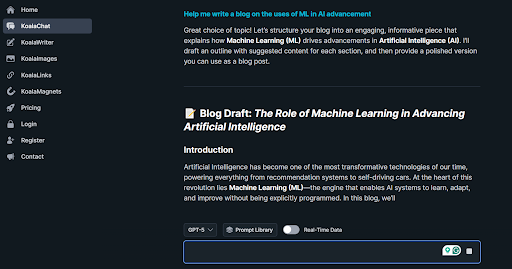
Writers and marketers often discuss how much time they spend compiling long-form content. Creating outlines, conducting keyword research, and adding internal links can be overwhelming before you even start typing.
Koala AI takes a different approach. It doesn’t just generate text; it builds structured, SEO-friendly articles that often feel close to publish-ready. Many creators say it’s the first tool they’ve used where the output felt less like a rough draft and more like something you’d confidently share.
The Marketing team has found a lot of value in using Koala’s content reports, which gives them an idea of what content tends to help drive our prospects down the marketing funnel.
Brand-led marketing is having a moment again. 37.52% of marketers are putting the customer’s experience with their brand first, and nearly three in ten are focusing on content that stays true to their values.
That means the pressure is on to create ads that feel both consistent and creative at scale. This is where Evercopy really shines. Instead of drowning in endless design tweaks and scattered assets, teams can use its AI-powered content studio to generate banners, product shots, and video ads that stay on-brand every single time.
This noted:
I like how productive it is to write content with AI and its generates absolutely powerful results. From long to short answers it covers all without being too mechanical. I also likes its others features like file exploration and data analysis feature in real time.
👀 Fun Fact: Shakespeare invented over 1,700 words still in use today. He’d tweak existing words, turn nouns into verbs, and coin new phrases to capture emotions and stories.
📚 Also Read: Top AI Tone Rewriters to Transform Your Writing
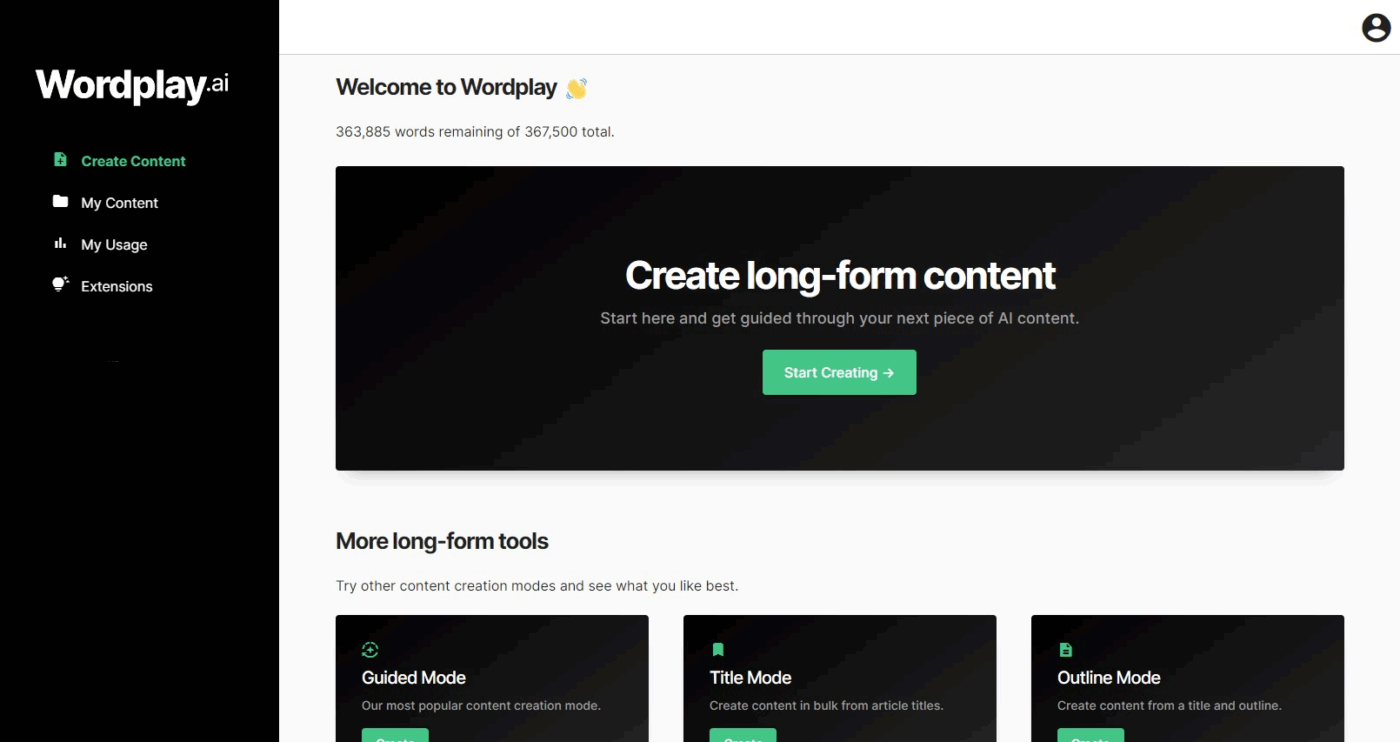
No one talks enough about how long it takes to turn that idea into a polished, long-form piece. Wordplay was designed with that exact challenge in mind. Instead of producing small snippets that still require hours of stitching together, Wordplay creates blog post outlines and full-length articles in a single click, with SEO baked right into its DNA.
Many users highlight how Wordplay feels different from other AI writers because it was built by SEO professionals rather than retrofitted with long-form options later. The result is content that flows more naturally, requires less editing, and is ready for Google’s standards of helpful, accurate writing.
I’m in love with Wordplay – it’s easy to use – the content authentic!! I’m able to do a variety of styles and iterations – it literally cuts my writing time by 90%!!!
👀 Fun Fact: Wendy’s playful Twitter persona was born by accident. A community manager started replying with humor instead of stiff corporate language. That “voice” resonated so strongly that it turned into a viral case study in how consistent tone can fuel brand growth.
Copy.ai is built with marketers in mind. It comes with over 90 ready-to-use templates, so you can create ads, blog intros, product descriptions, or social media posts without starting from scratch.
Teams especially appreciate its brand voice feature, which keeps all content consistent with company style, and its collaboration tools that allow multiple users to work together seamlessly. For businesses that run frequent campaigns, Copy.ai helps reduce the time spent drafting and brainstorming.
Still, there are some limitations worth noting. Outputs can sometimes feel repetitive if you lean too heavily on content writing templates, meaning you’ll need to refine the text to match your tone. Larger teams also find themselves wishing for deeper integrations with project management tools.
📚 Also Read: 15 Best Copy.ai Alternatives and Competitors in 2025
Rytr is popular among freelancers and small teams who want an affordable AI writing tool. It supports more than 30 languages and 20 tones, giving you flexibility whether you’re creating emails, captions, or blog drafts.
A built-in plagiarism checker ensures originality, and the interface is easy to learn, making it accessible even if you’re new to AI writing.
On the flip side, Rytr doesn’t shine in generating long-form content compared to higher-end AI tools. While it’s useful for short snippets and small projects, outputs can feel shallow when used for full articles. Its editing tools are also more basic than competitors.
INK combines AI writing with SEO optimization, making it a favorite among bloggers and content marketers. The platform helps you refine keyword density, meta-tags, and readability while drafting text, so your content is optimized before it even goes live.
It’s designed to cut out the need for juggling multiple tools by combining AI generation with SEO scoring in one dashboard.
However, INK can feel overwhelming at first due to the number of SEO metrics available. Some users also find that while the AI writing is solid, it occasionally produces generic content that requires polishing to align with the brand voice.
Writing has always been about more than just putting words on a page. You know it, your readers know it, but many AI writing assistants don’t.
Multiple drafts often lead to the loss of context and details. That’s exactly where ClickUp shines—giving you a single space to plan, write, edit, and collaborate without the scattered tools and endless tabs.
While other platforms may handle one piece of the puzzle, ClickUp brings everything together. Docs, tasks, calendars, and AI live in the same home, so your writing process feels less like a struggle and more like a natural rhythm.
And when you compare WritingMate AI alternatives, it’s not just about features—it’s also about access and value. Many tools now offer mobile apps to keep your writing flow steady anywhere, but the real difference often comes down to affordable pricing and better pricing models.
With ClickUp, you get the flexibility to write and manage projects without overspending, while still enjoying premium functionality in one platform.
If you’re ready to take the stress out of writing and focus on the work that matters most, it’s time to sign up on ClickUp!

© 2026 ClickUp

There’s an easier way. Try a free AI Agent in ClickUp that actually does the work for you—set up in minutes, save hours every week.