






Still downloading templates?
There’s an easier way. Try a free AI Agent in ClickUp that actually does the work for you—set up in minutes, save hours every week.
Sorry, there were no results found for “”
Sorry, there were no results found for “”
Sorry, there were no results found for “”
Not too long ago, appointment scheduling meant endless back-and-forth emails, busy phone lines, and scribbled notes on sticky pads. This system was both time-consuming and prone to a lot of confusion.
Then came tools like TimeTap, which simplified the scheduling process with automation and easy online booking. For many small businesses and service providers, it replaced chaos with clarity.
But as client expectations evolved, so did the need for more flexible, feature-rich solutions. While TimeTap remains reliable, it has its share of limitations, such as limited customization options and a lack of advanced work management features.
If you’re looking for a smoother, smarter scheduling experience, this list of TimeTap alternatives will help you find a platform that fits your business workflow perfectly.
Let’s take a quick look at each tool to see what makes them worth considering.
| Tool name | Key features | Best for | Pricing* |
| ClickUp | Automated workflows, integrated task & project management, real-time collaboration, reminders, shared calendars | Teams of all sizes looking for an all-in-one work management and scheduling app with AI agents and automations | Free plan available; Custom pricing for enterprises |
| Calendly | Automated scheduling, calendar integrations, meeting types (one-on-one, group, collective, round robin) | Freelancers & small teams who want to simplify meeting scheduling | Free plan available; Paid plans start at $12/month |
| Acuity Scheduling | Custom booking pages, automated reminders and follow-ups, intake forms, client management | Service-based businesses looking for a client-friendly booking app | Free plan available; Paid plans start at $20/month |
| Setmore | Online booking page, class and group scheduling, automated confirmations, staff calendar management, integrations with Zoom | Small businesses and startups offering classes or services that need a simple, free scheduling solution | Free plan available; Paid plans start at $12/month |
| SimplyBook.me | Custom booking website, membership and package management, online payments, SMS/email reminders | Businesses wanting a branded, client-facing booking system with customization options | Free plan available; Paid plans start at $9.90/month |
| TidyCal | Simple meeting links, calendar sync, one-time and recurring bookings, integrated payments | Solopreneurs and small teams looking for an effective calendar organization tool | Free plan available; Paid plans start at $29 |
| Doodle | Group scheduling, polls, one-on-one booking pages, calendar integrations | Teams and professionals who need to coordinate meetings or events efficiently | Free plan available; Paid plans start at $14.95/month |
| Square Appointments | Integrated POS system, online booking, automated reminders, staff scheduling | Salons, spas, and service providers that need scheduling features with built-in payments | Free plans available; Paid plans start at $29/month |
| vCita | Appointment scheduling, client CRM, invoicing and payments, automated reminders | Small businesses and consultants who want scheduling combined with client management tools | Paid plans start at $35/month |
| Vagaro | Appointment scheduling, POS and payment processing, marketing tools, client management | Salons, spas, fitness studios, and wellness professionals looking for a platform for bookings | Free plan available; Paid plans start at $23.99/month |
| Mindbody | Online booking, client management, class scheduling, memberships, marketing automation | Health, fitness, and wellness businesses that manage classes, memberships, and recurring appointments | Custom pricing |
| Sign In Scheduling | Automated SMS/email reminders, online booking page, client management, team scheduling | Teams and organizations that need reliable scheduling with strong communication and attendance management | Free plan available; Paid plans start at $600/site (billed annually) |
| YouCanBookMe | Custom booking pages, calendar sync, time zone detection, automated notifications | Professionals and remote teams who schedule meetings across time zones | Free plan available; Paid plans start at $9/month |
Wondering if it’s time to look beyond what TimeTap offers? Here are honest, real-world reasons to consider switching, to help you quickly identify where limitations might impact your workflow.
📚 Read More: Top Shared Calendar Apps to Streamline Your Schedule
Now, let’s take a closer look at each tool’s features, limitations, and user reviews.
Our editorial team follows a transparent, research-backed, and vendor-neutral process, so you can trust that our recommendations are based on real product value.
Here’s a detailed rundown of how we review software at ClickUp.
ClickUp, the everything app for work, reduces Work Sprawl by combining your intake forms, bookings, team calendars, workload management, and automated reminders into one easy-to-use interface.
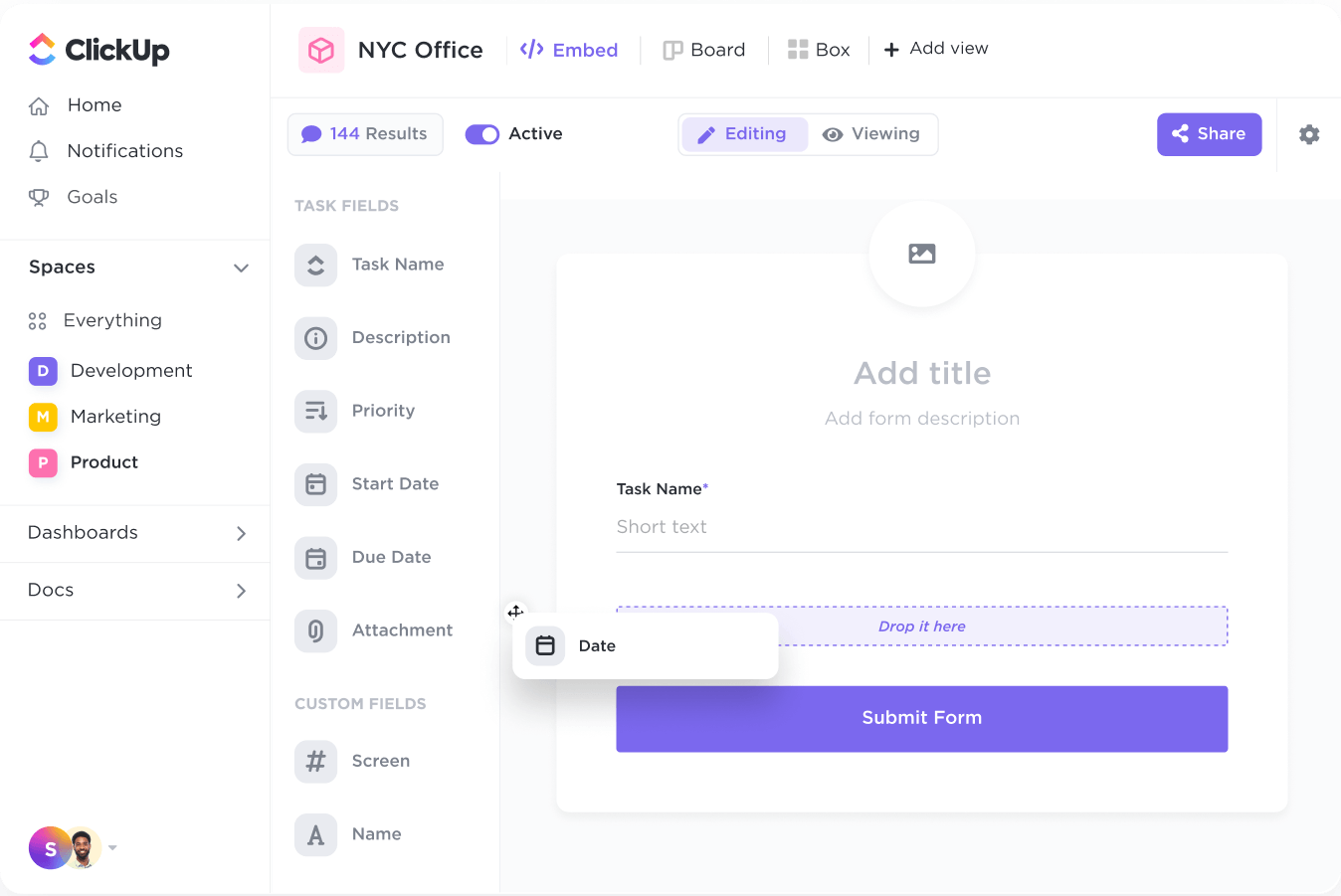
Through ClickUp Forms, you can get details like the name, contact info, preferred date and time, service type, branch location, etc. The form’s layout, colors, themes, fields, and buttons are fully customizable to fit the needs of your professional services.
Moreover, the form responses can be converted into individual tasks within ClickUp Tasks to ensure all the information gets stored in your system without manual entry.
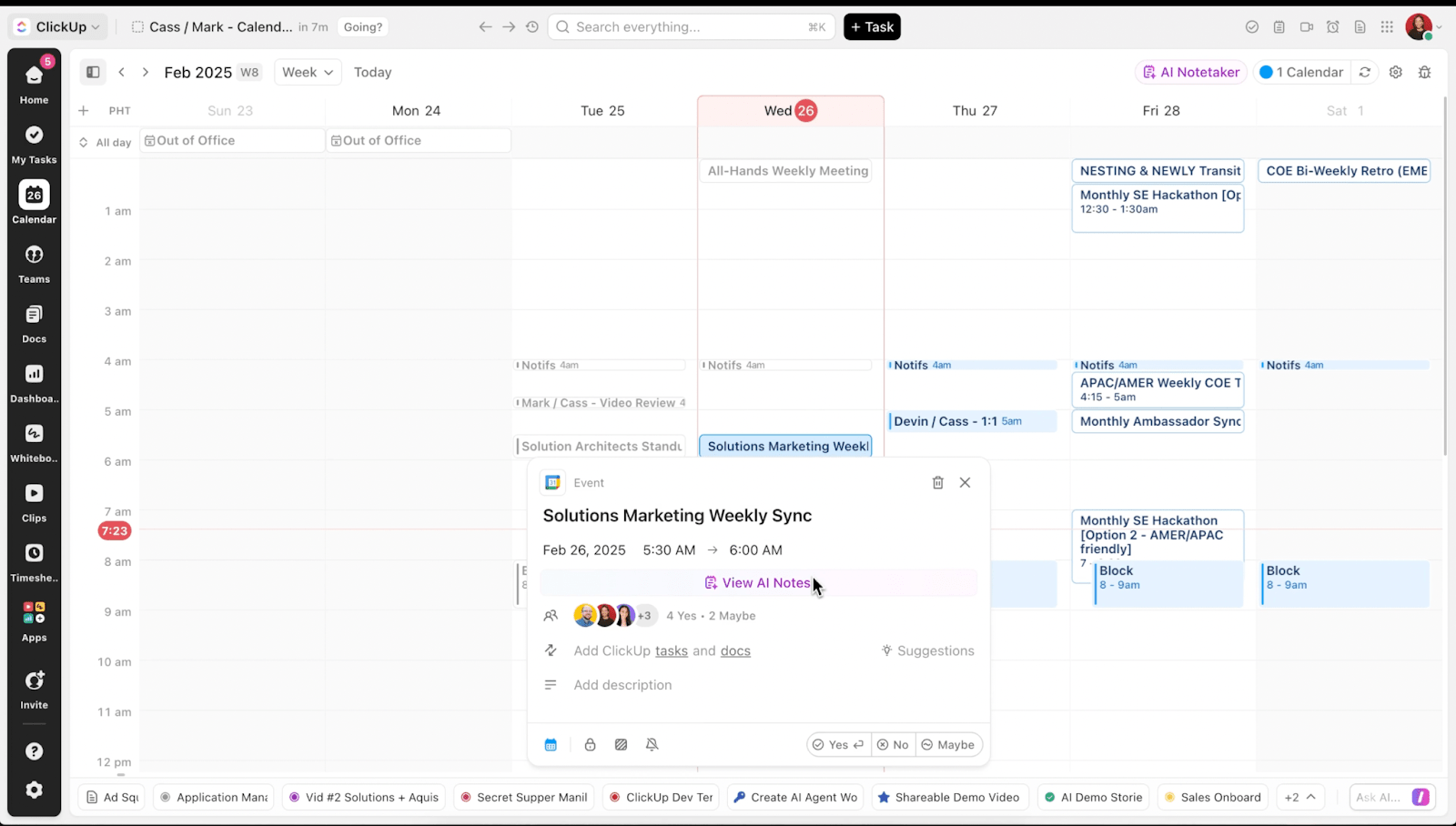
ClickUp Calendar lets your team see bookings in daily, weekly, and monthly color-coded views. With the side-by-side view of each member’s schedule, it becomes easy to distribute appointments evenly and quickly identify open slots for new ones.
You can set availability times and block non-working hours and then share the calendar link with clients to help them find a suitable slot.
ClickUp Brain, being fully integrated with the Calendar, recommends optimal time slots, automates time-blocking, assigns bookings to team members, and ensures your schedule stays balanced—no more double bookings or missed appointments.
To minimize no-shows, ClickUp Reminders notify clients and team members at specified times before the booking.

For instance, you can set a reminder 30 minutes prior to a consultation or 1 hour before a team meeting. These reminders can be customized to include specific messages, attachments, or links to ensure that all appointment-related information is conveyed.
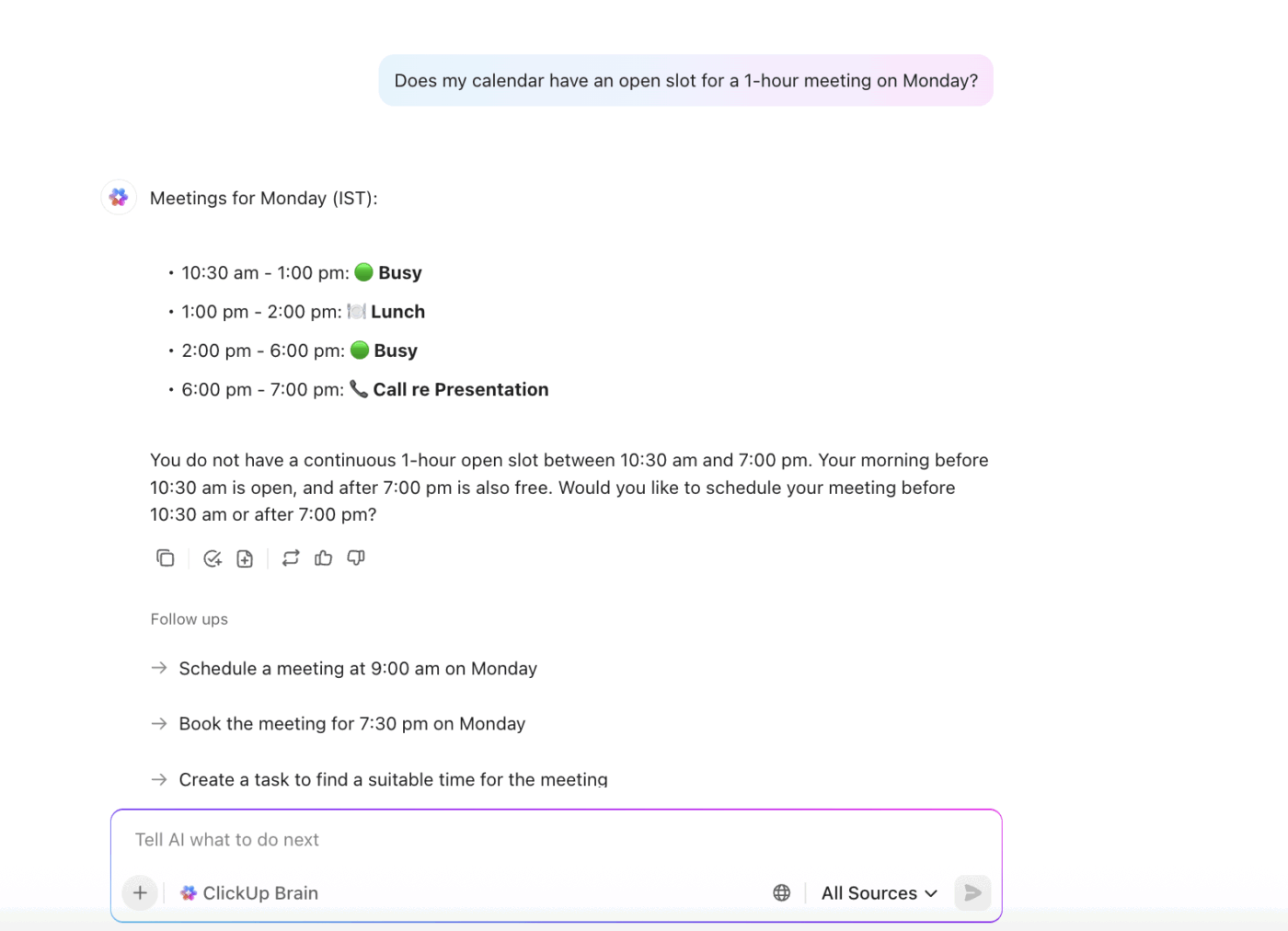
Need quick answers about your schedule without having to check your calendar? Just ask ClickUp Brain, or your prebuilt Answers Agent.
Here’s a G2 review:
What I like best about ClickUp is how customizable and flexible it is. I can set it up exactly how I want, whether that’s using simple task lists or building out detailed workflows with automations, dependencies, and dashboards. It keeps everything in one place—projects, docs, communication, and even time tracking—so I don’t need to jump between multiple tools. I also really appreciate the intuitive interface and constant updates that add new features without overcomplicating things. It’s powerful enough for complex projects but still easy for my team to adopt.
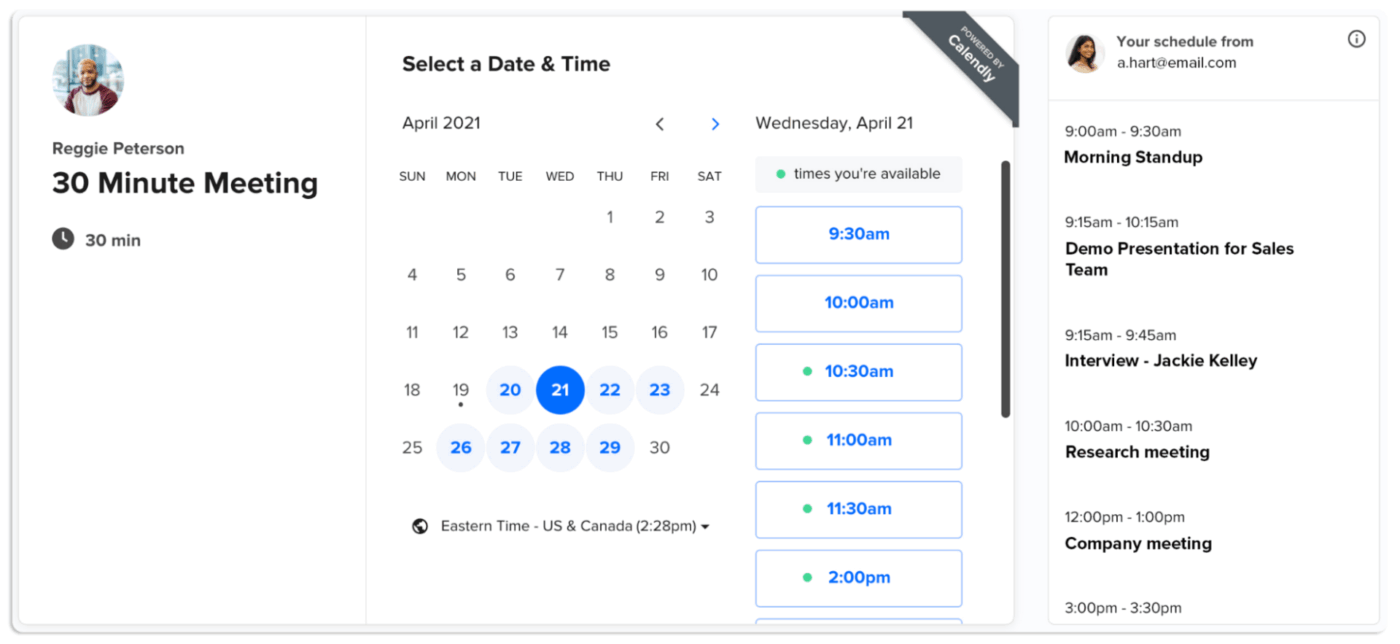
Calendly is a scheduling platform that lets you define exactly when and how people can book time with you. You pick your hours, decide the length of each meeting, and even build in buffer zones. Before showing availability, it checks all your connected calendars—Google, Outlook, iCloud, and Exchange.
You can set up different appointment types, like a quick 15-minute check-in, a 45-minute client chat, or a team strategy session. Planning to host a group event? Calendly handles sign-ups and limits attendance.
The tool lets you create different schedules for different event types, like client calls on weekdays, and team meetings in the mornings only. With built-in automation, you can send reminders (email or SMS) before the meeting and send thank-you notes or feedback requests after.
Here’s a G2 review:
It’s incredibly user-friendly, making it simple to set up and manage your schedule. You can customize your availability, meeting types, and even add buffer times between meetings.
When it comes to managing bookings, Acuity Scheduling lets you fine-tune availability at a very granular level by adjusting for time zones, assigning sessions to specific staff members, or blocking off time for certain appointment types.
In addition to adding availability per appointment type, you can also set controls for how far ahead clients can book or how late they can cancel/reschedule.
For businesses in the wellness or healthcare sector, HIPAA-compliant scheduling ensures secure handling of sensitive information. Customizable client intake forms let you capture exactly what you need, from medical history to questions, before the session begins.
Here’s a G2 review:
The client facing view is easy for clients to use to choose their own appointment times. I like the ability to have Acuity try to group appointments together. It also allows us to set that we only want a certain number of a type of appointment in a given week (no more than 4 new client consultations per week, for example).
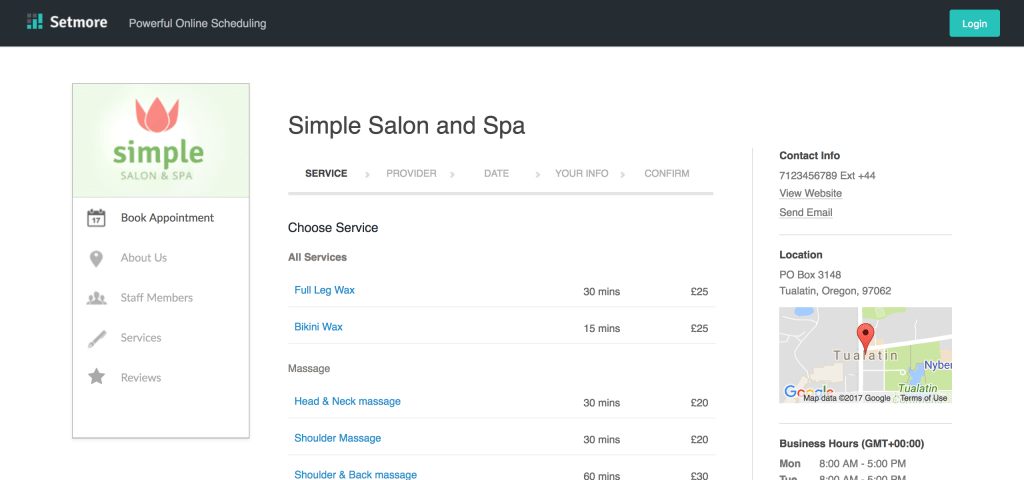
Setmore gives you a drag-and-drop interface to arrange your sessions, group them into neat categories, and reshuffle them whenever things change. Each team member gets their own calendar and booking link where they can list all their service offerings with details like duration and price, etc.
To facilitate online booking, you can add a ‘Book Now’ button to your social media pages or generate QR codes for flyers, posters, or receipts.
The tool can be used in a variety of business settings: training institutions can schedule group classes and workshops, while private consultants can book 1:1 online or in-person sessions.
Here’s a Capterra review:
I like being able to send an easy link to my clients to book through, it saves all of their data for me and sends me and my clients reminders for scheduling. The prices for Setmore are very reasonable for a small business owner.
📮 ClickUp Insight: 45% of our survey respondents block time for focus ahead of time.
This shows a growing awareness that deep work needs to be scheduled, not just thrown in when convenient.
AI tools can help you pick optimal spots in your schedule, where you can drill down and focus with zero interruptions. Just ask ClickUp Brain to block time; it’ll automatically analyze your day and slot that focus session in. 📆
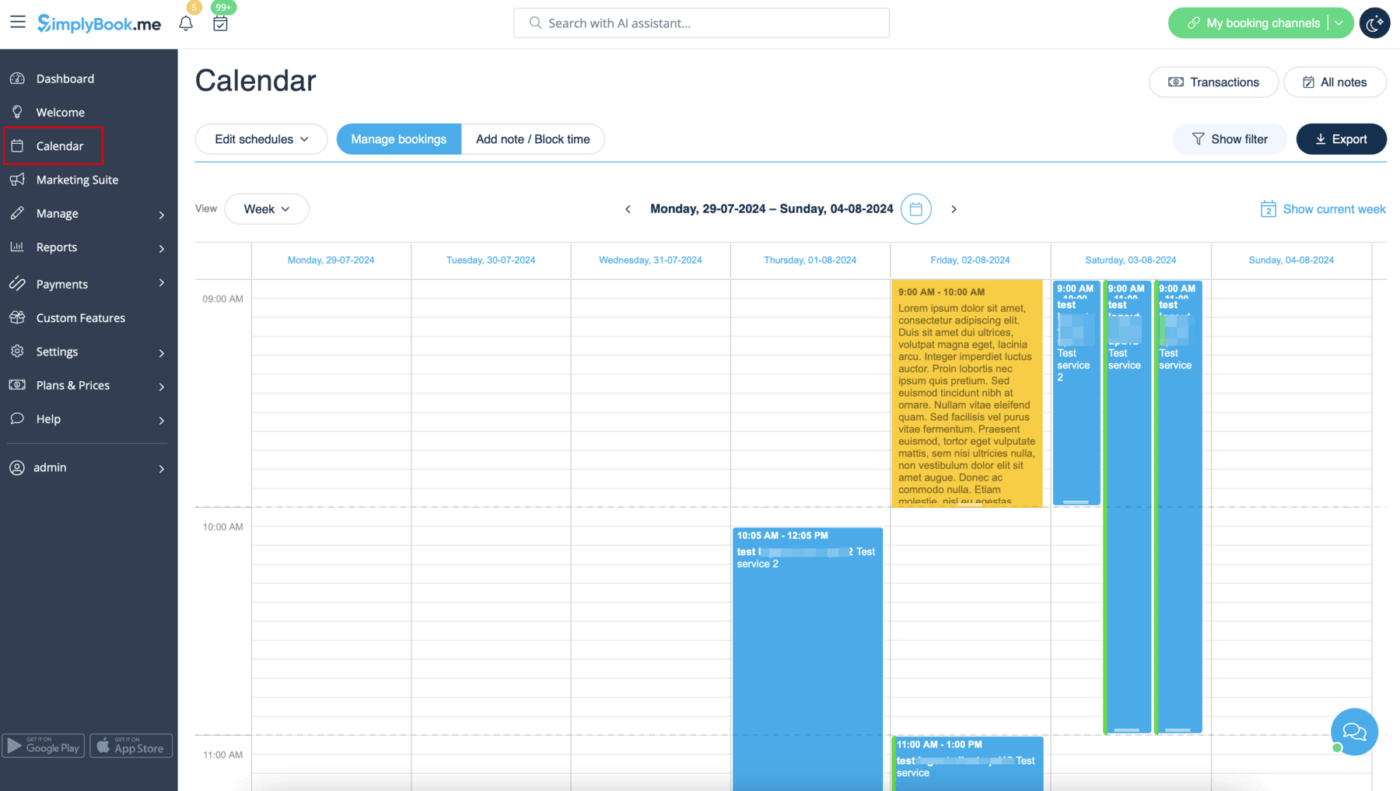
With SimplyBook.me, you can host your own mobile-optimized booking website or embed booking widgets into your existing site.
It has built-in marketing tools that help retain clients and increase revenue beyond simple appointments with coupons, gift cards, memberships, and loyalty systems.
You also get a handy ‘Approve booking’ feature that gives you the option to manually review and approve bookings before confirming. When a service requires equipment, staff, and rooms, it confirms appointments only when all required resources are available.
(Prices converted from Euro to USD)
Here’s a Capterra review:
I’ve been really happy with Simplybook.me. It’s a simple booking platform and what I was looking for. It also has most of the features I wanted.
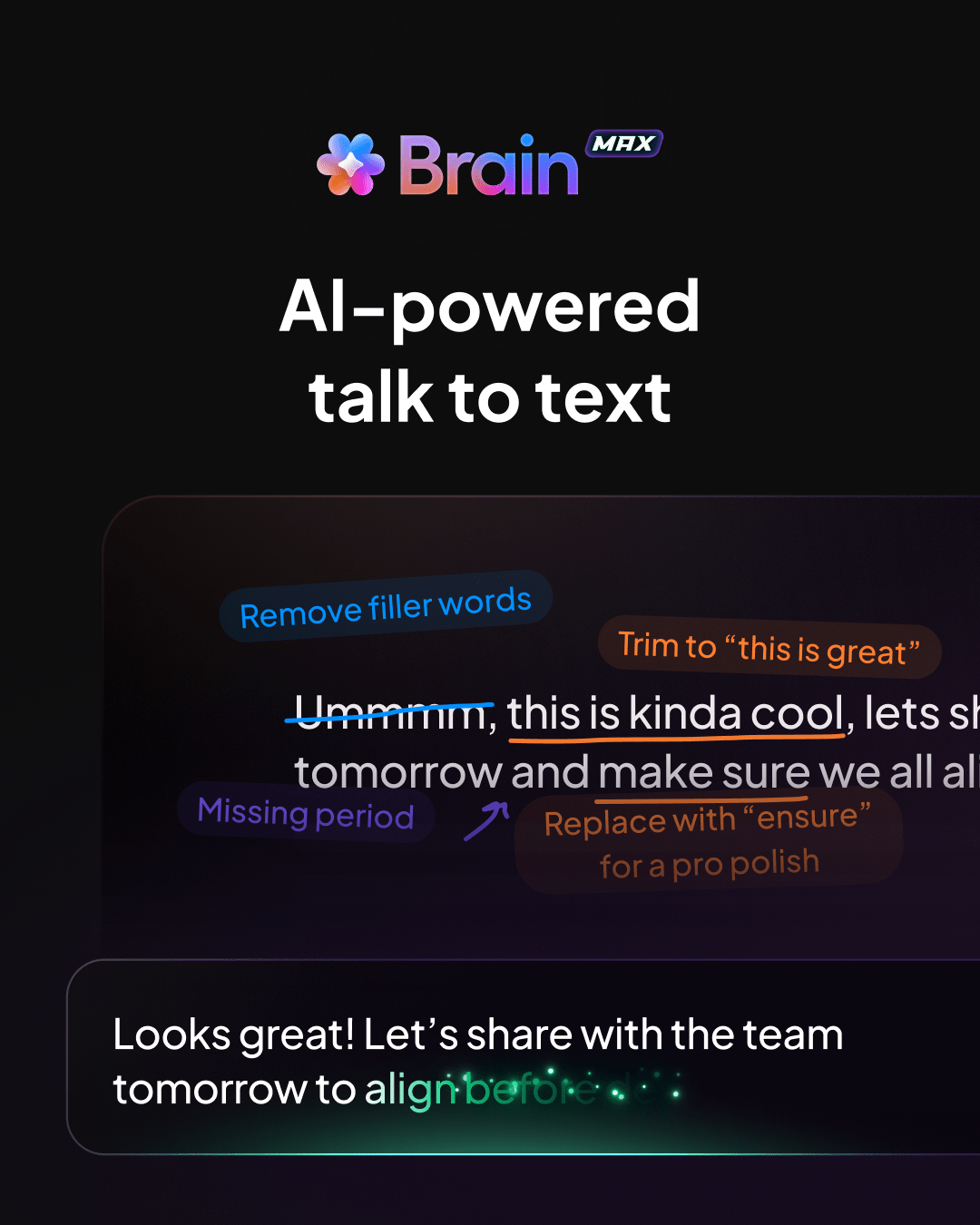
🌟 Bonus: ClickUp Brain MAX’s Talk to Text lets you dictate appointment details directly into ClickUp’s Calendar, Tasks, and Docs. With just voice input, the AI automatically reschedules your meetings, sets reminders, adjusts priorities, and assigns tasks.
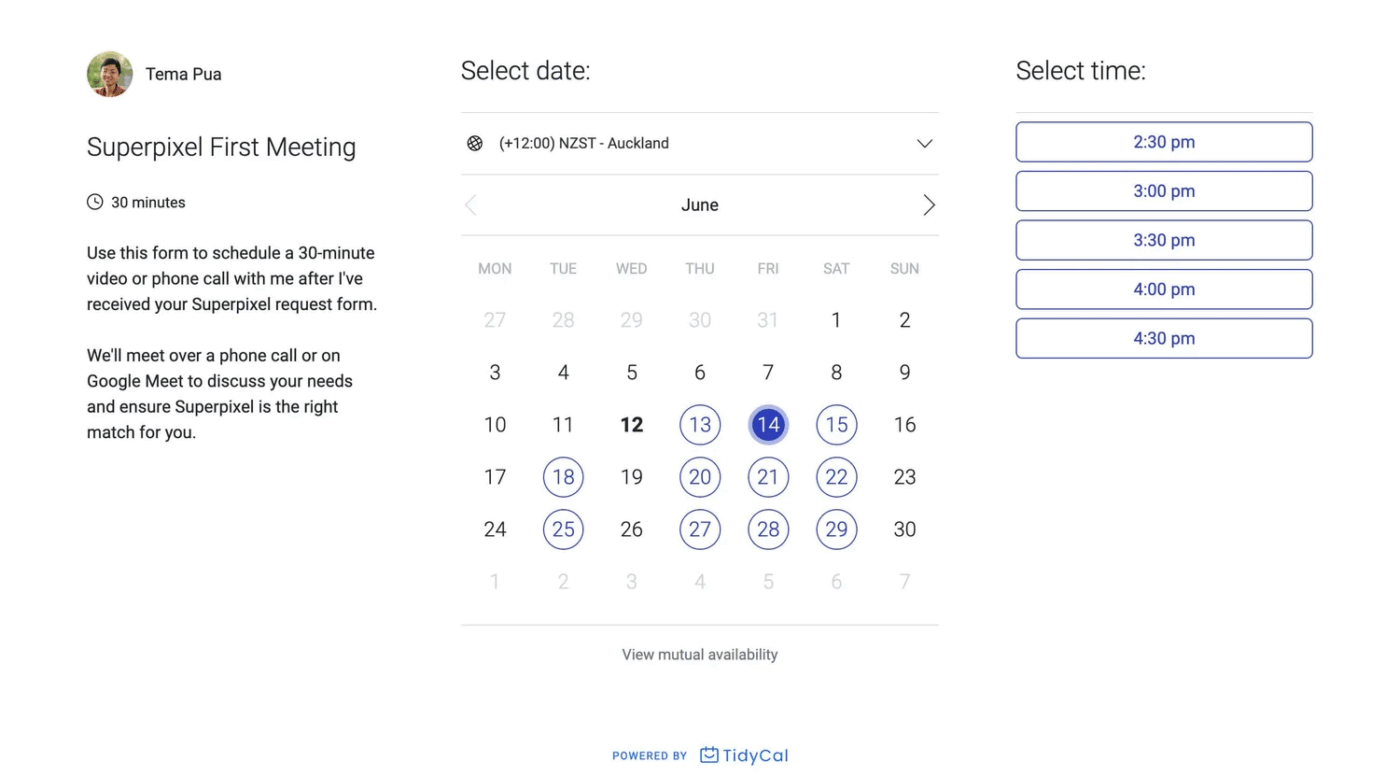
If you are looking for online scheduling software with a user-friendly design that keeps things simple without overwhelming you with unnecessary features, TidyCal can be a good choice.
The idea is simple: set your availability, share your link, and let clients or peers pick a slot. This platform can connect up to 10 calendars (Google, Outlook, Apple). Its flexibility lets you create different meeting types, like quick check-ins or longer consultations, and assign them custom durations.
You can also generate meeting links for Zoom, Google Meet, and Microsoft Teams. If you work with global clients, TidyCal’s smart time-zone detection comes in handy.
Here’s a Capterra review:
TidyCal was easy to set up. Also very easy to integrate a payment processor to be able to take paid meetings. Overall great tool.
📚 Read More: Common Scheduling Issues and How to Solve Them
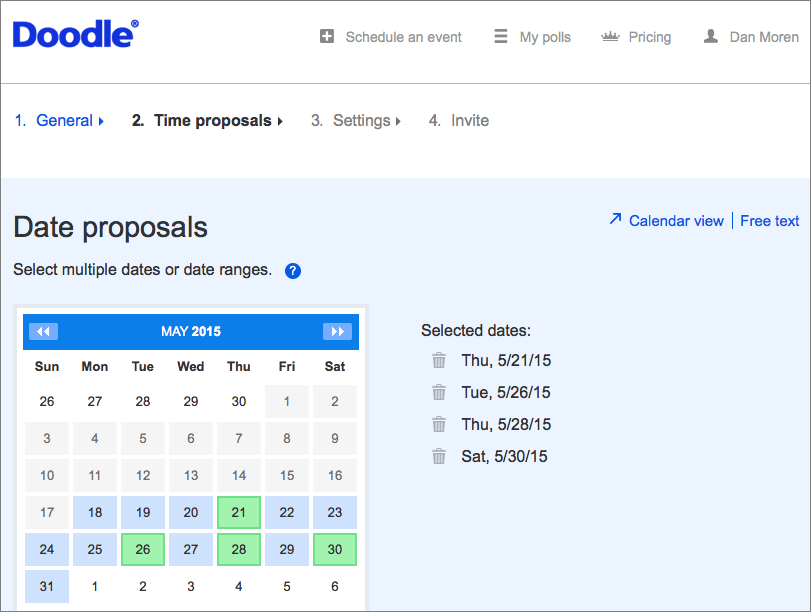
Doodle helps coordinate meetings, from quick one-on-one calls to larger group sessions. The platform allows you to set your availability and share a simple link so invitees can pick a time that works for them.
This online meeting tool keeps your calendar synced, so once a slot is booked, your availability updates automatically. It helps avoid conflicts and confusion even for recurring meetings or busy organizations across different time zones.
There is also a ‘Book on behalf’ feature that lets assistants and recruiters schedule meetings for someone else without waiting for their confirmation.
Here’s a G2 review:
I like that Doodle allows many people to collaborate and come together regardless of their varied schedules.
💡 Pro Tip: ClickUp’s AI Agents can enhance your appointment scheduling and client management processes.
Square Appointments is a scheduling software designed for businesses that want a simple, reliable tool to manage operations. The platform keeps your calendars, staff schedules, and client information in sync. Each employee gets their calendar, but everything stays synced automatically.
You also get a clear view of your clients, so you always know who’s coming in and what services they’ve used, making it easier to plan staffing, pricing, and promotions.
When someone cancels or misses an appointment, you can set up waitlists to fill the slot quickly.
Here’s a Capterra review:
My overall experience with Square Appointments was very nice because of how easily it was for my clients to book me on Google directly. If you’re a new business owner, use Square Appointments to make your life a lot easier.
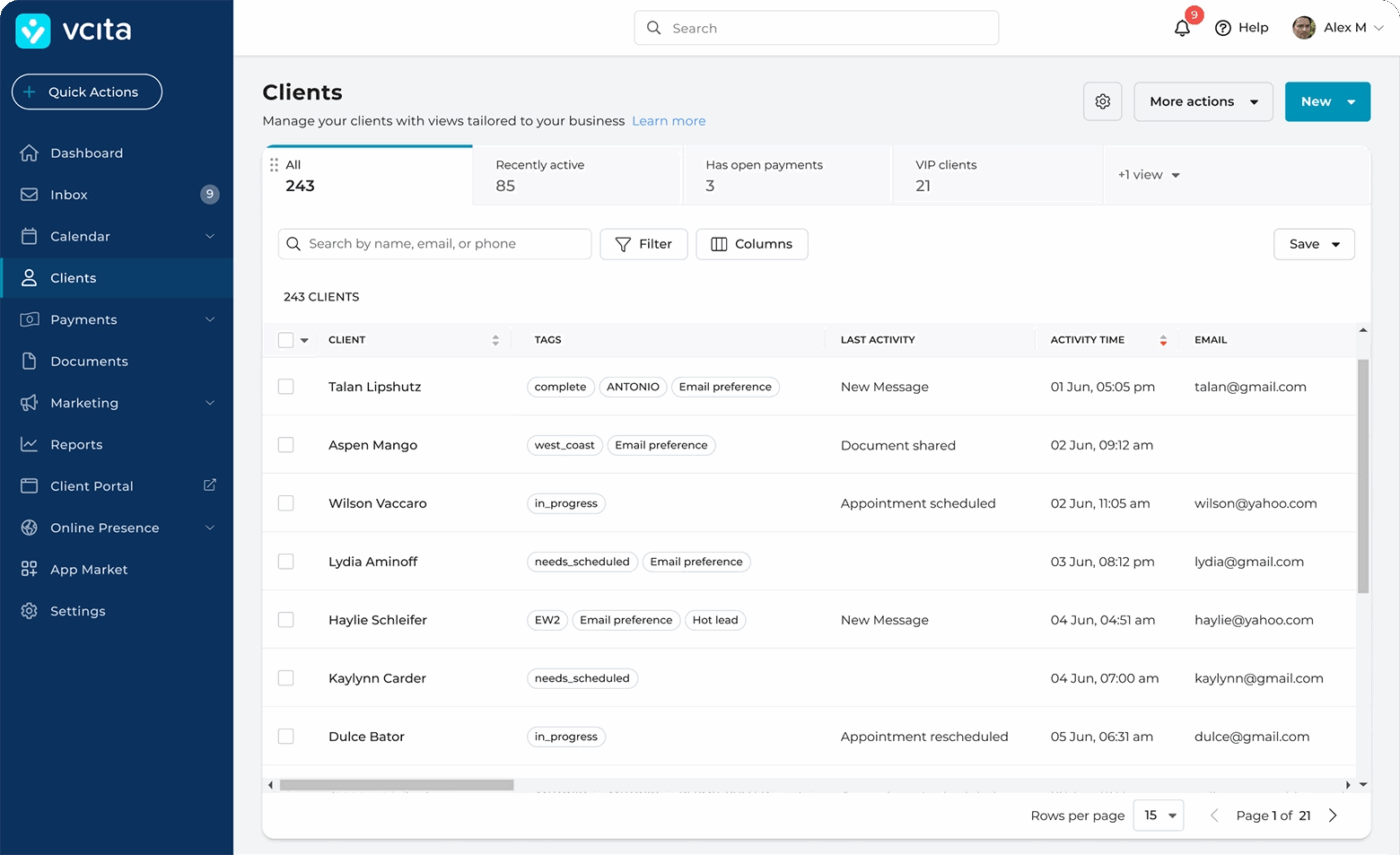
If you rely on regular client communication, vcita helps you centralize client communication, appointments, documents, and payment history.
This small business software can automate appointment confirmations, reminders, follow-ups, as well as payment reminders for unpaid invoices. It is also easy to set up trigger-based automations (e.g., birthday offers) to engage clients and encourage repeat business.
The built-in analytics go deeper than basic scheduling reports. You can see which services are booked most often, which clients are returning, and how revenue flows over time.
For businesses in regulated industries, the tool offers HIPAA compliance and Business Associate Agreements (BAA), which are critical for privacy and legal compliance.
Here’s a G2 review:
As someone who wears a lot of hats running my business, it’s incredibly helpful to have scheduling, client management, billing, and marketing tools all in one place. The new AI features have honestly surprised me with how intuitive they are, I love how they suggest replies and help me quickly write engaging marketing content.
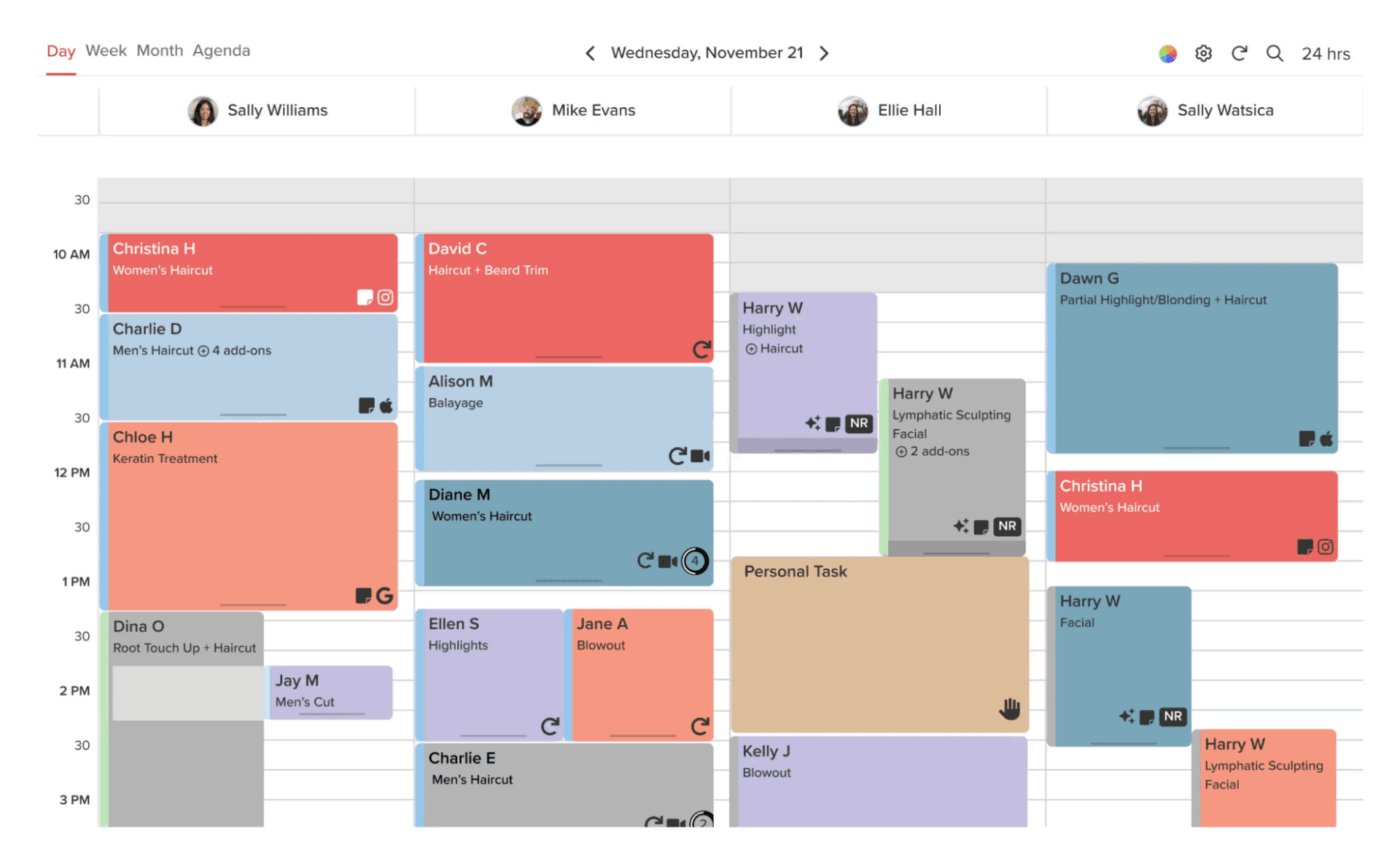
Vagaro is a business management platform that combines appointment booking, calendar management, client databases, payments, inventory tracking, and marketing into a single interface.
For businesses with multiple outlets, customer data, memberships, gift cards, and packages can be shared across locations for a seamless experience for clients. Owners can also track staff performance, commissions, and schedules across branches with ease.
The tool also has a built-in POS for accepting payments, and checkout infrastructure that supports split dues and buy now, pay later options.
Here’s a G2 review:
I love how Vagaro blends functionality and flow—it keeps scheduling, SOAP notes, and client records all in one place without feeling clunky.
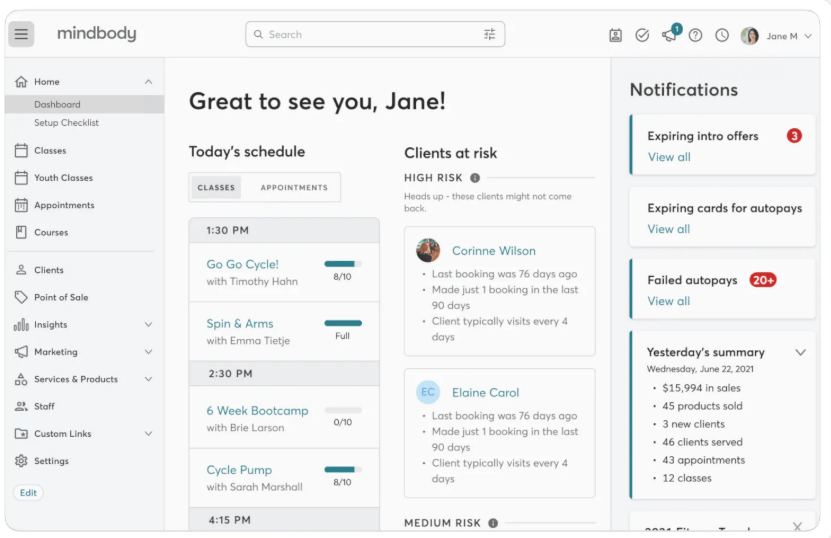
Purpose-built for wellness, fitness, and beauty services, Mindbody handles everything from high appointment volumes to complex class schedules, memberships, workshops, and events.
It also helps your business get discovered through the Mindbody app, website widgets, ClassPass, and partner networks like Google and social media, so new clients can find you easily.
The tool’s AI-powered assistant handles missed calls, appointment requests, and client inquiries 24/7. This ensures that no potential booking or lead is lost, even outside business hours.
Here’s a G2 review:
Everything is organized and it is very easy to make updates quickly and efficiently. It is easy to add new clients and update their schedules as needed. Just a very efficient tool for me and my clients’ needs.
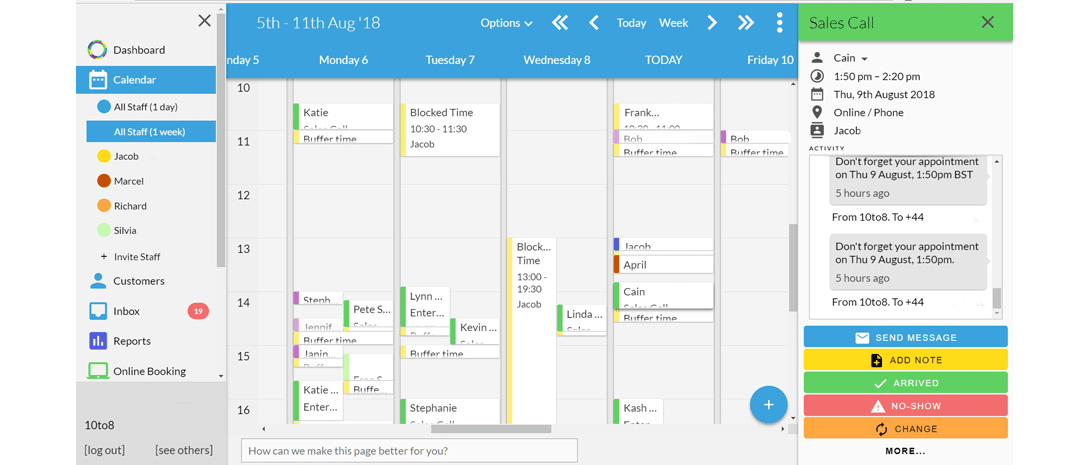
For businesses that want a comprehensive appointment scheduling software to automate bookings and improve client communication, Sign In App is a good option.
Smart Messaging, powered by ChatGPT-style AI, can automatically answer client questions, send rebooking links, and even handle cancellations.
The platform also prioritizes accessibility; booking pages comply with WCAG standards, support screen readers, and include an automated voice booking system, making it easy for all clients to schedule appointments.
Custom reports let you track popular services, staff availability, and location performance, so you can make informed decisions about scheduling and staffing.
Here’s a G2 review:
I love using the system as it is very straightforward and makes business easy and enjoyable. I can focus on other important tasks knowing that I have my scheduling needs and appointments accurately taken care of every time!
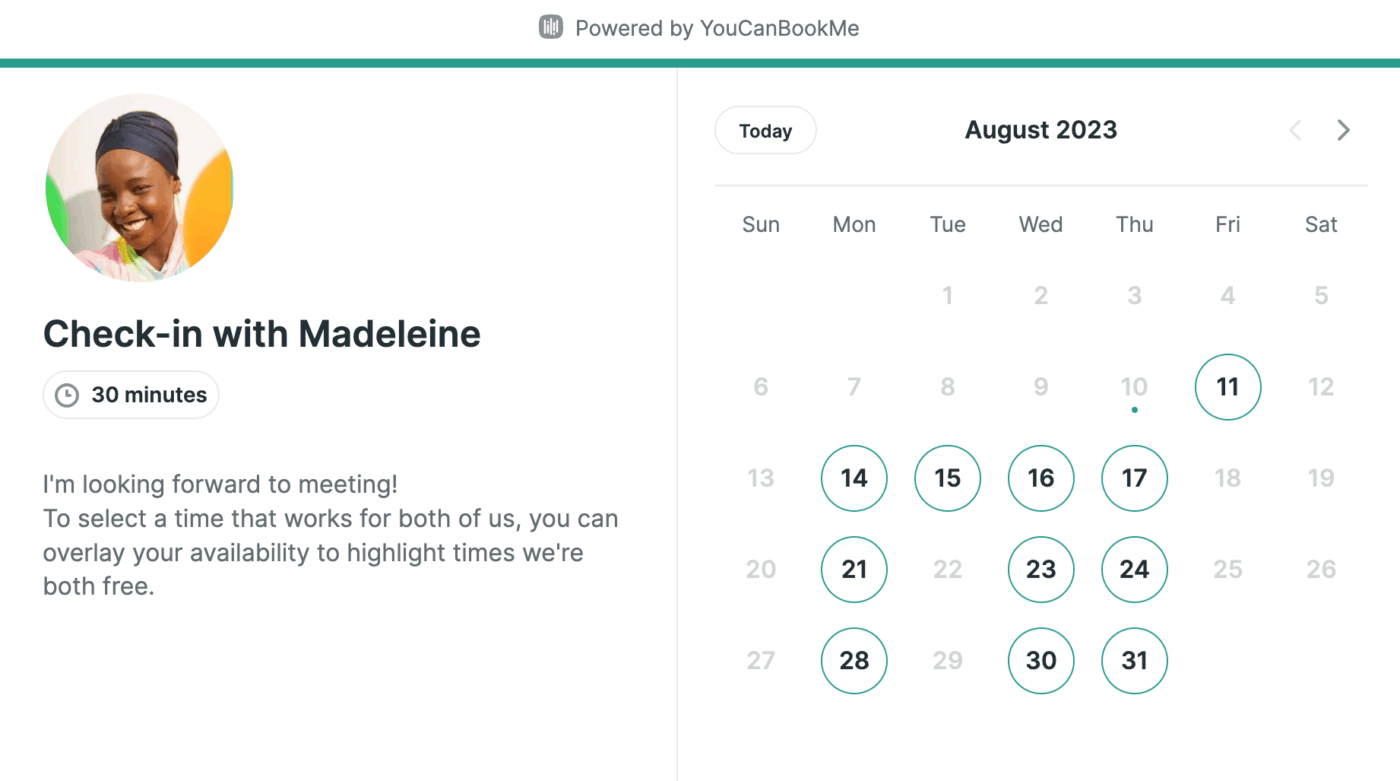
With a user-friendly interface and advanced functionalities, YouCanBookMe gives the visibility you need to make smart decisions about how you spend your time and resources.
The platform’s Dynamic Availability feature lets you set different hours for each type of service, so clients always see accurate options. The Enhanced Analytics Dashboard provides insights into your bookings, allowing you to track trends and measure how your sessions are performing over time.
The client experience is customizable with Custom Offline and End-Date Messages, so anyone visiting your booking page knows why a time slot isn’t available.
Here’s a G2 review:
The booking page is highly customizable and has easy to use interface to change availability times. Also the email notification of new meetings is quite handy as well.
💡 Pro Tip: Adding a ‘Verification successful, waiting for confirmation’ status lets your customers know their booking went through and will be confirmed soon, building trust in your process.
Choosing a scheduling tool is really about building a workflow that makes managing appointments effortless. You need a tool that reduces back-and-forth communication and helps you stay focused on client work instead of admin overhead. But when appointment scheduling is disconnected from your other work tools, it’s easy to lose track of tasks and timelines.
ClickUp isn’t just an appointment scheduler—it’s a complete work management platform. From customizable forms and AI-powered scheduling to automated workflows and deep calendar integrations, ClickUp empowers you to manage appointments, clients, and projects in one Converged AI Workspace.
From booking to follow-up and documentation, every detail stays organized and accessible.
Sign up for ClickUp and see how effortless scheduling can be.

© 2026 ClickUp

There’s an easier way. Try a free AI Agent in ClickUp that actually does the work for you—set up in minutes, save hours every week.