






Still downloading templates?
There’s an easier way. Try a free AI Agent in ClickUp that actually does the work for you—set up in minutes, save hours every week.
Sorry, there were no results found for “”
Sorry, there were no results found for “”
Sorry, there were no results found for “”
Employee development isn’t a “nice to have” anymore. Teams with strong training programs are up to 17% more productive, but most companies still struggle to scale growth beyond one-off reviews and scattered learning tools.
Personalized development plans break down fast when roles, goals, and skills vary across teams. Managers lose context, employees lose momentum, and progress stalls.
That’s where employee development software comes in. The right platform connects learning, feedback, and follow-through so development actually happens, not just gets documented.
In this guide, we’ll break down real employee development plan examples and the 13 best employee development tools to support growth at scale.
| Tool | Best For | Best Features | Pricing* |
|---|---|---|---|
| ClickUp | Employee development tracking with integrated performance management Team size: Solo to enterprise | Docs, Dashboards, Tasks, Knowledge Management, AI summaries, templates, automations, goal tracking | Free forever; Customization available for enterprises |
| Lattice | Goal-driven development and performance alignment Team size: Medium to large | OKRs, 1:1s, career paths, engagement surveys, 360 feedback, analytics | Paid plans from $11/user/mo |
| 15Five | Continuous feedback and coaching-based development cultures Team size: All sizes | Check-ins, OKRs, 1:1 templates, engagement surveys, High Fives, performance reviews | Paid plans from $4/user/mo |
| Trainual | Standardized training and process documentation Team size: Small to mid-sized | SOPs, onboarding sequences, quizzes, video training, templates, role-based assignments | Custom pricing |
| Docebo | Enterprise-scale, AI-powered learning personalization Team size: Enterprise | AI learning paths, course marketplace, gamification, reporting, SSO, global support | Custom pricing |
| Culture Amp | Turning employee feedback into meaningful action Team size: Medium to enterprise | Engagement surveys, performance management, 360 reviews, Skills Coach, benchmarks | Custom pricing |
| Zavvy by Deel | AI-powered team development and performance management Team size: SMB to enterprise | AI career paths, automated reviews, Slack workflows, learning paths, analytics | From $20/user/mo |
| TalentLMS | Fast, scalable training rollouts with minimal setup Team size: Small to enterprise | Drag-and-drop courses, automations, mobile app, multilingual, custom reports | Plans from $149/mo |
| Mesh AI | AI-driven growth plans and continuous performance enablement Team size: All sizes | Personalized growth plans, nudges, role expectations, dashboards, continuous reviews | Plans from $4/user/mo |
| iSpring Learn | Rapid course deployment and mobile-friendly training Team size: SMB to enterprise | SCORM creation, skill checklists, offline access, templates, role-play simulations | Custom pricing |
| LearnUpon | Training multiple audiences from one platform Team size: Mid-sized to large | Multi-portal LMS, automation, career mapping, unified analytics, HRIS sync | Custom pricing |
| Rise 360 (Articulate) | Rapid, responsive course creation without design skills Team size: L&D teams of all sizes | Modular course builder, AI assistant, templates, responsive design, collaboration | From $1,499/user/yr |
| Coursera for Business | Enterprise-scale upskilling with elite academic content Team size: Small to enterprise | 9,200+ courses, certificates, academies, skill assessments, AI recommendations | Team plan $399/user/yr; Enterprise custom |
Our editorial team follows a transparent, research-backed, and vendor-neutral process, so you can trust that our recommendations are based on real product value.
Here’s a detailed rundown of how we review software at ClickUp.
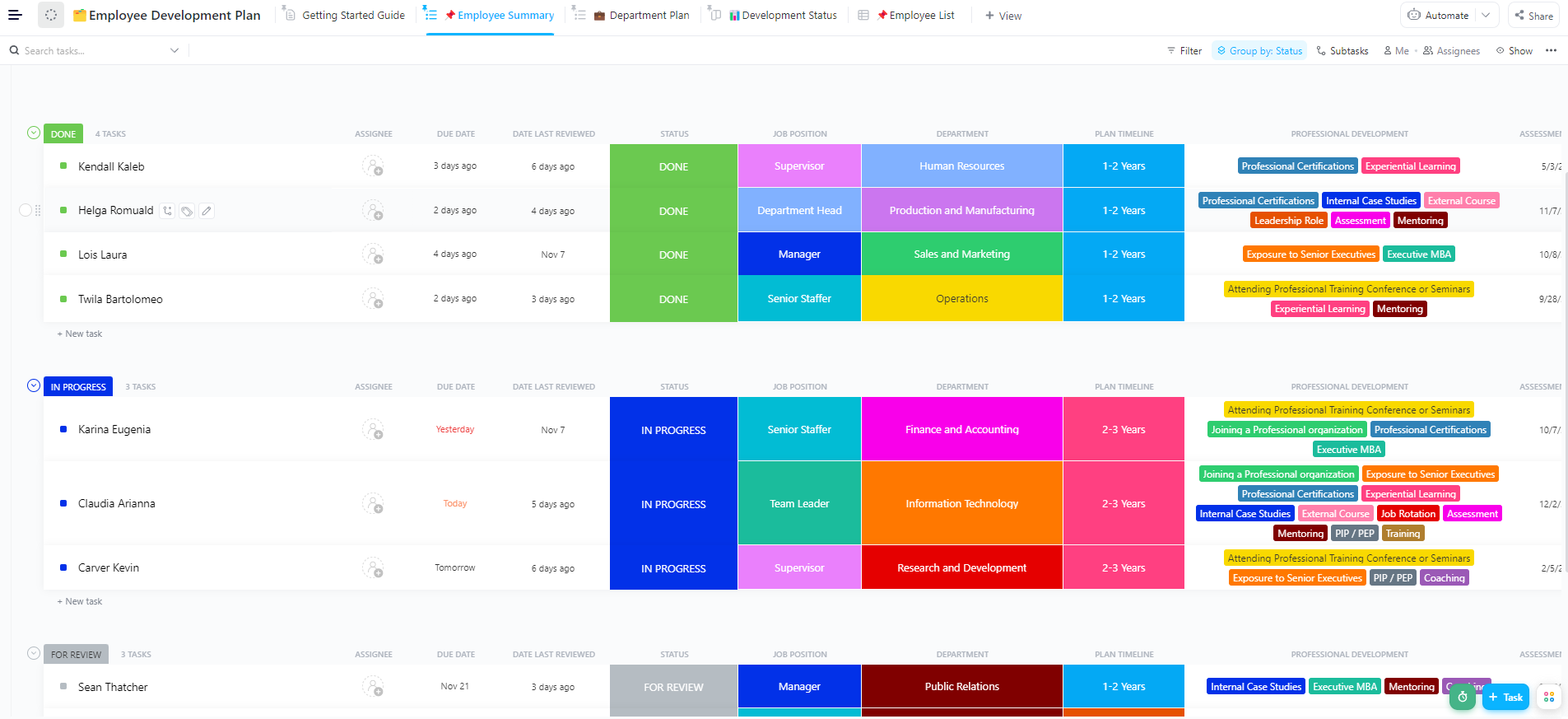
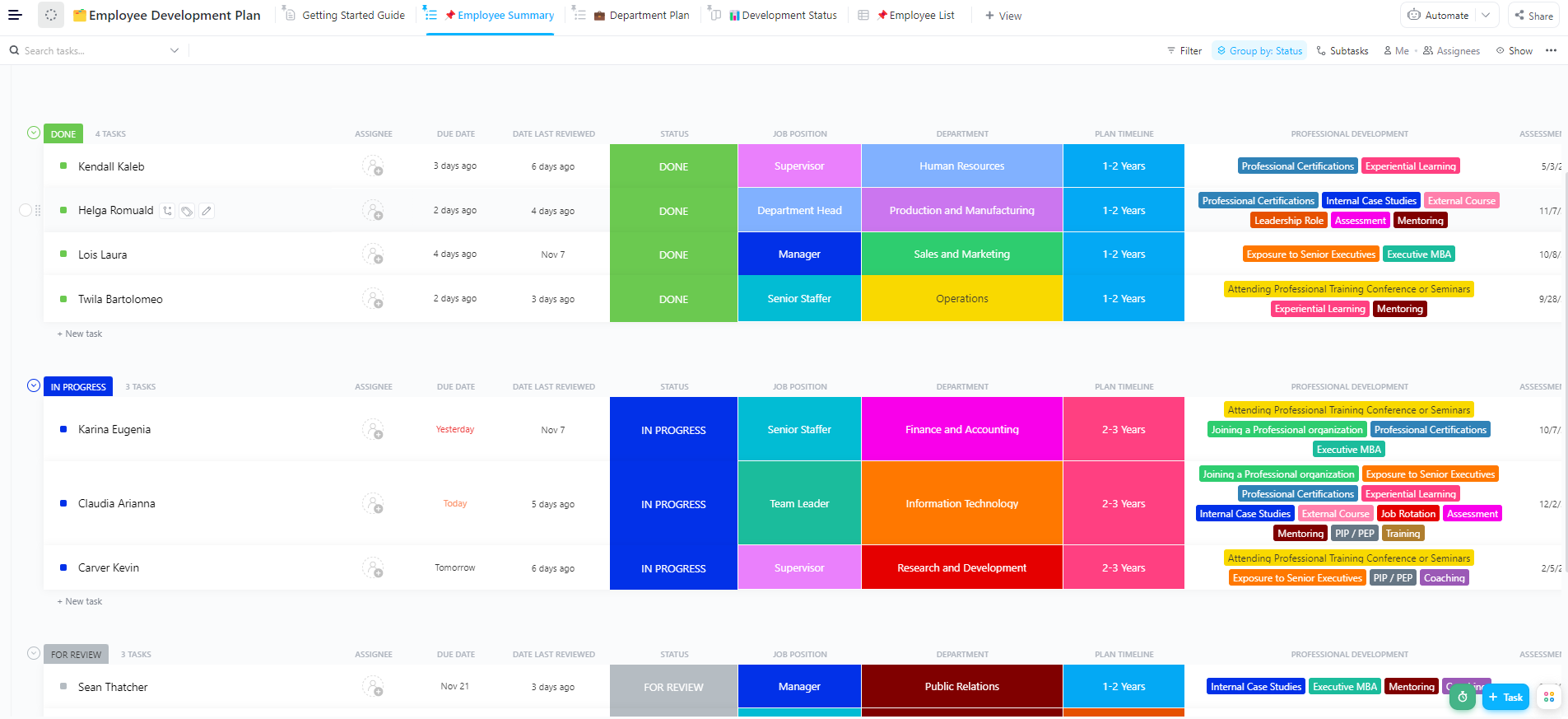
The ClickUp Employee Development Plan Template gives HR teams a consistent way to document employee development goals, skill development priorities, and next-step actions without rewriting the same development plans from scratch every quarter.
Choosing the best employee training software means finding a platform that supports both individual growth and organizational goals.
Here’s what to prioritize in employee development plan examples:
✅ Provides personalized learning paths based on employee development goals, skill gaps, and current and future roles
✅ Enables social and collaborative learning through peer feedback, discussion forums, and knowledge-sharing communities
✅ Tracks progress with real-time dashboards, performance reviews, and analytics that improve employee engagement and training programs
✅ Offers an intuitive interface with mobile access, making it easy for employees to complete training at their own pace
✅ Supports seamless integrations with your HR systems and offers customization options
When employee development plans live in scattered docs, spreadsheets, and chat messages, HR ends up doing the same work twice: collecting updates and rewriting “next steps” after every performance review. That’s work sprawl, and it severely affects an organization’s efficiency.
A better system keeps development plans, learning resources, and follow-through connected. For example, ClickUp for Human Resources lets teams build training docs, turn feedback into assigned tasks, and track progress in dashboards— all from the same workspace.
Here are 13 employee development software platforms that help HR teams deliver targeted training programs and support career growth and development.
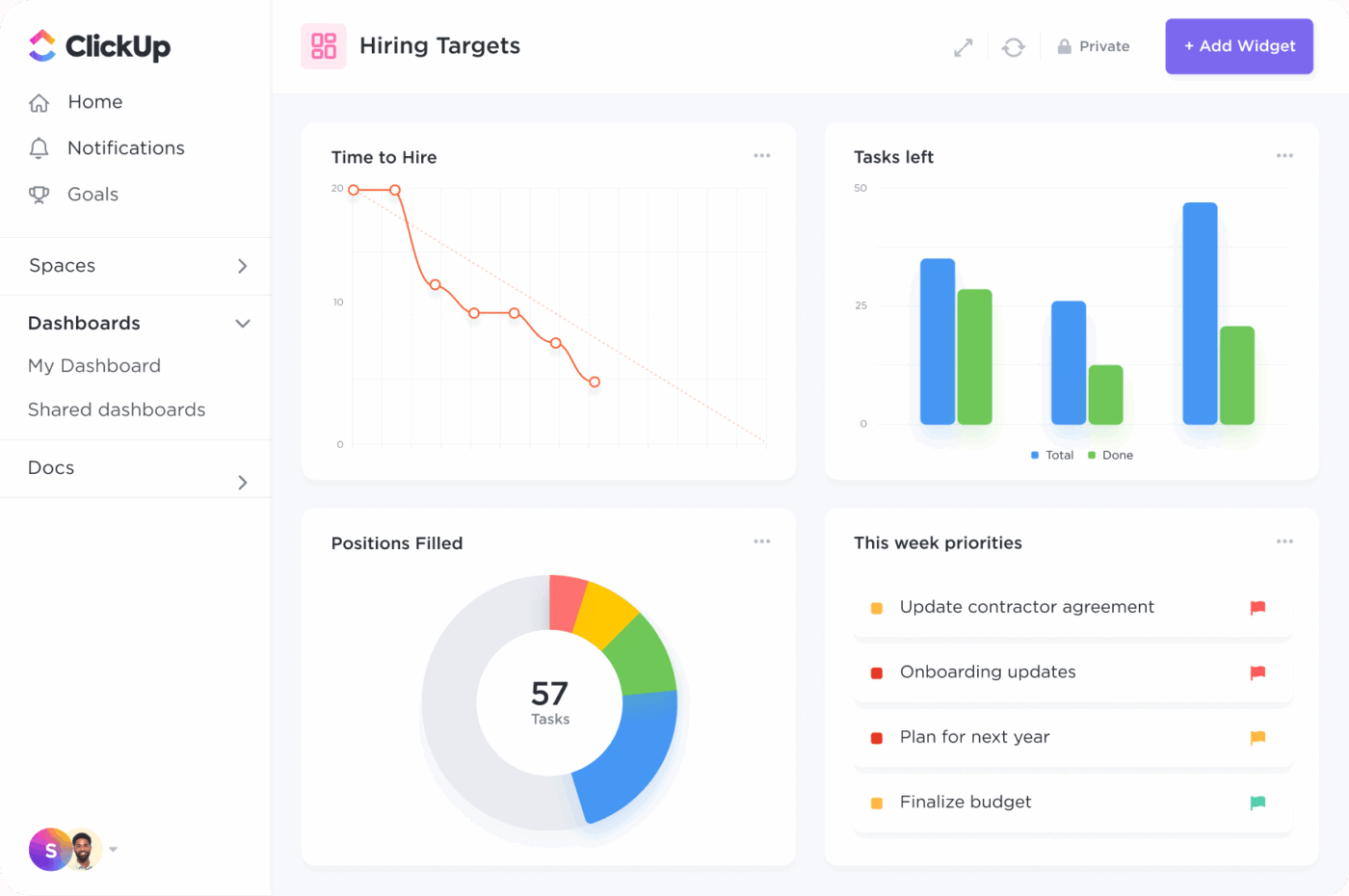
ClickUp is a complete employee development software that enables HR teams to track goals, organize knowledge, manage tasks, and help employees take charge of their career growth through structured, actionable workflows.
Let’s delve into the specifics.
Centralize learning content, collaboration, and knowledge sharing with ClickUp Docs

ClickUp Docs functions as a live, searchable knowledge base that supports employee training and onboarding.
A new sales hire can access a library of product demos, objection-handling scripts, and performance review templates in one place. Managers and team members can comment, co-edit, and even turn insights into action items.
For example, an employee interested in transitioning to data analysis can work with their manager to develop a personalized development plan that includes training in soft skills and internal projects.
However, training content only works if people can actually find it. ClickUp Docs Hub gives HR and L&D teams one place to organize, search, and create Docs and wikis, which makes it easier to maintain onboarding guides and documents for the entire organization.
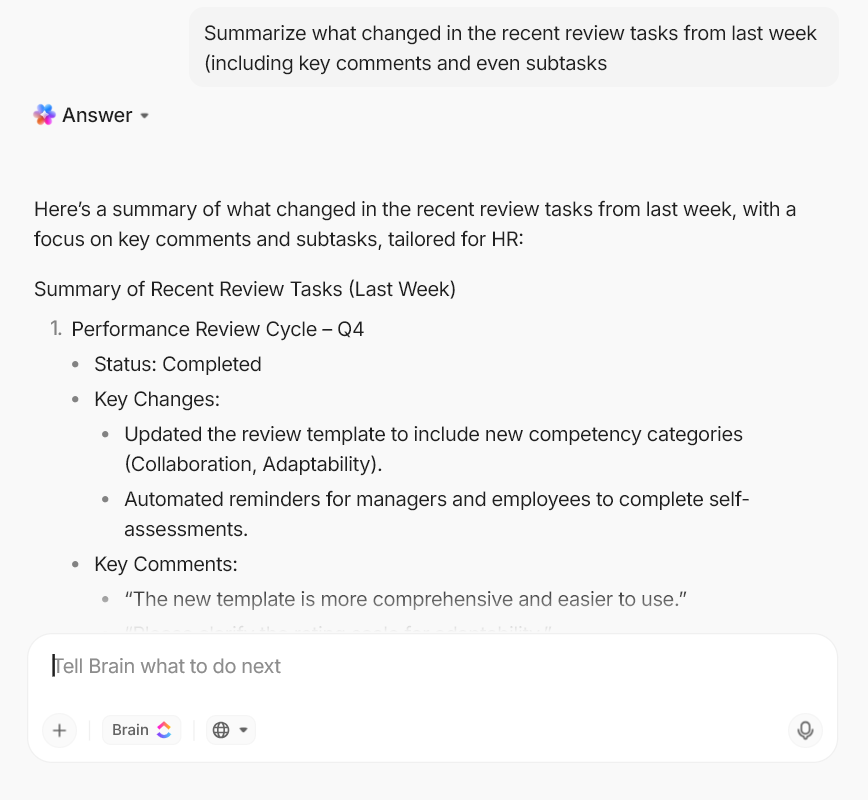
💡 Pro Tip: If performance review notes sit in long task threads, HR teams lose time turning feedback into something a manager can actually run with. In ClickUp, use ClickUp Brain to summarize what changed in a review task (including key comments and even subtasks), then paste the summary directly into the employee’s development plan Doc.
You can also turn it into next-step tasks, such as “Complete training module” or “Run two stakeholder updates this month.” It is a simple way to move from scattered employee feedback to clear follow-through, which you can track from week to week.
But even with good documentation, teams can still waste time hunting for “the latest version” of a policy or process. ClickUp Knowledge Management adds AI-powered answers across your workspace so people can ask questions about information stored in Docs, tasks, and Chat and get a clear response faster.
This is especially useful for HR workflows, such as onboarding FAQs and policy clarifications.
Monitor progress with customizable ClickUp Dashboards
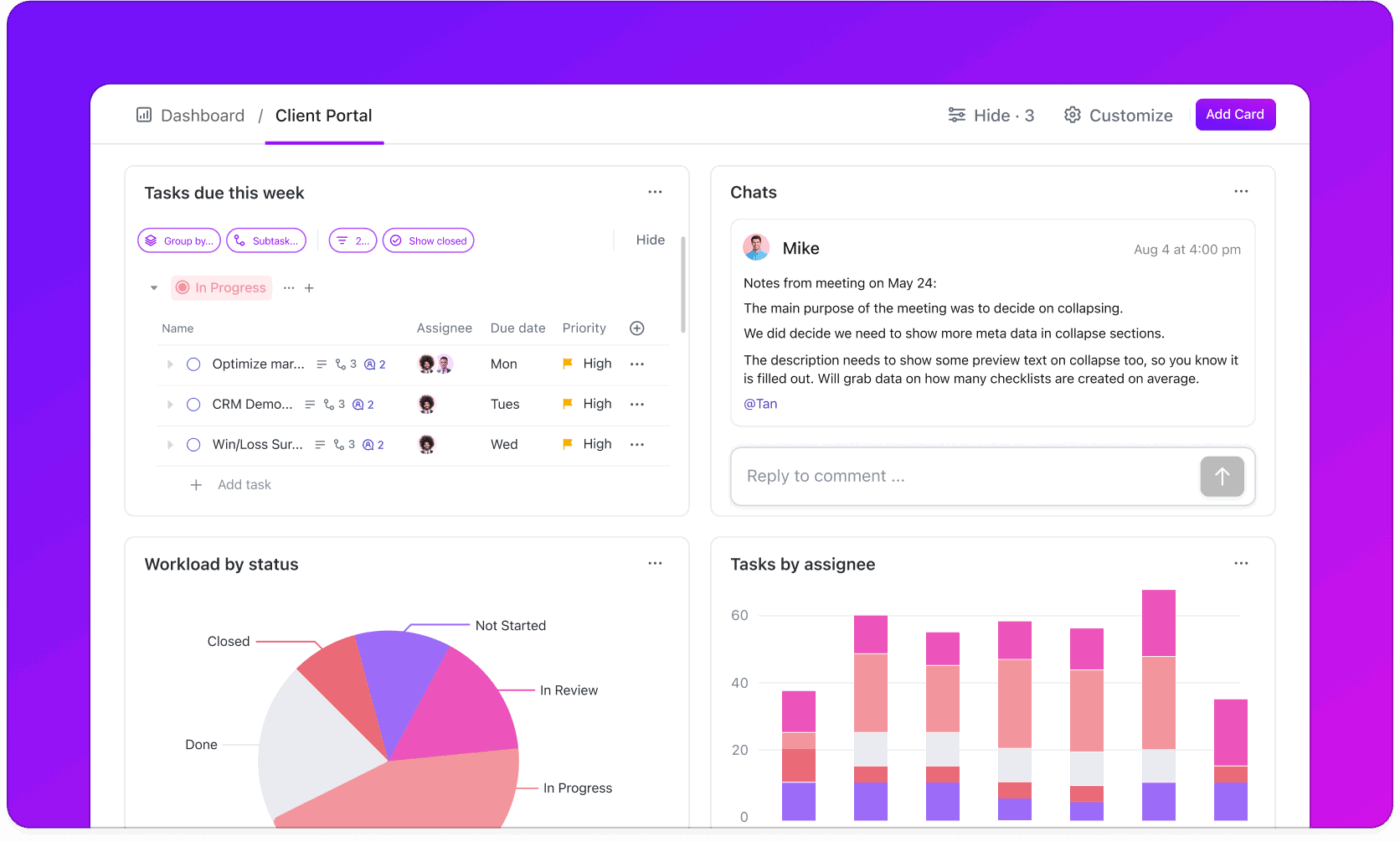
ClickUp Dashboards allow HR and L&D professionals to track learner progress and identify blockers early.
For example, you can create a dashboard that shows how many employees have completed a leadership development program, how long it took, and where drop-offs occurred.
These insights help improve development programs and align them better with employee development goals and business needs.
If you’re looking to add some AI-powered reporting directly inside your Dashboards and Overviews, ClickUp AI Cards can help you. You can add cards like AI StandUp and AI Team StandUp to summarize recent activity over a selected time period, or use AI Executive Summary and AI Project Update to generate a current snapshot of status and next priorities.
💡 Pro Tip: Turn performance review notes into trackable development plans with ClickUp BrainGPT.
ClickUp BrainGPT can help you move faster from “good feedback” to employee development goals your team members can actually complete. It includes Talk to Text so you can capture 1:1 notes or coaching observations by voice (instead of typing them up later), and it can also search across connected work apps and the web when you need more context.
Turn performance feedback into action with ClickUp Tasks
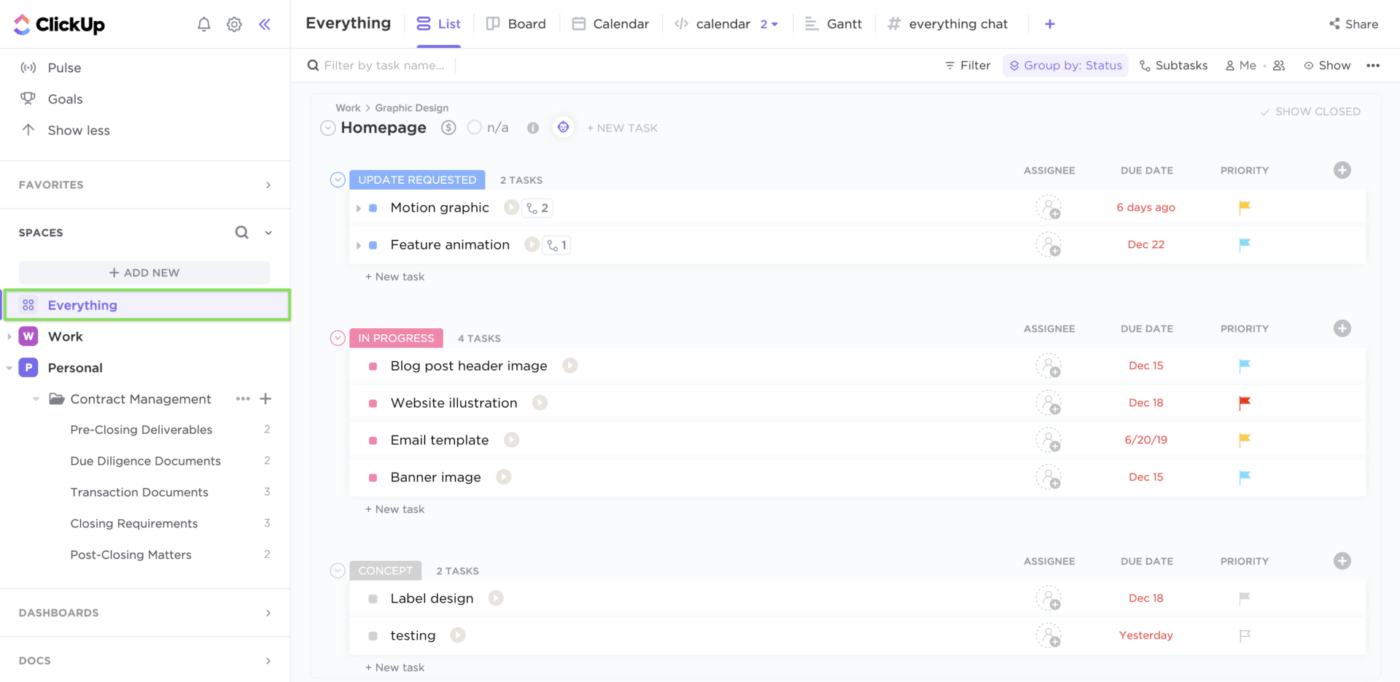
When an employee receives feedback during a performance review, such as improving stakeholder communication, you can immediately create a task like “Join one cross-functional meeting per week for the next month.”
ClickUp Tasks integrates with calendars and reminders, ensuring follow-up actions are prioritized. This makes employee development continuous and trackable rather than confined to one-off reviews.
Here’s a quick visual guide on how to prioritize ClickUp Tasks to plan your workday better:
Standardize input with ClickUp’s feedback templates
When employee feedback comes in different formats (docs, email threads, chat notes), it becomes hard to compare performance reviews or spot common skill development gaps.
For those scenarios, ClickUp’s training plan templates can help you build repeatable feedback templates for performance reviews, peer evaluations, or self-assessments.
Start by using the ClickUp Employee Engagement Survey Template to capture consistent employee engagement input, then run structured review cycles with the ClickUp Performance Review Template so self-assessments and manager feedback follow the same flow.
Once you have the inputs, the ClickUp Employee Development Plan Template helps you turn those insights into an actual development plan you can track over time.
This individual development plan template allows you to create personalized development plans by combining performance reviews and peer feedback into a task management software.
🌻 Here’s why you’ll like this template:
This G2 review highlighted:
ClickUp brings all our tasks, documents, goals, and time tracking into one unified workspace. We’ve been using it since 2018, and it’s incredibly flexible for managing both internal workflows and client projects.
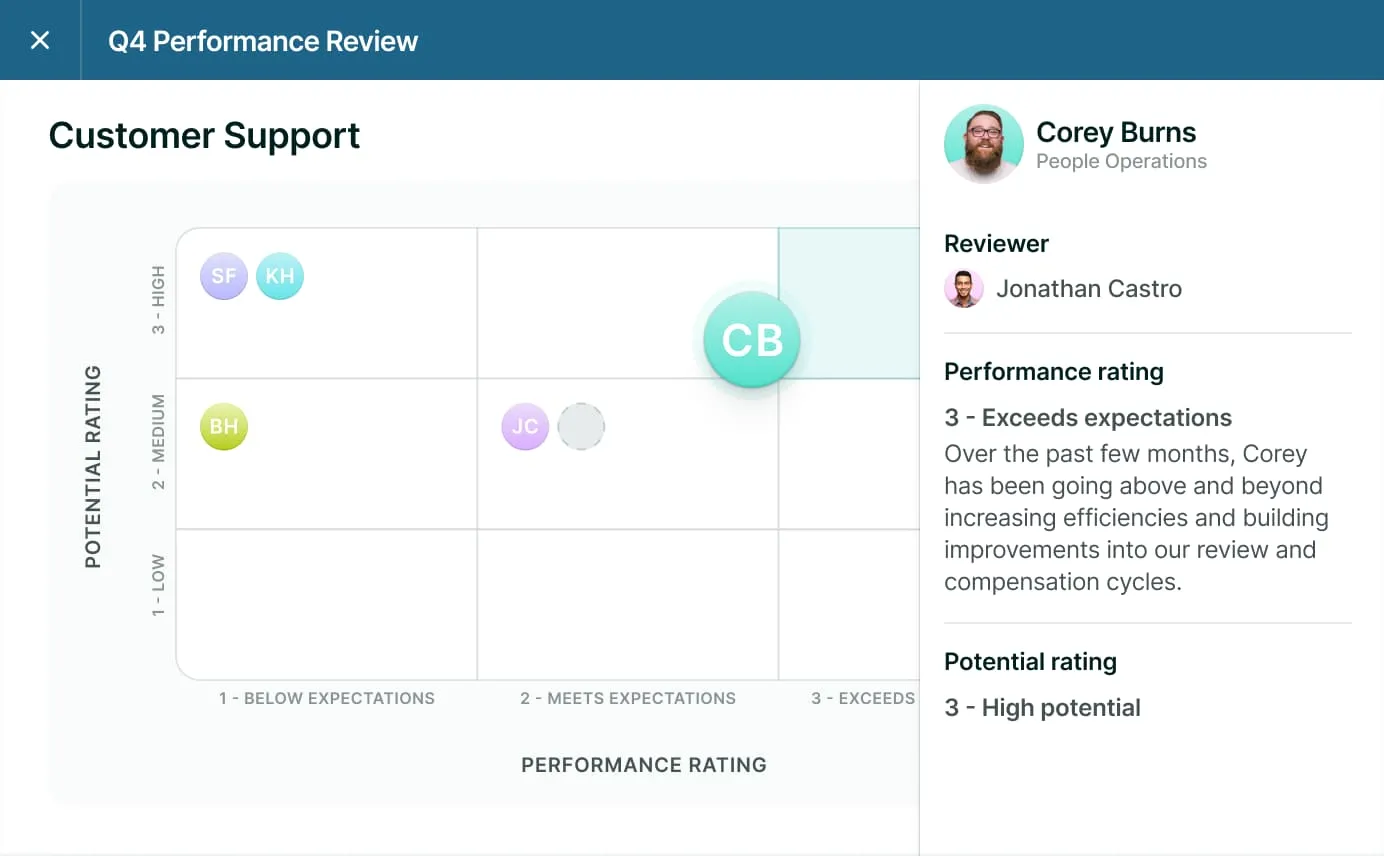
One of the biggest challenges HR leaders face is aligning employee growth with business priorities. Since feedback loops are spread across disconnected tools, development conversations are inconsistent.
Lattice solves this by bringing performance management and employee engagement into a goal-tracking app. Managers can conduct structured one-on-ones, build development plans with clear OKRs, and gather 360-degree feedback, all in a centralized space.
This Capterra review captured:
I’ve found this system to be quite helpful. It provides a great structure for managing 1:1 meetings and ensures that any feedback from team members is accessible to both you and your manager.
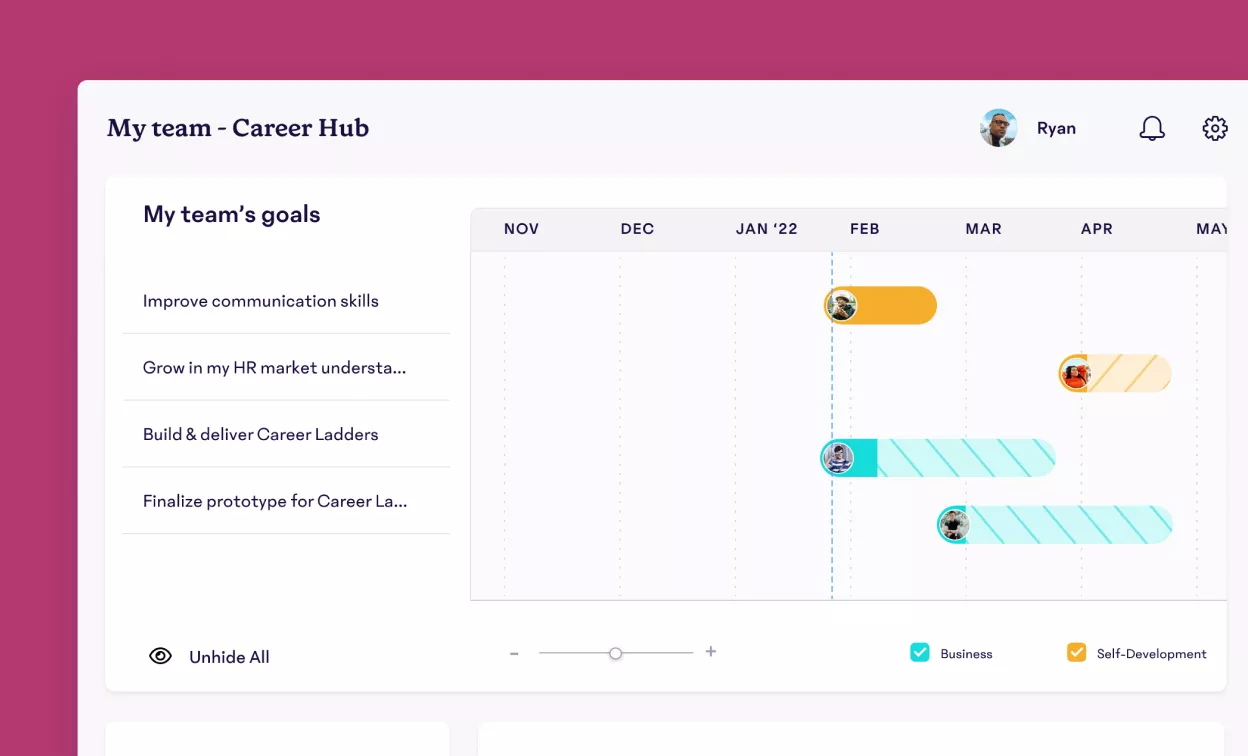
For HR, turning performance reviews into ongoing development is one of the biggest challenges at work.
This inconsistency arises because feedback is sporadic, recognition is irregular, and coaching is often ineffective.
15Five solves this by turning performance management into a continuous, collaborative process. It combines engagement surveys, coaching tools, OKR tracking, and recognition features to help HR teams and managers align employee development with day-to-day work.
The platform also includes built-in templates for 1-on-1s and role clarity, making it easier to define expectations and give regular feedback.
This G2 review shared:
The weekly check-ins are a simple but powerful way to stay in touch with how everyone is doing, both personally and professionally. Managers get real-time insights into team morale and challenges, which has helped us be more proactive and supportive.
📖 Also Read: Succession Planning Strategies (with Templates)
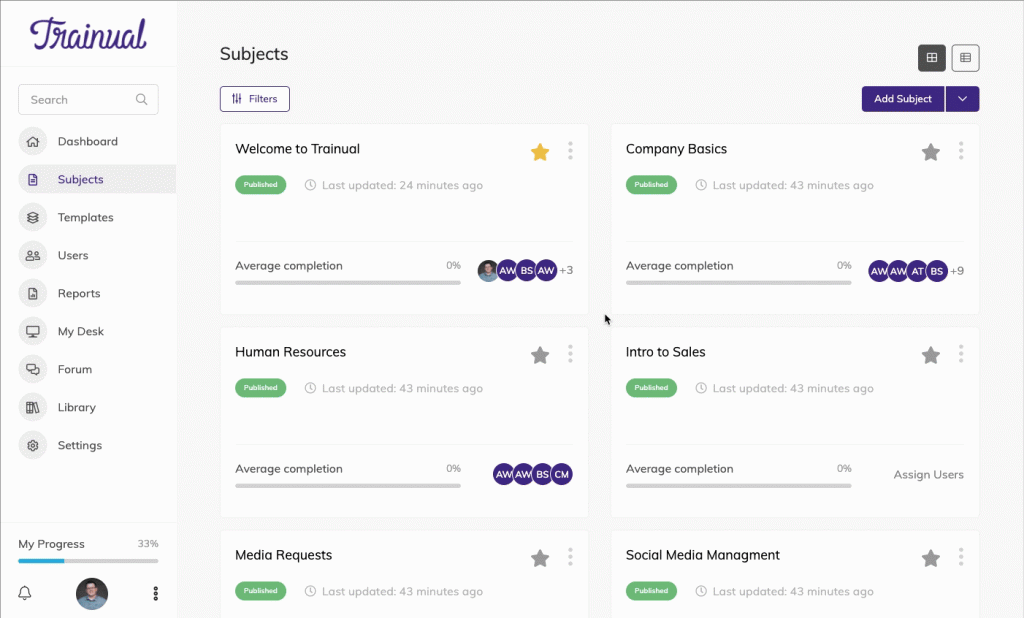
Fast-growing teams often struggle with inconsistent onboarding and scattered standard operating procedures (SOPs), leading to repetitive questions.
Valuable expertise remains locked in individual brains rather than growing with the business in the absence of a centralized knowledge base.
Trainual addresses this by turning every process, policy, and role responsibility into searchable, trackable documentation. From onboarding new hires to rolling out updated protocols, teams get a repeatable system to train consistently, ensure accountability, and reduce manager hand-holding.
This G2 review noted:
By turning informal knowledge into formal, structured content, we’ve been able to create repeatable processes that support consistency and quality across the organization. Trainual has become a daily tool for us.
📖 Also Read: Personal Development Plan Examples for Career Growth
📮 ClickUp Insight: While 78% of our users create detailed plans when setting goals, nearly half admit they don’t track them using dedicated tools.👀
ClickUp bridges that gap by turning your goals into actionable tasks you can actually follow through on, step by step. And with no-code Dashboards, you get a crystal-clear view of your progress, so nothing slips through the cracks. Because when it comes to growth, “hope for the best” just doesn’t cut it.
💫 Real Results: ClickUp users report handling up to 10% more work without burning out.
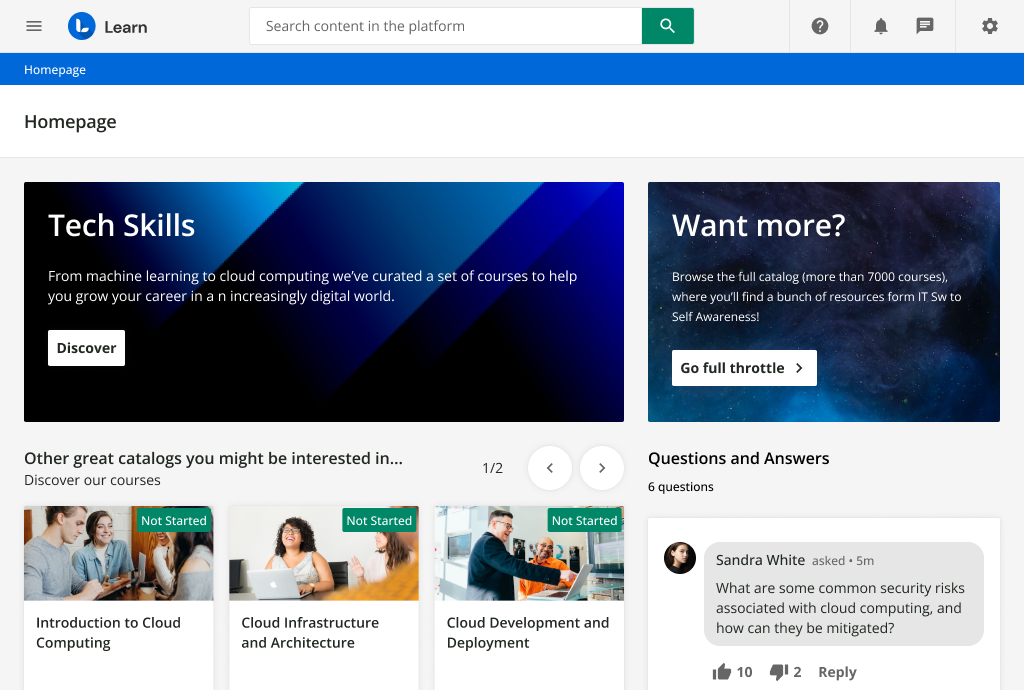
When HR and L&D teams try to scale training across departments or global teams, they often face scattered content and limited insight into program impact. Traditional LMS platforms aren’t equipped for personalized, scalable learning tied to real business outcomes.
Docebo addresses this issue with a modular, AI-powered platform that adapts to each employee’s journey map.
From onboarding and compliance to sales enablement and talent development, this talent management software uses automation and analytics to deliver engaging, measurable learning at scale.
This G2 review featured:
The platform allows for flexibility in how we deliver the learning experience, it performs rather well without frequent bugs or crashes – stability is really important for us in the organization.
🧠 Did You Know: 51% of organizations restructured their teams in 2023. If you’re resetting yours, the blog How to Develop a High-Performing Team in 8 Proven Steps is your blueprint to build stronger, more collaborative teams that actually hit their goals.
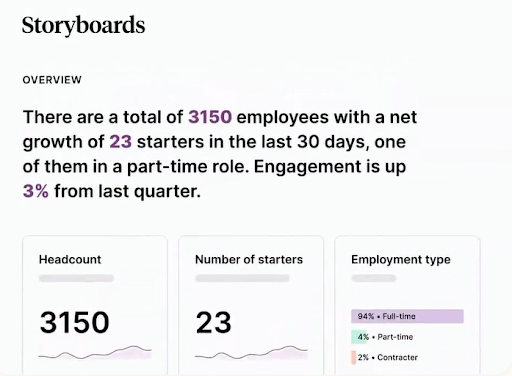
Many companies conduct engagement surveys, yet many struggle to effectively close the feedback loop. Without clear ownership, follow-up plans, or real-time visibility, survey results often get buried in dashboards. This erodes employee trust and turns feedback into a box-ticking exercise rather than a driver of change.
Culture Amp fills this void. It helps HR teams gather high-quality feedback and act on it through built-in tools for development, performance management, and goal setting.
The result: a platform that transforms employee sentiment into measurable progress.
This Capterra review shared:
I believe in Culture Amp’s purpose of bringing together functionality around employee engagement, goal setting, performance management, and improving organizational culture into one comprehensive development zone.
👀 Fun Fact: Employees learn better on Wednesdays. According to Udemy’s platform data, midweek sees the highest course completion rates, possibly because it’s the “mental sweet spot” between planning and burnout.
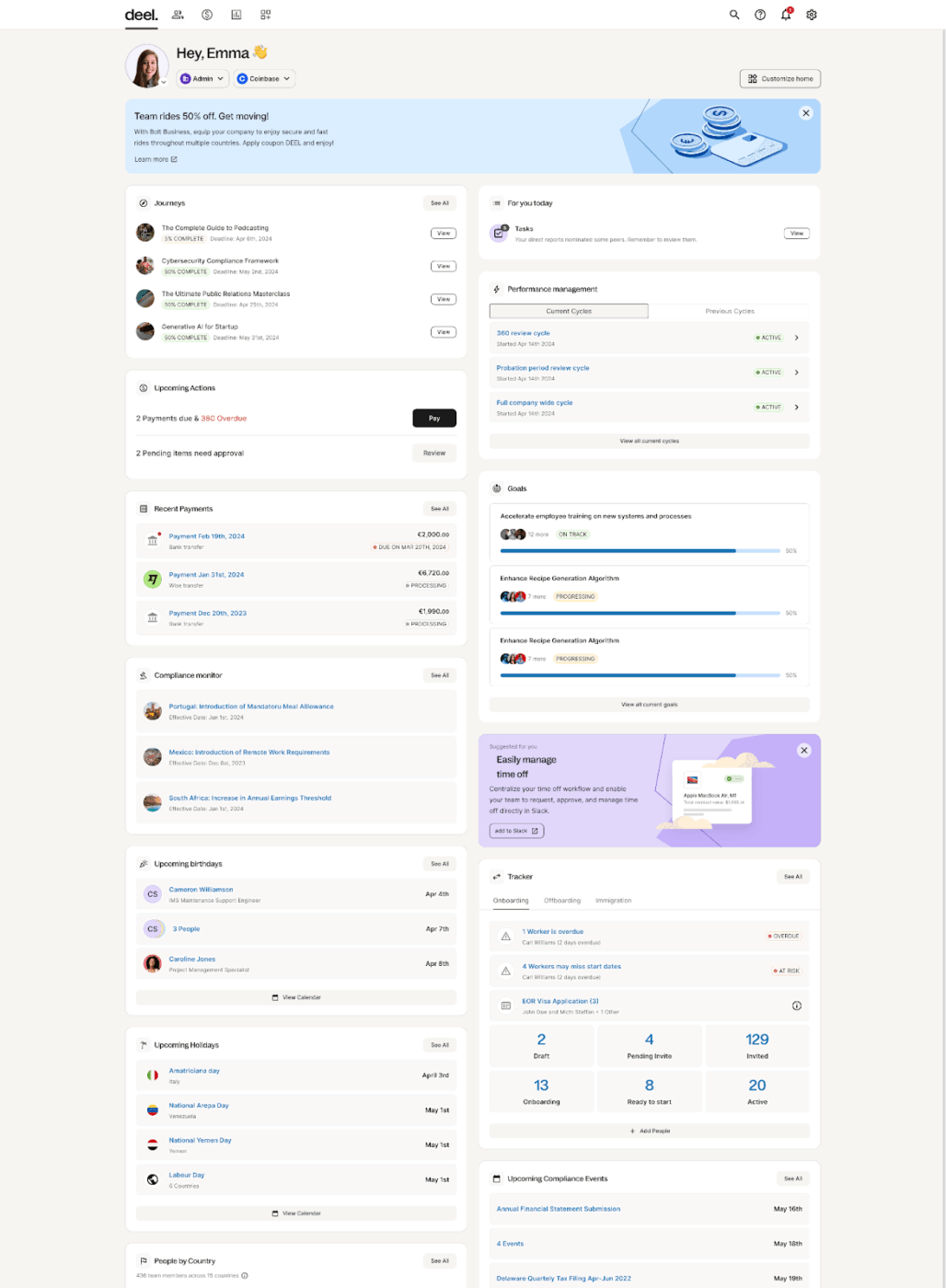
Most HR platforms assume managers will drive development. Zavvy by Deel knows they often don’t.
Whether it’s overdue performance reviews, vague career paths, or skipped 1:1s, the biggest blocker to people development is disengaged execution.
Zavvy by Deel fixes this with built-in AI that does the heavy lifting: drafting career paths, automating review cycles, nudging feedback loops, and generating surveys without constant HR follow-up.
By removing blank-page friction and plugging directly into Slack, Zavvy helps teams operationalize growth. You get real-time data, engagement insights, and structured learning programs that actually run—because the system runs them.
Note: It has since been rebranded under Deel’s HR platform, Engage.
This G2 review shared:
Deel makes it easy to get the information and support to solve problems, and using feedback is real-time from users for each use case.
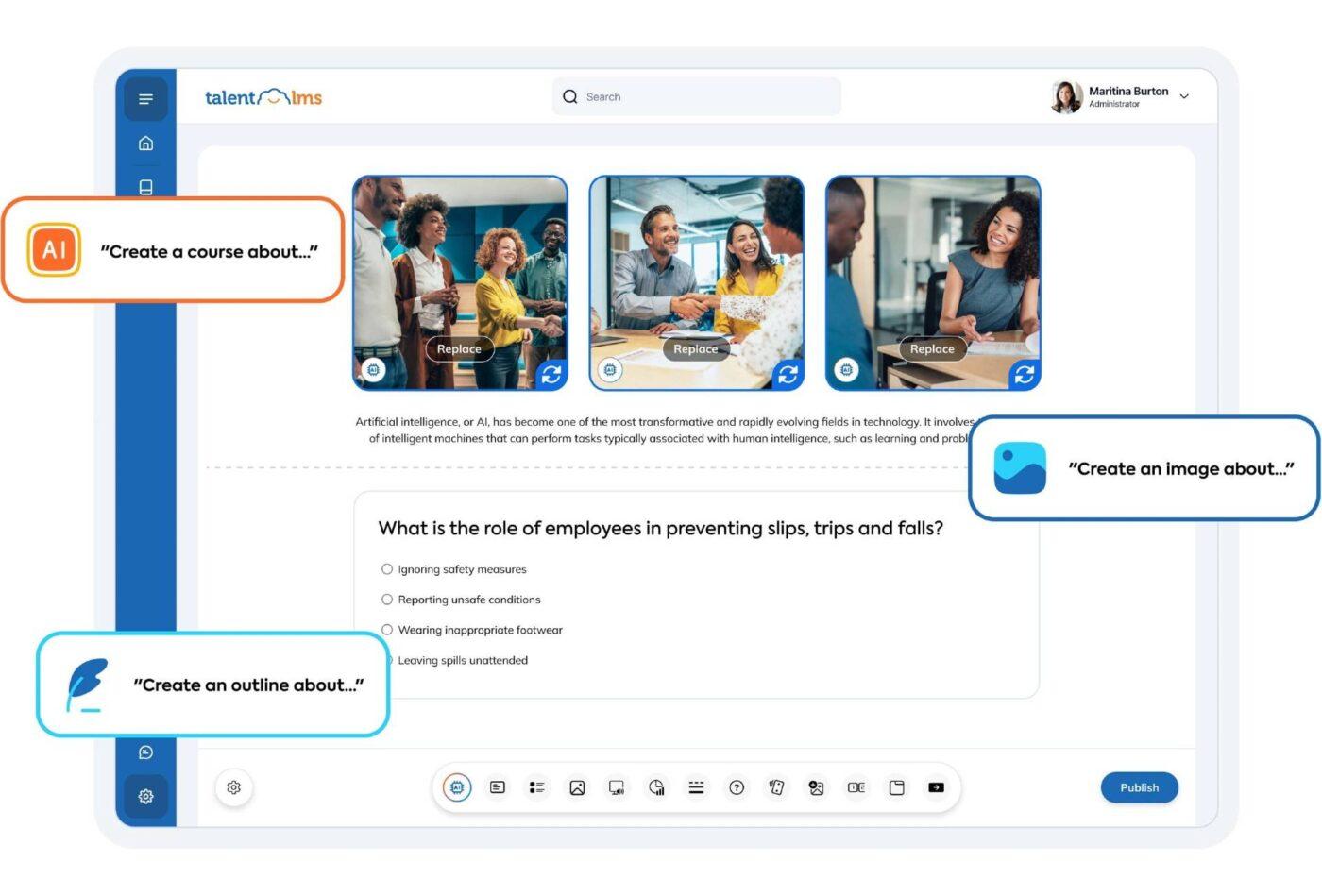
Many LMS platforms are powerful but not so practical. They demand weeks of configuration, specialized IT support, and steep learning curves for both admins and learners. For fast-moving HR and L&D teams, this complexity creates delays that stall employee onboarding, compliance training, and skill development.
TalentLMS solves such challenges with a platform that’s intuitive from day one. You can create, assign, and launch engaging courses in minutes with no technical expertise needed.
With AI-powered content tools, mobile access, and powerful automation, it’s built to support both small teams and large enterprises at scale.
This Capterra review captured:
I can start courses from scratch, customize content via plenty of media tools, track my learners’ progress, arrange tests and set rules or permissions. It is really easy to use though unfamiliar with the way to.
📖 Also Read: Performance Review Examples (Phrases + Comments)
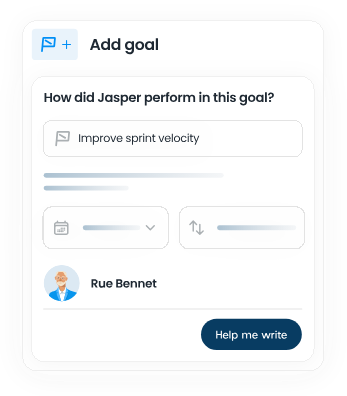
Development plans often live in spreadsheets or HR systems that managers rarely revisit.
As a result, employee development goals stay vague, performance conversations become inconsistent, and career growth feels disconnected from day-to-day work.
Mesh AI tackles this by embedding AI into the heart of employee development. It enables managers to co-create personalized growth plans, track progress continuously, and tie everyday feedback to long-term career goals.
With nudges, check-ins, and AI-generated suggestions, Mesh helps HR teams scale employee development without adding admin overhead.
This G2 review highlighted:
It gives an option to self-review helping us to analyze ourselves and allowing us to nominate people from whom we want reviews. This makes the review process convenient, and you can fairly assess your peers.
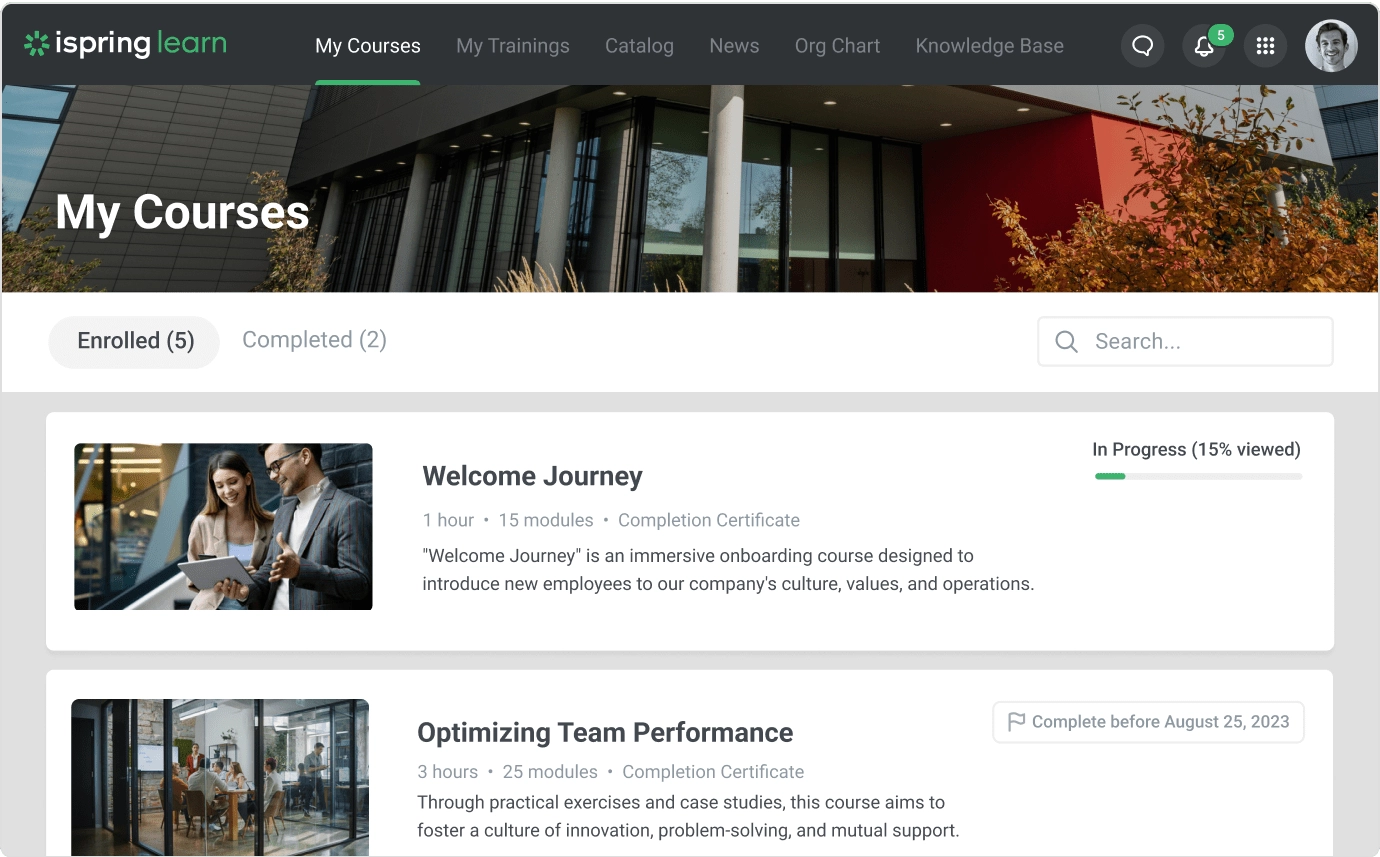
Many HR teams struggle to launch employee development programs quickly due to limited content, slow rollout cycles, or a lack of instructional design resources.
This leads to delays in onboarding, inconsistent training experiences, and poor tracking of employee development goals.
iSpring Learn solves this with a plug-and-play learning management system that pairs seamlessly with its built-in authoring tool, iSpring Suite.
HR and L&D teams can convert PowerPoints into SCORM-compliant courses, build interactive quizzes, and deploy training content in hours.
This G2 review noted:
Good interface, many opportunities to create high-quality courses, it’s convenient to track employee progress, it’s great that you can purchase the Suite and create awesome materials.
👀 Fun Fact: Your brain rewires in just 6 hours of training. Research shows that after just six focused hours of learning a new skill, brain scans reveal structural neural changes.
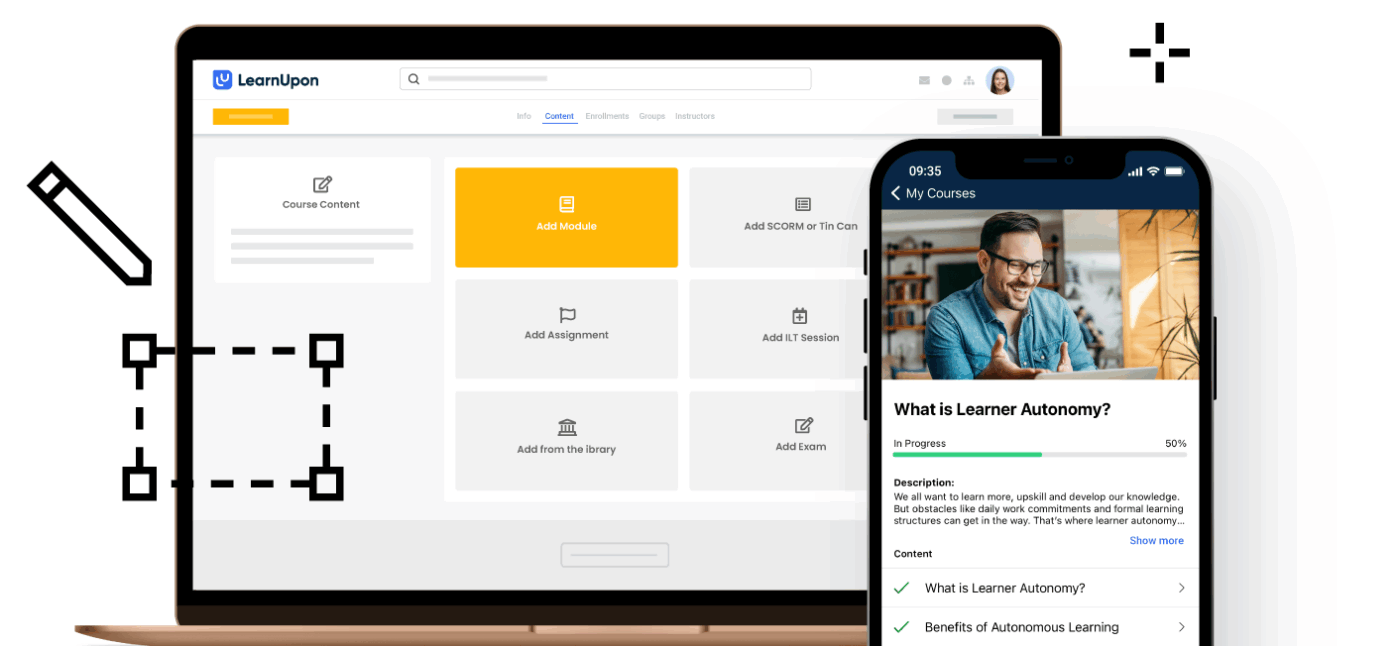
Many growing companies face a hidden challenge: their employee development goals are often derailed by the need to manage separate systems for internal training, partner enablement, and customer education.
This fragmented setup stretches the HR teams thin.
LearnUpon solves this by centralizing all training needs under one intuitive platform. Whether you’re onboarding new employees, educating partners, or building a customer academy, LearnUpon lets you manage everything in one place.
This Capterra review noted:
LearnUpon has given us a platform for onboarding, ongoing development, and compliance education for our employees, clients, and partners. We have cut down onboarding from months to weeks.
📖 Also Read: OKR Examples – How To Write Effective OKRs
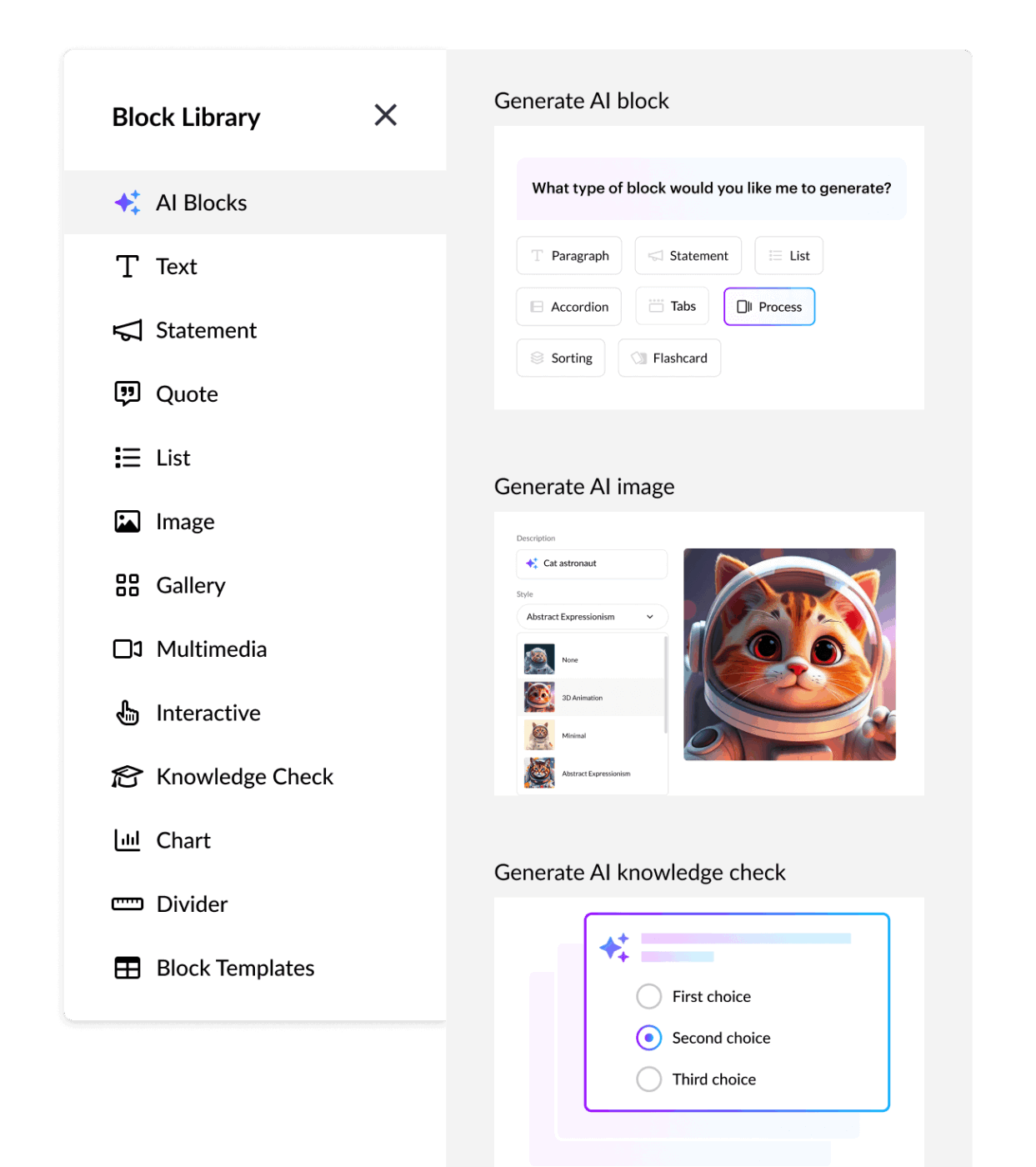
Most L&D teams struggle to create engaging, mobile-ready training without dedicated designers. Traditional authoring tools can be too complex, and outsourcing slows delivery.
The result is often outdated, inconsistent training that fails to meet modern learning needs.
Rise 360 by Articulate solves this by offering a simple, web-based builder with a responsive design baked in. Its block-based interface makes it easy to structure interactive, media-rich content without technical skills.
Moreover, with AI features to draft lessons, generate quizzes, and create images, teams can build polished training content faster and with more consistency.
This G2 review featured:
What I love most is its versatility and ease of use. Whether you’re a beginner or a seasoned instructional designer, learning to use Articulate 360 is intuitive and straightforward.
Many corporate learning programs struggle to keep pace with evolving industry standards. Employees often disengage when training content feels generic, outdated, or disconnected from real-world skills.
This gap between training and relevance limits impact, especially at scale.
Coursera for Business addresses this by offering access to 9,200+ courses from top universities and companies like Google, Stanford, and IBM.
Built for teams of all sizes, it enables companies to deliver curated learning paths, guided projects, and professional certificates.
This G2 review shared:
What I like best is the ability to curate, brand, and deploy high-quality training paths quickly using CourseBuilder. Coursera’s catalog offers global expertise on emerging topics like AI, with recognized micro-credentials that boost learner motivation and employability.
Here are three additional employee development tools that align with the capabilities of the platforms already discussed.
Employee development plan examples for you to copy and customize
1) 30/60/90-day plan for a new hire
2) Promotion readiness plan (IC → Senior IC)
3) Role transition plan (Support → Customer Success)
Companies that invest in learning outperform peers in productivity, retention, and engagement. But here’s the catch: building personalized development journeys at scale is hard.
Goals get buried in docs, training stays scattered, and feedback gets lost in spreadsheets.
That’s where ClickUp stands out.
ClickUp connects development goals with everyday work, from setting OKRs and building training libraries to tracking progress in dashboards and automating performance reviews. It’s all in one place. No tool-hopping. No context-switching. Just smarter growth.
Ready to give your team the structure and support they need to thrive? Sign up for ClickUp today!

© 2026 ClickUp

There’s an easier way. Try a free AI Agent in ClickUp that actually does the work for you—set up in minutes, save hours every week.