






Still downloading templates?
There’s an easier way. Try a free AI Agent in ClickUp that actually does the work for you—set up in minutes, save hours every week.
Sorry, there were no results found for “”
Sorry, there were no results found for “”
Sorry, there were no results found for “”

Booking meetings shouldn’t feel like negotiating world peace. If your current system feels more like a roadblock than a launchpad, it might be time for a change.
For a while, Setmore has been the reliable workhorse for unlimited users, but as your business grows, so do your needs. Perhaps you’re seeking more control, smarter integrations, or a smoother experience for your clients.
Some alternatives let you sync multiple calendars across teams, while other platforms automate reminders and confirmations. A few can even turn bookings into follow-up tasks or integrate directly with payment systems.
If you’re ready to experience what truly smart scheduling software can do for you, we’ll walk you through the top tools that streamline bookings and keep your calendar organized.
Take a quick look at these top Setmore alternatives to compare features, best-fit scenarios, and pricing.
| Tool name | Key features | Best for | Pricing* |
| ClickUp | AI-powered Calendar, All-in-one project management and scheduling, task automation, docs, and approvals, | Teams that need scheduling and project management in one place | Free plan available; Custom pricing for enterprises |
| Calendly | Smart booking links, integrations with Google/Outlook, group scheduling, and round-robin | Professionals and teams needing easy, link-based scheduling | Free plan available; Paid plans start at $12/month; Custom pricing for enterprises |
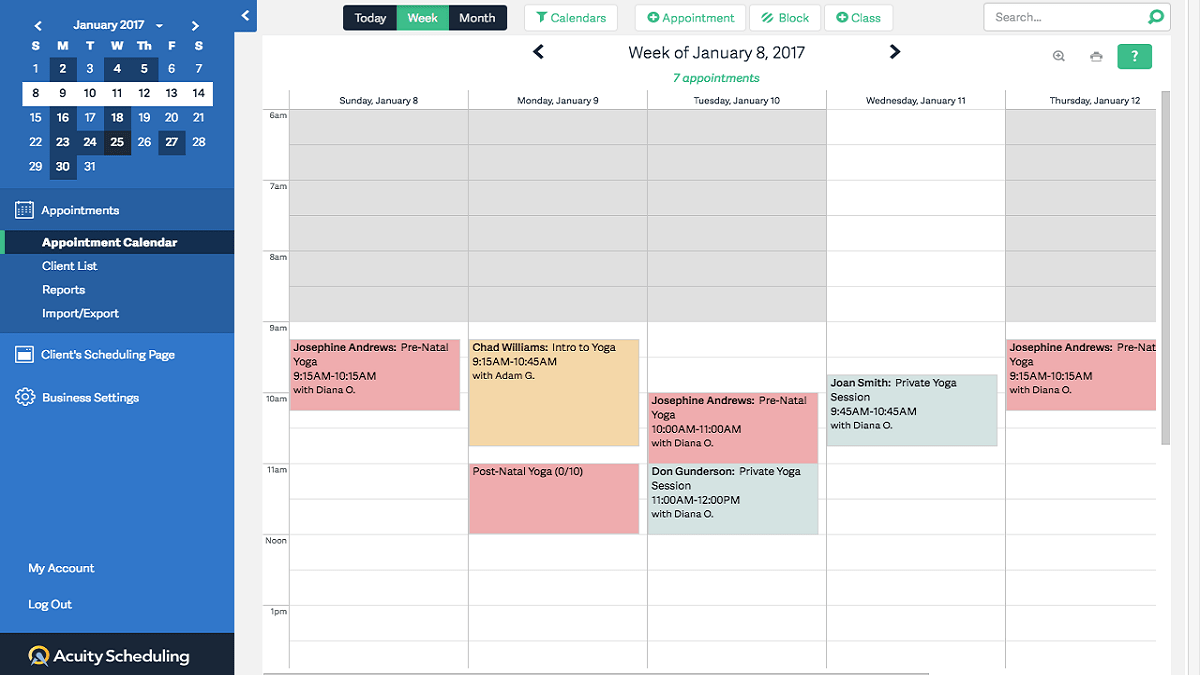
| Acuity Scheduling | Custom intake forms, calendar sync, client self-booking, and payment processing | Service providers, coaches, consultants | Free plan available; Paid plans start at $20/month; Custom pricing for enterprises |
| Vagaro | Booking and POS, membership management, marketing tools, and payroll | Salons, spas, wellness businesses | Free plan available; Paid plans start at $23.99/month |
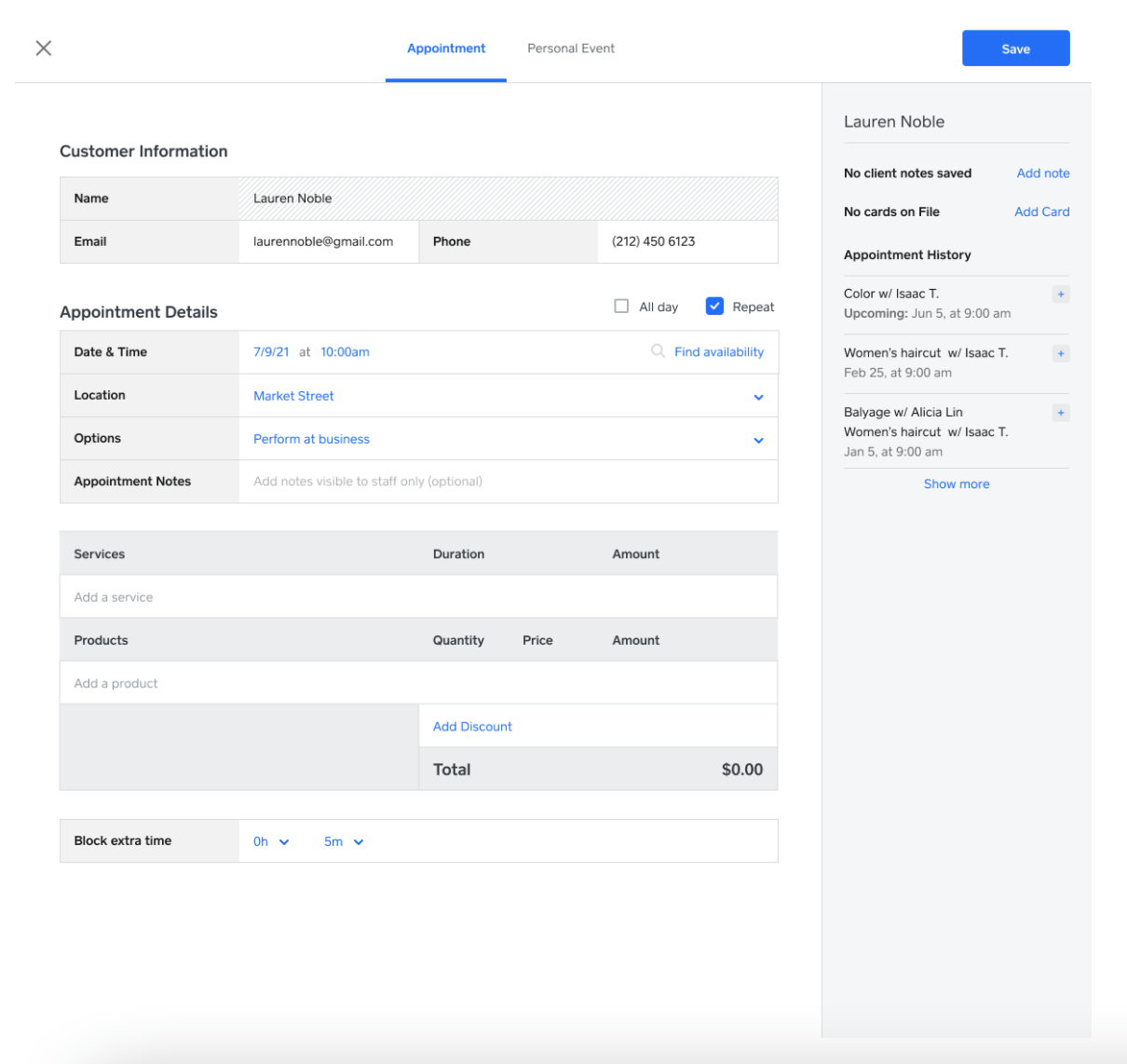
| Square Appointments | Online booking, payment integration, POS, automated reminders | Small businesses that need scheduling and payment | Free plan available; Paid plans start at $29/month |
| Doodle | Group polls for meeting times, availability tracking, and calendar sync | Teams scheduling group meetings quickly | Free plan available; Paid plans start at $14.95/month |
| vCita | Client portal, CRM, invoices, payment collection, online scheduling | Small businesses and freelancers need a client management and booking system | Paid plans start at $35/month |
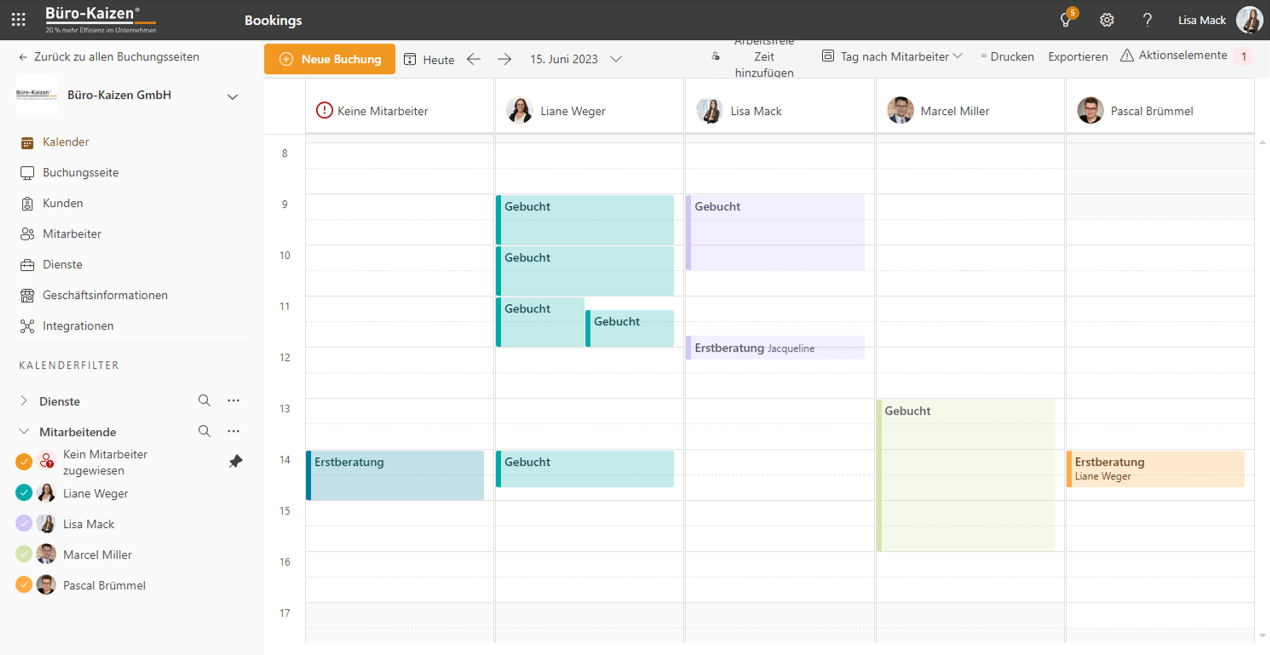
| Microsoft Bookings | Outlook and Teams integration, staff scheduling, and customizable booking pages | Businesses using the Microsoft 365 ecosystem | Free plan available; Paid plan starts at$6/month |
| Mindbody | Class and appointment booking, membership management, marketing suite | Fitness studios, gyms, yoga centers | Custom pricing |
| Appointlet | Unlimited appointments, integrations (Zoom, Stripe, Google Meet), and custom branding | Small teams and freelancers who need simple scheduling | Free plan available; Paid plans start at $12/month |
| YouCanBookMe | Custom booking pages, time zone detection, notifications, and team scheduling | Service-based businesses with varied appointment types | Paid plans start at $9/month |
Our editorial team follows a transparent, research-backed, and vendor-neutral process, so you can trust that our recommendations are based on real product value.
Here’s a detailed rundown of how we review software at ClickUp.
Even solid scheduling software can start feeling like a hurdle as your business grows. What began as a simple way to book appointments can quickly turn into missed reminders, overlapping bookings, or tedious manual work.
Here’s why you need an advanced tool that offers more than basic appointment scheduling:
Looking for a smarter way to manage your booking system? We’ve put together a list of the best Setmore alternatives that make scheduling easier, faster, and more flexible.
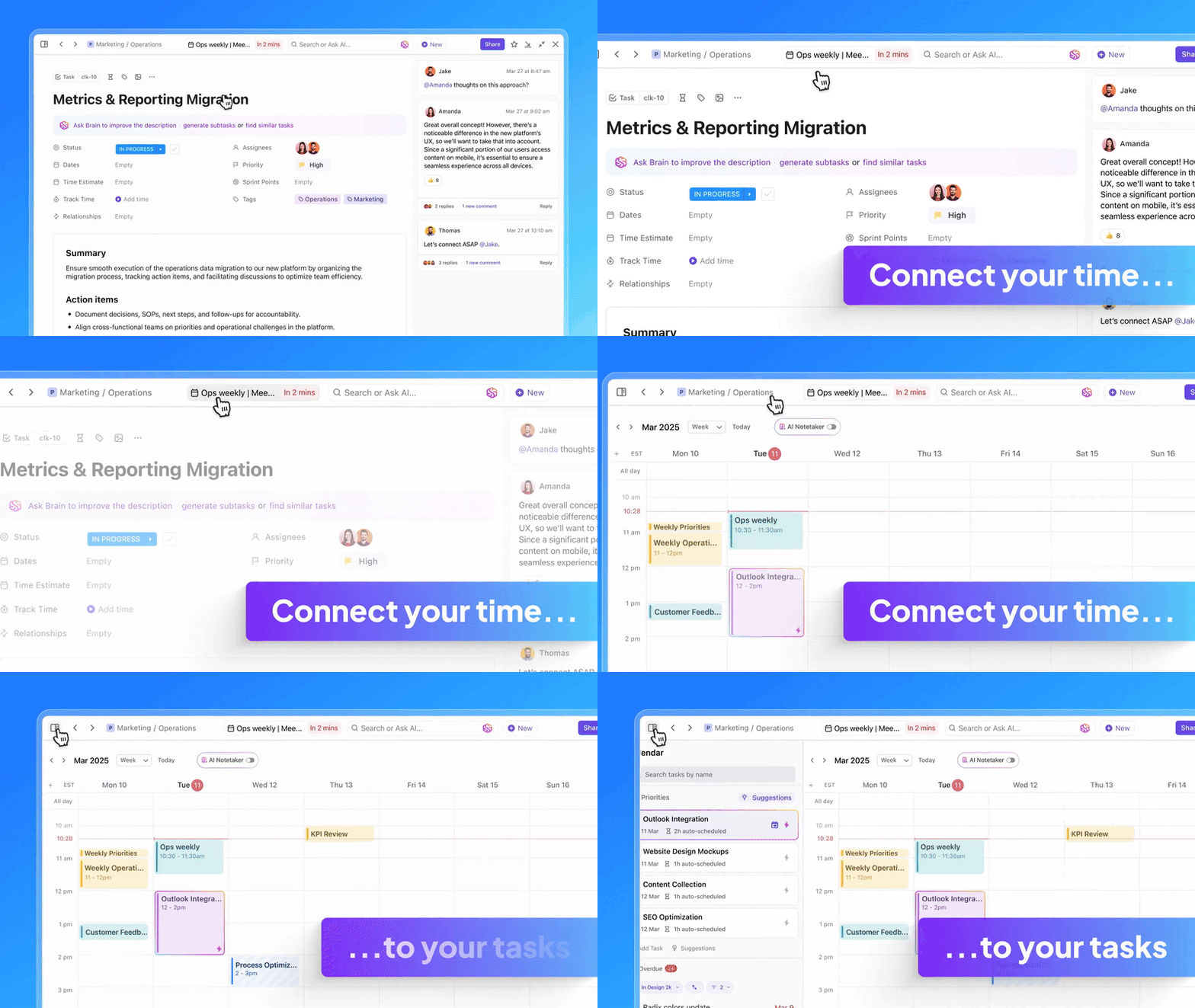
Managing appointments often feels like a job in itself. You’re tracking who needs your time, when you’re available, and how those commitments fit into the bigger picture of your work. Keeping track of appointments often means using sticky notes or docs to get the full context of the meeting, juggling messy calendars, or hopping across tools that don’t integrate with each other.
That’s Work Sprawl in action, and it’s killing productivity across teams and companies.
ClickUp takes a different approach. It brings together all your work apps, data, chat, and workflows into the world’s first Converged AI Workspace, providing 100% context with each interaction and a single place for humans and agents to work together. Instead of forcing you into a rigid system, the tool allows you to shape tasks and calendars the way you want.
You can layer in the details that matter—client info, prep notes, attachments, or follow-up steps. Let’s explore how:
Here’s why ClickUp’s Calendar is a better alternative to Setmore
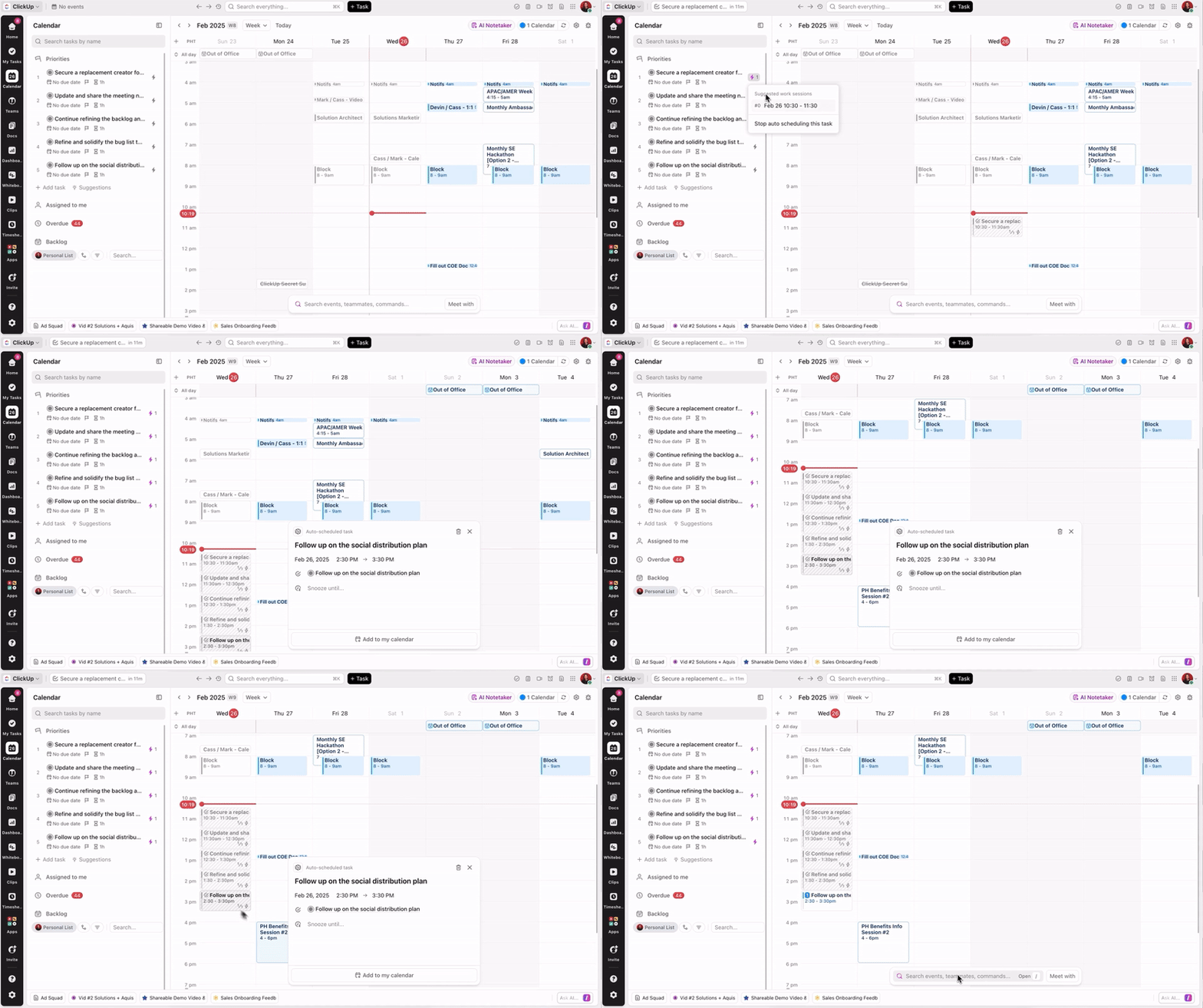
ClickUp Calendar brings all your appointment details, including notes, client info, and status tags, into one place. Depending on your plan, you can color-code events, set recurring appointments, or switch between views.
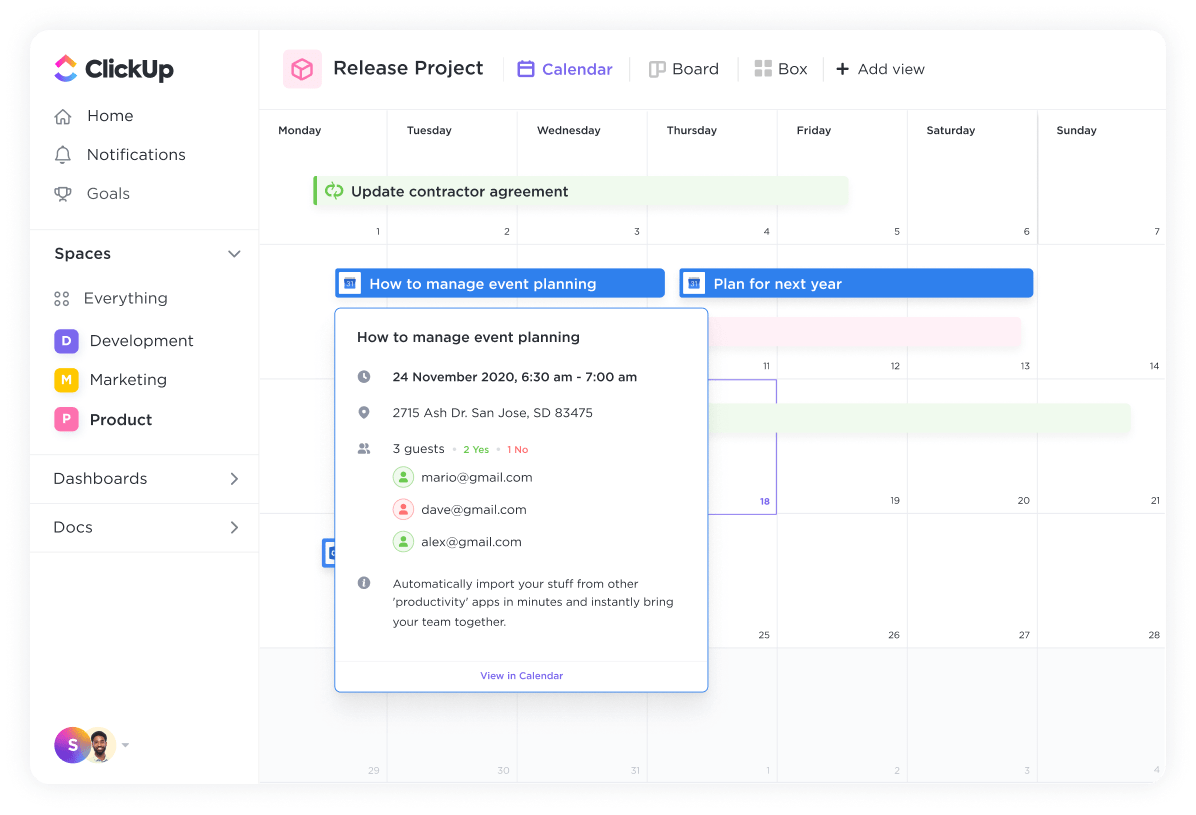
🎥 Watch: Here’s a video on how smart scheduling can simplify appointment management.
Another way ClickUp streamlines scheduling is with ClickUp Forms. Instead of piecing together client requests through scattered email reminders or missed calls, you can set up a form to capture the booking details.
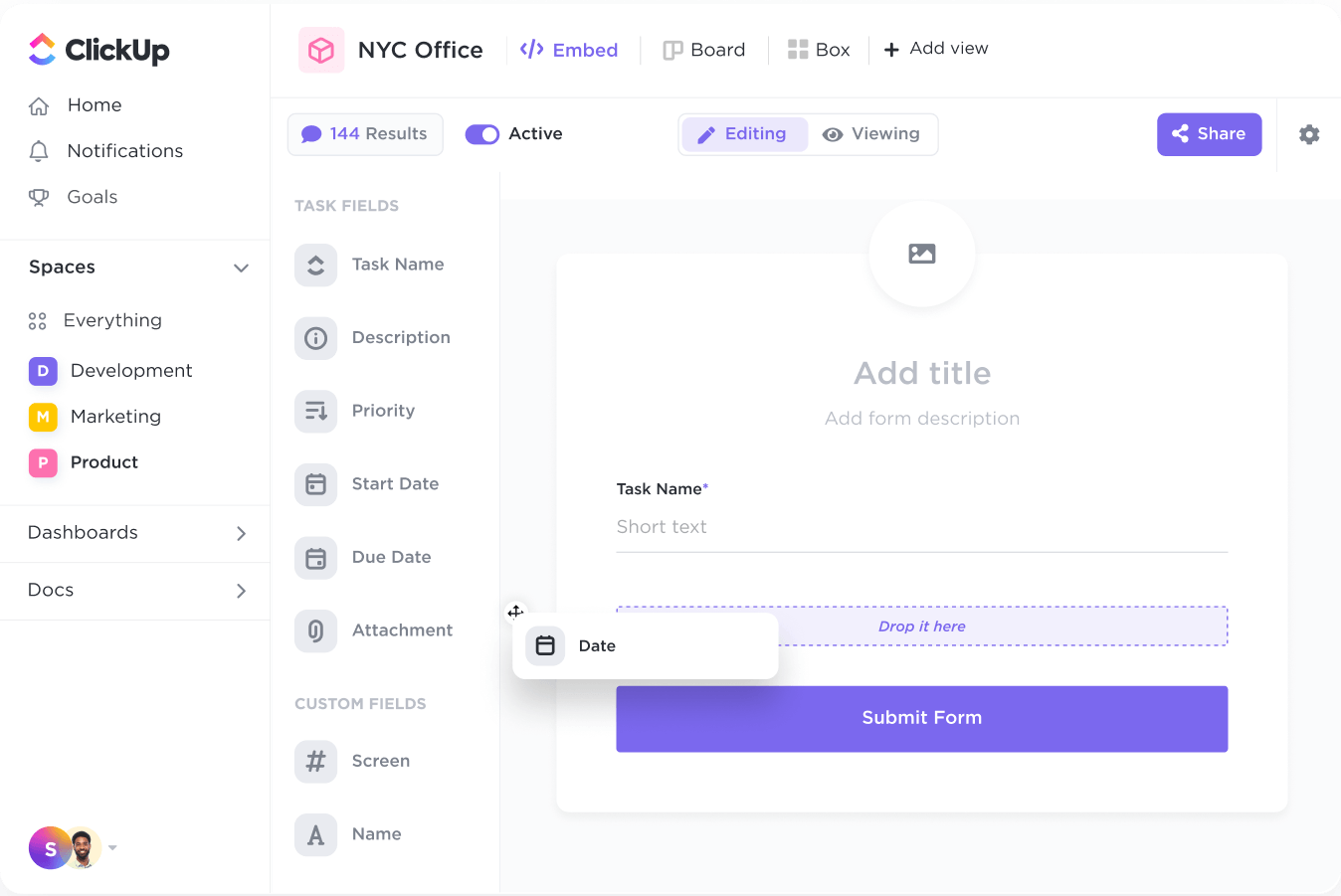
Each submission instantly becomes a task in your workspace, complete with the information you’ve asked for—like preferred time slots, notes, or special requirements. This makes appointment intake easy and reliable, while ensuring no request is overlooked.

ClickUp makes managing follow-ups and task updates simple with ClickUp Automations. Instead of manually tracking each task, you can set rules to automatically move tasks, change statuses, or trigger notifications when conditions like a client reschedules, cancels, or submits a new appointment request are met.
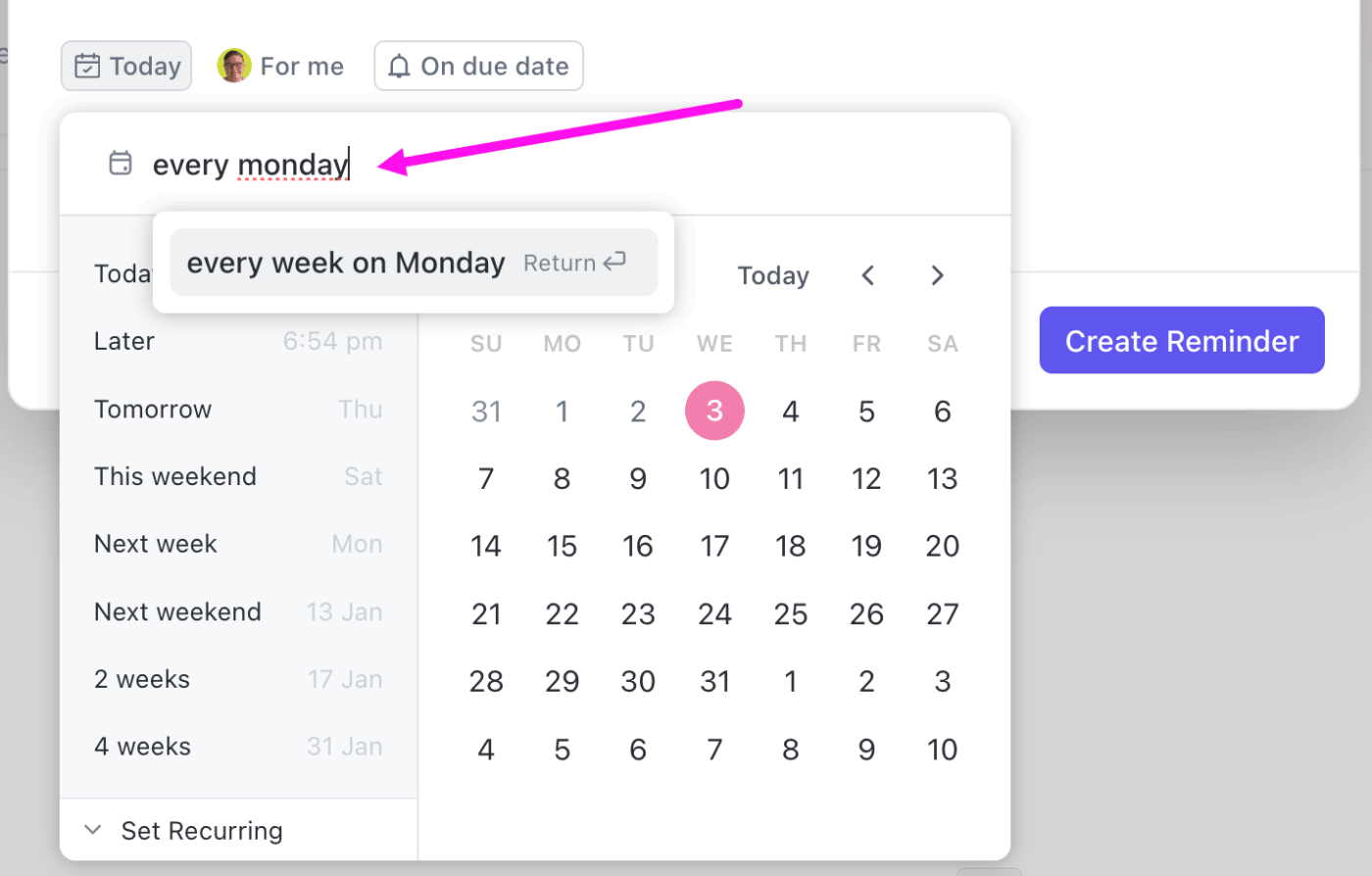
With ClickUp Reminders, you can schedule reminders for yourself, your team, or specific tasks. Combined with ClickUp Notifications, you’ll know exactly when a task is updated, a status changes, or someone needs attention.
💡 Pro Tip: Group similar types of appointments together (like client calls in the morning, internal syncs in the afternoon). Context switching is what drains energy.
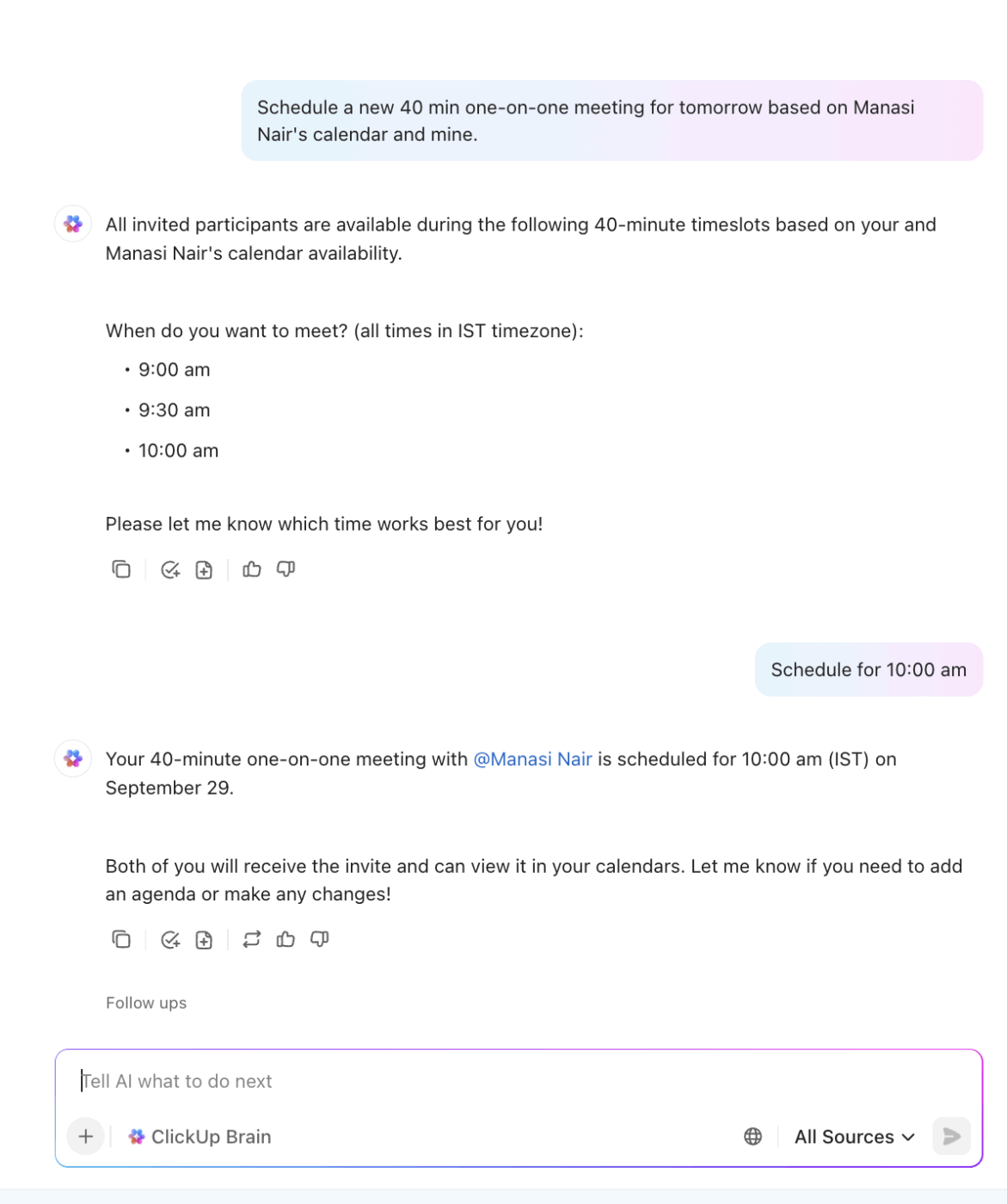
ClickUp Brain keeps your communication organized and task creation faster. You can simply ask Brain to schedule a client meeting, draft client messages, summarize meeting notes, or even turn your inputs into actionable tasks.
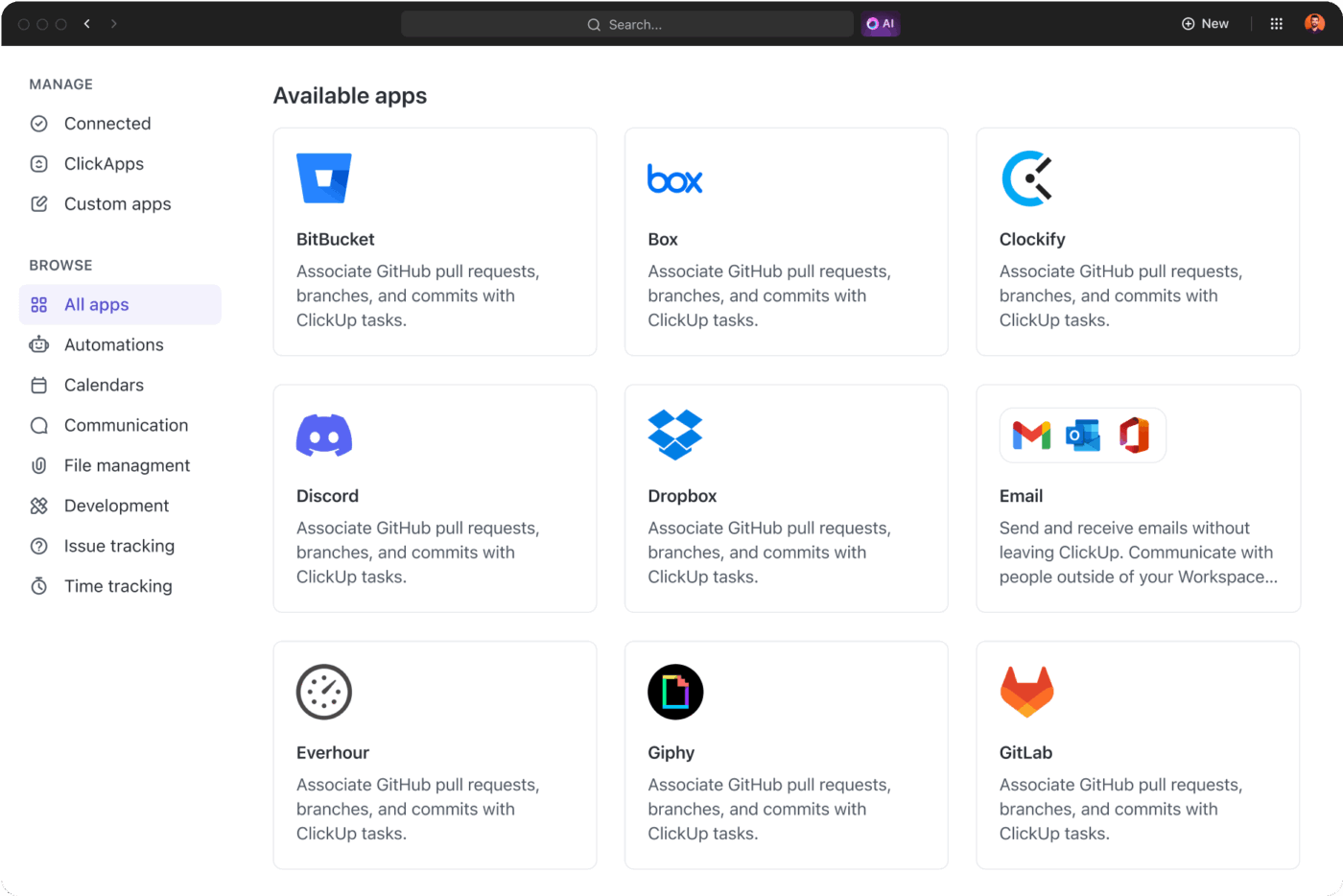
ClickUp Integrations can connect easily with the apps you already use.
Integrations with Google Calendar, Outlook, and Zoom keep your meetings, calls, and deadlines perfectly in sync across platforms. Any updates made in ClickUp automatically reflect in your other calendars. For virtual meetings, Zoom integration allows you to schedule, join, or track calls straight from your ClickUp Tasks.
⚡ Template Archive: The ClickUp Appointment Book Template helps you manage client details beyond just dates and times. You can add notes, track reschedules or cancellations with custom status tags, and capture details like phone numbers and city right within the booking page. Plus, you can switch between different views—from a calendar glance to a process map or a form for collecting submissions.
Here’s a TrustRadius review:
It’s great to manage tasks for the whole organization. Also for repetitive tasks, where you can schedule occurrences. Very easy to use and you can add custom fields, something very useful. I love the different views.
💡 Bonus: If you’re looking for a Setmore alternative that goes beyond just scheduling, ClickUp Brain MAX is worth a look.
Brain MAX is the Desktop AI Super App that truly understands you, because it knows your work. Ditch the AI tool sprawl, use your voice to get work done, create meetings, assign tasks to team members, and more.


Calendly is a scheduling software that connects directly to your calendar and displays to others only the times you’re available. The platform checks against your Google, Outlook, Office 365, or iCloud calendar and blocks off anything that’s already taken.
Calendly gives you options to add short breaks between calls, set limits on how many meetings you’ll take in a day, or even block entire days for focused work. And if your meetings are billable, you can accept payments when the slot is booked through Stripe or PayPal.
It also sends automatic email or text reminders. You can also personalize confirmations with notes or prep instructions.
Here’s a G2 review:
It’s very easy for my clients to schedule a meeting with me at their convenience. I have shared my link so easily that they can do it. Using the link on my emails and messages as well.
📚 Read More: Best Calendly Alternatives & Competitors
Acuity Scheduling is a tool for businesses that require more than just picking a time on a calendar. The platform is user-friendly and designed to handle the details of client-facing appointments, like payments, forms, and reminders.
With Acuity Scheduling, you can create different services with unique lengths, prices, and client intake forms. Each booking comes with automated appointment confirmations, and you can require the clients to fill out forms before the meeting.
Acuity Scheduling also supports packages, memberships, and gift certificates, which are useful if you offer multiple services, recurring programs, or manage multiple providers.
Here’s a Capterra review:
It has been very easy to integrate into a basic website with email notification.
📚 Read More: Best Acuity Scheduling Alternatives to Try
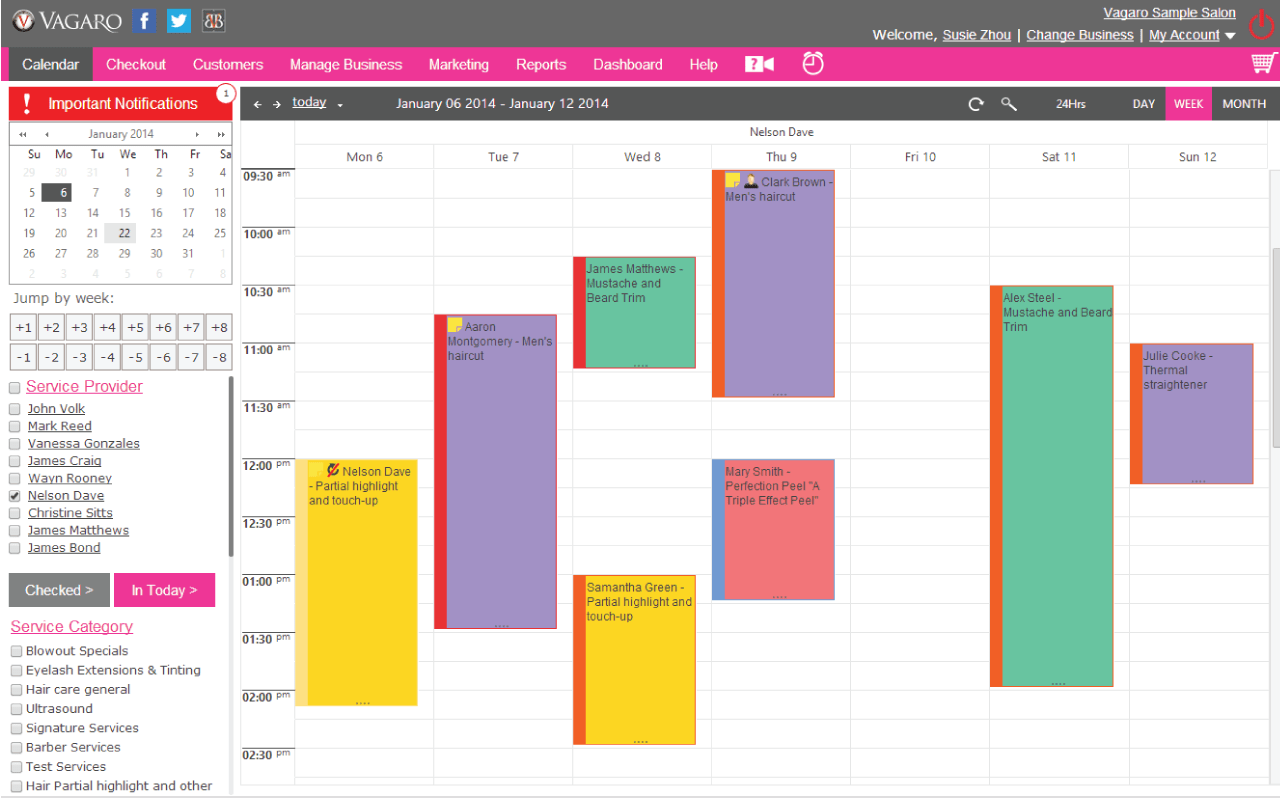
Vagaro is a tool built for wellness, beauty, and fitness businesses. Instead of being just a scheduling software, it doubles as a full business management system. The platform enables you to handle payments, memberships, classes, and marketing campaigns.
If you run a salon, spa, or fitness studio, Vagaro gives you a professional way to manage both one-on-one appointment scheduling and group classes. Vagaro connects scheduling with point-of-sale, so you can manage memberships and process payments in the system you use for appointment bookings. This is useful if your business involves recurring services, like monthly facials or weekly yoga classes.
Here’s a Capterra review:
Acceptable as a booking software, definitely streamlined for booking schedule and taking payment to save time.
📚 Read More: Top Shared Calendar Apps to Streamline Your Schedule
Square Appointments is designed for those who need both scheduling and payments handled in the same place. If you’re a solo professional, like a hairstylist, barber, nail tech, or consultant, you’ll find the setup refreshingly simple.
The tool also scales well for larger teams with multiple staff calendars. The platform integrates with Square’s payment processing, like Square Reader or Tap-to-Pay, enabling you to accept credit cards and mobile payments and even set up prepayments or cancellation fees.
This built-in POS connection is an added benefit for businesses that rely on steady cash flow. Square Appointments also provides unique booking URLs for clients to schedule directly with a preferred team member.
What are real-life users saying about Square Appointments?
Here’s a G2 review:
I enjoy how easy it is to schedule appointments with online clients to help avoid cancellations for online appointments.
👀 Did You Know? In the 2022 holiday season, Southwest Airlines canceled over 15,000 flights, more than 60% of its schedule on peak days, because of an outdated crew scheduling system and rigid operations. The news media referred to it as the Southwest Airlines holiday travel meltdown. This highlights how ineffective scheduling tools can contribute to a full-blown crisis under pressure.
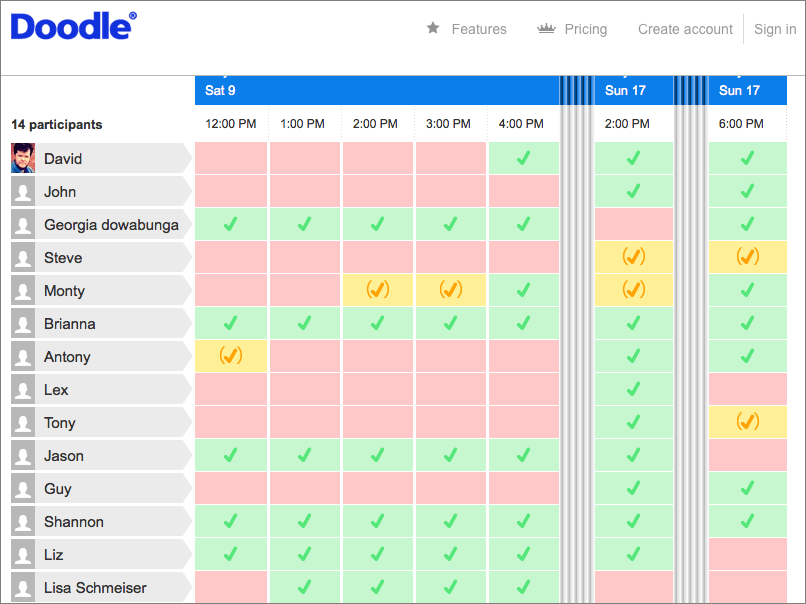
Finding a time that works for several people often turns into a bigger chore than the meeting itself. You ask for suggestions, get replies scattered across different channels, and somehow still miss someone’s response. Doodle fixes that problem by turning scheduling into a simple group poll.
You create a poll with potential time slots and share it. Everyone marks what works for them, and you quickly see the overlap. You don’t need them to create an account or download an app—just click, vote, done. And if plans shift, you can update the poll or set a new one in minutes.
You can also create multiple booking pages to handle multiple events or meeting types without restrictions. Doodle isn’t just for office meetings either. People turn to it as a powerhouse plan for organizing study groups, parent-teacher conferences, or even casual events.
Here’s a Capterra review:
It is a simple application that is very easy to use. It helps us decide on everything. Creating polls is also very useful for people who can’t decide.
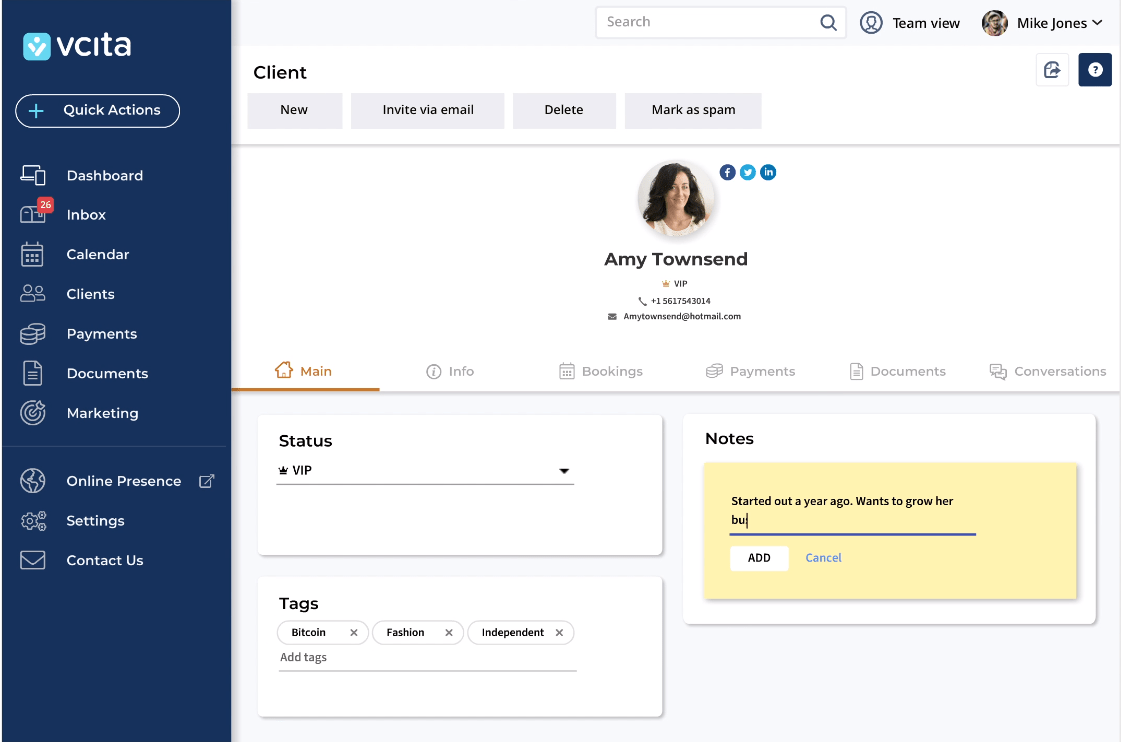
If you’re running a service-based business, you don’t just need a scheduling app. You also need to confirm bookings, collect payments, track client details, and schedule follow-ups. With vCita, clients get self-scheduling options for their appointments, while you stay in control of everything else on the backend.
When a client books a session with you, vCita automatically sends them a confirmation, an invoice, and a reminder before the meeting. If they need to reschedule, they can handle it themselves without sending you emails.
Additionally, you can add website widgets for booking and lead capture, and use the built-in AI assistant to draft client responses and get business advice based on your data.
Here’s a G2 review:
The scheduling widget for the website integrated with the backend makes the process of signing up customers easy. It looks very professional to the clients, and it’s very easy to use on my end.
📮 ClickUp Insight: 30% of workers stick to set hours, but 27% regularly work overtime, and 19% don’t have a set schedule at all. When work is unpredictable, how do you ever truly clock out? 🕰️
Automated task scheduling in ClickUp Calendar can help bring more structure to even the most unpredictable schedules. Plan your week, set firm work hours, and automate reminders to log off—because your time should be yours to control!
💫 Real Results: Lulu Press saves 1 hour per day, per employee using ClickUp Automations—leading to a 12% increase in work efficiency.
When your team works inside Microsoft 365, Microsoft Bookings is a good option that connects Outlook, Teams, and your booking pages. When you set up an appointment, it is directly updated in Outlook, and if it’s a virtual meeting, Teams automatically creates the link.
The platform is useful if you manage multiple departments or services. You can set up separate booking pages for each, so clients can choose the right service and time. With customizable booking, each page can be tailored so clients land exactly where they need to.
Here’s a Capterra review:
Overall it’s been a huge asset to our organization that allows customers, vendors & partners to easily “book” time with key personnel just by following a link in the signature of an email.

Many yoga studios, spas, gyms, and fitness centers rely on Mindbody to manage class sign-ups, payments, and schedules. It is a user-friendly platform tailored for industries like health, wellness, and beauty, where you can sell class packs and even run loyalty programs for regular clients.
The mobile app makes it easy for clients to browse class schedules, reserve spots, or join waitlists when classes are full. You can connect your scheduling with your staff management, so you can assign instructors, track their hours, and sync payroll in one platform.
Here’s a G2 review:
Mindbody’s reporting suite is second to none. It has improved drastically over the last year. The system is also easy to use for customers and has been very stable.
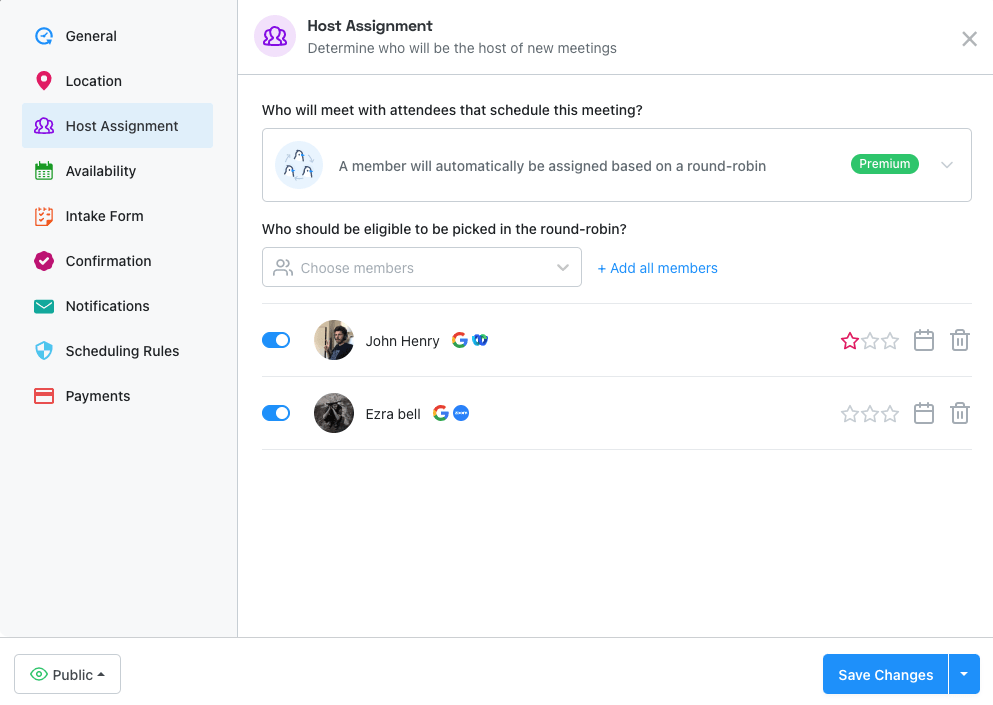
Appointlet is a reliable meeting tool that syncs with Google Calendar, Office 365, etc., to check existing busy slots so that new bookings don’t conflict with your schedule. You can add buffer times between appointments, set rules to prevent last-minute bookings, limit the number of attendees, and distribute bookings across team members.
With Appointlet, sharing your availability is also flexible. You can include your booking link in your emails, embed it on your website, or send it via SMS, social media, etc. Automated email reminders help reduce no-shows, and when someone cancels or reschedules, everyone is notified.
Here’s a Capterra review:
Appointlet saved me a lot of time when needing to schedule with several people. I was able to add buffer time between meetings and allow people to reschedule if needed to another open timeslot. Overall it was a game changer!
📚 Read More: Calendly Review With Pricing & Features

With YouCanBookMe, you can fully style your booking page( change colors, upload logos, use custom backgrounds and footers) and customize the language and other elements so the booking experience feels like part of your brand.
The time-zone detection features let clients see booking slots in their local time to help avoid scheduling mix-ups when you have clients in different geographies. When your day tends to shift around, the system updates in real time as soon as you add, cancel, or change events in your calendar.
Here’s a G2 review:
It is a system that has many features and more customizations. The assistance is fast and effective.
👀 Did You Know: Over a three-year period, organizations using ClickUp achieved an estimated 384% return on investment (ROI), according to Forrester Research. These organizations generated about US $3.9 million in incremental revenue through projects enabled or improved by ClickUp.
The right scheduling software can transform how you manage appointments, clients, and team workflows. While tools like Doodle or YouCanBookMe can be used for simple bookings, and platforms like Square Appointments or vCita help with payments and client management, they still only solve part of the puzzle.
Most teams today need more than a calendar—they need a way to keep tasks, projects, documents, and scheduling aligned. ClickUp offers exactly that. With a powerful scheduling tool built into a project management platform, you’ll save time, reduce tool-switching, and improve team productivity.
Stop piecing tools together. Sign up for ClickUp today and keep your scheduling and work management in perfect sync.

© 2026 ClickUp

There’s an easier way. Try a free AI Agent in ClickUp that actually does the work for you—set up in minutes, save hours every week.