


Sorry, there were no results found for “”
Sorry, there were no results found for “”
Sorry, there were no results found for “”
You know the struggle—endless notifications, scattered messages, and that one teammate who still can’t find the latest update.
With remote and hybrid work now the norm, choosing the right collaboration tool isn’t just a nice to have; it’s essential for keeping remote teams productive and engaged.
Slack has long been the go-to name in team communication platforms, but newer players like Pumble are shaking things up.
So, how do you decide which platform keeps conversations seamless without adding to the chaos? In this post, we’ll break down Pumble vs. Slack—comparing features, pricing, and usability—to help you find the best fit for your team.
🌟 Spoiler alert: Stick around, and we’ll introduce an alternative that’s better than both Pumble and Slack.
The table below highlights key differences between Pumble and Slack, making it easier to compare and choose the best fit for your team.
| Feature | Pumble | Slack | ✨ Bonus: ClickUp ✨ |
| Workflow automation | Basic messaging automation | Workflow Builder for automating tasks, reminders, and approvals | Easy When-Then automation builder powered by AI |
| Message history | Unlimited message history for free | Limited to 90 days on the free plan | Integrated chat with unlimited messages on the free plan |
| File sharing and collaboration | Share files within chats, unlimited history | Share files, but message history is limited unless upgraded | Share files, video clips, voice notes, link chat to tasks, and more |
| Multi-channel communication | Channels, direct messages, voice calls | Channels, direct messages, Huddles, voice and video calls | Channels, calls, video calls, screen recording, voice notes, direct messages |
| Accessibility and platforms | Works on desktop, web, and mobile | Works on desktop, web, and mobile | Works on desktop, web, and mobile |
| Integrations | Basic integrations with cloud storage and task management tools | 2,400+ integrations, including Google Drive, Asana, and Jira | 1000+ integrations, including Zapier, Slack (import messages), and more |
| Value for money | Free plan available. Paid plans start at $2.49 | Free plan available. Paid plans start at $8.75 | Free plan available. Paid plans start at $7 |
| Guest and external collaboration | Guest access for vendors and contractors | Slack Connect for secure collaboration with external partners | Granular control for guest access |
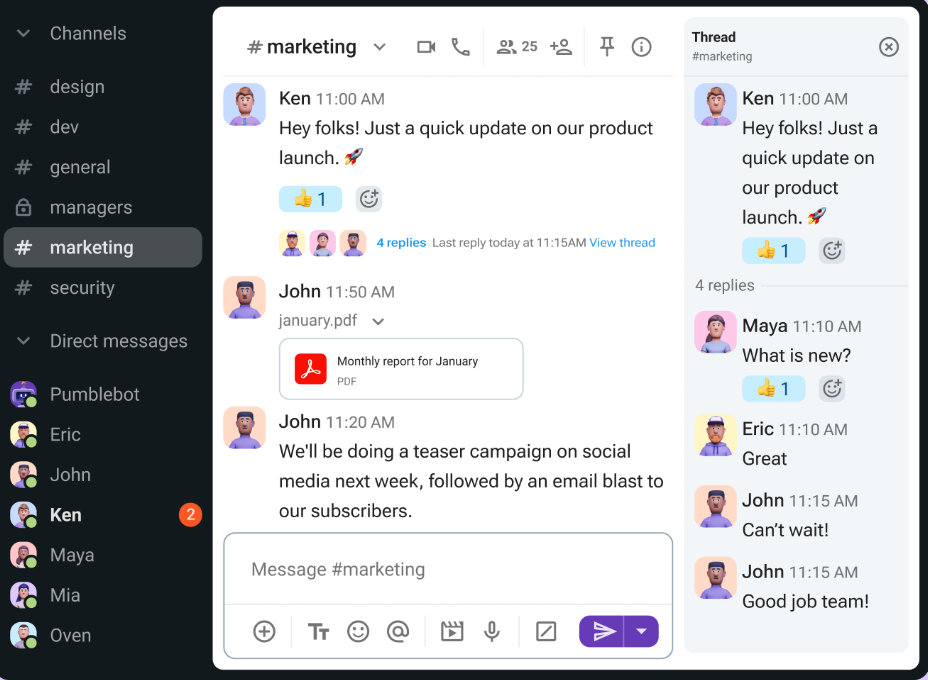
Pumble is a real-time communication and collaboration platform that simplifies teamwork and boosts productivity. Think of it as a central hub for all your team’s communication needs. Whether you’re managing remote employees or coordinating projects, Pumble keeps communication organized and accessible.
Pumble offers instant messaging, file sharing, and group video/audio calls, all within a user-friendly interface. Here’s a closer look at some of its key features:
With Pumble, you can share files of any size and type—whether documents, images, or videos—right within your conversations. This makes collaborating on projects effortless while ensuring everyone stays on the same page.
Need to involve contractors or third-party vendors? Pumble lets you grant guest access with full control over what channels or information they can see.
Plus, you can customize your notifications by choosing which channels or individuals you want to hear from, helping you reduce distractions and stay focused on what matters most.
Connect face-to-face with your team through high-quality audio and video calls, complete with features like virtual backgrounds, screen-sharing, and noise cancellation for a seamless experience.
Whether you need a quick one-on-one chat or a dedicated space for team discussions, Pumble lets you stay in touch through direct text or voice messages and organized channels for specific projects, teams, or topics.
Work seamlessly across desktop, web, and mobile apps, keeping your team connected no matter where they are. Stay updated with real-time conversations from any device—whether in the office, working remotely, or on the go.
Moreover, Pumble integrates effortlessly with popular tools, helping you streamline your workflow and boost productivity.
🧠 Fun Fact: Jeff Bezos introduced Amazon’s ‘Two-Pizza Rule,’ which suggests that if two pizzas aren’t enough to feed a team, the team is too large. This principle encourages smaller, more focused collaboration units—boosting efficiency, enhancing focus, and enabling faster decision-making.
📮ClickUp Insight: Knowledge workers send an average of 25 messages daily, searching for information and context. This indicates a fair amount of time wasted scrolling, searching, and deciphering fragmented conversations across emails and chats. 😱If only you had a smart platform that connects tasks, projects, chat, and emails (plus AI!) in one place. But you do:
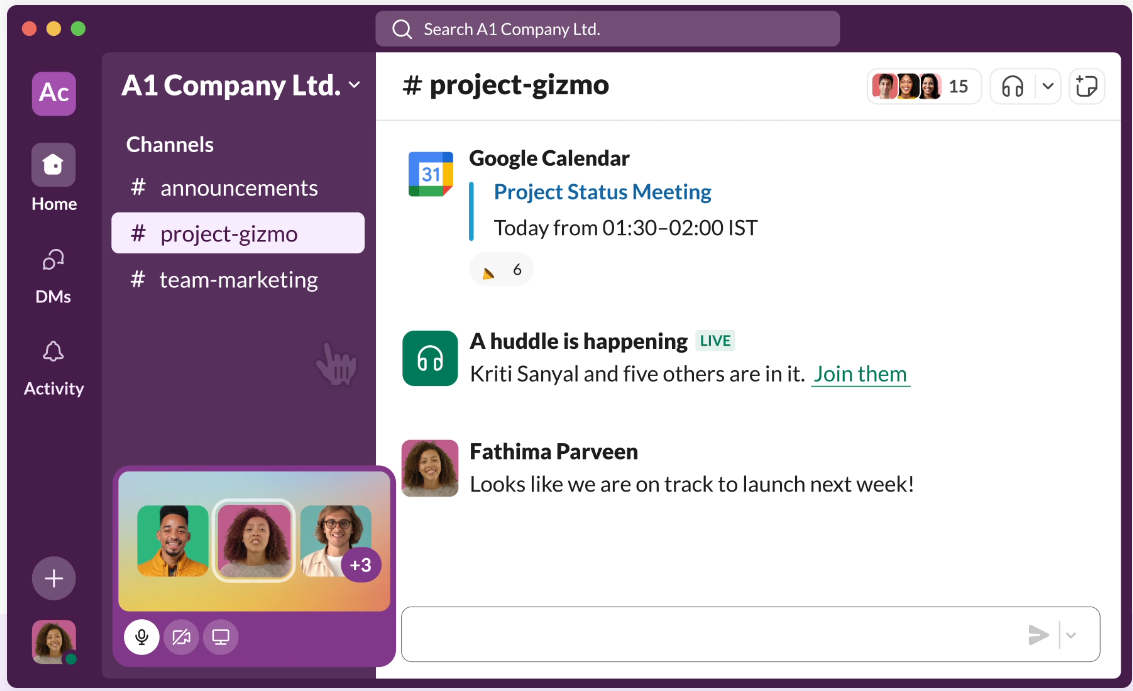
Slack is a real-time communication and collaboration tool that replaces traditional emails with real-time messaging. Its intuitive, user-friendly interface and powerful integrations help teams stay connected through channels, direct messages, and file sharing.
From advanced search capabilities to seamless app integrations, Slack provides a centralized hub for workplace communication. Here are some of its standout features:
Kick off quick, informal audio conversations within a channel using Huddles. Ideal for spontaneous discussions and quick check-ins, Huddles let you bypass formal meeting setups. They offer a lightweight, convenient way to connect with team members in real time.
Tap into Slack integrations to seamlessly connect with productivity tools like Asana, Google Workspace, and Microsoft 365. Collaborate securely with external partners, vendors, and clients using Slack Connect, which enables shared public channels for smoother cross-company communication.
Tailor Slack to your needs with bots and extensions that automate reports, support project management, and deliver real-time analytics directly within conversations.
Leverage Slack’s built-in Workflow Builder to automate routine tasks like onboarding messages, approval requests, and status updates—no coding needed.
Create custom workflows that integrate with external apps like Salesforce, Jira, and Zapier to simplify processes and cut down manual work. Automate reminders, notifications, and data sharing between tools, keeping teams on track without the need for constant check-ins.
➡️ Also Read: Slack Hacks to Improve Communication
👀 Did You Know? As per a Wharton study on organizational collaboration, managers’ and employees’ time in collaborative activities has ballooned by at least 50 percent in the past two decades.
Now that we’ve covered Pumble and Slack’s strengths, let’s see how their features stack up.
Pumble offers unlimited message history even on its free plan. This is a significant advantage for teams that rely on past conversations for context, onboarding, or knowledge management.
Slack limits message history on its free plan, making it challenging to access older information without upgrading to a paid subscription. For budget-conscious teams prioritizing access to their communication over the entire message history, Pumble is the more practical choice.
🏆 Winner: Pumble is a clear winner in this category with long-term access to message history.
Regarding accessibility and platform availability, both Pumble and Slack offer seamless experiences across desktop, web, and mobile applications.
This ensures teams can stay connected and productive regardless of location or device, making it a tie in this category. Whether you prefer working from your computer, browser, or smartphone, both platforms have you covered.
🏆 Winner: It’s a tie! Both offer seamless accessibility across multiple devices.
Slack offers a broad ecosystem of integrations with various productivity tools, helping teams connect it with existing workflows to automate tasks and streamline processes.
While Pumble offers basic integrations, it doesn’t match Slack’s extensive range and advanced workflow automation capabilities like the Workflow Builder. If your team heavily relies on integrations and automation to enhance productivity, Slack is the stronger contender.
🏆 Winner: Slack, with a larger app ecosystem, makes it easier to connect with existing workflows.
To recap, Pumble wins in affordability, unlimited message history, and essential collaboration features, making it ideal for budget-conscious teams that need a simple yet effective tool.
On the other hand, Slack wins with its advanced features, such as automation, integrations, and security, making it better suited for large enterprises with complex workflows.
We scoured Reddit to see what users are saying about Pumble vs. Slack.
When looking at Slack alternatives on Reddit, some users highlight Pumble as a favorable option for those who can’t or don’t want to pay for Slack.
I’d never heard of Pumble. It’s amazing, and we’ll use it for clients who can’t or don’t want to afford Slack.
However, others point out Slack’s broader range of integrations and established presence:
We use slack for collaboration for groups and between us and customers, working issues and getting stuff done. Our slack is integrated into Jira, Atlassian products and Salesforce. Sharing code and logs, and tying a thread into Jira is pretty nice. There are hooks that will pop up a notice for my team whenever a customer creates a new ticket in Salesforce. Works great.
Reddit discussions show that the best choice between Pumble and Slack depends heavily on individual team needs and priorities. Pricing, feature sets, and existing integrations are all key factors in the decision-making process.
If you’re looking for more options in the team collaboration and communication planning space, consider ClickUp.
The everything app for work is a compelling alternative to Pumble and Slack; we’ll tell you why in the following section.
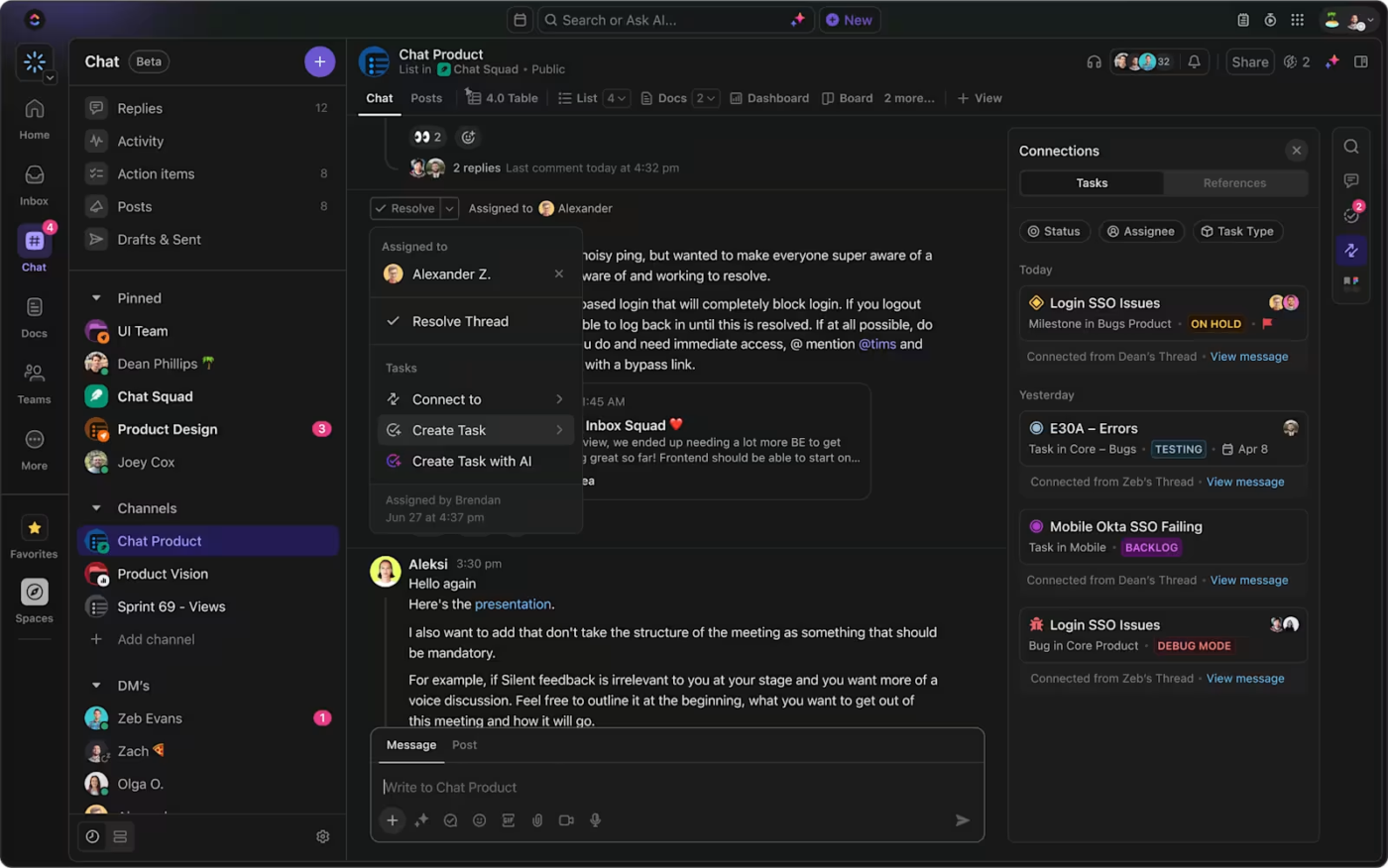
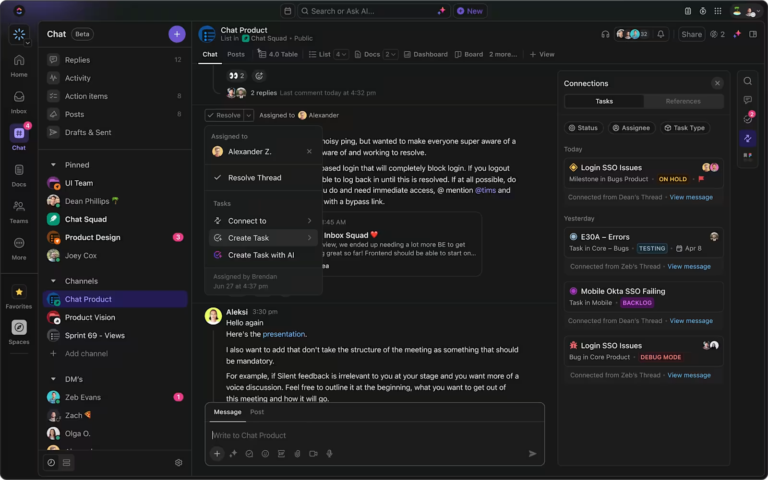
Chat is broken. Chat apps, isolated and disconnected from our other tools, are no longer effective. Enter ClickUp Chat, which is more than a messaging tool. It is fully integrated into a workspace that combines chat, tasks, and documentation in a single platform.
Why ClickUp Wins: ClickUp—with its all-in-one messaging features—eliminates the gap between communication and execution. Integrating chat with project management streamlines communication and keeps everything organized, making it more powerful than standalone messaging apps.
There’s good news if your team loves Slack but needs ClickUp’s project power to have the best of both worlds. ClickUp offers a Slack integration to connect workflows, offering another option for teams seeking combined functionality.
➡️ Also Read: Slack vs. ClickUp: Which Team Communication Tool is Best
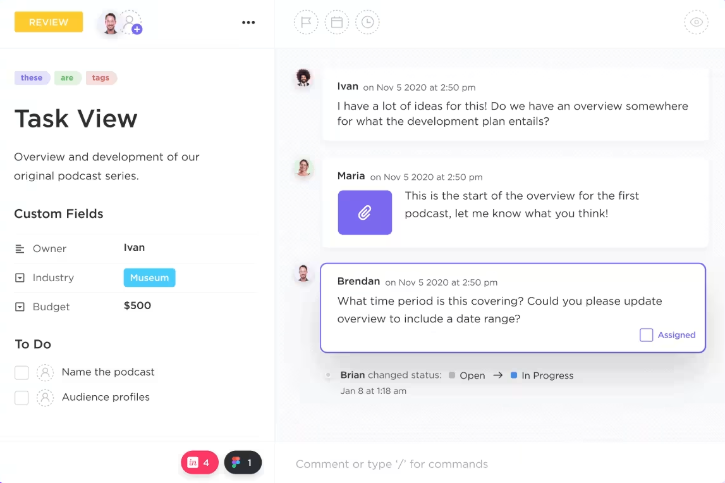
ClickUp’s Assigned Comments turn casual discussions into clear, trackable action items—something neither Pumble nor Slack can do as seamlessly.
Why ClickUp wins: With built-in task assignments in conversations, ClickUp ensures accountability and collaborative task completion, unlike Slack and Pumble, where messages and tasks are cumbersome to trace.
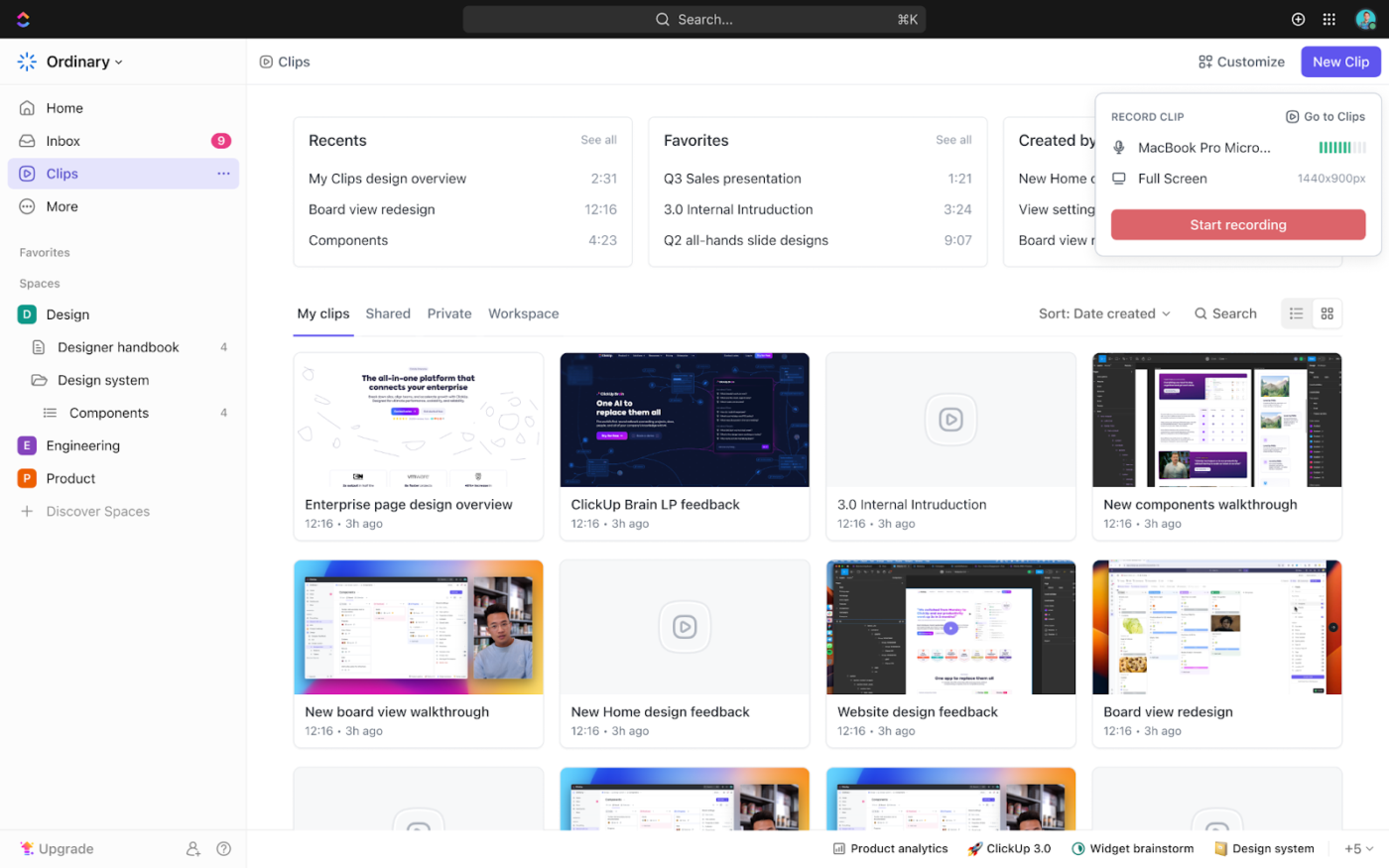
ClickUp Clips adds a new dimension to asynchronous communication with built-in screen recording and video messaging.
It allows you to record and share short video clips directly within ClickUp. Enhance your communication strategies by making it easy to provide visual feedback, explain complex ideas, or simply connect with your team face-to-face without scheduling a formal meeting.
Why ClickUp wins: Its asynchronous video communication feature eliminates additional screen and meeting recording tools, making remote collaboration and feedback-sharing more efficient.
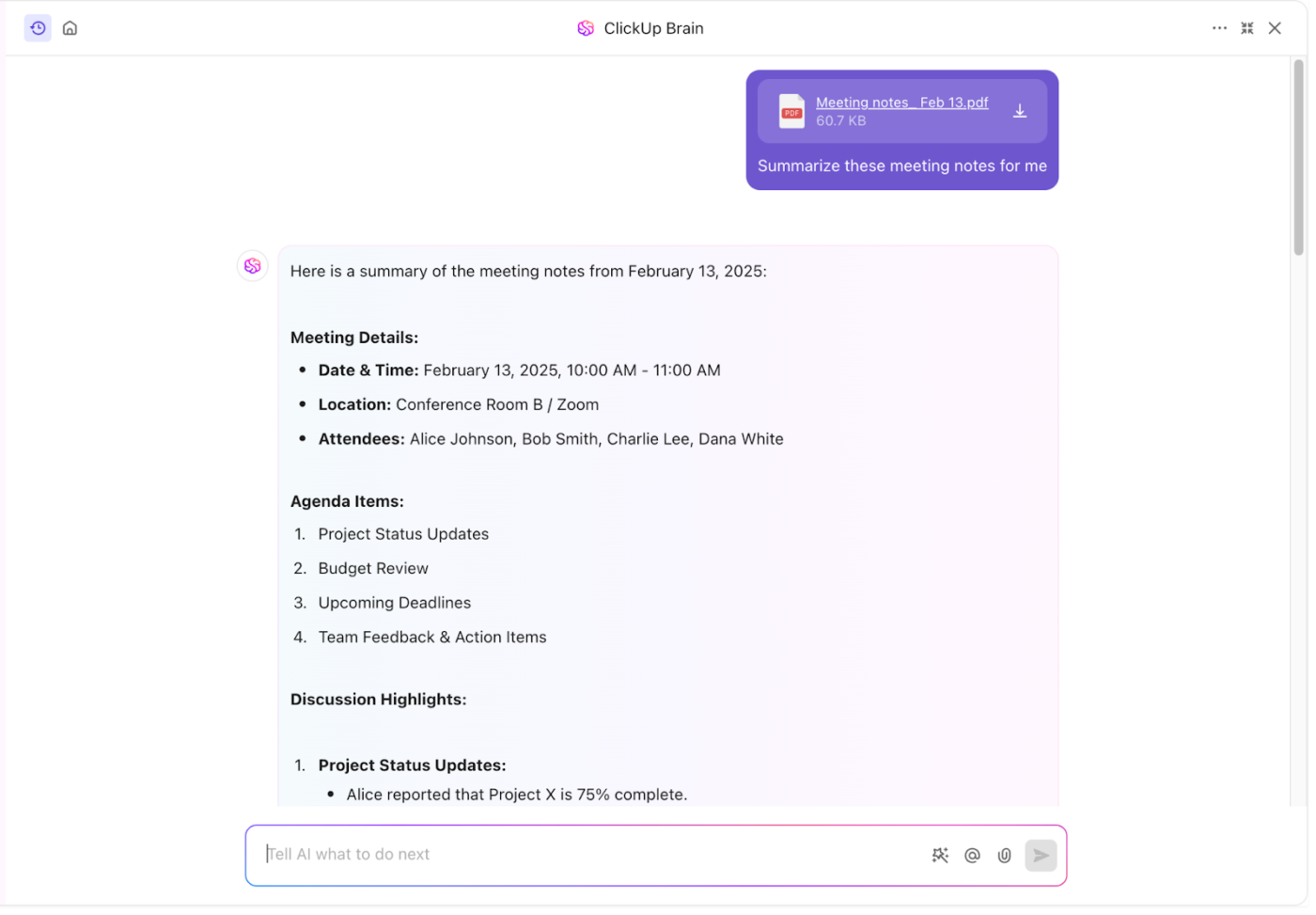
You no longer need to ask a human for updates—ClickUp Brain gives instant, accurate, and contextual answers about Tasks, Docs, and People from any work within ClickUp.
Why ClickUp wins: ClickUp Brain goes beyond communication by making your entire workflow smarter and helping teams stay organized, informed, and productive—all within a single platform.
ClickUp pricing
💡 Pro Tip: Use ClickUp AI to summarize long Slack/Pumble threads into actionable tasks. Copy-paste long Slack/Pumble chat discussions into ClickUp Brain. Ask Brain to summarize key takeaways, convert them into tasks, set due dates, and add assignees!
ClickUp is the heart of our business – our go-to business management platform. We have managed to consolidate our collaboration and reporting all in one system, giving our team visibility into our work and our clients visibility into what we’re doing for their business.
While both Pumble and Slack offer valuable features, neither platform fully addresses the need for truly unified communication and collaboration directly integrated with project management.
By combining robust communication features like ClickUp Chat, feedback mechanisms like Assigned Comments, and innovative tools like ClickUp Clips, ClickUp enhances productivity by ensuring communication becomes an integral part of the workflow.
Ultimately, the best choice depends on your team’s specific needs. However, if you’re looking for a platform that offers a powerful combination of communication, project management, and affordability, ClickUp is a compelling alternative.
Ready to experience the difference? Sign up for ClickUp today!

Manasi Nair
Max 27min read
Manasi Nair
Max 32min read
Manasi Nair
Max 14min read

© 2026 ClickUp




