







Still downloading templates?
There’s an easier way. Try a free AI Agent in ClickUp that actually does the work for you—set up in minutes, save hours every week.
Sorry, there were no results found for “”
Sorry, there were no results found for “”
Sorry, there were no results found for “”
If you manage SEO for a living, you’ve probably had this moment: your rankings look steady, your content looks fine, and yet your traffic chart starts acting like it has stage fright.
Then you search your key query. Google AI Overviews show up first. The user gets an answer, nods, and never clicks. That shift is structural. Gartner has predicted a meaningful decline in traditional search traffic as AI chatbots and virtual agents absorb more discovery over the next few years.
That’s why Profound AI and its peers exist: to help you track where your brand appears in AI-generated answers, not just blue links. Some tools focus on AI crawler analytics and citation tracking. Others focus on content creation and optimization for AI search engines.
In this blog, we compare Profound AI alternatives that support Generative Engine Optimization, AI visibility tracking, and mention monitoring across major AI platforms, so your next report comes with proof you can share.
When AI Overviews start answering the query before a click happens, you need a place to track what’s changing and what you’re doing about it. The ClickUp SEO KPI Tracking Template gives you a ready-made workspace to monitor search visibility, assign fixes, and keep GEO (Generative Engine Optimization) work tied to owners and deadlines. Forget about having information scattered across multiple tabs and screenshots.
Profound AI is a GEO (Generative Engine Optimization) and AI visibility platform designed to help teams understand where their brand appears in AI-generated answers, which sources get cited, and how that visibility changes over time.
Unlike classic SEO tools that focus on rankings and clicks, Profound-style tools focus on prompt-level presence across systems like Google AI Overviews and major LLM answer engines, then turn that into trackable reporting for brand, content, and search teams.
Teams typically look for Profound AI alternatives when they need different platform coverage, better workflow handoffs, clearer citation evidence, lighter pricing, or faster “what changed + what to do next” reporting.
Profound AI is useful, but the real test is not the dashboard. It’s whether you can turn AI visibility into decisions your team can ship. If you are reporting on AI searches and Google AI overviews, you need answers that are consistent, understandable, and easy to share across enterprise teams.
Here’s a quick checklist to help you find the right profound AI alternatives for your workflow. A strong tool should be able to:
Here’s a quick snapshot of the 11 Profound AI alternatives, so you can compare what each tool is best for before diving into the detailed reviews.
| Tool | Best For | Best Features | Pricing* |
|---|---|---|---|
| Scrunch AI | Source-level AI visibility tracking across major AI answer engines Team size: SEO teams, content teams, agencies | AI visibility tracking, citation monitoring, competitor comparisons, prompt audits, AI bot crawl analysis | From $100/user/mo |
| Otterly.AI | Lightweight AI search monitoring for AI Overviews, ChatGPT & Perplexity Team size: SMBs, creators, consultants | Prompt tracking, brand mention logs, GEO audits, Looker Studio connector, AI Mode add-ons | From $29/mo |
| AthenaHQ | Enterprise-grade AI visibility plus “take action” workflows Team size: Mid-market to enterprise | Cross-platform AI visibility, competitor SOV, blindspot detection, llms.txt tools, Analytics integrations | From $95/mo |
| Writesonic | GEO tracking + content creation in the same workspace Team size: Content teams, SEO writers | AI Search Tracking, content generator, keyword sourcing, bot traffic analysis, Chatsonic | From $49/mo |
| Perplexity AI | Fast, cited AI research for content & SEO teams Team size: All | Cited answers, research threads, model switching, shareable notes | Free; Pro from $20/mo |
| Peec AI | Prompt-level visibility tracking with citation context Team size: Agencies, SEO teams | Daily prompt monitoring, source URL analysis, sentiment shifts, client workspaces | Custom pricing |
| Ahrefs Brand Radar | AI visibility tracking across Google AI Overviews & AI Mode Team size: Mid-sized to enterprise | AI Share of Voice, citation mapping, topic clusters, Reddit & video visibility | Plans from $129/mo |
| Nightwatch | Rank trackers wanting AI Overview monitoring in one place Team size: Freelancers, agencies | Daily rank checks, SERP features tracking, site audits, AI Overview add-ons | From $39/mo |
| Rankability | Content optimization that ties directly to AI visibility Team size: Content teams, SEO leads | AI Analyzer, real-time optimizer, keyword finder, crawlability checker | From $149/mo |
| SEMrush AI SE Toolkit | AI visibility embedded in your day-to-day SEO workflow Team size: Agencies, enterprise | Prompt tracking, AI visibility score, platform filters, citation reporting | From $199/mo |
| Brandwatch | Brand mention monitoring that supports GEO workflows Team size: Brand, PR, enterprise | Mention tracking, sentiment analysis, dashboards, alerts, competitive insights | Custom pricing |
Our editorial team follows a transparent, research-backed, and vendor-neutral process, so you can trust that our recommendations are based on real product value.
Here’s a detailed rundown of how we review software at ClickUp.
Enterprise teams that need detailed tracking on major AI platforms have developed strong AI options, like GEO (Generative Engine Optimization) tools. Some tools are more lightweight and effective if your primary goal is to monitor brand mentions, identify changes in AI overviews, and use that information for content creation and optimization.
The list below sticks to tools that help you track visibility, explain what changed in AI search, and act on it without turning reporting into a second job.
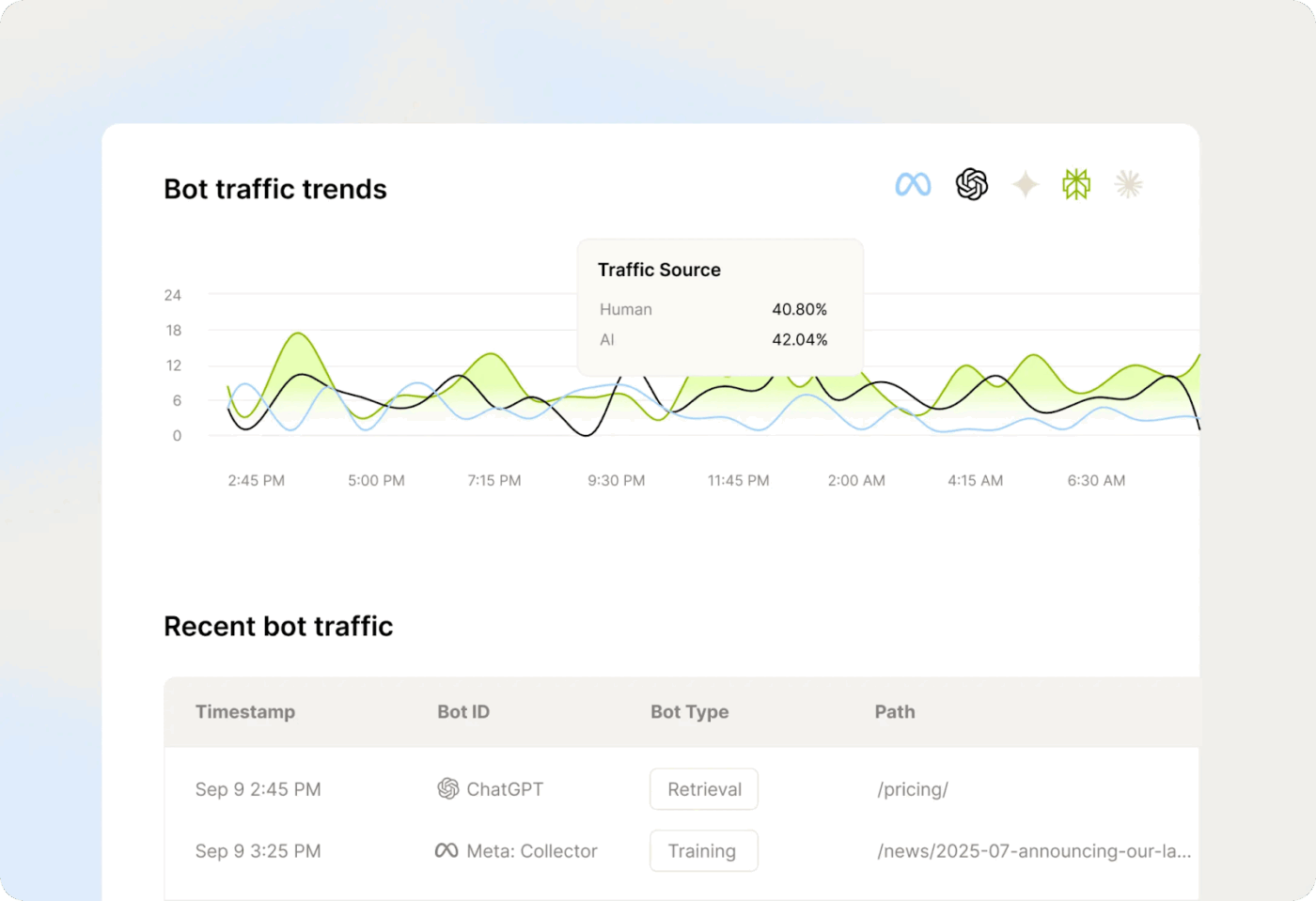
Scrunch AI is useful when AI-generated answers receive the first click. You can quickly check if your brand shows up. You can also see where it shows up. And you can spot which pages are being referenced.
This is useful during content updates. Instead of guessing what changed, you get proof. You can track prompts that matter to your category. You can review results across ChatGPT, Perplexity, Claude, Gemini, and Google AI Overviews.
Then you can act on what you see. Refresh an FAQ that AI keeps pulling from competitors. Fix pages that are rarely cited. Add clearer sources and stronger summaries where your content is thin.
If your goal is AI visibility, this strategy fits perfectly. Scrunch AI focuses on AI mentions, not just classic rankings. It helps you connect changes to specific pages and specific next steps.
A G2 reviewer says:
It makes prompt tracking easy. The automatically generated prompts give you a good place to start when setting up a brand, and then you can refine the prompts as you get to know the landscape better. The line charts and day-to-day views are really easy to read (green vs. red).
🤔 Did you know: When Google expanded AI Overviews in 2024, it said the feature was rolling out at massive scale—reporting described it as reaching hundreds of millions quickly and targeting over a billion users by the end of 2024.
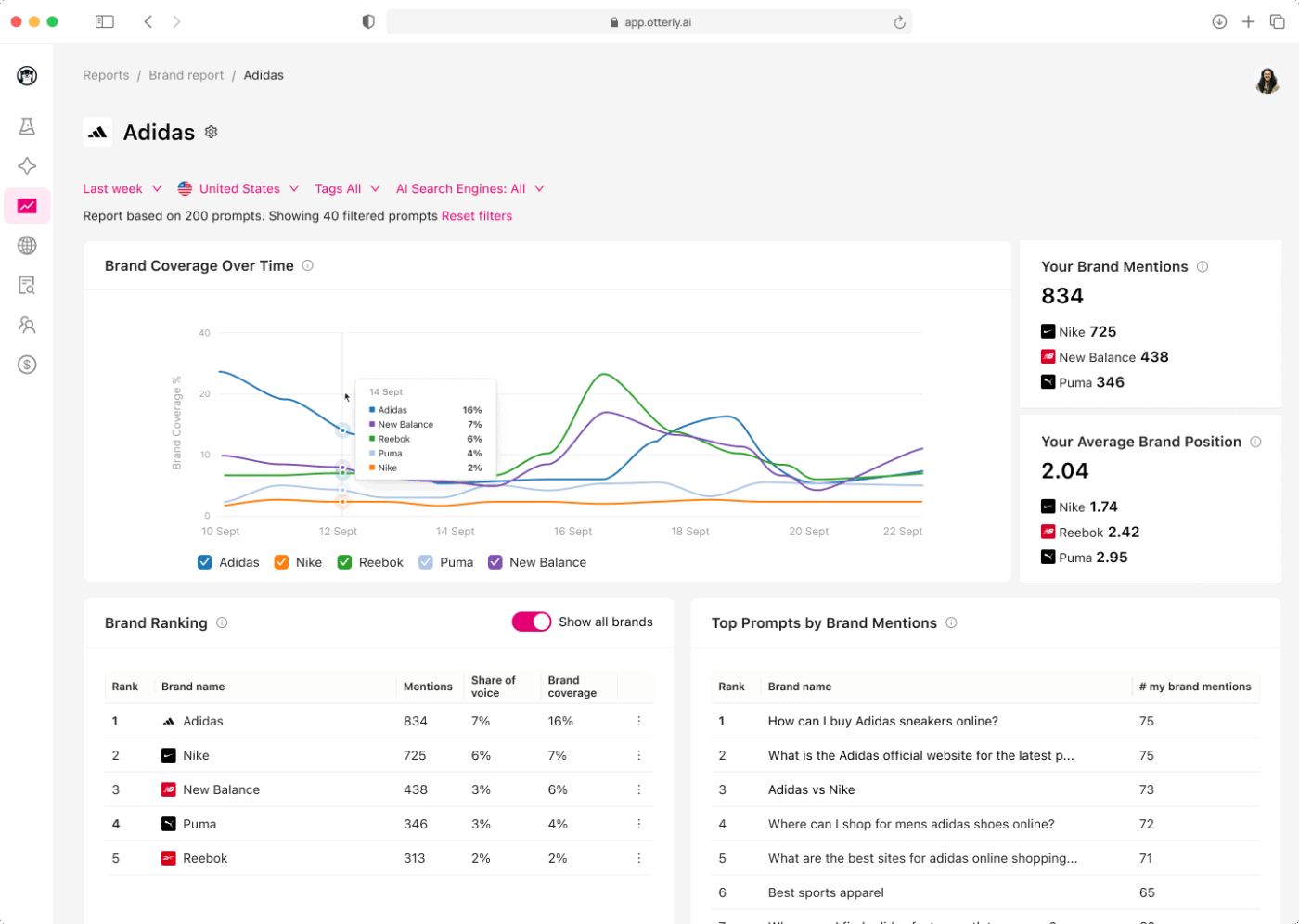
If you need to prove your brand shows up in AI answers, vague updates will not help. Otterly.AI tracks visibility across Google AI Overviews, ChatGPT, and Perplexity using prompts that reflect real queries that your audience searches.
You set the prompts once, Otterly.AI runs them on a schedule and logs the results. That makes it easy to share proof with a client, a boss, or a teammate who wants receipts.
When AI results change week to week, you can quickly spot drops in mentions, shifts in citations, or competitors taking your place. You can then decide which pages to refresh first based on what AI tools are actually referencing.
Otterly.AI also supports GEO (Generative Engine Optimization) planning with an audit, plus a Looker Studio connector if your team wants this data inside existing dashboards.
A G2 reviewer shared:
Generect helps me fill in the missing link in my SEO workflow—what happens after the click. I always asked to bring QUALIFIED TRAFFIC, but this tool helped me to visualize the flow of that traffic inside the product catalog.
📖 Also Read: Best AI SEO Tools

AthenaHQ is useful when leadership wants a clear answer on AI visibility, not just SEO rankings. It shows where your brand appears across Google AI Overviews and other AI tools like ChatGPT, Perplexity, Gemini, Claude, and more.
AthenaHQ also helps when you need a competitive view. With this tool, you can track competitors side by side and compare how each brand shows up for the same prompts. This feature makes it easier to explain a share of voice changes when AI answers shift.
This software is not only for reporting. This tool can point you to on-page and off-page actions to improve how your pages get picked up in AI answers. That helps you move from “we dropped” to “here’s what we are fixing.”
If you need more control, AthenaHQ supports options like smart robots.txt and llms.txt to manage how AI crawlers access your site. This tool works well for teams that want monitoring and follow-through in one workflow.
A G2 reviewer says:
I like the convenient out-of-the-box reports AthenaHQ provides, making analytics more manageable from the start. Setting it up was straightforward, especially when adding prompts and tracking.

If your AI visibility work is split between “make content” and “see if it shows up in AI answers,” Writesonic brings those steps closer together. You can draft and refine pages, then track whether your brand is actually being picked up in AI-generated results.
On the content side, Writesonic helps you plan and write faster using its AI writing tools. This is useful when you need to publish a new landing page, refresh an old blog post, or create supporting content around a key topic without starting from scratch each time.
On the monitoring side, Writesonic’s GEO features help you track AI search visibility with prompts that reflect how people actually ask questions. That makes it easier to spot which topics you are winning, which ones you are missing, and where competitors are showing up instead.
This tool also supports smarter prioritization. You can use visibility patterns and AI-driven traffic signals to decide what to update first, so your team spends time on pages that are most likely to improve AI presence, not just pages that feel urgent.
A Capterra reviewer says:
One of the things I really appreciate about Writesonic is the variety of content formats it supports. Whether I need to draft a blog post, create social media captions, or write an email newsletter, Writesonic has got me covered. And the fact that it can optimize content for SEO and engagement is a huge bonus for our online visibility
📖 Also Read: Best AI Content Creation Tools
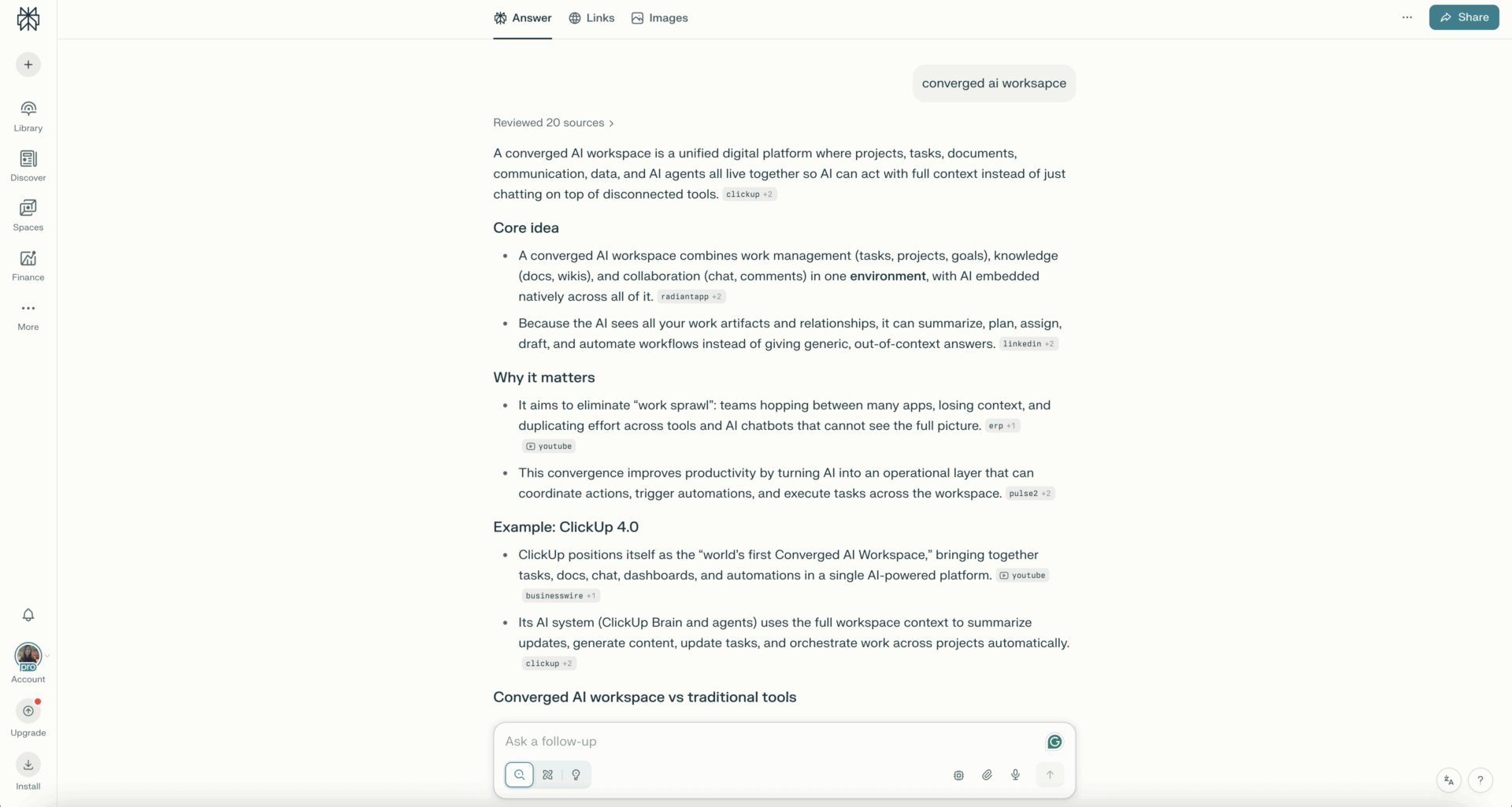
If you are tired of AI answers that feel like guesswork, Perplexity AI gives you a faster way to verify what you are seeing. You ask a question, and it responds more like a research tool, so you can quickly check where the information came from.
This helps when you are writing briefs, building strategy docs, or checking competitor claims. Instead of jumping across a pile of tabs, you can use one thread to gather inputs and keep your reasoning clear.
Perplexity AI also works well for iterative research. Ask a first question, then follow up to narrow the angle, compare options, or pull examples that fit your audience and market.
If your day includes a lot of “Can you source this?” requests, Perplexity AI can help you turn quick questions into usable notes you can share with your team.
A Capterra reviewer says:
I started using Perplexity to experiment with AI but I soon realised that it was a great search tool, much better than Google: it doesn’t flood you with advertisement or paid ads and gives you always relevant results, but the best feature is the direct link to the sources, so that you can judge yourself whether they are reliable, and so far, they always were.
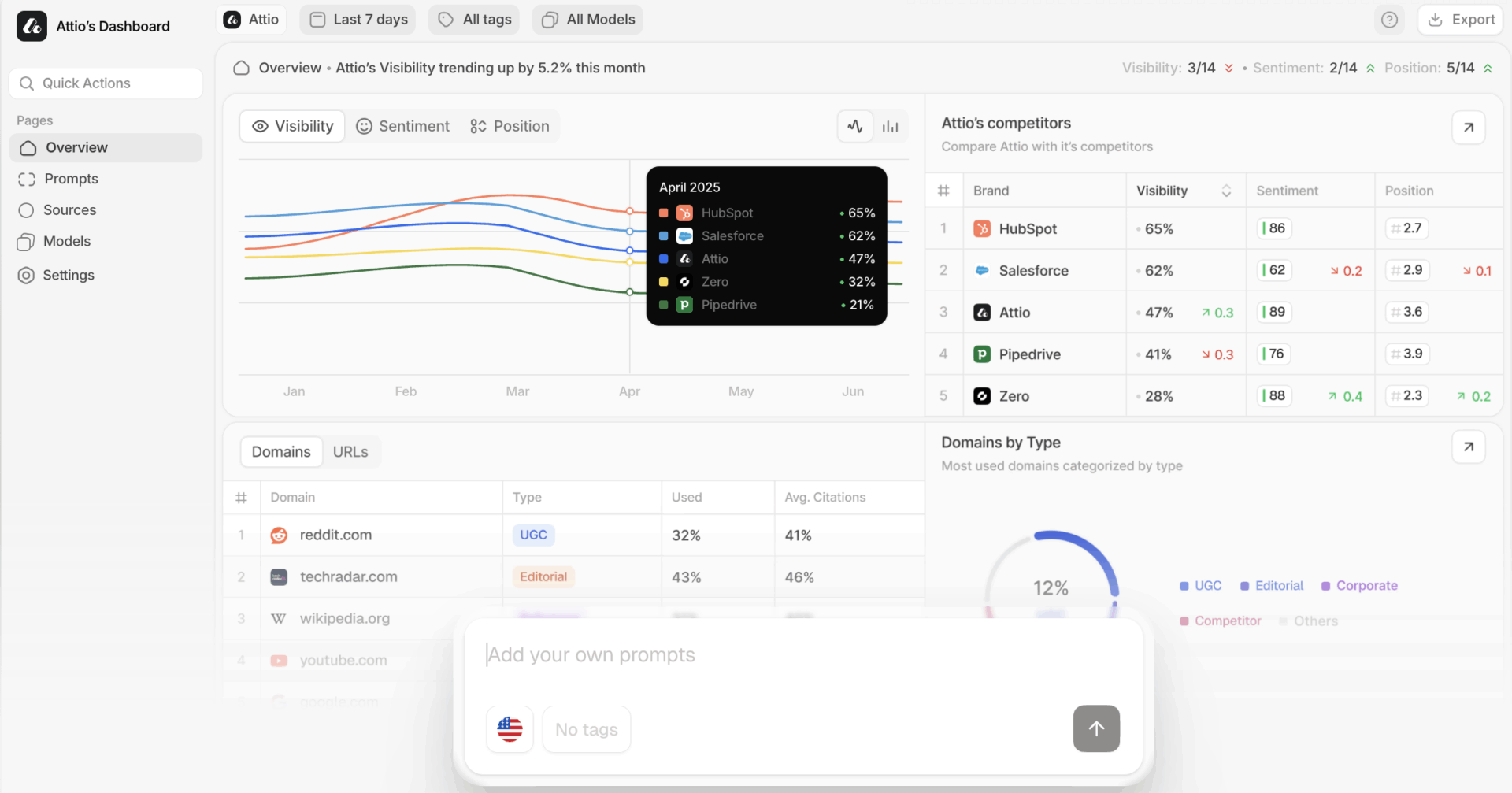
If you search a money keyword in ChatGPT and see a competitor show up first, Peec AI helps you figure out what happened. It turns AI visibility into something you can track over time, so you are not relying on screenshots and gut feelings.
Peec AI lets you monitor prompts across AI platforms like ChatGPT and Perplexity. You can also see which sources get cited, so you can connect AI answers back to the pages and source types that influence them.
This feature is useful for practical reporting. Set up the prompts that matter to your pipeline. Then review trends in visibility and mentions as results shift.
Once you see what is cited, you can act on it. Use those signals to decide what pages to refresh, what topics to cover next, and what content is most likely to earn visibility in AI answers.
A G2 reviewer said:
It’s easy to use, setup is extremely fast, you get immediate insights and you finally get some data to better understand where and how your brand is mentioned in LLMs. What I love is that I can also see the URLs that were quoted.
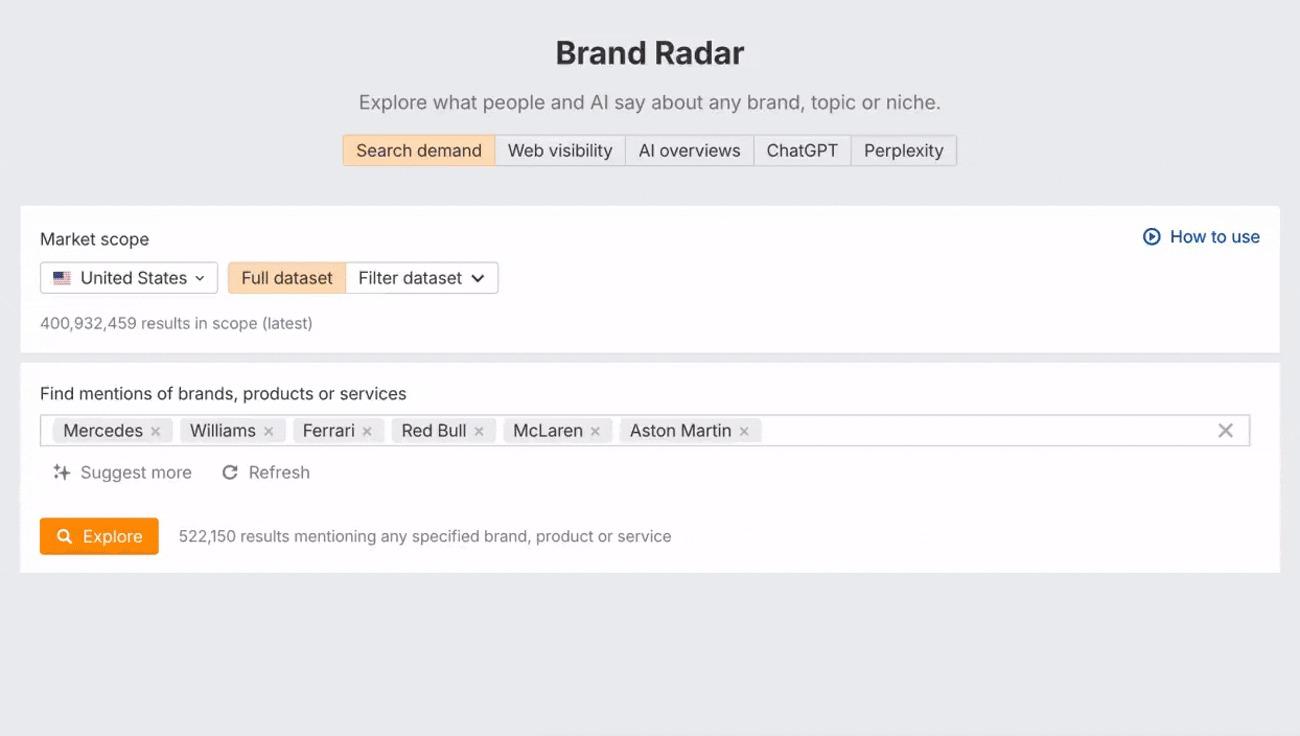
Ahrefs Brand Radar helps you answer the question, “Are we actually showing up in AI?” with data you can report, not screenshots. It is built for AI search monitoring across Google AI Overviews, AI Mode, and other major AI platforms, so you can track patterns as results shift.
Ahrefs Brand Radar maps your AI’s share of voice and surfaces the citations behind AI answers. It also groups prompts into topics, which helps you turn “we disappeared” moments into a clear content fix list.
Ahrefs Brand Radar also tracks visibility in places like Reddit and YouTube, where demand and brand mentions often start. That makes it easier to show where your brand is being talked about and what to improve next.
A G2 user says:
What I value most about Ahrefs is the reliability and depth of its data throughout every tool. The backlink index stands out as one of the most robust in the industry, and I rely on it daily to examine competitor strategies, analyze anchor text distribution, and monitor link growth trends.
📖 Also Read: How to Use AI for SEO (Use Cases & Tools)
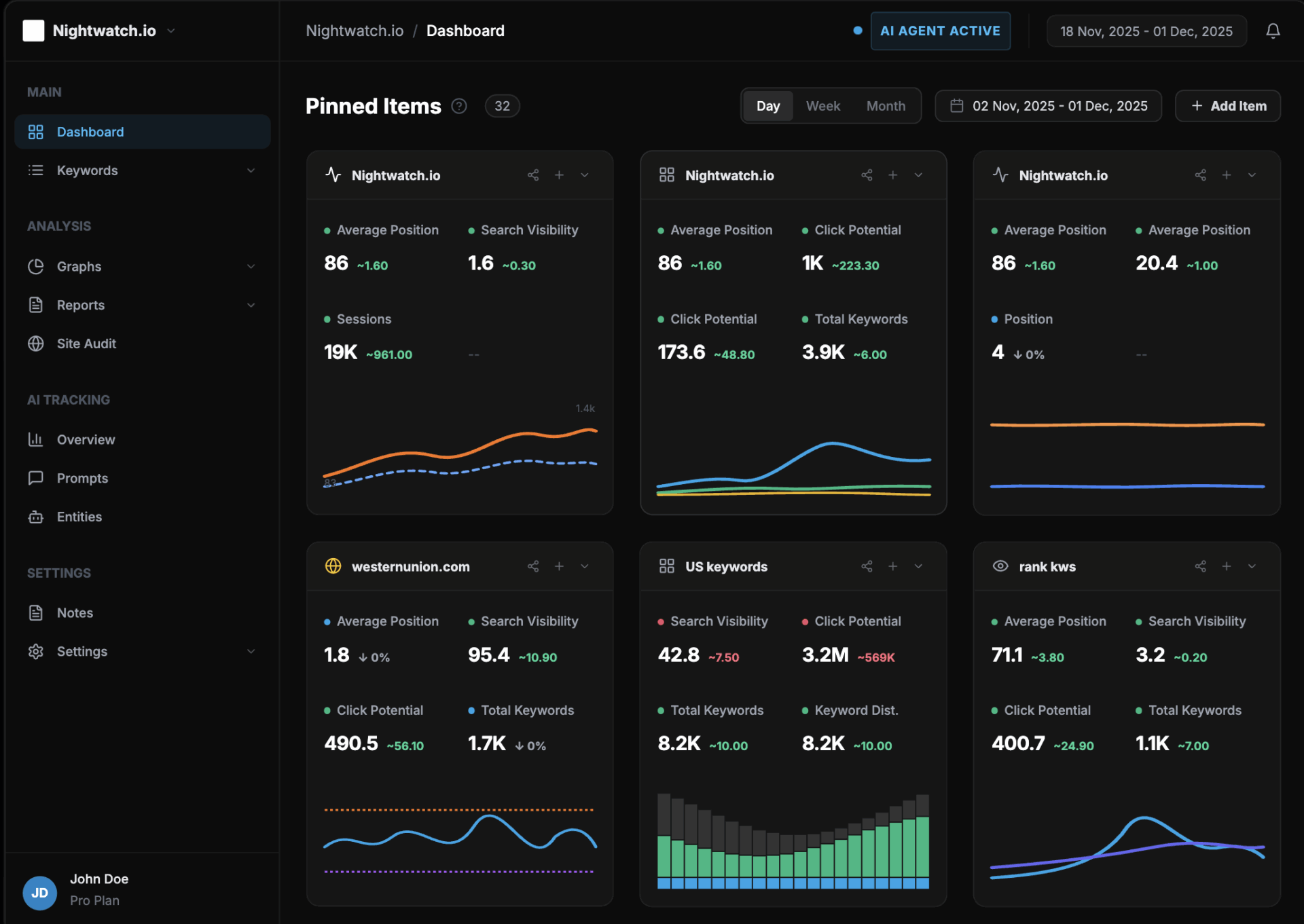
Nightwatch helps you track search visibility without living in spreadsheets. It is useful when you need one place to monitor rankings, SERP changes, and the signals that may influence AI-generated answers.
Nightwatch is practical for teams doing SEO and generative engine optimization at the same time. If a key page slips from page one, you can see the rank change, what showed up instead (features on the SERP, competitor movement), and where that shift might affect how AI platforms summarize or reference topics.
Nightwatch also makes investigation work easier when traffic drops. You can line up “what changed” with supporting context, like keyword movement, SERP volatility, and page-level tracking, then decide whether you need a content refresh, internal linking updates, or a technical fix.
Nightwatch includes a crawler-based site audit so you can confirm if the issue is technical. If important pages are not being crawled or indexed well, or if there are on-page issues holding them back, you can spot that quickly instead of guessing and rewriting content that was not the real problem.
A G2 user says:
I’ve been using Nightwatch.io for 4 years and it has been a game-changer for my SEO efforts. The platform offers a robust set of tools that allow me to track rankings, analyze competitors to some extent, and manage multiple projects with ease. The accuracy of the data and the level of detail provided is exceptional, making it easier to make informed decisions.
📖 Also Read: Free Rank Tracker Report Templates
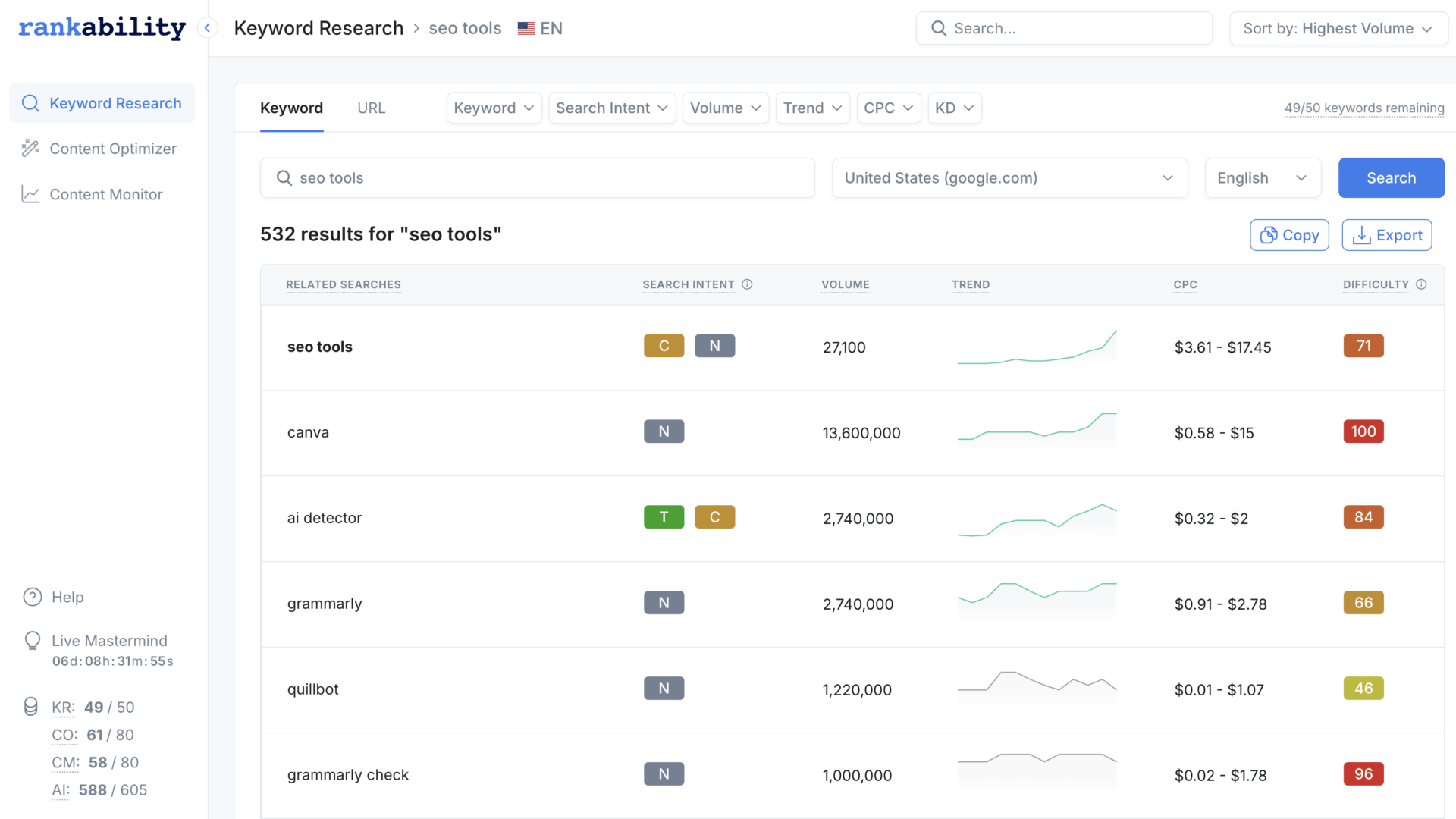
If you have seen your page climb in traditional SEO but still lose AI citations to a competitor, Rankability helps you close that gap. Rankings still matter, but Rankability helps you track the second scoreboard too: whether your pages get mentioned or cited in AI-generated answers, even when your SERP position stays the same.
Rankability keeps the content workflow practical. Its Content Optimizer guides you while you write with real-time scoring, topic coverage suggestions, and briefs, so you can fix what is missing before you publish. It also helps when you are updating older pages, because you can spot content gaps quickly and refresh sections that AI systems are more likely to reference.
Rankability also supports AI search monitoring through its AI Analyzer. You can track visibility across major AI platforms, including Google AI Overviews and Google AI Mode, watch changes over time, and compare your presence against competitors so you know which pages and topics need attention first.
A G2 reviewer says:
The interface is very easy to use, and there is many training and walk through videos that help get integrated with the software. Already easily the best SEO tool dedicated to making successful copy that ranks well, it has a great support staff with quick replies as well.
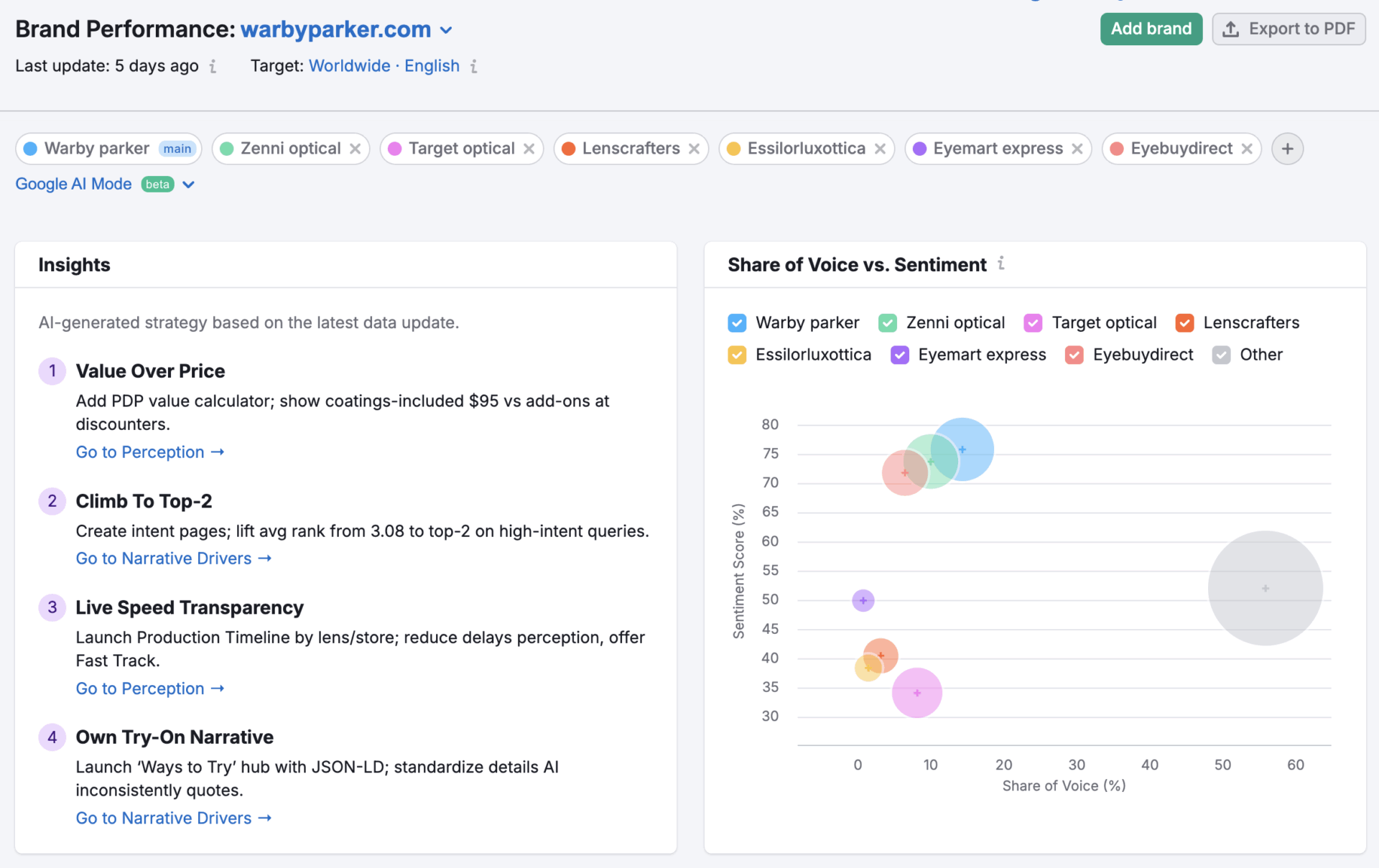
If you already work in SEMrush and you now need to track AI search visibility, this toolkit helps you stop guessing and start measuring. SEMrush AI SE Toolkit goes beyond traditional SEO metrics by showing where your brand appears in AI-generated answers across the places people use for recommendations and “best option” queries.
The value is in the breakdown. You can monitor brand mentions and citations, then filter by platform or intent so you can explain changes clearly to a client or stakeholder. It also helps you spot when your brand presence drops on one AI surface, even if your normal rankings look stable.
SEMrush prompt tracking makes AI search monitoring feel closer to rank tracking. You can set a custom list of prompts and track daily visibility across ChatGPT Search and Google AI Mode, so you can see what is improving, what is slipping, and which prompts deserve a content refresh first.
A G2 reviewer says:
However, my favorite “feature” lately is the API and MCP integration. I love building AI-powered SEO tools in my spare time, and being able to pull SEMrush Trends data (traffic benchmarking, demographics, AI search traffic) directly into my LLM workflows via Python has been a game-changer.
👀 Fun fact: Semrush tracking shows AI Overviews jumped from 6.49% of keywords (Jan 2025) to roughly 25% (July 2025), then measured 15.69% (Nov 2025)—a reminder that AI visibility is volatile and needs ongoing monitoring, not one-time screenshots.
📖 Also Read: Best AI Search Engines You Need to Try
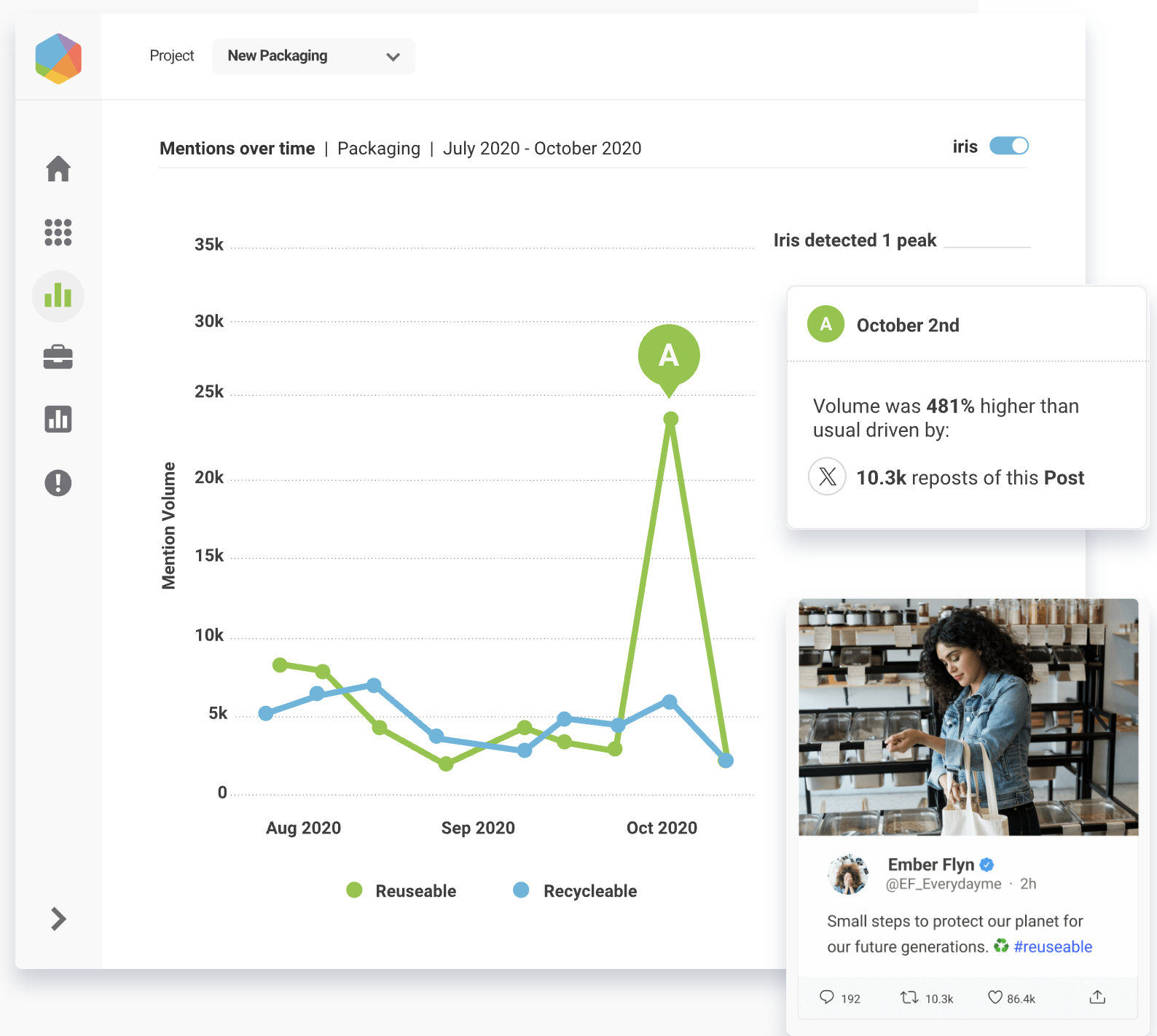
Brandwatch is useful when the question is not “Did we rank?” but “Are people talking about us, and why?” It tracks brand mentions across social media, news, forums, blogs, and review sites. That context matters when AI-generated answers start pulling public opinions and sentiment into recommendations.
This tool also supports your AI visibility work with real-world evidence. You can spot spikes in discussion early, see what topics drive sentiment, and use that signal to decide what content to publish or refresh next. This helps you move from guesswork to decisions you can defend.
Brandwatch is not a complete platform for enterprise AI visibility on its own. But it is a strong companion when you need to mention tracking, crisis risk signals, and competitive intelligence in one view. It helps you report visibility data with proof, not screenshots.
A G2 reviewer said:
The tool stands out for its intuitiveness, making configuration and use uncomplicated. It is highly useful for monitoring social networks, brands, and competitors, as well as helping in crisis management and providing better results and insights to clients.
📮 ClickUp Insight: The average professional spends 30+ minutes a day searching for work-related information—that’s over 120 hours a year lost to digging through emails, Slack threads, and scattered files. An intelligent AI assistant embedded in your workspace can change that. Enter ClickUp Brain. It delivers instant insights and answers by surfacing the right documents, conversations, and task details in seconds—so you can stop searching and start working in your one workspace in ClickUp.
💫 Real Results: Teams like QubicaAMF reclaimed 5+ hours weekly using ClickUp—that’s over 250 hours annually per person—by eliminating outdated knowledge management processes. Imagine what your team could create with an extra week of productivity every quarter!
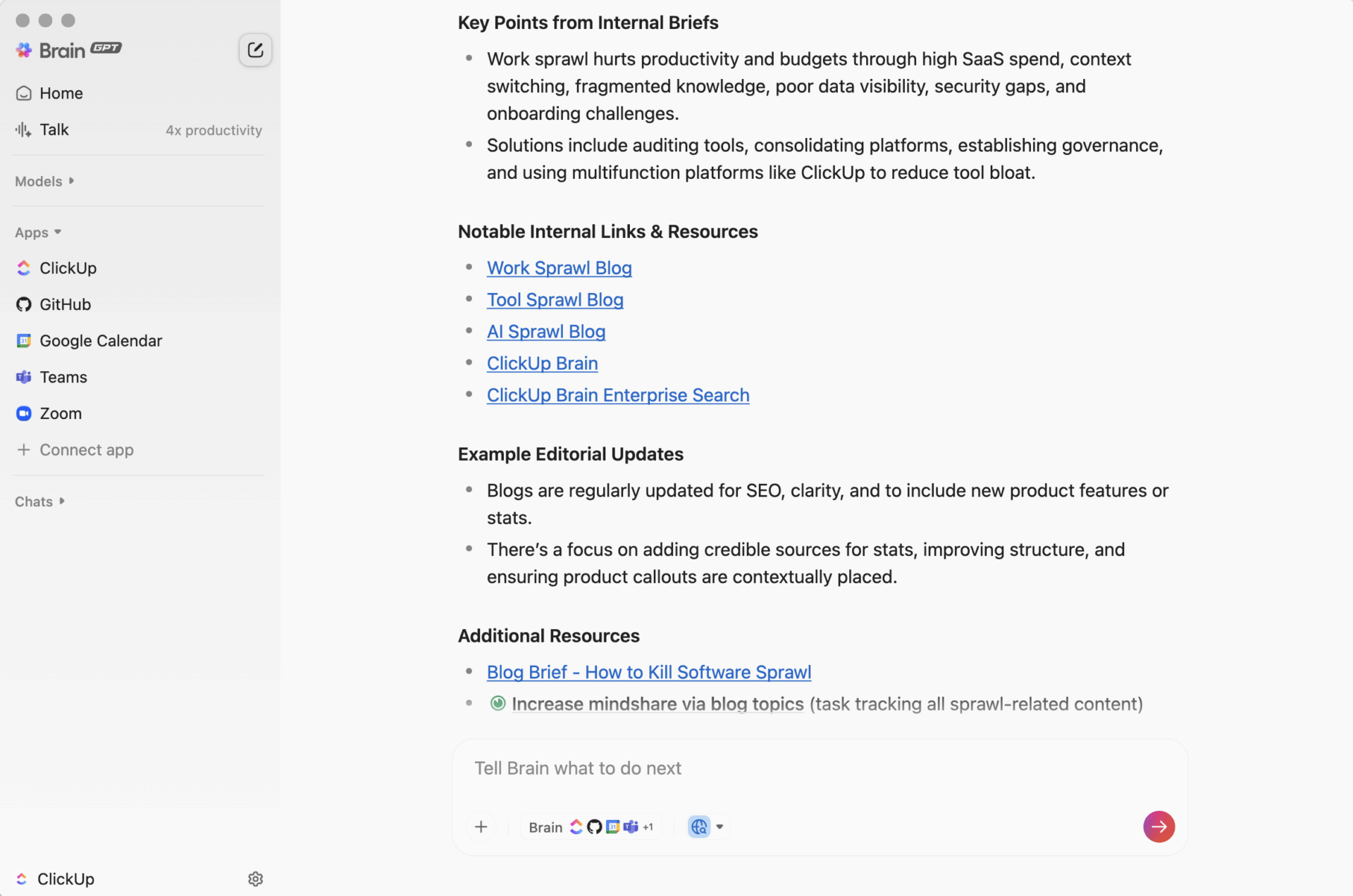
Not every team needs a dedicated GEO platform for full-scale AI visibility tracking. Sometimes you just need the right supporting tools to organize the work, document what changed in AI search, and turn those insights into consistent next steps.
You start with a simple goal: understand how your brand shows up in AI search. Then the reality hits. Prompt lists sit in a spreadsheet, AI-generated answers get saved as screenshots, someone pastes notes into a doc, and the “we should update this page” action item disappears into chat.
That’s work sprawl. It’s not just frustrating. It makes AI search monitoring harder because nobody can trace a visibility drop back to a specific decision, owner, or timeline. Now add AI sprawl. One tool for content creation, another for content optimization, and a third for tracking AI overviews. Suddenly, you find yourself spending more time managing context than enhancing AI visibility.
ClickUp is a converged AI workspace that brings scattered work into one place, so your GEO workflow stays connected. You can capture insights, turn them into tasks, and keep documents, owners, and deadlines in the same workspace without stitching five different tools together.
ClickUp isn’t trying to replace GEO vendors that specialize in prompt capture and citation measurement. Instead, it solves the part that usually breaks: turning AI visibility evidence into assigned work—with owners, deadlines, documentation, and reporting that doesn’t live in five separate places.
📖 Also Read: How to Use AI to Automate Tasks
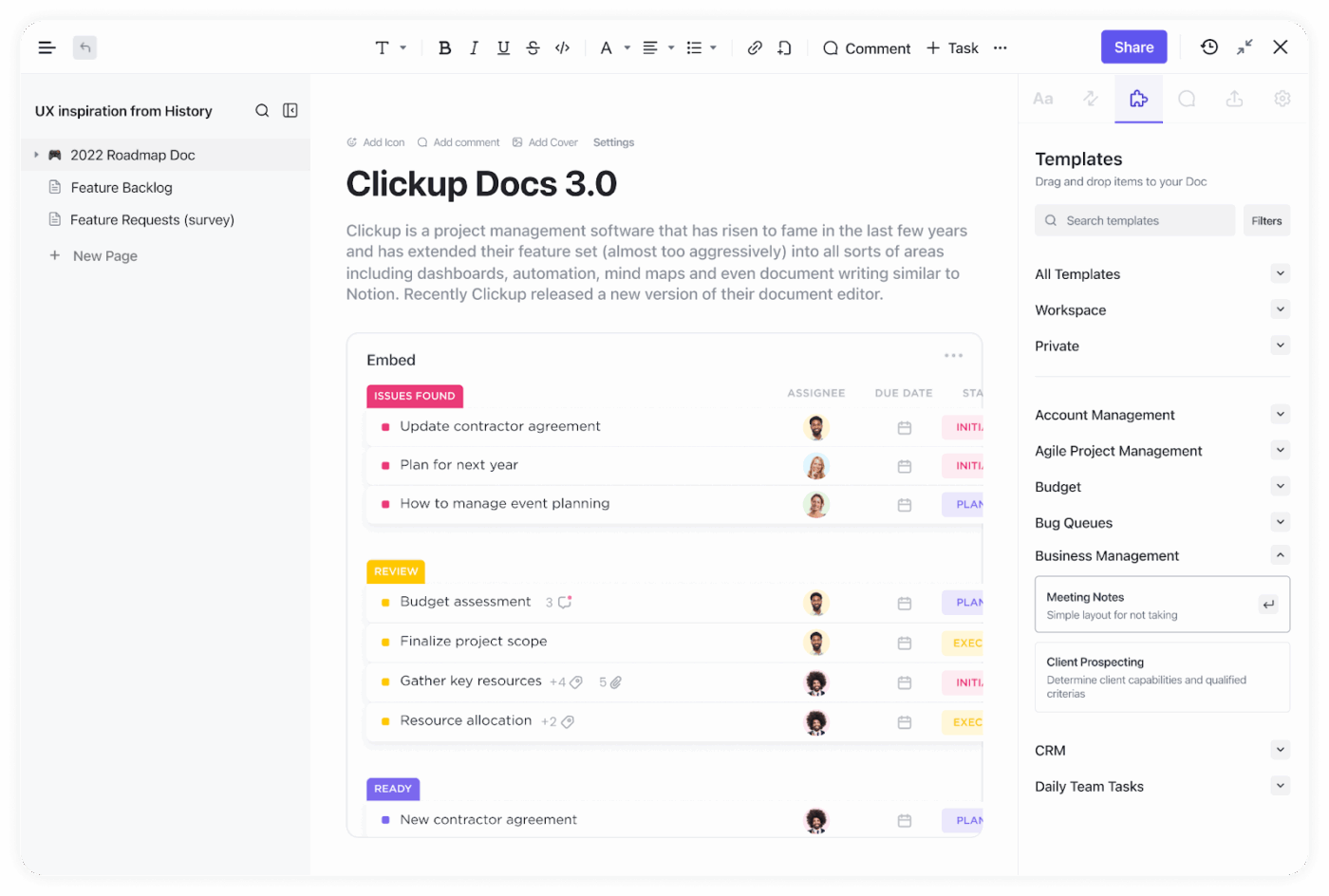
The most tedious aspects of GEO work are often overlooked. Someone updates the prompt list, someone else saves AI responses as screenshots, and a third person rewrites the conclusion in a different doc. Two weeks later, nobody remembers which prompt produced which citation or why that page got prioritized.
ClickUp Docs provides a single, centralized location for tracking that trail. You can create docs, wikis, and nested pages for prompt libraries, weekly AI overview snapshots, and “what changed” notes, then format them with tables, embeds, and templates.
Your team can edit in real time, leave comments, assign action items, and convert text into trackable tasks so documentation leads straight into execution. And when you need to share the latest version, you can control permissions or even share a doc publicly when appropriate.
While traditional AI search visibility tools help you find what you need, ClickUp BrainGPT offers a practical way for content and SEO teams to stay organized and informed. With BrainGPT, you can quickly search, summarize, and connect information from tasks, documents, and integrated apps—all in one place.
This means it’s easier to find what you need, keep track of project updates, and pull up relevant content without digging through endless files. By centralizing knowledge and streamlining information retrieval, ClickUp Brain helps teams make decisions faster and keeps everyone on the same page. It’s a helpful addition for anyone looking to bring more clarity and efficiency to their workflow.
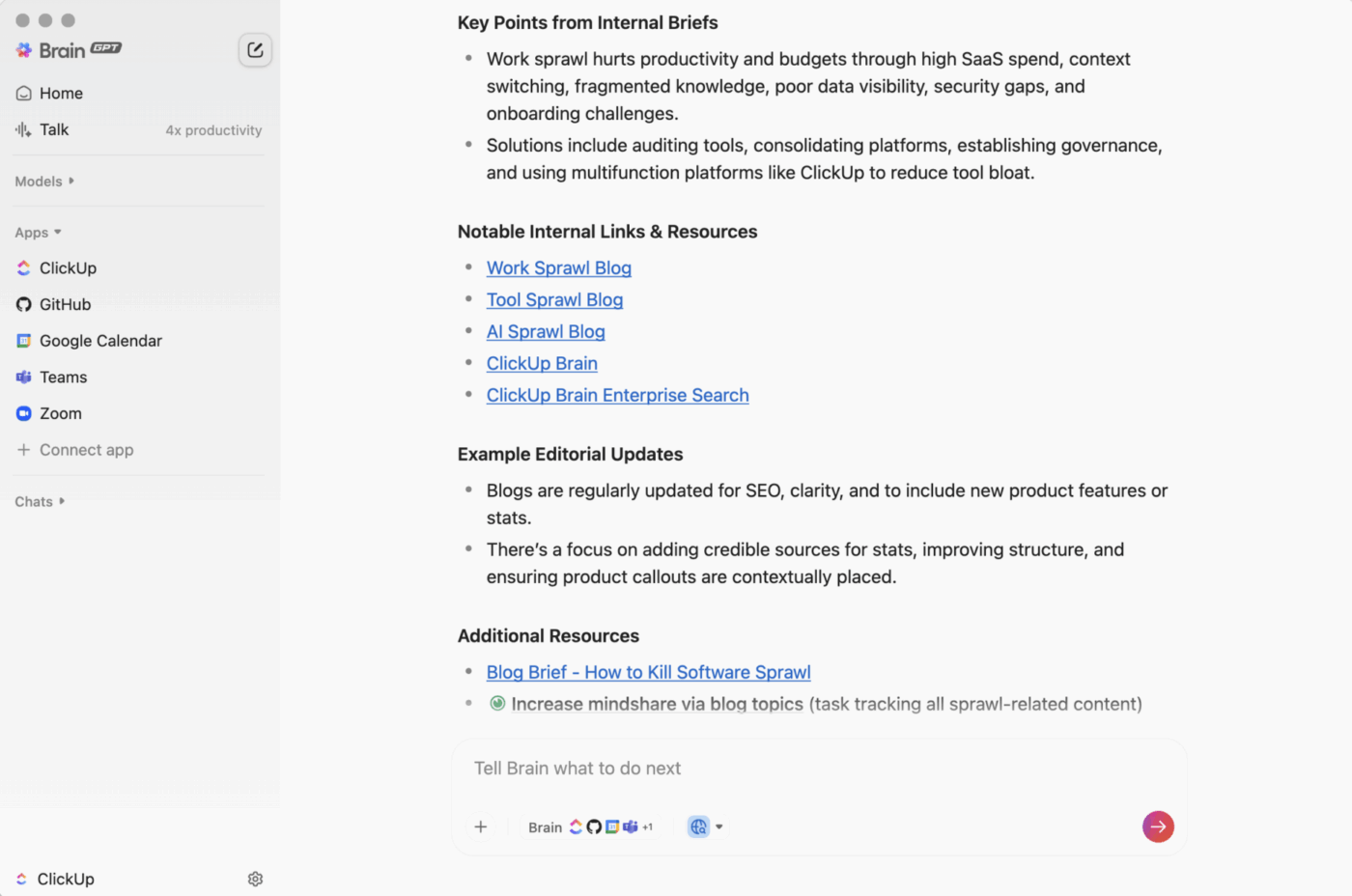
💡 Pro Tip: When you’re reviewing AI Overviews or testing new prompts, use Talk to Text to capture what you’re seeing as you go. You can dictate the prompt, the AI-generated answer, and your quick “why this matters” note, and ClickUp BrainGPT will convert it into clean text you can paste into a Doc or task immediately, even when you’re working in other desktop apps or your browser.
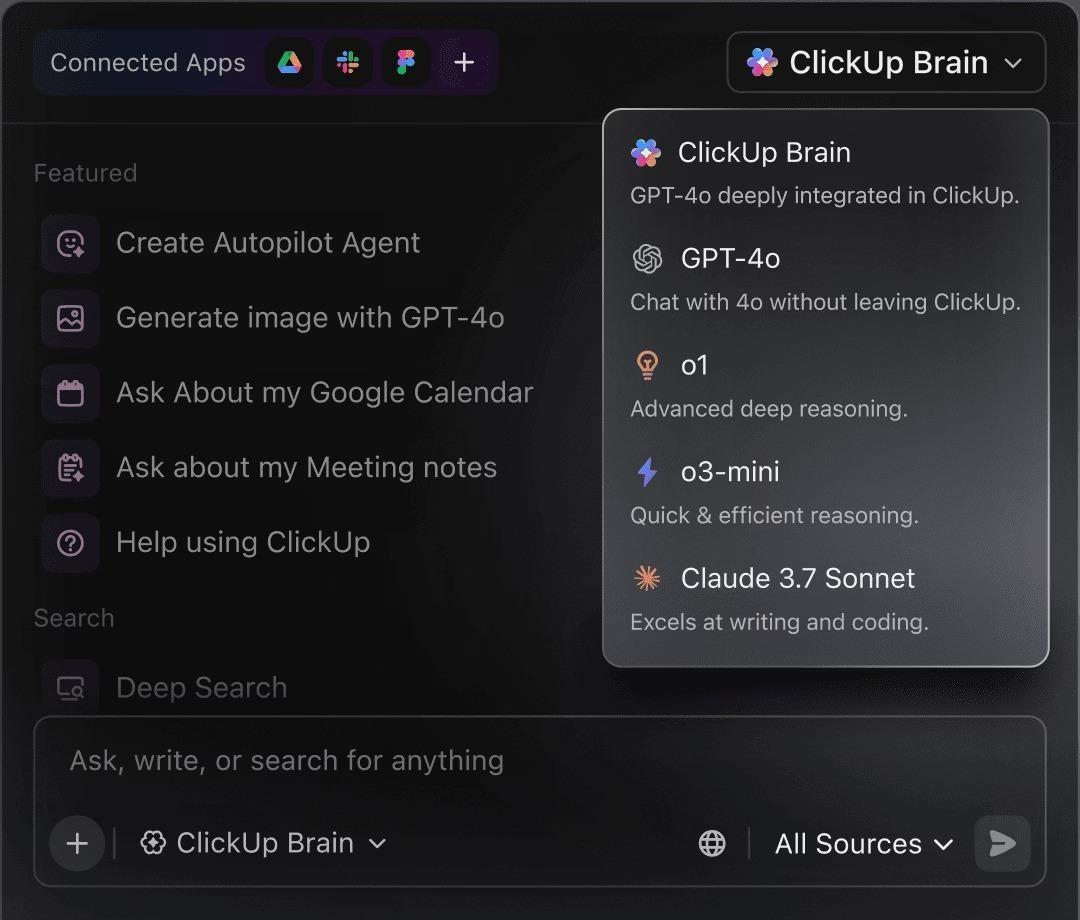
When you’re deep in AI search monitoring, the real problem isn’t a lack of data. It’s the flood of tiny updates. A new AI overview snapshot appears here, a comment thread appears there, and a “we should fix this page” note gets buried in the chat. By the time you need to report what changed, you’re rereading everything like it’s a mystery novel.
ClickUp Brain helps you turn that noise into a clear storyline and a plan. It can efficiently summarize task activity, lengthy comment threads, and Docs, allowing you to quickly grasp the key takeaways.
ClickUp Brain can also create detailed tasks from chats, docs, or meetings; generate standups and progress updates; and even suggest intelligent task assignments based on workload. If you want a quick cross-check from different models while drafting updates, ClickUp also positions ClickUp Brain alongside access to multiple LLMs, like ChatGPT, Claude, and Gemini.
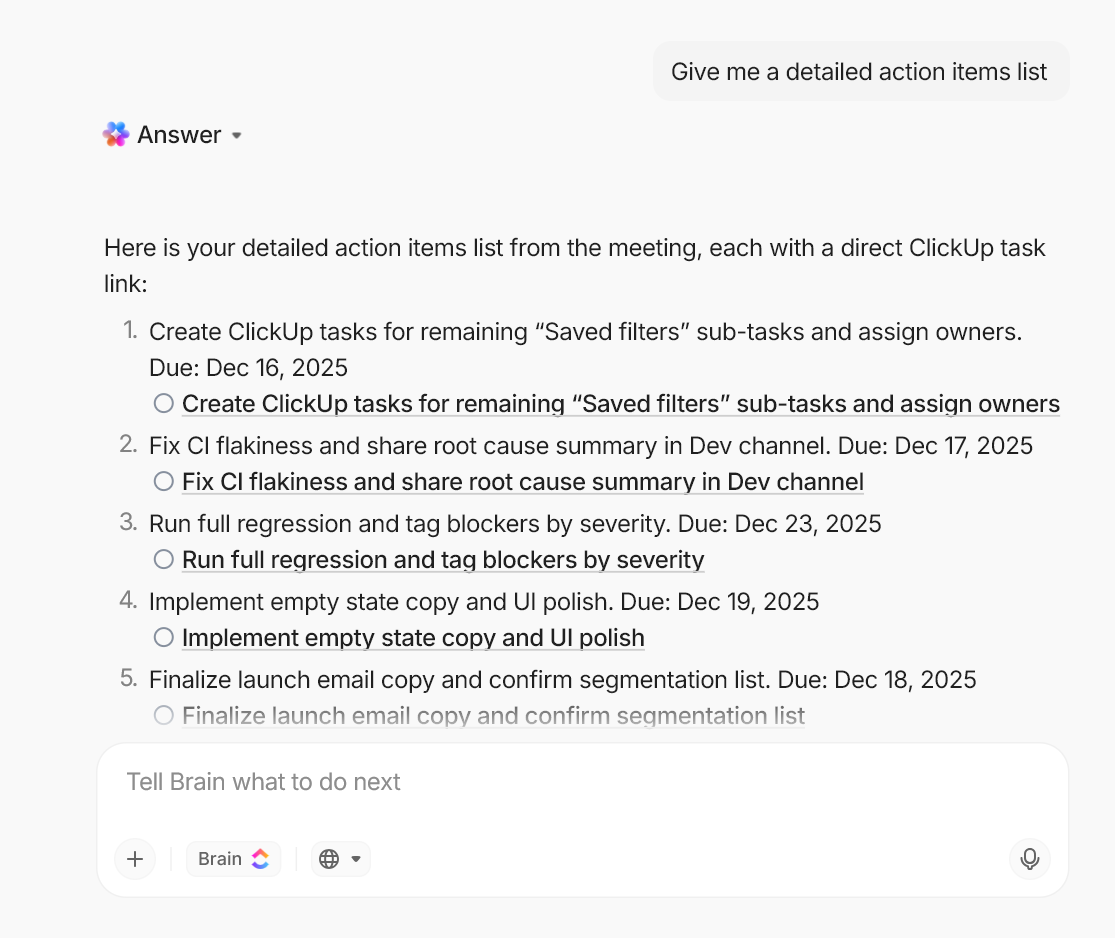
💡 Pro Tip: Use ClickUp Brain inside ClickUp Docs to turn meeting notes, call transcripts, or rough ideas into clear action items. Ask it to pull out decisions, owners, and due dates, then auto-draft next steps (and even a quick follow-up message) so your doc doesn’t stay “nice notes” and nothing else.
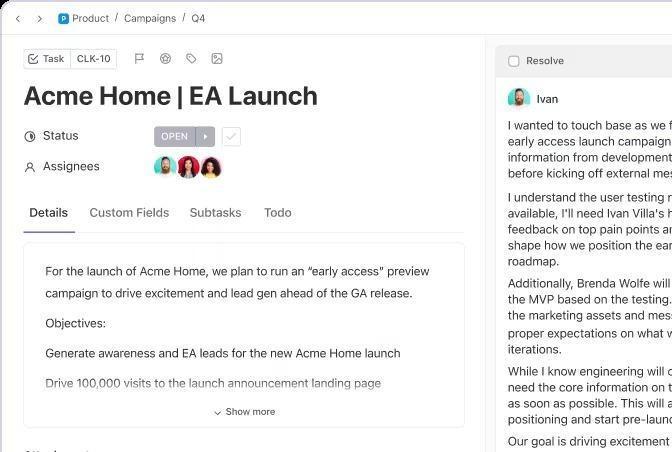
GEO work has a sneaky failure mode: everyone agrees on what to test, and then the follow-through dissolves. Prompts are tweaked, screenshots are taken, and the “update this page” note becomes buried under three other priorities. By the time you sit down to report AI visibility, you’re reconstructing the story from memory.
ClickUp Tasks serves as the backbone of your LLM monitoring workflow. Create one task per prompt set or hypothesis, then track the details with custom fields, priorities, and statuses so nothing gets lost in translation.
Break work into subtasks and checklists, attach AI outputs, and keep decisions in comments with a running activity log. When something depends on a specific doc, page, or modification, link it using Relationships and dependencies so your tracking stays connected to the work that actually improves search visibility.
💡 Pro Tip: Set up a ClickUp Dashboard with widgets like tasks by status, overdue items, and “what changed this week,” then reuse it for every weekly check-in. Since the dashboard updates in real time as tasks move, you can report progress, spot trends, and highlight what needs attention without rebuilding the report from scratch.
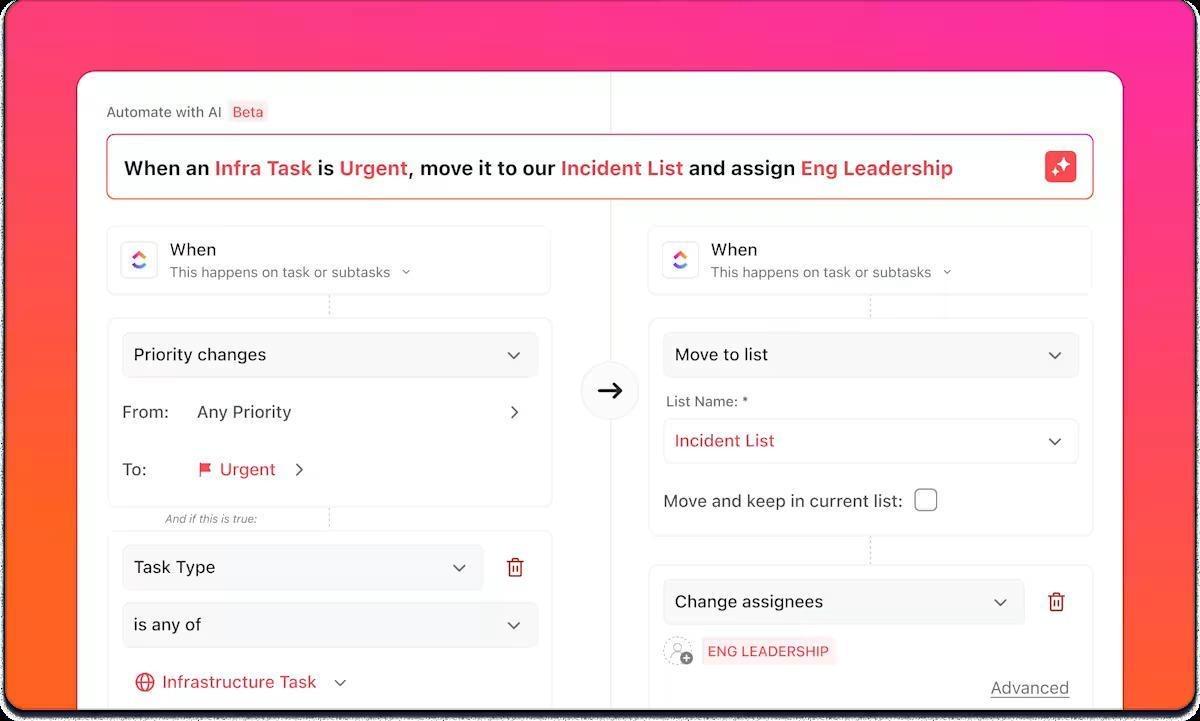
After the “aha” moment, GEO work can become unmanageable. You spot a visibility dip, paste the screenshot, and tell the team what to adjust. Then nothing moves. The issue isn’t due to a lack of interest on the part of the team but rather due to the manual nature of the handoff, which often goes unnoticed.
ClickUp Automations handles those handoffs for you. When a task’s status changes, you can use automation to push the work forward automatically. Assign the right owner, add a comment with the next steps, update the status, create subtasks, or apply an automation template so nothing gets stuck waiting on follow-ups.
If you need tighter control, add conditions so only the right tasks fire the automation, and use dynamic assignees so work routes to the person who created the task or triggered the change.
💡 Pro Tip: Add a prebuilt ClickUp AI Agent to the chat channel where you run GEO updates, so it can answer quick questions from workspace context and post weekly summaries automatically, without you chasing people for updates.
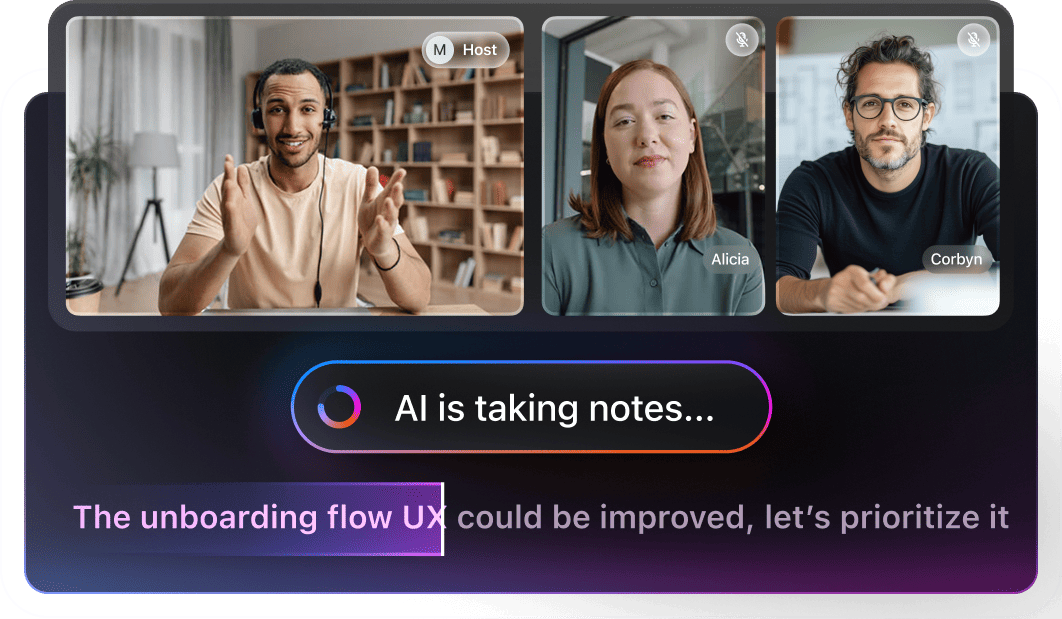
The most awkward part of GEO work is what happens right after the call. Someone says, “AI Overviews stopped mentioning us,” another person shares a few examples, and then everyone leaves with different notes, different screenshots, and zero shared record of what actually got decided.
ClickUp AI Notetaker fixes that by turning the meeting itself into a clean trail of evidence. It can join calls, create smart summaries, generate searchable transcripts, and pull out action items that connect back to your Docs and Tasks.
ClickUp AI Notetaker works with Zoom, Teams, and Google Meet. Thus, after your planner is linked to Outlook or Google Calendar. In order to prevent follow-ups from falling into the “someone should…” trap, this feature can even generate tasks from action items.
Want to see how it actually works? Watch this short video to see how an AI notetaker can capture your discussion, summarize key decisions, and pull action items into ClickUp tasks, so nothing gets lost after the call:
If you are looking for additional tools beyond the main options, these alternatives can help with tasks such as AI Overviews monitoring, cross-platform reporting, and enterprise SEO workflows:
Before you pick a platform, it helps to sanity-check the basics—especially if you need reporting that holds up in front of leadership or clients. Here’s a quick checklist to make sure your next tool gives you proof and a clear path to action.
📖 Also Read: What Are LLM Agents in AI and How Do They Work?
Not all GEO/AI visibility tools measure the same thing—or measure it the same way. Before you pick a Profound AI alternative, sanity-check these essentials so your reporting holds up when someone asks, “How do we know this is real?”
At minimum, look for tracking across Google AI Overviews plus major answer engines like ChatGPT, Perplexity, Gemini, and Claude. If you’re in B2B or tech, add Copilot.
A good tool lets you:
Mentions matter—but the real receipt is:
You want alerts for:
The best tools don’t just report “you dropped.” They point to:
Look for:
If you operate at scale, prioritize options that support robots.txt / llms.txt guidance, audit trails, and access controls.
Watch for prompt limits/credit models that spike costs as you add:
Quick rule: If a tool can’t show where the AI answer came from and help you turn that into a prioritized fix list, it’s monitoring—not optimization.
Once you know which platforms you need to track—and you have source-level proof you can defend—the next step is turning those insights into consistent execution.
Switching away from Profound AI can feel a bit like changing your phone’s camera app mid-shoot. The goal is not to collect more screenshots. It’s to get clean, defensible visibility data on where your brand appears in AI overviews, AI-generated answers, and other AI responses across major AI platforms.
That’s why Profound AI Alternatives matter. The right mix of GEO tools should help you track AI visibility, spot the search queries that trigger shifts, and connect content optimization back to outcomes you can report with confidence. Once you know what is working, your next move is simple: create more of it, fix what is missing, and keep testing.
If you want a practical home base for those GEO experiments, ClickUp helps you document the evidence, assign follow-ups, and keep every update connected to the work behind it.
What are you waiting for? Sign up for ClickUp for better GEO workflows today. ✨️

© 2026 ClickUp

There’s an easier way. Try a free AI Agent in ClickUp that actually does the work for you—set up in minutes, save hours every week.