








Still downloading templates?
There’s an easier way. Try a free AI Agent in ClickUp that actually does the work for you—set up in minutes, save hours every week.
Sorry, there were no results found for “”
Sorry, there were no results found for “”
Sorry, there were no results found for “”
The product lifecycle management software market is valued at $38.62B.
That tells you something important. Product teams are managing more than launches today. In fact, they are managing an entire lifecycle of decisions, dependencies, and follow-through.
And that is where things get complicated. A good product idea is not enough. You need a clear way to plan, build, launch, and learn from it without reinventing the process every time.
To do that and more, you should use product lifecycle templates.
In this post, we’ll look at 10 free product lifecycle templates, what each one helps you manage, and how to choose the right one for your team.
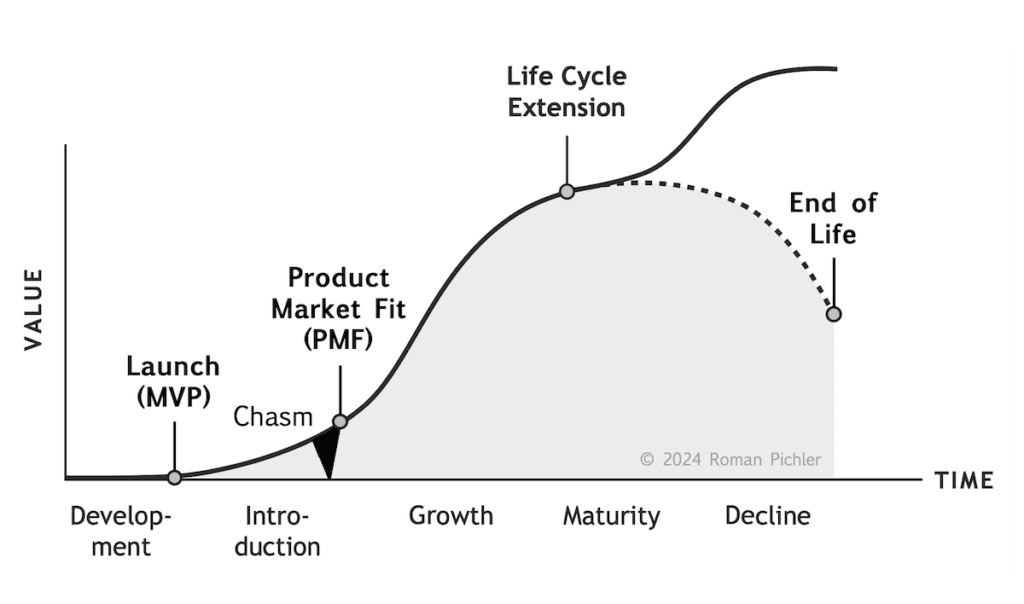
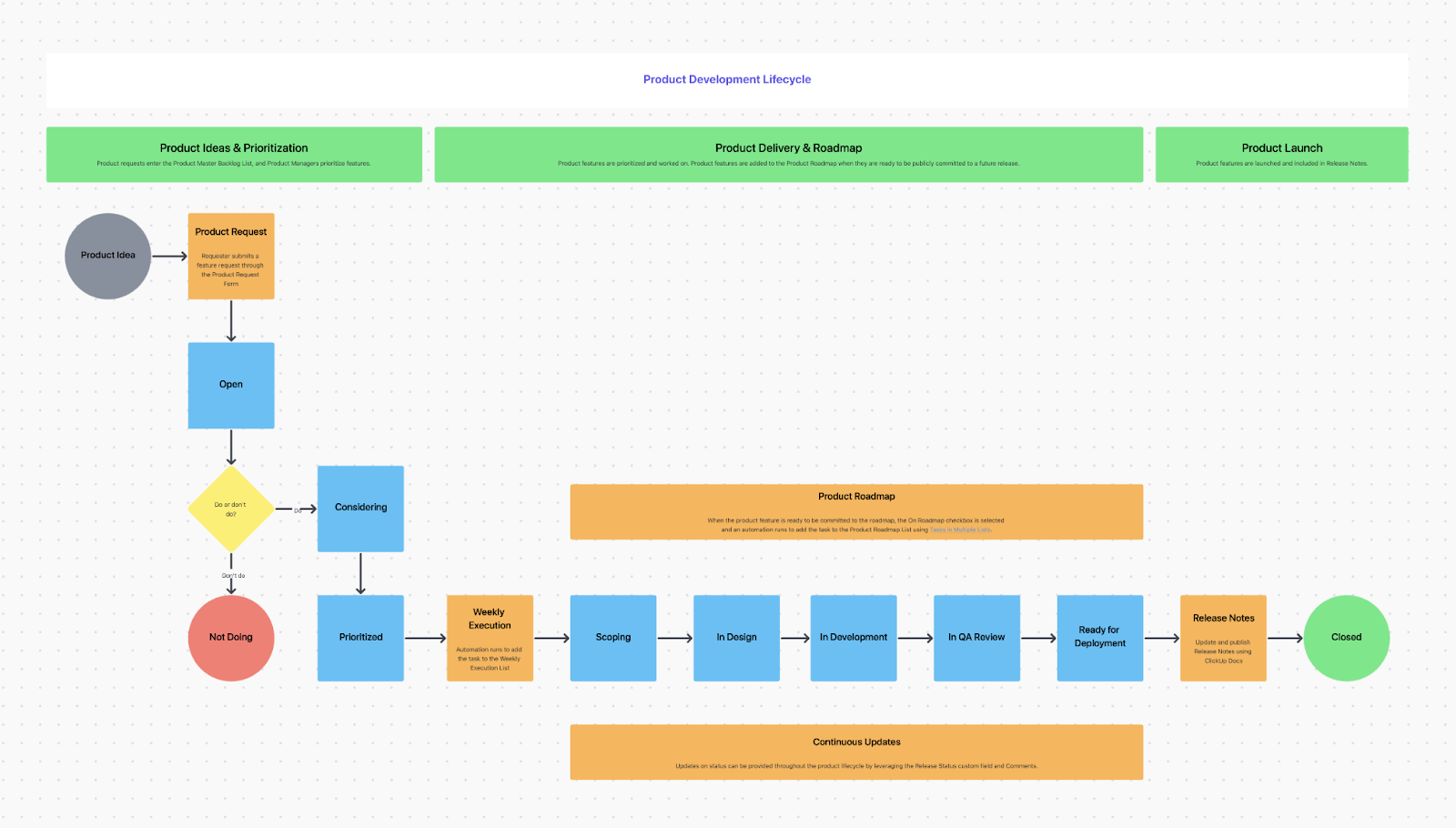
A product lifecycle template is a pre-built framework that helps your team plan, track, and manage a product’s entire journey. This covers everything from the initial idea and development to launch, growth, maturity, and eventual retirement.
It’s a framework used by product managers, cross-functional teams, and marketers to track how a product is performing and to decide which strategies to deploy based on its current age and market health.
The classic product life cycle graph follows a simple S-curve that every product manager knows well. It maps the journey across four key stages:
🧠 Fun Fact: Neil McElroy, a junior executive at Procter & Gamble, essentially invented “Product Management” in 1931 with a simple 800-word memo. He argued for the need for “Brand Men” who would be entirely responsible for a single product’s success, from its manufacturing to its marketing.
The following templates are designed to cover different phases and use cases. Some provide a framework for the entire lifecycle, while others focus on specific, critical stages such as development or product sunset.
All of these templates are free and fully customizable in ClickUp, so you can adapt them to your team’s unique workflow. 🛠️
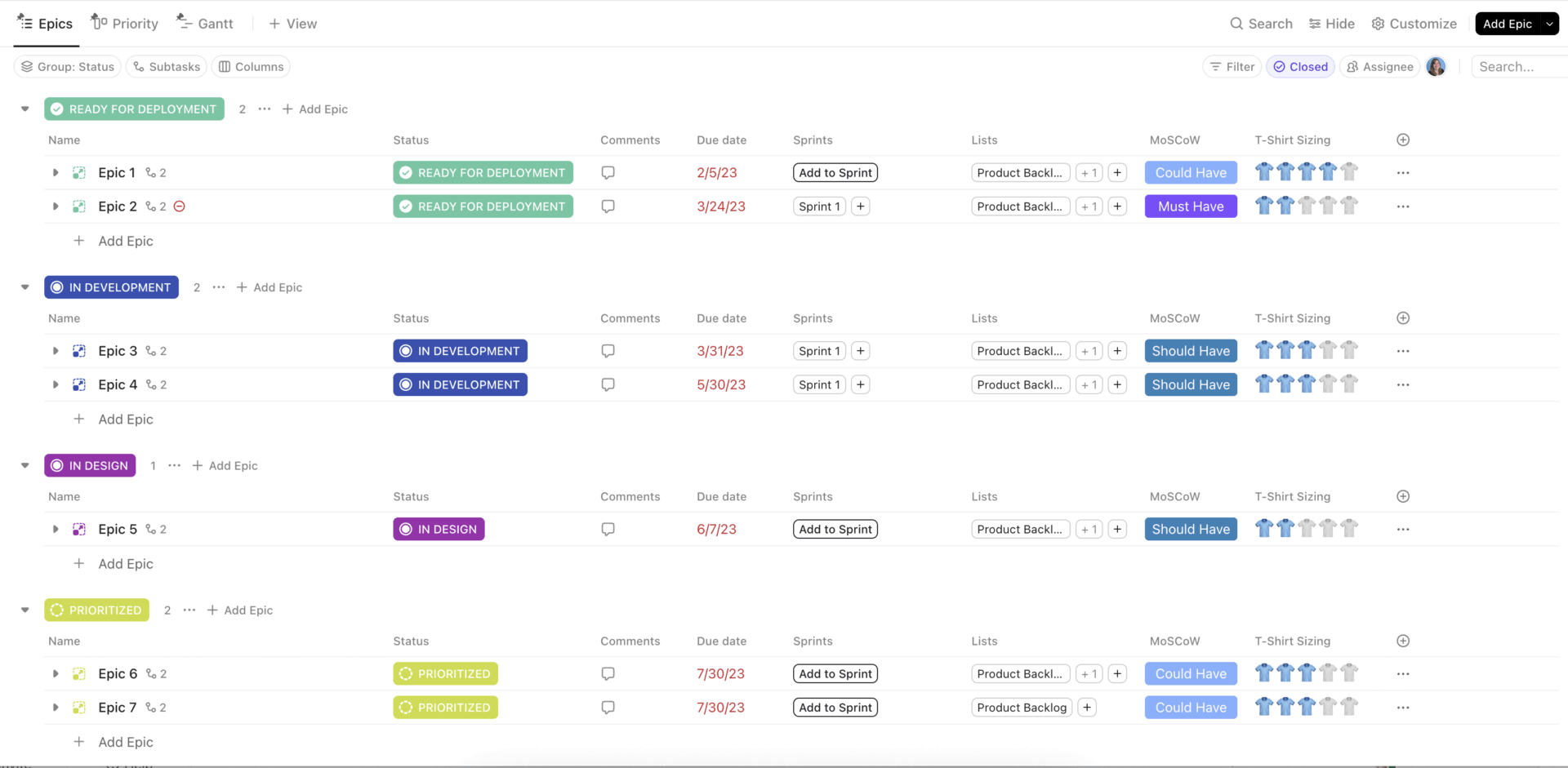
Starting a new product plan from a blank page is a recipe for missed measures and inconsistent tracking. The ClickUp Quick Start: Product Management Template is your answer, designed for teams who want to hit the ground running with product management essentials.
It combines task tracking, sprint planning, and backlog management into a single, pre-configured workspace, so you can skip the setup and get straight to building.
✅ Ideal for: Startup product teams setting up a structured product workflow without building the system from scratch.
🚀 ClickUp Advantage: Use ClickUp Brain to gap check before you share it with stakeholders. Drop your draft into the Doc, then ask Brain to flag fuzzy requirements, missing edge cases, and unanswered questions by persona.
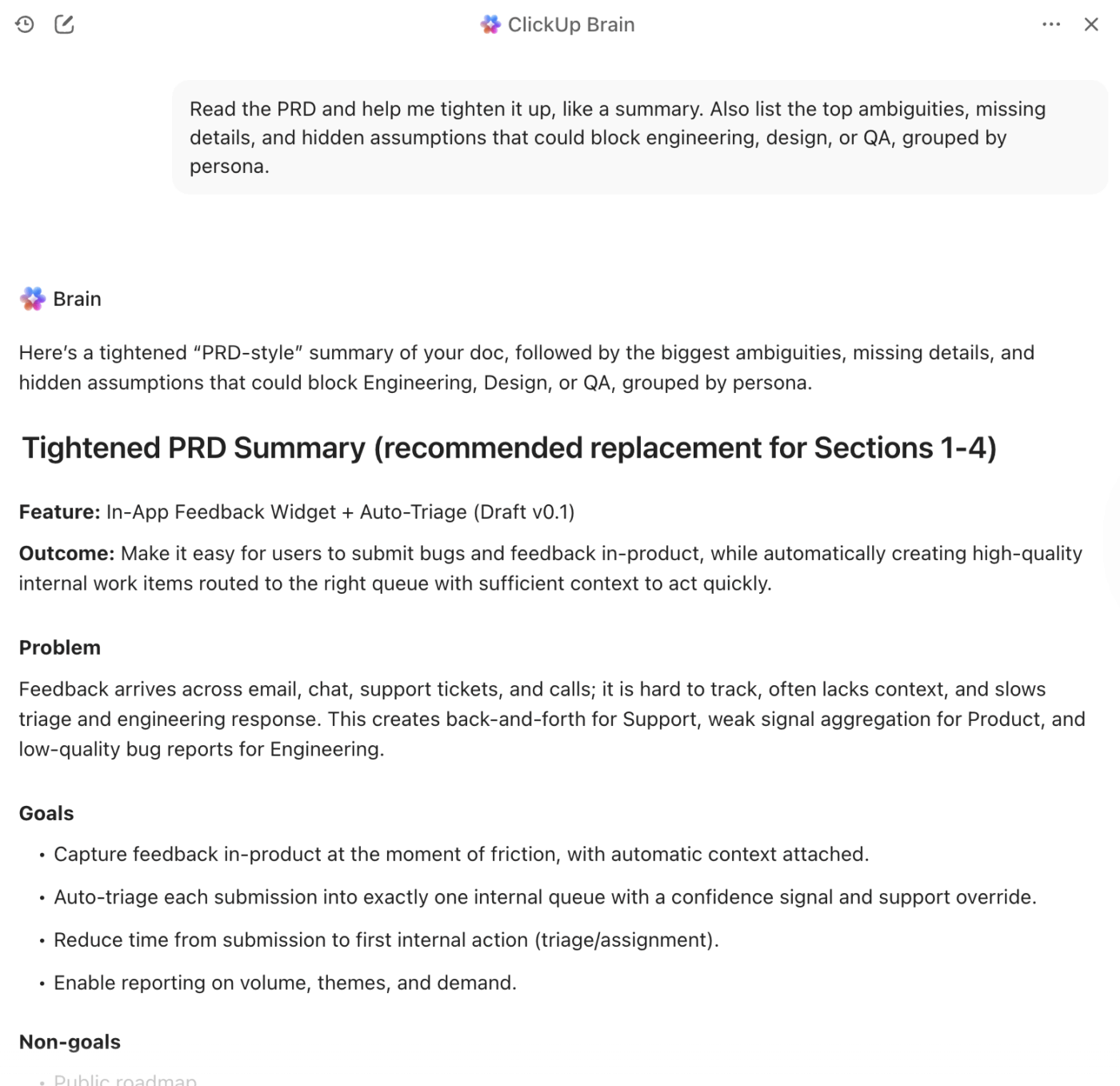
After that, have it turn your release criteria into a crisp UAT checklist so approvals do not get stuck in opinion loops.
The ClickUp Product Strategy Template helps you define your product vision, positioning, and priorities before a single line of code is written.
It’s where you capture the “why” behind your product, ensuring every stakeholder is on the same page.
✅ Ideal for: Product strategy leads shaping roadmap priorities during the early stages of a product lifecycle.
Vague requirements mean wasted development cycles and features that miss the mark. That’s why you have the ClickUp Product Requirements Doc (PRD) Template. It’s designed to capture detailed product requirements, including features, user stories, acceptance criteria, and technical specifications.
✅ Ideal for: Product managers aligning engineering, design, and GTM teams around a new feature or product release.
💡 Pro Tip: Pair your PRD with ClickUp AI Cards to turn execution data into quick updates.
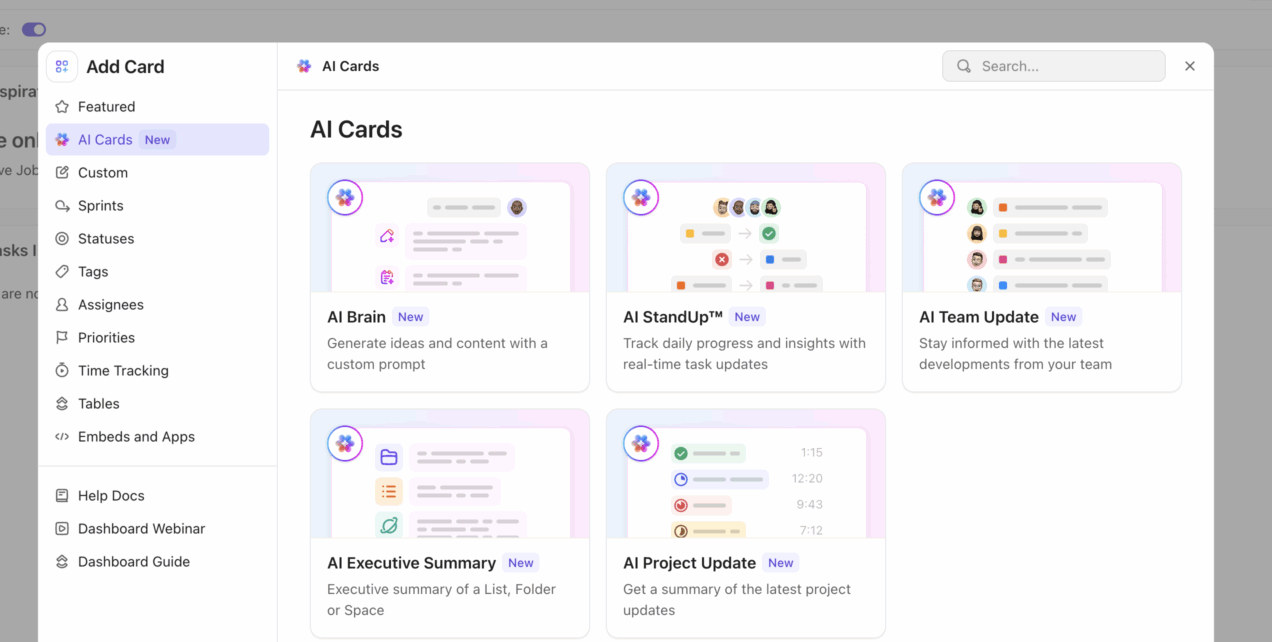
You can generate live standups, progress summaries, blockers, and next steps directly from your Dashboard, making it much easier to keep product, engineering, and leadership aligned.
Developing a new product, but don’t have a clear process? Well, that’s a recipe for disaster.
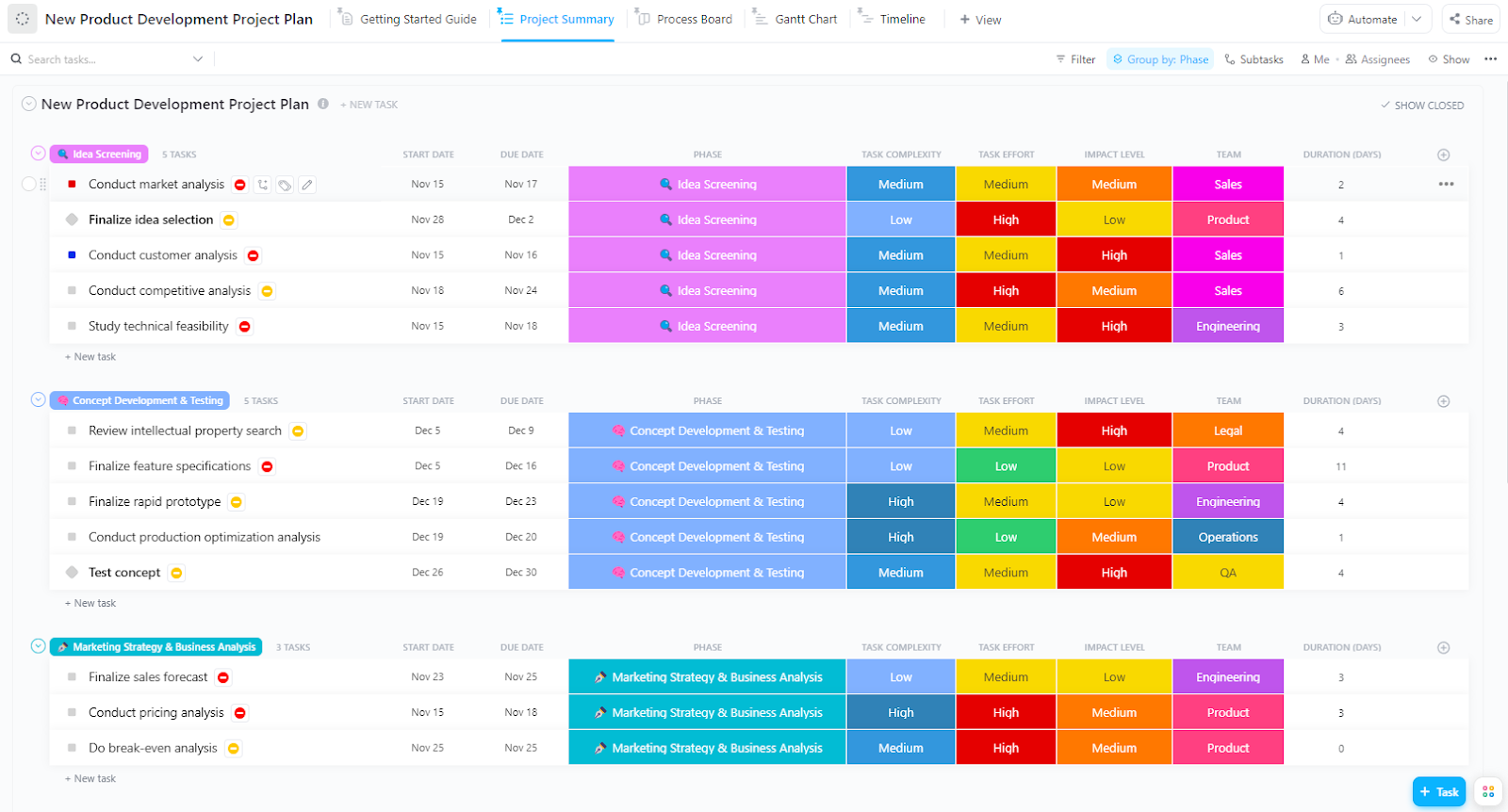
ClickUp New Product Development Template guides your product from the initial idea through development, testing, and pre-launch readiness. It provides phase transitions and approval checkpoints to keep complex development processes on track and prevent costly mistakes.
✅ Ideal for: Teams that follow structured development processes like stage-gate, waterfall, or hybrid approaches.
💡 Pro Tip: Use ClickUp Automations to turn stage gates into real approval checkpoints.
When a task reaches a milestone like Ready for Review, UAT Complete, or Launch Approved, you can automatically notify the right stakeholder, assign the next reviewer, or update the status only after sign-off is in place. That keeps work from slipping into the next phase before the right people have reviewed it.
But that’s not all. You can save 5 hours a week just by automating your workflows. Take a look 👇
Communicating your product plan to leadership, sales, and customers can be a challenge when everyone needs a different level of detail.
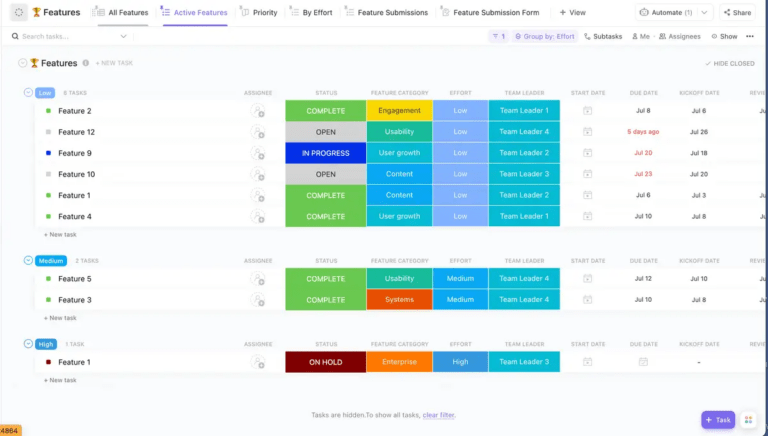
The ClickUp Product Roadmap Template maps your features, releases, and milestones across a timeline, giving every stakeholder a clear lifecycle graphic of what’s coming and when. It’s especially critical during the growth and maturity stages when feature prioritization is key.
✅ Ideal for: Product ops teams planning releases across multiple initiatives and time horizons.
📮 ClickUp Insight: When decisions get delayed, the ripple effect is real—29% of employees simply stop working, while 43% are left chasing answers, often more than once. 🫢
Time slips away, momentum fades, and frustration builds. But it doesn’t have to be this way.
With ClickUp’s Super Agents, stalled tasks trigger follow-ups on their own. Stakeholders get the prompt, and work keeps moving forward—even when approvals lag behind.
Traditional roadmaps don’t always work for Agile teams who plan in short, iterative cycles. The ClickUp Agile Team Roadmap Template is designed specifically for them, helping to balance long-term product direction with the flexibility of short-term sprint commitments.
✅ Ideal for: Scrum and Kanban teams who manage their work in iterative development cycles.
📚 Read More: Agile product development
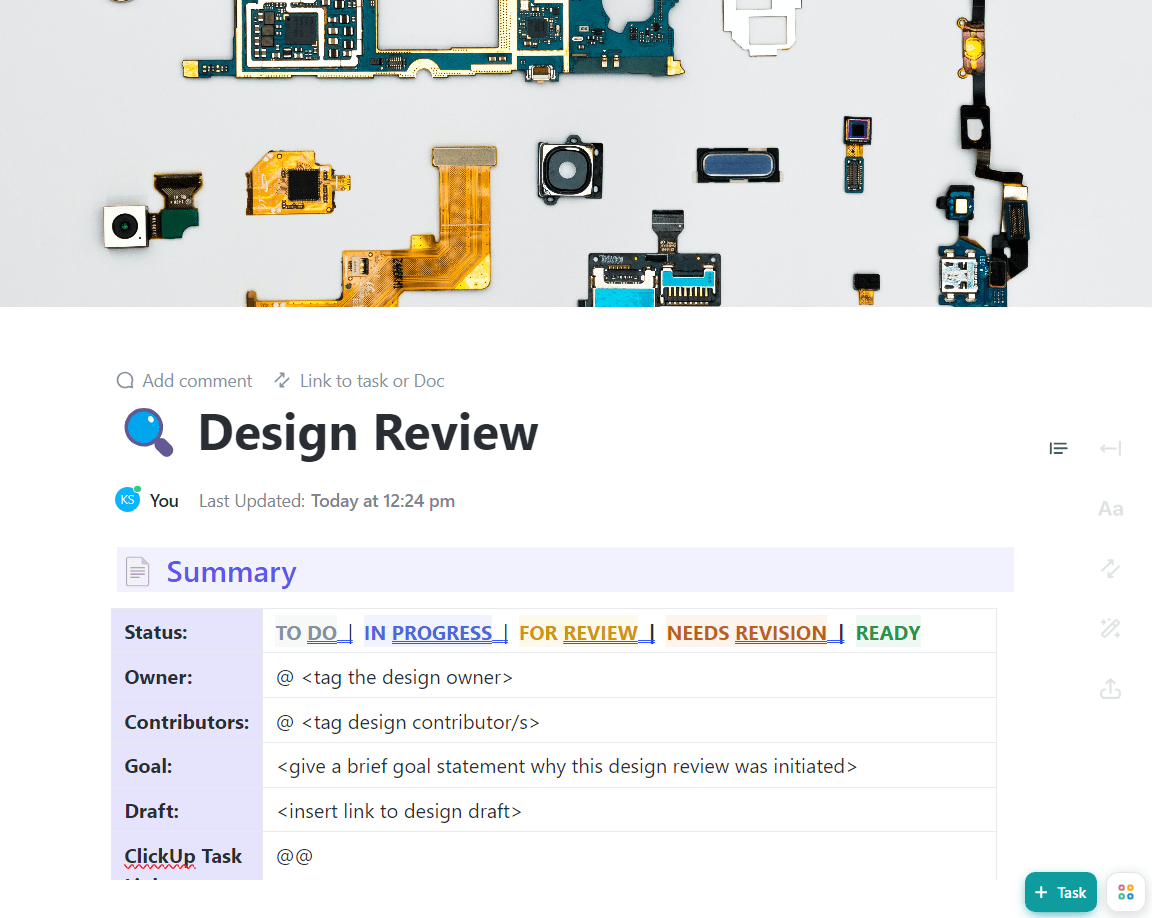
Getting design feedback from disconnected meeting notes and email threads always ends with dozens of revisions. The ClickUp Design Review Template centralizes the entire design feedback process, from collecting input and tracking revisions to documenting final approvals before development begins. It’s a goldmine for organized and actionable feedback.
✅ Ideal for: Product designers and design leads reviewing mockups before development handoff.
🧠 Fun Fact: Netflix’s first mailed DVD was Beetlejuice. Before it became synonymous with streaming, Netflix was literally a mail-order DVD product, and that first shipment went out in March 1998.
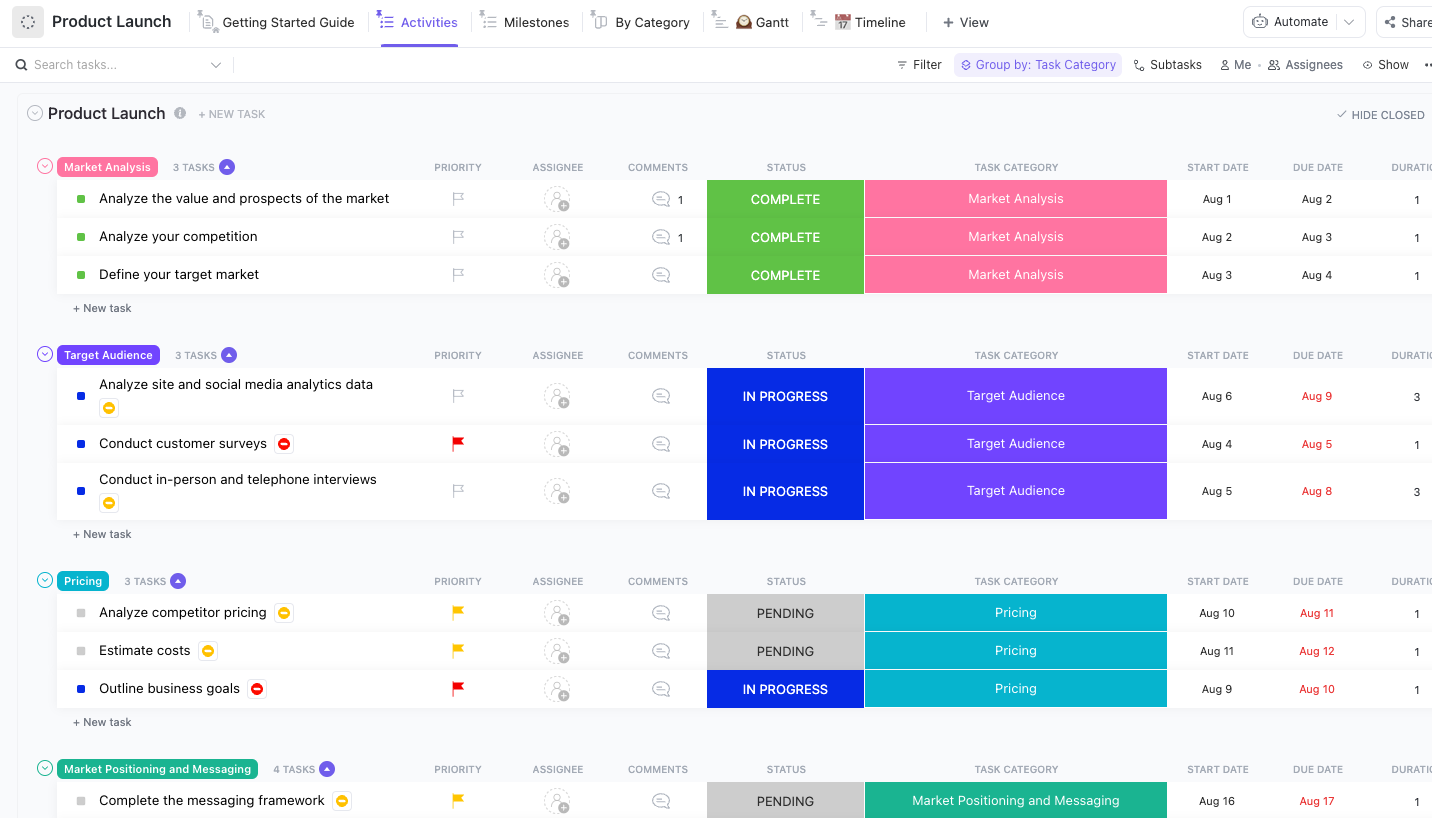
The ClickUp Product Launch Checklist Template gives you a category-based launch plan that keeps every part of the release moving in sync. In the template, work is already grouped into streams like Market Analysis, Target Audience, Pricing, and Market Positioning and Messaging, with dozens of Custom Fields.
✅ Ideal for: Cross-functional teams coordinating a product launch where marketing, sales, engineering, and support must execute in perfect sync.
9. ClickUp Release Management Template
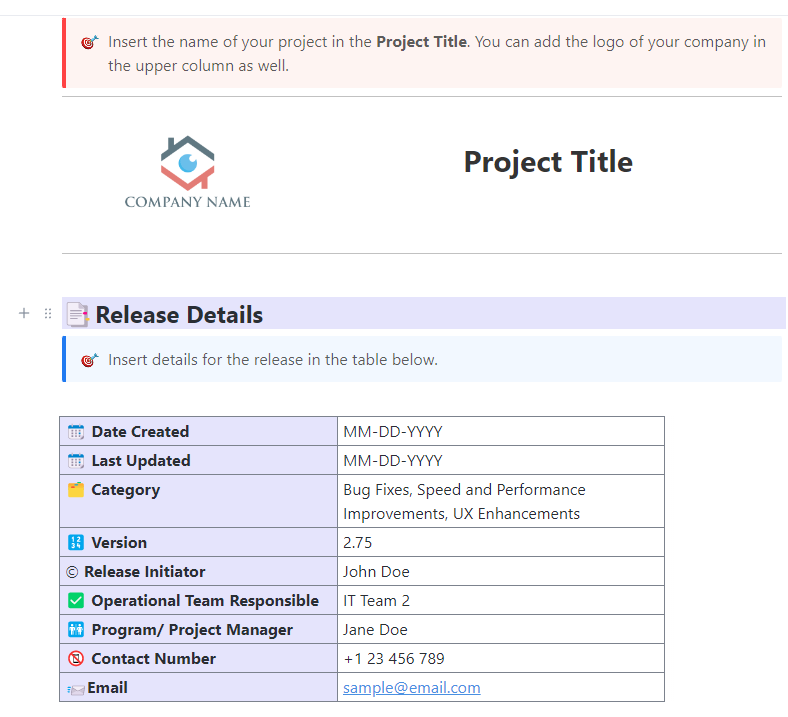
For software teams, managing releases is a continuous cycle of shipping features, fixing bugs, and deploying updates. ClickUp’s Release Management Template provides a framework for tracking everything from code complete through production release.
It gives engineering and DevOps teams the visibility they need to manage frequent releases during the growth and maturity stages of a product.
✅ Ideal for: Technical teams who need a dedicated space to manage release cycles, separate from the broader GTM launch plan.
Sunsetting a product is just as important as launching one, but it’s often an afterthought. Template.net’s Product End-of-Life Plan Template provides a framework for managing a product’s end of life. It helps you retire products gracefully without damaging customer relationships or creating future technical debt.
✅ Ideal for: Operations leads planning a controlled product sunset or service phaseout.
Getting started with product lifecycle templates in ClickUp takes just a few minutes.
The key is to pick the right template for your immediate needs, customize it to fit your team’s workflow, and connect it to the rest of your work.
Here’s how you can do it. ✨
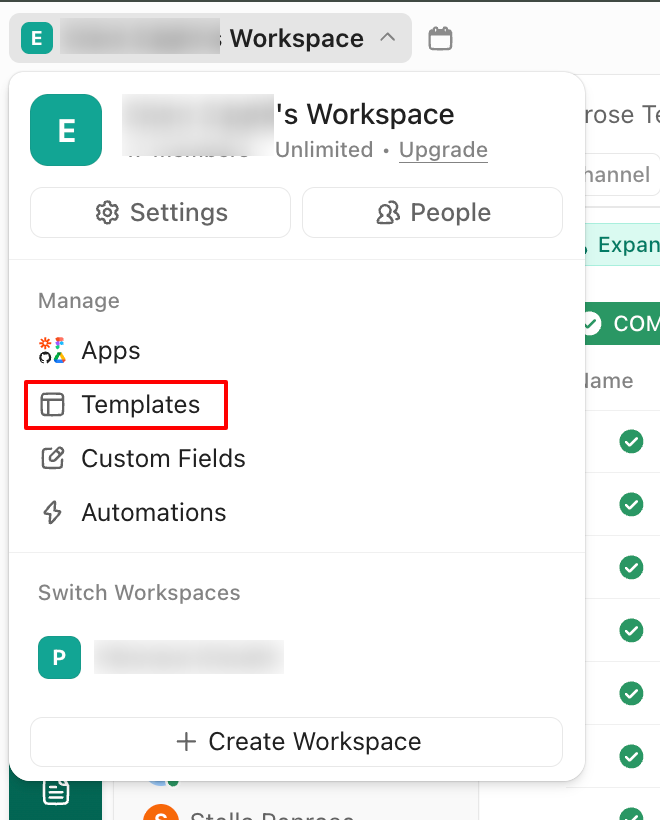
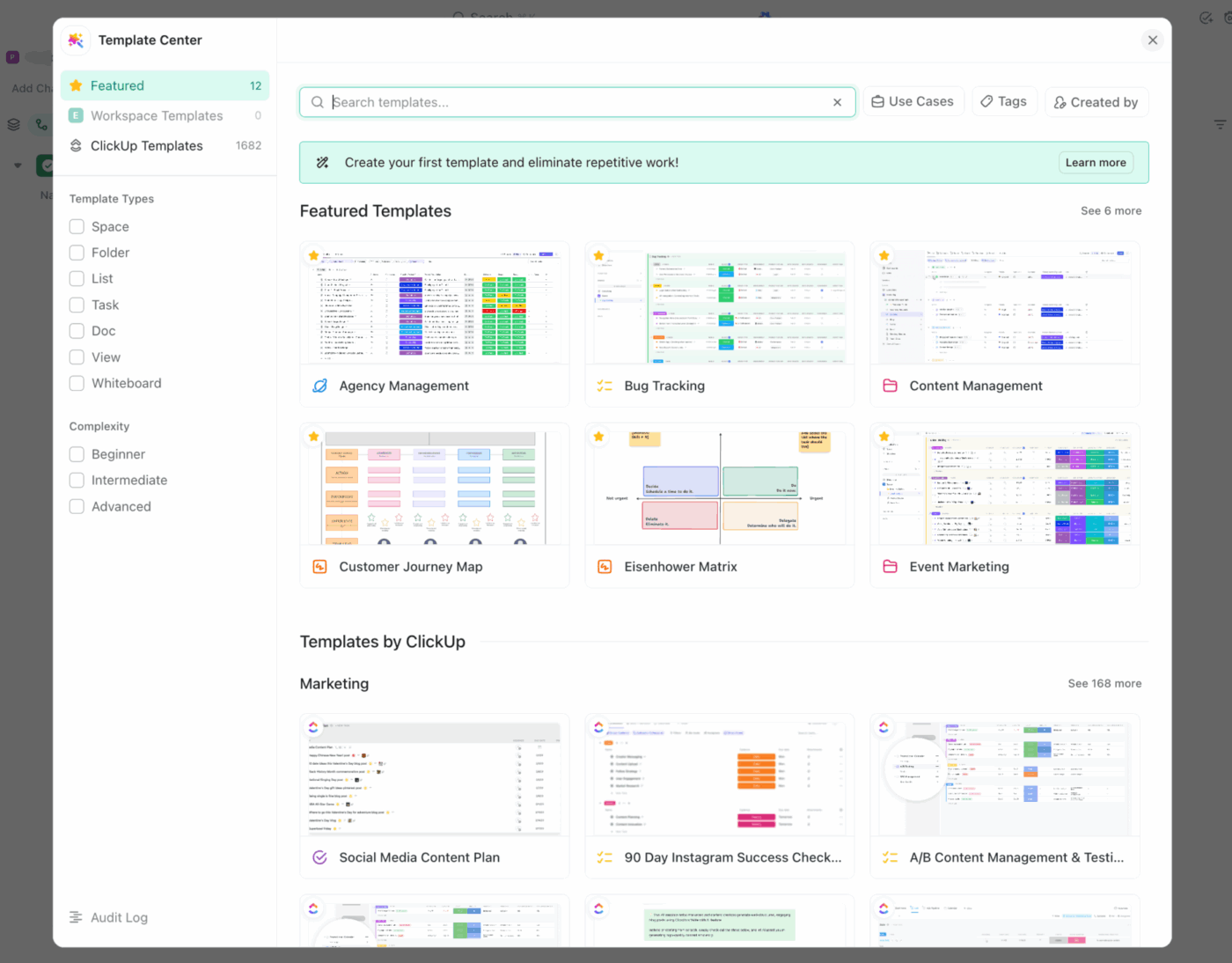
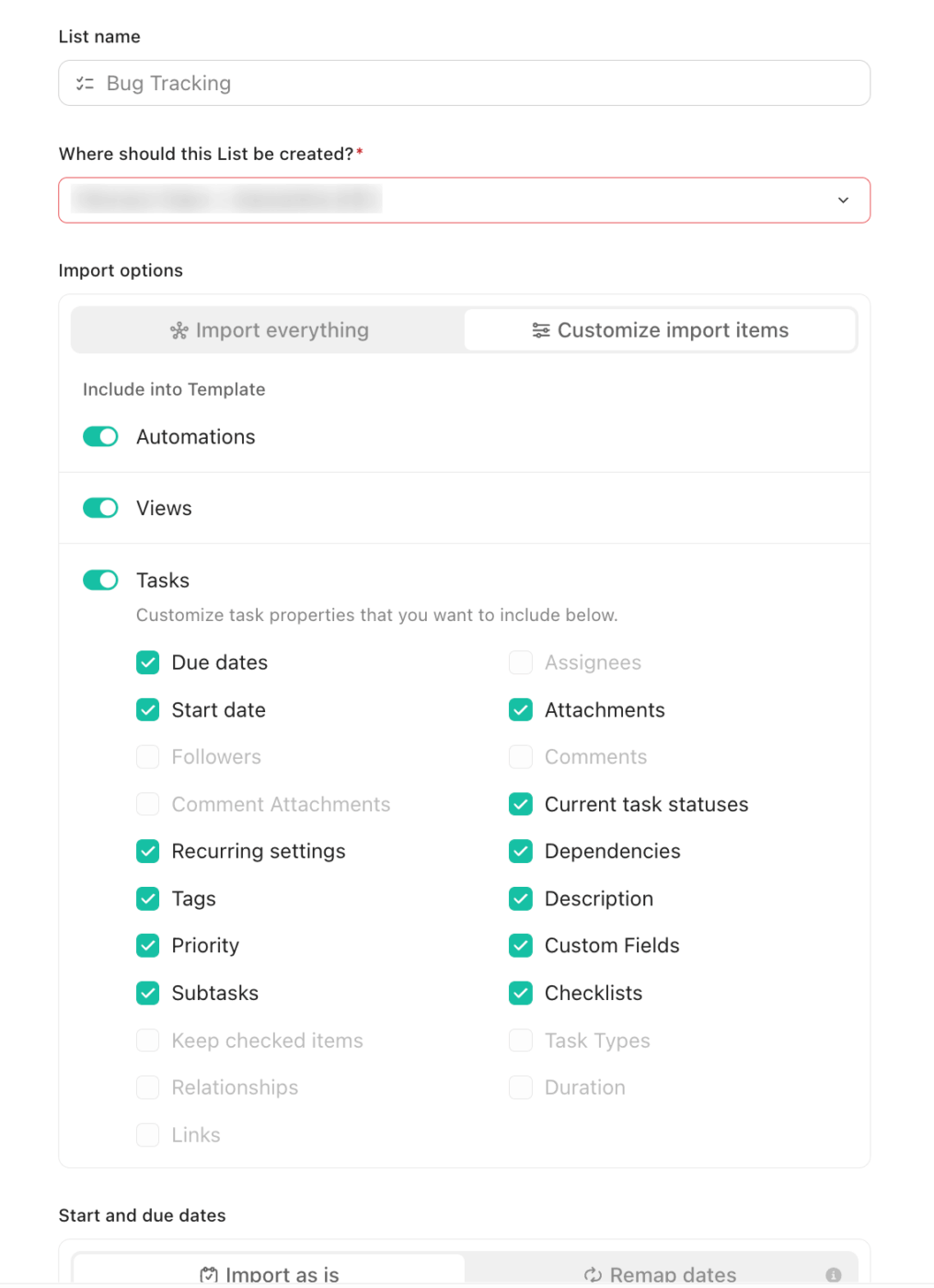
Templates get you started. What separates strong product teams is what happens after.
In a nutshell, do you keep the lifecycle tight as the work evolves, or do you end up rebuilding the process every launch?
ClickUp helps you turn your lifecycle into a repeatable rhythm. You can start with a template, keep plans and decisions close to the work, and use AI to turn updates into summaries, next steps, and lightweight documentation that stays useful beyond this release.
Ready? Run your product lifecycle in ClickUp. ✅
Product lifecycle templates typically cover four core stages: introduction (development and launch), growth (scaling and iteration), maturity (optimization and maintenance), and decline (sunset and end-of-life). Some templates focus on a single stage, while others span the entire journey.
Start by identifying your team’s biggest pain point. If you’re struggling with messy launches, grab the Product Launch Checklist. If requirements are constantly getting lost, start with the PRD Template.
A product roadmap template focuses on planning and communicating what’s coming in the future, like features, releases, and timelines. A product lifecycle template is broader and covers the entire journey of a product from concept to retirement, including strategy, development, and end-of-life planning.

© 2026 ClickUp

There’s an easier way. Try a free AI Agent in ClickUp that actually does the work for you—set up in minutes, save hours every week.