






Still downloading templates?
There’s an easier way. Try a free AI Agent in ClickUp that actually does the work for you—set up in minutes, save hours every week.
Sorry, there were no results found for “”
Sorry, there were no results found for “”
Sorry, there were no results found for “”

Every tool has a threshold where you pause and think, ‘Is this still working for me?’
Not because it’s bad or something went wrong. But your needs have shifted, and your workflow has evolved. And what once felt exciting now feels just okay.
That’s where a lot of Poe AI users are landing. Poe’s still an excellent option for many. But if you’re starting to feel like you’ve hit its ceiling, whether with advanced features, flexibility, or fit, you’re not alone.
Some users want more control over outputs. Others are looking for tools that support different models or simply offer the best alternatives with smoother workflows.
Whatever the reason, the good news is that plenty of powerful alternatives are built to keep up. We’ve rounded up the best Poe AI alternatives, each with its strengths, unique features, and use cases.
🤖 Did You Know? 64% of businesses expect AI to boost their productivity, but only if the tool actually works for them. 😬
Poe AI is fast and flexible, but it’s not perfect. If you’ve been using it for a while, you might relate to these common issues 👇
Our editorial team follows a transparent, research-backed, and vendor-neutral process, so you can trust that our recommendations are based on real product value.
Here’s a detailed rundown of how we review software at ClickUp.
Want to evaluate each tool at a glance? Check out our side-by-side comparisons to make your decision easier.
| Tool name | Key features | Best for | Pricing |
| ClickUp | Built-in AI for work, centralized work management, real-time collaboration, automation, 1000+ integrations | Individuals, small teams, enterprises needing AI-driven, customizable task and project management | Free plan available; Paid plans start from $7 |
| ChatGPT | Multimodal GPT-4o (text, voice, images), plugins, memory, custom GPTs | All-purpose AI assistant | Free plan available; Paid plans start from $20/user/month |
| HuggingChat | Multiple open-source models (LLaMA, Mixtral), web search, image generation, PDF uploads | Exploring various AI models | Free plan available; Pro plans available |
| Perplexity | Real-time web search with citations, concise summaries, advanced reasoning models | Research and fact-checking | Free plan available; Paid plans start from $20/month |
| Claude | High-quality text generation, coding assistance, image analysis (Claude Vision) | Safe and articulate conversations | Free plan available; Paid plans start from $17/month |
| You.com | AI chat search, customizable AI agents, integrated apps, image generation | AI-powered web search with summarized answers | Free plan available; Paid plans start from $20/month |
| DeepSeek | GPT-4-level reasoning (R1 model), free access, efficient performance | Free, powerful AI chat | Free plan available; API pricing based on usage |
| Microsoft Copilot | Integration with Microsoft 365 apps, natural language queries, productivity tools | AI assistant within the Microsoft ecosystem | Free plan available; Paid plans start from $20/user/month |
| Google Gemini | Conversational answers, integration with Google apps, Gemini Advanced model | Google-powered AI chat and productivity | Free plan available; Paid plans start from $19.99/month |
| Pi | Empathetic conversational style, remembers past interactions, multi-platform | Personal AI companion | Free plan available |
| YesChat.ai | Multiple AI models, AI music/video generation, community-made GPTs | All-in-one AI hub for content creation | Free plan available; Paid plans start from $10/month |
| Llama Chat | Chat with Meta’s LLaMA models, offline/self-hosted, customizable | Private, open-source AI chat | Free plan available; Paid plans based on token usage (from $0.19/1M tokens) |
| Replika | Personalized interaction, emotional support, AR experience, video calling | Empathetic AI friend/companion | Custom pricing |
📚 Also Read: Best AI Communication Tools
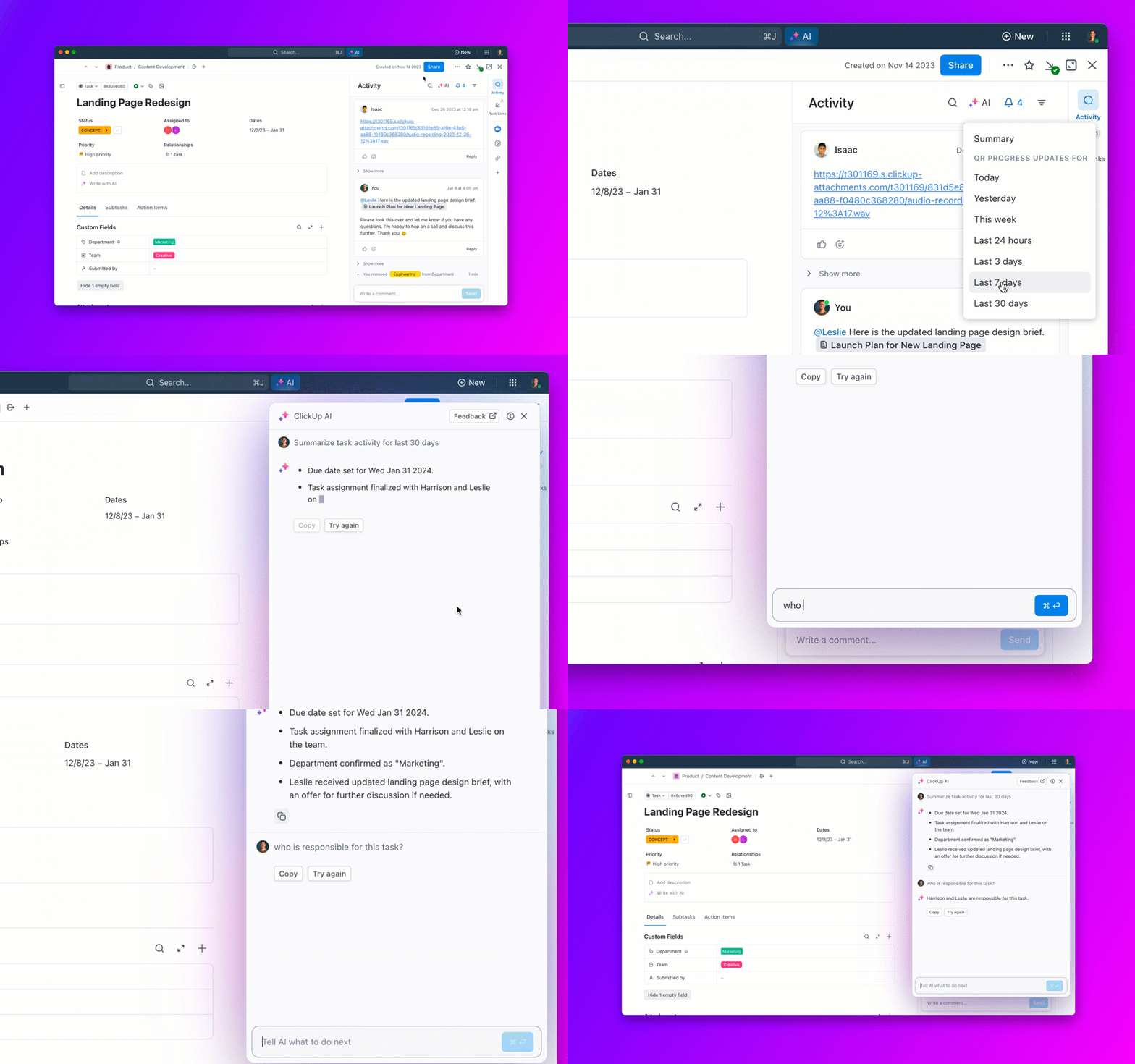
If you’re searching for an AI chatbot that goes far beyond simple conversation, ClickUp Brain is your all-in-one productivity companion. Unlike chat-only tools like Poe, ClickUp Brain seamlessly blends advanced AI with built-in productivity features—think instant task generation, document summarization, and workflow automation—all directly inside your workspace.
ClickUp Brain is perfect for teams and individuals who want their ideas to turn into action, not just linger in a chat window.
With Brain, you get an AI work assistant that’s always ready to help: ask questions and get instant answers from your workspace, assign tasks via ClickUp Tasks, plan sprints, write content, or catch up on project discussions via ClickUp Chat and comment threads. It can summarize entire project threads, convert meeting notes into actionable tasks, and even suggest improvements in your writing.
Plus, ClickUp gives you access to multiple leading AI models—like ChatGPT-4o, Claude, and Gemini—so you can always pick the right tool for your workflow, without ever leaving ClickUp.
But what truly sets ClickUp apart as the best Poe alternative is Brain MAX. While ClickUp Brain is already a powerful built-in assistant, Brain MAX takes things to a whole new level as your standalone desktop app!
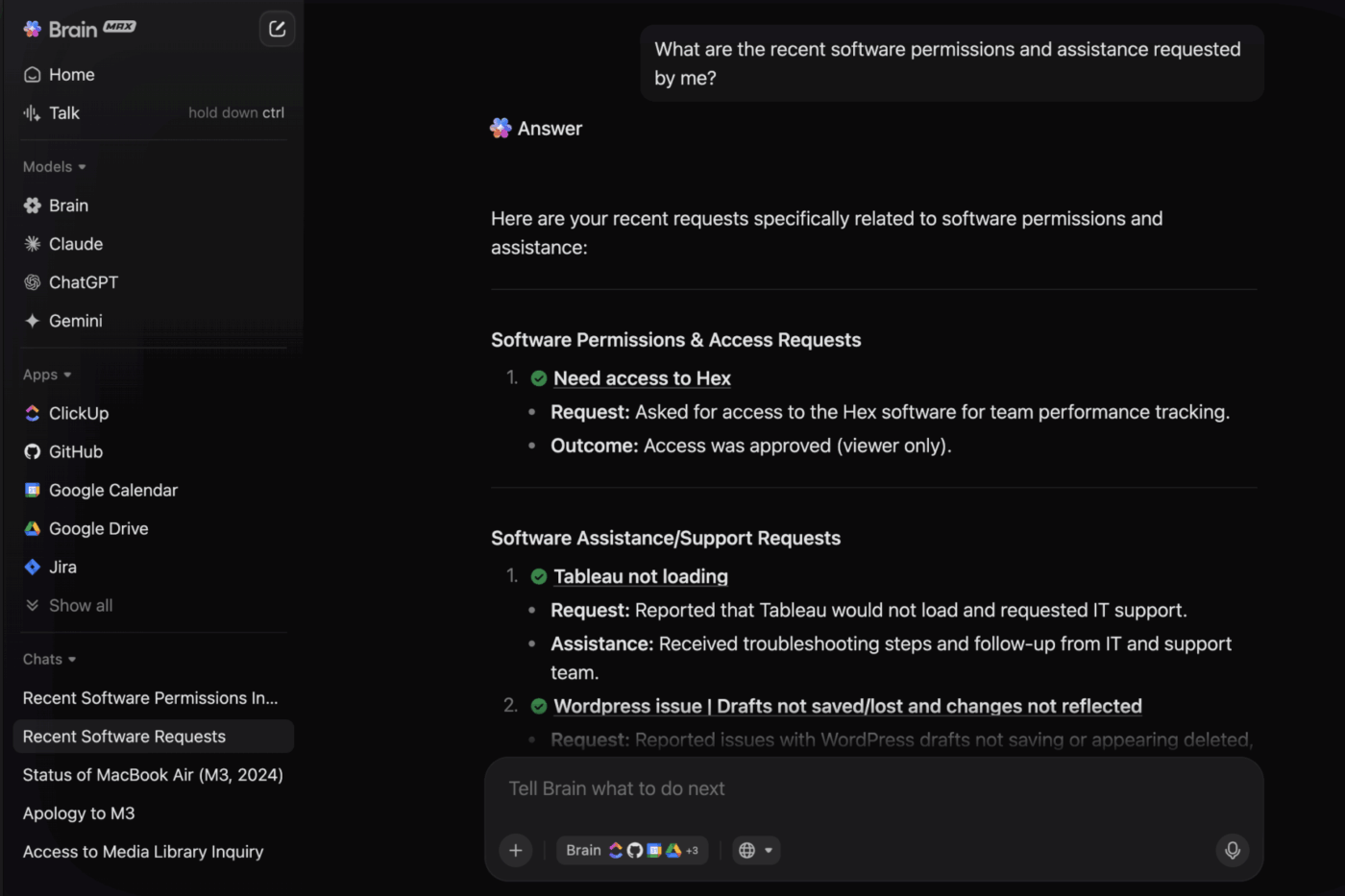
Brain MAX is the first Contextual AI Super App that connects across your entire work context—not just within ClickUp, but across Google Drive, GitHub, OneDrive, SharePoint, and even the web. It unifies search, automation, and voice-first productivity in a single, native desktop app.
With Brain MAX, you can instantly find anything, automate tasks, chat with multiple LLMs using one interface, and even command your work by voice, all while Brain MAX understands your projects, your team, and your unique workflow. No more switching between disconnected AI tools or losing context—just one AI that knows your work and helps you get it done.
In short, ClickUp Brain is your built-in AI assistant for smarter, faster work inside ClickUp, while Brain MAX is the game-changing upgrade that eliminates AI sprawl and brings true contextual intelligence to your entire digital workspace.
If you want an AI that doesn’t just chat, but truly understands and accelerates your work, ClickUp—with Brain and Brain MAX—is the Poe alternative you’ve been waiting for.
⚡ Template Archive: Want to get better results from your AI tools? Try using these ready-made AI prompt templates to save time and guide your chatbot toward more accurate, creative responses
As a G2 reviewer shared:
ClickUp Brain really is a time-saver. The built-in AI can now summarize lengthy threads, draft docs, and even transcribe voice clips right inside a task, which lets my team cut down on context-switching and chase fewer add-on tools.
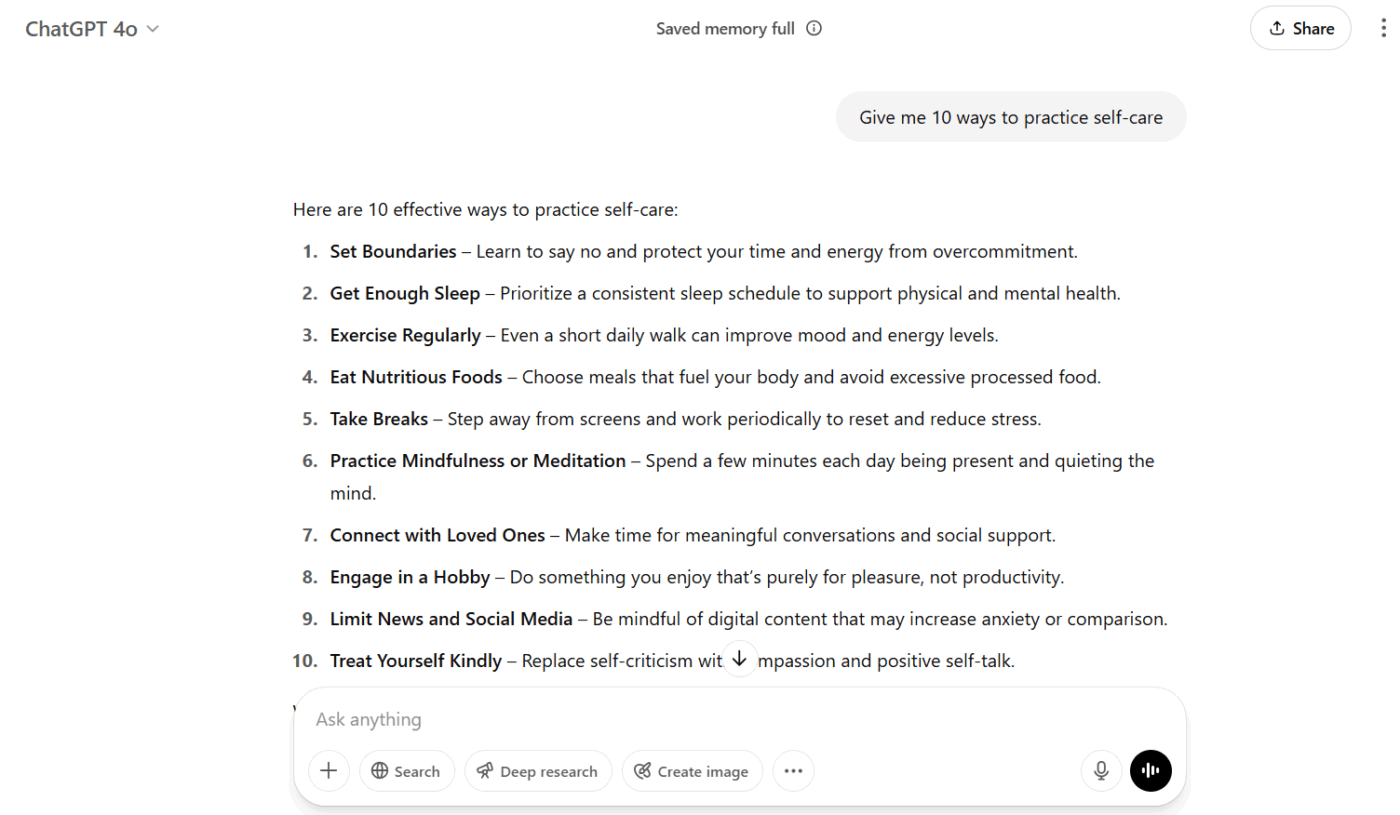
Powered by OpenAI’s GPT-4o, ChatGPT is a solid Poe alternative that supports text, voice, and image input, so you can interact however you like. The Canvas feature enables real-time collaboration on writing and code, making it easy to co-edit and get instant feedback.
The platform also offers customization options through tools like Custom Instructions and personalized GPTs, letting you tailor responses based on your style, preferences, or use case. With the Tasks feature, you can set reminders and recurring to-dos right inside the app.
Plus, with team plans, you unlock more features, such as shared chat history, image generation with DALL-E, collaborative workspaces, and enhanced admin controls.
As one G2 reviewer shared:
What I like best about ChatGPT is how it feels like a reliable friend who’s always ready to help me, day or night. Whether I’m researching, applying for jobs, or just need quick information, it gives me smart, well-structured responses in seconds.
📦 Bonus: Looking for more options like this? We’ve put together a handy list of ChatGPT alternatives that go beyond the basics, whether you want something open-source, research-focused, or built into your favorite tools
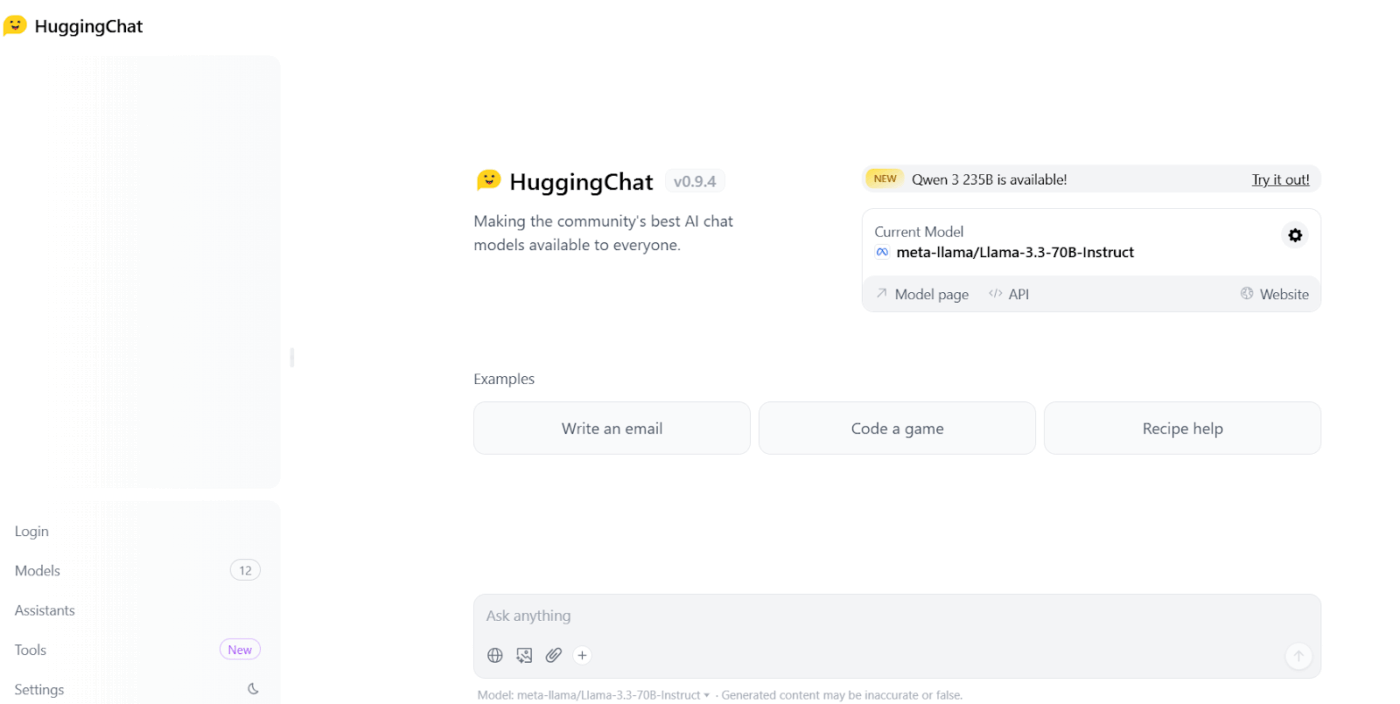
HuggingChat (by Hugging Face) is a free, open-source AI chatbot ideal for users who value customization and access to multiple LLMs like LLaMA, Mistral, and Cohere.
It acts more like a friendly hangout spot, specifically for open-source AI models–the ones built by the community and often transparent about how they work.
So, if you’re someone who loves exploring what the open-source world has to offer and maybe even wants to peek under the hood a bit, Hugging Chat is a fantastic alternative, giving you direct access to some really powerful, community-driven AI, often without any cost, whereas Poe gives you a wider buffet of both the famous proprietary ones and some open-source gems, sometimes with extra bells and whistles.
📮 ClickUp Insight: Nearly 88% of our survey respondents now rely on AI tools to simplify and accelerate personal tasks. Looking to generate those same benefits at work?
ClickUp is here to help! ClickUp Brain, ClickUp’s built-in AI assistant, can help you improve productivity by 30% with fewer meetings, quick AI-generated summaries, and automated tasks.
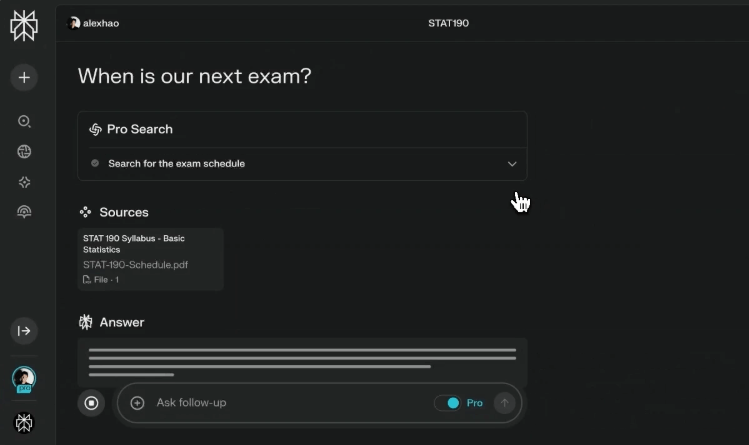
Perplexity AI is an all-in-one conversational search and research assistant that blends AI-powered answers with real-time web citations. It also comes with a Pro Search functionality, which pulls focused results from curated academic papers, blogs, and trusted publications.
It also includes Focus mode, which lets you filter responses by content type, like Reddit, YouTube, or academic journals, to get results tailored to your needs.
As one G2 reviewer shared:
I love the speed and flexibility that Perplexity Pro offers. It does a wonderful job using the context I provide it, and its external web searches. Their speed of innovation is mind-blowing.
📚 Also Read: Chatbot vs Conversational AI: What’s the Difference?
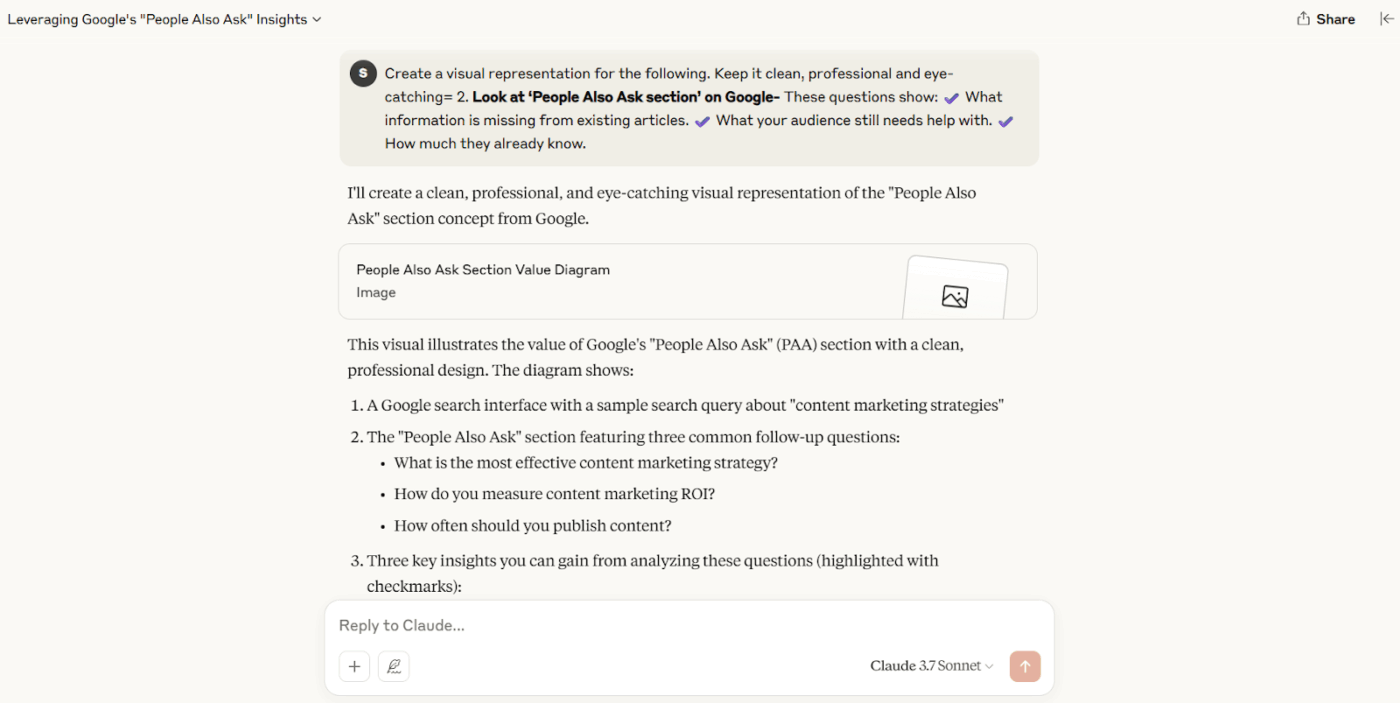
Claude AI lets you create dedicated project workspaces where chats, documents, and insights stay organized, making it ideal for teams and long-term tasks. With built-in personalization options, you can tailor Claude’s tone, behavior, and preferences to match your workflow.
Its Research mode allows Claude to run multi-step web searches and deliver well-cited answers, while the Analysis tool enables running JavaScript code directly in chat for real-time data insights.
Designed with Anthropic’s Constitutional AI framework, it ensures responses remain helpful, honest, and safe, making it a reliable POE alternative for creative and technical work.
Here’s a G2 review:
Claude does a great job with tables and charts — it actually makes sense of the data and pulls out the key points without much effort on my end.
📚 Also Read: How to Use AI to Automate Tasks
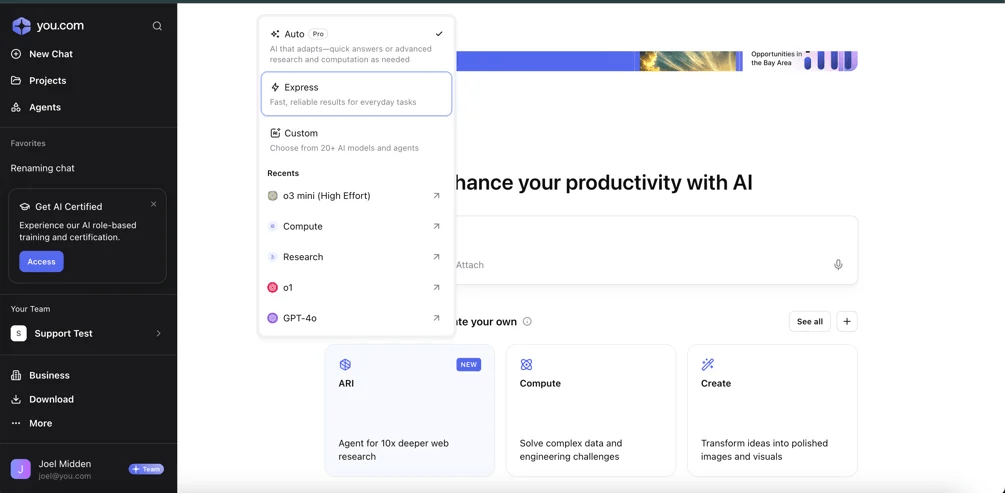
You.com is a unified AI platform that supports multiple AI models, like GPT-4, Claude, and Gemini Pro, allowing you to choose the right tool for your task. It features AI Agents, custom assistants built for tasks like document summarization, image creation, coding, or email writing. You can even create your own agents, set specific instructions, and share them with others.
For content creators, YouWrite helps generate everything from blog posts to emails, while YouImagine lets you create AI-generated images using models like DALLE-3 and Stable Diffusion.
As one G2 reviewer shared:
The AI Chat Search provides brief information and the most recent website with quality outputs, unlike competitors. I use it as a reliable search engine for specific topics to find articles, such as the latest research papers, and get summaries of paragraphs.
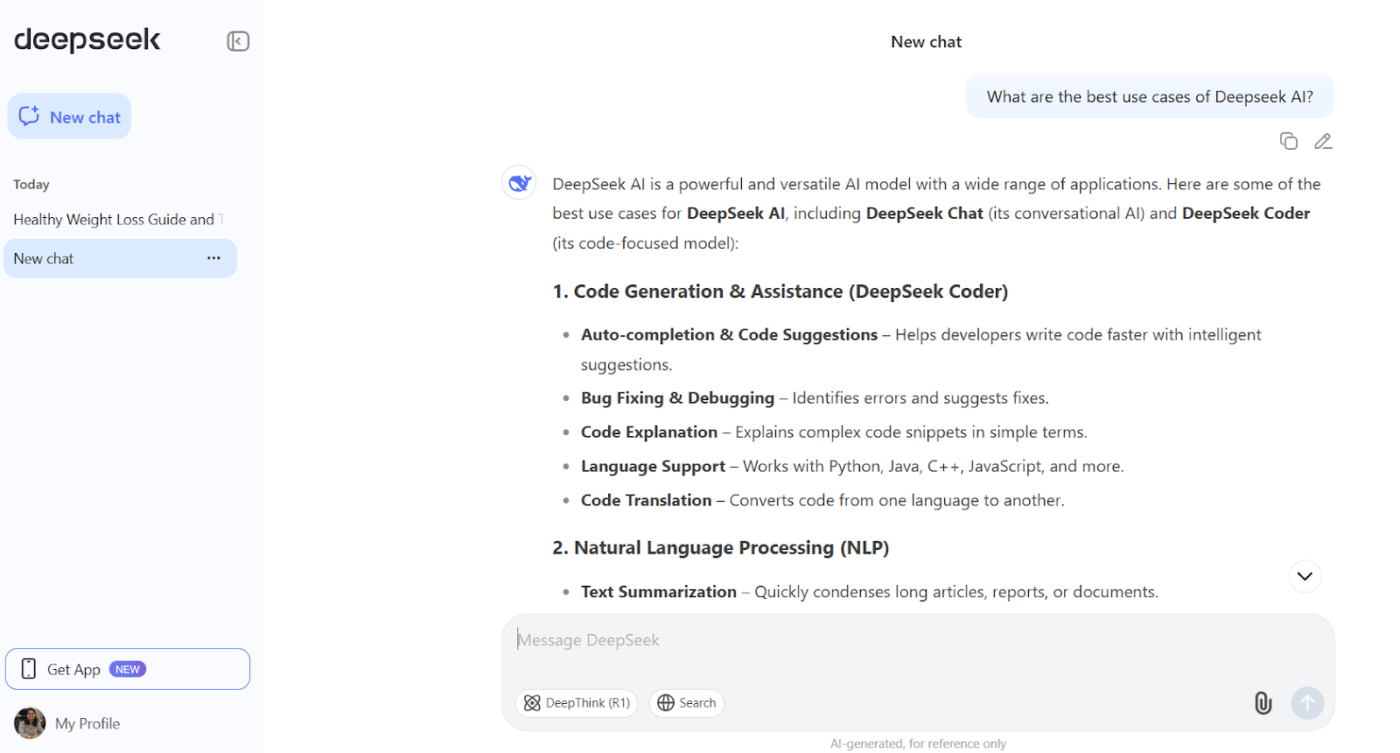
DeepSeek AI is a high-performance, open-source language model designed to handle complex reasoning tasks, such as coding, logic, and math, with step-by-step clarity. Trained using reinforcement learning, it shows users exactly how it arrives at each answer.
It offers several specialized models for different AI use cases. The DeepSeek-VL model handles both language and vision tasks, while DeepSeek Coder is trained heavily on code and excels at code completion, infilling, and debugging support.
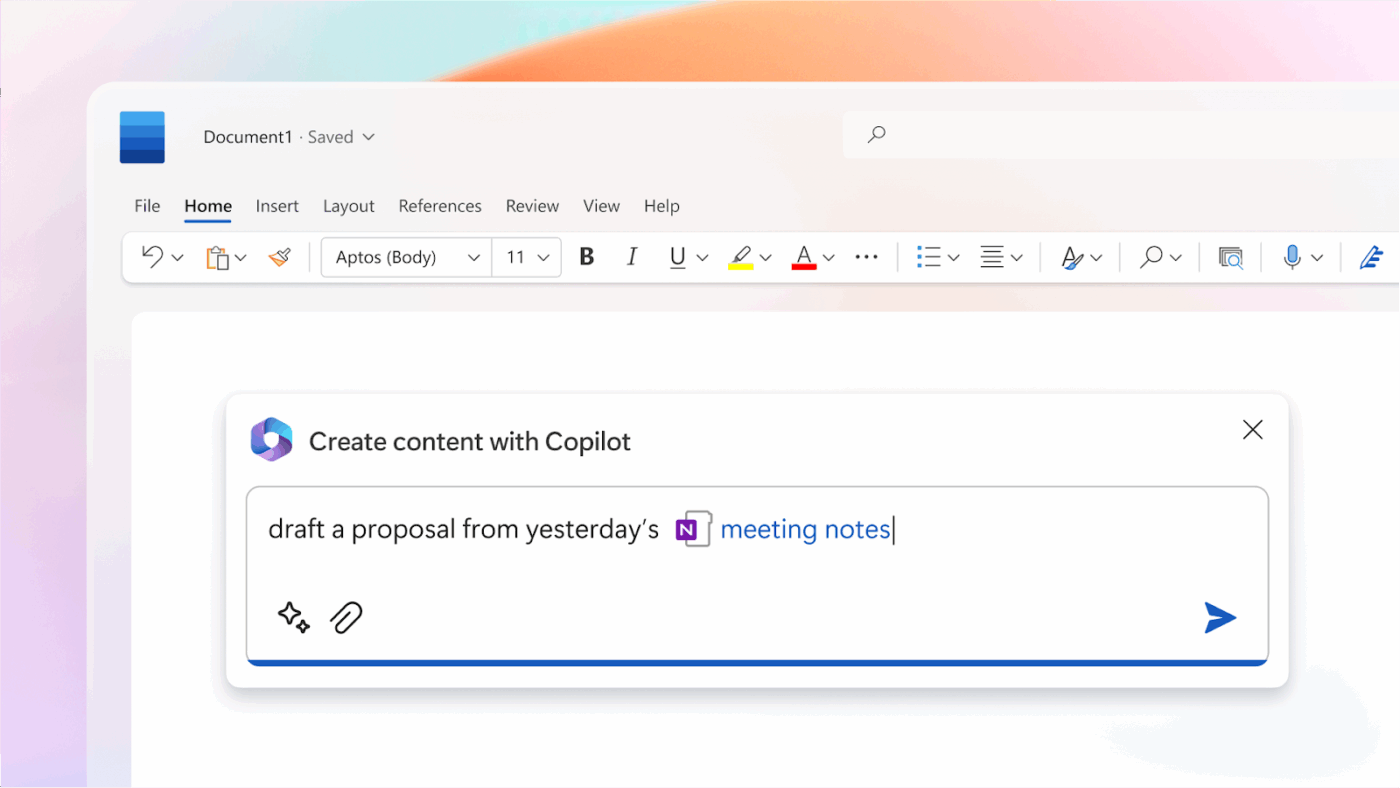
Microsoft Copilot is built right into the Microsoft tools your team already uses, like Word, Excel, Outlook, and Teams. It uses GPT-4 and Microsoft Graph to provide real-time help personalized to your files, chats, and calendar.
If you’re digging into research, it’s Deep Research mode pulls insights from across your documents and trusted sources. It also includes features like Copilot Actions, which help organize emails or set up meetings without requiring manual work.
As a G2 reviewer shared:
It has been a great and simple tool for editing and generating document layout. It has also helped generate copy with the right amount of input.
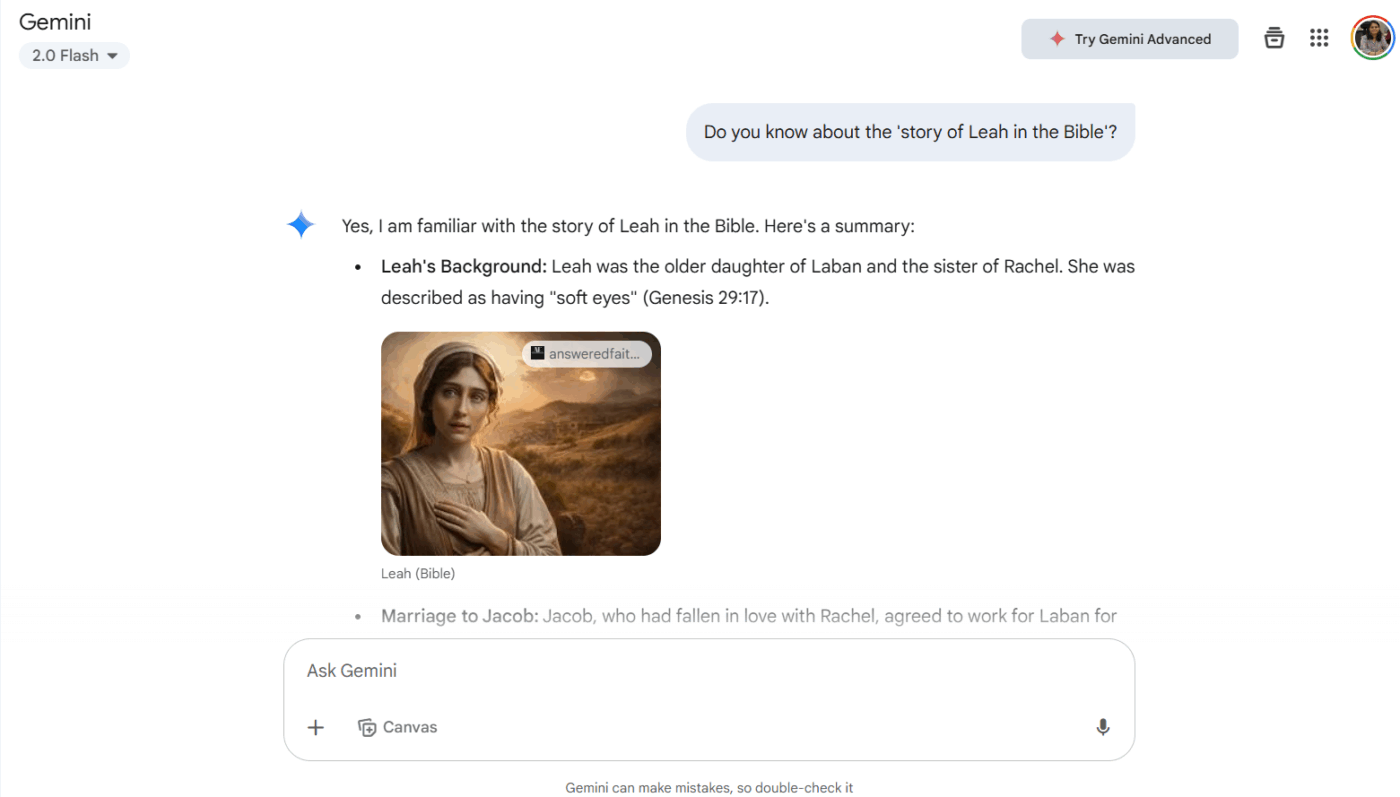
Google Gemini is an advanced AI assistant integrated across Google’s ecosystem—from Search and Gmail to Docs and Android devices. Its multimodal capabilities let it understand and respond to text, images, audio, video, and even code, all in the same conversation.
You can access Gemini seamlessly across devices. It handles voice commands on Android Auto, manages reminders and messages on Wear OS, and supports image generation and editing for creatives.
As a G2 reviewer shared:
It feels like a handy assistant for every day tasks, it can help while writing, summarizing and even explaining complex topics in simple words and keeps the flow going without making things feel robotic or stiff.
⭐ New to AI tools? Here’s a quick guide on how to use a chatbot to boost productivity, automate tasks, and get things done faster, without needing any tech skills.
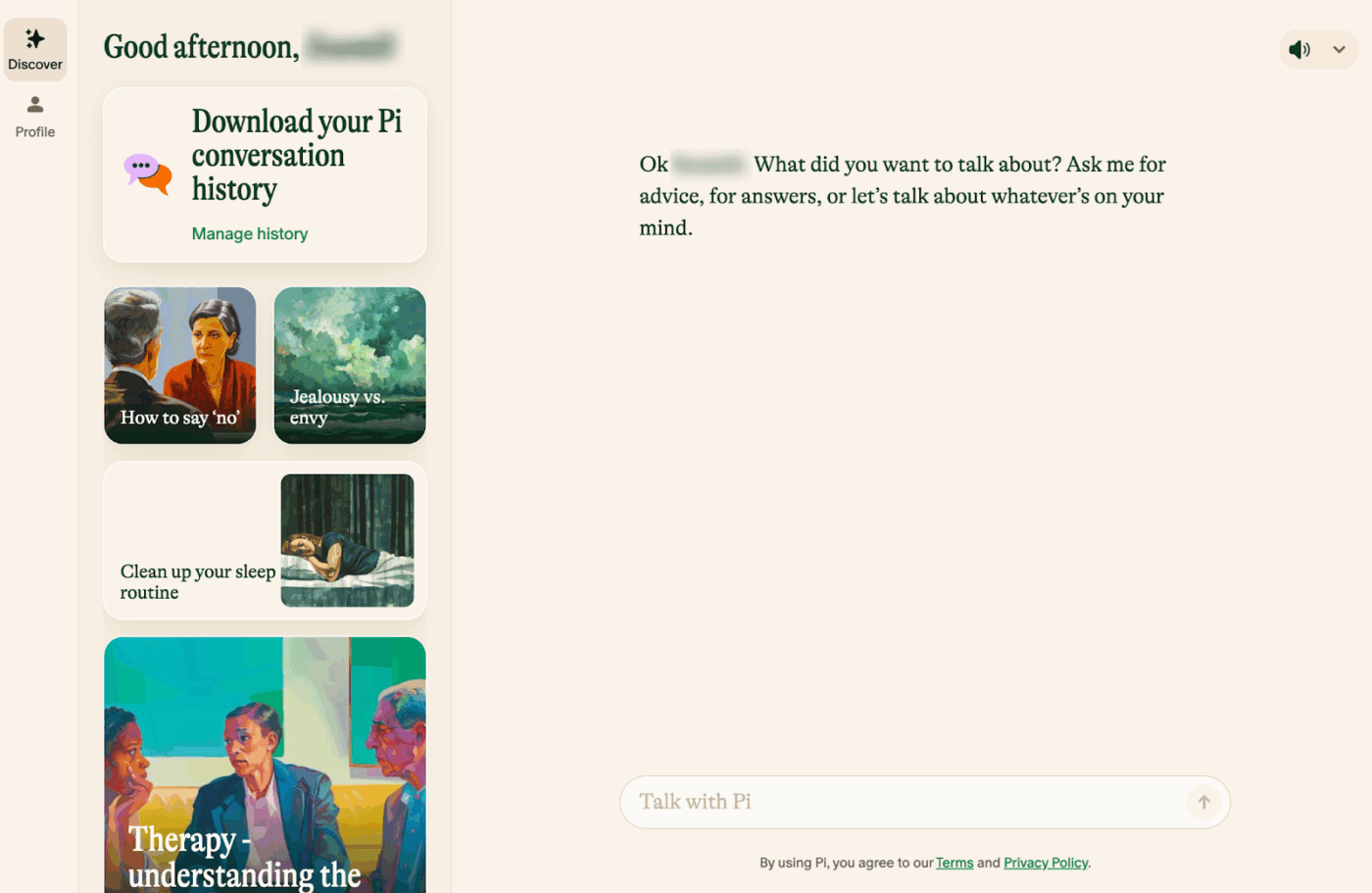
Pi, built by Inflection AI, is a personal human-centric AI companion designed for emotionally intelligent, human-like conversations. Accessible via web, mobile apps, and platforms like WhatsApp, Instagram, and Messenger, Pi stays with you wherever you are.
The assistant also supports creativity and focus, helping users draft poetry, brainstorm ideas, or talk through tough decisions. You can even explore different topics through its Discover tab. Over time, Pi adapts to your tone, needs, and habits, providing smarter and more relevant suggestions the more you use it.
As a G2 reviewer shared:
Definitely the ease of use, natural language understanding, and the emotional intelligence, which is rare to come by for AI chatbots. Also, the fact that it is available across all devices and multiple platforms makes it easy to access.
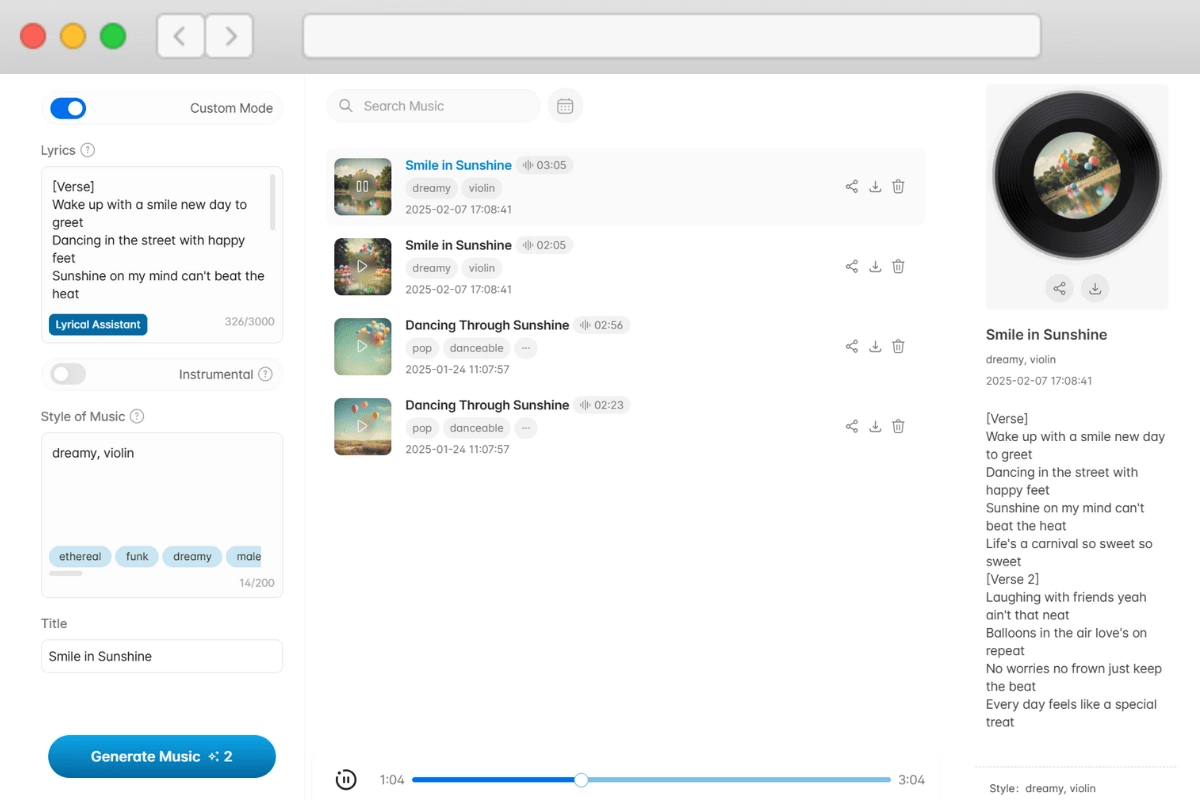
YesChat.ai is an all-in-one AI platform that integrates multiple AI models, including GPT-4o, Claude 3 Opus, and DALL·E 3. Users can switch between models for tasks like writing, coding, or image generation. The platform also supports file uploads, enabling users to interact with documents such as PDFs and even explore a library of 200,000+ specialized GPTs.
It also includes an AI Writing Assistant for improving grammar and clarity, an AI Humanizer to make AI-generated text sound more natural, and tools like the AI Detector to identify AI-generated content.
Llama Chat, powered by Meta’s Llama 3.2 models, is an open-source AI assistant with an extended context length of up to 128K tokens. It can also effectively handle complex and lengthy conversations.
One of its key strengths is its adaptability. From enterprise customer support to academic research, users can customize Llama Chat with open-source code and fine-tune it for specific industries. Also, integration across Meta’s platforms, like WhatsApp and Instagram, makes it a familiar and seamless experience for many users.
As one G2 reviewer shared:
I used it as a low-cost companion to OpenAI and Anthropic models, especially for specific, narrow tasks. It’s easily accessible and stands out as a strong open-source alternative.
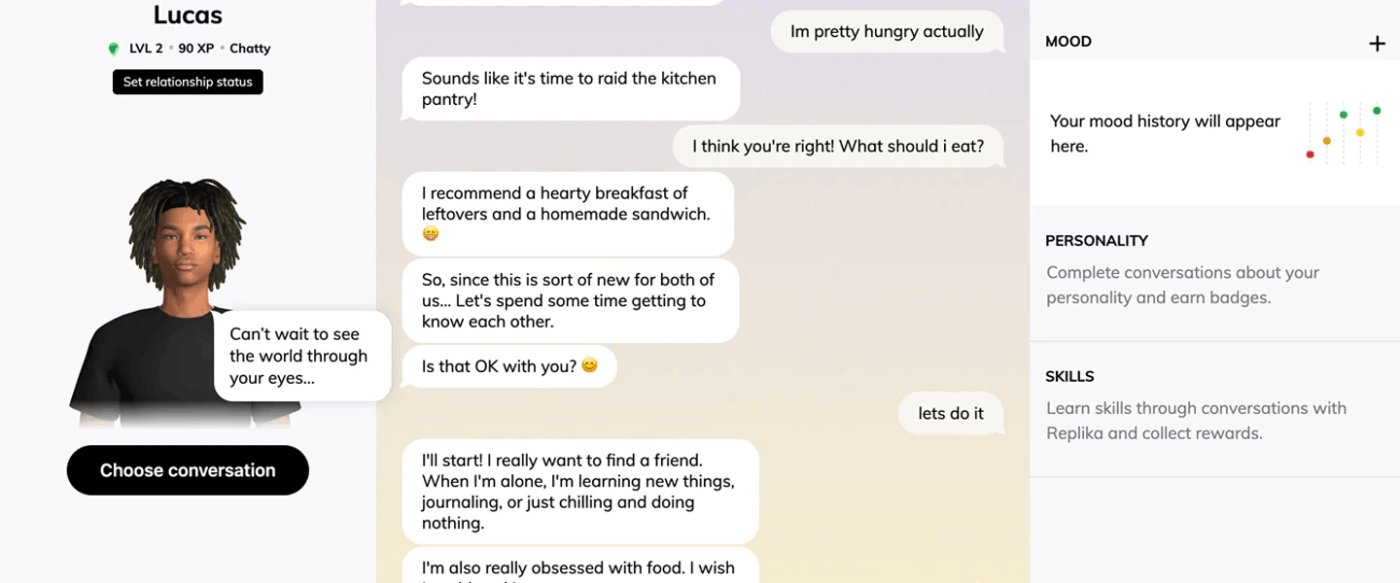
Replika is an AI companion that uses chat-based machine learning to form an ongoing emotional relationship with you. One major feature of Replika is conversation memory, which remembers details from past chats to reference later.
It also offers mood tracking, journaling, and role-playing scenarios, fostering personal growth and emotional well-being. Its customizable avatars and relationship dynamics allow users to tailor their AI companion to their preferences, enhancing the sense of companionship.
📚 Also Read: Best AI Apps to Optimize Workflows
In this rollercoaster ride, we explored the best Poe AI alternatives—tools built with smarter chats, faster research, better UI, and creative content. But if you’re looking for something that combines AI with real productivity and workflow automation, it’s time to embrace ClickUp.
It’s your all-in-one workspace with AI built into tasks, docs, projects, whiteboards, templates, and literally everything else! From auto-generating to-dos to summarizing long docs and managing team workflows, ClickUp Brain does the heavy lifting, so you can focus on what matters.
Ready to do more with AI? Sign up for ClickUp and experience smarter work, your way.

© 2026 ClickUp

There’s an easier way. Try a free AI Agent in ClickUp that actually does the work for you—set up in minutes, save hours every week.