






Still downloading templates?
There’s an easier way. Try a free AI Agent in ClickUp that actually does the work for you—set up in minutes, save hours every week.
Sorry, there were no results found for “”
Sorry, there were no results found for “”
Sorry, there were no results found for “”
Teams don’t decide to outgrow spreadsheets. Especially small businesses.
They just wake up one day to a broken formula, three versions of the same file, and a status update that’s already two weeks old. And that’s the breaking point.
It’s a widespread problem—Microsoft’s 2025 Work Trend Index found that 48% of employees describe their work as chaotic and fragmented.
Here are seven concrete signs your team has hit that wall, plus exactly what to do about it.
What was supposed to be one master tracker now exists in multiple conflicting copies across desktops, email threads, and shared drives.
Someone duplicated the file “just to be safe.” Another person edited an old version. A third exported a snapshot for a meeting. Now nobody knows which copy is current.
You’ll recognize these context sprawl patterns:
Context sprawl occurs when teams waste hours searching for the information they need—switching between apps, hunting down files, and repeating the same updates across platforms.
Spreadsheets have no built-in mechanism for maintaining a single, live record that everyone works from without version drift. This is a textbook symptom of outgrowing them.
🧰 The ClickUp Toolkit: Eliminate that confusion by keeping all tasks, docs, and project data in one always-current workspace with ClickUp Tasks. Take action and find context without downloading a thing—ClickUp Docs, Whiteboards, Chat, and everything else integrate directly with tasks. Need to locate something buried across the workspace? Find answers from tasks, docs, and conversations in seconds with ClickUp Brain’s Enterprise Search—no folder-digging required.
🚀 Learn how this small business successfully managed to switch from sheet-based workflows to a connected workspace!
Copying data between tabs. Manually updating status columns. Re-entering the same information across three sheets. This isn’t strategic work—it’s maintenance that compounds week after week.
Spreadsheets demand this labor because they have no concept of connected data. If something changes in one place, a human has to carry that change everywhere else. Every minute spent on that copy-paste cycle is a minute not spent on analysis, decisions, or the actual project.
🧰 The ClickUp Toolkit: End that manual update cycle with ClickUp Automations. ClickUp Automations use three customizable components—triggers, conditions, and actions—to handle your task-related busy work. When a task status changes, downstream updates are automatically triggered. Assignees get notified, dependent tasks move forward, and fields update across views without anyone having to touch a thing.
📖 Read More: 15+ Best Small Business Apps to Simplify Your Work
Spreadsheets weren’t built for team-based work.
Comments get buried in cells. There’s no way to assign ownership to a row. Handoffs happen over Slack or email, completely disconnected from the data.
The result is work sprawl. Work sprawl is the fragmentation of work activities across multiple, disconnected tools and systems—where teams burn precious time switching between apps and battling information silos, rather than getting things done. Your collaboration context is scattered across five tools, and everyone operates with incomplete information.
🧰 The ClickUp Toolkit: Keep work and conversation in the same place with ClickUp Chat, where messages stay attached to the tasks and docs they’re about. Track accountability through ClickUp Assigned Comments—they create a required action item for the assignee that must be resolved before the task can close.
A mistyped formula, a deleted row, an accidental overwrite—any of these can cascade silently through an entire workbook. Unlike structured systems, spreadsheets offer no guardrails on what someone types into a cell and no audit trail showing who changed what.
As data volume grows, error risk compounds. More rows mean more formulas, more cross-references, and more opportunities for something to break without anyone noticing.
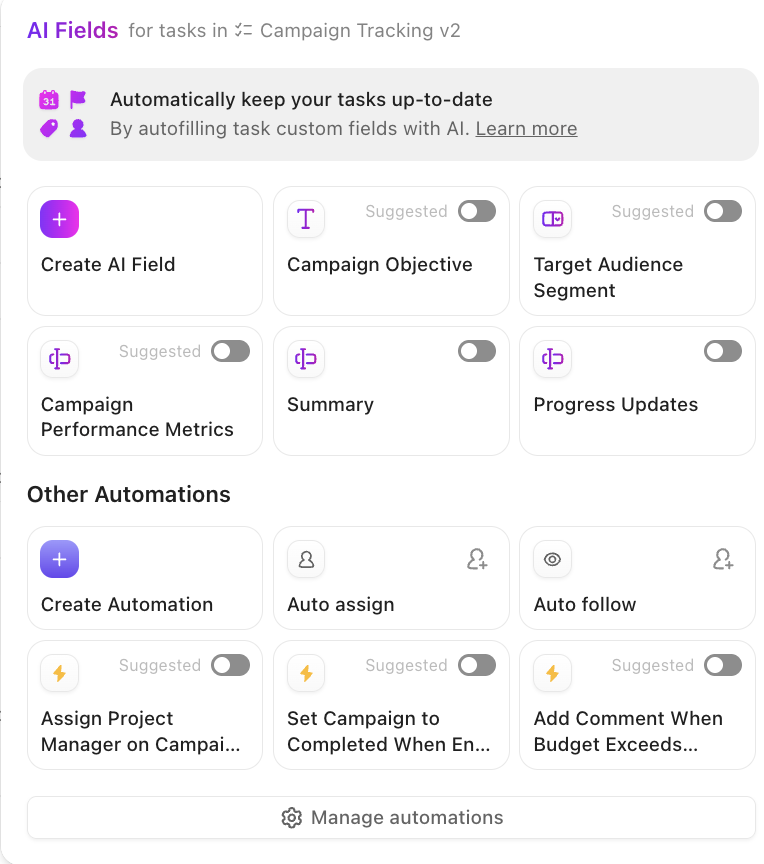
🧰 The ClickUp Toolkit: Enforce data consistency with ClickUp AI-powered Custom Fields, which lock inputs to specific types like dropdowns, dates, and numbers. Trace every change through ClickUp Task History and ClickUp Activity Logs, giving you a complete record of who did what and when. Every task in ClickUp includes a running log of ClickUp Task Activity, so nothing changes without a paper trail.
Building a report from spreadsheet data means exporting, formatting, charting, and presenting a snapshot that’s already stale. If leadership asks a follow-up question, you’re back in the spreadsheet pulling fresh numbers and rebuilding from scratch.
Spreadsheets are static—they don’t update themselves. Every report is a manual artifact, not a live view:
| Use case | Spreadsheet reporting | Real-time dashboard reporting |
|---|---|---|
| Data freshness | Stale the moment you export | Always current |
| Effort to create | Manual export, formatting, charting | One-time setup, auto-updates |
| Ability to drill down | Requires going back to the source file | Click into any data point directly |
| Shareability | Attach a file or screenshot | Share a live link anyone can view |
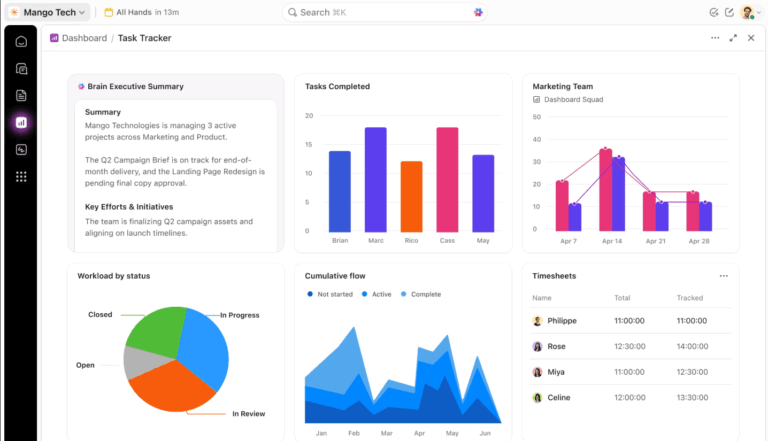
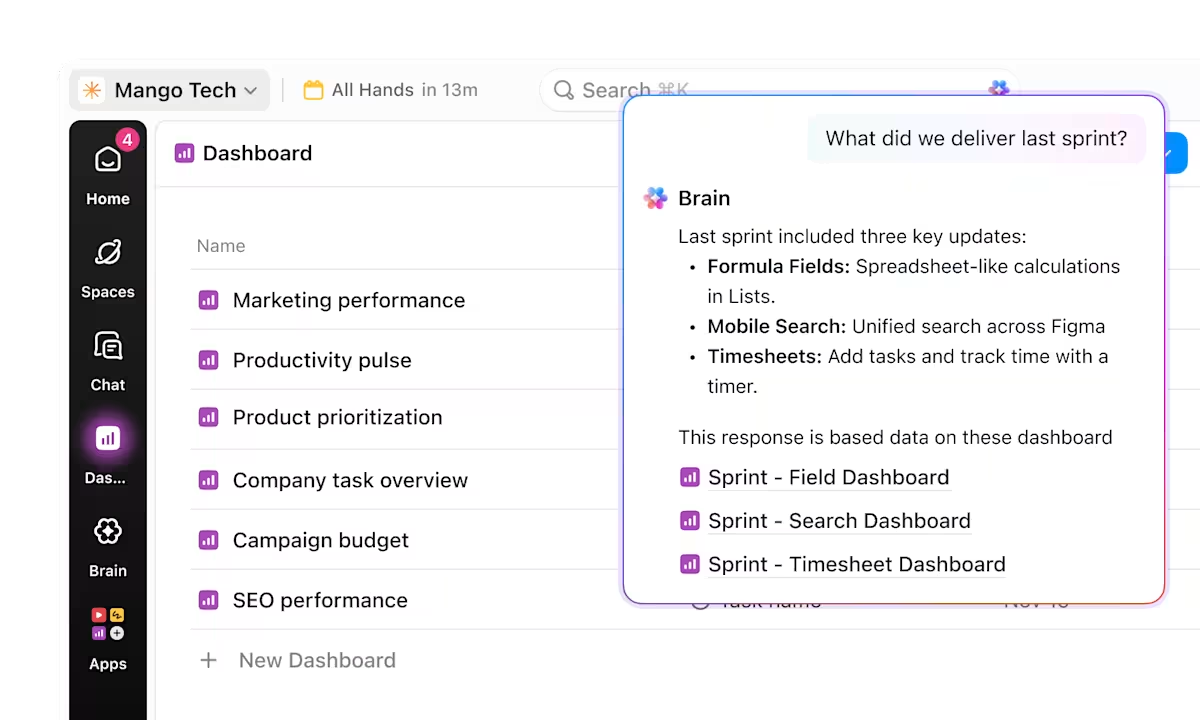
🧰 The ClickUp Toolkit: See project health, workload distribution, and custom metrics at a glance with ClickUp Dashboards. They convert workspace data into real-time visual representations—no exporting or reformatting required. You can even use prebuilt templates for ClickUp Time Tracking, Workload, and Sprint Reporting to get started quickly. Get instant project summaries in natural language whenever you need a quick status check—ClickUp Brain generates them automatically.
Some teams build impressive spreadsheet automation—macros, scripts, and conditional formatting. But these solutions are brittle. They break when someone adds a column, they’re impossible for anyone else to maintain, and they can’t reach beyond the file itself.
This is the ceiling. Spreadsheets can store data and calculate, but they can’t orchestrate work.
Teams start bolting on separate AI tools and automation platforms just to compensate—creating AI sprawl—the unplanned proliferation of AI tools, models, and platforms with no oversight, strategy, or idea of who’s using what—on top of the tool sprawl they already have.
McKinsey’s 2025 workplace research illustrates this blind spot: 13% of employees already use gen AI for over 30% of their daily tasks, while C-suite leaders estimated that figure at just 4%.
🧰 The ClickUp Toolkit: Spreadsheet automations can’t leave the file; ClickUp no-code Super Agents can triage tasks, summarize threads, and take action across the entire workspace.
🤝 Customer Story: ClickUp X Bell Direct
😓 The Problem: “Work about work” was blocking real productivity
Bell Direct’s operations team was swamped. Every day, they handled 800+ client emails, each requiring manual reading, triage, categorization, and routing to the right person. The situation put pressure on team efficiency, visibility, and service quality, even though the company was delivering strong outcomes for clients.
✅ The Solution: A unified workspace + AI agents that work like teammates
Instead of adding another disconnected tool to the stack, Bell Direct chose ClickUp as its central command center. They consolidated everything from tasks and docs to processes and knowledge into one workspace where AI had full context. Rather than relying on generic bots or templates, they deployed a Super Agent they called “Delegator“. It’s an autonomous teammate trained to triage incoming work:
- It reads every email coming into the shared inbox
- It classifies urgency, client, and topic using AI-powered Custom Fields
- It prioritizes and routes each task to the right person in real time
It does all of this without manual touchpoints from human operators
😄 The Impact: Measurable operational gains
- 20% boost in operational efficiency, meaning more work gets done faster with the same resources
- 2 full-time employees’ worth of capacity freed, now available for high-value strategic tasks
- 800+ daily client emails triaged in real time
The Super Agent now routes work the way a human would, but at machine speed and scale.
Files crash or lag when there are thousands of rows. Which is fine up to a point.
When you’re onboarding a new team member, that means explaining a labyrinth of tabs, hidden columns, and tribal knowledge about which formulas not to touch.
It’s a natural inflection point every growing organization hits. The question is whether you recognize it before the friction causes missed deadlines, lost data, or bad decisions built on incomplete information.
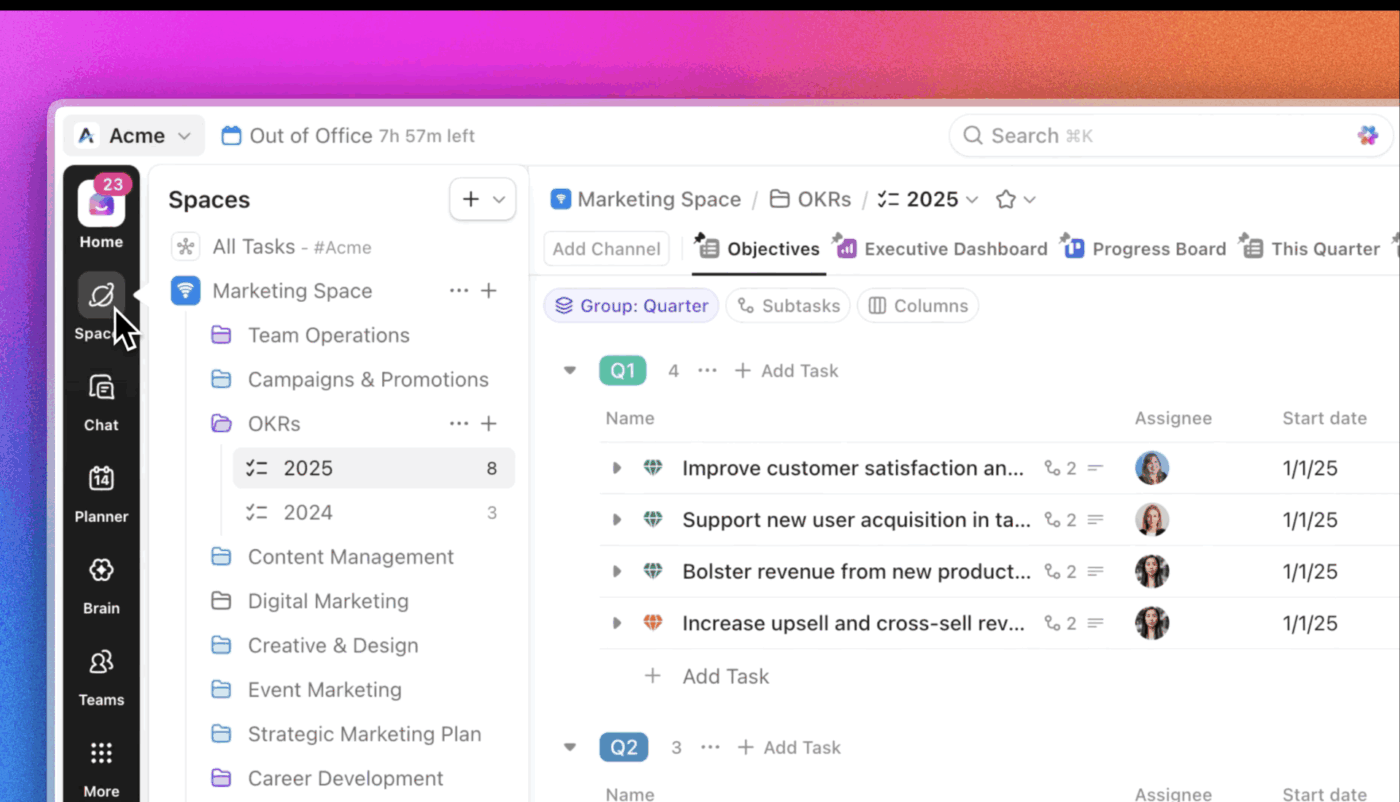
🧰 The ClickUp Toolkit: Scale without switching tools again through ClickUp’s Hierarchy:
This structure grows from a handful of tasks to enterprise-level portfolios without requiring a different tool at each stage. Plus, with ClickUp’s converged hierarchy, your chat, calendar, and AI, and more can be accessed directly from the sidebar. Customize it your way!
📖 Read More: Why Small Businesses Pay More for Less
Recognizing the problem is step one.
Most teams try to patch the problem by adding more tools. That’s what creates more sprawl.
So fixing this problem isn’t about just replacing Excel, but changing how your work is structured.
The better approach is to reduce moving parts and build a connected system.
Instead of a spreadsheet for tracking, a chat app for communication, a doc tool for notes, and a drive for files, bring everything into one workspace.
This means moving beyond spreadsheets as trackers and into a system where tasks, docs, and conversations live together. When everything is connected:
This is what eliminates context sprawl at the root.
A converged AI workspace, like the ClickUp Small Business Suite, consolidates 20+ apps into a single platform, helping you connect your workflows. This eliminates context sprawl—the constant tab-switching that fragments focus.
Here’s how it consolidates your scattered information into a structured system:
📮ClickUp Insight: 92% of workers use inconsistent methods to track action items, which results in missed decisions and delayed execution.
Whether you’re sending follow-up notes or using spreadsheets, the process is often scattered and inefficient. ClickUp’s AI Notetaker + ClickUp Brain ensures seamless conversion of conversations into tasks—so your team can act fast and stay aligned. See how. 👇🏼
Next, look at the work your team repeats every week: status updates, handoffs, approvals, and reporting.
If a process requires someone to remember, follow up, or copy data between places, it’s not a system yet.
Define the steps once, then let the system handle them. ClickUp Automations can handle the following:
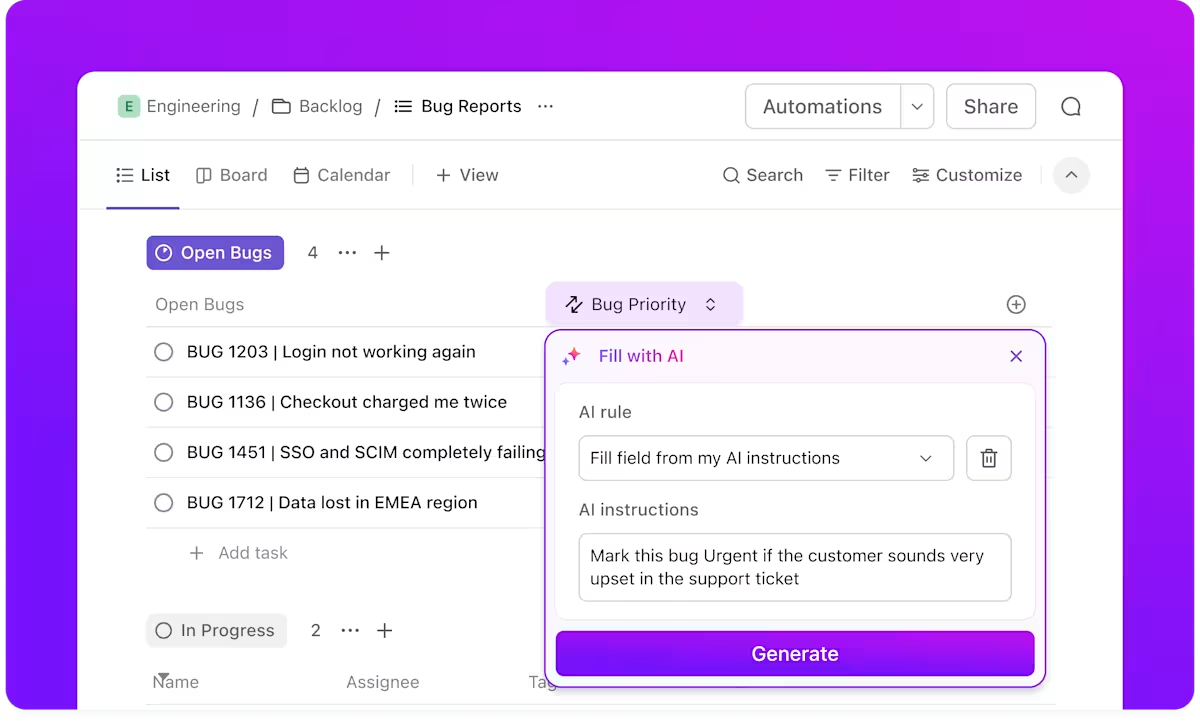
Static reports are expensive.
Not just in the time it takes to build them, but in how quickly they go out of date. And when someone asks a follow-up question, you’re back rebuilding the same report again.
That cycle doesn’t scale. The shift is moving from reporting on work to seeing work as it happens.
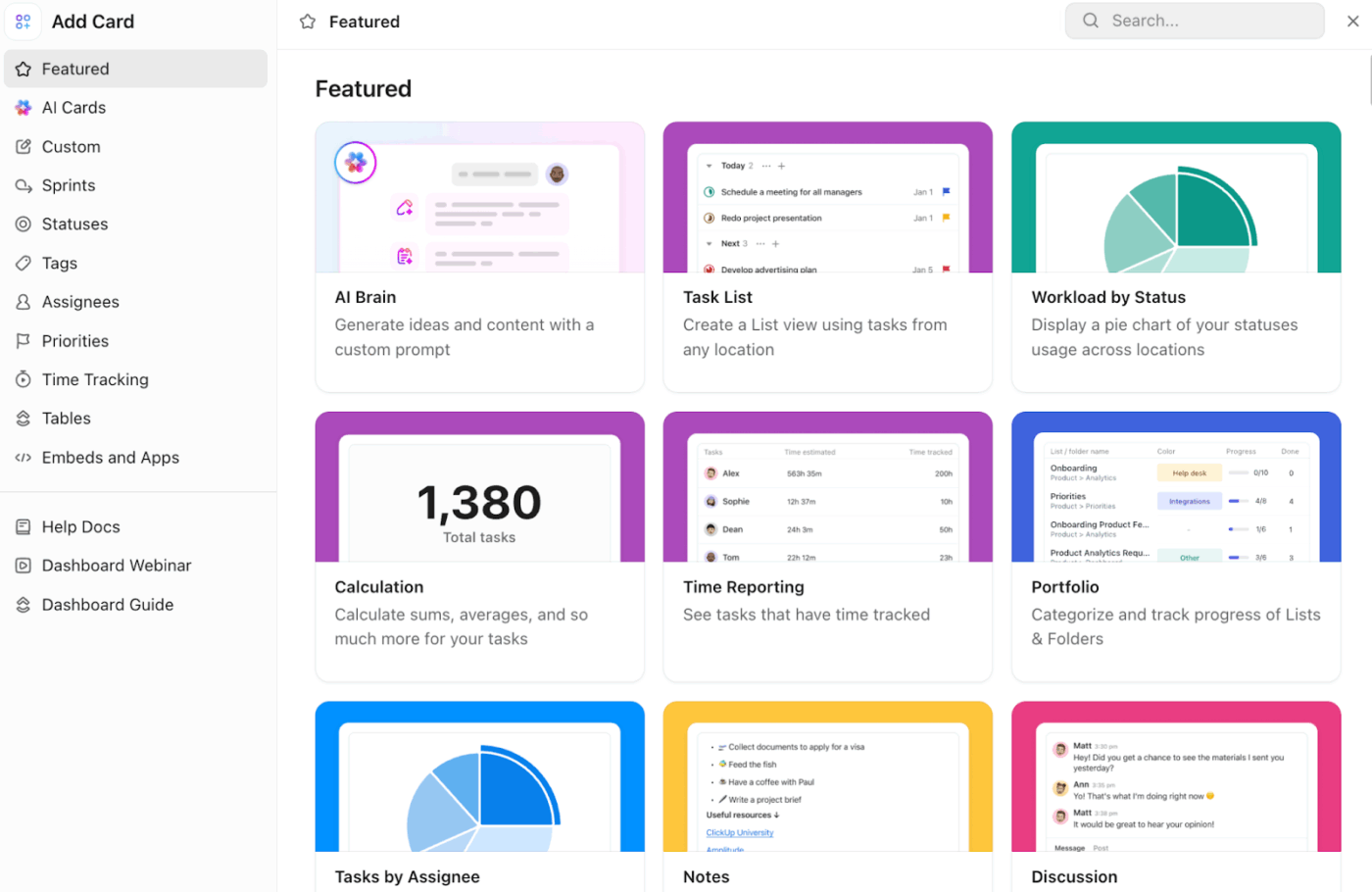
Real-time dashboards pull directly from your live data, so:
Instead of spending hours preparing updates, your team can access what they need instantly.
When you build a work dashboard in ClickUp, it stays up to date as work progresses—showing sprint progress, ClickUp Time Tracking data, workload distribution, and any custom metrics that matter to your team. No more exporting and reformatting every Monday morning. 🤩
Spreadsheets aren’t the villain. They’re a tool being asked to do a job they weren’t designed for.
Recognizing you’ve outgrown them is simply a smart operational decision that every growing team eventually faces.
The shift from static, manual, siloed tools to a dynamic, connected platform is inevitable. The only variable is timing. If you spotted your team in three or more of the signs above, the timing is now.
Talk to an expert today and move your work into a converged AI workspace—a single, secure platform where projects, documents, conversations, and analytics live together with AI as the intelligence layer—where tasks, docs, chat, and AI work together in one place.
Yes—for personal task lists, basic budgets, or quick calculations, they work fine. But even small teams outgrow them quickly once collaboration, accountability, or multi-step workflows come into play.
A spreadsheet organizes data in rows and columns, while a project management platform organizes work with built-in ownership, timelines, dependencies, communication, and automation.
Your budget model breaks when someone edits the wrong cell, you can’t run scenario comparisons without duplicating entire sheets, and pulling a current financial snapshot requires manual consolidation from several files.

© 2026 ClickUp

There’s an easier way. Try a free AI Agent in ClickUp that actually does the work for you—set up in minutes, save hours every week.