Sorry, there were no results found for “”
Sorry, there were no results found for “”
Sorry, there were no results found for “”
Effective note-taking is essential for maximizing productivity, whether you’re in a lecture, collaborating in a team meeting, or diving into deep research. The challenge often is about managing countless ideas scattered across various apps, documents, and voice memos.
Enter NoteGPT, an AI-powered note-taking app that brings many features to the table, from summarizing YouTube videos and extracting information from PDFs and articles to generating mind maps that visually organize your thoughts. With these capabilities, NoteGPT can streamline your note-taking process and enhance information retention.
However, despite its capabilities, it falls short of meeting every user’s requirements. Fortunately, plenty of NoteGPT alternatives (free and paid) offer AI-driven note-taking, better organization, and customization.
This blog post explores the 10 best alternatives to NoteGPT.
👀Did You Know? The ancient Greeks used wax tablets for note-taking, where they would write with a stylus and then smooth the wax to reuse the tablet—the world’s first reusable notebook!
NoteGPT is an AI-powered note-taking tool that streamlines learning and information capture. Its intuitive, user-friendly interface helps users effortlessly extract key insights.
The NoteGPT Chrome extension makes summarizing long YouTube video content, PDFs, presentations, images, and web articles easier.
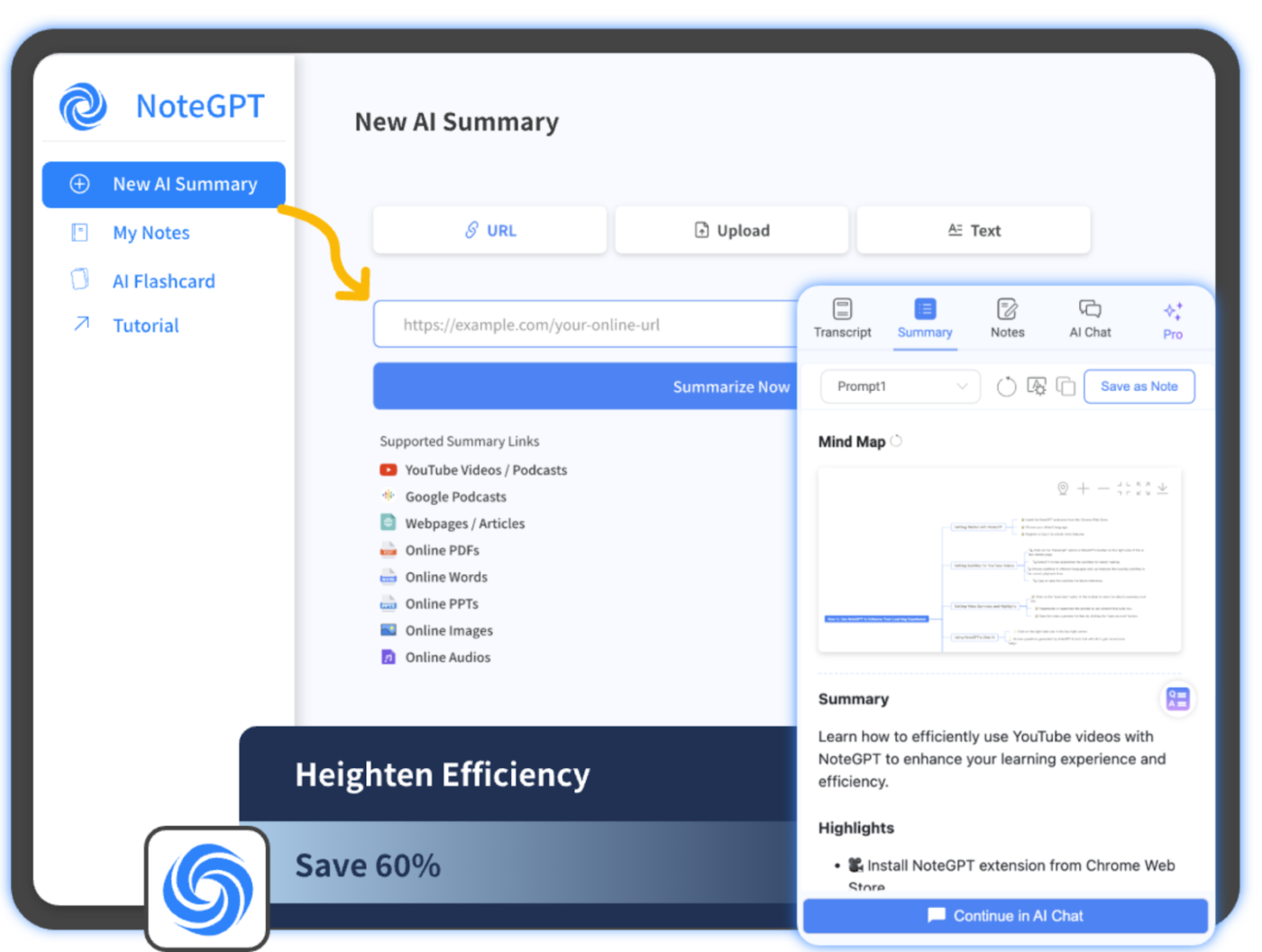
Here’s what makes it stand out:
While NoteGPT offers powerful AI-driven note-taking and YouTube summary features, it has some limitations:
These challenges highlight the need for a more flexible AI note-taking tool alternative for better knowledge management.
👀 Did You Know? Taking notes while watching videos boosts retention by up to 50%, transforming passive viewing into active, productive learning.
Here’s a quick overview of each tool’s strength and the audience it’s built for. Whether you’re optimizing efficiency or igniting creativity, there are AI tools for every need!
| Tool | Use case | Best for |
| ClickUp | Combines project management and note-taking with its advanced AI features | Freelancers, startups, teams, enterprises |
| Evernote | Organizes tasks, ideas, and resources | Professionals, students, and researchers |
| Microsoft OneNote | Offers creative and flexible ways for creating condensed summaries | Teams, educators, and artists |
| Notion | Builds interconnected workflows and wikis | Freelancers, startups, and teams |
| Google Keep | Quick and straightforward for capturing notes | Personal users and task-oriented people |
| Bear | Minimalist writing with advanced tagging | Writers, students, and Apple users |
| Simplenote | Focused on distraction-free writing | Minimalists and personal users |
| Zoho Notebook | Creates multimedia-rich notes | Professionals, students, and businesses |
| Obsidian | Visualize the relationship between your notes | Researchers and creative thinkers |
| Roam Research | Organizes complex research and tasks | Academics and authors |
Looking for a smarter NoteGPT alternative to take notes, summarize video files and text, and boost productivity? Check out these 10 AI-powered tools, each designed to fit your needs.
ClickUp, the everything app for work, combines project planning, organization, and collaboration in one tool.
The best part of using ClickUp is ClickUp Brain, an AI-driven assistant that simplifies content creation, automates task updates, and generates meeting summaries. ClickUp Brain taps into your workspace, pulling data from tasks, projects, and documents to create spot-on summaries.
Use this AI to take meeting notes, save time, capture accurate summaries, and outline action items.
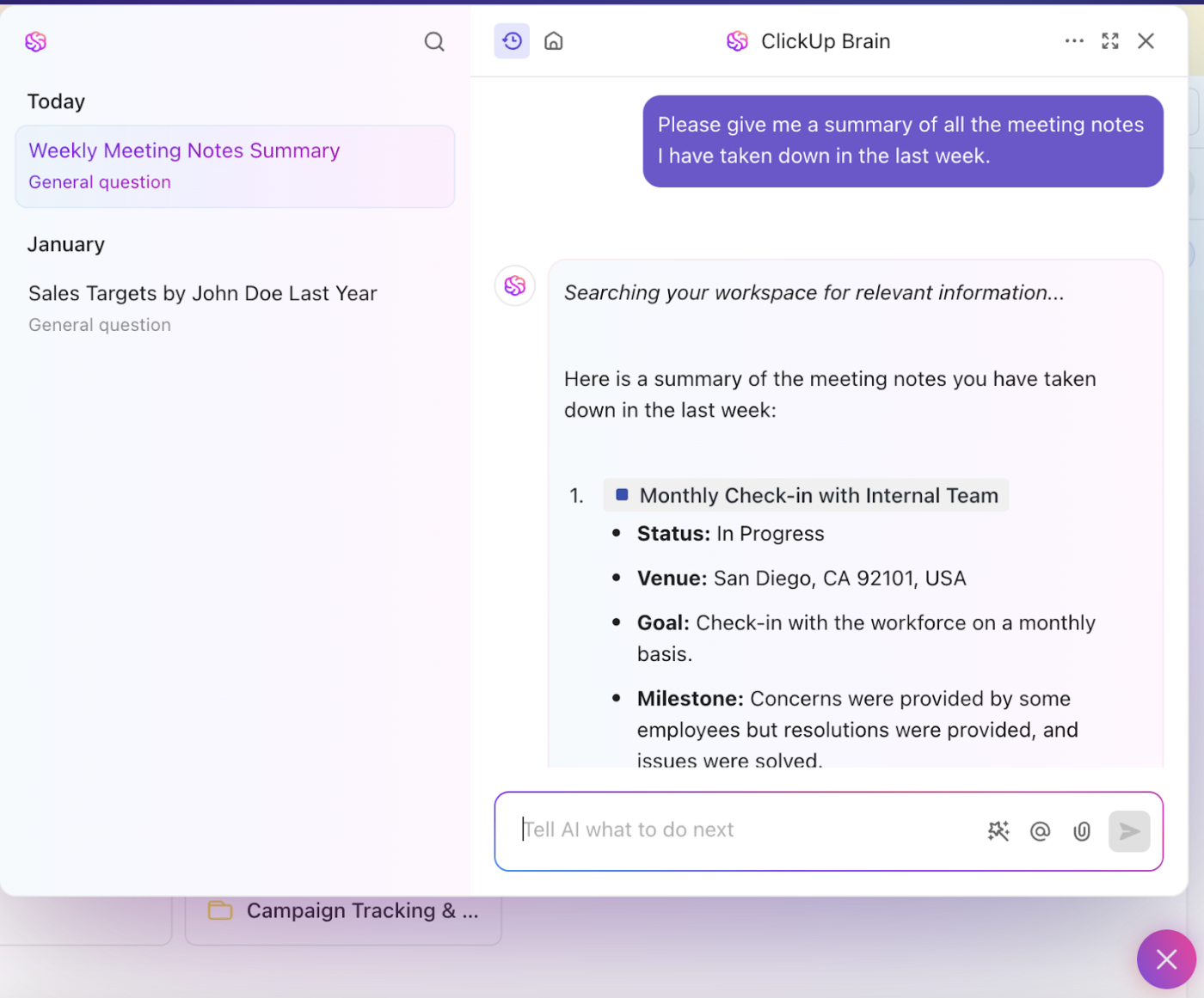
Need notes from a meeting?
ClickUp’s AI Notetaker captures every single detail from the meeting. It automatically captures key insights, decisions, and action items and streamlines the workflow by providing clear, actionable summaries that connect discussions to ongoing projects.
Transform your note-taking and document management with ClickUp Docs, where asynchronous collaboration is easier than ever. Unlike NoteGPT, ClickUp allows you to share notes with your team.

Use the ClickUp Notepad to jot down thoughts, organize them with checklists, and turn them into actionable tasks (all with rich formatting options like colors, headers, and bullet points) to make your notes visually appealing and easy to follow.
ClickUp also offers a range of customizable note-taking templates to get you started. The ClickUp Meeting Notes Template is your go-to for turning those daily stand-up meetings into action.
If you’re looking for a way to centralize all your team’s knowledge. The ClickUp Knowledge Base Template is your digital library, organizing everything from FAQs to essential resources in one convenient space. It makes sharing and accessing critical information quicker and simpler than ever.
💡Pro Tip: Try the Cornell Method for taking notes! Divide your page into three sections: notes, cues, and a summary. After taking notes, add questions in the cue section and summarize key points at the bottom.This note-taking strategy boosts retention and makes learning easier. Use the ClickUp Cornell Notes Template for deep learning!
It’s my to-do, note-taking, project managing, and calendar app, all in one. It’s very calming to know everything is there; nothing is slipping through the cracks. With the crazy world ranging around us it’s nice to feel in control of this small part.
📚 Also Read: Obsidian vs. OneNote: What’s Better for Note-Taking?
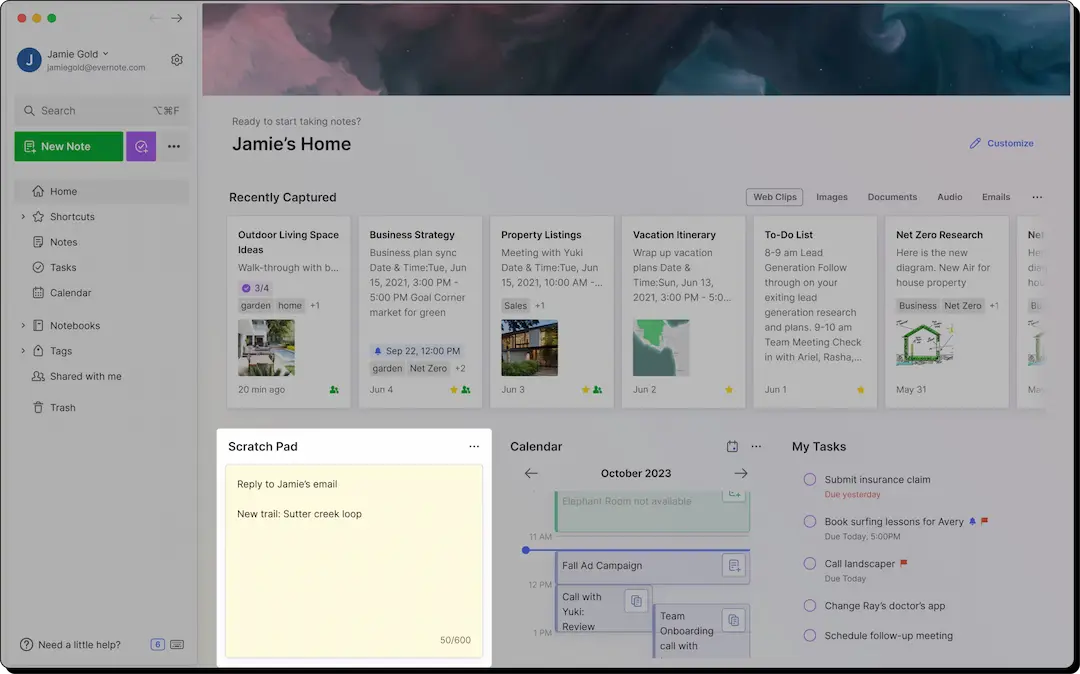
Love keeping your notes organized and easy to access? Evernote is your go-to tool! It syncs across devices, so you can pick up where you left off.
Its powerful search helps you find important info in text, images, PDFs, and attachments, while the Web Clipper lets you save web pages or snippets directly to your notes.
Evernote also simplifies staying organized with notebook stacks. If you’re working with a team, Evernote allows for easy collaboration by letting multiple people share, edit, and comment on the same notes.
I recently migrated from Simplenote to Evernote and the experience is good so far. I prefer Notes/Tasks/Calendar in a single app.
📮 ClickUp Insight: 37% of our respondents use AI for content creation, including writing, editing, and emails. However, this process usually involves switching between different tools, such as a content generation tool and your workspace. With ClickUp, you get AI-powered writing assistance across the workspace, including emails, comments, chats, Docs, and more—all while maintaining context from your entire workspace.
💡Pro Tip: Explore Evernote alternatives that give you more control over your notes, tasks, and collaboration—ideal for teams and solo projects alike!
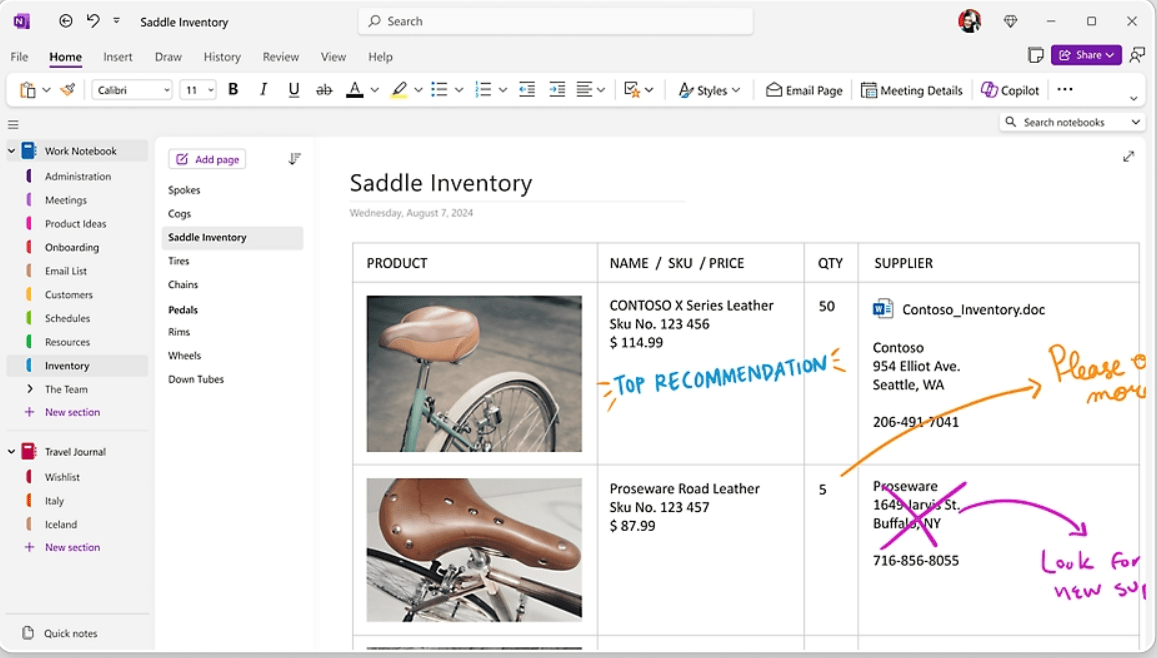
Whether it’s text, images, or multimedia, OneNote lets you decide how your notes take shape. Its integration with Microsoft tools like Outlook and Teams makes staying productive easy.
You can use OneNote offline to capture thoughts anytime, anywhere. For meeting notes or lectures, simply hit record and store audio directly in your notes. Customizable tags help you track tasks and key points effortlessly when organizing your notes.
I love how flexible it is. I can type, write with a stylus, record audio, and save web pages right into my notes. The structure with notebooks, sections, and pages keeps everything neat.
💡Pro Tip: Automatic Speech Recognition (ASR) note-taking apps capture every word in real-time, allowing you to focus on listening instead of scrambling to write.
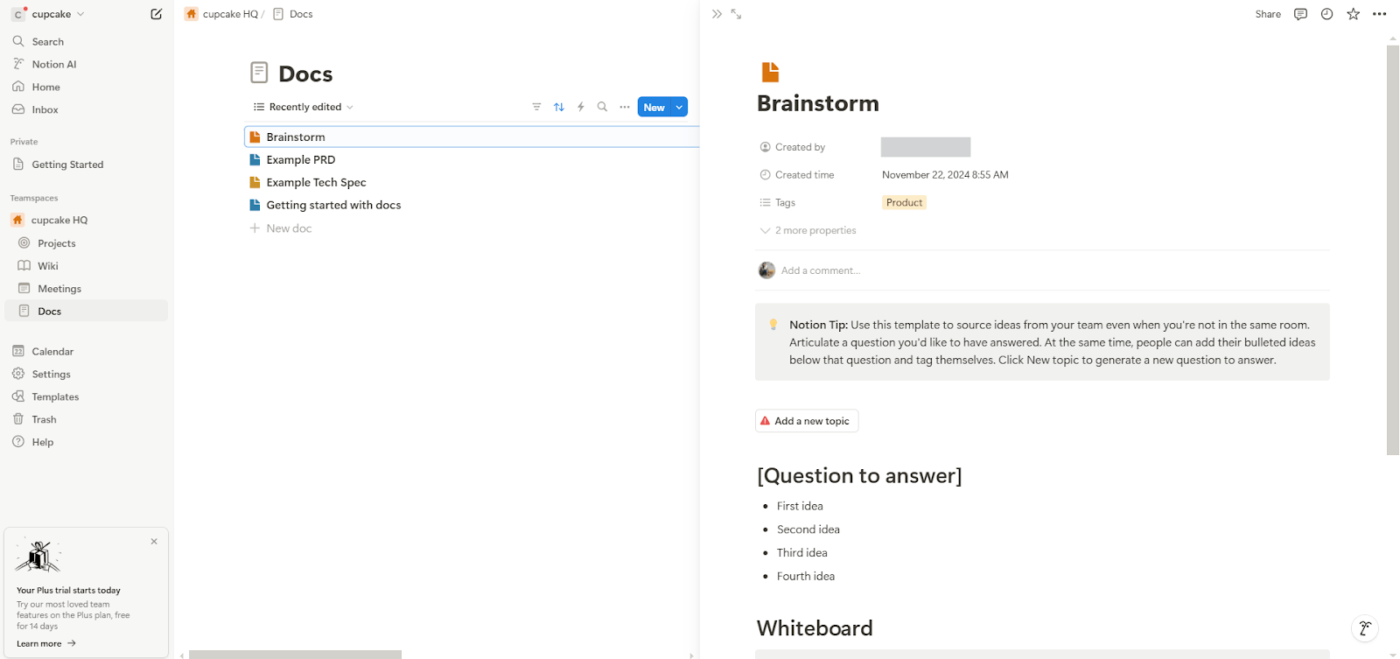
When it comes to organizing your work, Notion stands out for its customizable databases (think tables, calendars), all designed to fit your workflow.
Whether you’re working solo or with a team, its real-time collaboration and handy templates make building an internal knowledge base effortless. It also works offline, so you can keep going without an internet connection.
I started using Notion on my personal projects, and then I was happy to discover that my new team was also using it to store all the information about our clients and projects in a wiki manner.
📚 Also Read: Best Obsidian Alternatives
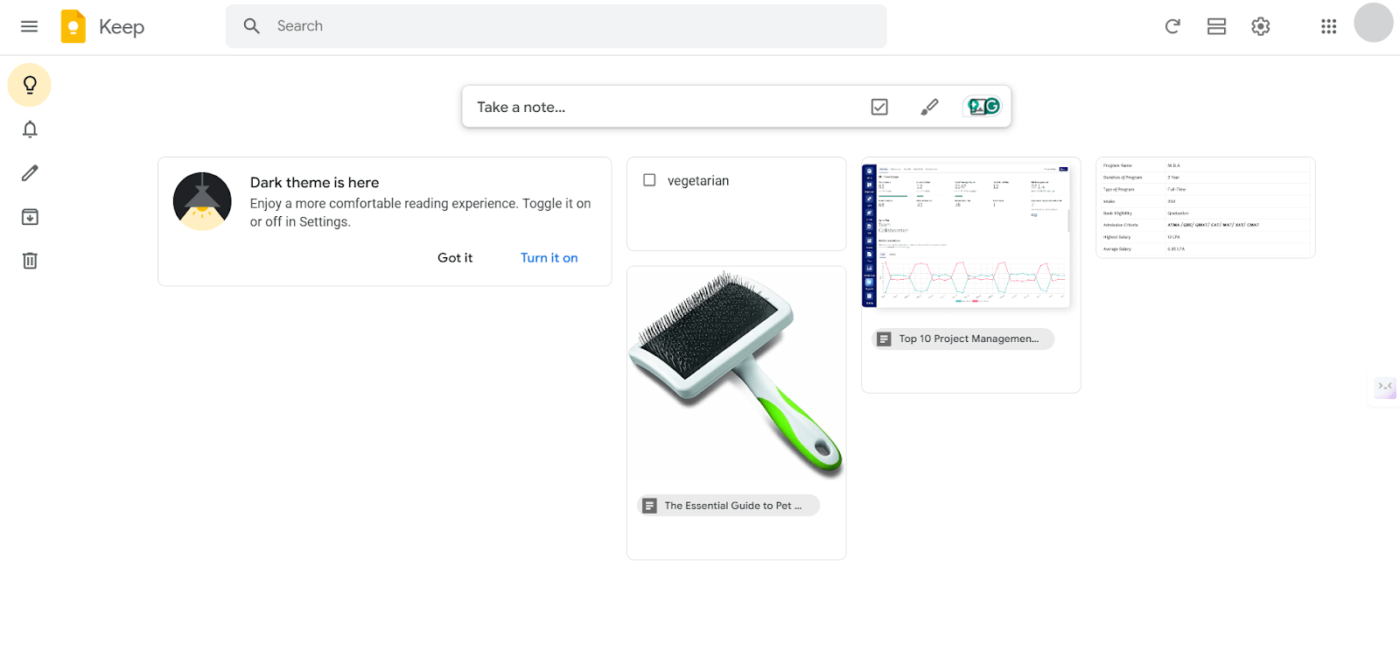
Google Keep stands out for its simplicity, making it a good free Notegpt alternative for capturing and organizing thoughts on the go. You can jot down notes, color-code them for quick access, and add labels for easy sorting.
Seamless Google Workspace integration keeps everything in sync across devices.
If you want to collaborate, sharing notes takes just a tap. Whether setting a location-based reminder, creating a checklist, or recording a voice memo, Google Keep streamlines everyday organization.
The simplicity and ease of use are the best parts, its great for quick notes and reminders. Seamlessly syncs across devices.
🧠 Fun Fact: Over 500 hours of YouTube content are uploaded every minute, making it one of the most dynamic platforms for learning, entertainment, and creativity.
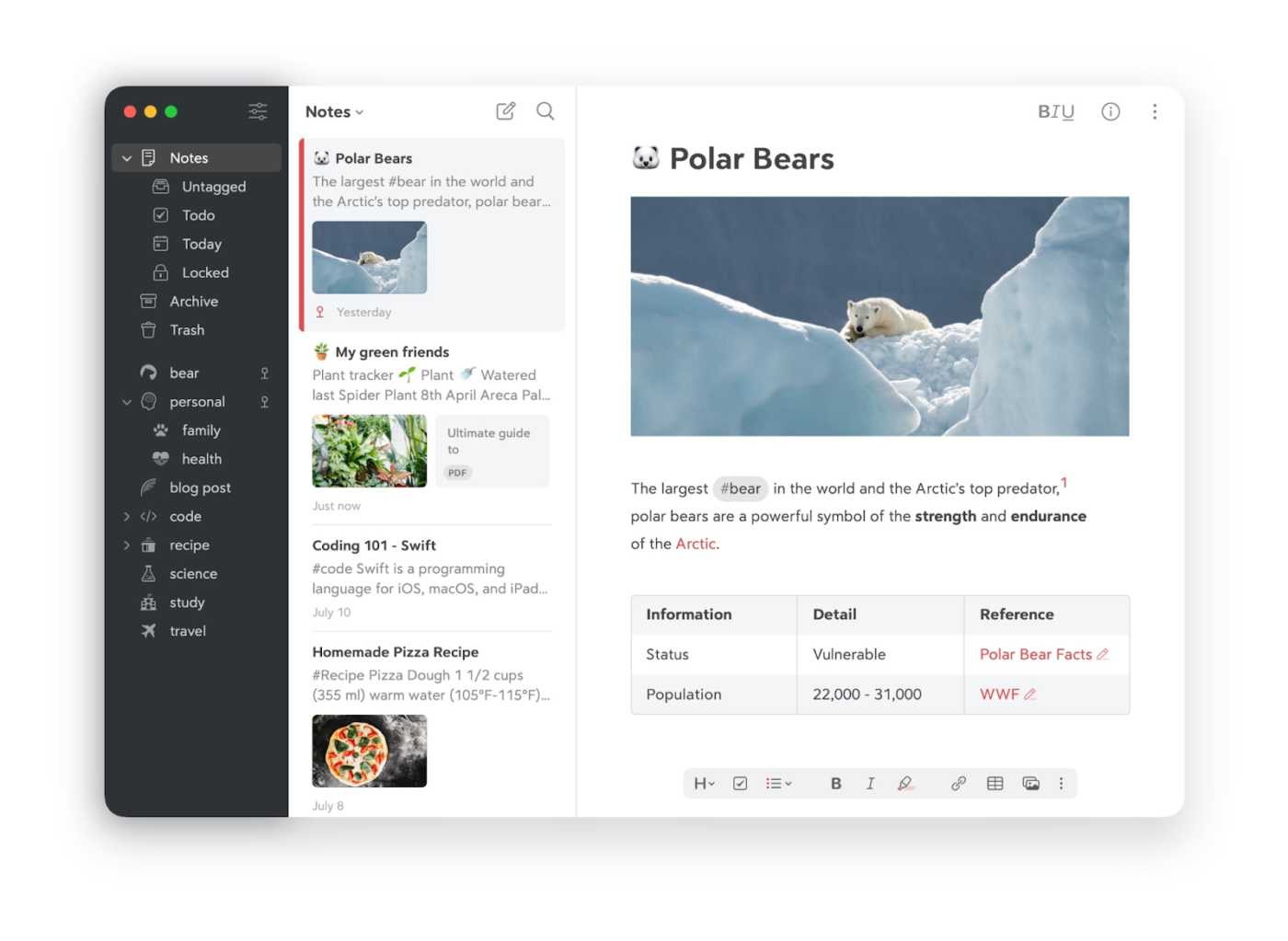
With full markdown support, Bear allows you to easily format and structure your notes, which NoteGPT doesn’t. Bear works offline, so you can take notes anytime, anywhere, while NoteGPT relies on the web for its AI-powered features.
It’s perfect for Apple users who prefer a simple, flexible note-taking approach.
Overall, if you’re looking for a fast, beautiful, and feature-rich text editor, Bear is definitely worth checking out.
📚 Also Read: Best Roam Research Alternatives & Competitors
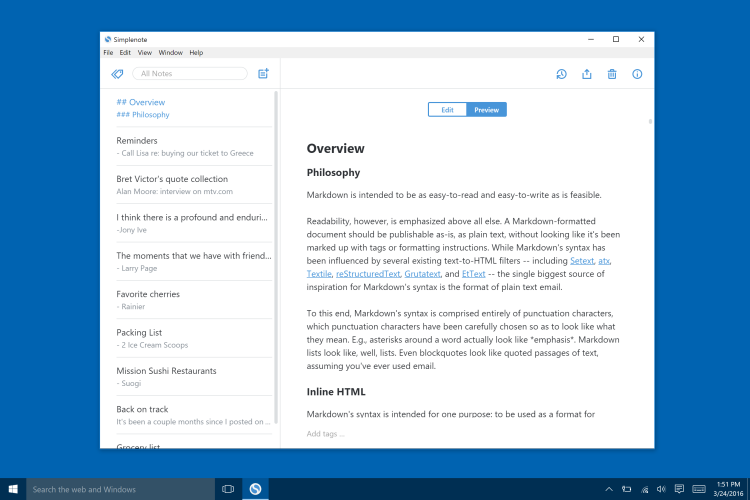
With a sleek, no-frills interface that lets you jot down ideas quickly, Simplenote keeps your note-taking (as the name suggests) simple! Plus, it syncs across all your devices in real time, so your notes are always within reach, wherever you are.
Unlike NoteGPT, Simplenote offers features like collaborative note-sharing, where multiple users can edit and comment on a note simultaneously.
It’s also optimized for fast, simple note creation without bells and whistles, focusing purely on content with key ideas and without complex formatting.
Surprisingly it has a simple interface ideal for quickly capturing my meeting notes, urgent ideas and to–dos; it gives me access to my notes from any device and instantly manages the synchronization and backup of my data.
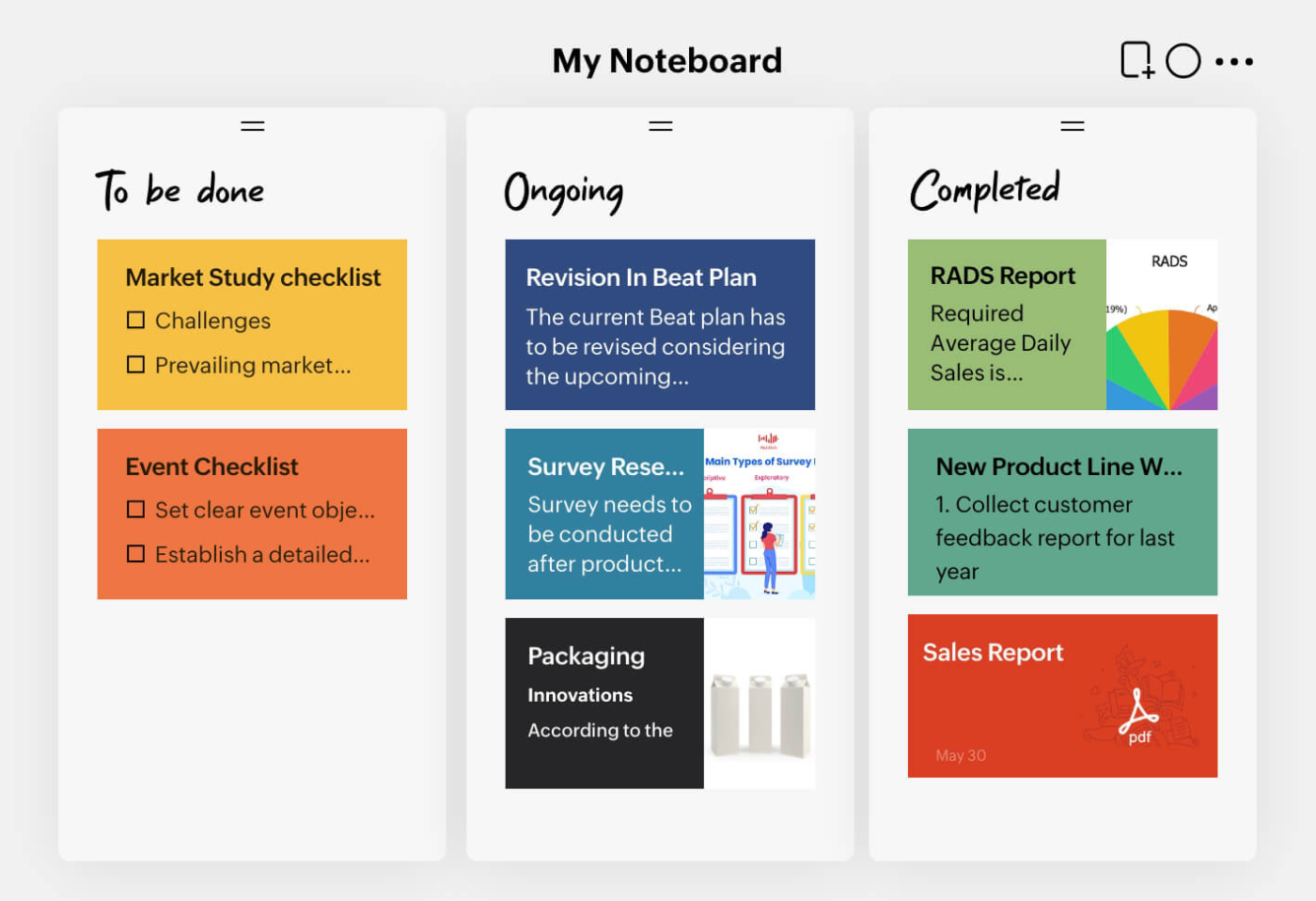
Bright, fun, and packed with useful features, Zoho Notebook makes note-taking feel more like a creative experience. With smooth syncing across devices, your notes are always accessible. You can even record audio notes, making it perfect for on-the-go thinkers!
With Smart Cards, organize notes into checklists, sketches, and links. Plus, you can doodle or draw directly in your notes, too.
I love taking a snapshot of website design or the marketing creative advertisement, and Zoho Notebook web clipper really help me to manage all the snapshot and organize it to its categorize and the date taken. It is really important for me, as i can referring back to the snapshot when i need idea for my marketing product.
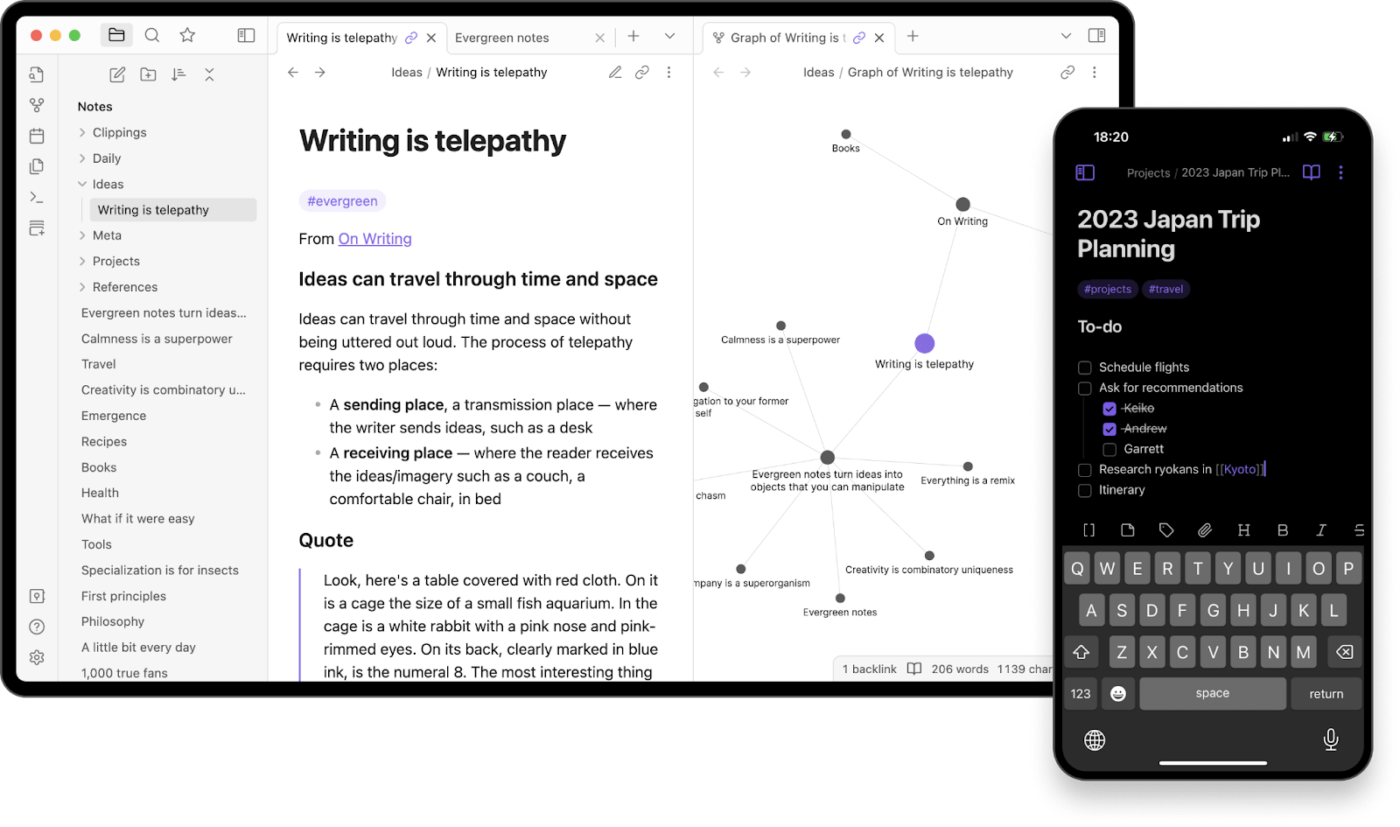
Your notes aren’t just isolated thoughts. They’re pieces of a bigger picture. Obsidian helps you connect them like a web, turning scattered ideas into a robust knowledge base. Its graph view lets you visualize relationships between notes, while backlinks and bi-directional linking make navigation effortless.
Obsidian can work entirely offline, keeping your data private and under your control. It supports markdown for clean, portable notes and offers plugins, themes, and custom scripts to tailor your setup. However, syncing across devices requires a paid add-on.
Add-ons
Easy to use for taking and editing notes. It was helpful in importing and reading markdown notes that I had exported from Mac Notes.
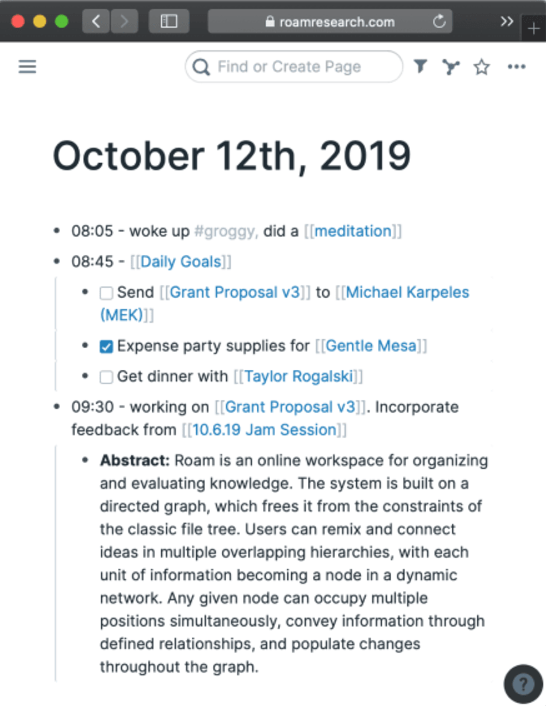
Ever feel like your research ideas are all over the place? Roam Research transforms scattered thoughts into a connected web, revealing relationships between notes in a way that feels natural. It’s ideal for researchers, writers, and teams tackling complex projects.
With its non-linear workspace, Roam mirrors how your brain processes information. Plus, exporting and backing up are seamless—choose from Markdown, JSON, or EDN formats to keep your knowledge portable.
Roam really changed my way of thinking on how to organize my scattered thoughts into a graph database. It’s UI is relatively clean and writing individual notes is pretty simple.
“The mind is for having ideas, not for holding them.”
This quote by David Allen perfectly captures why we rely on our notes—to free our minds for creativity and problem-solving. Great notes should do more than just capture thoughts—they should help you organize, refine, and act on them.
While tools like Simplenote and Roam Research excel in specific areas, they often miss the full picture.
That’s where ClickUp stands out. Need a place to jot down notes? Done. Want AI to refine your ideas? Easy. Looking for a way to keep everything organized without the mess? You got it. From quick notes to in-depth documentation, ClickUp brings it all together in one powerful workspace.
Why juggle multiple tools when you can have everything in one place? Sign up for ClickUp today and see the difference.

Manasi Nair
Max 26min read
Manasi Nair
Max 26min read
Manasi Nair
Max 20min read

© 2026 ClickUp