Sorry, there were no results found for “”
Sorry, there were no results found for “”
Sorry, there were no results found for “”
Creating collaborative workspaces that enhance team productivity shouldn’t be complicated or time-consuming.
That’s what Microsoft Loop templates help with. They let you quickly set up everything from brainstorming sessions to project trackers without starting from scratch.
But the benefits go beyond saving time. These free Microsoft Loop templates maintain professional consistency across your workspace and make information-sharing seamless.
Whether you need a Kanban board for project management or a notes template to record important details from your meetings, you’ll find the right fit in this post. And if you stick around, we’ll also share more free and customizable templates from a powerhouse tool for team productivity and collaboration—ClickUp!
🧠 Fun Fact: 96.7% of the teams switching to ClickUp report better efficiency as a result of using the tool, while 87.9% report better collaboration.
Now, let’s transform how your team collaborates in the Microsoft ecosystem and make your productivity soar. 🏆
Microsoft Loop templates are pre-designed collaborative workspaces that combine notes, tasks, and data into flexible components that can be used across Microsoft 365 apps. These customizable building blocks save time by eliminating the need to create a workspace from scratch.
At their core, Loop templates organize information in a way that is instantly shareable and editable by everyone on your team. Unlike traditional documents in specific locations, Loop components stay synchronized regardless of where they’re embedded—whether in Teams chats, Outlook emails, or dedicated Loop workspaces.
The Microsoft Loop free template gallery offers different options for creating two-page or one-page templates to suit your needs. Add content, link relevant documents, and embed Loop components like task lists or code snippets.
A well-designed Microsoft Loop Template should be easy to use, flexible, and genuinely useful for teams. Whether it’s meant for project or task management, a great Loop template should help teams create a collaborative workspace, organize information better, and work efficiently.
Thus, the real power of Loop templates comes from their versatility. Need to plan for a critical project delivery? There’s a template with timeline components and task trackers. Brainstorming ideas? Use a template with voting components and sticky notes. Creating project documentation? Templates with formatting and structure are the way to go.
Here’s what makes a Loop Template effective:
We’ve rounded up six free Microsoft Loop page templates to help you stay organized and get things done. Each template includes useful elements like real-time group collaboration features and shared goals for tracking progress.
Let’s check them out!
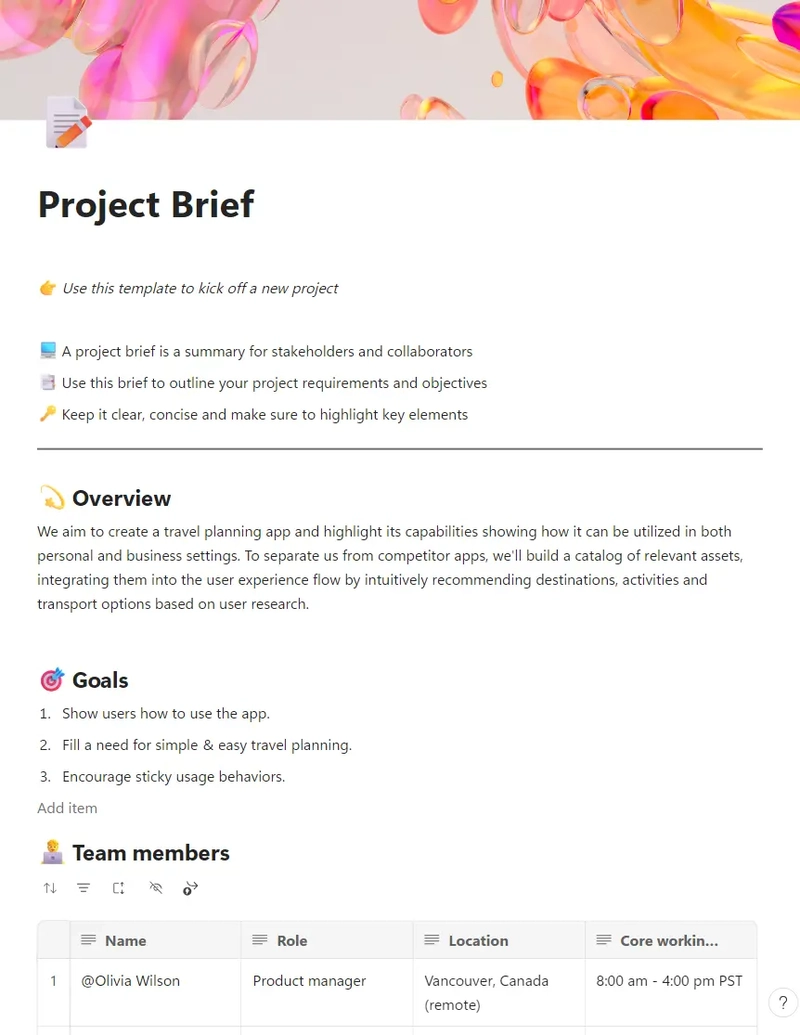
Running a project? The Microsoft Loop Project Brief Template helps you keep track of deadlines, assign tasks, and stay on top of everything without breaking a sweat. No more endless email chains or lost files.
This project brief template simplifies project management by consolidating relevant information into a user-friendly format, making it easier for teams to collaborate efficiently. Plus, with built-in tools for tracking progress and accountability, you’ll ensure everyone is aligned and working towards the same goals, enhancing overall productivity.
🎯 Ideal for: Project managers, teams, and businesses that want a new, stress-free way to plan and execute projects
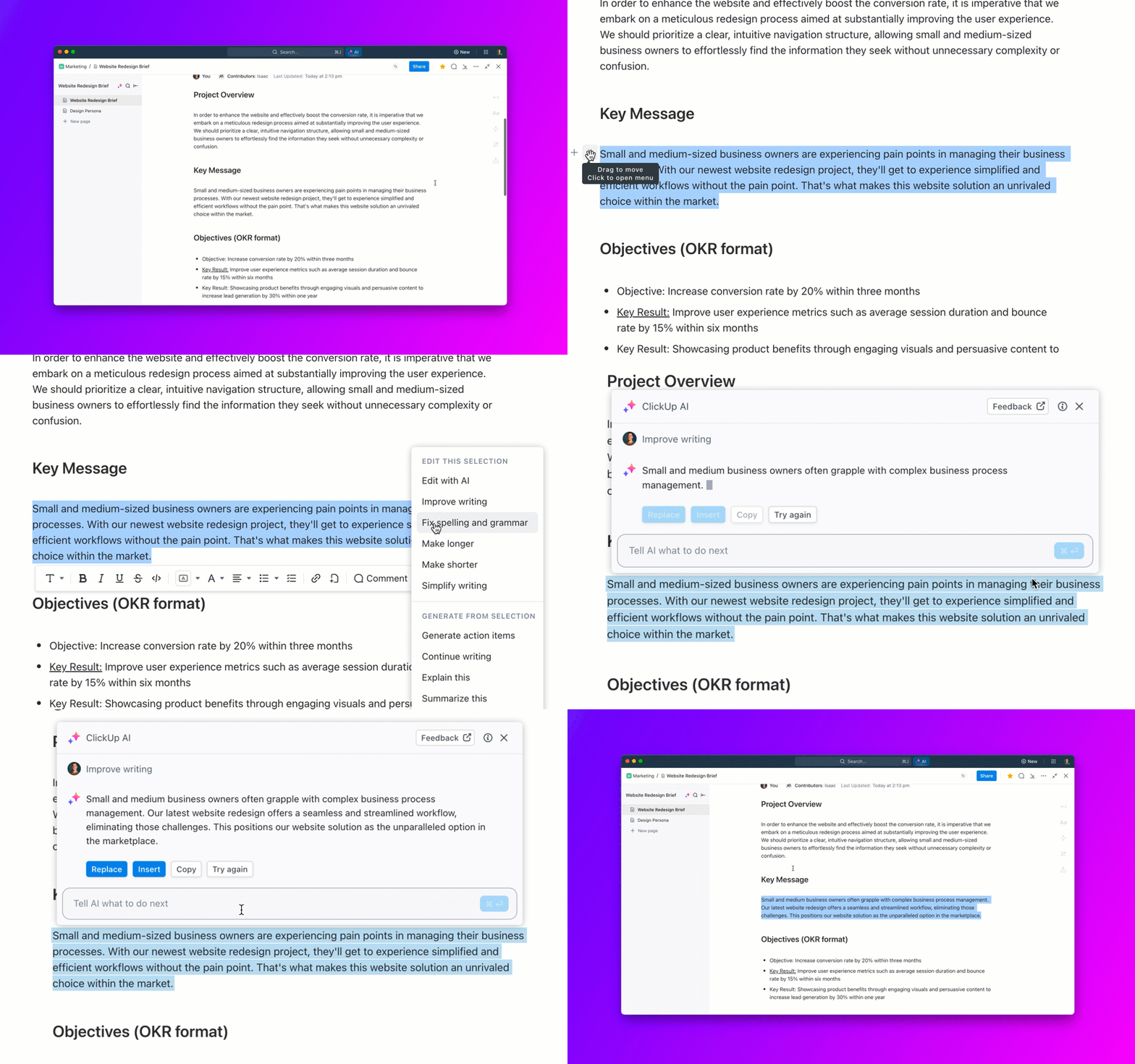
💡 Pro Tip: Let AI take the hassle out of documentation by automating repetitive tasks, improving content quality, and easily generating reports. From organizing workflows to enhancing clarity, AI makes creating documentation faster and more efficient:
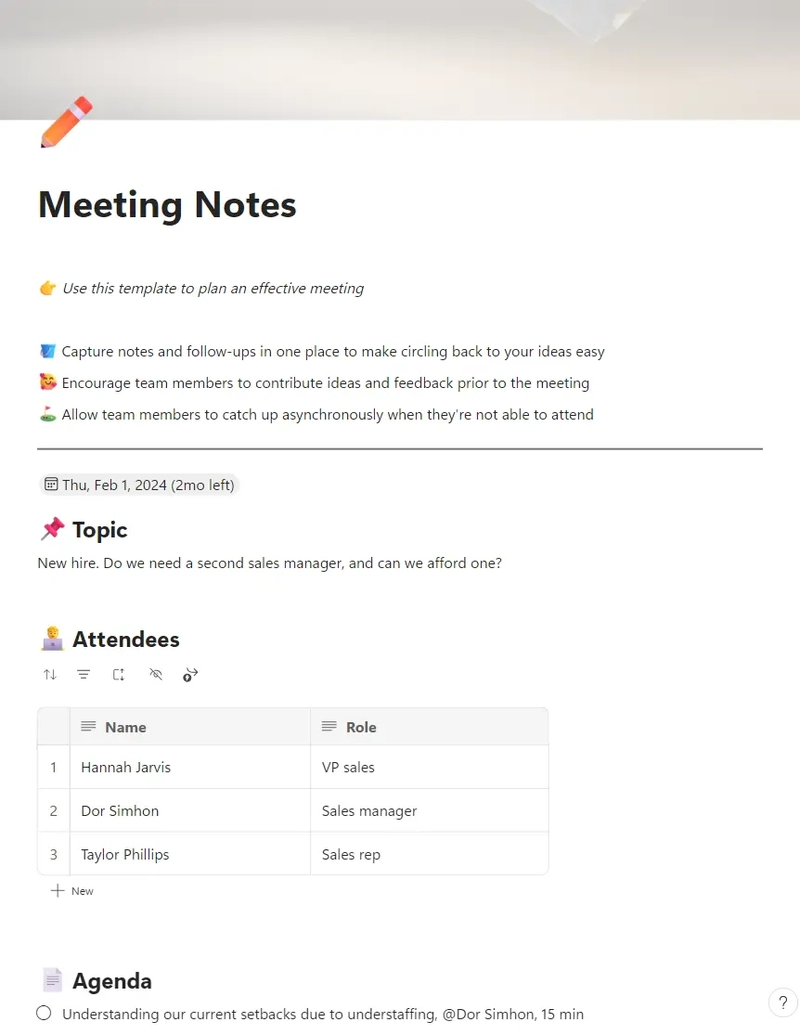
Are you tired of unstructured meetings where nothing gets decided? The Microsoft Loop Meeting Notes Template helps keep discussions focused and productive.
Organizing key points and action items together ensures that everyone is on the same page and that necessary follow-ups are effectively tracked. This way, you can transform your meeting experience and achieve better outcomes.
🎯 Ideal for: Team leaders, managers, and professionals who want productive meetings (instead of just long ones)
📮 ClickUp Insight: According to our meeting effectiveness survey, 12% of respondents find meetings overcrowded, 17% say they run too long, and 10% believe they’re mostly unnecessary.
In another ClickUp survey, 70% of the respondents confessed that they would happily send a substitute or a proxy to the meetings if they could.
ClickUp’s integrated AI Notetaker can be your perfect meeting proxy! Let AI capture every key point, decision, and action item while you focus on higher-value work. With automatic meeting summaries and task creation assisted by ClickUp Brain, you’ll never miss critical information—even when you can’t attend a meeting.
💫 Real Results: Teams using ClickUp’s meeting management features report a whopping 50% reduction in unnecessary conversations and meetings!
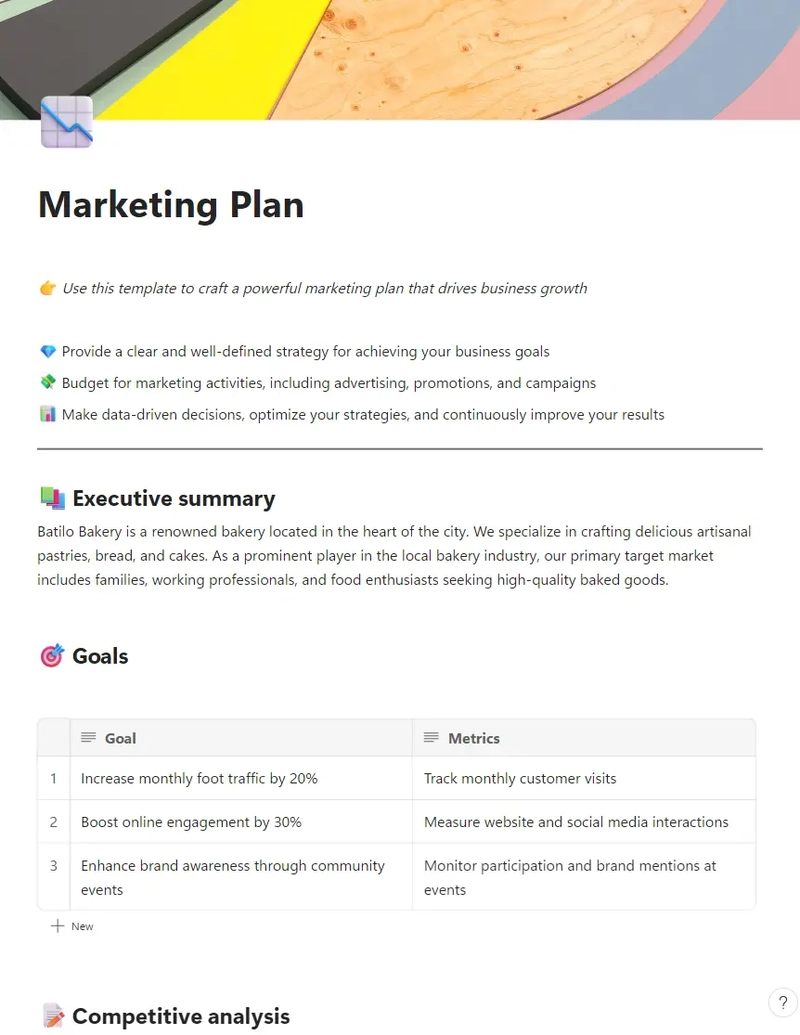
Big ideas need room to grow! This Microsoft Loop Marketing Plan Template helps you capture, organize, and refine ideas, making it perfect for creative teams, marketing campaigns, or strategy sessions.
Whether you’re mapping out campaigns, defining goals, or managing budgets, this flexible template ensures that everyone stays aligned and on track. It is integrated with Microsoft Loop’s fluid workspace, allowing teams to update information, share insights, and collaborate hassle-free on docs, ensuring that marketing plans remain agile and effective.
🎯 Ideal for: Creative teams, marketers, and strategists who need a dedicated space to brainstorm and refine new ideas
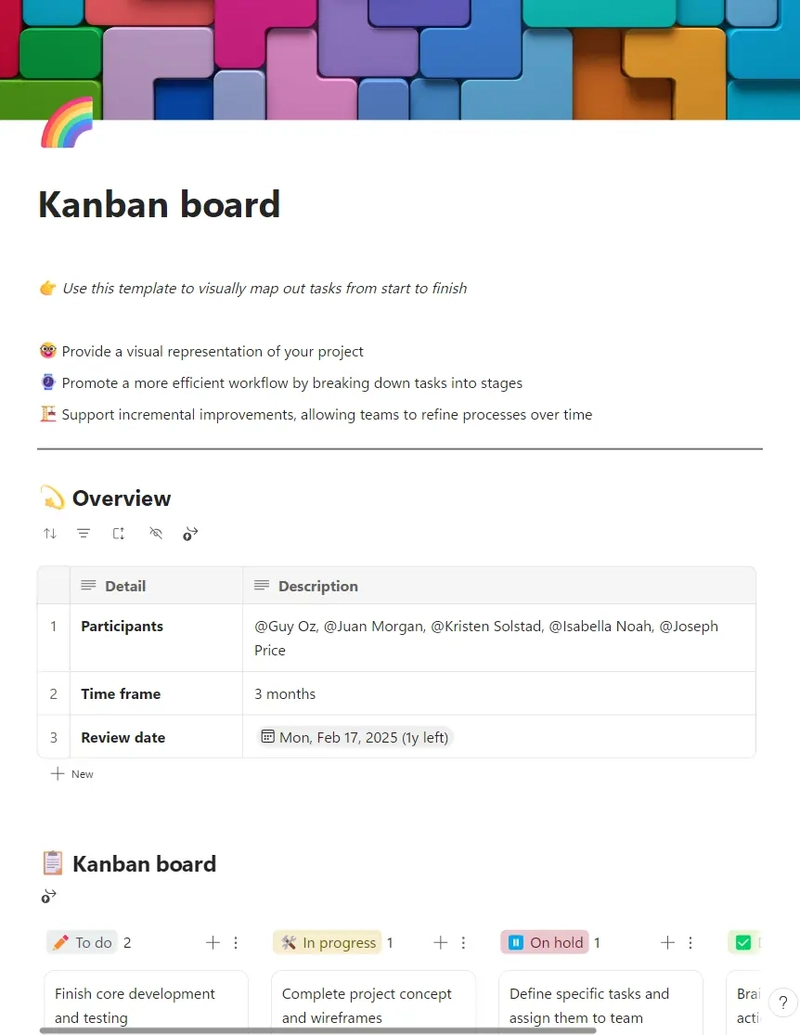
Want a simple, visual way to track project progress? The Loop Kanban Board Template helps teams move tasks through different stages—from concept to planning to testing to launch.
This Kanban-style template simplifies project management by allowing users to organize tasks into customizable columns. This makes it easier to visualize the work in progress and prioritize tasks. Plus, the drag-and-drop functionality and collaboration features help teams adapt workflows dynamically, ensuring efficiency at every stage.
🎯 Ideal for: Product teams, engineers, and developers who want an easy way to sign and track MVP progress
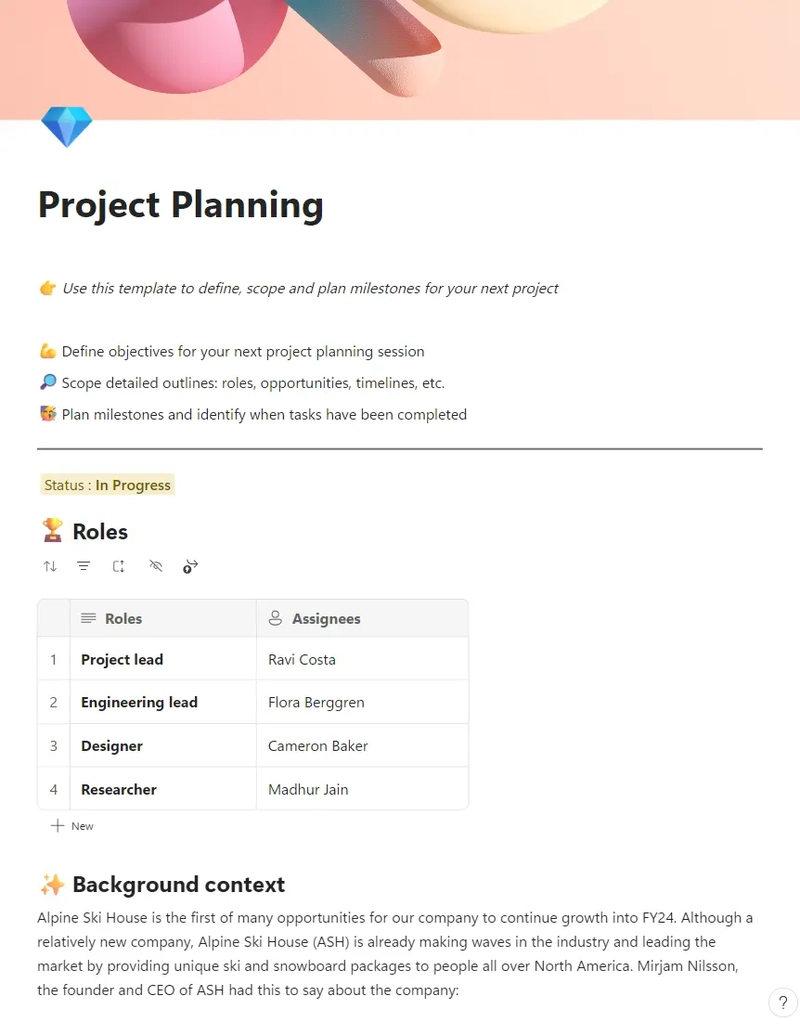
Planning a project? Whether it’s a corporate conference, a product launch, or an MVP delivery, this project planning template keeps track of every detail, from task lists to budgets. No more last-minute scrambling!
This template eliminates confusion by centralizing everything and ensuring clear deadlines and responsibilities. It also integrates directly with Microsoft 365 apps, keeping meetings, documents, and task lists interconnected.
🎯 Ideal for: Project teams planning an event, a launch, or other major projects and deliverables
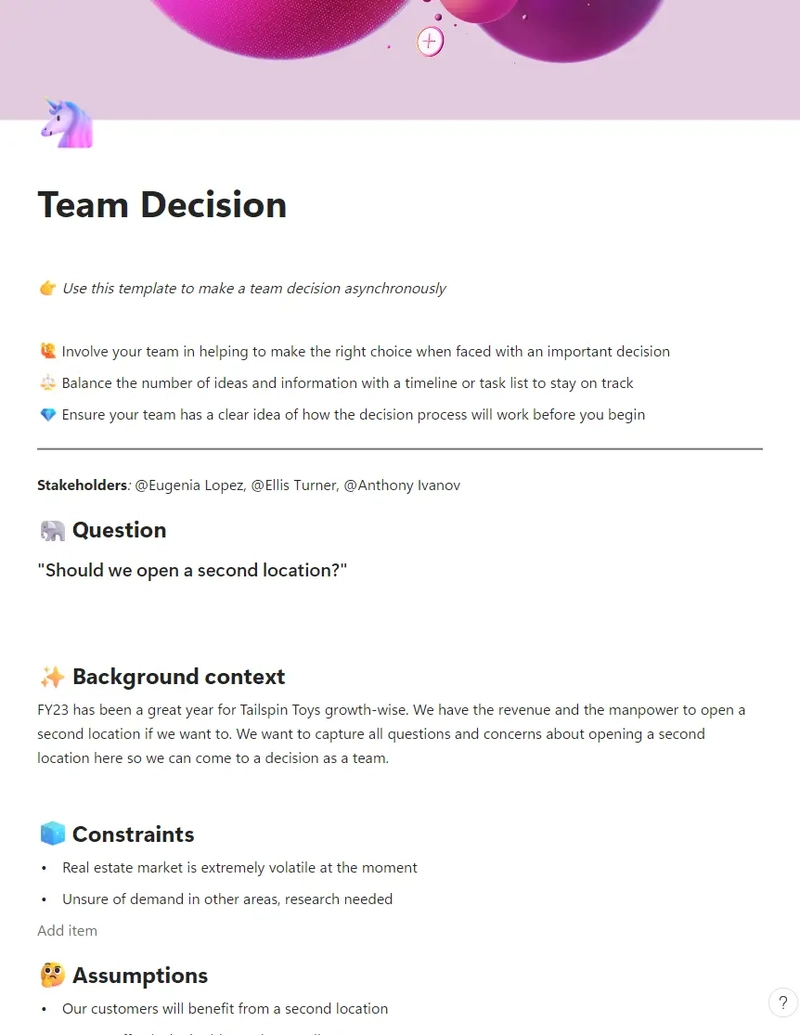
Need a one-stop decision hub for your team? As the name suggests, the Microsoft Loop Team Decision Template page keeps critical project updates in one place—together with team discussions and important support links for context.
This interactive template provides a dedicated space for teams to list options, weigh pros and cons, track discussions, and document final decisions in an organized format. With all relevant details in one place, teams streamline their decision-making process.
🎯 Ideal for: Remote teams, managers, Microsoft Teams, and departments that need to create a new and smarter team planning process
📚 Also Read: How to Optimize Your Internal Knowledge Base for Employee Productivity and Project Management Success
Microsoft Loop is built around flexible collaboration, using interactive blocks to help teams stay organized. The idea is great, but there are still some challenges in practice:
If you’re looking for an alternative to Microsoft Loop templates—without the usual limitations—we recommend checking out ClickUp’s 1000+ free templates. As the everything app for work, ClickUp is packed with powerful productivity tools that go way beyond traditional project management.
Features like nested workspaces, customizable views, and integrated docs let your team build a truly connected workspace—one that rivals Loop’s collaborative magic but with even more flexibility and a design that actually puts users first.
Here’s what Chelsea Bennett, Brand Engagement Manager at Lulu Press, had to say about ClickUp’s project management capabilities:
A project management platform is essential for a marketing team, and we love that it helps us stay connected to other departments. We use ClickUp literally every day, for everything. It has been very helpful for our creative team and has made their workflow better and more efficient.
ClickUp’s smart templates are designed to adapt to your workflow, no matter how complex things get. You can also share the documents built using these templates easily, using a private link as well as a public preview. Let’s explore some of them for project planning, documentation, meeting minutes, and more.
The ClickUp Team Docs Template is built to enhance teamwork, streamline documentation, and centralize knowledge sharing. Whether you’re capturing meeting notes, tracking decisions, or brainstorming ideas, this template ensures that all key information stays in one accessible place.
Beyond note-taking, this template functions as a team wiki, helping document your company’s vision and processes so everyone stays aligned. It also includes dedicated sections for recording project milestones and linking relevant documents, such as budget trackers or task lists, keeping everything organized and within reach.
🎯 Ideal for: Teams and organizations looking for a collaborative, structured, and centralized way to document ideas, track decisions, and organize company information
💡 Pro Tip: Start the knowledge-sharing process and onboarding within teams using a wiki template. It provides a framework for systematically organizing all relevant information in a centralized location, breaking silos.
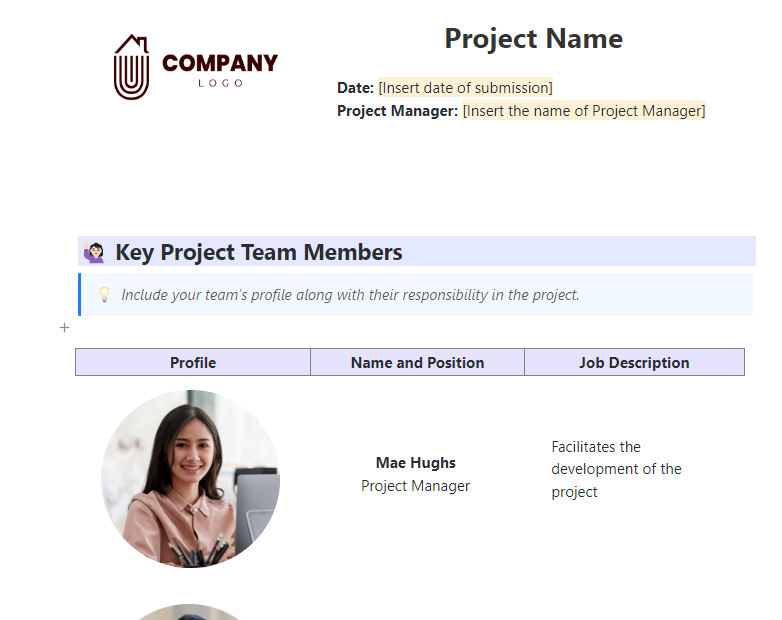
Have you ever had a project go off track because there was no documentation to fall back on? The ClickUp Project Documentation Template helps avoid such situations by providing a readymade framework to record what matters—your goals, timelines, key elements, and action steps—so nothing gets lost in the shuffle.
When you’re developing a new product, launching a campaign, or managing a large client project, this template helps you explain the process clearly. It aligns everyone around a common vision and path to ensure tasks are completed without a hitch.
🎯 Ideal for: Project managers, cross-functional teams, and anyone who wants to keep their projects organized and running smoothly
🧠 Fun Fact: In a Forrester study commissioned by Adobe, it was discovered that an overwhelming 97% of businesses were operating with little to no digital document processing.
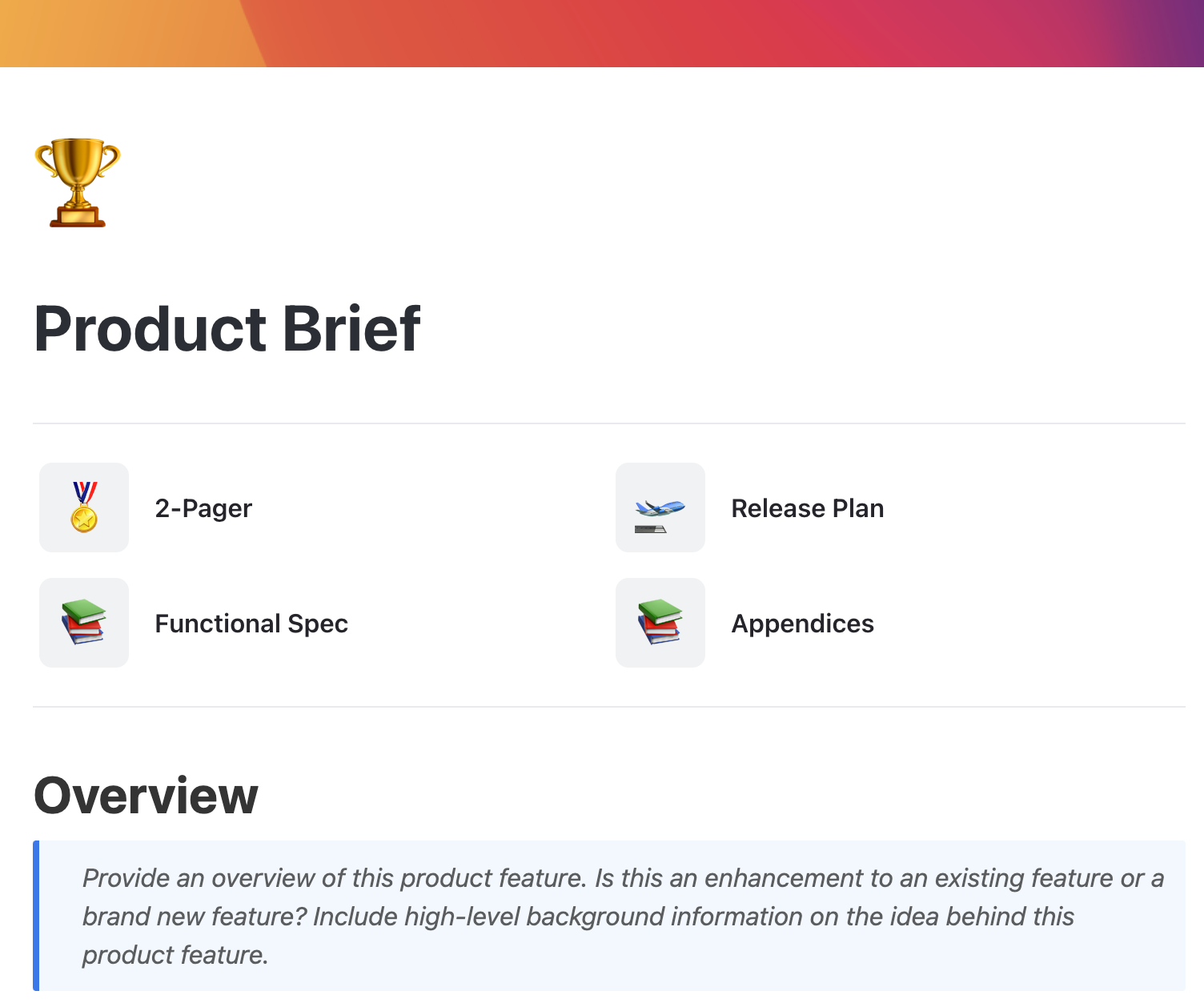
Launching a new product? You need a Product Brief Document that keeps your team aligned. The ClickUp Product Brief Document Template makes it easy to outline key features, user personas, timelines, and launch strategies to make your big day a success.
Unlike scattered memos or disorganized spreadsheets, this template provides a structured approach, similar to a Microsoft Loop workspace where teams can collaborate.
🎯 Ideal for: Product managers, developers, and marketing teams who need a clear product roadmap
💡 Pro Tip: Include a ‘Customer Pain Points’ section in your product brief. Understanding user frustrations early on leads to more intuitive and impactful solutions.
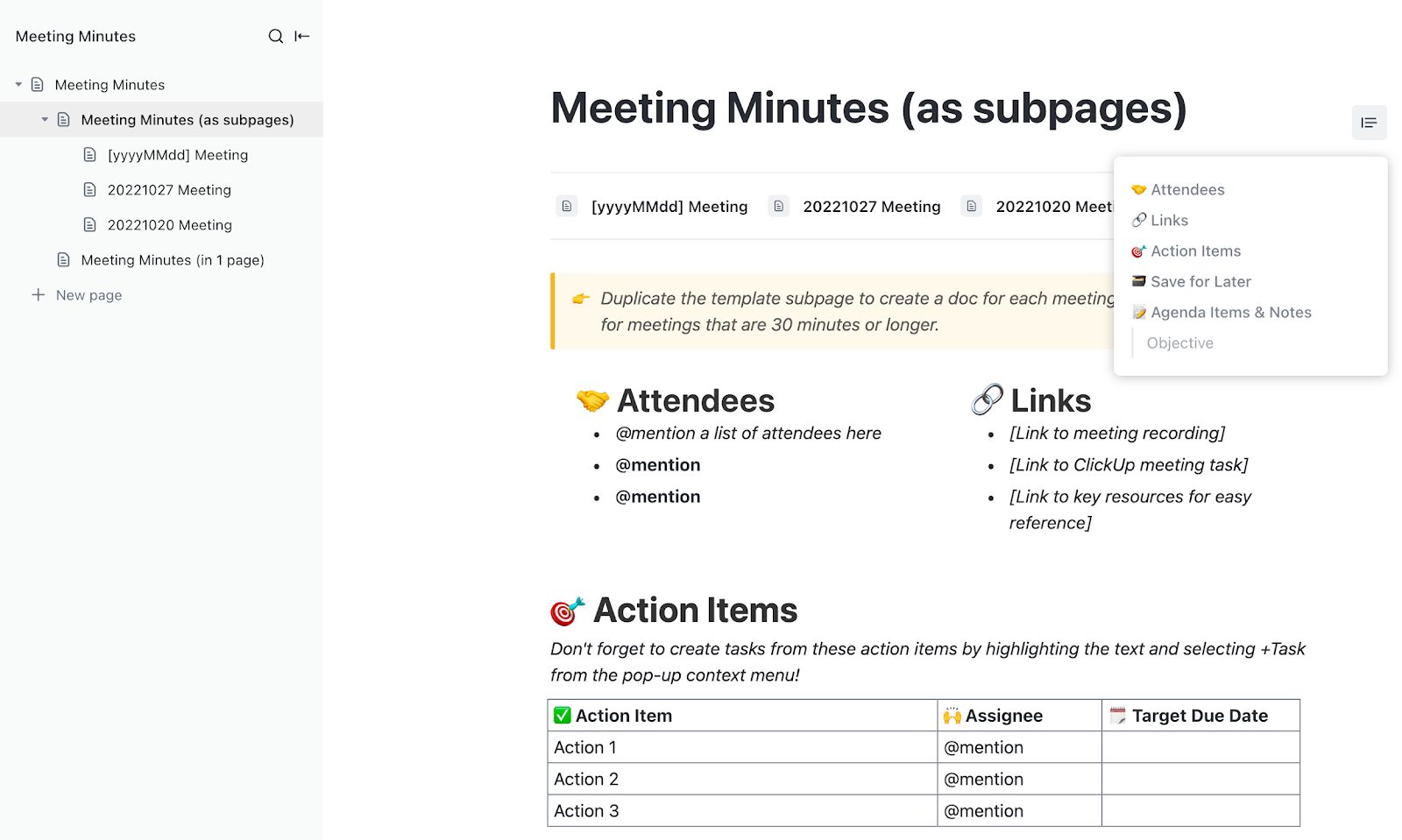
Keeping track of meeting discussions, decisions, and action items is essential for team productivity. The ClickUp Meeting Minutes Template ensures nothing gets lost by providing a structured and organized space to document key takeaways, assigned tasks, and next steps.
Instead of sifting through scattered notes, teams can refer to a centralized record that keeps everyone aligned and accountable. This template makes meetings more efficient and actionable by including sections for agendas, discussion points, follow-ups, and deadlines.
🎯 Ideal for: Teams, managers, and project leads who need a clear, structured, and collaborative way to document meeting discussions, assign tasks, and track follow-ups effectively
🎥 While you’re here, check out this quick rundown on how to write effective meeting minutes:
📮 ClickUp Insight: 37% of workers send follow-up notes or meeting minutes to track action items, but 36% still rely on other, fragmented methods. Without a unified system for capturing decisions, key insights you need may get buried in chats, emails, or spreadsheets.
With ClickUp, you can instantly turn conversations into actionable tasks across all your tasks, chats, and docs—ensuring nothing falls through the cracks.
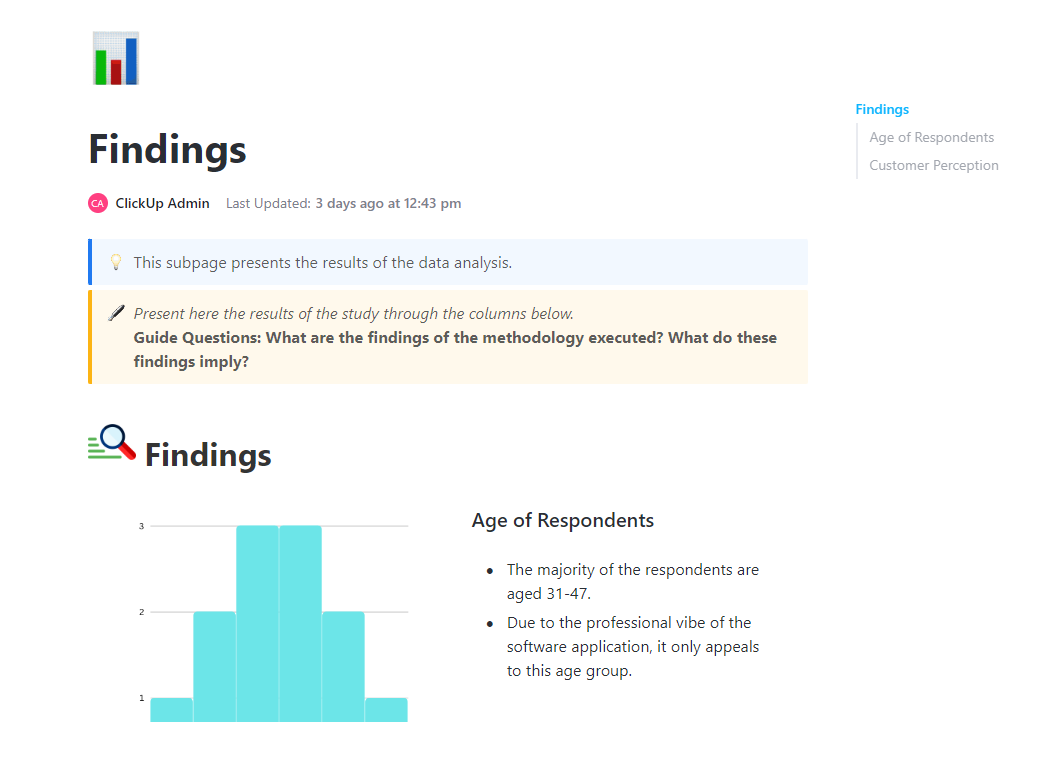
Turning raw data into actionable insights is crucial for making informed decisions, and the ClickUp Data Analysis Report Template makes that process hassle-free. With pre-formatted sections for recording data sources, charts and graphs, and analysis summaries, teams optimize their workflow and focus on what matters most—extracting meaningful insights.
Rather than dealing with scattered spreadsheets and unstructured reports, this template helps teams organize, analyze, and present data in a more structured way. Easily summarize research findings or evaluate trends through a framework that provides clarity and consistency in reporting.
🎯 Ideal for: Analysts, project managers, and teams that rely on information-driven decisions
The ClickUp Daily Notes Template is a great alternative to a Microsoft Loop Page. It allows you to dynamically create, edit, and organize your ideas.
The ability to link notes to tasks, set reminders, and collaborate on them in real time ensures that your notes don’t just sit there—they turn into actionable steps.
🎯 Ideal for: Professionals, students, and teams who want an organized group note-taking system
➡️ Read More: Best Writing Assistant Software With AI
Great ideas don’t arise in a vacuum! Whether you’re planning a campaign, solving a problem, or strategizing your next big move, the ClickUp Brainstorming Template helps capture every thought in a dynamic and organized way—a great alternative to similar Microsoft Loop templates.
Built for fluid and dynamic idea generation, this template’s interactive components allow you to map out ideas, categorize thoughts, and connect key insights.
🎯 Ideal for: Teams, individual creatives, and problem-solvers who need a structured way to generate ideas
💡 Pro Tip: Start brainstorming by dumping whatever comes to your mind for the first 10 minutes onto paper (physical or digital). This removes the pressure to be perfect or innovative and encourages creativity. Once the energy flows, refine and structure the best concepts into actionable plans.
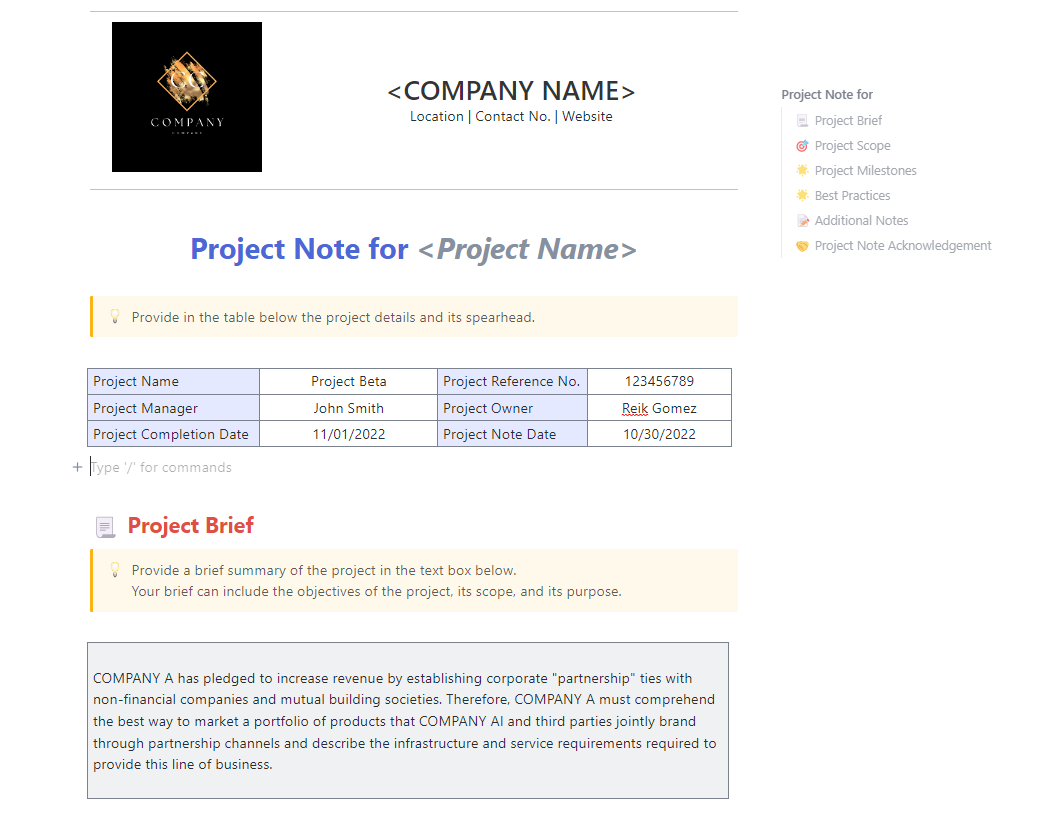
Have you ever struggled to find that one crucial project detail buried in a sea of emails or chat threads? The ClickUp Project Note Template provides a structured way to keep all project-related notes in one place.
Need to share insights or collaborate with your team? The template supports real-time editing, task linking, and comments so everyone stays aligned. Stop juggling multiple files or scattered notes and get a centralized, easily accessible resource that evolves with your project!
🎯 Ideal for: Project managers, teams, and freelancers who need an easy way to document key project details
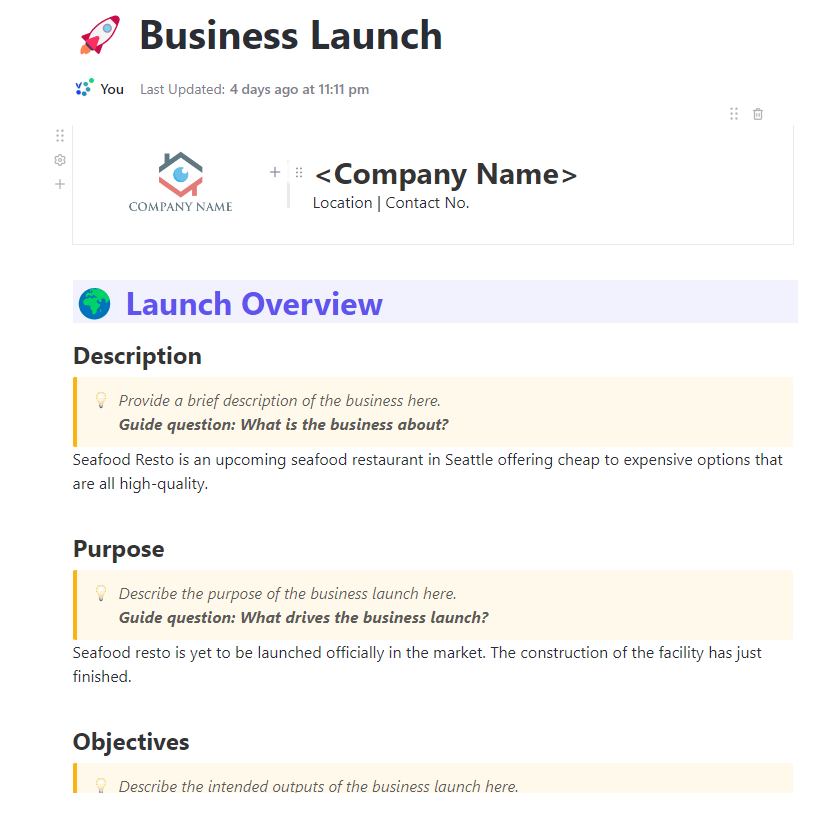
Launching a business is like writing on a blank, new page. It’s exciting but, at times, also overwhelming. The ClickUp Business Launch Template breaks it all down for you..
Map out critical steps like defining your value proposition and brand guidelines, creating SEO-friendly copy, designing visual assets, setting up analytics, and planning your go-live strategy. You can track progress with Custom Fields, store drafts and assets in one place, and keep your entire team aligned from brainstorm to launch day.
🎯 Ideal for: Startups, entrepreneurs, and teams planning a new business venture
The ClickUp Action Plan Template helps you break big goals into smaller, manageable steps. With dedicated sections for goal-setting, priority levels, deadlines, and key milestones, this template transforms abstract plans into actionable workflows.
Map out objectives, assign responsibilities, and track progress so that every project moves forward with intention. Whether you’re tackling a business initiative, a strategic project, or a personal goal, this template ensures that action items are well-defined and achievable.
🎯 Ideal for: Managers, teams, and individuals looking to turn ideas into action
Microsoft Loop templates are a game-changer for teams looking to stay organized and collaborate more effectively. They eliminate the hassle of setting things up from scratch, allowing you to jump straight into brainstorming, planning, and executing your ideas.
But Loop isn’t perfect, especially if you need more flexibility, deeper integrations, or advanced project and task management features. That’s why ClickUp is better. Its customizable features and multiple templates, powerful AI and automation, and seamless integrations make it a great alternative for teams that want to increase their productivity.
Sign up for free today and find the template that works best for your team! ✨

PMO Team
Max 9min read

Praburam Srinivasan
Max 16min read
Praburam Srinivasan
Max 21min read

© 2026 ClickUp