






Still downloading templates?
There’s an easier way. Try a free AI Agent in ClickUp that actually does the work for you—set up in minutes, save hours every week.
Sorry, there were no results found for “”
Sorry, there were no results found for “”
Sorry, there were no results found for “”
If you’re exploring Kuse AI alternatives, you’re likely looking for something extra in your AI project management.
Probably stronger forecasting, clearer cost visibility, or structured collaboration across multiple projects, or maybe all of the above?
Because large projects rarely collapse because of one dramatic failure. They unravel through small financial blind spots that compound over time.
According to the Standish Group CHAOS Report, only 31% of projects are completed on time and within budget. For finance leaders, project managers, and operations teams, it’s a signal that traditional oversight and surface-level AI support aren’t enough.
In this blog, we’ll explore platforms that help you predict overruns early, control costs proactively, and strengthen financial decision-making with AI-backed insights.
Kuse AI introduces an interesting paradigm shift with its infinite canvas of AI-powered idea structuring and knowledge organization capabilities.
But for teams managing multiple projects, brainstorming alone isn’t enough. You need deeper forecasting, predictable costs, and measurable impact.
🚩 No public user reviews on major platforms: Without transparent user feedback from reliable sources, it’s difficult to assess real-world performance, limitations, and long-term scalability for business-critical workflows
🚩 Credit-based pricing for heavy AI usage: If your teams rely on frequent AI-generated insights or large-scale data processing, managing usage credits can complicate budgeting and cost control
🚩 Advanced AI features gated behind higher tiers: Some core features may only be available in premium plans, which can impact cost predictability for growing organizations
🚩 Integrations and long-form processing require validation: For teams handling complex tasks, deep integrations and video analysis capabilities may need additional testing before enterprise-wide adoption
📖 Also Read: How to Build and Optimize Your AI Knowledge Base
Here’s a comparison table that helps you understand the tools at a glance. We’ll cover them in detail below.
| Tool | Best for | Key features | Pricing* |
| ClickUp | AI-integrated project management | AI Super Agents, Converged AI workspace, ClickUp Brain, Knowledge Management, AI Notetaker | Free forever; customizations available for enterprises |
| Notion AI | Turning scattered research into structured content hubs | AI Meeting Notes, workspace Q&A, database autofill, tone adjustment, content drafting | Free; Plus $12/user/month; Business $24/user/month; Enterprise custom |
| Mem | Knowledge workspace with intuitive discovery | AI model selection, unlimited deep search (Pro), connected emails, collections, API access | Free; Pro $12/month; Teams custom |
| Obsidian | Privacy and local-first knowledge management | Local vault storage, Canvas, Sync (E2E encryption), Publish, plugin ecosystem | Free; Sync $5/month; Publish $10/month; Catalyst $25 (one-time); Commercial $50/year |
| Glean | Unifying enterprise search with AI assistant | Enterprise AI assistant, 100+ integrations, governance controls, agent management | Custom pricing |
| Tana | Turning messy notes into structured knowledge | Supertags, structured views, voice workflows, AI credits, graph-style linking | Free; Plus $10/month; Pro $18/month |
| Gamma | Turning ideas into polished docs, decks, and mini-sites | AI-powered doc/deck creation, collaboration, analytics, access controls | Free; Plus $12/month; Pro $25/month; Ultra $100/month |
| Converse AI | Omnichannel conversational AI assistants | Bot builder, campaign automation, reporting dashboard, mobile management | Custom pricing |
| Ponder | Structured AI reasoning and multi-step research workflows | AI reasoning workflows, structured problem decomposition, contextual research analysis, multi-step thinking framework, collaborative knowledge exploration | Free; Casual: $10/month; Plus: $30/month; Pro: $60/month |
| Scholarcy | Turning long documents into citation-friendly summaries | AI flashcard summaries, research extraction, literature matrix, bibliography generation | Free; Scholarcy Plus $4.99/month |
How we review software at ClickUp
Our editorial team follows a transparent, research-backed, and vendor-neutral process, so you can trust that our recommendations are based on real product value.
Here’s a detailed rundown of how we review software at ClickUp.
Here are the top AI tools to consider, covering best-for, examples, customization depth, collaboration flow, AI features, integrations, pricing, and key trade-offs.
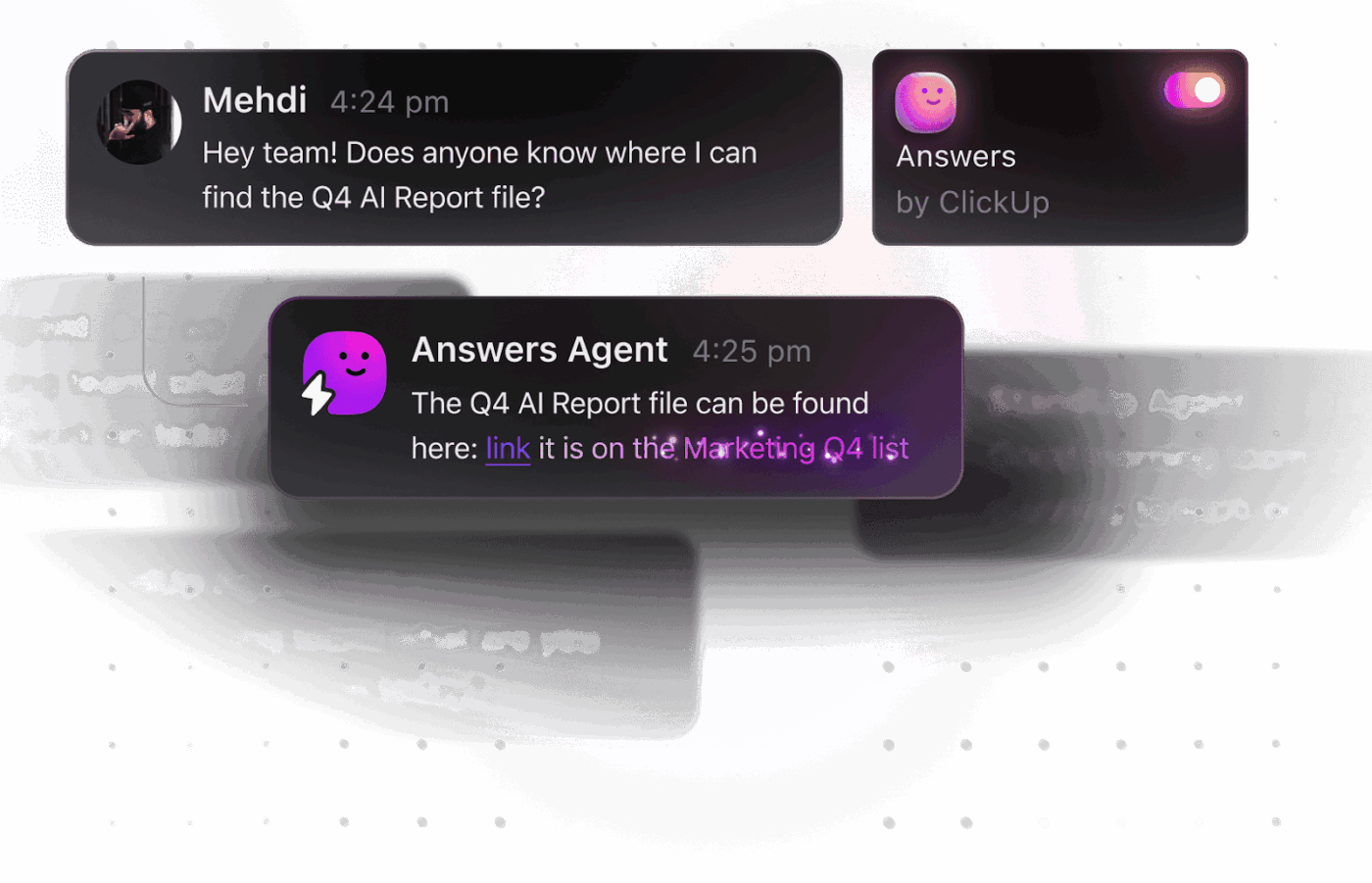
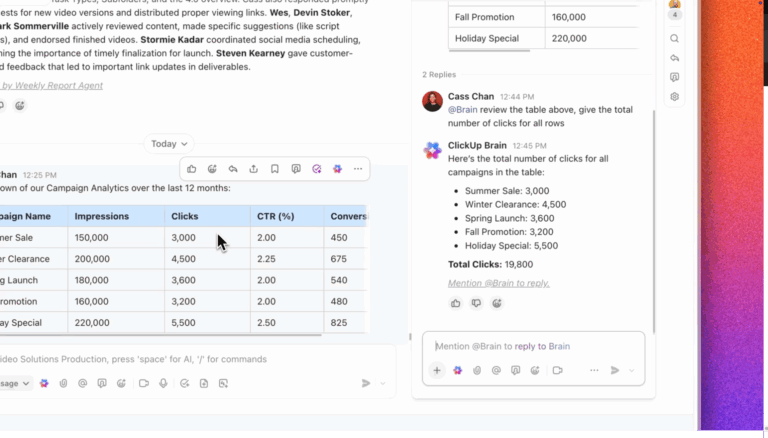
Instead of treating AI as a separate layer, ClickUp works as a converged AI workspace that keeps tasks, discussions, and delivery tracking connected in one place.
The big win? It reduces work sprawl (work spread across too many apps) and AI sprawl (too many isolated AI tools with partial context), so your team spends less time chasing the latest decision and more time shipping.
Turn scattered dev context into clear next steps with ClickUp Brain
When requirements live in one place, implementation notes in another, and decisions in Chat, it’s common to ship “correct” information that still misses intent. ClickUp Brain is built for that moment.
As context-aware AI, it sits in your workspace and helps you turn knowledge from your ClickUp Tasks, Docs, and Chat into actionable insights, without copying details across tools.
Here are some practical ways in which you can use ClickUp Brain:
Build no-code agents to keep work moving forward
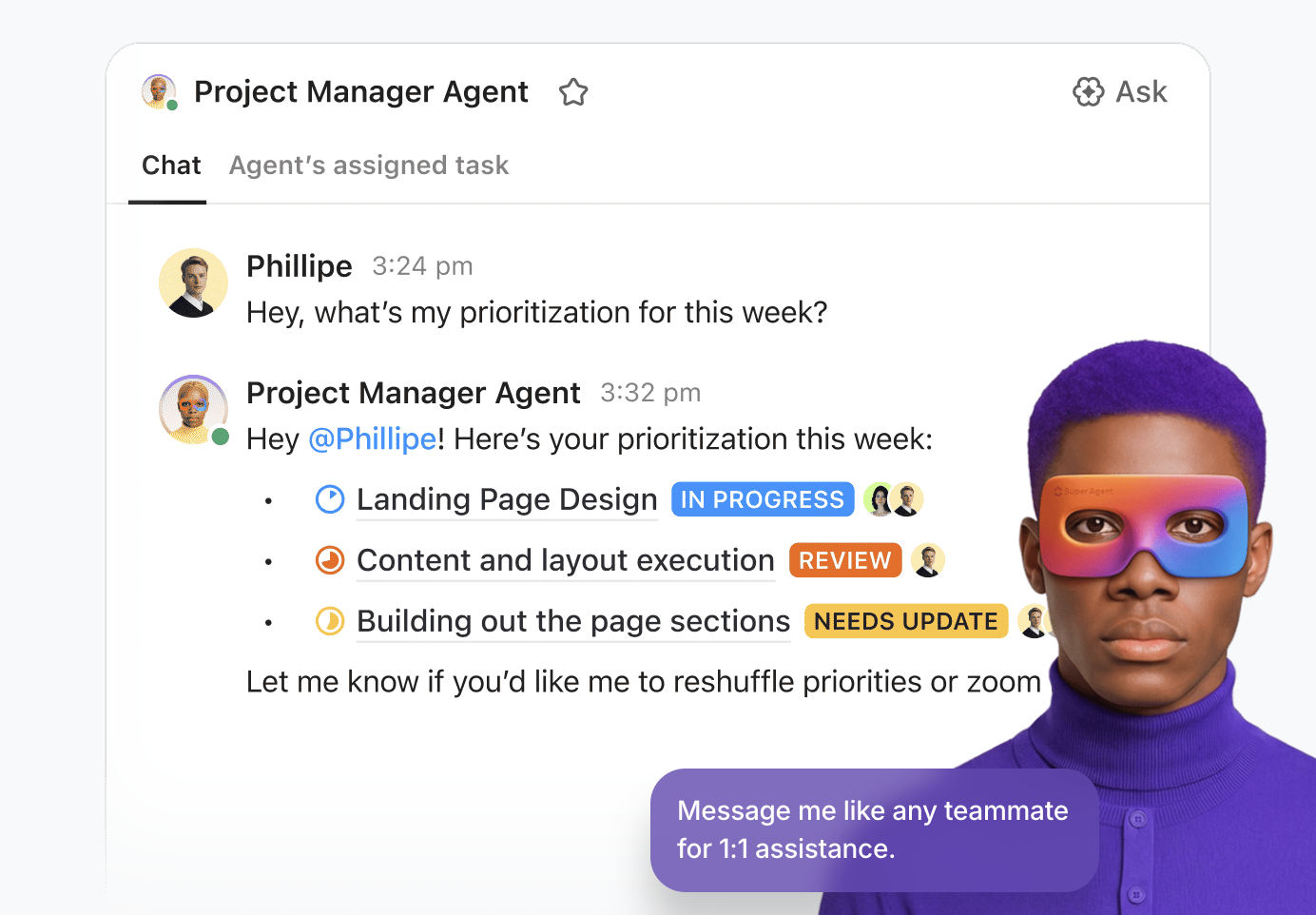
Use ClickUp Super Agents to maintain consistent task follow-through.
These are ClickUp’s AI-powered teammates designed to run multi-step workflows using your workspace context. They’re ambient, meaning they’re deeply aware of your workspace and project context, and can operate continuously while maintaining access control.
All you need to do is use the natural-language builder in ClickUp and define the triggers and actions, and map them to the correct knowledge bases!
Replace manual updates with AI-powered automation
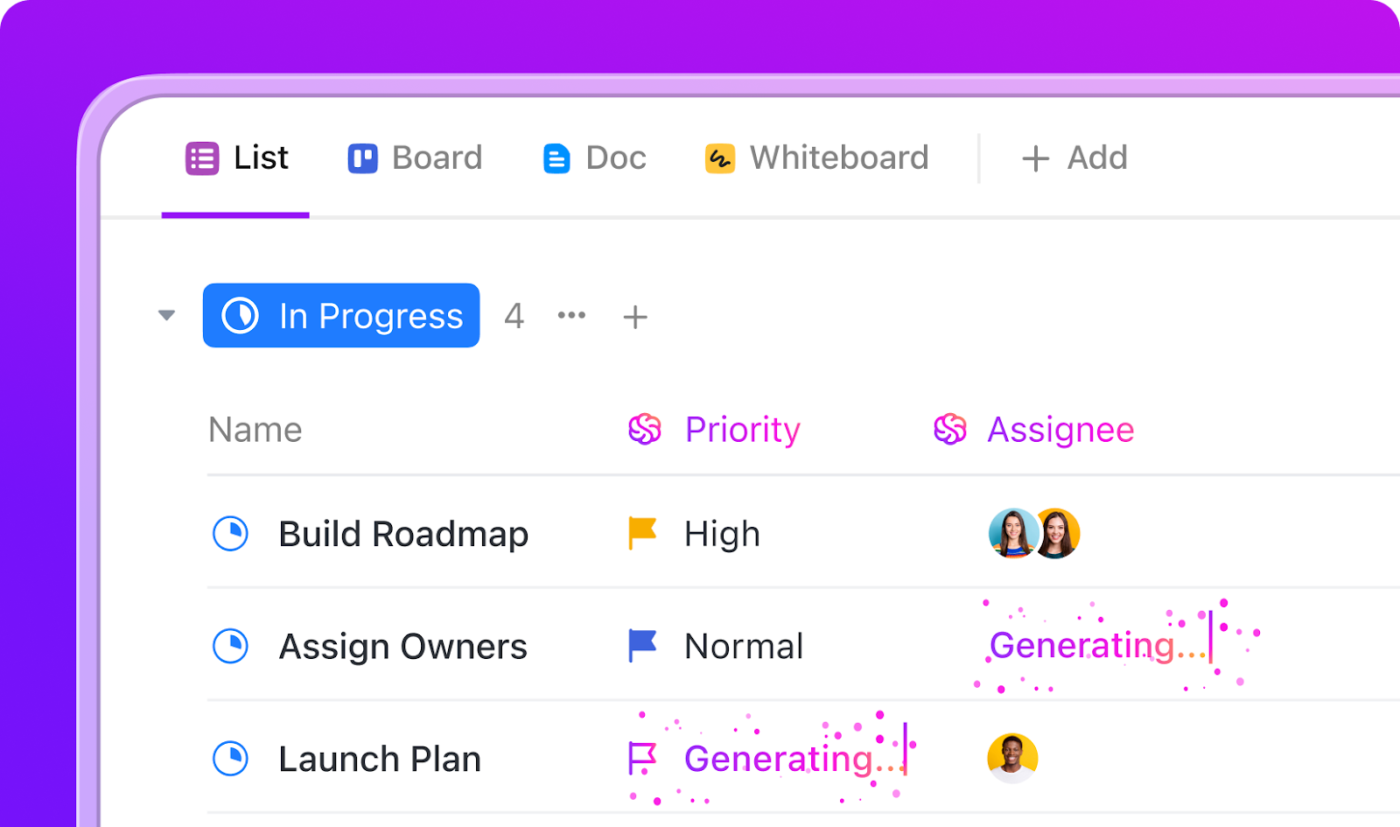
Even with AI handling insights and summaries, teams still lose time on the “glue work”, updating statuses, assigning owners, prioritizing tasks, and keeping workflows aligned.
ClickUp solves this by combining Automation with AI-powered decision-making, so your workspace actively organizes and optimizes itself in real time. Tasks can be automatically assigned using AI Assign based on context and workload, while AI Prioritize continuously surfaces what matters most using deadlines, dependencies, and urgency signals.
AI Fields enrich tasks by auto-filling key details from conversations and docs, and AI Cards turn raw task data into clear, structured insights that highlight risks, status, and next steps. At the same time, automation rules handle execution, status updates, task movement across workflows, and stakeholder notifications as work progresses.
Together, this ensures that your workspace stays accurate, prioritized, and in motion, where AI doesn’t just suggest what to do, but automation ensures it actually gets done.
Keep specs and important snippets easy to find with ClickUp Docs
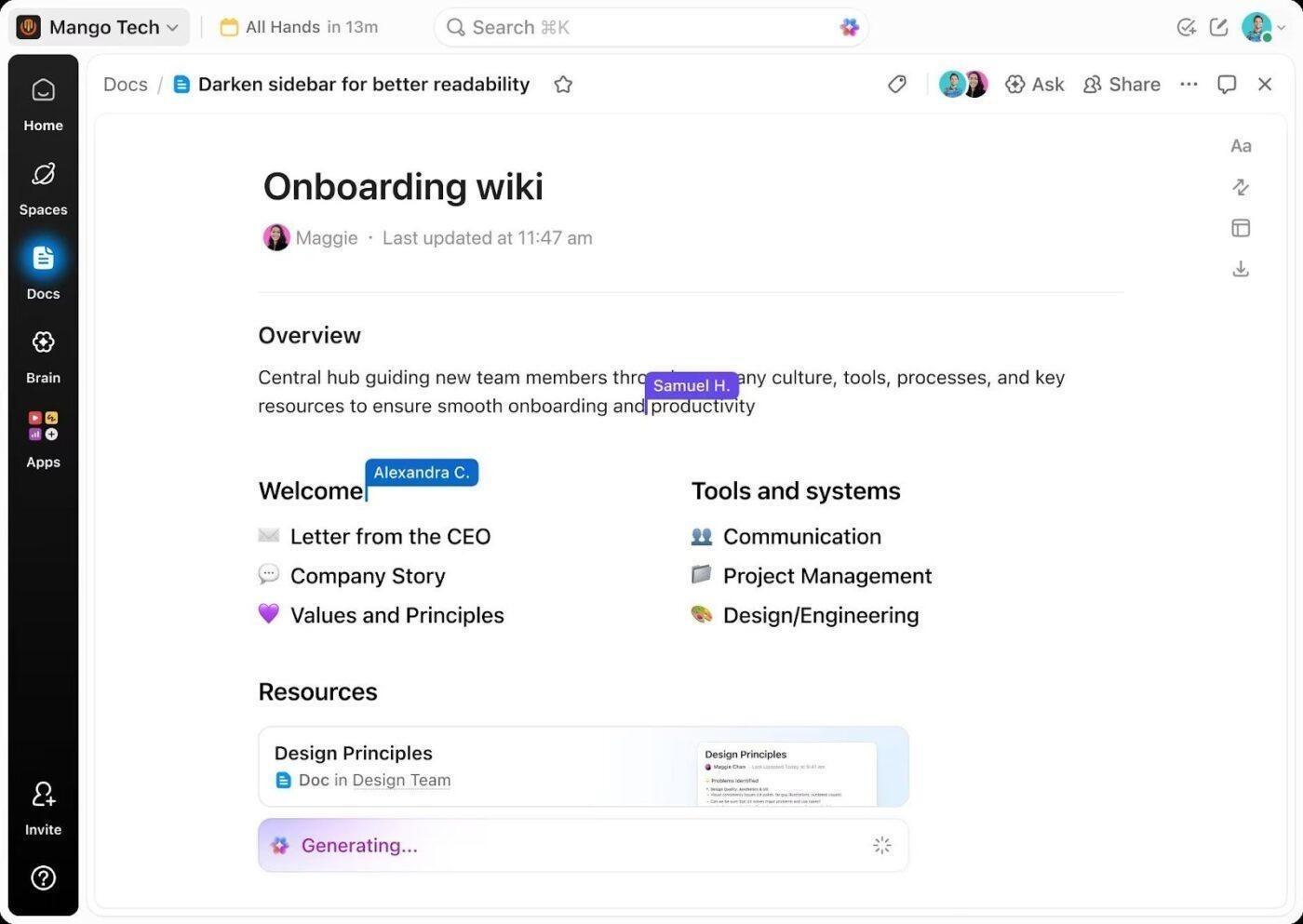
ClickUp Docs is designed to keep documentation tied directly to execution, so reviewers understand intent before debating implementation.
With ClickUp Docs, teams can:
This Reddit review really says it all:
“I was on the fence about ClickUp Brain at first, just seemed like another AI gimmick. But it’s saved me from some tedious writing tasks, especially when I need to summarize lengthy client emails or get a draft started.”
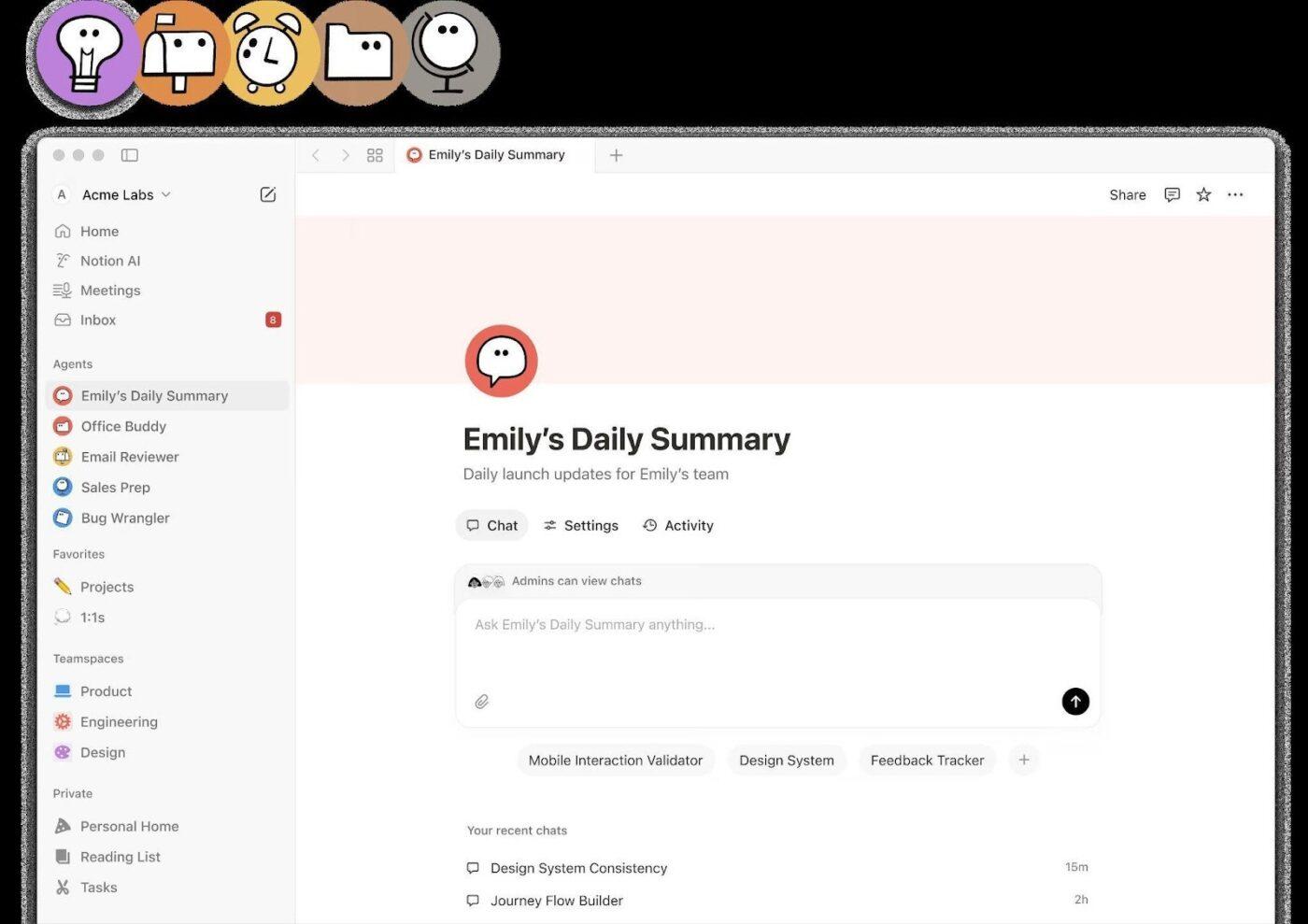
If your team’s biggest pain is “we have the AI notes, but no one can find them later,” Notion AI is a practical pick.
Its AI Meeting Notes workflow automation captures meetings and generates a summary right after the call ends. It also saves transcripts, decisions, and action items in your workspace so they stay searchable notes instead of scattered takeaways.
That’s useful when you’re pulling threads across stakeholder interviews, customer calls, and internal syncs. You can keep research snippets, talking points, and drafts next to the source material and reuse them across briefs.
A Reddit user mentions:
“I think Notion’s AI tool is worth exploring and really embracing for a while to see if it might be helpful for you.”
📖 Also Read: How to Use Knowledge-Based Agents in AI
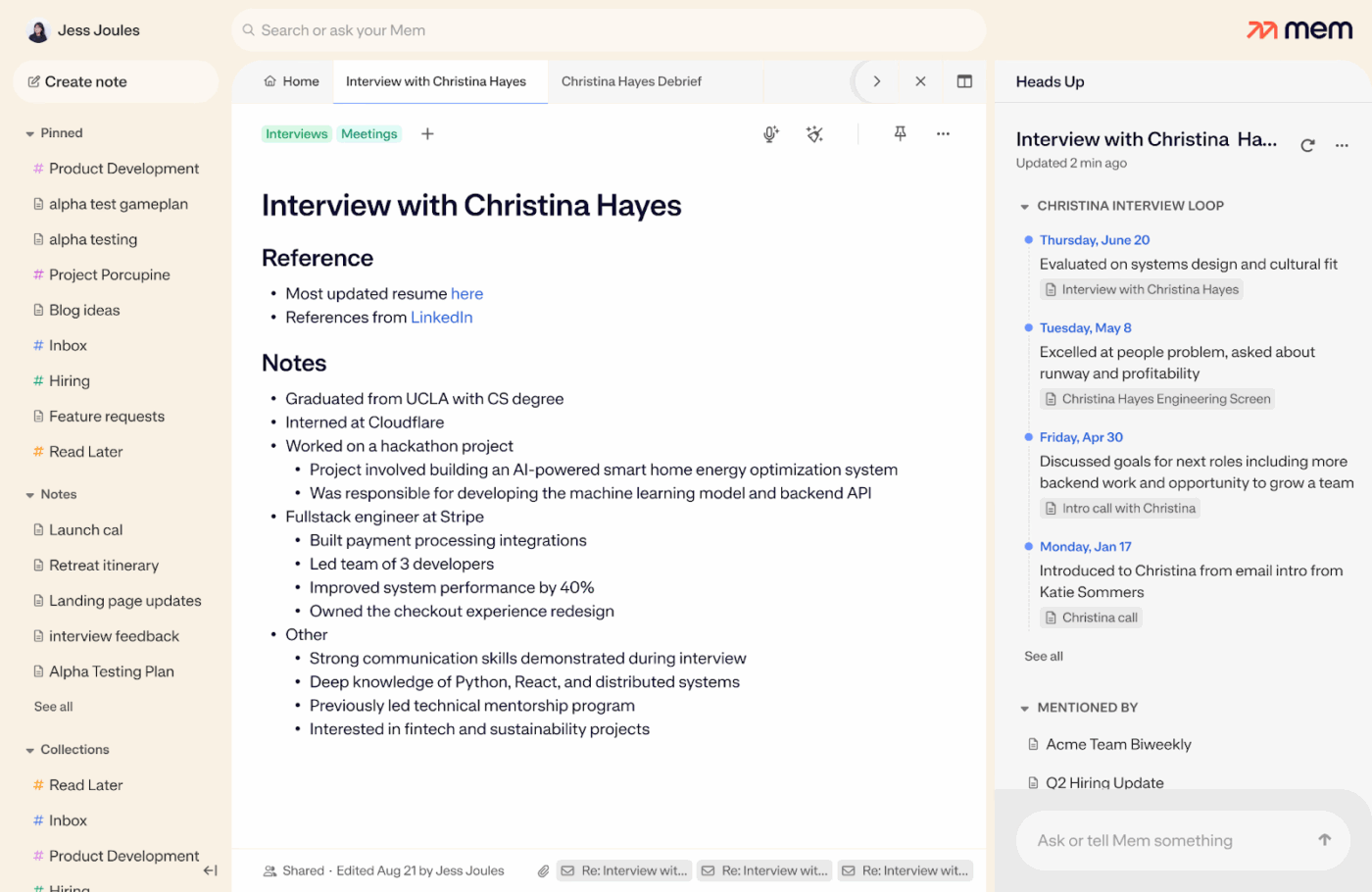
If your biggest pain is “we have the AI notes, but no one can find them later,” Mem is built for that exact gap—turning scattered meeting notes and documents into something you can actually retrieve when it matters.
Mem keeps things lightweight for individuals, but still gives you “grown-up” knobs like model selection, deep search, and overall connected AI, so your knowledge management doesn’t live in five different places.
It’s a strong fit when you’re juggling multiple threads across projects, stakeholders, and follow-ups, and you want faster recall without turning note-taking into a second job.
📮ClickUp Insight: Only 10% of our survey respondents use voice assistants (4%) or automated agents (6%) for AI applications, while 62% prefer conversational AI tools like ChatGPT and Claude.
The lower adoption of assistants and agents could be because these tools are often optimized for specific tasks, like hands-free operation or specific workflows.
ClickUp Brain MAX helps you keep workflows connected to the original context and voice-first workflows, so updates do not get lost across tools.
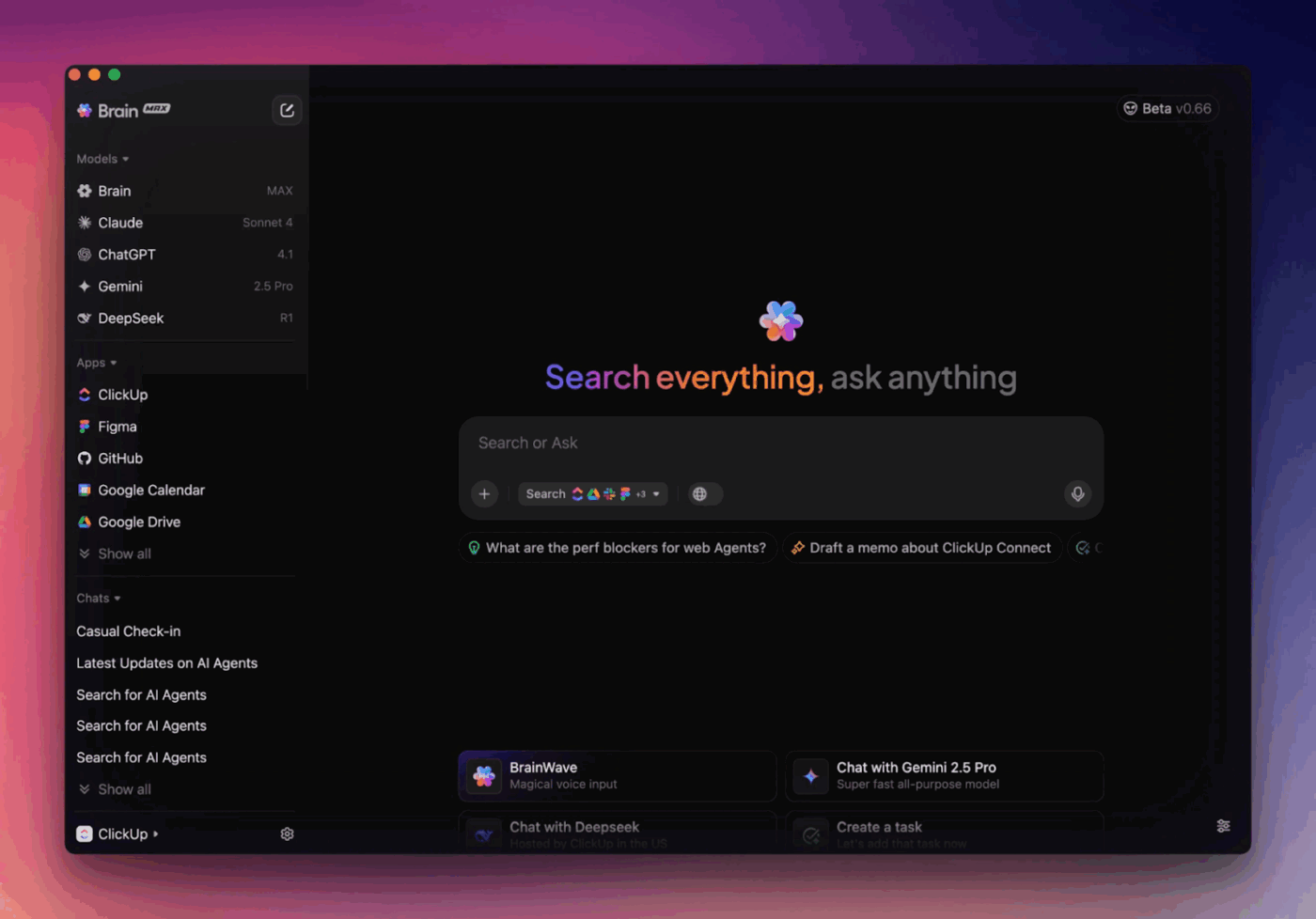
Pick the right AI model for the job: Switch models and choose among ChatGPT, Gemini, or Claude based on output needs. Use one for crisp status summaries, one for deeper analysis, and one for rewriting reviewer notes
Log progress faster with Talk to Text: Dictate a clean update like “status, blocker, next step, owner, due date.” Talk to Text transcribes it into a structured task update, so you keep momentum without manually typing long notes
Get clarity across your workstream: Ask ClickUp Brain MAX questions like “What tasks are at risk and why?” You get a clear view without scanning every list
Find the source of a decision with ClickUp Enterprise Search: When someone asks, “Why are we changing this?” use Enterprise Search to pull the original spec, comment thread, or doc that led to the work, so you avoid guesswork and keep reviews faster

Obsidian is built around local files, so AI for knowledge management stays in your hands rather than being trapped on a platform.
That local-first approach also makes Obsidian practical for teams who want durable documentation across multiple projects, without forcing every workflow into a single “one-size-fits-all” system.
And when you want a more visual way to connect ideas, Obsidian’s graph-based navigation and publishing add-ons help you share insights without turning your docs into a heavy process layer.
A Reddit user mentions:
“I’ve found it to be the most lightweight and customizable program to manage notes and tasks.”
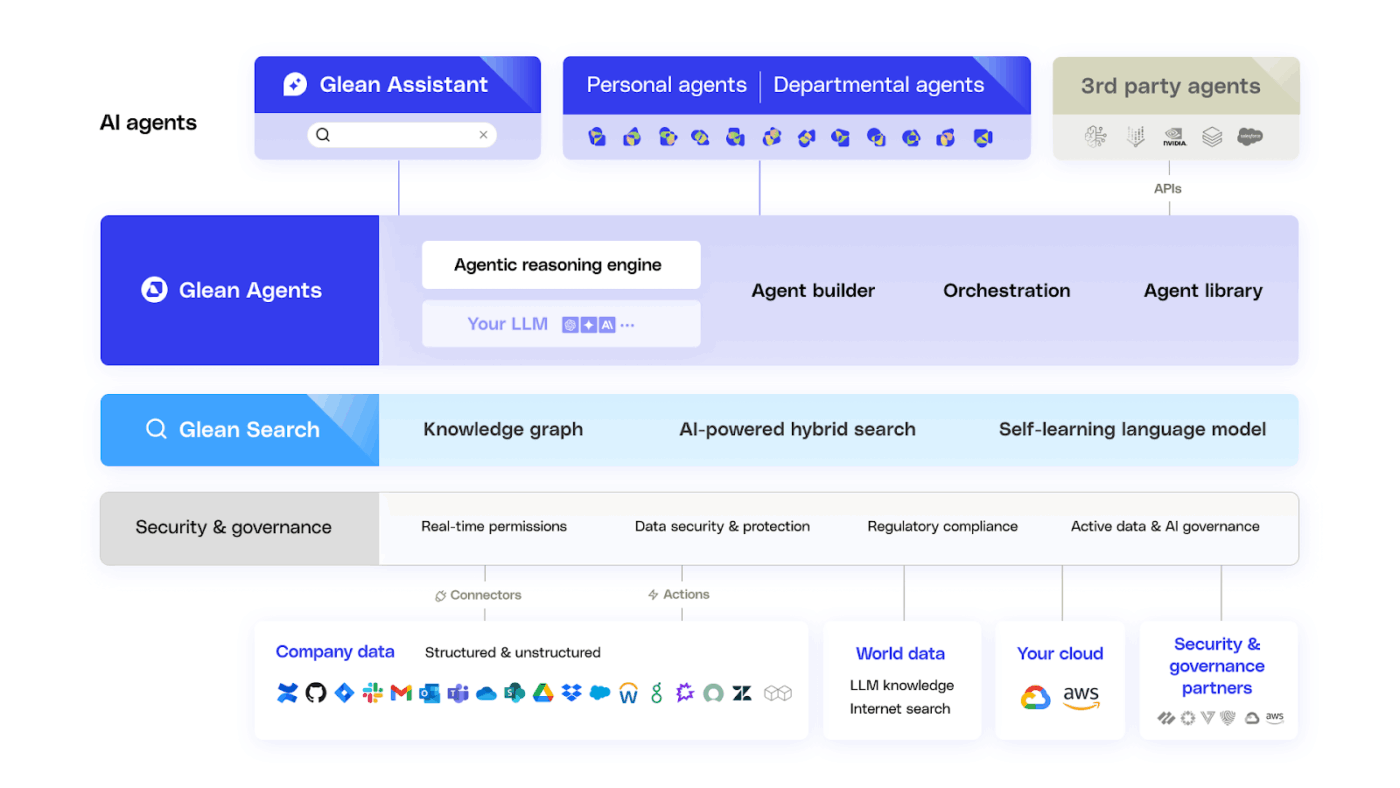
Glean is designed to sit across your external data sources and bring answers back in a way your team can actually use day to day.
Basically, you’re asking an AI assistant that’s grounded in your company context, so it can summarize, explain, and pull the right thread without you jumping between apps.
And because real teams live in real tech stacks, Glean emphasizes broad connectivity, including 100+ app integrations, so your knowledge management doesn’t stall at “we’ll add it later.”
A G2 user mentions:
“The ability of Glean to pull in specific resources and provide a comprehensive summary is incredibly handy, as it saves me time when accessing critical workplace knowledge.”
📖 Also Read: Best Glean Competitors & Alternatives
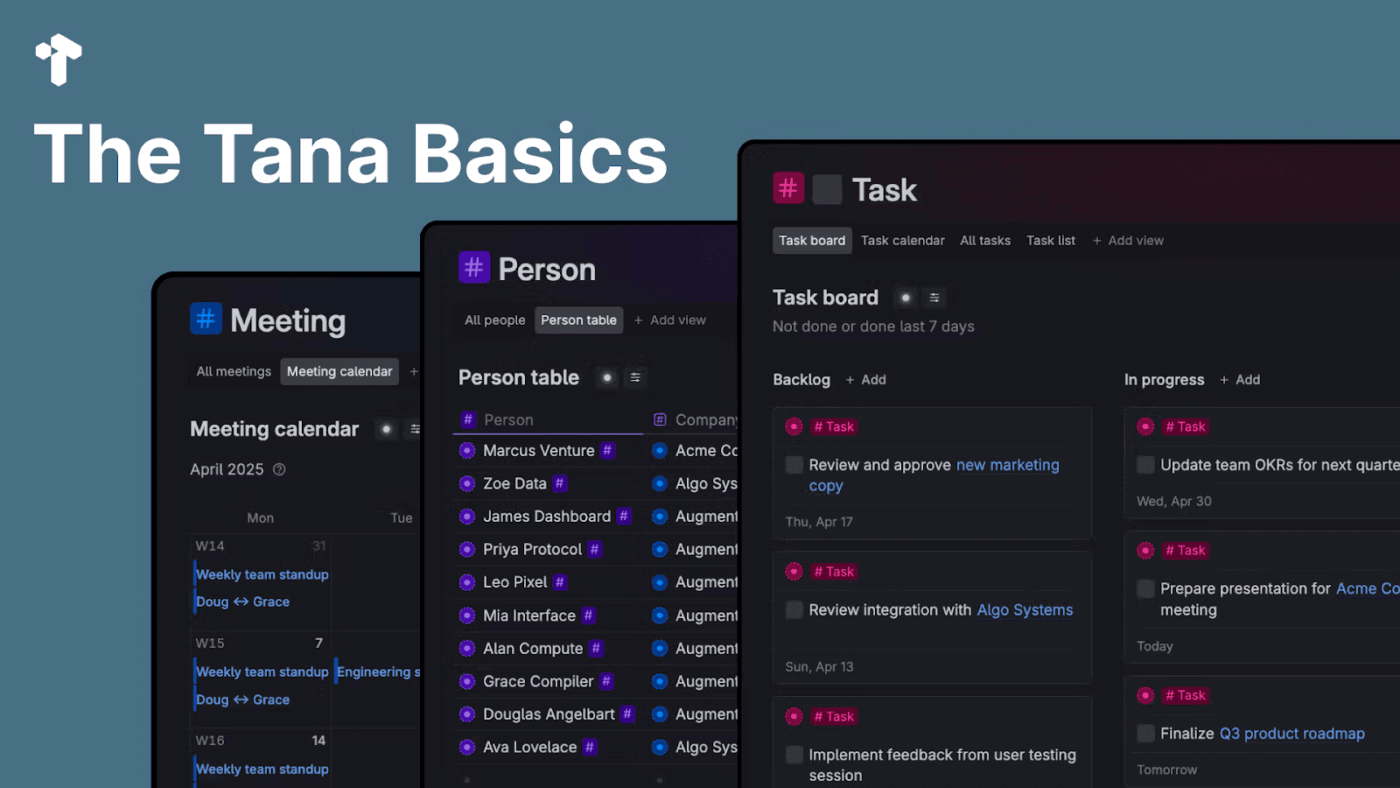
If your team lives in meetings, research, and fast-moving projects, Tana is built to keep your thinking organized without turning it into a chore. It’s a modern knowledge management app that treats notes like building blocks you can reuse across documents, plans, and follow-ups.
Where Tana stands out is its blend of “freeform writing” and structure. You can capture raw thoughts, then use Tana’s building blocks (like Supertags and views) to turn them into something you can query and maintain over time.
And if you care about an always-available AI assistant, Tana leans into AI features that help you turn conversations into cleaner outputs and keep context close to the work.
A Reddit user mentions:
“It’s the first time I’ve ever seen use of the “daily notes” work well enough that I trust it not to lose everything and forget about it the next day.”
📖 Also Read: Best Enterprise Search Software Solutions
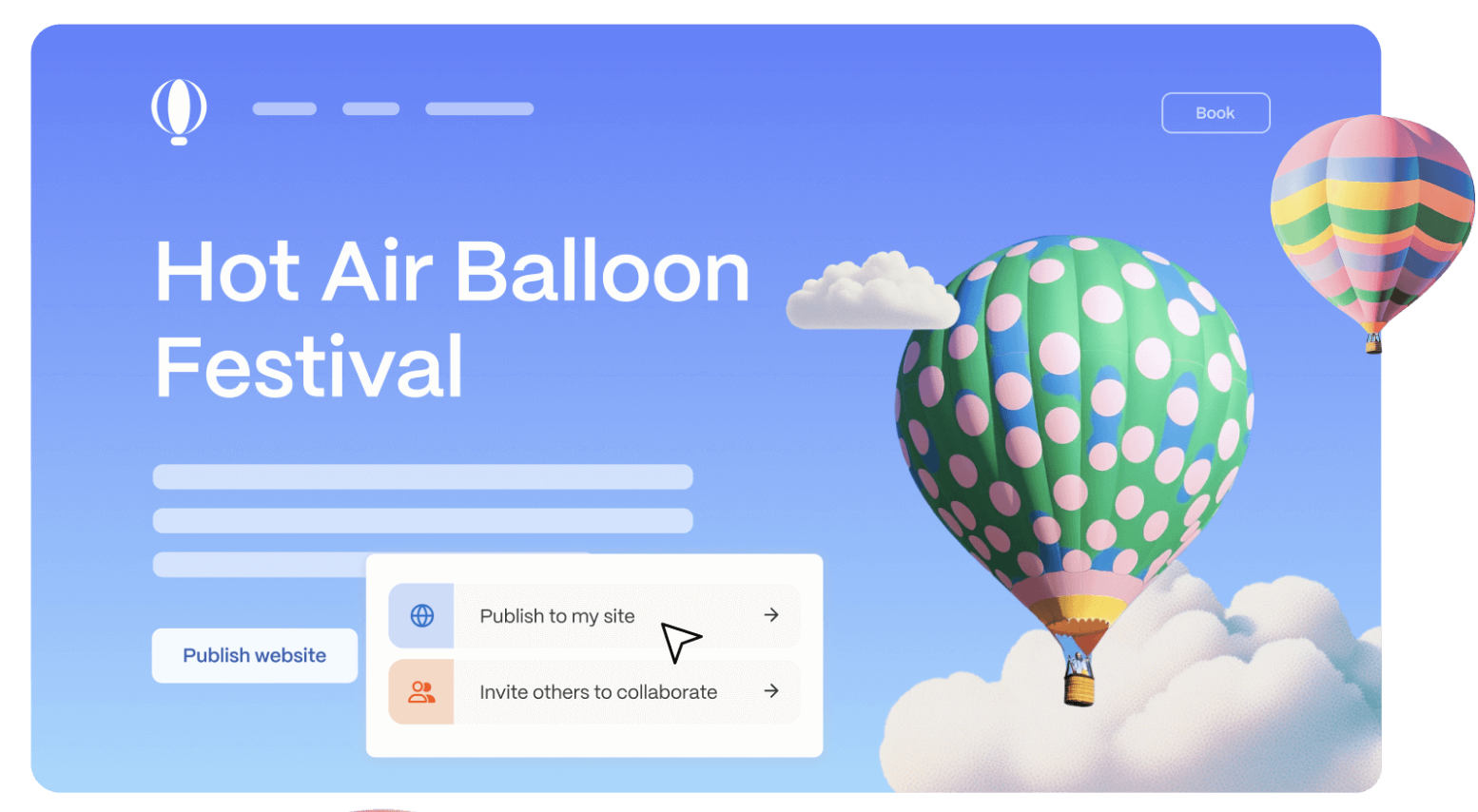
Gamma is worth a look. It’s built for creating and sharing “cards” that work as docs, slide decks, or lightweight web pages.
It also plays nicely with teams: you can share via link, control view/comment/edit access, and collaborate inside a workspace without losing version control.
And if you care about outcomes, Gamma includes analytics to track views, engagement, and time spent—helpful for project managers and ops teams that want proof a deliverable landed.
A G2 user mentions:
“Gamma AI smoothly converts ideas into complete, well-organized presentations.”
📖 Also Read: How to Create a Company Wiki for your Team
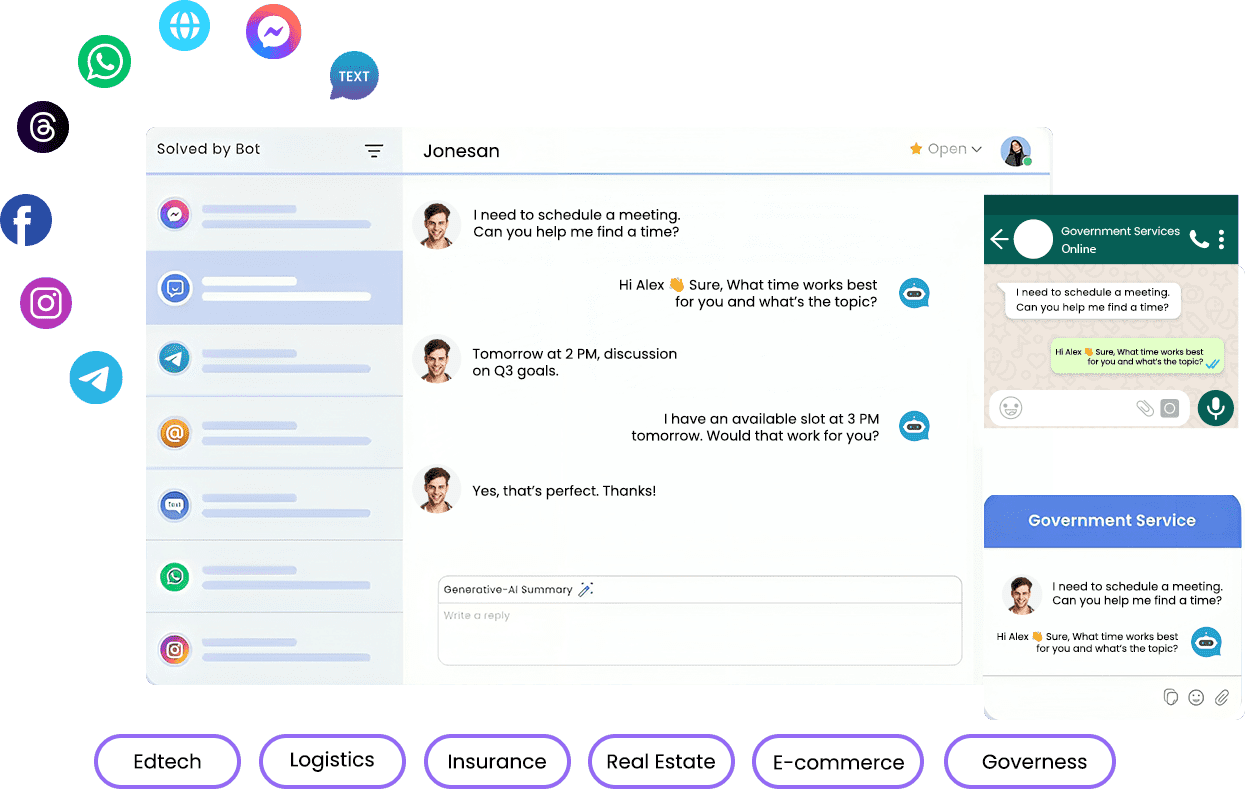
Many businesses struggle to unify customer conversations across platforms and turn them into meaningful interactions. Converse AI is built to bridge that gap by delivering a single interface where teams can manage chats, automate responses, and deepen engagement in real time.
Whether you’re running support on WhatsApp, live chat on your website, or proactive messaging campaigns, Converse AI helps you speak to customers wherever they are. Its focus on AI tools for communication and engagement makes it a solid pick if automation and conversational workflows are core to your strategy.
Plus, the platform emphasizes simple deployment and clear reporting, so your team spends less time stitching systems together and more time generating value from every interaction.
📖 Also Read: Best Document Collaboration Software for Teams
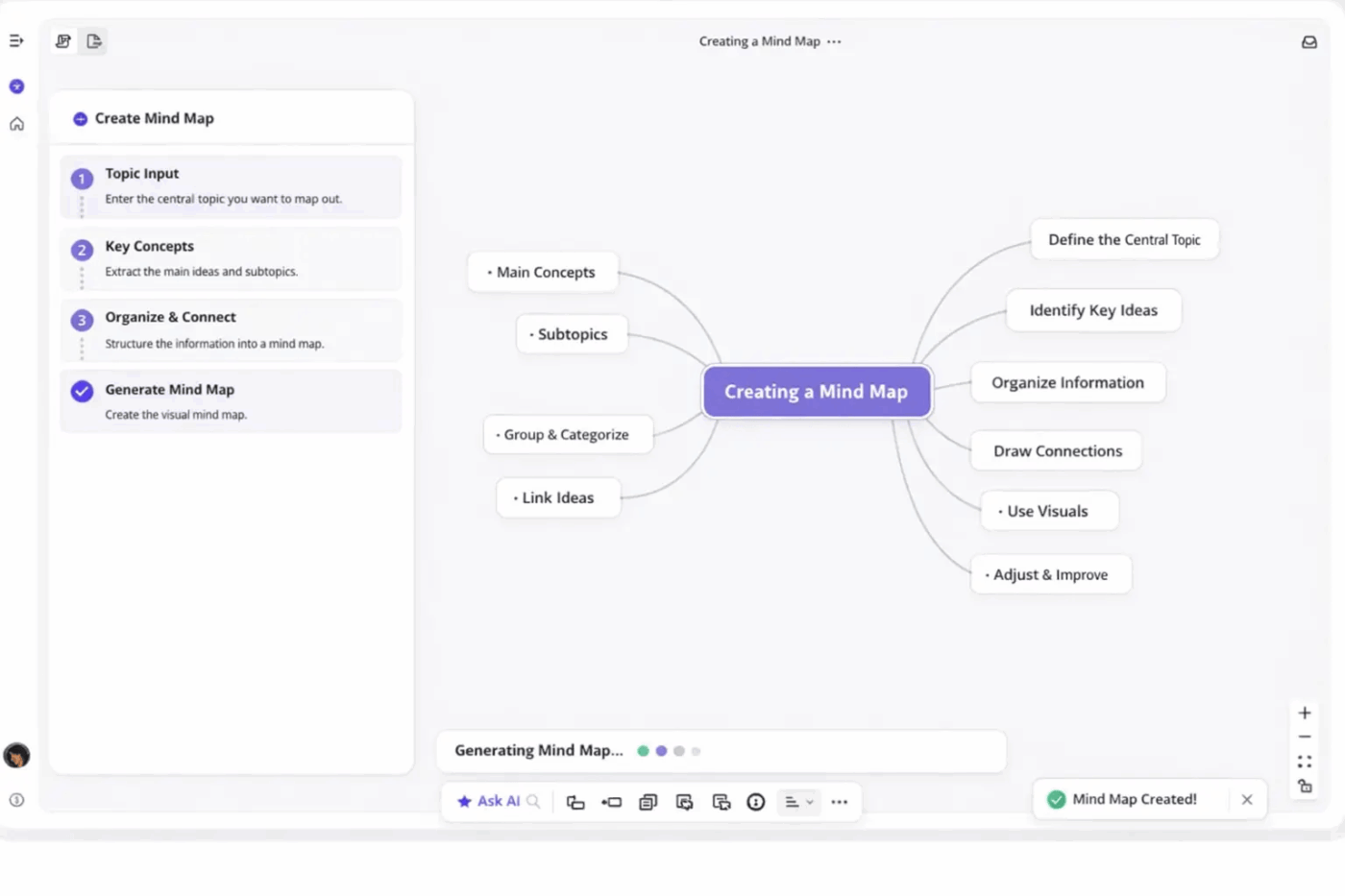
If you’re exploring alternatives that go beyond traditional prompt-based tools, Ponder positions itself as a platform designed to help teams build structured AI workflows and reasoning-driven applications.
Instead of treating AI outputs as isolated responses, the tool focuses on organizing how models process information, reason through problems, and generate decisions within a broader system.
This approach makes Ponder particularly useful for teams experimenting with AI-assisted research, analysis, and structured reasoning workflows. The platform allows you to design workflows where AI models break down problems, analyze context, and iteratively refine answers—helping you move from simple prompt interactions to more deliberate, step-by-step thinking.
📖 Also Read: Free Knowledge Base Templates in Word & ClickUp
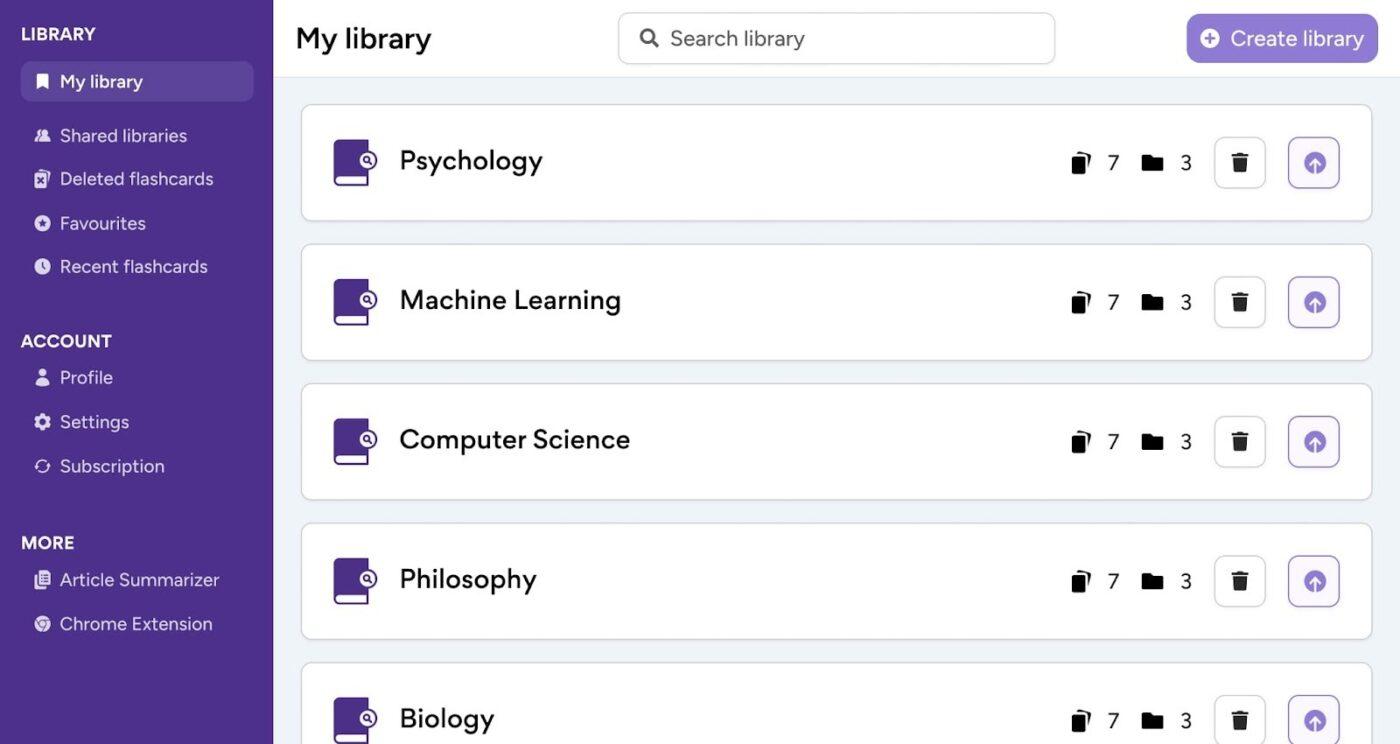
If your team keeps drowning in PDFs, journal articles, and reports, Scholarcy is built for the moment you need AI-generated insights without losing the thread.
It focuses on compressing long reads into structured, skimmable “flashcard” style summaries you can save, search, and revisit later, so your data doesn’t live in ten different tabs.
And because it’s built for research-heavy work, it’s especially handy when you care about source citations, recurring notes, and building a lightweight personal library you can reference across projects.
A G2 user mentions:
“It has an easy and navigable UI. It offers the user to customize and perform figure data summarization, table summarization, etc. within a few seconds.”
📖 Also Read: Best AI Search Engines You Need to Try
Now you have a clearer way to evaluate Kuse AI alternatives based on what truly matters: Forecasting depth, structured knowledge management, measurable AI-generated insights, and support for multiple projects without chaos.
The right platform should help your team move beyond scattered sticky notes, disconnected files, and surface-level automation. Whether your priority is predictive analytics, tighter cost control, stronger collaboration, or more advanced AI features, the goal is the same: clarity that drives confident decisions.
Start with one specific project. Test how well the tool handles real data, real discussions, and real business constraints. Then scale where it improves productivity, not just for novelty’s sake.
But if you want to keep your work, context, and execution in one place, start with ClickUp. Sign up now!

© 2026 ClickUp

There’s an easier way. Try a free AI Agent in ClickUp that actually does the work for you—set up in minutes, save hours every week.