It’s 2 PM on a Tuesday. Your marketing manager is in a meeting with the product team, and they ask: “What was our messaging for the summer campaign? We want to use a similar angle for this new launch.”
Your manager thinks: I know we have this documented somewhere. We spent weeks on that campaign. But where?
They text you: “Can you find the summer campaign brief?”
You spend 20 minutes checking:
Google Drive (three different folder structures)
Slack (scrolling through months of threads)
Notion (is it in there? maybe?)
Emails (surely someone sent it?)
Two other people’s desks (asking if they remember)
Finally, you find it. But it’s outdated. Version from August. You don’t remember if we updated anything in September.
So you text back: “Found it, but it might be old. Let me check with Sarah. She owned the campaign.”
Sarah is in a different meeting. Responds in 30 minutes. “Yes, we updated messaging in mid-September. Let me find that version.”
By now, 45 minutes have passed. Your product team is waiting. The meeting momentum is lost. And you’ve just discovered something painful: your team’s institutional knowledge exists, but your team can’t find it.
This happens constantly in marketing teams. IDC research shows knowledge workers waste up to 12 hours every week just discovering and preparing data. For your team, that’s 20% of the workweek gone—just searching for information that already exists somewhere.
Summarize this article with AI
ClickUp Brain not only saves you precious time by instantly summarizing articles, it also leverages AI to connect your tasks, docs, people, and more, streamlining your workflow like never before.
Summarize this article for me please
What Is Knowledge Management for Marketing?
Knowledge management for marketing is the system you use to capture, organize, and share all your team’s specific information. It’s not just about storing files in a folder somewhere. It’s a strategy for managing everything from brand assets and campaign learnings to customer insights and competitive intelligence.
Unlike generic knowledge management, a marketing system has to handle both structured data (like performance metrics and analytics) and unstructured content (like creative briefs, stakeholder feedback, and customer research). For a deeper dive into the different approaches, explore knowledge management strategies that work for various team structures.
The problem most teams face is context sprawl—when information is scattered across tools, versions, and people, making it hard to find what you already know. Your campaign briefs live in one tool, brand guidelines in another, customer research buried in email threads.
📮 ClickUp Insight: Our knowledge management survey found that employees often waste time searching through internal docs (31%), company knowledge bases (26%), or even personal notes and screenshots (17%) just to find what they need.
With ClickUp’s Enterprise Search, every file, doc, and conversation is instantly accessible from your home page—so you can find answers in seconds, not minutes.
A real knowledge management system solves this. It brings all your marketing knowledge together in one place, so your team always has the right information—organized, searchable, current, and trustworthy.
Summarize this article with AI
ClickUp Brain not only saves you precious time by instantly summarizing articles, it also leverages AI to connect your tasks, docs, people, and more, streamlining your workflow like never before.
Summarize this article for me please
What Broken Knowledge Management Actually Costs You
Let’s do the math on that 45-minute interruption from the opening.
One interruption: 45 minutes lost. Three times a week: 3.75 hours lost. Per quarter: 45 hours lost. Per year: 180 hours lost.
That’s roughly 4.5 weeks of productivity per year on one type of interruption (finding past campaign work).
The research backs this up: the average professional spends 30+ minutes every single day searching for work-related information. That’s over 120 hours a year per person—just digging through emails, Slack threads, and scattered files.
Now multiply that by:
“This new hire keeps asking the same onboarding questions over and over”
“Where’s the brand guideline version we approved last month?”
“What were our competitor insights from the customer research?”
“Who wrote the product positioning doc? I need them to update it”
“We did something similar to this before. Does anyone remember what we learned?”
But here’s what makes it worse: It’s not just time. When knowledge is hard to find, your team doesn’t use it. So you:
Repeat the same mistakes from past campaigns instead of building on what worked
Dilute your brand messaging because everyone’s working from different versions of the brand guidelines
Lose institutional knowledge when people leave (especially if they were the “keeper of knowledge”)
Make slower decisions because you don’t have the full context of what you’ve learned
The cost isn’t just the 45 minutes. It’s the compounding effect of never building on what you’ve already done.
🧐 Did You Know? Nearly half of employees say their company’s digital organization is a mess, and 30% of Gen Z workers have thought about quitting because of it. Poor folder structures, confusing file names, and scattered documents are productivity killers.
Summarize this article with AI
ClickUp Brain not only saves you precious time by instantly summarizing articles, it also leverages AI to connect your tasks, docs, people, and more, streamlining your workflow like never before.
Summarize this article for me please
Benefits of Knowledge Management for Marketing Teams
Marketing leaders often struggle to explain why knowledge management matters. You feel the daily pain of lost files and repeated questions, but it’s hard to articulate the business case for investing in a better systemespecially when Gartner reports marketing budgets dropped to 7.7% of company revenue in 2024.
When your team spends more time searching for information than creating, you’re losing money and momentum.
Faster Campaign Launches
Instead of starting from scratch, your team can build on documented learnings from past campaigns. Campaign A (scattered knowledge) takes 4 weeks from brief to launch. Campaign B (organized knowledge) references what you learned, takes 2.5 weeks, and makes better decisions because they’re informed by what you’ve already done. The right marketing campaign management approach makes this repeatable.
Consistent Brand Messaging
When everyone has access to the same approved brand guidelines, voice documents, and messaging frameworks, your brand shows up consistently everywhere. Without this, different teams work from different versions and your messaging fragments. If you’re struggling with this, brand guidelines templates can help you get started.
Reduced Onboarding Time
New team members can find answers themselves in a centralized knowledge base instead of interrupting senior colleagues with the same questions over and over. They find the answer in 30 seconds instead of asking around.
Preserved Institutional Knowledge
When a team member leaves, their expertise, processes, and campaign history stay with the organization. You don’t lose what they know. The team doesn’t have to reinvent processes.
Better Cross-Functional Collaboration
Sales, product, and customer success teams can easily access the marketing insights they need without sending another “can you find me that doc?” email. Everyone operates from the same context. For more on making this work, check out cross-functional collaboration best practices.
💫 Real Results: Teams are able to reclaim 5+ hours every week using ClickUp—that’s over 250 hours annually per person—by eliminating outdated knowledge management processes. Imagine what your team could create with an extra week of productivity every quarter!
🎥 If AI in marketing feels overwhelming or unclear, this video breaks it down into simple, repeatable use cases that show real impact—not hype.
Summarize this article with AI
ClickUp Brain not only saves you precious time by instantly summarizing articles, it also leverages AI to connect your tasks, docs, people, and more, streamlining your workflow like never before.
Summarize this article for me please
Knowledge Management Use Cases in Marketing
You get the concept, but how does knowledge management actually apply to your day-to-day marketing work? Let’s look at the most common scenarios where marketing teams see immediate impact.
Approved messaging, copy banks, and boilerplate text
Licensed photography and video libraries
Sales enablement materials and presentation decks
Organize and access campaign assets quickly with ClickUp’s intuitive search and asset management
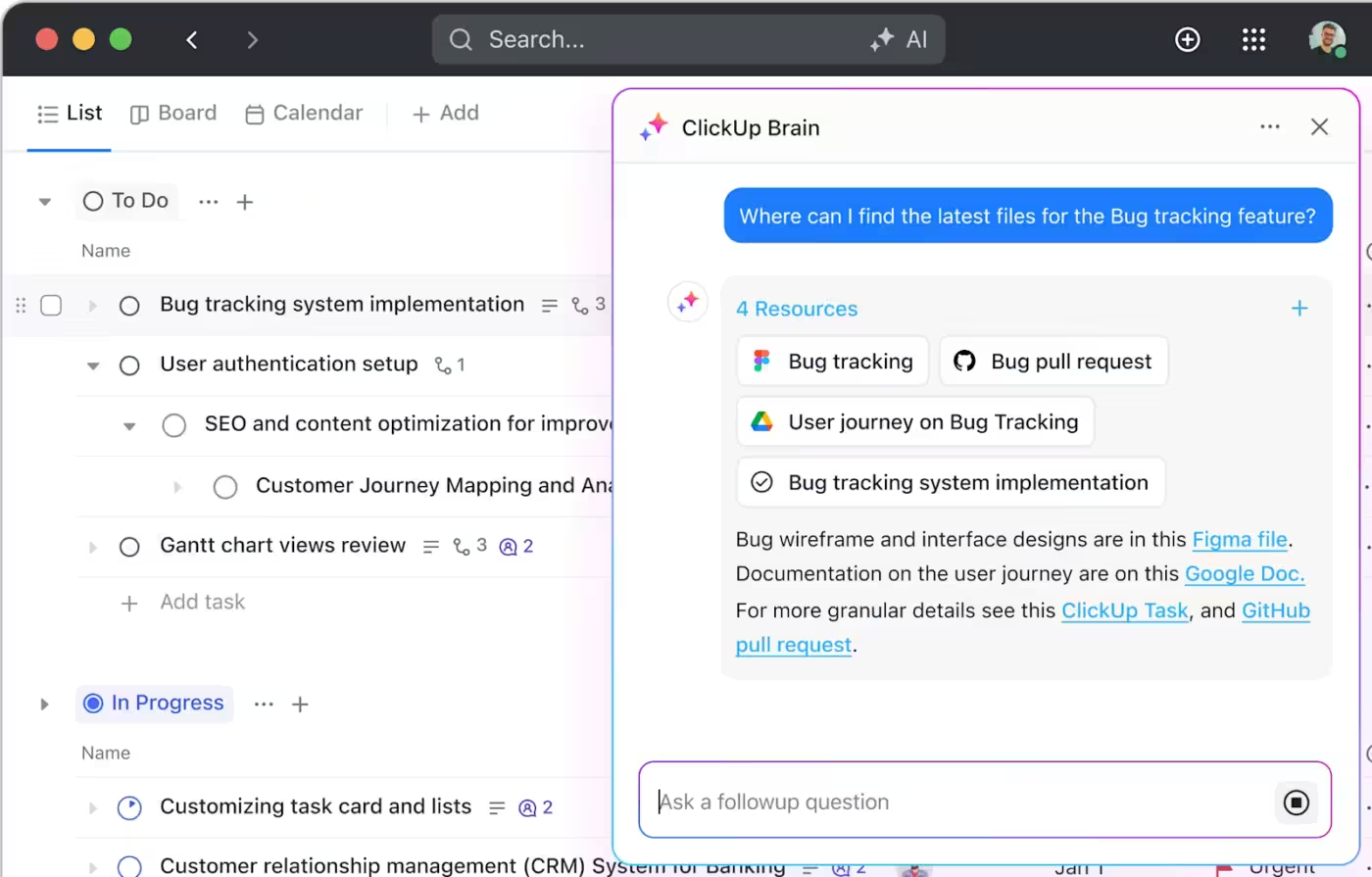
Find assets fast by simply describing what you need. ClickUp Brain makes it easy to locate files without remembering exact names or folder structures. For teams managing large asset libraries, brand asset management software can take this even further.
Customer insights centralization
Your team has amazing customer insights, but they’re completely siloed. Persona documents are in one folder, survey results are in a spreadsheet, and interview recordings are who-knows-where. This fragmentation means your marketing decisions are being made without the full context of what your customers actually want and need.
Here’s a real scenario: Your team conducted interviews with 12 customers and discovered something important—your customer personas were off. Customers weren’t worried about feature X (which you’d been emphasizing). They were worried about problem Y (which you hadn’t even been addressing).
This insight should have changed everything.
But where did this insight live?
Interview recordings: Stored in a shared Drive folder (unlabeled)
Transcripts: One person had them on their computer
Key findings: Documented in a one-person Notion page that nobody else checked
The actual realization: Mentioned in one Slack thread from three weeks ago
When the product team was planning the next quarter, they didn’t know about this insight. They kept building features for problem X (the one customers didn’t care about). By the time marketing mentioned it, product had already committed to their roadmap.
This insight took 40 hours to create and then was completely wasted.
What should have happened: Customer research lives in ClickUp Docs, linked to your persona library and positioning doc. Key findings are documented clearly. They’re searchable via ClickUp Brain. When product team is planning, they see the update. They adjust accordingly. The insight gets used.
Centralize customer insights for better marketing decisions and collaboration
Cross-team collaboration
Marketing can’t operate in a vacuum. You need input and alignment from sales, product, customer success, and leadership. But this cross-functional collaboration is often where things fall apart, leading to missed deadlines and misaligned launches.
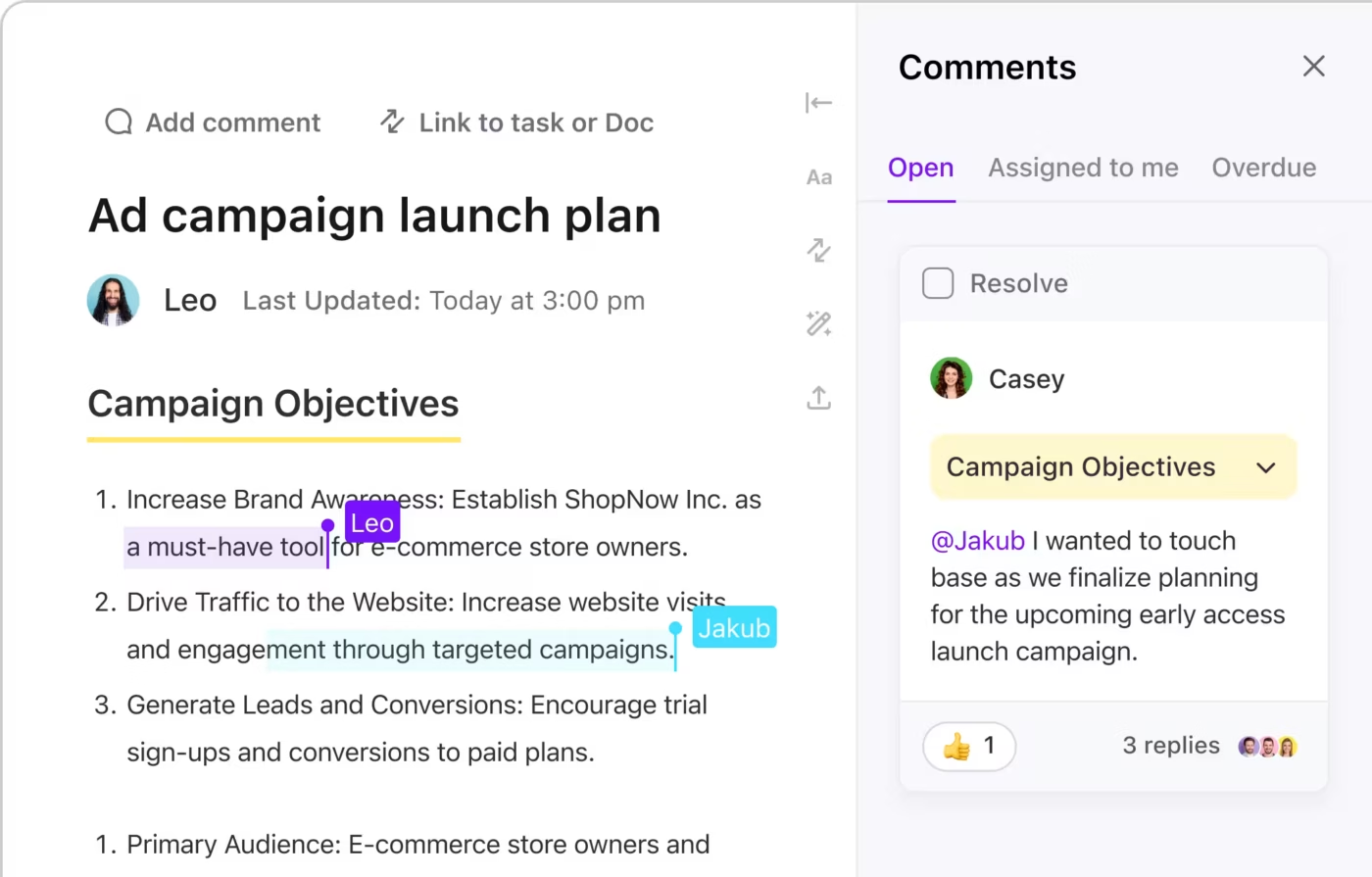
Collaborate in real time and connect documentation directly to your work with ClickUp Docs
When sales, product, and customer success teams can easily access marketing insights without sending another “can you find me that doc?” email, collaboration becomes seamless. With ClickUp Docs and linked documents, marketing briefs connect to product specs. Real-time collaboration means everyone can contribute. Everyone operates from the same context.
Onboarding and training
Every new marketing hire asks the same set of questions, turning your senior team members into a bottleneck. This is a huge hidden cost. Every hour an experienced marketer spends re-explaining a process is an hour they’re not spending on high-impact strategic work.
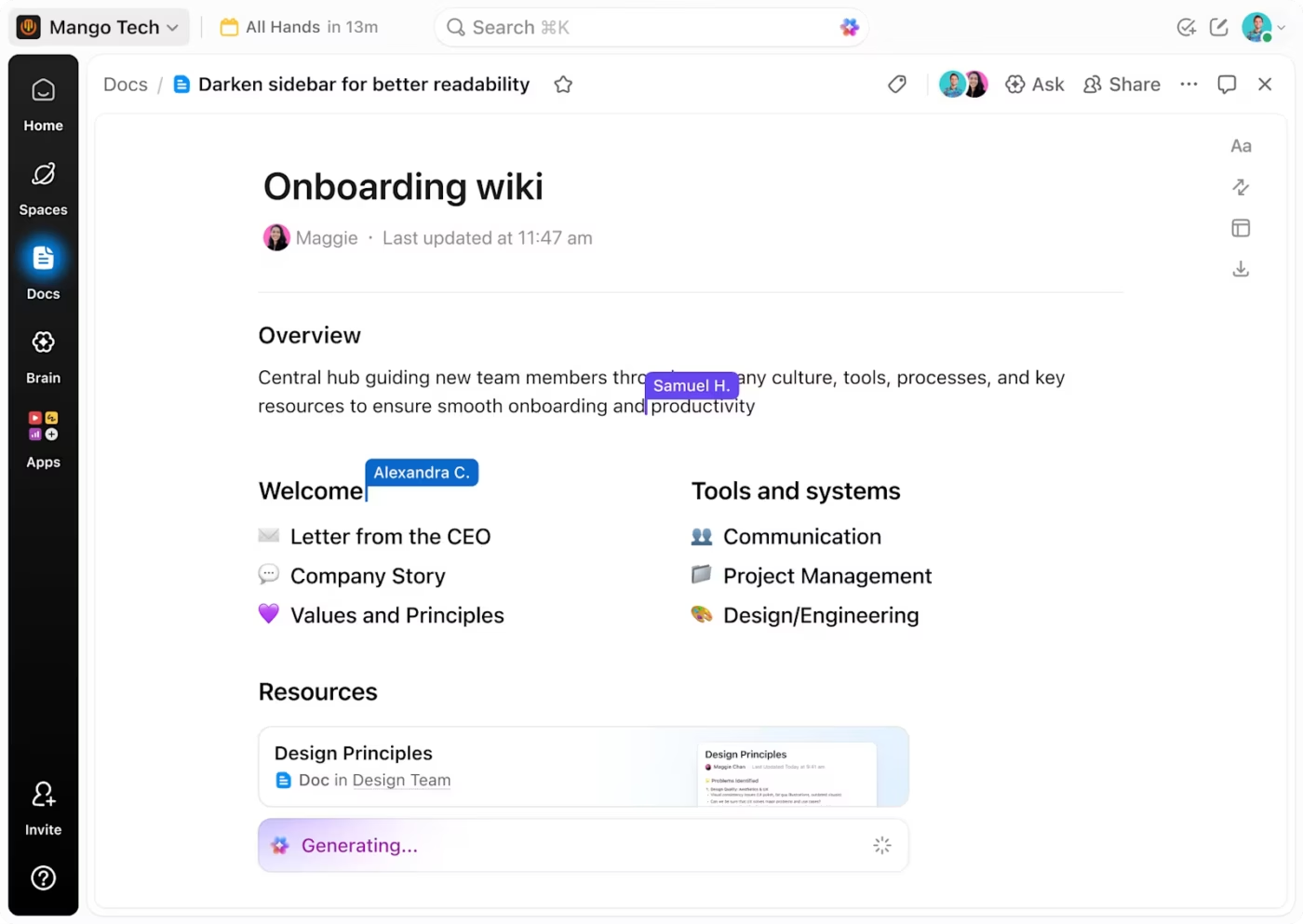
Employee onboarding wiki in ClickUp
Instead, empower new hires to find answers on their own with a structured onboarding hub. ClickUp Docs lets you build onboarding playbooks, process documentation, and ‘how-to’ guides. ClickUp Brain turns your knowledge base into an always-available team mentor.
New hires can find answers themselves instead of interrupting. Suddenly, you’ve freed up senior team capacity for strategy.
Faster Documentation With ClickUp BrainGPT
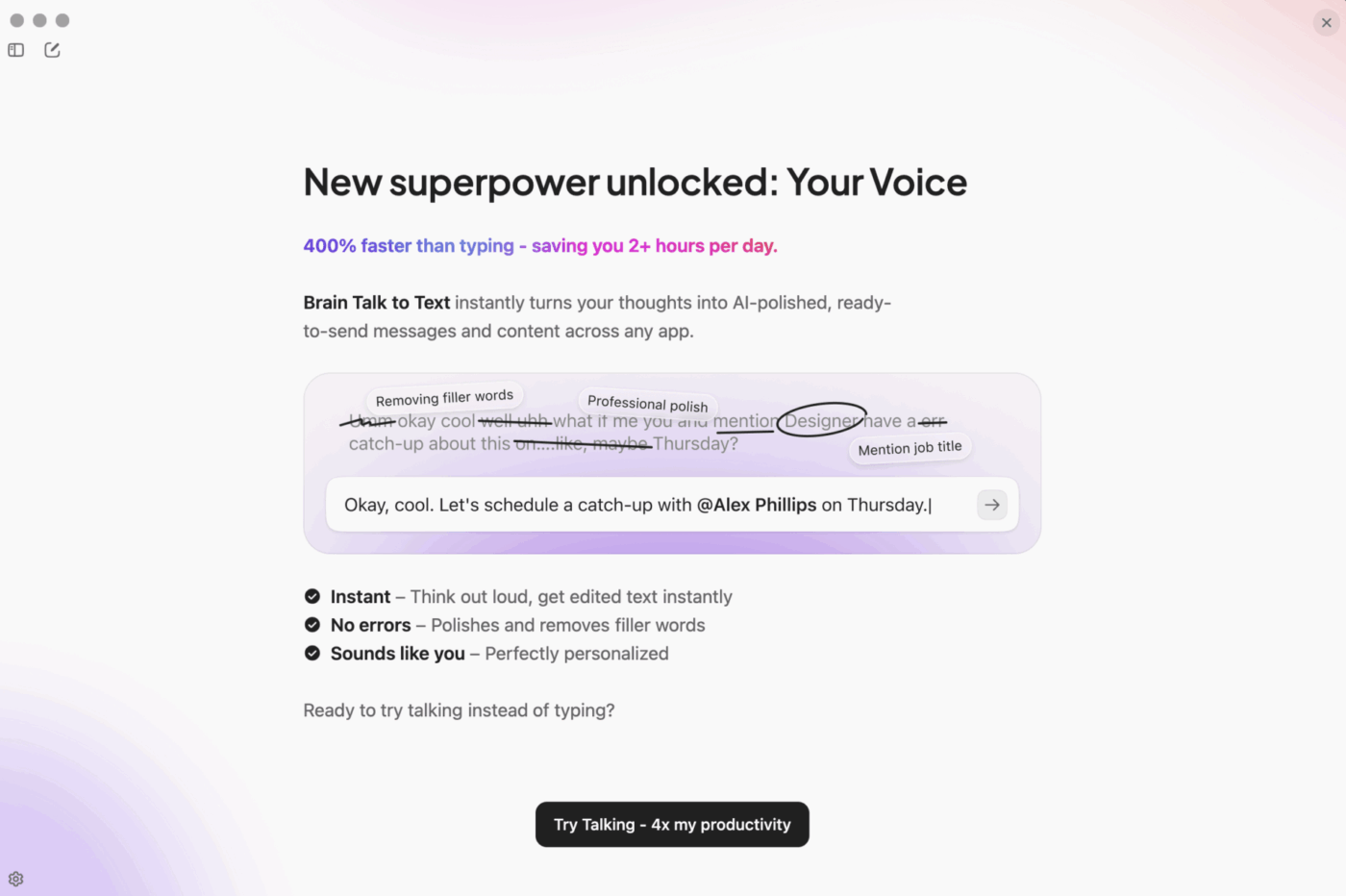
A big reason knowledge gets lost is simple: people don’t have time to write everything down. That’s where ClickUp BrainGPT helps. Instead of typing long explanations or rewriting meeting notes, your team can talk naturally using the Talk to Text feature.
Streamline documentation with ClickUp BrainGPT’s Talk to Text feature for faster, searchable notes
📮 ClickUp Insight: 31% of people say reducing typing by 40% would give them faster communication and better documentation. BrainGPT makes this effortless—just speak, and everything becomes searchable, structured, and impossible to lose.
Summarize this article with AI
ClickUp Brain not only saves you precious time by instantly summarizing articles, it also leverages AI to connect your tasks, docs, people, and more, streamlining your workflow like never before.
Summarize this article for me please
Common Knowledge Management Challenges in Marketing
Most marketing teams have tried something to organize their knowledge. Maybe a shared Google Drive folder. Maybe a Notion wiki. Maybe Confluence. And then it dies.
Understanding these common failure points is the first step to getting it right this time. Here’s where the system usually breaks:
Tool sprawl creates knowledge sprawl
Your creative assets are in Google Drive. Your campaign briefs are in a shared spreadsheet. Brand guidelines live in Notion. Customer research is in Slack threads. Campaign performance data is in a dashboard somewhere. Meeting notes from stakeholder calls are in Google Docs.
Now someone asks: “What was our messaging for the spring campaign?”
They don’t know where to look. So they either search everywhere (45 minutes), ask someone else (interruption + 30 minutes waiting), or give up and do it from scratch (wasted effort + potential brand inconsistency).
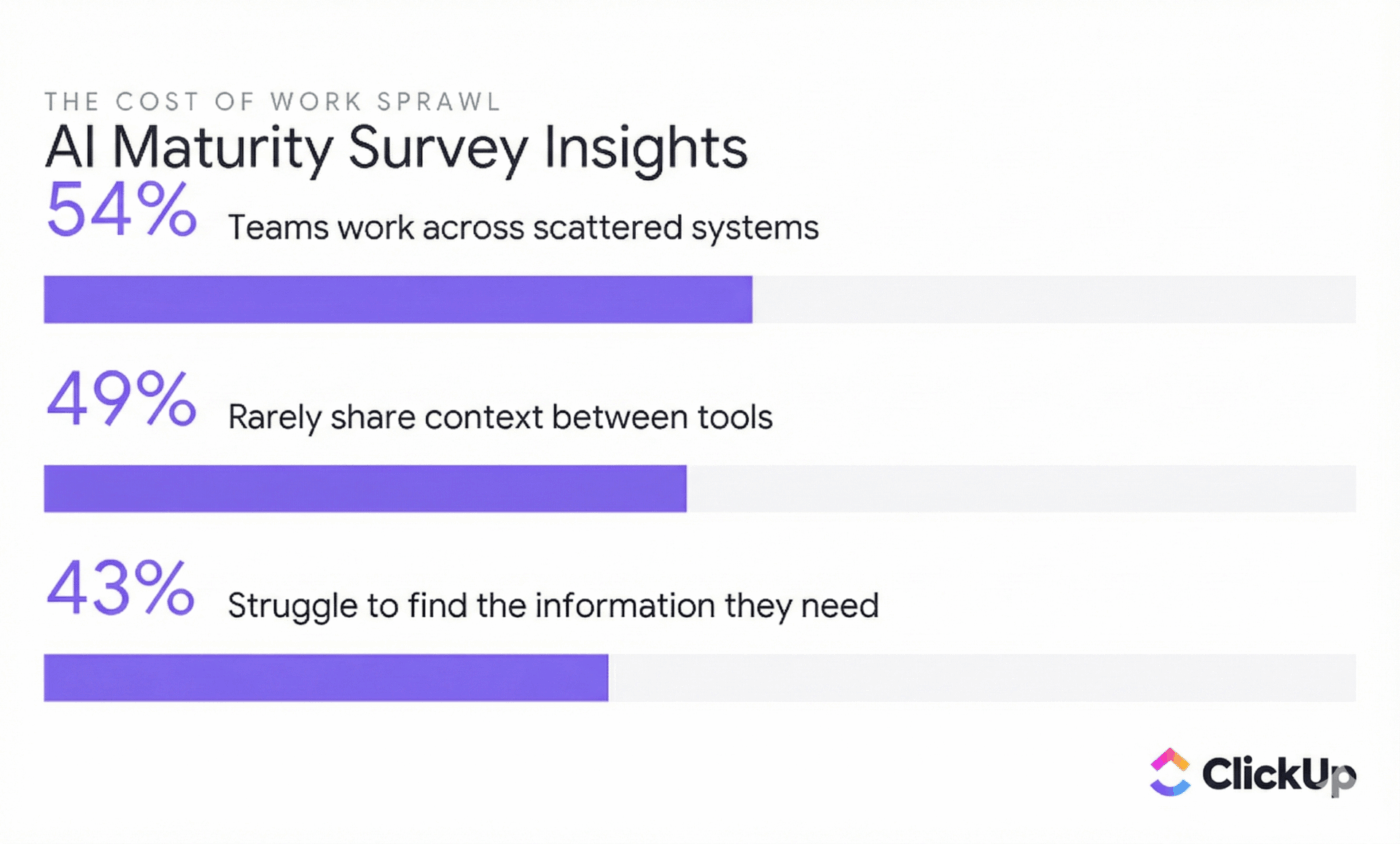
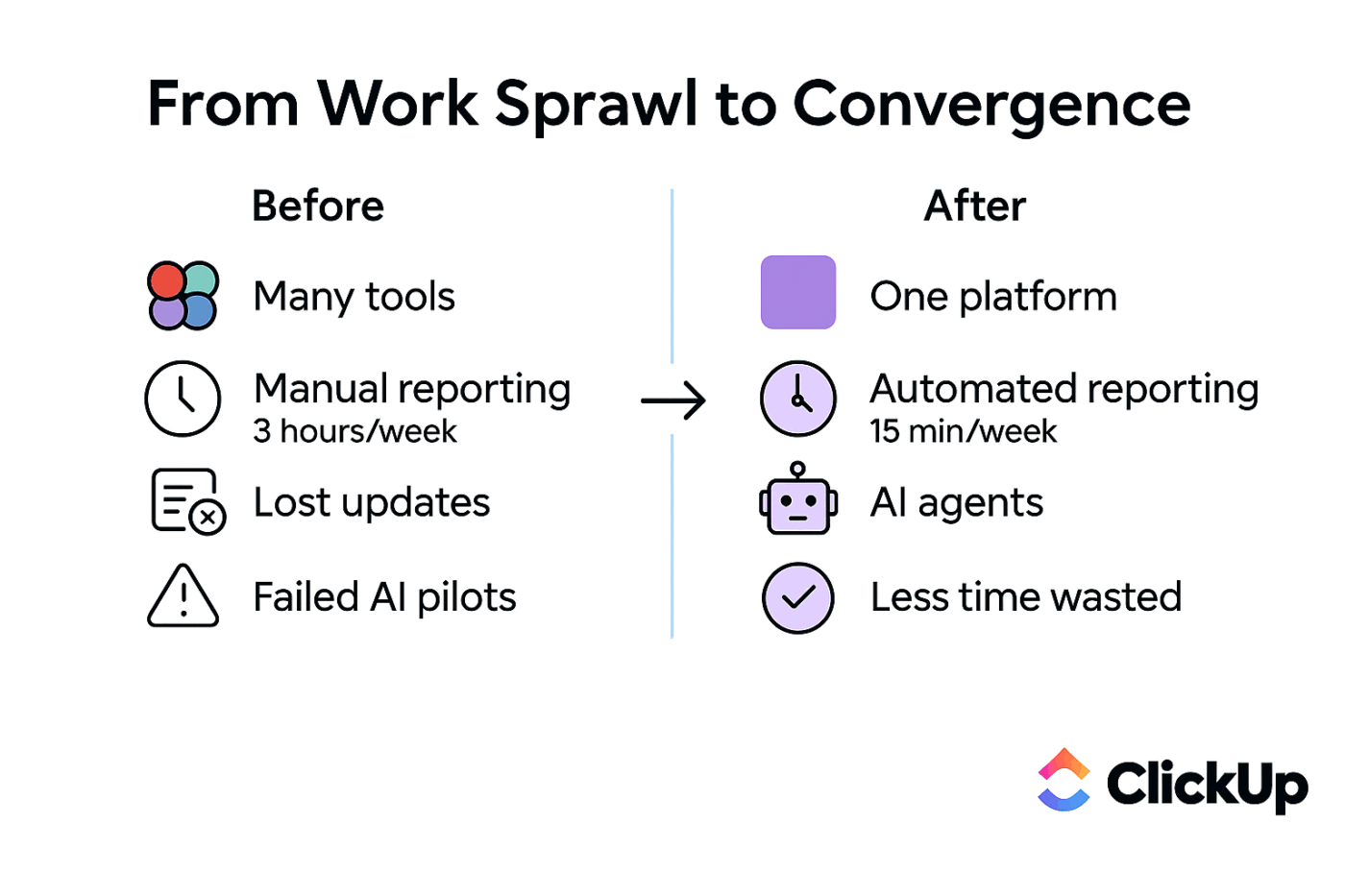
When your team’s knowledge is scattered, productivity takes a hit
The image above visualizes the real impact of tool and knowledge sprawl on teams, as highlighted by the AI Maturity Survey Insights Survey:
54% of teams work across scattered systems, meaning information is fragmented and hard to track down
49% rarely share context between tools, so important details get lost as work moves from one platform to another
43% struggle to find the information they need, leading to wasted time and frustration
This data reinforces the earlier point: when knowledge is spread across too many places, teams lose efficiency, context, and consistency. Centralizing your work and knowledge in one platform can help solve these challenges and boost productivity.
📮 ClickUp Insight: SMB owners reported juggling four tools a day (often five or more), with three in ten wasting time searching in the wrong places—and 29% repeating messages across platforms.
The reality: When knowledge is scattered across four or more tools (and 1 in 4 employees uses four or more tools just to get context at work), people literally can’t find what they need. And your team doesn’t get the benefits of what you’ve already learned.
You documented your campaign process in January. It was accurate then. But in March, you tried a new approach that worked better. In July, you realized that approach was broken and switched back to something different.
Your documentation still says January’s process.
Someone new follows January’s process. Wastes time. Gets confused. Asks why nobody’s following “the documented process.”
The document was never updated. So it’s now actively harmful—it’s spreading misinformation. And that’s worse than having no documentation at all.
Marketing moves fast. Yesterday’s process doc can quickly become today’s misinformation if it’s not easy to update. Learning how to maintain documentation is just as important as creating it in the first place.
Search doesn’t work across platforms
Even if the information exists, no one can find it. They can’t remember which of your 12 tools it lives in. They can’t remember the exact file name. So they don’t even try to search. They just ask someone.
This creates constant interruptions. And it means your documented knowledge might as well not exist.
No one wants knowledge maintenance
Without clear ownership, your beautiful knowledge base slowly turns into a digital graveyard of stale, untrustworthy content. When it’s nobody’s job to update things, nothing gets updated.
Who owns the brand guidelines? Who updates them when they change? If the answer is “nobody specific,” they’re not getting maintained. And if they’re not being maintained, they’re becoming misinformation.
Adoption friction kills initiatives
If documenting knowledge feels like a separate, extra chore, your team simply won’t do it. So your processes are documented by one person (usually an ops lead or coordinator). Everything else is just “tribal knowledge.”
And if that person leaves, you’ve lost institutional knowledge. Your team has to reinvent processes. You lose competitive advantage.
How Super Agents keep your knowledge alive
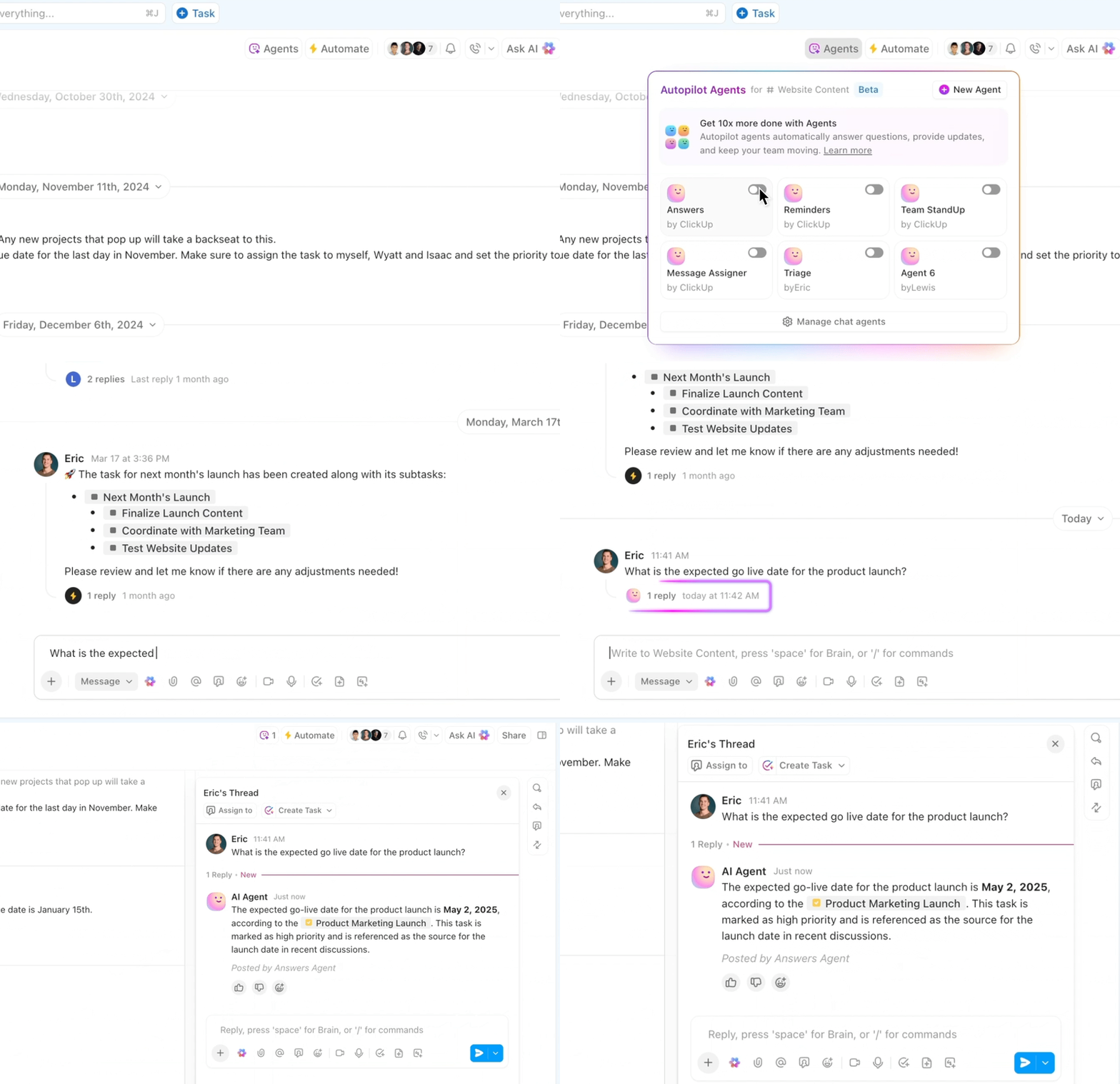
Most knowledge bases fail because nobody remembers to maintain them. ClickUp Super Agents prevent that by quietly handling the upkeep. They notice outdated docs, flag missing intel, remind owners to update critical content, and keep cross-team context connected to the right information.
Use ClickUp Agents to automate busywork and find information seamlessly
They don’t replace human judgment—they enhance the ecosystem of your knowledge management.
The result: Your knowledge base stays accurate, relevant, and trusted instead of becoming a digital graveyard.
Summarize this article with AI
ClickUp Brain not only saves you precious time by instantly summarizing articles, it also leverages AI to connect your tasks, docs, people, and more, streamlining your workflow like never before.
Summarize this article for me please
Best Practices for Marketing Knowledge Management
You need actionable guidance, not just high-level theory. These practices are the bridge between “we should probably organize our stuff” and “here’s exactly how we’re going to do it.” These are the habits of teams that have built knowledge systems that actually last.
Create a single source of truth
When the same information lives in multiple places, your team can’t trust any of it. The daily question of “which doc is the current one?” erodes confidence and creates chaos. A single source of truth means there is one—and only one—canonical location for each piece of marketing knowledge.
The discipline is simple: when you update information, you update it in that one designated place. Everything else should link to it, not copy it. Your work management platform is the natural place for this, because it’s already where your team spends their day.
With ClickUp Docs, you can embed live data from ClickUp Dashboards directly into your documentation, keeping everything automatically up to date.
Create a single source of truth by embedding live data from ClickUp Dashboards into your documentation
Build searchable knowledge structures
Let’s be blunt: knowledge that can’t be found might as well not exist. A folder full of untitled documents is just a digital junk drawer. Gartner found that only 14% of customer issues get resolved through self-service, primarily because people can’t find relevant content.
Making your knowledge discoverable requires both smart information architecture and a powerful search tool.
Structure is key: Use a logical hierarchy to organize your information. In ClickUp, this means:
ClickUp Spaces for broad categories (like “Brand Central” or “Campaign Archives”)
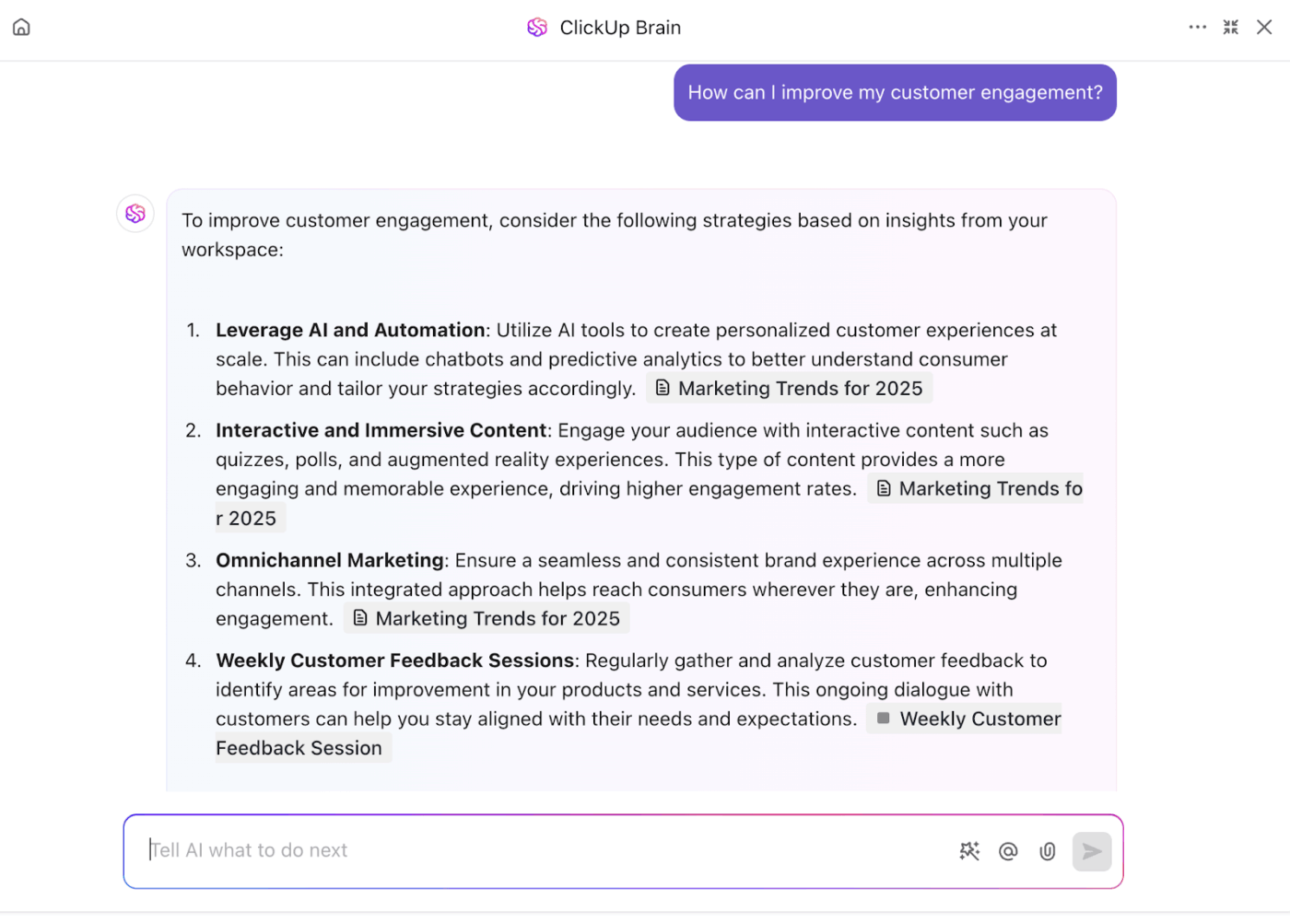
Find information instantly with ClickUp Brain’s natural language search across all your knowledge
Powerful search is non-negotiable: Your team shouldn’t have to think like a computer to find things. Use ClickUp Brain to search across all your tasks, docs, and comments with natural language questions. Instead of searching for “brand voice document Q3” you just ask “What’s our brand voice?” and it finds the right answer.
💡 Pro Tip: Group docs by workflow, not team. Organize documentation based on use case (e.g., onboarding, product launches, support handovers) so it’s easier to find and update.
Encourage a knowledge sharing culture
Here’s a hot take: the best tool in the world will fail if your team doesn’t have a culture of sharing. Technology can solve the “where” problem, but it can’t solve the “why bother” problem. You have to build a knowledge sharing culture as a core part of how your team operates.
This means recognizing and rewarding people who take the time to document their work. Make documentation a required step in your project completion criteria. When you see a colleague’s well-written doc save someone else time, celebrate it publicly.
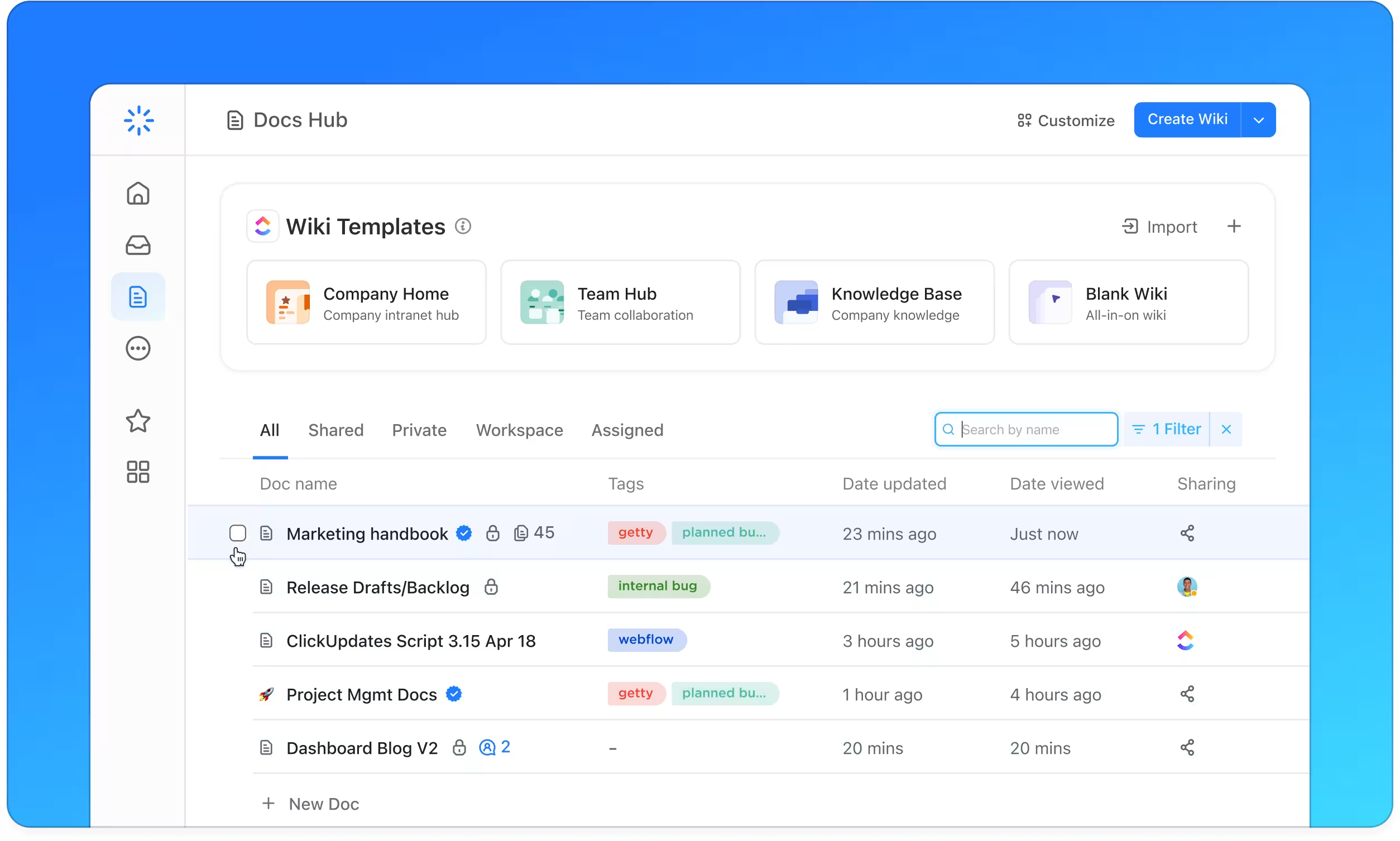
Create new resources, and search, sort, and filter assets using Docs Hub
Most importantly, reduce the friction of sharing. Because ClickUp Docs are integrated with your tasks, documenting your work takes no extra effort—it’s just part of the workflow. Strong team collaboration habits make knowledge sharing feel natural rather than forced.
Keep content fresh and audited
A knowledge base with outdated information is worse than none at all. It can mislead your team and make them lose trust in the system.
You need a content governance plan. Assign clear owners for each piece of critical content. Then use recurring tasks to schedule quarterly or biannual audits to review, update, or archive stale information.
For example: Sarah owns brand guidelines. She reviews them quarterly. If anything changes, she updates them. One doc. One owner. One truth.
Maintain knowledge base within ClickUp and manage your marketing team
Do this for your 5-10 most critical pieces of knowledge. Clear owner, clear update schedule. ClickUp Brain can surface files that haven’t been updated in over six months, making audits easy.
Summarize this article with AI
ClickUp Brain not only saves you precious time by instantly summarizing articles, it also leverages AI to connect your tasks, docs, people, and more, streamlining your workflow like never before.
Summarize this article for me please
How to Build a Knowledge Management System for Marketing
Feeling overwhelmed by the idea of organizing years of accumulated knowledge? Don’t be. You don’t have to boil the ocean. A practical, phased approach is the key to success.
Audit your current knowledge landscape
First, figure out where all your marketing knowledge currently lives. Make a list of all your information sources and the types of knowledge you have.
The key is understanding the sprawl before you try to fix it.
Prioritize high-impact knowledge first
Don’t try to document everything at once. That’s overwhelming and fails. Start with the information that’s requested most often or causes the most pain when it’s missing.
This is usually things like:
Brand guidelines (teams often have different versions)
Key messaging (constantly being searched for)
Core campaign process docs (would help new hires)
Onboarding docs (new hires keep asking the same questions)
Pick the one that causes the most pain. Fix that first.
Choose a converged workspace
The worst mistake teams make is building a separate knowledge base that feels disconnected from the work. When documentation lives in one tool and execution happens in another, your team won’t use it. They’ll default to asking someone instead.
This is why the best knowledge base software integrates directly with how your team already works in a converged AI workspace. ClickUp brings your documentation and project execution together in one workspace—so accessing knowledge feels like a natural part of the workflow, not an extra step.
Establish a clear knowledge structure with ClickUp Spaces, Folders, and Lists
Establish Your Structure
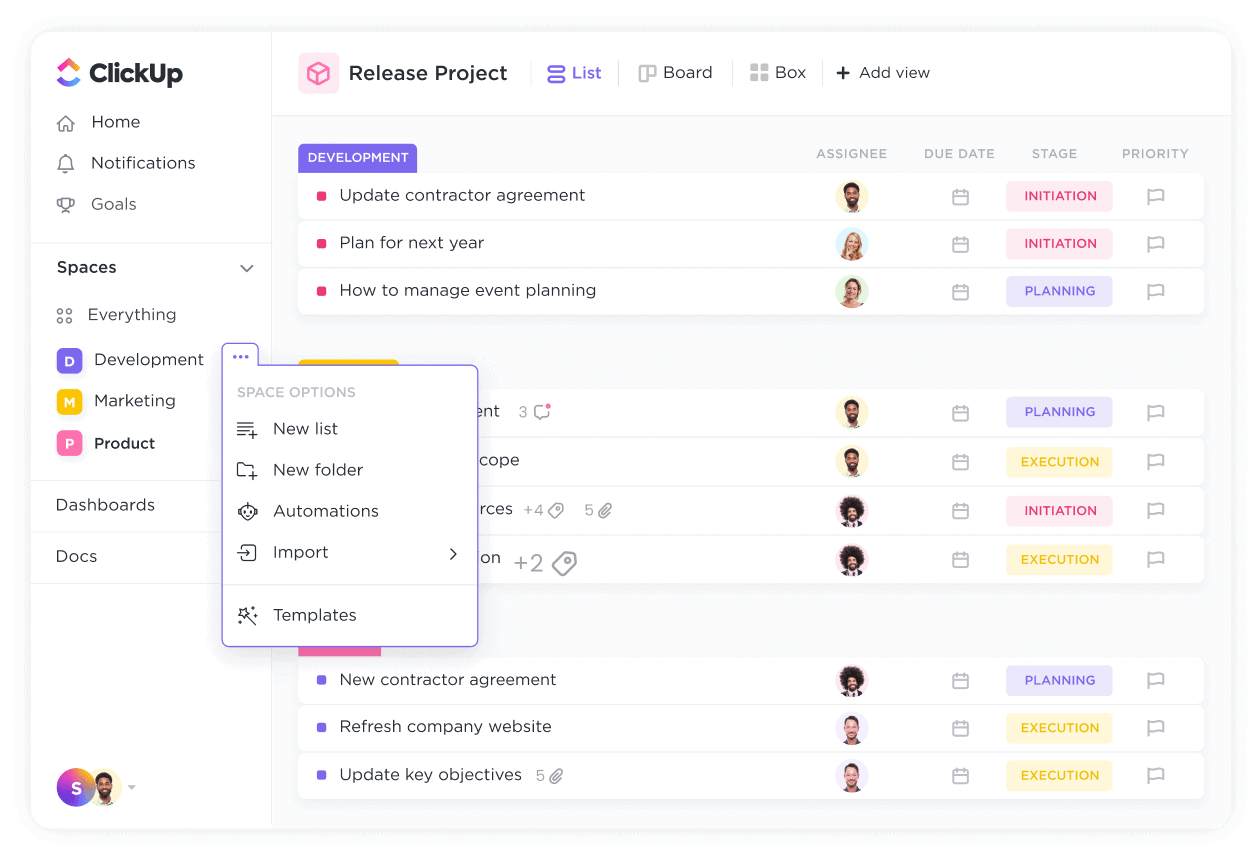
A knowledge system only works if people know where to put things and where to find them. ClickUp’s flexible hierarchy gives you the scaffolding to organize marketing knowledge logically:
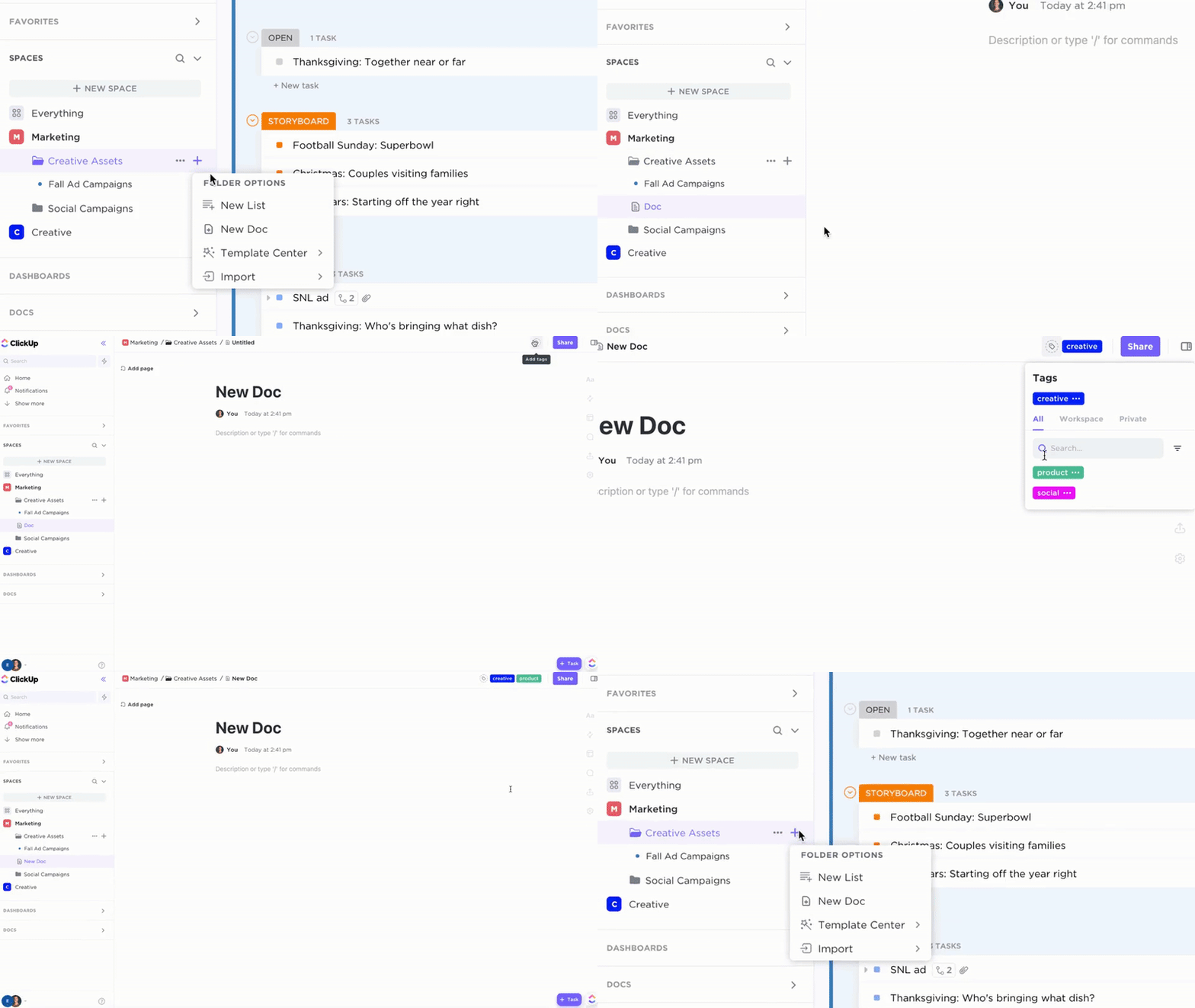
ClickUp Spaces act as your top-level containers—create a “Marketing Knowledge Hub” that houses everything your team needs to reference. ClickUp Folders break that down into categories like Brand Assets, Campaign Playbooks, and Customer Research. ClickUp Lists organize the tactical level within each Folder.
Easily bring structure to your teams, departments, and projects with ClickUp’s Spaces—designed to help you stay organized your way
This three-tier structure creates clear pathways. When someone needs to document a new campaign retrospective, they know exactly where it belongs. When someone else needs to find it six months later, they can navigate there without searching.
Build Your Documentation
ClickUp Docs is where your actual knowledge lives—and it’s designed for teams who need more than a basic text editor.
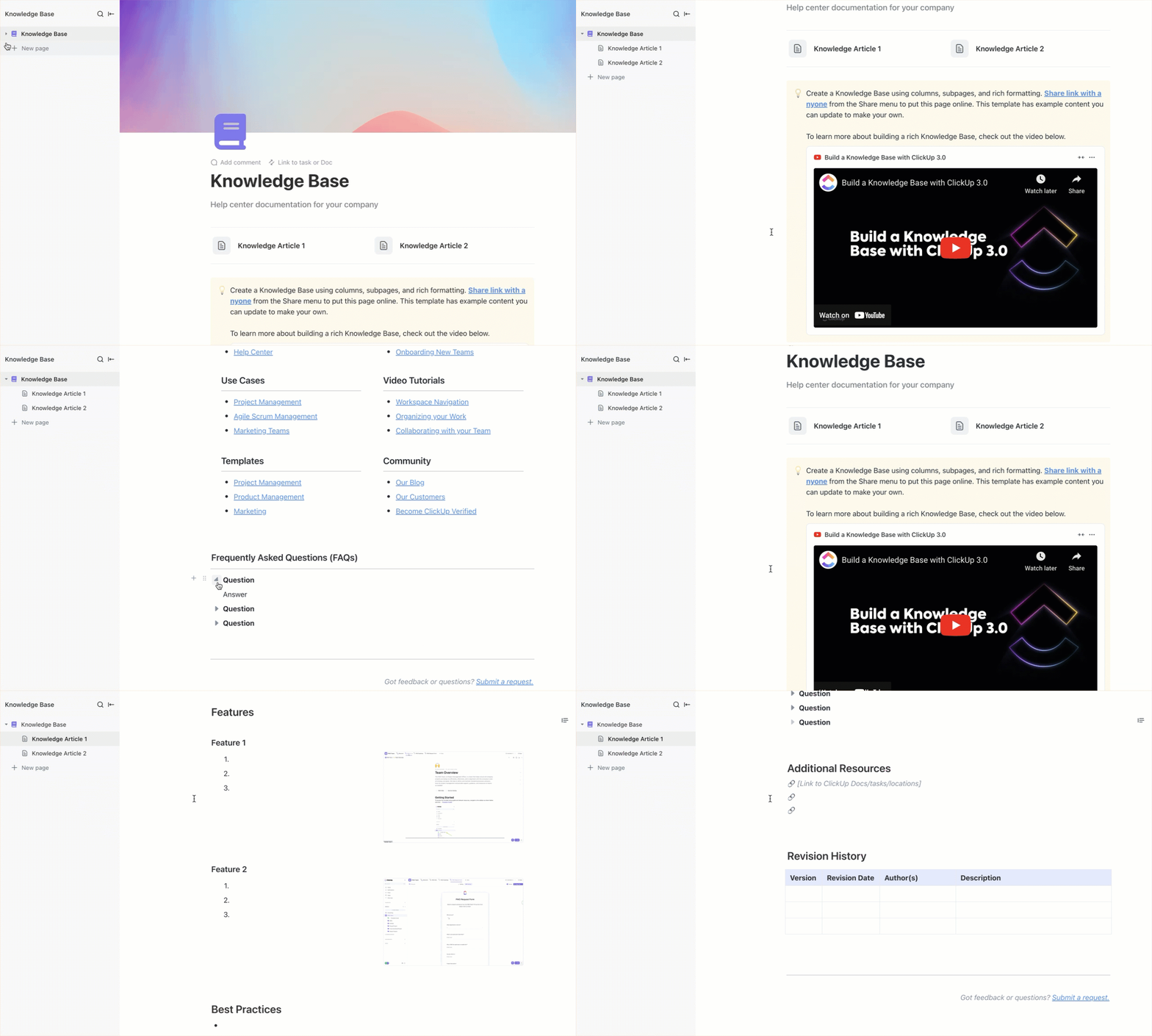
Create nested pages for multi-layered documents (like a brand guide with sections for voice, visuals, and messaging). Use headers, callouts, and a sticky table of contents to make content scannable. Multiple team members can edit simultaneously, and you’ll see who’s viewing and typing in real time.
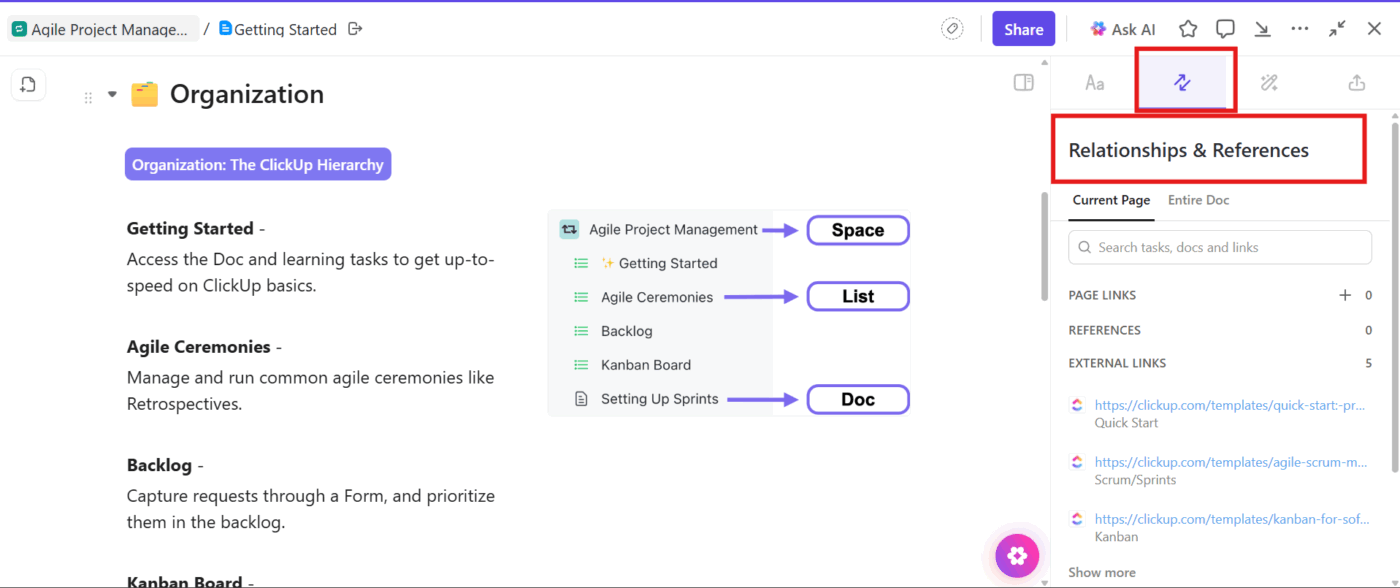
The real unlock is connecting Docs to the work they support. Link Docs directly to relevant Tasks using Relationships, so your campaign brief connects to the actual campaign project. You can also embed live widgets from ClickUp Dashboards directly into Docs, so your documentation displays real-time data without manual updates.
For content that needs to be easily discoverable by everyone—like brand guidelines or onboarding materials—convert your Docs into Wikis. Wikis are optimized for browsing and searching, with verified content highlighted so people know they’re looking at the official source. Use Docs Hub to see all your team’s documentation in one view.
💡 Pro Tip: Knowledge doesn’t only live in written documents. Use ClickUp Clips to record quick screen walkthroughs instead of writing lengthy explanations—they’re automatically transcribed and searchable. Use ClickUp Whiteboards to capture visual thinking like customer journeys or campaign brainstorms, then connect them directly to your tasks and docs.
Migrate Strategically
Moving content into a new system is your opportunity to improve it—not just relocate it.
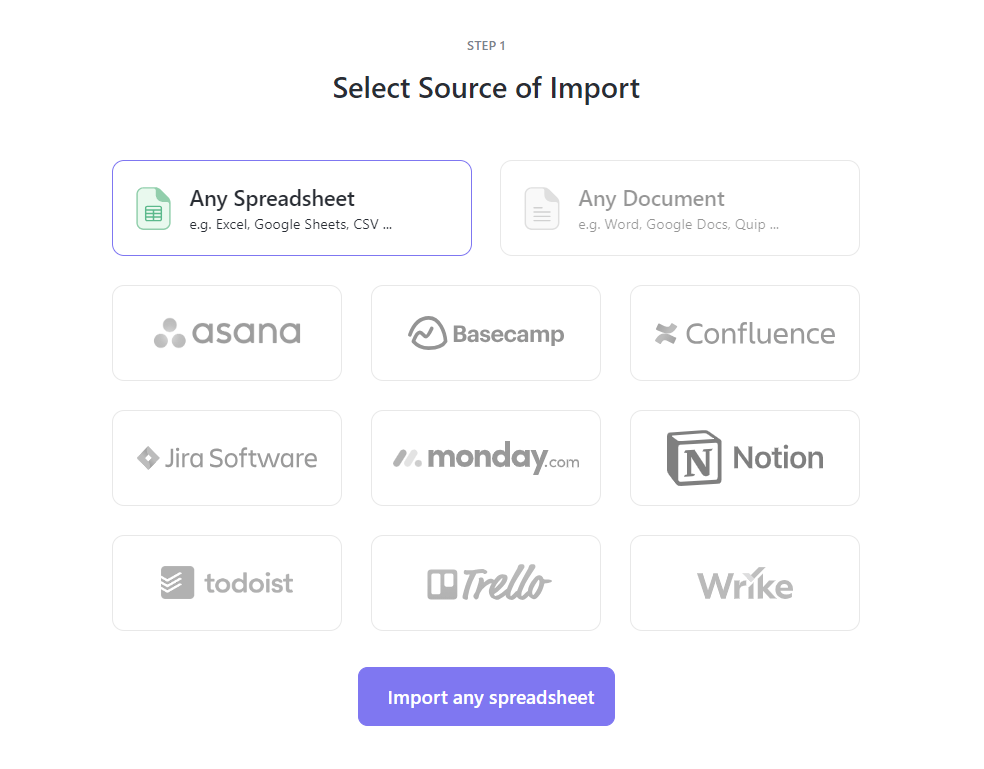
ClickUp lets you import directly from Google Docs, Notion, Confluence, and other tools—preserving formatting and structure. You can even import Slack channels with message history intact. But don’t migrate everything at once. Start with your highest-pain content, audit as you go, and get one category working well before expanding.
Enable Powerful Search
Having documented knowledge is only half the battle. The other half is making sure people can actually find it.
ClickUp Brain transforms your knowledge base by letting your team search with natural language instead of exact keywords. Instead of trying to remember whether the document was called “Q3 Brand Voice” or “Brand Guidelines v2,” just ask: “What’s our brand voice for social media?” Brain searches across your Docs, Tasks, Comments, and Clips to surface the right answer.
Connected Search enables enterprise search
Brain can also summarize long documents instantly, generate content drafts based on your existing knowledge, and surface connected information across your workspace. With Enterprise Search, it extends beyond ClickUp to search your Google Drive, Dropbox, and other connected tools—giving your team one search bar that finds information everywhere.
Build Maintenance Habits
A knowledge base without maintenance becomes a liability. Outdated docs spread misinformation. Stale content erodes trust in the system.
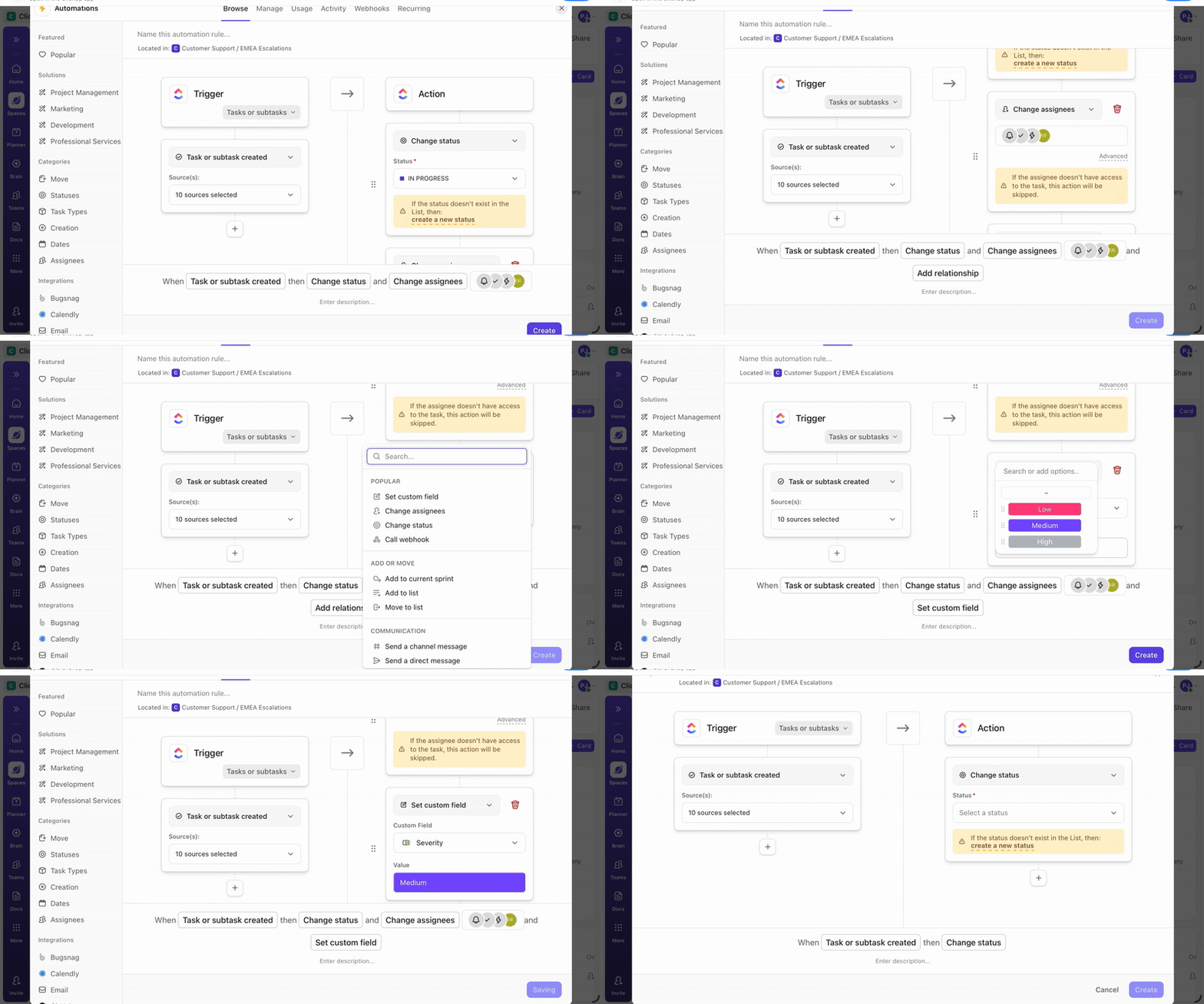
Use Custom Fields to track document owners, last review dates, and review frequency. Set up ClickUp Automations that trigger review tasks when documents haven’t been updated in 90 days—you can even describe what you want to automate in plain English and let AI configure it.
Build a Knowledge Health Dashboard using ClickUp Dashboards to show which documents are overdue for review, who owns what, and what’s getting the most traffic. Track targets like “Complete quarterly review of all brand documents” using ClickUp Goals.
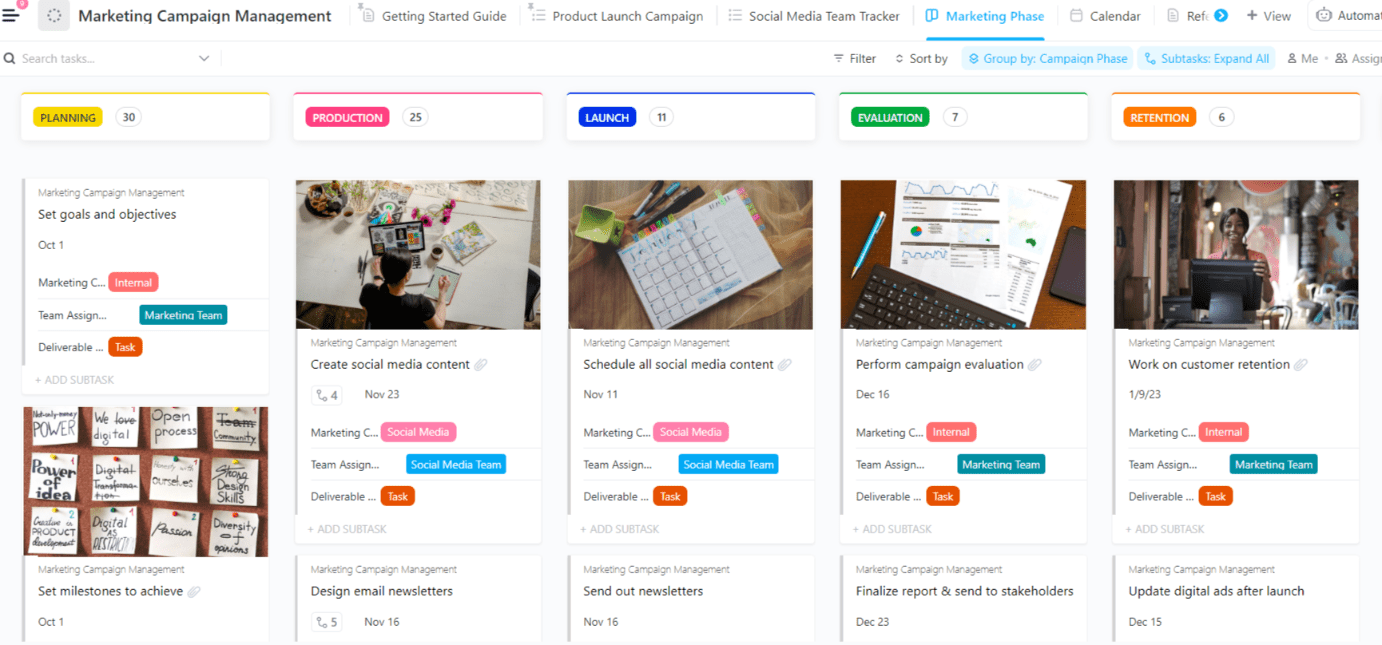
Marketing campaign dashboard
Finally, use Task Templates to include documentation steps in your campaign workflows. When documentation is baked into the process—not an afterthought—it actually gets done.
Summarize this article with AI
ClickUp Brain not only saves you precious time by instantly summarizing articles, it also leverages AI to connect your tasks, docs, people, and more, streamlining your workflow like never before.
Summarize this article for me please
Why This Matters for Your Organization
Effective marketing knowledge management requires a single source of truth, searchable structures, a sharing culture, and ongoing maintenance. These principles are universal. Teams that invest in this now build a compounding advantage—every documented process and captured insight makes all future work faster and smarter.
When knowledge is systematized and accessible, your team stops reinventing the wheel. Decisions get faster because people have full context. Campaigns move quickly because teams build on what worked before. Onboarding gets easier because new hires find answers. And when someone leaves, the knowledge stays with the organization.
That’s not just productivity. That’s building organizational capability.
Get started this week
You don’t need to boil the ocean. Start small.
Pick one type of knowledge your team struggles to find. It’s probably:
Onboarding docs (new hires keep asking the same questions)
Past campaign results (would inform new campaigns but nobody can find them)
Build a simple doc library for it in ClickUp. Assign one owner. Set a review schedule.
See what happens. Chances are good you’ll save someone 45 minutes this week looking for something that should take 2 minutes to find.
Then expand from there. Add another knowledge type. Strengthen the system.
Over time, you’ll notice that decisions get faster (because people have full context), campaigns move quicker (because teams build on what worked), onboarding gets easier (because new hires find answers), and when someone leaves, the knowledge stays.
That’s not just productivity. That’s building organizational capability.
Try ClickUp free and build the knowledge system your team actually uses
Summarize this article with AI
ClickUp Brain not only saves you precious time by instantly summarizing articles, it also leverages AI to connect your tasks, docs, people, and more, streamlining your workflow like never before.
Summarize this article for me please
Frequently Asked Questions
What’s the difference between a knowledge base and a knowledge management system for marketing?
A knowledge base is just a static library of information, like a wiki. A knowledge management system is the complete strategy, including the processes, tools, and culture your team uses to capture, share, and maintain that knowledge.
How does knowledge management help marketing teams track campaign information across projects?
It creates connected documentation where campaign briefs, assets, and results are linked together. This allows your team to trace the full history of any initiative and apply those learnings to future campaigns.
Can small marketing teams benefit from knowledge management, or is it only for enterprise?
Small teams often benefit the most. They can’t afford to lose crucial institutional knowledge when one person leaves, and building good habits early prevents the massive documentation debt that plagues growing teams.
How does AI-powered search improve knowledge management for marketing?
AI-powered search understands your intent, not just keywords. This means you can ask natural questions like “What was our messaging for the summer sale?” instead of having to remember exact file names or folder locations./
Everything you need to stay organized and get work done.