







Still downloading templates?
There’s an easier way. Try a free AI Agent in ClickUp that actually does the work for you—set up in minutes, save hours every week.
Sorry, there were no results found for “”
Sorry, there were no results found for “”
Sorry, there were no results found for “”
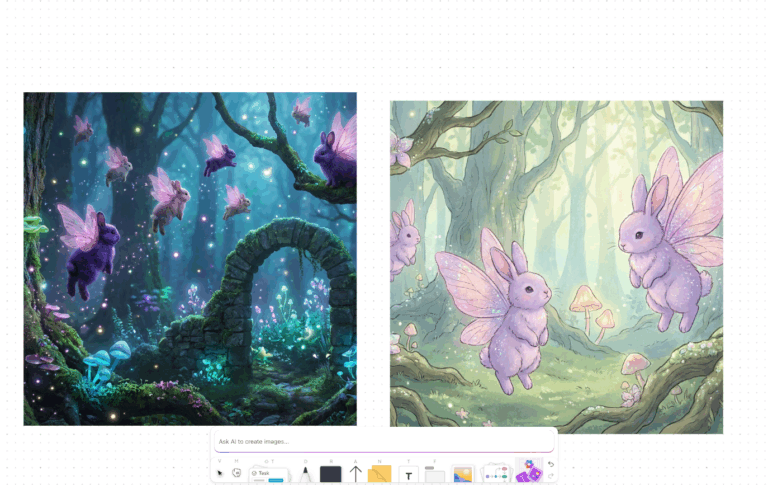
Professional 3D creation has long required years of technical expertise, expensive software, and large specialist teams.
Intangible AI simplifies the process by helping creative professionals build and iterate on 3D scenes using natural language and browser-based tools, with zero coding complexity.
It’s an ambitious approach, and for certain use cases it works well. But depending on your workflow, the level of creative control or production pipeline support you need may point you toward other AI tools.
This blog covers the best Intangible AI alternatives worth considering, what each does well, and how to decide which fits your team’s work.
Here’s why exploring alternatives makes sense. 🤖
Here’s a snapshot of all the tools covered in this guide. 📊
| Tool | Best features | Best for | Pricing* |
| ClickUp | AI-powered project management, Brain, Whiteboards, Docs, Super Agents | Creative teams, agencies, enterprises | Free Forever; Custom pricing for enterprises |
| Unreal Engine | Nanite, Lumen, Blueprint scripting, real-time ray tracing, cross-platform deployment | Game developers, film studios, creative directors | Free; Custom pricing |
| Unity | Cross-platform deployment, URP/HDRP pipelines, Asset Store, C# scripting, DOTS optimization | Game developers, simulation teams, product visualization | Free; Paid plans from $210/user/month |
| Blender | Cycles rendering, mesh modeling, character rigging, physics simulation, Python scripting | Independent creators, studios, educators | Free |
| Autodesk Maya | Polygon modeling, character animation, Bifrost simulations, Arnold rendering, OpenUSD support | Film studios, game studios, VFX teams | Paid plans from $255/user/month |
| Autodesk 3ds Max | Retopology tools, modifier stack, PBR materials, Arnold rendering, MAXScript automation | Architectural visualization teams, game developers | Paid plans from $255/user/month |
| Runway | Gen-4.5 video generation, Motion Brush, character consistency, inpainting, Act-One | Filmmakers, motion graphics teams, content creators | Free; Paid plans from $15/user/month |
| Adobe After Effects | 2D animation, 3D workspace, compositing, motion tracking, HDR monitoring | Motion designers, VFX artists, post-production teams | Free trial; Custom pricing |
| Vyond | Vyond Go video generation, AI avatars, lip-sync, multilingual support, asset library | Marketing teams, L&D teams, advertising agencies | Paid plans from $99/user/month |
| Animaker | AI Animation Generator, Character Builder, AI voiceovers, subtitle generation, 4K export | L&D teams, marketers, content creators | Paid plans from ~$20/month |
Our editorial team follows a transparent, research-backed, and vendor-neutral process, so you can trust that our recommendations are based on real product value.
Here’s a detailed rundown of how we review software at ClickUp.
Every design project begins as rough concepts that need to be organized before they become a finished product. But when briefs live in different documents, feedback is scattered across channels, and multiple versions circulate at once, coordinating the work quickly becomes more complicated than the design itself.
ClickUp’s Converged AI Workspace pulls visual ideation, AI image generation, collaboration, and execution inside a single workspace.
The Creative Agency Project Management Software by ClickUp allows teams to collaborate with internal teams or external clients from the same workspace. From using AI to generate images and structured plans to organizing the strategy behind the concept, here’s how it serves as an excellent Intangible AI alternative.
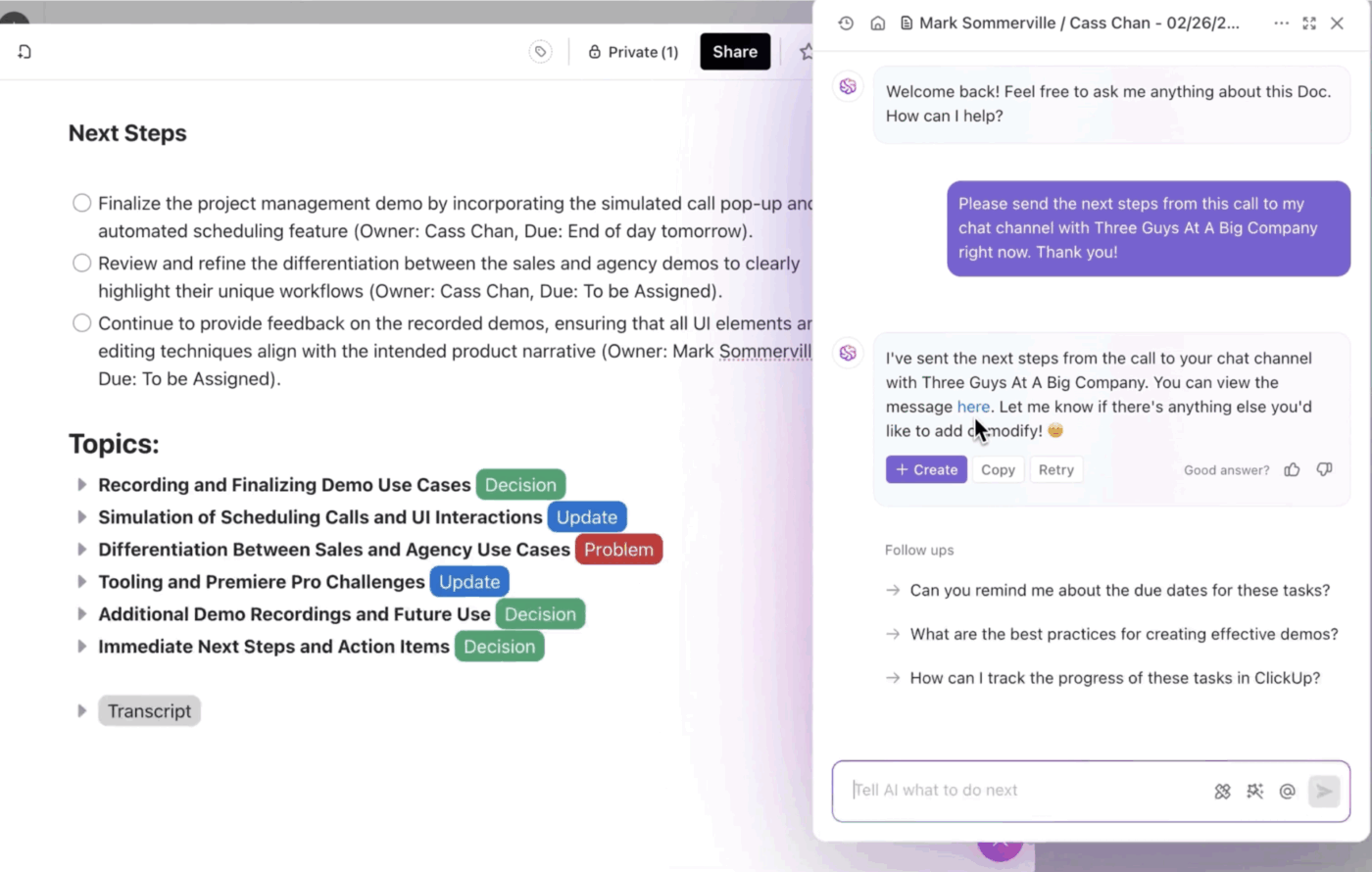
ClickUp Brain is the AI layer that connects everything in ClickUp.
When you give Brain a high-level concept, it can break it down into a structured outline that includes phases and milestones. Since it understands the context of your workspace, including existing projects, timelines, and team responsibilities, it can generate plans that align with how work is already organized.
The AI also helps maintain clarity as projects evolve. Brain can summarize task discussions, extract key updates from comment threads, identify blockers, and generate high-level reports of activity across a project or workspace.
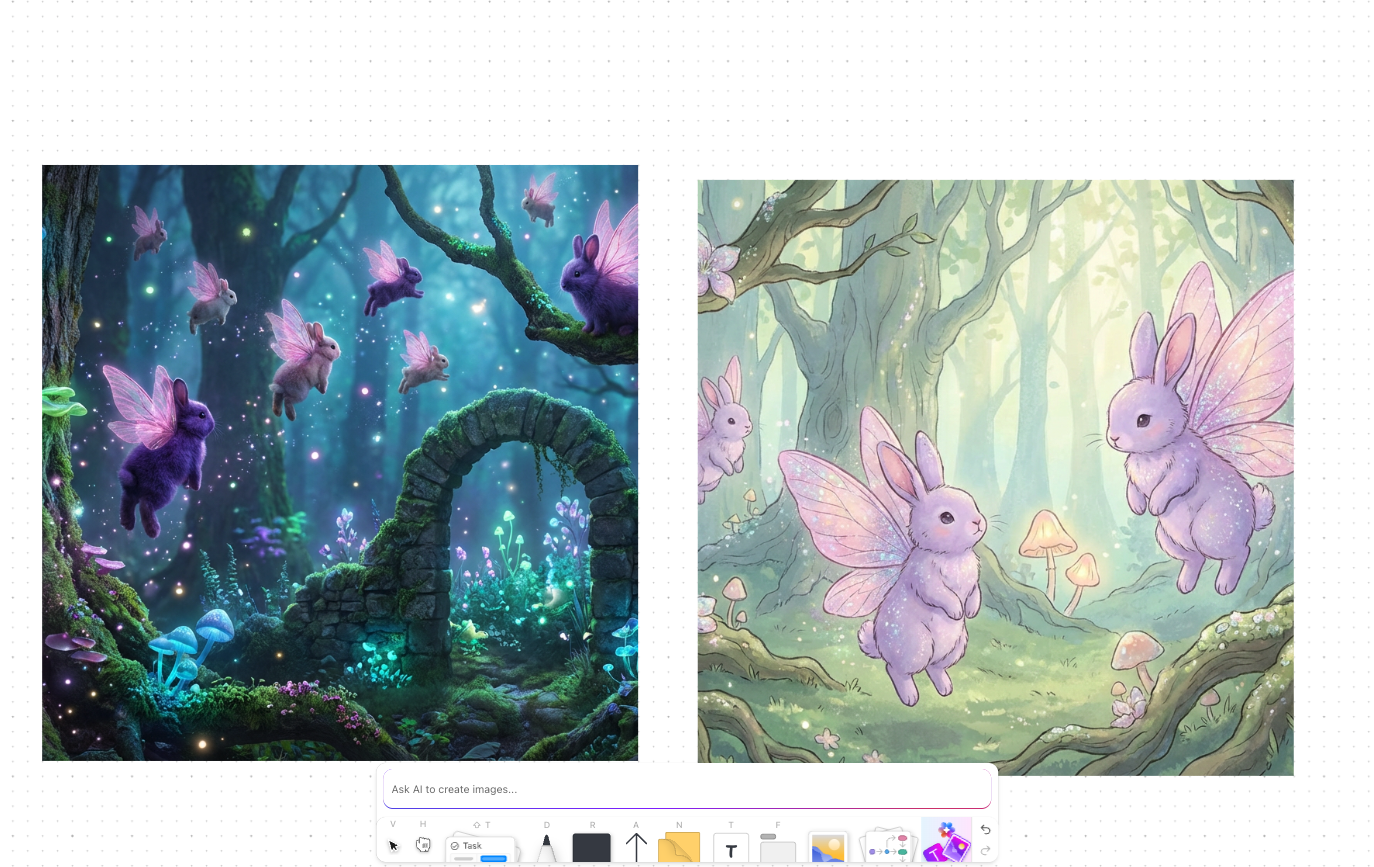
Creative exploration can start inside ClickUp Whiteboards. Teams get a shared visual canvas for brainstorming ideas, sketching concepts, designing creative workflows, and mapping dependencies.
It’s a reliable AI whiteboard tool for teams managing visual productions. Your notes, shapes, sticky notes, and media can be linked directly to tasks and documents, so early ideas stay connected to the work that follows.
Inside a ClickUp Whiteboard, you can also use ClickUp Brain to generate visuals or diagrams by simply typing a description of what you want. This makes it easier to generate concept art, product visuals, storyboard frames, or scene ideas during discussions.
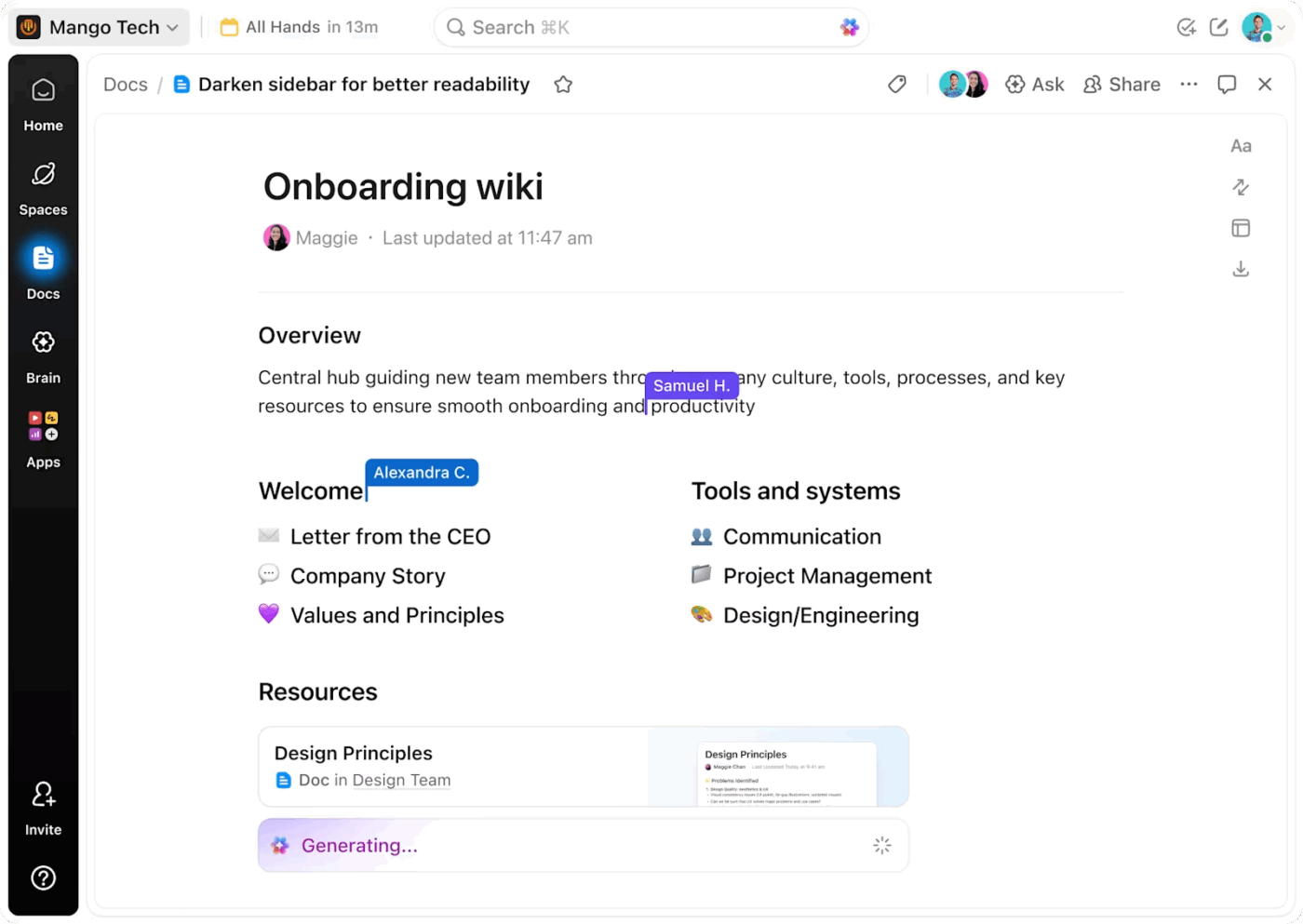
Once ideas are defined, ClickUp Docs can help turn rough outlines into full creative briefs, campaign strategies, storyboards, or production guidelines.
Docs are collaborative documents so that multiple team members can write, edit, and comment on the same document in real time. They also support rich formatting and embedded elements, like images, tables, checklists, and nested pages, to structure complex projects.
Tasks in ClickUp help keep production processes organized. Teams can add detailed descriptions, attach reference images or files, include step-by-step checklists, and discuss feedback in comments.
ClickUp Tasks can also be customized to reflect the structure of your creative workflow. Custom Statuses such as Concept, Previsualization, Asset Creation, Review, and Final Render make it easy to track progress from the initial idea to the final output.
Custom Fields add another layer of organization by capturing important project details, such as scene numbers, asset types, AI tools used, and production priorities. See a sample workflow. 👇🏼
🚀 ClickUp Advantage: When teams experiment with AI tools for scene building or previsualization, the creative output is only one part of the workflow. Ideas, prompts, visual references, feedback, and production decisions still need to be organized across documents and discussions.
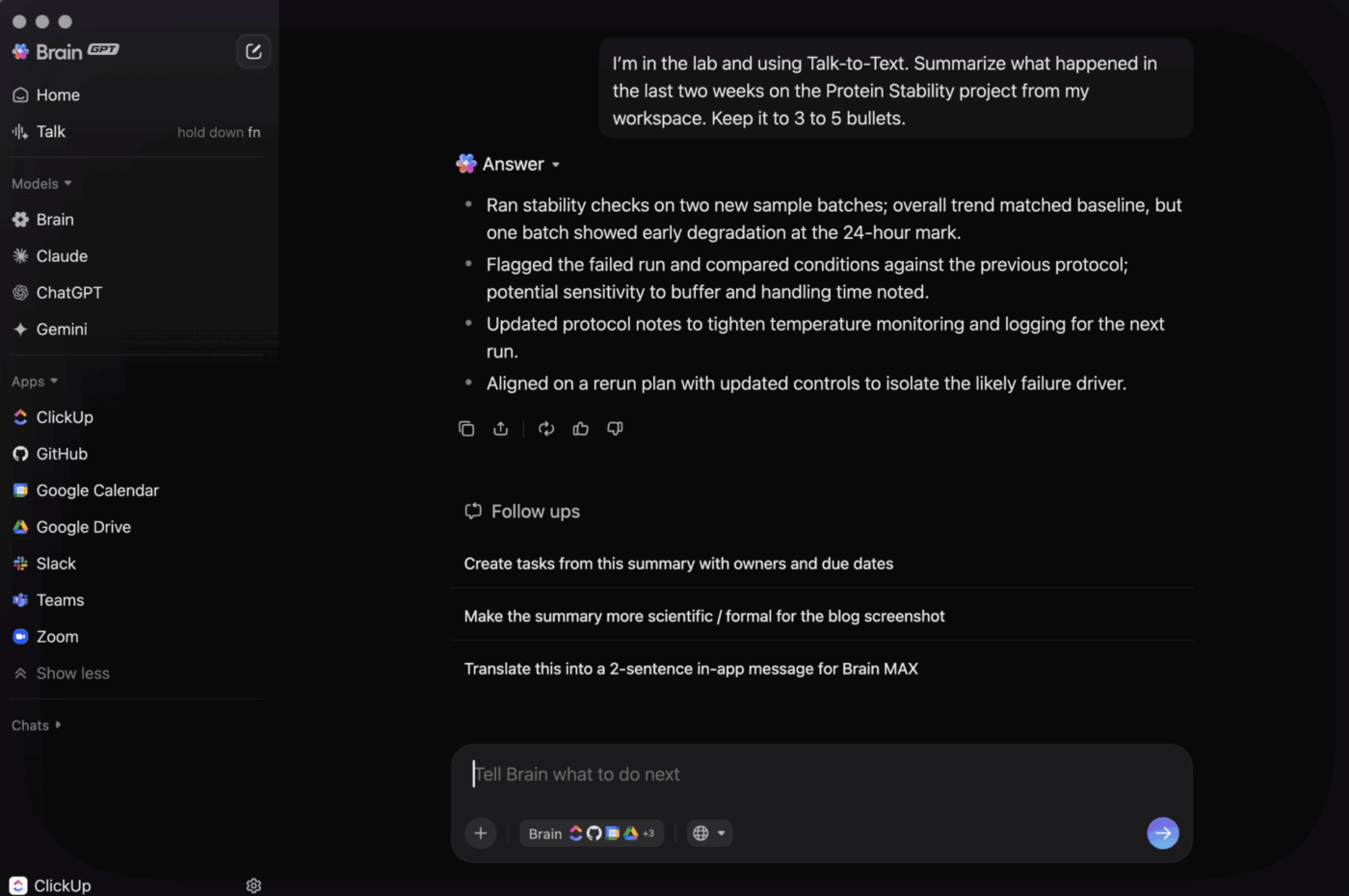
ClickUp Brain MAX plugs AI assistance directly into creative planning and production. It connects with external tools like Figma, Google Drive, Dropbox, etc. to keep your teams aligned and on point.
This AI super app can extract action items from brainstorming discussions on Whiteboards, summarize storyboard notes stored in Docs, embed and reference design files stored in Figma, and generate Task lists for the next design iteration, all from one place.
Check out this user review:
What I like most about ClickUp is how customizable it is. As a company user, I can organize tasks in a way that genuinely fits our workflow, whether I’m working in lists, boards, or timelines. Features like task priorities, due dates, comments, and file attachments make it easy to track work and collaborate with team members in one place. I also appreciate that everything is centralized, so I don’t have to jump between multiple tools just to understand a task’s status, overall progress, or the latest updates.
📮 ClickUp Insight: 19% of people say they want AI agents to help manage project workflows.
But a project management workflow isn’t exactly a checklist. It’s a moving system of tradeoffs, handoffs, and shifting priorities, where yesterday’s plan rarely reflects today’s reality.
ClickUp’s Super Agents are built to respond to the state of your work, not just instructions. They execute work on schedules you define and listen for triggers like questions being asked, new tasks being created, or forms being submitted, and can proactively flag issues!
Here’s how they can help with creative workflows:
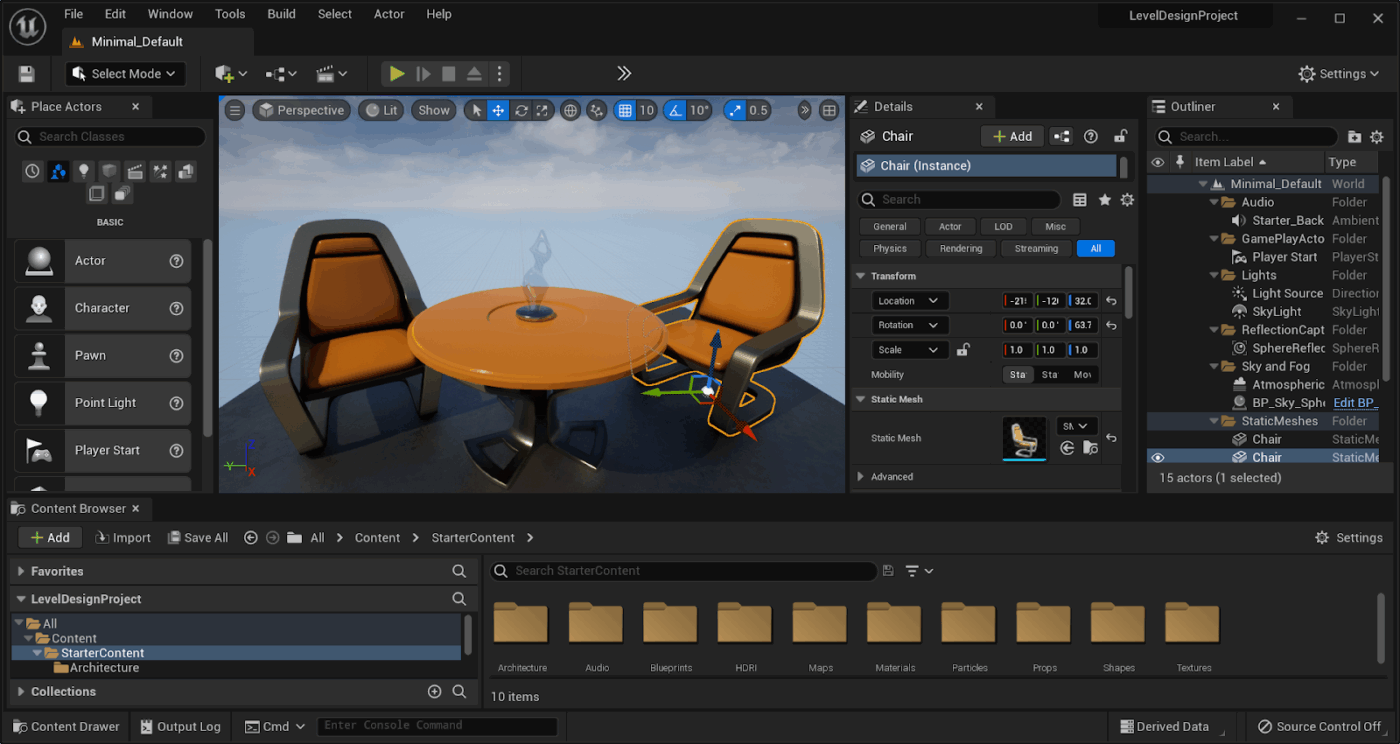
Unreal Engine is a real-time 3D creation platform developed by Epic Games for building high-fidelity game worlds, simulations, and interactive experiences. It gives studios full C++ source access alongside a visual scripting system, so both technical and non-technical team members can contribute to the same project.
The entire production pipeline is natively covered, from world-building and animation to rendering and cross-platform deployment, without requiring third-party integrations for core tasks.
Outside of game development, it has become a go-to for film productions and virtual production stages where real-time rendering is a hard requirement.
Here’s a user review:
Unreal Engine has stunning visual fidelity and real time rendering capabilities. UE incorporates features like Nanite and Lumen. It has a robust visual coding feature known as Blueprint. It allows artists and designers to build complex logic without writing code. Unreal can be used to create everything from AAA games to cinematic experiences.
🔍 Did You Know? Unreal Engine began as a teen hobby in founder Tim Sweeney’s parents’ basement in Maryland. He built editing tools for shareware games like ZZT. He hired people from a ZZT design contest to create the first 3D engine. It started in 1991 and grew into the tech behind Fortnite, The Mandalorian virtual sets, and several Hollywood films.
📖 Also Read: Creative Workflow Software for Managing Projects
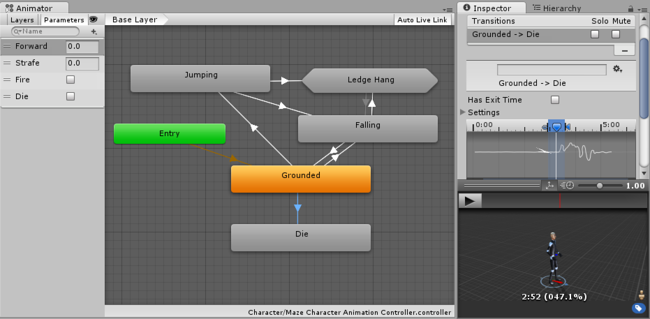
Game developers often turn to Unity when they need a single engine to power interactive experiences across multiple platforms. It lets developers create a project once and deploy it to more than 20 platforms, using C# for scripting with tight integration into standard development environments.
Multiple render pipelines cover different performance needs, with the Universal Render Pipeline optimized for mobile and VR, and the High Definition Render Pipeline targeting high-end visuals.
In addition to gaming, the tool is also widely used in training simulation and product visualization industries.
A G2 user says:
An easy and clear interface, you can customize it and start to develop and create awesome games. Any style of videogame with 3D or 2D view, RPG, Shoot-em-up, platforms, etc… A lot of tools will help you to explore the posibilites of this software.
🧠 Fun Fact: Unity founders started in a small Copenhagen apartment in 2004, built a game called GooBall that was too hard to play, and pivoted to building an engine instead. The name Unity came from their love of collaboration, and that engine now powers half of all mobile games.
📚 Also Read: Best Creative Project Management Software
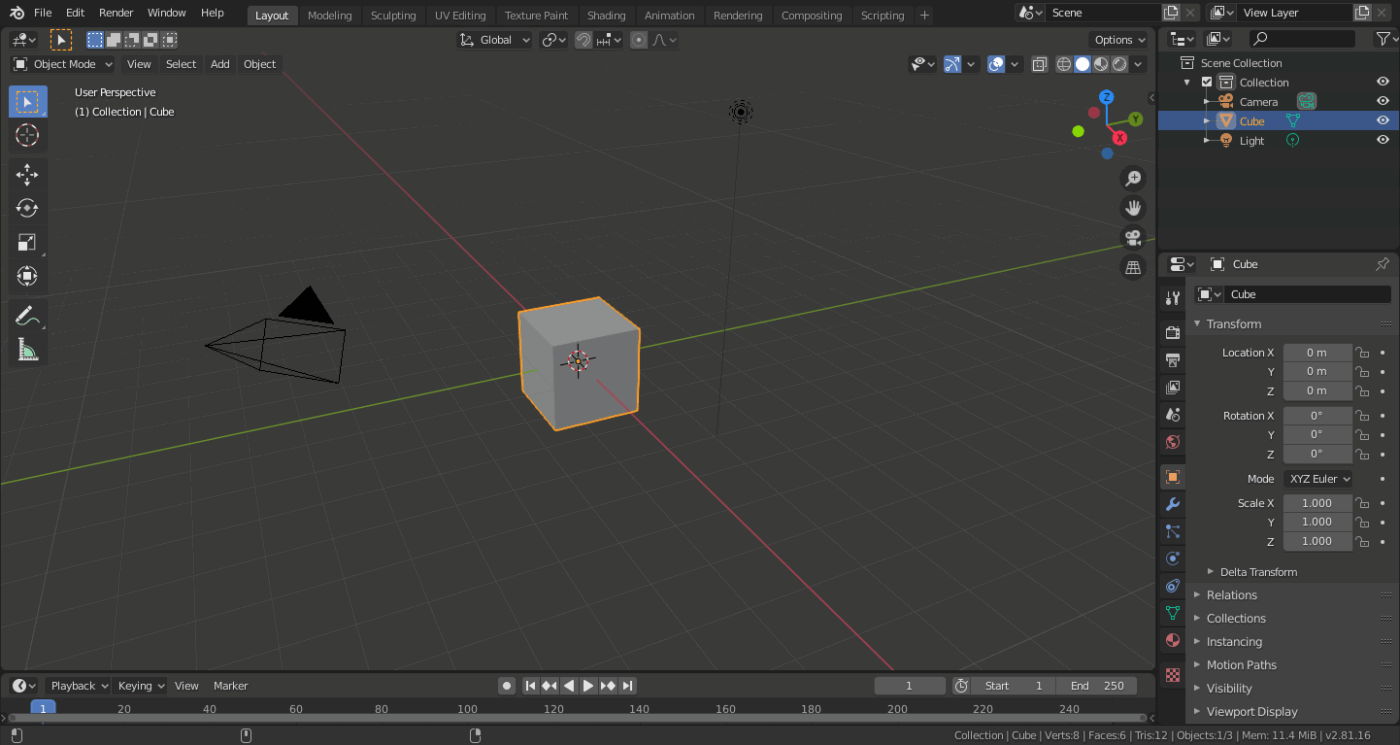
For creators seeking a full 3D production toolkit, Blender offers a free, open-source solution. It supports modelling, sculpting, rigging, animation, simulation, rendering, video editing, and motion tracking, and runs on Windows, macOS, and Linux.
You get both mesh and NURBS modelling tools, as well as advanced sculpting, texturing, shading, and rigging capabilities. The tool also comes with Cycles, a built-in path-tracing engine designed for realistic rendering.
Along with 3D creation, the platform provides tools for 2D animation, motion graphics, and video editing. Artists, studios, and independent creators can use them to produce animations, visual effects, game assets, and even 3D-printable models.
This is what a user said about the tool:
Everything about this program impresses me! I’m grateful to have witnessed its development from 2020 to the present. I was first introduced to Blender during a college course, but now I use it for 3D animation and some light modeling. However, that’s not all—there are now countless features available, making it useful across various industries.
🔍 Did You Know? Blender’s founder, Ton Roosendaal, wrote the first code as an in-house tool for his Dutch animation studio, NeoGeo. When the studio went bankrupt in 2002, Ton started a crowdfunding campaign to buy back the code for 100,000 euros. The community raised the money in seven weeks. This made Blender free and open-source forever.
⭐ Also Read: Best Whiteboard Software for Collaboration
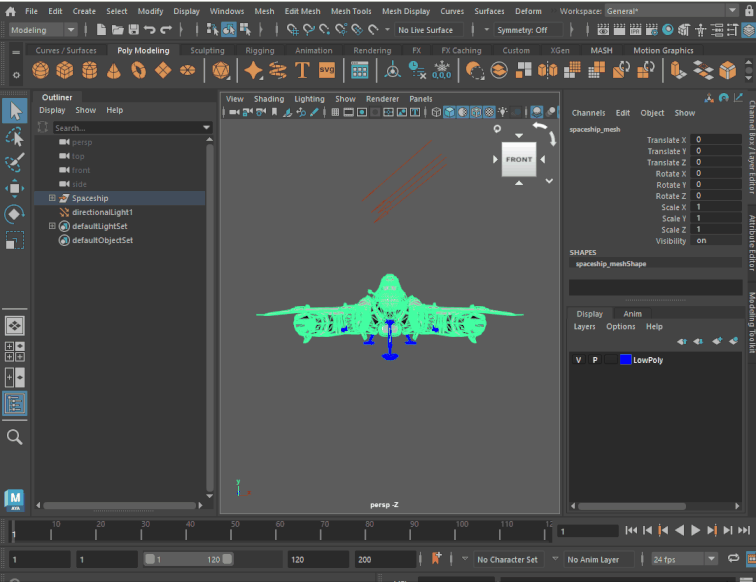
Autodesk Maya is a professional 3D graphics software used to create high-quality models, animations, visual effects, and simulations. It is widely used in film and game production to build realistic characters, detailed environments, and complex effects.
The tool is known for its strong animation capabilities, covering keyframe, character, and motion capture workflows. For effects and simulations, Bifrost handles dynamic elements like smoke, fire, and water, while Arnold powers rendering with realistic lighting and materials.
Studios can use MEL and Python scripting to create custom tools and automate different parts of their production pipelines.
A G2 user says:
Maya is really handy whether working it in alone or working with many other softwares through maya. It is the software that can handle everything that you want to make, game or production. To 3d modelling, to rigging or even for animation it has all the necessary tools to work effectively for that particular category.
🧠 Fun Fact: Maya came from merging three rival tools: Wavefront’s Advanced Visualizer, TDI Explore, and Alias PowerAnimator. It also became Hollywood’s favorite tool and won a technical Oscar in 2003.
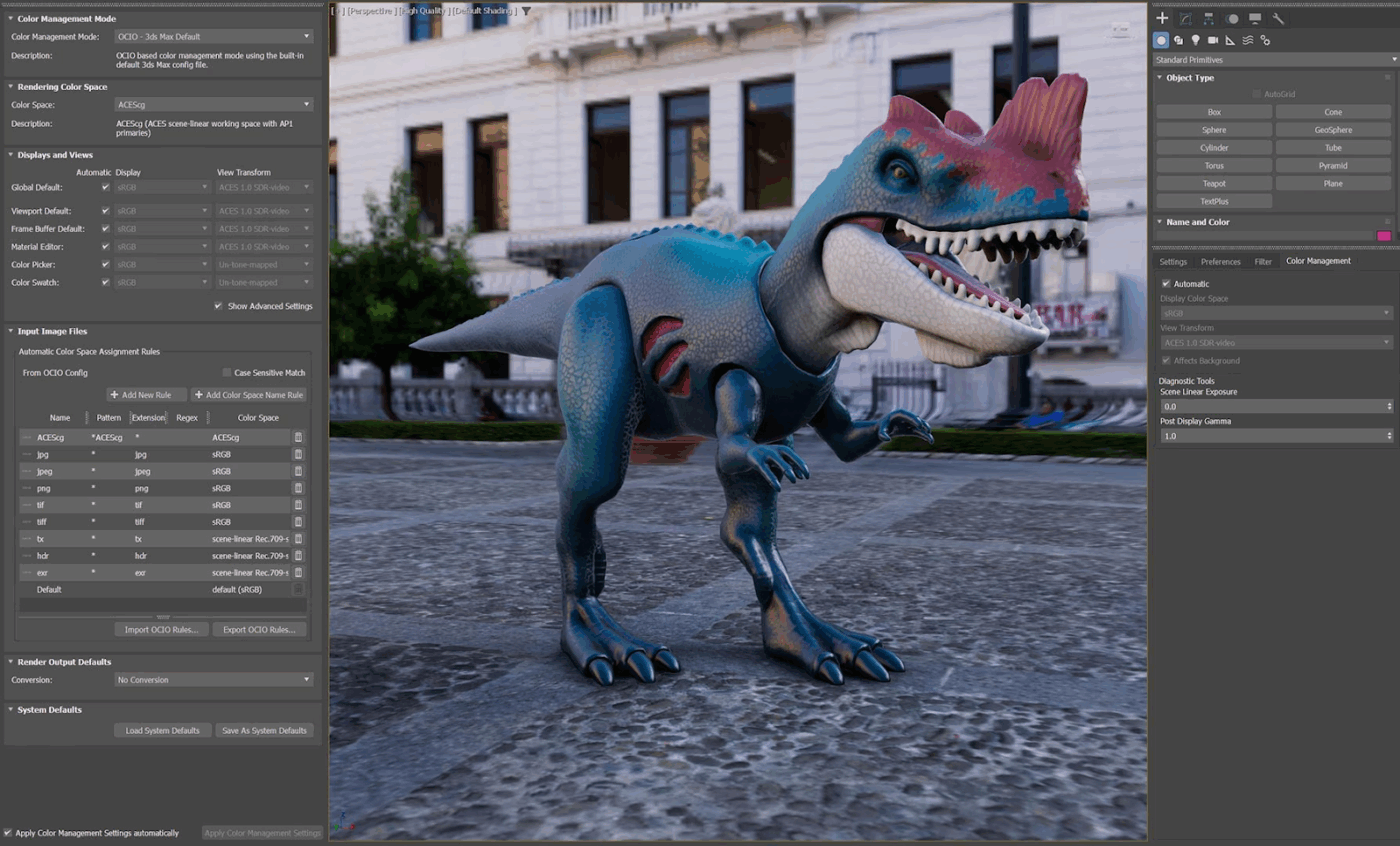
Autodesk 3ds Max supports modeling, rendering, and visualization, and runs exclusively on Windows. It’s a good choice for architectural visualization teams and game developers who need precise control over geometry and high-quality final output.
Its modifier stack workflow lets artists iterate non-destructively, adjusting any step in the modeling process without having to start over. Combined with MAXScript and Python automation, it fits well into studios that need repeatable, customizable pipelines across large project volumes.
Here’s a user review:
Autodesk 3ds Max has great tools for making detailed 3D models and realistic images. It’s perfect for building complex 3D scenes and visualizations. The modifier stack is very strong and flexible, which lets you work without losing anything you’ve done. It works well with plugins like V-Ray and Corona Renderer, which helps make the visual results even better for professional use.
🔍 Did You Know? 3ds Max started as DOS software from the Yost Group in 1990. It went viral in 1996 with the “Dancing Baby” animation. This looping cha-cha baby clip became an internet hit and appeared on Ally McBeal. It was just a demo file, but it proved 3ds Max could make anything dance long before it handled big architectural projects.
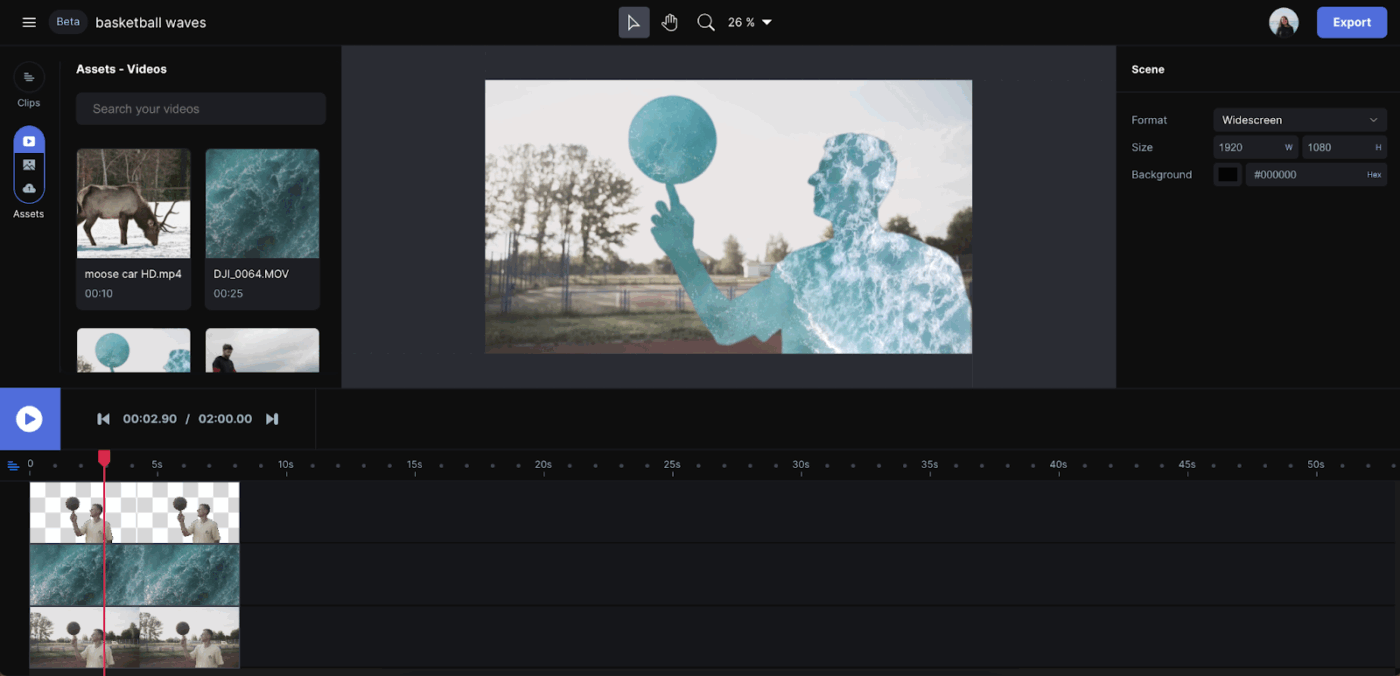
Creators looking to experiment with AI-generated video often choose Runway, a browser-based platform for generative multimedia content. It allows users to create, edit, and animate directly in the browser without coding knowledge or powerful local hardware.
That platform’s text-to-video and image-to-video generation runs through Gen-4.5, producing short clips with controlled motion and adjustable physics. Custom model training is also available, letting teams build a consistent visual style from their own datasets rather than relying on generic outputs.
For teams building a repeatable content creation workflow around AI-generated videos, the tool is a solid choice.
A G2 user shares his experience:
I like Runway’s specific model that lets me copy-paste live video expressions to an AI video, making it more natural and authentic. The UI and UX are pretty straightforward, so it’s easy to understand.
📖 Also Read: Best Creative Automation Tools to Boost Productivity
Adobe After Effects is the industry standard for motion graphics and visual effects across film, television, and digital content production. It lets animators build title sequences, composite footage, and design motion graphics that feature in broadcast and streaming work worldwide.
The tool’s tight integration with the rest of Adobe Creative Cloud makes it a natural fit for teams already working in Premiere Pro or Photoshop. A full 3D workspace with native lighting and material support means more of the compositing work stays inside one tool rather than bouncing between applications.
A user review says:
I don’t have a background in motion design, but have been using Adobe products for a very long time. Because they keep the interfaces similar and different applications use the same or similar tools, it flattens the learning curve a bit and makes it a lot easier to use. Plus, because Adobe products are integrated so well, it is a lot easier to use the same art in multiple applications.
🔍 Did You Know? After Effects was used to composite dinosaurs in Jurassic Park for virtual previews. This blended 3D models with 2D sketches at a time when the film was transforming visual effects forever.
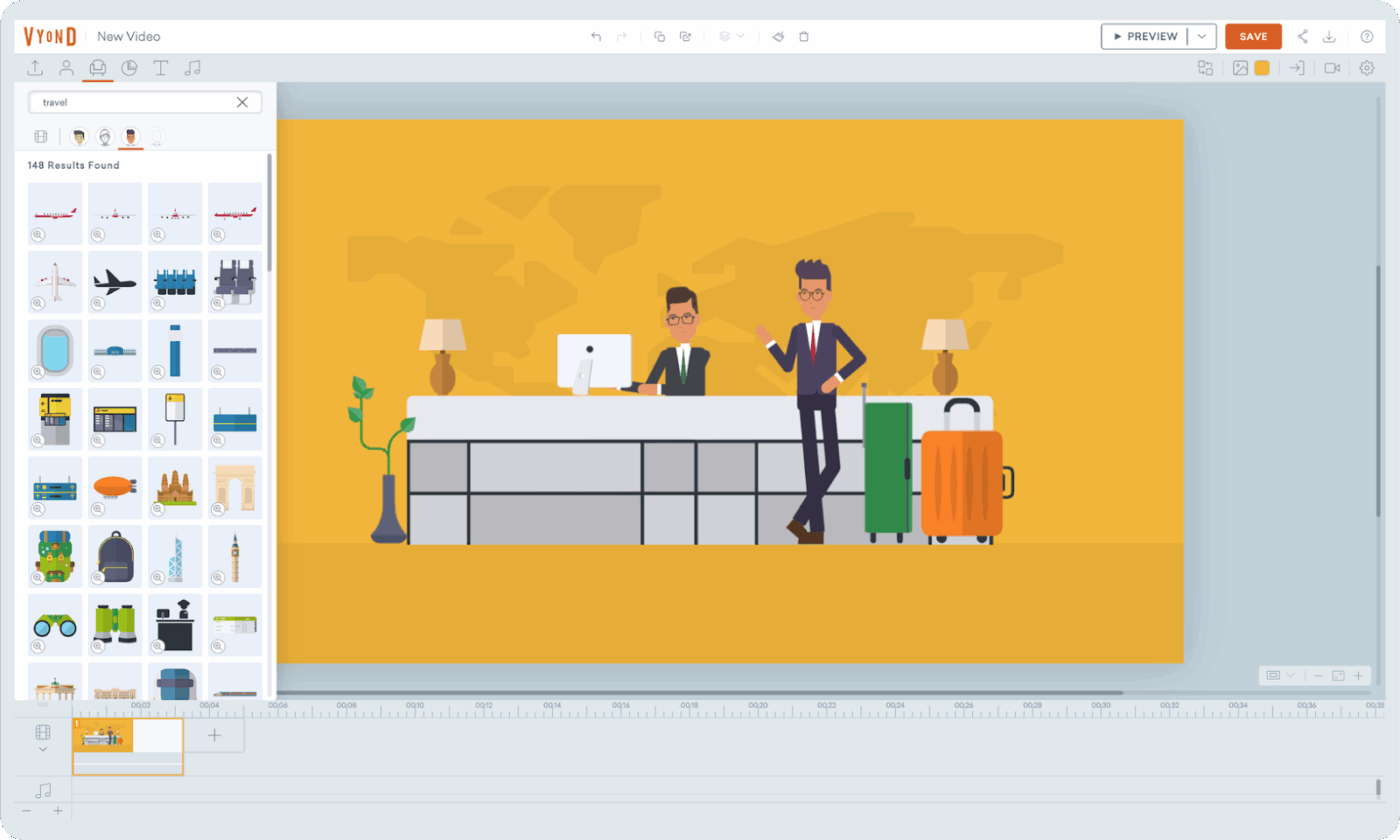
Vyond is a browser-based video creation platform specifically for business teams producing training material, marketing visuals, and internal communications content. It uses generative AI to get from brief to rough cut faster than traditional animation tools allow.
The tool handles the heavy lifting upfront, turning a text prompt, document, or URL into a fully structured draft with scenes, characters, and narration. Teams can then refine their work in Vyond Studio rather than building from scratch.
The editor also features a drag-and-drop interface, making it easy to place characters, props, backgrounds, and text elements directly into cinematic scenes and adjust timing on the timeline without complex animation tools. Moreover, with automatic translation and voice enhancement, localization doesn’t become a separate production phase.
Here’s what a G2 user said:
I find Vyond extremely helpful for our organization. I’m super happy with the characters and templates we keep getting many enhancements. We switched from our traditional way of training with PPTs to using Vyond for creating training videos, making learning more engaging and effective for our employees. The GoAnimate feature is great because I can just give a prompt and it creates a storyboarding concept with limited templates, which is amazing.
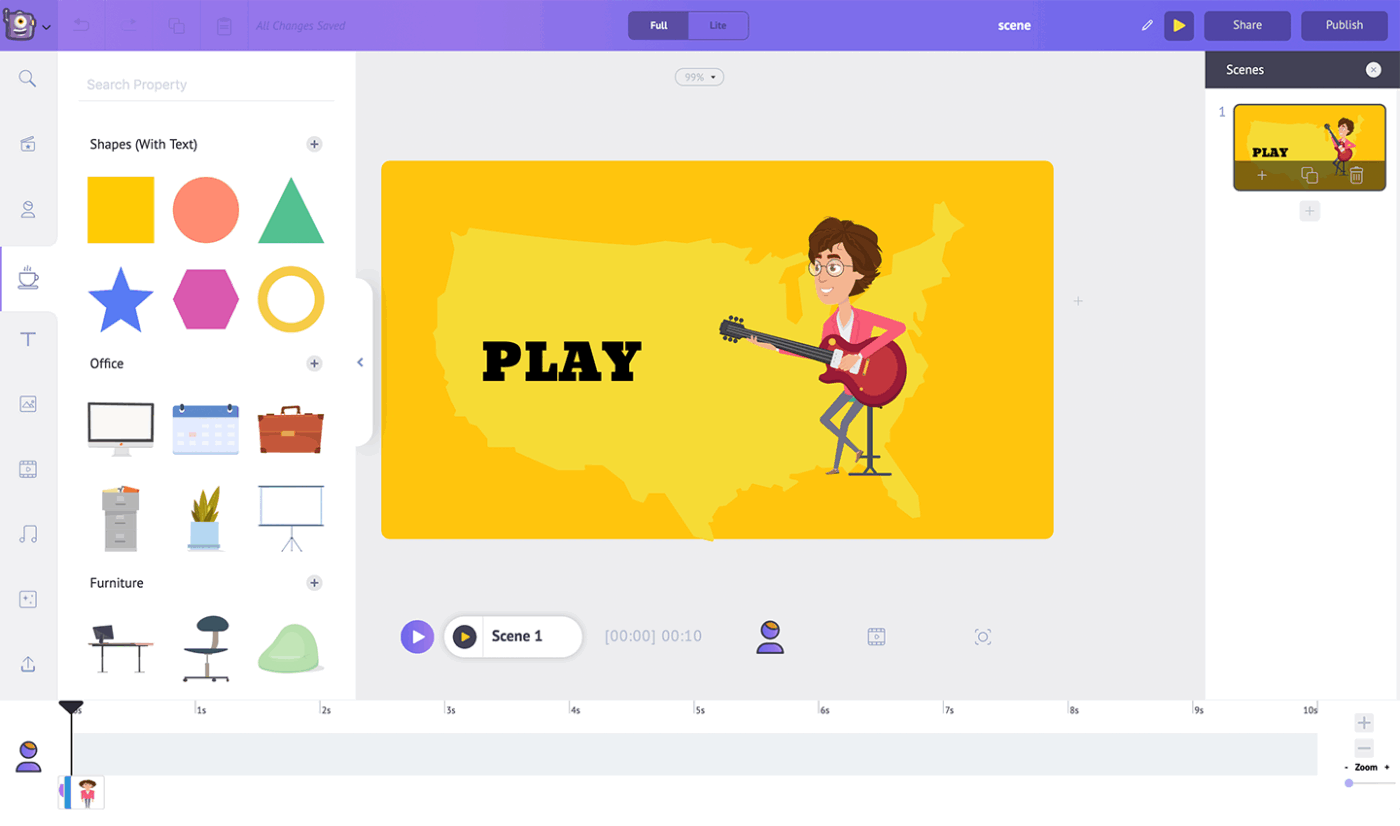
Many teams use Animaker when they need to create videos without complex production workflows. The AI-powered online platform supports both animated and live-action videos for explainers, training content, marketing campaigns, and internal communications.
It combines AI video generation with a large asset library and 25+ built-in editing tools. Users can build custom characters, choose from thousands of templates, and maintain brand consistency with tools like Brand Kit. Animaker also meets enterprise security standards, including GDPR compliance and SSO support.
A user review says:
I am very satisfied with Animaker. I find it particularly good that videos can be explained very well with Animaker. The colors of backgrounds and the characters captivate the audience and leave a cool impression when I see the video for the first time.
Intangible AI makes 3D creation more accessible, but creative work rarely stops at building scenes. Pitches need to be drafted, feedback needs to be tracked, and teams need to stay aligned across every stage of production.
Whether you’re coordinating a campaign or managing a game design sprint, ClickUp gives your team a single workspace where projects, communication, and AI work together.
No more jumping between tools to track what’s happening or who’s responsible. Get the clarity and control your creative team needs.

© 2026 ClickUp

There’s an easier way. Try a free AI Agent in ClickUp that actually does the work for you—set up in minutes, save hours every week.