Sorry, there were no results found for “”
Sorry, there were no results found for “”
Sorry, there were no results found for “”
Ideogram’s text-to-image AI is excellent for whipping up quick visuals with text. But sometimes, you need better UX design tools.
Maybe you’re looking for pixel-perfect text placement. Or perhaps you want to experiment with different artistic styles that make your brand pop (without spending hours on Photoshop).
Fortunately, the explosive growth of AI image generation has produced numerous Ideogram AI alternatives. So, if you’re looking to explore AI-based image generation, you’ve come to the right place!
From tools focused on detailed artwork to platforms specializing in marketing visuals, we’ve got a recommendation for every creative challenge. This blog post discusses the 11 best Ideogram alternative options that could transform your creative workflow.
We’re talking about getting highly specific images created in seconds! Let’s go!
Ideogram is a text-to-image AI generator that’s carved out its niche in the expanding world of AI art generators. The tool turns written descriptions into striking visuals—from artwork and photos to diagrams and illustrations.
When you input a text description, it pays close attention to small details like textures and lighting, making the final images look remarkably true-to-life.
Remember those AI-generated images with wonky, nonsensical text? Ideogram fixes that.
It creates clear, readable text in its generated images. We’re talking about perfectly legible:
The tool works by studying massive datasets of images paired with text descriptions. Its deep learning system picks up on patterns between words and visual elements, using this knowledge to create new images that match what you’ve asked for.
While Ideogram suits quick mockups and basic visuals, its limitations can hold you back when working on more advanced or creative projects. Here’s why you might consider exploring alternatives:
If you’re looking for more creative flexibility and professional-grade results, it might be time to explore competition.
💡 Pro Tip: AI art prompt ideas can unlock new possibilities for your creative projects.
While Ideogram excels at AI image generation, some of these proven alternatives offer AI-generated art for every creative need. Let’s kick things off:
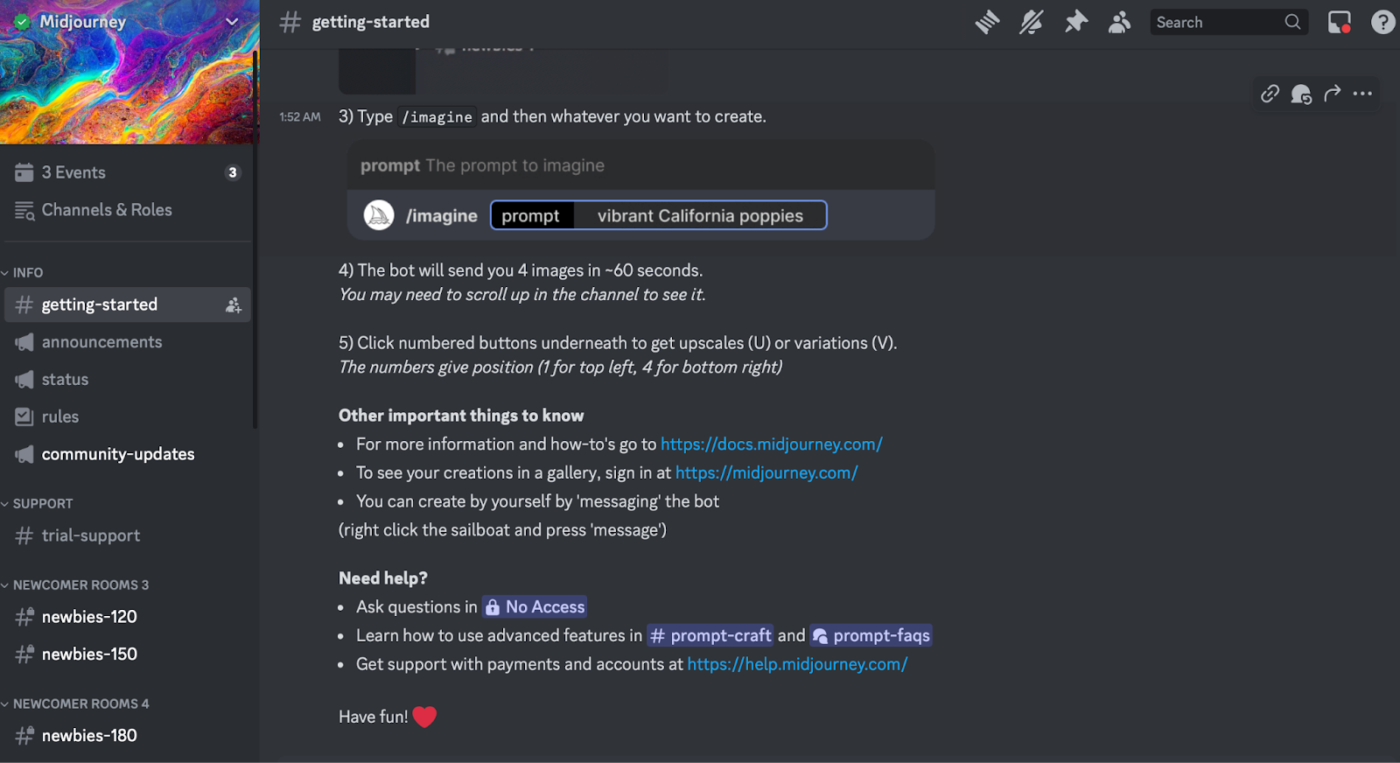
Midjourney isn’t just a tool for generating images—it’s a platform for creating art. Its visuals stand out with a distinct artistic flair, making them instantly recognizable and captivating.
What sets Midjourney apart is its meticulous attention to detail. From subtle shadows and lifelike reflections to intricate surface textures, every element is crafted to make its output feel rich, natural, and immersive.
Take product photography, for example. Thanks to its latest updates, Midjourney has dramatically enhanced its ability to produce hyper-realistic visuals, complete with readable text. It is ideal for mockups, posters, marketing materials, and beyond.
Midjourney consistently produces visually stunning, high-resolution images that often exceed expectations in terms of detail and quality. Its ability to interpret prompts creatively makes it a fantastic tool for concept art, mood boards, and experimental designs.
💡 Pro Tip: If you’re interested in improving your image generation, use this guide on Midjourney prompt examples for refining your prompts and making the most of this powerful tool.
🧠 Fun Fact: Generative artificial intelligence platforms such as Midjourney are simplifying the creation of children’s books by making the process accessible and fun for authors.
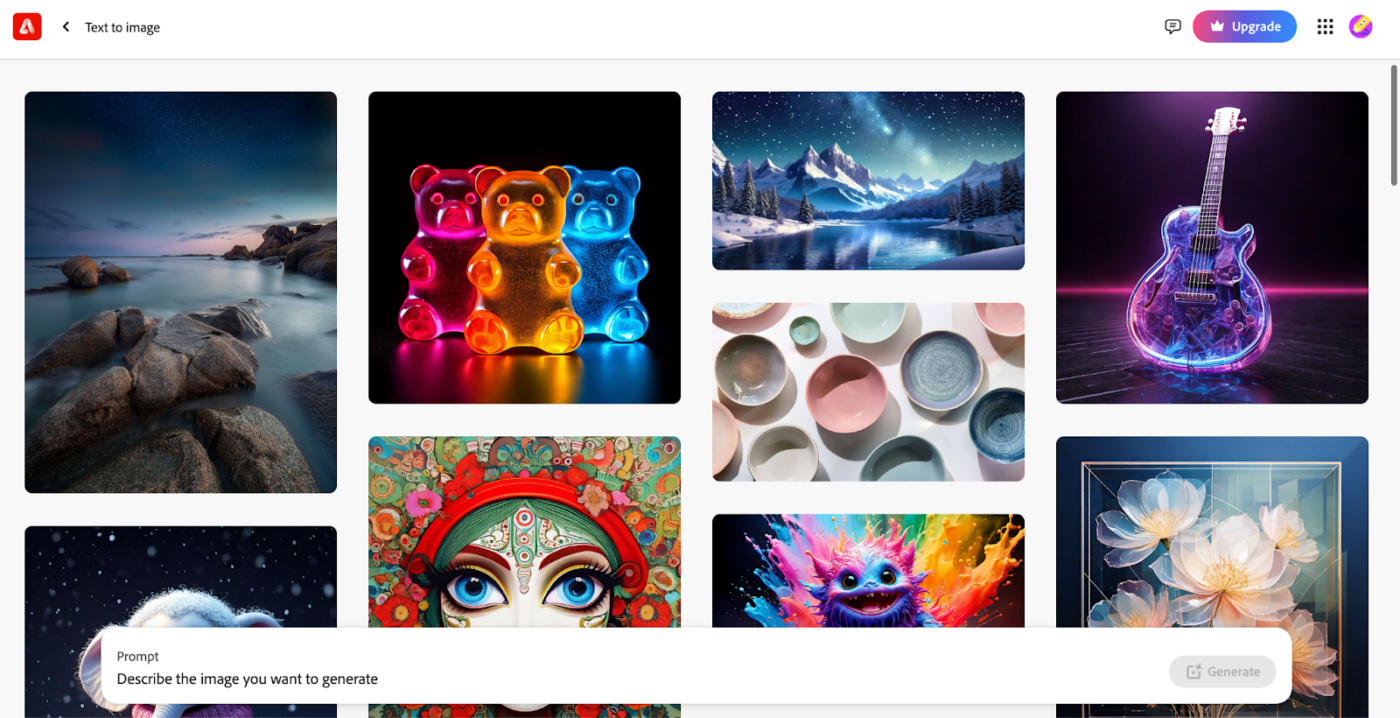
Adobe Firefly unleashes your creative potential with a powerful AI image generator. Effortlessly create stunning visuals in countless styles, from photorealistic to whimsical, all while staying 100% safe for commercial use.
Integrated seamlessly into the Adobe Creative Cloud, Firefly empowers you to transform your boldest ideas into reality with speed and precision. Whether designing for work or play, it helps you create, innovate, and deliver like never before.
My favorite capability is the ability to load reference images to create effects or items for a composite composition to create new and original artwork! Integration of the platform into my workflow is effortless. Firefly is very easy to use and accepts all prompts within boundaries. I use Firefly regularly as a part of my creative process.
📮 ClickUp Insight: 11% of our respondents leverage AI primarily for brainstorming and ideation. But what happens to these brilliant ideas afterward?
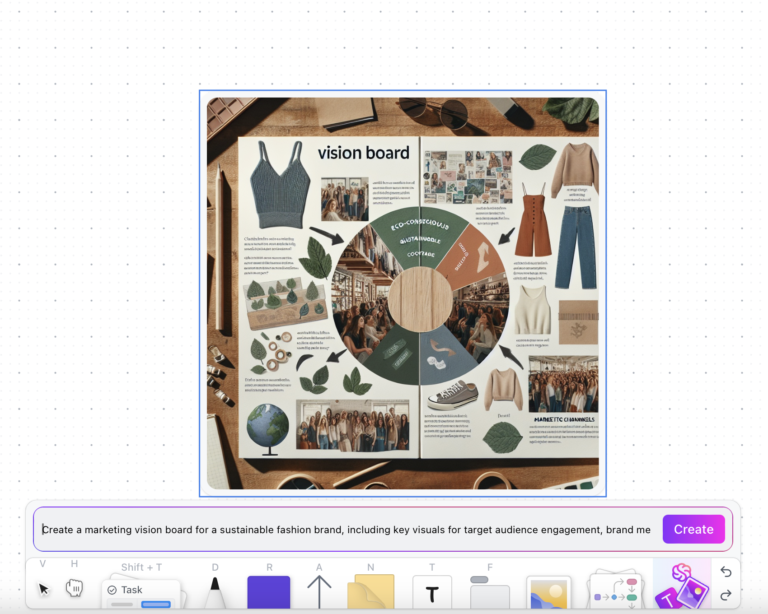
This is where you need an AI-powered whiteboard, like ClickUp Whiteboards, which helps you instantly turn ideas from the brainstorming session into tasks.
And if you can’t quite explain a concept, simply ask the AI image generator to create a visual based on your prompt. It’s the everything app for work that enables you to ideate, visualize, and execute faster!
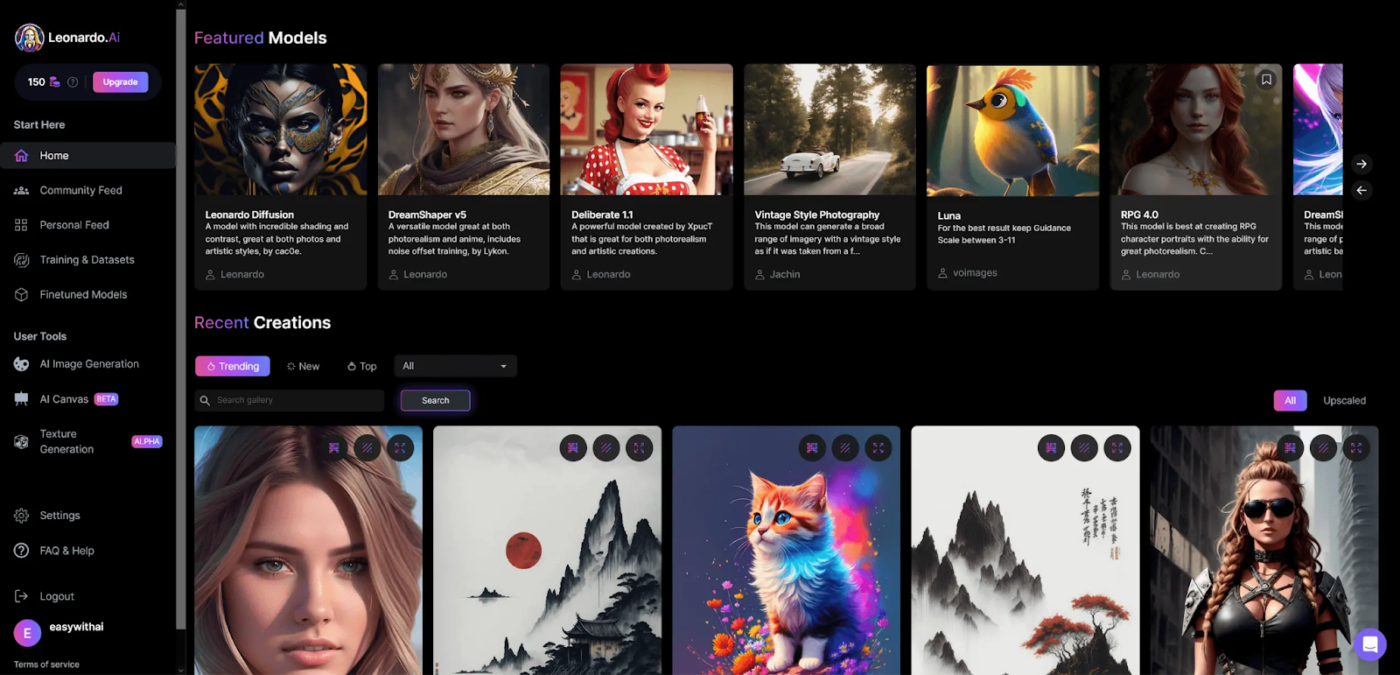
Imagine effortlessly creating custom models that truly reflect your brand’s essence or your project’s unique style. With Leonardo AI, you’re not just generating images but shaping them into masterpieces.
Its revolutionary real-time AI Canvas gives you complete control, allowing you to add, remove, and refine elements with unmatched precision.
Leonardo AI’s emphasis on collaboration sets it apart, making it a powerful tool for teams. It’s perfect for streamlining design project management while delivering visually stunning content that stands out.
Leonardo AI is a wonderful tool powered by artificial intelligence that generates illustrations in a wide variety of styles. Since most of the suggestions offered are what you are asking for, they can be implemented in any project you might be working on. It also gives you multiple options to choose from in a very decent quality and is very easy to use and integrate. This is the AI generator I use the most.
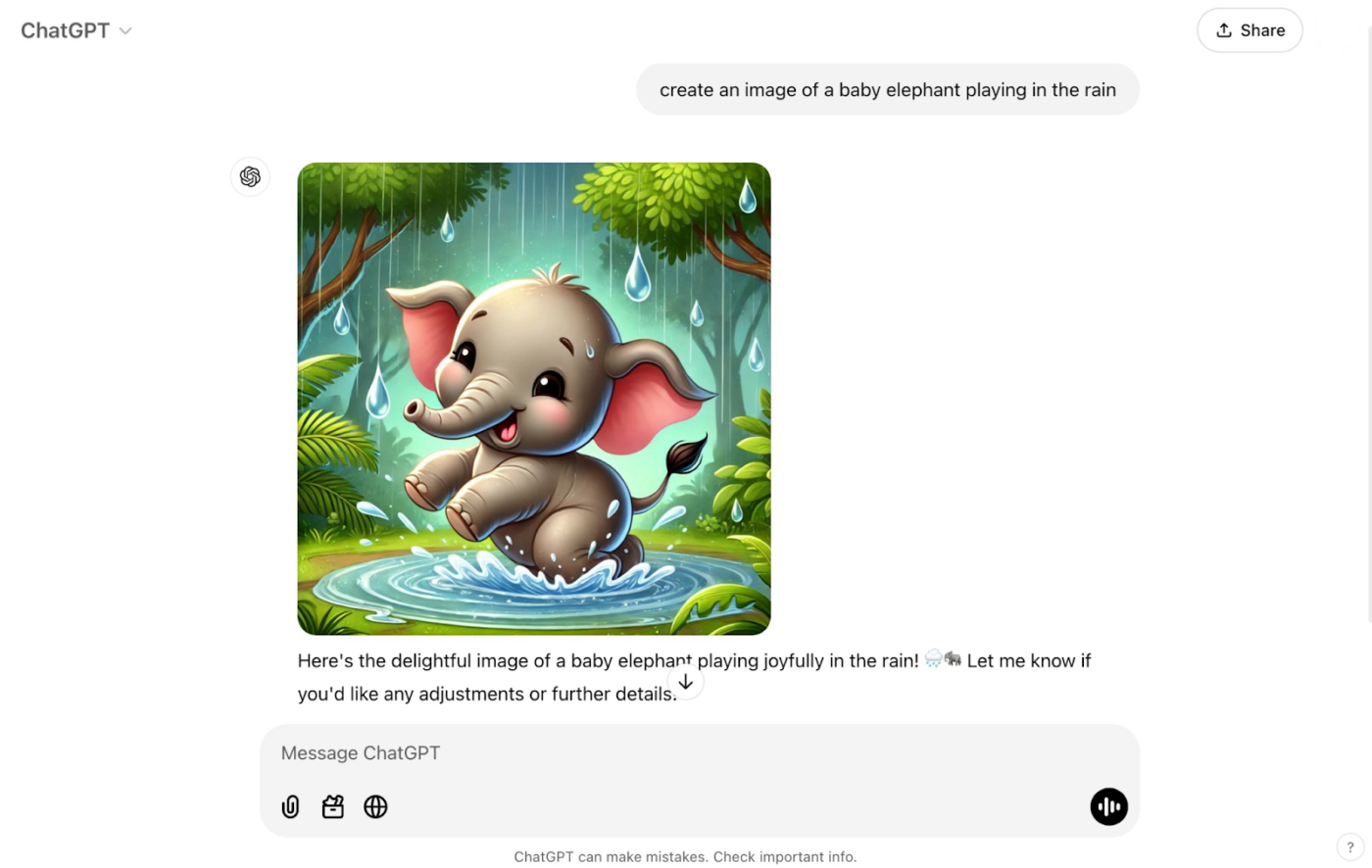
This cutting-edge AI art generator app brings your prompts to life with stunning attention to detail. Whether it’s the worn texture of an antique book or the glint of moonlight on a shimmering lake, DALL-E 3 captures your vision with breathtaking precision.
What makes it even better? It pairs seamlessly with ChatGPT to refine your ideas in a natural, conversational flow. Experiment with different styles, explore unexpected combinations, and tweak your vision until the final image feels right.
➡️ Also Read: Dall-E Alternatives to Create AI Images
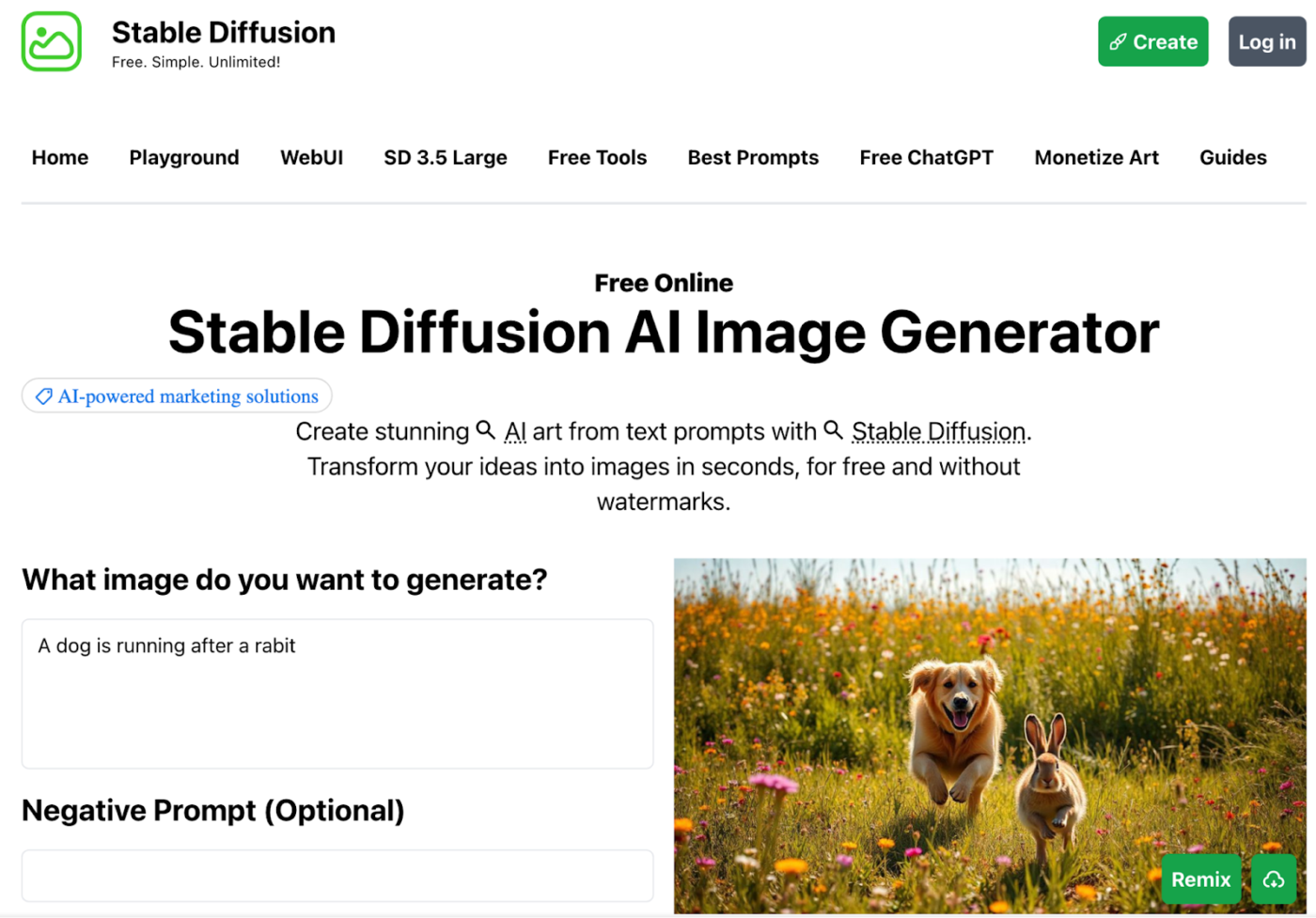
Tap into your creativity with Stable Diffusion, the open-source tool that brings your ideas to life.
Refine every detail—lighting, composition, mood, and atmosphere—to craft unique and captivating visuals.
You can even fine-tune image outputs using its guidance scale. Higher values create images that match your prompt more closely, while lower values allow for more artistic interpretation.
I recently used Stable Diffusion 3. I found the text to image capabilities to be absolutely top class. The level of spelling abilities and image quality is just remarkable.
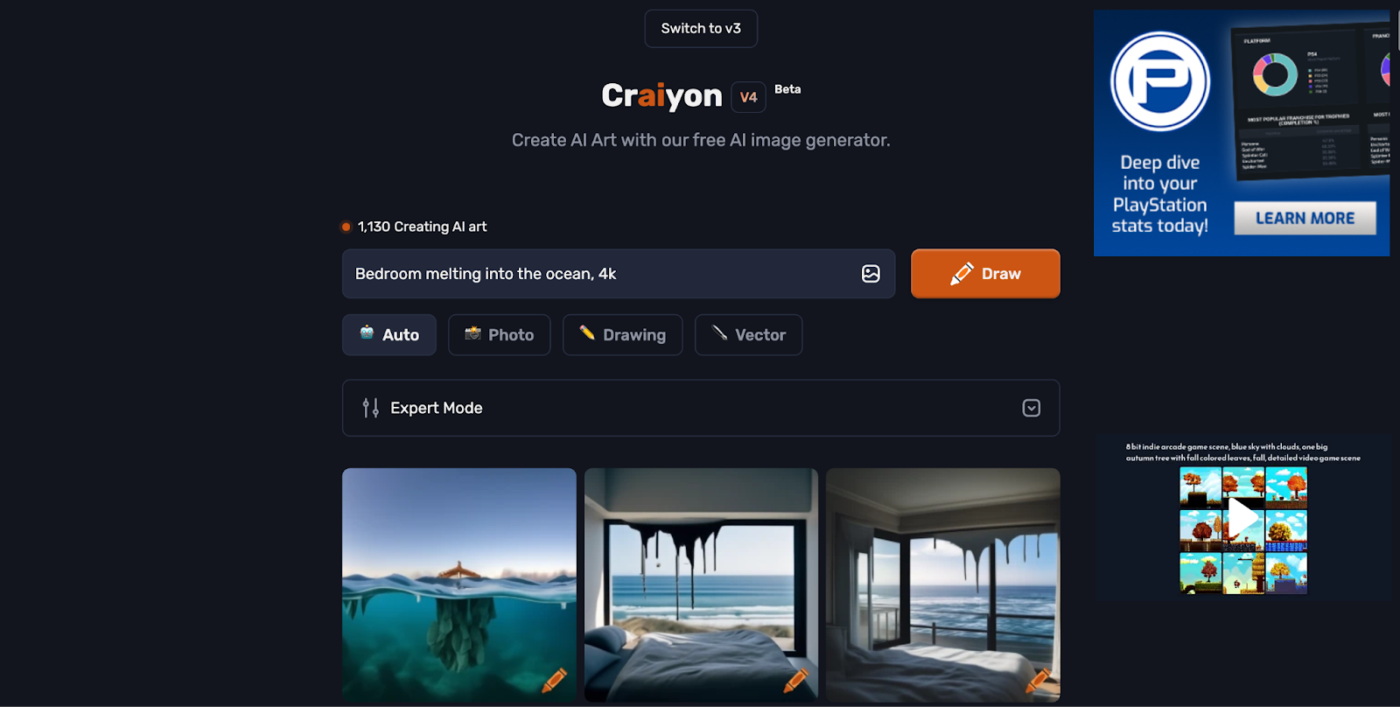
Previously known as DALL-E Mini, Craiyon helps you turn text descriptions into visual art. The tool fits particularly well for designers and artists hunting for fresh inspiration, educators explaining complex ideas visually, and content creators needing quick image generation.
Craiyon excels with simple, straightforward text descriptions, unlike many other AI art tools that require intricate prompts. While it may not achieve the hyper-detailed quality of advanced models, it offers a fun, creative, and accessible way for anyone to explore AI-generated art.
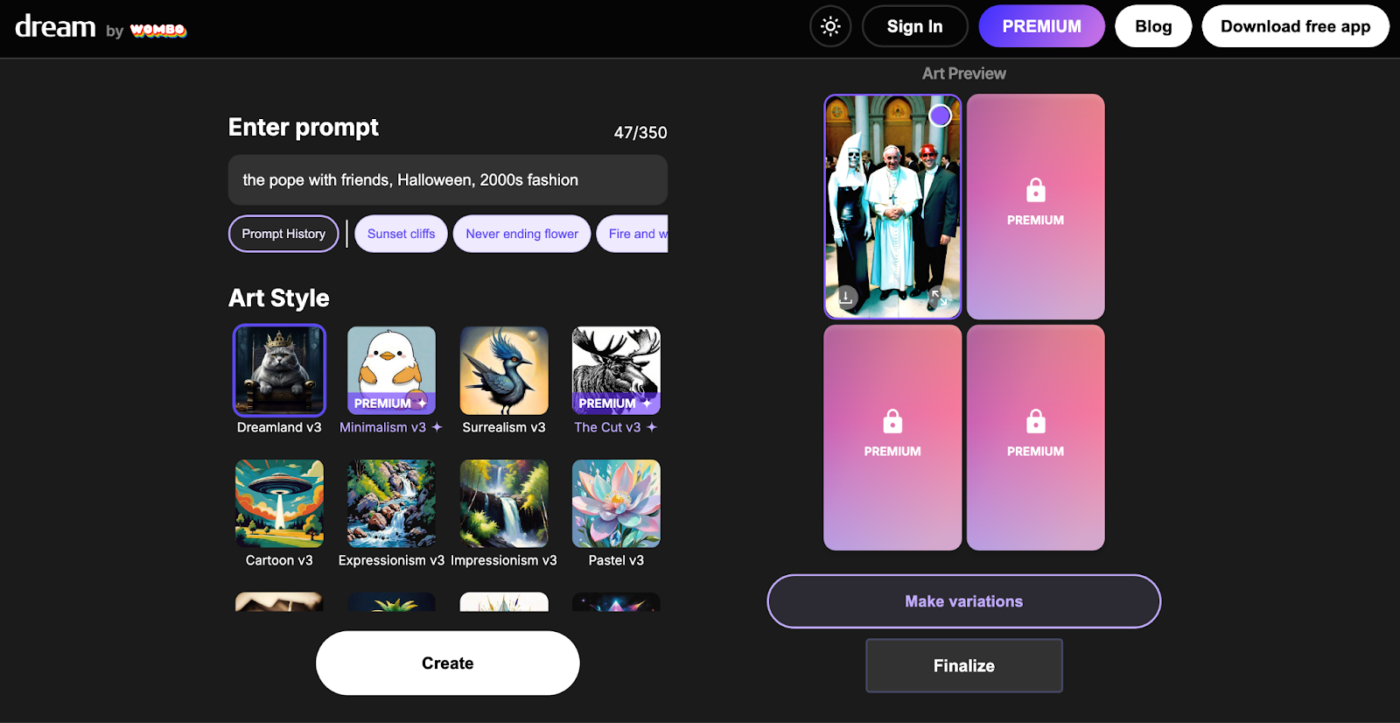
Dream by Wombo makes creating art from text prompts simple, fun, and engaging. Users can quickly generate visually stunning images with minimal effort, making it perfect for anyone looking to spark their creativity.
The platform empowers users to explore various styles and themes effortlessly, encouraging artistic expression without requiring advanced skills or AI expertise.
Dream by Wombo is especially appealing to casual users who want a playful and intuitive way to create art, turning imagination into visuals with just a few clicks.
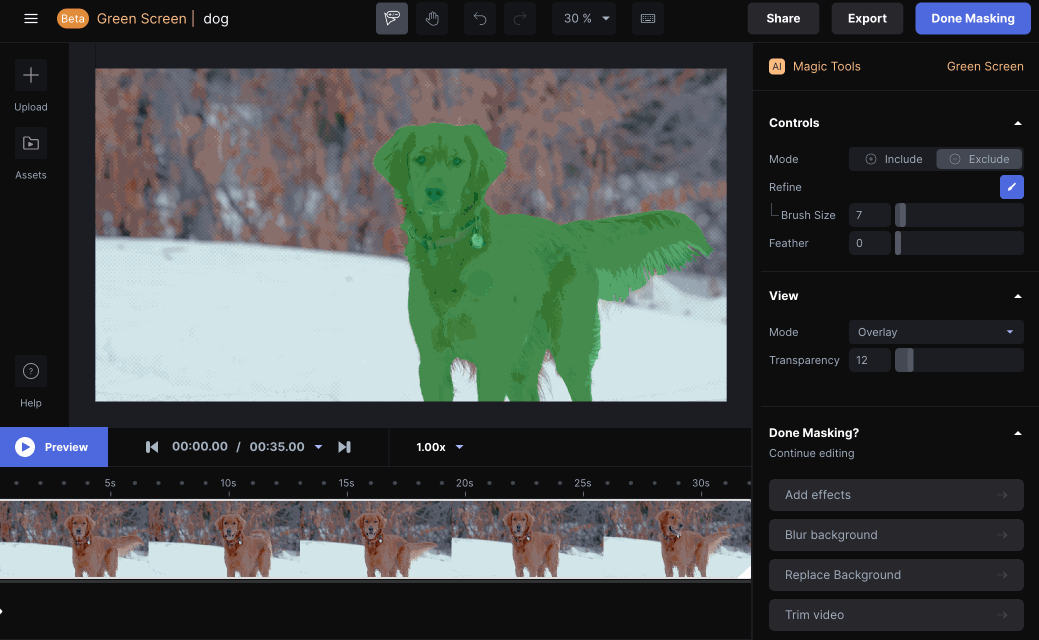
What happens when you combine machine learning tools for artists and designers into a cohesive platform? Runway ML! It provides powerful features that allow you to edit videos, generate images, and collaborate in real time.
By integrating various machine learning capabilities into one user-friendly interface, Runway ML caters to professionals seeking innovative solutions for multimedia projects.
This focus on versatility and collaboration makes it a valuable tool for modern creators.
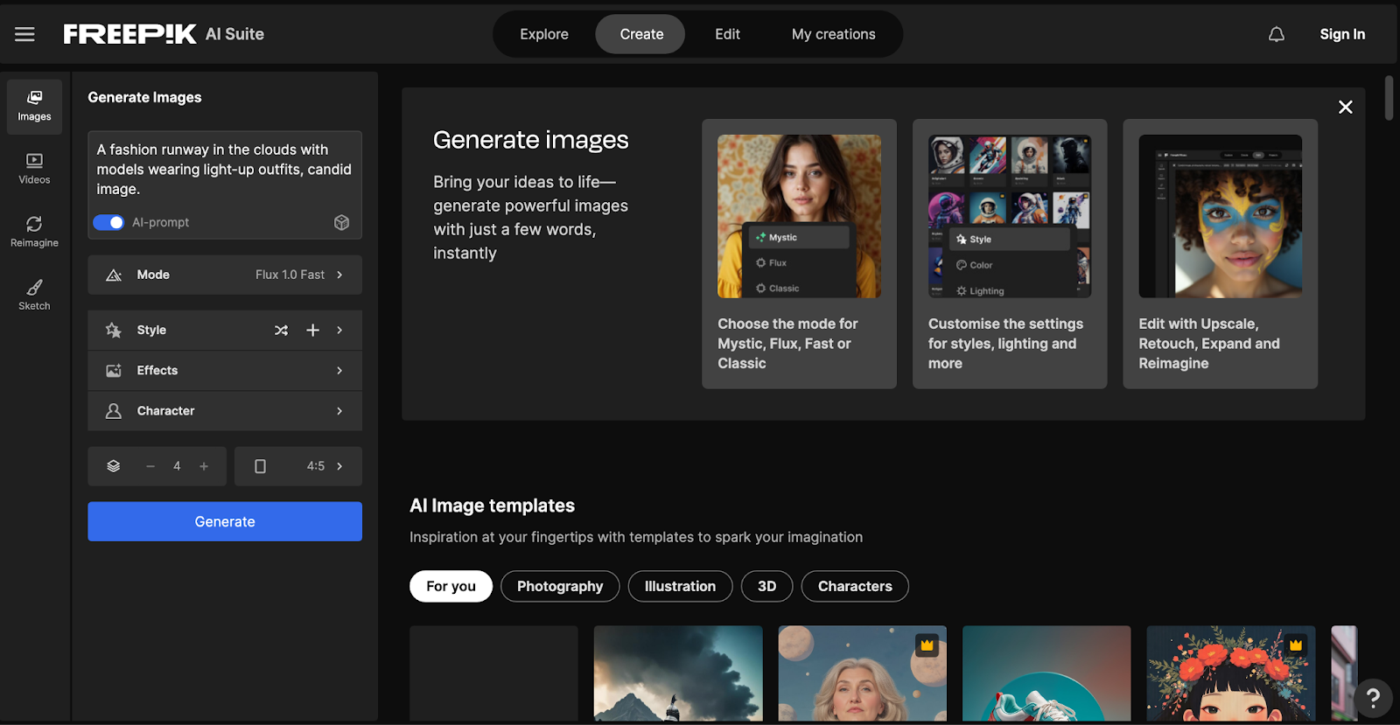
Are you a designer or marketer looking to stay ahead of the latest graphic design trends? Look no further than Freepik! With a massive library of over 250 million resources, it’s a treasure trove for all your creative needs.
Freepik offers an impressive mix of vectors, photos, PSD files, and AI-powered tools, seamlessly blending traditional design assets with cutting-edge technology.
From custom illustrations to ready-to-use graphic design templates, Freepik makes it easy to create professional-quality designs in no time. Whether you’re working on a big project or need quick inspiration, Freepik has you covered!
➡️ Also Read: How to Use AI for Graphic Design
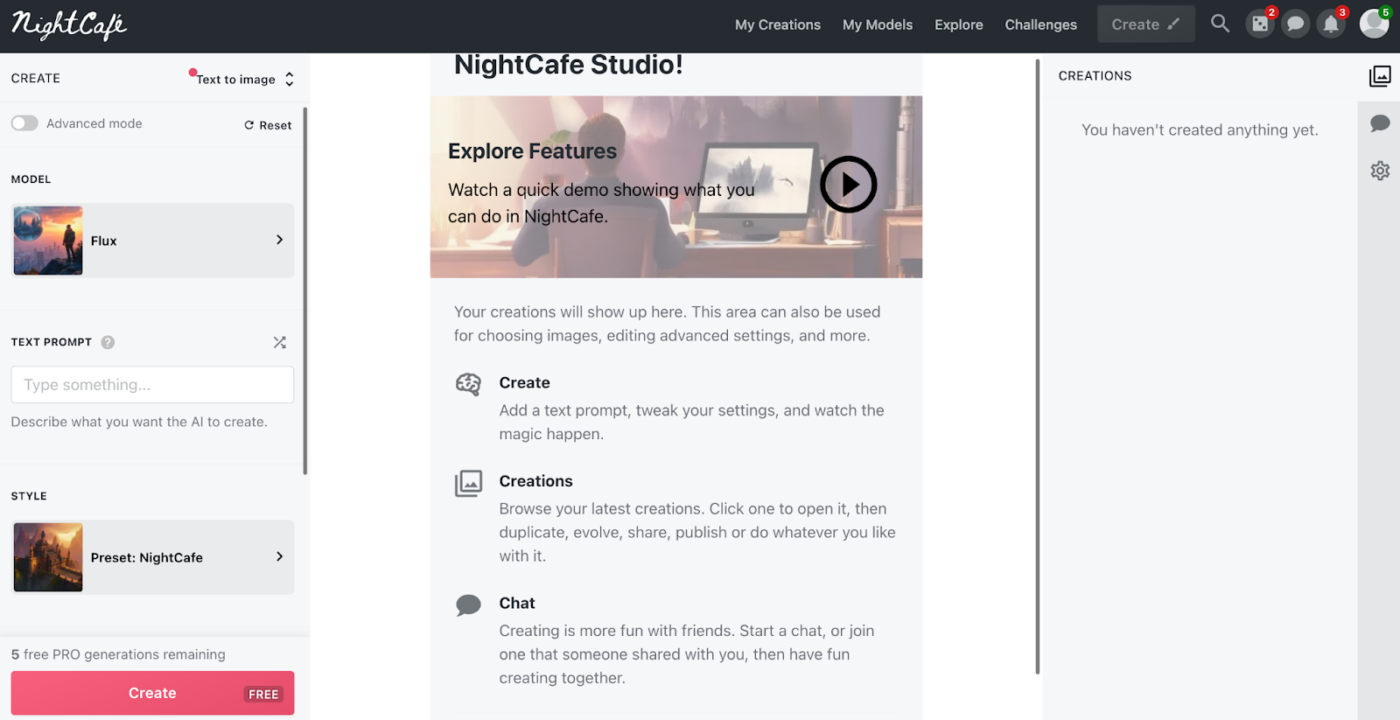
NightCafe stands out as a versatile AI art creation platform that puts powerful image-generation capabilities in the hands of artists, designers, and content creators.
It turns text descriptions into unique artworks using multiple cutting-edge AI models. This feature makes it particularly valuable for creative exploration and artistic projects.
You can participate in daily art challenges, share your creations in chat rooms, and get feedback from fellow creators—adding a social dimension that helps spark new ideas and creative directions.
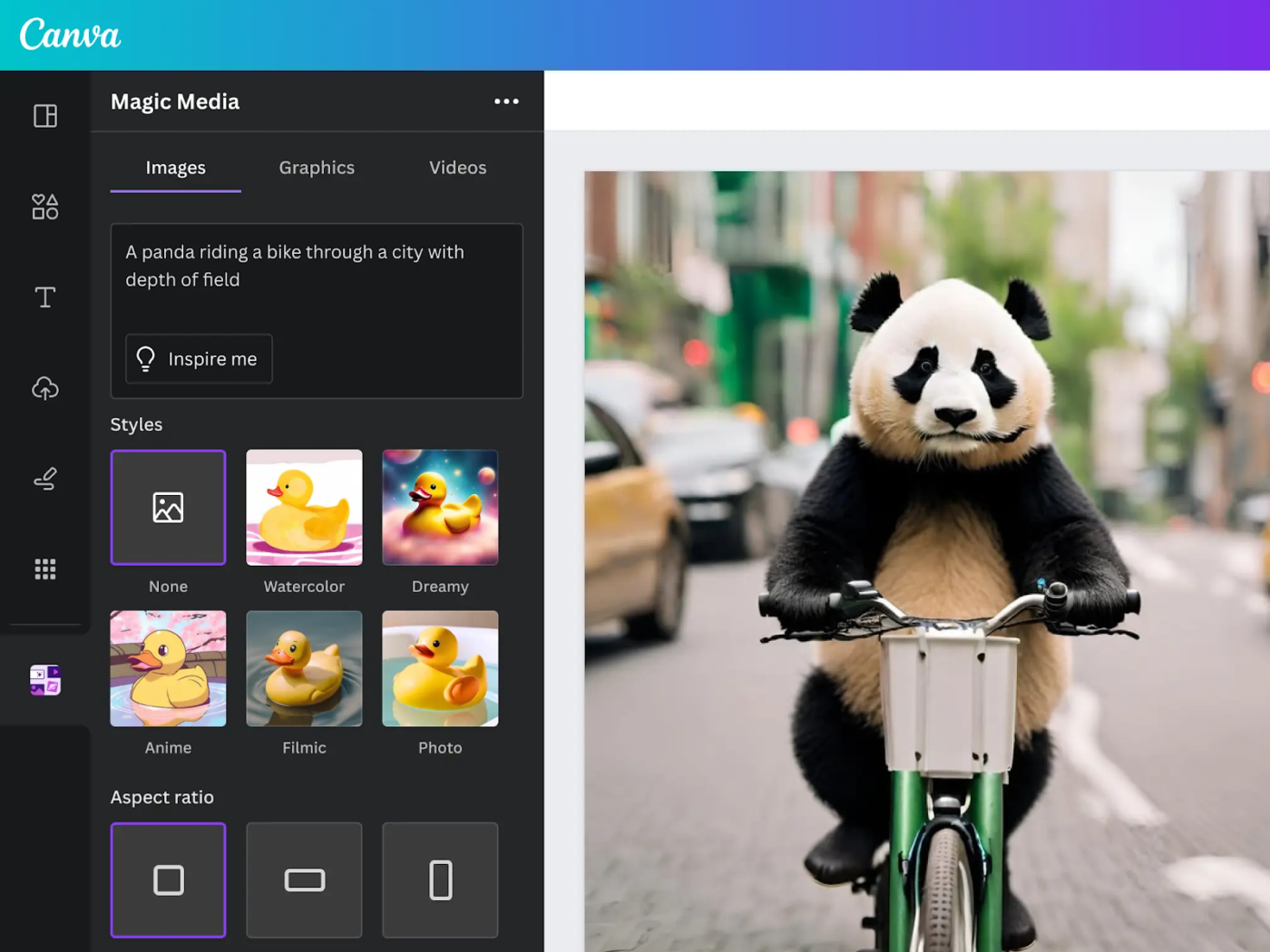
Canva AI is your creative assistant that handles the repetitive parts of design work. This AI suite fits right into Canva’s familiar interface, making it easy for beginners and pros to use without a steep learning curve.
For example, when you need to turn a vertical social post into a horizontal banner, the AI handles the image expansion automatically without needing other social media AI tools.
Or, if you want to edit text in an old image, the AI can make it editable in seconds.
Recently I had opted for Canva Pro, which was extremely useful for my projects. Even better designs and templates to work on. The pro images for exactly what I looked for. The newly added AI magic feature is amazing. Canva is a tool that cannot be replaced. I have added a team and integrated it with some of my social media accounts. Awesome experience.
While many advanced AI tools focus solely on AI image generation, some platforms integrate AI capabilities into broader project management and collaboration features.
ClickUp, the everything app for work, elevates your artistic processes with AI-powered features.
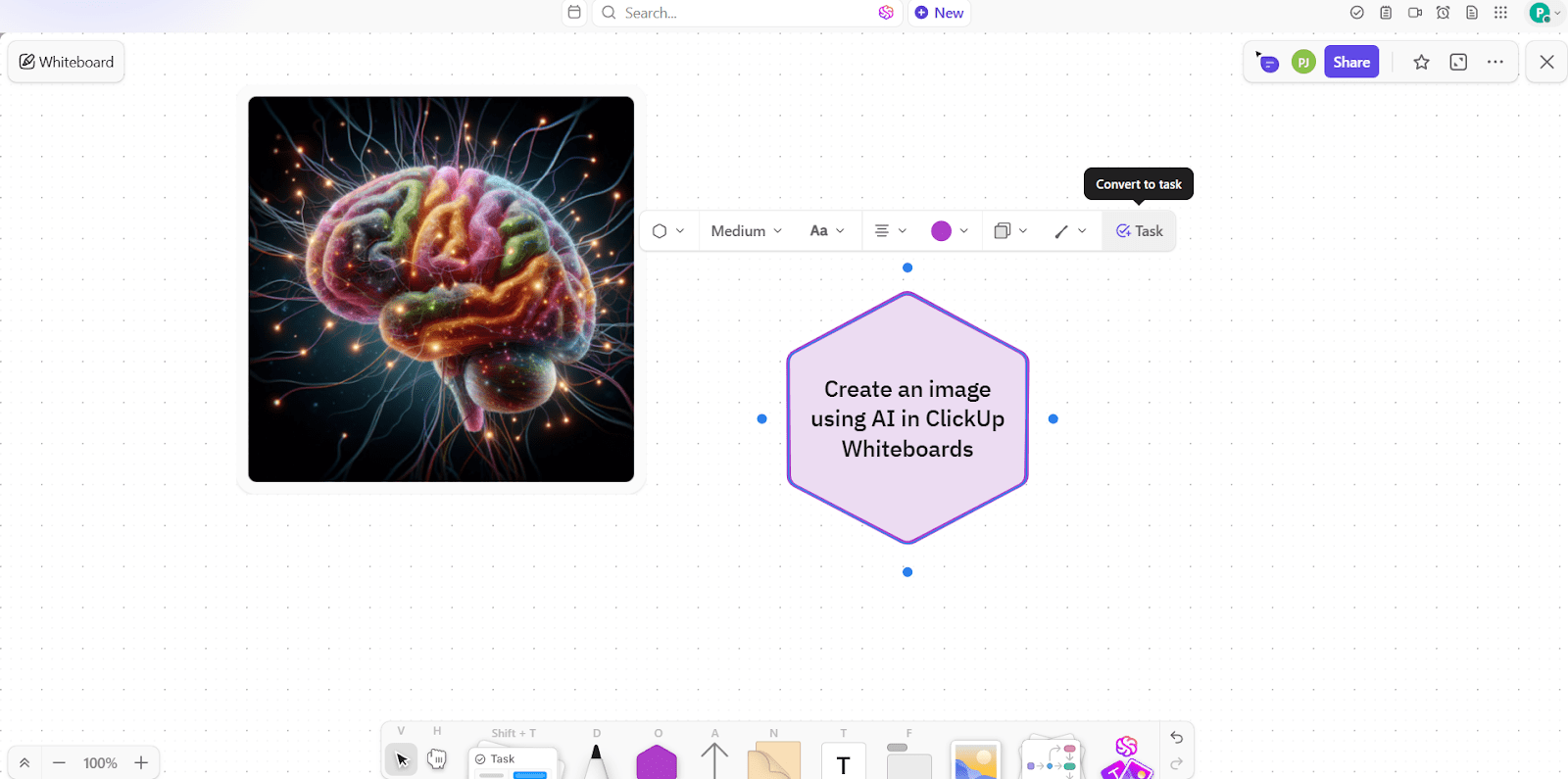
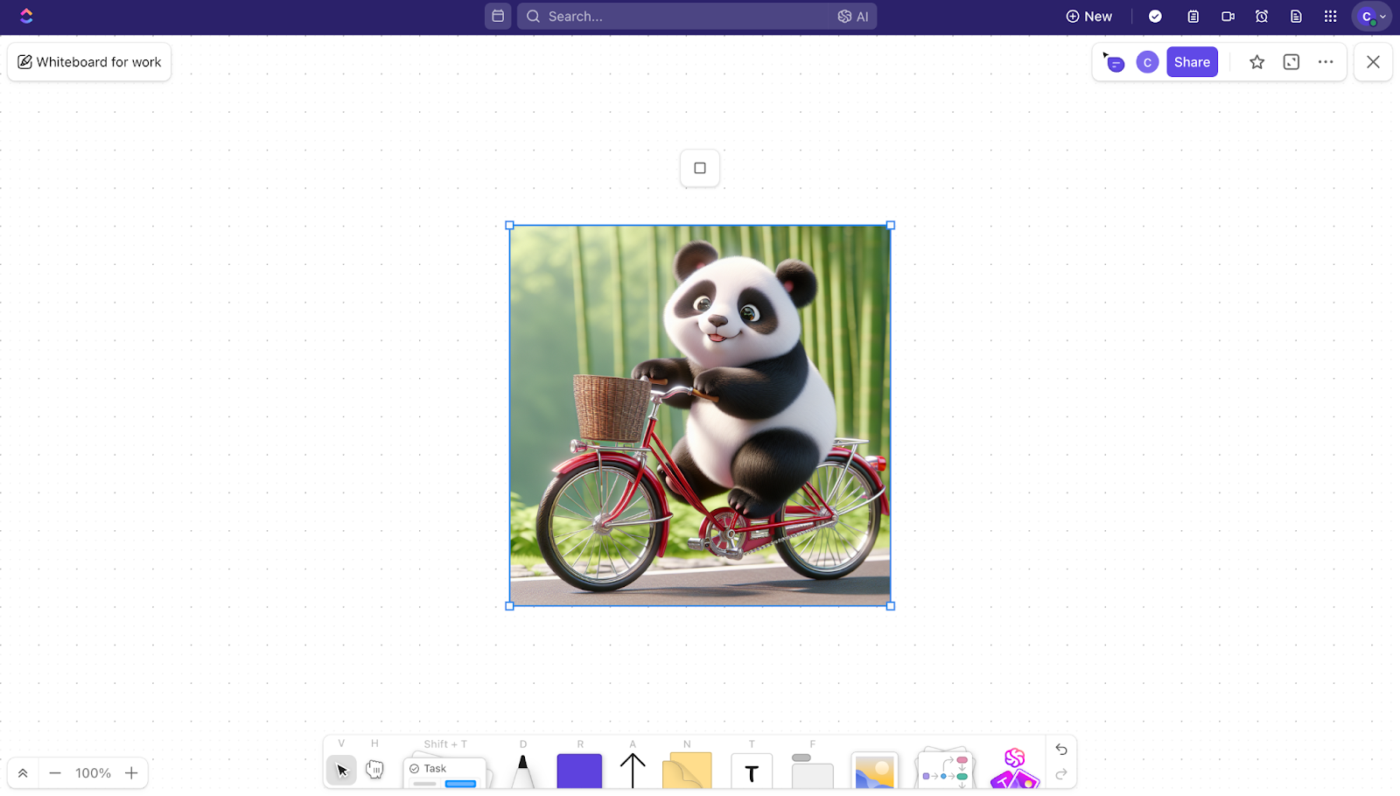
ClickUp Whiteboards elevate visual collaboration by providing a dynamic space for creative processes. With real-time visual brainstorming, teams can ideate together seamlessly, no matter where they are.
The feature allows for image uploads, enabling annotation and discussions directly on visuals for better context and understanding. Additionally, collaborative planning tools like sticky notes and freehand drawings make organizing ideas and turning them into actionable plans easy, fostering innovation and teamwork.
But the star feature? AI image generator!
With ClickUp Brain in whiteboards, you can instantly create AI-powered visuals like diagrams, charts, or other imagery directly within your whiteboard, eliminating the need to switch between tools or manually design graphics.
Whether you’re brainstorming, organizing an idea board, or discussing visual content, Brain seamlessly supports your creative process. This makes it an ideal solution for planning innovative projects, collaborating with your team, and gathering valuable feedback.
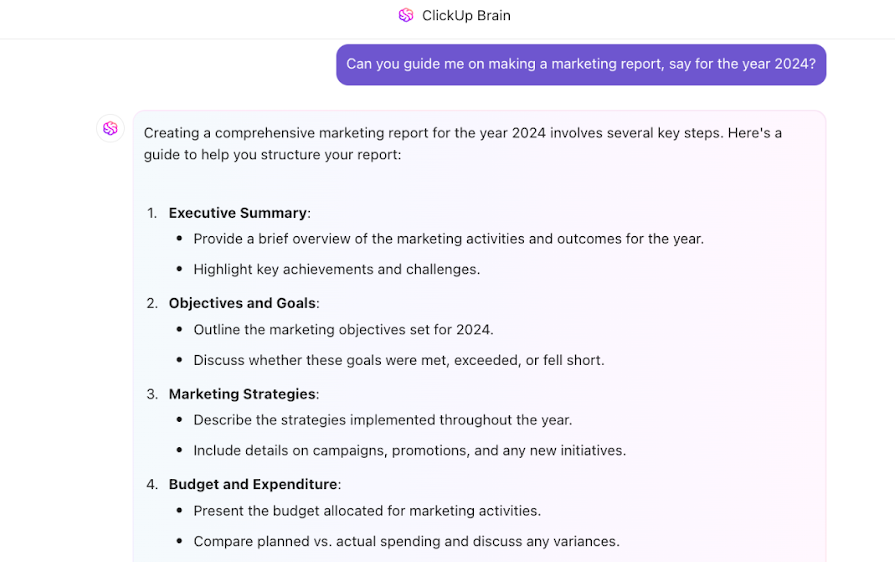
ClickUp Brain also helps you work smarter by leveraging powerful AI features to streamline your workflow. With its interactive Q&A style interface, you can get instant, context-specific answers about tasks, documents, or company wikis, saving time searching for information.
Need a quick overview of your work? ClickUp Brain provides a one-click summarization of tasks, threads, and comments for effortless clarity. It also automates project updates and summaries, keeping your team aligned without extra effort.
Finally, use ClickUp for Design to optimize your creative workflows from end to end. Whether you want to create a design brief in shareable docs, instantly generate tasks from the brief, or even share feedback via recorded clips, ClickUp has a feature custom-made for your needs.
ClickUp has made asynchronous alignment much simpler and more effective. By building a framework in which to outline and structure objectives and results, remote teams are able to understand expectations and provide status updates fluidly. Brainstorming with whiteboards is easy, reorganizing priorities is easy, and adding reference images, etc., is all very fluid.
AI-generated images are cool. But AI-generated images that are integrated into your workflow? That’s unbeatable.
While Ideogram focuses only on AI image generation, ClickUp streamlines every aspect of your creative process.
From managing tasks and collaborating with your team to organizing assets and taking instant action on ideas, ClickUp is the all-in-one platform that helps you efficiently bring your vision to life.
Ready to supercharge your creativity and productivity? Let’s explore how ClickUp can transform the way you work. Sign up for ClickUp today!

Arya P Dinesh
Max 27min read

Manasi Nair
Max 27min read
Manasi Nair
Max 32min read

© 2026 ClickUp