






Still downloading templates?
There’s an easier way. Try a free AI Agent in ClickUp that actually does the work for you—set up in minutes, save hours every week.
Sorry, there were no results found for “”
Sorry, there were no results found for “”
Sorry, there were no results found for “”
Over 84% of respondents in a Wyzowl survey said they were convinced to buy a product or service by watching a brand’s video.
Whether it’s a product demo, explainer video, or product walkthrough video, the bottom line is that video helps nudge the buyer from maybe to yes. That’s the incredible power of video marketing.
Yet product demo videos miss the mark. They run too long, dive straight into technical details, or fail to keep viewers engaged.
This guide walks through the steps, best practices, tools, and examples to create product demo videos that win customers.
A product demo video is a short video that explains how your product or service works. It demonstrates the product’s features in real-world scenarios and why you need it.
These videos spark the viewer’s attention when they’re going through your sales pitch, trying your app, or browsing through your website. They’re used by the sales and the product marketing team throughout the product lifecycle.
The most successful demo videos present product benefits in an engaging way. There’s an accompanying explanation and easy-to-understand visuals. Done well, demo videos drive brand awareness and sales.
Now you must be thinking, what’s the difference between a demo video, an explainer video, and a tutorial video? Don’t they all serve the same purpose in video marketing?
The table below shows the differences between them 👇
| Video Type | Primary Goal | Where Is It Used | Focus Area |
| Demo video | Show how the product solves a specific problem | Sales pages, product pages, early evaluation | Real workflows, key features tied to outcomes |
| Explainer video | Explain what the product is and why it exists | Homepage, ads, top-of-funnel | The problem, the idea, and the value proposition |
| Tutorial video | Teach users how to complete a task | Onboarding, help docs, support | Step-by-step instructions for a specific action |
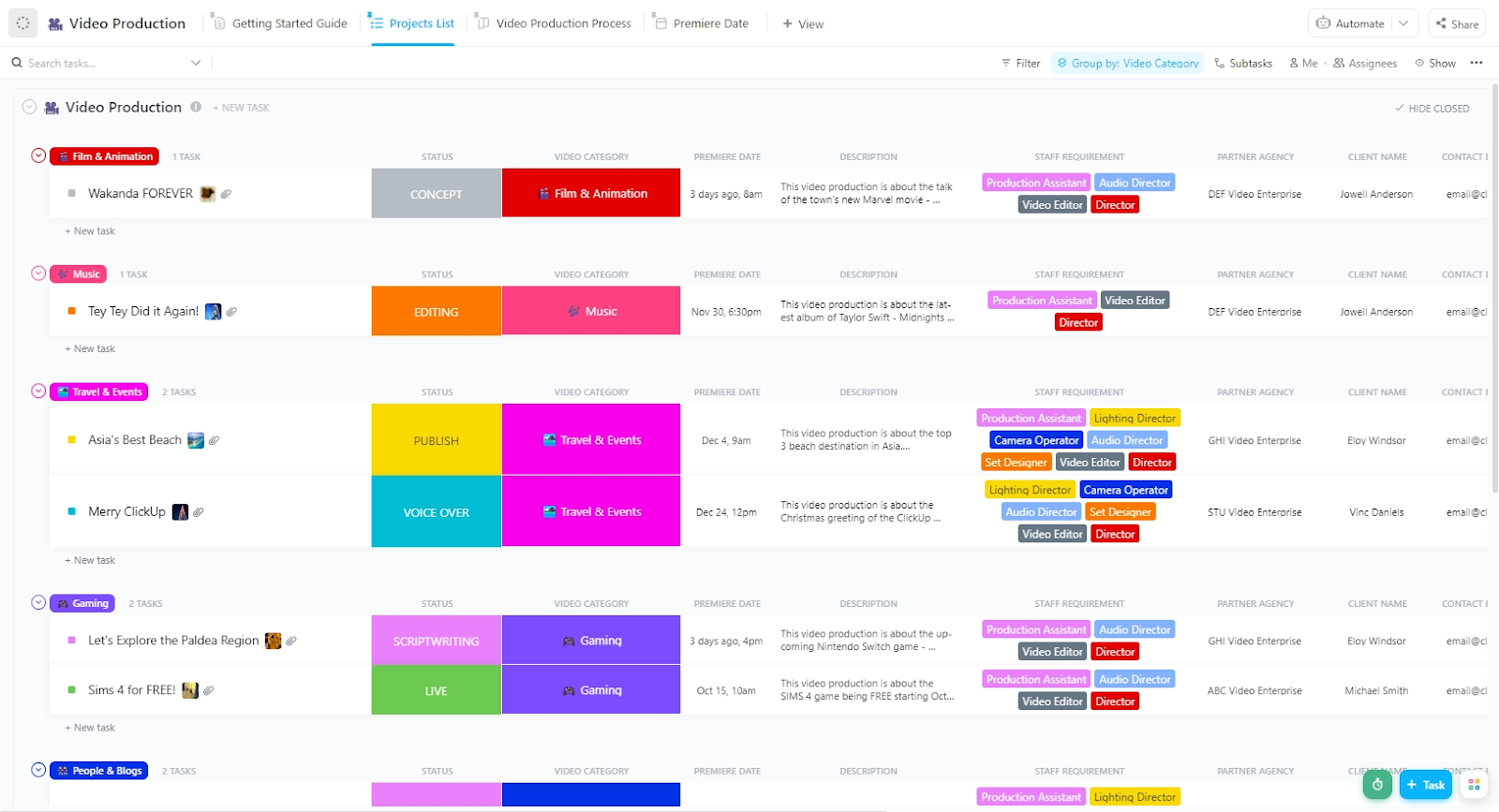
ClickUp’s Video Production Template helps you streamline the video creation process.
Here’s why you will love this template:
Here are the key reasons why product demonstration videos are effective for increasing customer engagement and driving conversion rates.
Over 75% of B2B buyers prefer a sales experience without a representative. This means your team has limited time to interact one-on-one with leads.
Product demo videos become a critical channel for customer education here. Your prospects don’t need to wait for a call with a salesperson. They can see how the product works and explore its features at their own pace.
When you give customers more power over the sales process, they’re more likely to feel that they chose to buy your product rather than being sold to.
⚡ Template Archive: Free Storyboard Templates in Word, PDF, and Excel
A well-done product video helps the customer envision themselves using the product. It paints a picture of their ideal product, one that solves pain points or empowers them to reach a goal.
It demonstrates how the product impacts their lives and enables them to perform better at their jobs. When the prospect already believes in the effectiveness of the product, it’ll be easier for your sales team to close the deal.
👀 Did You Know? Research shows people develop a stronger attachment when they can picture themselves interacting with a product. It’s called psychological ownership.
Demo videos trigger this effect by giving prospects a front-row seat to the workflow, making them feel like users before they even sign up.
B2B sales is a complex process. The average number of stakeholders contributing to a purchase decision is 11.4%. That’s a 68% increase compared to 2016.
Product demo videos are easily shareable across teams. Decision-makers, influencers, and end-users all see the product’s value without having to repeat the same live demo.
📚 Read More: Best Training Video Examples and Best Practices
Even before the sales call, your buyer understands how your product fits into their workflows.
You no longer need to explain the basic walkthrough. Instead, you get to focus the discussion on the buyer’s unique challenges.
By the time prospects enter the pipeline, they already see the product as a strong solution for their needs. This leads to faster decisions and higher close rates.
⚡ Template Archive: Free Creative Brief Templates for Marketing
📮 ClickUp Insight: 45% of our survey respondents say that they keep work-related research tabs open for weeks.
For another 23%, these treasured tabs include AI chat threads stuffed with context.
Basically, a huge majority are outsourcing memory and context to fragile browser tabs.
Repeat after us: Tabs are not knowledge bases. 👀
ClickUp Brain changes the game here. This AI super app enables you to search your workspace, interact with multiple AI models, and use voice commands to retrieve context from a single interface. Since MAX lives in your PC, it doesn’t compete for tab space and can save conversations until you delete them!
How do you create a product demo video that converts? 👇
Your product demo video creation process would start by answering the following:
Who is this video for, and what should it help them do next?
It would fall into three categories: demo meant for prospects, trial users, and onboarding customers. Each group is at a different stage of intent and needs a different kind of clarity. And a great demo answers a question the viewer already has. It can be:
| The Viewer | Their Main Question | The Demo Must Answer |
| Prospect | Is this worth my time and money? | Does this product solve my problem better than alternatives? |
| Trial user | Can I get value from this quickly? | Can I complete a meaningful task without friction? |
| Onboarding customer | How do I use this properly? | What’s the right way to work inside this product day to day? |
📌 Best practice: Create multiple short demos, each aligned to a specific stage in the user journey.
A strong demo script highlights the most unique and useful aspects of your product and tells an engaging story.
If you’re creating a demo video for the first time, keep three things in mind: keep it simple, conversational, and benefit-driven.
Here’s a repeatable framework you can use in your video creation process:
Hook → Pain Point → Solution → Product Walkthrough → Call-to-Action
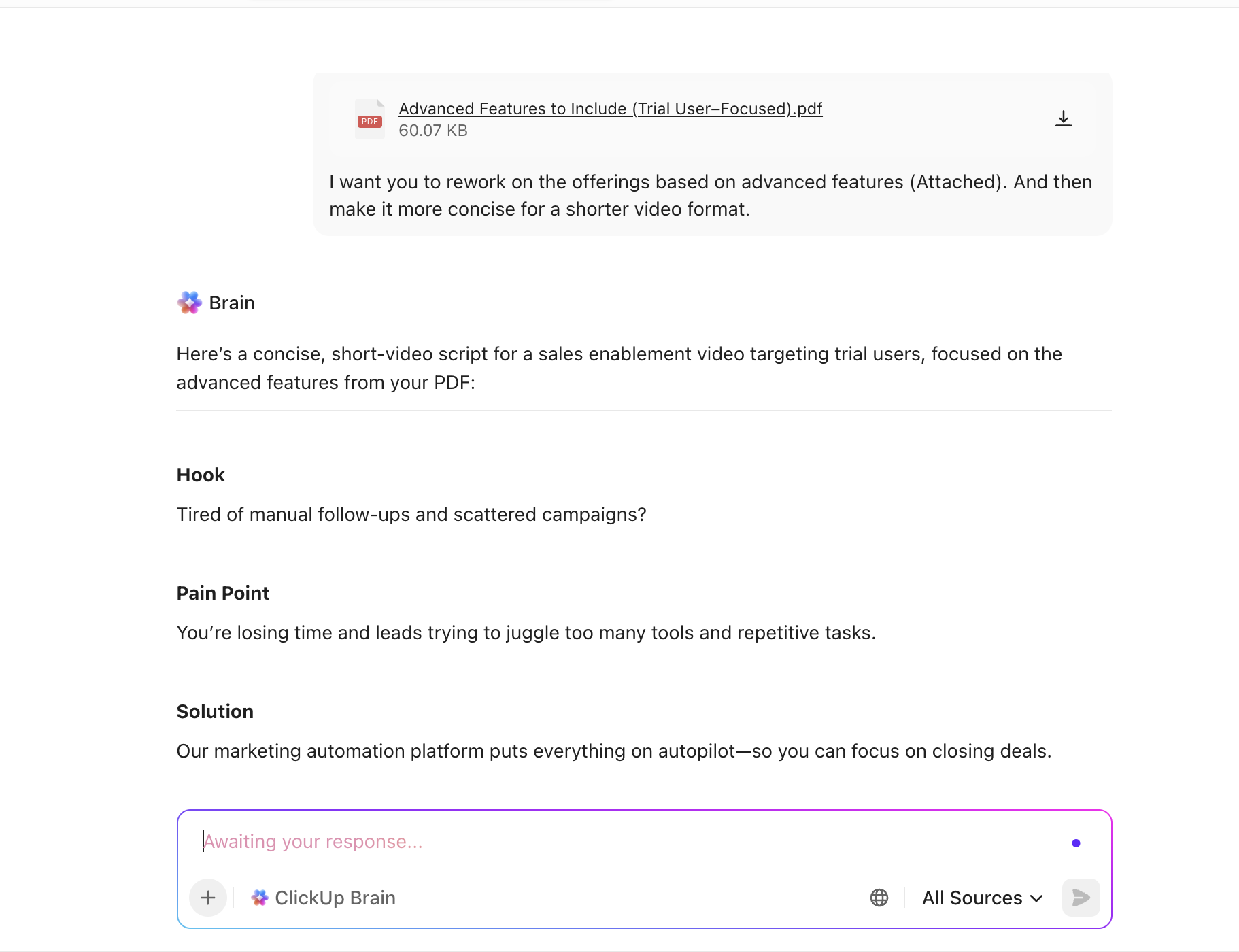
💥 Example: Let’s write a script for a sales enablement video. It is for a marketing automation tool.
Hook: Launching campaigns shouldn’t mean juggling five tools, endless spreadsheets, and manual follow-ups.
Pain point: Teams struggle to track leads across channels, personalize campaigns at scale, and prove ROI. Handoffs to sales break down, and opportunities slip through.
Solution: Our marketing automation platform brings everything together—campaigns, lead data, and performance insights.
Product walkthrough: The video walks through one high-impact workflow. It could be:
Call-to-action: See how you can automate your next campaign in minutes. Start a free trial or book a demo.
You can use ClickUp Brain to script product demo videos.
Prompt: “Write a demo script hook and pain point for a marketing automation product demo.”
Brain understands context and can produce clear, benefit-driven copy quickly.
Once you have the first draft, ask Brain to tailor the script in your brand’s tone.
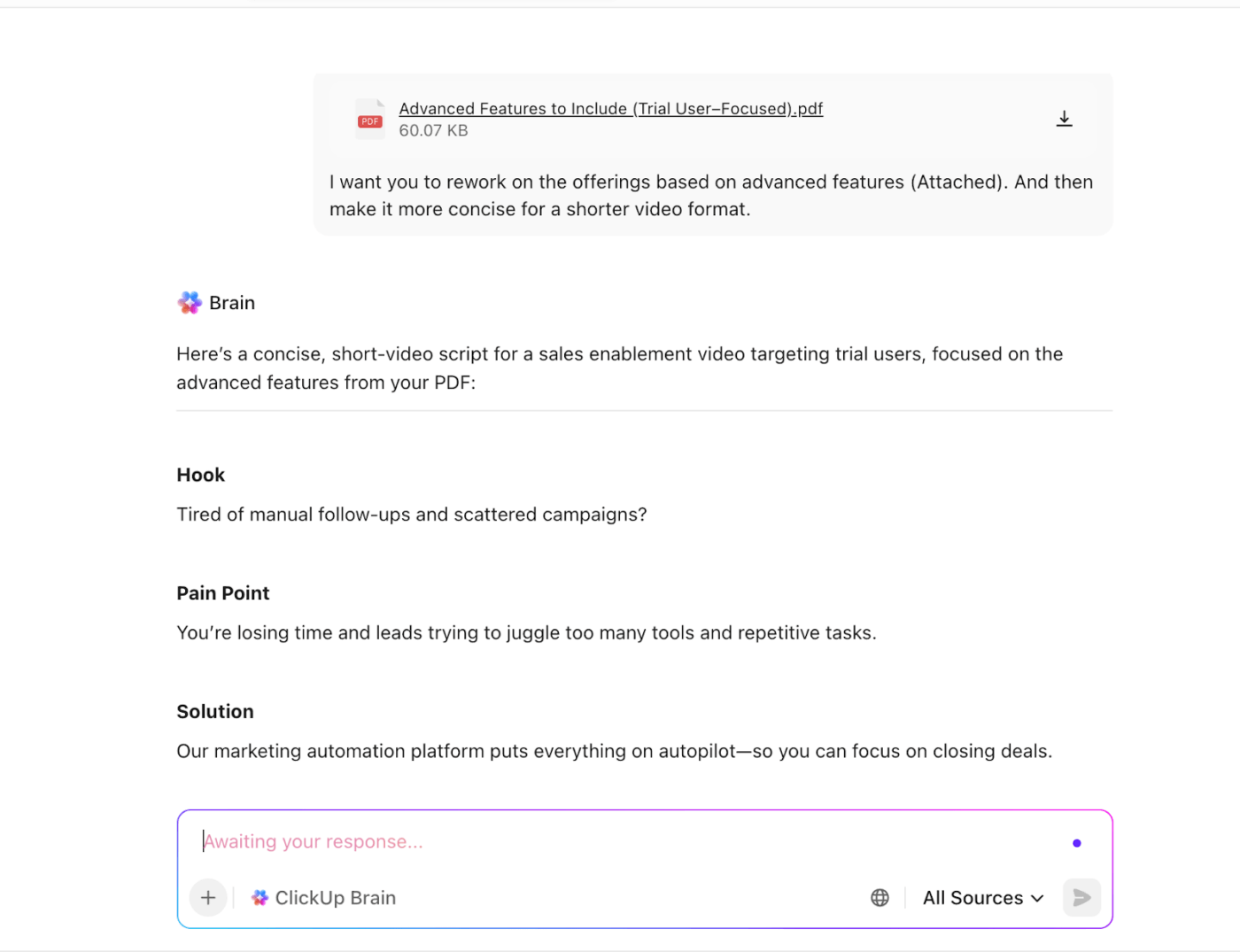
If you have product specs or feedback stored in ClickUp Docs or Tasks, BrainGPT can draw from those sources.
Prompt: “Use our latest product roadmap and customer feedback doc to write the walkthrough section for this demo script.”
📌 Best practice: Store the final script in ClickUp Docs. Reviewers can comment, suggest edits, or link tasks to specific script sections.
We’ve curated the list of the best AI script writers for you. 👇
📚 Read More: Top AI Video Generators You Must Try
👀 Did You Know? On social platforms, viewers decide whether to keep watching a piece of content in as little as 1–2 seconds.
Research into digital attention and first-impression processing shows that people form subconscious judgments almost instantly, which is why the opening moments of a video matter more than ever.
The right format of the demo video makes your product easiest to understand in the shortest time. But how do you do that? 👇
| Product Type | Best Demo Format | Why It Works |
| SaaS or software product | Screen recording | Shows real workflows and builds trust by proving the product actually works |
| Physical product | Live-action video | Lets viewers see setup, usage, and real-world context |
| Abstract or complex system | Animation | Explains logic, flows, or concepts that are hard to show on screen |
| Product needing context + proof | Hybrid (animation + screen or live-action) | Sets context first, then demonstrates the product in action |
Here’s how this decision typically looks in real-world demo videos.
💥 Example: SaaS screen demo vs. physical product showcase.
SaaS screen demo: If you’re demoing a marketing automation platform, a screen-recorded demo works best.
Viewers want to see how campaigns are created, how triggers fire, and how results are tracked, inside the actual interface.
Physical product showcase: If you’re demoing a physical product, like a device or piece of hardware, a live-action video is more effective.
Viewers need to see how it’s handled, set up, and used in a real environment. It builds trust and addresses practical questions that a screen recording may not.
All background work done, now it’s time to record your demo.
You can either choose a standalone product video demo maker or use ClickUp Clips for this.
This feature lets you record the screen and your voice together for walkthroughs and narrations. Choose from capturing full screen, a specific window, or just the current browser tab. (More on this later!)
Watch this video to know how to use Clips.👇
⭐ Bonus tips to remember when recording your product demo video:
Recording captures the content. Editing determines whether people actually watch it.
Your goal is to reduce the viewer’s cognitive load. Focus on the essential elements. For starters, add captions for viewers who may watch with sound off. Highlight key actions to guide the viewer’s eye. Use subtle zooms to draw attention to key moments.
Editing is also where you control pacing. Trim pauses, remove unnecessary steps, and eliminate anything that doesn’t advance the story.
Video editing tools make this process faster and more repeatable. They help you add captions, callouts, and focus effects.
👀 Did You Know? Watching videos without sound can increase cognitive load. That’s because viewers must rely more heavily on subtitles and visual attention to follow the content.
This underscores why well-timed captions and visual emphasis (like highlights and zooms) can actually make your demo easier to follow.
Most modern video editing tools make branding straightforward.
Upload your brand assets, including logos, fonts, and color palettes. These assets can be applied to captions, lower thirds, highlights, and end screens without requiring a complete redesign from scratch.
Some tools also offer templates to lock in your colors and typography. This ensures every product demonstration video looks on-brand, even when different team members are editing or creating videos.
For calls-to-action, you get custom end screens or slides. You can add a branded background, a short line of copy, and a clear CTA button or text, then reuse that ending across multiple demo videos.
📚 Read More: Brand Kit Examples and How to Create Your Own
👀 Did You Know? Studies show that 55% of first impressions are driven by visuals, while 38% come from what people hear, and only 7% from the actual words used. This is why strong, well-branded visuals in videos can significantly amplify their impact.
Your demo should show up where decisions are being made.
You can publish your product demo video on social media platforms, such as Instagram, YouTube, Facebook, or TikTok.
Also feature them on your website landing page, email campaigns, and in-app onboarding. Distribution helps maximize its mileage.
For example, you could:
Putting the learnings into action, let’s see the product demo video examples that are doing a great job. We’ll also share why they stand out.
🥇 Why it works: The demo follows the natural flow of work: planning, collaborating, executing, and reviewing. This makes it easy for viewers to visualize how to use the product.
The ClickUp 4.0 product demo positions 4.0 as a converged AI workspace built to bring every part of work together. It starts with a problem everyone recognizes: work scattered across too many tools.
From there, the video follows a simple flow. It shows the chaos of disconnected apps. Then, it introduces 4.0 as a converged workspace.
You get to see how advanced features such as Ambient Agents, Planner, and Teams Hub reduce friction across workflows.
📚 Read More: Best Content Collaboration Software Powered by AI
Actions speak louder than words. That’s equally relevant in demo videos.
This demo video example by Duolingo has no voiceover. Yet, the visuals keep you glued to the screen—they are easy to understand. And it’s only 30 seconds long.
🥇 Why it works: The demo video shows the app’s functionalities. Additionally, it appeals to a wide audience by showing multiple languages.
The product demo video from Grammarly showcases its new AI-powered academic writing features. As it is for students, the storyline is that the student is trying to finish an art history essay before a road trip.
Key features, including an AI grader, citation finder, plagiarism checker, and proofreading support, are demonstrated within the student’s workflow.
🥇 Why it works: The demo video script is a great example of storytelling through context. The video anchors everything in a real-life scenario.
This makes the tool feel less like software and more like a companion for student success.
Before hitting the send button, you must know about the common mistakes to avoid while creating product demo videos.
Don’t treat the product demo as a training session. That can come in later, if and when the prospect becomes a paid customer.
Until then, make sure the product demo covers the most critical pain points that the audience faces. Touch on them, hit them hard.
But as tempting as it can be, you don’t need to go into every step of how you set up or how you integrate it, etc.
✅ Solution: Focus on what your product can do, the challenges it solves, the results, outcomes, and what the users are going to achieve from the product.
Ever come across a demo video that sounds like someone is reading documentation out loud? Likely to put you to sleep.
When demos turn into monologues, viewers struggle to stay engaged. Why so? Because there’s no context, no pacing, and no sense of progression.
✅ Solution: Structure your demo like a conversation. Use short segments, visual cues, and scenario-based narration. Guide viewers through why something matters rather than just what is happening.
Opening a demo by clicking through menus assumes the viewer already cares. Most don’t—yet.
Without first anchoring the demo in a real problem, the UI feels abstract and forgettable.
✅ Solution: Start with the pain point. Set the context before the screen recording begins, then introduce the product as the solution. Give viewers a reason to pay attention to every interaction that follows.
Many demos simply fade out after the last feature is shown. That’s a missed opportunity. If you don’t guide viewers on what to do next, they often do nothing.
✅ Solution: End with a clear, single call to action. Whether it’s starting a trial, exploring a feature, or booking a sales call, make the next step obvious and friction-free.
Whether you’re looking to create traditional demo videos or interactive videos, here are the tools to help you get started.
ClickUp is the world’s first Converged AI Workspace that brings together tools and workflows on a unified platform.
You must know that it is not a traditional video creation tool for product demos. ClickUp’s Marketing Project Management Platform is built to organize, coordinate, and scale video marketing work. Here’s how:
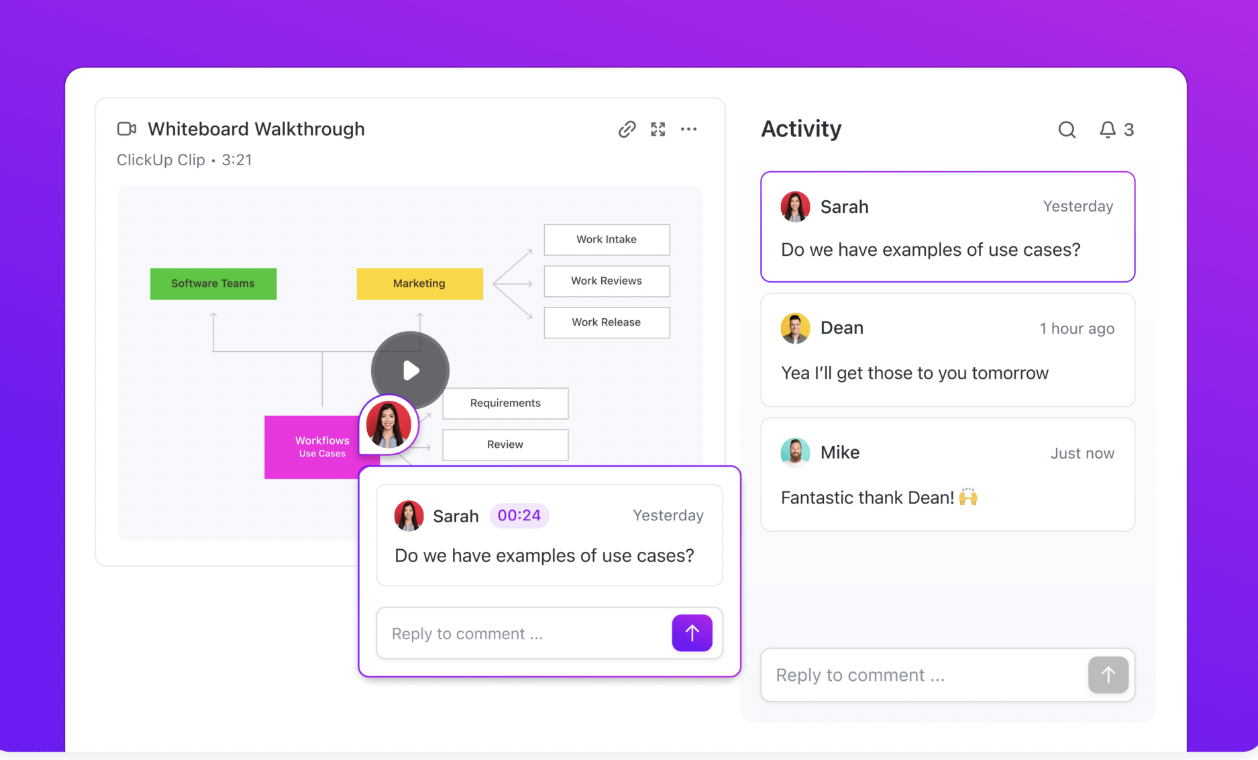
You can record your screen and webcam videos directly within the ClickUp workspace using Clips.
Whether you’re capturing product walkthrough videos, explaining a complex process, or brainstorming new ideas, use Clips to communicate them with your team.
All your Clips—screen recordings or voice snippets—are stored in one centralized Clips Hub.
You can embed Clips directly into Tasks, Docs, or comments. This keeps demo videos close to the other elements of your video content, such as scripts, feedback, and approvals.
When you enable AI, every Clip is automatically transcribed. This means you get a video transcript. This is a massive time-saver when you’re reviewing material and need to jump to specific parts by clicking on the transcript. No need to rewatch the video.
ClickUp BrainGPT acts as a contextual AI that understands your workspace, not just your prompts. It pulls information from Tasks, Docs, comments, statuses, and dependencies to give answers that reflect what’s actually happening.
Instead of manually checking updates, ask ClickUp BrainGPT direct questions and get clear summaries with blockers surfaced automatically.
For example, a growth manager might ask: “What’s slowing down progress in the Q3 campaign workspace?”
ClickUp Brain scans the workspace and responds with a clear breakdown:
Here comes the best part. Enterprise Search allows you to find information across the workspace and connected tools using simple, natural language. Instead of jumping between Docs, tasks, comments, files, and integrations, you can search once and get answers pulled from everywhere your work lives.
📌 Example: Need the latest approved script, the final CTA copy, or feedback from a previous review? Enterprise Search surfaces the right context instantly. You spend less time hunting and more time shipping.
BrainGPT also lets you toggle between different AI models.
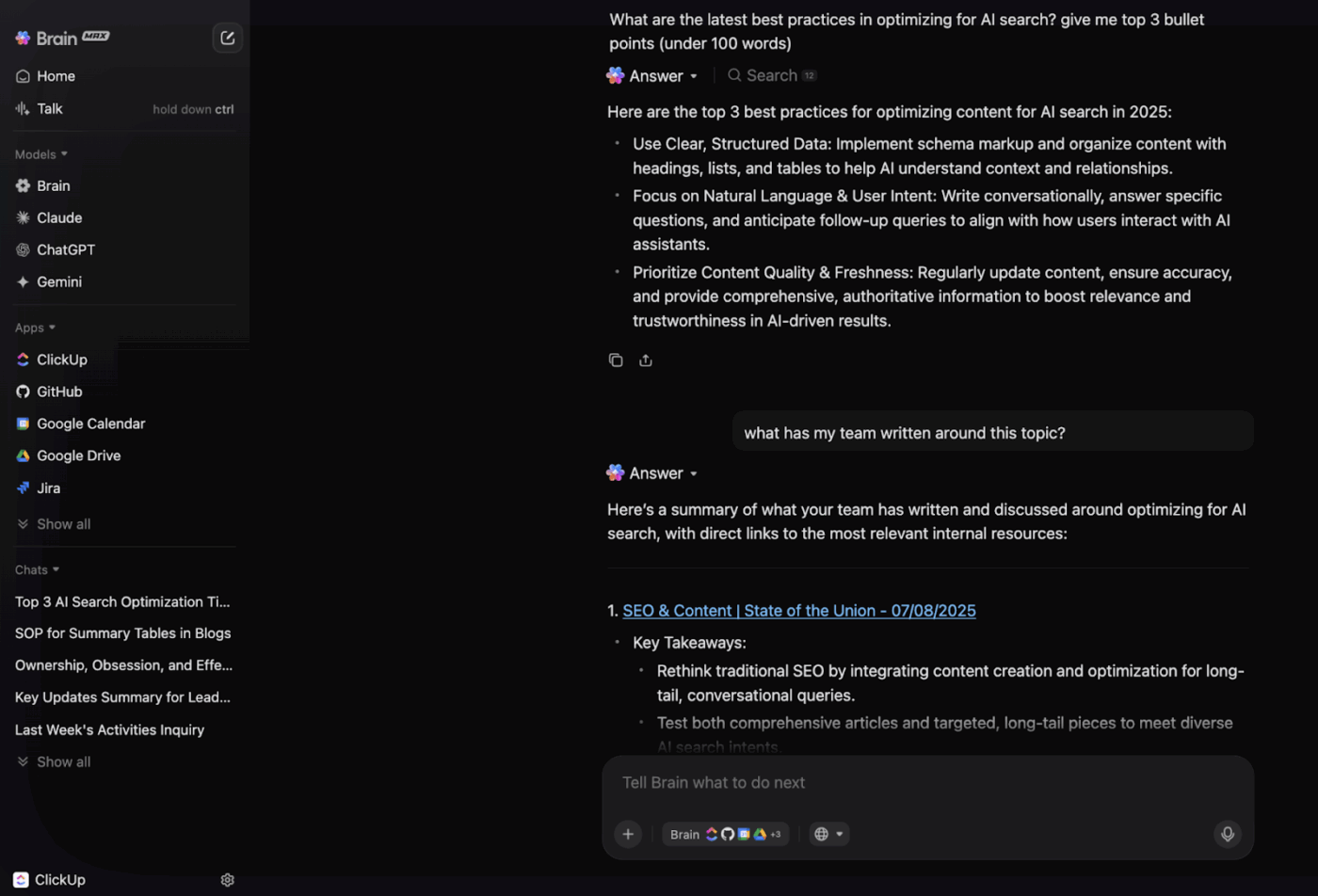
For example:
If you’re already dealing with too many AI apps—called AI sprawl—this video will help you deal with it before it spirals out of control.
A ClickUp user also shares their experience on G2:
ClickUp Brain MAX has been an incredible addition to my workflow. The way it combines multiple LLMs in one platform makes responses faster and more reliable, and the speech-to-text across the platform is a huge time-saver. I also really appreciate the enterprise-grade security, which gives peace of mind when handling sensitive information. […] What stands out most is how it helps me cut through the noise and think clearer — whether I’m summarizing meetings, drafting content, or brainstorming new ideas. It feels like having an all-in-one AI assistant that adapts to whatever I need.
🚀 Quick Hack: While Automations handle predictable, rule-based actions, ClickUp Super Agents bring adaptive intelligence to your workflow. They understand context, spot patterns, and respond dynamically—without you having to define every possible rule upfront.
For example, if an editor misses a deadline on a product demo video, an Ambient Answers Agent can automatically reprioritize dependent tasks, notify the project manager, and summarize what’s still pending.
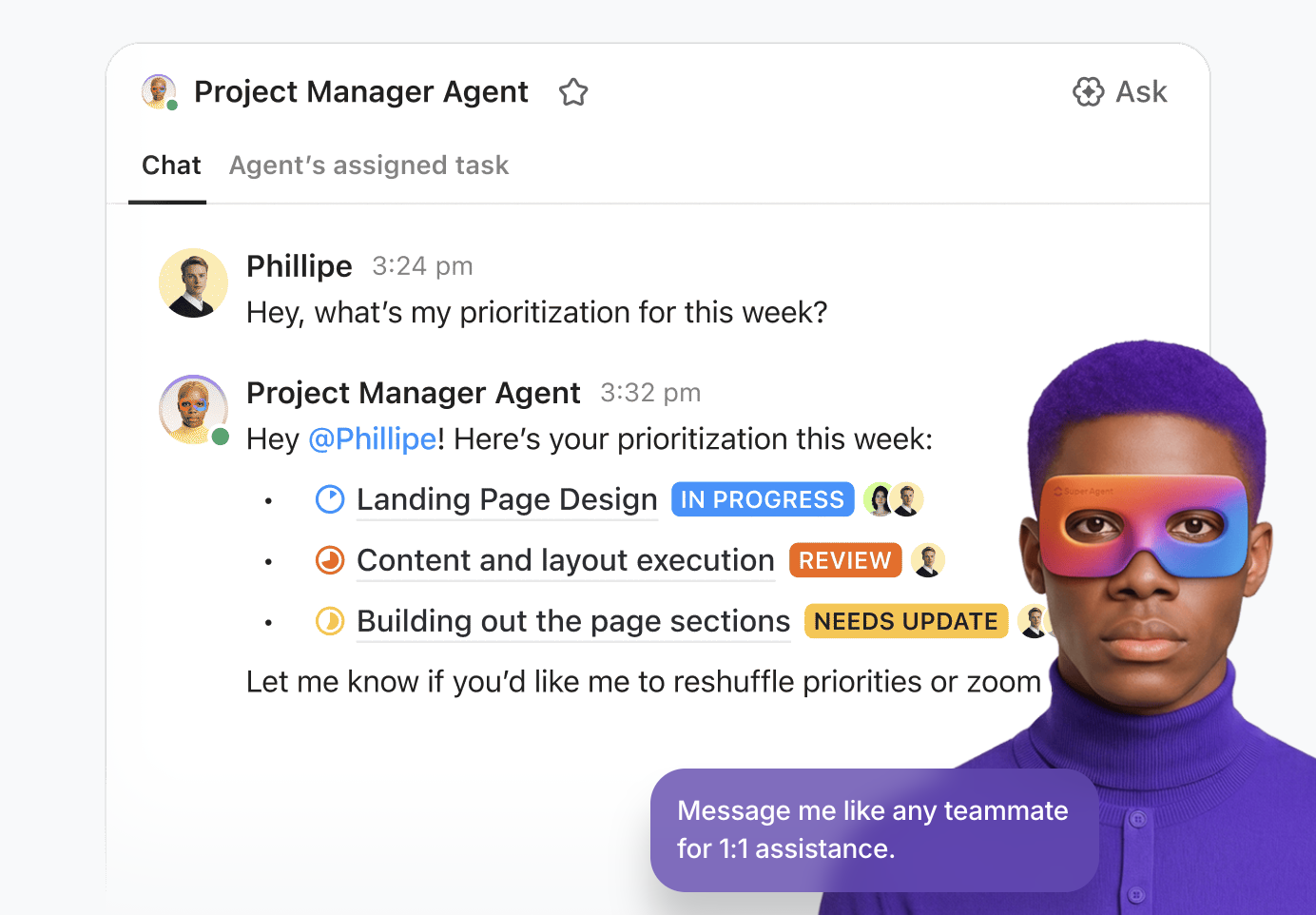
You can use AI Agents to:
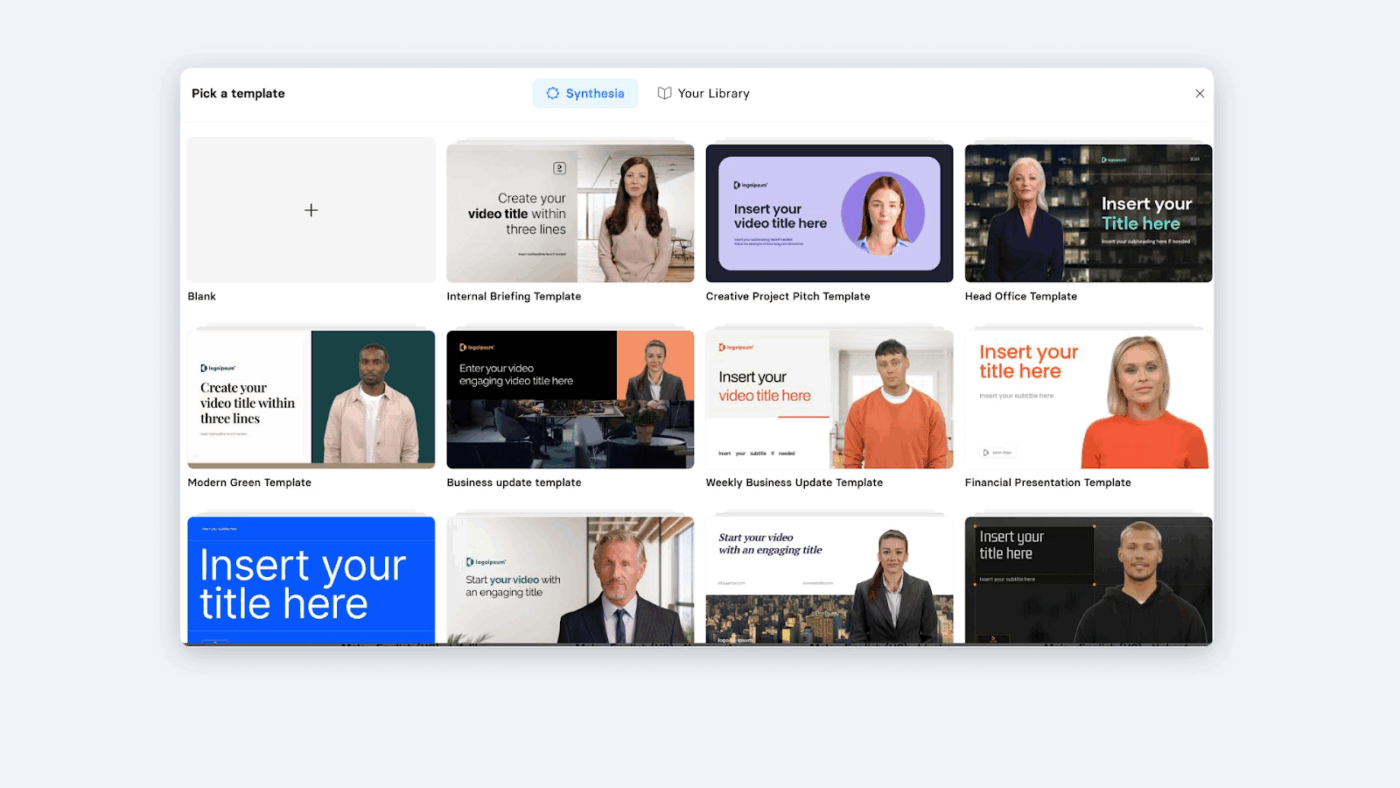
Synthesia is an AI video platform that lets you create professional videos without cameras, studios, or complex editing.
The AI video assistant that turns text into videos using AI avatars, voiceovers, and templates. It is helpful when you’re creating product demos, training materials, and internal communications.
Use the AI video generator for scripted content and the AI screen recorder for walkthroughs. You can also combine them with avatar-led explanations.
As per a G2 user:
I like that the platform is user friendly – It offers a lot of features that offer high quality results for not that much effort. It’s easy to figure out without looking a tutorial. I love that I can import videos custom from other sights like Canva in just a few clicks.
👀 Did You Know? Most people watch videos with the sound off. Subtitles also help with accessibility. The viewer can read your voice-over, rather than listen to it.
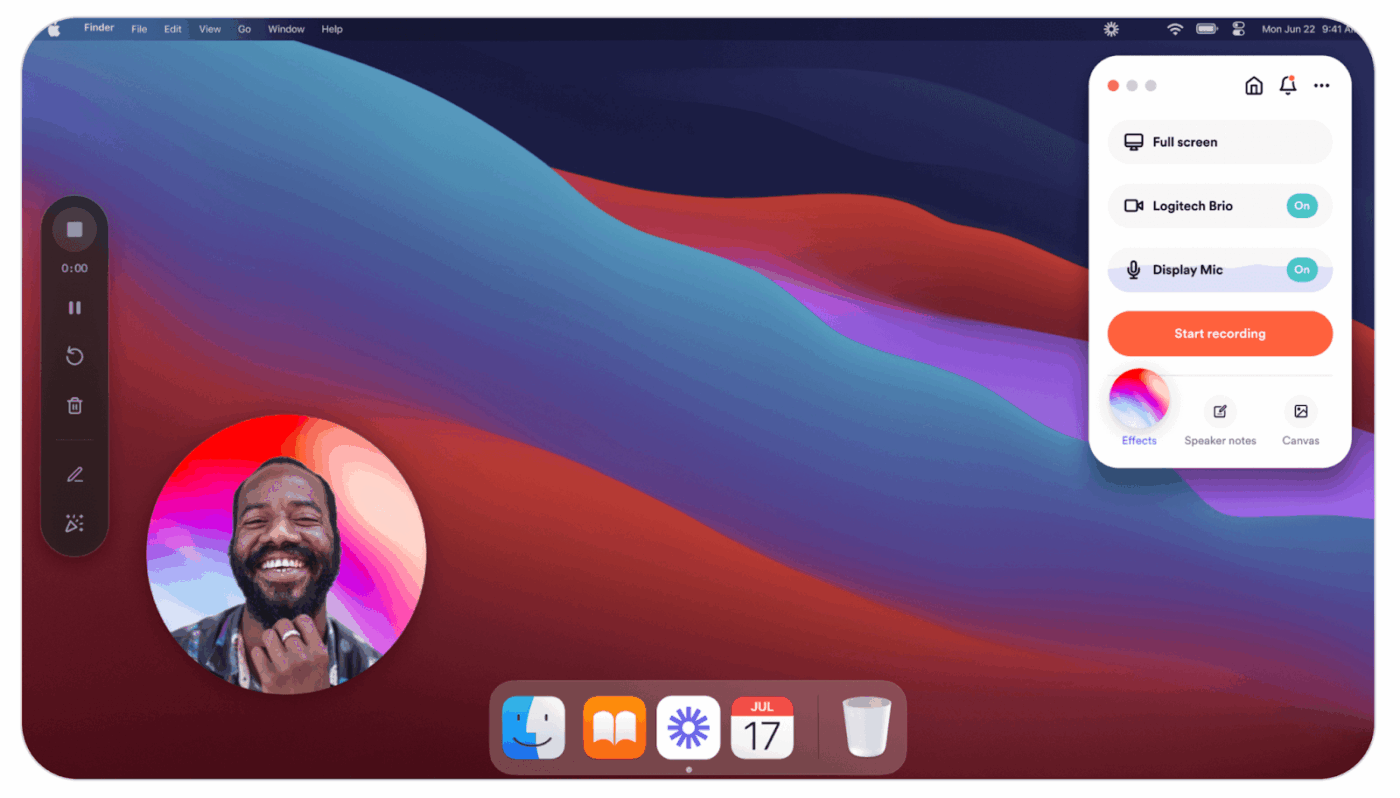
Loom makes it easy to create quick, clear product demo videos without a heavy production setup. Record your screen and webcam at the same time, making it simple to walk users through your product while adding a human touch.
With one-click recording and instant sharing, Loom works well for sales demos, feature walkthroughs, and personalized videos.
Loom’s AI features help you move faster after recording by automatically generating titles, summaries, and chapters for your videos. Scan, share, and reuse your product demo videos without spending time on manual editing or documentation.
As per a G2 reviewer:
Loom is a software that help us in recording our mobile screen and after recording the screen it generates automated link that can be shared through email or WhatsApp to all of our employees so that the can access the video without even downloading. This software makes the video detailing process much easier for us.
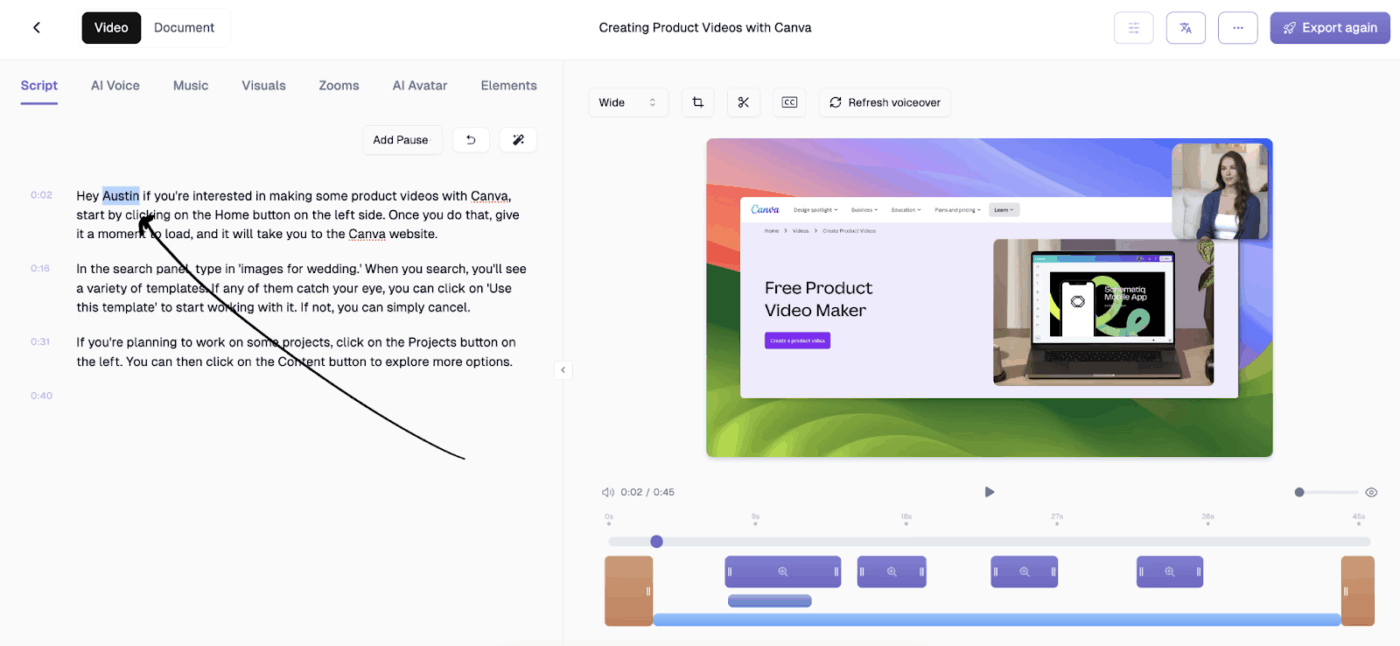
Trupeer is an AI-driven platform that turns rough screen recordings into polished product videos and step-by-step documentation.
Start with a simple screen capture. Then use AI to generate professional scripts, voiceovers, captions, and visual effects. You can produce tutorials, demos, onboarding guides, and knowledge base content without complex tools or editing skills.
Trupeer’s AI also creates structured documentation from the same recordings. It converts video and text into product SOP guides, speeding up knowledge sharing.
A G2 user says:
Trupeer has been a lifesaver for creating high-quality demo videos in a short time. I love how it takes a natural recording and turns it into something truly professional by cleaning it up, editing it seamlessly, and even generating documentation alongside the video.
The most effective product demo videos help viewers see the unique selling points at the right moment.
When video demos are built with a clear goal, a tight script, the right format, and a distribution plan, they do the legwork for you.
They educate potential customers, activate trial users, and shorten the sales cycle.
But execution matters just as much as strategy.
With ClickUp, you can plan demo scripts in Docs, manage production stages in Tasks, record walkthroughs with Clips, collaborate in context, and use AI to summarize progress, surface blockers, and keep work moving.
Sign up on ClickUp for free to start recording your product demo videos.
A good product demo video includes:
– A clear problem or pain point your target audience relates to
– A short explanation of how your product solves that problem
– A real workflow shown inside the product
– The outcome or result that users can expect
– One clear call to action
The ideal length of the video demo depends on the purpose. For example, sales or awareness demos range from 1–3 minutes. Feature demo videos span 2–5 minutes. Onboarding or training demos are longer, 5-10 minutes. Shorter videos work better earlier in the funnel. Longer demos are effective once users already care about the product.
An explainer video focuses on what the product is and why it exists. It introduces the problem and the idea behind the solution, often using animation or storytelling. An engaging product demo video shows how the product works in a real scenario. It focuses on actual workflows, features, and outcomes inside the product.
It depends on what you’re trying to achieve. If you just want to record your screen, a product demo video maker like Look does the job. But if you want AI-powered project management and contextual AI, ClickUp is a better choice. You can script demos using ClickUp Brain and record walkthroughs with ClickUp Clips. ClickUp also lets you review, comment, and collaborate in a single workspace.
Key metrics to track include:
– Watch time and completion rate
– Click-through rate on the call to action
– Trial starts or demo requests after viewing
– Drop-off points in the video
– Reduction in sales or support questions

© 2026 ClickUp

There’s an easier way. Try a free AI Agent in ClickUp that actually does the work for you—set up in minutes, save hours every week.