






Still downloading templates?
There’s an easier way. Try a free AI Agent in ClickUp that actually does the work for you—set up in minutes, save hours every week.
Sorry, there were no results found for “”
Sorry, there were no results found for “”
Sorry, there were no results found for “”
Every week, you make decisions that shape delivery outcomes. You decide which work takes priority, how to balance team capacity against deadlines, when to say “yes” (or “not yet”) to new requests, and manage trade-offs.
When those calls rely on old spreadsheets or disconnected project views, resource allocation turns reactive. Even small gaps in visibility can turn into missed timelines and budget compromises.
Surprisingly, 44% of project managers feel they don’t have enough resources to achieve their goals. At the same time, ~26% feel the resources they do have aren’t the right ones.
The right resource management software helps you plan resources with confidence. It helps you spot resource conflicts early and keep your resource management processes aligned to real demand.
In this guide on how to choose resource management software, you’ll learn what the ideal tool should do, the criteria to evaluate it, and a step-by-step shortlist process with ClickUp.
🧠 Did You Know? Wellingtone lists resource management as one of the toughest project management processes for organizations to embed.
Before you start evaluating resource management software, you need a consistent way to see who’s available and what work is already committed. Without that baseline, it’s hard to compare tools or make reliable resource allocation decisions.
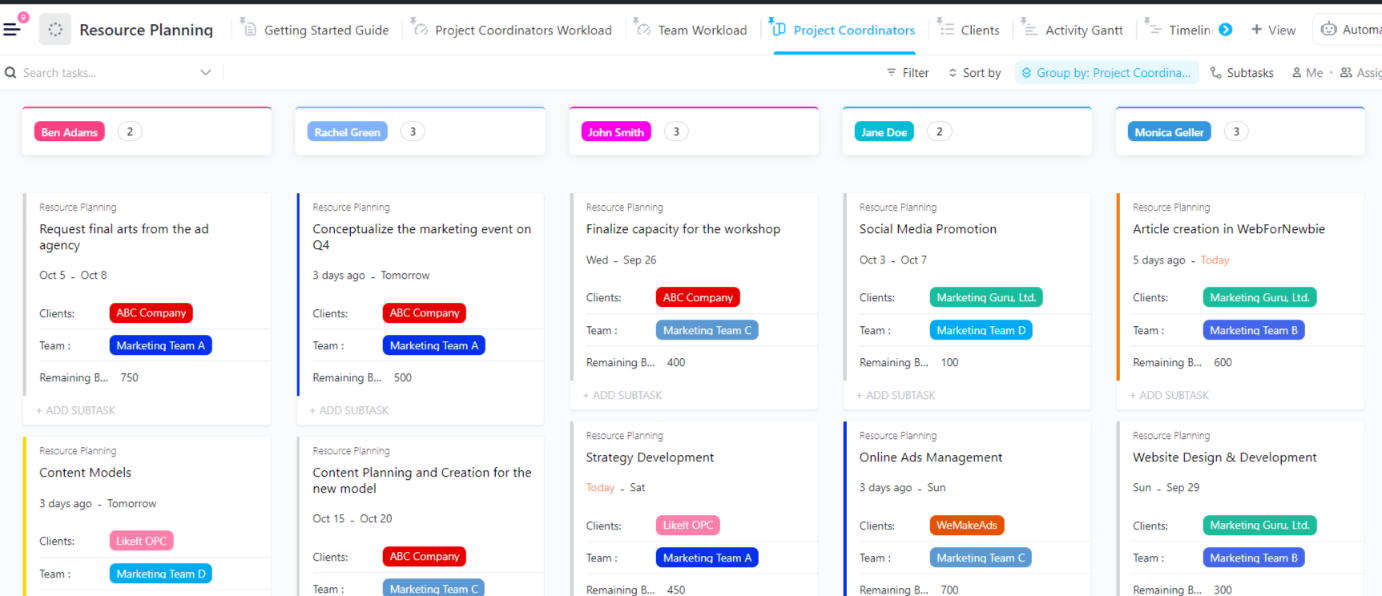
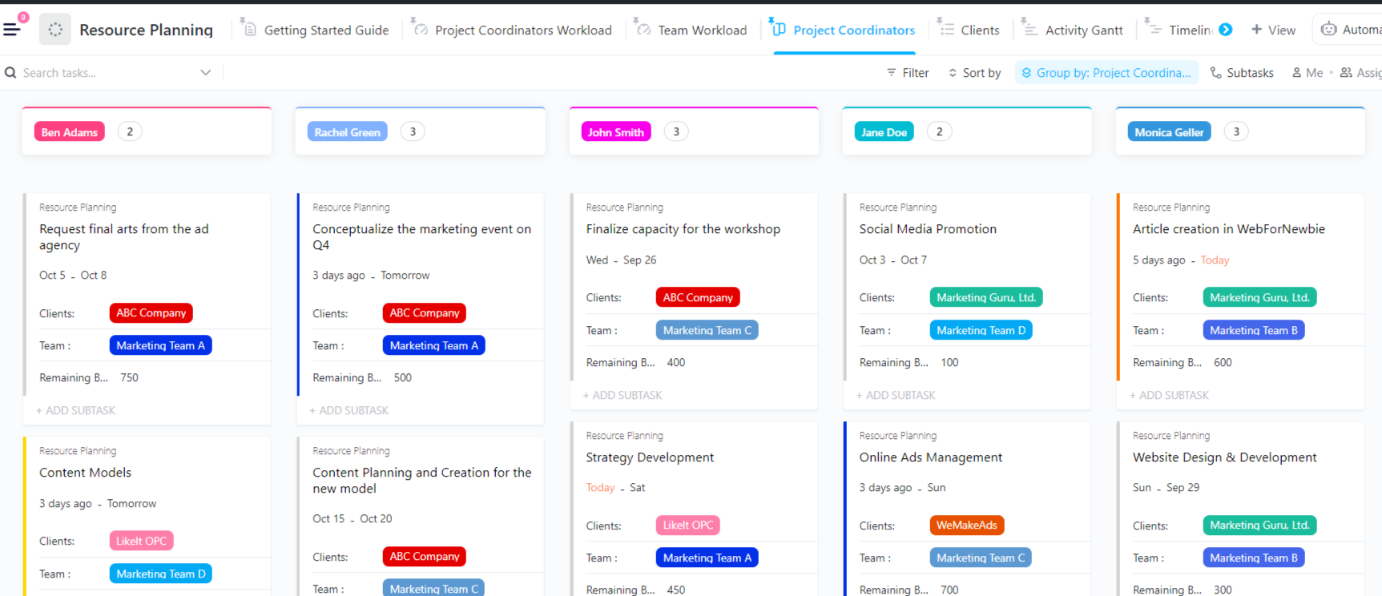
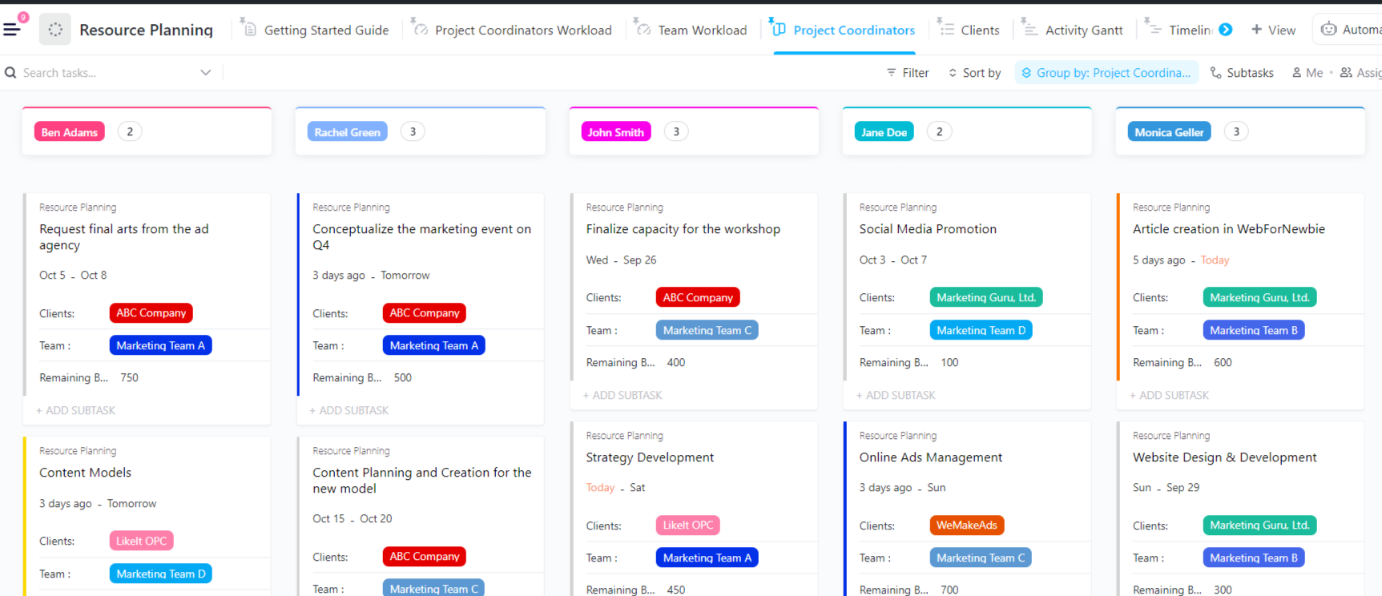
That’s where ClickUp’s Resource Planning Template helps. It provides a single location to map tasks and resources together. It allows you to identify workload gaps, minimize resource conflicts, and maintain consistent planning across current and upcoming projects.
📖 Also Read: Best Resource Management Tools and Software
Resource management software helps you proactively plan and allocate your resources, whether they are employees, skills, or budgets. As a result, you can manage constraints more effectively, identify bottlenecks earlier, and forecast resource needs more accurately. This helps you meet your deliverables on time.
✅ A solid resource planning tool should help you do the following:
📖 Also Read: Best Resource Scheduling Software
A basic project management tool helps you plan and track work. You map tasks, timelines, and deliverables so the team knows what needs to get done.
Resource management tools answer a different question: Can you actually deliver what you planned with the people and time you have?
Here’s where both types of tools differ:
| Feature / Capability | Simple project management tools | Resource management software |
| Primary focus | Tracking tasks and project progress | Planning + optimizing people/time/capacity across work |
| Best for | Managing what needs to get done | Managing who does it, when, and at what cost |
| Visibility | Per project or per team | Cross-project, org-wide capacity + demand |
| Resource capacity planning | Limited or manual | Built-in (availability, workload, forecasting) |
| Allocation workflows | Assign tasks to owners | Assign people to work based on capacity + priority |
| Workload balancing | Basic (often visual only) | Advanced (includes conflict detection + rebalancing) |
| Forecasting future work | Usually not included | Core feature (future utilization + staffing needs) |
| Managing over/underutilization | Hard to spot early | Flagged automatically with alerts/benchmarks |
| Skills matching | Rare | Common (skills, roles, billable vs non-billable) |
| Time tracking integration | Optional | Often deeper (for planned vs. actual time comparisons) |
| Cost + budget awareness | Limited | Often includes cost rates, burn, margin, and utilization |
| Scenario planning (“what-if”) | Not typical | Common (simulate delays, new hires, priority shifts) |
| Reporting depth | Task status, deadlines, velocity | Utilization, capacity vs demand, forecasting accuracy |
| Portfolio-level planning | Basic (if available) | Built specifically for portfolio + multi-team planning |
If you’re working on a project with multiple stakeholders, resourcing software is ideal for you. Be it the ownership of staffing or delivery, resource management software comes in handy for:
🧠 Did You Know? Gartner’s glossary definition of capacity requirements planning treats capacity as a business-level decision about facilities, equipment, and labor force size. The same idea applies when you size delivery teams for project-based work.
Strong resource management software helps you connect resourcing choices to cost and delivery outcomes. Whether you need to manage day-to-day delivery or longer-term planning, you need a tool that keeps details on resource availability, workload, and timelines ready.
These criteria will help you compare resource management tools to choose one that fits:
📖 Also Read: The Ultimate Guide to Resource Management
When evaluating resource management software, the hard part is predicting whether a tool will hold up once real work starts flowing through it.
You may have staffing plans in one place and task updates in another. Your budget signals might exist in a different finance system, and change requests may arrive through chat and email. This fragmentation is known as Work Sprawl, where work is spread across disconnected tools. As a result, decisions often slow down.
Add AI features to the mix, and you might be tempted to bolt on multiple specialized AI tools to your resource management stack. This can result in your AI tools not talking to each other and creating more work for you, aka AI Sprawl. And it adds friction and time cost to everyday decision-making.
That’s why ClickUp fits naturally into your evaluation process. ClickUp offers a Converged AI Workspace that brings project management, docs, chat, CRM, goals, automation, and AI into one connected platform. This helps your project planning and execution stay tied together as you shortlist tools.
✅ Let’s go through step by step on how you should choose a resource management tool:
Start by writing down the decisions and goals you need your resource management software to support. Think in plain terms: how you accept work, how you staff it, and how you adjust plans when priorities shift.
If work demand arrives through client requests or sales pipelines, ClickUp CRM supports managing pipelines and accounts across flexible views. That way, upcoming work does not live in a separate place from delivery planning.
To keep goals measurable, you can also build a small set of resourcing KPIs and tie them to ClickUp Dashboards.
💡 Pro Tip: Add AI-powered context to your dashboards with ClickUp AI Cards.
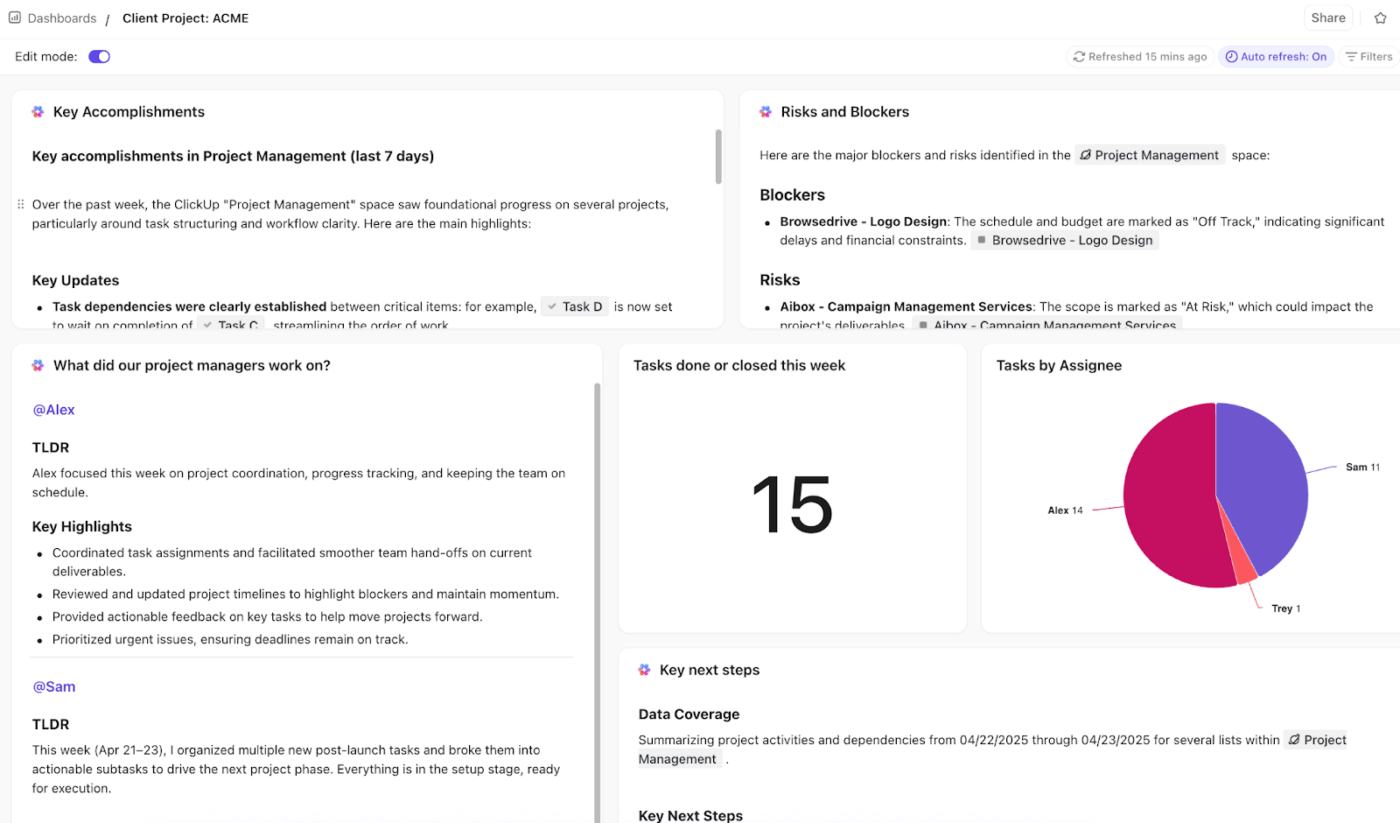
ClickUp AI Cards let you add AI-powered reporting to Dashboards and Overviews, so you can turn live workspace data into summaries and updates your stakeholders can act on.
📽️ Watch a video: Here’s a quick video highlighting how you can create insightful dashboards and add key metrics for your projects with ClickUp Dashboards.
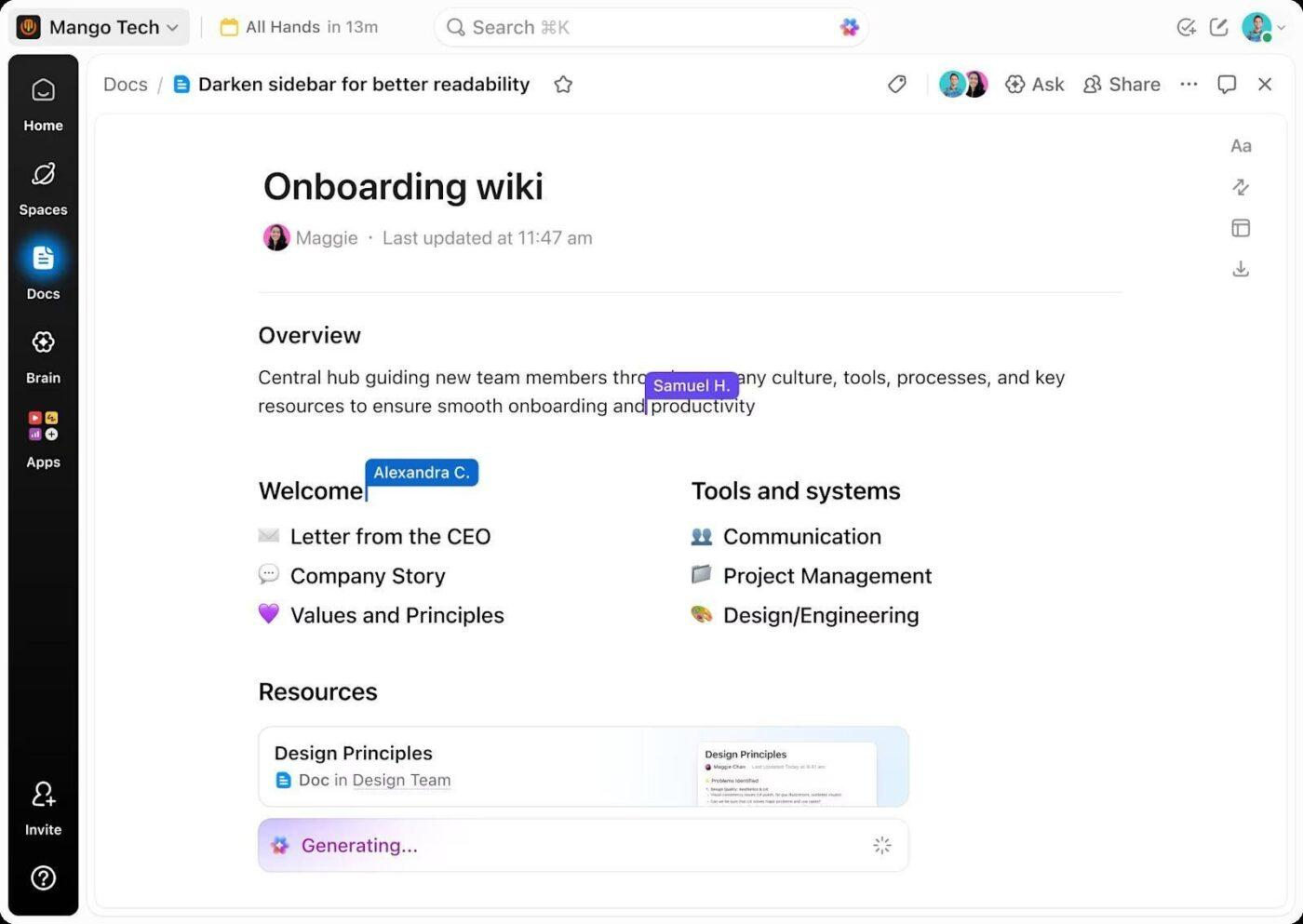
Most evaluation issues come from unclear rules. Document how you allocate resources, what “at capacity” means, who approves schedule changes, and how often plans get refreshed.
ClickUp Docs work well here because you can collaborate on these ideas in real time, refine them, and convert text into trackable tasks. That keeps your staffing rules connected to execution instead of them living in a static file.
📖 Also Read: How to Create a Resource Breakdown Structure
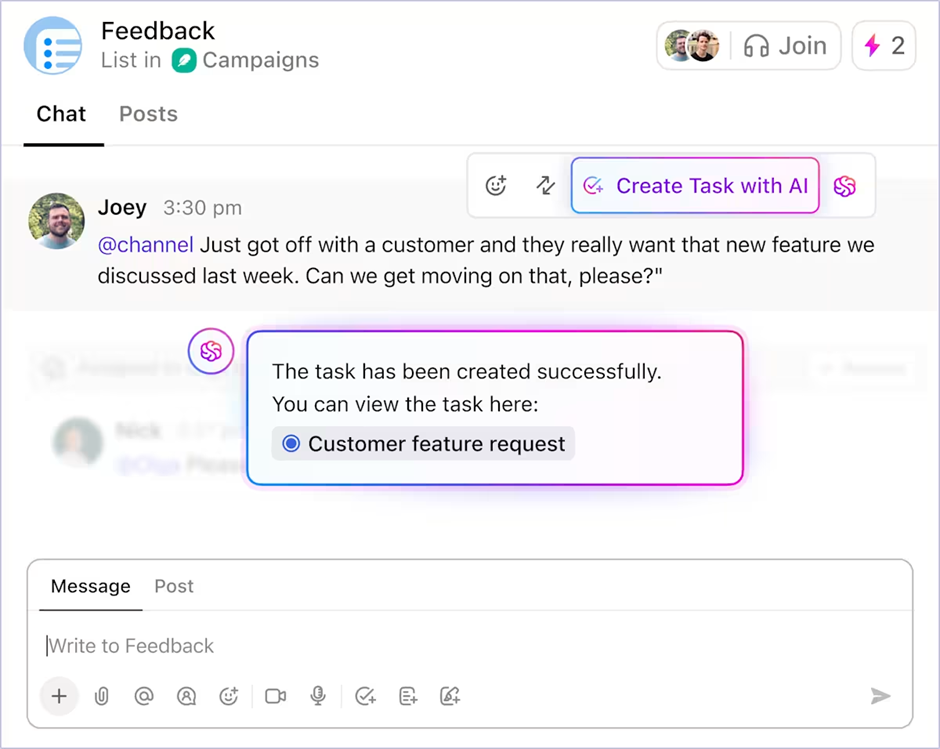
Resource planning breaks down if your process and your work tracking live in separate tools. Map your workflow in a way you can actually run: intake → scoping → scheduling → delivery → review.
You can use ClickUp Tasks to track your work with owners, due dates, and dependencies. Then shape the workflow with Custom Statuses and Custom Fields so your task flow mirrors how your team delivers.
💡 Pro Tip: Keep resource plans current by connecting intake and updates through ClickUp Integrations.
Resource planning drifts when requests and status updates stay locked inside email, chat, calendars, or file tools. ClickUp Integrations let you connect 1,000+ tools, so you can keep delivery signals closer to the tasks you use for scheduling and capacity planning.
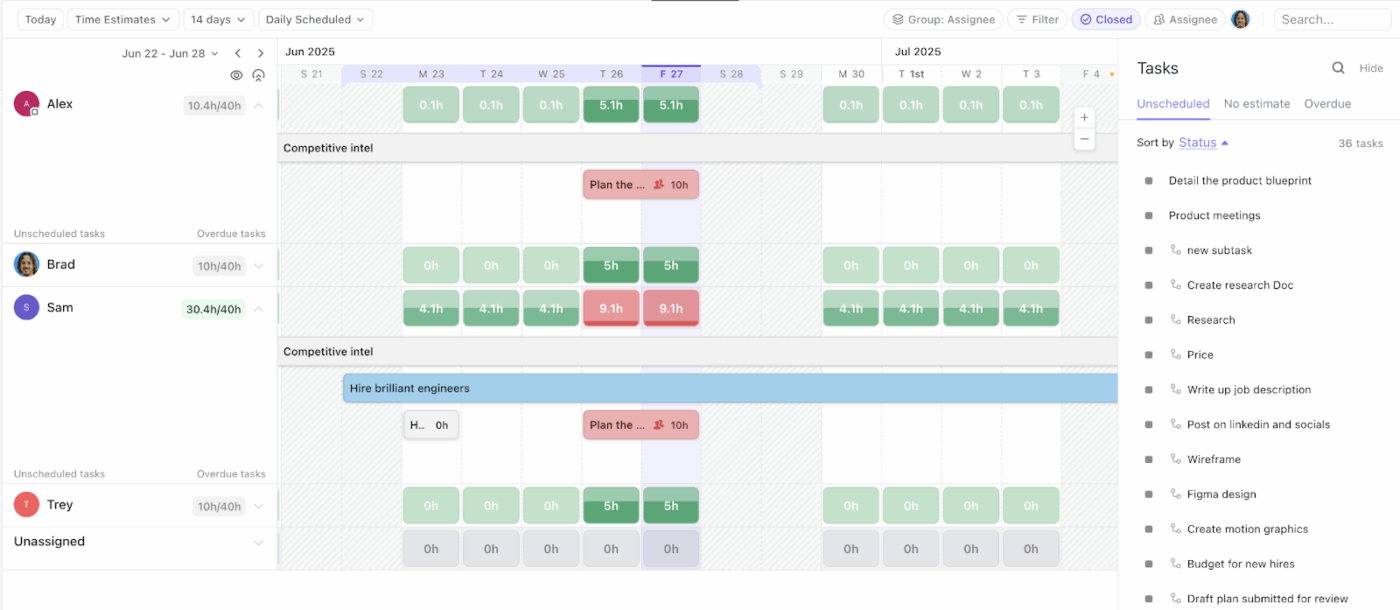
When you give vendors two or three scenarios that reflect the reality of your work, it’s much easier to solve for resourcing problems before they derail your projects.
For planning and scheduling, ClickUp’s Workload view lets you display workload by availability or capacity and plan resources by day or even month. If you prefer a linear schedule, the ClickUp Timeline view helps you visualize and schedule tasks across time.
Or if you’re looking for a more direct view, ClickUp’s Team view provides a workload chart based on tasks completed by individual team members or time estimates submitted by them.
💡 Pro Tip: Keep Workload view accurate with AI Super Agents (so capacity stays tied to real effort)
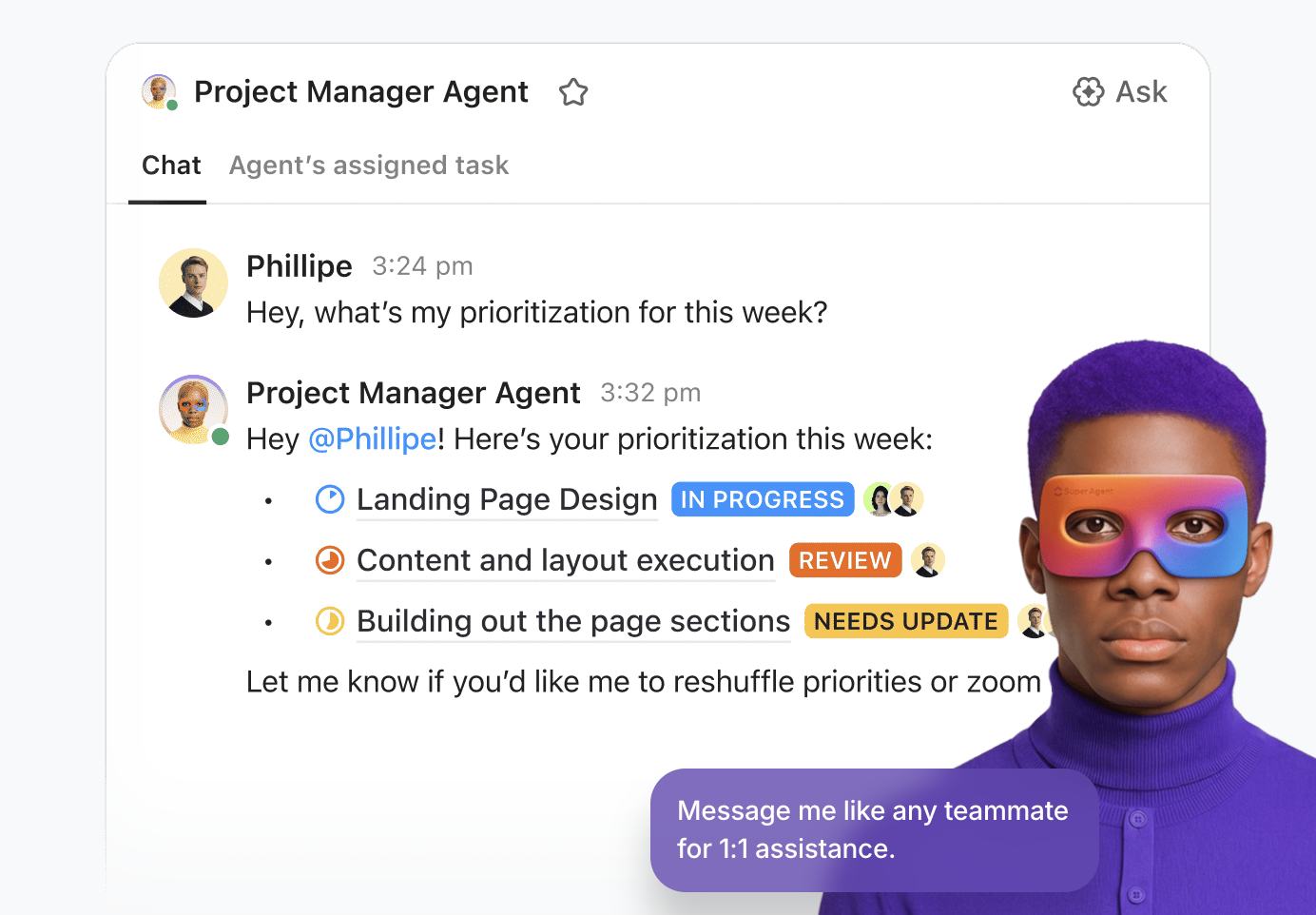
Workload planning breaks when estimates change, but nobody updates the plan. ClickUp’s Workload view lets you measure workload using time estimates, sprint points, task count, or Custom Fields, and set capacity limits across a day/week/month view.
You can then configure an Autopilot Agent to detect changes to your workload fields (like time estimate or effort Custom Field) and auto-post a structured comment asking the owner to confirm capacity impact and resolve resource conflicts.
Agents in ClickUp are context-aware, and match your workspace for changes, so they can keep work moving on their own!
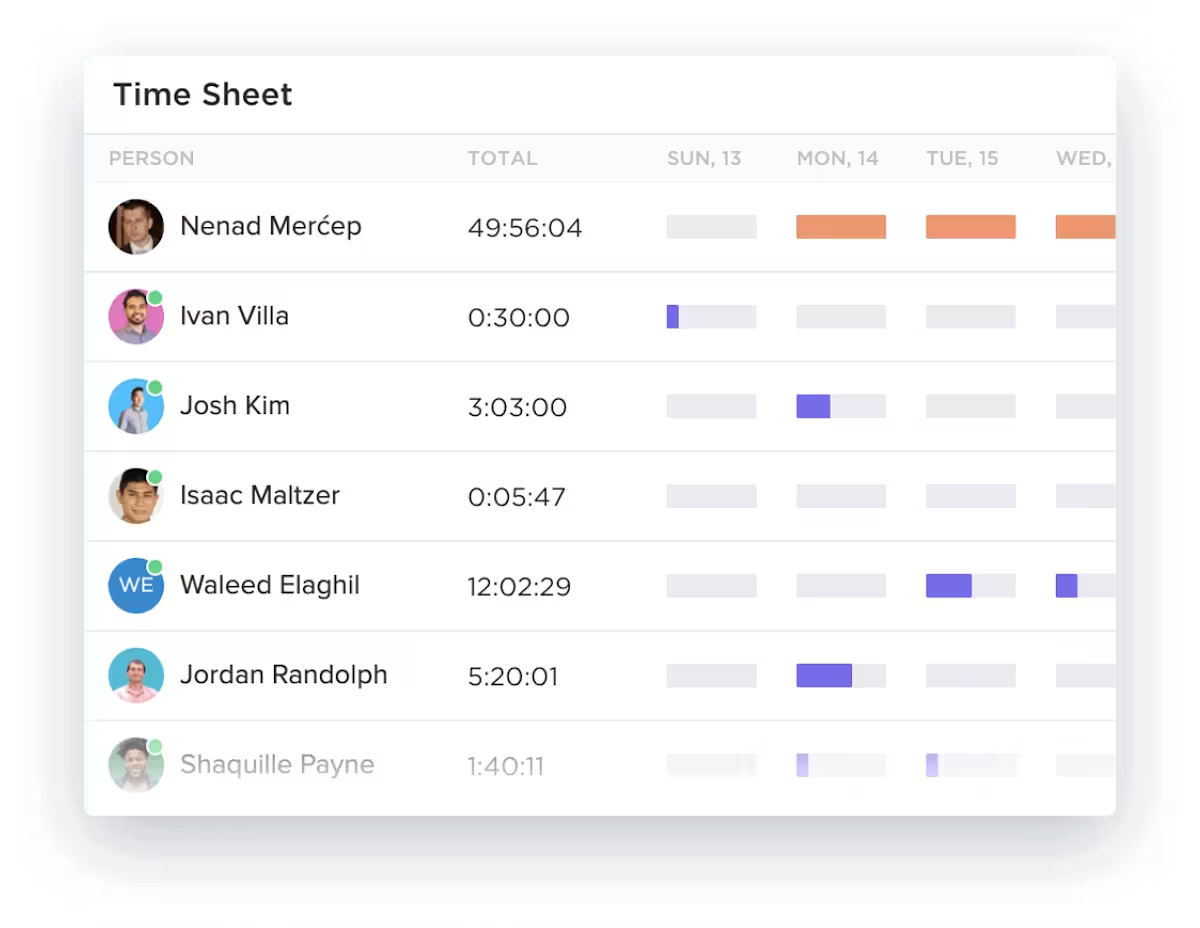
A short pilot shows whether the tool stays accurate once multiple people update it. Follow the adoption playbook, where you start with a pilot group, gather feedback, adjust, and then scale.
You can validate your resourcing plan against actuals using ClickUp Time Tracking. This helps you compare planned effort to real time spent on projects and keep budgets grounded.
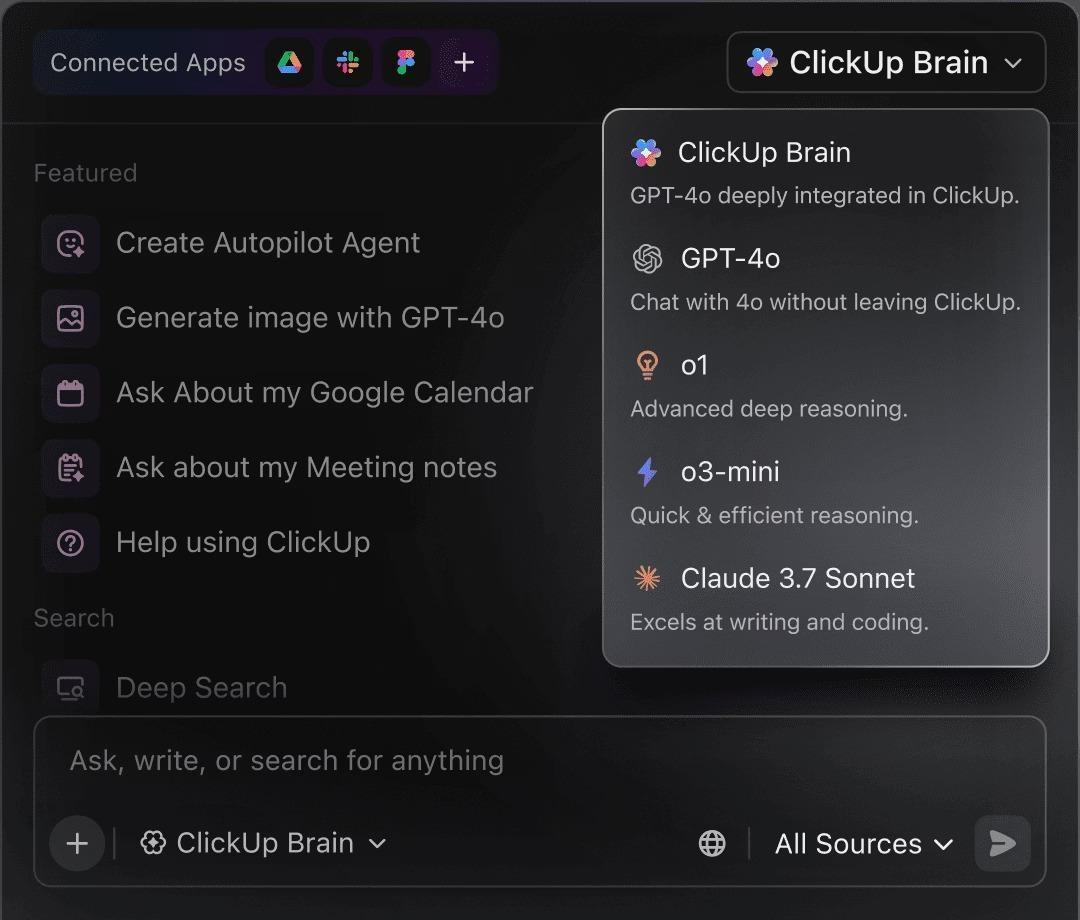
As your resource management processes mature, the risk shifts from “we can’t plan” to “we can’t find the latest plan.” ClickUp Brain adds a native intelligence layer across your work and knowledge in ClickUp.
With ClickUp’s Enterprise Search experience, you can surface trusted answers from ClickUp and connected apps with context.
💡 Pro Tip: Use ClickUp Brain MAX to keep resourcing decisions easy to find and easier to defend.
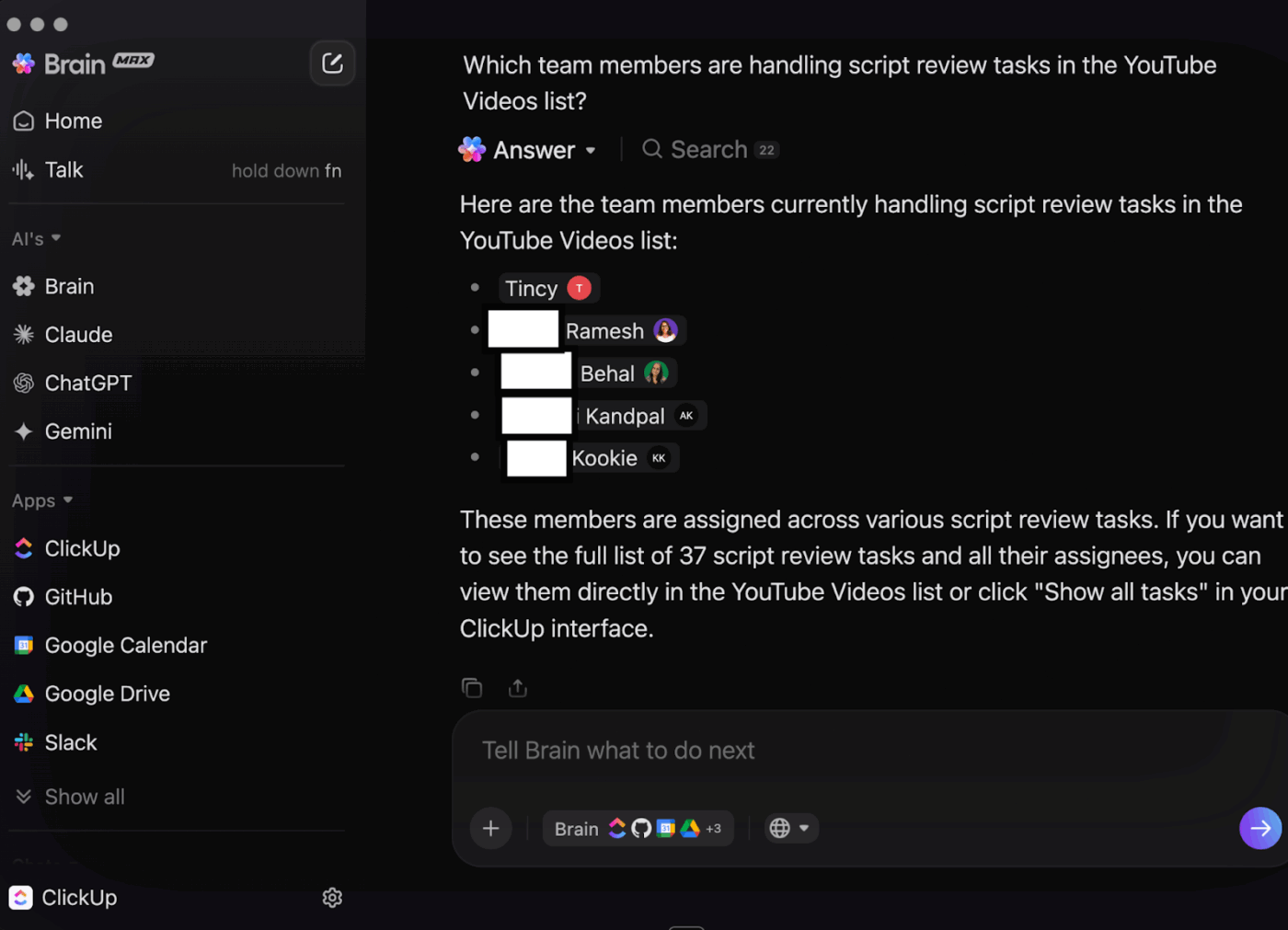
ClickUp Brain MAX is your desktop AI companion, designed to search across your work apps and the web, and it pairs well with Talk to Text and ClickUp’s Enterprise Search, so your decisions stay connected to the work.
Even after you pick the right tool, resource planning can stay inconsistent if every team builds its own tracker. Resource conflicts may arise, especially once you’re managing multiple projects simultaneously.
ClickUp’s Resource Planning Template gives you a consistent structure to plan and track resources in one place. Visualize tasks and resources, optimize workloads, and help teams align on priorities, all in one place.
🌻 Here’s why you’ll like this template:
If Work Sprawl and AI Sprawl slow down decisions in your current setup, an all-in-one platform like ClickUp can help. It reduces the number of handoffs by keeping planning and execution in one place. You can also track your progress effectively without paying for a separate project tool.
Your best choice depends on how tightly resource planning needs to connect to delivery execution and reporting.
✅ Use this as a quick comparison for shortlisting.
| What you need most | Dedicated resource tools tend to fit if | All-in-one platforms tend to fit if |
|---|---|---|
| You already run delivery elsewhere and only need scheduling and utilization views | – You want advanced scheduling layered on top of an established project stack – You prefer to keep execution and collaboration in existing tools – You can accept a weaker linkage between task updates and the resource plan | – You want staffing decisions tied directly to task docs and reporting – You want planning and execution to stay connected as priorities change – You want fewer handoffs and less reconciliation across systems |
| Your resourcing team runs a centralized process, and everyone else mainly consumes schedules | – You can enforce one source of truth for schedules without changing how teams execute work – You expect most users to view schedules rather than update plans – You want a focused rollout with minimal workflow changes | – You need teams to update work in the same system you use for capacity planning – You want task changes to automatically reflect in planning views – You want faster replanning across multiple projects with clearer ownership |
| Your reporting lives in a separate BI or finance system | – You do not need portfolio reporting inside the resource tool – You plan to export data into BI/finance for deeper analysis – You want resourcing to feed reporting rather than replace it | – You want operational reporting from the same workspace where work happens – You want workload, time, and delivery status visible in one place for weekly reviews – You want fewer manual exports and reconciliation steps |
| Your workflows do not change much week to week | – A standalone scheduler covers most needs when plans are stable – You can manage exceptions through a light change-control process – You want a simpler tool footprint for adoption and governance | – Priorities shift often, and you need faster replanning across multiple projects – You want changes in tasks, and timelines to update the plan quickly – You want decision context close to the work, not scattered across tools |
📖 Also Read: Free Project Management Templates
Many issues with resource management software stem from evaluation. A tool can look strong in a demo but still fall short once it has to support real resource management. The hurdles include shifting priorities and portfolio reporting.
Want to avoid this scenario? Make sure you evaluate the tool against the decisions your teams make every week. Weigh usability and feature trade-offs alongside its core functionality.
✅ Here are the pitfalls that show up most often for project managers, ops leaders, and PMOs:
📖 Also Read: Project Management Dashboard Examples & Templates
If you take away just one thing from this blog, let it be this: If your capacity planning and task updates are spread across systems, you will keep rebuilding the same resource plan every time priorities shift.
That is how Work Sprawl turns into Planning Sprawl. And how you make sure your plans never actually see the light of the day.
Want to solve for it? ClickUp helps you bring resource planning, project management, documentation, collaboration, and reporting into one connected workspace. This keeps your resource allocation decisions tied to the work and context behind them.
When planning and execution live together, you can forecast resources faster, reduce resource conflicts, and keep your resource scheduling accurate as you manage multiple projects.
Ready to pressure-test your options with a real scenario from your workweek? Sign up for ClickUp for free ✅
Resource availability and resource utilization are the most critical feature sets. You also need to look for the tool’s ability to handle multiple projects, simplify task management, and make collaboration easier. racking resource usage (planned vs actual), basic reporting, and time tracking are also essential if budgets or billing matter.
Popular project management tools like ClickUp support shared visibility and async updates for remote/hybrid teams. Make sure to choose a resource management tool with strong permissions, capacity planning, and in-task collaboration. You’ll also benefit from reporting that shows workload and project status across time zones.
You’ve got multiple ways to measure ROI from resourcing tools. Some of them include: fewer resource conflicts, improved on-time delivery, and less time spent on manual reporting. For project-based businesses, watch project profitability and forecast accuracy.
Yes, spreadsheet-based effective resource management tools are helpful for small teams. But only until priorities shift or you run multiple projects. If the sheet goes out of date quickly or takes too long to maintain, it’s better to move to resource planning software.
Your project’s success can depend on accurate forecasting. Make sure to update resource data at least weekly. Update more often if work changes daily, especially for time estimates, assignments, and start dates.

© 2026 ClickUp

There’s an easier way. Try a free AI Agent in ClickUp that actually does the work for you—set up in minutes, save hours every week.