






Still downloading templates?
There’s an easier way. Try a free AI Agent in ClickUp that actually does the work for you—set up in minutes, save hours every week.
Sorry, there were no results found for “”
Sorry, there were no results found for “”
Sorry, there were no results found for “”
You do not rise to the level of your goals. You fall to the level of your systems.
Imagine this: You’re trying to build better work habits—like writing for 30 minutes daily, hitting the gym before emails, or drinking water that isn’t coffee. So, you download a shiny new habit tracker app…and then forget to open it. Classic!
Here’s a thought—what if you could track all those habits right in an app you already use: Google Calendar?
Yes, we are talking about a Google Calendar habit tracker. No extra steps. No extra guilt. Just one calendar, doing double duty as your productivity sidekick.
And if you’re craving something more structured, don’t worry—we’ll introduce ClickUp as an alternative habit tracker app later on.
Before we explore how to make your own habit tracker on Google Calendar, let’s see why this familiar tool makes an excellent choice for habit-building:
🧠 Fun Fact: In his book Atomic Habits, James Clear introduces the “Four Laws of Behavior Change” as a framework for developing good habits and breaking bad ones. The first of these laws is to “make it obvious.”
This principle emphasizes designing your environment and cues to make desired habits more apparent and easier to initiate. To implement this, Clear suggests strategies such as “habit stacking,” which pairs a new habit with an existing one. For example, after pouring your morning coffee, you could immediately meditate for one minute. This method leverages the natural associations your brain makes between related activities.
ClickUp’s habit tracker template is the ultimate to get you up and running on your personal goals. It’s fully customizable, and you can leverage ClickUp’s features like Reminders, Automations, Docs (that you can treat as a bullet journal), and more.
📖 Also Read: Bad Habits Examples and How to Break Them
Creating an effective habit tracking system in Google Calendar takes just minutes. Follow these five simple steps to build a sustainable habit tracker that integrates seamlessly with your digital life.
Setting up a separate calendar specifically for your habits is the crucial first step in building an effective tracking system. This separation provides clarity and organization, allowing you to manage your habits without cluttering your primary calendar.
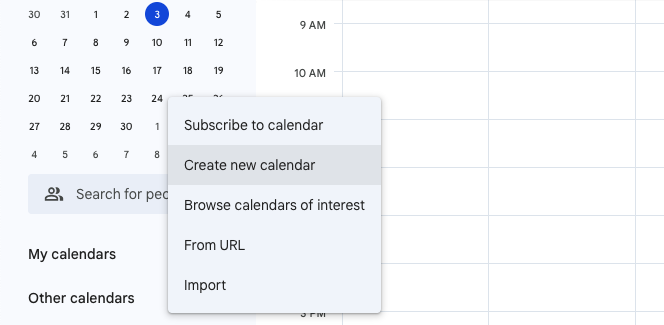
Think of it as creating a dedicated space for your personal development journey. Here’s what you need to do:
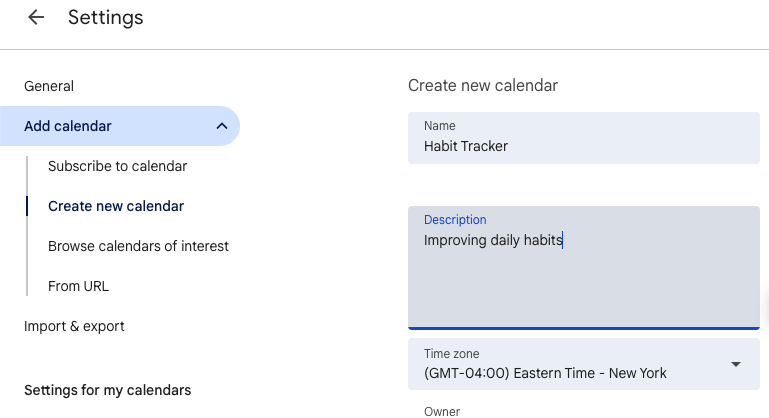
A dedicated calendar for habits offers several advantages: It allows you to toggle habit visibility on and off, thus preventing the introduction of mess in your primary calendar. As a bonus, this makes it easier to analyze habit patterns over time.
📮 ClickUp Insight: 18% of our survey respondents want to use AI to organize their lives through calendars, tasks, and reminders. Another 15% want AI to handle routine tasks and administrative work.
To do this, an AI needs to be able to: understand the priority levels for each task in a workflow, run the necessary steps to create tasks or adjust tasks, and set up automated workflows.
Most tools have one or two of these steps worked out. However, ClickUp has helped users consolidate up to 5+ apps using our platform! Experience AI-powered scheduling, where tasks and meetings can be easily allocated to open slots in your calendar based on priority levels. You can also set up custom automation rules via ClickUp Brain to handle routine tasks. Say goodbye to busy work!
Once you have created your habit calendar, it’s time to populate it with the specific habits you want to develop. This step transforms your vague intentions into concrete, scheduled activities.
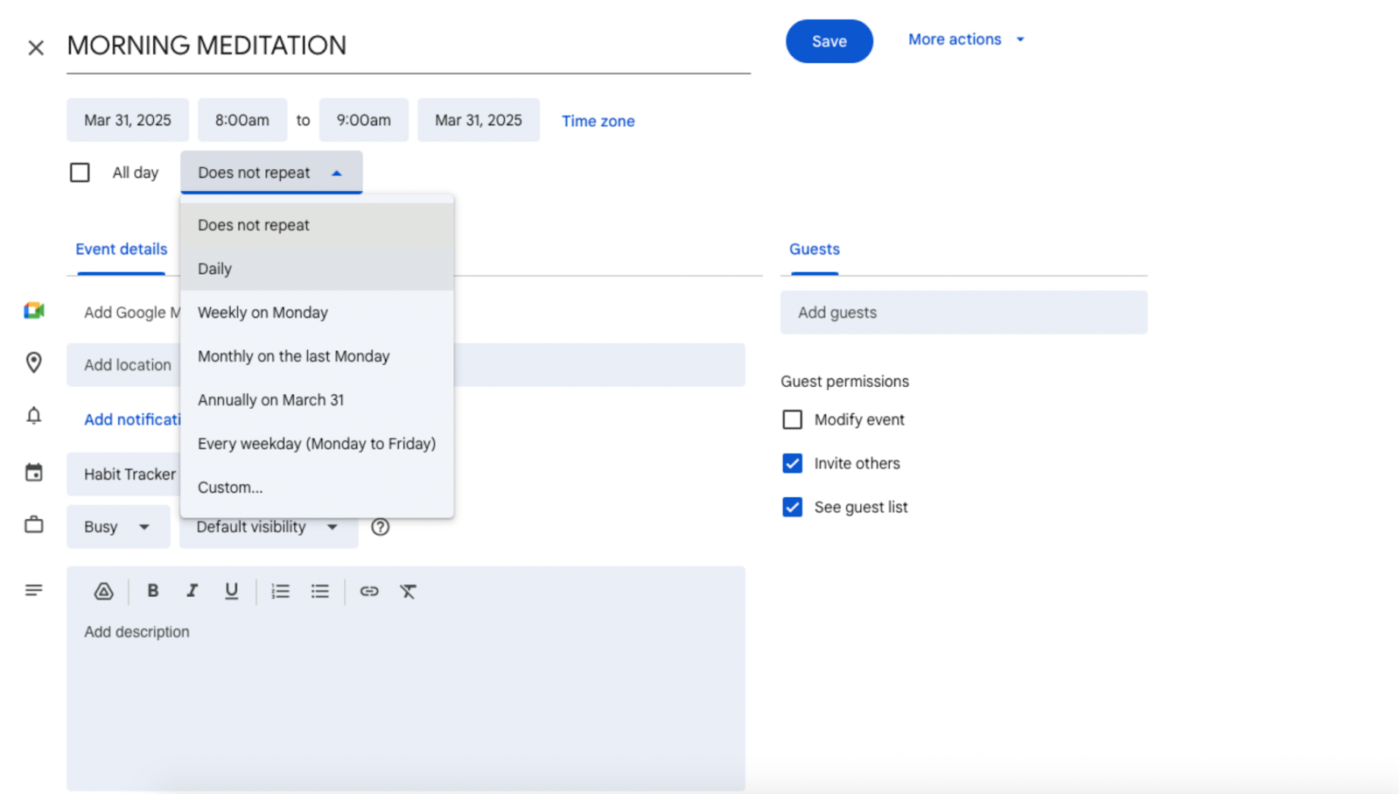
The power of Google Calendar’s recurring event feature means you only need to set up each habit once to create an ongoing system.
💡 Pro Tip: Be strategic about when you schedule habits. Research on habit formation suggests habits form faster when tied to existing routines. For example, schedule your “10-minute reading” habit right after your “Brush teeth” reminder.
Visual organization can dramatically improve the effectiveness of your habit-tracking system. Google Calendar’s color-coding functionality provides a powerful way to categorize different types of habits at a glance.
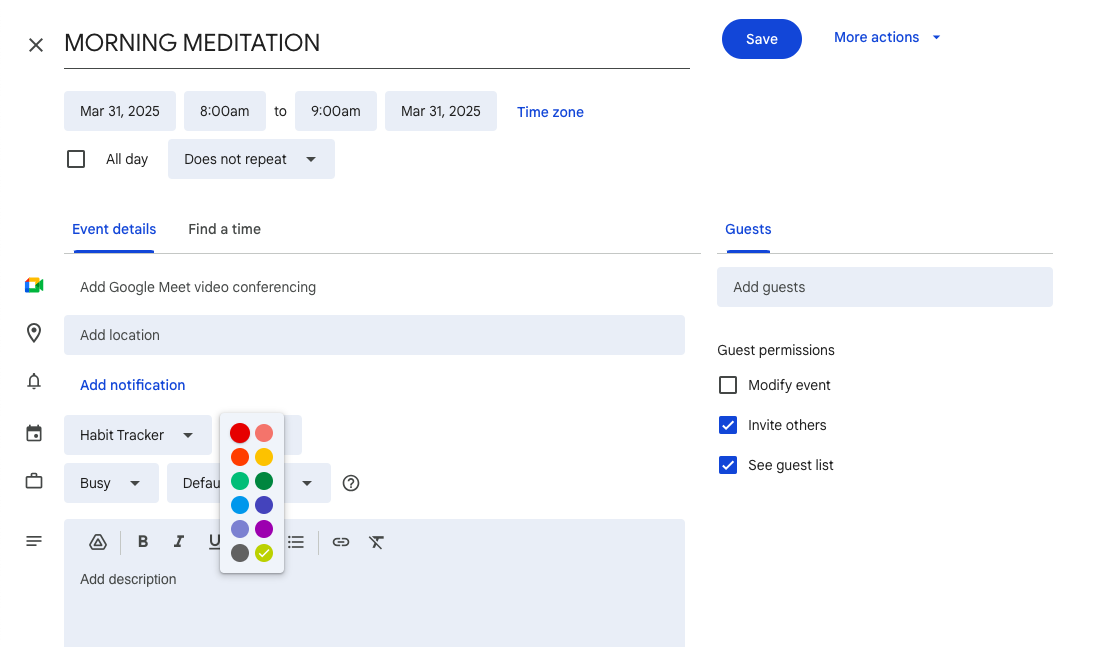
This visual distinction helps you maintain balance across different life areas and quickly identify your habit landscape.
🎨 Friendly Tip: Create a color system to group habits: green for health, blue for mindset, purple for learning, red for work habits, and orange for social life. It turns your calendar into a quick visual check-in.
This will also help you quickly assess balance across different life areas and identify gaps in your habit structure.
Even with the best intentions, habits can easily slip through the cracks without timely reminders. Google Calendar’s notification system serves as a powerful external trigger to prompt action at the right moment.
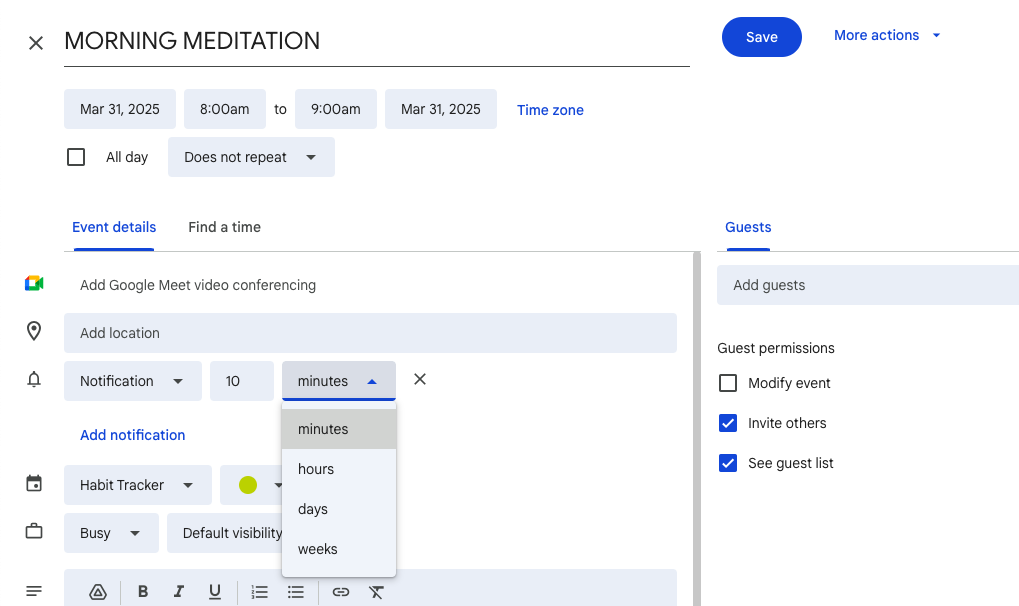
Setting up thoughtful reminders bridges the gap between planning and execution in your habit journey. Here’s how you can make the most of it:
Did You Know? A British Journal of Health Psychology study suggests that timely cues significantly increase habit adherence. Consistent reminders can help bridge the gap between intention and action.
Monitoring your habit performance provides valuable insights and reinforces your commitment. While Google Calendar doesn’t have streak tracking, you can use notes and emojis to log your progress manually.
Here’s how:
You can also review your habit calendar weekly to identify completion patterns and improvement areas.
Sure, you can game Google Calendar into a solid tool for basic habit tracking. But you’ve already figured out that it does have some limitations.
Understanding these constraints helps you decide whether this digital planner app meets your specific needs or if you might benefit from more specialized solutions.
Here are some key limitations when using Google Calendar as your habit tracker:
🔍 Did You Know? Even bad habits are driven by dopamine, the ‘feel-good’ chemical in your brain. Activities like scrolling social media or eating junk food provide immediate rewards, making these habits harder to break.
📌Also Read: Free Habit Tracker Templates for Google Sheets
Google Calendar is a good starting point for habit tracking. But as you turn into a serious habit builder, it makes sense to switch to a specialized tool with more robust features.
Among these Google Calendar alternatives, one platform stands out for its comprehensive approach to habit development: ClickUp, the everything app for work.
The platform combines project management, knowledge management, and chat, all powered by AI that helps you work faster and smarter. Habit tracking just fits right in!
Moreover, ClickUp offers a complete ecosystem for managing not just habits but every corner of your personal and professional life.
Its flexibility makes it easy to build a habit-tracking setup that fits you, whether you’re logging daily writing, gym sessions, or remembering to stand up occasionally.
With ClickUp, you create a system that grows with your goals, not against them. This visibility and structured workflow applies equally well to personal habit tracking, providing clear accountability and progress monitoring.
Like G2 reviewer, Frances S. explains:
ClickUp will literally slap your goals to your face and have every task or move you do impact that life or yearly goal. That is such a compelling feature to me because I can see my progress. I can see what I’ll be giving up if I stop now. It forces me to police myself to stay on track. It forces me to prioritize. It forces me to build a habit across the board from daily habits to monthly habits.
In doing this, I noticed I started getting sharper. I started thinking 1, 2, and 3 steps ahead because I would need to structure how my day would look like. I’ll show you my habits list. It serves me what I need to do today and I can see what’s up tomorrow without even scrolling.
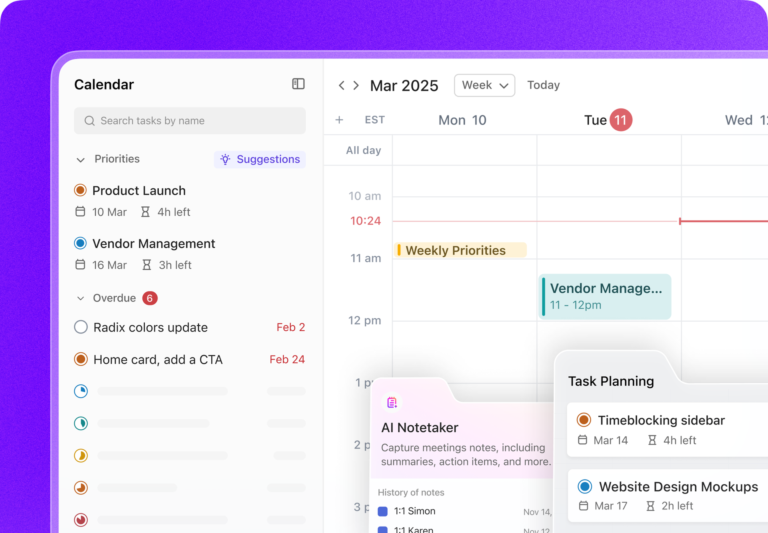
ClickUp Calendar, powered by AI, is an excellent alternative to Google Calendar, building upon the scheduling functionality you’re familiar with. Plus, it comes with a deeper integration with tasks, goals, and projects to keep you accountable.
Calendar’s time blocking shows exactly when habits happen, helping you reserve time without double-booking or losing track.
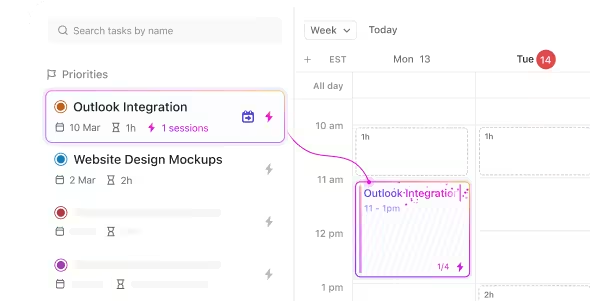
The Calendar provides both monthly and weekly perspectives, helping you balance immediate habit commitments with long-term planning.
Learn how to automate your work with ClickUp Calendar 👇
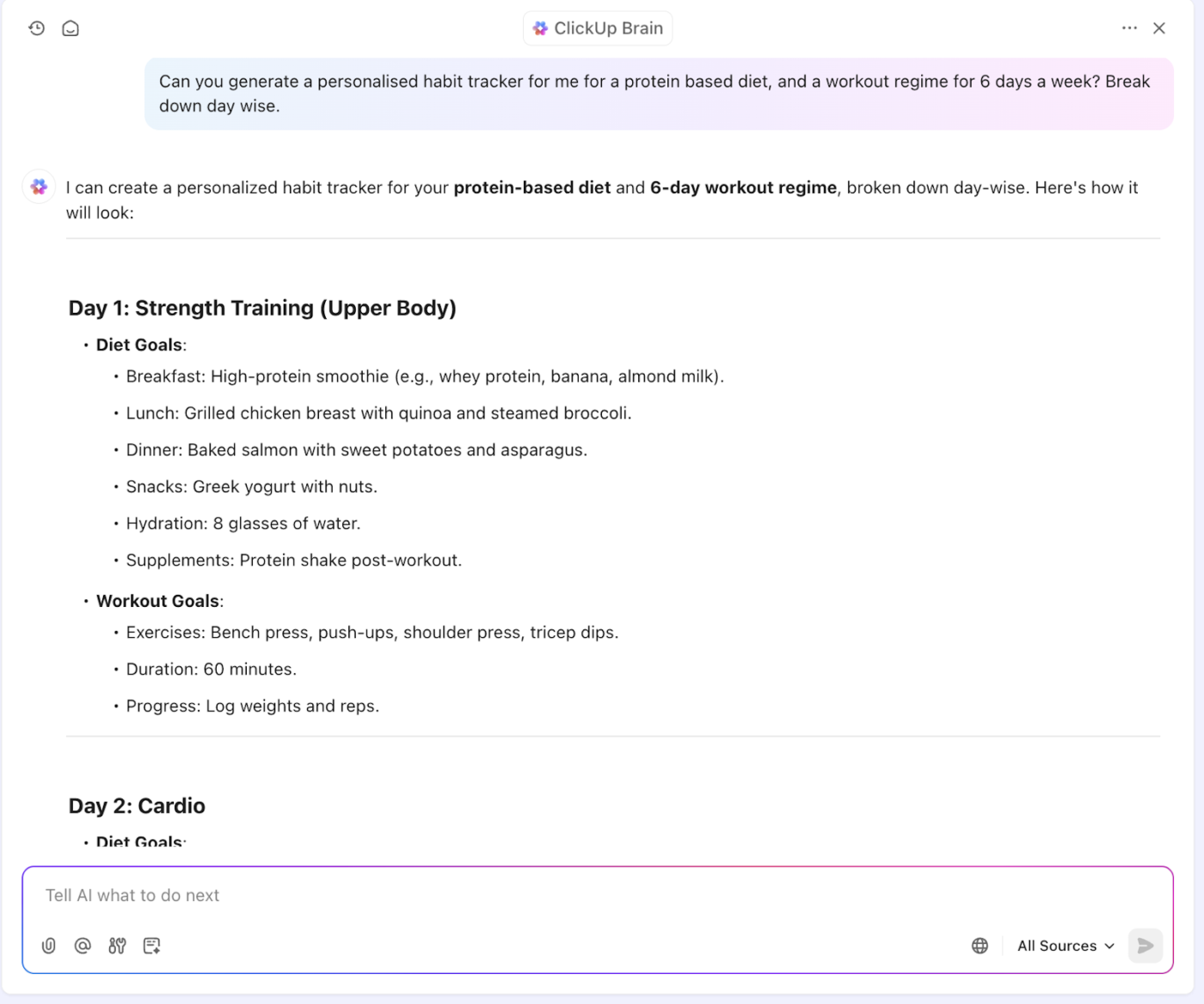
Additionally, you can use ClickUp Brain’s innovative AI suggestions to personalize your habit-tracking journey.
Ready to start building better habits?
📌 Friendly Reminder: You’ll know a habit’s becoming automatic when skipping it feels weird, reminders are pointless, and you do it without thinking. It even starts to feel like part of who you are. At that point, ease up on tracking and shift focus to the habits that still need a little hand-holding.
ClickUp Tasks turn vague intentions into clear, actionable steps. Create each habit as a task, add details, set priorities, and track progress with Custom Fields.
For habit development specifically, the ClickUp Recurring Tasks feature is incredibly useful. Set daily, weekly, or fully custom schedules to match your exact routine—no manual resets needed.

Each recurring task can include descriptions, checklists, and even dependencies. That way, you always know what the habit involves and how it fits into your broader routine.
What really sets the app apart for habit-building is the ClickUp Goals feature.
It turns simple habits into measurable outcomes. So, instead of just ticking off “meditate,” you’re tracking “10 minutes daily” and actually seeing how you’re doing.
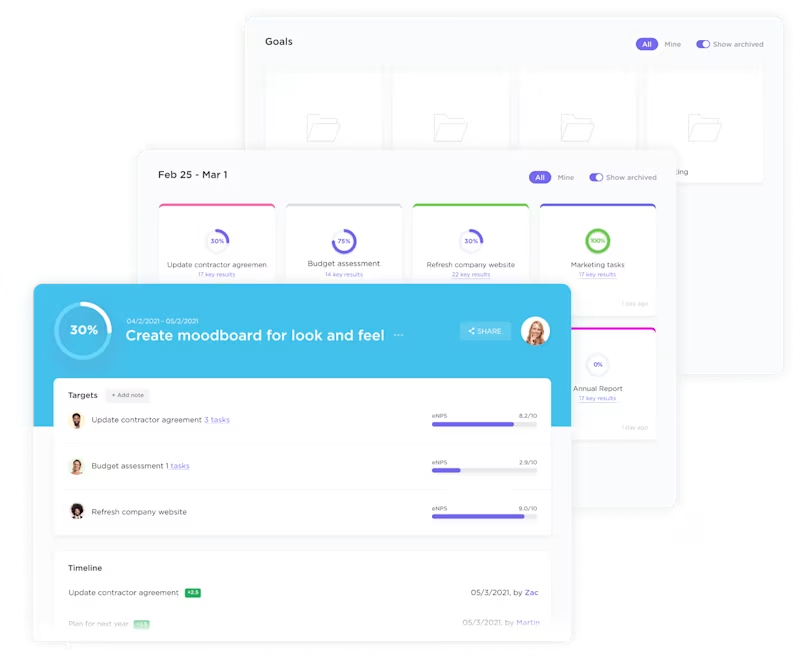
The built-in progress bars aren’t just pretty; they’re also motivating. You can see how those tiny daily habits add up to big-picture progress.
Want all the data associated with your habits? ClickUp Dashboards let you visualize everything from streaks to completion rates across all your habits. You can even track trends over time.
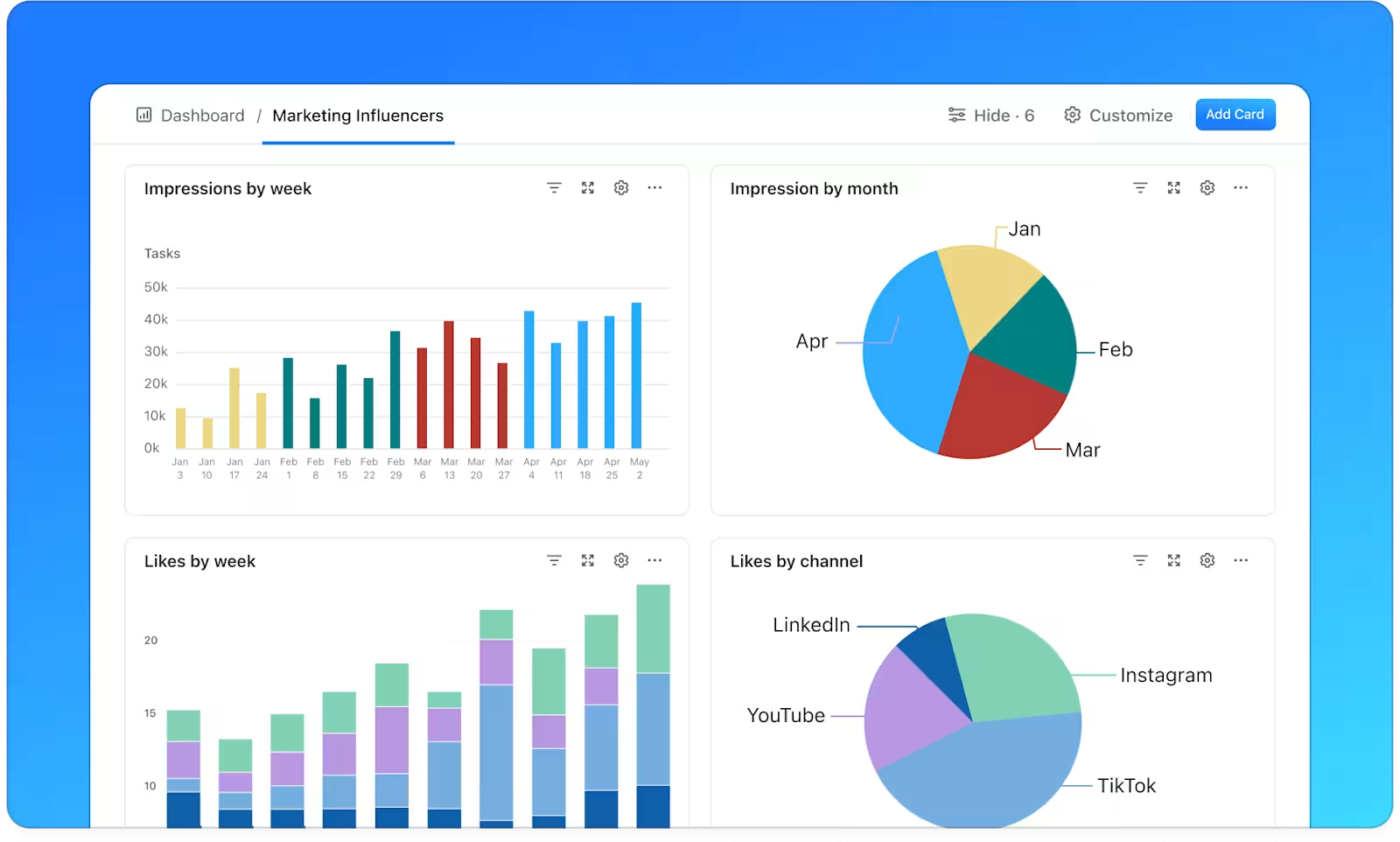
And for habits where timing matters—like workouts or writing—ClickUp Time Tracking shows precisely how long you’ve been following them. This way, you can adjust and improve without the guesswork.
💜 Bonus Features that make ClickUp an excellent habit tracker:
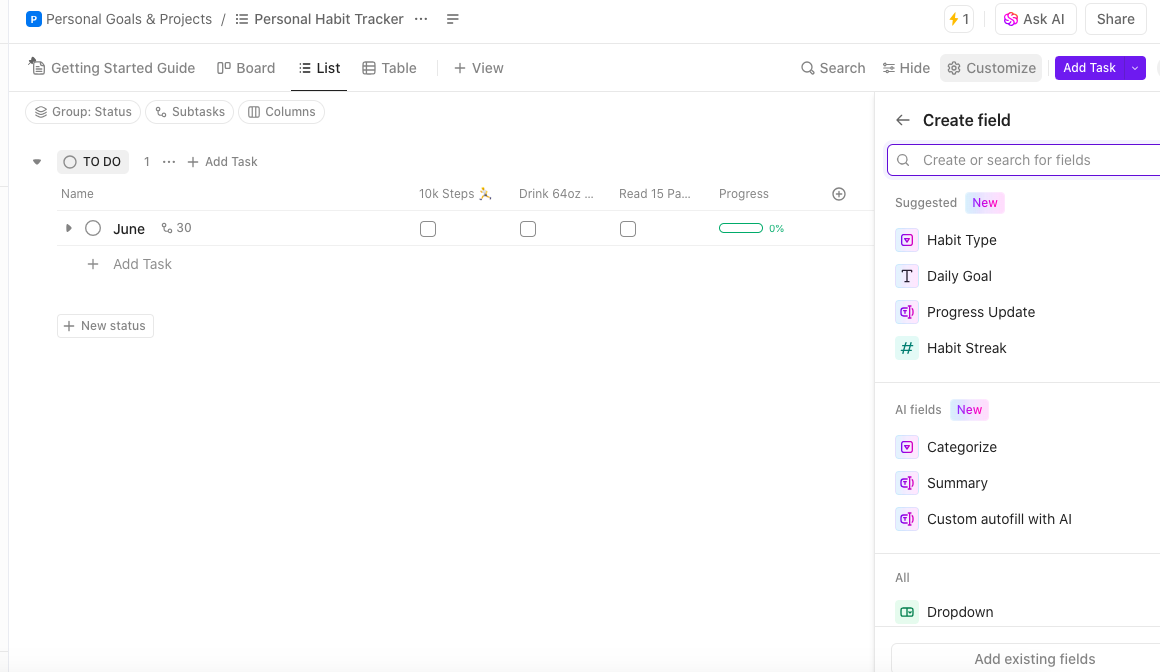
To get started quickly, fire up the ClickUp Personal Habit Tracker Template. It’s our pick for a comprehensive framework for tracking and developing habits. It also eliminates the setup time and helps you focus immediately on building consistent behaviors.
The habit tracker template includes everything you need to track habits effectively across different life areas.
With this template, you can:
The ClickUp Personal Productivity Template also complements the habit tracker by helping you organize your overall productivity system. This integration between building habits and broader productivity is what makes ClickUp particularly powerful—habits don’t exist in isolation but form part of your complete approach to personal effectiveness.
Need more productivity hacks? We’ve got you covered:
💡 Pro Tip: If you’re struggling to stay consistent with your habits, one way to improve your follow-through is by making your habits SMART: Specific, Measurable, Achievable, Relevant, and Time-bound. This gives each habit clarity and structure, making it easier to track and refine over time.
You can use ClickUp SMART goal templates to organize your habits into actionable, measurable objectives. This ensures that you always know what success looks like and can stay focused on consistently progressing.
Regardless of which tool you use, implementing proven habit formation strategies will dramatically increase your chances of success.
These science-backed productive activities tackle the mindset side of habit-building—the part no app can fix on its own. But add them to your habit tracker, and you have a solid setup for real, lasting change.
Here are some other best practices to implement:
According to Stanford behavior scientist BJ Fogg, successful habits require three elements: motivation, ability, and a prompt. Your calendar provides the prompt, but ensure your habits are simple enough (high ability) and meaningful enough (high motivation) to stick.
💡 Pro Tip: Integrating self-care into your daily routine is crucial for maintaining overall well-being and productivity. Consider using structured options like the ClickUp Self-Care Plan Template to effectively manage and prioritize self-care activities.
This template helps you spot what needs attention, set doable goals, and block time for habits that support your mind and body. It keeps your self-care organized so you stay balanced, focused, and less scattered.
Turning your Google Calendar into a habit-tracking tool gives your routines real structure without adding chaos to your day. By following the steps in this guide, you’ve built a system that works quietly in the background, supporting everything from morning walks to inbox zero attempts.
The best part? You’re not juggling extra apps or learning a brand-new interface—just solid habit-building right where your schedule already lives.
But if you’re craving more flexibility, visual tracking, or habit-specific features, ClickUp has you covered. From recurring tasks to goal tracking and dashboards that show your progress in color-coded glory, it’s a brilliant upgrade.
Ready to create habits with more intention (and way more data)? Sign up for ClickUp now and experience the difference.

© 2026 ClickUp

There’s an easier way. Try a free AI Agent in ClickUp that actually does the work for you—set up in minutes, save hours every week.