Sorry, there were no results found for “”
Sorry, there were no results found for “”
Sorry, there were no results found for “”
All that digital noise can make you go unheard!
Content testing helps you cut through the clutter and speak directly to your audience. Think of it as putting your website content through a dress rehearsal. Whether it’s your headlines, CTAs, images, or tone of voice—it’s your way of seeing what truly clicks before the curtain rises. The goal? Pinpoint what excites your readers, remove what doesn’t, and keep them coming back.
By gathering real user feedback, you’ll find out where your content hits the mark—and where it falls flat. These insights help refine key messages, reduce error messages, and achieve desired outcomes. Bottom line: test your content before you go live, and you’ll spare yourself from guesswork and countless hours down the line.
Keep reading to discover everything from the essentials of content testing and why it matters, to step-by-step guidance, top tools, and best practices—so you can confidently craft content that truly resonates with your target audience.
🎯 Real-World Win: The content agency Animalz tested potential headlines for their blog post “Blockbuster Blogs: How Breakthrough Ideas Are Born” using a LinkedIn poll. The feedback steered them away from using the term “blogbusters” in the final piece.
Content testing is a structured approach to examining how well your words, visuals, and overall messaging resonate with your target audience.
Instead of merely checking for typos or grammar slips, you’re digging deeper to see if your content truly connects with test participants, answers their questions, and moves them toward your desired outcomes (engagement, conversions, etc.). Essentially, you’re taking a magnifying glass to your written content and visual elements to ensure every piece aligns with your brand’s identity and addresses real user needs.
When you test your content, you present it to real or representative audiences. Through qualitative data (like interviews or feedback forms) and quantitative metrics (click-through rates, time on page), you assess content quality—do readers get the key messages? Are there confusing parts causing error messages or bounce rates? By gathering this data, you can adapt your tone of voice and structure so that it’s user-focused and spot-on.
In simpler terms, proofreading fixes the “surface-level” mistakes, while content testing tackles deeper issues like clarity, alignment with user needs, and overall effectiveness.
You can (and should) perform content testing at different points in the development process:
💡 Pro Tip: Incorporate regular testing sessions into your content strategy. For instance, schedule a monthly “testing sprint” where you gather direct feedback from representative users on new or updated posts and product pages. This continuous loop of insights will help you identify keywords and improve search engine optimization, ensuring your final content hits home every time.🎯
A quick reality check is crucial before you hit “publish.” Content testing offers direct feedback from real users, so you’re not relying on gut feelings or intuition alone. Instead, you pinpoint exactly what resonates with your target audience—and what’s missing the mark.
💡 Pro Tip: Log common feedback or recurring issues in a dedicated document or spreadsheet. This way, you can quickly address common pain points and spot trends, making each subsequent piece of content stronger than the last.
When you’re ready to test your content, there are several approaches to ensure it’s both understandable and compelling for your target audience. Below are some tried-and-true methods to help you evaluate content quality, pinpoint pain points, and guide data-driven decisions for meaningful improvements.
A/B testing (also called split testing) involves showing different content versions—like headlines, tone of voice, or visual elements—to separate groups of test participants. By comparing which version drives more engagement or fewer error messages, you can isolate the elements that truly click with your target audience.
📌 When to use it:
Use this method whenever you need to determine the effectiveness of specific elements, such as calls to action, headlines, or product page layouts.
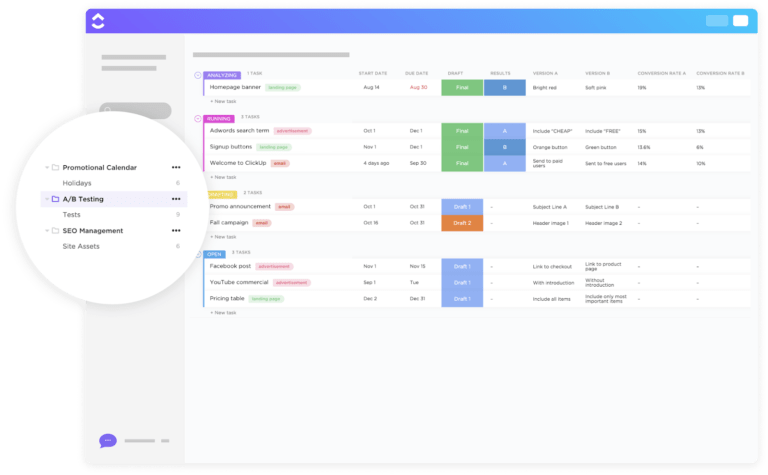
ClickUp’s A/B Content Management and Testing Template helps you plan, organize, and track every step of your A/B experiments. Assign tasks, set deadlines, and compare results side by side in one collaborative workspace.
📢 Did you know? According to this study by VWO, even small tweaks like changing a button color or headline font can yield a noticeable bump in conversion rates.
Preference testing asks your test participants to pick the version of your content they like best. Instead of focusing on hard metrics like conversion rate, you’re gathering more subjective user feedback about the tone of voice, design style, or overall brand identity.
📌 When to use it:
This method is great if you have multiple design mock-ups, visual elements, or written content drafts and want to see which one resonates most with potential users. It is particularly useful before a big launch or during the development process to ensure you’re on the right track.
💡 Pro Tip: Include a brief open-ended question after each preference test (“Why did you pick this version?”) to uncover hidden insights into your target audience’s needs.
Cloze testing is a quick way to see if readers fully understand your content by asking them to fill in missing words in a passage. This method uncovers whether your key messages are communicated effectively so the user can reconstruct important points in their own words.
📌 When to use it:
Ideal for content heavy on instructions or technical details, such as product manuals, help articles, or step-by-step guides, where clarity is crucial.
💡 Pro Tip: Keep cloze sections short and focused on critical details you want to check, like how well users understand your product’s features or instructions.
First-click testing measures what users click on first when they land on your page or interface. If their first click leads them on the right path (e.g., to relevant information or desired tasks), your content flow is on point. If not, your layout or messaging might need some adjustment.
📌 When to use it:
This is perfect for new navigation menus, revised landing pages, or any scenario where the path to information must be crystal clear.
The 5-second test shows your page or design to participants for only five seconds, then asks them questions to see what they remember. It’s a fast way to gauge initial impressions and check if your key messages stand out enough in a blink-and-you ’ll-miss-it scenario.
📌 When to use it:
Handy when you want to verify your content’s immediate clarity—like a new website homepage or a marketing banner that must grab attention instantly.
📢 Did you know? Users form an opinion about your website in as little as 50 milliseconds, as per Google research. A 5-second test takes that concept a step further.
Usability testing with a content focus zeroes in on how smoothly users can navigate your written content and visuals. By observing how they move through tasks, you’ll see where confusion occurs—like ambiguous instructions or poorly placed visual elements.
📌 When to use it:
Conduct this whenever you roll out major redesigns, add significant new content, or notice recurring user flow hiccups in your analytics.
ClickUp’s Usability Testing Template helps you structure test scenarios, track participant feedback, and streamline the testing process. Use it to record user sessions, organize next steps, and ensure you don’t overlook crucial insights.
💡 Pro Tip: Combine usability testing with visitor recordings to observe how users interact with your pages in real time—this is an absolute gold mine for qualitative data.
Content testing tools can help you gather real-time feedback, analyze user behavior, and ultimately shape your content strategy. Whether you’re aiming to test content on landing pages, blog posts, or product pages, you’ll find plenty of options to fit your workflow.
🛠️ Survey and poll tools: Services like Typeform or SurveyMonkey allow you to gather direct feedback from your test participants. You can ask about comprehension, tone, and voice, or visual preferences—all in a quick, user-friendly interface.
🛠️ Heatmap software: Tools like Hotjar or Crazy Egg track how your target audience interacts with your web page, highlighting where they click, scroll, or lose interest. This visual data helps you spot potential pain points in your content testing process, such as key messages buried at the bottom of the page.
🛠️ Usability testing platforms: Platforms such as UserTesting or Maze let you watch how people complete tasks, like navigating from one page to another or locating specific info. If participants repeatedly stumble on phrasing or layout, that’s a clear sign to refine your content version.
📢 Did you know? Even smaller changes, like adjusting your tone of voice or removing numbers in copy that might look intimidating, can boost user engagement, so don’t overlook those subtle fixes when you perform content testing.
While standalone platforms like heatmap software or website optimization tools are excellent for capturing specific data points, keeping your entire testing process streamlined across multiple teams and drafts can still be challenging.
That’s where ClickUp, the everything app for work, comes in—giving you an end-to-end hub to move from research and user feedback to content optimizations and final approval.
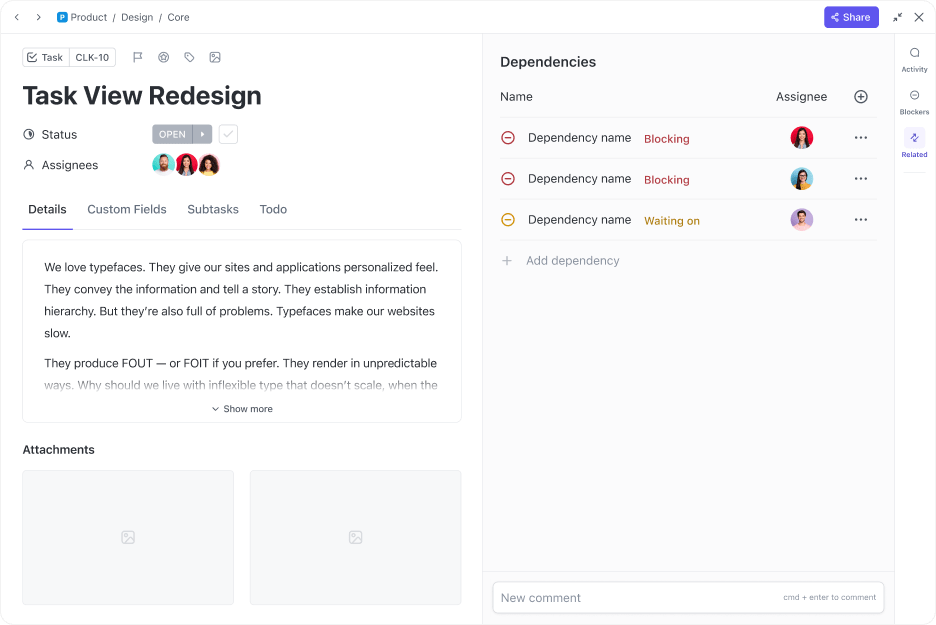
Managing content testing across multiple tools and channels can lead to missed feedback, confusion, and delays. ClickUp brings your entire content testing workflow into one unified platform, making it easy to organize tasks, gather feedback, and track revisions. With everything in one place, your team can collaborate seamlessly and ensure your content truly resonates with your target audience.
Centralized task management
Managing content testing can quickly become chaotic without a single source of truth. By centralizing all tasks and activities, you ensure everyone knows what needs to be done and when.
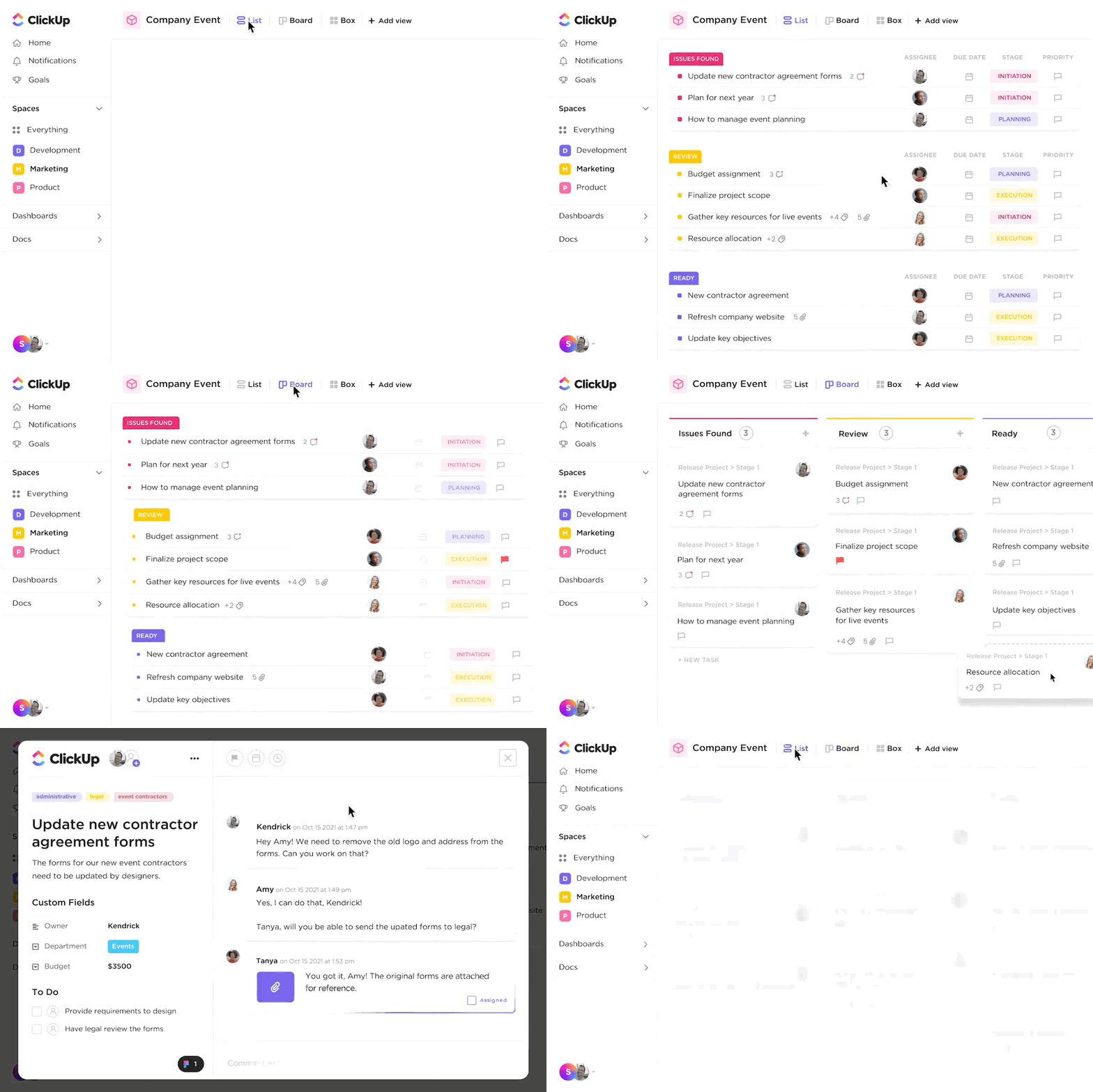
Collecting feedback from multiple stakeholders can be overwhelming if it’s scattered across emails or chat threads. Centralizing feedback within ClickUp ensures nothing gets lost and all input is actionable.
Content testing often involves multiple rounds of revisions and approvals. Tracking each iteration helps ensure every piece of feedback is addressed and nothing slips through the cracks.
📮ClickUp Insight: 92% of knowledge workers risk losing important decisions scattered across chat, email, and spreadsheets. Without a unified system for capturing and tracking decisions, critical business insights get lost in the digital noise. With ClickUp’s Task Management capabilities, you never have to worry about this. Create tasks from chat, task comments, docs, and emails with a single click!
Effective content testing relies on seamless collaboration between writers, editors, designers, and stakeholders. ClickUp’s communication tools keep everyone aligned and informed.
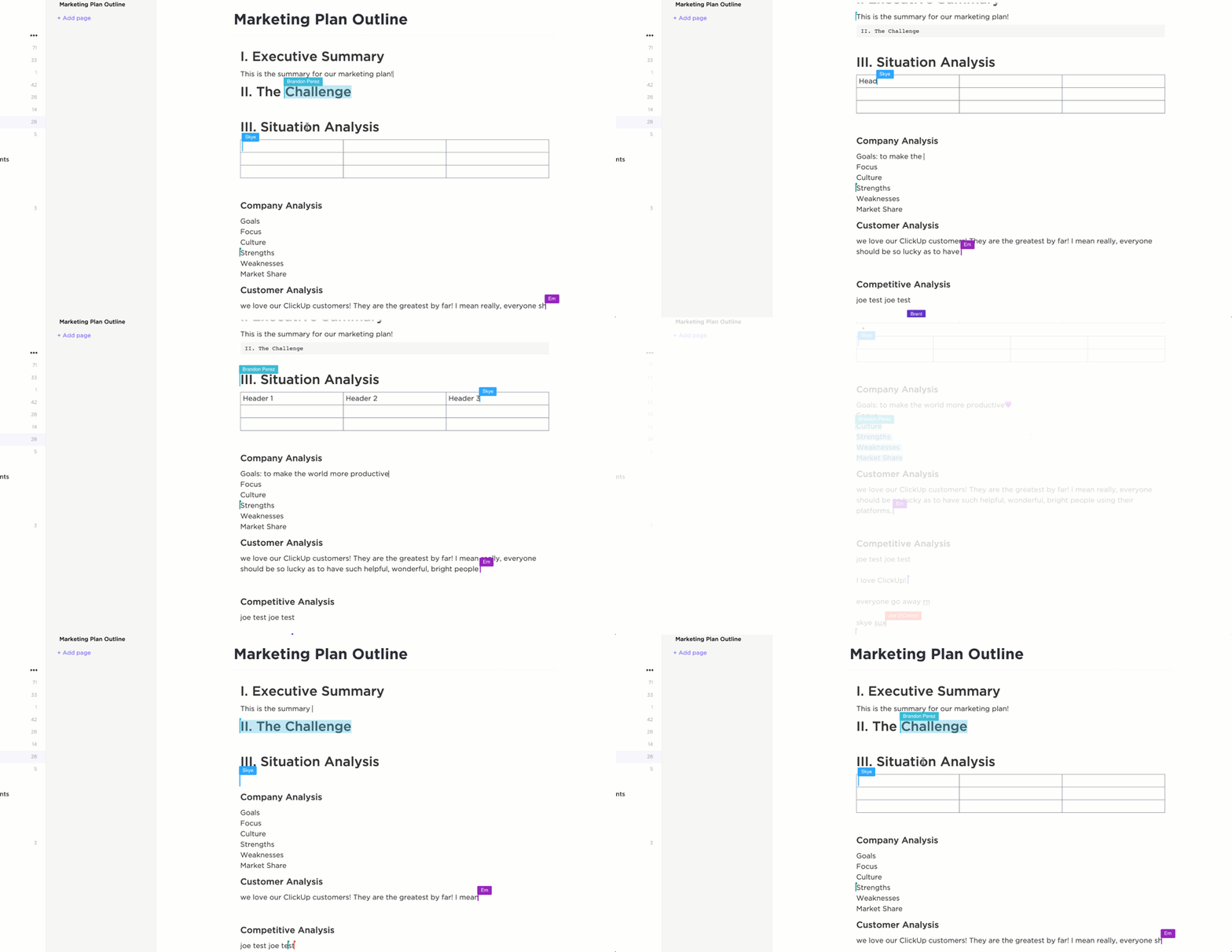
Manual follow-ups and status checks can slow down the testing process. Automating routine steps and visualizing progress helps your team stay focused and proactive.

Check out how ClickUp Automations can help you 👇
✨ Fun Fact: If you’re wondering how to measure content performance beyond testing, explore content marketing KPIs or conduct a content audit to see which pages need the most attention.
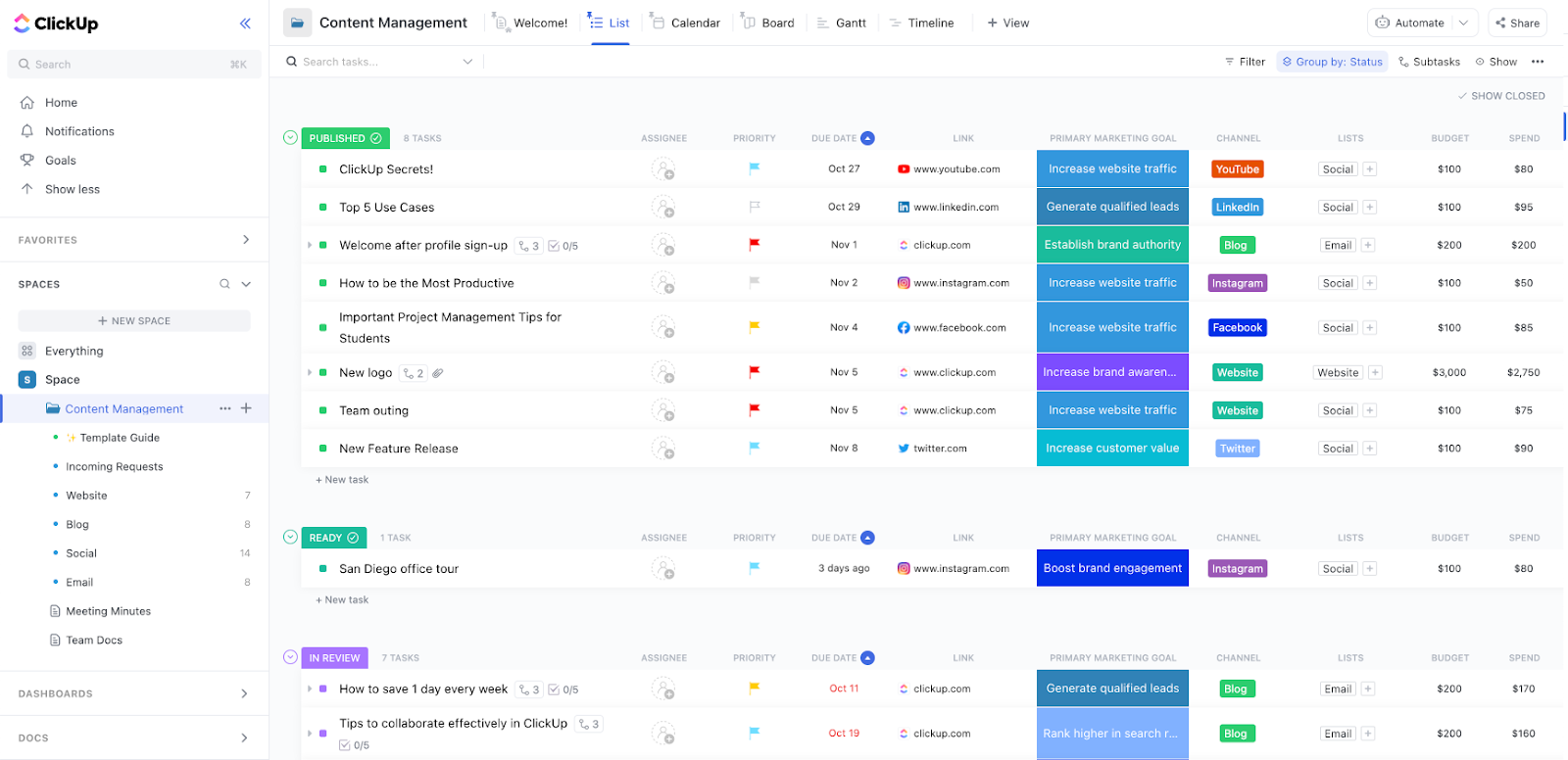
ClickUp’s Content Management Template is designed to help you plan, create, review, and publish content efficiently—all in one place. This template streamlines your content workflow, making it easy to manage ideas, assign tasks, track progress, and collaborate with your team from start to finish.
Key features:
ClickUp’s Content Production Scaling Template provides structured workflows, clear task assignments, and automated tracking to handle high volumes of content with ease. With this template, teams can boost productivity, maintain quality, and ensure deadlines are consistently met as content demands grow.
In short, ClickUp isn’t just a project management tool—it’s a content command center. By consolidating tasks, feedback, deadlines, and test participants’ insights, you’ll get a clear roadmap for your content testing process, from first brainstorm to polished final draft.
📚 Also Read: If you want to see how brands keep their content strategy sharp, check out our content marketing management guides. And if you’re diving into more advanced setups, exploring marketing analytics software can help you tie your content data and user research together.
Now that you’ve explored different content testing tools and ways to centralize feedback, let’s walk through a straightforward, step-by-step process to test your content. Each phase helps you validate how effectively your words, visuals, and user flow align with the real needs of your target audience.
Clarity is key. Identify the core question your test aims to answer, such as “Does our new landing page copy clearly communicate our product’s benefits?” or “Are users understanding our tone and voice?” This objective should be specific and measurable, so you can tie your results to desired outcomes like collecting more leads or reducing bounce rates.
How ClickUp helps
ClickUp lets you create a dedicated Task or Doc to clearly define and document your testing objective. Use Custom Fields to specify desired outcomes and assign owners or deadlines to keep everyone accountable and aligned from the start.
💡 Pro Tip: Give each objective a unique identifier (like “Landing Page v2”) to easily track changes and results across multiple tests.
Pick the content testing method that best fits your goal. For example, try A/B testing if you want to compare two distinct versions of a headline, or a preference test if you want to measure user sentiment between multiple visual layouts. If clarity is your main concern, a cloze test (where participants fill in missing words) can reveal whether your message is actually sinking in.
How ClickUp helps
Use Task Templates to outline different testing methods and ensure consistency across projects. Create separate Tasks for each test type (A/B, preference, cloze, etc.), and organize them within a List or Folder for easy tracking and comparison. Attach instructions or reference materials directly to each task for clarity.
📢 Did you know? You can also integrate user research tools directly with ClickUp through third-party apps, making it easy to sync participant data and track feedback in one place.
Wrong participants = misleading data. Aim for representative users who mirror your real audience. For a small clothing e-commerce brand, that might mean everyday online shoppers; for a B2B software company, include managers or decision-makers.
How ClickUp helps
Create a List or Custom Field to track participant details and segment users by audience type. Assign Tasks to team members responsible for outreach, and use Task Comments or Attachments to store participant information, consent forms, or communication history—all in one place.
📌 Example: If you’re testing a new product page layout, you might invite both existing users and potential users to get a balanced perspective on your content quality.
Gather or create the content you’re testing—such as wireframes, mockups, draft copy, or clickable prototypes. Ensure everything is consistent with your brand’s identity (fonts, colors, style) but also labeled clearly so participants know exactly what they’re looking at.
How ClickUp helps
Upload and organize all test materials as Attachments within relevant tasks, or store them in ClickUp Docs for easy access and sharing. Use Custom Fields to label materials by type or version, and ensure everything is linked to the correct tasks for a seamless testing workflow.
💡 Pro Tip: Set up a “Pre-Test Checklist” custom field to confirm you’ve included the right visuals, instructions, and disclaimers before sending materials to participants.
Facilitate your test sessions—whether it’s a live interview, a remote usability test, or an online survey. Gather qualitative data (such as user comments and emotions) and quantitative metrics (like completion rate, time on page, or error messages encountered).
How ClickUp helps
Track each test session as a Task and use Custom Fields to log key metrics and outcomes. Collect qualitative feedback in Task Comments or via Forms, and assign follow-up actions to team members to ensure every insight is captured and addressed.
📌 Example: If participants stumble on your sign-up button, you can immediately flag that in your dashboard as a “High Priority” fix.
Review your findings with the team. What did participants love? Where did they get stuck? Pinpoint these pain points and decide on next steps—maybe rewriting a confusing sentence or rethinking an image to better match user expectations.
How ClickUp helps
Summarize insights and action items in ClickUp Docs or within the task description. Use Task Statuses to track progress on implementing changes, assign follow-up tasks to team members, and collaborate in real time with Comments and @Mentions to keep everyone aligned on next steps.
📢 Did you know? ClickUp’s automation features can auto-assign tasks when you change a card status (e.g., “Needs Revision”), so you never lose track of next steps.
Following these steps ensures your content testing process is thorough, user-focused, and easy to manage. With the right planning, real-world feedback, and a centralized platform like ClickUp, you’ll have the power to create engaging, resonant, and successful content—every single time.
🧠 Fun Fact: Users often leave a webpage in 10–20 seconds—but pages with clear value propositions can hold attention longer and convert better.
When you’re ready to test your content in the real world, a few best practices can make all the difference. From choosing the right test participants to refining iterations with laser focus, these guidelines will help you maximize your results and ensure your content strategy remains data-driven and user-centric.
💡 Pro Tip: If you see a clear theme in your feedback, like repeated mentions of confusing headlines, create a ClickUp Task to handle that update first. Tackling the most frequent requests or issues early can yield quick, meaningful wins!
📢 Did you know? A series of smaller tests often outperforms one massive study. Incremental improvements let you stay agile and constantly adapt your content to user needs, rather than changing everything all at once.
By prioritizing content testing throughout each stage of your creation process, you’ll consistently deliver messages that resonate, address user concerns, and drive stronger results. Whether you’re tweaking headlines, evaluating tone, or refining visuals, testing keeps your content on track and data-driven.
ClickUp sets itself apart by putting all tasks, feedback, and iterations under one collaborative roof—so you can move from insights to action without juggling multiple tools. It’s a powerful way to align teams, accelerate workflows, and ensure every piece of content hits the mark.
Ready to see how it works for yourself? Try ClickUp for free today and take your content testing to the next level!

Sudarshan Somanathan
Max 22min read

Sean Hardy
Max 26min read

Manasi Nair
Max 29min read

© 2026 ClickUp