Sorry, there were no results found for “”
Sorry, there were no results found for “”
Sorry, there were no results found for “”
Between 2020 and 2022, construction productivity declined by 8%. That drop didn’t happen because teams aren’t working hard. It happened because managing projects has become more complex than ever in the construction industry. Missed deadlines, lost RFIs, shifting schedules, and unclear communication drain your time and budget.
Even if you’re already using construction project management software, if it doesn’t keep pace with these challenges, you’re still stuck putting out fires instead of preventing them. The right software should feel like a natural extension of your team, helping you stay on top of permits, RFIs, and deadlines without added hassle.
In this article, we’ll highlight the essential features that matter most and review the top 13 construction project management software options to help you complete projects on time and within budget.
The right construction project management software and digital tools should streamline your operations, reduce costly missteps, and offer both your field and office teams a single source of truth.
Here are some essential features you should look for in top-tier construction scheduling software:
| Tool | Best for | Best features | Pricing |
|---|---|---|---|
| ClickUp | All-in-one construction planning and collaboration Team size: Ideal for hybrid, field, and back-office teams | Gantt charts, task tracking, workload view, offline mobile app, Docs, AI assistant (ClickUp Brain) | Free forever; Customizations available for enterprises |
| Buildertrend | End-to-end residential project lifecycle Team size: Ideal for builders, remodelers, specialty contractors | Estimates, change orders, warranty management, QuickBooks sync | Custom pricing |
| Fieldwire | Field-first punch list tracking and coordination Team size: Ideal for site supervisors and tradespeople | Plan markups, punch lists, offline sync, inspection reports | Free plan; Paid plans start at $54/month per user |
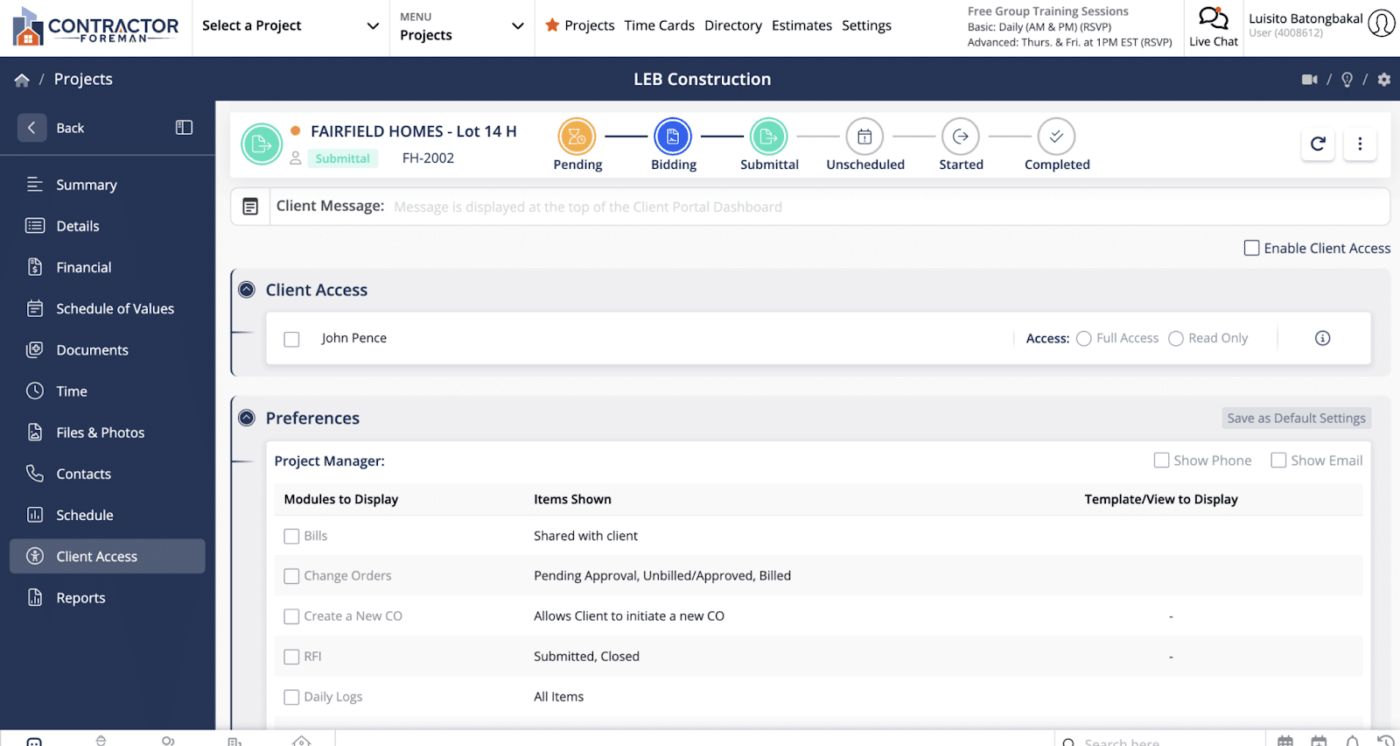
| Contractor Foreman | Budget-friendly project tracking and safety compliance Team size: Ideal for small to mid-sized contractors | Time cards, submittals, client portal, 100+ construction forms | Starts at $49/month (billed annually) |
| Wrike | Automating tasks and eliminating field-office silos Team size: Ideal for larger construction ops teams | Blueprint templates, intake forms, AI risk insights, real-time dashboards | Free plan; Paid plans start at $10/month per user |
| Asana | Task organization with role-based access Team size: Ideal for construction admins, PMs, and subcontractors | Workload views, form intake, guest access, milestone tracking | Free plan; Paid plans start at $13.49/month per user |
| Zoho Projects | Structured timelines and granular task control Team size: Ideal for teams already in the Zoho ecosystem | Feeds, timesheets, issue tracking, phased task lists | Paid plans start at $5/month per user |
| Trello | Simple Kanban tracking for construction teams Team size: Ideal for field crews and subcontractors | Board and card system, checklists, Slack/email card sync | Free plan; Paid plans start at $6/month per user |
| TeamGantt | Visual planners needing drag-and-drop timelines Team size: Ideal for project managers and GCs | Gantt view, workload, cost scheduling, Procore sync | Paid plans start at $59/month per manager |
| Procore | Enterprise-level project execution and insights Team size: Ideal for commercial and multi-site teams | Submittals, AI Helix, 3D model viewer, 400+ integrations | Custom pricing |
| Methvin | Estimating, takeoff, and bid management Team size: Ideal for estimators and bid managers | Budget control, quantity surveying, task path tracking | Free plan; Paid plans start at $27/month |
| PlanGrid | On-site blueprint access and RFI markups Team size: Ideal for field engineers and site leads | Real-time drawings, markup tools, punch lists | Starts at $136/month per user |
| Jira | Agile-style task breakdown and backlog tracking Team size: Ideal for lean and tech-enabled construction teams | Scrum and Kanban boards, automations, burndown charts | Free plan; Paid plans start at $8/month per user |
🎥 Looking for the best PM tools for construction?
These five platforms keep your schedules tight, your crew aligned, and your job sites running smoother than ever. If you want fewer delays, cleaner communication, and real control over your builds — start with these.
👀 Fun Fact: Fast-track construction is speeding things up! In the 21st century, about 40% of construction projects now use fast-track methods. This means the design and construction phases happen at the same time instead of one after the other, which helps finish projects much faster than traditional approaches.
Our editorial team follows a transparent, research-backed, and vendor-neutral process, so you can trust that our recommendations are based on real product value.
Here’s a detailed rundown of how we review software at ClickUp.
You know how complicated construction project management can get. One team’s waiting on permits, another’s unclear on timelines, and the latest plans are lost in a maze of emails.
When things are moving fast on-site, the last thing you need is to be slowed down by scattered tools and miscommunication. That’s why you need a system that connects your entire crew.
ClickUp, the everything app for work, brings all your planning, task assignments, documents, and updates into one place, so everyone from the office to the field stays aligned and moving forward.
When you switch to ClickUp for Construction Teams, you’re tapping into capabilities most tools simply don’t offer. You get 15+ view types like Gantt, Timeline, Workload, Box, Mind Map, and Calendar, so you can plan visually and manage every phase of your build with clarity and precision.
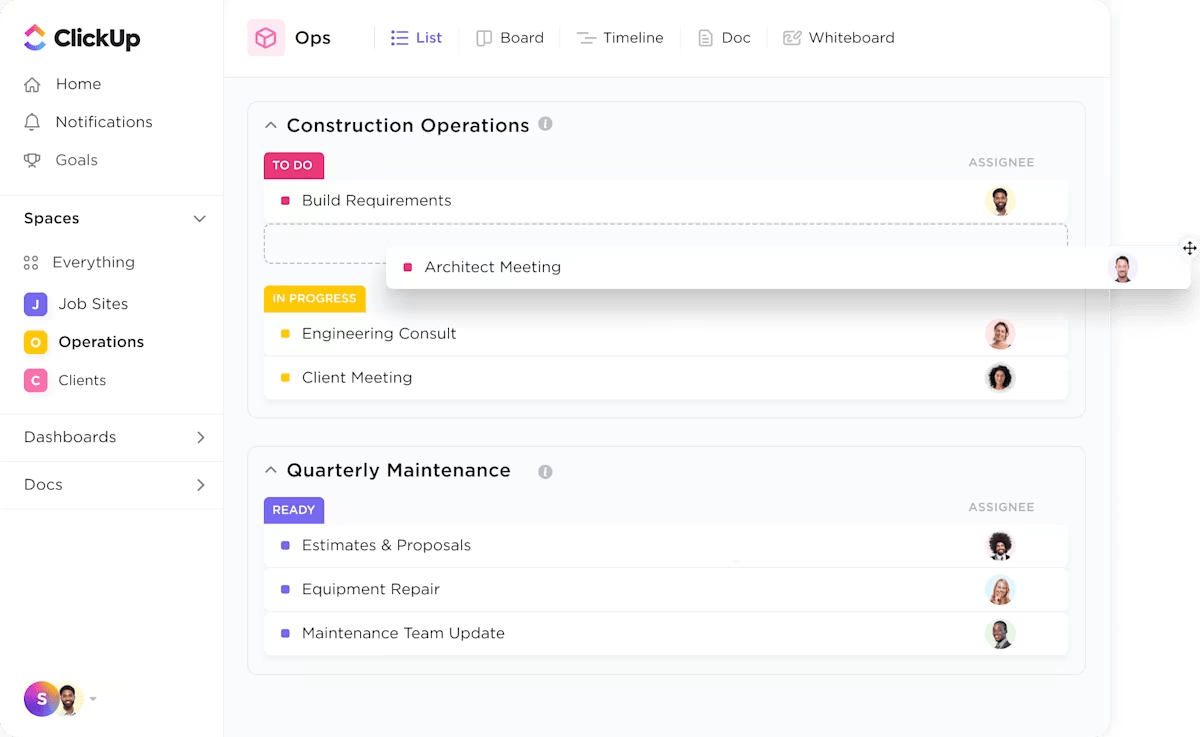
Collaboration across teams and job sites is seamless with built-in ClickUp Chat, assigned comments, and proofing tools that let you mark up RFIs, drawings, and plans directly within tasks. Everyone sees updates in context without having to dig through long email threads.
⌛ Time-Saver: Top of everything, ClickUp seamlessly integrates with the tools you already rely on. It could be your BIM software for design coordination, accounting platforms for invoicing, or scheduling apps for field operations. These integrations keep your workflows connected, so you’re not juggling multiple systems and risk losing critical information.
And because it is built for hybrid and on-site teams, ClickUp’s mobile app even works offline so crew leads can upload photos, leave comments, and log progress from anywhere. The platform then syncs everything automatically when they are back online.
But what does that really mean day to day? Let’s take a closer look at all the features that make ClickUp an essential construction project management software for teams like yours.
First, task tracking, Gantt charts, and workload views offer you complete control over your projects. For instance, ClickUp Tasks lets you break down every part of your construction project into manageable action items. You can assign tasks to specific crew members or vendors, attach blueprints or permits, set precise deadlines, and monitor progress in real time.
💡 Pro Tip: Set up custom task statuses like ‘Waiting on Permit Approval,’ ‘Electrical Inspection Passed,’ or ‘Final Punch List’ to reflect your actual job site milestones. This way, your project manager can instantly see where every critical step stands without digging through notes or chasing subcontractors.
Feeling overwhelmed? Here’s how to prioritize construction tasks like a pro and regain control.
Next, the ClickUp Gantt Chart View allows you to transform your entire project into a visual timeline with just one click. You can color-code key phases, such as excavation, framing, or inspections, for instant clarity. Need to reorganize your view? Use filters such as due date, assignee, or priority to shift your focus quickly and zero in on the work that needs attention.
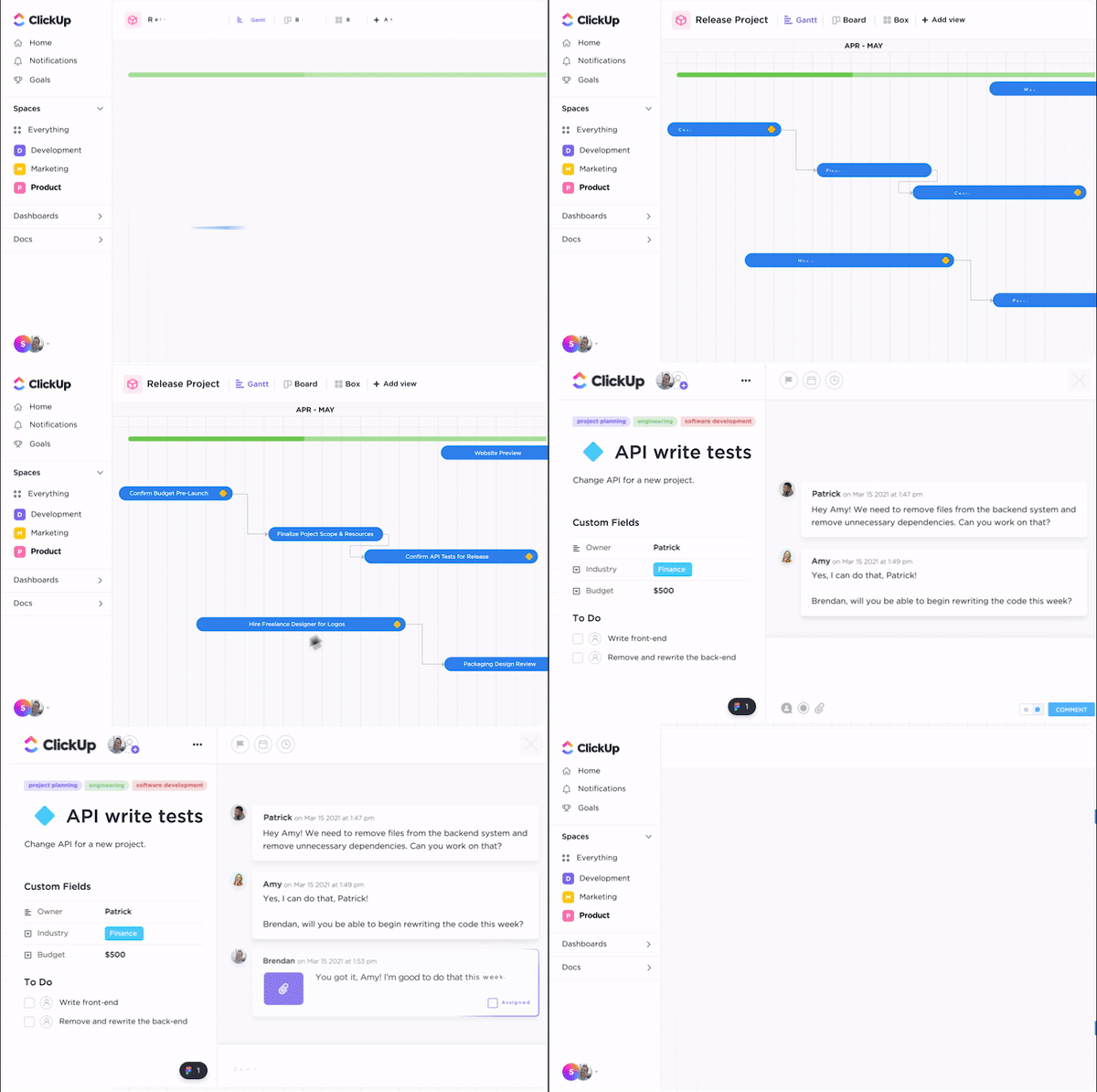
For a deeper look at scheduling pressure points, use this construction Gantt chart and enable Critical Path to instantly see which tasks are putting your deadline at risk. If you’re dealing with a backlog or uneven workload, Slack Time highlights who has capacity so you can rebalance work without slowing progress.
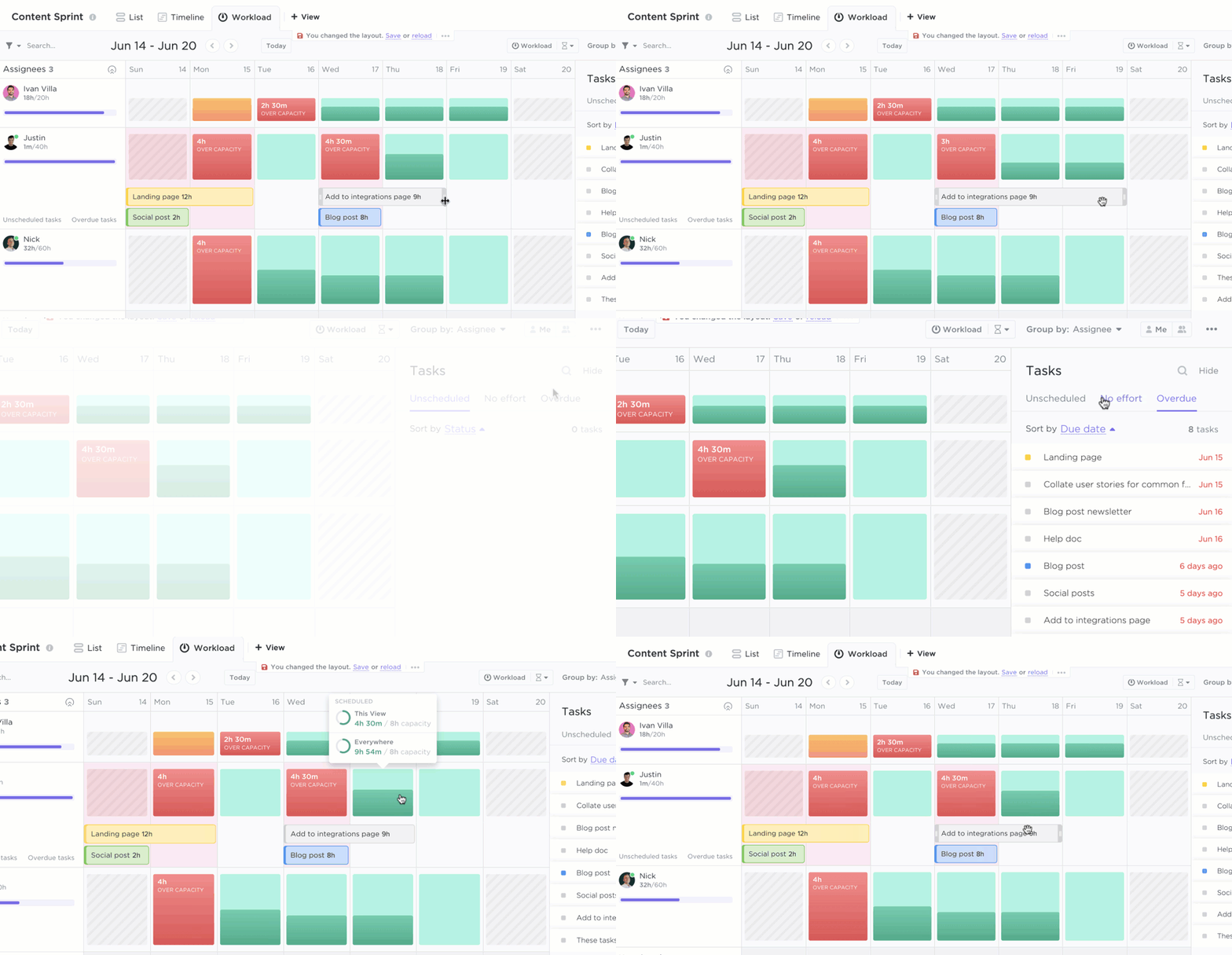
Meanwhile, the ClickUp Workload View gives you a clear overview of how much work each crew member or subcontractor has scheduled across all your projects.
This lets you spot when someone is overloaded or underutilized, so you can rebalance tasks before deadlines slip. For example, if your electrician is booked solid during a critical framing phase, you can adjust assignments early to keep the project on track.
⏩ Quick Hack: Use ClickUp’s built-in time tracking to log your team’s hours directly on tasks. Whether it’s framing, electrical work, or prepping for an inspection, you’ll have real-time visibility into labor costs and can spot overruns before they impact your budget
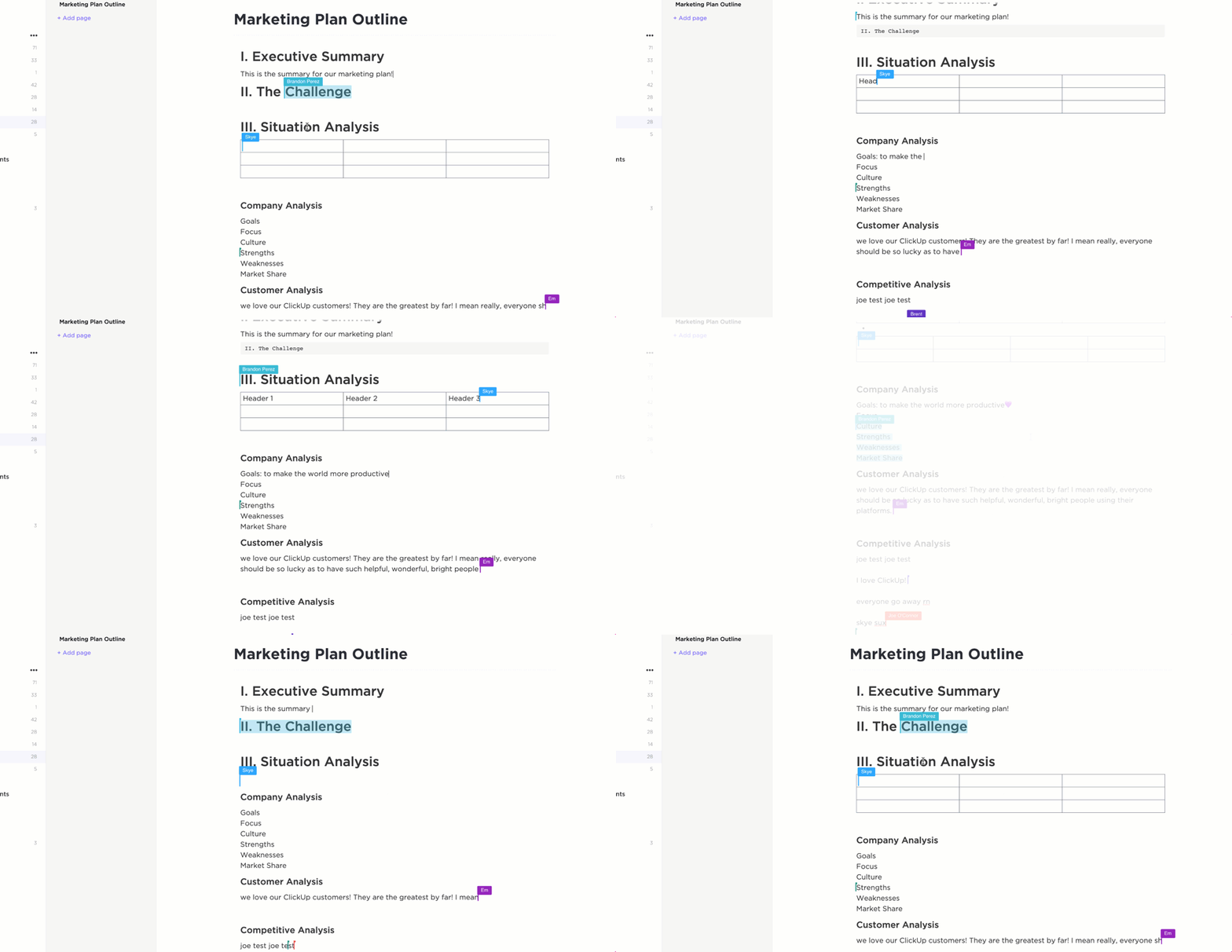
The next challenge is keeping all your important documents organized and accessible. That’s where ClickUp Docs acts as an efficient document management system. You can store every project data from plans and permits to RFIs and contracts in one centralized hub. Your team can easily collaborate by commenting on drawings or updating specs in real time, so everyone is working off the latest version and you avoid costly miscommunication.
Staying ahead on a construction site means making fast decisions without getting bogged down by repetitive tasks.
ClickUp Automations help you streamline everyday work so nothing gets missed and you don’t waste time on mundane tasks either. Irrespective of your construction project delivery methods, you can set custom rules to automatically move tasks when a permit is approved, assign follow-ups after an inspection, or notify the team when materials are delayed.
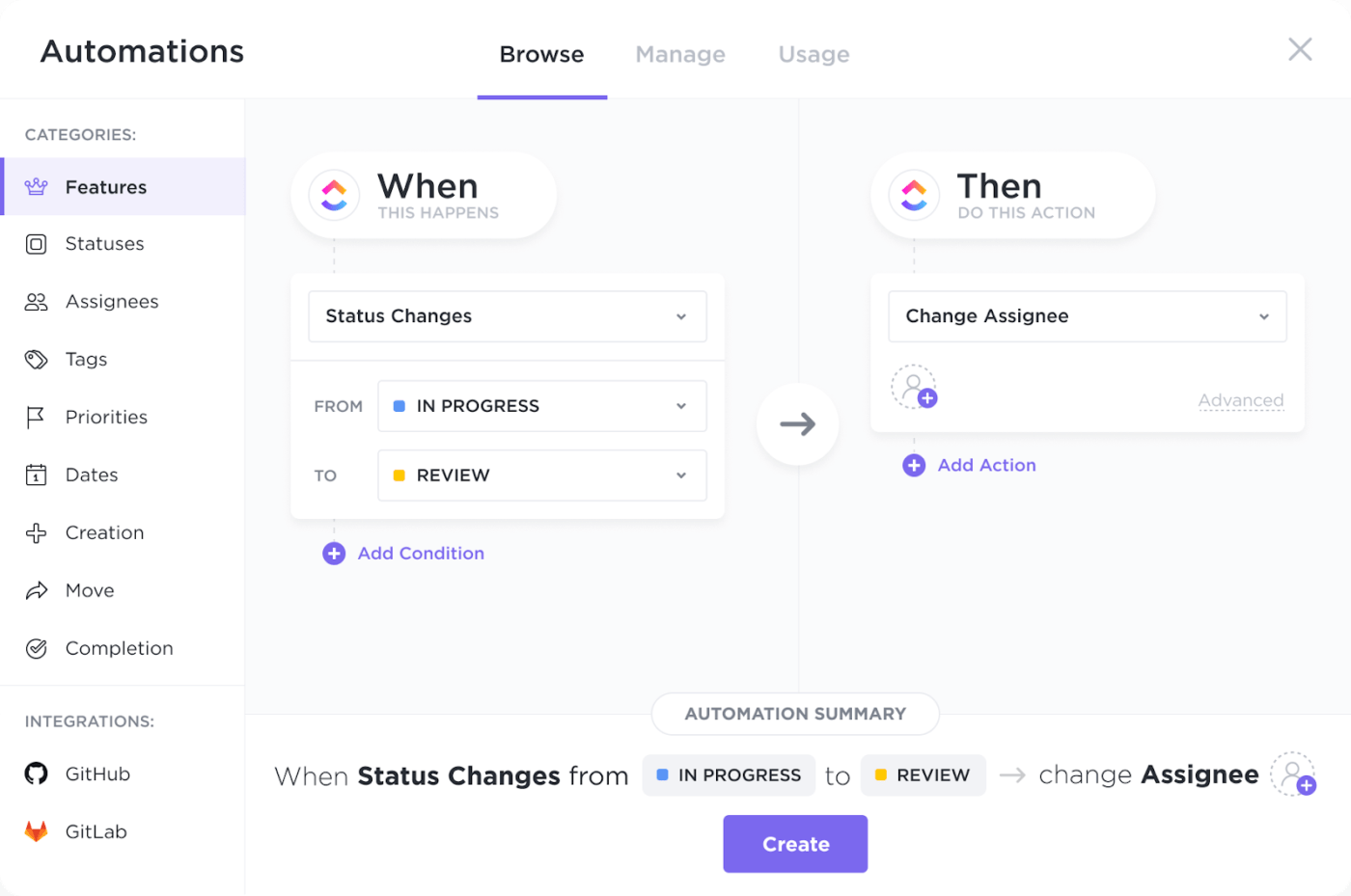
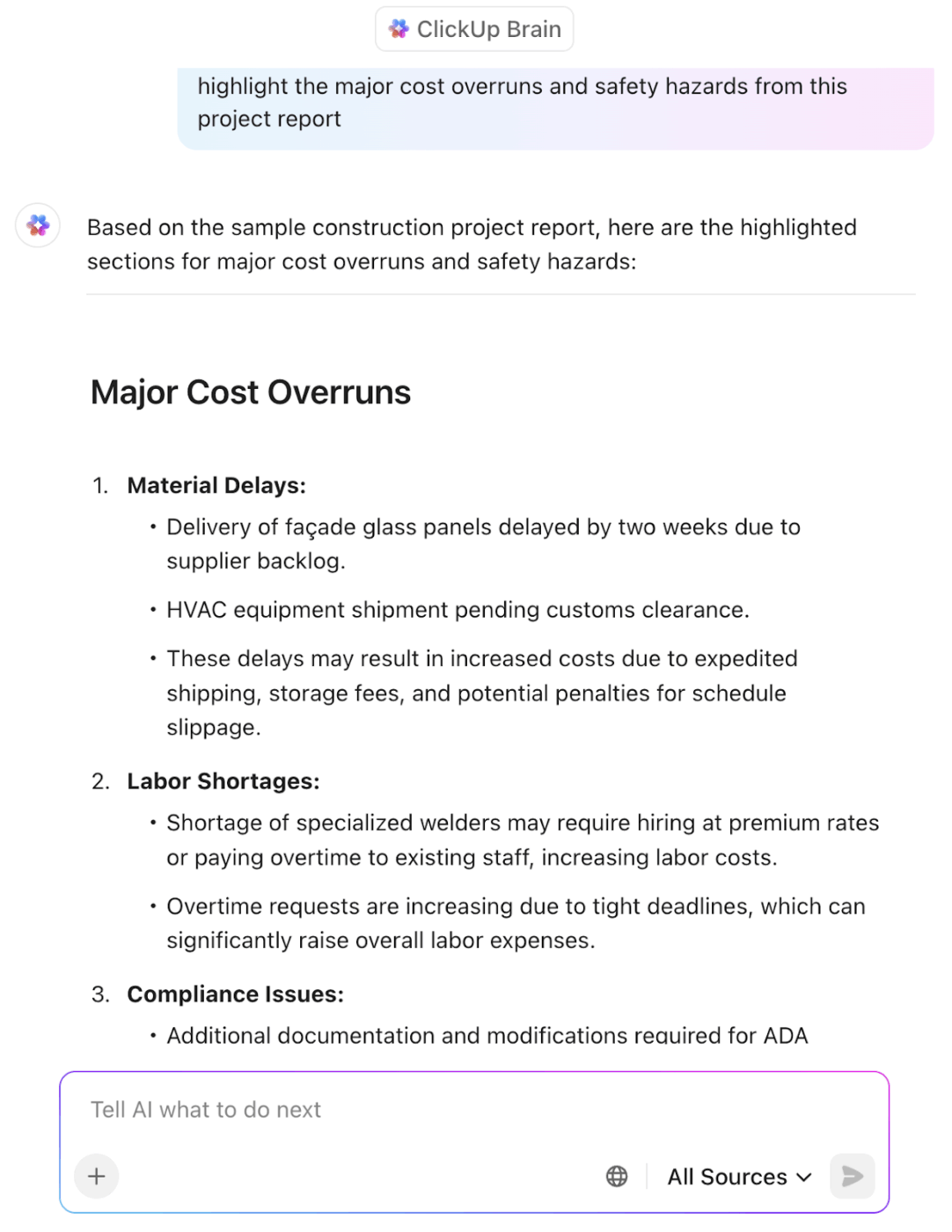
Finally, ClickUp Brain adds another layer of speed. Need to send an RFI, summarize a job site update, or draft a safety notice? This AI in construction can help you generate it in seconds, right inside your workspace. It’s a smart way to drive real construction efficiency and free up time for the real building work.
You can also ask anything related to your construction project and get actionable insights in seconds. For instance, ClickUp Brain makes project reports easy to understand. It pulls out what’s important, like key updates, flags delays or risks, and turns them into clear, actionable takeaways.
To make setup even faster, ClickUp offers a range of ready-to-use construction project management templates.
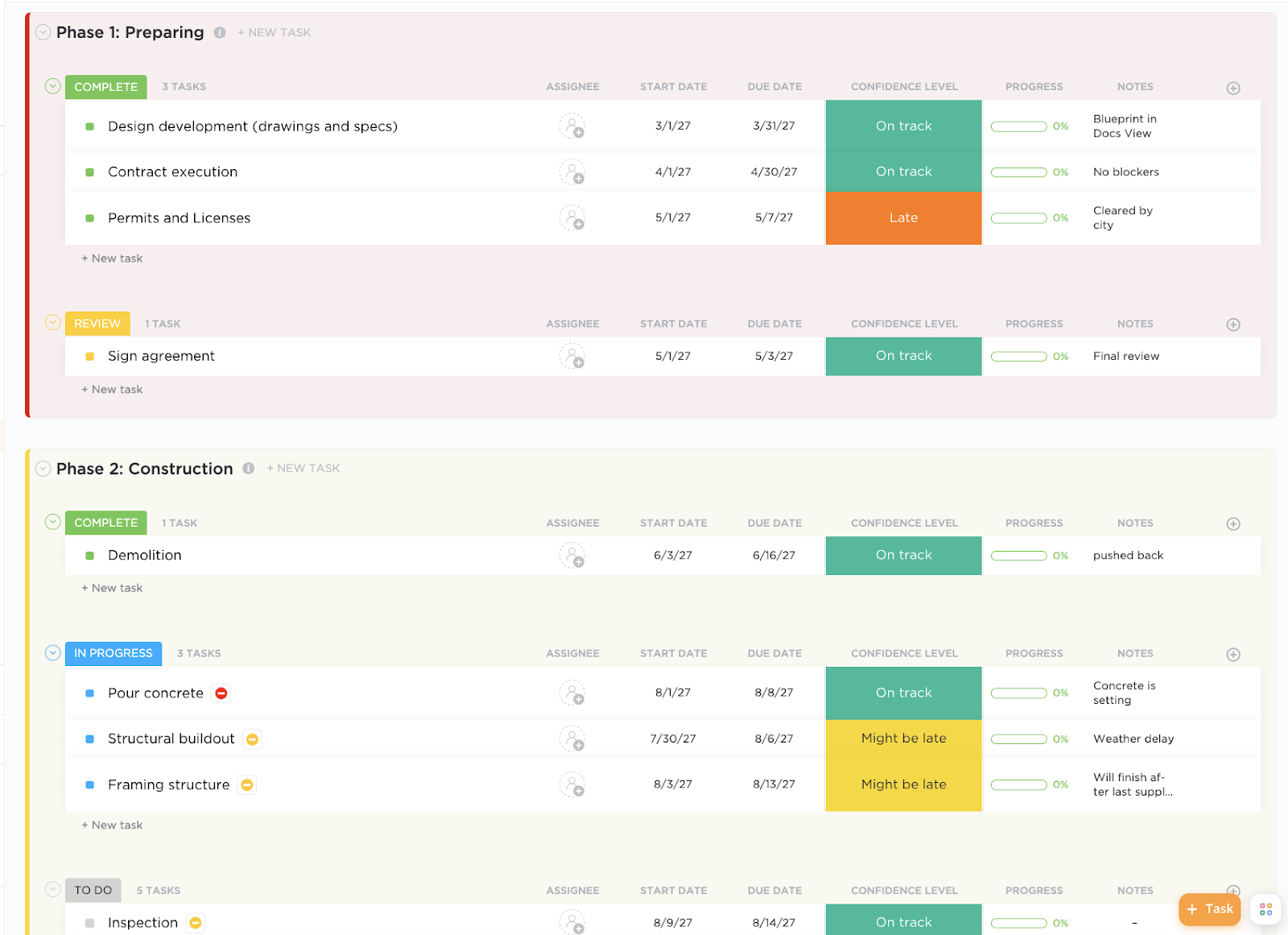
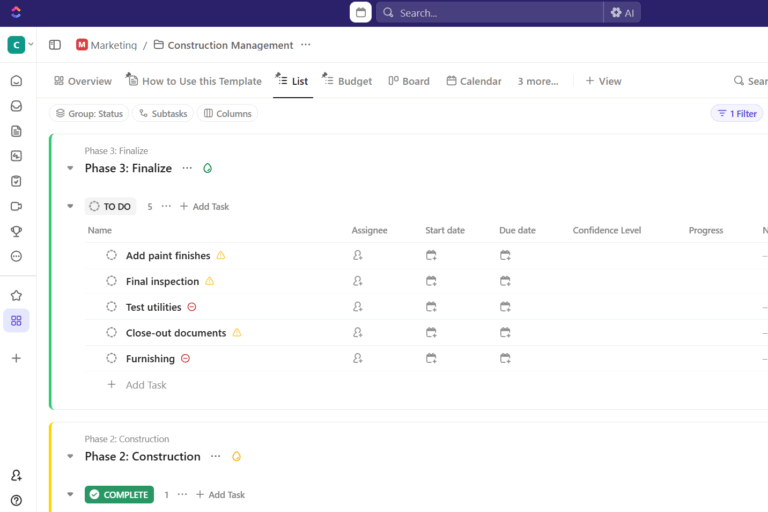
One of the most versatile is the ClickUp Construction Management Template, designed to help you keep your team and contractors aligned for seamless collaboration and efficient progress tracking.
The template also includes pre-built Docs with real-time collaboration and rich formatting, so your team can easily organize and edit everything from design concepts to build specs.
[price-table]
Here’s what a G2 review says:
What I like most is how flexible it is. You can literally set it up however you want, whether you’re someone who likes detailed workflows with automation and custom fields, or just a simple task list, Clickup fits. I also love how I can switch views (List, Board, Calendar, etc.) depending on what mood I’m in or what kind of task I’m working on. And the fact that Docs, Goals, and Dashboards are all in one place is a lifesaver. No more switching between 4-5 different apps.
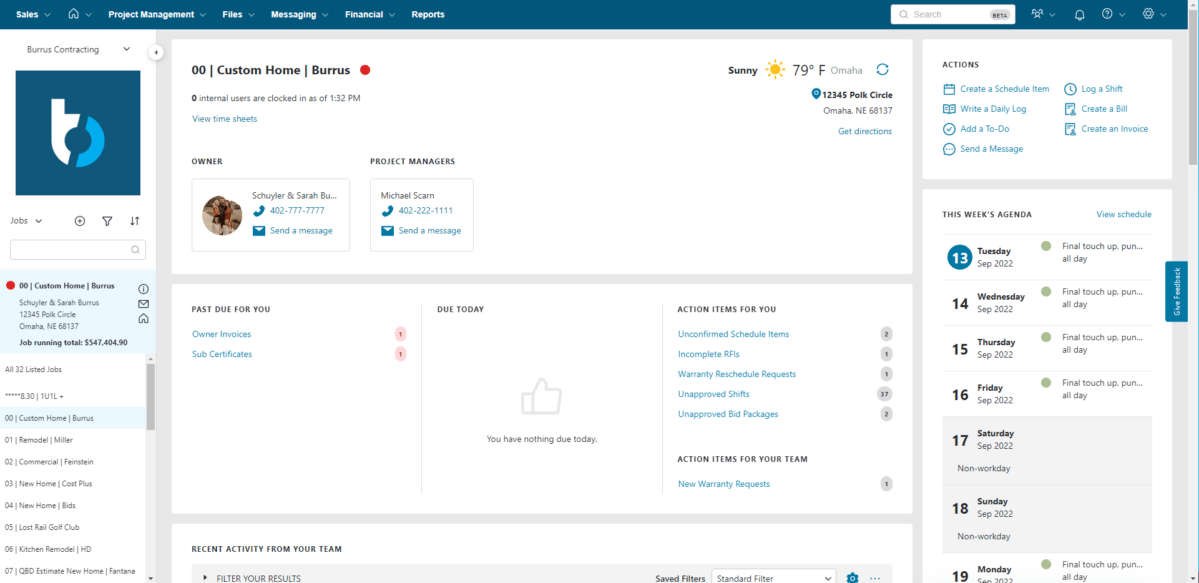
Buildertrend stands as a good choice for residential builders, remodelers, and specialty contractors who need a cloud-based system to manage construction projects from pre-sale to warranty.
You can create accurate estimates that set clear expectations from the start. Communicate effortlessly with clients, keep your schedule on track, and handle change orders smoothly to deliver your project on time and within budget.
Buildertrend integrates with key third-party platforms, including QuickBooks, Xero, and Salesforce, making it easy for you to sync your financials and CRM data. It also offers client and subcontractor portals for streamlined communication and transparency.
A Capterra review says:
I’ve been using Buildertrend for five years now and I love it. I can’t imagine working as a landscape, designer and contractor without it.
I love that you can customize the names of the clients and you can add as many photos as you want. The organization is really great and the payments when synced with QuickBooks is amazing.
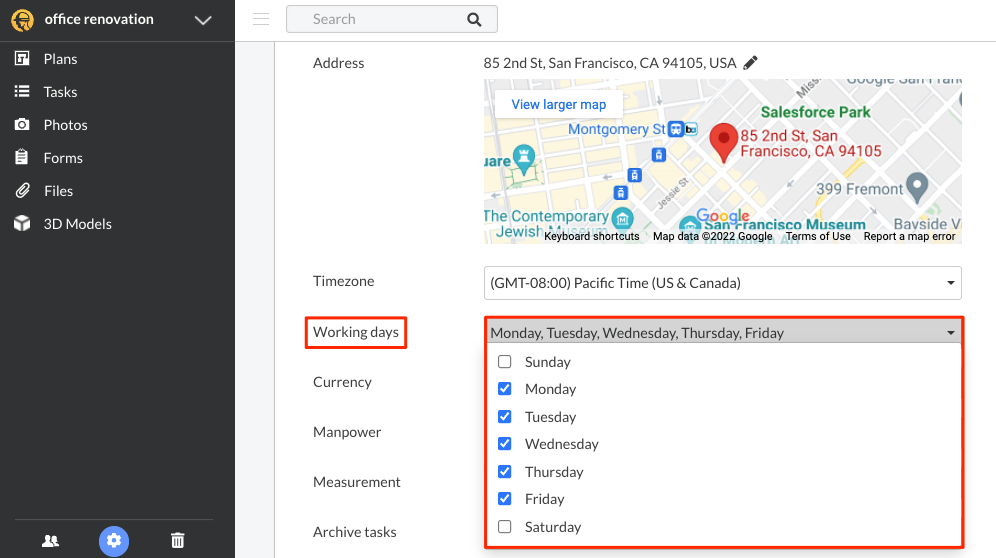
Fieldwire is a construction management tool that helps your team stay connected and maintain control directly on the jobsite. With its mobile-first design and easy-to-use interface, you can manage tasks, view plans offline, and receive real-time updates wherever you are.
Its markup and documentation tools let you annotate drawings, attach photos, add comments, and link documents from any device.
For quality control, Fieldwire lets you document issues with photos and notes, turn them into punch list tasks, and assign them instantly. Its custom forms and automated reporting let you generate RFIs, checklists, and compliance reports to keep everyone informed.
A G2 review says:
The thing I enjoy the most about Fieldwire, is the versatility it has to offer. There is so much to keep up with in the construction industry, and Fieldwire is capable of handling it all. This app/website offers great features like mark ups, RFI submissions, photo documentation, files tabs for certain forms you may need to download or upload, and so much more.
👀 Did you know? Due to low productivity growth, construction costs have increased 1 to 3 percent annually worldwide on top of general inflation. Between 2015 and 2023, construction costs rose 36 percent in Europe and 52 percent in the US for nonresidential projects
Instead of maintaining spreadsheets and paper logs, Contractor Foreman lets you manage your entire construction workflow from one easy-to-use platform.
You can track daily activity, schedule crews, and generate estimates that convert directly into invoices. Your team can clock in with mobile time cards, while built-in safety tools like incident reports and toolbox talks help you stay OSHA compliant and reduce risks.
A Client Portal allows you to share updates and documents with clients in real time, improving transparency without extra phone calls or emails. It’s a great fit if you’re a contractor looking for a practical solution to manage jobs, documents, labor, and client communication without the overhead of complicated software.
A Capterra review says:
Contractor Foreman has been a great tool for keeping my projects organized and on schedule. I really appreciate how easy it is to track daily logs, manage budgets, and communicate with my team all in one place. The interface is clear, the features cover a lot of what I need day-to-day, and it definitely saves me time compared to using multiple apps. Overall, it’s a solid solution for managing construction projects efficiently
📮 ClickUp Insight: Low-performing teams are 4 times more likely to juggle 15+ tools, while high-performing teams maintain efficiency by limiting their toolkit to 9 or fewer platforms. But how about using one platform?
As the everything app for work, ClickUp brings your tasks, projects, docs, wikis, chat, and calls under a single platform, complete with AI-powered workflows. Ready to work smarter? ClickUp works for every team, makes work visible, and allows you to focus on what matters while AI handles the rest.
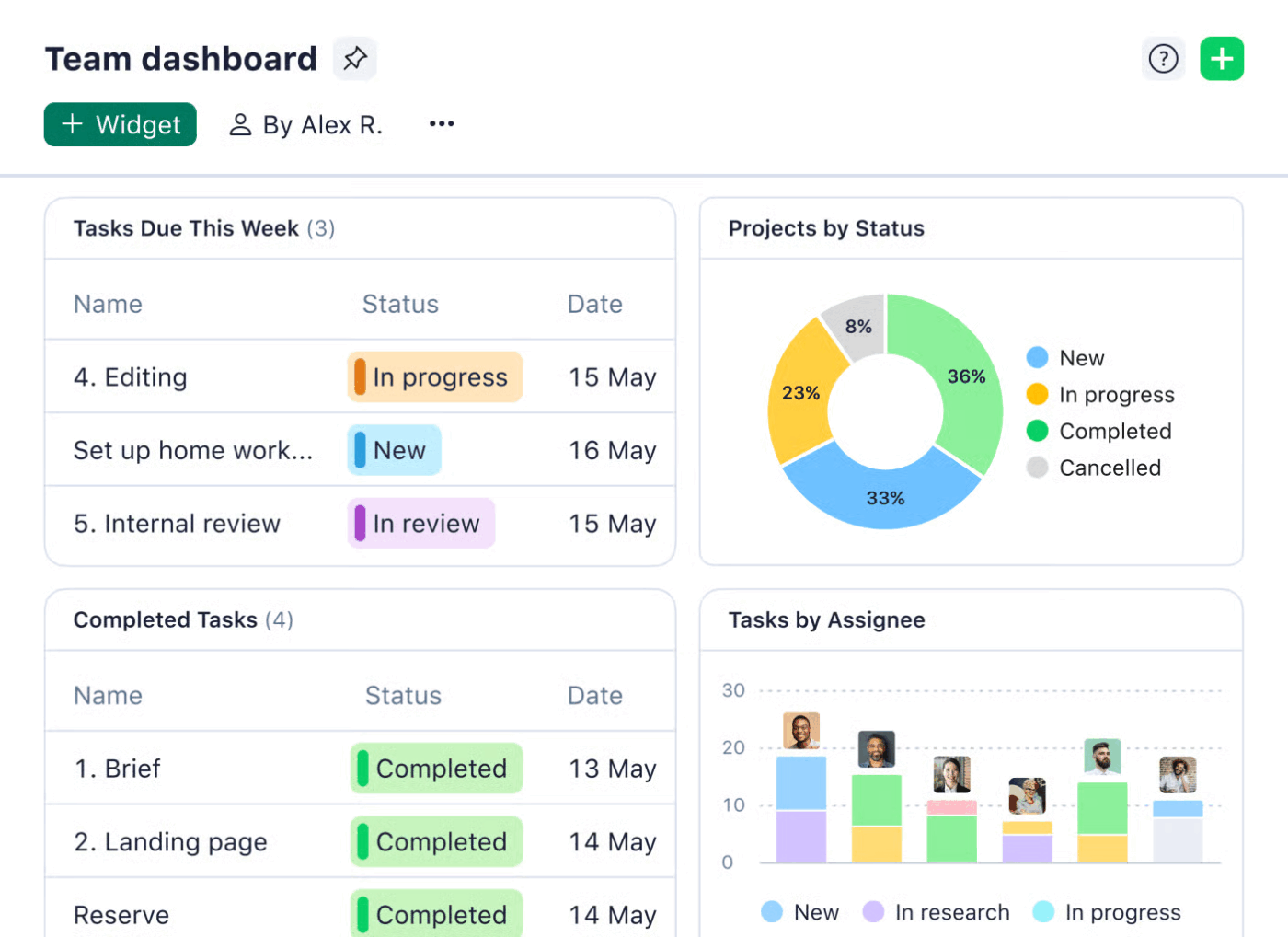
In construction, miscommunication and manual tracking can quickly escalate costs and derail timelines. Wrike is an intelligent project management platform that addresses this by eliminating silos between the field and office, and automating routine processes like RFIs, approvals, and daily reports.
With Wrike Work Intelligence, you get AI-powered tools that help you spot potential risks, summarize tasks, and quickly search through project documents. You can also customize item types to match your specific needs. Whether it’s punch lists, change orders, or safety reports, the platform fits the way you work.
A G2 review says:
It is a great tool that is used to manage individual and team work. It has a very simple and intuitive graphical interface that allows managing daily tasks and projects. Assign to those responsible, it also allows adding a description to the task, assigning a start and end date to it. It allows perfect control of tasks in progress, pending tasks, completed tasks, canceled tasks, etc.
⚡ Template Archive: Struggling with construction budgets? Grab ClickUp’s easy-to-use construction budget templates to streamline your expenses and keep your projects profitable.
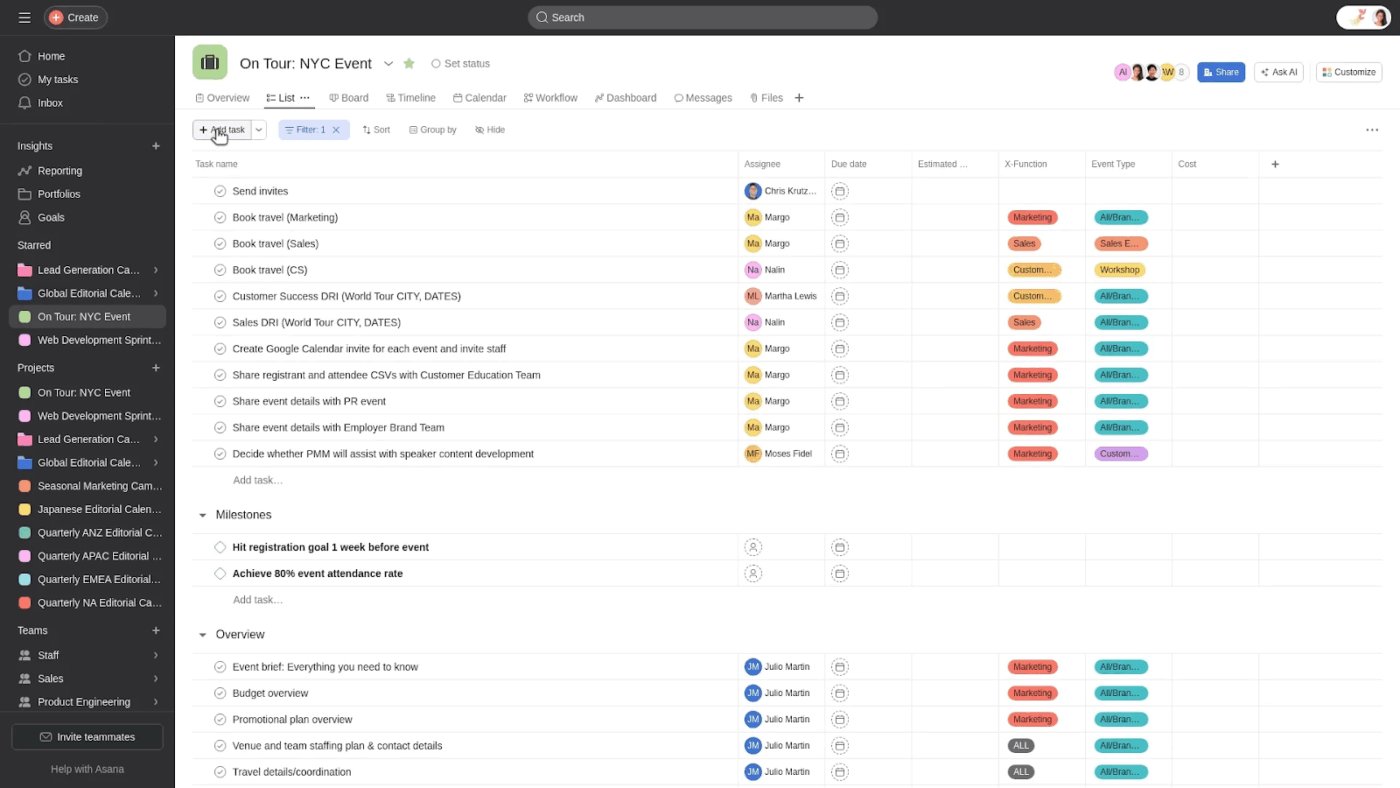
Coordinating construction projects requires more than just tracking task assignments. It demands a system that can handle shifting timelines, complex team structures, and critical documentation with precision.
Asana’s team and guest management capabilities allow you to collaborate seamlessly with internal crews, subcontractors, and clients without compromising sensitive information. You can assign roles, control access, and streamline communication by sharing only relevant tasks or projects with external stakeholders.
The Workload view helps construction project managers prevent burnout by showing each team member’s task load across all active builds, allowing for adjustments in real time. With custom forms, you can collect structured information like RFIs or inspection requests. Furthermore, with templates and bundles, you can standardize project phases such as foundation, framing, MEP, and finishes across every new site.
A Capterra review says:
It is the best project management tool I have used that effectively keeps project objectives in one spot for all to collaborate on according to timeline and proper workflow. Asana is, compared to its competitors, extremely easy to use and lets us quickly create separated working spaces to organize tasks and generate productivity pointers.
👀 Did you know? The demand for skilled workers in construction remains high, with an average of 382,000 job openings each month from August 2023 to July 2024. This marks the third year in a row with nearly 400,000 monthly vacancies in the U.S, highlighting the ongoing challenge of filling talent gaps.
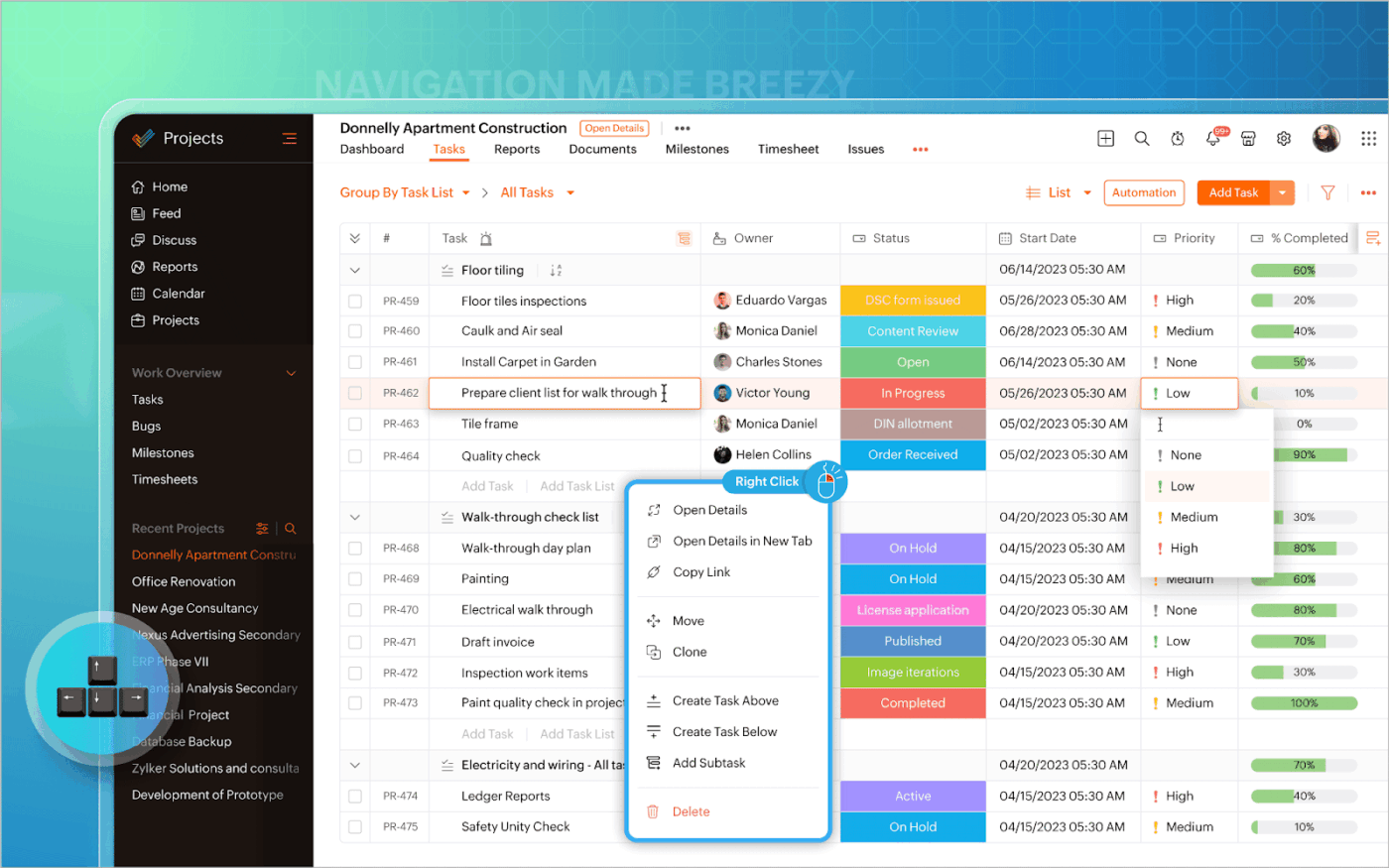
Zoho Projects is a cloud based project management tool that helps you bring order to the chaos of day-to-day construction work.
Here’s how: collaboration stays clear and immediate with Feeds, which show a real-time timeline of task updates and comments. Notifications instantly alert team members when they’re assigned work or mentioned. For quick clarifications, the Chat (Discuss) feature keeps conversations focused and tied directly to your project.
Your crew can log daily hours on tasks using Timesheets, while Workload Reports highlight who is over- or underutilized to help balance assignments. Timers track the actual time spent on specific jobs such as concrete pouring or electrical installations, providing accurate project data for productivity analysis and cost control.
A Reddit review says:
I’ve been using Zoho Projects for about a year now, and overall, it’s a nice tool for task and project management. The integration with other Zoho apps is seamless, which is a big plus if you’re already in the Zoho ecosystem
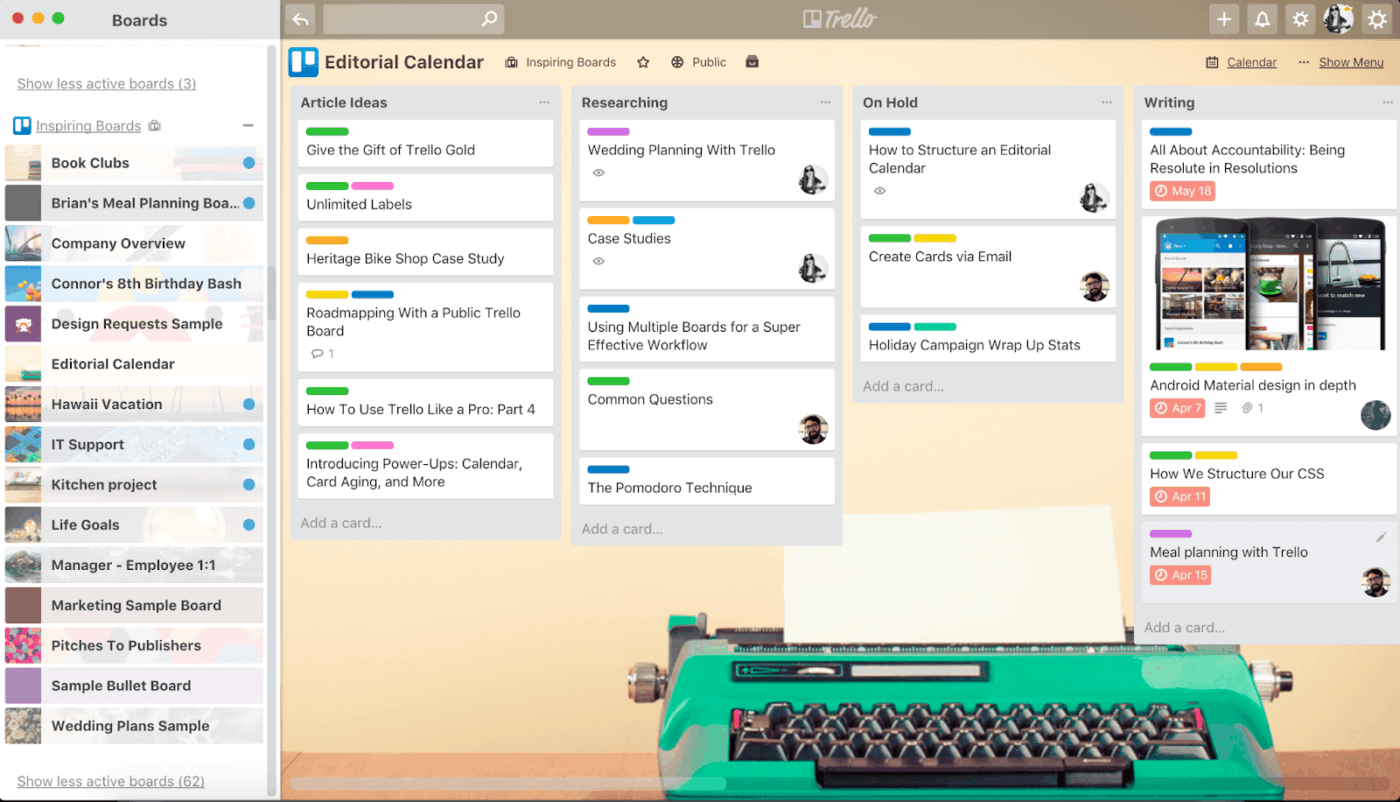
Trello is a visually-driven project management tool that lets you organize construction tasks using a simple card-and-board system based on the Kanban method. You can create boards for each project site, with lists like pre-construction, permits and inspections, active jobs, subcontractor scheduling, and punch list.
Each card can represent a task like ‘Pour foundation’, ‘Electrical rough-in’, or ‘Final HVAC inspection’ with due dates, attachments (like plans or permits), assigned crew members, and checklist items to track step-by-step progress.
To stay efficient, you can automate repetitive admin tasks with Butler automation. For example, moving cards to the ‘Ready for Inspection’ list when construction project handover checklists are completed, or auto-assigning tasks to trades when a prior phase is marked done.
A Reddit review says:
I find Trello useful for having a way to view the big picture across projects, tasks, etc that I am working on. I think the strength of Trello is that it is very simple (boards, lists, cards) and easy to use so it can be applied to just about anything where you need to organize information.
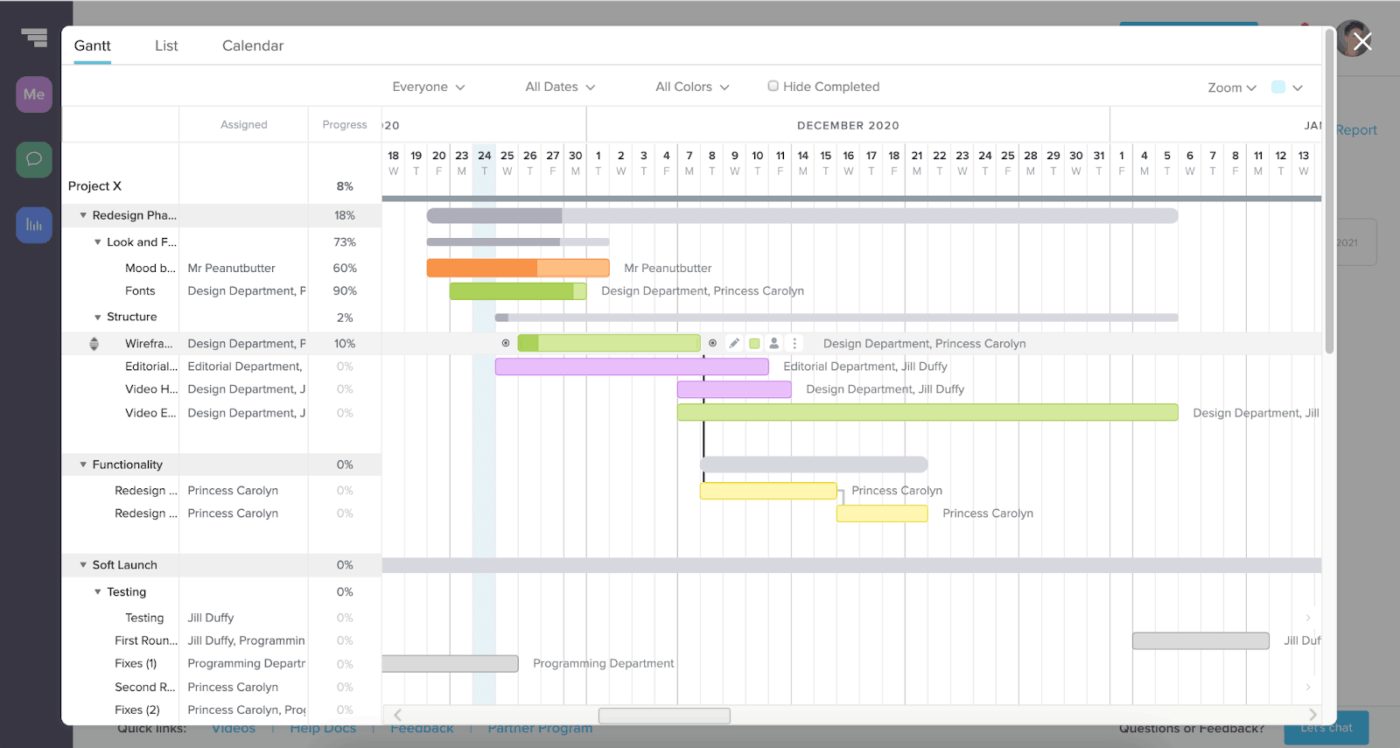
If you’re looking for a simple way to manage construction timelines without getting buried in spreadsheets, TeamGantt gives you the control and clarity you need.
You can plan out every phase of your build using drag-and-drop Gantt charts, while switching between calendar, list, and Kanban views depending on what works best for you and your crew. As the project moves forward, you can track actual progress against your original plan, flag delays early, and use tools like baselines and critical paths to stay on schedule.
TeamGantt also helps you stay on top of hours and budgets with built-in time tracking and cost-loaded scheduling. All essential documents, from permits and specs to change orders and close-out files, are stored within your project plan so everything stays organized and accessible.
A G2 review says:
TeamGantt has the ability for multiple collaborators to interact in real–time and visualize progress together. The speed with which I can organize tasks, set priorities and modify deadlines is a before and after when it comes to planning activities that are understandable by the whole team
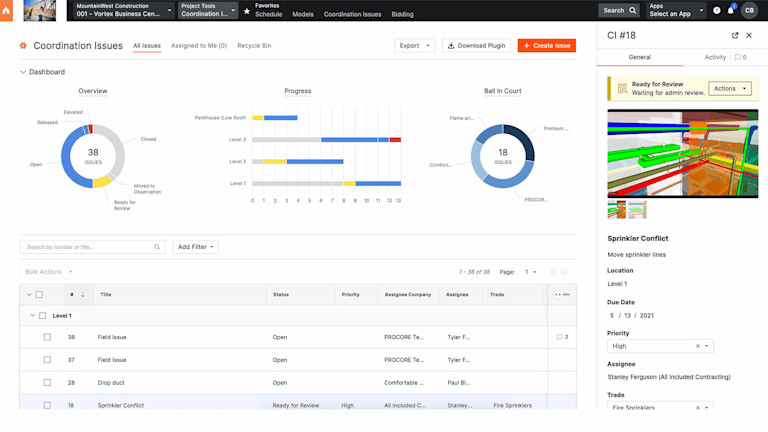
Unlike many platforms that focus only on document storage or basic coordination, Procore offers a fully integrated, AI-powered construction management solution built for complex commercial projects.
You can manage RFIs, submittals, change events, budgets, and schedules in one place. Its AI engine highlights potential risks, surfaces missing or delayed submittals, and helps compare specs or documents to catch inconsistencies earlier in the process. You can even ask plain-language questions like ‘Where are we over budget?’ and get answers instantly.
Plus, with real-time labor costing, in-browser 3D model viewing, and customizable reporting dashboards, you can stay in control of every moving part.
A G2 review says:
Procore is the most user-friendly construction management software that I have ever used. It is easy to input information and easy to distribute that information. By setting up key players for projects, information is distributed to all automatically, eliminating omission errors that frequently happen when using other apps
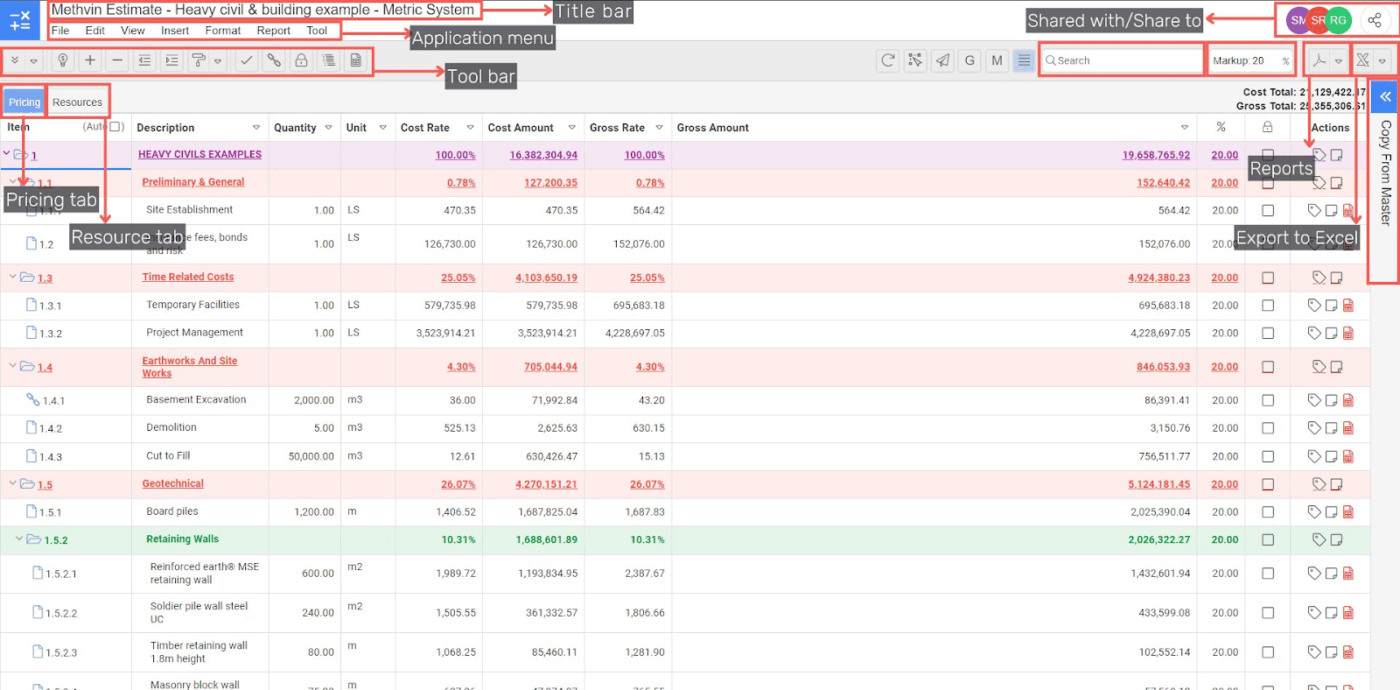
Tailored for commercial construction and remodeling businesses, Methvin makes cost control, budgeting, and real-time reporting straightforward.
A standout feature of its estimation and project cost management system is the ability for you to create and track budget forecasts and instantly compare estimated vs. actual costs. You can also manage subcontractor bids all in one centralized platform, because controlling expenses without constant manual updates saves time and reduces errors.
This commercial construction estimating software also supports automated change order management, integrated document control, and customizable reporting dashboards. This makes it especially great for mid-to-large-sized general contractors focused on complex projects with multiple stakeholders.
A Capterra review says:
What I like most about Methvin Takeoff is that it’s very convenient and efficient in terms of time and product output. It helps you be more organize and manage your projects well
Struggling to market your construction business? This ClickUp guide shows you how to create a focused, effective construction marketing plan from strategy to execution.
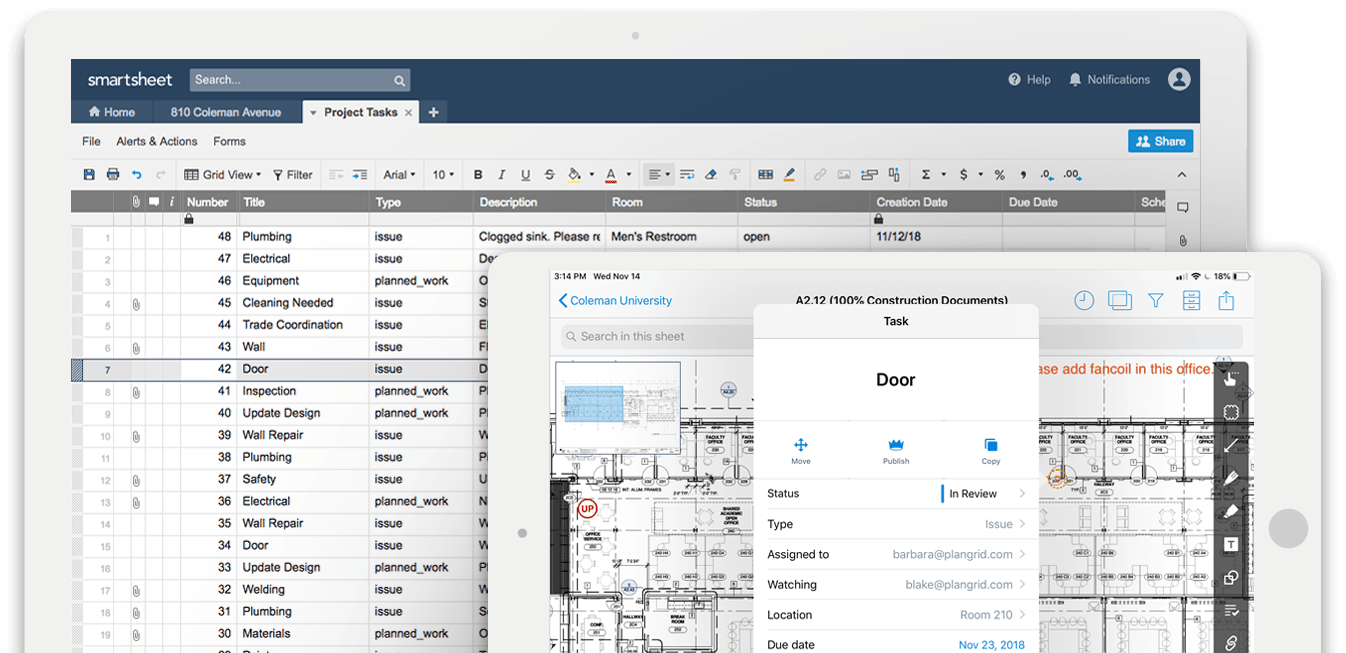
Note: PlanGrid now operates under Autodesk Build as part of the Autodesk Construction Cloud. While many teams still use the legacy term “PlanGrid,” new users are directed to Autodesk Build for ongoing updates and support.
An intuitive construction productivity tool, PlanGrid makes managing blueprints and collaborating in the field simple and efficient for you. Designed to give you quick access to up-to-date plans, it offers real-time drawing updates, version control, and easy markups (all accessible from any device).
Its powerful field reports and punch list features help you track and resolve issues faster. While it doesn’t handle full project accounting or scheduling, PlanGrid keeps your team aligned on plans and site data.
Plus, it integrates smoothly with Autodesk’s BIM 360 and other popular tools, so your workflows stay connected.
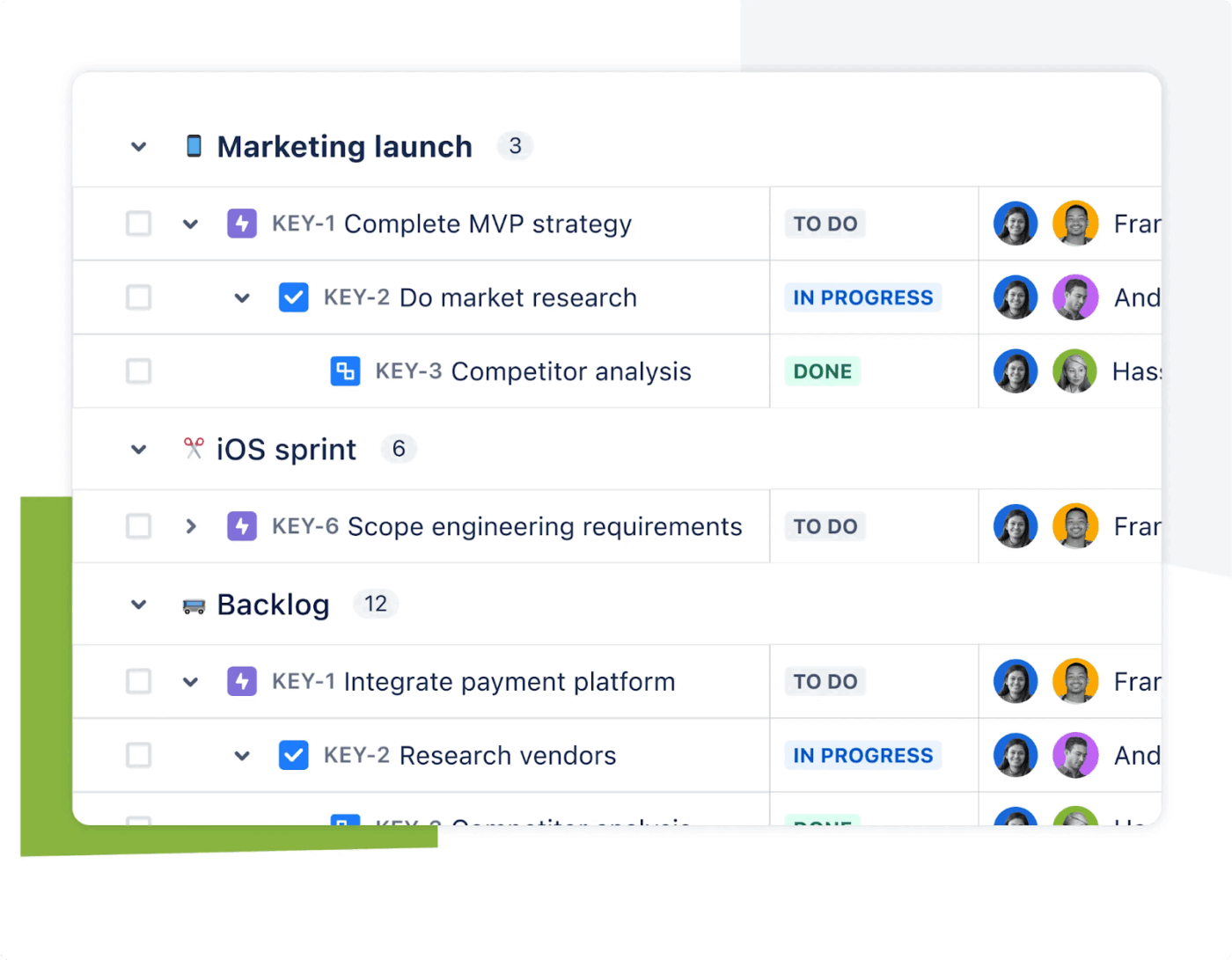
Jira, developed by Atlassian, is a project management tool that started with issue tracking and has grown into a flexible platform used across industries, including construction.
In a construction setting, Jira’s Scrum boards can help you divide large tasks like excavation, framing, or finishing into time-boxed phases, helping your team stay focused. For ongoing processes like permit approvals, inspections, or material deliveries, Kanban boards allow you to move tasks through custom stages such as planning, in progress, and done.
As work progresses, the Timeline view helps you schedule key activities, identify task dependencies, and adjust plans when needed. To keep everything on track, built-in Reports like Sprint Reports, Burndown Charts, and Release Burndown give you real-time visibility into what’s done, what’s delayed, and what needs attention next.
A TrustRadius review says:
It is a lifesaver for me to use JIRA since it allows me to plan any project and track it with the collaborative function that it provides. Additionally, it is incredibly beneficial in terms of Epics, Service requests, and incidents. Therefore, I would say that my experience using JIRA has been exceptional overall
Construction project management isn’t easy. Deadlines slip. Budgets stretch. Teams lose sight of what’s next. But here’s the truth. None of that has to be your reality.
ClickUp changes how you work by being your project’s go-to spot. Task tracking and customizable statuses that keep every detail on point. Gantt charts that spotlight risks before they become disasters. Real-time collaboration that keeps the office and field moving as one. And a mobile app that lets your crew update progress without skipping a beat.
If you want to stop reacting and start controlling your projects, ClickUp gives you the power to do so. Ready to take control and build smarter? Try ClickUp for free today and see how effortless construction project management can be.

Manasi Nair
Max 21min read

Arya Dinesh
Max 22min read
Manasi Nair
Max 27min read

© 2026 ClickUp