






Still downloading templates?
There’s an easier way. Try a free AI Agent in ClickUp that actually does the work for you—set up in minutes, save hours every week.
Sorry, there were no results found for “”
Sorry, there were no results found for “”
Sorry, there were no results found for “”
Missed deadlines, payment disputes, and scattered project updates can derail even the best construction teams. Minor issues can become costly delays when schedules, permits, and client communications are scattered.
Construction CRM software integrates everything—centralizing project data, tracking progress, organizing your pipeline, and keeping clients in the loop in real time.
We’ve curated the leading tools that let construction teams save time, win faster, and finish every project without overruns. ✅
When choosing a CRM for your construction business, consider the following key features that enable data-driven decisions:
Here’s a quick rundown of the top construction CRMs to track and manage new leads effectively:
| Tool | Best for | Key features | Pricing |
| ClickUp | Individuals, small businesses, mid-market, and enterprises needing a unified CRM, project, and client management | All-in-one CRM & project management, docs, tasks, analytics, timelines, automations, AI, dashboards, time tracking, chat, guest access | Free plan available; Customizations available for enterprises |
| Buildertrend | Small to large general contractors and project managers coordinating subs and schedules | Client portal, scheduling, daily logs, Gantt charts, crew management, online payments, budgeting | Custom pricing |
| Procore CRM | Large construction firms and enterprises managing complex, multi-project portfolios | Portfolio management, cost tracking, contract control, custom pipelines, centralized communication | Custom pricing |
| JobNimbus | Small to mid-sized exterior construction teams (roofing, siding) needing field access | Drag-and-drop boards, mobile app, visual estimators, automated workflows, and billing boards | Custom pricing |
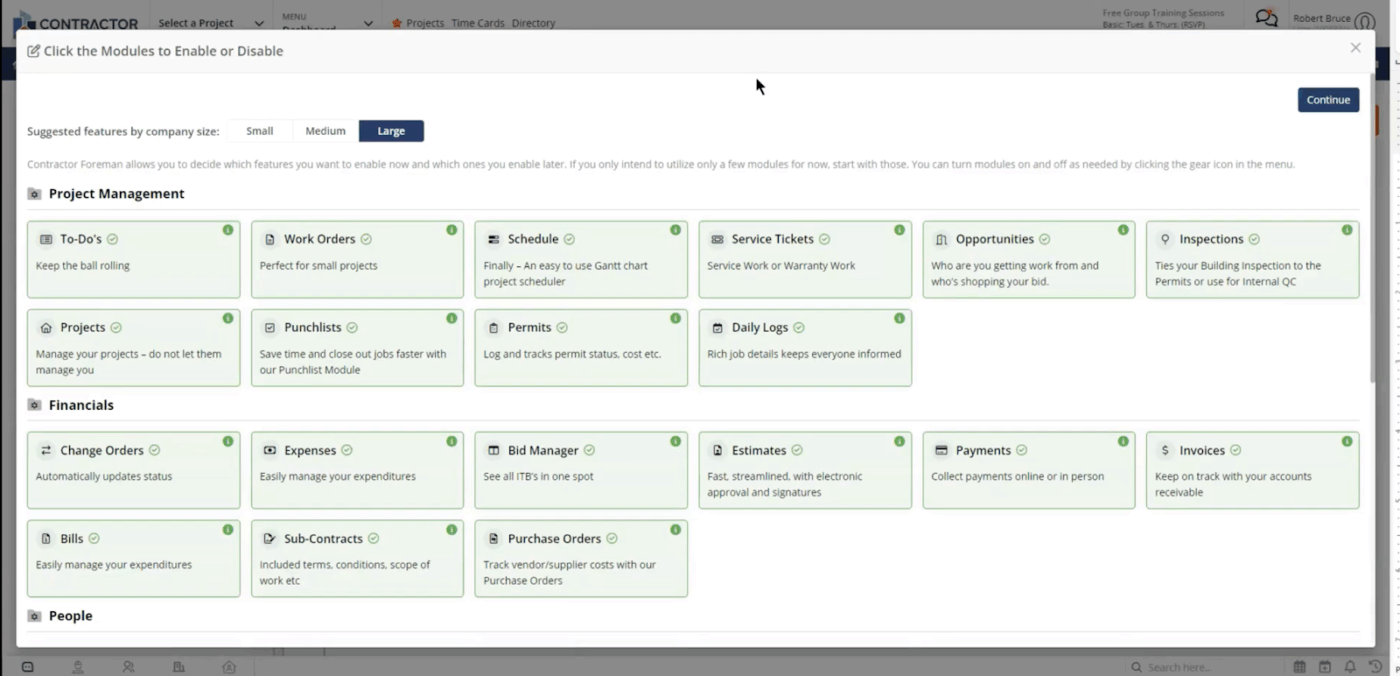
| Contractor Foreman | Small businesses and contractors seeking feature-rich, budget-friendly solutions | 60+ modules (safety, RFIs, timesheets), lead tracking, built-in financial tools, mobile app | Paid plans start from: $49/month per user |
| Followup CRM | Sales-focused contractors and specialty trades (all sizes) needing pipeline automation | Visual dashboards, bid tracking, automated follow-ups, lead scoring, activity reports | Paid plans start from: $4,500/year |
| CoConstruct | Custom home builders, remodelers, and residential project teams (small to mid-sized) | Estimating, client selections, proposal templates, labor tracking, and admin dashboard | Custom pricing |
| Pipedrive | Small teams and individuals focused on simple sales tracking | Kanban pipelines, guided data entry, chatbot lead capture, custom pipelines | Paid plans start from: $19/month per user |
| HubSpot CRM | Startups, solo contractors, and small businesses needing integrated marketing/service | Email templates, forms, omnichannel campaigns, live chat, lead capture, analytics | Free; Paid plans start from: $20/month per user |
| Salesforce | Enterprises and large construction companies needing deep customization and integrations | Custom workflows, advanced automations, integrations, tailored dashboards, and AI insights | Custom pricing |
| PlanSwift | Estimators and project managers (all sizes) focused on blueprint measurements | Visual takeoffs, custom assemblies, export to CRM/Excel, scale measurements | Paid plans start from: $2,000/year per user |
| Jobber | Small to mid-sized field service teams (electricians, plumbers, mobile crews) | Route optimization, instant invoicing, AI chatbot, payroll tracking, and visual calendar | Paid plans start from: $30/month per user |
| AccuLynx | Roofing contractors (small to large) are scaling operations and automating workflows | End-to-end workflow, aerial measurement, eSign contracts, lead tracking, production modules | Custom pricing |
👀 Did you know? Your sales productivity can improve by three to five percent just by automating CRM and sales processes with AI.
Our editorial team follows a transparent, research-backed, and vendor-neutral process, so you can trust that our recommendations are based on real product value.
Here’s a detailed rundown of how we review software at ClickUp.
Now let’s find out which solution might suit you better and why. Here are the top CRM tools ideal for your construction management needs:
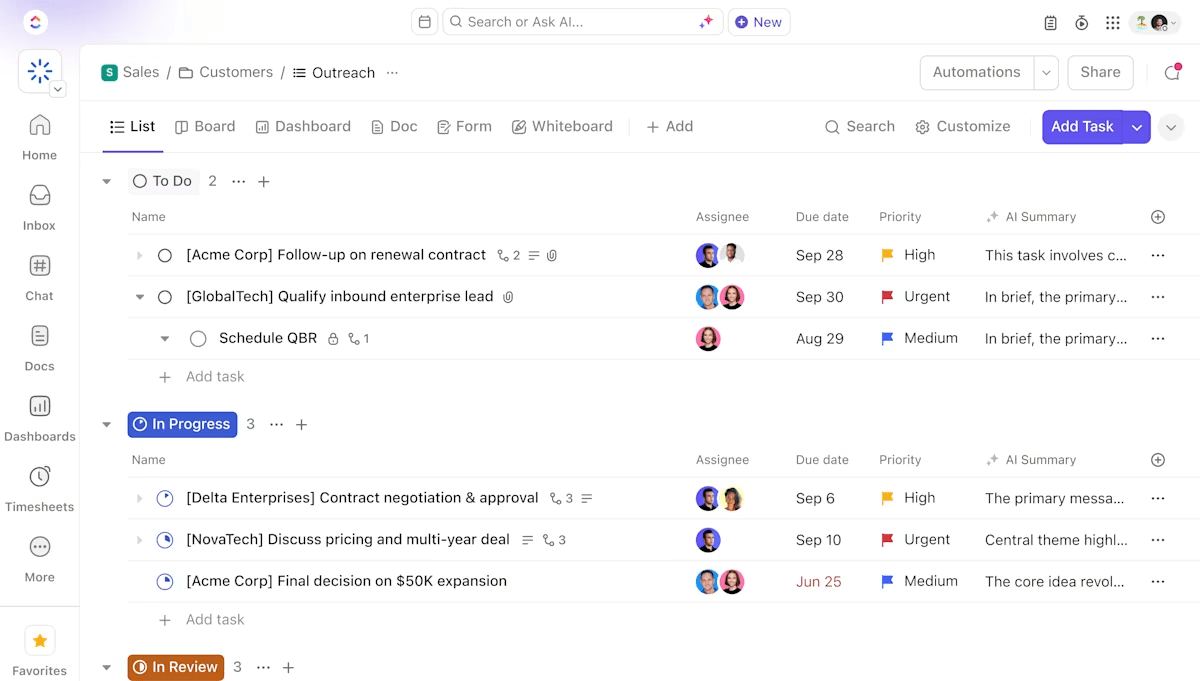
ClickUp is the everything app for work—combining project management, knowledge management, and chat—powered by AI to help you work faster and smarter.
From tracking leads and managing client data to monitoring job progress and coordinating field teams, ClickUp for CRM unifies customer relationship management with the rest of your workflows, eliminating the need for multiple disconnected tools.
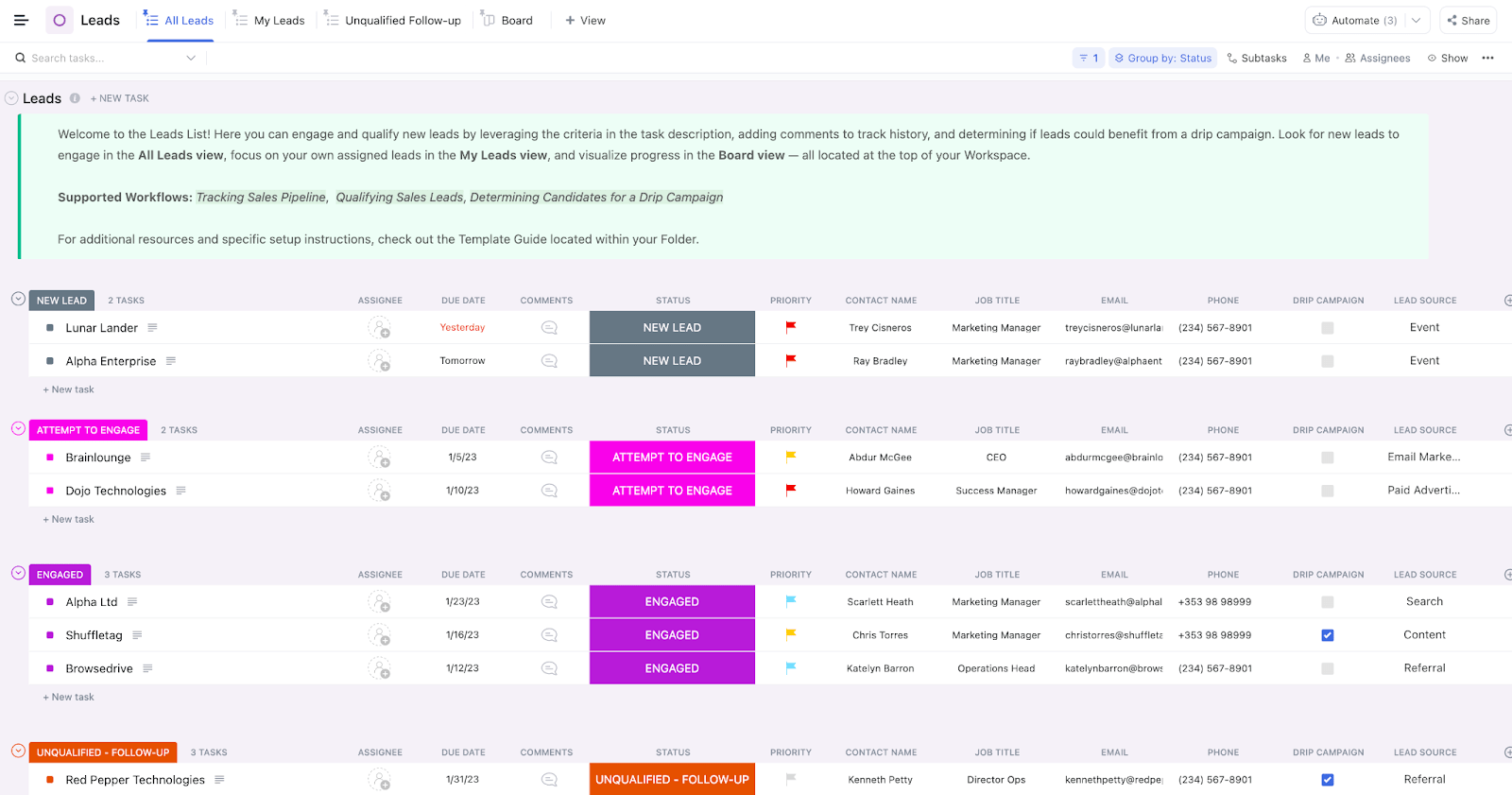
With the ClickUp CRM Template, you can manage contacts, sales stages, and projects without starting from scratch.
This template lets you:
ClickUp’s CRM templates are meant to be used alongside ClickUp CRM so you can improve your client retention, accelerate deals, and grow revenue in the simplest, most efficient way possible.
💡 Pro Tip: Choose views that make sense for your workflow—List, Kanban, Calendar, or Custom Views like “At Risk Clients” or “Active Projects.” You can define Custom Statuses (e.g., “Proposal Sent” or “In Progress”) and use Custom Fields to capture key details like job site address, budget, or project type.
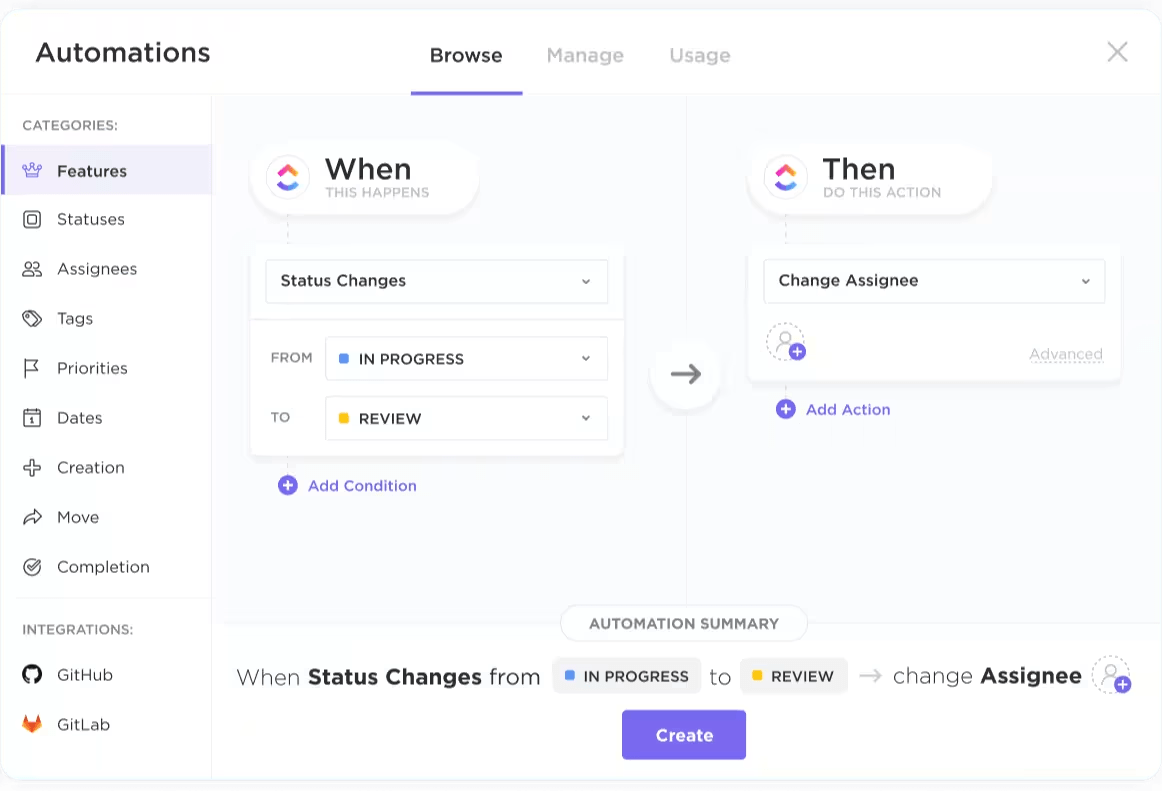
ClickUp Automations eliminates repetitive admin work by automatically assigning team members, updating statuses, or sending reminders as projects progress. With ClickUp Tasks, you can easily delegate responsibilities, set deadlines, and monitor progress for every phase of your construction project—all in one place. Drag-and-drop functionality makes it simple to organize and reassign tasks as project needs change, ensuring your team always knows what to work on next.
With ClickUp Task Dependencies, you can set the exact order of operations, ensuring that site prep, inspections, and handoffs happen in the right sequence.
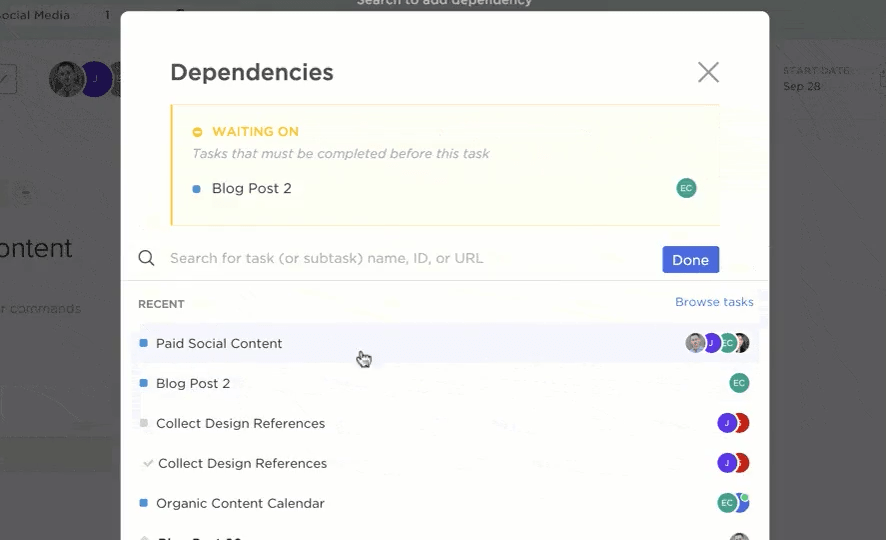
If there are any changes or delays, ClickUp will notify you immediately so your team can adapt quickly and keep the build on track.
ClickUp Agents, such as CRM Data Integration Agents, help sync your CRM with tools like email or web forms, automatically updating records as new information arrives. If you need real-time updates, ClickUp Brain analyzes your workspace to answer questions, suggest next steps, and summarize client progress—all on demand and one platform.
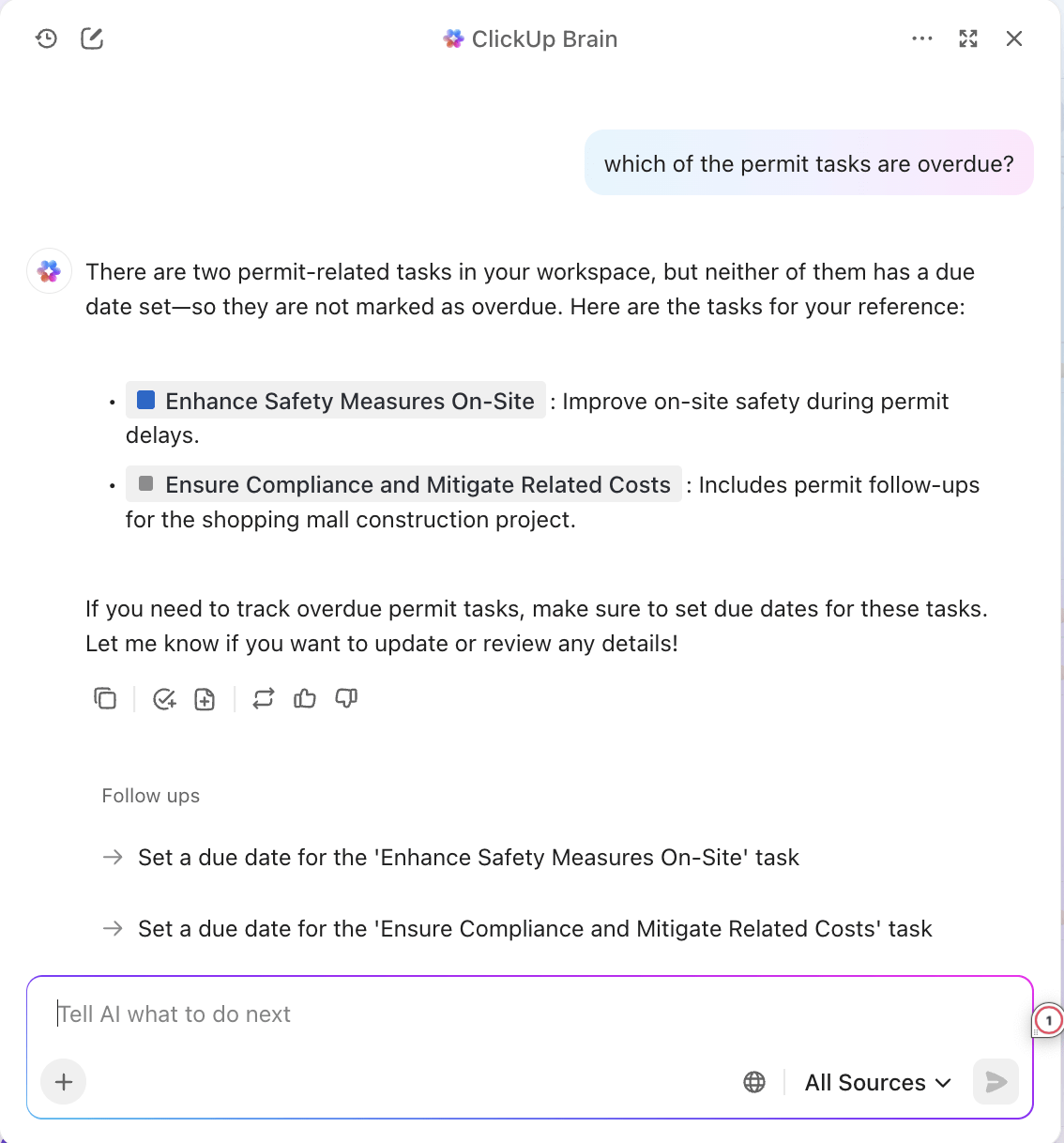
For example, you can ask for the status of a job site, the latest client communication, or outstanding tasks and get instant answers.
Additionally, you can use ClickUp Brain Max to dictate site updates, client notes, or punch list items hands-free. Your voice input is instantly transcribed, linked to the right task or client record, and made available to your team—ideal for busy contractors in the field.
Combine this with features included in ClickUp for Construction Teams, and you have a comprehensive AI-powered CRM that improves operational construction efficiency while servicing your customers.
See how ClickUp can be transformed into a full-functioning CRM tailored for construction—keeping leads, contracts, clients, and project status all in one place so you never miss a follow-up.
Whether managing early lead interactions or final handoffs, ClickUp supports your workflow with features like Gantt charts, Mind Maps, and detailed project summaries. You can assign Tasks, set deadlines, monitor resource use, and visualize every moving part of a project to ensure it stays on schedule and within budget.
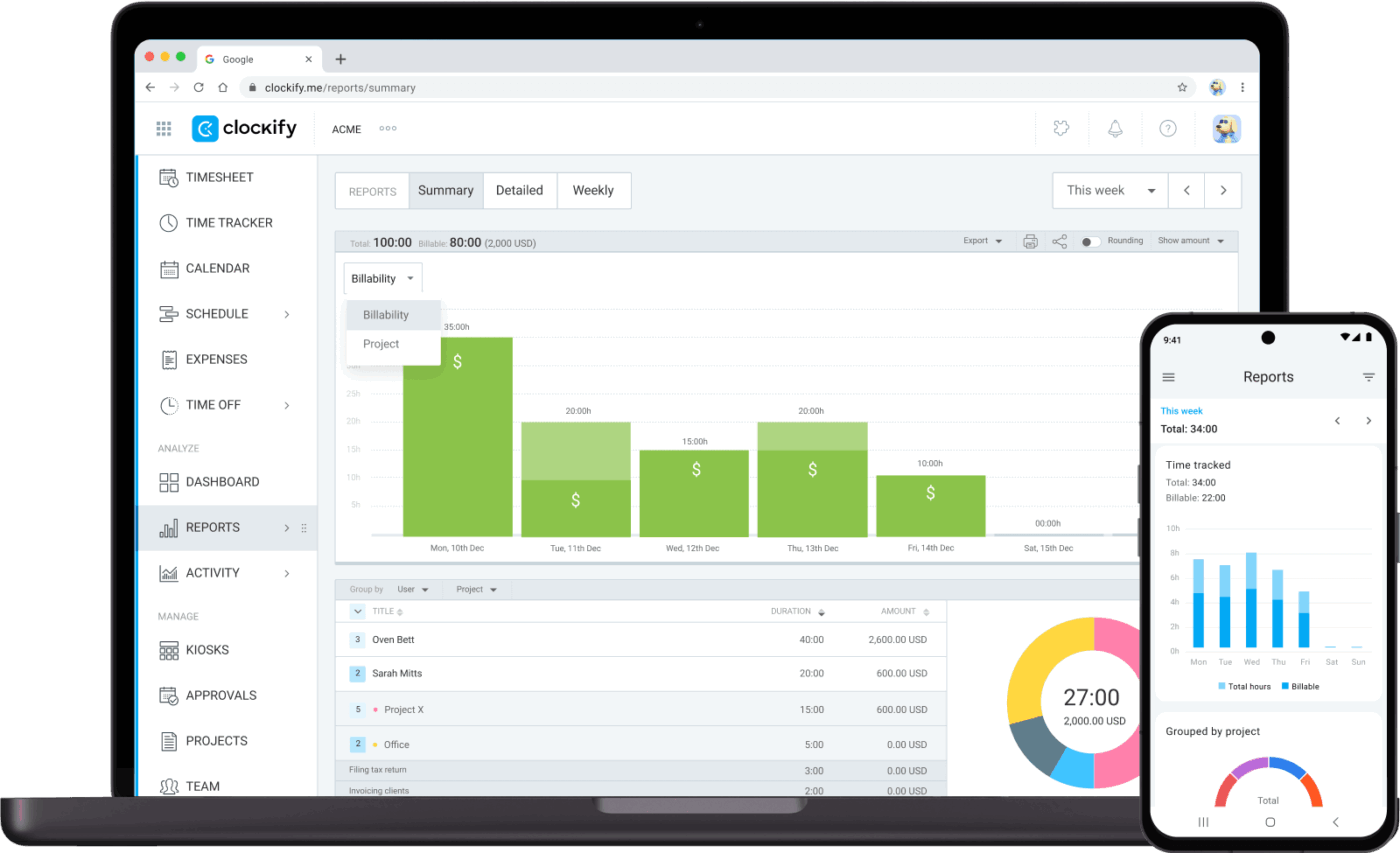
You can even track time directly within ClickUp or use integrations like Clockify to monitor the hours spent on each task or project. Built-in reminders and alerts help your team stay on top of deadlines and key Milestones.
Real-time communication is crucial in construction project management and CRM. ClickUp Chat and ClickUp Docs keep everyone on the same page, whether in the office or on site.
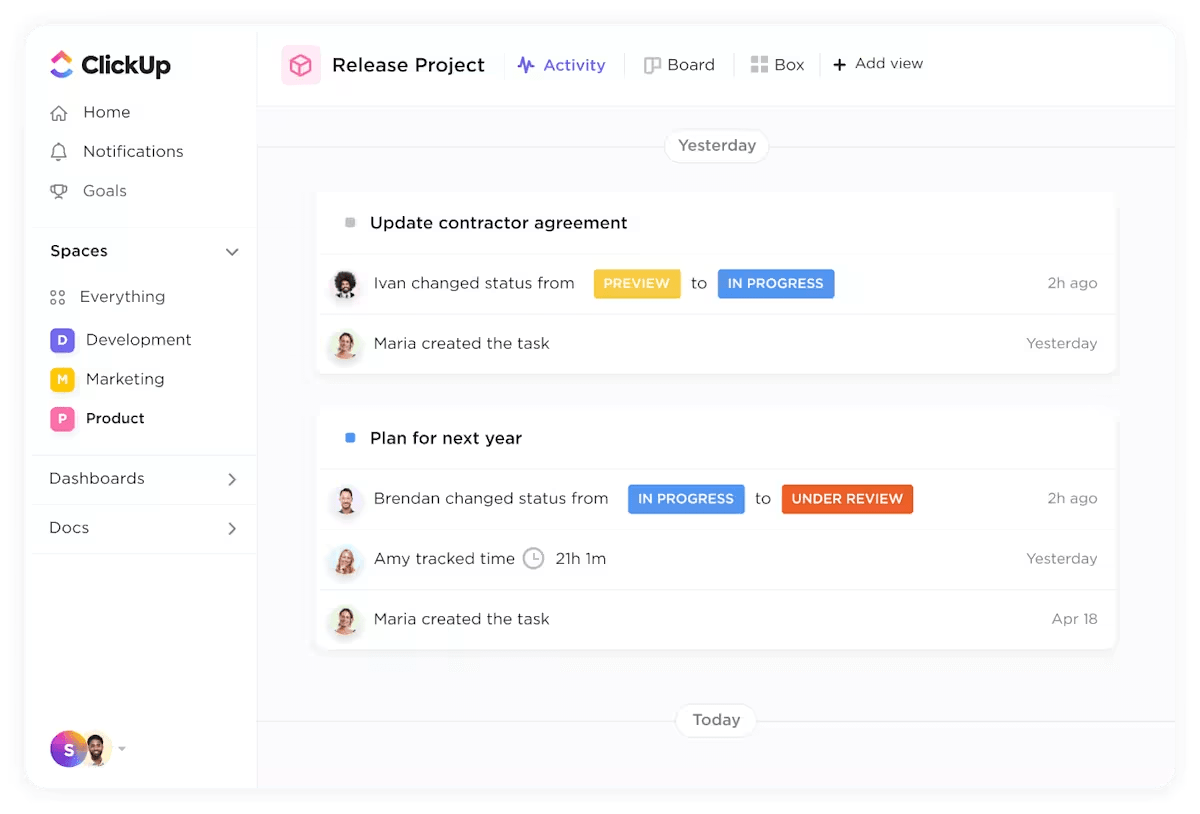
You can @mention teammates, assign comments, or share project files instantly. This makes collaborating on RFIs, change orders, submittals, and general feedback easier, reducing miscommunication and improving overall job efficiency.
For clients and subcontractors, guest access with customizable permissions ensures everyone stays informed without exposing sensitive information.
📮 ClickUp Insight: 46% of knowledge workers rely on a mix of chat, notes, project management tools, and team documentation just to keep track of their work. For them, work is scattered across disconnected platforms, making it harder to stay organized. As the everything app for work, ClickUp unifies it all. With features like ClickUp Email Project Management, ClickUp Notes, ClickUp Chat, and ClickUp Brain, all your work is centralized in one place, searchable, and seamlessly connected. Say goodbye to tool overload—welcome effortless productivity.
A G2 review reads:
I like ClickUp best to track and organize our company’s construction estimates. I like that I am able to customize the categories and columns with ease. I also like the filter option for reporting to my operations team.
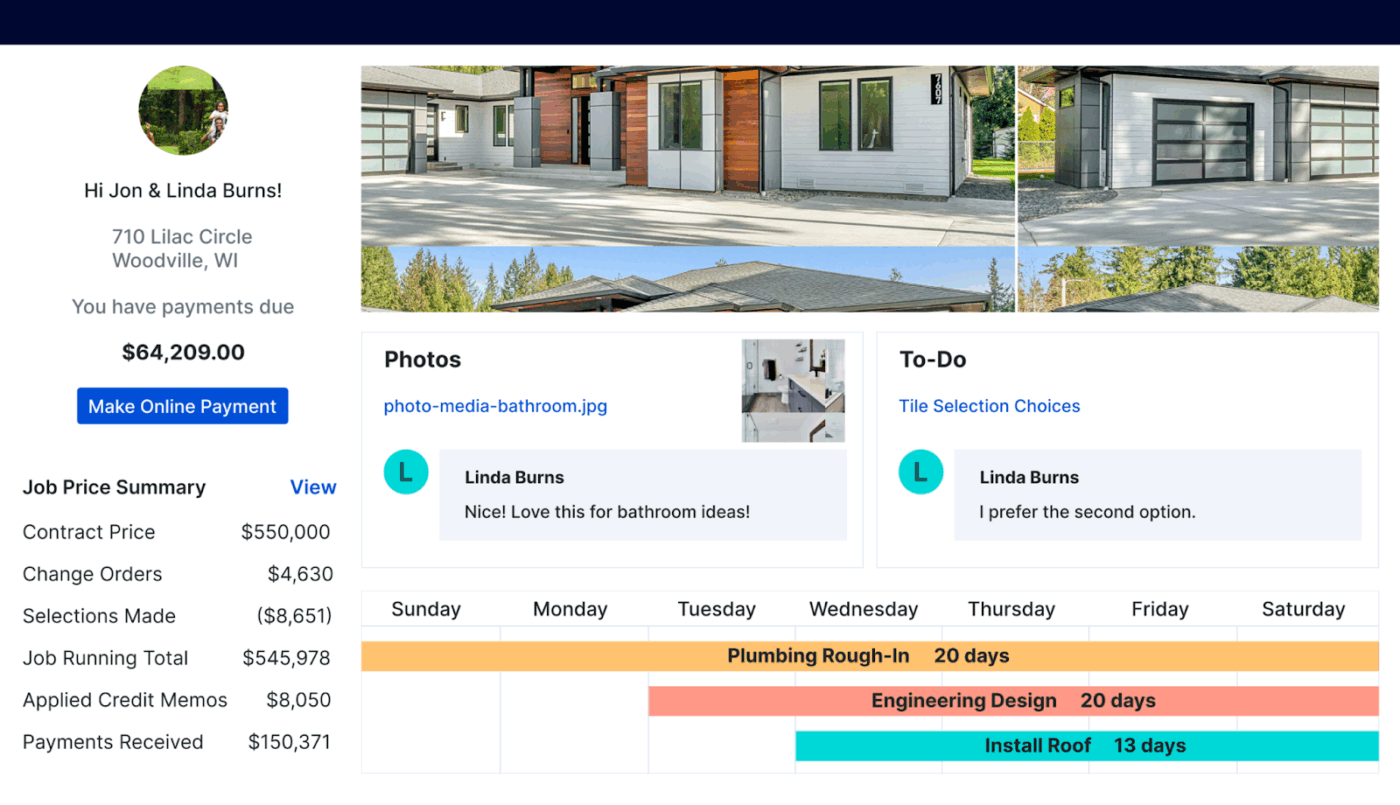
Need to fine-tune how you coordinate with your vendors and customers? Buildertrend offers daily logs, crew management, and job scheduling to help with quick decision-making. You also get a dedicated space to organize your subcontractor list, making it easier to manage relationships and identify new revenue opportunities.
The construction CRM also visualizes progress with Gantt charts, allowing for real-time updates to all your clients. Buildertrend also has a smart schedule feature that helps assign activities and notify available crews instantly. It also includes smart budgeting and materials management and integrates with QuickBooks, Xero, Google Calendar, Dropbox, Procore, and Zapier for seamless project and financial oversight.
👀 Did you know? Adopting AI-powered scheduling software into your workflows can boost productivity by 30%, skyrocket satisfaction levels, help you get paid faster, and open you up to more deals.
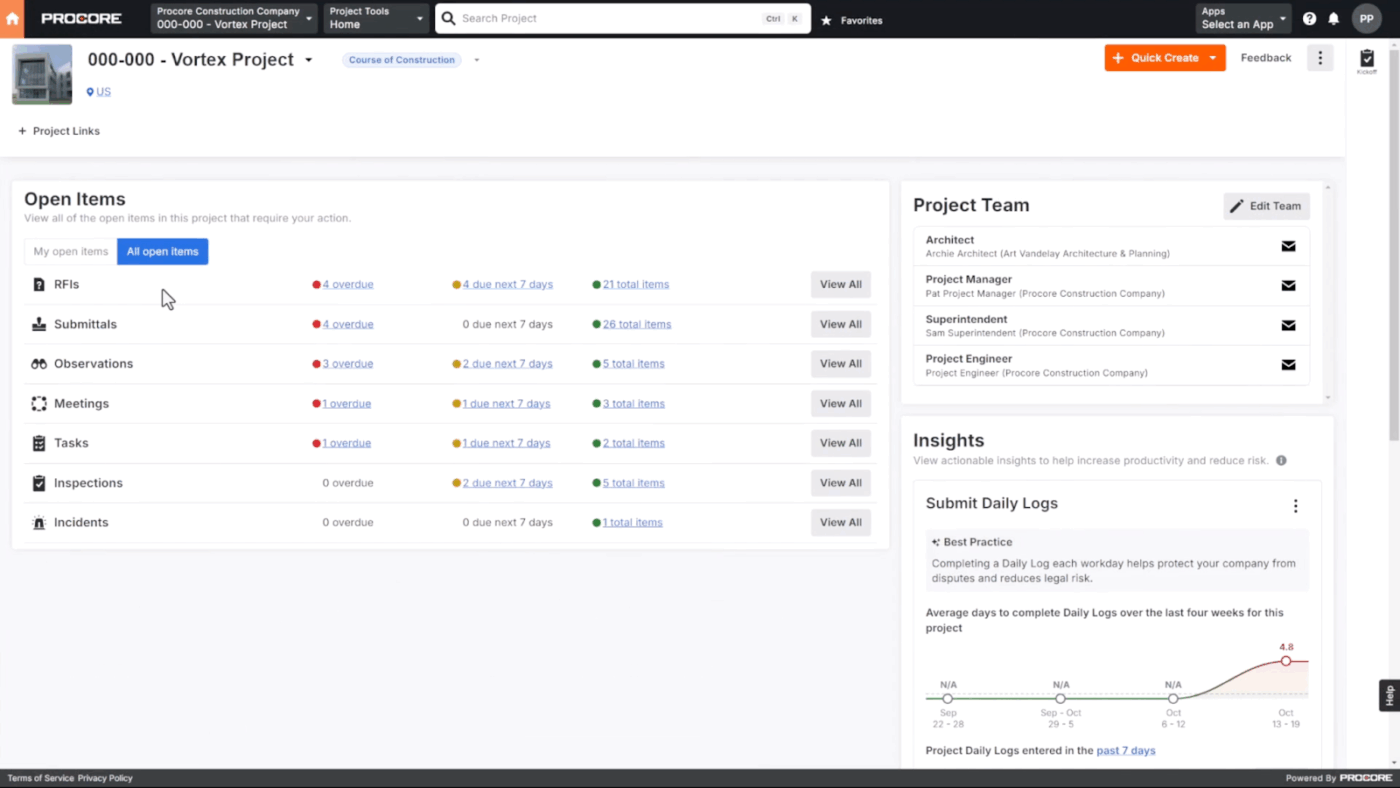
If you’re managing a high volume of construction projects, Procore CRM is a strong choice. It centralizes your entire project portfolio, streamlines revenue forecasting, and gives you complete visibility into every cost.
This cloud-based platform is ideal for businesses with remote teams. Its project dashboards make sharing visual insights on leads and active jobs seamless. It also includes contact management and sales pipeline tracking and integrates directly with Procore’s project planning tools to ensure smooth transitions from sales to delivery.
A G2 review says:
The Procore finance tools are powerful, and owners can manage their entire portfolio of projects in one place […] The workflows are good but need improvement so that they can be customized by contract, not just by project.
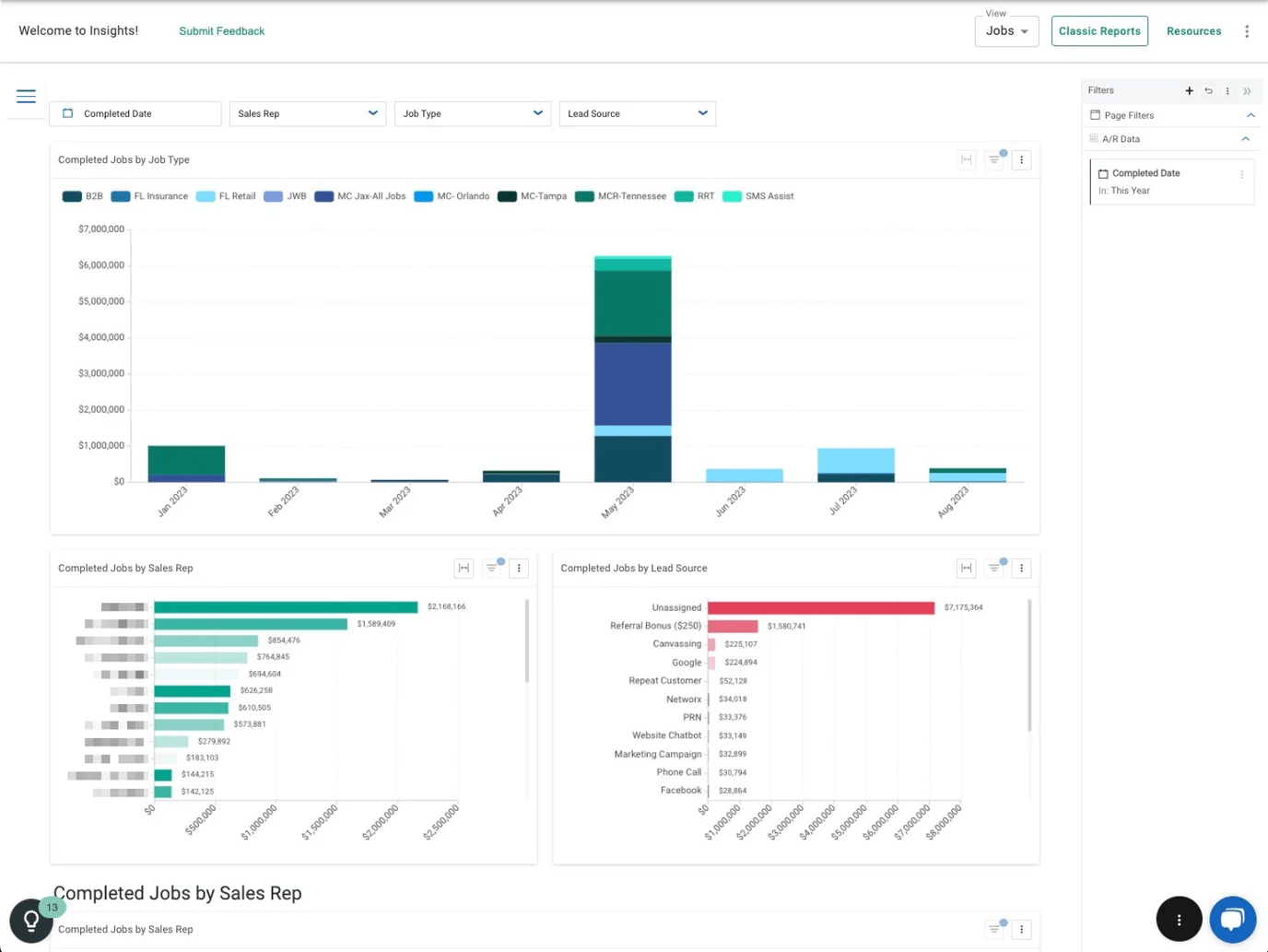
Want to chase leads without messing up job execution? JobNimbus is an excellent choice for construction companies, especially for exterior construction teams. Includes drag-and-drop job boards to get teams moving quickly without the risk of double-booking.
Its integrated email and instant client updates are also great for on-time outdoor tasks like fencing and gutter operations. A visual estimator, too, helps build and present accurate quotes for better retention. It also offers project tracking, job costing, lead management, task scheduling, and team communication tools to align all operations.
📖 Also read: Free Construction Management Templates
Next up is Contractor Foreman, a construction management tool known for its budget-friendly features. Beyond affordability, its 35 built-in tools cover everything from job costing and scheduling to safety tracking.
It also includes dashboards for lead management, client communication tracking, and proposal status. The clean interface and mobile app make it practical for managers in the field. It’s a user-friendly option for small contractors.
A Capterra review reads:
It is a great tool for any business, we use it daily. We can do anything from estimating, invoicing, project management, and just overall information storage within Contractor Foreman. Decently easy to use and learn, highly recommend […] Not able to make changes to a pending estimate.
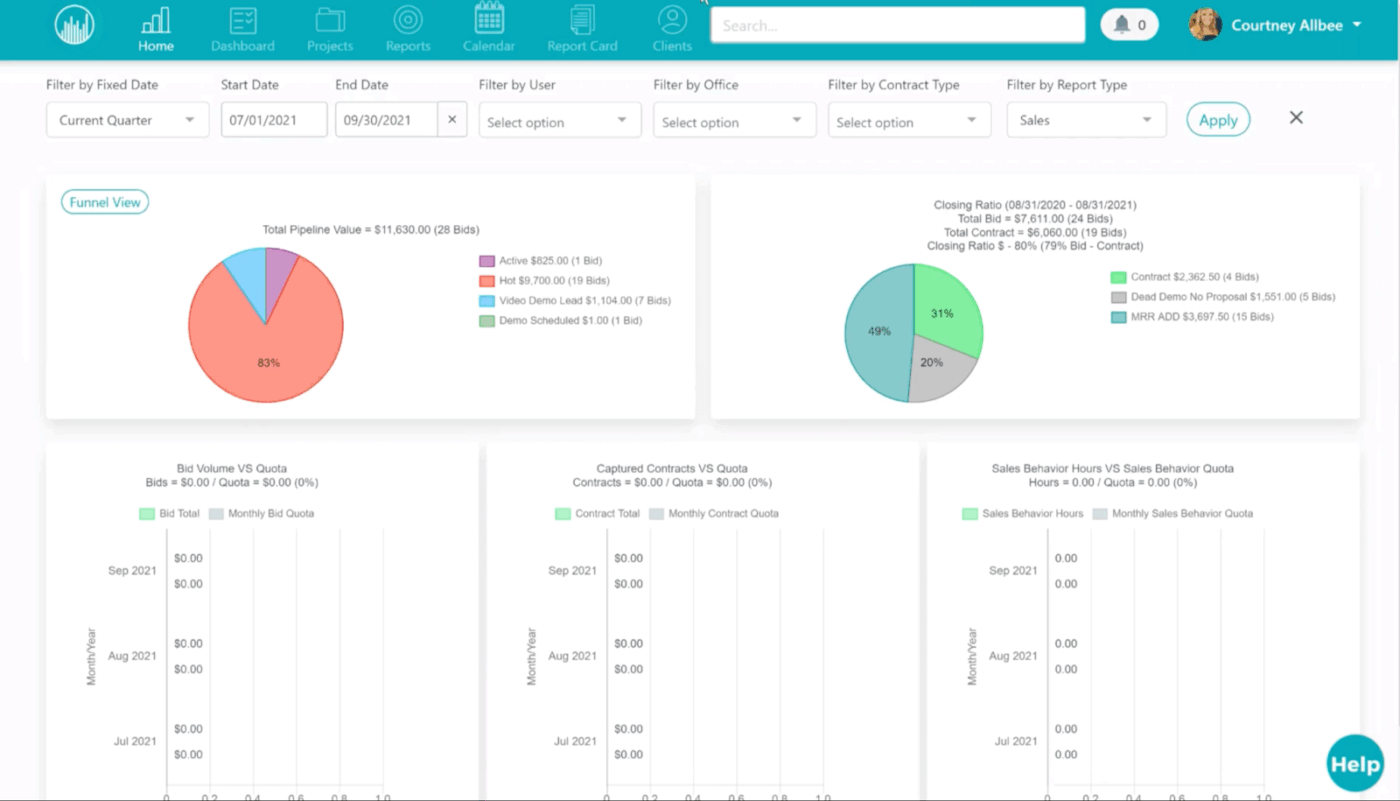
Followup CRM stands out in construction, especially if you want to boost your ability to win new business. With its comprehensive contact management, lead notifications, and sales activity, this tool keeps the entire team on track—without chaos.
It also lets you tag leads by project type, budget, or timeline for quick job prioritization. Its built-in lead scoring helps you track how engaged each prospect is. Plus, all the repetitive tasks you create, whether lead conversion, post-construction process, or follow-ups, can be automated.
🧠 Fun Fact: Before the term “CRM” became mainstream, businesses managed customer relationships using contact management systems. Back in 1987, Mike Muhney and Pat Sullivan launched ACT!—the very first contact management software for PCs. This digital Rolodex allowed salespeople to store and retrieve customer information more efficiently, laying the groundwork for today’s sophisticated CRM platforms.
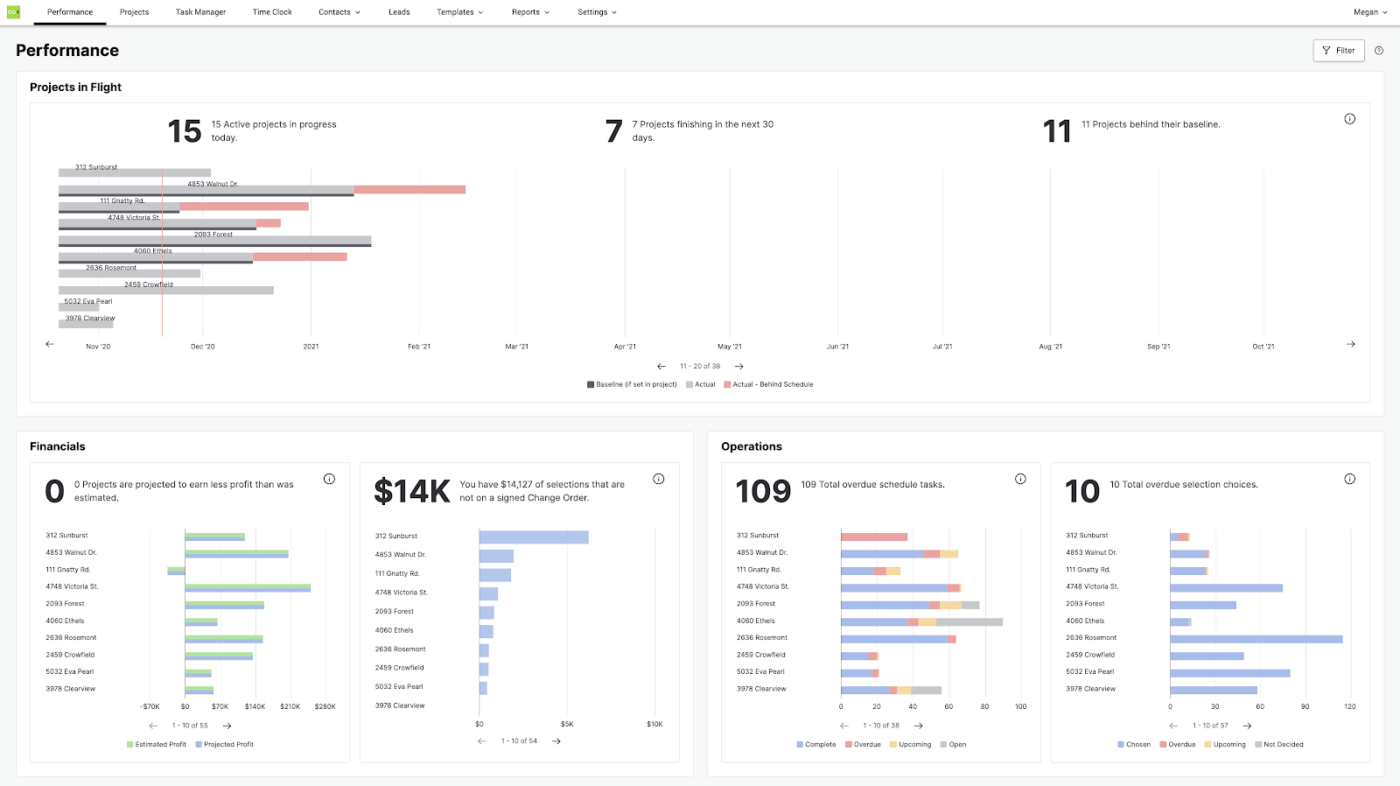
Tackling multiple projects that go beyond cookie-cutter remodels? CoConstruct is built for flexible jobs and remodeling workflows in the construction industry. Its customizable estimating tools, client selection tracking, and hands-on coordination features are main standouts when handling any build.
The tool’s quick, accurate proposal templates are excellent for clients with repetitive but unique requests. CoConstruct also offers team performance insights to spotlight essentials like schedules and feature selection status every step of the way. In short, it’s an ideal fit for home builders and construction firms that handle residential projects.
A G2 review says:
Having the ability to bring all project elements into one place: so estimating, build plans, communicating with sub-contractors and capturing all relevant documentation. [But] The estimating tool is very clunky. It doesn’t allow you to load all the various estimates received from subs into the system and choose which options to select and automatically update the budget.
🧠 Fun fact: In 1985, the launch of the Construction Master calculator revolutionized the construction industry. This handheld device, pre-programmed with essential construction calculations like angles, stairs, roofing math, pitch, rise, and run, became an indispensable tool for professionals. Its success paved the way for specialized calculators to streamline complex computations on site and enhance productivity.
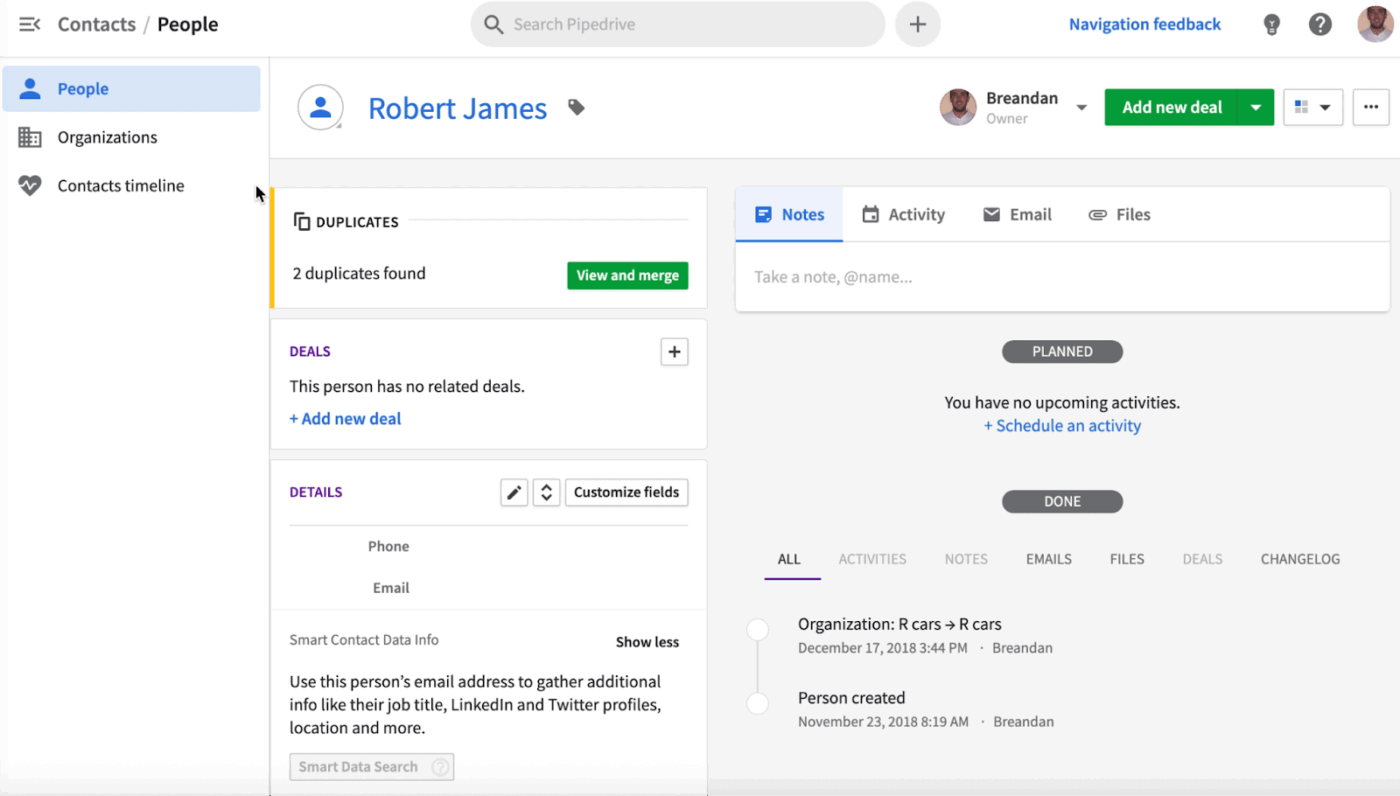
For teams prioritizing sales in the building process, Pipedrive is a good choice to increase productivity, even in relationship-building. It easily creates leads and lets you assign them to specific sales personnel, making customer interactions more personalized.
Have tons of historical data on spreadsheets? Import them, and Pipedrive will correlate them for you, creating quick data patterns. All your information, activities, and contact timelines are organized into simple sales pipeline stages.
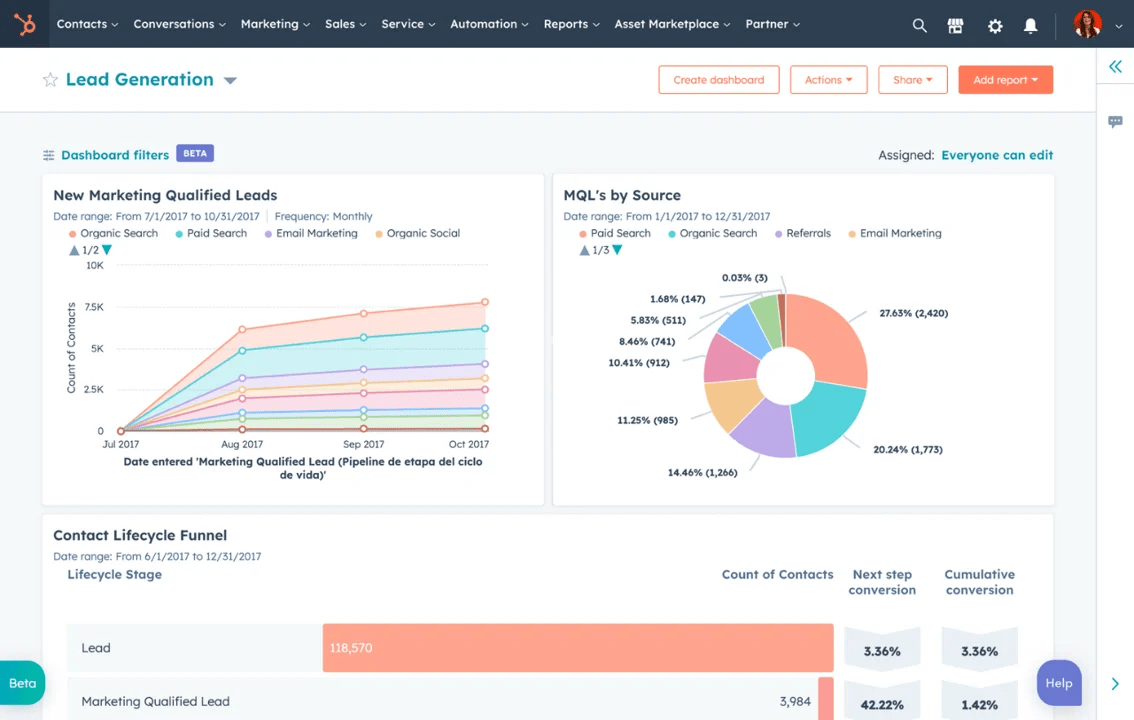
Looking to strengthen your online presence or highlight niche services like home additions or sustainable building? HubSpot CRM can help you stay organized with tools like proposal tracking, contact management, and bid coordination—all without adding extra hassle to your day.
It also offers API-powered workflows, live chat, and lead capture forms, which are great for managing prospects and high-volume services. Plus, its mobile-friendly features and real-time analytics are always practical when searching for new clients for your construction business.
A Capterra review reads:
Its reporting tool provides very useful performance insights that help us improve our customer engagements. HubSpot CRM has live dashboards that make it easy to monitor how all our engagements are progressing in real time.
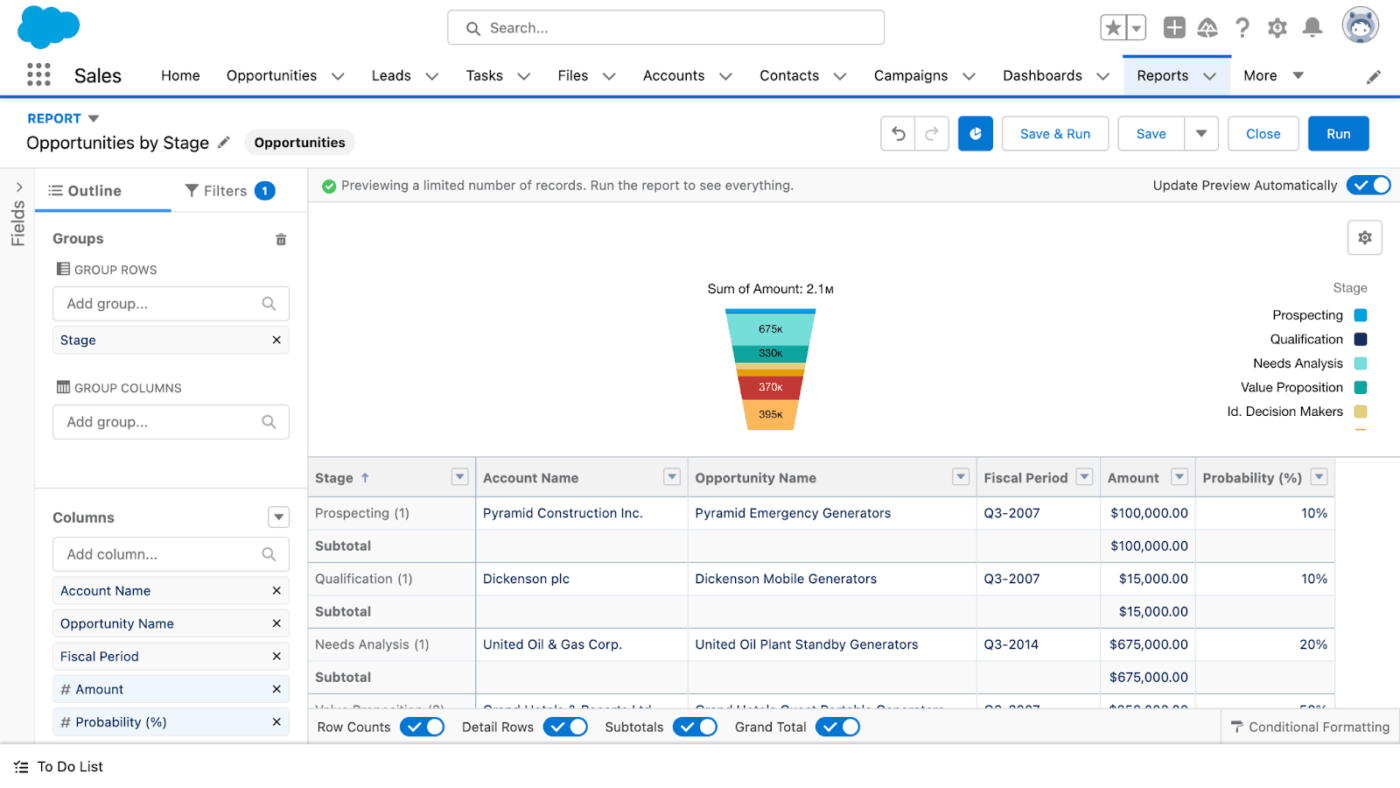
Salesforce continues to be synonymous with CRM. Its biggest strength for construction companies just starting is deep customizations, from subcontractor workflows to multi-phase client communications. You can tailor every stage and field to match the way your team works—whether you’re bidding on new projects or managing ongoing builds.
With wide use cases, every feature and interface is built to adapt to how you run jobs. It also has powerful integration options and a tailored dashboard that gives an end-to-end view of your pipeline, progress, and client relationship health.
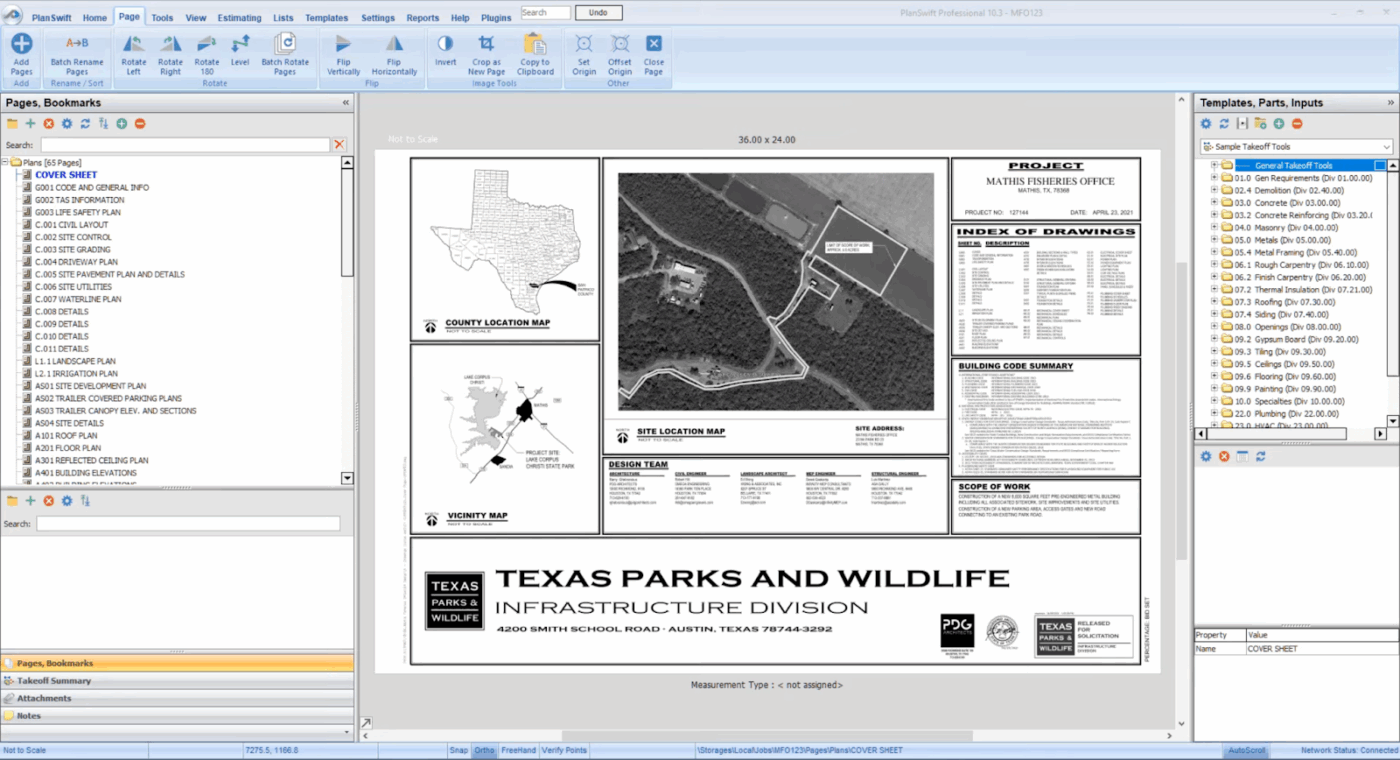
PlanSwift is a favorite for managing projects where plan finalization takes priority over lead generation. It shines with fast blueprint measuring tools that make pricing tasks feel effortless.
The tool also handles scale measurements with high precision, a crucial factor in sealing commercial bids. Further, it has quick export options that can be fed directly into your sales pipeline.
A Capterra review says:
It’s really good if you are ok with building your estimate outside of the platform. Take off is super easy to learn and use
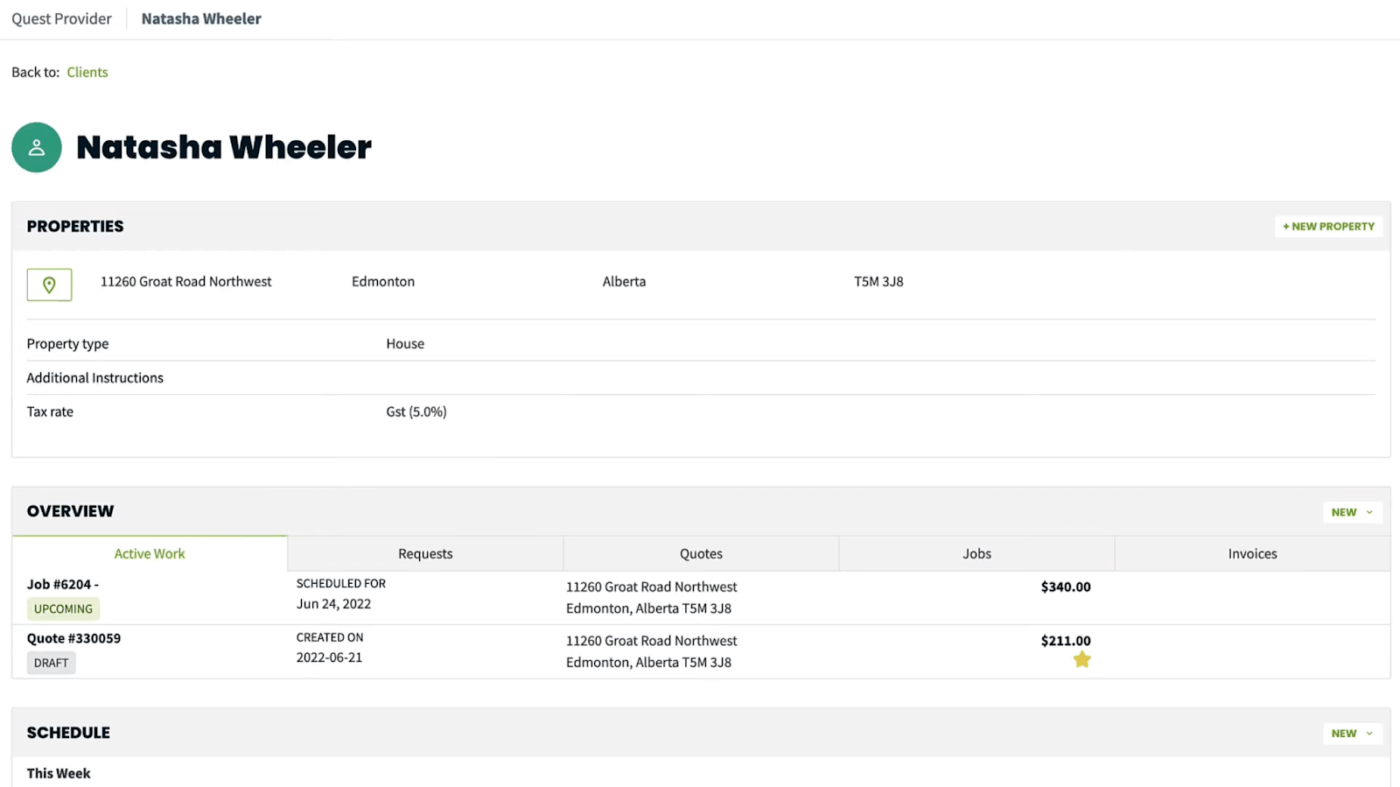
Are your days packed with job scheduling and payment follow-ups? Jobber is a great way out. Its quick-create menu lets you instantly add clients, create quotes, schedule jobs, and send invoices without extra steps.
It includes payroll tracking and built-in payment processing. Its visual calendar makes it easy to quickly assign field jobs to the right techs. Additional features include integrated inspection and handover forms, a mobile-first interface, and enhanced client communication tools.
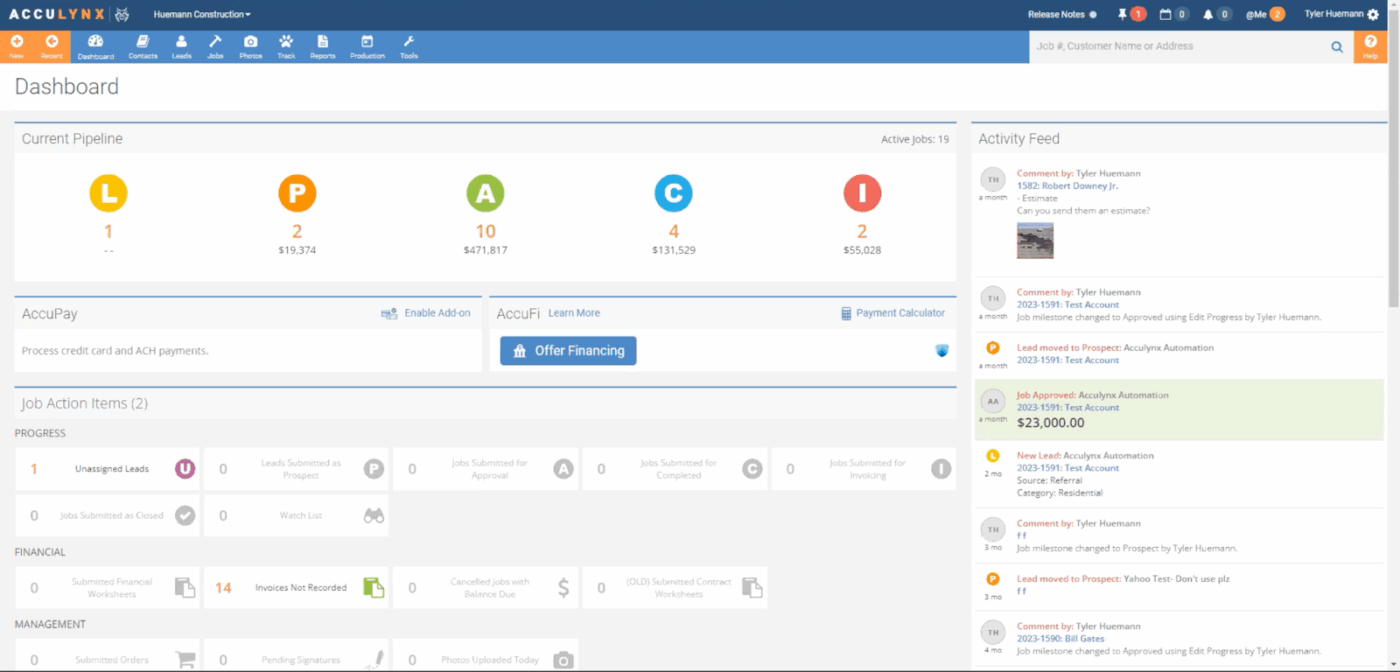
AccuLynx is a CRM built for roofing contractors who focus on residential projects. It offers a quick, user-friendly interface and essential tools like job estimations, crew organization, and document management.
The solution offers lead tracking and eSignable contracts, all fine-tuned to follow roofing project timelines. AccuLynx also has separate modules focusing on marketing, sales, and production. Plus, its automated text option and AI-powered lead scoring improve how you communicate with customers and teams who’re on the move.
A Capterra review reads:
The software allows systems to be put into place so that no steps are missed within the sales to production process. But, when you download photos, they are in a very large format and hard to work with
Managing client relationships in construction involves everything from tracking interactions to maintaining clear communication. With so much on the line, the proper construction CRM tool helps build stronger connections and smooth project planning. It can also streamline accounting and support greater scalability.
The CRM tools we’ve covered make finding the right fit much easier. If you need a single platform that combines customer relations, task management, integrated chat, AI-powered insights, advanced automations, and centralized knowledge, ClickUp offers all these in one place.
Sign up for ClickUp and boost lead conversions and service quality today! 🚀

© 2026 ClickUp

There’s an easier way. Try a free AI Agent in ClickUp that actually does the work for you—set up in minutes, save hours every week.