






Still downloading templates?
There’s an easier way. Try a free AI Agent in ClickUp that actually does the work for you—set up in minutes, save hours every week.
Sorry, there were no results found for “”
Sorry, there were no results found for “”
Sorry, there were no results found for “”
Cluely is built for a very specific moment: you’re in a live conversation, and you want real-time answers plus AI notes, without adding a visible AI meeting assistant bot to the call.
That works for some sales calls and general meetings. But if you’re on a marketing, GTM (Go-To-Market), or insights team, the real problem starts after the call.
You need answer quality you can trust, searchable notes you can cite, and research that turns into briefs and follow-up emails.
This guide compares the best Cluely alternatives that offer better AI features for insights and content, and tend to fit better for research and marketing teams.
Here’s a quick snapshot of the top Cluely alternatives so you can match the right tool to your workflow before diving into the detailed reviews.
| Tool | Best for | Key features | Pricing* |
| ClickUp | Converting meeting insights into research-backed GTM work in one converged workspace | AI summaries and next steps, living briefs and wikis, chat tied to work, tasks tied to decisions, cross-workspace search | Free forever; customizations available for enterprises |
| Notion AI | Lightweight research and writing inside a knowledge hub | Summaries and rewrites inside docs, Q&A across your workspace, database autofill, quick drafts for briefs and pages | Free plan available; paid plans start at $12/month per user |
| Airtable AI | AI help on structured campaign and research data | AI fields for consistent outputs, extraction from notes into structured records, repeatable research ops workflows | Free plan available; paid plans starting at $24/month per user |
| Claude 3.5 Sonnet | Long-form reasoning, analysis, and writing polish | Long-context summarization, structured analysis from messy sources, strong writing and synthesis for briefs | Free plan available; paid plans starting at $20/month per user |
| ChatGPT (GPT-5.1) | Fast ideation, rewriting, and research support | Briefs and talking points, follow-up questions, content variations, multilingual rewrites, structured outputs like FAQs | Free plan available; paid plans starting at $20/month per user |
| Jasper | Brand-style marketing content at scale | Brand voice controls, campaign copy generation, team workflows for review and approvals, rewrites for clarity and conversion | Paid plans starting at $69/month per user |
| Surfer AI | SEO-led content analysis and optimization | SERP-based guidelines, outline builder, optimization checks, Google Docs workflows, content gap coverage | Paid plans starting at $59/month per user |
| Writer.com | Enterprise-grade content governance and brand-consistent outputs | Brand rule enforcement, knowledge grounding, governed workflows for teams, admin and security controls | Custom pricing |
| Copy.ai | GTM workflows for sales and marketing content | Repeatable GTM workflows, structured briefs from messy notes, consistent outputs for marketing and sales teams | Paid plans starting at $29/month per user |
| Perplexity AI | Research with citations and quick summaries | Web research with cited answers, fast claim checks after calls, clean outputs you can paste into briefs | Free plan available; paid plans starting at $20/month per user |
Our editorial team follows a transparent, research-backed, and vendor-neutral process, so you can trust that our recommendations are based on real product value.
Here’s a detailed rundown of how we review software at ClickUp.
📖 Also Read: How to Take Meeting Notes: A Complete Guide
If you’re evaluating Cluely alternatives, decide whether you need an AI meeting assistant for live conversations or a system that turns insights into work.
Look for:
📖 Also Read: Top AI Tools Transforming Businesses
If you want stronger AI-powered research and content intelligence, you need more than real-time answers during live conversations. The tools below help you capture insights and turn them into work your team can reuse.
Every GTM decision starts in a conversation, but the evidence rarely stays in one place. You leave a Google Meet, someone drops AI notes into a doc, and the “final” talking points live in a chat thread.
By the time you need to write a brief or a launch narrative, you are hunting for context across multiple tools. That is work sprawl, when each step of your research and content workflow sits in a different app. It slows reviews and makes it harder to prove where insights came from.
Now add disconnected AI tools and a standalone AI meeting assistant into the mix. That is AI sprawl, and it often produces outputs that feel fast in the moment but are hard to trust later.
With ClickUp for Marketing Teams, you get a converged AI workspace that connects research, docs, collaboration, and execution in one place. You capture what was said, trace the source behind key claims, and turn insights into work your team can review and ship without rebuilding context from scratch.
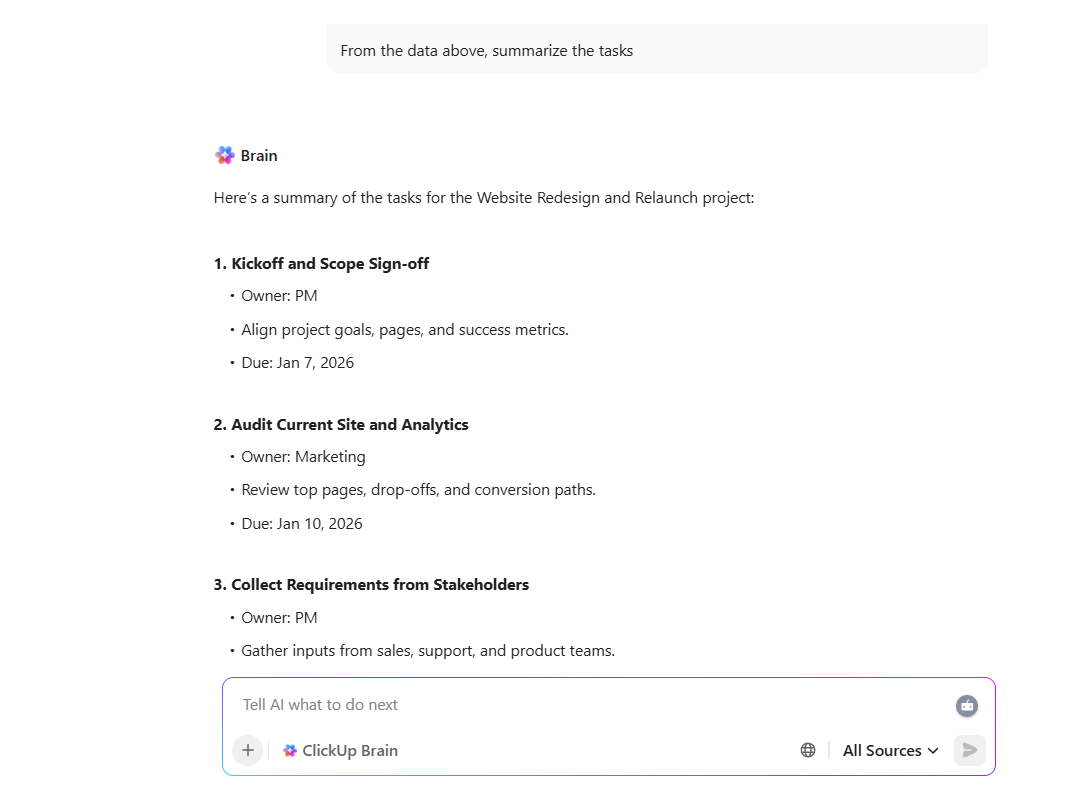
You finish a call, and the same question hits your inbox. What did we decide, and what happens next? ClickUp Brain can turn a call into a searchable transcript, a summary, and a clear list of next steps so you don’t have to replay the recording.
Then move from notes to action without losing the trail. Draft a short brief, create follow-up emails, and turn talking points into trackable work. That is how you reduce work sprawl while staying focused on answer quality.
📽️ Watch a video: If you want meeting notes that are actually usable after the call, here’s a quick video for you that demonstrates how ClickUp AI Notetaker and ClickUp Brain capture decisions and action items in all your meetings.
💡 Pro Tip: Turn every post-call recap into a GTM brief with ClickUp Super Agents.
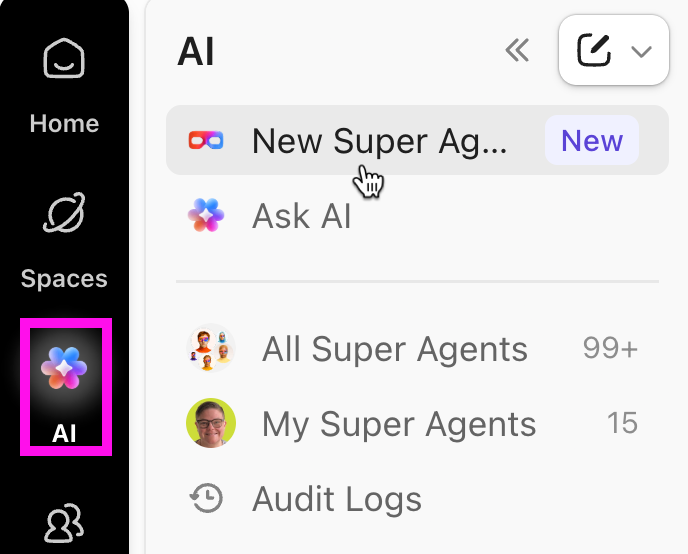
Instead of letting AI notes sit in a doc that nobody revisits, set up a dedicated ClickUp Super Agent for GTM follow-through. ClickUp Super Agents can do research, provide suggestions, and even notify your team when projects are behind, so your meeting takeaways turn into review-ready work, not loose threads.
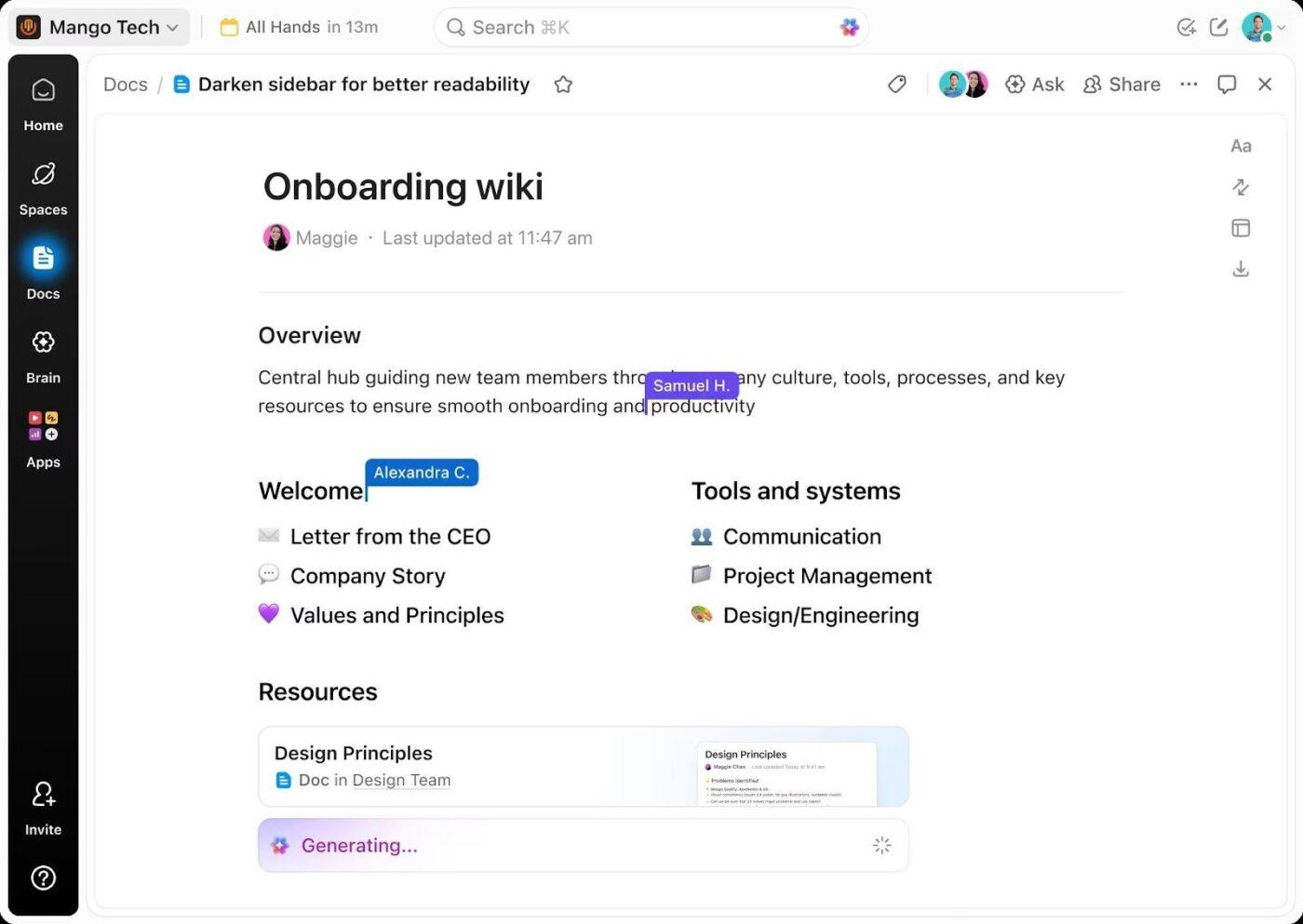
A meeting assistant can give you AI notes, but your team still needs a place to validate and reuse them. ClickUp Docs lets you build living briefs, wikis, and knowledge bases so your research doesn’t disappear after the call.
You can collaborate in real time, tag teammates in comments, and assign action items directly in the doc so reviews don’t stall in chat threads.
When you need to share work beyond your team, you can set permissions and control who can view or edit specific docs and pages.
📖 Also Read: Best Document Management Software to Get Organized
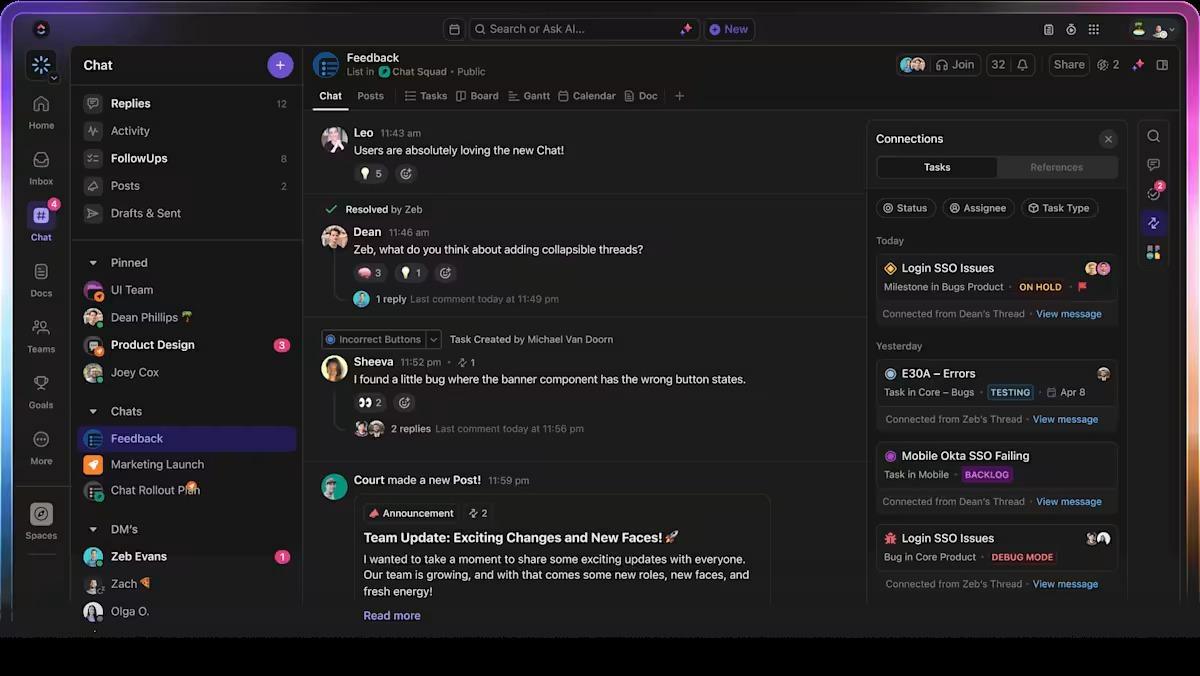
When your meeting assistant drops notes in one place, and your team debates them in another, you spend more time chasing context than moving work forward.
ClickUp Chat keeps your conversations connected to the work, so you can discuss ideas in Channels or DMs, or in connected tasks, without switching tools.
As soon as a decision turns into work, create a task from a message in one click so owners and next steps are clear.
💡 Pro Tip: Turn ClickUp Chat decisions into instant, shareable GTM recaps with ClickUp Brain
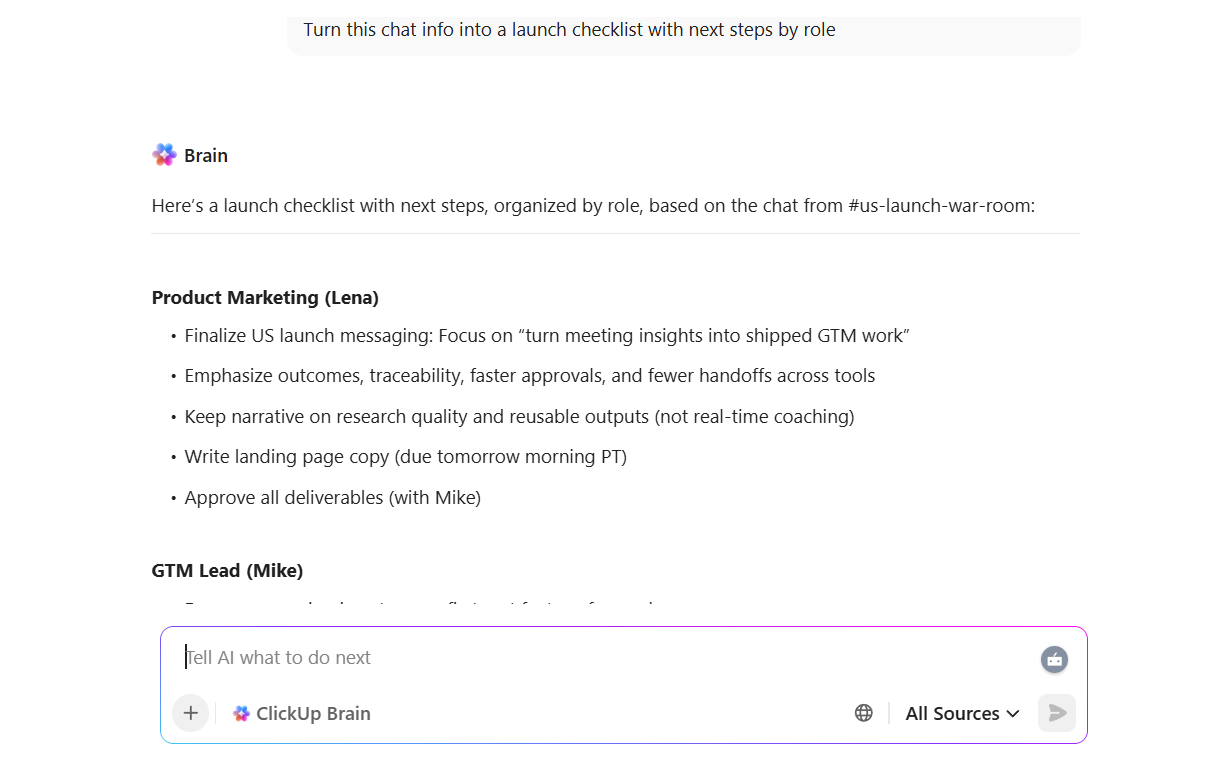
When feedback and decisions happen inside ClickUp Chat, the next risk is simple. Someone misses the thread, and you repeat the same conversation in another meeting. Use ClickUp Brain to keep momentum without flooding people with screenshots or long summaries.
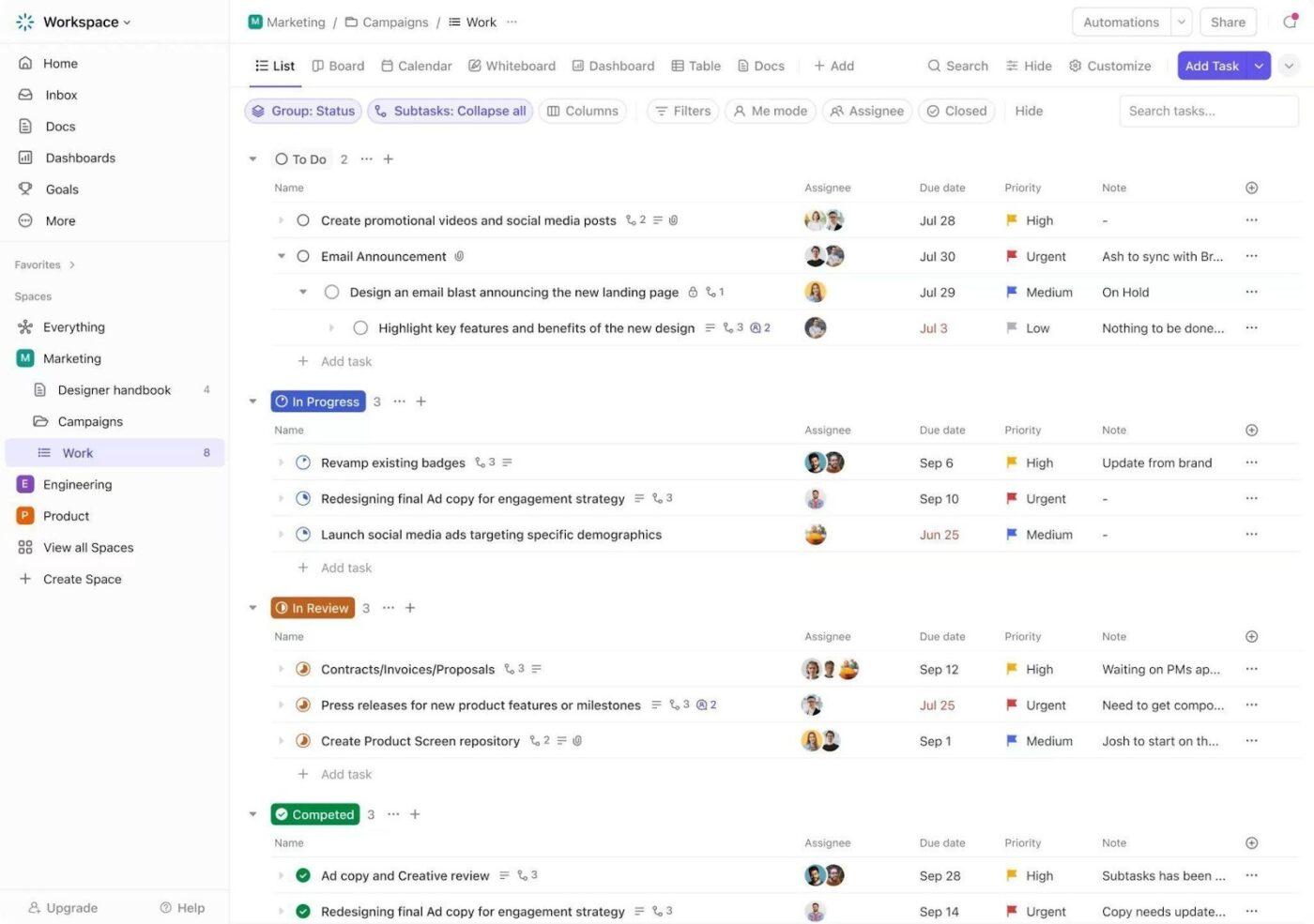
ClickUp Tasks lets you capture action items with owners, due dates, and statuses, so your meeting assistant output doesn’t get stuck as AI notes.
💡 Pro Tip: Turn ClickUp Tasks into an always-updated GTM command center with ClickUp Brain MAX
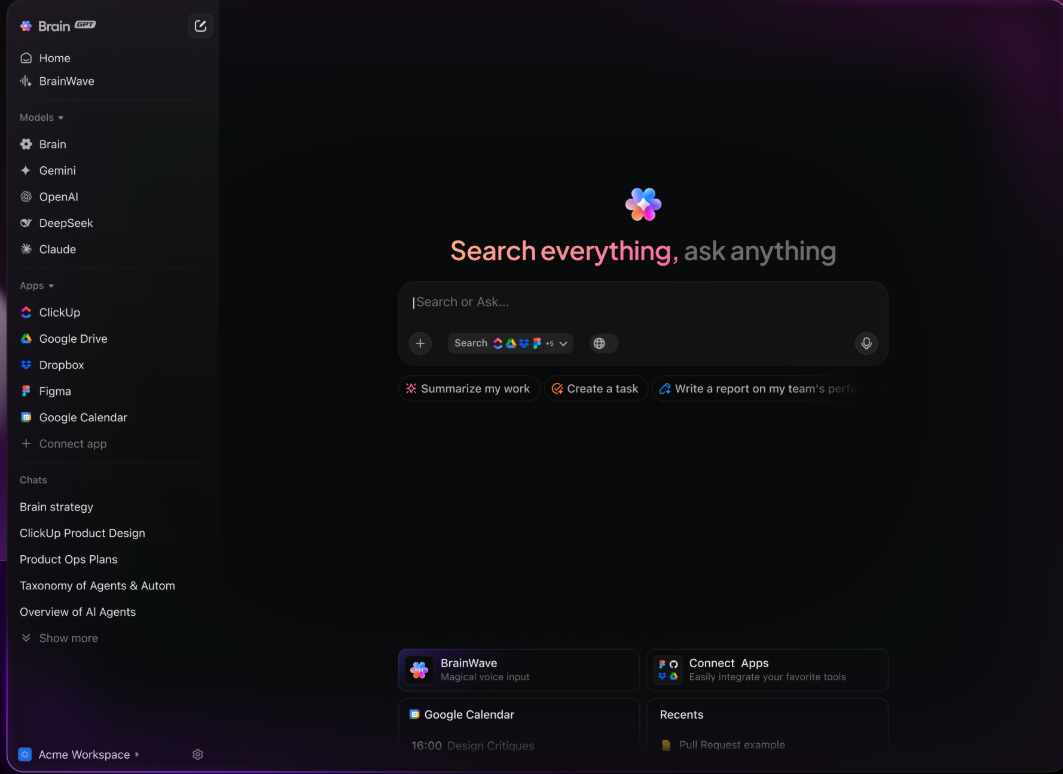
Once your team turns meeting takeaways into ClickUp Tasks, the next challenge is staying aligned as priorities shift. ClickUp Brain MAX helps you keep execution connected to the original context without chasing updates across tools.
A G2 reviewer shared:
“What I like best about ClickUp is its flexibility and wide range of features that allow us to manage tasks, projects, and documentation in one place. It’s easy to get started, highly customizable, integrates well with other tools, and is something we use daily to keep teams aligned and productive.”
📖 Also Read: Best Note-Taking Apps with Stylus Support
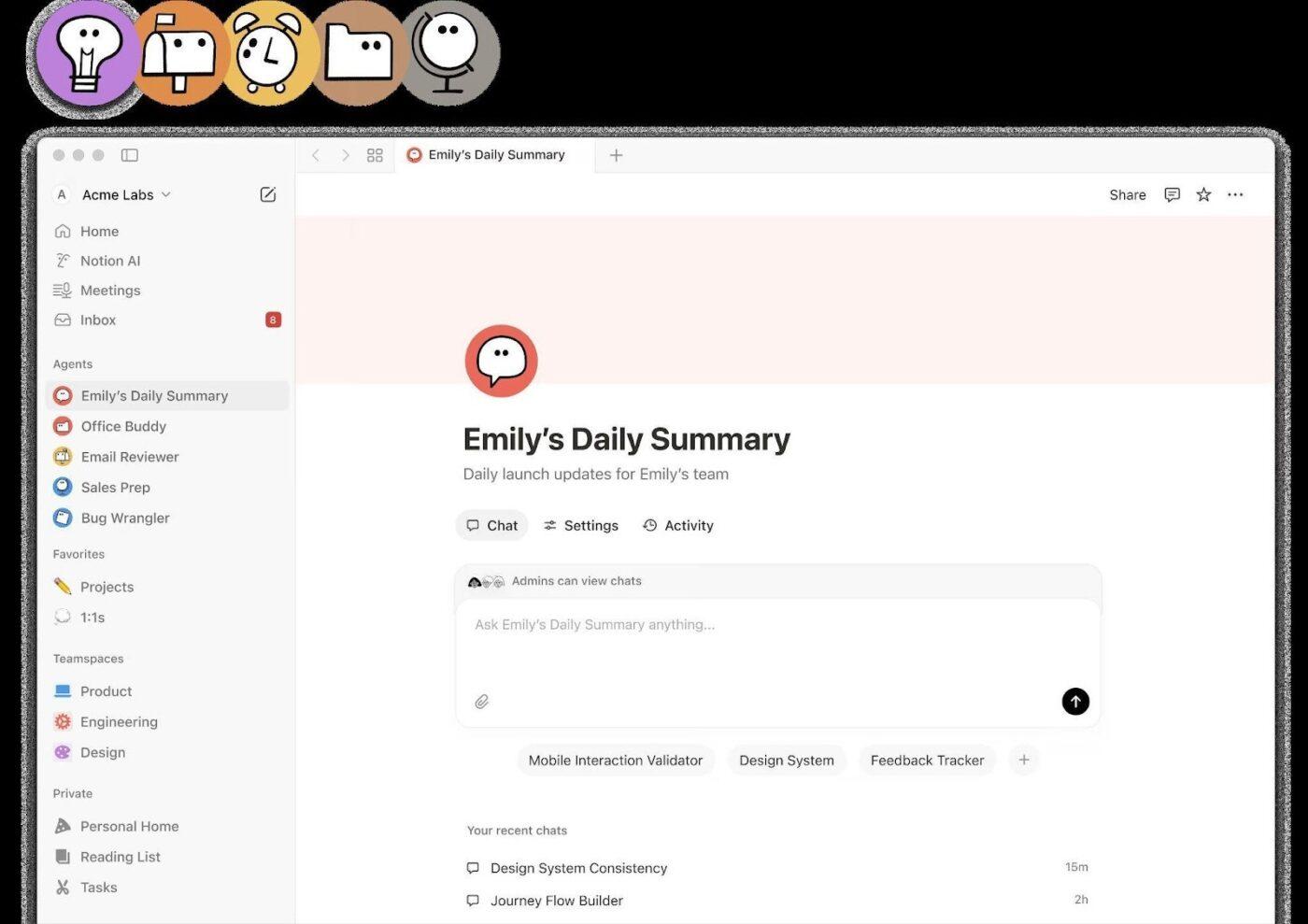
If your team’s biggest pain is “we have the AI notes, but no one can find them later,” Notion AI is a practical pick.
Its AI Meeting Notes workflow captures meetings and generates a summary right after the call ends. It also saves transcripts, decisions, and action items in your workspace so they stay searchable notes instead of scattered takeaways.
For marketing and research teams, that’s useful when you’re pulling threads across stakeholder interviews, customer calls, and internal syncs. You can keep research snippets, talking points, and drafts next to the source material and reuse them across briefs.
A Redditor said:
“I think Notion’s AI tool is worth exploring and really embracing for a while to see if it might be helpful for you.”
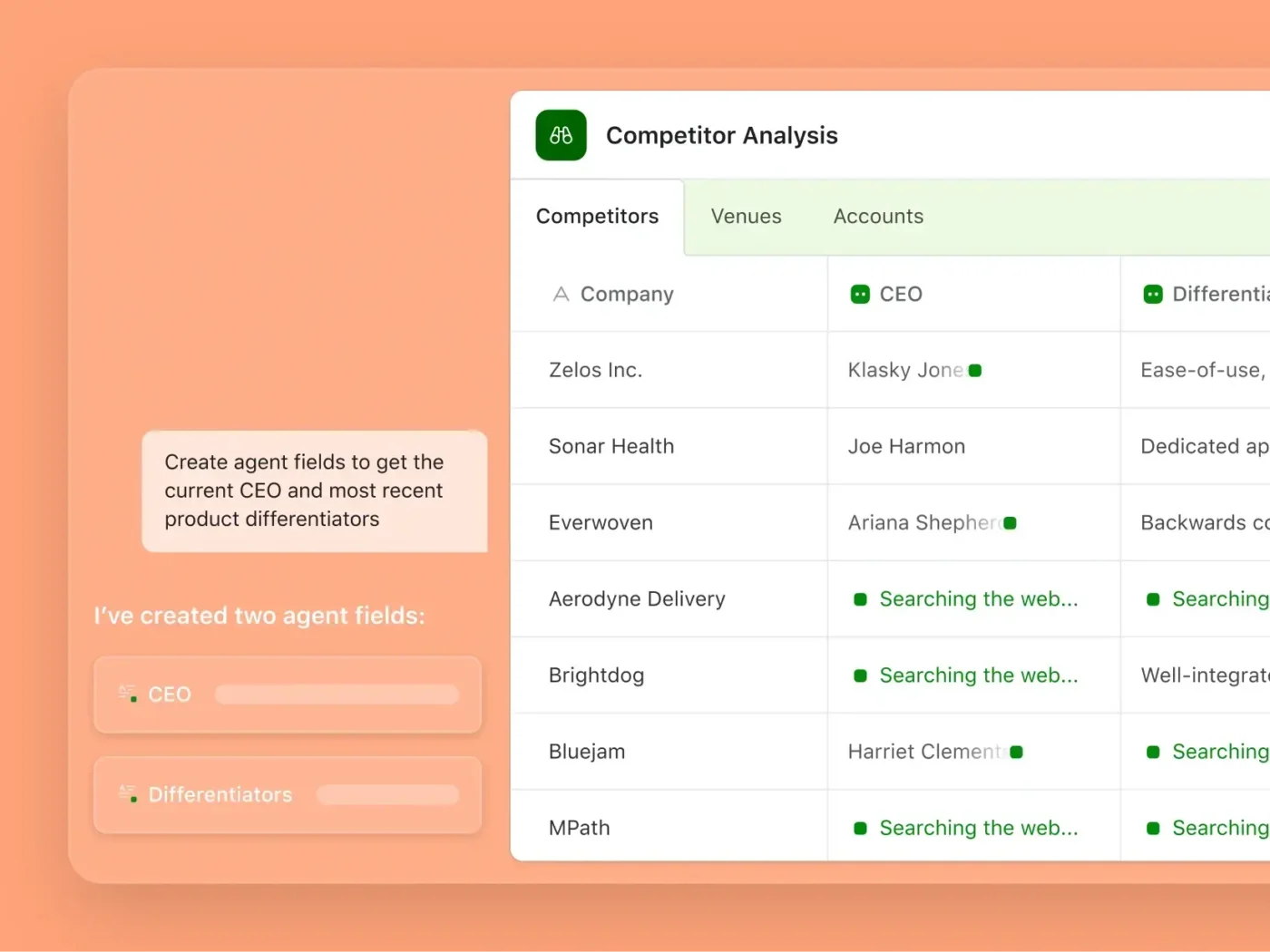
Airtable AI makes sense when your team already runs on structured data: launch trackers, competitor matrices, campaign calendars, and research repositories.
Instead of treating AI like a separate chat window, Airtable adds AI into the system you’re already using. You can use Airtable AI to generate or analyze content in fields and standardize messy inputs so reporting stays consistent.
Where it stands out for GTM teams is workflow building. Airtable’s Omni is positioned as a conversational builder that can help you create tables and automations by describing what you need. This is handy when you’re trying to scale repeatable content and research workflows across a team plan.
A Capterra reviewer said:
“Airtable is a highly valuable tool for organizing data, managing products, and streamlining workflows across various industries and use cases and it ‘uses collaboration features, integration capabilities, automation capabilities, mobile accessibility and supportive community and resources.”
Claude 3.5 Sonnet is a strong option when you’re dealing with long, messy inputs and need clean thinking. For product marketers and analysts, that often means combining interview transcripts, product docs, and market research into one narrative with clear claims and supporting detail.
Anthropic positions Claude 3.5 Sonnet as strong at visual reasoning too, including interpreting charts and graphs and extracting text from imperfect images. This is useful when reports arrive as screenshots or PDFs.
However, Claude is not an AI meeting assistant in the “joins your Google Meet” sense. It’s better as the analysis layer you use after calls, especially when you want context-aware prompts and more deliberate reasoning across large context windows.
A Redditor said:
“Claude 3.5 Sonnet has impressed me with its coding prowess, accurate summarization, and natural communication style.”
📮ClickUp Insight: 37% of workers send follow-up notes or meeting minutes to track action items, but 36% still rely on other, fragmented methods. Without a unified system for capturing decisions, key insights you need may get buried in chats, emails, or spreadsheets.
ClickUp allows you to instantly convert conversations into actionable tasks across all your tasks, chats, and documents, ensuring that nothing is overlooked.
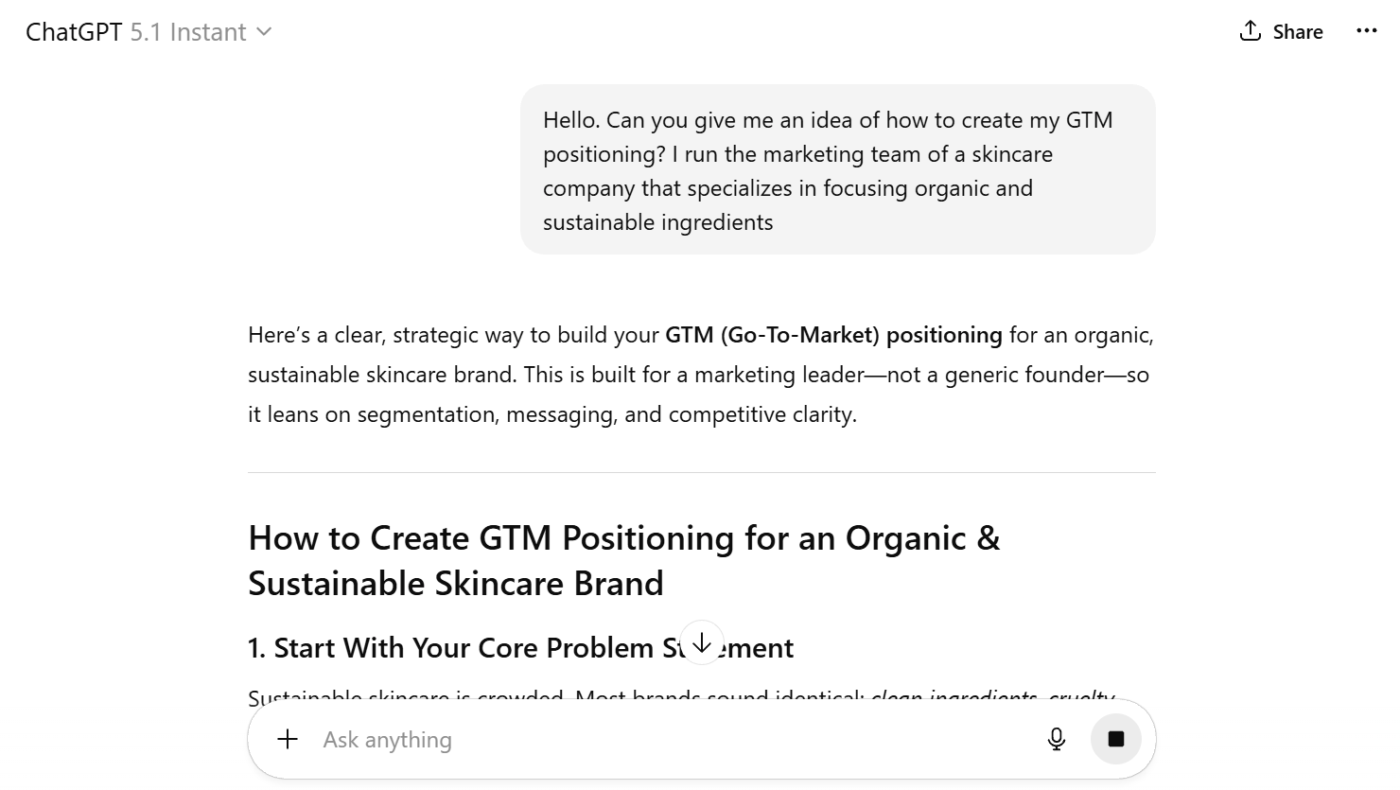
ChatGPT is the “do a bit of everything” pick for GTM work: messaging iterations, competitive comparisons, launch FAQs, follow-up questions, and tone-matched rewrites.
OpenAI positions GPT-5.1 as a flagship model with configurable reasoning, which maps well to how marketing teams work: sometimes you want quick options, and other times you want a more careful outline with stronger logic.
It’s also commonly used for interview prep. If you’re a manager coaching candidates or a candidate doing mock interviews, you can practice for behavioral questions, technical interviews, coding tests, or even data science case prompts.
A Redditor said:
“’I’d go with GPT 5.1 pro since it’s really good… I use 5.1 Pro on multiple tabs nonstop, also 5.1 thinking high for other tasks parallel and never ever hit a limit once.”
🤔 Did You Know: Late-night meetings are up 16% year over year, and 30% of meetings now span multiple time zones. If your research and notes live across separate tools, context disappears fast.
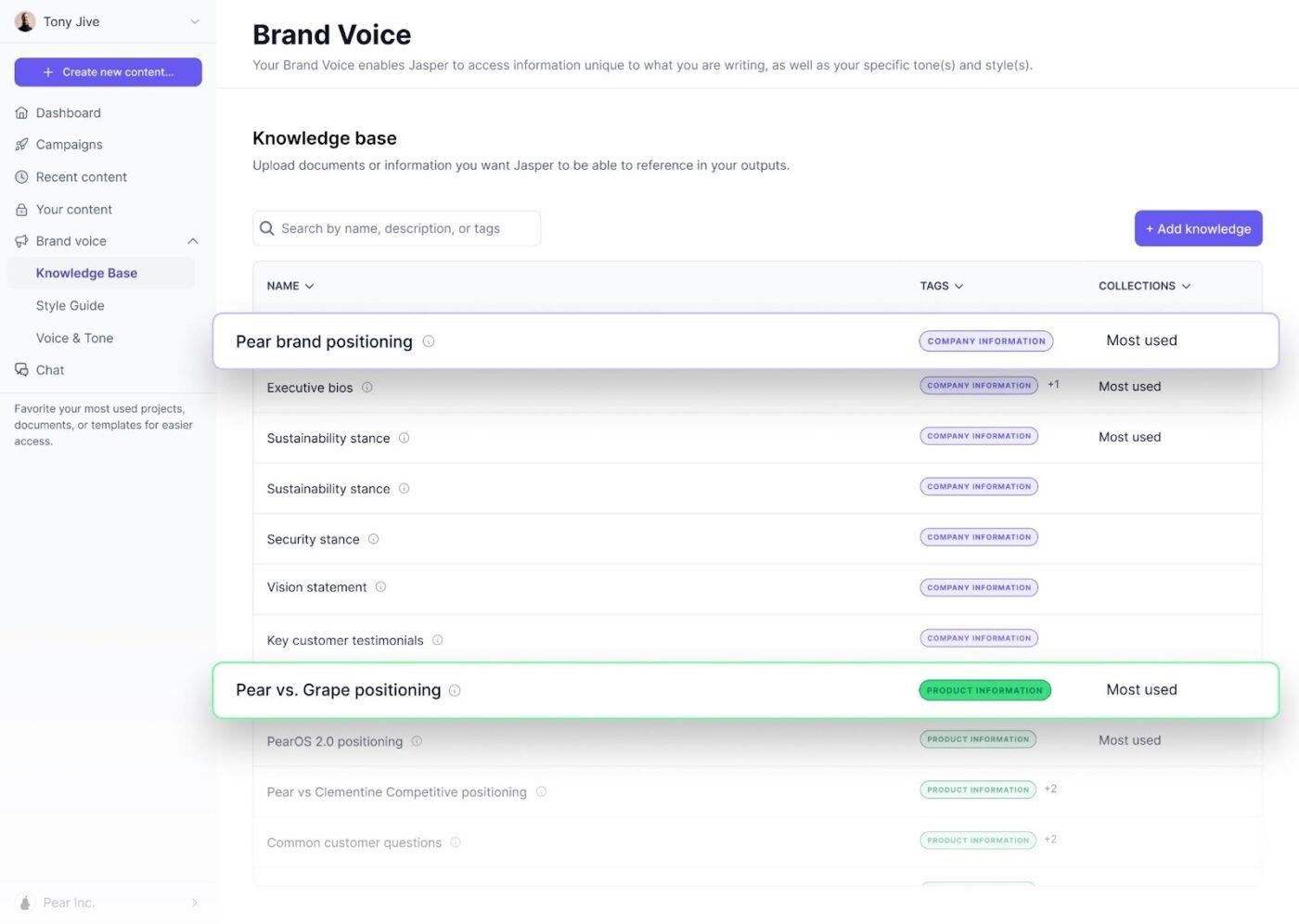
Jasper is built around a familiar marketing problem: you need a lot of content, and you need it to sound like your brand every time. Jasper’s positioning focuses heavily on Brand Voice controls and audience-specific messaging so teams can generate campaign assets without each draft drifting into a different tone.
For GTM teams, it’s useful when you’re producing variants across channels (email, landing pages, paid, social) and you want consistency plus speed.
Jasper also frames its platform around marketing workflows and agents, which fits teams trying to standardize repeatable content production, not just generate one-off copy.
A Capterra reviewer said:
“You can use Jasper to brainstorm, reformulate ideas, organize thoughts, and write much faster than you would if starting from scratch. Overall, it has introduced tangible individual and team efficiencies, and we are very happy with the constant improvements made to the platform!”
📖 Also Read: Best Productivity Tools for Agencies and Teams
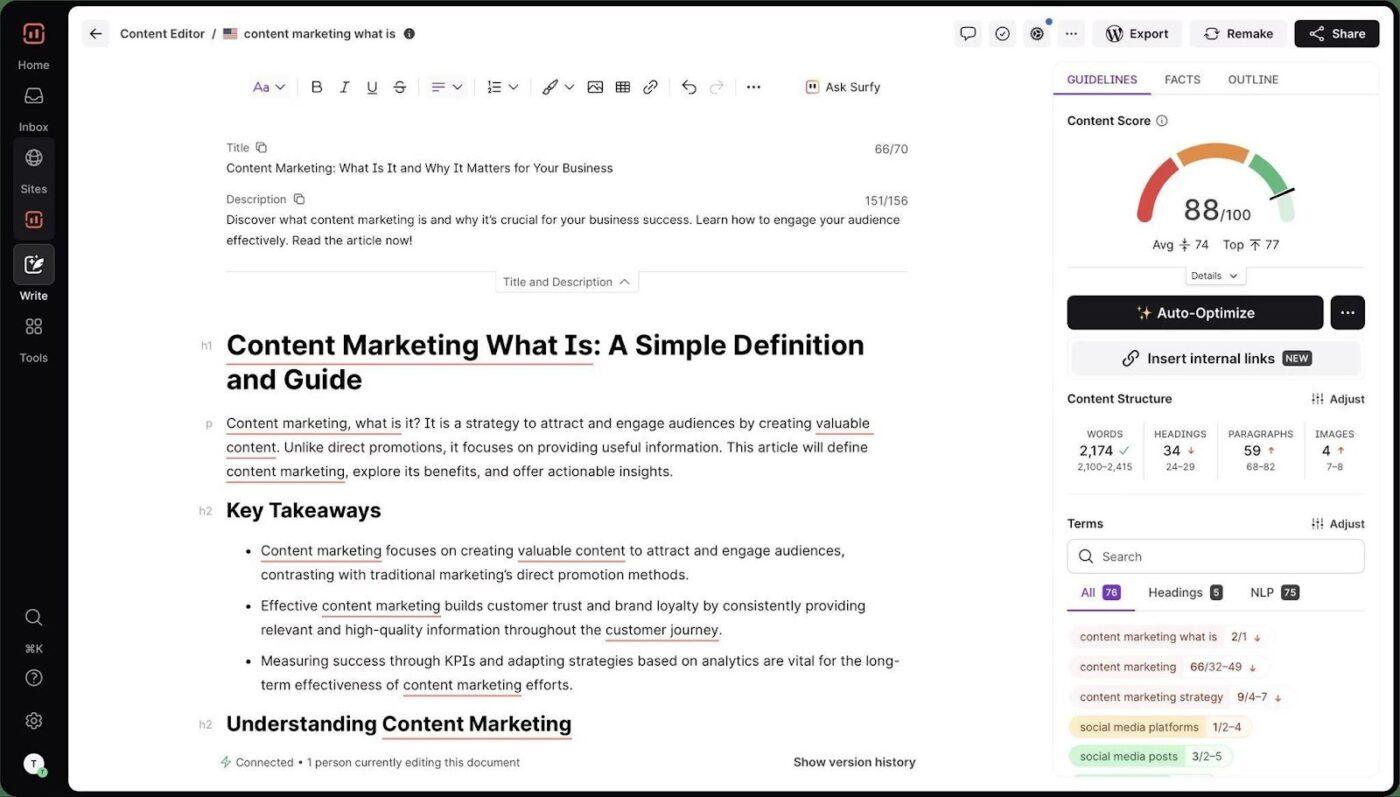
If your team publishes a lot of content, the hardest part is usually writing something that matches search intent, covers the topic properly, and doesn’t miss the terms Google expects. Surfer AI is built for that workflow.
You start with a keyword, and Surfer AI generates a draft based on SERP-driven guidance, then you refine it inside Surfer’s Content Editor so the page stays aligned with on-page recommendations.
For GTM and product marketing teams, Surfer AI works best when you already know what you want to publish (launch pages, comparison posts, BOFU blogs) and you want the SEO layer to be part of the writing process, not a separate step.
A Capterra reviewer said:
“Surfer is a great holistic SEO tool… Surfer is my go-to tool for entity optimization. However, apart from entity optimization, its keyword research tool, topical map creation & audits are equally robust as well.”
When multiple teams ship content, the risks can include wrong terminology and accidental policy violations that creep into customer-facing assets.
Writer.com is positioned as an enterprise AI platform that puts governance and brand controls at the center, including things like brand and voice profiles and admin-grade oversight for teams.
Writer also leans into “use your approved knowledge” as a way to reduce made-up answers. Their Knowledge Graph supports retrieval-augmented generation, so teams can ground outputs in internal sources and keep writing aligned with what the company has approved.
If you care about data privacy, auditability, and consistent messaging across big content surfaces, Writer is built for that.
A G2 reviewer said:
“I appreciate how Writer.com ensures that all our written content remains consistent with our brand voice. …the platform also makes it easier for teams to collaborate and manage workflows, which helps everyone stay aligned and productive.”
📖 Also Read: Best Meeting Management & Agenda Software Solutions
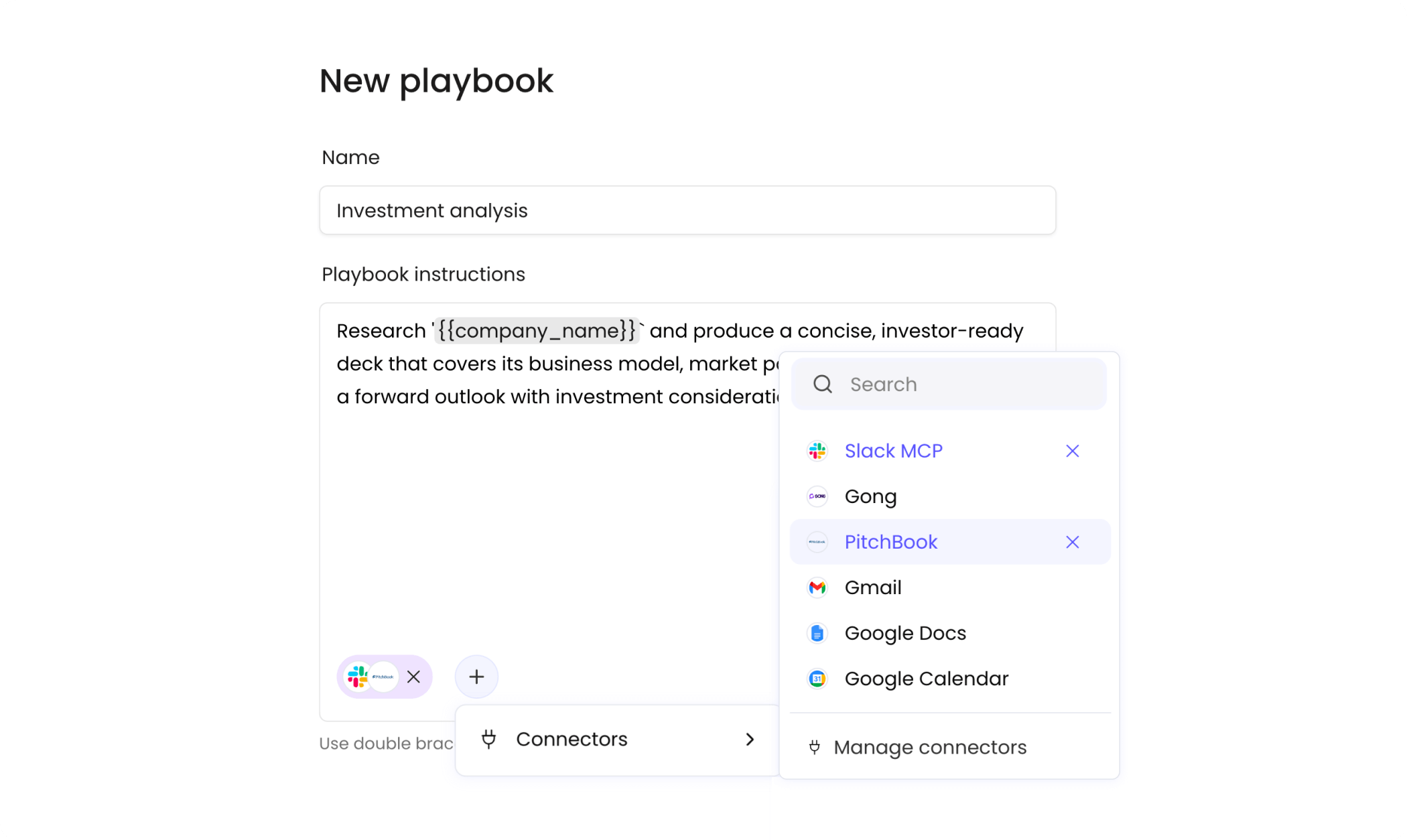
If your GTM motion depends on speed plus relevance, you already know the grind: account research, contact checks, first-touch messaging, follow-up emails, then doing it again for the next segment.
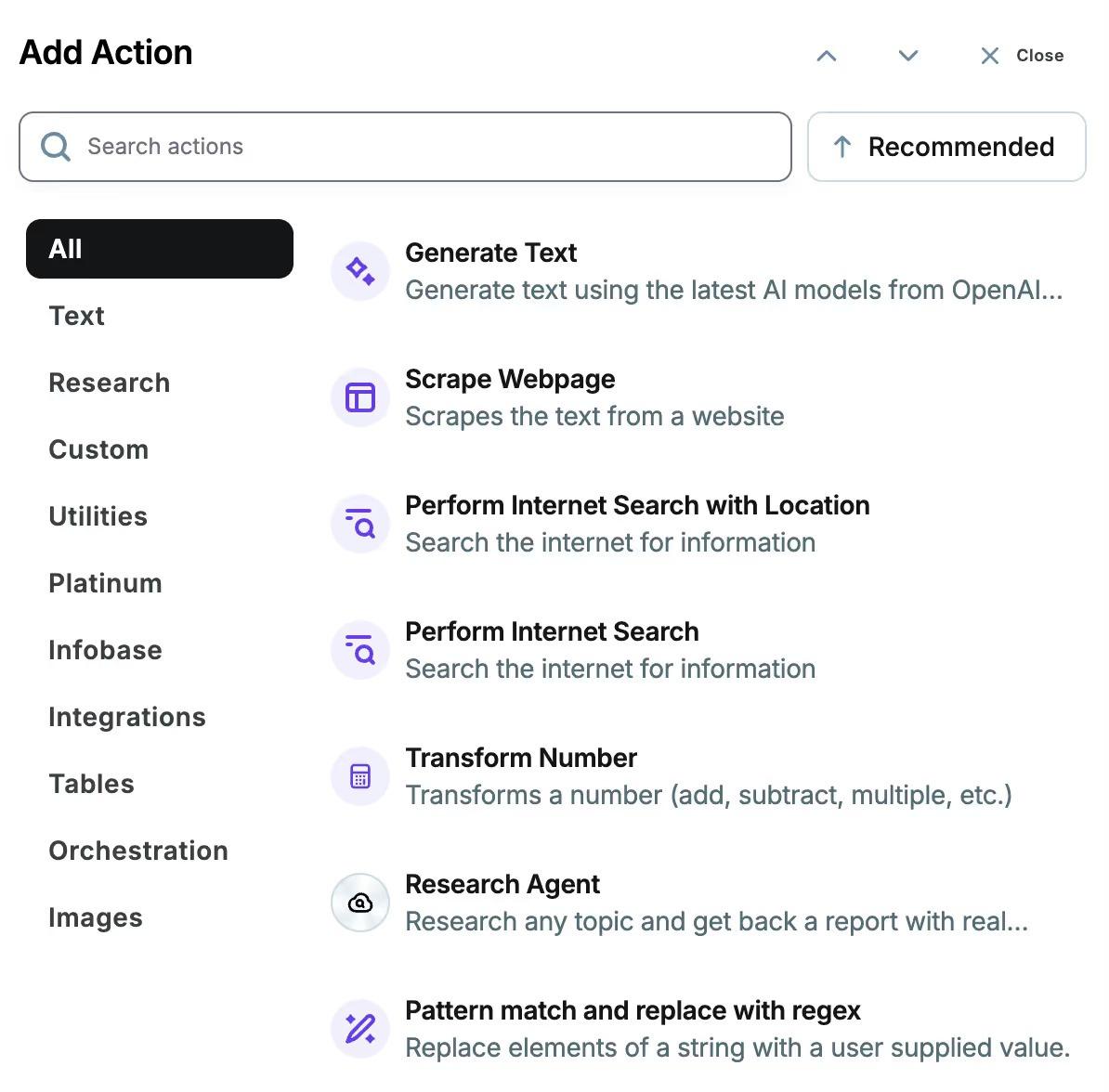
Copy.ai positions itself as a GTM AI platform, with use cases like “Prospecting Cockpit” that focus on account intelligence and drafting outreach that’s specific to the account.
Copy.ai can also pull insights from sales transcripts for deal coaching and forecasting-style guidance. It doesn’t give you live hints during a call, but it’s better at converting those conversations into actual sales results and organized team processes.
A Capterra reviewer said:
“… Copy.AI supports various content types, from sales copy to blog posts and digital ad copies, so you can always create the type of content your audience needs, no matter what kind. 3. Easy Integration With Existing Workflows…”
🤔 Did You Know: Weekly meeting time exploded by 252% since February 2020 for the average Microsoft Teams user, and the number of weekly meetings rose 153% too. That’s why “post-call clarity” matters as much as the call itself.
For product marketers and research analysts, “quick answers” are only helpful when you can show where they came from.
Perplexity’s core pitch is verifiable research: it gives you answers with citations, plus smart follow-up questions so you can push the analysis further without starting over. That makes it a strong fit for competitive research, positioning work, and content briefs that need sources.
Perplexity also supports collaboration through Spaces, which lets teams organize searches and threads by project so research doesn’t get lost across multiple tools.
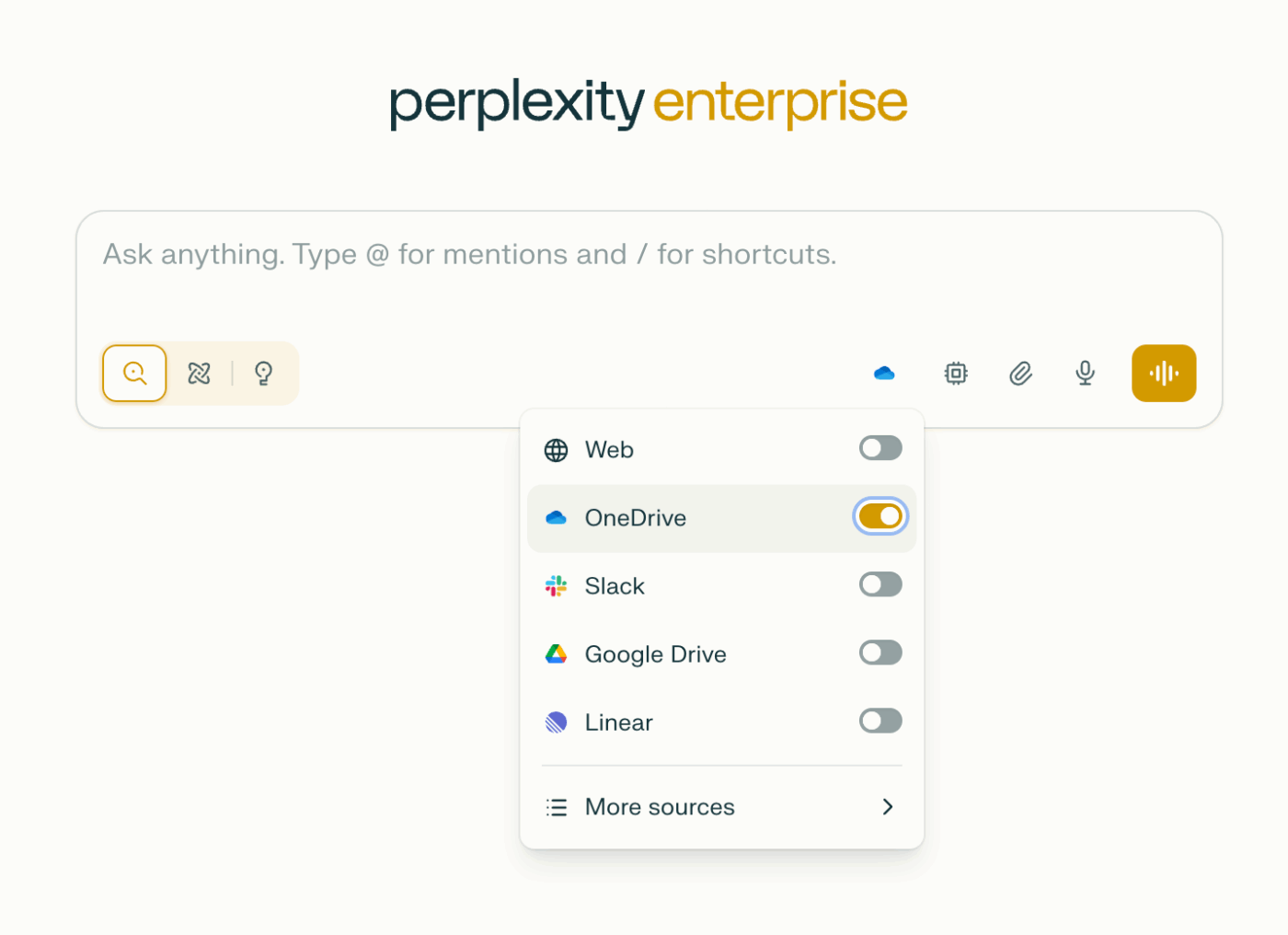
It can search across the web and internal files with permission controls, which is useful when your research needs to include both public sources and company docs.
A G2 reviewer said:
“The sources are reliable, and the information is accurate. I use it [Perplexity.AI] for content marketing on a daily basis. I was helpful in many ways. Writing blogs and articles, the copy and content are easy.”
If you’re still comparing options beyond the main Cluely alternatives, these three tools can cover common gaps once the live conversation ends.
They’re useful when you need cleaner AI notes, faster recall, or more structured practice for job interviews.
📖 Also Read: Best Note-Taking Apps (Free & Paid)
Choosing between Cluely alternatives is not just about getting real-time answers in live conversations through an AI interview sidekick. If you are buying for sales teams, team productivity and real-time coaching matter as much as note quality.
For marketing and GTM teams, you would be best suited to pick tools with real-time insights for general meetings that offer more than just interview-style prompts.
Look for tools that provide end-to-end support for your workflow across multiple platforms. The ideal tools should also include searchable notes, AI-powered real-time suggestions, and AI-boosted real-time feedback.
ClickUp stands out when you want one converged workspace and an AI assistant to connect AI insights, docs, collaboration, and delivery. You can:
Looking for a solid Cluely alternative? Sign up for ClickUp now

© 2026 ClickUp

There’s an easier way. Try a free AI Agent in ClickUp that actually does the work for you—set up in minutes, save hours every week.