






Still downloading templates?
There’s an easier way. Try a free AI Agent in ClickUp that actually does the work for you—set up in minutes, save hours every week.
Sorry, there were no results found for “”
Sorry, there were no results found for “”
Sorry, there were no results found for “”
We document everything here at ClickUp HQ. Our onboarding process, our content review workflow, and even the distinctly odd naming system that someone invented three years ago.
So, of course, rewind back several years, and we were hemorrhaging time on documentation work. Formatting took forever, people saved different versions everywhere, and processes drifted the moment someone left the team.
We discovered the gap, but it was months later, when things began to feel cracked. Fortunately, our attempt to save ourselves was successful: we built ClickUp Docs! 🤩
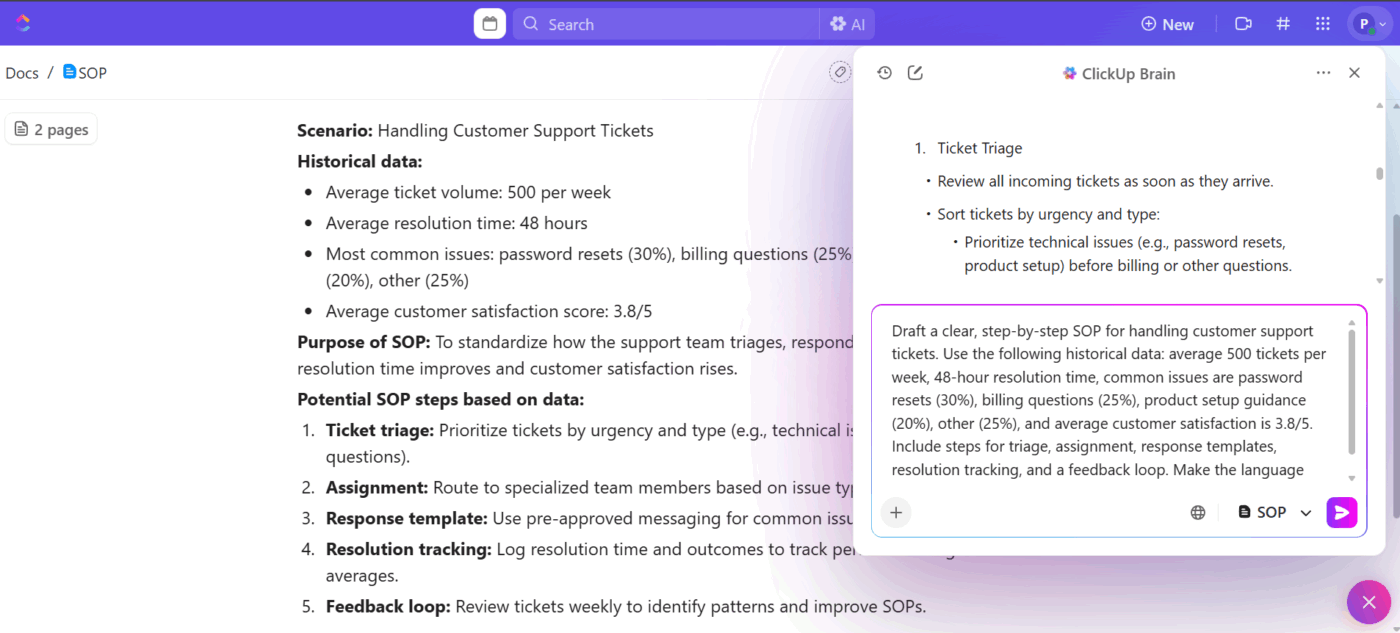
Then, ClickUp Brain came along, drafting all our standard operating procedures (SOPs) with just a prompt.
In this blog post, we’re pulling back the curtain on how ClickUp uses AI Docs to simplify SOP creation, turning what used to be a tedious, manual process into something fast, smart, and (dare we say?) kind of satisfying. 📝
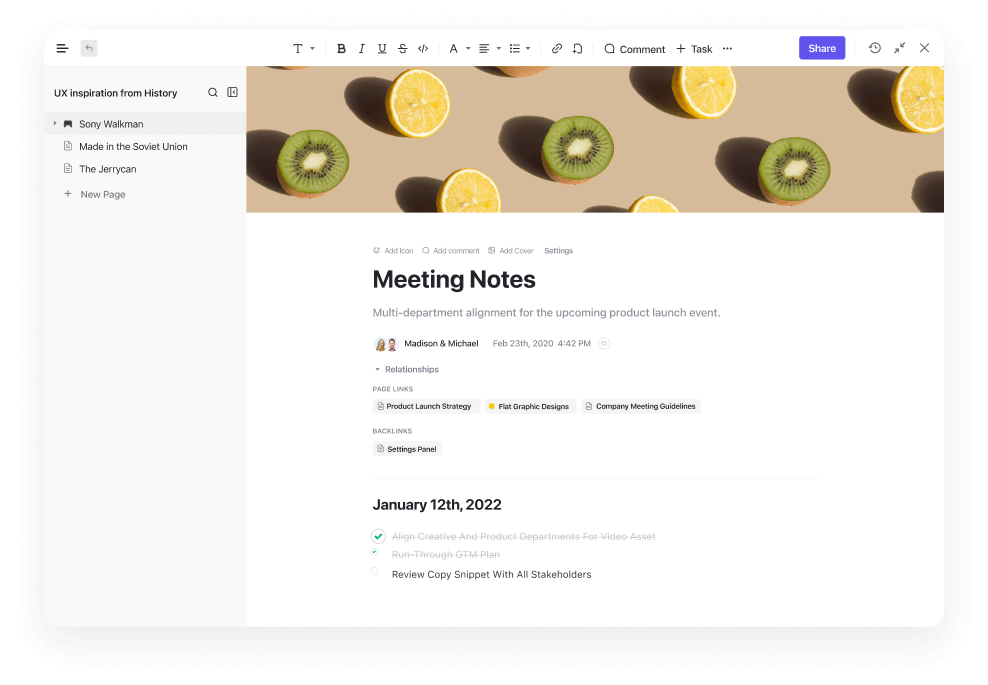
AI Docs in ClickUp are intelligent documents powered by ClickUp Brain, designed to help teams create, manage, and collaborate on content efficiently.
They use AI to draft, summarize, and organize information, making it easier to build SOPs, wikis, and project documentation directly within your workspace.
Because ClickUp is the world’s first Converged AI Workspace, your SOPs live alongside the tasks, projects, and workflows they document, not in separate tools that require context switching.
This eliminates Work Sprawl by keeping documentation connected to actual work, so when processes change, your SOPs can be updated in context rather than becoming outdated files no one remembers to maintain.
🎥 AI can take the pain out of writing docs—from user guides and SOPs to legal contracts and product descriptions. In this video, we’ll show you exactly how to use AI to write documentation using real-world examples and proven prompts.
We think of SOPs as our team’s playbook. They help all of us stay on the same page and get work done the right way every time.
Here’s why they’re worth the effort. 👀
When we write SOPs for our key tasks, we create a reliable standard that keeps our quality high.
Every customer gets the same excellent experience from us, whether they work with our newest team member or someone who’s been here for years. Clear guidance reduces errors, speeds up onboarding, and means no one wastes time asking, ‘Wait, how do we do this again?’
🔍 Did You Know? Cognitive psychologist George Miller proposed that the average human can hold about 7 (plus or minus 2) ‘chunks’ of information in short-term memory. In SOP design, this suggests you don’t overload a single step with too many sub-steps or data points.
What happens when one of our key people goes on vacation or moves to a new role? Without SOPs, their tacit knowledge goes with them.
SOPs enable our most experienced team members to document shortcuts, exceptions, and past mistakes, ensuring that their knowledge benefits us all.
SOPs save us hours every week, preventing us from reinventing solutions we’ve already figured out. We can reference past SOP examples and focus our energy on new challenges instead of redoing the basics.
Compliance gets easier for us, too. When audits come around, we can point to clear procedures that show exactly how we handle sensitive data and maintain quality, reducing risk and giving us confidence we’re doing things right.
📮 ClickUp Insight: 44% of our survey respondents stick to 1-5 tabs when browsing, but 8% live in ‘chaos mode’ with 31+ tabs.
While not always intentional, it happens to the best of us: a Miro board for brainstorming, a Google Doc for SOP, a project management tab, and then ChatGPT for extra support. 👀
But every switch between apps or windows adds toggle tax, aka a hidden mental toll that chips away at your mental bandwidth and leaves you feeling scattered.
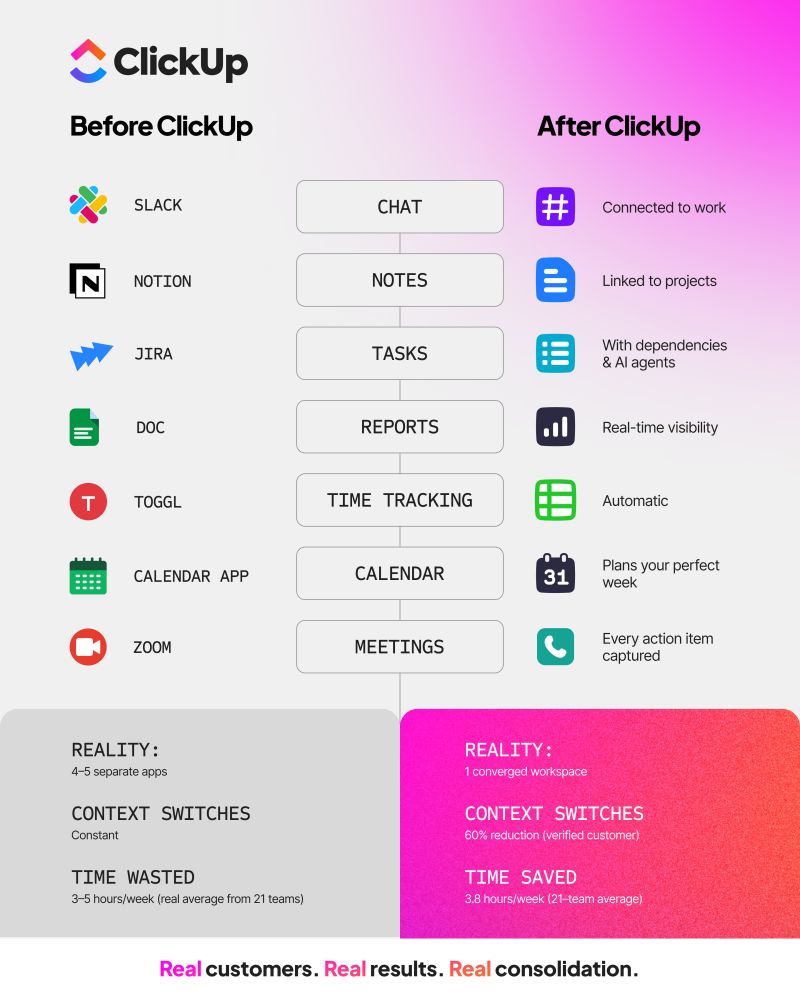
With ClickUp, you can centralize all your tools: think whiteboards, docs, tasks, web search, AI models like ChatGPT, Gemini, and Claude, and more under one Converged AI Workspace. Time to ban context switching and close those extra tabs down for good!
These are the top AI features you get. 👇
We used to spend way too long building SOPs from scratch.
ClickUp Brain changed that for us. Now we open a Doc, type a ‘/‘ (slash), describe what we need, and get a working draft.
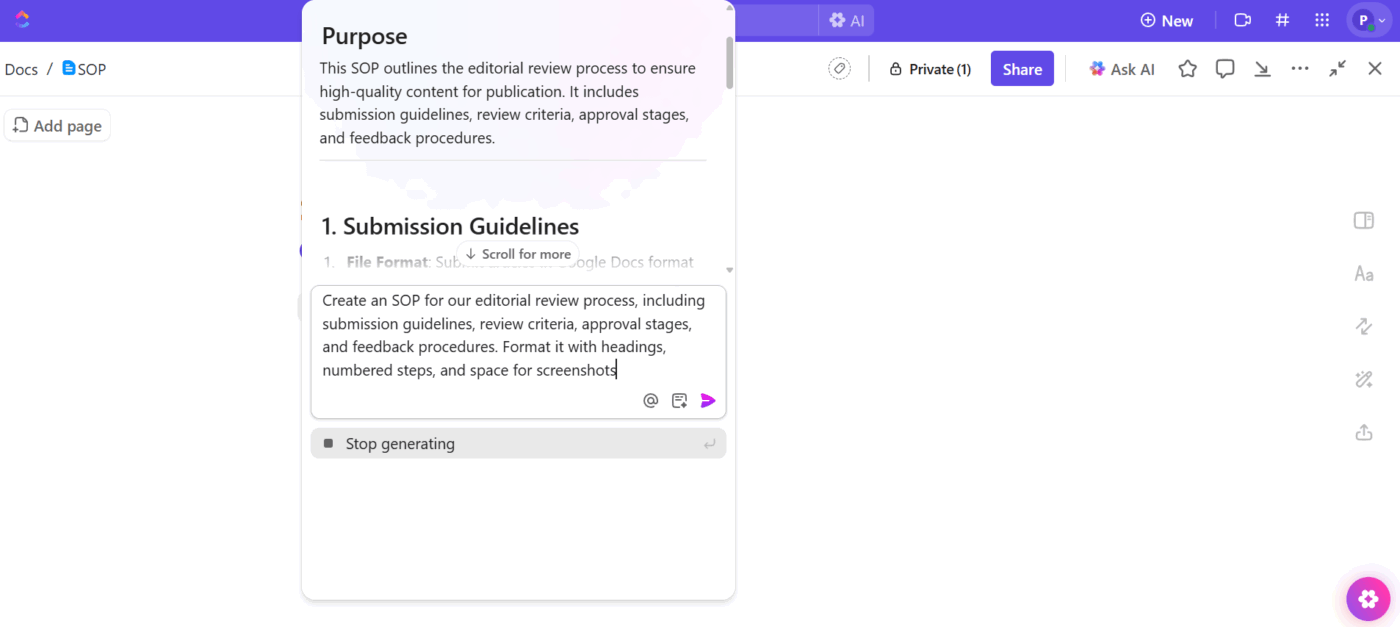
Here’s how this plays out: we needed to document our new editorial review process. We prompted ClickUp Brain to generate the initial structure, such as sections for submission requirements, review criteria, approval stages, and feedback protocols.
We customized it for our team’s workflow in about 20 minutes (Something that would’ve taken more than two hours 😮💨).
📌 Example prompt: Create an SOP for our editorial review process, including submission guidelines, review criteria, approval stages, and feedback procedures. Format it with headings, numbered steps, and space for screenshots.
We work on SOPs together in real time, which means no document version control issues.

Our content team, designers, and project managers all edit the same Doc simultaneously with ClickUp’s Collaboration Detection. So when someone identifies an issue that needs updating in our design handoff process, they address it while others continue refining their sections.
ClickUp Brain also helps us make sense of lengthy discussions. When we debate process improvements in the comments, it often results in dozens of back-and-forth messages. The AI documentation tool reads through the entire thread and summarizes the key decisions and action items.
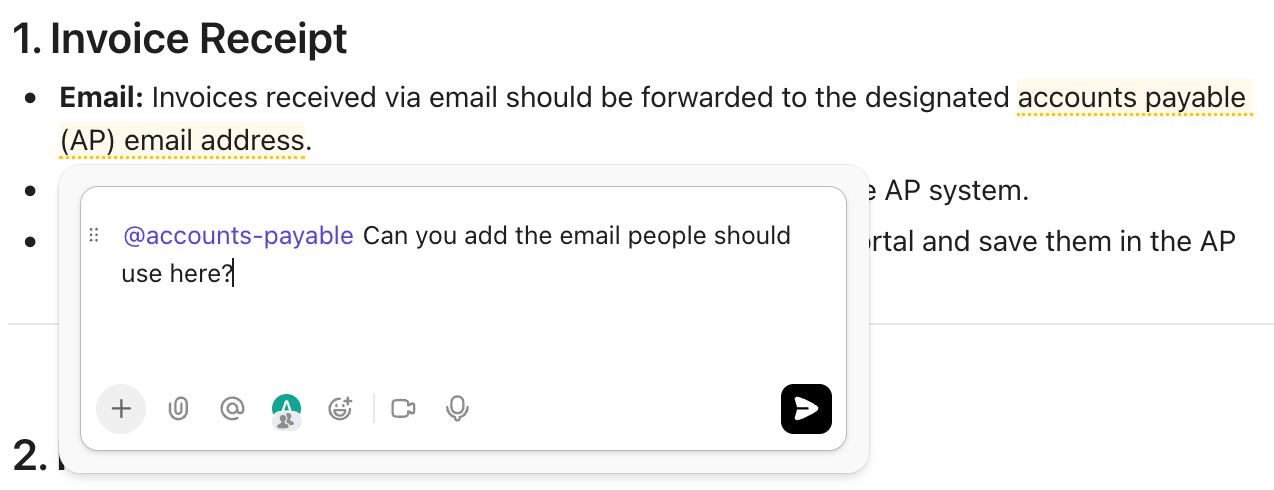
Additionally, when someone suggests ‘We should add a bug report template’ in a ClickUp Assigned Comment, the platform automatically converts it into a task with an assignee.
We recently revised our client onboarding SOP with input from multiple team members. Everyone left comments suggesting improvements, and ClickUp Brain extracted the consensus points that we all agreed on.
It also created separate ClickUp Tasks for items that needed additional work, like building email templates and configuring automation.
💡 Pro Tip: Use ClickUp Chat to discuss SOP drafts directly alongside the document without switching to email or Slack. Tag subject matter experts to review specific sections, ask clarifying questions about process steps, and get immediate feedback.

Chat has threaded conversations that stay connected to the SOP, so you never lose context about why certain procedures were documented a particular way.
We experiment with our processes, and sometimes those experiments don’t work out.
ClickUp Docs automatically saves every version, allowing us to see who made changes, compare versions side by side, and restore previous iterations when needed.
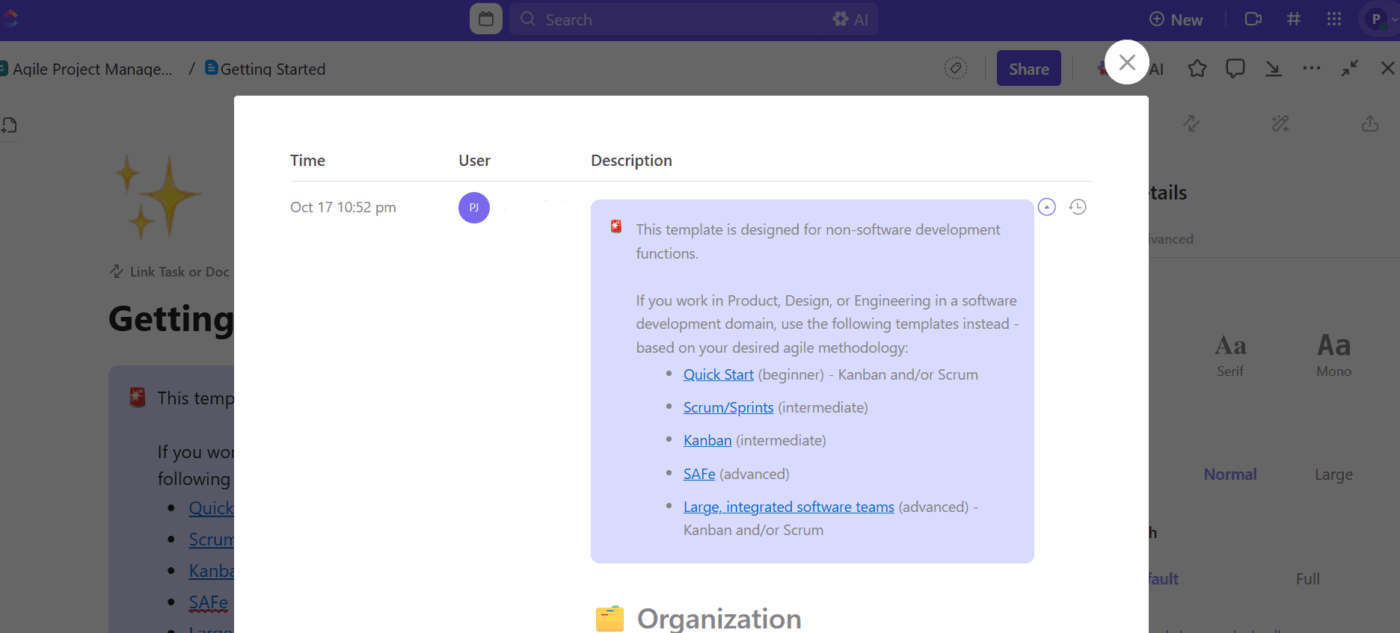
For instance, the marketing team edited their content publishing SOP to include an additional review checkpoint. After a few weeks, they noticed that the publishing timeline had stretched significantly. They opened version history, compared the current process with the previous one, and identified where the bottleneck appeared.
From there, it was easy to restore the streamlined version that worked better for our team’s pace.
Version history also supports training efforts.
New team members review the evolution of the project kickoff SOP to understand how the process was refined over time. They see which steps were added to solve specific problems and which ones were eliminated because they didn’t add value.
🔍 Did You Know? Our brains remember things better when we actively produce them (writing, speaking) rather than just reading. When drafting or editing SOPs, asking your team to ‘speak aloud the steps’ or ‘walk you through the process’ helps lock them in memory.
We build our SOPs to drive actual work, not to sit in a folder somewhere.
For instance, the customer success team references the client escalation SOP and follows embedded checklists as they resolve issues. Each checklist item can generate subtasks with assignments and deadlines.
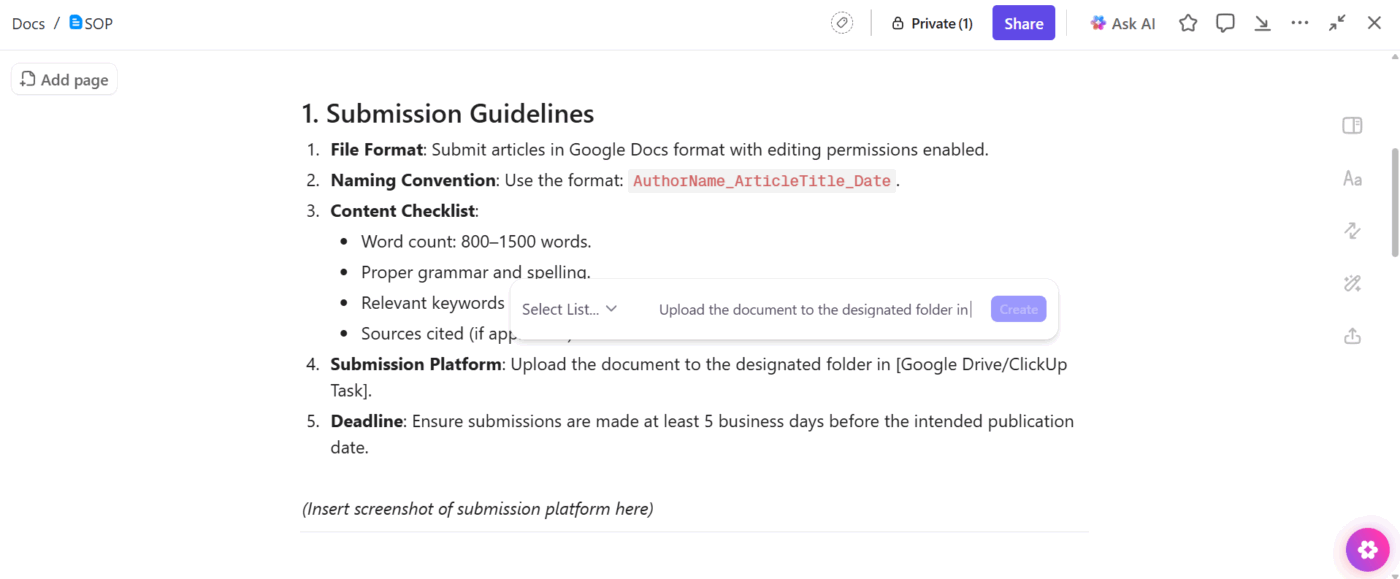
ClickUp Brain streamlines this connection. When the team writes a detailed SOP for quarterly business reviews, they highlight specific sections and prompt AI to create tasks based on that content. The AI project manager generates a task list with suggested assignees based on workspace patterns.
The SOP, checklist, and workflow remain connected, so updates to one inform updates to the others.
👀 Did You Know: Over a three-year period, organizations using ClickUp achieved an estimated 384% return on investment (ROI), according to Forrester Research. These organizations generated about US $3.9 million in incremental revenue through projects enabled or improved by ClickUp.
We’ve completed hundreds of projects, and many of our effective processes have been developed organically through task comments and discussions.
ClickUp Brain analyzes existing work and builds SOPs based on the patterns we already follow. We can prompt it to review our completed website launches and generate an SOP template based on what consistently delivers results.
We used ClickUp Brain’s understanding for our brand guidelines last year. Our design team frequently answered recurring questions about brand asset usage. We directed ClickUp Brain to analyze six months of related comments and tasks, then generate an SOP. It produced a comprehensive document reflecting our actual practices. We refined it briefly and published it for the team.
We also use the AI integration to align process documentation with reality.
When we noticed our customer onboarding practices had evolved beyond what our SOP described, we asked ClickUp Brain to analyze our recent onboarding projects and suggest updates.
The AI tool identified three steps that we’d incorporated into our workflow and two steps that we’d phased out, which we edited to keep the knowledge updated.
💡 Friendly Hack: Host ClickUp SyncUps when training new team members on SOPs or reviewing process updates with your team.
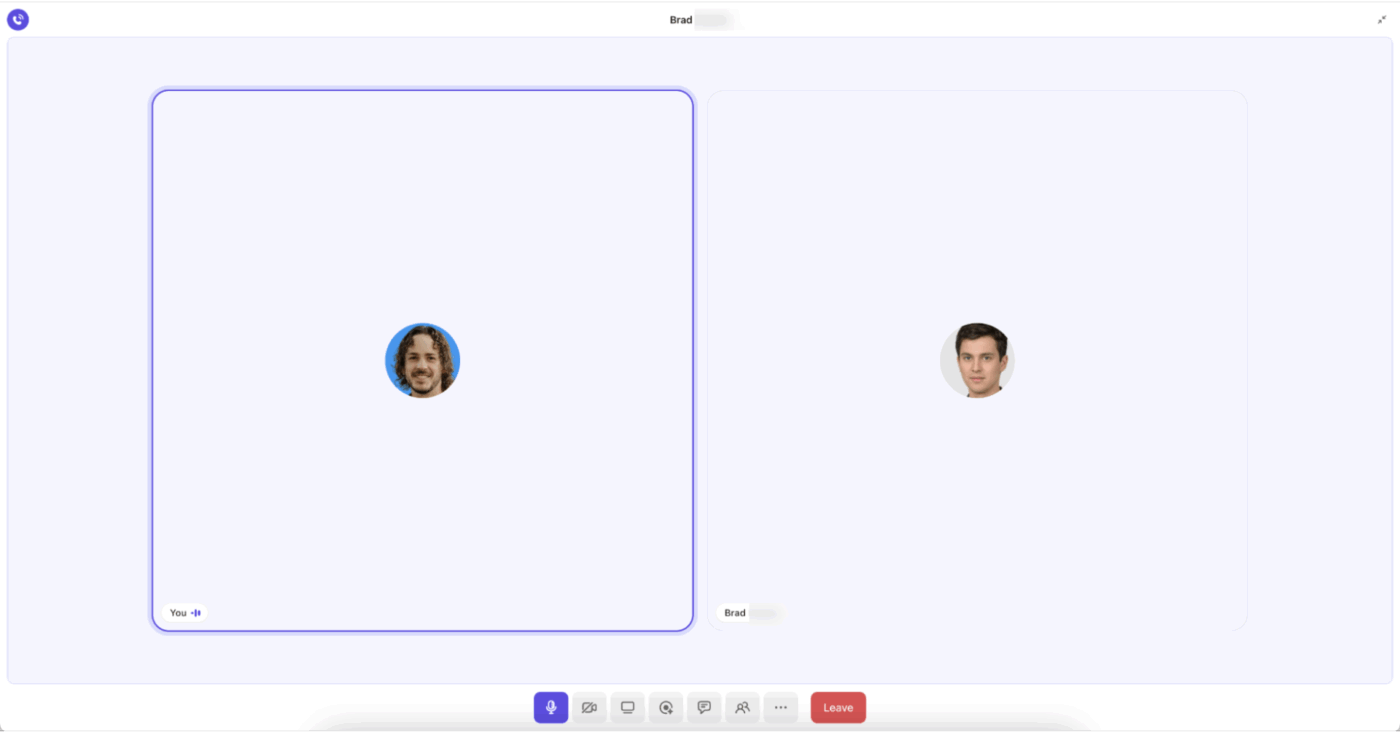
Then, use ClickUp Brain to automatically transcribe the meeting, extract key procedural points discussed, and convert questions or edge cases into additions for your SOP documentation. So, the tribal knowledge shared verbally is also captured in your official procedures.
📖 Also Read: Top SOP Software Tools to Standardize Processes
In this section, we spill the beans. This is truly how we use AI for documentation internally. 📝
We’ve saved a bunch of Doc templates for different types of SOPs. When we need to document a new process, we grab the right template and ask ClickUp Brain to customize it.
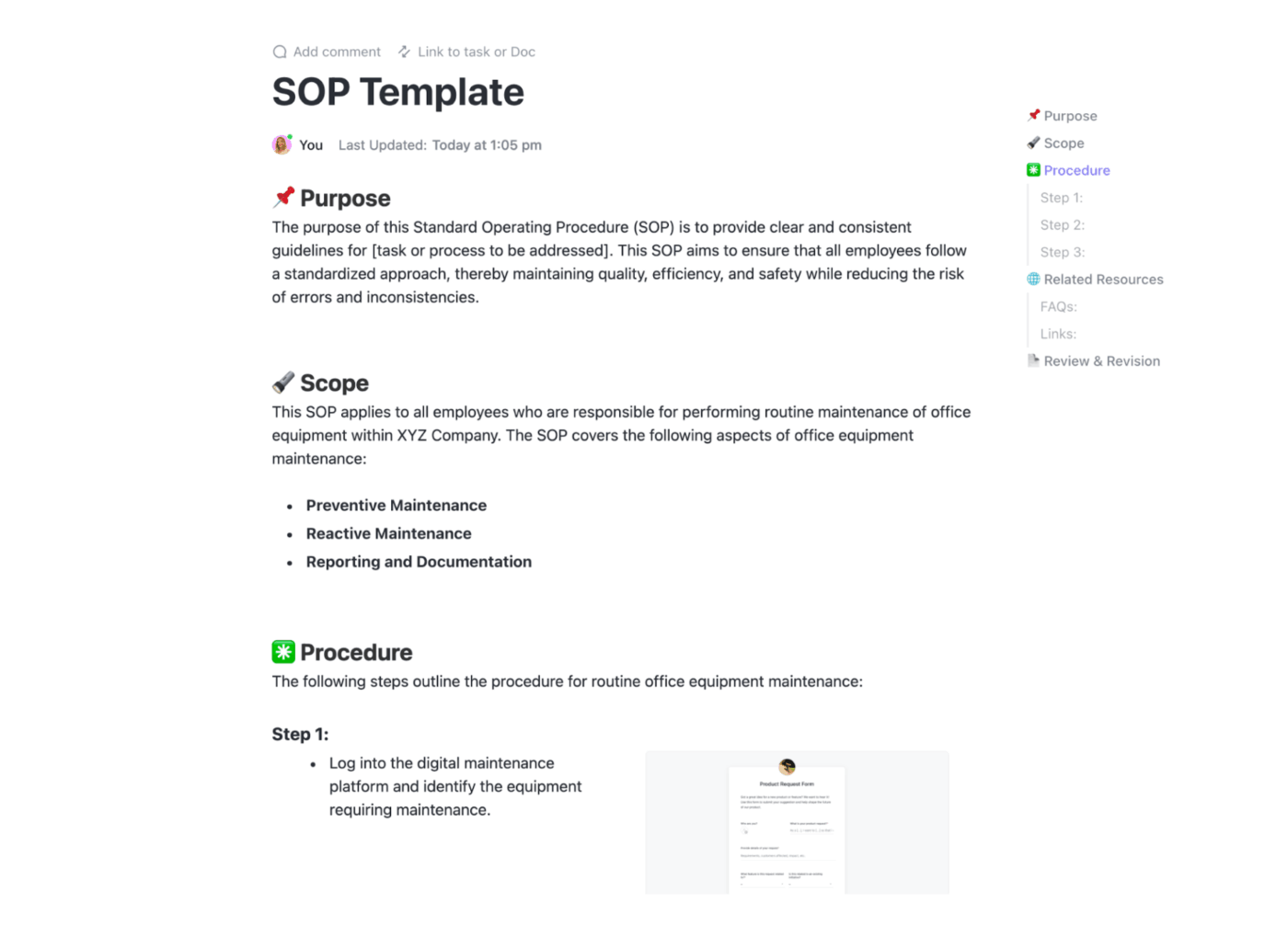
The last time we launched a major feature, we pulled up our feature launch template and had the AI adjust the sections to fit our needs. It kept our structure consistent but filled in the specifics for that particular launch.
We include screenshots, tables, videos, and any other visual aids that make the process clearer.
Our design review SOP has actual screenshots of our feedback tool and a table showing how long each review stage should take. ClickUp Brain helps us figure out where these visuals should go so people can actually follow along.
🔍 Did You Know? In memory theory, ‘interference’ means new memories can impair recall of older ones (retroactive) or prior info can block new memories (proactive). In docs: avoid burying updates or changes in dense text. Make them distinct so they don’t get ‘blended out’ in memory clutter.
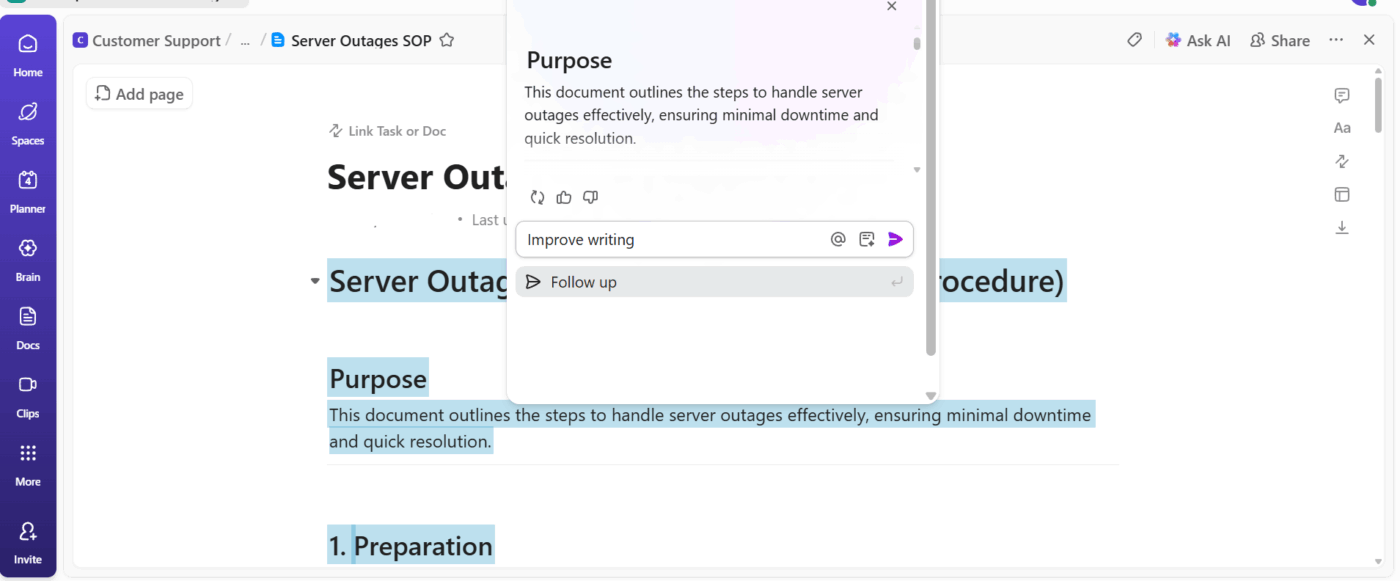
Processes change, and we need our SOPs to keep up. When something needs a refresh, we highlight that section and tell ClickUp Brain to rewrite it.
Sometimes we realize we’ve been too technical, so we simplify the language. Other times, a process has shifted, and we need to rewrite a whole section to match what we’re actually doing now.
📌 Example prompt: Rewrite this step in plain, actionable language that anyone on the team can understand.
💡 Pro Tip: Record ClickUp Clips when team members perform complex procedures that are hard to describe in text alone. Screen recordings with voiceovers show exactly how to navigate software, troubleshoot common issues, or complete multi-step processes.
Then, embed these video clips directly into your SOP Docs so procedures include both written steps and visual demonstrations.

Getting input from everyone who actually does the work makes our SOPs way better.
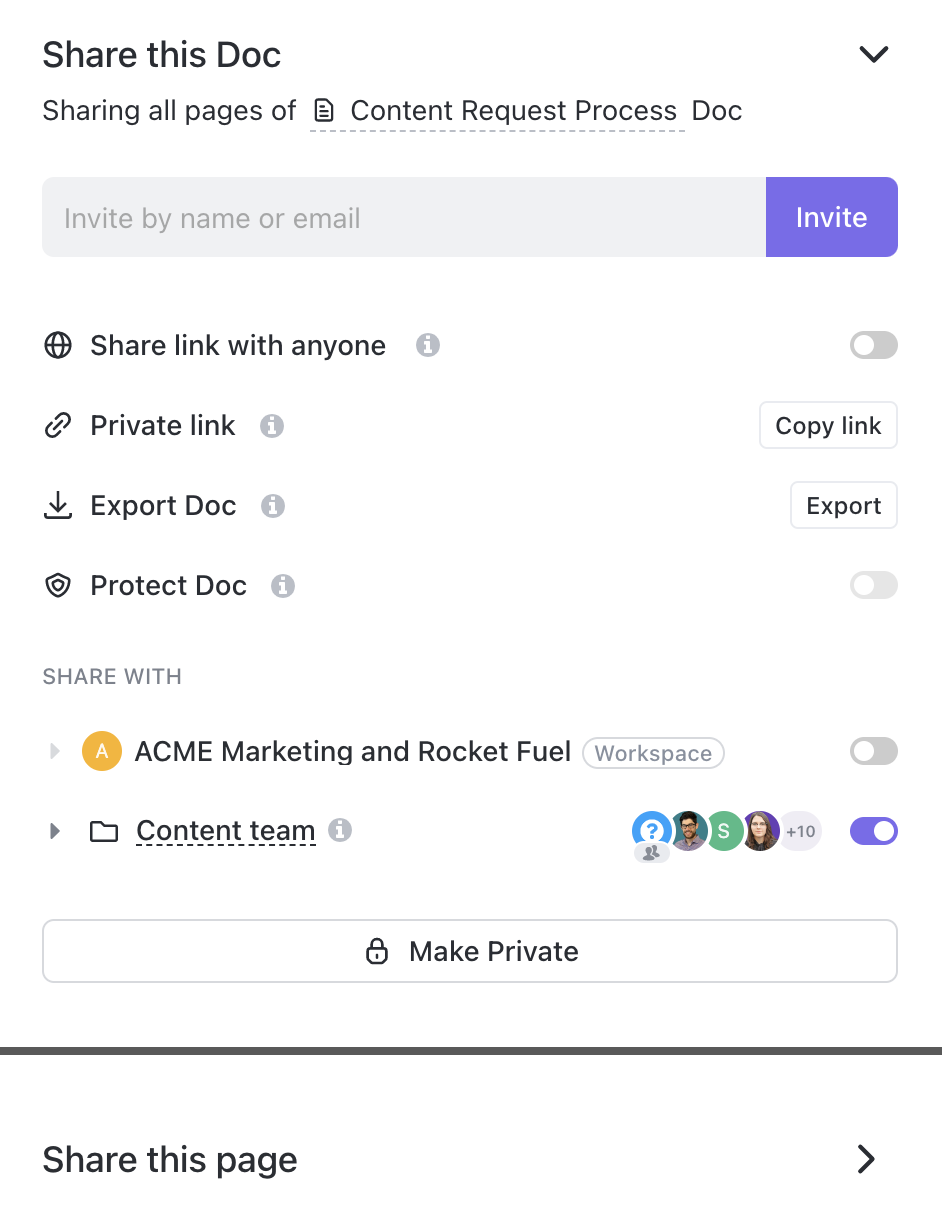
ClickUp Docs allows us to set detailed permissions for who can see, comment on, or edit each document or page. We can share Docs with our entire Workspace (excluding guests), including specific people or teams, or even invite external users by email.
At the same time, permissions in ClickUp follow a hierarchy: document-level permissions override broader workspace settings, and item-specific permissions (for example, on a particular page) take precedence over general ones.
We live in ClickUp Docs Hub because it’s where every SOP, project note, and brainstorm lands. It gives us one place to see everything we’ve created or collaborated on, without digging through Spaces or tasks.
We can filter by what’s been shared with us, what we’ve written, or even Docs tagged for a specific project.
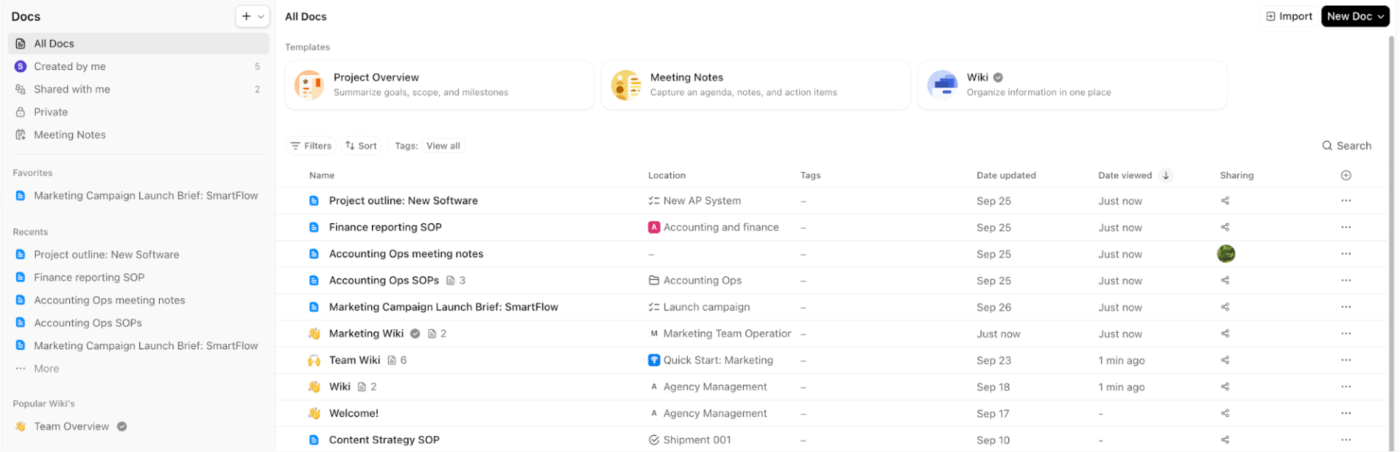
What we love most is how easy it is to connect the dots. Drafts of company policies and procedures turn into polished references right inside the Hub, all tagged, linked, and ready to use. We can group related Docs, pin our go-tos, and search across everything in seconds.
It’s become our collective memory, keeping all our knowledge discoverable and up to date, no matter how fast things move.
And now, this is how we write procedures with ClickUp Brain in Docs. 🧑💻
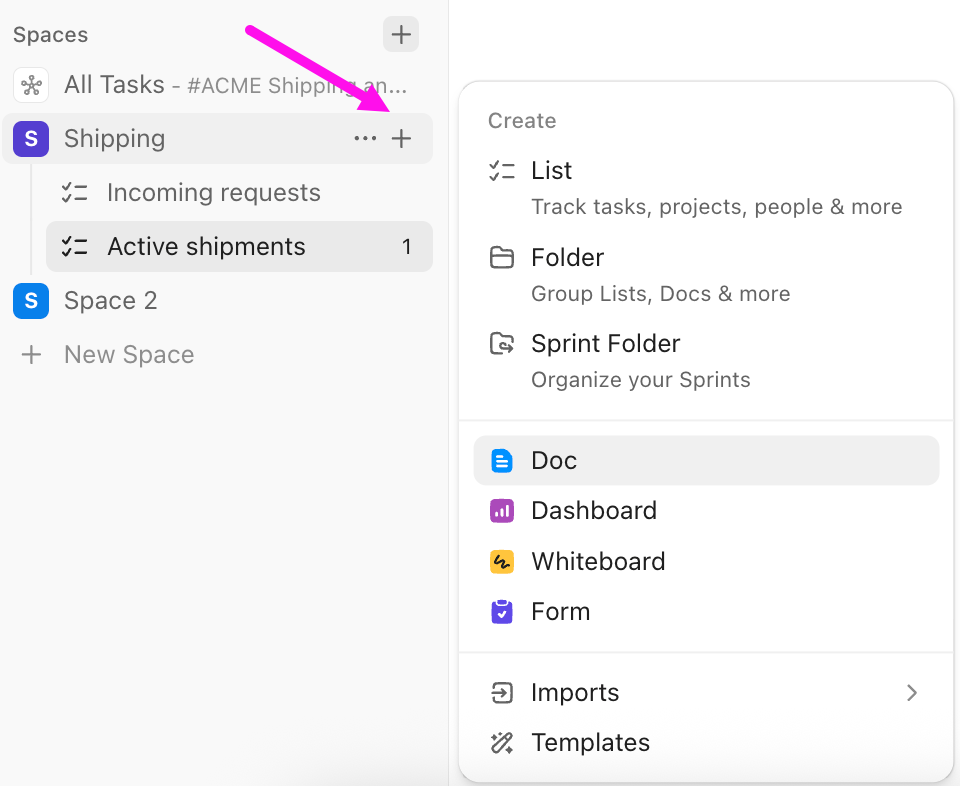
We navigate to the Docs Hub or the specific Space, Folder, or List where we want the SOP to live.
We click the + Doc button and give our SOP a clear, descriptive title. Something like Client Onboarding Process SOP or Content Approval Workflow works well. Clear titles mean people can find what they need without guessing.
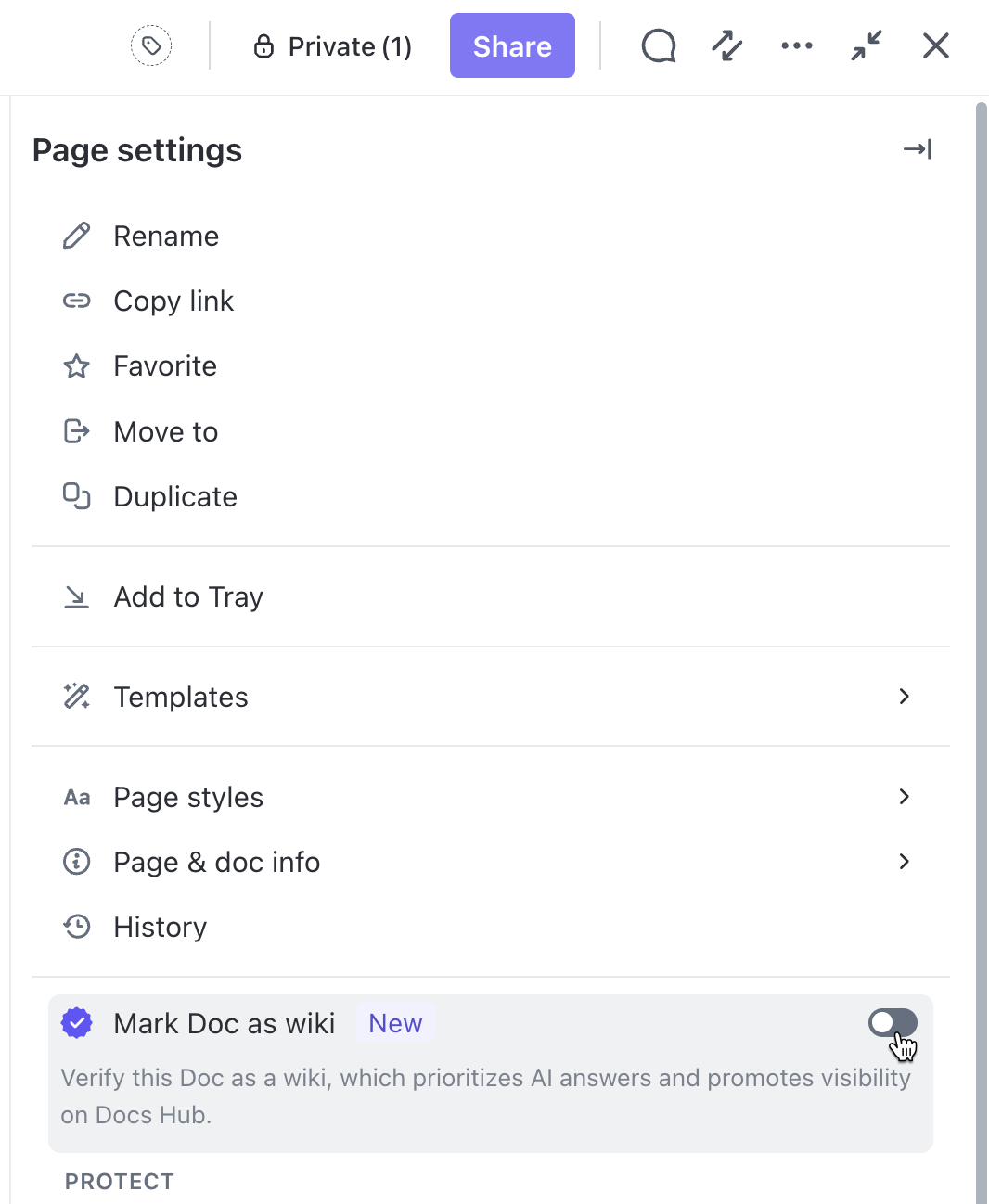
Next, we set permissions. We choose whether the Doc should be public so our whole team can see it, or private while we’re still drafting.
For sensitive processes like financial procedures or HR policies, we keep permissions tight. We can always adjust these later as the SOP evolves.
👀 ClickUp Hack: We often mark the Doc as a Wiki when it’s going to serve as a source of truth for our team’s processes. This makes it way easier to find and reference later.
Our operations strategy wiki has all our company-wide SOPs organized this way, and new team members tell us it’s a lifesaver during onboarding.
There are two paths here, and both work great depending on what you need:
Click the Ask AI button or type /write in the Doc, then enter a prompt like Draft an SOP for onboarding new employees or Create a procedure for quarterly performance reviews.
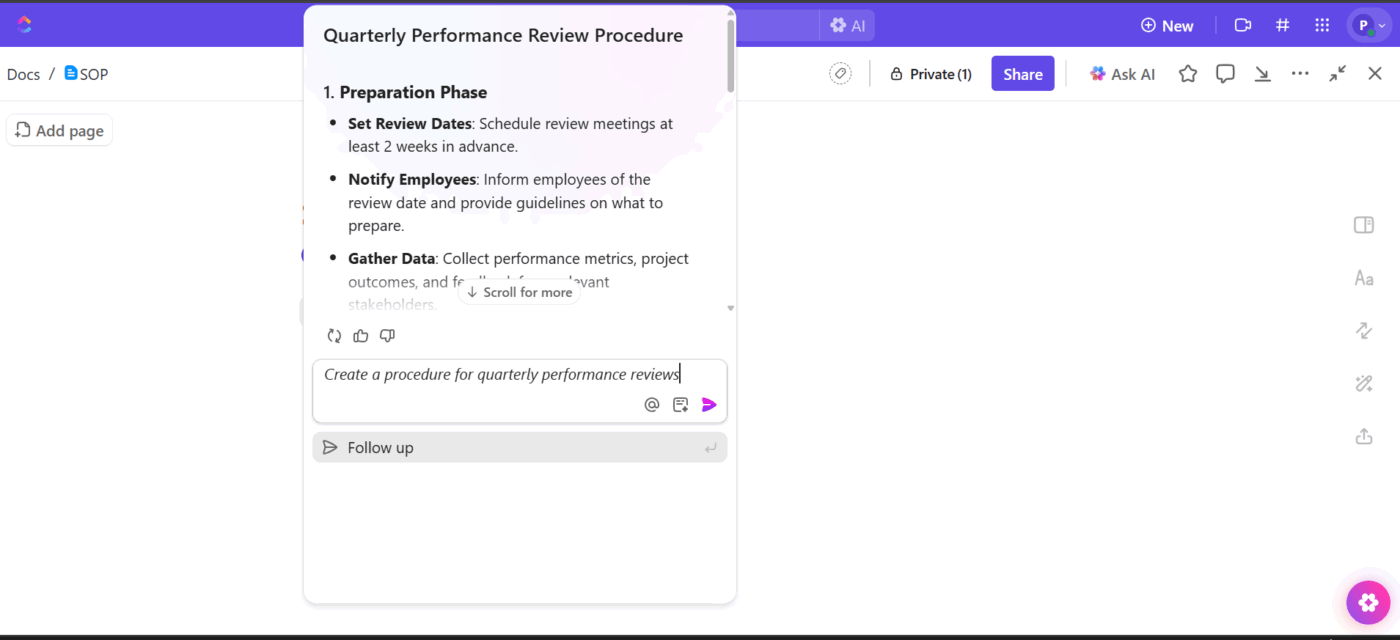
ClickUp Brain generates a draft based on what you ask for.
Once you have that initial draft, review it and refine. Ask the AI to expand sections that feel thin, simplify language that’s too complex, or add bullet points where things need to be clearer.
For instance, when we drafted our vendor onboarding SOP, AI gave us a good structure. However, we had it expand the compliance verification section and simplify the contract approval language so our procurement team could follow it.
👀 Friendly Tip: We iterate until it feels right. Our team tries follow-up prompts to adjust the tone, add specific examples, or include notes our industry requires. ClickUp Brain adapts based on what we need, so we don’t have to accept the first draft as final.
Now we make it ours. We go through each section and replace placeholders with our actual procedures, tools, and contacts.
Generic steps become detailed instructions that our team can follow without confusion. We add screenshots that show exactly what people should see and link to the resources they’ll need: style guides, approval forms, and template libraries.
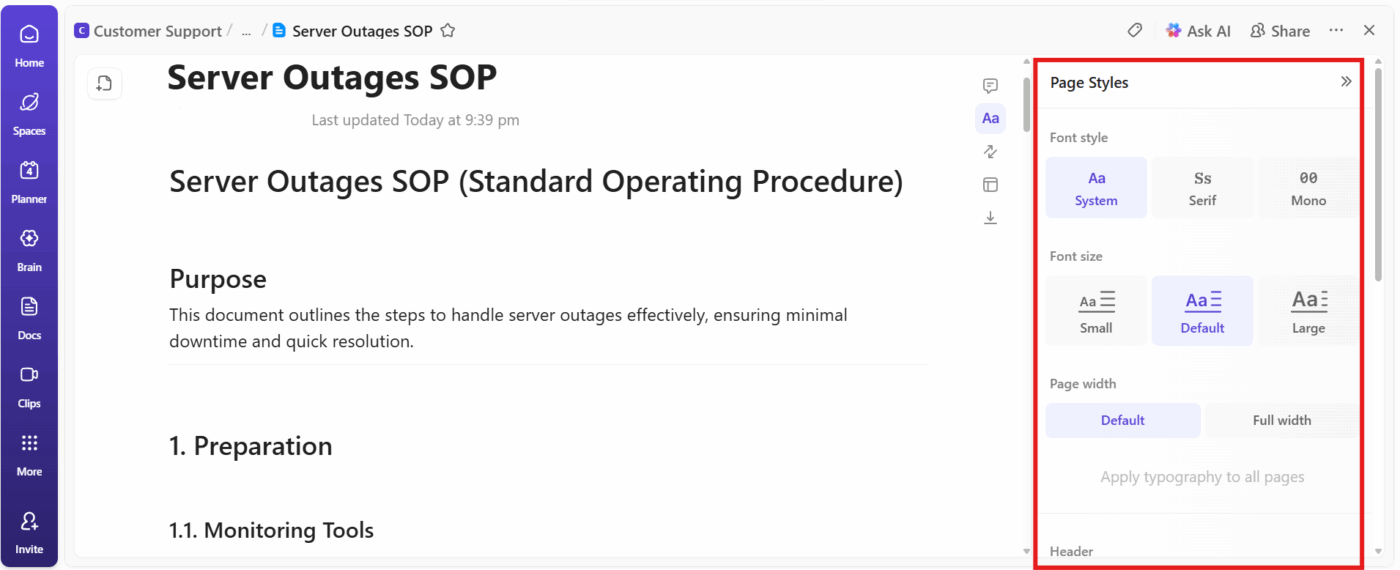
Then, we add:
For instance, our design handoff SOP includes screenshots of our review tool, a table showing turnaround times for each review stage, and links to our brand guidelines.
💡 Pro Tip: You can use ClickUp Whiteboards to sketch diagram workflows and decision trees before writing your SOP documentation. Teams can collaboratively map out each step, identify handoff points, and spot bottlenecks or missing procedures in a visual format.
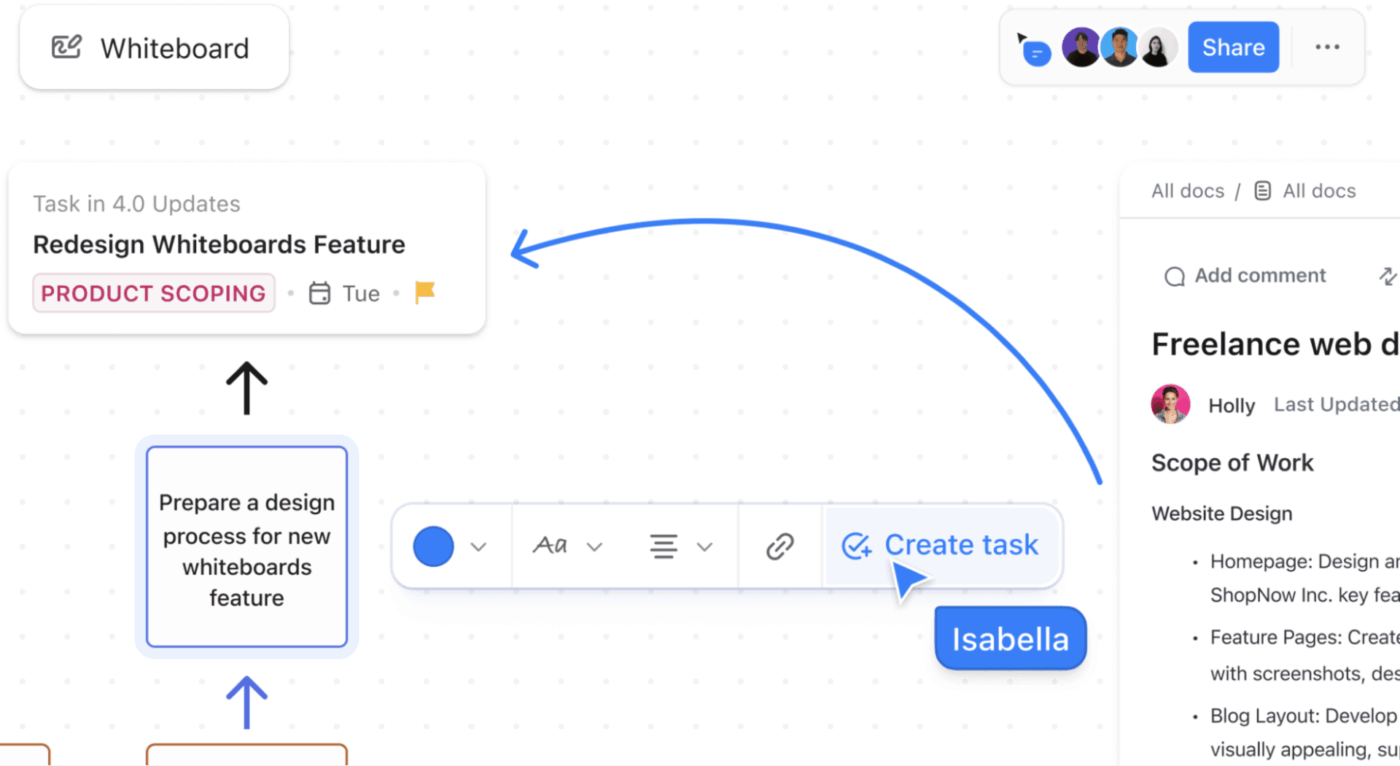
Once the process is finalized on the Whiteboard, convert it directly into structured SOP tasks or link it to your ClickUp Doc. This way, readers can see both the high-level workflow diagram and the detailed step-by-step instructions.
Our focus then turns to making the SOP actionable.
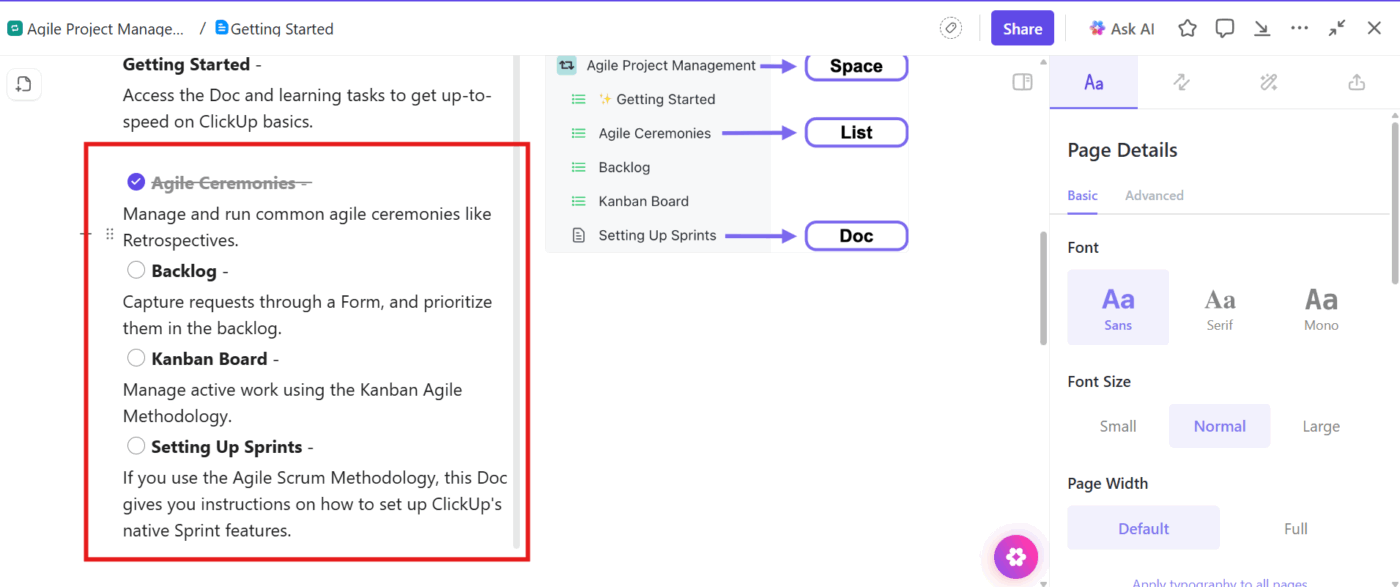
We insert checklists that break down the procedure into steps, allowing people to tick off as they work.
For key steps, we create or link tasks directly from the Doc. Highlight a step, use the + Task option, and connect it to actual work in the Workspace.
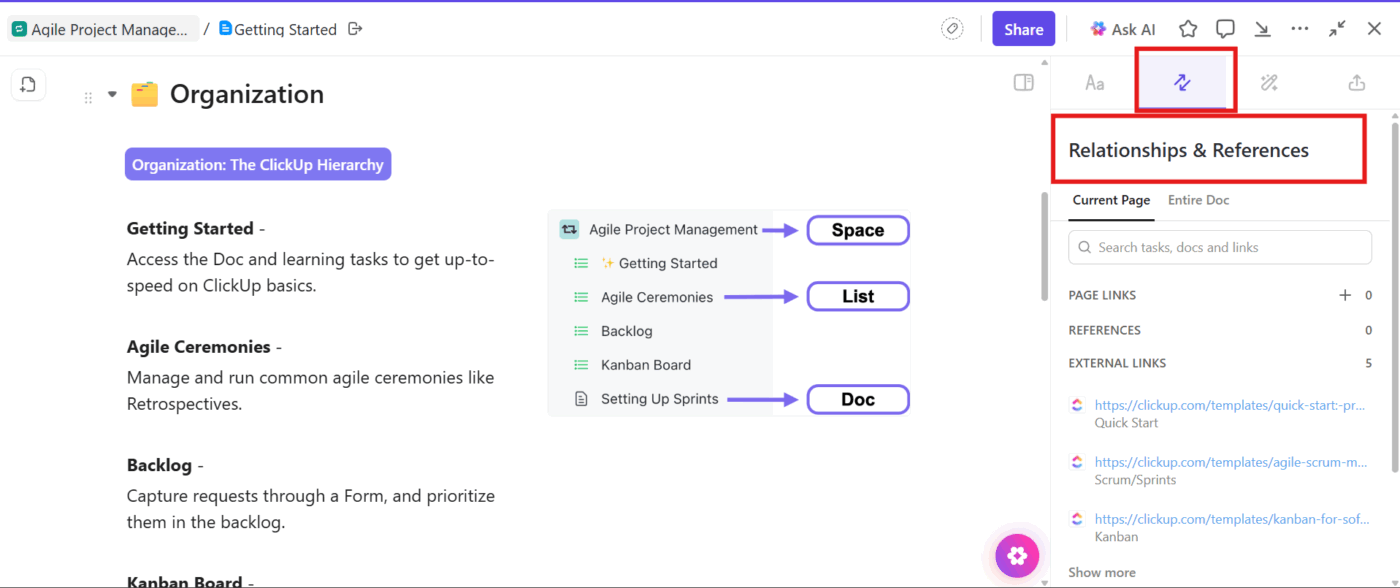
Plus, we use Doc Relationships to connect our SOP to related tasks, projects, or recurring workflows. For instance, the client onboarding doc links to the onboarding task template, so when someone starts a new client relationship, they have the context right there.
👀 ClickUp Hack: Our customer escalation documentation includes a flowchart showing when to escalate issues and to whom. Because we know how helpful it can be to quickly check embedded process diagrams or flowcharts for visual guidance. People follow the visual path and reference the detailed steps as needed.
We click the Share button and invite stakeholders, managers, or compliance officers to look it over.
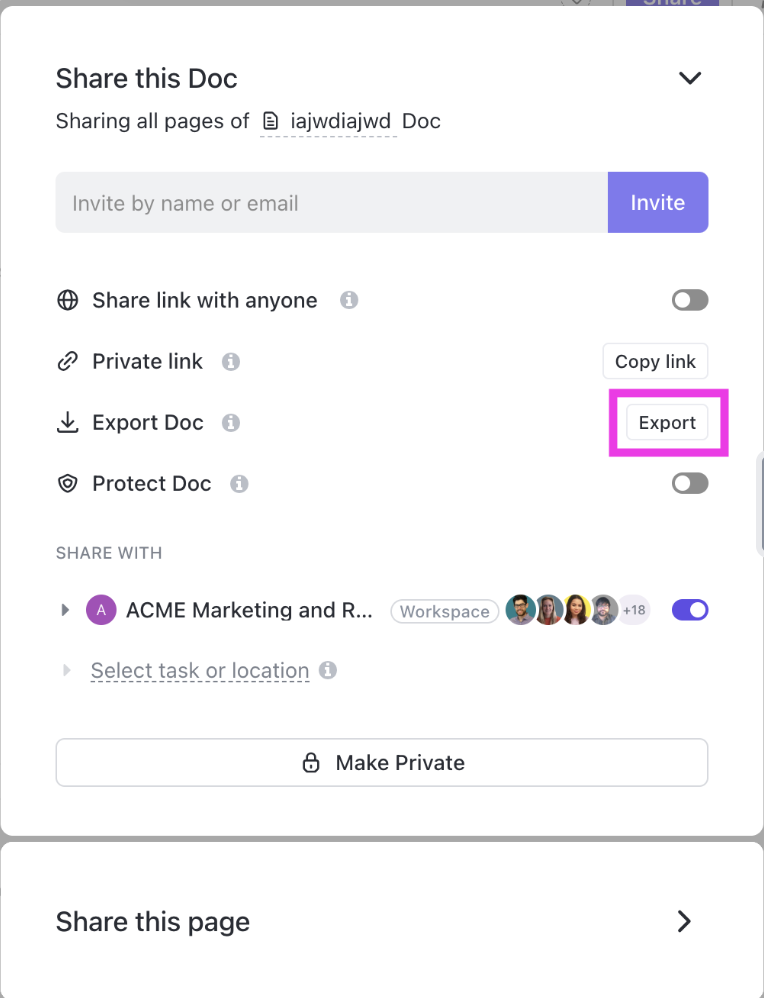
For HR policies, we ensure legal reviews of them. And operational procedures require input from team leads who manage those processes daily.
This catches problems before they become everyone’s problem. Additionally, we export some documents as a PDF, HTML, or Markdown file for offline sharing or compliance records.
Our SOPs are living documents that grow with processes.
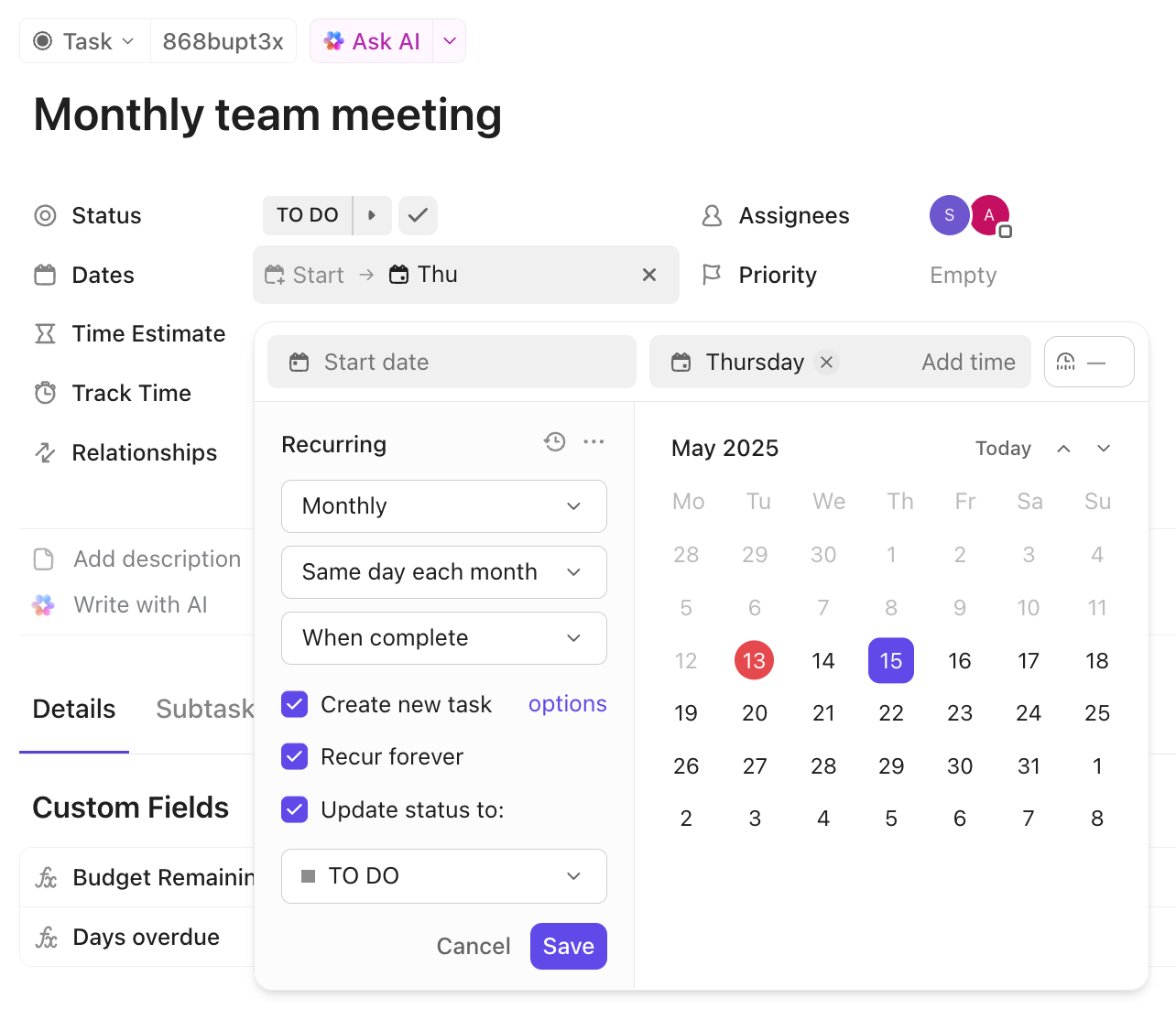
We set ClickUp Recurring Tasks to review and update them at regular intervals.
Most critical procedures get reviewed quarterly, while stable processes that don’t change much get an annual check. This keeps our documentation current without overwhelming us with constant maintenance work.
A user shares on G2:
I love that I can do almost everything in one place — tasks, docs, dashboards, even brainstorming. It keeps my work organized without needing five different apps. The integrations and automations save me tons of time, and the visibility across projects is a huge plus. It feels like a real hub for collaboration and planning.
🎙️ Customer Case Study: G-Loot uses ClickUp to connect day-to-day work with company-level OKRs. The esports platform adopted ClickUp across teams to replace scattered tools, manage sprints, centralize docs, and track progress against strategic goals in one place.
With ClickUp, every task now ladders up to an objective, collaboration is faster across product, CRM, and creative teams, and leadership finally has full visibility into execution.
📖 Also Read: Best Process Mapping Tools to Improve Workflow
When we create SOPs at ClickUp, we rely on a few tried-and-true practices that help our teams work faster and keep documentation accurate and accessible:
🚀 ClickUp Advantage: Meetings are great until you realize that nobody knows what was decided or who’s doing what. The ClickUp AI Notetaker automatically records, transcribes, and summarizes your team’s discussions, turning verbal decisions into structured meeting notes.
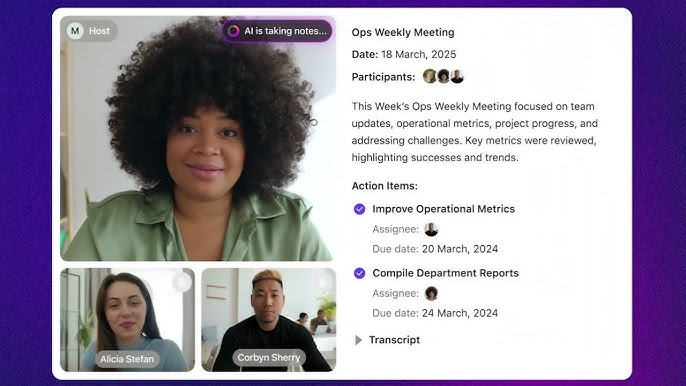
Action items are instantly converted into tasks and linked to relevant Docs, so your new procedures and updates never get lost.
Here’s how different teams at ClickUp to improve internal processes:
We’ve learned that when process documentation flows, so does everything else. ClickUp AI Docs turned boring SOPs into living, breathing guides our teams love using.
Now we spin up new procedures in minutes, tweak old ones without fear of version roulette, and watch ClickUp Brain fill in the blanks faster than we can finish our coffee.
Every SOP we create builds on the last, keeping our knowledge sharp, our processes clear, and our teams aligned.
So, what are you waiting for? Sign up for ClickUp today! ✅
AI Docs in ClickUp are intelligent documents powered by ClickUp Brain. Using AI, they help teams create, edit, and organize content faster to draft, summarize, and format information directly within documentation.
AI-powered SOP creation by ClickUp Brain includes drafting outlines, step-by-step instructions, and checklists automatically. Teams can use role-based prompts to ensure each SOP follows a consistent format and includes all key details.
Yes. SOPs created in AI Docs can be linked to ClickUp Tasks, so teams can ensure accurate task assignments, set due dates, or track completion directly from the document.
ClickUp automatically saves version history for each Doc. Teams can track edits, view previous versions, and restore earlier drafts, ensuring that all updates are visible and properly reviewed.
Yes. Teams can tailor AI Docs with department-specific templates, prompts, and formatting. This flexibility lets marketing, sales, engineering, and other teams create SOPs that match their unique workflows.

© 2026 ClickUp

There’s an easier way. Try a free AI Agent in ClickUp that actually does the work for you—set up in minutes, save hours every week.