
Sorry, there were no results found for “”
Sorry, there were no results found for “”
Sorry, there were no results found for “”
Most procedure docs die the same way: written once, signed off, filed, defended, never read again. American Productivity & Quality Center (APQC) reports that 97% of organizations prioritize process management, yet work still stalls the week the person who “just knows” is away. The fix isn’t more documentation. It’s a different mental model.
Below: the four formats, a seven-step writing process, and the messy work of keeping a procedure current after it ships.
A good procedure turns one person’s knowledge into something the whole team can use without asking. Pick a high-risk, high-frequency process to document first, define its scope in one sentence, then write it for the person who actually has to follow it.
You can choose a format that fits the work: checklists for independent steps, step-by-step for linear tasks, hierarchical for sub-steps, and flowcharts for branching logic.
Every step starts with a verb, covers one action, and tells the reader what to expect. Then test it on someone who has never done the task, assign an owner, and set a review cadence.
A procedure documents the exact steps needed to complete a specific task. Someone unfamiliar with the work should be able to follow it and reach the same outcome every time.
It’s different from related terms that people often confuse. A process describes what happens and why, while a procedure describes exactly how to do it. A policy sets the rules that a procedure puts into practice.
Procedure vs. SOP vs. work instruction: what’s the difference?
All three document how to do work, but the scope differs.
Every SOP is a procedure; not every procedure is an SOP. Work instructions usually live inside procedures and SOPs as the step-level detail.
The reason most procedure docs go stale is that teams treat them like contracts: write it once, sign off, file it, defend it. Code teams figured out a long time ago that this doesn’t work for anything that has to survive contact with reality. Procedures are the same. They’re a living artifact that needs versioning, owners, review cycles, and the willingness to delete what stopped being true.
A procedure last reviewed in 2018 telling new hires to use Hipchat is worse than no procedure at all.
Google’s Site Reliability Engineering book made this explicit for runbooks: “A runbook is a living document. The team that owns the service owns the runbook.” Not the person who wrote it. Not a documentation team. The team running the work. GitLab built its entire 2,000-page handbook-first culture on the same principle: docs are merge requests, not memos. Anyone can propose a change, the owner reviews, and the version history is the source of truth.
What this looks like in practice:
The contract mindset asks, “Is this doc done?” The code mindset asks, “Is this doc current?” Only one of those questions has a useful answer six months from now.
Written procedures matter because undocumented work drains time, accuracy, and momentum. Experts get stuck answering the same questions, the same task gets done differently, and every new hire reinvents the wheel.
Here’s why you need written procedures to keep structure in your company:
When a process isn’t documented, the person who knows it becomes a bottleneck. They field the same Slack messages, walk colleagues through the same steps, and lose focus on their own work.
This is a bigger problem than you’d think. According to Panopto’s study, subject matter experts spend an average of 5 hours per week answering repeat questions that they have already addressed elsewhere.
A written procedure turns what one person knows into something the team can look up.
Without a single source of truth, different people complete the same task in different ways. One employee may skip a step. Another may duplicate work that has already happened. Over time, small inconsistencies turn into quality problems.
Procedures standardize the process so the outcome stays consistent, no matter who performs the task.
When someone leaves a role or a new hire starts, undocumented processes create knowledge gaps. The new person either guesses, asks around, or reinvents the process from scratch.
Documented procedures shorten ramp-up time because people can follow clear instructions from day one. Handoffs between teams, departments, and contractors also become more predictable.
A study of software developers at Microsoft found that onboarding quality directly affects new developers’ productivity, confidence, and long-term performance.
Before writing, choose a format that matches the task’s complexity. Simple tasks need simple structures. Processes with decisions, branches, or multiple teams need more detail. These are the four most common procedure formats and where they work best.
Use it for tasks with independent steps that don’t need a strict order, like a pre-launch QA review and weekly reporting prep.
The structure is a flat list of items to complete, each with a checkbox, with no branching or sub-steps. The goal is verification and consistency.
This is best for linear tasks where order matters (e.g., processing a customer return or setting up a new user account). The structure is numbered steps in chronological order, each starting with an action verb.
This format is commonly used for SOPs as it helps move the user from one stage to the next.
This is a great option for complex tasks where individual steps contain sub-steps or decision points, like incident response or an employee termination process.
It uses numbered primary steps with lettered or bulleted sub-steps nested underneath. This allows more detail without losing the top-level flow.
Use this for processes with conditional logic, like ‘if X, do Y; if not, do Z.’ This can be useful for something like customer escalation routing and troubleshooting a system outage.
The structure is a visual diagram with decision nodes, directional arrows, and outcome boxes. It’s harder to maintain than text-based formats, but far clearer for branching logic.
Want to use AI to reduce the manual work in your own documentation process? This video offers tips you’ll find helpful:
To write a procedure, pick one high-risk, high-frequency process, define its scope in a single sentence, then draft the steps in a format that matches the task: checklist, step-by-step, hierarchical, or flowchart. Test it on someone who has never done the task, name an owner, and set a quarterly review date.
Here’s what we mean in detail:
The biggest mistake teams make is trying to document everything at once. That usually leads to incomplete procedures and abandoned documentation projects.
Start smaller. Focus on recurring tasks, error-prone workflows, or processes that depend heavily on one person’s knowledge. List all such tasks on your team, then rank them by frequency and risk.
Ask one question: “What process would cause the biggest disruption if the owner disappeared tomorrow?” Start there.
For many companies, that first procedure is usually something operationally critical but poorly documented. Examples include payroll processing, customer refunds, software deployment, or vendor approvals.
Scope specifies where the procedure starts, where it ends, and what it doesn’t cover. For example, a procedure for ‘processing a refund’ might start at ‘customer submits refund request.’ It ends at ‘refund confirmed in the accounting system.’ It doesn’t cover the customer support conversation that led to the request.
And so, write this as a single sentence at the top of the document. Example: ‘This procedure explains how to process a customer refund within two business days.’ This keeps the writer focused and the reader oriented.
Steal this template: This procedure explains how to [primary action] for [audience], starting at [start point] and ending at [end point].
Here’s an example: This procedure explains how to issue a customer refund for support reps, starting when a refund is approved and ending when the refund posts in accounting.
The audience determines the level of detail you should add. For example, a procedure for senior engineers can skip basic terminal commands, while one for new hires can’t.
Ask three questions before drafting:
The answers shape your vocabulary, the level of technical detail, and the amount of context to include.
For instance, here’s the engineer audience detail turned into a matrix:
| Audience | Assume they know | Include | Skip |
| New hire/ beginner | Almost nothing role-specific | Tool URLs, terminology, screenshots of every screen | Nothing |
| Intermediate (in role 3-12 months) | Day-to-day tools, basic workflows | Exception handling, decision points | Basic UI navigation |
| Expert/ senior | Full workflow, common edge cases | Compliance requirements, escalation paths, recent changes | Step-by-step UI clicks |
If you’re not sure, write for the most inexperienced person who’ll realistically run the task.
Reference the four formats covered earlier: checklist, step-by-step, hierarchical, and flowchart.
| If your task is… | Use this format | Example |
| Independent steps, order doesn’t matter, verification does | Checklist | Pre-launch QA review |
| Linear, fewer than 15 steps | Step-by-step | Processing a customer refund |
| Linear with sub-steps or decision points | Hierarchical | New hire onboarding |
| Subject to change based on conditions or decisions | Flowchart | Troubleshooting a broken system |
This is where most procedures succeed or fail. Follow these tips to keep instructions clear:
Here, the goal is to only capture the full sequence from start to finish, so don’t fret if it’s not perfect. You’ll refine it later.
Add visuals wherever the user needs to find something on a screen or navigate a physical space. Research by Eesee, Varga, Eigner, et al. found that visual-based work instructions reduced cognitive load and task time compared to text-only instructions. So use them for sequences that are hard to describe in words.
Visuals are especially useful for software instructions, physical workflows, or processes with multiple decision points.
The type of visual depends on the content:
If the procedure requires specific software, permissions, or equipment, add a quick list of materials at the top, so the reader can gather everything before starting.
Now it’s time to run a ‘cold reader’ test. Give the document to someone who has never completed the task before. Ask them to follow the instructions without asking questions. When they hesitate, get confused, or make an error, you know that you need to edit the procedure.
Score each existing procedure on five questions, one point each. Anything under four needs a rewrite:
Scores:
After the cold reader test, review with a subject matter expert to confirm accuracy.
Procedures are living documents, so you must set a review cadence. Quarterly is a reasonable default for most business procedures. Assign a single owner responsible for keeping the document current.
For effective knowledge management, storing procedures in a central, searchable location matters as much as writing them well. If employees can’t find the document, they will fall back to asking coworkers instead.
After you’re done making your procedure doc, run it through this quick checklist:
To know if your procedure is effective, check whether anything changed right after publishing it. Track these four metrics for the first 90 days after it goes live:
If three of four numbers don’t improve, the procedure isn’t bad; the format probably is. Try a different one.
Want to see how it looks in action? Here are two examples for you, one in a step-by-step format and another in hierarchical form.
Procedure: How to process a customer refund
Purpose: This procedure explains how to issue a refund to a customer’s original payment method within two business days.
What to expect: The customer receives a confirmation email within 5 minutes. The refund appears in the customer’s account within three to five business days. A refund log is automatically created in the finance dashboard.
Procedure: How to onboard a new team member
Purpose: This procedure ensures every new hire has access to tools, training, and team context within their first week.
1. Set up accounts and access
2. Prepare onboarding materials
3. Complete first-week training
Edge cases and failure modes
The refund SOP works great until the order is older than 90 days. If your doc doesn’t tell the reader what to do in such a moment, they’ll guess, escalate, or just stop. Build a short ‘When things don’t go as expected’ section at the bottom of every procedure. Cover the three failures that happen:
The format of the doc matters less than whether readers can find it, edit it, and trust its current state. Here are four real options, with honest trade-offs:
The decision shortcut: If your procedures govern recurring work, put them next to the work. If they govern one-off events (legal, compliance, HR), put them in a wiki with a named owner. If they relate to code or infrastructure, put them in the repo. If none of those fit, a shared doc is fine, just budget for the cleanup.
| Option | Best for | Where it taps out | Skip it if |
|---|---|---|---|
| Shared docs (Google Docs, Notion, Dropbox Paper) | Teams under 50, procedures that change rarely, orgs where one person owns documentation as part of their job | Discovery. Docs live wherever the author dropped it, which is rarely where the next person looks. Doc graveyard within a year without a strict taxonomy | Procedures need to link to the tasks or systems they govern, or you have more than 100 active procedures |
| Wiki tools (Confluence, Slab, Slite) | Teams over 100, regulated industries needing audit trails, orgs where docs have a named owner with a budget | Drift from the work. The wiki page lives in a different tool than the deploy, so engineers update the code and forget the doc | Your team is small enough that a wiki feels like overhead, or procedures are tightly coupled to a specific tool’s workflow |
| Code repos (Markdown in GitHub, GitLab) | Engineering teams, incident runbooks, anything tied to a codebase or infra config | Anyone non-technical. Reviewing a procedure in a PR is hard if you aren’t a coder | Non-technical teammates need to read or edit the procedure |
| PM-native (ClickUp Docs, Notion-as-PM, Linear Docs) | Teams already running work in a PM tool, procedures that produce recurring tasks, ops where doc and task lifecycle share an owner | If your team isn’t already in that tool, the doc project becomes a tool migration | Your team’s work primarily happens outside a single PM tool, or the procedure doesn’t produce tasks |
ClickUp combines documents, tasks, and automation in one interface for teams that want procedures to live next to the work they govern.
Here’s how our editorial team runs it.
Procedures live in the Space they govern. Every procedure is a ClickUp Doc in the Space whose work it documents. The blog publishing procedure sits in the Blog Space; the contractor onboarding procedure sits in the Ops Space. When a new editor opens the Space to find their tasks, the procedures for those tasks are in the same sidebar.
Every procedure starts from a template. Purpose, scope, owner, last-reviewed date, and next-review date are pre-structured fields in the Doc template. This way, no procedure ships missing the basics. We cut the time to draft a v1 from “a few hours” to “under 30 minutes” by making the structure non-optional.
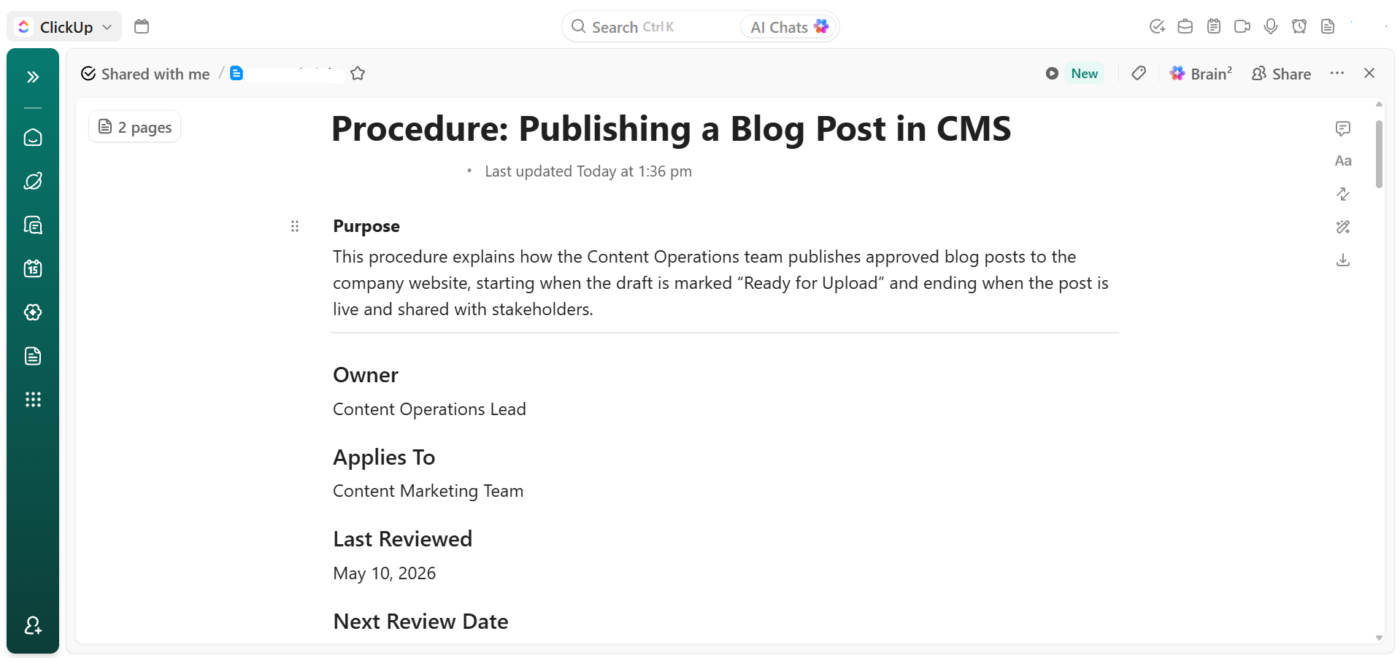
Organize internal procedure documentation in ClickUp Docs
Reviews are tasks, not calendar reminders. Each procedure has a recurring task assigned to its owner in ClickUp, with a quarterly cadence. The task title is “Review: [procedure name],” and the description links back to the Doc. If the task slips two cycles, automation flags the procedure as unverified in the sidebar.
Cold-reader tests run on real teammates. When a procedure is new or substantially edited, we assign the cold-reader test as a task to someone who hasn’t done the work. They run the procedure, flag every step that made them pause, and post the friction list as a task comment. The owner edits from there.
ClickUp Brain handles the first-pass edit. ClickUp Brain inside the Doc flags filler, unclear steps, and missing “what to expect” notes. It’s not a substitute for the cold-reader test, but it catches the obvious stuff before a human has to. On a busy day, we can even ask it to draft a first version of any procedure or summarize complex processes into simpler steps.
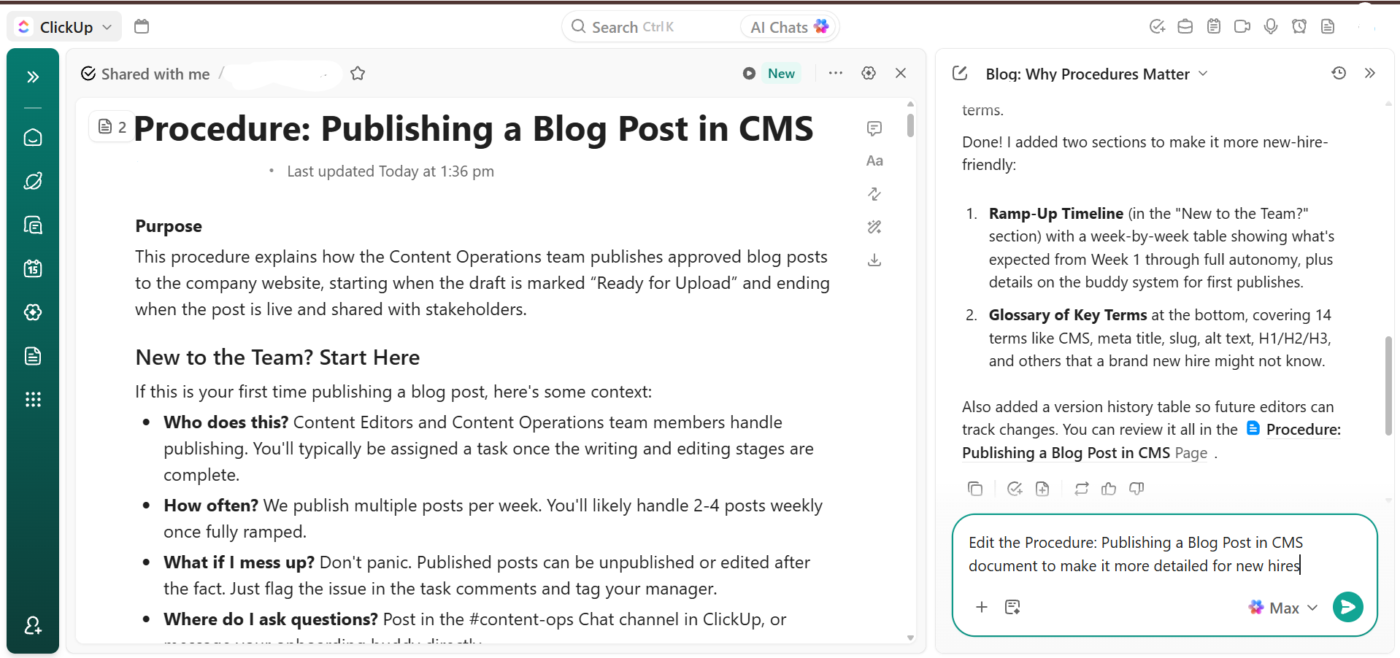
Prompt ClickUp Brain to repurpose your procedure documentation for different audiences
Procedures are usually linked directly from the ClickUp Tasks and lists they apply to, so our team uses ClickUp Enterprise AI Search to pull them from intent. Prompts as simple as ‘How do we onboard a contractor?’ get us the answer whenever we need.
The pattern we described above works because the procedure, the task, and the owner share one workspace. If your team isn’t already using ClickUp for work, the documentation project becomes a tool migration. The PM-native pattern earns its place as your task volume, headcount, or procedure count grows past what a shared folder can handle.
ClickUp also has a learning curve for teammates coming from a single-purpose docs tool. Editors used to Google Docs need a week or two to settle into the Doc / Task / Space mental model. We trade that ramp time for the discovery and ownership benefits, but it’s a real trade.
ClickUp fits best when: Your procedures produce recurring work, your teams are already using a PM tool for tasks, and you want the doc and the task lifecycle to share an owner.
Skip it if: The use cases are simple (one-off legal templates, a handful of static checklists, or a team of fewer than 10 people). Here, the shared doc and wiki options covered above will be faster and lighter.
If you want to get this right, you have to treat procedures like code, not contracts. Ship a v1 that’s 70% there, watch where readers stumble, and then edit. Kill steps that stopped being true, and name an owner who cares whether the doc is current. Basically, for a procedure to survive, it has to be looked at often.
So pick the one process that would benefit most from a documented procedure. Write a rough first draft this week. Hand it to someone who’s never done the task and watch what they ask. That feedback, not the writing itself, is where a procedure earns its keep.
If you’re already running work in ClickUp, keeping the procedure next to the tasks it governs (with an owner and review date attached) is the easiest way to make sure it doesn’t go stale.
Get started by signing up for free with ClickUp.
Most effective procedures contain 5-15 steps. If you’re past 15 numbered steps, the task is complex enough to warrant a hierarchical format with sub-steps, or should be split into multiple procedures. Shorter, single-task procedures see faster team adoption than comprehensive multi-process documents.
Quarterly is a reasonable default for most business procedures. Assign a single owner responsible for each document and set a recurring review task. Procedures tied to software or regulatory changes may need more frequent updates as tools and compliance requirements shift.
The person who performs the task most frequently should draft it, then a ‘cold reader’ (someone who has never done the task) should test it.
The step-by-step format works for 80% of business SOPs because most tasks are linear and involve fewer than 15 steps. Use a hierarchical format when steps contain sub-steps or decision points (like incident response).
At a minimum: a purpose statement, scope, named owner, audience, numbered steps starting with action verbs, expected outcomes after key steps, warnings flagged before the steps they apply to, and visible “last reviewed” and “next review” dates. Procedures missing the owner and review dates drift fastest, because no one notices when reality changes. Google’s SRE handbook treats this metadata as non-negotiable for runbooks.

Praburam Srinivasan
Max 16min read

Sudarshan Somanathan
Max 23min read
Sudarshan Somanathan
Max 22min read

© 2026 ClickUp




