Sorry, there were no results found for “”
Sorry, there were no results found for “”
Sorry, there were no results found for “”
Imagine assembling furniture without instructions. You might get some parts right, but soon you’ll hit a snag. Missing screws, misaligned pieces, or parts that don’t fit—what started as a simple task quickly turns into a frustrating mess, leaving you with a half-built disaster and wasted time.
This is exactly what happens in the workplace with vague guidelines that no one understands.
When team members handle tasks differently, it creates inconsistencies and errors, turning a smooth process into a chaotic scramble. This leads to frustration, delays, and a final product that falls short.
If your instructions are causing chaos instead of streamlining operations, it’s time to revamp them with a well-crafted standard operating procedure (SOP).
An SOP isn’t just another document to check off your to-do list. When done right, it’s a powerful tool that demystifies processes, sets clear expectations, and keeps everyone on the same page.
Let’s discuss how to write a standard operating procedure that solves operational headaches, and explore some real-world SOP examples to see these practices in action.
1. What is a standard operating procedure, and why is it important?
An SOP is a documented set of step-by-step instructions that standardizes how tasks are performed, reducing errors and improving consistency across teams.
2. What are the key benefits of SOPs in business operations?
They improve quality control, streamline training, support compliance, preserve knowledge, and create consistent customer experiences.
3. What’s the difference between a process and an SOP?
A process outlines the high-level flow of activities, while an SOP provides detailed, actionable steps for performing each part of that process.
4. How do you write an effective SOP?
Gather information, define goals and stakeholders, outline the document, write clear step-by-step instructions, test the SOP, train your team, and review it regularly.
5. How does ClickUp help you create and manage SOPs?
ClickUp offers collaborative Docs, templates, version control, automations, and ClickUp Brain—making SOP creation, updates, and training fast and error-free.
Standard Operating Procedures (SOPs) are detailed, written instructions designed to guide individuals through specific tasks or processes within an organization.
Incorporating standard operating procedure documents in your routine operations brings multiple advantages, including:
Mixing up processes and SOPs can lead to confusion, making it hard to document and execute tasks consistently. To avoid this, know the key differences:
| Difference | Process | Standard operating procedure |
| Meaning | It’s a high-level overview that outlines the flow of activities within a system | It’s a step-by-step instruction manual that tells you exactly how to handle each part of the process |
| Example | A process like “Handling Customer Complaints” includes steps like receiving the complaint, assessing it, and resolving it | An SOP for the “Handling Customer Complaints” process provides precise instructions on what to say when receiving a complaint, how to fill out forms, and how to follow up with customers |
SOPs can be written as hierarchical step documents, visual flowcharts, or simple checklists—each format suited to different task complexity and usage frequency.
Different SOP formats suit various needs. Pick one that aligns with your team’s workflow to enhance clarity, reduce errors, and improve adherence to rules and regulations.
Here’s a breakdown of the most impactful formats:
A hierarchical SOP format organizes complex procedures in a clear, layered structure. It starts with broad steps and breaks them down into detailed sub-steps. This ensures nothing gets missed and helps maintain consistency and accuracy in task execution.

This SOP format uses a visual diagram to map processes, making complex procedures easy to grasp.
Each step is featured as a box or shape, with arrows guiding you from one step to the next. You can break it down even further by highlighting who’s responsible for each part—whether it’s a department or a specific person.

The checklist format is a straightforward list of tasks or steps that need to be completed, often with checkboxes next to each item. This format is especially useful for keeping things sorted in routine procedures.

Writing an effective SOP involves gathering process information, defining goals and users, outlining the document, writing clear steps, testing it, training employees, and updating it regularly.
Writing standard operating procedures is more than just filling in the blanks. It’s about making a clear, actionable guide your team can use. Here’s how to do it right:
Dive into the nitty-gritty of the procedure you’re documenting. This means:
You can talk to subject matter experts (SMEs) and key stakeholders—they have insights that can strengthen your SOP further. Also, ensure your SOP documents align with industry standards and regulations—it’s not just about what works but what’s legally and ethically sound.
💡Pro Tip: Use a company policy and procedure template to ensure comprehensive coverage of company operations and key areas such as workplace conduct, harassment policies, and safety regulations.
A clear goal keeps your SOP focused and effective. So, jot down what you want your standard operating procedure document to achieve. Are you aiming to boost efficiency, ensure compliance, or bring consistency to how things are done?
For instance, if you’re working on customer onboarding, your goal might be to cut the onboarding time by 20% while ensuring 95% customer satisfaction.
Next, identify who will be involved and affected by this SOP. This includes:
You must also consider the expertise level and needs of end-users so you can create a user-friendly SOP document.
With your research and audience insights in place, transform your raw materials into a structured outline. It serves as a blueprint of your SOP, where all critical sections, detailed steps, and sub-steps are organized logically.
💡Pro Tip: For effective SOP outlines, envision the final goal of process documentation and work backward to detail every step needed to achieve that outcome.
Now, it’s time to start writing. Your goal is to create a SOP document that’s easy to follow, even for someone unfamiliar with the process.
Here’s how to do it:
Include these components to make SOPs comprehensive and clear:
Once your SOP writing process is complete, proofread it to catch any grammatical errors, clarity issues, or inconsistencies.
Have actual users test it to see how it performs in real-life scenarios. Gather their feedback on the difficulties they experienced and use it to make necessary adjustments.
Finally, the SOP must be reviewed and approved by relevant stakeholders or management to ensure its compliance.
Once it’s approved, roll it out to your team. Train everyone on using the SOP effectively through hands-on demonstrations, step-by-step walkthroughs, interactive workshops, and detailed Q&A sessions.
Monitor progress, gather feedback, and tweak the SOP to enhance its usability and boost operational efficiency.
Schedule quarterly or annual reviews to assess the SOP’s relevance.
A good practice is to gather feedback from team members who use the SOP daily and monitor for any procedural changes or new regulations that could impact its content. The SOP should also be compared against current industry standards to identify areas for improvement.
When updates are necessary, revise the document, send it to stakeholders for review, and train your team again to ensure everyone is on the same page with the latest version.
ClickUp enables real-time SOP collaboration, version control, structured formatting, automation, and AI-assisted drafting through ClickUp Brain.
ClickUp is a robust document collaboration software that streamlines SOP creation, management, and distribution.
It is your go-to SOP software for effectively implementing, managing, and distributing standard operating procedures.
Teams can collaboratively draft SOPs in real time, ensuring that input from all relevant stakeholders is captured efficiently. The platform allows easy version control to track and manage updates without confusion.
ClickUp Docs make writing and drafting procedures a breeze. You can start from scratch or use a template, and everyone on your team can add their input in real time. No more messy email threads or lost versions—everything’s right there in one place.
ClickUp centralized our day-to-day operations, SOPs, and promoted collaboration across the department.

With extensive formatting options, you can organize your steps clearly into sections with headings, make numbered and bulleted lists, add images or links, and even tag team members for their feedback.

You can leverage ClickUp Brain to further accelerate the process by generating an automatic outline or summary based on your research of existing SOPs and industry standards. This AI-powered assistance saves you time and ensures you don’t miss any critical steps.

You can give ClickUp Brain prompts and get relevant results for your queries. For example, when you ask for a checklist for creating an Onboarding SOP, it would give you about 8-9 pointers to get your initial SOP draft in place.

ClickUp Brain also provides follow-up prompts for your query to make your SOP more detailed and insightful.

This AI tool for documentation helps keep your tone consistent and your content clear. It also automatically checks for spelling errors and suggests improvements.
ClickUp also has a vast library of pre-built standard operating procedure templates, including statement of work templates and process maps.
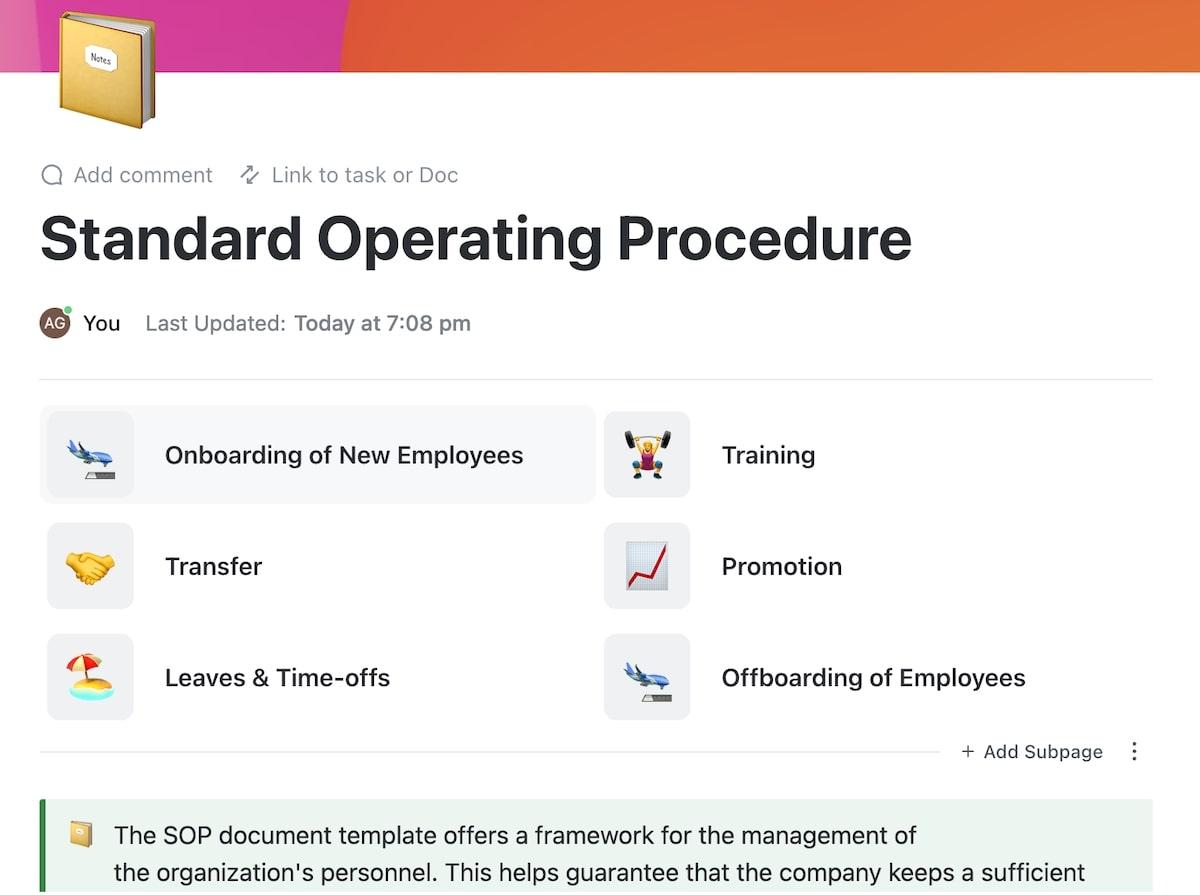
For example, the ClickUp Standard Operation Procedure Template is designed to help you create clear and organized SOPs from the get-go.
It allows you to:
SOPs are used across critical business functions to ensure accuracy, compliance, and consistent execution of complex operations. In incident management, SOPs guide teams through reporting, assessment, containment, resolution, documentation, and communication. In audit processes, they standardize audit planning, data collection, discrepancy reporting, validation, and follow-ups. In accounting, SOPs govern transaction recording, reconciliations, payroll, financial reporting, tax filing, audits, and secure recordkeeping—ensuring regulatory compliance and financial integrity across the organization.
Now that you know how to write standard operating procedures (SOPs) let’s examine how they streamline operations and drive success across diverse industries. The best part? You can create them much faster using ClickUp’s SOP templates.
Establish guidelines and procedures for managing incidents to ensure timely resolution, minimize impact, and prevent recurrence.
This SOP applies to all employees, the incident response team, and relevant stakeholders involved in incident management. It covers activities from incident identification to resolution and post-incident review.
Establish guidelines and procedures for conducting audit processes to ensure accuracy, compliance, and transparency in evaluating organizational activities and records.
This applies to internal audit teams, finance departments, compliance officers, and other relevant departments involved in audit activities. It covers the entire process from planning to reporting and follow-up.
Establish guidelines and procedures for accounting processes to ensure accuracy, consistency, and compliance with financial regulations.
This applies to the finance department, accounting personnel, and other relevant stakeholders involved in financial management activities. It covers the entire accounting process, including transaction recording, reconciliation, financial reporting, and compliance with regulatory requirements.
ClickUp’s Accounting SOP Template is designed to assist you in documenting and managing your accounting department’s standard operating procedures.
You can use this template for:
The biggest challenges in SOP development include poor accessibility, outdated documentation due to lack of maintenance, insufficient employee training, and limited collaboration during creation. When SOPs are hard to find, not regularly updated, poorly taught, or built in isolation without input from frontline users and stakeholders, adoption drops and errors increase. Overcoming these issues requires centralized document storage, scheduled reviews, structured training programs, and collaborative drafting with real-user feedback.
Standard operating procedures are game-changers, but getting them right can be tricky. Here’s why many businesses stumble:
Imagine writing detailed SOPs only to have them buried under layers of old folders and forgotten emails or locked behind complicated access controls. If employees can’t easily find and access the SOP, it’s as good as a blank sheet of paper. This usually comes down to lousy document management or outdated digital tools.
Work sprawl happens when SOPs, tasks, approvals, and documentation live across too many disconnected tools. Even well-written SOPs become ineffective when teams don’t know where to find the latest version or which system to trust.
To tackle this:
✅ Store your SOPs in a centralized, easily accessible location—think cloud-based storage with user-friendly interfaces
✅ Ensure the SOP is easily accessible with the right permissions so everyone who needs it can view and use it without hassle
Creating an SOP is just the beginning; keeping it relevant at all times is a task in itself. If not properly maintained, SOPs can quickly become outdated, leading to errors, inefficiencies, and compliance issues.
To avoid this pitfall:
✅ Set up a maintenance schedule
✅ Designate someone to oversee and manage updates and ensure they’re well-informed about changes in procedures or regulations
✅ Use a system for tracking revisions and managing document versions
✅ Ask users for input to spot and fix issues quickly
It’s not enough to just distribute the SOP document—people need to understand and apply it. Without proper training, employees may misinterpret or overlook steps, leading to mistakes and inconsistencies.
To solve this:
✅ Create a training program that covers key SOP aspects and provides practical, hands-on experience—via workshops, training sessions, or e-learning modules
✅ Develop user-friendly materials and resources for easy reference
✅ Ensure the training is interactive and addresses potential questions or issues
✅ Offer continuous training and refresher courses as processes evolve
Developing standard operating procedures in a vacuum is a recipe for disaster. If the process is handled in isolation without relevant parties’ insights and feedback, you’ll likely end up with a document that overlooks real-world needs.
To handle this:
✅ Involve frontline workers, managers, and other stakeholders in the development process. Plus, share drafts for review and incorporate their feedback before finalizing the SOP
✅ Use document collaboration platforms for editing and version control
📮ClickUp Insight: 44% of our survey respondents stick to 1–5 tabs when browsing, but 8% live in “chaos mode” with 31+ tabs.
While not always intentional, it happens to the best of us: a Miro board for brainstorming, a Google Doc for SOP, a project management tab, and then ChatGPT for extra support. 👀
But every switch between apps or windows adds toggle tax, aka a hidden mental toll that chips away at your mental bandwidth and leaves you feeling scattered.
With ClickUp, you can centralize all your tools: think whiteboards, docs, tasks, web search, AI models like ChatGPT, Gemini, and Claude, and more under one Converged AI Workspace. Time to ban context switching and close those extra tabs down for good!
SOPs are your team’s ultimate guidebook, ensuring tasks are done right. They prevent chaos, streamline training, preserve key processes, keep you compliant, and guarantee consistent customer service.
Historically, SOPs started in the military and industrial sectors, where precision was key. Now, they’re vital in modern business to keep operations smooth and reliable across industries. However, SOP creation can get complex as your business grows and processes become more complex.
ClickUp offers a suite of features to make SOP management easier and smarter. You can create SOPs, collaborate in real time, and keep everyone in the loop. Plus, it lets you easily track changes, update content, and roll back if needed to keep your SOPs up-to-date.
ClickUp Brain offers tips and corrections to make SOP documentation clearer and more precise. Additionally, ClickUp’s ready-made SOP templates kickstart your documentation process effortlessly.
Level up your SOPs with ClickUp’s smart tools and templates. Sign up on ClickUp today for free.
An SOP should be detailed enough that a new team member can complete the task without extra guidance. If steps still require verbal clarification, the SOP is not complete.
Each SOP should have a clear owner who reviews and updates it regularly. This ensures procedures stay accurate as tools, teams, or regulations change.
Most SOPs should be reviewed at least once a year or whenever a process changes. High-risk or fast-changing processes may need more frequent reviews.
Yes. SOPs can define inputs, checkpoints, and quality standards even when outputs vary, helping teams stay aligned without limiting creativity.
Treating SOPs as static documents instead of living systems. SOPs only work when they are easy to access, actively used, and regularly improved.

Sudarshan Somanathan
Max 29min read
Sudarshan Somanathan
Max 17min read

Manasi Nair
Max 21min read

© 2026 ClickUp