






Still downloading templates?
There’s an easier way. Try a free AI Agent in ClickUp that actually does the work for you—set up in minutes, save hours every week.
Sorry, there were no results found for “”
Sorry, there were no results found for “”
Sorry, there were no results found for “”

Ever feel like your no-code database tool is holding you back instead of empowering you? Baserow may offer a clean interface and simple setup. Still, as your data grows, cracks begin to show—lagging collaboration, limited automation, and too much manual work.
Whether you’re building internal tools, managing workflows across multiple teams, or tracking large volumes of data, you need more than a basic builder.
You need scalability, smart automation, and real-time collaboration baked in.
That’s why we’ve rounded up the best Baserow alternatives. These tools are built to handle complex projects, automate the boring stuff, and keep your team in sync (without driving you up the wall), and one in particular stands out (no guesses, it’s ClickUp!
Let’s help you upgrade your workflow, one task (and table) at a time.
Baserow’s a good pick when dipping your toes into the no-code world. But here’s the thing: modern teams need more than a spreadsheet template with a facelift.
Here is why many opt for better task and project database software over Baserow:
👀 Did you know? Edgar F. ‘Ted’ Codd, an English computer scientist and mathematician, is credited with developing the foundational theory of modern database management, specifically, the relational model.
Want the TL;DR version? Here’s your cheat sheet before we jump into the juicy details. These tools will bring fresh ways to manage projects, collaborate in real time, and automate repetitive tasks.
| Tool | Best for | Key features | Pricing* |
| ClickUp | Best for all-in-one, AI-powered project and data management | Clickup Brain for database management, Custom Fields, Table and List views, Automations, and ready-to-use Templates | Free plans available, Customizations available for enterprises |
| Airtable | Small to mid-sized teams and project managers needing visual databases with a simple UX | Grid view, Blocks, Automations | Free; paid plans start at $24/user |
| Quickbase | Enterprises and large teams managing complex workflows and enterprise-grade apps | Low-code builder, Automations, Reporting | Free trial for 30 days, Starts at $35/user |
| Coda | Cross-functional teams and departments that need a docs + databases hybrid | Pages, Tables, Packs | Free; paid plans start at $12/user |
| Tadabase | Small businesses and operations teams building custom business apps | Drag-and-drop builder, Role-based access | Starts at $50/user |
| Knack | Small to mid-sized teams and project managers need visual databases with a simple UX | Online databases, Workflow automation | Starts at $59/user |
| NocoDB | Developers and technical teams seeking an open-source Airtable alternative for collaborative databases | Spreadsheet-like UI, API integration | Free; paid plans start at $15/user |
| Caspio | Enterprises and regulated industries that need no-code app building with advanced security | Point-and-click builder, Integrations | Starts at $100/user |
Our editorial team follows a transparent, research-backed, and vendor-neutral process, so you can trust that our recommendations are based on real product value.
Here’s a detailed rundown of how we review software at ClickUp.
Alright, let’s roll up our sleeves and dive into the heavy hitters. These aren’t just Excel database clones but Baserow alternatives that are bound to be your next go-to tool, whether you’re after simplicity or enterprise-grade power.
If you’ve ever wished for an everything app for work that goes as hard as you do, ClickUp is about to be your new best friend.
This is because ClickUp is the world’s first Converged AI Workspace, bringing together all work apps, data, and workflows. ClickUp unifies context across all your tools, apps, spreadsheets, and docs, thus eliminating Work Sprawl to provide 100% context and a single place for humans and agents to work, together.
How exactly, you might wonder?
It combines project management, knowledge management, and chat—all powered by AI that helps you work faster and smarter. Beyond tasks, ClickUp transforms your entire workflow, wrapping project management, docs, databases, and real-time collaboration into one comprehensive package.
One of its most powerful (and popular) features is Custom Views. It lets you see your tasks and reports your way—no coding is needed.
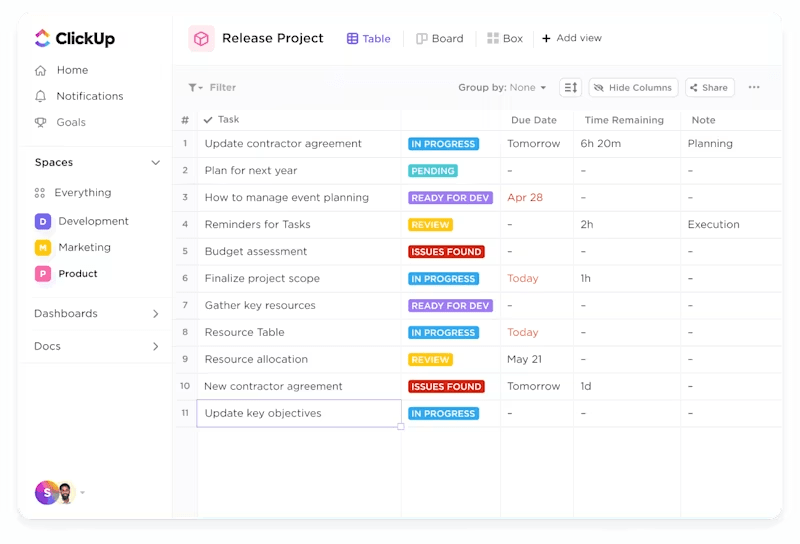
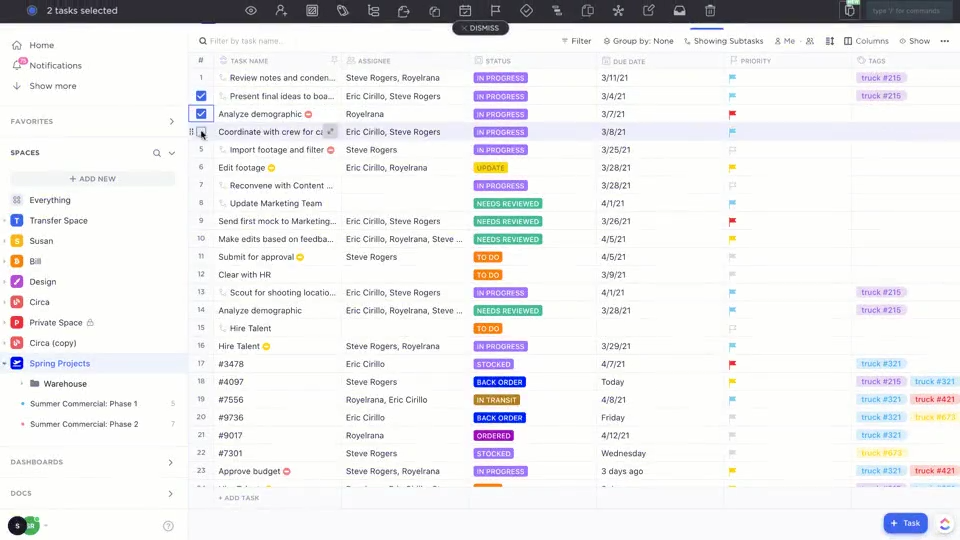
The ClickUp Table View, for example, displays each task as a row and fields as columns. Imagine your project tasks and data displayed like a spreadsheet, but smarter—fully interactive, customizable, and directly linked to your workflows. Plus, you can simply ask Clickup Brain for insights or details on the Table, and it surfaces them for you in seconds.
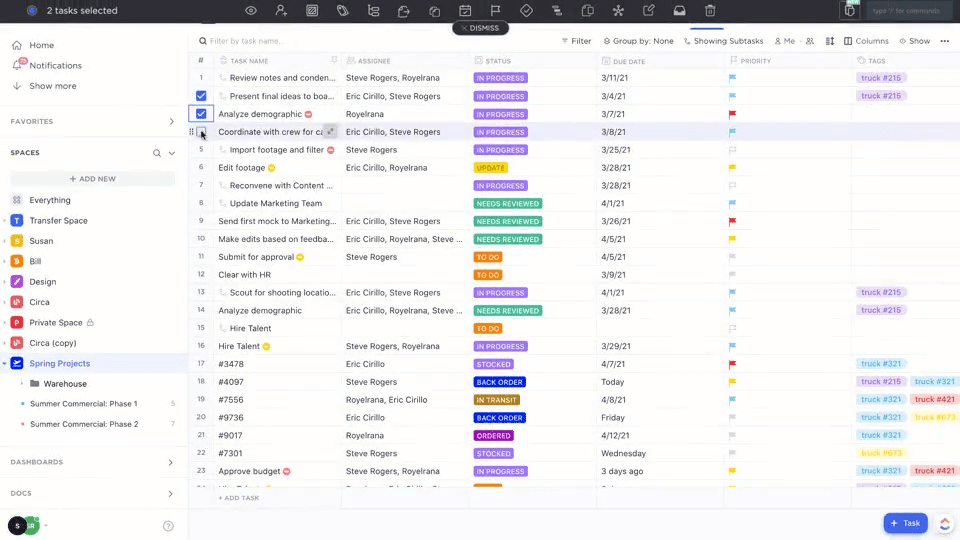
You can switch between Table and List views for different perspectives—Table for data-heavy work, List for simple task tracking. These Views also let you simplify bulk actions and use keyboard shortcuts to speed up repetitive updates.
Baserow does offer database tables, but ClickUp’s Table view is seamlessly linked to project and task management, so you can assign Tasks, track progress, and update project data without hopping between tools.
Building a database is only the first step—keeping it updated is where the real challenge begins.
🎥 In this video, you’ll learn how to automate workflows in just five minutes, so your database stays accurate, your processes stay synced, and your team spends less time on manual updates.
ClickUp Custom Fields are also tightly integrated with tasks and project management features, letting you manage both structured data and actionable work items in one place.
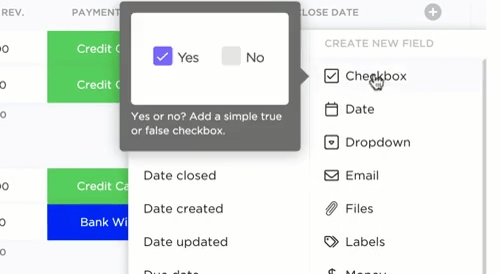
You can add Custom Fields to Lists, Folders, Spaces, or your entire Workspace, and track any data point relevant to your team, such as client details, project stages, or budget figures.
This adds context to tasks, making reports more insightful. You can also exercise control over visibility and permissions in Fields, ensuring sensitive data is protected. Additionally, you can use formula fields for automatic calculations without coding to reduce manual errors.
Want to automate more than just numbers? Try ClickUp Automations, which handles all repetitive tasks automatically. Think: Assigning tasks to team members, updating statuses, or sending reminders.
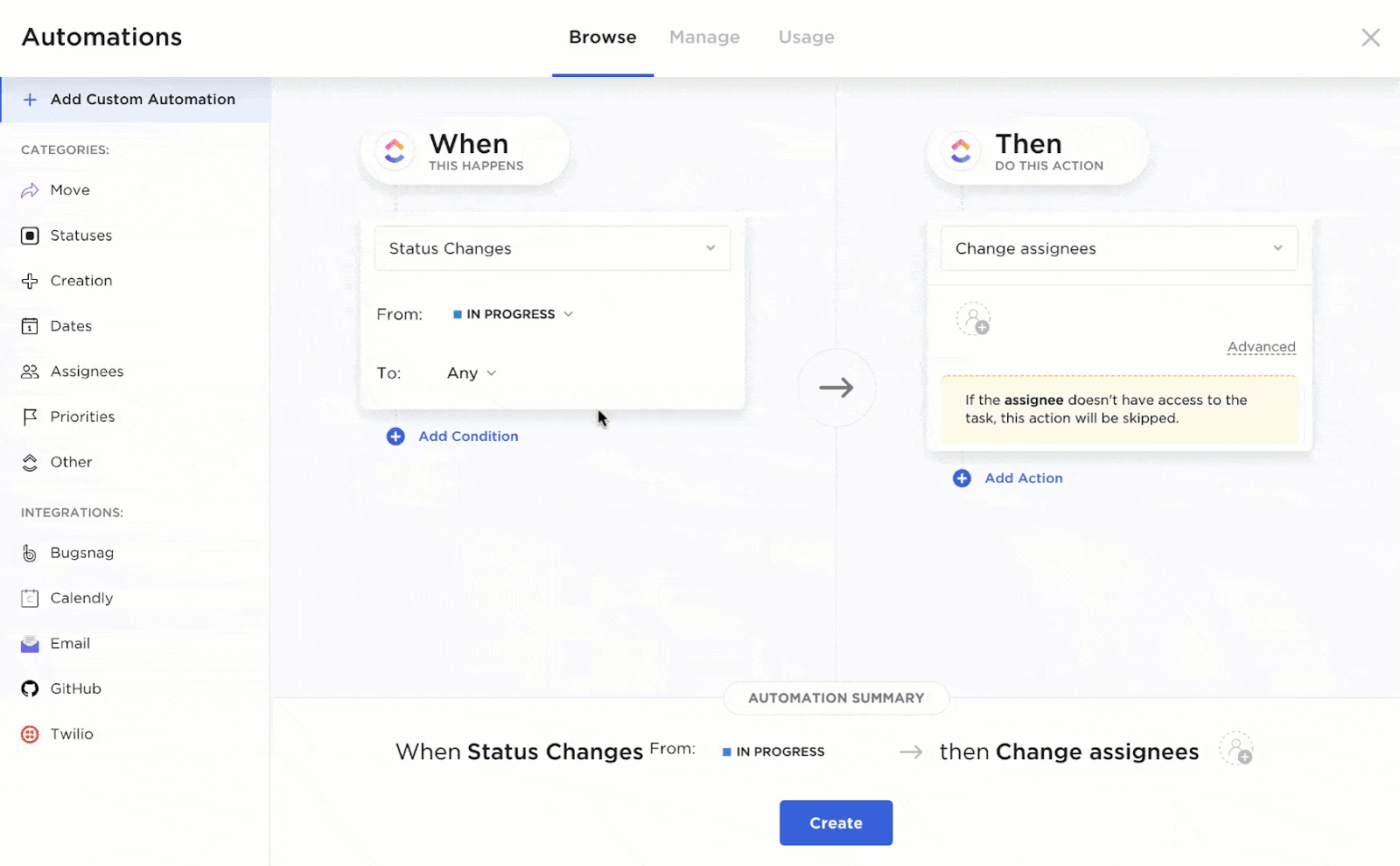
It lets you create rules that trigger actions based on task status, assignee changes, and due dates. These can be set up at the Space, Folder, or List level.
Baserow focuses on database management and lacks native workflow automation for task and project processes. But ClickUp’s Automations are built for project management, making enforcing workflows easy and keeping teams on track.
ClickUp Brain supercharges database management by bringing AI-driven intelligence and automation to your workspace.
Whether you need to summarize large datasets, spot trends, find duplicates or anomalies, or quickly locate specific records, Brain turns your data into actionable insights and streamlines your workflow from end to end.
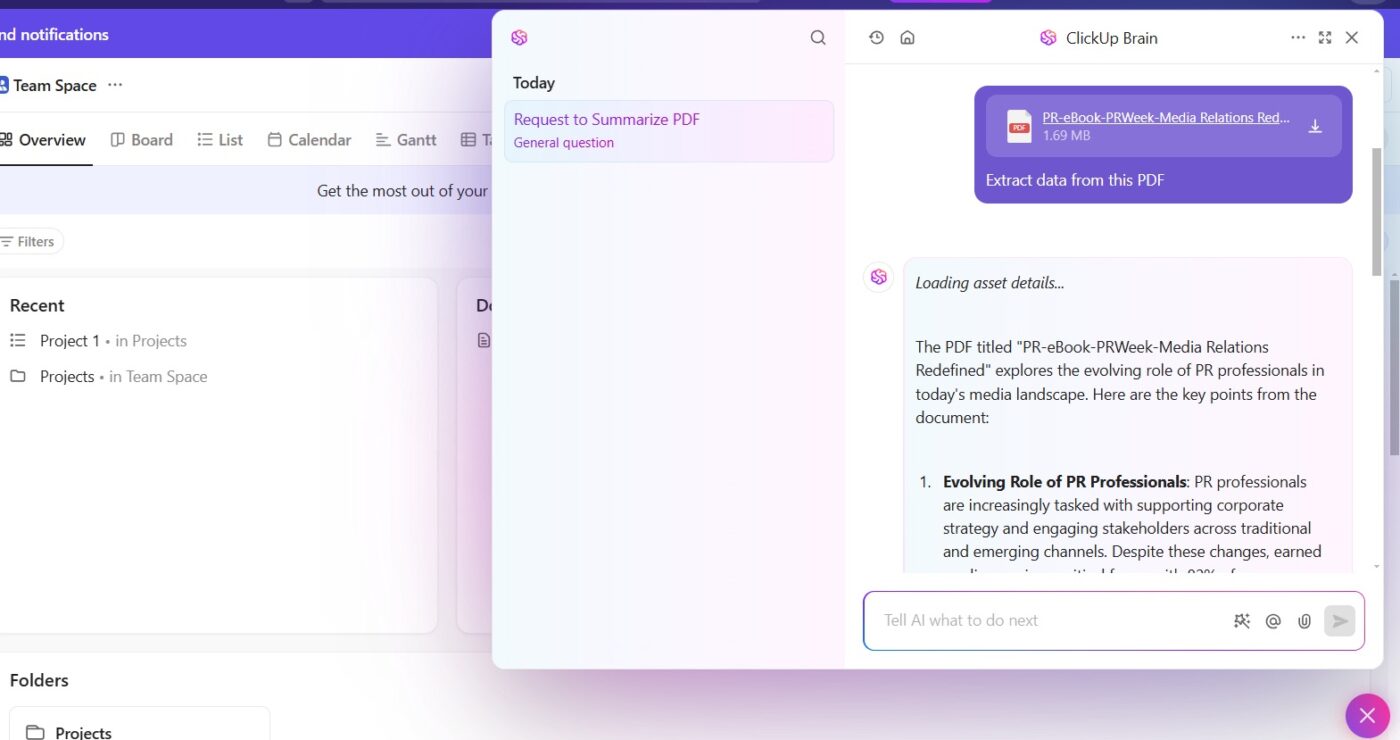
Here are some ways it can help:
Further, ClickUp Docs centralizes all project data, tasks, and documents for easy access.
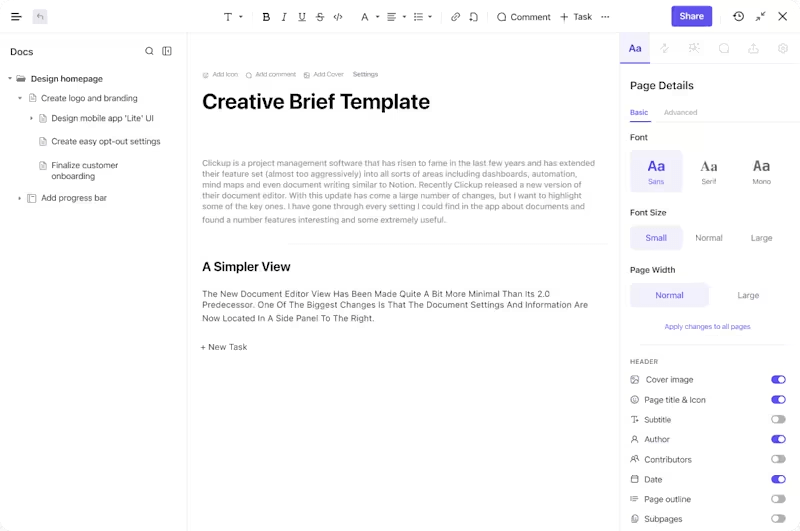
Team members can comment, tag colleagues, attach files, and even build collaborative Docs within Tasks. It supports multiple teams working on complex projects with its granular permissions.
You can also organize your Docs like a pro by using pages and subpages to create a clear content hierarchy. Easily rearrange them with drag-and-drop and nest related pages for better structure.
For greater visual clarity, try using ClickUp Dashboards. It lets you quickly see and measure personal progress, your team’s tracked time, and project performance.
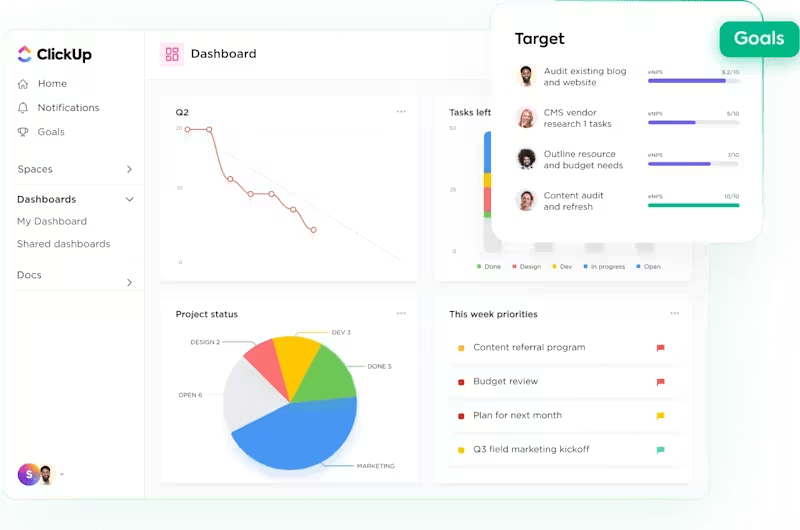
Dashboards consolidate all your project data—tasks, timelines, progress, and performance metrics—into a single, customizable interface, eliminating the need to switch between multiple tools or spreadsheets.
You can tailor dashboards with a wide range of widgets, such as charts, task lists, calendars, time tracking, and goal trackers, to display exactly the information your team needs.
Unlike Baserow, which is primarily a database tool, ClickUp combines data visualization, actionable project and task management, and collaboration while offering deeper customization and workflow automation on one platform.
A G2 review reads
ClickUp has completely transformed the way we manage our internal tasks at the agency. It allows me to track the entire team’s workflow in one place, prioritize urgent matters, and keep communication centralized. The ability to automate processes, switch between multiple views (like list, board, and calendar), and integrate with other tools has significantly boosted my daily productivity. It’s an all-in-one platform that adapts perfectly to our workflow and makes team management much more efficient.
💡 Bonus: Use ClickUp Brain MAX to capture and clean data instantly
Manual data entry is one of the biggest productivity killers when managing shared databases. That’s where ClickUp Brain MAX comes in—ClickUp’s desktop AI assistant that lets you update or create records hands-free with Talk to Text.
Instead of switching tabs or typing every field, you can speak updates like “Add a new client to the database with priority = high and due date = Friday,” and ClickUp Brain MAX will instantly convert it into a task or record.
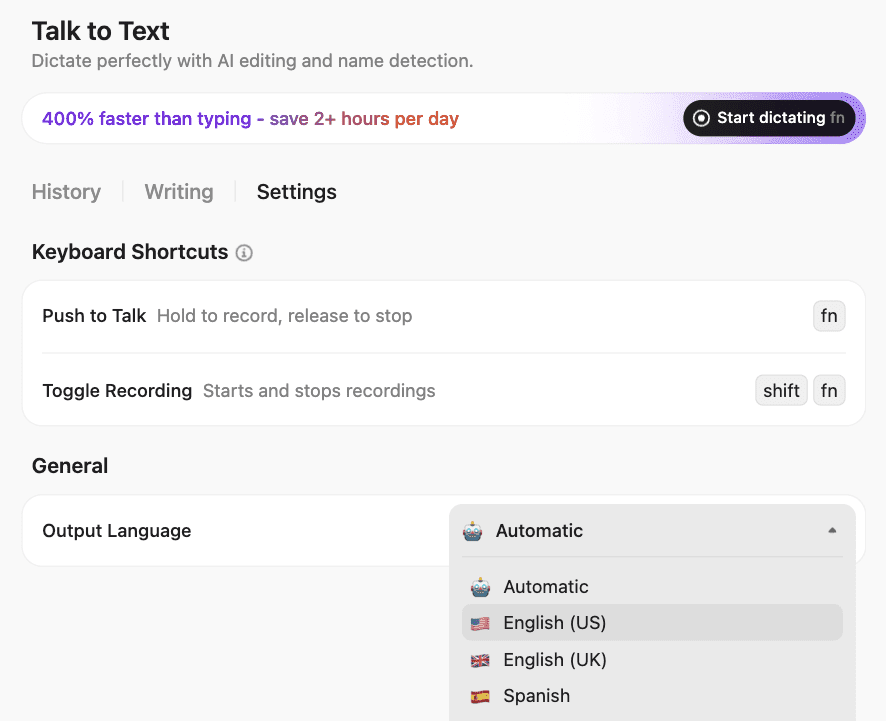
Together, Brain and Brain MAX turn your workspace into an intelligent, self-maintaining database—so your team spends less time fixing data and more time using it.
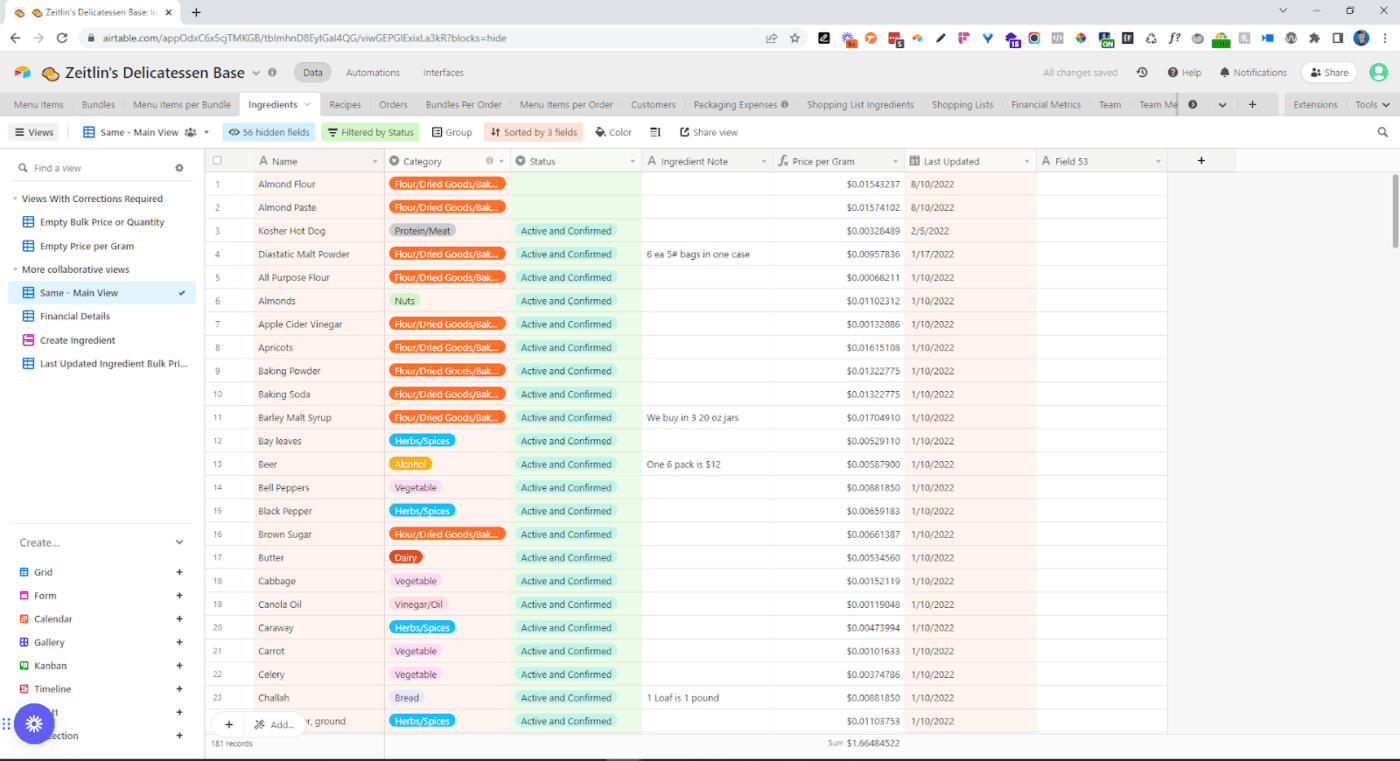
If Baserow feels a little too bare-bones, Airtable might be an upgrade. It combines a sleek, user-friendly interface with the kind of flexibility power users need.
Want visuals? Airtable has you covered with Blocks, which let you build custom dashboards, charts, and other visual elements without coding knowledge.
Airtable adds a new dimension to automation. You can set up workflows that handle repetitive tasks like updating records or sending emails. With tons of integrations that keep your apps and data in sync, Airtable lets you work smarter without mastering coding.
A G2 review says:
Airtables great for data tracking, recording, and it has an awesome UI. Its simple and easy to learn, its automations are powerful and can do so much. My favorite thing about it would be the linking of tables because it allows for lookup fields which helps segment data so well.
💡 Pro Tip: Explore built-in templates before starting from scratch. Many of these tools offer ready-made setups for things like project tracking or CRM, helping you save time and avoid reinventing the wheel.
📮 ClickUp Insight: Only 10% of our survey respondents regularly use automation tools and actively seek new opportunities to automate.
This highlights a major untapped lever for productivity — most teams are still relying on manual work that could be streamlined or eliminated.
ClickUp’s AI Agents make it easy to build automated workflows, even if you’ve never used automation before. With plug-and-play templates and natural language-based commands, automating tasks becomes accessible to everyone in the team!
💫 Real Results: QubicaAMF cut reporting time by 40% using ClickUp’s dynamic dashboards and automated charts—transforming hours of manual work into real-time insights.
📖 Also Read: How to Export Data from Airtable into Other Apps
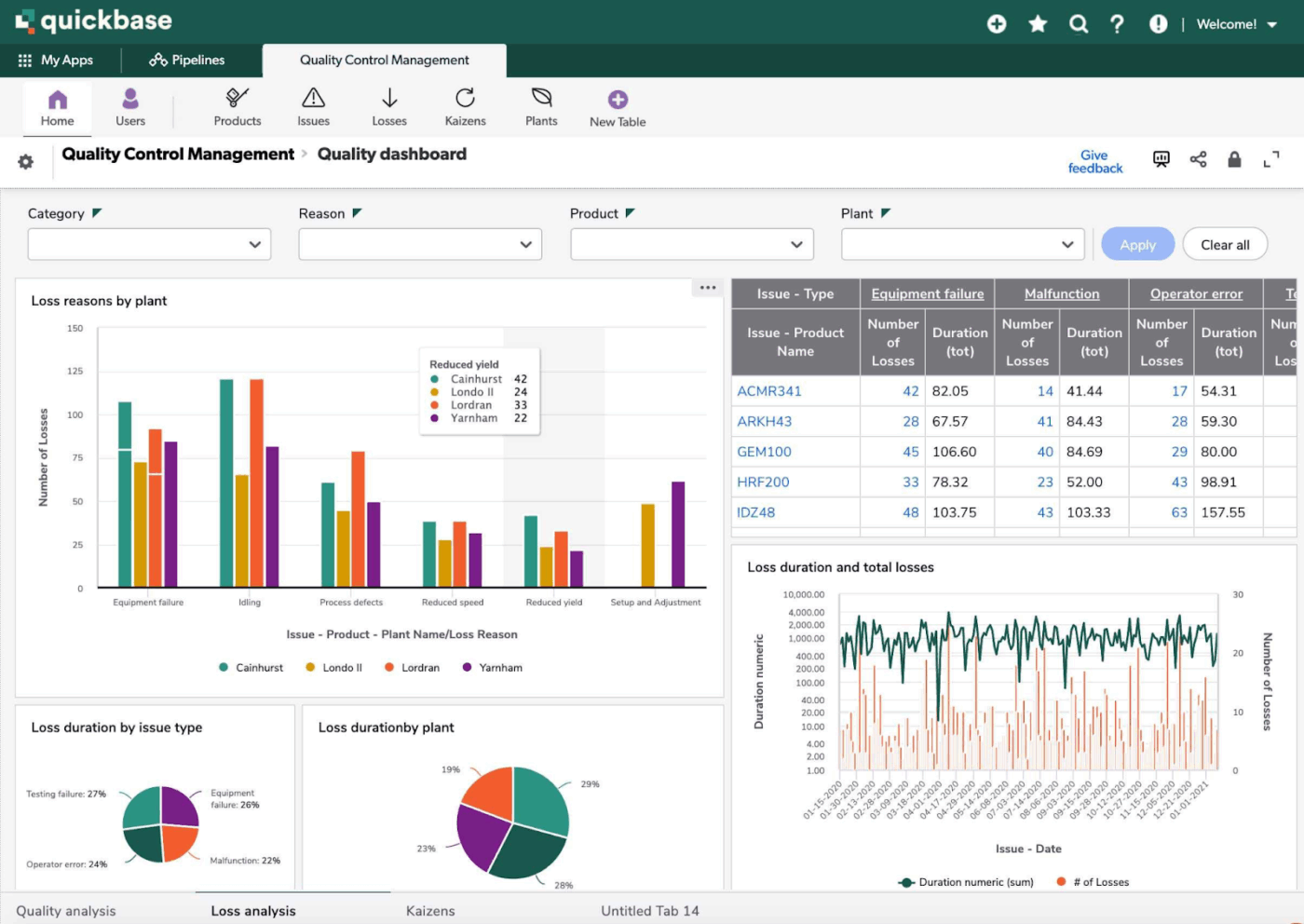
Quickbase is a no-code platform built for more complex workflows—think approvals, compliance, and multi-step processes that need tight coordination. It’s often used by larger teams that want to build custom apps, automate repetitive tasks, and keep data flowing across departments.
Compared to Baserow, it leans more toward the “heavy-duty” end of things. You also get solid reporting tools and strong security features, which make it a good fit for industries with strict compliance requirements.
A Capterra review says:
Quick Base offers customizable database applications, rapid development, cloud accessibility, scalability, integration capabilities, security, and automation, enhancing organizational efficiency..
📖 Also read: How to Export Data from Airtable into Other Apps
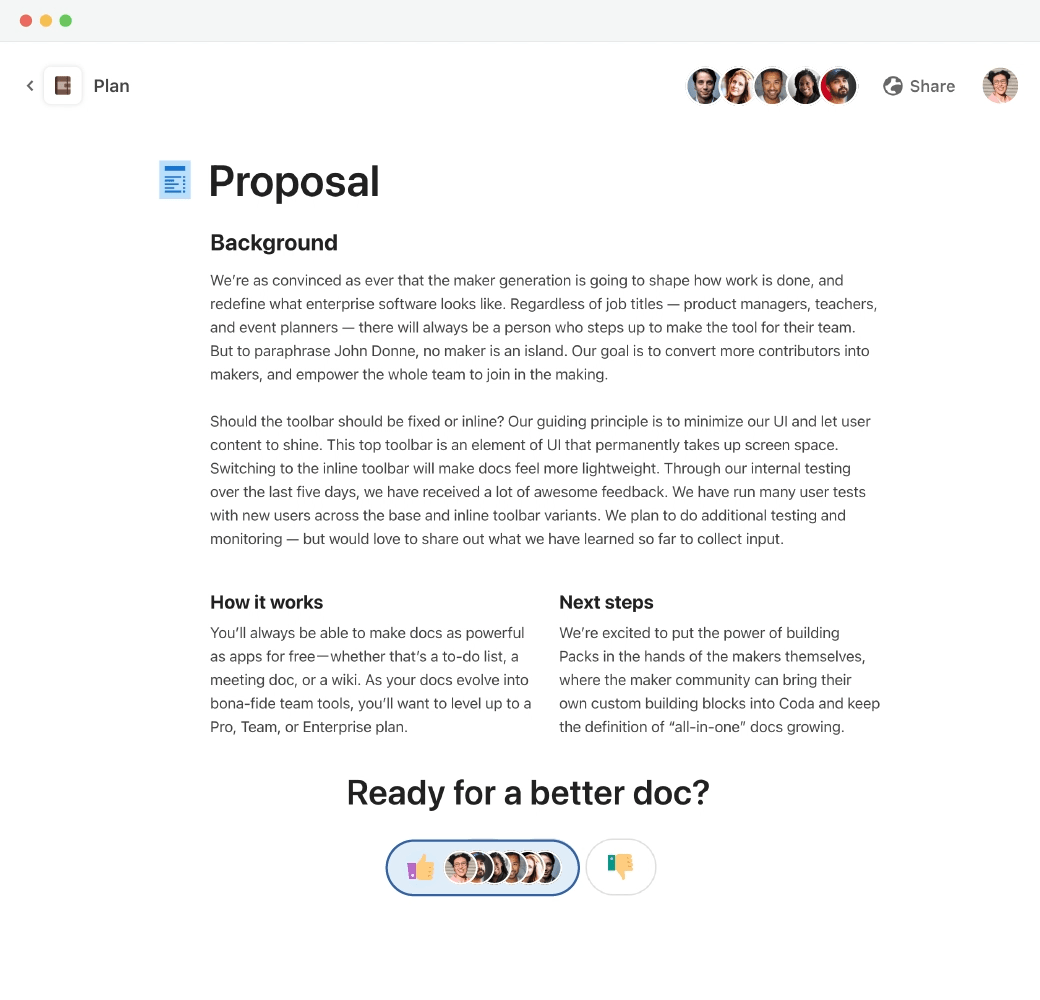
Coda mixes the feel of a document with the power of a database, giving teams a flexible space to build custom workflows without jumping between tools. It combines text, tables, and app-like features all in one place, so you can write, organize, and automate without leaving the page.
Where Coda excels over Baserow is in its versatility. Instead of juggling separate tools for documents, tasks, and tables, you can weave everything into one dynamic document. Pages and Tables work hand in hand, letting you craft interactive databases alongside written plans or meeting notes.
With Packs and buttons, you can connect to collaboration tools like Slack, Jira, or Google Calendar and trigger actions without leaving your doc. If you’re exploring Airtable alternatives but want something more holistic, Coda is worth considering.
A G2 review reads:
It has tons of possibilities. You can write documentation, create (complex) tables, create pages inside pages, mention people and pages, integrate with miro, google sheets/docs/etc, insert images, links… I think it is the most complete tool I have ever used. [But] Some features and possibilities are not very clear and intuitive. Although the interface is very user-friendly, you have to figure out how to use certain functions.
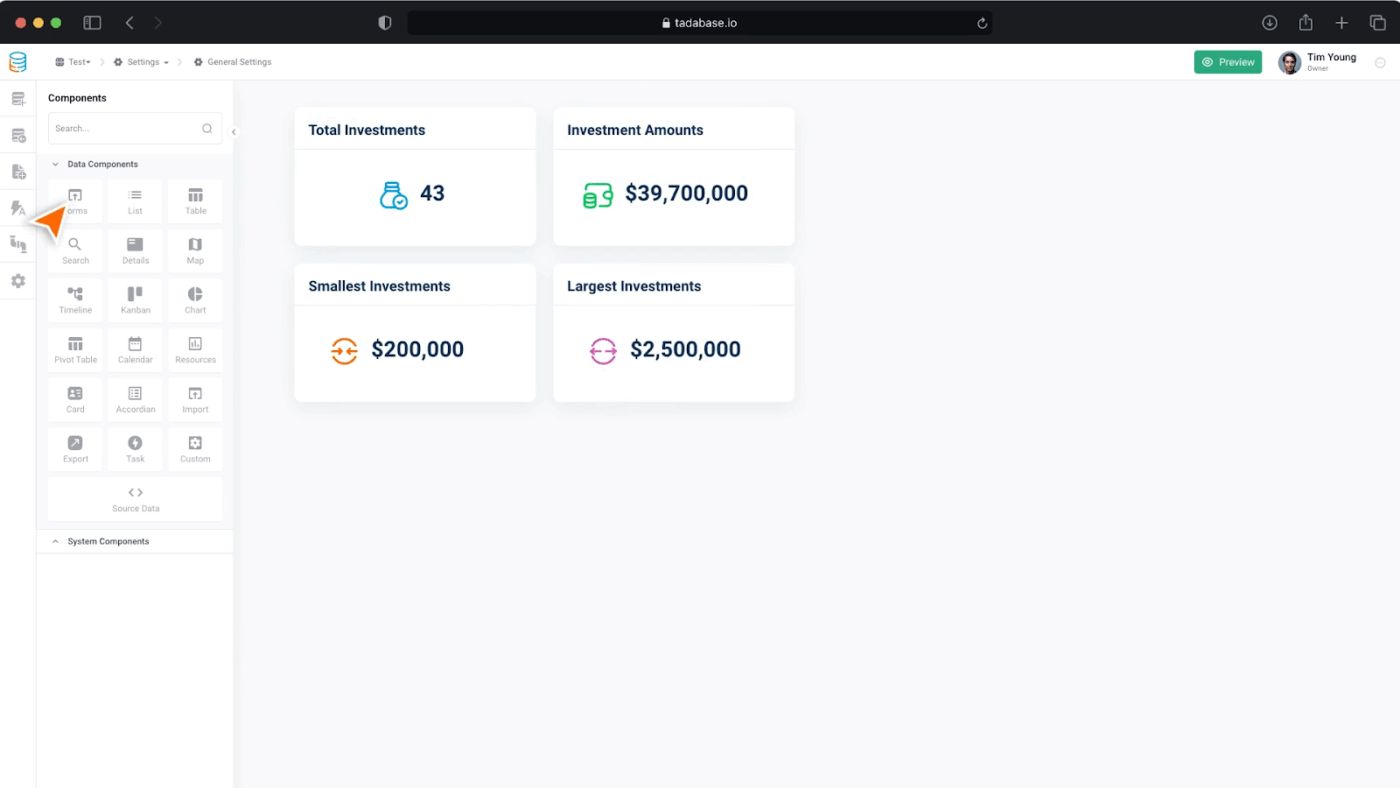
Tadabase is like a no-code playground for business builders who want to bring their app ideas to life—fast. It ditches complexity in favor of an intuitive drag-and-drop interface, making it simple to push out anything from client portals to internal tracking systems with zero coding drama.
Tadabase outshines Baserow in its deep customization options and control. You can fine-tune exactly what each user sees using role-based access, craft sleek forms and reports, and design apps that look sharp across all devices. It’s built for teams that want a fully functional app that reflects their workflow down to the last detail.
Its automation features also ensure less manual busywork and more time spent on what actually moves your business forward.
For Teams and Individuals
For Agencies and Resellers
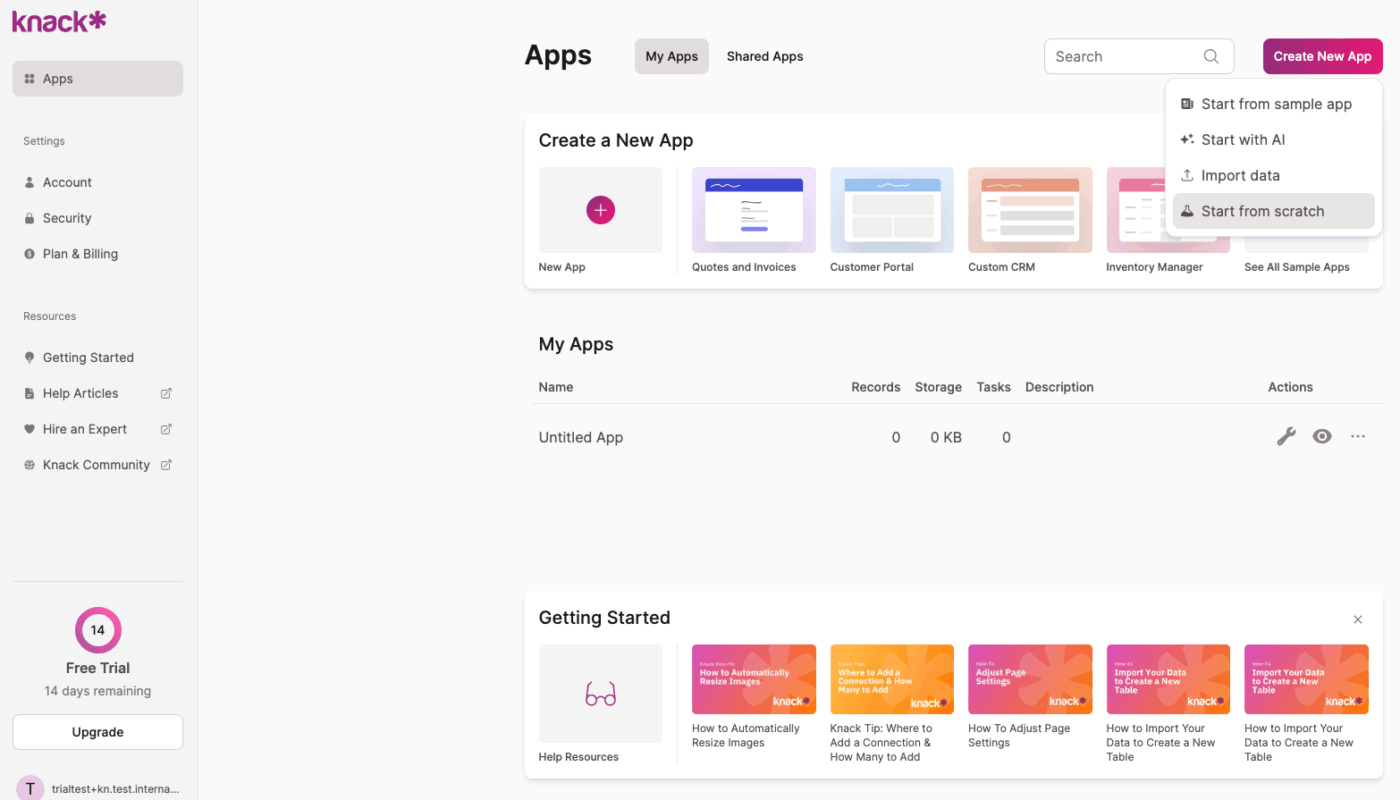
Knack keeps things refreshingly simple while delivering serious power under the hood. It’s designed for small businesses and nonprofits that need a no-fuss way to build online databases and streamline workflows without tech headaches.
What sets Knack apart from Baserow is its laser focus on usability and its wide range of templates, making it easy to hit the ground running.
Knack lets you build everything from directories and inventory systems to event registrations and CRMs without coding knowledge. Its workflow automation feature ensures repetitive tasks like approvals or notifications are handled behind the scenes, while its customizable user roles mean you control exactly who sees what.
A G2 review says:
Knack is simple enough for about anyone to build very useful database apps. But at the same time, it is extremely robust allowing very high end functionality for users with a little more experience. The somewhat limited ability to do better formatting and page layouts on detail reports and forms.
🧠 Fun fact: The word “database” actually started off in the military world around 1964. It wasn’t about apps or websites back then—it referred to shared data systems for time-sharing computers used in defense!
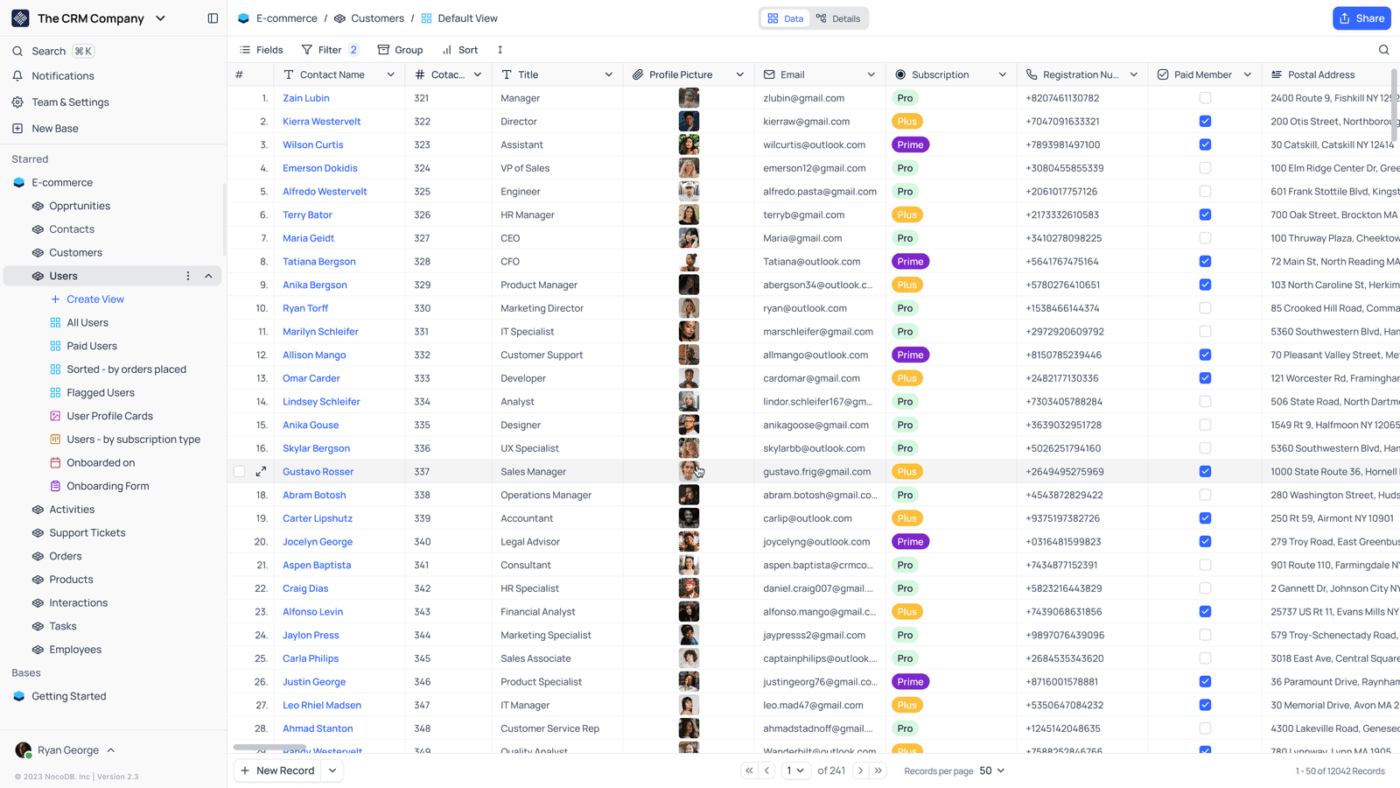
NocoDB is a good option if you want the flexibility of Airtable but the freedom of open-source tools. It transforms any SQL database into a smart, collaborative spreadsheet user interface, letting you manage data visually without giving up control of your backend.
What makes NocoDB a step up from Baserow is its open-source nature and API-first design. You get full transparency, the ability to self-host, and a platform that developers love for its adaptability. The spreadsheet-like interface is familiar and user-friendly, but it’s built to scale and integrate seamlessly with your existing systems.
Cloud
Self hosted
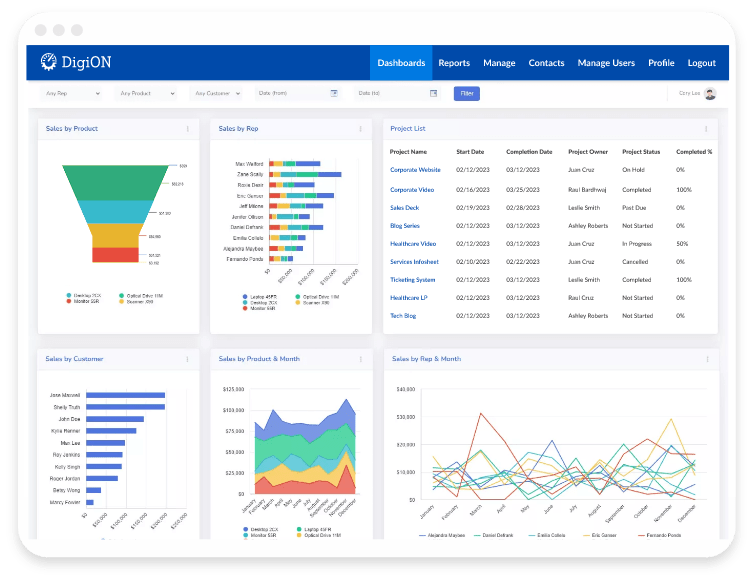
Caspio is tailored for enterprises. It gives you a full-fledged app-building environment where you can design, deploy, and manage custom business apps without writing a single line of code. If you’re working with sensitive data or complex workflows, Caspio is built to handle it—and then some.
Caspio edges out Baserow in its enterprise-grade security, scalability, and robust integration options. Its point-and-click interface makes it easy to create apps that fit your exact requirements, while built-in compliance features (like HIPAA and GDPR support) make it a trusted choice for industries with strict data regulations.
Whether you’re after simplicity, open-source freedom, or enterprise-grade muscle, these Baserow alternatives are worth a shot.
Each tool here is designed to tackle the gaps Baserow leaves behind, giving you better automation, deeper customization, and stronger real-time collaboration between both technical and non-technical teams.
The key is to pick the custom database tool that best fits your unique workflow and team size.
ClickUp is a superior Baserow alternative for teams seeking a flexible, all-in-one platform that merges customizable databases with powerful project management, workflow automation, and real-time collaboration.
Its features are designed to help you manage complex projects, automate repetitive tasks, and keep multiple teams aligned—all within a single, intuitive workspace.
Sign up for ClickUp today and transform how your team collaborates and manages scalable databases.

© 2026 ClickUp

There’s an easier way. Try a free AI Agent in ClickUp that actually does the work for you—set up in minutes, save hours every week.