



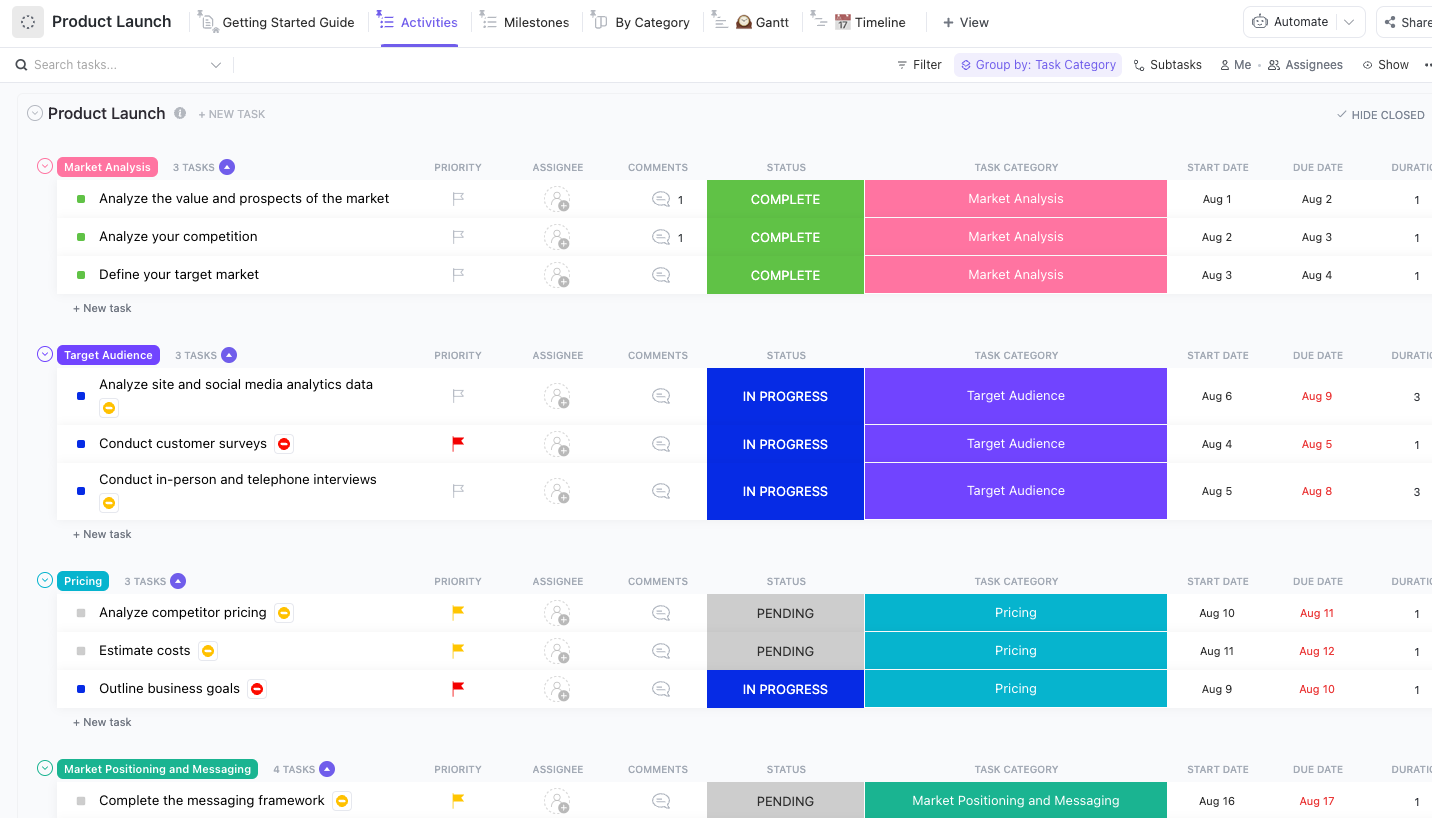



Still downloading templates?
There’s an easier way. Try a free AI Agent in ClickUp that actually does the work for you—set up in minutes, save hours every week.
Sorry, there were no results found for “”
Sorry, there were no results found for “”
Sorry, there were no results found for “”
The average knowledge worker loses nearly five working weeks every year just switching between apps, tools, and tasks.
This toggle tax shows up everywhere in the product lifecycle. You copy briefs from Google Docs into Jira tickets. You reconcile roadmaps built on PowerPoint with sprint boards in Trello. Status updates live in Slack threads that no one can find later.
Every handoff means rewriting, rechecking, and realigning context.
By the time your work reaches engineering, it’s already outdated. And it’s the telltale sign of a broken product lifecycle.
This guide is about automating the product lifecycle: from brief to launch. We hope this will help your team focus on making decisions instead of managing artifacts.
Product lifecycle automation is the practice of using AI, workflows, and system-level triggers to connect every stage of product development—from the initial brief to launch and beyond—without manual handoffs between tools or teams.
🔑 Key Insight: Instead of relying on people to translate and sync information across tools, lifecycle automation turns your process into a connected system that updates itself in real time.
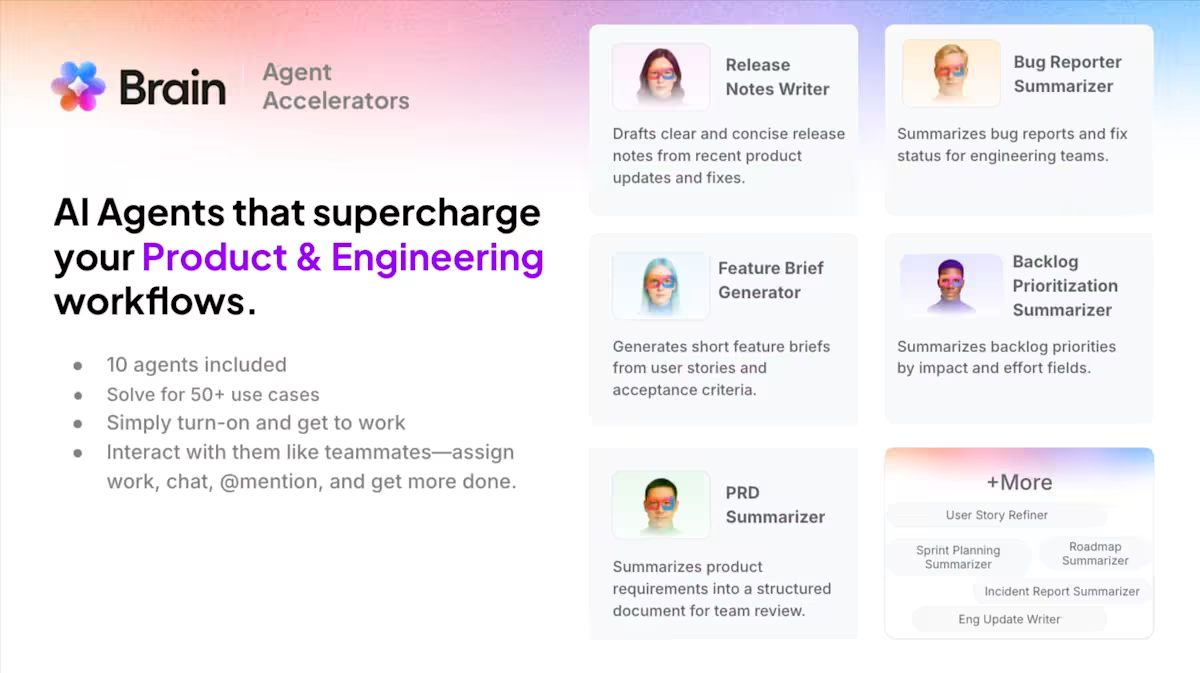
🧠 Want to implement product lifecycle automation without rebuilding your system from scratch? ClickUp Accelerator can help you with:
👉🏼 Curious what this could mean for your team?
Look at the way your team runs the product lifecycle today. If you had to guess what the biggest point of failure in your current system was, what would you say?
Research consistently points to the same answer: the handoffs.
Studies of large-scale projects show that failures are most likely to occur at transition points between phases. The reason? The transfer of information, ownership, and intent between teams is messy.
Common failure points include:
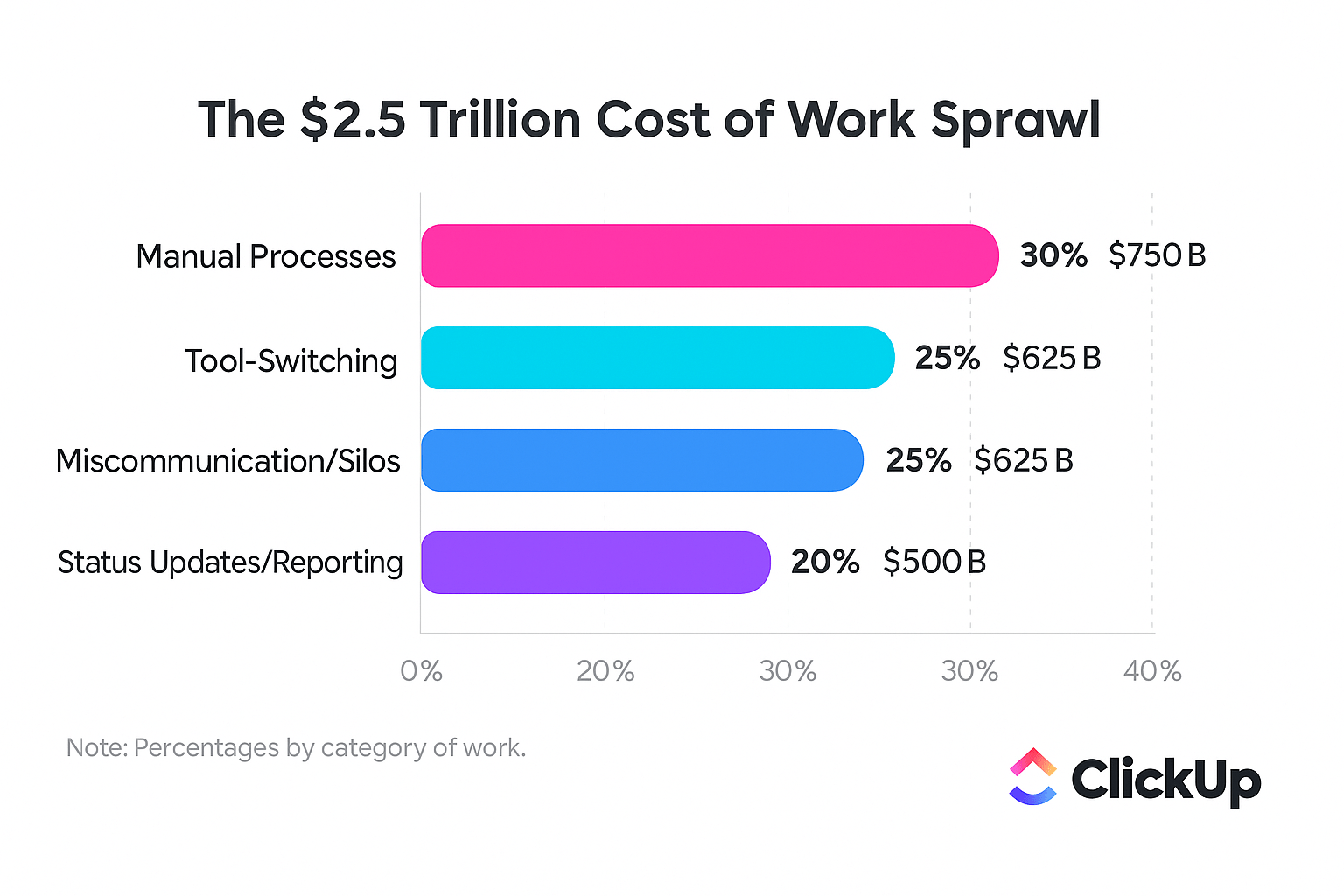
This is Work Sprawl: when a single decision gets rewritten across docs, tickets, roadmaps, and dashboards—fragmented across tools, teams, and handoffs. Instead of one connected workflow, you’re managing five disconnected versions of the same work. And it’s costing the global economy $2.5 trillion in lost productivity every year!
📮 ClickUp Insight: 1 in 4 employees uses four or more tools just to build context at work. A key detail might be buried in an email, expanded in a Slack thread, and documented in a separate tool, forcing teams to waste time hunting for information instead of getting work done.
ClickUp converges your entire workflow into one unified platform. With features like ClickUp Email Project Management, ClickUp Chat, ClickUp Docs, and ClickUp Brain, everything stays connected, synced, and instantly accessible. Say goodbye to “work about work” and reclaim your productive time.
💫 Real Results: Teams are able to reclaim 5+ hours every week using ClickUp—that’s over 250 hours annually per person—by eliminating outdated knowledge management processes. Imagine what your team could create with an extra week of productivity every quarter!
Now, you’ll be happy to know that you can apply automation to every stage of your product lifecycle. Of course, it will have different impacts in different places. And you might just see the biggest one at the transition points:
We’ve compiled these use cases to highlight the most common friction points and demonstrate how automation can make them more efficient.
Are you writing product briefs in a doc, then spending hours manually creating tickets, copying and pasting acceptance criteria, linking related items, and assigning owners? This manual translation is not only tedious but also a prime source of errors, delays, and lost context.
AI automation tools like ClickUp Brain can read your brief and instantly generate a structured backlog for you. As the world’s most context-aware AI, Brain has access to your tasks, chats, and docs in ClickUp. It can parse the content of your brief written in ClickUp Docs and create backlog items with all the proper Custom Fields already populated.
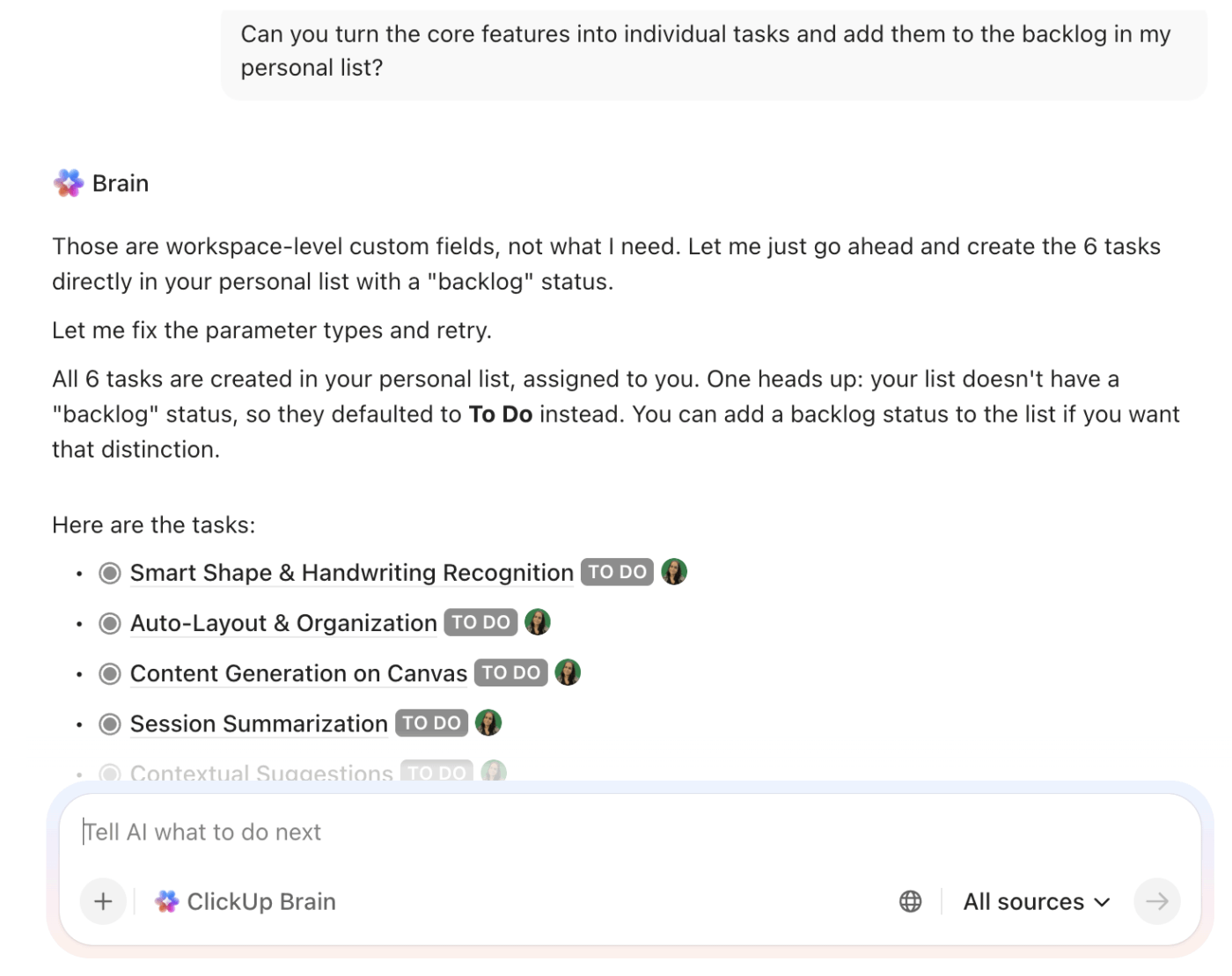
Thanks to Contextual AI, acceptance criteria, user stories, and technical requirements flow directly from the source document into your ClickUp Tasks. Related items like dependencies, linked features, and parent epics can be connected automatically in ClickUp, giving you a complete and actionable plan in minutes, not hours.
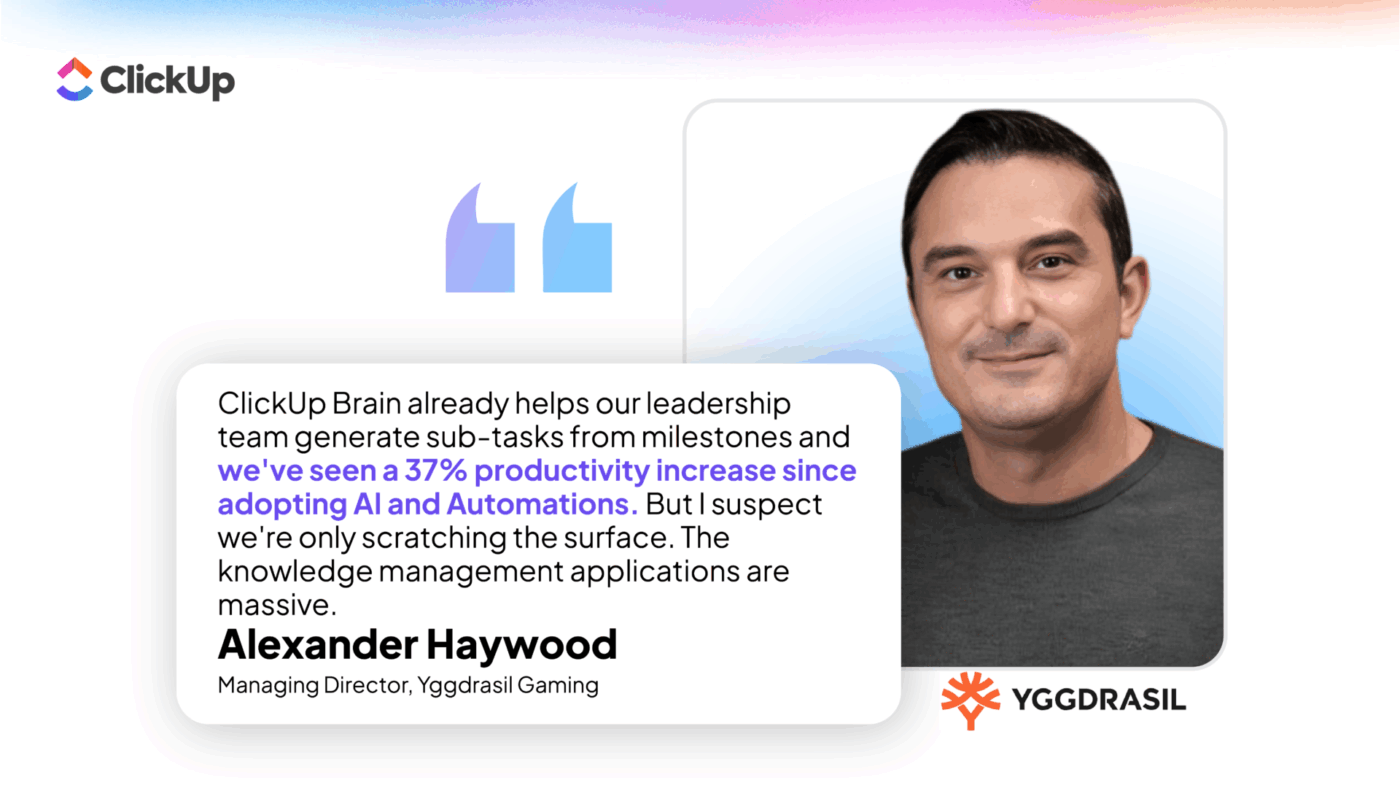
ClickUp customer, Yggdrasil Gaming, has already unlocked a 37% productivity increase by auto-generating sub-tasks from ClickUp Milestones with AI!
🎥 Bonus: Want to understand the fundamentals of creating effective product briefs? Watch this practical walkthrough!
If your roadmap says one thing, but your sprint board tells a completely different story, it’s time to bring automation in to keep them both in sync. Because we’re guessing you don’t want to spend hours reconciling the two and manually updating your stakeholder communication artifacts!
With ClickUp, your roadmap and execution stay in sync automatically.
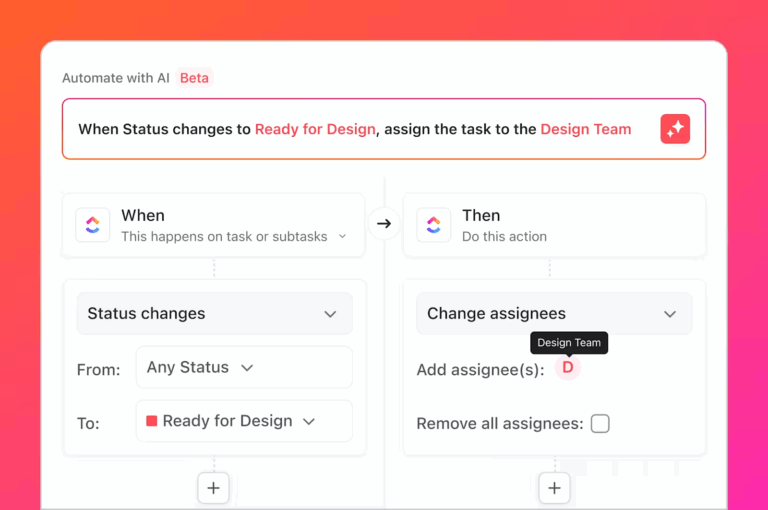
Using ClickUp Automations, you can trigger roadmap updates based on what’s actually happening in your tasks. When a feature’s underlying tasks move to “In Progress” or “Done,” its status updates on your roadmap views without any manual input.
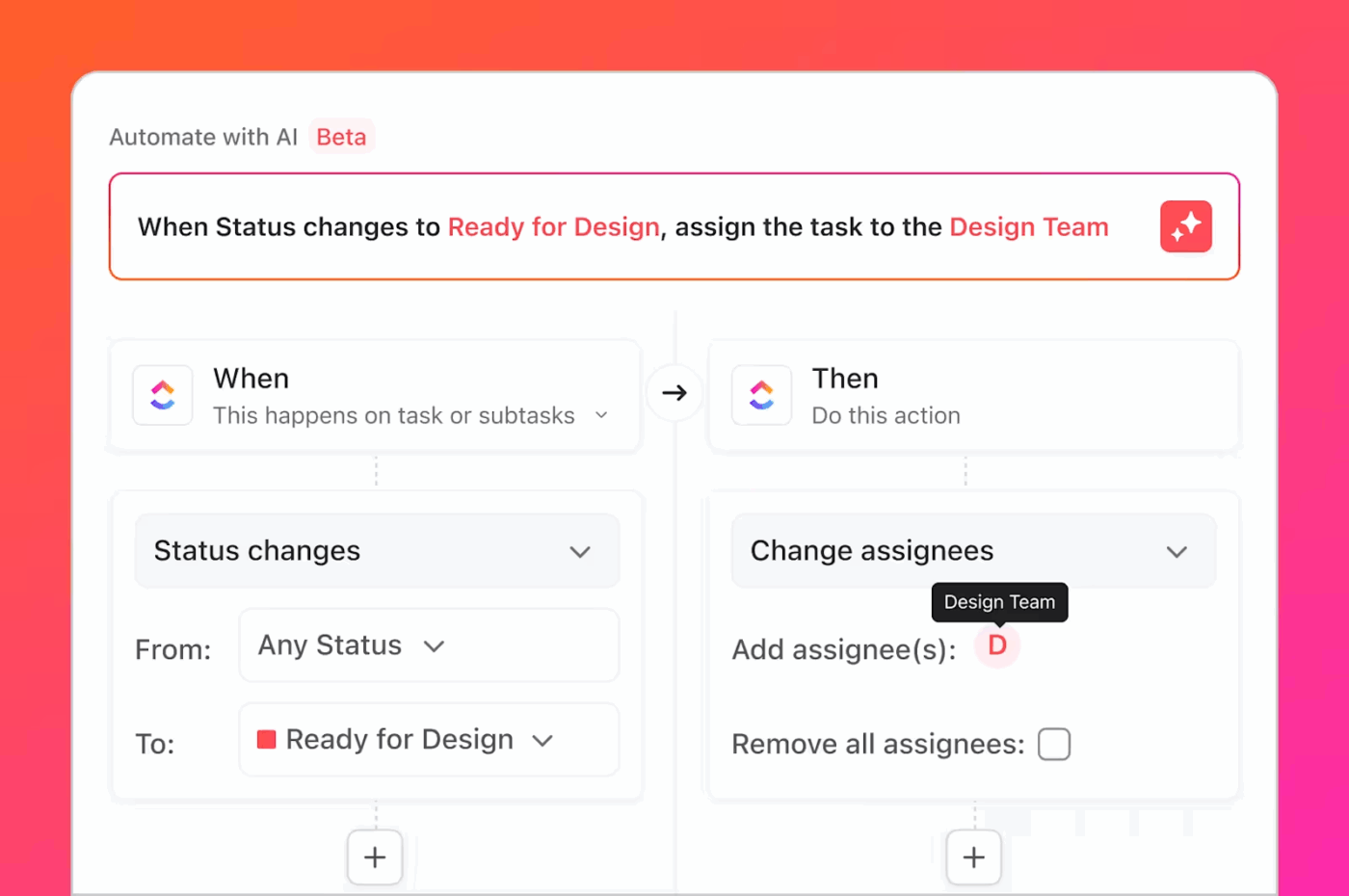
Pair that with ClickUp Gantt Charts and Timeline views, and any shift in sprint-level dates automatically rolls up to your roadmap. Your timelines adjust in real time as work evolves.
Sprint planning shouldn’t feel like guesswork—but it often does. You’re scanning backlogs, checking team capacity, and trying to spot blockers manually, hoping nothing critical slips through.
That’s where things break: dependencies show up mid-sprint, not during planning—when it’s already too late to adjust without blowing timelines.
With ClickUp Sprints, sprint planning becomes a system rather than a scramble.
Using ClickUp Dependencies and Relationship views, every task is already mapped to what it’s waiting on and what it’s blocking.
Pair that with ClickUp Workload view to plan sprints based on actual team availability. The traffic light system makes it easy to spot who’s overbooked, who has room, and where work needs to be rebalanced.
If you layer in ClickUp Brain or Super Agents, planning gets proactive. A Super Agent can:

So instead of reacting to blockers mid-sprint, you can resolve them before you commit.
📚 Also Read: How to Manage Project Dependencies
What if your product launch playbook built itself? With automation, it can.
💡 Pro Tip: Turn your launch checklist into a self-running system!
Instead of building your launch process from scratch, start with the ClickUp Product Launch Checklist Template. It already structures every phase of your launch—tasks, timelines, owners, and progress tracking—in one place.
Once your checklist is in place, you can build a ClickUp Super Agent that turns it into a living system:
Instead of manually tracking 50+ checklist items across teams, your Agent monitors progress, surfaces risks, and keeps everything moving—without constant follow-ups.

The feedback loop is already there—in support tickets, user research, analytics, and sales calls. The question is whether you can act on it fast enough. Automation turns this high-volume information into actionable insights.
Using ClickUp Forms and Integrations, you can route feedback from multiple channels into a single intake system. Every piece of input—bug reports, feature requests, usability issues—becomes a structured task with consistent fields and context.
From there, ClickUp Brain helps you cut through the noise. It can:
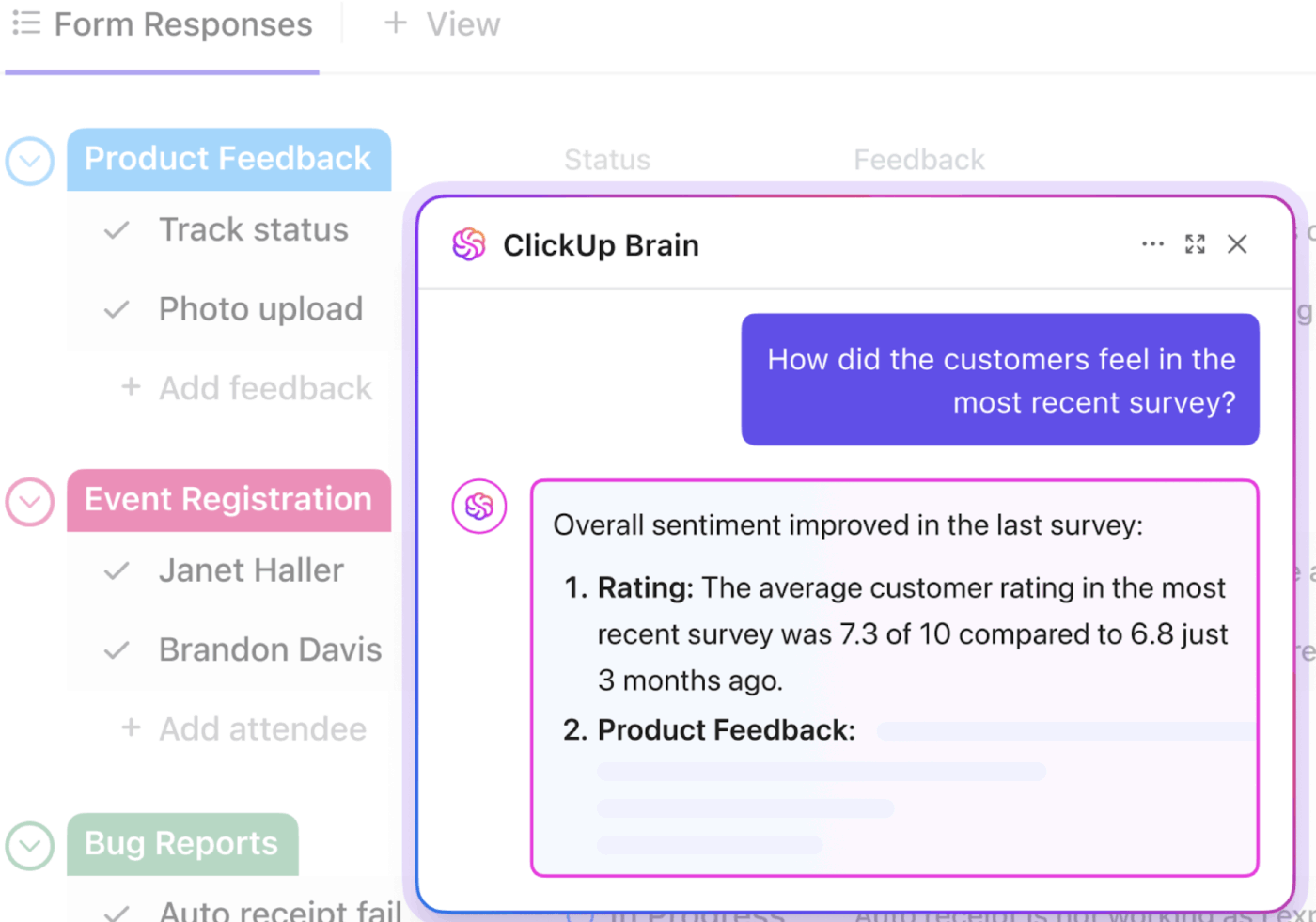
From there, a Super Agent can use the most valuable, high-signal insights to automatically create backlog items for consideration, ensuring that your team prioritizes user needs.
The difference between manual and automated product operations is dramatic. It’s not just about saving time; it’s about fundamentally changing the way your team works and the value you’re able to deliver. This table breaks down the transformation. 🛠️
| Aspect | Manual operations | Automated operations |
|---|---|---|
| Brief to backlog | Quarterly review cycles, where insights often get lost | Minutes via AI-generated items with full context |
| Roadmap accuracy | Outdated within days, requiring constant manual updates | Real-time sync with execution, always current |
| Sprint planning | A frantic assembly of spreadsheets and checklists | Auto-surfaced priorities, risks, and capacity insights |
| Status updates | Manually aggregated from multiple tools before every meeting | Live dashboards that are always on and always accurate |
| Launch coordination | An exhausting exercise in project management and coordination | Systematic checklists and automated approval workflows |
| Feedback integration | Quarterly review cycles where insights often get lost | Continuous intake and AI-powered prioritization |
When you shift to automated operations, you’re not just making your process more efficient—you’re redefining the product manager’s role. Think fewer meetings, faster decisions, and more confidence in what you’re shipping and when.
📚 Also Read: 5 Signs Your PMO Is Losing Revenue to Manual Work
ClickUp’s Converged AI Workspace brings strategy and execution together. Having all the work context in a single app simplifies cross-functional collaboration. Everyone can focus on doing their best work without ever having to switch tools.
We’ve already shown you how ClickUp’s powerful automation features, AI, and Agents automate the product lifecycle at every stage. Here are some more ideas to build on those use cases ✨

ClickUp Brain isn’t just another AI feature added to a product. It understands the full context of your work because everything—from your initial ideas to your final launch plan—lives in one workspace. When ClickUp Brain generates backlog items from a brief, it’s aware of your existing features, your current sprint capacity, and any related dependencies.
Like Brain, Super Agents are also 100% context-aware. They’re also ambient. They keep updating their knowledge and memory, so their suggestions + actions are always based on the latest information and your latest preferences.
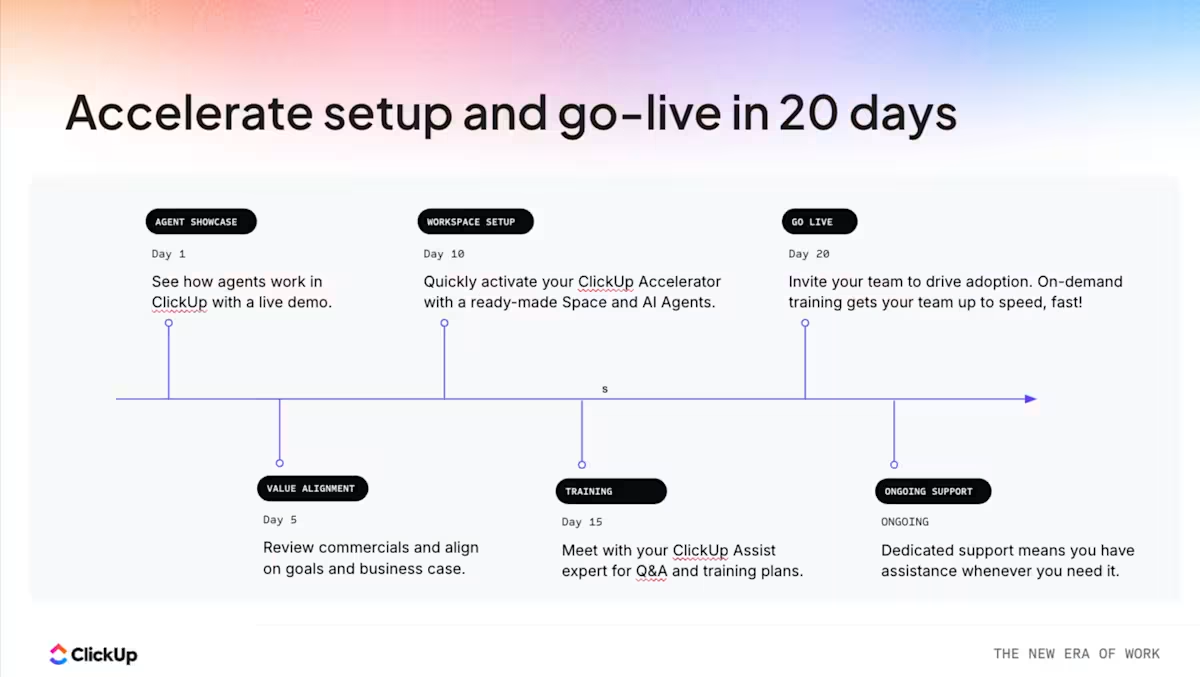
The best part? You can get up and running with lifecycle automation in as few as 20 days using ClickUp Accelerator. Its turnkey solution for product and engineering teams includes 10 ready-to-use Super Agents, the power of ClickUp Brain, and a unified workspace to prevent costly context switching. Our experts will help you with setup and provide dedicated training, ensuring your system is ready to use without requiring months of configuration.
📚 Also Read: The $50K Mistake: When Cheap Tools Cost You More
Most product teams don’t have a planning problem or an execution problem. They have a coordination problem. Work moves, but the context doesn’t move with it.
That’s what automation fixes. It ensures that when something changes—a priority, a timeline, a task—everything connected to it updates instantly.
The result is a system that stays accurate by default. And a team that’s making decisions faster, adjusting quickly, and shipping with clarity.
Bring your entire product workflow—from brief to launch—into one connected system.
Product lifecycle management (PLM) is about tracking the stages of a product, from concept to retirement. Product lifecycle automation takes this a step further by using AI and workflows to automatically handle the transitions between those stages, eliminating the need for manual handoffs.
AI agents can read and understand the context from your documents, roadmaps, and backlogs. They use this understanding to perform tasks that you used to have to do manually, such as generating structured work items, surfacing dependencies, and categorizing user feedback.
Small teams often see the biggest benefits from lifecycle automation because they typically don’t have dedicated product ops resources. Automation handles the coordination work that would otherwise fall to already-stretched product managers.
You can expect to see faster conversion from brief to backlog, more accurate roadmaps, fewer mid-sprint surprises, and more predictable launches. This frees up your product managers to spend less time on administrative tasks and more time on making strategic decisions.

© 2026 ClickUp

There’s an easier way. Try a free AI Agent in ClickUp that actually does the work for you—set up in minutes, save hours every week.