Sorry, there were no results found for “”
Sorry, there were no results found for “”
Sorry, there were no results found for “”
Ever sat through a meeting frantically typing notes, only to miss crucial information because you couldn’t keep up? The constant struggle of dividing attention between active participation and documentation leaves most of us with incomplete notes and missed opportunities.
Enter automated AI note-taking tools—your digital scribes that capture, transcribe, and even summarize your conversations while you focus on what matters: participating meaningfully in discussions.
These AI assistants have evolved from simple transcription tools to sophisticated meeting partners that organize information, extract action items, and integrate with your existing workflow.
Let’s explore the best AI note takers that will make “Can someone take notes?” a phrase of the past.
Check out this quick roundup of the best AI note takers to enhance your meeting management system!
| Tool | Best for | Key features | Pricing |
| ClickUp | Individuals, small businesses, mid-market companies, enterprises | AI-powered meeting scheduling and management, automated summaries and action items, integrated notes, tasks, and docs, meeting note templates | Free plan available; customizations available for enterprises |
| Otter.ai | Small businesses, mid-market companies | Real-time transcription, speaker identification, meeting summaries | Free plan available; paid plans start at $18/month/user; custom pricing for enterprises |
| Fireflies | Small businesses, mid-market companies | AI meeting notes, voice command search, CRM integrations | Free plan available; paid plans start at $16.99/month; custom pricing for enterprises |
| Notion AI | Individuals, small businesses, mid-market companies | AI content generation, meeting note automation, knowledge management | Free plan available; paid plans start at $12/month; custom pricing for enterprises; add AI to any Notion plan for $10/month/user |
| Fathom | Individuals, small businesses | One-click meeting highlights, AI summaries, CRM syncing | Free plan available; paid plans start at $19/month/user; custom pricing for enterprises |
| tl;dv | Individuals, small businesses | Timestamped note taking, AI summaries, Zoom and Meet integrations | Free plan available; paid plans start at $29/month/user; custom pricing for enterprises |
| Avoma | Mid-market companies, enterprises | AI note-taking, conversation intelligence, sales coaching tools | Free trial available; paid plans start at $29/month/user; custom pricing for enterprises |
| Glean | Mid-market companies, enterprises | Unified workplace search, AI-powered knowledge discovery, meeting recap | Free trial available; paid plans start at $15/month; customized pricing for institutions |
| Tactiq | Individuals, small businesses | Live transcription, highlights, export to docs and tools | Free plan available; paid plans start at $12/month/user; custom pricing for enterprises |
| Notta | Small businesses, mid-market companies | Multi-language transcription, AI summaries, file uploads | Free plan available; paid plans start at $13.49/month/user; custom pricing for enterprises |
| Reflect | Individuals, small businesses | AI note taking app with suggestions, backlinking, voice transcription | Free trial available; one plan, one price at $10/month/user (billed annually) |
Consider these essential features when selecting an AI note taker for extracting the maximum value:
Now that you know what to look for in a great AI meeting note taker, here are our top recommendations to help you find the right fit.
Imagine if every conversation automatically organized itself into clear action plans with assigned owners and deadlines. With ClickUp, the everything app for work, the gap between talking about work and actually getting it done disappears.
Much more than a note-taking app, ClickUp is a comprehensive productivity platform where AI-powered note-taking seamlessly connects to your tasks and docs for complete context.
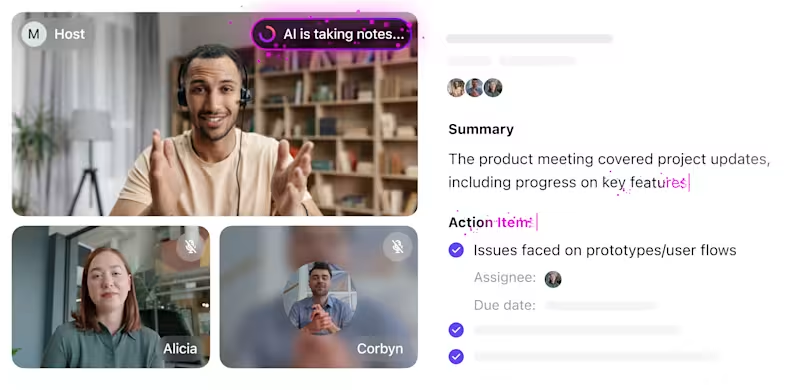
The ClickUp AI Notetaker is designed to capture meeting content (including a voice recording!) while automatically identifying action items, decisions, and key takeaways in a neatly formatted transcript. You also get speaker labels to identify who said what.
What makes ClickUp exceptional meeting management software is its ability to turn critical conversation points directly into assignable tasks and make every transcript searchable.

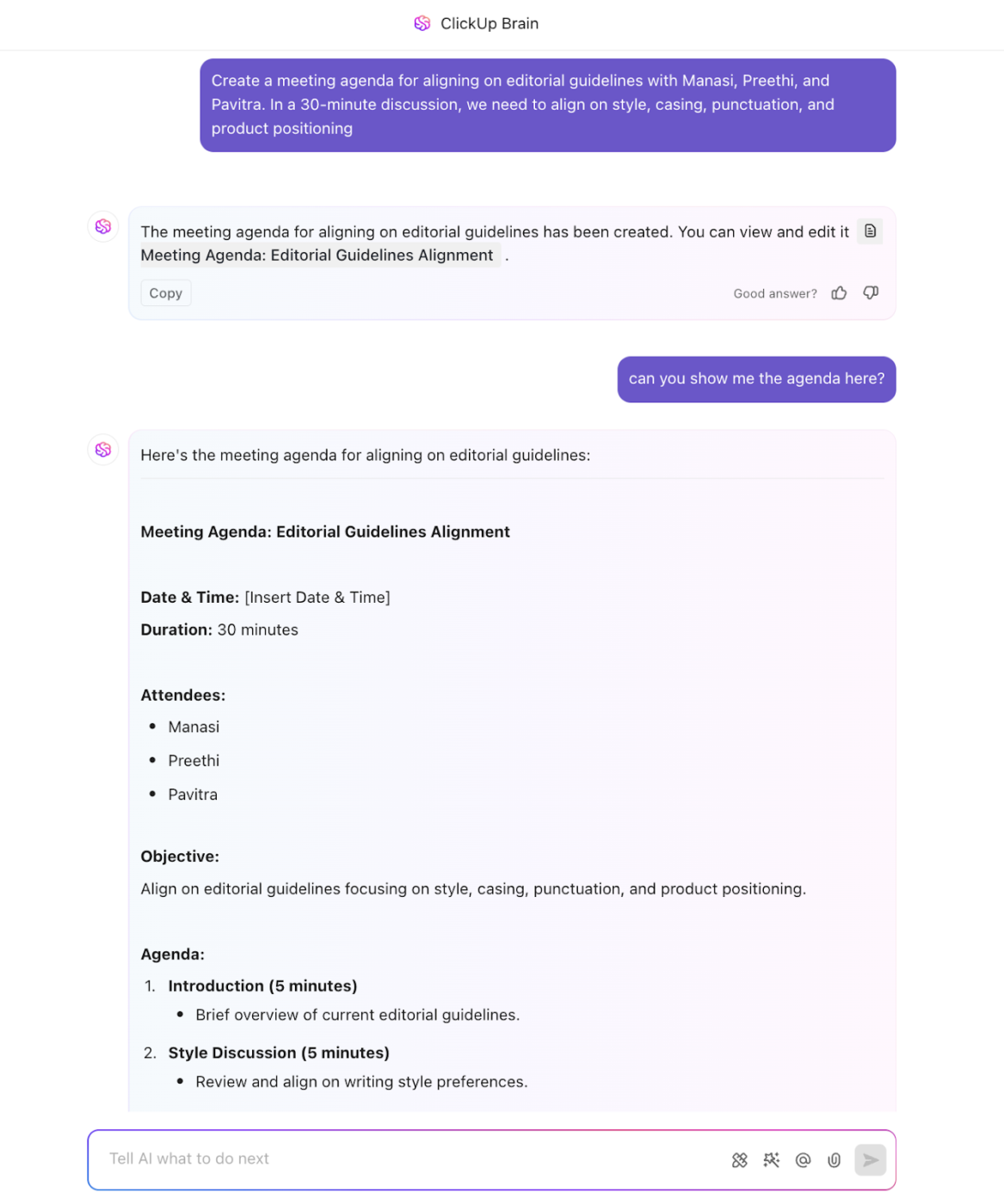
ClickUp Brain, its built-in AI assistant, can help you get answers to meeting-specific questions using natural language prompts. It scans your meeting transcripts—even those from months ago—to surface critical information that would otherwise require you to waste hours digging through emails and Slack threads.
Brain can also generate meeting agendas based on previous discussions and outstanding tasks.
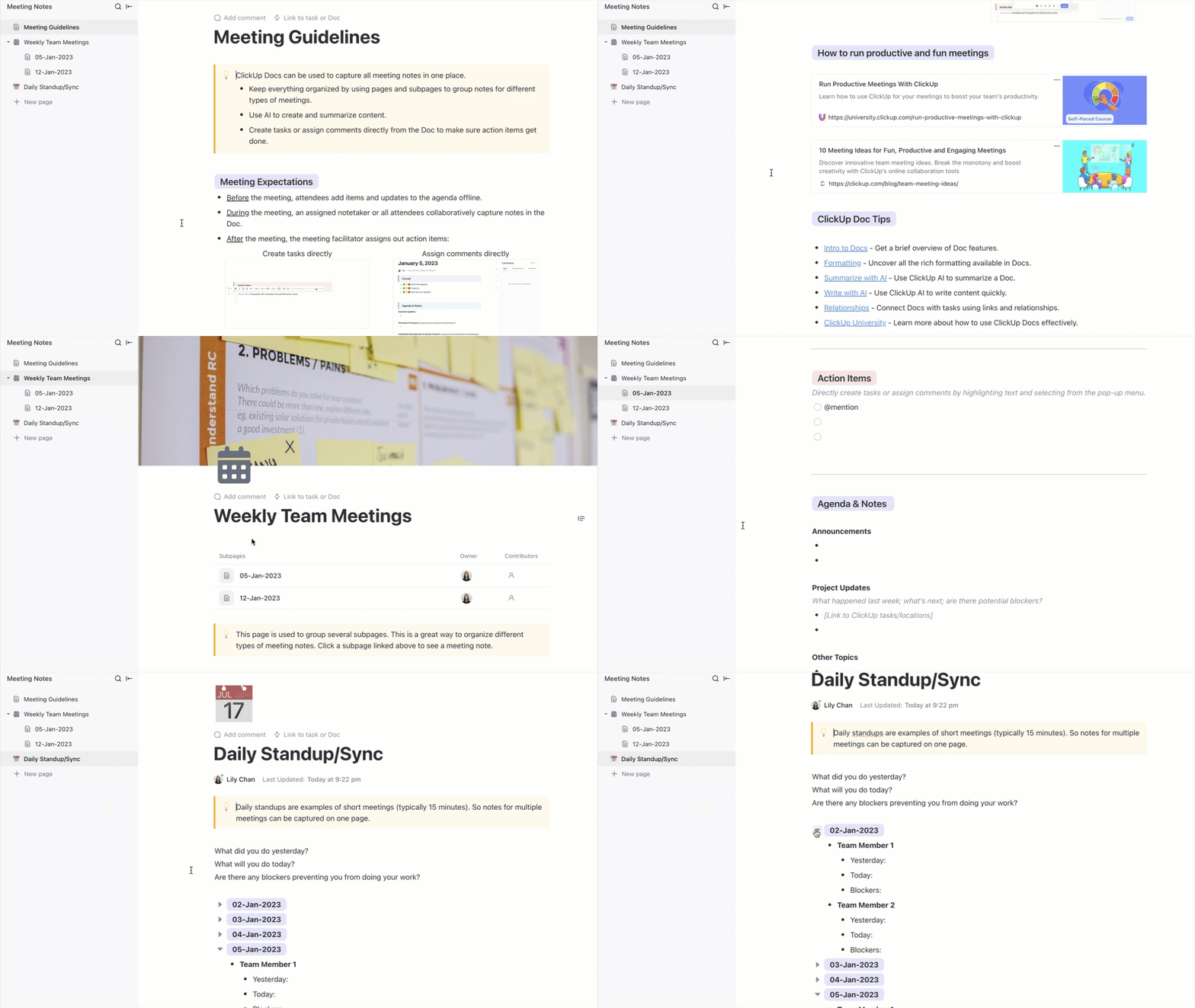
Post meeting, you receive the automated notes with personalized action items in your ClickUp Inbox. The notes are organized in ClickUp Docs as a dynamic, actionable resource for your team. With bi-directional linking between Docs and ClickUp Tasks, the action items identified in your notes seamlessly integrate into your project workflow. This structured approach ensures productive meetings by design.
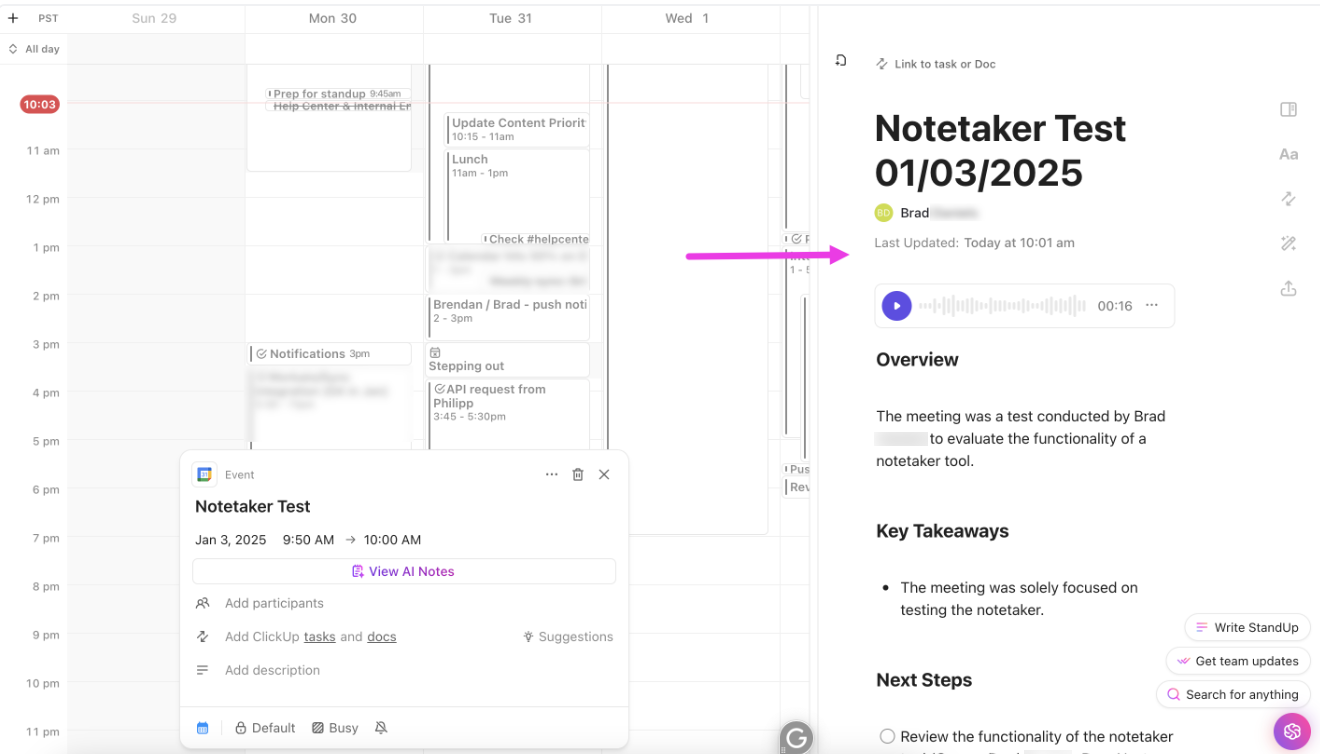
ClickUp’s Meetings features further enhance the note-taking experience by providing dedicated spaces for meeting preparation, execution, and follow-up.
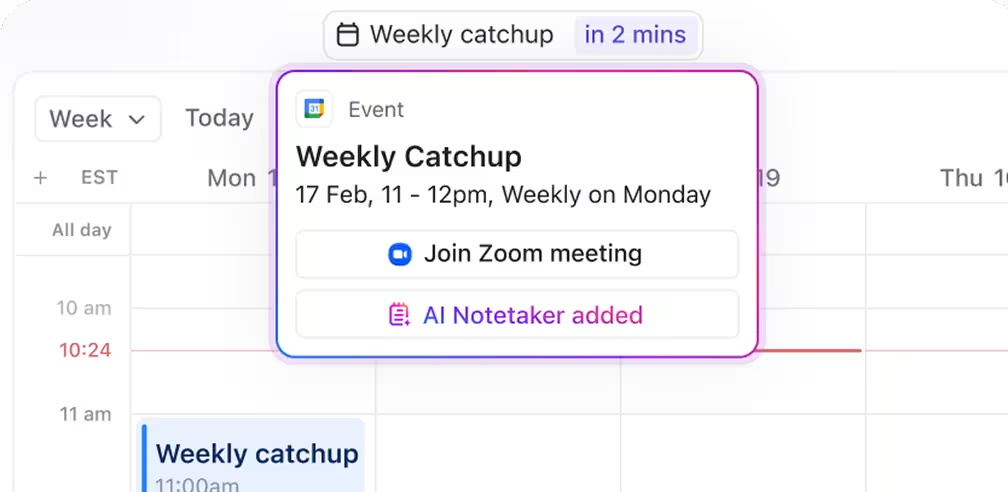
Use the AI-powered ClickUp Calendar to find mutually convenient times for 1:1 or group meetings. Schedule meetings directly with the Calendar and have them sync with your Google Calendar. Send invites and even join video calls without leaving the platform.
Built-in templates for agendas, stand-ups, 1:1s, and retrospectives make meeting prep fast and consistent. With everything connected—from your calendar to your docs to your tasks—ClickUp ensures every meeting is purposeful and actionable.
💡 Pro Tip: Use ClickUp’s Zoom integration to start a Zoom meeting directly from a ClickUp Task!
ClickUp’s Notepad works as your digital scratch paper for quickly jotting down your thoughts throughout the day. It helps you organize random ideas into meaningful categories that can later be expanded into full documents or tasks.
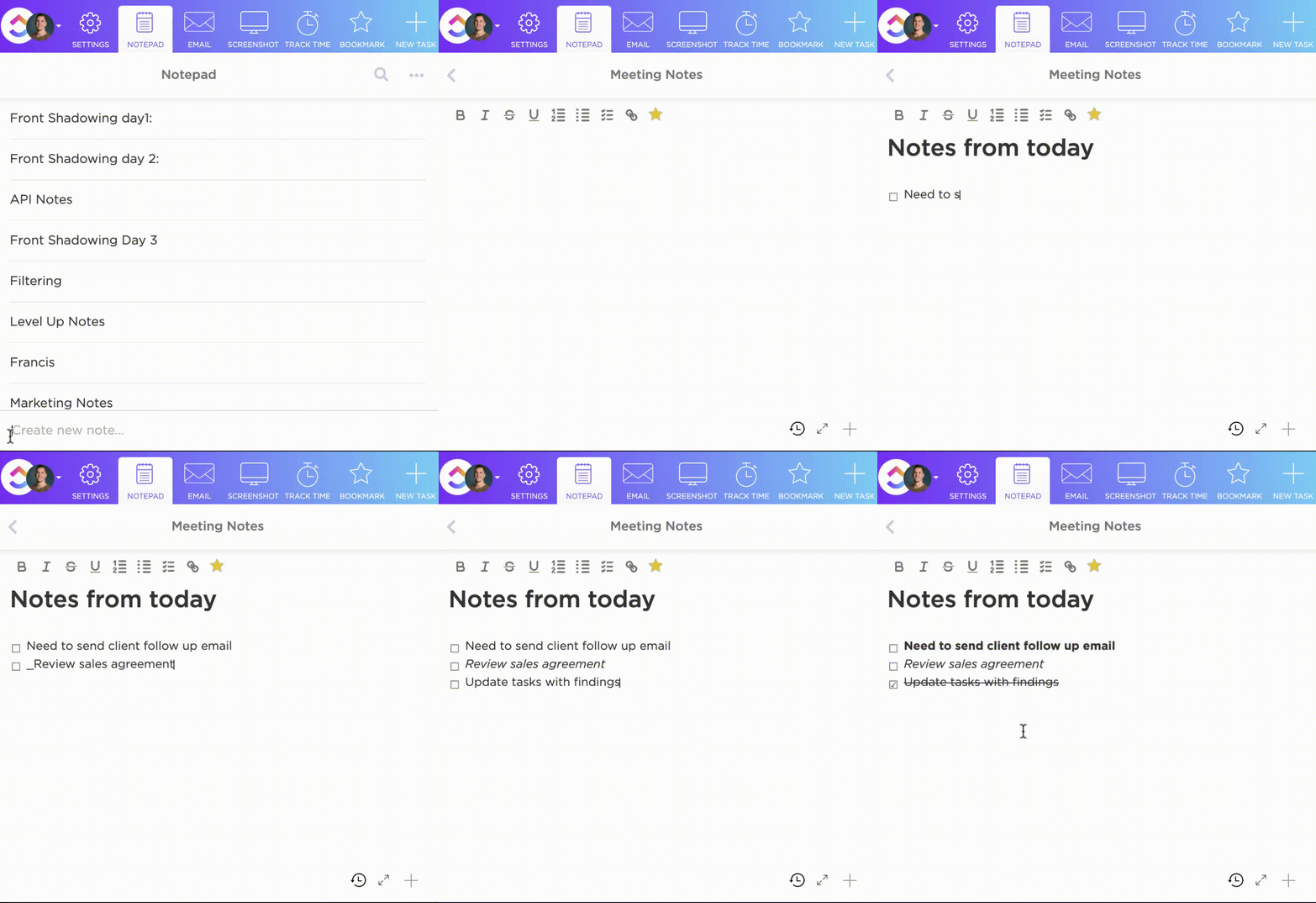
Built-in meeting note templates for agendas, stand-ups, 1:1s, and retrospectives make meeting prep fast and consistent in ClickUp.
The ClickUp Meeting Notes Template, for example, provides a structured format for capturing objectives, discussion points, and action items with clear accountability.
The template is:
The ClickUp Daily Notes Template helps with consistent documentation of ongoing projects, automatically highlighting patterns and recurring themes across entries. For students or researchers, the ClickUp Class Notes for College Students Template organizes lectures with AI-powered summarization and concept linking.
📮ClickUp Insight: Our meeting effectiveness survey data shows that 25% of meetings involve eight or more participants. While large meetings can be valuable for alignment and decision-making, they often create challenges.
In fact, another ClickUp survey revealed that 64% of people struggle with unclear next steps in nearly half of their meetings. As the everything app for work, we address this gap with an end-to-end meeting management solution.
ClickUp Meetings transforms how teams collaborate with dynamic agendas, while AI Notetaker captures every valuable insight—eliminating follow-up confusion and keeping everyone aligned!
💫 Real Results: Teams using ClickUp’s meeting management features report a whopping 50% reduction in unnecessary conversations and meetings!
A Reddit review says:
..as far as key takeaways and action items, I find them to be extremely detailed and clear. I also love that they tag/assign action items to individuals right in the doc…we do love the notetaker so far and look forward to even more optimized features in the future!
📖 Also Read: Free Task List Templates in Excel & ClickUp
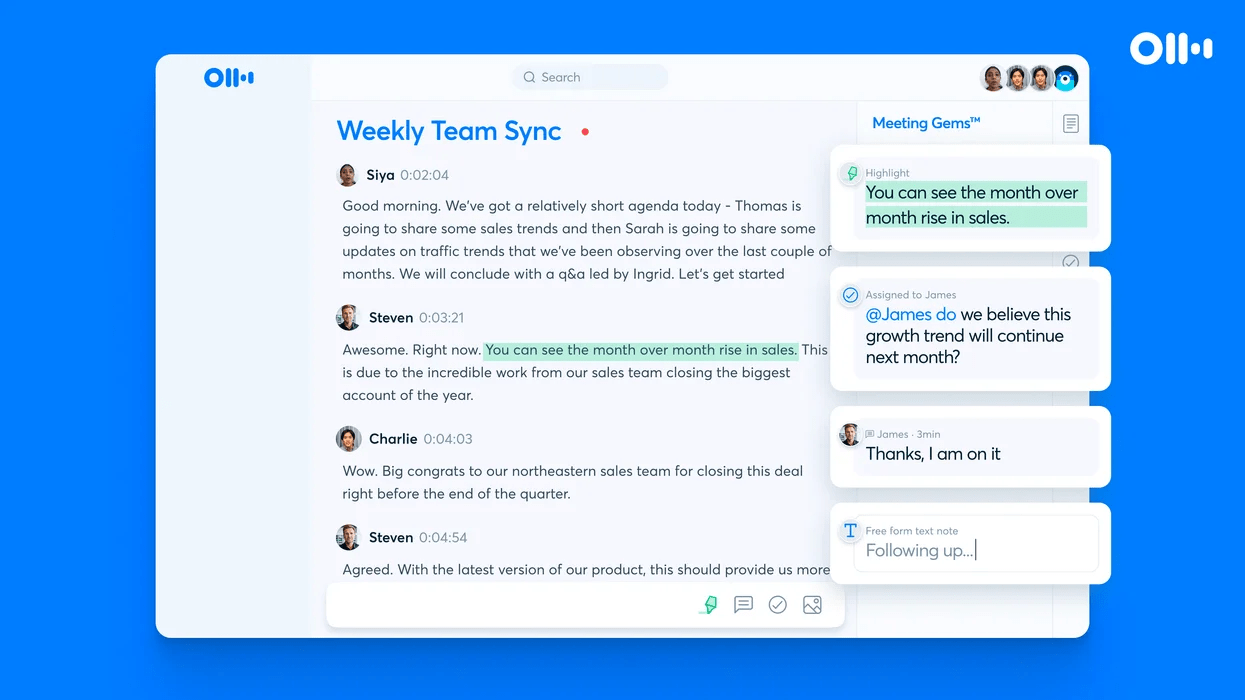
If you want a detailed record of every word in your meetings, Otter AI can make it possible. It turns conversations into searchable, shareable transcripts that update on screen as words are spoken. It’s like having a personal assistant dedicated to documenting your discussions.
Otter AI’s AI transcription technology offers real-time speech-to-text capabilities across multiple platforms. The service is highly versatile and works equally well for virtual meetings, in-person discussions, interviews, and lectures.
A G2 review says:
The real-time transcription is highly accurate, and AI summaries save time. Searchable transcripts make reviewing meetings effortless, boosting productivity.
📖 Also Read: Best Otter.ai Alternatives & Competitors
👀 Did You Know? Developed by Cornell professor Walter Pauk in 1950, the Cornell Notes system organizes notes into sections for key points, details, and summaries for higher recall. It follows the Five Rs: record, reduce, recite, reflect, and review.
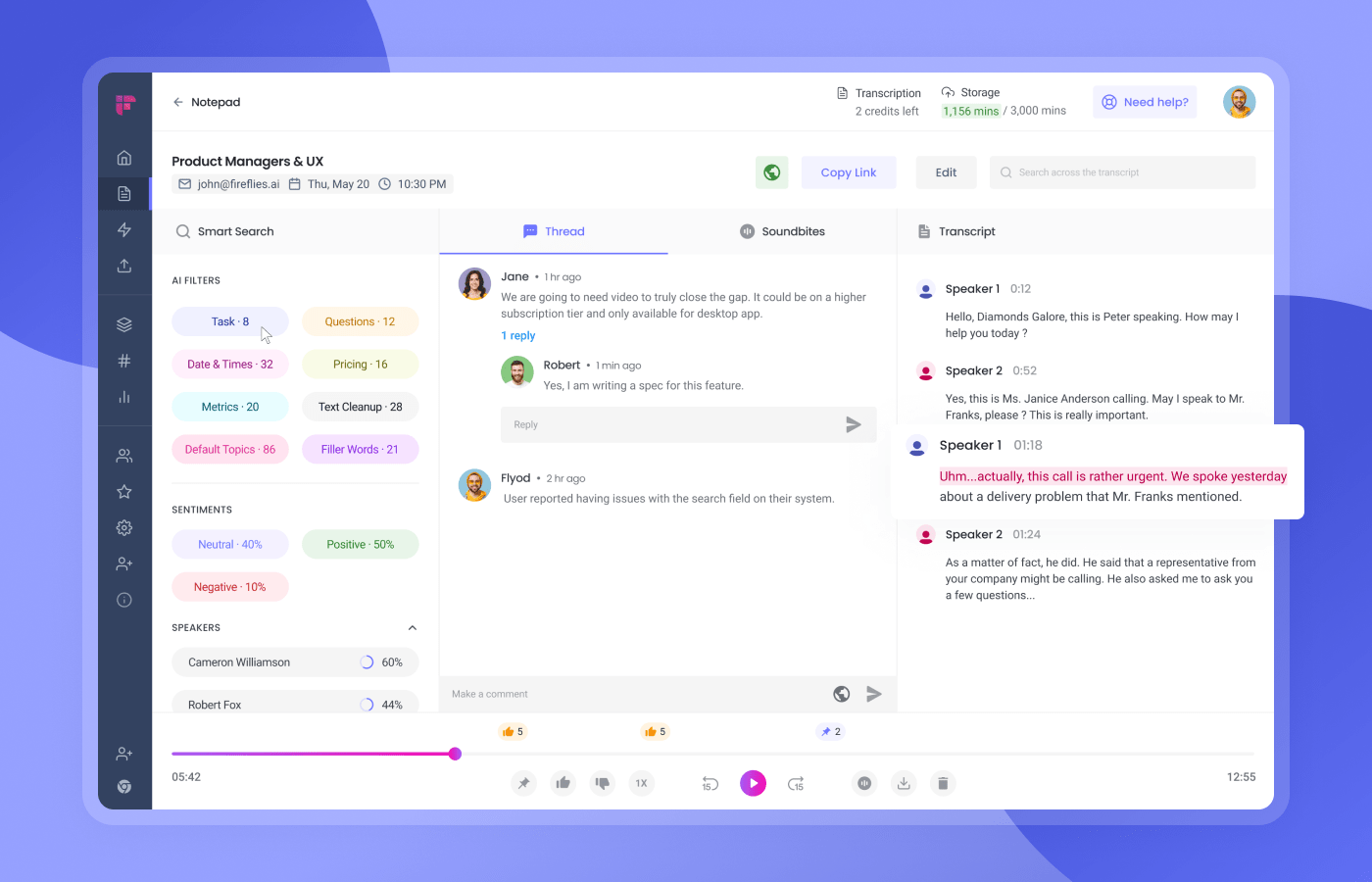
Fireflies.ai specializes in recording, transcribing, and analyzing your conversations across various meeting platforms. The AI assistant, ‘Fred,’ can automatically join meetings on platforms like Zoom, Google Meet, and Microsoft Teams to capture discussions.
It allows users to search across thousands of meetings using keywords, speakers, dates, or custom filters. Every meeting is automatically organized with a transcript, audio recording, and AI-generated summary.
A G2 user shares:
Massive improvement in productivity, especially when you have multiple meetings and the app attends on your behalf.

Notion AI integrates artificial intelligence directly into its popular knowledge management platform, offering assistance for writing, editing, and information organization. It focuses on helping teams transform meeting content into well-structured, actionable documentation within a connected workspace.
The AI writing assistant can draft meeting summaries, create a meeting agenda, and generate action items based on meeting content. Notion AI can also explain complex topics, extract key points, or translate content into different languages or tones.
A Capterra user shares:
I liked being able to leave notes write [sic] on the document. It always notified us when someone else made changes or added to the project. It was an easy way to keep everyone on the same page.
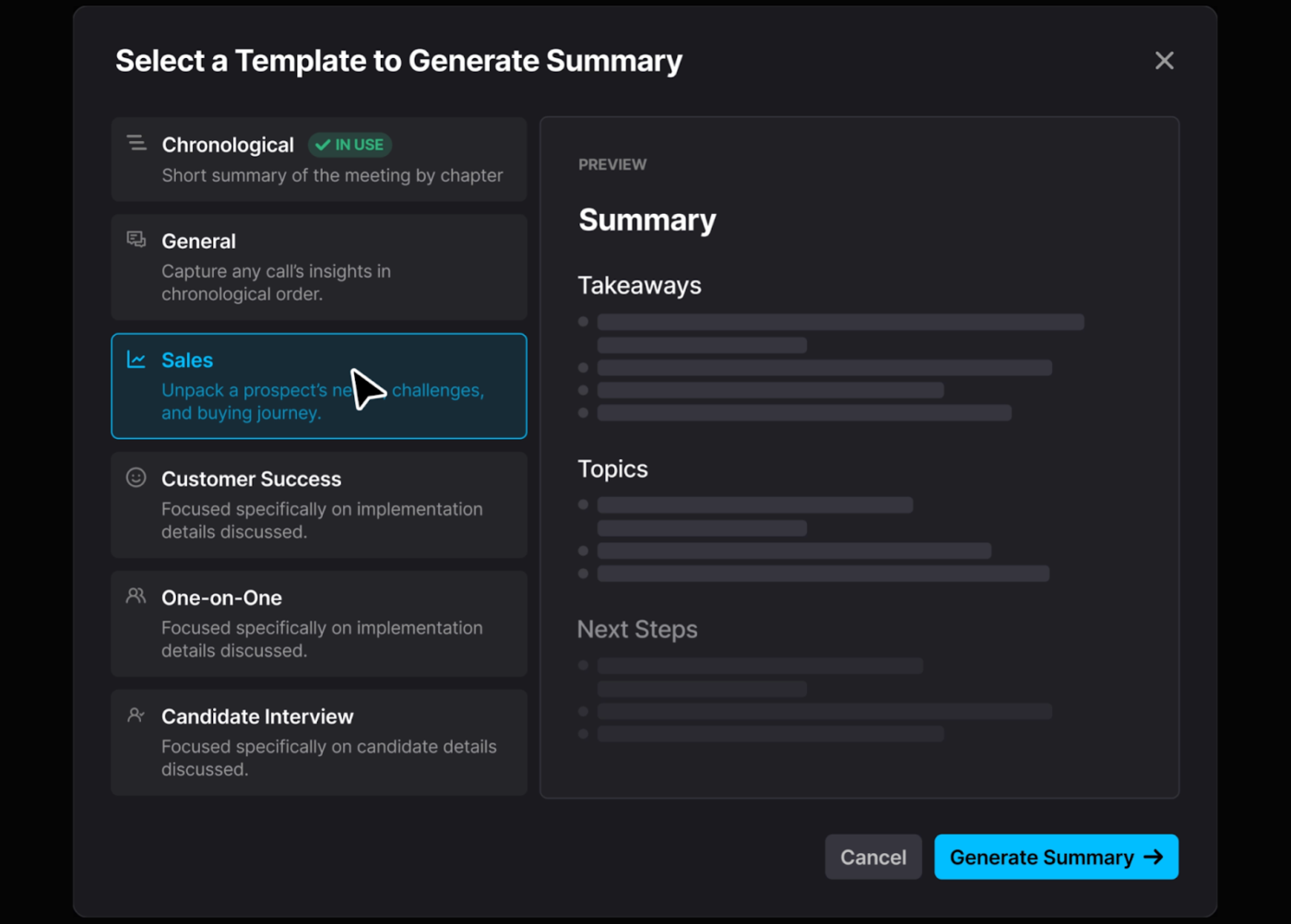
After every meeting, Fathom makes information easily shareable and accessible. This AI-powered tool seamlessly records, transcribes, and highlights conversations, letting you flag important moments with simple keyboard shortcuts or voice commands.
Create custom clips for teammates who missed the discussion, quickly search transcripts for key details, and assign action items directly from the meeting record, ensuring nothing gets lost.
👀 Did You Know? ClickUp found that 47% of meetings last an hour or more. But is all that time truly necessary? The reason for our skepticism? Only 12% of our respondents rate their meetings as highly effective.
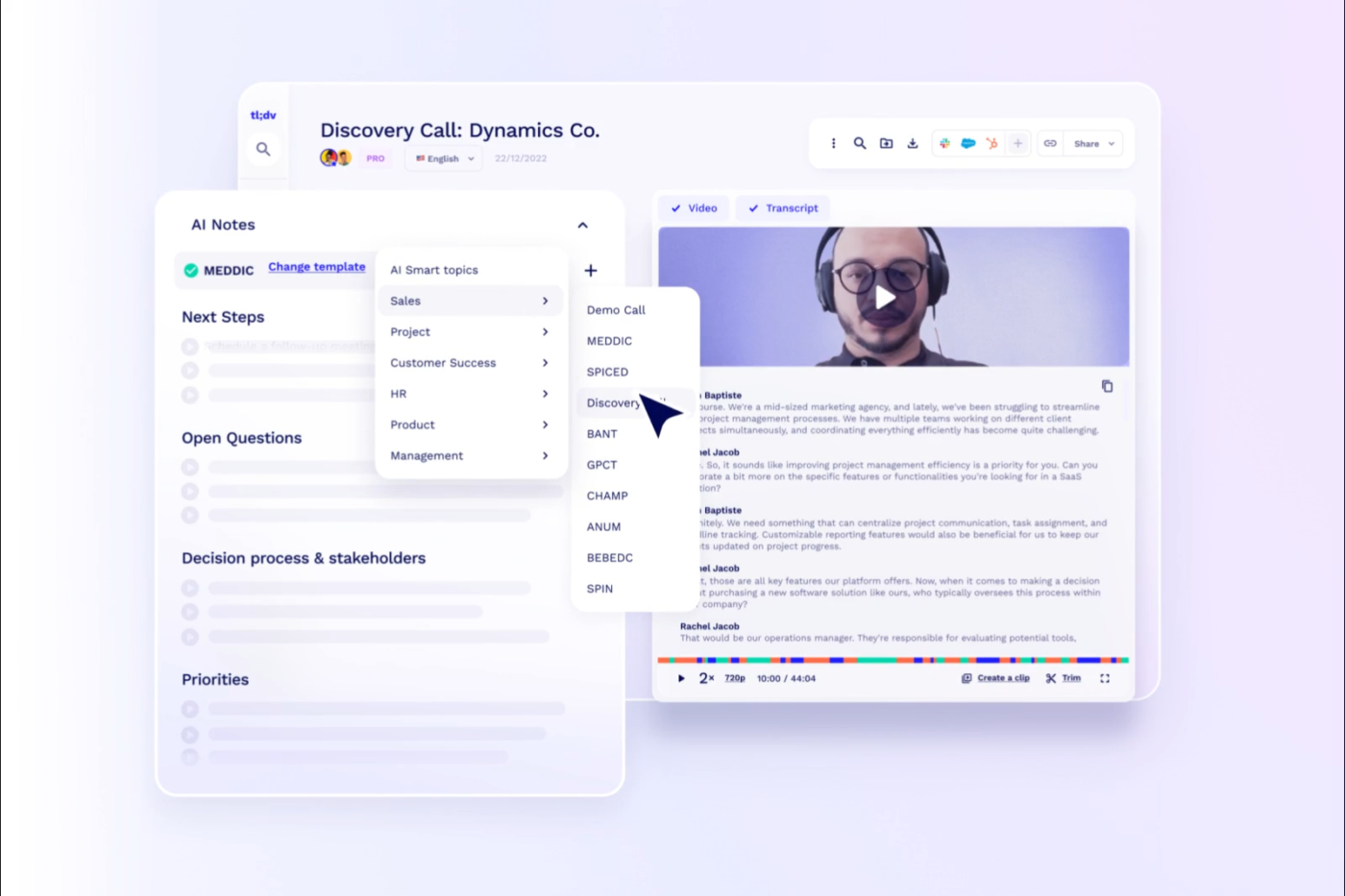
Have you ever needed to share a specific 30-second clip from a two-hour meeting? tl;dv solves this problem by creating a perfectly indexed video library. Every note, comment, and highlight links to when it happened, making ‘fast-forward to the important part’ redundant.
tl;dv (pronounced “TL-DEV” from “too long; didn’t view”) is specifically designed for video meeting documentation.
During or after meetings, users can add time-stamped notes and make short, shareable video clips of key moments. The platform’s meeting library centralizes all your recordings, making it easy to find past discussions by date, participant, or content.
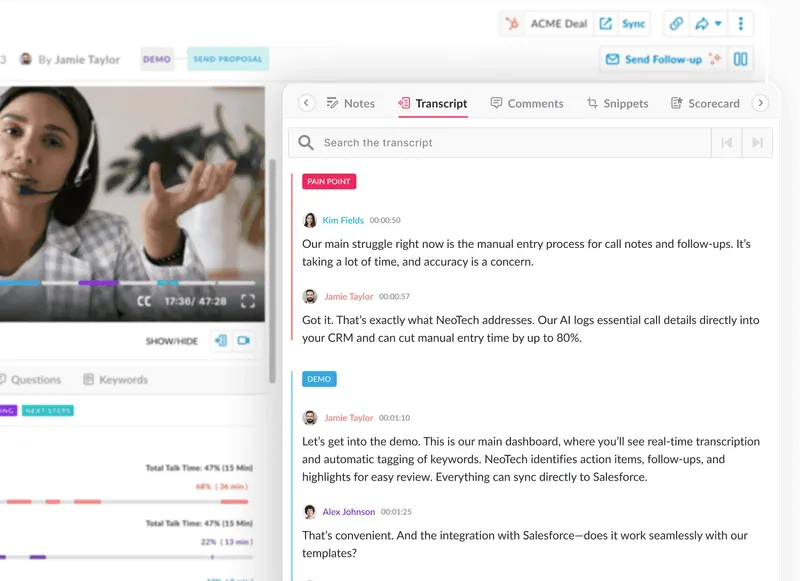
What if your sales notes could tell you exactly why deals close—or don’t? Avoma listens to customer conversations with the expertise of a seasoned sales coach. It identifies buying signals, objections, and competitive mentions that human note takers often miss.
As an AI meeting assistant and revenue intelligence platform, it’s particularly valuable for sales conversations, customer success check-ins, and other revenue-critical interactions. It recognizes topics like product features, pricing discussions, competitive mentions, and customer sentiment without requiring manual tagging.
For sales teams, Avoma analyzes conversation patterns across top performers versus the rest. It identifies effective talk-to-listen ratios, question frequency, and topic coverage that correlate with successful outcomes, helping managers provide data-driven coaching.
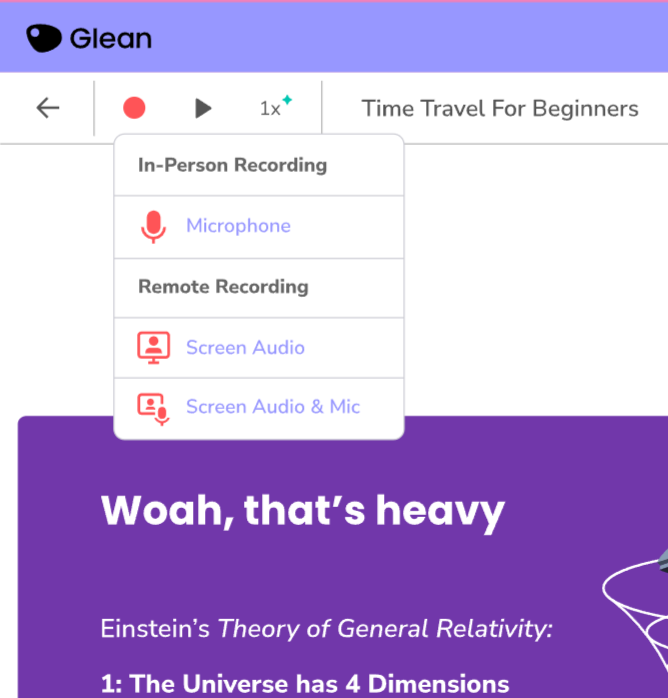
The pen-versus-participation paradox haunts lecture halls worldwide. Students face an impossible choice: take thorough notes and miss understanding key concepts, or engage deeply while risking information gaps later. Glean elegantly dissolves this dilemma with its audio-capture approach.
Glean is specifically designed as an academic note-taking platform for students at educational institutions. The platform’s core functionality centers around a four-stage learning process. Capture everything on audio, organize content with labels and structures, refine notes after class, and apply knowledge through effective study.
Glean provides accessibility features to create a level playing field for students with learning differences or disabilities. The platform allows students to record lectures, add text notes during class at their own pace, and then return to enhance their notes.
Note: The individual plan price has been converted from British Pounds (£12) to US Dollars for consistency with other tools in this article. Actual price may vary based on current exchange rates.
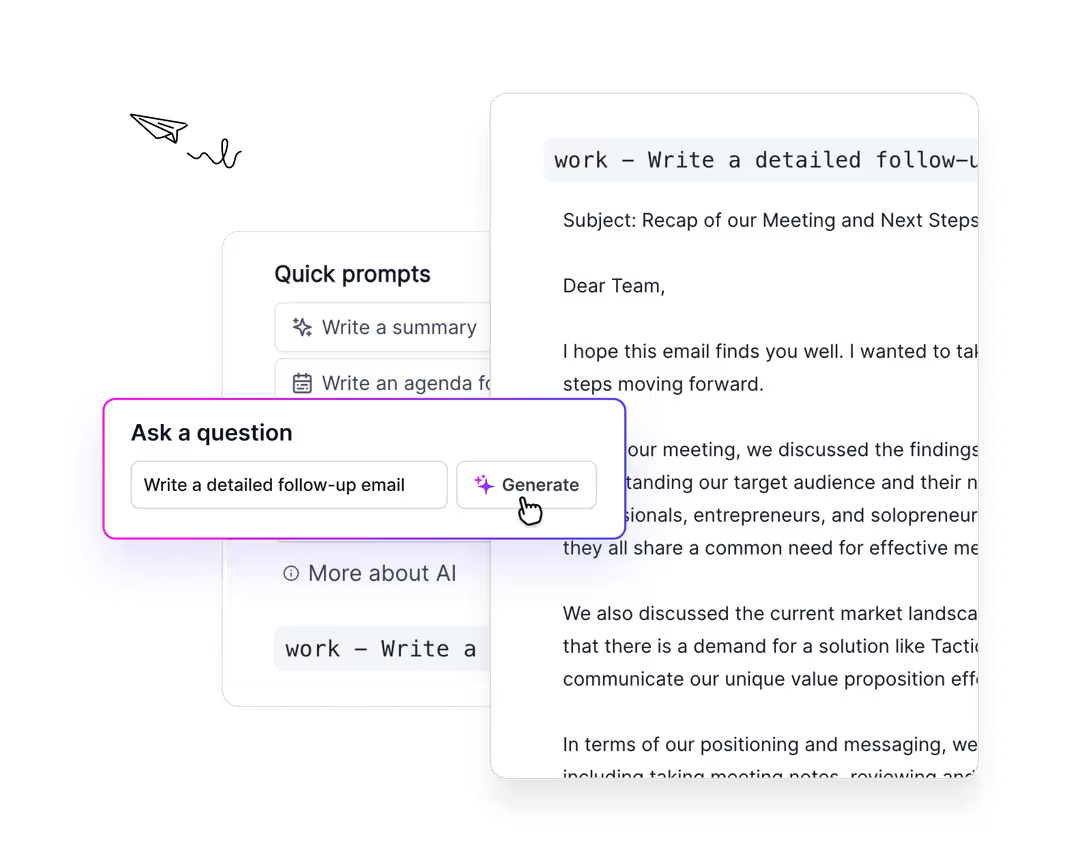
The meeting ends, but where are the notes? That moment of panic vanishes with Tactiq’s browser extension, which captures everything while you focus on the conversation. Like an invisible secretary, it works silently within your browser across popular video conferencing platforms, turning spoken words into organized text without disrupting your workflow.
Tactiq can automatically save transcripts to Google Docs, making your meeting content immediately available in your existing document management system.
For collaborative teams, Tactiq enables shared highlighting, where multiple participants can mark essential points during the meeting. These collaborative annotations help teams align on priorities and takeaways without additional discussion.
📮 ClickUp Insight: 1 in 5 professionals spends 3+ hours daily just looking for files, messages, or additional context on their tasks. That’s nearly 40% of a full workweek wasted on something that should only take seconds!
ClickUp’s Connected Search unifies all your work—across tasks, docs, emails, and chats—so you can find exactly what you need when you need it without jumping between tools.
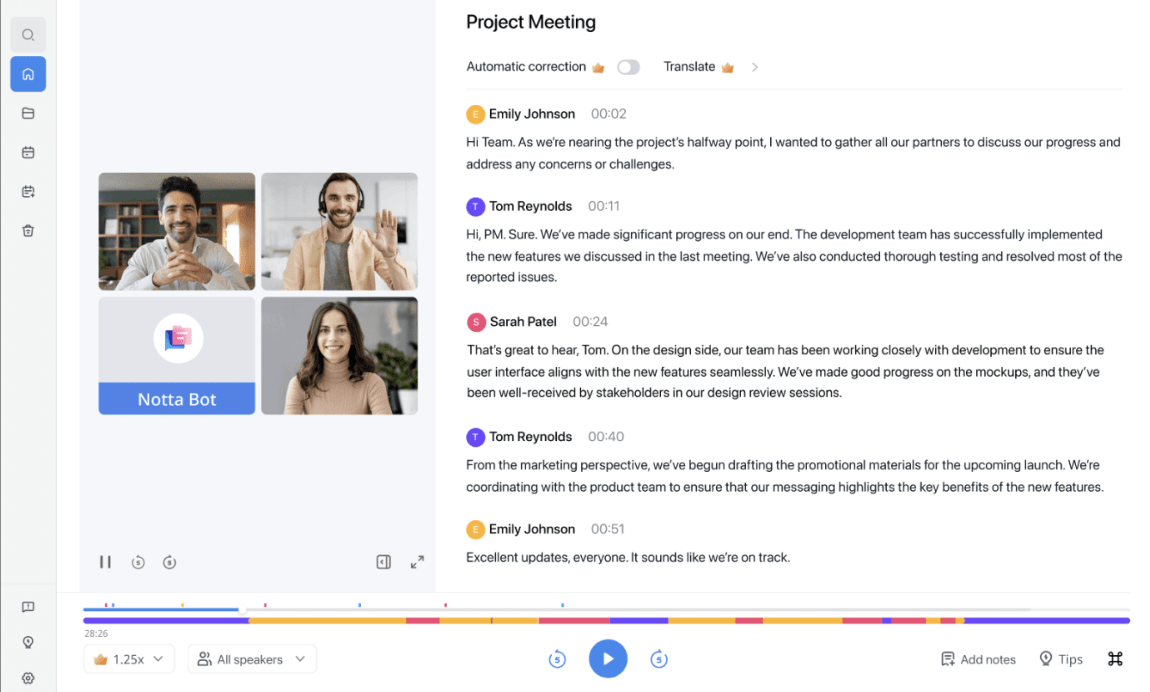
Consider how language barriers create information silos in global organizations—details lost in translation or simply never shared across teams.
Notta offers an AI-powered transcription platform that excels at converting speech to text across various languages with high accuracy. The tool works across multiple platforms, including Zoom, Google Meet, and Microsoft Teams. It can also process uploaded audio and video files, making it versatile enough for both live transcription and post-meeting documentation.
Beyond simple transcription, Notta provides smart summarization that extracts key points, action items, and decisions from conversations. The AI analyzes the content contextually to identify important segments, helping users quickly grasp the essence of lengthy discussions.
A G2 user shares:
Very good quality transcription. British English is picked up well. And it seems the model does a few passes to understand the context and retranscribe. Because of that assumed functionality, the output quality is relatively high compared to other transcriptions.
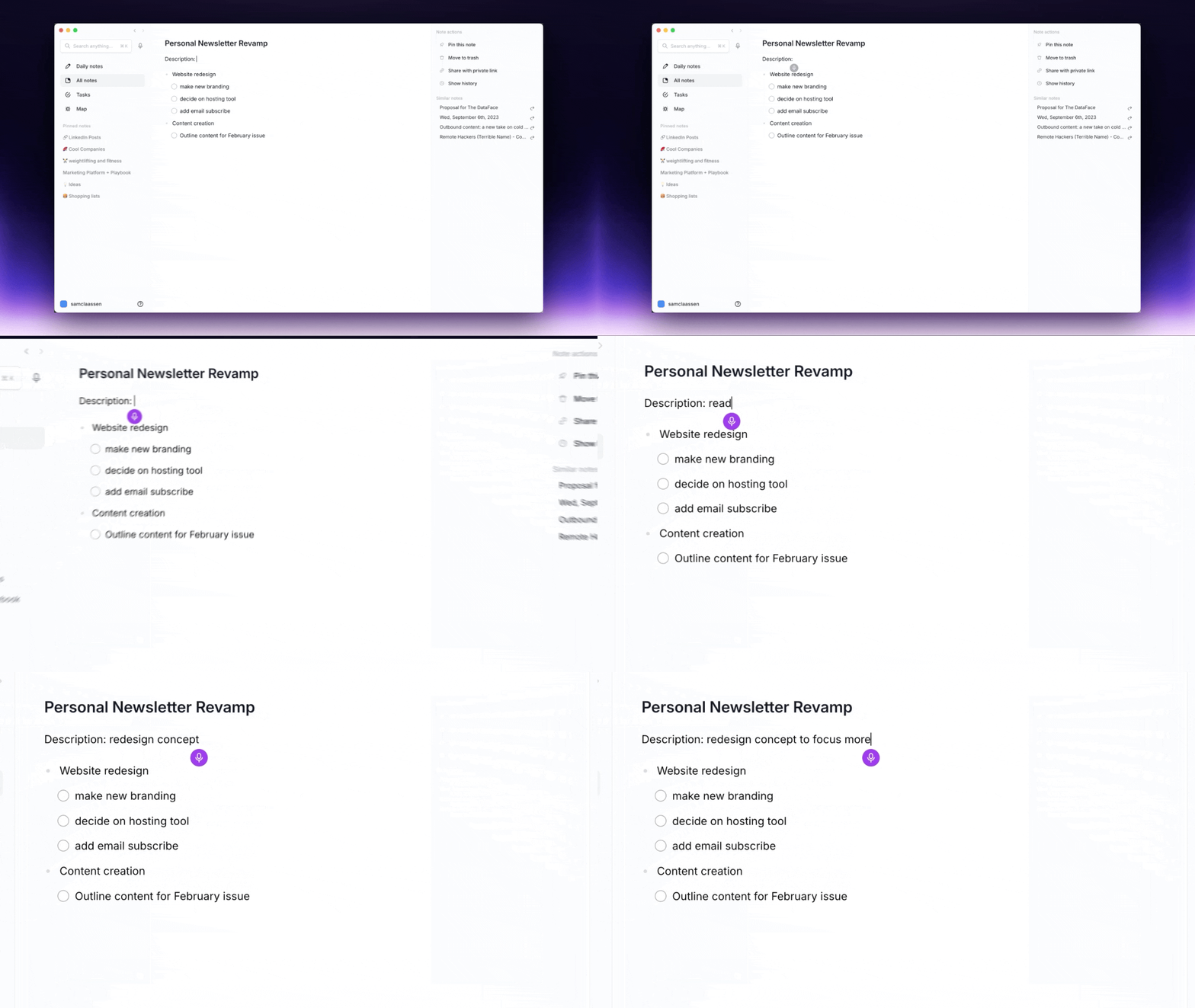
Have you ever had that frustrating feeling of knowing you’ve encountered an important concept before but can’t remember where? Reflect acts as your second brain—connecting ideas across meetings, readings, and personal reflections to surface relevant information precisely when needed. Even if you never explicitly created the connection yourself.
Reflect approaches note-taking from a personal knowledge management perspective, focusing on building connections between your ideas and information over time. Designed for individual knowledge workers, researchers, and lifelong learners, it organizes their thoughts and reference materials in a system that grows smarter with use.
The evolution of AI note-taking tools has transformed how we capture, process, and action information from meetings and conversations.
From ClickUp for all-round productivity to specialized tools like Avoma for sales teams or Notta for multilingual environments, you’ve got multiple options to choose from. The right AI note-taking tool enhances meeting productivity by automating documentation and simultaneously improving information quality and accessibility.
ClickUp’s AI Meeting Notetaker goes beyond transcription—it connects your notes with your tasks and docs into one unified workspace. Instead of juggling separate tools, you can instantly turn meeting insights into action items, assign tasks, and track progress in the same platform. That means less context-switching and more alignment.
Ready to make every meeting actionable? Sign up for ClickUp now!

© 2026 ClickUp