







Still downloading templates?
There’s an easier way. Try a free AI Agent in ClickUp that actually does the work for you—set up in minutes, save hours every week.
Sorry, there were no results found for “”
Sorry, there were no results found for “”
Sorry, there were no results found for “”
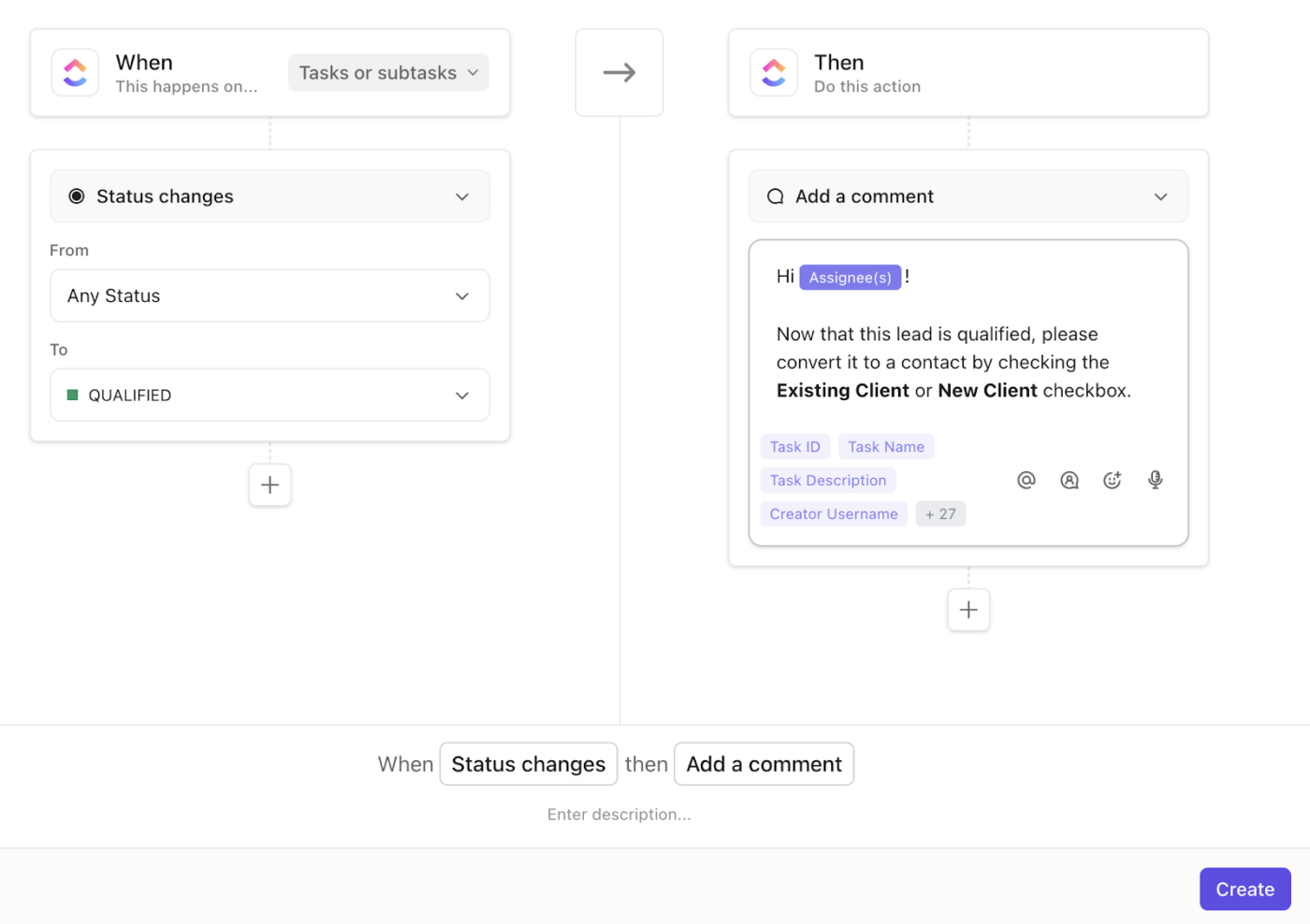
Your workflows aren’t fully manual, but they aren’t fully automated either. And that middle ground is causing friction.
Repetitive tasks still drain your team’s time, approvals lag, and AI tools either create noise or fail to hand off work correctly. Mid-sized teams often face this unique challenge.
Semi-automated workflows can solve this, but only if you know where to layer AI, where human judgment is essential, and how to connect the right tools.
In this blog post, we’ll walk through which AI stack is right for semi-automated workflows and where human judgment should intervene. 💪
P.S. We’ll also look at how tools like ClickUp loop in here! 🪢
The rise of semi-automated workflows is a direct response to the increasing complexity of modern work.
As hybrid teams manage distributed communication, repetitive handoffs, and rising data volume, fully manual workflows can no longer keep pace.
That’s where semi-automation fits in. It blends the efficiency of automation with the adaptability of human oversight.
Several shifts have accelerated this movement:
📮 ClickUp Insight: 45% of workers have thought about using automation, but haven’t taken the leap.
Factors such as limited time, uncertainty about the best tools, and overwhelming choices can deter people from taking the first step toward automation. ⚒️
With its easy-to-build AI agents and natural language-based commands, ClickUp makes it easy to get started with automations. From auto-assigning tasks to AI-generated project summaries, you can unlock powerful automation and even build custom AI agents in minutes—minus the learning curve.
💫 Real Results: QubicaAMF cut reporting time by 40% using ClickUp’s dynamic dashboards and automated charts, transforming hours of manual work into real-time insights.
Semi-automated workflows are work processes where responsibilities are shared between human workers and automated systems.
In this setup, certain routine or repetitive tasks are handled by task automation software while humans retain control over decision-making, judgment calls, and exceptions.
The difference between semi-automation and full automation often comes down to one key factor: how much control you keep vs. how much you delegate to machines.
Let’s understand the difference:
| Aspect | Semi-automation | Full automation |
| Definition | A workflow machine handles repetitive actions, while humans intervene for decisions or validations | A system where machines execute the entire process end-to-end with minimal or no human input |
| Human involvement | High; Users review, approve, or guide outcomes at defined stages | Low; Human role is limited to system setup or exception handling |
| Adaptability | Easily adjusted for new rules or priorities | Rigid. Changes require reprogramming or complete reconfiguration |
| Best used for | Escalations, creative approvals, ticket routing, or any task that requires human judgment | Data migration, invoice matching, or repetitive workflows with fixed logic |
| Pros | Offers flexibility, contextual oversight, and faster course correction | Ensures speed, consistency, and large-scale execution |
| Cons | Slightly slower due to manual checkpoints | Risk of missing nuances, over-automation errors, and reduced visibility |
Semi-automation fits well in fast-moving, judgment-driven work where context still matters. Instead of removing humans, it repositions them where they’re most valuable, such as interpreting, reviewing, and deciding.
Here’s what that looks like in practice:
See a marketing team workflow here.👇🏼
Every semi-automated workflow runs on a predictable rhythm. Something triggers it, someone validates it, and AI keeps it moving intelligently.
These components make the system feel seamless while still allowing control where it matters:
🔍 Did You Know? In 1946, Delmar S. Harder, Vice-President for Manufacturing at the Ford Motor Company, U.S., coined the term ‘automation.’ It was a ‘nickname’ to describe machines that could perform sequences of manufacturing tasks without direct human control.
Semi-automation offers a structured path between manual work and full machine control. For teams managing escalations, this middleground unlocks measurable advantages such as:
🔍 Did You Know? Most AI tools you subscribe to aren’t getting used. Despite companies investing in dozens of AI solutions, 91% of workers rely on just one to four tools each week. Even more striking, nearly 45% of teams have already abandoned AI tools they adopted in the past year. This phenomenon, known as AI tool sprawl, underscores the importance of selecting the right AI stack and integrating tools that truly integrate into your workflow.
Your AI stack is the operational backbone for your semi-automation workflow. The stack must integrate, trigger, inform, involve humans, and expose every step.
Let’s understand five critical dimensions that define an ideal AI stack for semi-automated processes. 💁
In semi-automated workflows, context is everything, and real context means pulling together data from multiple AI tools, systems, and formats. If your stack can’t stitch data sources into a cohesive whole, you’ll get automation without insight.
Key capabilities to prioritize:
🧠 Fun Fact: The first recorded ‘automation’ dates back to ancient Greece. Around 250 BCE, the engineer Ctesibius created a water clock that could refill itself and chime automatically.
Here’s how it looked!
No two workflows are alike, and rigid automation can do more harm than good. Semi-automation thrives when rules can adapt, and humans can intervene. Your stack should allow logic that’s smart but never absolute.
Practical applications include:
When decisions depend on dynamic inputs, like support escalations or inventory shifts, your stack must analyze and act instantly.
Core enablers for responsiveness include:
🧠 Fun Fact: The internet itself began as a semi-automated workflow. The ARPANET project (1969) automatically routed digital ‘packets’ of information between connected computers.
Semi-automation works best when humans stay in charge of outcomes. The system’s design should provide people with clear visibility and easy ways to intervene, rather than just passively observing.
Here’s how it should work:
Every decision (human or machine) should be traceable, logged, and explainable. Without it, you lose visibility into how outcomes were reached.
Here’s what makes it robust:
🔍 Did You Know? In 1801, Joseph-Marie Jacquard revolutionized weaving by inventing the punch-card-controlled loom, which used coded holes to automate fabric patterns. It inspired Charles Babbage’s designs for the first programmable computer.
Building a semi-automated workflow requires you to thoughtfully sequence workflow software, processes, and oversight mechanisms.
Remember, your goal is to identify where machines can excel and where human judgment remains essential.
Let’s get started! ✔️
Start by auditing your existing processes to pinpoint repetitive, rule-based tasks that consume time but don’t require strategic thinking.
Here’s a short checklist for you before you create the process map:
Once identified, document the exact trigger, the moment when work should begin or move forward. This trigger becomes the automation’s starting point. For example, a trigger might be ‘when a form is submitted’ or ‘when a status changes in the database.’
💡 Pro Tip: Map out your workflow using ClickUp Whiteboards.
Start by generating workflow diagrams with drag-and-drop shapes and connectors to show how work moves between teams. Use colors or quick icons to draw repetitive steps that look automation-ready and add swimlanes or columns to show ownership so handoffs and delays are easier to spot.

Rather than letting automation decide everything, you specify where review, approval, or exception handling must occur.
Here are a few key checkpoint types:
Create a simple flowchart that illustrates the automated steps and required human touchpoints.
For example, in a content approval workflow: AI summarizes feedback > a human editor reviews and approves > automation publishes. This keeps people informed at key moments.
🔍 Did You Know? Alan Turing’s 1950 paper Computing Machinery and Intelligence described a test where machines could mimic human reasoning. This paper effectively outlined the philosophical foundation for AI workflow decision-making before it existed.
Your AI stack should include three categories of tools:
Most teams don’t need a complex stack. A well-designed semi-automated workflow often combines:
🔍 Did You Know? ClickUp’s Converged AI Workspace brings together content briefs, performance dashboards, tasks, and client feedback under one unified platform. Teams can maintain accuracy and visibility while automating up to 80% of their workflows, reducing errors and freeing up time for higher-value work.
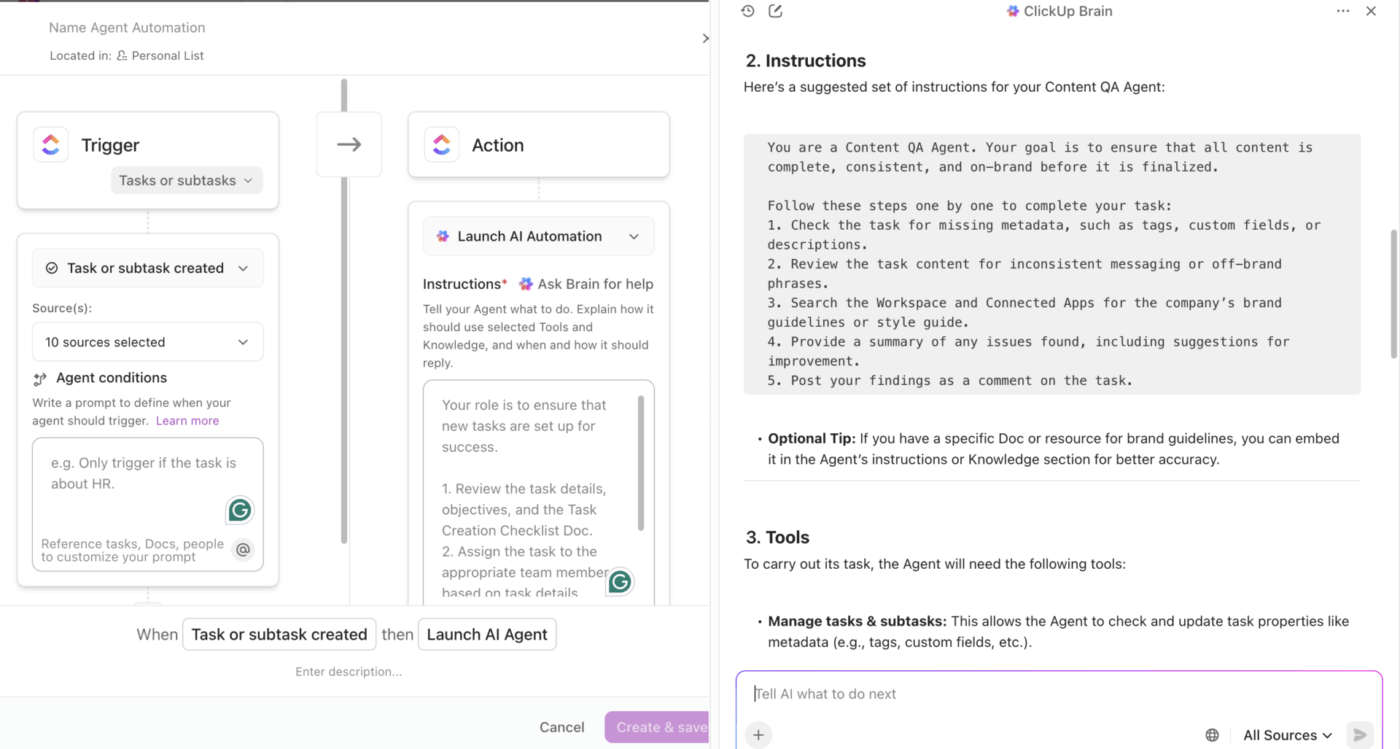
This tackles Work Sprawl, the scattered, disconnected web apps and AI systems that lack context about your projects. With ClickUp Enterprise Search, a single query can surface the approved document, rollout plan, and security review instantly, across tasks, docs, and integrated apps.
Avoid automating everything at once. Choose one workflow, ideally one that’s currently consuming significant time or creating bottlenecks, and test your setup.
Pilot criteria:
For instance, a project operations team’s lead spends 45 minutes manually pulling data and writing summaries. They create an automation for weekly updates that triggers when all team members submit updates. An AI tool consolidates data and drafts a report that a manager reviews and approves before sending it to executives.
During the pilot, measure:
🚀 ClickUp Advantage: When you pick one workflow to pilot (ideally high‑repetition, clear‑logic, measurable), ClickUp Automations becomes your go-to. The built-in workflow automation tool keeps your work moving in the background, while still giving you human checkpoints and visibility.
Running on basic ‘if this, then do that’ rules, here’s how Automations help you run the pilot:
Once your basic workflow runs smoothly, layer in AI assistance to make automated decisions smarter and reduce the load on human reviewers.
AI can help in several ways:
AI should reduce noise and highlight what matters, not replace human judgment.
🚀 ClickUp Advantage: Surface insights, organize information, and focus on what truly matters with ClickUp Brain, the platform’s AI-powered assistant.
This contextual AI assistant automatically handles admin, from summarizing standups and tracking progress to generating new ClickUp Tasks based on updates or delays.
Additionally, it drafts reports, summarizes feedback, and generates code and client updates based on simple natural language prompts. It tailors every output to your role and workspace data.
📌 Example prompts:
Semi-automation only works if everyone can see what’s happening. Set up dashboards that show:
Equally important is an audit trail. It’s a log showing exactly what happened, when, and who was involved. This is essential for compliance, debugging issues, and continuous improvement.
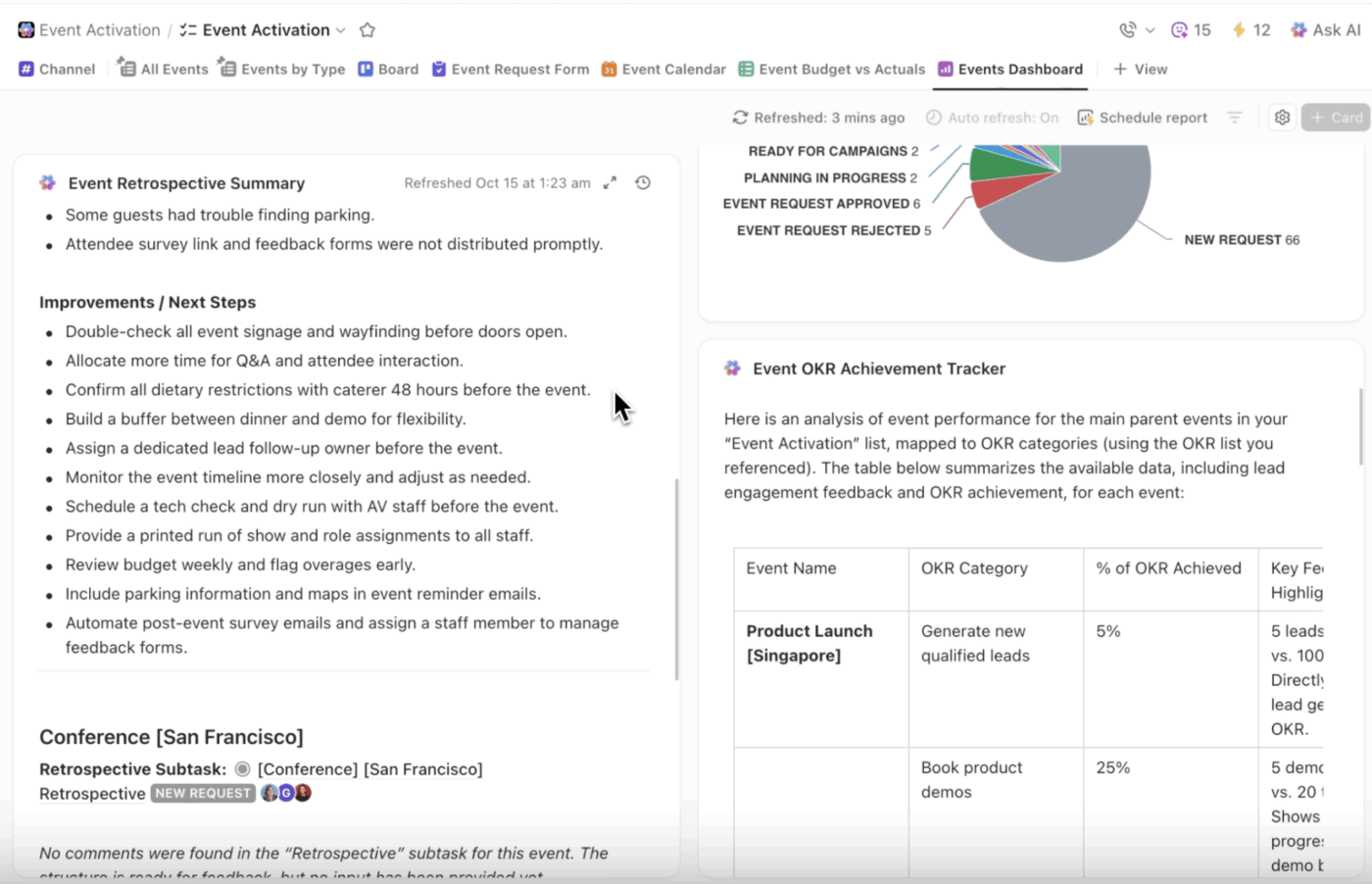
🚀 ClickUp Advantage: Keep every part of your semi-automated workflow transparent with ClickUp Dashboards. It helps you turn complex processes into clear, real-time insights, helping teams stay accountable and confident.
Here’s how:
Semi-automated workflows aren’t ‘set and forget.’ Review performance weekly or monthly, asking:
Use this feedback to tweak automation rules, add or remove checkpoints, and improve the workflow.
💡 Pro Tip: ClickUp Analytics helps you fine-tune your workflow using organization-wide insights. Here’s what you can do:
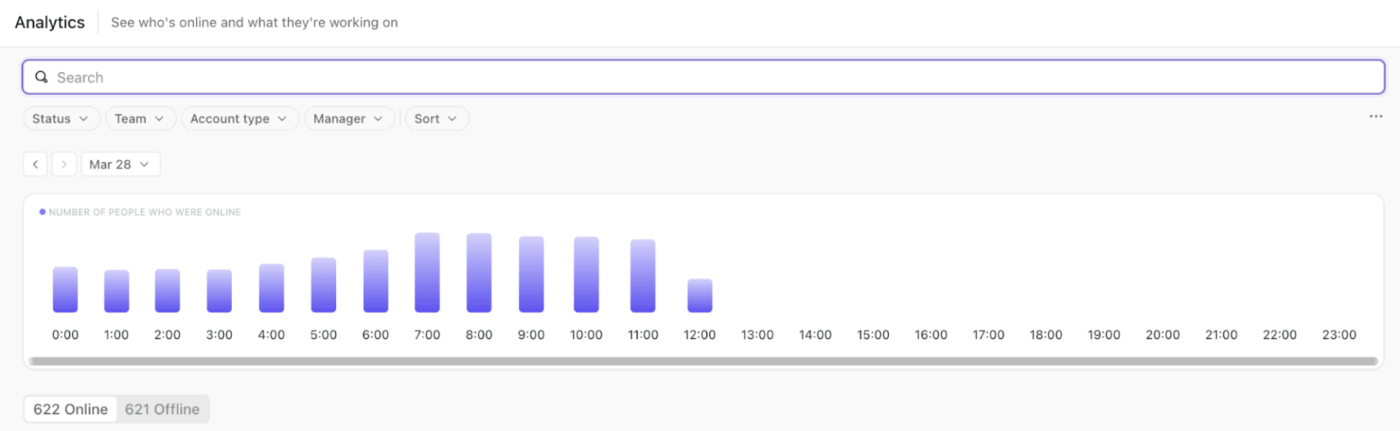
Once you’ve mapped out your process and built a foundation of automation, the next step is choosing which tools will make your system intelligent.
Here are some AI tools you can plug into your tech stack to create an ideal workflow example. ⚒️
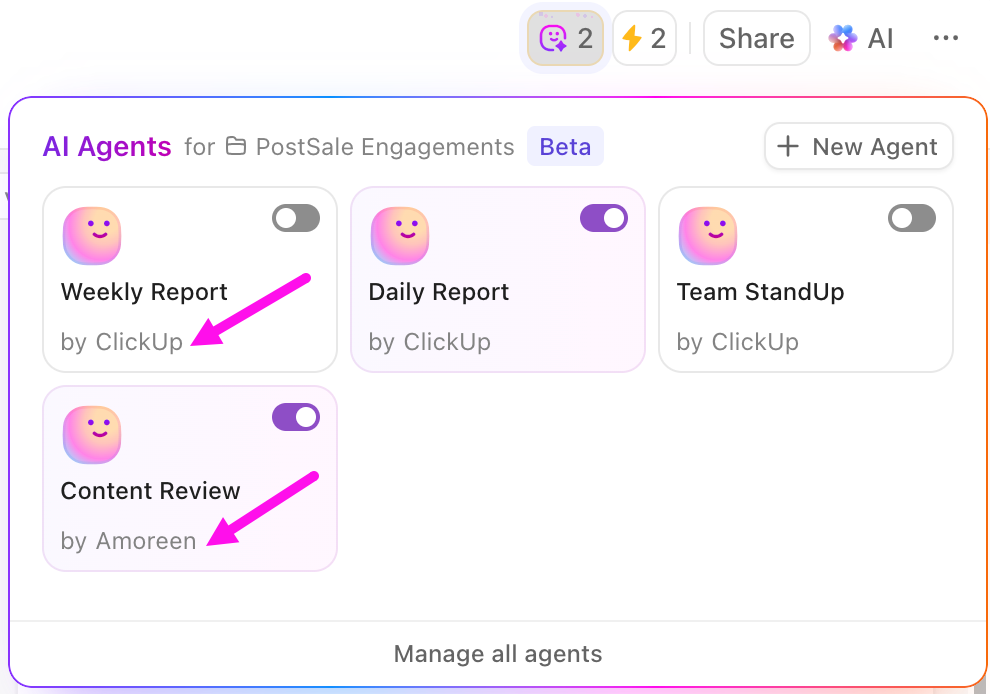
As the workflow orchestration and routing layer of your AI stack, ClickUp connects data, tasks, and teams across tools.
Here’s how it ensures every automation, update, or human input flows to the right place at the right time:
Unlike static automations, ClickUp Agents interpret intent and act intelligently. They monitor what’s happening across integrated tools like Google Drive, GitHub, or Salesforce, then ensure every update, notification, or Task reaches you.
You can build custom agents without code, defining what they watch for, how they respond, and which AI tools they draw on. For instance, a marketing team is managing campaign approvals. A Custom Agent can detect when new creative assets are uploaded to Drive, summarize the submission, route it to the right reviewer, and flag any missing campaign details.
In short, agentic AI support is available across your workspace.
ClickUp Brain MAX is designed as the desktop (and browser extension) AI hub from ClickUp that works as an intelligent AI layer on top of your work ecosystem. It acts as the hub to search, ask, automate, and create across your Tasks, Docs, chats, and integrated apps.
You can:
What are real-life users saying about ClickUp?
A G2 review also shares:
ClickUp Brain MAX has been an incredible addition to my workflow. The way it combines multiple LLMs in one platform makes responses faster and more reliable, and the speech-to-text across the platform is a huge time-saver. I also really appreciate the enterprise-grade security, which gives peace of mind when handling sensitive information.
What stands out most is how it helps me cut through the noise and think clearer — whether I’m summarizing meetings, drafting content, or brainstorming new ideas. It feels like having an all-in-one AI assistant that adapts to whatever I need.
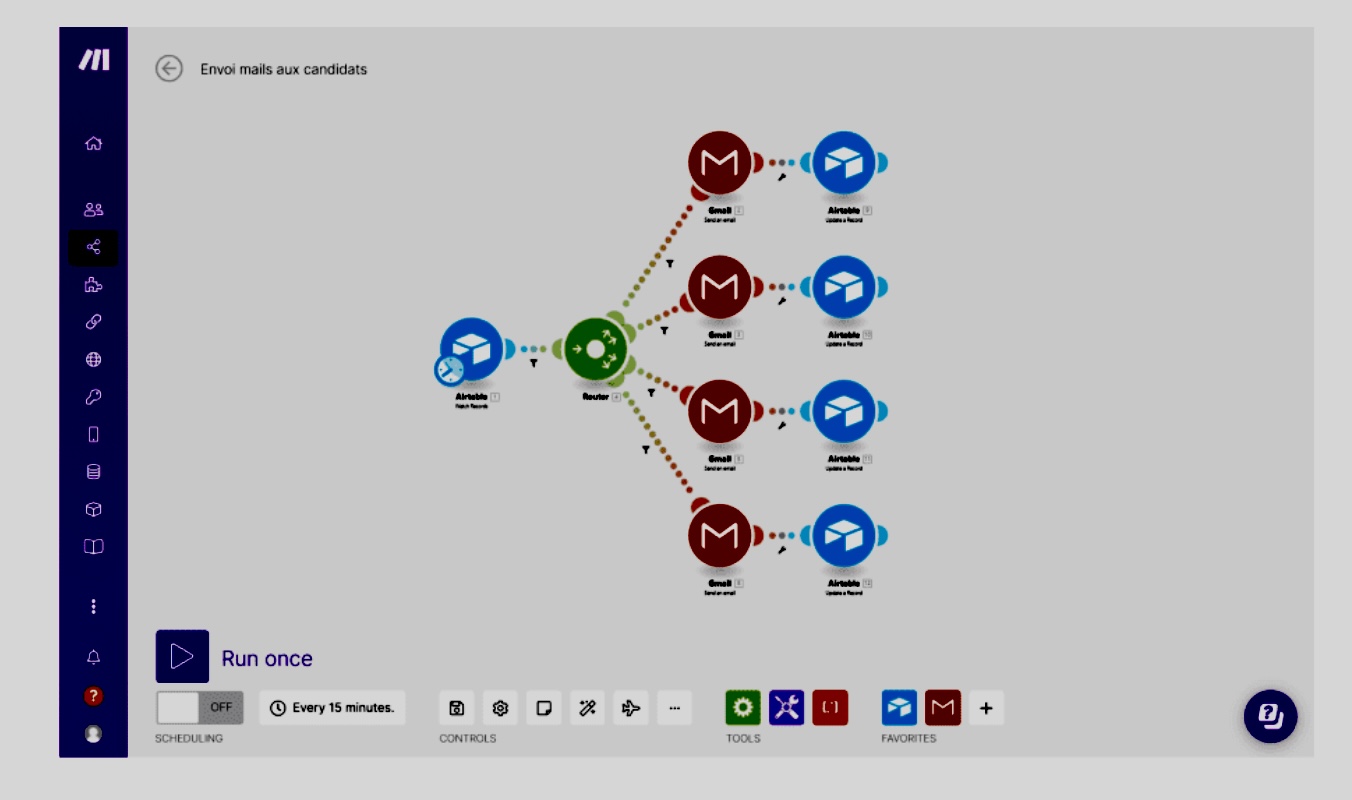
Make gives your team a visual environment to build workflows without coding skills, blending automation with human decision-points. You drag and drop modules from over 3,000 pre-built apps (or custom APIs) and link triggers, actions, and logic.
Its appeal lies in the way it lets automation scale: you can build agentic workflows, visualize your automation landscape (via Make Grid), and integrate AI modules directly in the chain.
🔍 Did You Know? Before ‘cloud automation,’ teams scheduled processes using cron jobs. It was a Unix feature from 1975 that allowed computers to run complex tasks automatically at specific times.
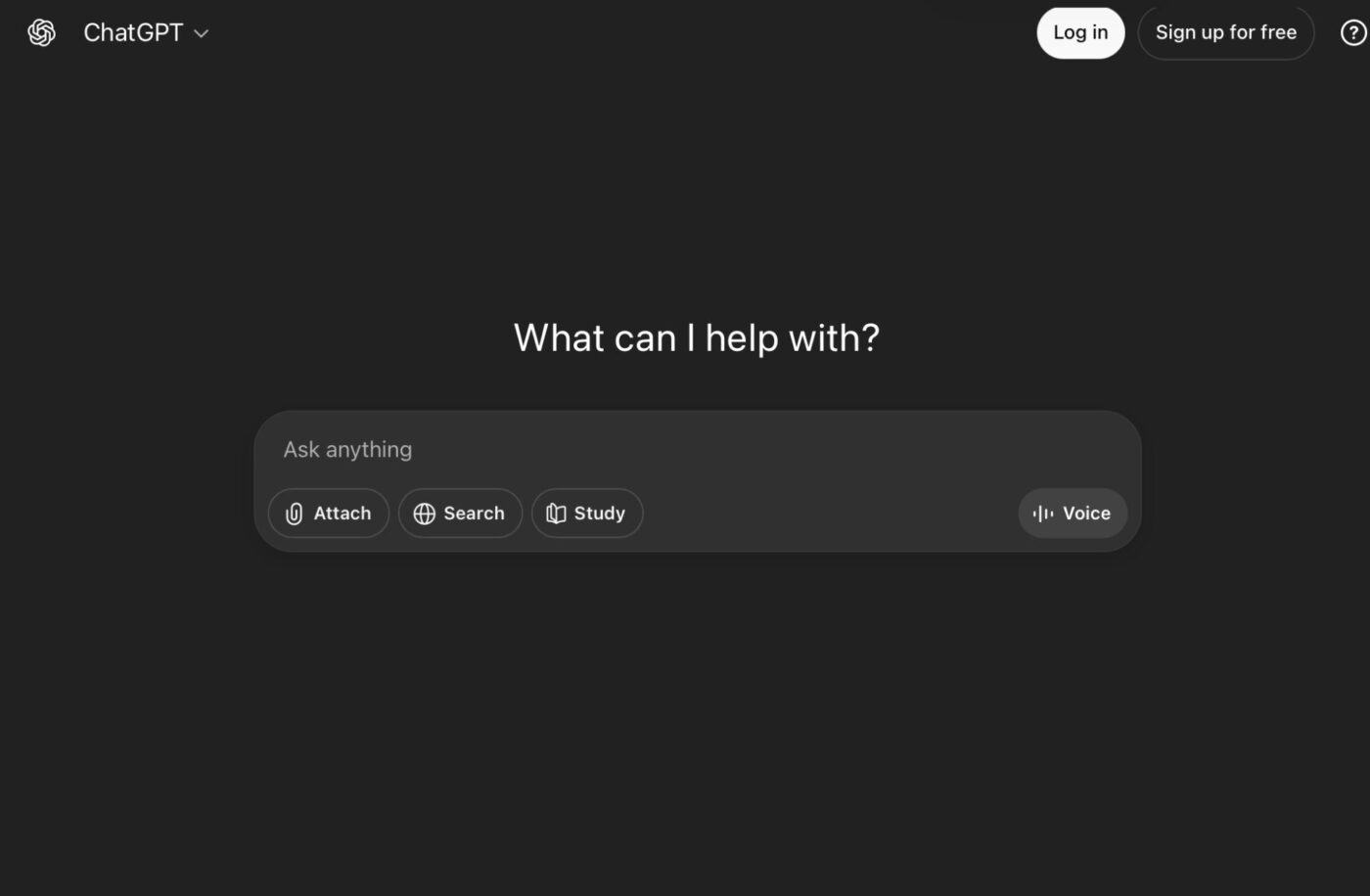
ChatGPT is a general-purpose large language model (LLM) platform that helps you draft content, analyze data, and categorize information. Its latest model releases, such as GPT-4.1, GPT-4o, and the GPT-5 family, support complex prompts, longer context windows, tool use (including web search, file uploads, and Python execution), and connector access to your systems.
Here’s what Joao Correa, Freelance Senior Designer, had to say about ClickUp automating their workflow:
One thing that really stands ClickUp from competitors is it’s (sic) versatility to adapt practically to any situation, and automate almost every mundane task that you might have. Also, being able to integrate about all services into it (like emails, calendars, etc) makes my life much easier.
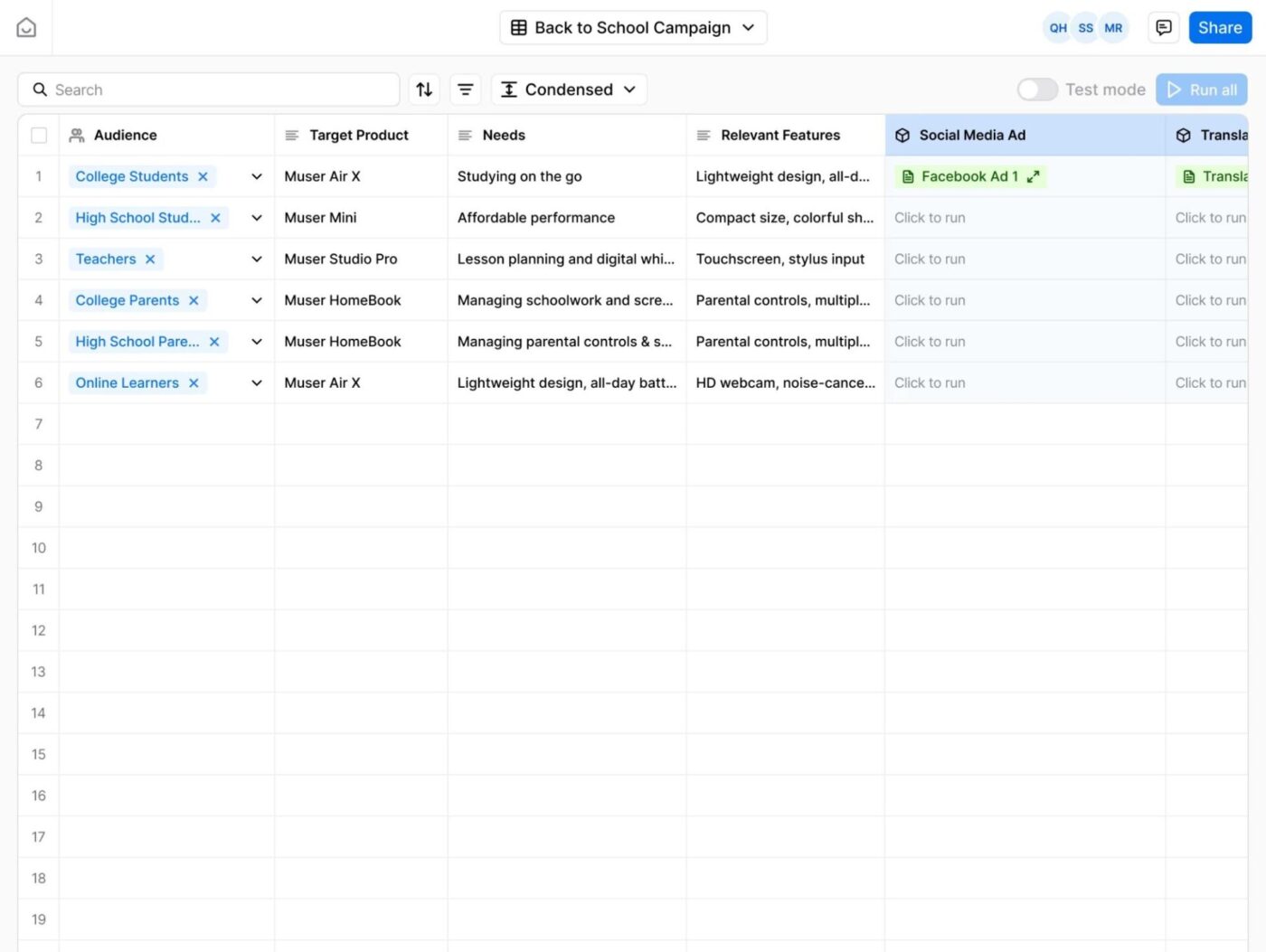
Jasper is an AI-powered content platform built for marketers who need to generate emails, ad copies, social posts, and on-brand messaging at scale. It allows you to define your brand’s tone and style, then uses that as a foundation to create persuasive marketing pieces.
Set up ‘generate-then-check’ workflows. This means that the AI drafts content for you, your team reviews and tweaks it, and then the content flows into your martech stack for deployment.
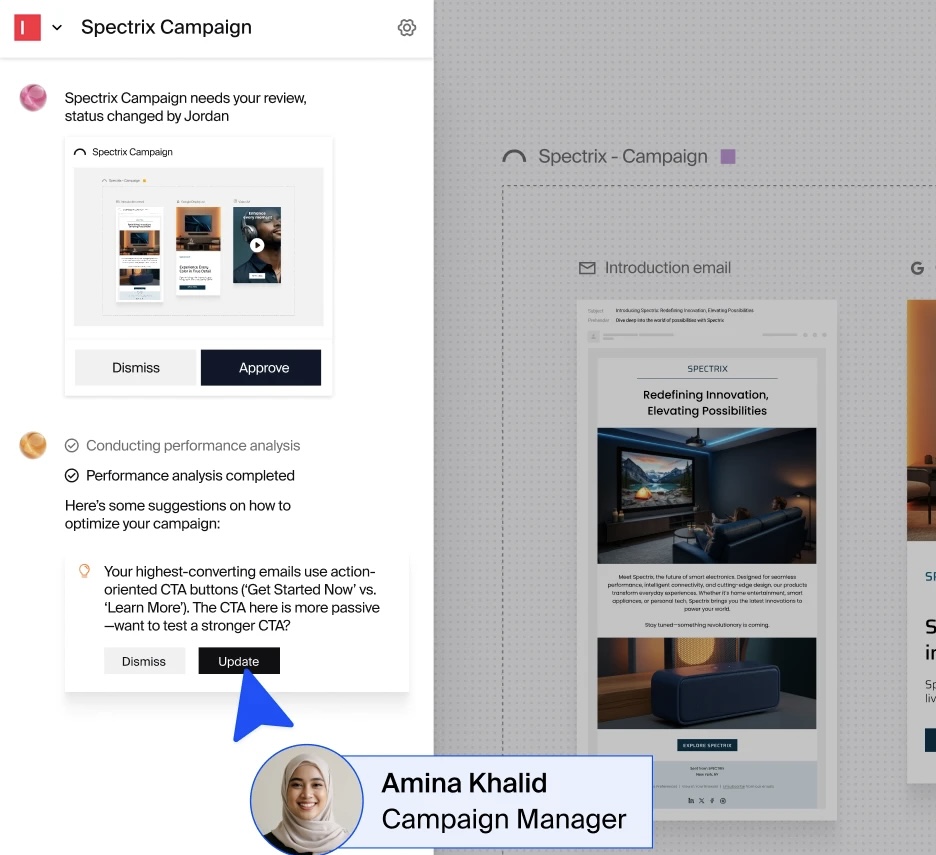
Typeface is an enterprise-grade AI platform focused on brand-consistent content creation and asset generation.
It holds everything from your brand guidelines, visual assets, and tone of voice in a Brand Hub. This acts as the foundation for creating and governing content across text, images, video, and more. You can train its system with your brand rules and let Arc Agents generate campaign concepts, content variations, or repurposed assets.
🔍 Did You Know? Before APIs, companies integrated tools through ‘sneakernet.’ This meant literally walking floppy disks between computers.
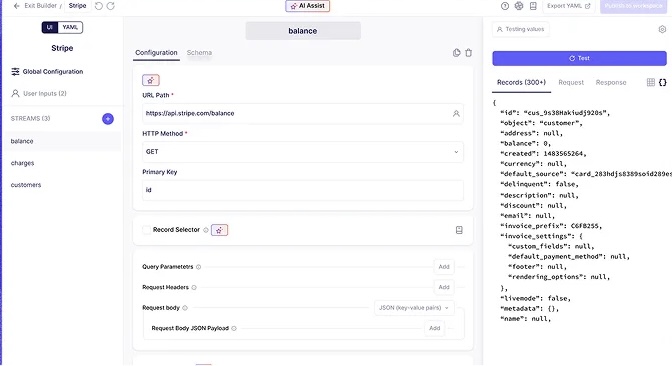
Airbyte is an open-source data integration tool that simplifies the process of moving data from various sources to a destination, commonly known as an ELT (extract, load, transform) pipeline. With 600+ pre-built connectors, an open-core architecture, and deployment options across cloud, this tool addresses the data foundation for AI-ready operations.
🔍 Did You Know? The first major commercial success story for AI features came in 1980 with R1 (later known as XCON). It was an expert system developed at Carnegie Mellon University and deployed by Digital Equipment Corporation (DEC). The tool automatically configured complex computer systems by selecting the right CPUs, memory, cables, and software based on customer orders.
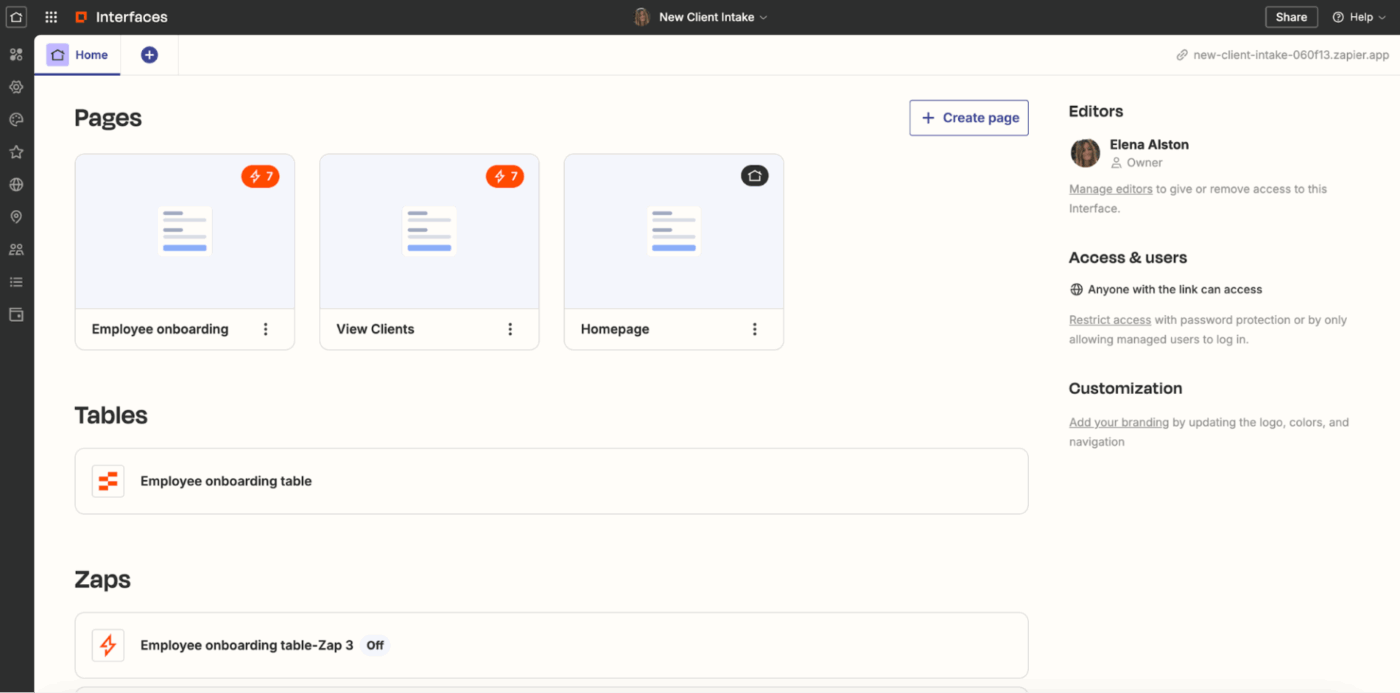
Zapier is an AI-enabled workflow automation software that connects nearly 8,000 apps, allowing operations leaders, project managers, and AI-forward teams to automate repetitive tasks. Features like Filters, Paths, and Scheduling ensure that AI or automated steps only execute under the right conditions.
🧠 Fun Fact: In the 1980s, Japanese companies pioneered the term ‘lights-out manufacturing.’ This is a classic example of completely automated workflows. Here, fully automated factories continued production 24/7 without human presence. This idea continues to rise today as well.
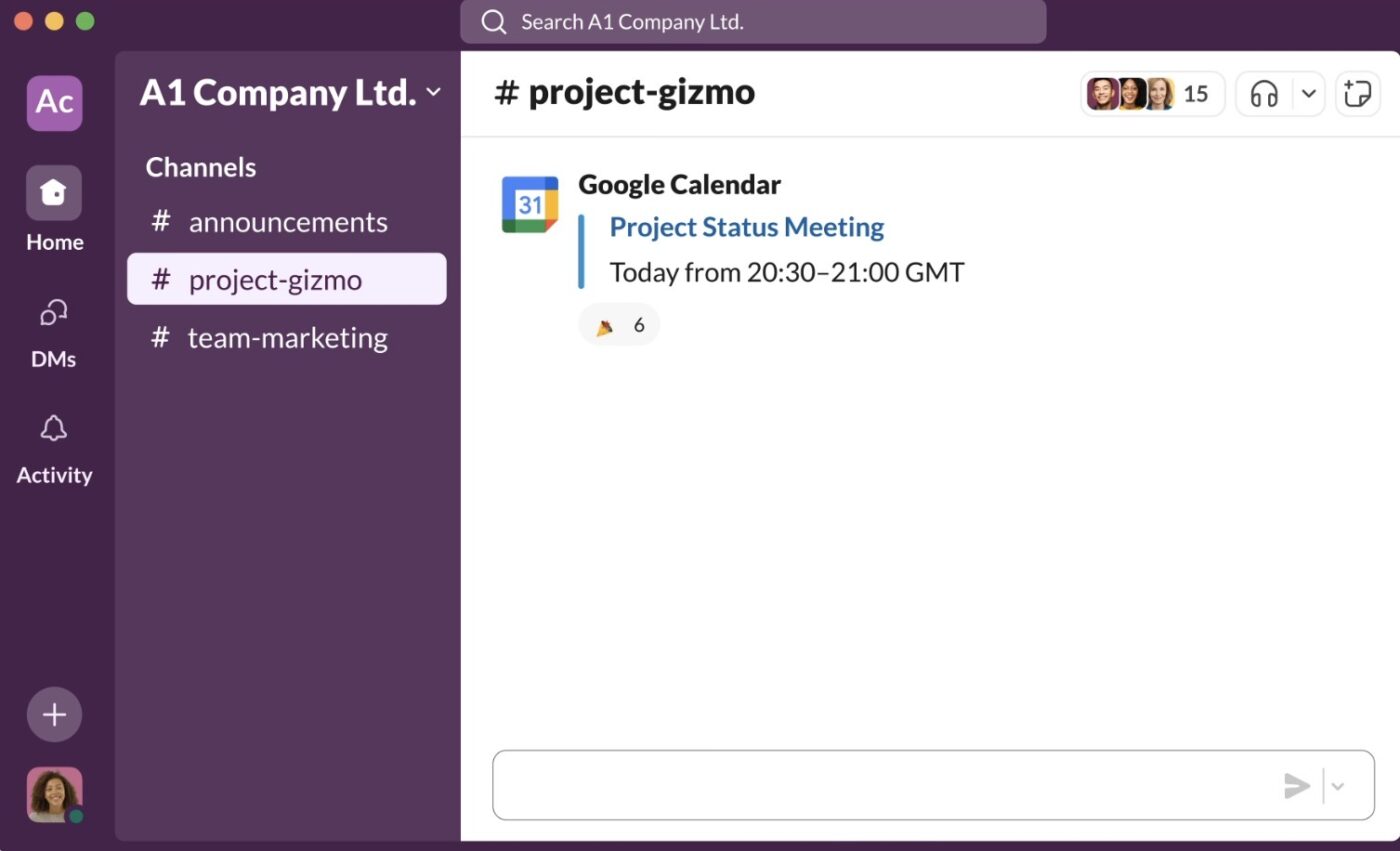
Slack is a real-time messaging and collaboration platform. It helps you cut down on repetitive work by letting you automate tasks with its AI-powered Workflow Builder. You can set up automated reminders, notifications, or approvals so your team can focus on higher-priority work.
The platform also offers Slack CLI and Bolt to build and deploy AI agents. You can create bots that handle specific tasks, route requests automatically, or even interact with your other systems.
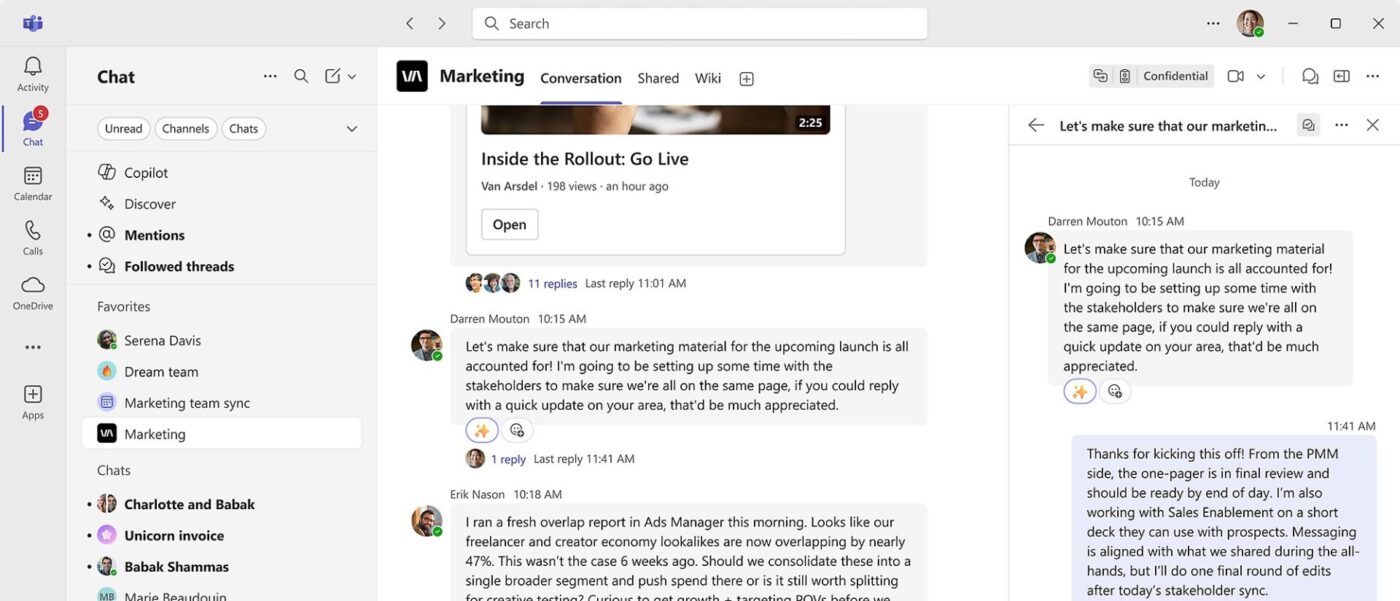
Microsoft Teams is a cloud-based collaboration tool that offers chat, video conferencing, file sharing, and app integrations. It helps you communicate, manage projects, and collaborate on documents via web browsers, desktop applications, or mobile devices.
Using Microsoft 365 Copilot, you can automate administrative tasks like note-taking, task assignment, and meeting follow-ups while getting contextual insights from your organization’s data.
🚀 ClickUp Advantage: Ensure your team remains connected, your decisions visible, and your semi-automated workflows moving smoothly with ClickUp Chat.
Here’s how it streamlines collaboration:
P.S. ClickUp Brain works here, too, summarizing long threads, extracting key action items, and giving you instant answers. 🤩
Here are some of the most common mistakes and practical solutions to help you design efficient workflows. 👇
| Common mistakes | Solutions |
| Automating a flawed process (you simply digitize what’s broken) | Map and optimize the workflow manually first. Remove redundancies, clarify steps, then apply automation only to the clean process |
| Lack of clear objectives or measurable success metrics | Define measurable goals (cycle time reduced by X%, fewer errors, etc.). Embed those metrics into dashboards so you know if automation is working |
| Automating too early/too much without human checkpoints | Build human decision‑gates into the workflow. Automate the routine, keep humans for judgment points, and pilot one process before scaling |
| Poor AI workflow automation tool integration/data silos | Choose tools that connect, map data flows, and test integrations early. You must ensure that your systems share data seamlessly |
| Over‑complicating workflows with too many steps and branching logic too soon | Start with a high‑repetition, straightforward process. Simplify the workflow, then automate. Iteratively add complexity only when the base works |
| Skipping stakeholder involvement and change management | Involve all impacted teams early. Communicate the ‘why,’ train users, and embed feedback loops so the workflow fits how people actually work |
Semi-automated workflows strike the perfect balance: combining the speed and consistency of automation with human judgment and oversight.
However, it’s important to remember that tool sprawl is real.
To eliminate any context-switching, ClickUp comes in. It brings Automations, ClickUp Brain, Dashboards, Docs, and more into one platform, letting you design, monitor, and refine semi-automated workflows.
So, what are you waiting for? Sign up to ClickUp for free today! ✅
Automated workflows run with minimal or no human involvement—once triggered, tasks progress through every step automatically. Semi‑automated workflows, on the other hand, combine automation with human oversight. Machines handle repetitive, rule-based tasks, while humans step in at defined checkpoints to make decisions, review exceptions, or validate outputs.
Recurring workflows with consistent rules are ideal case studies for semi-automation. They should also have measurable outcomes, such as reduced cycle time or fewer errors. Selecting business processes with these characteristics ensures that automation adds real value.
The best AI tools for semi-automation currently include platforms like ClickUp, which stands out due to its integrated AI assistant (ClickUp Brain). Other leading tools for semi-automation are Zapier (for easy cross-app automation), Slack (for real-time collaboration), and Typeface (for marketing automation).
ClickUp provides a central platform to manage semi-automated workflows end-to-end. You can map workflows, define triggers, and automate routine steps while keeping humans in the loop through approval gates and review tasks. ClickUp Brain adds AI capabilities like summarization, categorization, draft generation, and anomaly detection. Dashboards and audit trails give real-time visibility into task progress, human interventions, and AI performance.
Yes, absolutely. Semi-automated workflows rely on human checkpoints for critical decisions, quality reviews, and exception handling. Automation handles routine, repetitive tasks, but manual approvals ensure accuracy, maintain compliance, and allow teams to intervene strategically.

© 2026 ClickUp

There’s an easier way. Try a free AI Agent in ClickUp that actually does the work for you—set up in minutes, save hours every week.