






Still downloading templates?
There’s an easier way. Try a free AI Agent in ClickUp that actually does the work for you—set up in minutes, save hours every week.
Sorry, there were no results found for “”
Sorry, there were no results found for “”
Sorry, there were no results found for “”
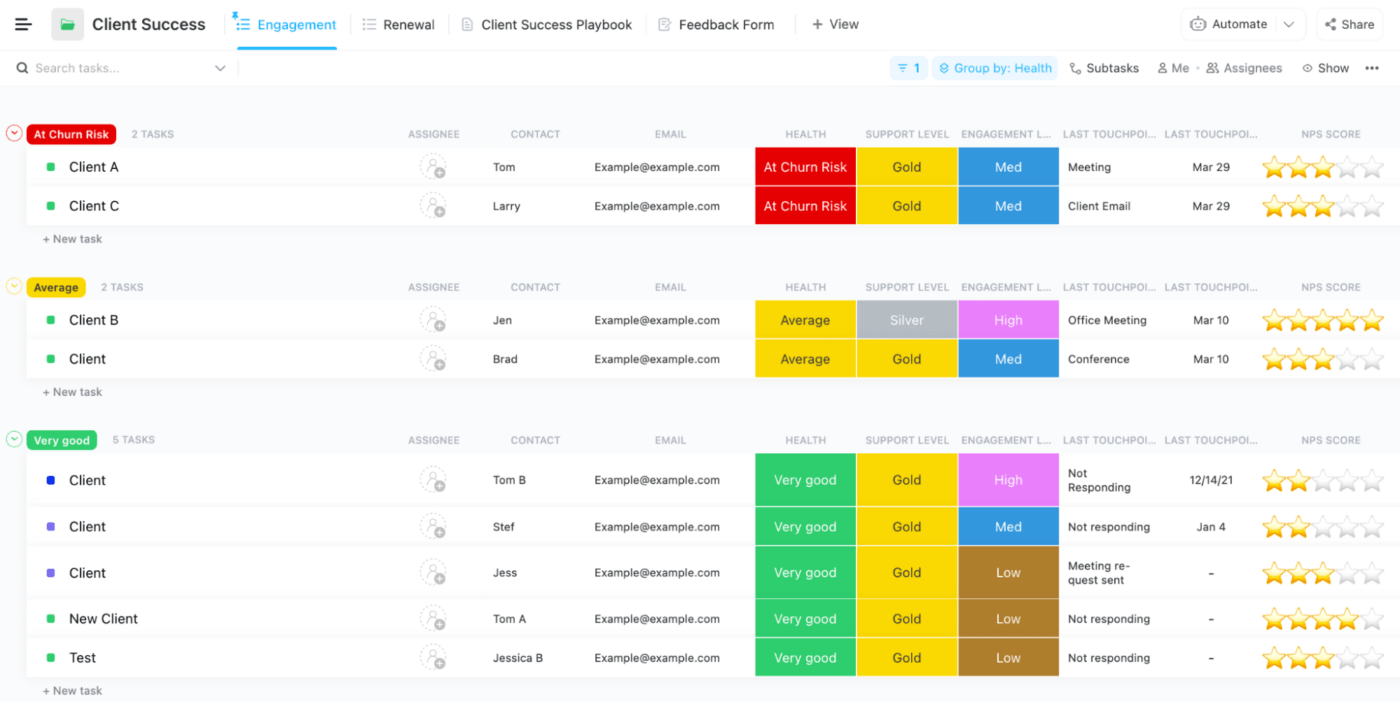
Even the most organized professionals are overwhelmed—not by messy desks, but by overflowing inboxes, shifting priorities, and the constant mental load of keeping projects on track.
AI organization tools are designed for this new reality. They go beyond filing and scheduling to anticipate needs, adapt plans in real time, capture action items automatically, and surface critical information before you even search for it.
In this guide, we’ve curated the most effective AI productivity tools for the workplace to help you cut through the noise, maintain focus, and manage your work with clarity and precision.
📖 Also Read: AI Use Cases & Applications for Enterprise Teams
👀 Did You Know? Long before artificial intelligence was a reality, the concept of synthetic helpers was already captivating the world. In 1921, Czech playwright Karel Čapek introduced the word ‘robot’ in his play Rossum’s Universal Robots. These robots were artificial people designed to serve humans, and their name comes from the Czech word robota, meaning ‘forced labor.’
AI tools are everywhere now—but not every tool claiming to ‘boost productivity’ actually understands how you work.
Here’s what separates a true AI productivity app from just another app on your home screen:
Bottom line? If it doesn’t lighten your cognitive load, it’s just noise. The advanced AI technology-based tools listed below do more than manage tasks—they sharpen focus, eliminate clutter, save time by automating routine tasks, and help you stay two steps ahead.
🧠 Fun Fact: In the early 1950s, Arthur Samuel made history by creating a computer program that could play checkers—and more impressively, learn to improve over time. Unlike traditional programs that followed fixed rules, Samuel’s checkers player improved by playing against itself and remembering which moves led to wins or losses. This was one of the first demonstrations of machine learning, where a computer could adapt and evolve its strategies based on experience.
Whether you’re managing meetings, scheduling deep work for essential tasks, or trying to keep track of a dozen apps, these easily accessible AI organization tools simplify your day and boost team productivity.
Here’s a quick side-by-side look at the best options for deploying your AI agent for different use cases.
| Tool | Best for | Standout feature | Pricing (Monthly) |
| ClickUp | Managing projects with AI-powered tasks and goals | Combines task, doc, and goal management with AI | Free, Paid from $7/user + $7 AI |
| Notion AI | Flexible knowledge management and creative content | In-workspace AI writing and real-time expansion | Free, Paid from $12/user |
| Asana | Structured task planning with AI-powered clarity | Auto-prioritizes work and suggests next steps | Free, Paid from $10.99/user |
| Trello | Visual thinkers who love boards, not spreadsheets | Automates card actions based on behavior | Free, Paid from $6/user |
| Motion | Calendar-driven pros who want their day to plan itself | Auto-schedules tasks dynamically | From $29/user |
| Reclaim AI | Protecting focus time and automating scheduling | Syncs habits, meetings & smart task rescheduling | Free, Paid from $10/user |
| Mem | Effortless idea capture and personal knowledge | Auto-links and retrieves notes contextually | Free (beta), pricing TBA |
| Todoist AI | Daily productivity with smart prioritization | Smart task prioritization based on behavior | Free, Paid from $5/user |
| Akiflow | Taming task chaos across multiple tools and calendars | Centralizes task capture and time-blocking | From $34/user |
| BeforeSunset AI | Mindful planning and time tracking in one space | Gentle daily planning powered by AI | From $18/user |
| Otter.ai | Turning meetings into searchable transcripts | Real-time meeting transcription with AI summary | Free, Paid from $16.99/user |
| Fireflies.ai | Capturing and summarizing team conversations | AI transcripts with searchable insights | Free, Paid from $18/user |
| Avoma | AI-assisted meeting insights & conversation intel | Meeting breakdowns with analytics and coaching | From $19/user |
| Grammarly | Writing clearly and confidently | Tone-aware suggestions and rewrite capabilities | Free, Paid from $12/user |
| Perplexity Labs | Fast AI-powered research and knowledge retrieval | Citation-backed research summaries | Free, Pro at $20/month |
| Qodo | Code integrity and collaborative development | AI-generated PRs, tests, and code reviews | Free, Paid from $30/user |
| Cursor | AI-assisted coding and technical documentation | In-line code generation and repo-aware support | Free, Paid from $20/user |
| Document360 | Structured knowledge bases and AI content cleanup | AI-assisted tagging and knowledge structuring | Custom pricing |
| Miro | Visual collaboration and brainstorming | AI clusters and structures brainstorming input | Free, Paid from $8/user |
| Zapier | Connecting tools and automating workflows | Natural language Zap generation across 6K+ tools | Free, Paid from $29.99/user |
Our editorial team follows a transparent, research-backed, and vendor-neutral process, so you can trust that our recommendations are based on real product value.
Here’s a detailed rundown of how we review software at ClickUp.
From AI assistants scheduling your meetings to tools summarizing entire documents in seconds, the AI productivity landscape is now more powerful—and more personal—than ever.
Below, we’ve handpicked tools that redefine what it means to be organized. Each one brings its own flavor of intelligence to the table—some automate your calendar, others turn notes into action plans, and a few are built to think like an extra brain for your team.
Let’s kick things off with a platform that does all of the above—and then some.
📖 Also Read: AI Startups to Watch (Reviews & Pricing)
ClickUp, the everything app for work, has always been the go-to workspace for teams who want everything—tasks, docs, dashboards, goals—in one place.
But with the addition of ClickUp Brain, it’s evolved from an organization tool into an intelligence engine that adapts to your workflow and grows with your needs.
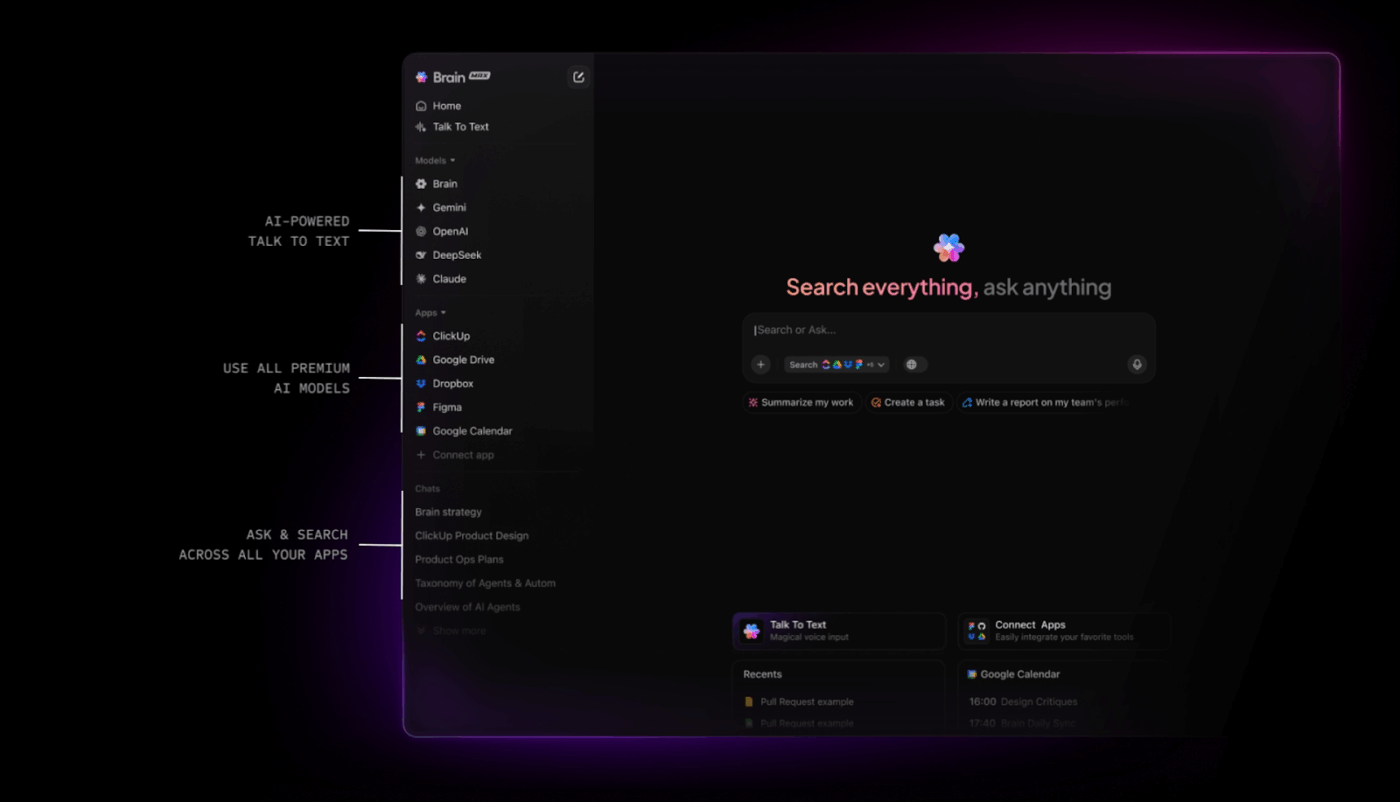
ClickUp has rapidly evolved into an AI-first productivity platform—it is more versatile than ever:
ClickUp Brain is your workspace’s built-in AI assistant, helping you instantly create tasks from natural language, summarize projects, and provide smart workflow suggestions.
ClickUp Brain Max, the latest addition, is a desktop-powered, talk-to-text version of Brain. With Brain Max, you can use voice commands to dictate tasks, ask for summaries, and interact with ClickUp hands-free—perfect for multitasking or accessibility.
You can now choose from different large language models (LLMs) within Brain, such as GPT-4 or Claude, tailoring the AI’s responses to your needs—whether you want more creative, technical, or privacy-focused outputs.
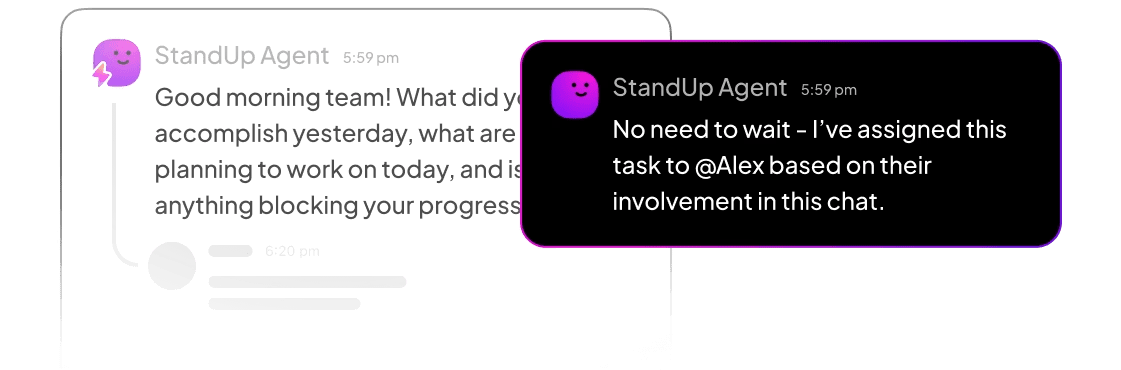
AI Agents have become even more powerful and customizable. These agents can automate multi-step processes, escalate blockers, assign tasks, and communicate with team members based on real-time triggers and organizational rules. You can deploy specialized AI Agents for recurring admin work, sales follow-ups, or creative brainstorming—freeing your team from repetitive tasks.
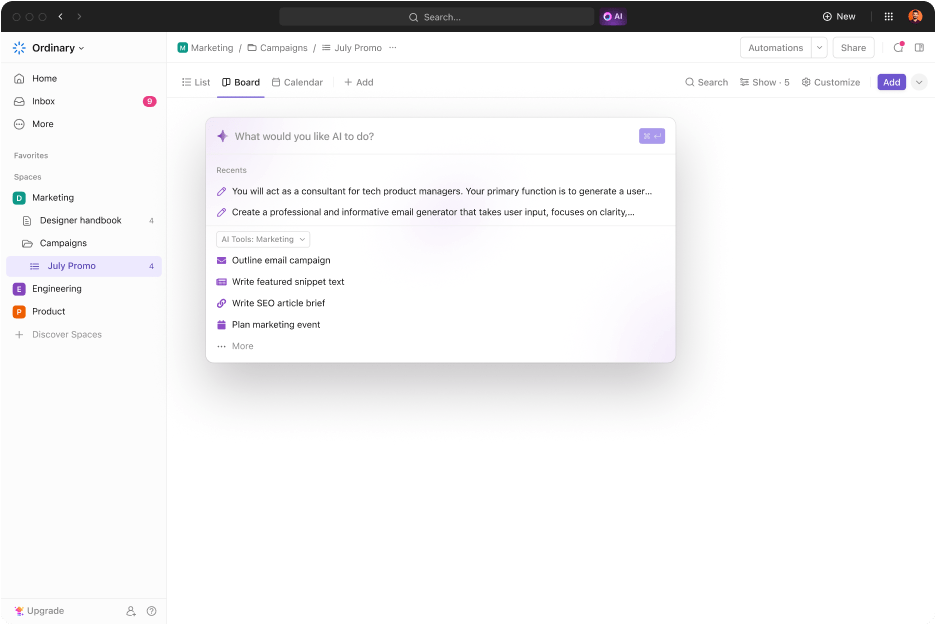
Let’s say you start your week with a jumbled list of ideas, meeting notes, and loose tasks. ClickUp Brain steps in to help out—it suggests subtasks, refines task descriptions, and organizes priorities using real-time context. Within minutes, your workspace reflects what you need to do and how to get it done.
Think of ClickUp as your second brain. It supports knowledge management by helping you access information intuitively. You can pull insights from past project notes, auto-link related docs, or even turn ad-hoc brainstorming sessions into SOPs in minutes, keeping institutional knowledge alive and searchable.
As you collaborate with teammates, ClickUp becomes your knowledge navigator. Ask, “Where’s the latest pitch deck?” ClickUp Brain fetches the answer, even if it’s buried in a Doc comment from last month. It can summarize lengthy project discussions or turn rough notes into polished SOPs.
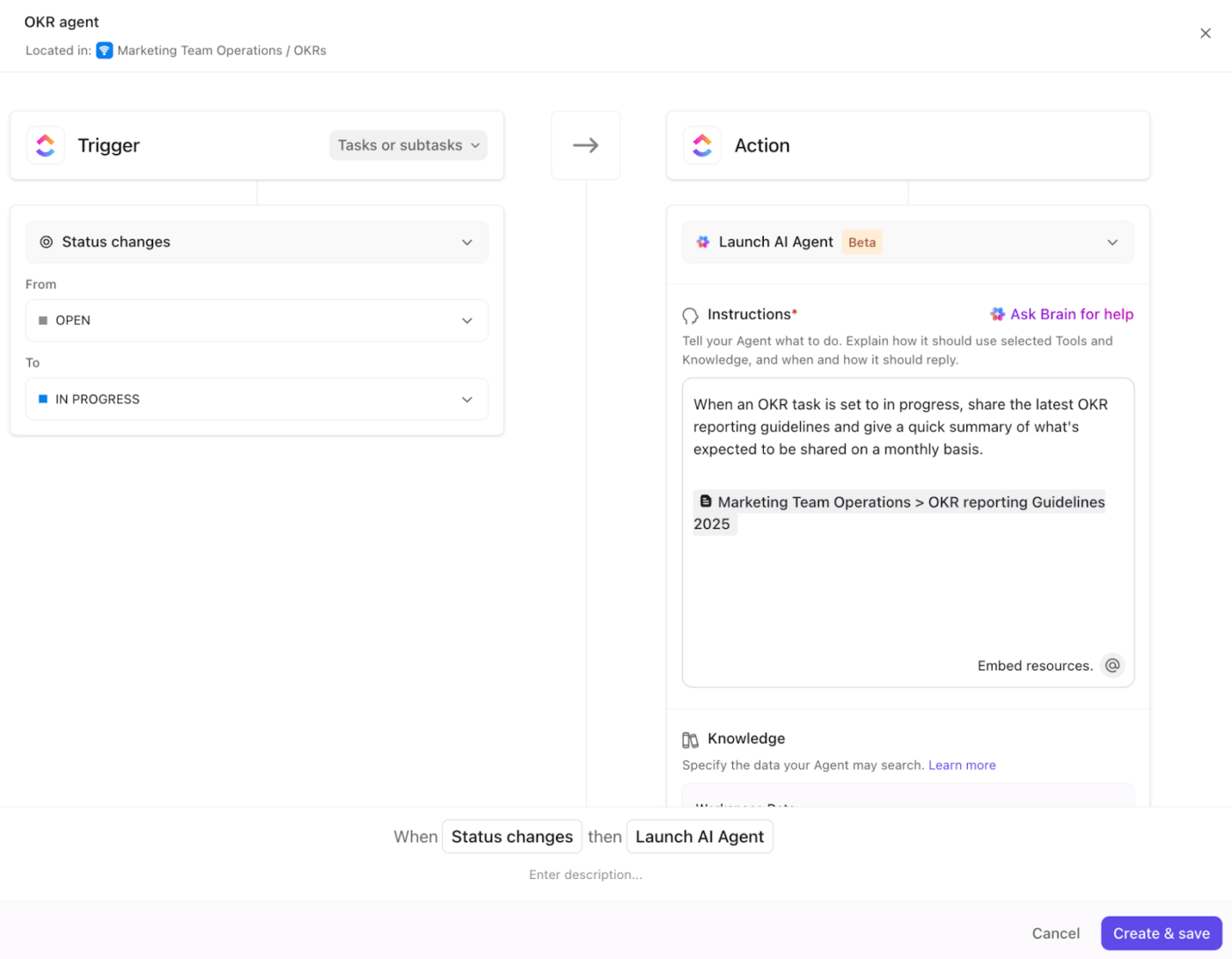
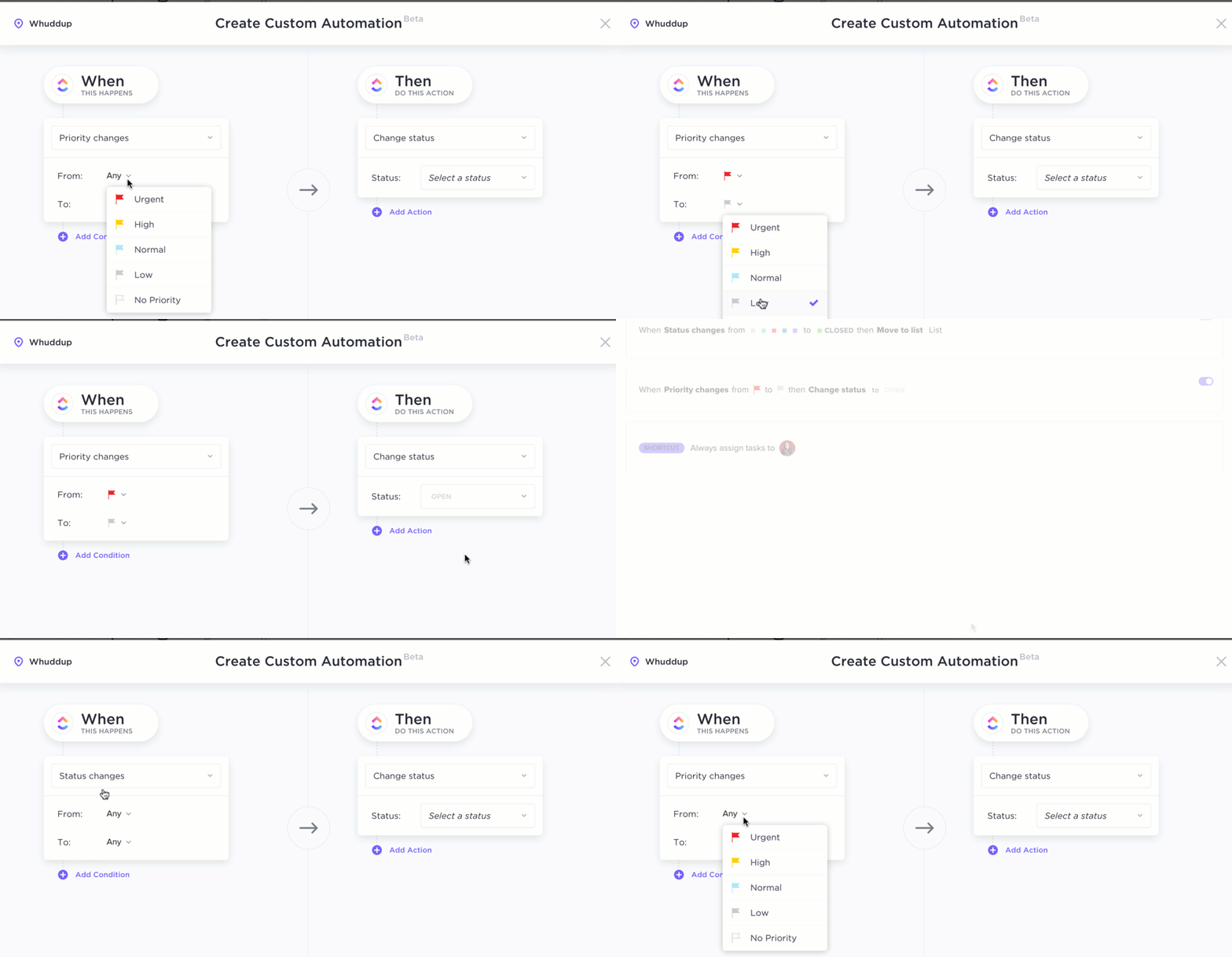
Imagine you’re flooded with repetitive admin work—status updates, follow-ups, task handoffs. ClickUp AI agents quietly take over. They react to triggers, escalate blockers, and assign tasks based on pre-set rules using ClickUp Automations. Instead of micromanaging, you set the conditions, and they do the rest.
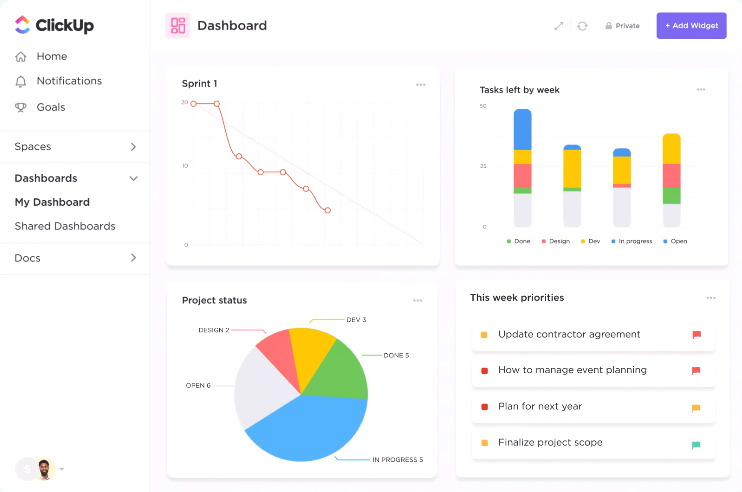
As your project grows, so does the need for visibility. Instead of manually building reports, just ask, “How are we tracking against Q2 goals?” ClickUp Dashboards respond with smart visualizations, auto-generated from live task data. You don’t just get numbers—you get narrative.
And in the background, ClickUp Brain is always learning. It flags risks, highlights performance dips, and spots redundant work before it snowballs. ClickUp insights don’t just summarize what’s happening—they spot what’s missing.
Whether you’re managing product sprints, scaling a startup, or leading cross-functional campaigns, ClickUp is where intelligent organization meets effortless execution—natively, and at every level of your workflow.
A G2 review reads:
I’ve been using ClickUp since its early days, and it’s been remarkable to witness its evolution into a comprehensive productivity powerhouse. The continuous rollout of new features and updates demonstrates the team’s commitment to enhancing the user experience.
One of the standout additions is the AI tool, ClickUp Brain. It’s transformed how I manage tasks and projects by automating routine processes and providing intelligent suggestions, saving me considerable time and effort.
📮 ClickUp Insight: Only 12% of people use physical journals to track their goals, and a surprising 38% don’t track them. But what if you could track goals with more precision and ease?
Enter ClickUp, where the structure of a planner meets the power of automation. From setting tasks and deadlines to tracking progress with visual dashboards, ClickUp helps you stay organized and focused. With AI-powered reminders and automated workflows, you’ll never miss a milestone again.
💫 Real Results: ClickUp users report a 2x boost in productivity.
💡 Pro Tip: Drowning in call notes? Let ClickUp AI generate instant summaries of your sales meetings directly in the task comment section. Use prompts like “Summarize key objections and next steps” or “Highlight buying signals” to auto-generate action items. Add the summary to your CRM task so the next team member picking it up has full context. This cuts your handoff time in half and improves follow-through. It’s like passing a baton—only smoother, faster, and smarter.
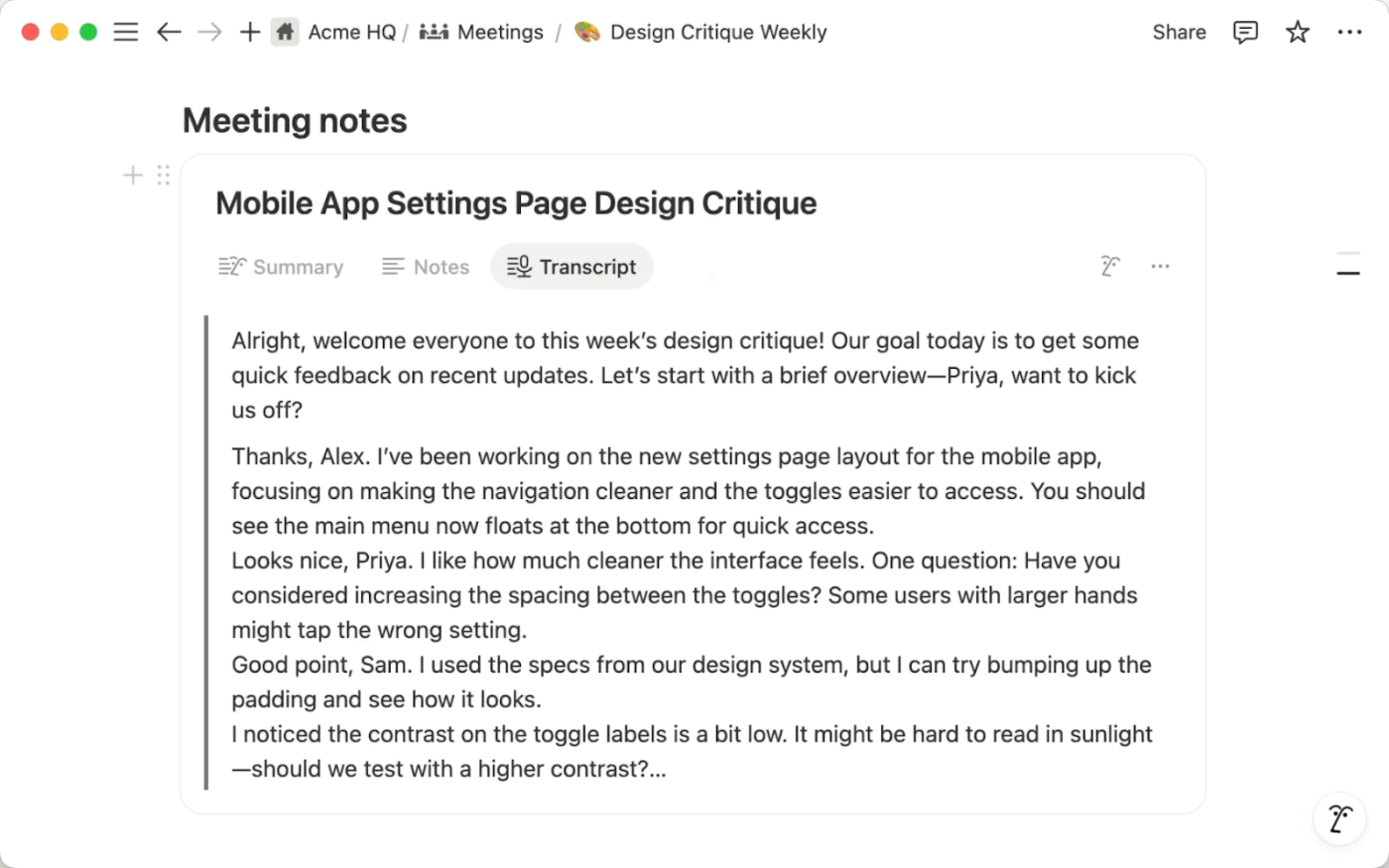
Ever wish your notes could talk back—and actually make sense of your chaos? Notion AI comes pretty close.
Notion AI is a dynamic thinking partner built for professionals managing idea-heavy, document-first workflows. It enhances productivity directly inside your workspace by expanding rough outlines, rephrasing awkward sections, and adapting the tone as you write.
Notion AI is now a true “thinking partner.” It summarizes, translates, and brainstorms directly in your workspace, and its contextual search automatically surfaces relevant notes and docs. Recent updates include improved integrations with external tools, making knowledge management seamless. Notion’s AI adapts to your workflow, helping you organize and create content faster.
Its strength goes beyond writing. Notion AI can highlight key points from long meeting notes, summarize research-heavy pages, and surface insights across linked documents. This is especially helpful when working across multiple content sources and needing clarity without clicking through every nested database.
A Capterra review reads:
I love Notion. I’ve been using the product for 5+ years already trying to bring it to all the companies that I worked for. The thing they pulled off with speeding the thing up while adding a ton of features to an already rich feature set was miraculous (think Notion AI, formulas revamping, layouts and forms).
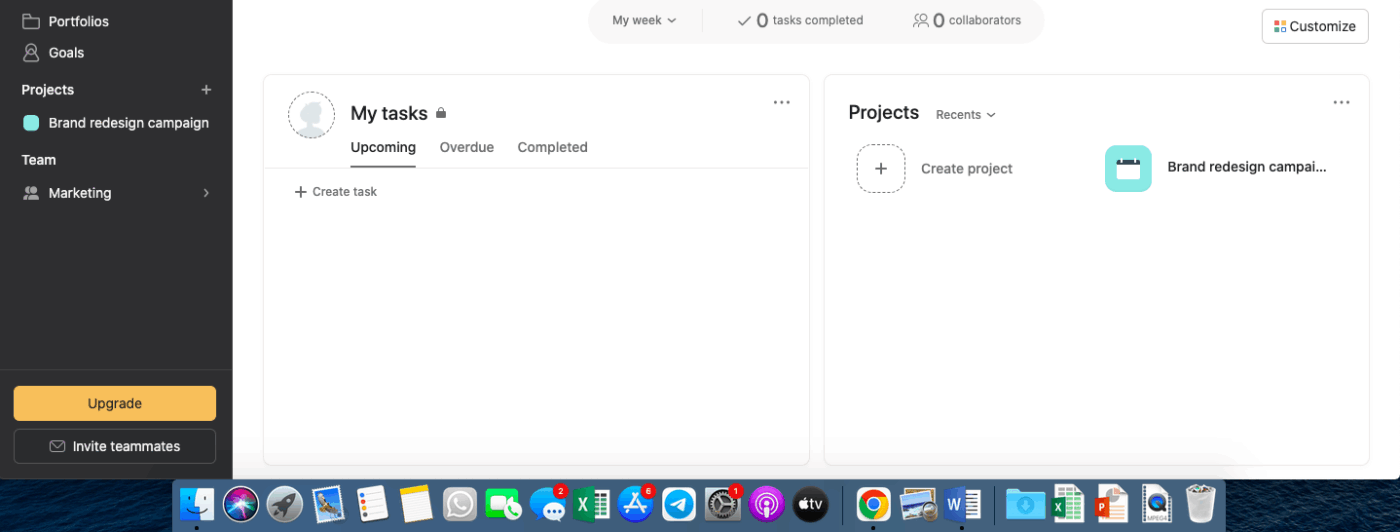
Even your to-do list deserves a personal assistant—and Asana AI is ready to help.
With AI-powered task grouping and predictive prioritization, Asana helps you organize your workload before things spiral. The AI doesn’t just assign due dates—it analyzes urgency, task dependencies, and teammate workloads to guide where your focus should go next.
Asana’s AI now powers smart task assignment, auto-prioritization, and real-time goal tracking. New features include AI-driven project risk prediction and mitigation suggestions. Asana’s AI reduces manual planning, keeps teams aligned, and ensures objectives are always in focus.
During project planning, Asana AI assists in breaking down goals into actionable steps while surfacing potential blockers early. It rewrites task descriptions for better clarity, identifies duplicate work, and highlights missed deadlines—all without constant oversight. You get a real-time, self-adjusting roadmap that stays accurate even as things change.
A review on G2 reads:
Asana gives me a clear structure to break down larger initiatives into bite-sized, trackable tasks. It also helps reduce the need for redundant updates or status meetings, since everything is transparently documented. Overall, it has significantly reduced miscommunication, helped us hit deadlines more consistently, and made our design pipeline much smoother.
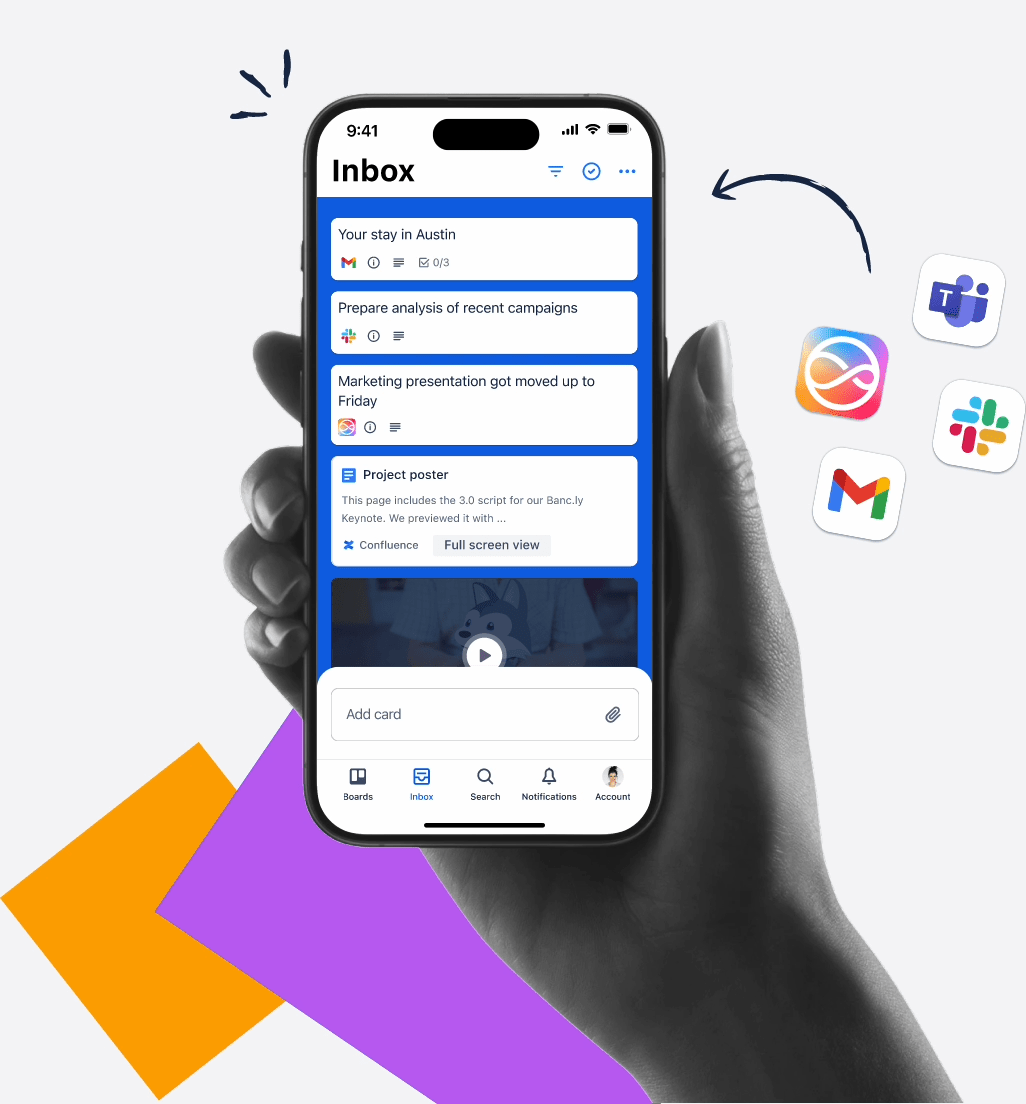
Sticky notes are great—until you have 200 of them and no idea what’s what. Trello helps you turn that clutter into clarity.
Trello’s iconic card-and-board system already makes it easy to visualize tasks, workflows, and project progress. But now, with Butler automation and recent AI-powered upgrades, Trello helps teams stay a step ahead.
Trello’s AI-driven automation now sorts cards, sends deadline reminders, and suggests workflow improvements based on team behavior. Butler AI’s expanded capabilities automate repetitive board actions, making project management effortless for visual thinkers.
Instead of manually moving cards or setting reminders, the AI predicts your next move—automating actions like assigning team members, setting due dates, or creating checklists based on your usage patterns.
Whether you’re managing a product roadmap, planning content, or even organizing a wedding, Trello AI provides more structure without more clicks. It learns which tasks repeat, which team members own what, and how your projects usually flow, then applies that logic to future boards.
A G2 review says:
After five years of use, Trello remains one of the most user-friendly and visually intuitive project management tools I’ve worked with. The drag-and-drop Kanban board style makes it effortless to organize tasks and workflows, whether for solo projects or team collaboration. I also appreciate how it has steadily improved with features like templates, calendar views, and power-ups that adapt to both simple and complex workflows.
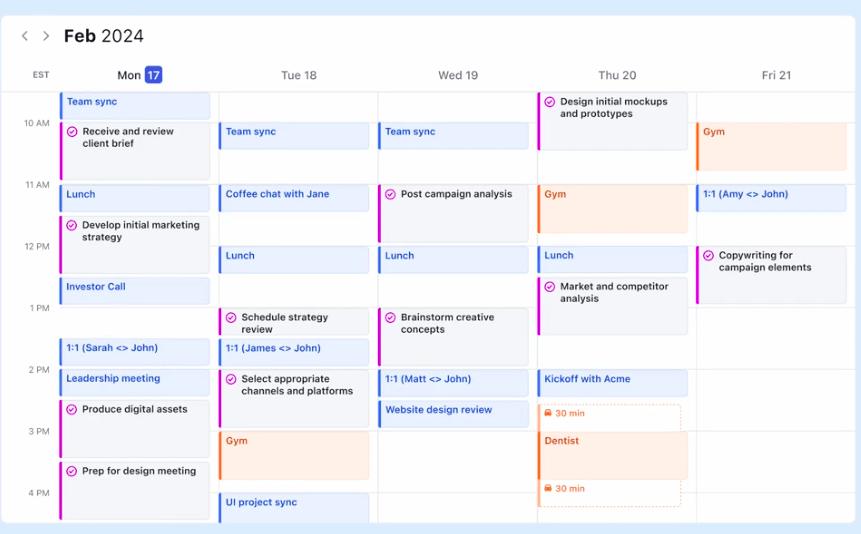
Your calendar just got smarter—and it doesn’t need coffee breaks.
Designed for busy professionals drowning in back-to-back tasks, meetings, and shifting priorities, Motion automatically rearranges your day based on deadlines, focus windows, and unexpected interruptions. It pulls your to-dos from multiple sources and fits them into your calendar like an AI Tetris master—without you lifting a finger.
Motion’s AI auto-scheduling now optimizes for focus time and automatically reschedules tasks as priorities shift. AI-driven daily planning and smart conflict resolution ensure your calendar adapts in real time.
Let’s say you’re working on a proposal, prepping for a client call, and juggling three internal standups. Motion breaks each task into blocks, balances them across your available hours, and reschedules dynamically when conflicts arise. It’s especially helpful when life (or your team) throws a curveball midday.
A user on G2 reviews:
I love the AI time fill ins. If I need to cancel a meeting or have some spare time it fills my space with what project/task needs to get done. It is relatively easy to implement to your team and have everyone on and connect your calendars. We use it on a day to day basis and even contacting support to have an issue fixed with switching from the team plan to individual they handled it with no issues or trouble. Would recommend.
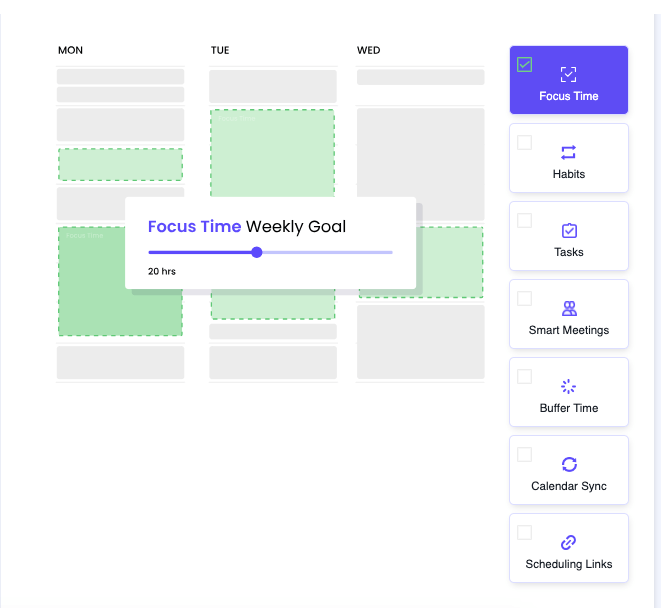
Your Google Calendar doesn’t need more color-coding—it needs a brain.
Reclaim AI turns reactive scheduling into proactive time management by automatically defending your most valuable asset: focused attention. Whether you’re juggling meetings, deep work, habits, or personal errands, Reclaim blocks out time intelligently, shifting things as your day changes—without you ever dragging an event around manually.
Reclaim AI’s advanced scheduling assistant uses AI to protect focus time and optimize meeting placement. New features include AI-powered habit tracking and dynamic calendar adjustments, making it a proactive calendar manager.
Want to run three times a week or always prep before a 1:1? Just set a rule, and Reclaim builds the time into your schedule—like clockwork. This makes it a lifesaver for remote teams, freelancers, and multi-hat professionals who need more than just empty calendar space—they need smart structure. With Reclaim, your calendar finally works for you.
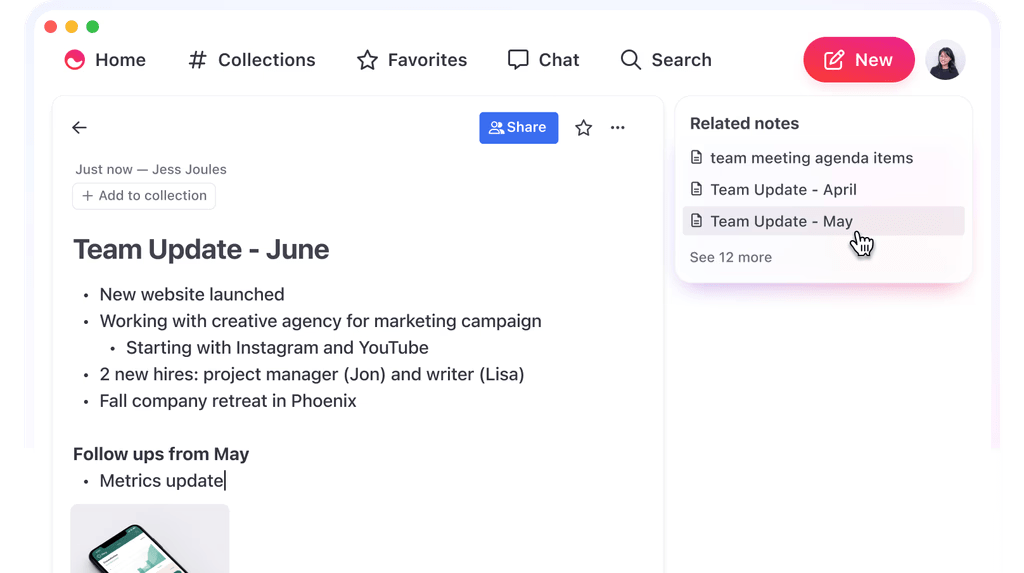
Some apps ask you to organize your thoughts. Mem just listens—and remembers.
Mem is your personal AI-powered note-taking system that captures ideas as they come, connects them automatically, and makes them searchable without any folders, tags, or mental gymnastics. It’s designed for people who think aloud, move fast, and don’t have time to decide where a note belongs.
Mem’s AI links notes, provides contextual reminders, and enables natural language search. The latest AI-driven idea suggests relevant past notes based on your current work, creating a “living network” of ideas.
Start typing or speaking into Mem, and the AI picks up the context—whether it’s a project update, a meeting recap, or a late-night brainwave. It links your thoughts to related notes, suggests relevant people or timelines, and even nudges you to revisit old insights that match current work. Instead of static notebooks, Mem creates a living network of everything you’ve ever captured.
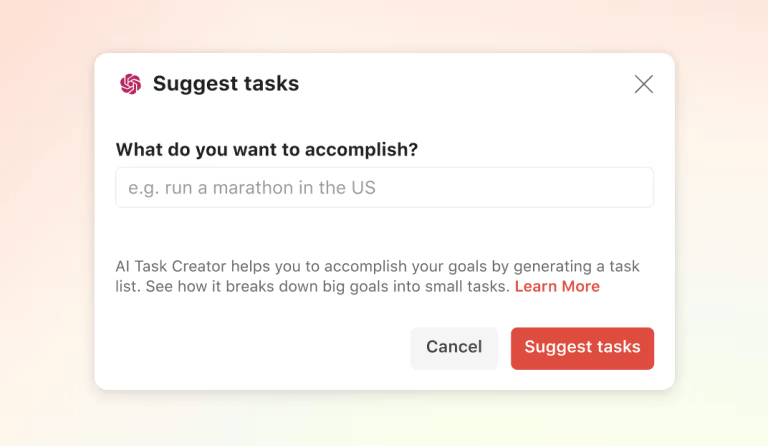
Your to-do list just leveled up from paper planner to productivity partner.
Todoist AI Assistant aids decision-making by helping you clarify what to do next without overwhelm. Whether you’re managing personal errands, side projects, or a packed work schedule, this AI feature intelligently prioritizes tasks based on due dates, urgency, and context.
Todoist’s AI now offers smart scheduling, priority suggestions, and habit detection. New features include recurring task automation and personalized productivity insights, making it a gentle but powerful productivity partner.
Todoist AI suggests optimal scheduling, detects repetitive patterns, and even nudges you with follow-ups for forgotten items as you add tasks. It adapts to how you work, offering gentle automation rather than a rigid structure. It is ideal for solo users, students, and professionals who want to stay organized without overthinking it.
A Capterra review reads:
There are so many ways to slice and dice your list items (if you set them up that way) that it’s really easy to utilize Todoist in a variety of ways or to adjust your system if it needs to change over time.
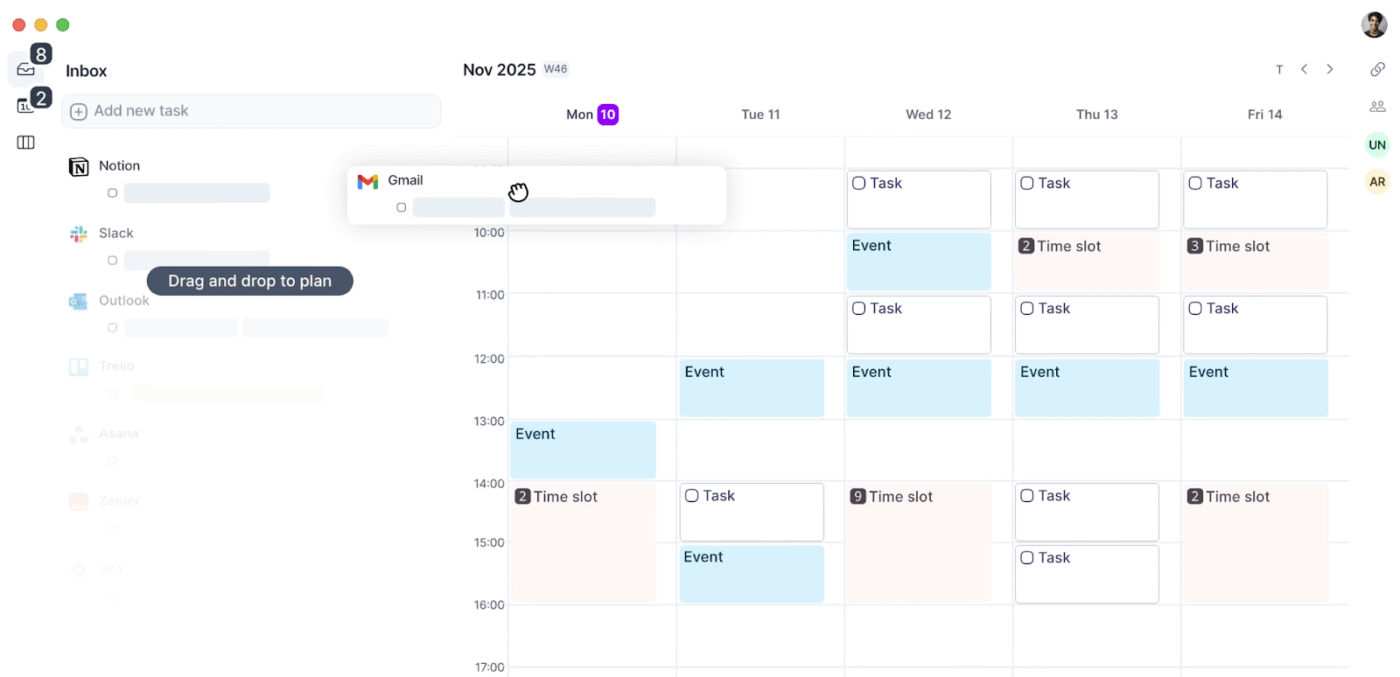
Inbox zero is great—but what about task zero across Slack, Gmail, Notion, and Google Calendar? Akiflow is built for exactly that.
Akiflow is a smart daily planner that consolidates your tasks from all your favorite tools and helps you time-block your day with intention. It doesn’t just centralize your to-dos—it gives them context, scheduling them into your calendar based on your priorities and availability.
Akiflow’s AI consolidates tasks from multiple platforms and uses a smart prioritization engine for daily planning. AI-powered time-blocking suggestions help you map out your day with precision.
If you’re the type of person whose responsibilities are everywhere—Slack messages, email threads, Asana updates—Akiflow acts like a filter that turns scattered tasks into one unified plan. The interface is clean, the workflows are intuitive, and the result is a clear, focused day mapped out before your first sip of coffee.
A user on G2 reviews:
By consolidating all my tools into a single, streamlined interface, it allows each of our team member to focus on what truly matters. It has become my essential companion for staying organized and on top of my daily tasks.
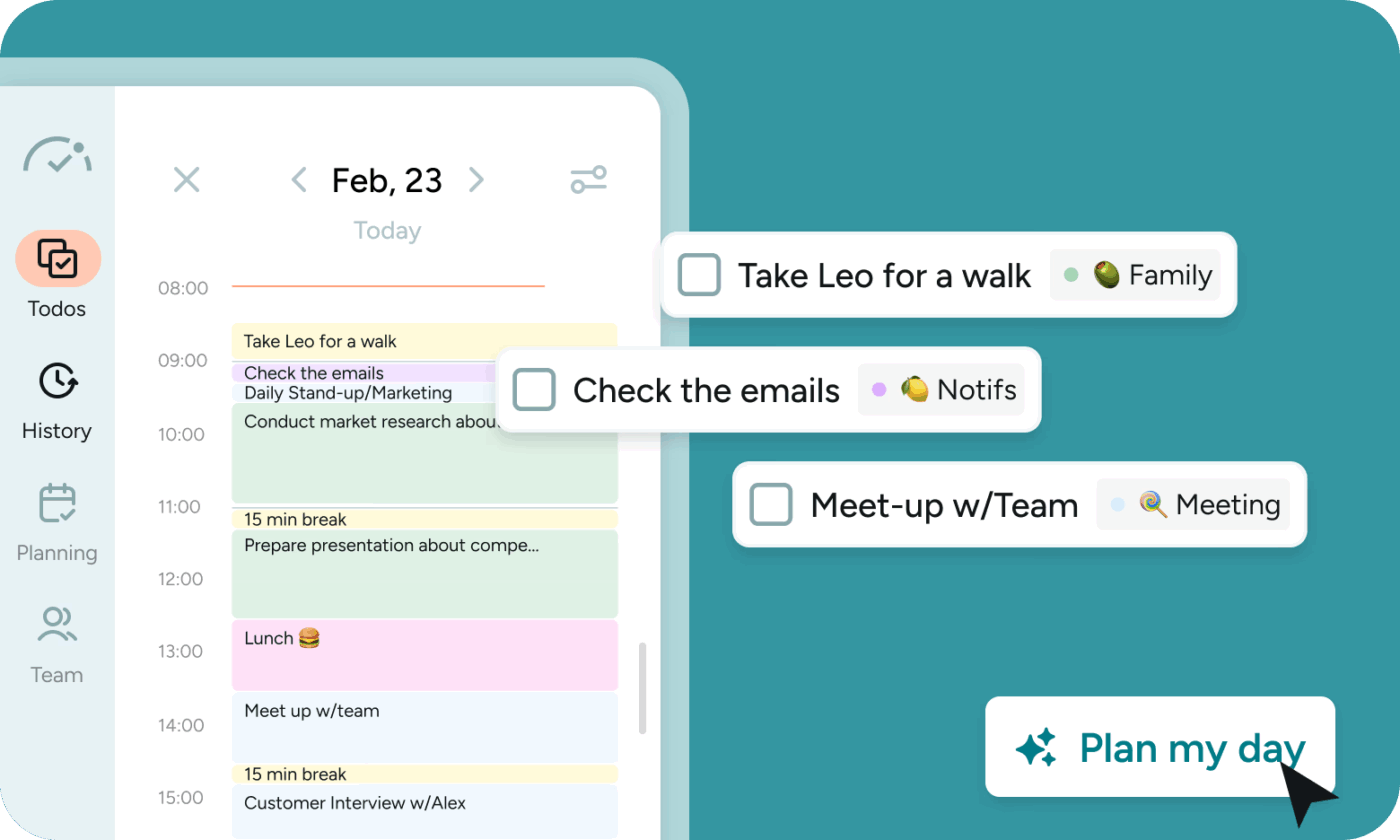
Some days fly by. Others drag. BeforeSunset AI helps you make sense of both.
This thoughtful productivity app blends mindful planning with AI-backed structure, helping you set intentions and stay on track—without turning your day into a rigid checklist. Ideal for freelancers, remote workers, and independent professionals, it offers just enough automation to guide your focus without overwhelming you with features.
BeforeSunset’s AI delivers insights for daily planning, time tracking, and focus optimization. New features include reflective productivity analysis and personalized planning rituals, positioning it as a mindful planning assistant.
Start your morning with a simple daily planning ritual. BeforeSunset AI suggests task order, estimates how long things will take, and offers focus-friendly time blocks. You can adjust as needed, and the tool reshuffles your plan accordingly. As you go, it invites you to log completions, mark skipped tasks, and reflect on how your day actually unfolded.
A review on G2 reads:
BeforeSunset AI is an exciting concept that allows me to plan my day with the help of an AI. I can just add and customize the tasks which also allows me to set timers to each tasks separately. There are also numerous options such as to “Finish an existing day” and “Take a break”. In short, it can replace the existing calendars with an integration of AI
📖 Also Read: Top Profitable AI Business Ideas
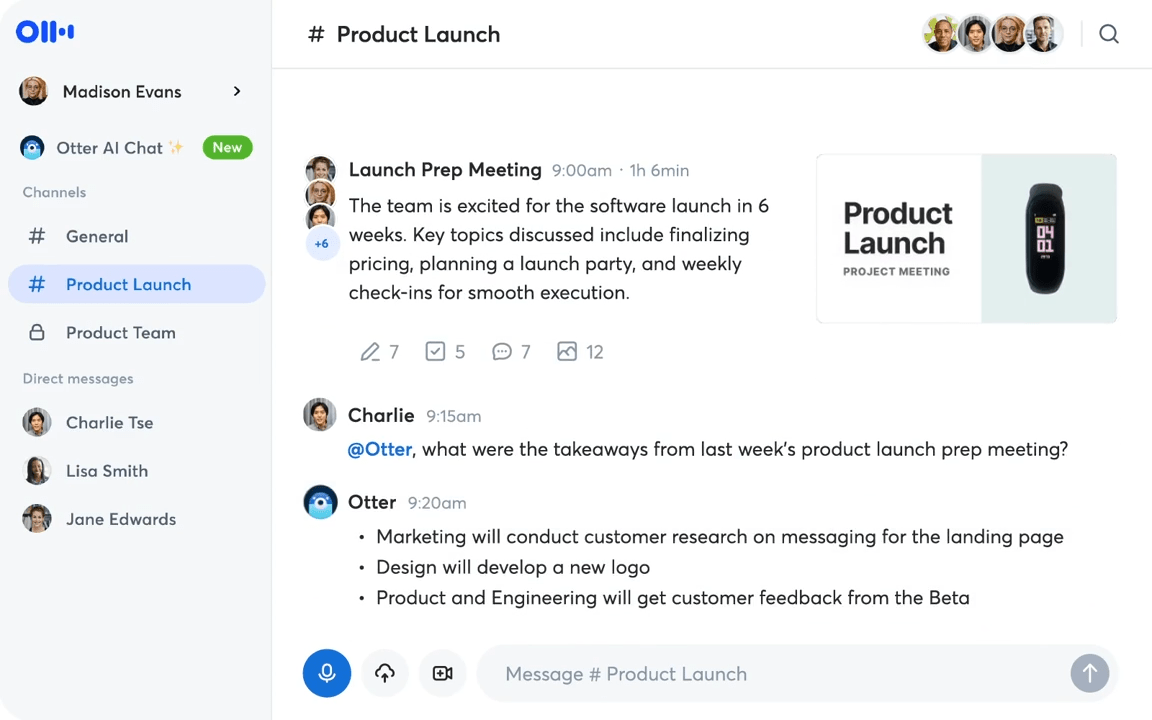
You show up to meetings. Otter shows up to remember everything you forgot.
Otter.ai is an AI transcription tool that makes meetings more productive by capturing spoken conversations in real time and turning them into editable, searchable text. Whether you’re in a Zoom call, in-person meeting, or brainstorming session, Otter quietly listens, transcribes, and tags key moments so you can stay engaged without scrambling to take notes.
Where it really shines is after the meeting. Otter timestamps highlights, auto-identifies speakers, and lets you create action items directly from the transcript. For teams that run on frequent syncs or client calls, it keeps everyone aligned—even if they miss the meeting entirely. You can share links, assign comments, and search past conversations in seconds.
A G2 review reads:
The Otter.ai helped me in taking notes and drafting MOM of the meetings simultaneously. It is helping me in saving a lot of time that I spend on note taking and then drafting MOMs. It is making the hardwork part, a smartwork . If I even miss out a point I don’t have to worry till will consist of it all. If I was unable to join the meeting, I’ll have the summary of the meeting in a click.
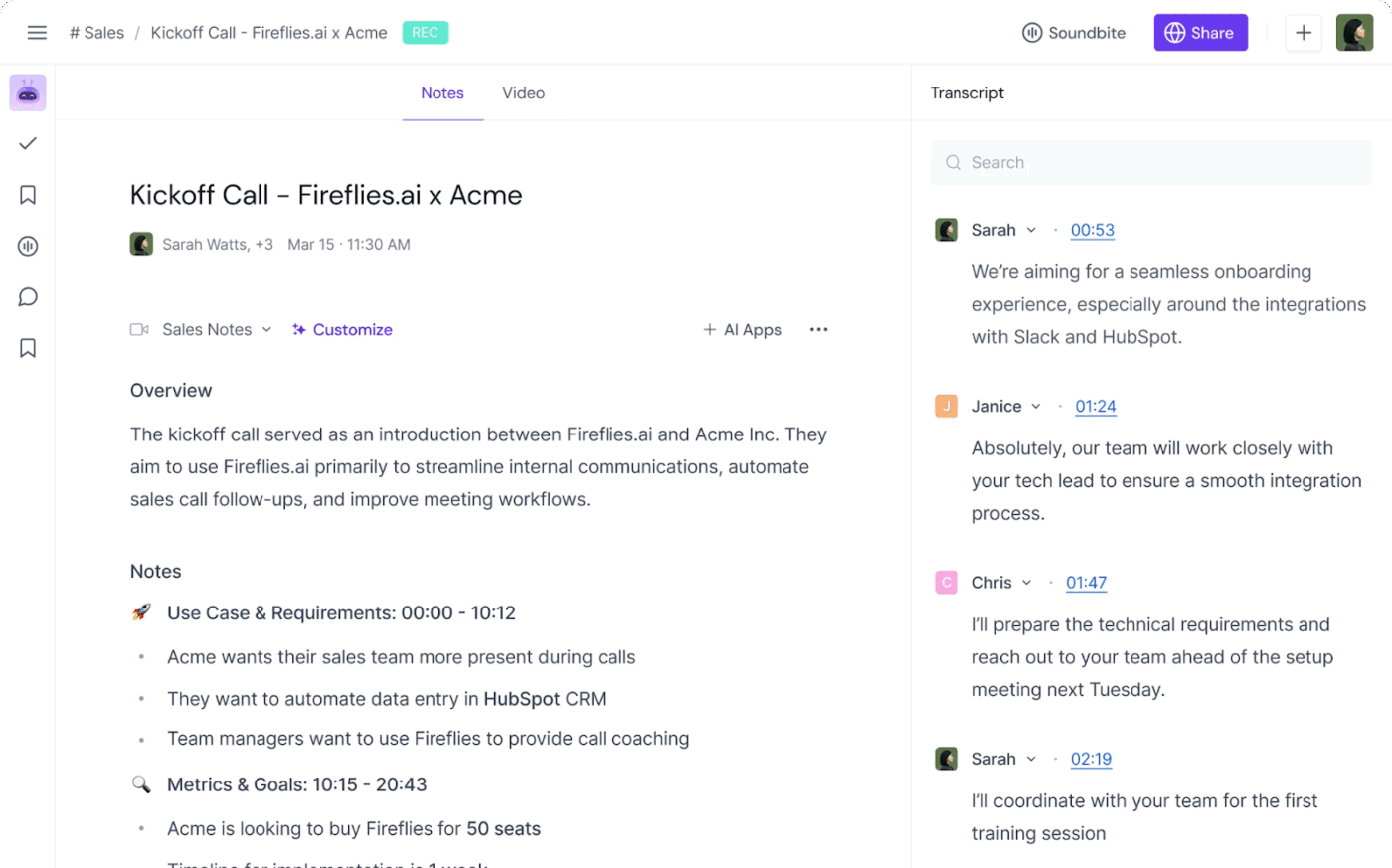
Meetings end. Action items disappear. Fireflies makes sure they don’t.
Fireflies.ai is an AI meeting assistant that joins your calls, transcribes conversations, and pulls out the most important bits—so your follow-ups don’t rely on memory. It works with most major conferencing tools and delivers transcripts, summaries, and highlights you can search, share, and assign.
Fireflies’ AI tracks keywords, clusters topics, and sends automated follow-up reminders. New integrations with CRMs and productivity platforms make it a conversation intelligence powerhouse.
The real value kicks in when your team starts using it consistently. Fireflies tracks recurring themes, auto-tags conversations by topic, and even lets you comment directly on specific parts of the transcript. For sales teams, customer success, or cross-functional project updates, it’s a simple way to keep alignment high and misunderstandings low.
A G2 review reads:
Honestly, it’s a huge time-saver. The way it automatically joins meetings, records, and turns everything into searchable transcripts is a game-changer. I don’t have to worry about missing details or scribbling notes—everything’s just there, ready to review.
💡 Pro Tip: Use multi-view folders to align every sales stakeholder. Not every role in your sales team needs the same view. Reps love Boards to track deals by stage, managers rely on Calendar or Timeline views for planning, and ops prefer Tables for sorting through lead data. Instead of duplicating info, set up multiple views inside a single Folder in ClickUp CRM. Tag each view appropriately and pin the ones you want visible first. This keeps everyone aligned while letting each person work in the format they prefer—no more “where’s that deal?” chaos.
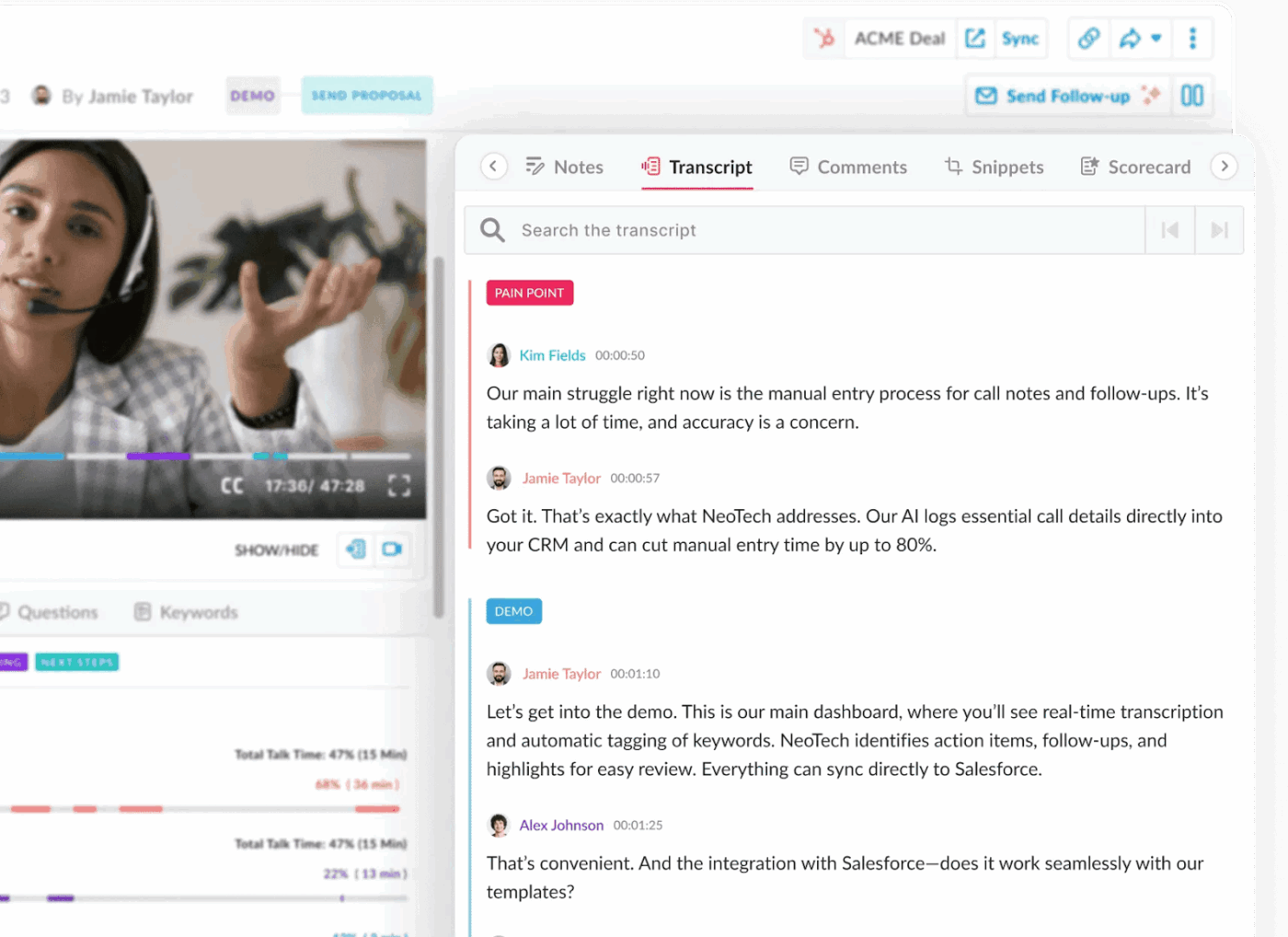
If your meetings are full of insights but your notes aren’t—Avoma wants a word.
Avoma is more than a transcription tool; it’s a conversation intelligence platform designed to capture, analyze, and organize your meetings at scale. It records and transcribes calls across sales, customer success, and internal syncs, then uses AI to summarize discussions, identify trends, and highlight action items.
Avoma’s AI delivers meeting insights, sentiment analysis, and actionable recommendations. New features include AI-driven coaching and performance tracking, making it a top choice for conversation intelligence.
What makes Avoma different is its focus on structure. It breaks meetings down by speaker, topic, and sentiment—giving you more than a searchable transcript. As an AI tool for marketing and sales leaders, it offers coaching insights to help reps improve pitches and follow-through.
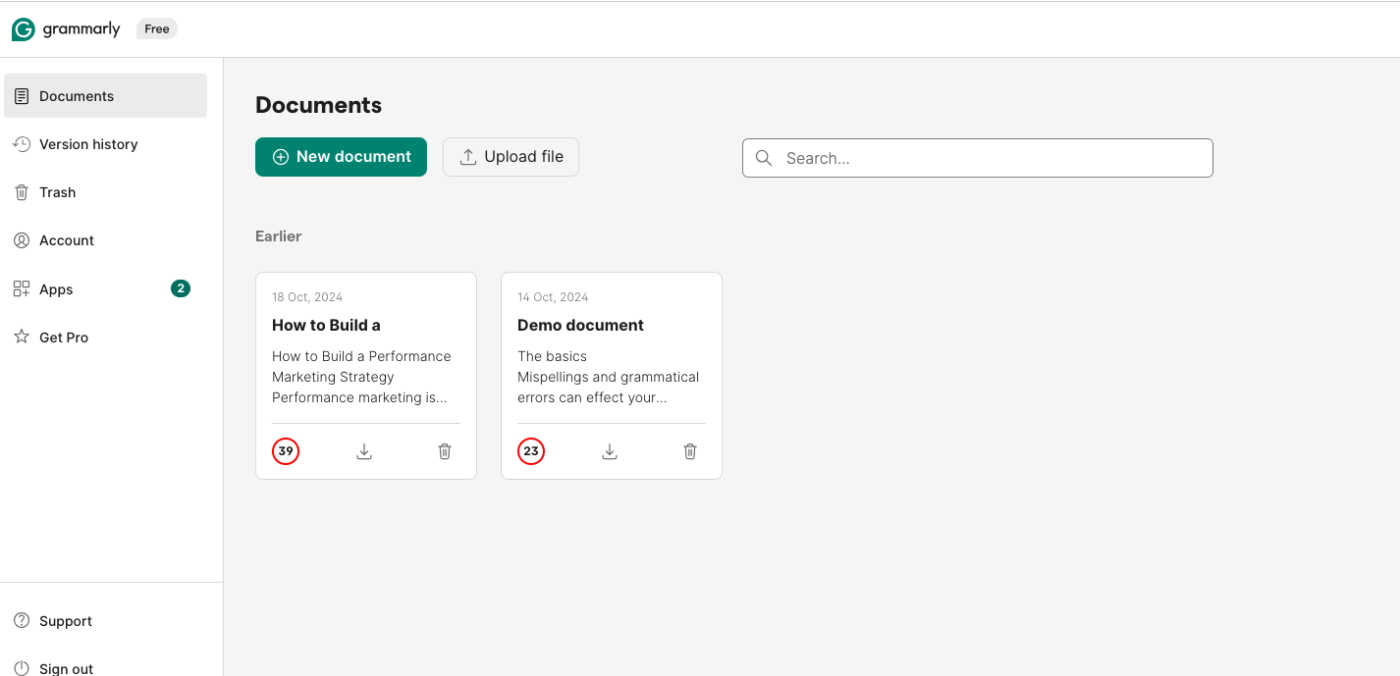
Your brain has the ideas. Grammarly makes sure they don’t come out in a tangle.
Grammarly is the AI writing assistant most people recognize—for good reason. It checks grammar, spelling, and tone as you write across emails, documents, and platforms like Slack or Notion. But beyond catching typos, Grammarly helps you sound more confident, concise, or empathetic, depending on your intent.
Grammarly’s AI offers tone adjustment, full-sentence rewrites, and content ideation. Expanded integrations and real-time feedback for clarity and engagement make it a writing clarity engine for professionals.
For professionals juggling quick replies or formal reports, Grammarly’s real-time suggestions smooth out communication without slowing you down. It flags unclear phrasing, suggests alternative word choices, and even recommends rewrites when you’re rambling. Its tone detector is especially helpful in preventing those ‘oops, that sounded too harsh’ moments.
📮ClickUp Insight: 37% of our respondents use AI for content creation, including writing, editing, and emails. However, this process usually involves switching between different tools, such as a content generation tool and your workspace.
With ClickUp, you get AI-powered writing assistance across the workspace, including emails, comments, chats, Docs, and more—all while maintaining context from your entire workspace.
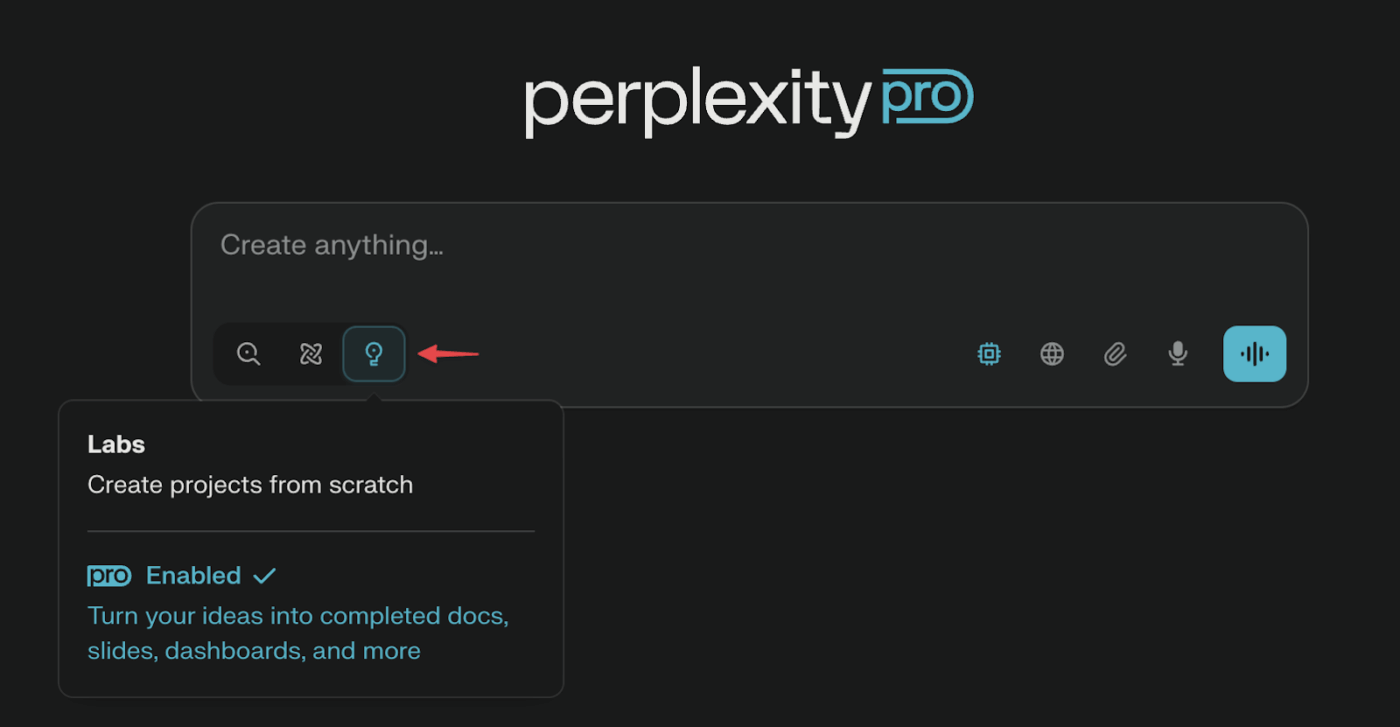
You don’t need to open 17 tabs to research one question anymore—Perplexity Labs has done the reading for you.
Perplexity Labs is built for anyone who needs competent answers without the noise. Powered by cutting-edge large language models, it is a conversational AI research assistant that finds, cites, and summarizes information from web and academic sources. You ask a question, and it responds with not just an answer—but sources, context, and follow-up options.
Perplexity’s AI-powered search provides citation-backed answers and real-time web data. New features include summarizing academic and technical content, positioning it as a research assistant.
Unlike traditional search engines that flood you with links, Perplexity gives you clean, citation-backed summaries so you can evaluate information quickly. It’s especially useful for researchers, students, marketers, and analysts who spend more time verifying facts than finding them.
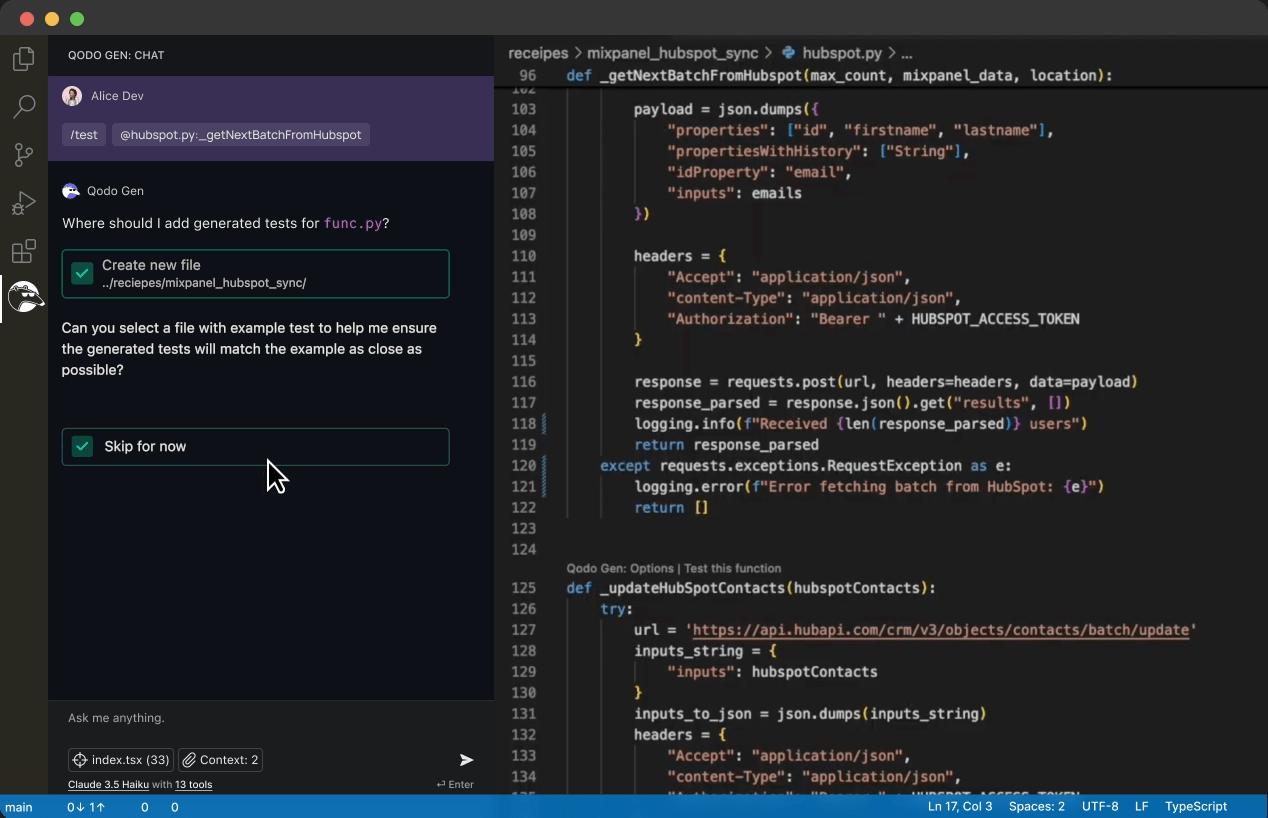
Code reviews often feel like a bottleneck. Qodo turns them into a superpower.
Qodo is an AI-first platform built for modern dev teams that helps you write, test, and refine code with machine-level precision. From analyzing pull requests to recommending better practices across your repo, Qodo’s multi-agent system acts like a behind-the-scenes reviewer that learns how your team codes—and improves with every commit.
Qodo’s AI delivers smart reminders, project insights, and code review automation. Its new collaboration features for dev teams make it a strong choice for code integrity and productivity.
Qodo can surface bugs, suggest PR descriptions, enforce naming conventions, and generate unit tests. The result? Faster releases, fewer bugs, and happier engineers. Whether you’re a solo dev or scaling across squads, Qodo keeps code quality consistent without getting in the way.
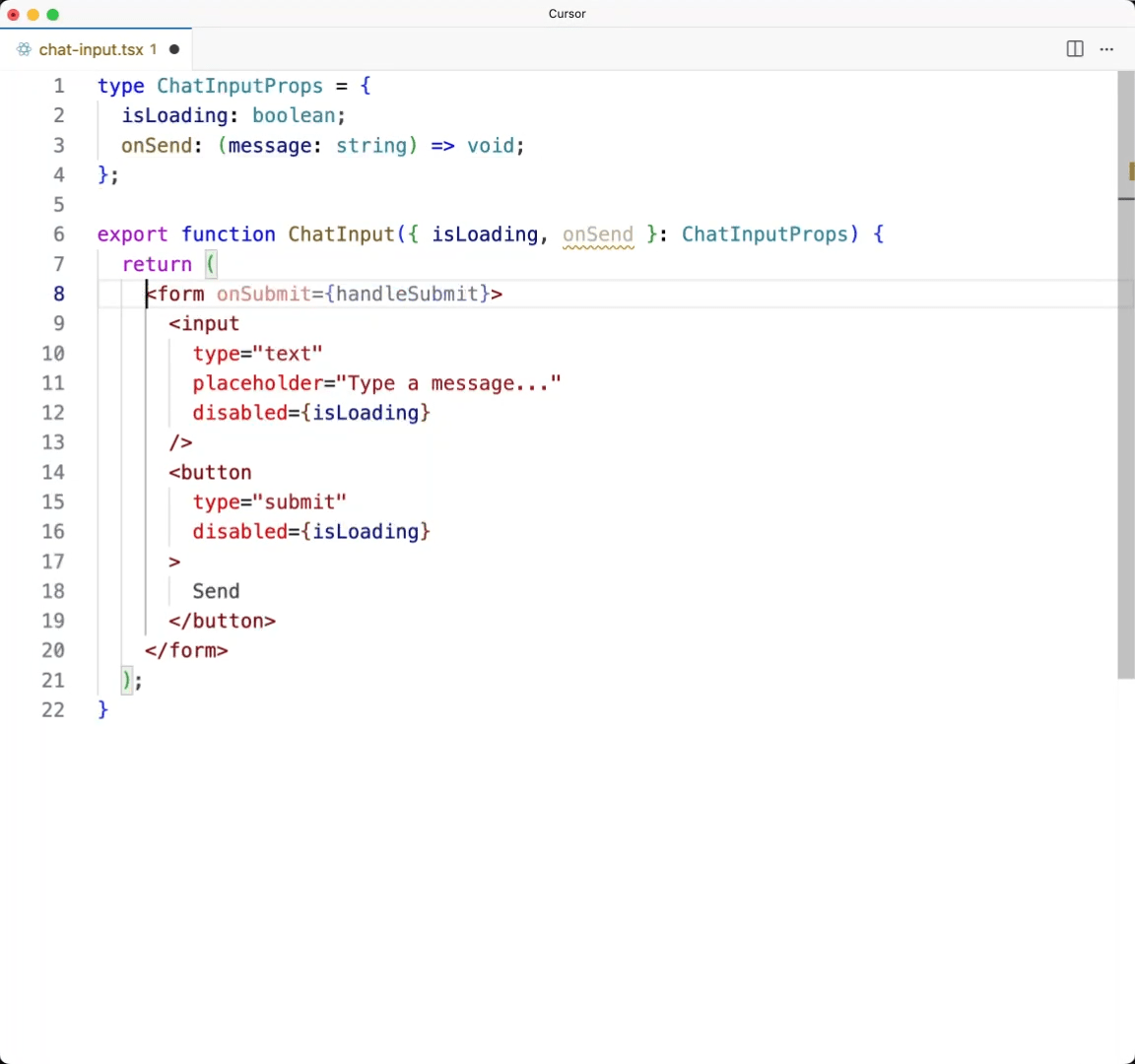
Debugging at 2 a.m. feels less lonely when Cursor’s in your corner.
Cursor is an AI-native code editor built for developers who want more than just syntax highlighting. It integrates a conversational AI directly into your dev environment, helping you generate, edit, and explain code snippets while you work. Instead of toggling between Stack Overflow and your IDE, Cursor keeps your questions, answers, and code in one flow.
Whether you’re writing from scratch, cleaning up legacy code, or figuring out why that one line keeps breaking your build, Cursor offers contextual suggestions and in-line edits. It understands your repo, references your files, and keeps its answers rooted in the actual project you’re working on.
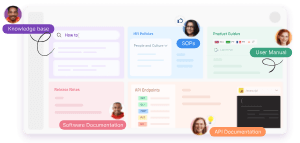
If your company wiki feels more like a junk drawer, Document360 is here to clean it up.
This platform is designed to help teams create clear, structured, and searchable knowledge bases—both for internal teams and external users—Document360’s AI powers intelligent search, content recommendations, and auto-tagging. New features include knowledge base maintenance and duplicate detection, making it a knowledge management optimizer.
Whether you’re writing how-to guides for customers, building internal SOPs, or creating onboarding hubs, Document360 gives you granular control over layout, access, and versioning. It’s especially useful for support teams, product managers, and content marketing teams who want a no-fuss, scalable way to keep their content organized.
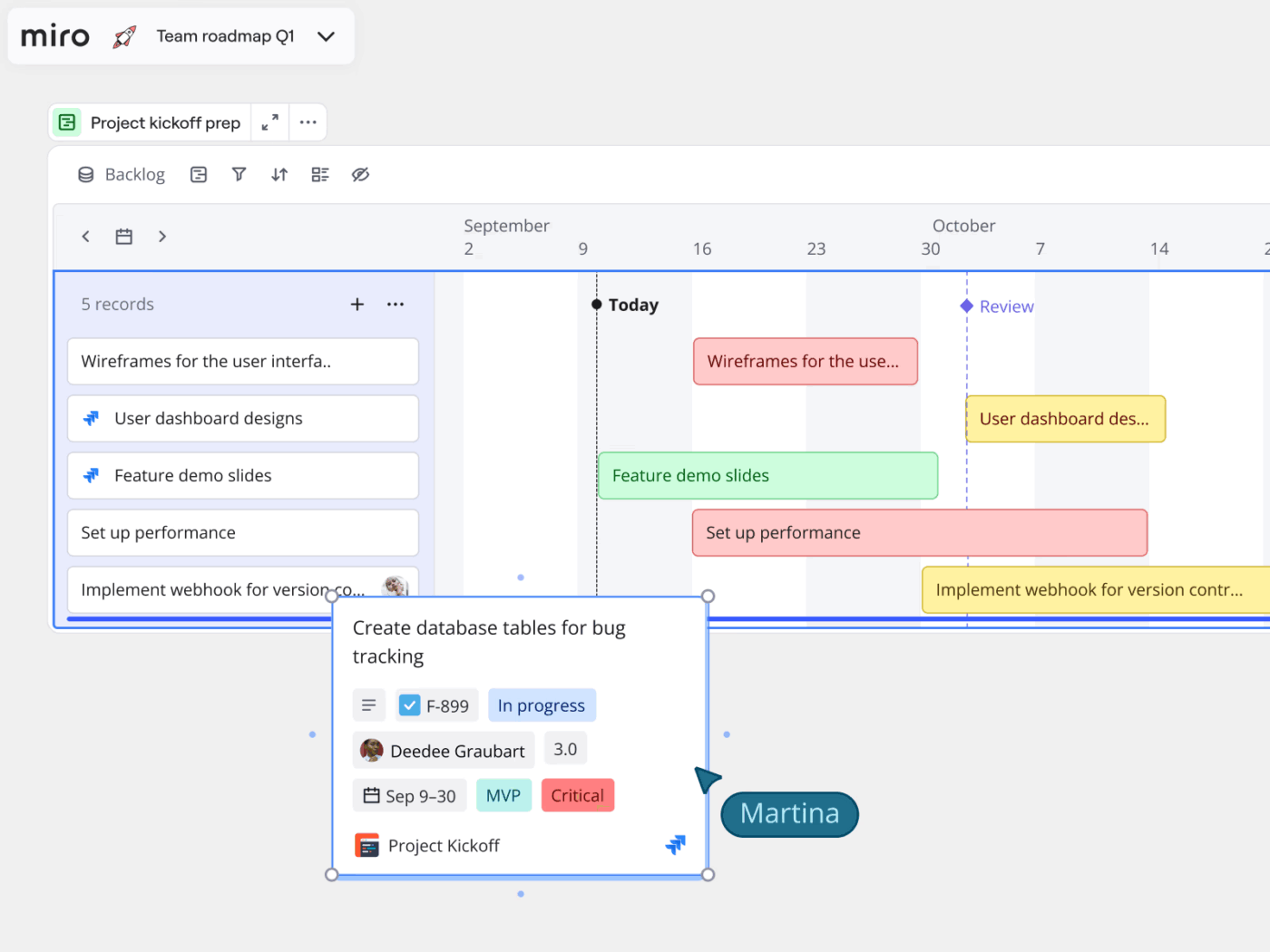
Miro is the go-to visual collaboration platform for teams who think in diagrams, flows, and whiteboards.
With its AI-powered features, Miro helps organize scattered ideas into structured outputs faster—whether you’re mapping out a product roadmap, planning a workshop, or running a design sprint. Miro’s AI automates diagramming, provides smart templates, and clusters ideas for brainstorming. New AI-powered tools facilitate workshops and collaborative creativity, making them central to team innovation.
Instead of manually rearranging thoughts or tagging sticky notes for hours, you can let Miro make sense of it with a few clicks. It also makes cross-functional collaboration smoother by letting everyone contribute asynchronously, regardless of the time zone.
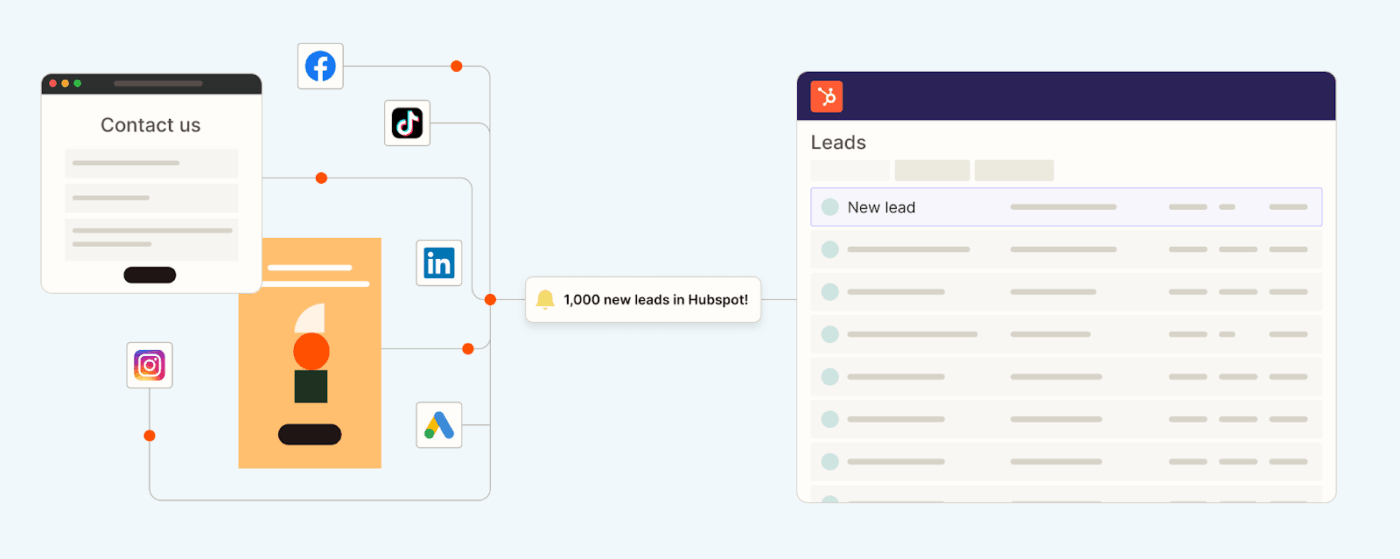
If your apps could talk to each other, Zapier would be their translator and personal assistant.
Zapier is the no-code automation tool that helps you bridge the gaps between your favorite apps. Zapier’s AI enables natural language workflow creation, AI chatbots, and code generation. New features include AI-powered data tables and workflow optimization suggestions, making it a no-code automation powerhouse.
Zapier makes creating workflows (called “Zaps”) even easier with its new AI features. Just describe what you want in plain English; it drafts a ready-to-run automation across your connected tools. It’s a huge win for non-technical users who want to streamline tasks without writing logic or navigating complex builders.
Sticky notes and other quick fixes still have their place, but they can’t handle the pace or complexity of modern workflows. AI-powered tools go further—connecting information, anticipating needs, and automating the repetitive work that slows you down.
Whether you’re leading a team, managing clients, or keeping personal projects on track, the tools in this list help turn scattered ideas into structured, actionable plans.
ClickUp brings these capabilities together in one platform with AI, Automations, Brain, and real-time Dashboards—so projects run smoothly, goals stay visible, and teams stay aligned.
Work intelligently. Start with ClickUp for free.

© 2026 ClickUp

There’s an easier way. Try a free AI Agent in ClickUp that actually does the work for you—set up in minutes, save hours every week.