

Sorry, there were no results found for “”
Sorry, there were no results found for “”
Sorry, there were no results found for “”
Meetings aren’t the problem. It’s what happens after them.
Missed action items, forgotten takeaways, and hours spent writing follow-ups or digging through recordings.
In fact, teams lose over 60% of their time trying to recall context and determine next steps.
That’s where AI meeting agents come in. These tools join your calls, take notes, summarize key points, and track action items—so you can stay focused during the meeting.
I’ve tested the best ones. Here are the top AI agents for meetings that turn conversations into clarity automatically.
Not all AI meeting agents are created equal. Some are brilliant note-takers, while others are scheduling wizards. The best ones? They do it all without making meetings feel like a robotic mess.
Here’s what to look for while picking AI agents for meetings:
Nail these features, and your AI agent won’t just save time—it’ll finally make virtual meetings useful. Now, let’s check out the best tools to get the job done!
📮ClickUp Insight: 37% of workers send follow-up notes or meeting minutes to track action items, but 36% still rely on other, fragmented methods. Without a unified system for capturing decisions, key insights you need may get buried in chats, emails, or spreadsheets.
With ClickUp, you can instantly turn conversations into actionable tasks across all your tasks, chats, and docs—ensuring nothing falls through the cracks.
| Tool | Best Feature | Primary Use Case | Pricing |
|---|---|---|---|
| ClickUp | AI-powered meeting management, unified notes and tasks, customizable dashboards | Global teams and hybrid workplaces need instant task generation | Free forever; Customization available for enterprises |
| Otter AI | Real-time transcription, smart summaries, async collaboration | Solo professionals and teams needing fast summaries and action tracking | Free; Paid plans start at $16.99/month |
| Fireflies AI | Searchable transcripts, CRM integrations, voice commands | Teams needing searchable meetings, CRM logging, and speaker analytics | Free; Paid plans start at $18/month |
| Avoma | Revenue forecasting, smart summaries, deal insights | Sales teams optimizing performance and tracking revenue risks | $29/month for Meeting Assistant; $69/month for Revenue Intelligence |
| tl;dv | Auto-updates CRM tools, live tagging, multilingual transcription | Sales and global teams needing CRM syncing and meeting highlight sharing | Free; Paid plans start at $29/month |
| MeetGeek | Automated email summaries, task creation, CRM integrations | Teams wanting detailed insights sent directly post-meeting | Free; Paid plans start at $19/month |
| Sembly AI | Exportable transcripts with timestamps, Smart Meeting Notes | Teams needing structured, timestamped transcripts for documentation | Free; Paid plans start at $15/month |
| Fathom AI | Multilingual real-time highlights and summaries | Remote and non-technical teams looking for simplicity | Free; Paid plans start at $19/month |
| Supernormal | 60+ language transcription, auto-sync to CRMs | Students and educators need AI-powered tutoring and study help | Free; Paid plans start at $18/month |
| Jamworks | AI flashcards, lecture recording, real-time note capture | Teams in noisy environments need clearer, cleaner calls | $18.99/month for students |
| Krisp AI | Noise cancellation, voice clarity, AI-powered transcription | Teams in noisy environments needing clearer, cleaner calls | Free; Paid plans start at $16/month |
Our editorial team follows a transparent, research-backed, and vendor-neutral process, so you can trust that our recommendations are based on real product value.
Here’s a detailed rundown of how we review software at ClickUp.
👀 Did You Know? 83% of knowledge workers rely primarily on email and chat for team communication, scattering vital information across disconnected channels and limiting effective collaboration.
The right AI meeting agent changes that, turning meetings into action instead of time drains. Here are my top 11 favorites that help me sail through a packed day of meetings!
First up is ClickUp—the everything app for work. From managing projects and tracking goals to staying on top of a packed meeting schedule, ClickUp helps you keep everything organized, connected, and moving forward.
ClickUp AI Agents are proactive digital assistants designed to automate the “what’s next” after every meeting.
What sets AI Agents apart is their ability to take real action, not just analyze or summarize, but execute.
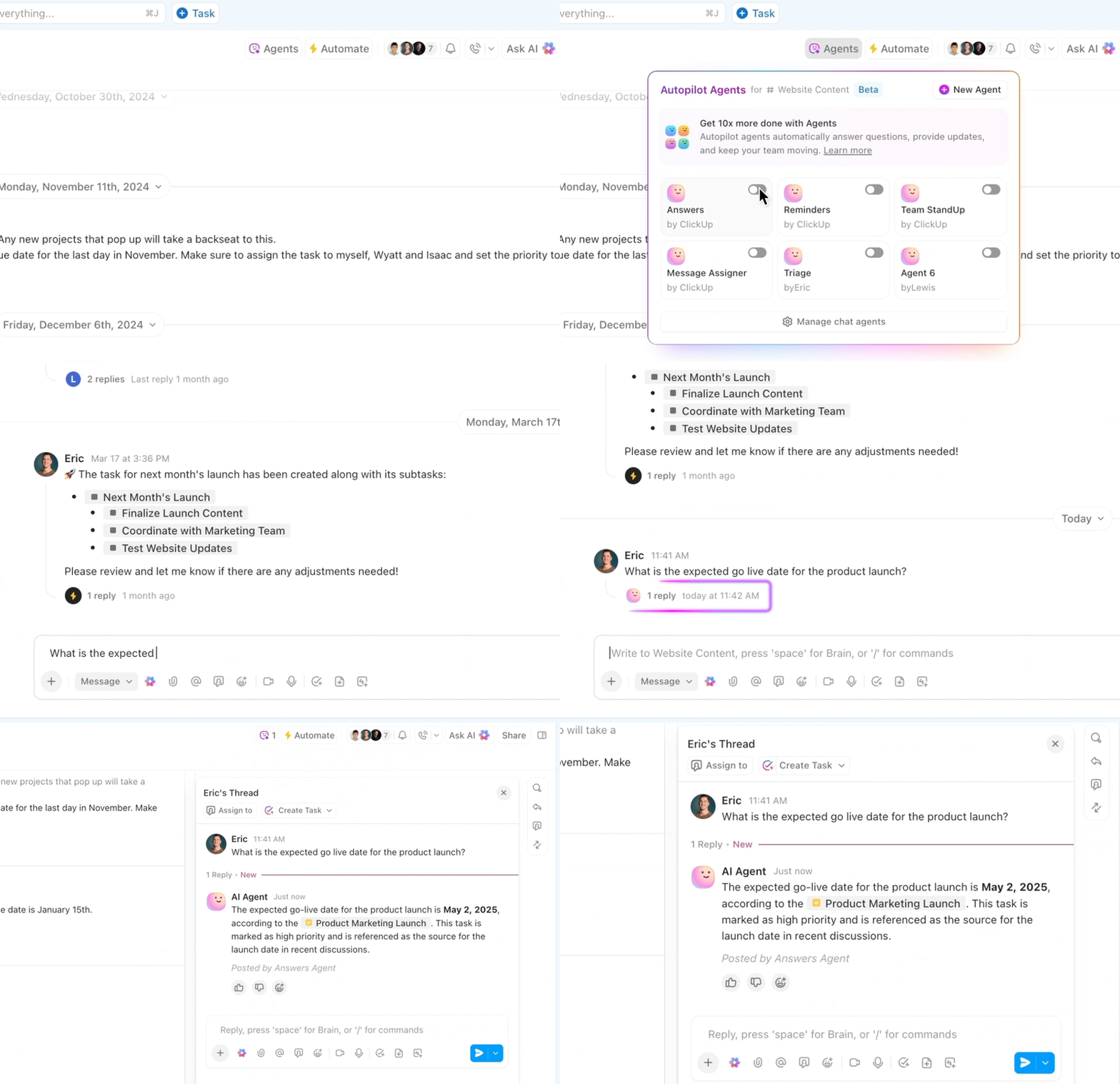
With this, you can:
Best use cases:
AI Agents are all about execution and accountability—automating routine follow-ups and task creation, while keeping users in control.
ClickUp AI Notetaker is your meeting’s silent MVP, focused on capturing and organizing everything discussed.
It joins your Zoom or Google Meet calls, records the conversation, transcribes everything in real time, and delivers polished summaries— automatically.
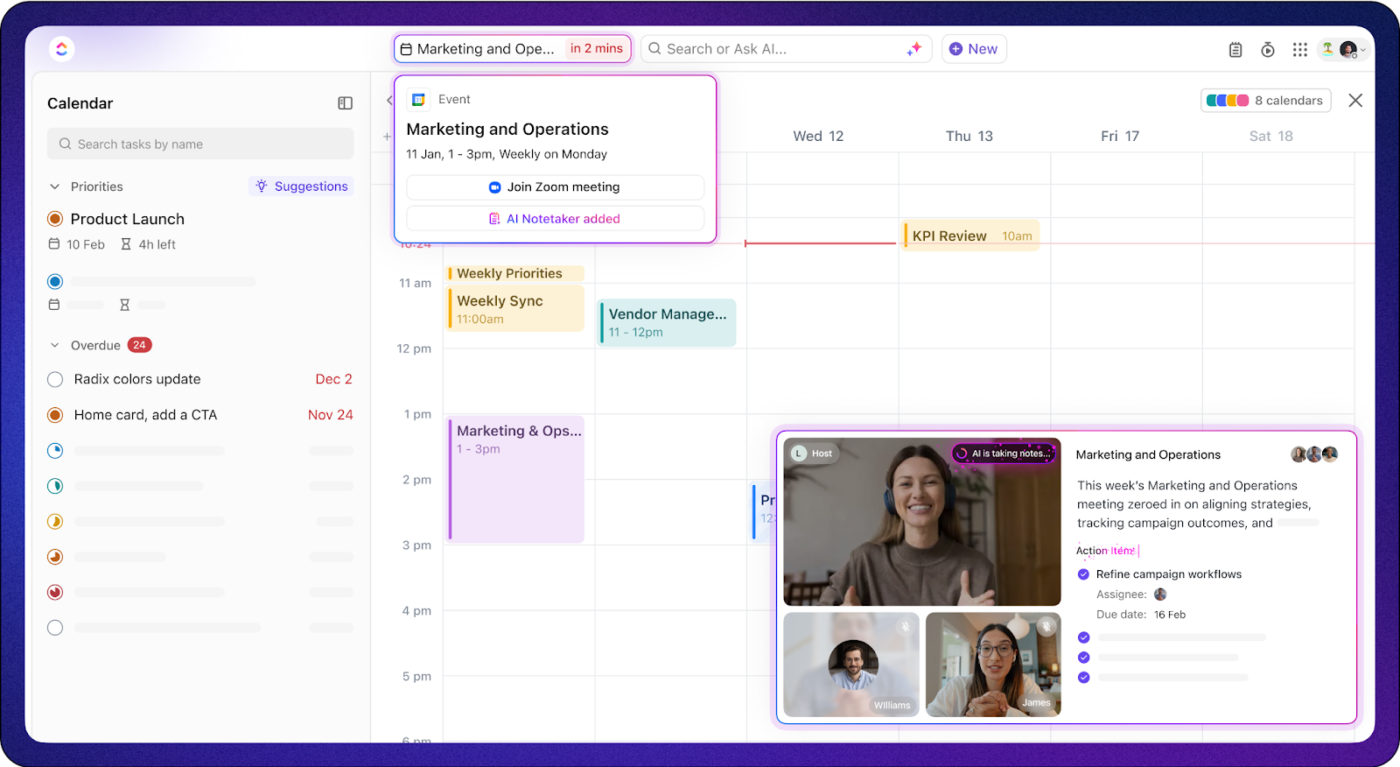
You stay present and engaged—AI Notetaker handles the documentation.
💡 Pro Tip: Enable ClickUp’s calendar integrations to automatically sync your meetings and trigger AI Notetaker when calls begin.
ClickUp Brain is your built-in AI assistant that turns conversations and content into clear, actionable insights within your Workspace. With it, you can:
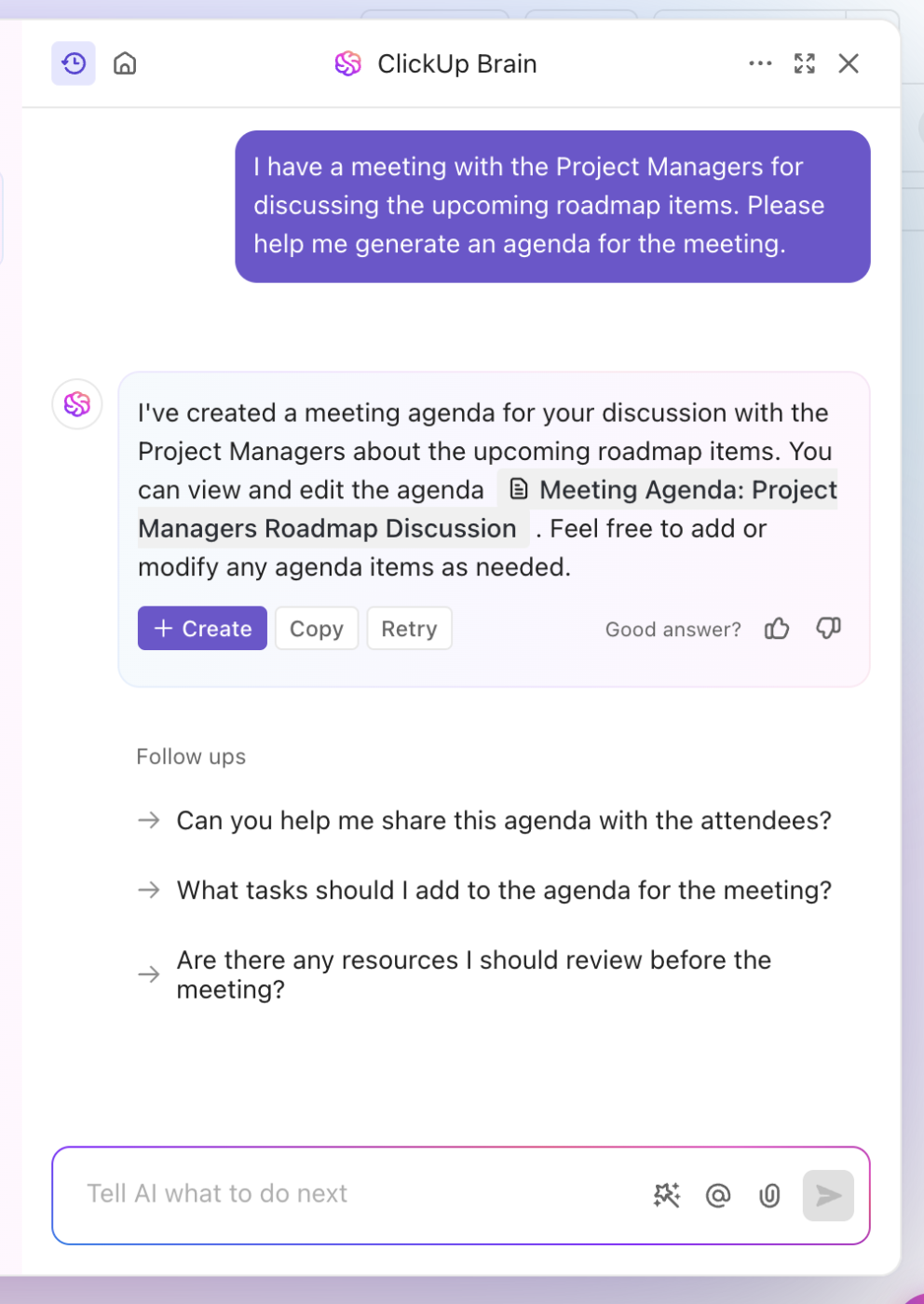
Best use cases:
ClickUp Brain is all about context-aware intelligence—helping you prep, summarize, and plan smarter meetings.
For teams ready to consolidate their AI stack, Brain Max is the upgrade that transforms ClickUp into a true AI super app.
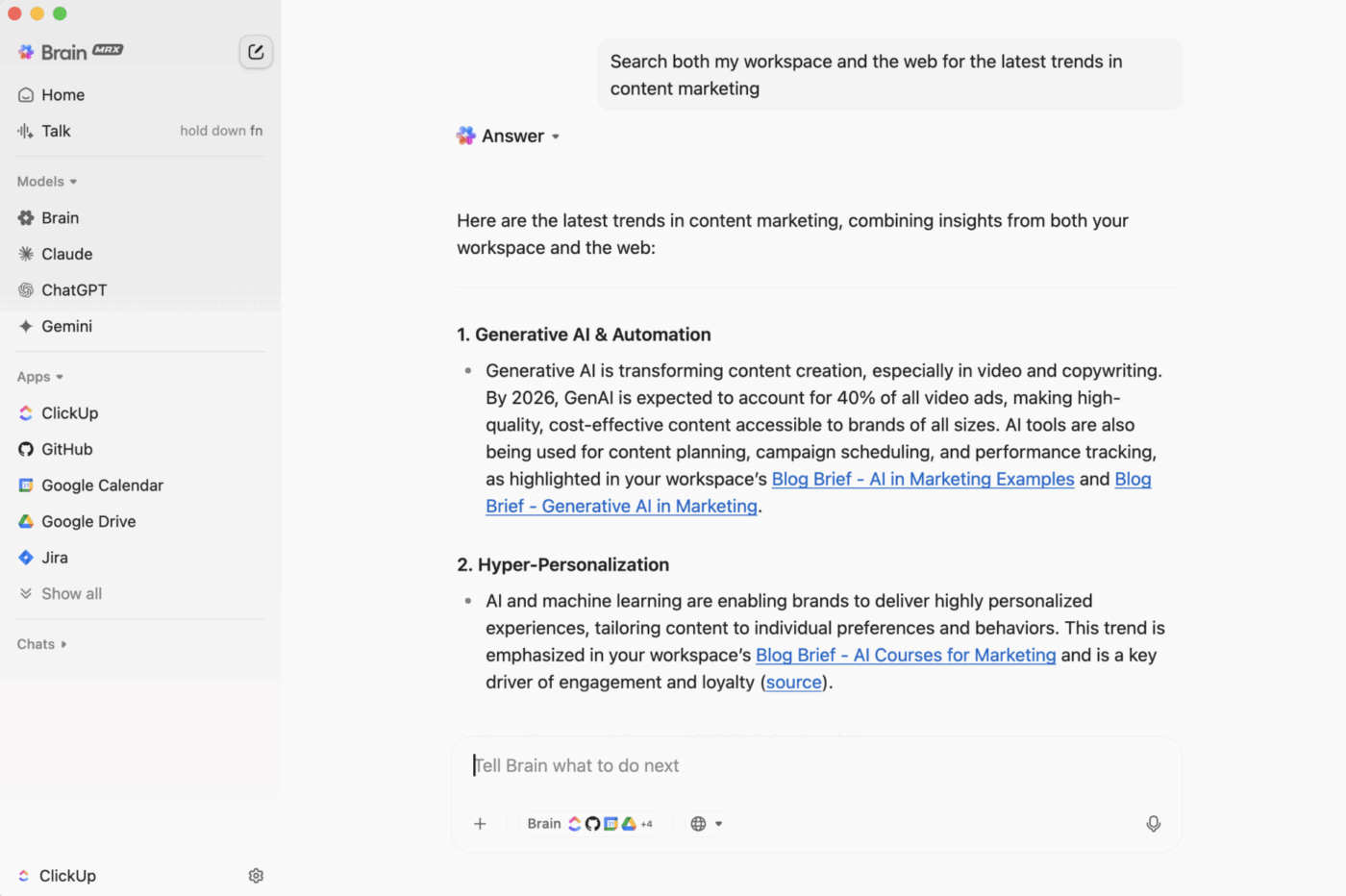
Here’s how Brain Max takes your meetings further:
Best use cases:
The real game-changer? Brain Max curbs AI sprawl. You get everything in one place instead of paying for multiple disconnected apps. Teams using Brain Max have reported up to 88% cost savings by consolidating their productivity stack into ClickUp.
In short, ClickUp Brain provides intelligent, context-aware AI for every meeting. Brain Max turns ClickUp into your all-in-one AI command center, streamlining meetings, automating follow-ups, and eliminating the chaos (and cost) of AI sprawl.
💡 Pro Tip: Use Brain Max’s talk-to-speech feature to capture action items and feedback in real time—then let AI Agents turn them into tasks and reminders, so nothing is overlooked.
Run focused, action-oriented meetings with ClickUp Meetings
Beyond AI, ClickUp Meetings allows you to schedule, track, and automate follow-ups, ensuring action items don’t get lost.
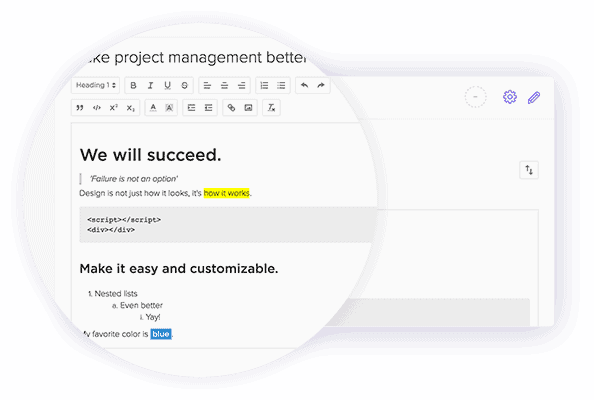
With this, you can use:
💡 Pro Tip: Integrate ClickUp with Zoom, Google Calendar, and other tools to schedule, join, and track meetings—all without jumping between apps.
Struggling to keep your meeting notes neat, useful, and readable later? These ClickUp templates take the chaos out of documentation:
A TrustRadius review says:
We use it to help and accelerate our daily meetings from our Scrum ritual. It helps me get to know the progress of my sprint, the progress of my tasks and to keep an organized backlog for all of my errands.
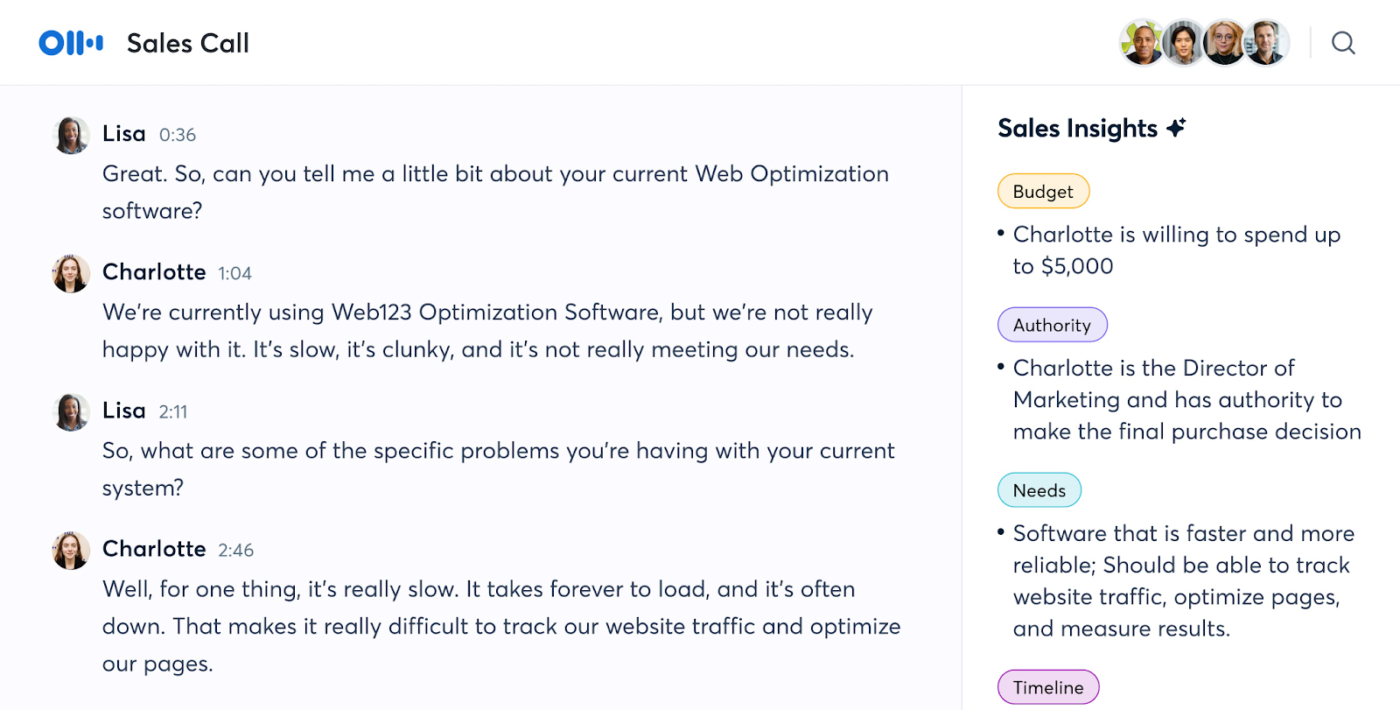
Frantic note-taking and missed action items are now avoidable. Otter.ai, one of the top AI meeting assistants, transcribes meetings in real-time, generates instant summaries, and even assigns tasks to help you stay engaged while it handles key points and action items.
Unlike standard transcription tools, Otter.ai goes further with OtterPilot, which auto-joins Zoom, Google Meet, and Microsoft Teams to take notes for you. A key strength is its ability to condense lengthy 1-hour meetings into quick, 30-second digestible recaps.
Otter’s smart automation features are useful for solo professionals and large teams. It automatically identifies key moments, speakers, and context, creating rich meeting notes without manual tagging. You can highlight transcript sections in the same workspace, attach slides, and generate follow-up insights.
Otter AI’s real-time collaboration features make it especially effective for team meetings. Teammates can comment, tag each other, and assign follow-ups while the meeting is still happening—no waiting for the meeting to end. The AI Channels support async updates, transforming transcripts into shared team knowledge that evolves over time.
AI capability: OtterPilot uses AI to join meetings automatically, record and transcribe conversations in real time, generate summaries and tasks, and provide a chat assistant to answer questions and draft content.
A G2 review says:
My favorite thing about Otter is that I can pay full attention to those I’m connecting with on a call, without having to continuously take notes. Conversations can become more free-flowing, I can ask more questions and find out a lot more information, because I know that Otter will take notes and record an audio transcript.
🧠 Fun Fact: Otter.ai was named after one of the smartest and most social animals—otters! These clever creatures aren’t just smart—they use tools, remember things for years, and even play games for fun. Oh, and they’re total softies, too—holding hands just to stay close.
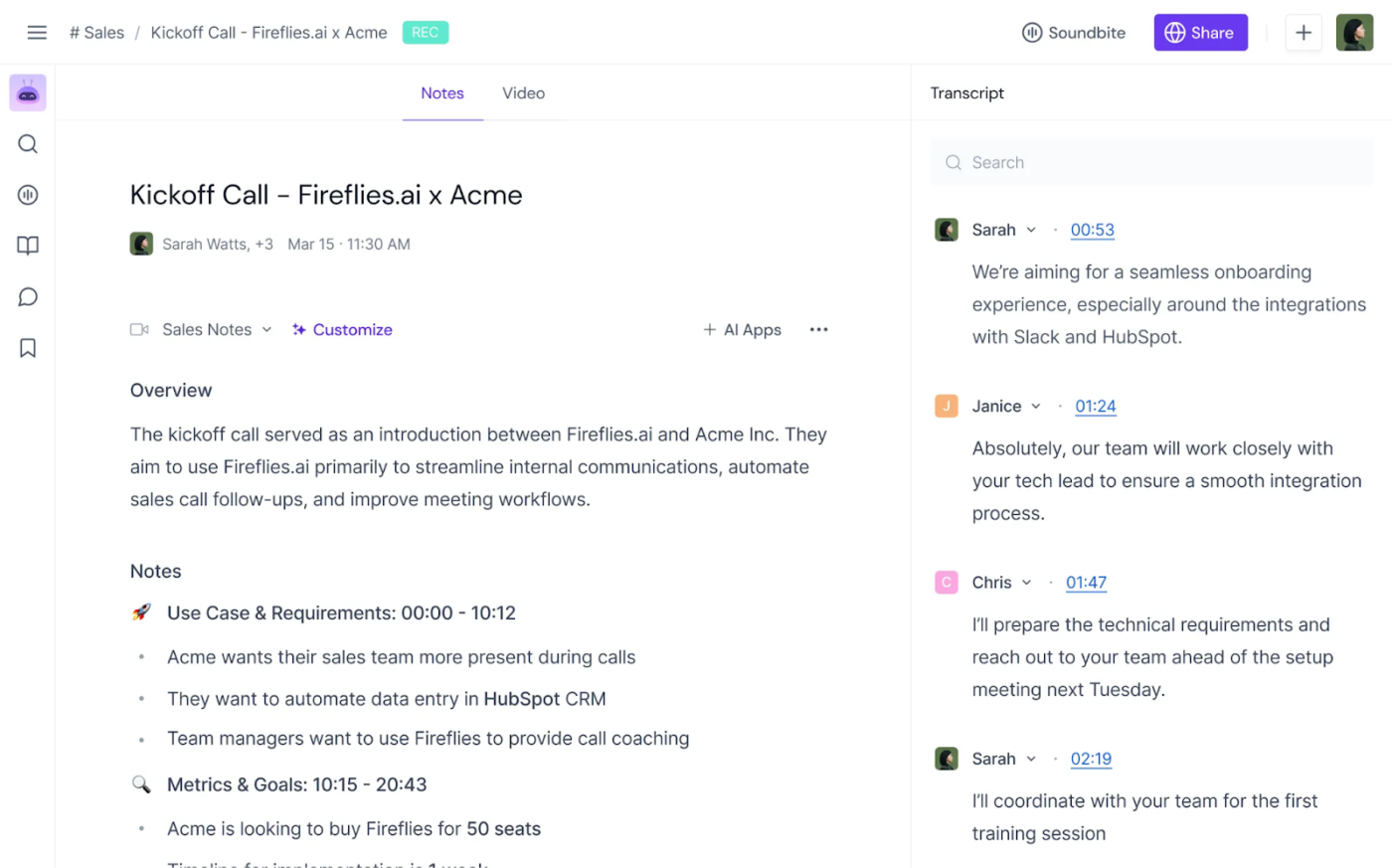
Looking to automate your meeting notes, transcriptions, and summaries? Fireflies AI ensures no detail gets missed.
By inviting the Fireflies AI Notetaker to your calls, you can transcribe and summarize meetings across Zoom, Google Meet, Microsoft Teams, and more. The AI search feature instantly finds key topics, action items, or essential details.
Fireflies stands out for its in-depth meeting analytics and searchable knowledge base. Every meeting becomes a searchable asset with keyword tagging, sentiment analysis, and speaker talk-time breakdowns. You can also generate custom playlists of recorded calls by topic, like objections or feature requests.
The platform also allows integration with CRM tools like Salesforce and HubSpot, helping sales, support, and hiring teams log conversations and action items automatically. Its voice command feature lets you control the bot with phrases like “take note” or “highlight this”—perfect for hands-free tracking during high-focus calls.
AI capability: Fireflies AI uses natural language processing and machine learning to transcribe real-time meetings, identify sentiment, extract action items, and enable voice-activated commands for hands-free meeting note capture.
A Capterra review says:
I chose fireflies because it can create minutes for IRL face-to-face meetings as well as video meetings
Also Read: Best AI Transcription Tools To Try
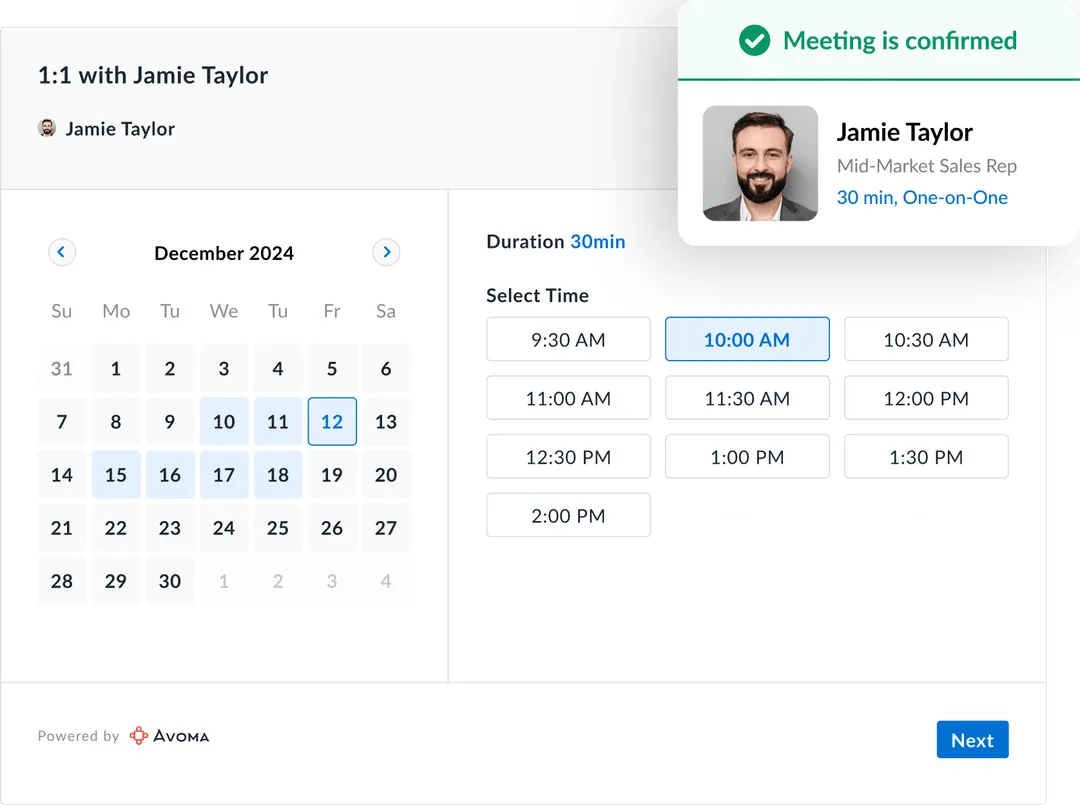
Avoma is an all-in-one AI platform that automates everything from note-taking to scheduling, coaching, and revenue forecasting. The real magic happens with its Conversation Intelligence and Revenue Intelligence features. These features analyze meetings to uncover key insights, track trends, and support better decision-making.
Avoma improves sales team performance by automating call scoring, delivering personalized coaching, and sending real-time deal risk alerts. This leads to better win rates and quota attainment, making your team more efficient and effective.
Beyond sales, Avoma helps customer success and product teams analyze feedback, coach support reps, and identify onboarding friction points. The platform supports multi-language transcription, collaborative note-taking, and AI-powered meeting playback, so teams can revisit key moments without rewatching entire calls.
The AI Scheduler automatically matches participants with available time slots, while Smart Summaries break down each call into agendas, takeaways, and objections, ready to send to CRMs, Slack, or email.
AI capability: Avoma leverages AI to transcribe, summarize, and analyze meetings, forecast revenue trends, assess conversation quality, and generate coaching insights across sales and support teams.
+Add ons:
A G2 review says:
The automatic recording transcription features are very accurate, saving us time and ensuring nothing gets lost in conversation.
The ability to differentiate speakers and the summary of meeting notes that are provided at the end make it easy to follow discussions and reference any key points later.
🧠 Fun Fact: The word “minute” in “meeting minutes” doesn’t refer to time—it comes from the Latin minuta scriptura, meaning “small writing.” So yes, your meeting notes were always meant to be short and sweet.
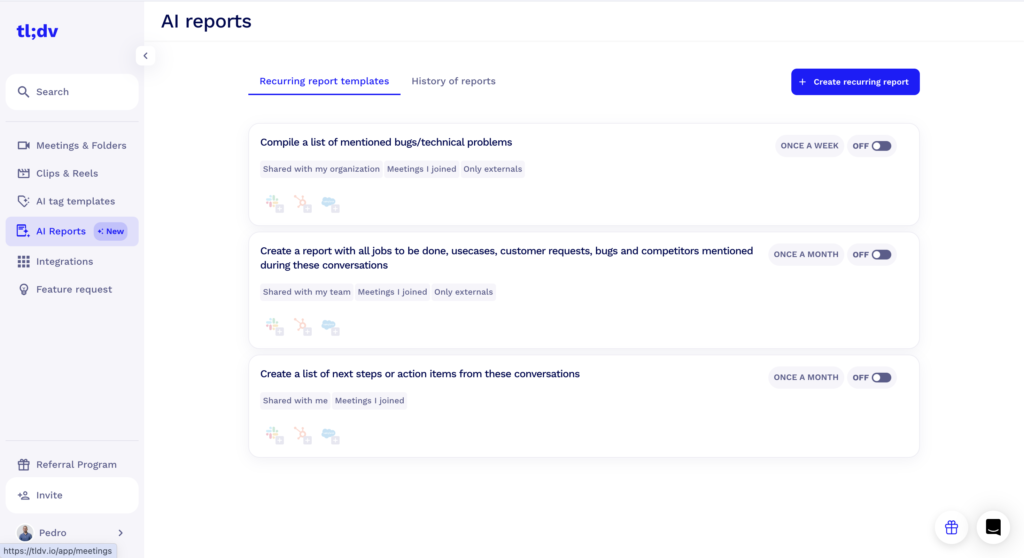
tl;dv (too long; didn’t view) is an AI meeting assistant that records, transcribes, summarizes, and—most importantly—integrates meeting outputs with other workflow tools. It effortlessly syncs with Zoom, Microsoft Teams, and Google Meet. It automatically records calls and delivers concise, AI-generated summaries and highlights.
It also updates your CRM after every call—auto-filling key details and pushing tasks into CRMs like Salesforce and HubSpot or tools like Jira, Slack, Asana, and ClickUp. With meeting prompts for specific topics or customer calls, you can focus more on fine-tuning your sales skills.
tl;dv stands out for letting you tag moments live and instantly generate shareable clips with AI-generated titles and summaries. These clips can be embedded in docs, shared via Slack, or saved under client accounts for quicker team handoffs.
It includes keyword-based search, timestamped highlights, and a smart inbox that flags meetings needing your review. With multilingual transcription and speaker labels, tl;dv works well for fast-moving global teams.
AI capability: tl;dv uses AI to transcribe meetings, summarize key points, detect speaker cues, and automatically trigger task updates across CRM and project tools.
A G2 review says:
TLDV has made a big difference in how I manage meetings. The automatic transcriptions and summaries save me a ton of time, especially when I need to revisit specific points or share notes with my team. I also love the ability to tag key moments and quickly navigate through long recordings. The interface is clean and easy to use, and it integrates well with my existing tools.
👀 Did You Know? Microsoft found that meeting time has tripled since 2020 to 2022, thanks to remote work—no wonder calendars are chaotic! The right tools can cut through the clutter, keeping meetings productive and your sanity intact.
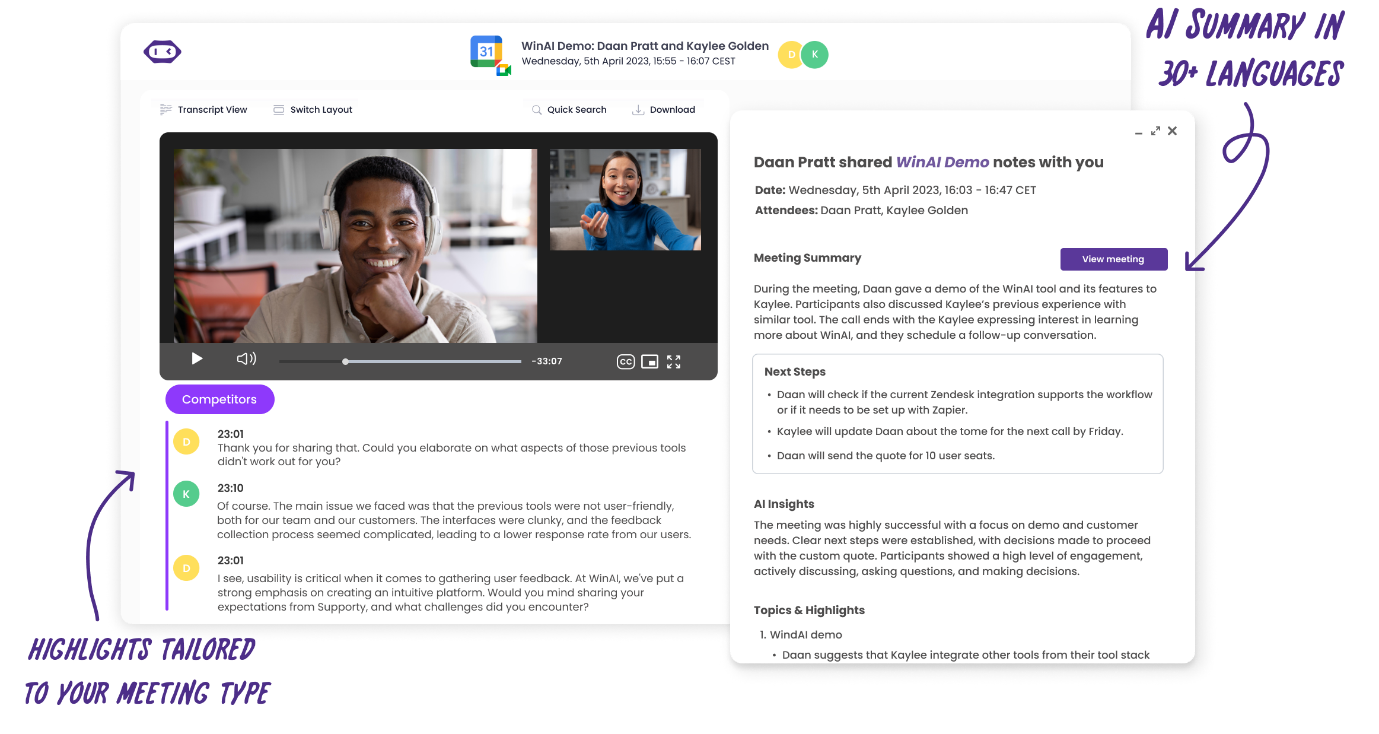
MeetGeek is another standout AI meeting assistant worth considering. It offers powerful tools that automatically join calendar meetings and generate recordings, transcripts, and meeting notes.
MeetGeek’s standout feature is its ability to detect and categorize topics—tagging facts, decisions, and concerns—and automatically email granular summaries and insights to relevant tools or stakeholders after the meeting.
MeetGeek also supports automated meeting workflows—like sending personalized follow-up emails, updating CRM entries, and creating tasks in project tools. It also enables branded recap emails with customizable formats and links, which can be sent automatically to participants or team channels.
With shared workspaces and searchable archives, MeetGeek is a central meeting hub. Smart tagging and timeline navigation let teams quickly access decisions or risks, while integrations with tools like Notion, Asana, and HubSpot make it easy to act on insights.
AI capability: MeetGeek uses AI to identify topics, tag decisions, extract highlights, and send automated summaries, follow-ups, and tasks to external tools based on meeting context.
A G2 review says:
If I’ve more than one meeting at a time I can set MeetGeek to attend the meetings and it take all relevant notes, capture who was on that meeting and give “detail” breakdown of what took place in the meeting.
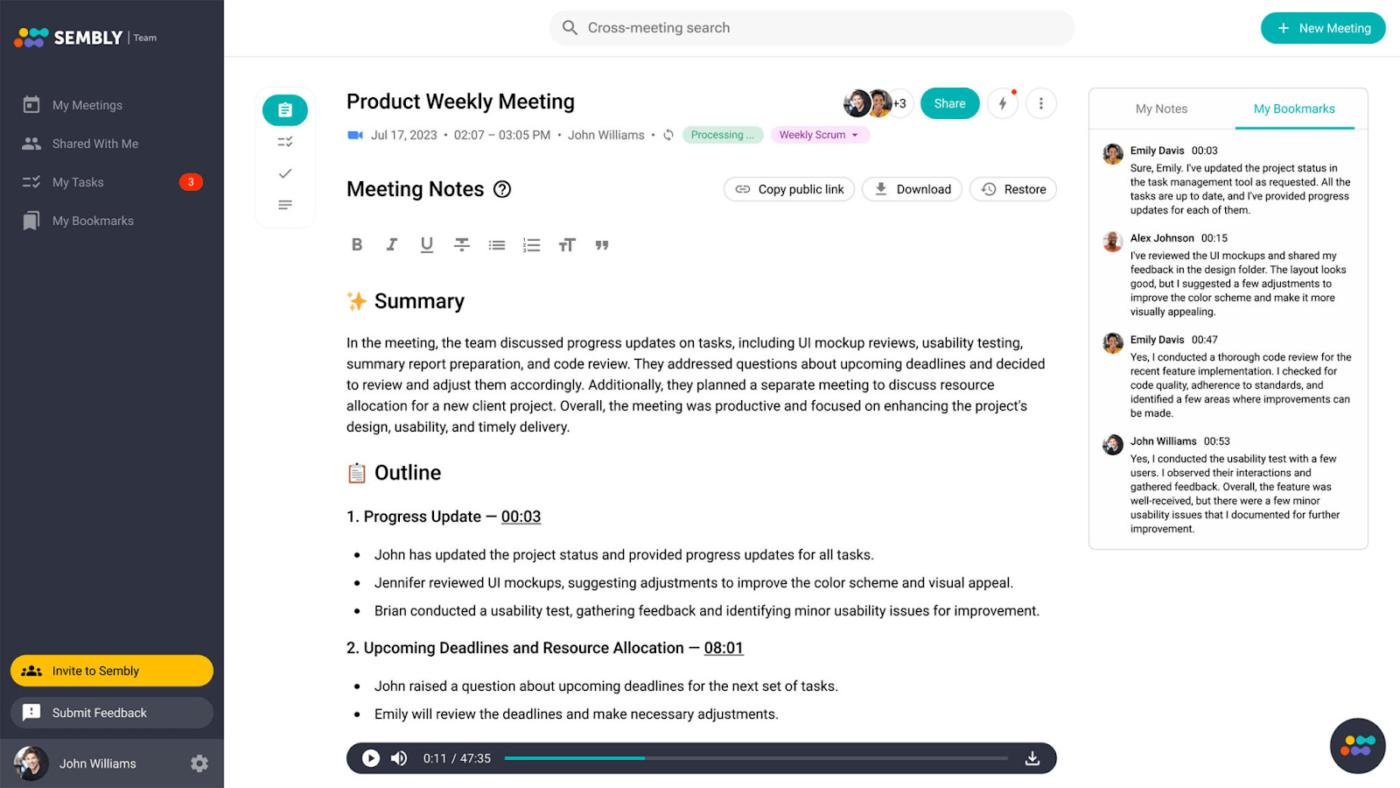
No need to hit record—Sembly AI automatically captures your meetings. Got a pre-recorded call? Upload the audio or video to get transcripts, notes, and insights quickly.
Sembly stands out with exportable transcripts that include customizable timestamps and speaker labels—ideal for compliance, documentation, or detailed analysis. You can also record offline conversations via browser or phone.
Sembly’s Personal AI Assistant can join meetings for you and analyze discussions for sentiment, follow-ups, and significant decisions. Smart Meeting Notes organizes transcripts into structured sections like problems, risks, solutions, and outcomes.
The platform supports 40+ languages and integrates with tools like Microsoft Teams, Zoom, and Google Calendar. Team Workspaces let teams centrally store, annotate, search, and tag transcripts across departments.
AI capability: Sembly uses AI to transcribe, tag, and structure meeting conversations, providing smart summaries, speaker detection, sentiment analysis, and searchable transcripts with timestamps.
A G2 review says:
Sembly works with all platforms and even when you are not online giving a consistent source of note taking. I use it every day and because it is web based its easy to integrate.
🧠 Fun Fact: One in five Americans now work in a job with high exposure to AI. As workplaces evolve, the key isn’t avoiding AI—it’s learning how to work with it, especially in meetings where AI tools can boost productivity, capture insights, and keep everyone aligned.
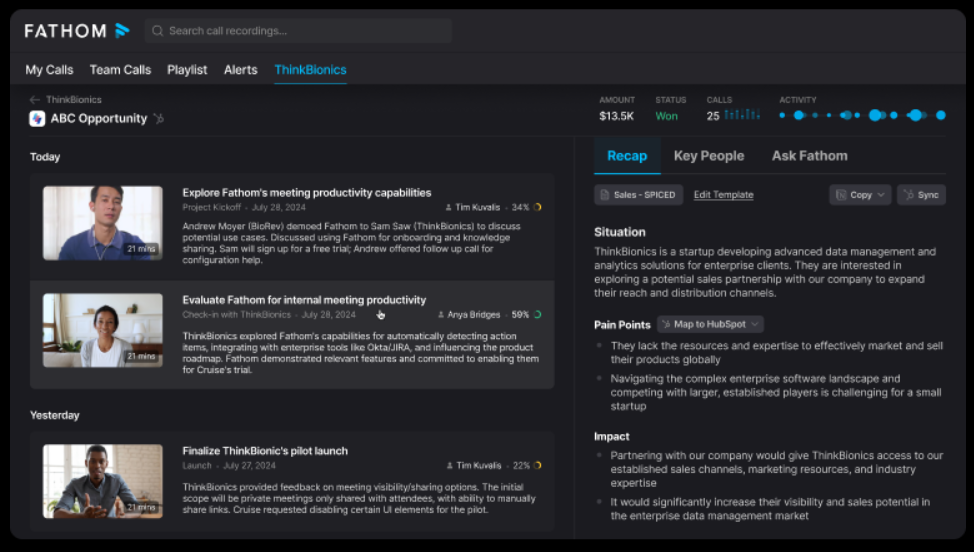
For teams that want to skip the learning curve, Fathom AI is a simple, effective solution. It features a clean, intuitive interface, making it one of the easiest meeting assistants to use. You can turn your discussions into a meeting recap and build an action plan in minutes. Fathom generates detailed notes, highlights action items, and helps you draft follow-up emails.
Fathom’s standout feature is support for 28 languages—delivering accurate notes regardless of meeting language.
Fathom AI is popular with customer-facing and remote teams that want to stay focused during calls and receive accurate documentation. During meetings, users can highlight key moments with one click, and Fathom instantly adds those clips to the recap.
After each meeting, Fathom delivers summaries via email or Slack, including decisions, questions, and next steps. Automatically push meeting insights into tools like HubSpot or Salesforce—no manual work needed.
AI capability: Fathom uses AI to record, transcribe, highlight, and summarize meetings, offering multilingual support, real-time clip creation, and automated follow-up content via email or CRM sync.
A G2 review says:
This app has been incredibly helpful for staying organized and productive, especially during meetings. I love how it automatically captures key moments, generates summaries, and allows me to focus on the conversation instead of taking constant notes. The interface is clean and intuitive, and the features are exactly what I need. Highly recommend it to anyone looking to work smarter and save time!
Also Read: Free Task List Templates in Excel & ClickUp
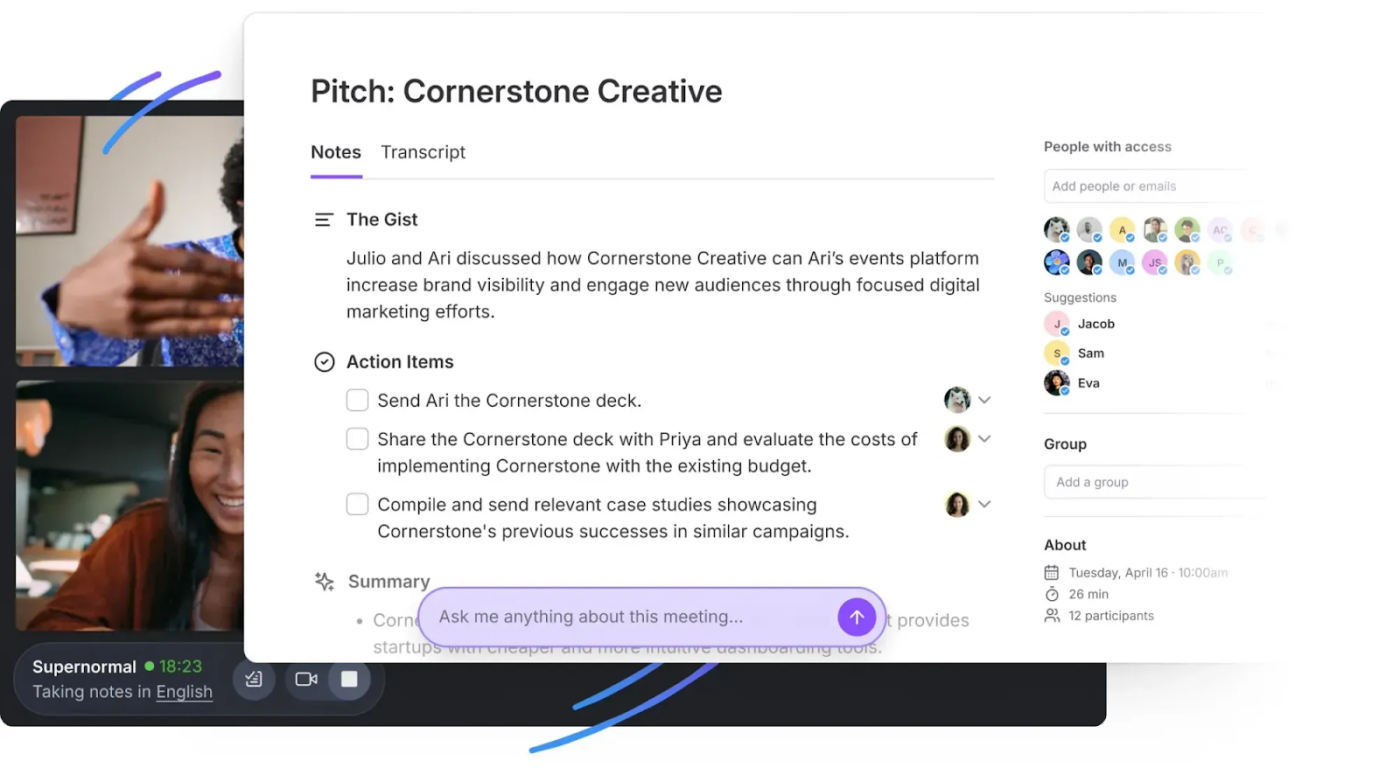
Next up is Supernormal—a Zoom-compatible AI agent designed to simplify your meetings. This Zoom AI agent is Supernormal. It automatically takes notes, generates AI summaries, and syncs action items seamlessly with Zoom, Google Meet, and Microsoft Teams.
Norma, the AI assistant, categorizes key points, creates tasks, and automatically updates your CRM or project tools.
Designed for global teams, it integrates with Salesforce, Slack, Notion, Trello, HubSpot, and Asana, and supports over 60 languages.
Supernormal eliminates post-meeting admin work by turning summaries into structured action items and assigning them instantly. It includes templates tailored to sales, product, or HR roles, so each meeting format aligns with your team’s workflow.
It automatically syncs with your calendar to join the right meetings and supports branded recaps and speaker-specific transcript formatting. Teams can collaborate on notes in real time or asynchronously—ideal for hybrid environments.
AI capability: Supernormal uses AI to join meetings, transcribe in 60+ languages, auto-generate structured summaries, assign tasks, and push updates across CRM and project tools with minimal setup.
A G2 review says:
What I like most about Supernormal is its accurate transcription, even in Portuguese, and how it automatically organizes meeting notes by topic. It has saved me a lot of time when preparing post-meeting documentation and summaries for alignment with technical teams. I also appreciate the seamless integration with Google Meet, which allows recordings to start automatically without manual input. The interface is clean and intuitive, which helps a lot when managing multiple projects.
👀 Did You Know? Studies show that 68% of employees say inefficient team meetings are their biggest productivity killer. That’s a lot of wasted time that could’ve been saved with AI-powered meeting management software!
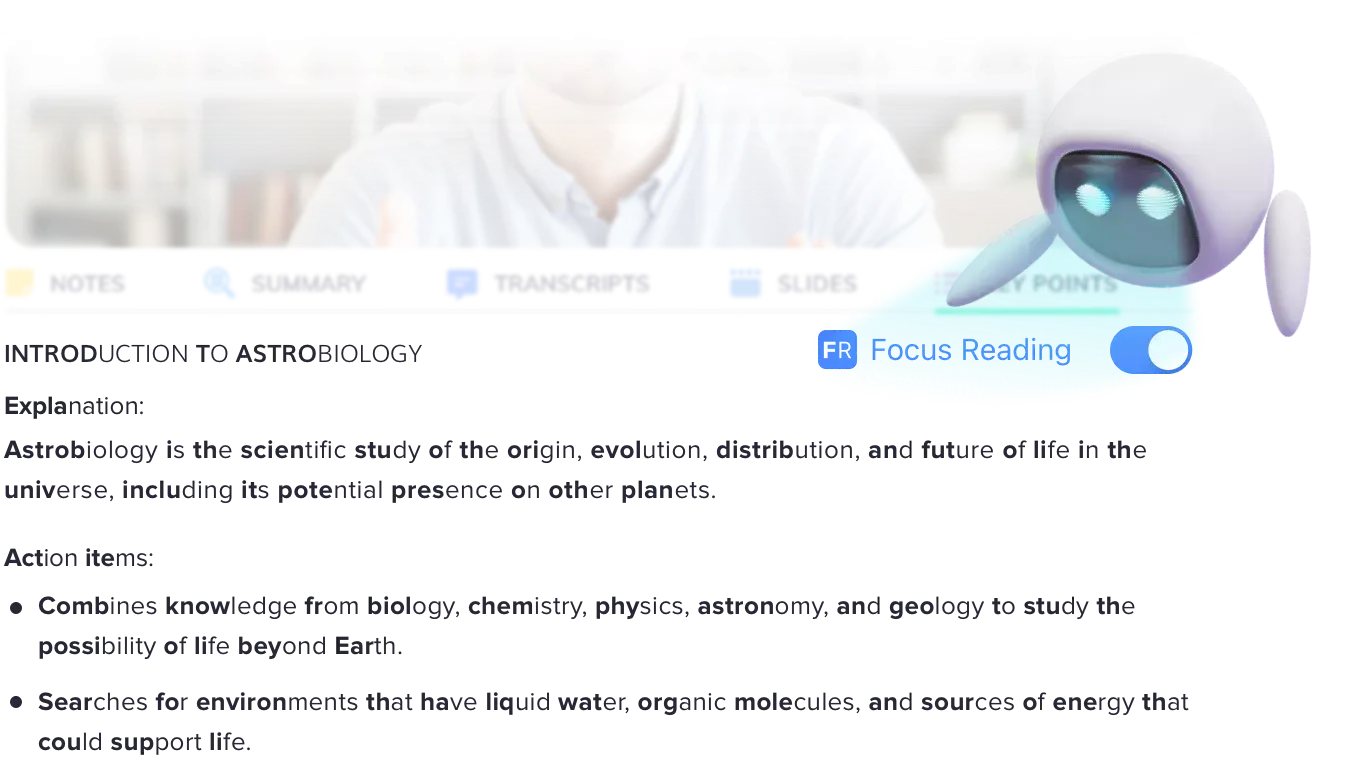
Still scribbling notes like it’s the ’90s? Meet Jamworks. This isn’t just another note-taking app—it’s your personal study assistant. It records lectures, generates AI-powered notes, and even creates interactive flashcards to help you retain key concepts.
Zoned out in class? Need a quick refresher before an exam? Jamworks has you covered.
Jamworks is built for students, educators, and accessibility-focused learners who want to retain more with less effort. Highlight key moments during a lecture and instantly generate study materials from those segments.
The AI tutor can explain complex ideas in simple terms, translate notes into multiple languages, and quiz you using custom flashcards. It integrates with learning platforms like Canvas and Moodle to keep your content in sync.
AI capability: Jamworks uses AI to transcribe lectures, identify key topics, generate flashcards, and offer 24/7 tutoring via a personalized AI assistant.
A Reddit comment says:
I really recommend jamworks app! it records my lecture and uses smart AI to do my notes for me 🙂 it’s also just introduced a quiz for your notes !!
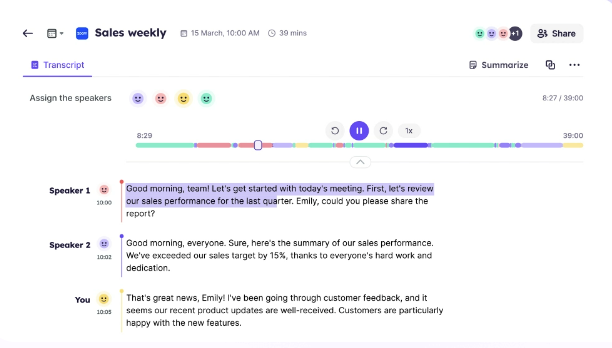
Struggling with background noise or information overload during meetings? Krisp, an AI-powered assistant, is built to make meetings more productive.
It filters noise, transcribes conversations, and generates meeting notes—ideal for individuals and teams. Krisp works seamlessly with Zoom, Google Meet, and Microsoft Teams—no plugins required.
Krisp not only cancels noise—it separates voices, detects echo, and lets you enable your own voice clarity filter. This ensures your voice stays clear, even in noisy environments.
The AI Meeting Assistant transcribes conversations, identifies speakers, and provides downloadable call summaries. For hybrid or remote teams in noisy environments, Krisp improves audio quality without requiring hardware upgrades.
AI capability: Krisp uses AI to remove background noise, cancel echo, convert accents for clarity, and generate transcriptions and smart summaries in real time.
A Reddit comment says:
I’ve been using it for years from Brazil (dogs barking absolutely everywhere all the time), and it works great. All the other noises are filtered out even better.
💡Pro Tip: Before sending that meeting invite, ask yourself—could this be an email? If yes, save everyone’s time and use ClickUp Brain to draft your thoughts or summarize key points instead!
While these tools didn’t make our top 11, they’re gaining traction for their unique strengths and could be perfect additions to your meeting toolkit.
💡 Best for: Inclusive, balanced participation during meetings
Why it stands out: Equal Time uses AI to track speaking time and ensure everyone gets a voice, which is especially valuable for hybrid teams and DEI-driven cultures. It nudges over-talkers, prompts quieter attendees, and offers post-meeting participation analytics.
Great for: Leadership syncs, brainstorming sessions, and inclusive team check-ins
💡 Best for: Fast, multilingual transcription
Why it stands out: Notta transcribes meetings in 40+ languages and supports audio/video uploads for searchable, timestamped transcripts. It’s particularly useful for global teams needing real-time accuracy without complex setup.
Great for: International interviews, webinars, and customer research sessions
💡 Best for: Async video collaboration + synced AI notes
Why it stands out: Bubbles blends screen recording with AI-generated notes, letting teammates leave rich, time-stamped comments. Ideal for reducing live meeting overload and keeping communication contextual, even when async.
Great for: Product walkthroughs, demo reviews, and async feedback loops
Over 11 million meetings happen daily in the U.S, 55 million a week, and over a billion a year! But let’s be honest, not all lead to real progress.
Even with an AI meeting assistant, the real challenge starts after the call—notes pile up, action items get lost, and follow-ups get missed.
This is where ClickUp provides a distinct advantage. It’s not just another meeting assistant; it’s the platform where meeting insights become actionable tasks, integrated directly with your projects and team communication.
Because meetings should drive action, not more chaos. Ready to turn discussions into results?
Try ClickUp for free and transform your meetings today! 🎯

© 2026 ClickUp




