Most ad sales teams spend their week just keeping information synchronized.
They update the CRM, re-enter the same client details into project management tools, and ping team members via chat tools to check whether creative assets are ready.
In this blog, we bring 15 advertising sales management platforms that promise to fix this chaos.
From unified workspaces that connect your entire sales-to-delivery process to specialized tools built for specific ad inventory types, we’ve covered it all.
Summarize this article with AI
ClickUp Brain not only saves you precious time by instantly summarizing articles, it also leverages AI to connect your tasks, docs, people, and more, streamlining your workflow like never before.
Summarize this article for me please
Advertising Sales Management Software at a Glance
This comparison table summarizes the top options. 🛠️
Tool Name
Key Features
Team Information
Pricing
ClickUp
CRM, Tasks, Chat, & Docs; AI Super Agents; Automated handoffs
Solo to Large Enterprise (Cross-functional sales/ops teams)
Free Forever; Paid plans available
Salesforce Media Cloud
Media data model; Agentforce AI; Omnichannel order management
Global Enterprise (Complex multi-department media orgs)
From $165/user/month (billed annually)
HubSpot Ads
Closed-loop ROI tracking; CRM audience sync; Marketing automation
SMB to Mid-Market (Marketing-heavy sales teams)
Free; Paid plans from $20/seat/month
Pipedrive
Visual Kanban pipeline; Activity-based coaching; AI Assistant
Small to Mid-Sized (High-velocity, visual sales reps)
Paid plans from $19/user/month
Freshsales
Freddy AI lead scoring; Built-in phone/email; Sales sequences
Small to Mid-Sized (Teams prioritizing lead engagement)
Free; Paid plans from $11/user/month
Zoho CRM
Zia AI; Canvas UI designer; Deep Zoho ecosystem integration
Solo to Enterprise (Budget-conscious, scalable teams)
Broadcast Media Orgs (TV/Radio sales & traffic teams)
Custom pricing
Bitrix24
All-in-one CRM; Video calls; Self-hosted option; Social intranet
Solo to Mid-Sized (Teams needing a total “business-in-a-box”)
Custom pricing
AdRoll
Cross-channel retargeting; Attribution reporting; Lookalike AI
Small to Mid-Market (E-commerce & D2C growth teams)
Custom pricing
How we review software at ClickUp
Our editorial team follows a transparent, research-backed, and vendor-neutral process, so you can trust that our recommendations are based on real product value.
Summarize this article with AI
ClickUp Brain not only saves you precious time by instantly summarizing articles, it also leverages AI to connect your tasks, docs, people, and more, streamlining your workflow like never before.
Summarize this article for me please
What Is Advertising Sales Management Software?
Advertising sales management software is a specialized platform that helps media companies, publishers, and advertising teams manage the entire ad sales lifecycle. The process starts from lead generation and proposal creation through campaign execution and revenue tracking.
It bridges the gap between traditional CRM functionality and the unique needs of selling advertising inventory across digital, print, broadcast, and out-of-home channels. Instead of juggling disconnected tools, converged workspaces eliminate this fragmentation by consolidating everything into a single, unified platform.
Key elements of these platforms include:
Pipeline management: Tracking advertiser relationships from prospect to closed deal
Inventory management: Visibility into available ad placements and scheduling
Proposal and contract automation: Streamlining the quote-to-close process from media kit to insertion order
Campaign coordination: Ensuring creative assets, deadlines, and deliverables align for campaign trafficking
Revenue tracking and reporting: Monitoring performance against targets for better yield management
Summarize this article with AI
ClickUp Brain not only saves you precious time by instantly summarizing articles, it also leverages AI to connect your tasks, docs, people, and more, streamlining your workflow like never before.
Summarize this article for me please
What to Look For in Advertising Sales Management Software
Your team is struggling because you chose a tool based on a long feature checklist, only to find it doesn’t fit your actual workflow.
The best advertising sales management tool depends on whether you’re selling direct, programmatic, or hybrid inventory, and how integrated your sales and delivery processes need to be. Here’s what to look for:
Pipeline and contact management: Your software should be able to handle complex advertiser relationships with multiple contacts. It should let you track deals across different ad products (like display, video, and sponsorships) and support custom sales stages that match your real-world process
Campaign coordination capabilities: Ensure sales can hand off to operations seamlessly without re-entering data. The tool should connect proposals to actual campaign tasks and provide visibility into creative status, trafficking, and go-live dates
Reporting and revenue intelligence: You need to be able to see pipeline value, sales OKRs, win rates, and forecast accuracy in real time. Look for software that tracks revenue against targets by rep or client and offers customizable reports without needing a data scientist
Integration and workflow automation: The right tool connects with your ad server, billing system, and communication apps. It should automate follow-ups, status updates, and handoff notifications, with AI assistance to help prioritize leads
📮 ClickUp Insight: 1 in 4 employees uses four or more tools just to build context at work.
A key detail might be buried in an email, expanded in a Slack thread, and documented in a separate tool, forcing teams to waste time hunting for information instead of getting work done.
ClickUp converges your entire workflow into one unified platform. With features like ClickUp Email Project Management, ClickUp Chat, ClickUp Docs, and ClickUp Brain, everything stays connected, synced, and instantly accessible. Say goodbye to “work about work” and reclaim your productive time.
💫 Real Results: Teams are able to reclaim 5+ hours every week using ClickUp—that’s over 250 hours annually per person—by eliminating outdated knowledge management processes. Imagine what your team could create with an extra week of productivity every quarter!
Summarize this article with AI
ClickUp Brain not only saves you precious time by instantly summarizing articles, it also leverages AI to connect your tasks, docs, people, and more, streamlining your workflow like never before.
Summarize this article for me please
Top 15 Advertising Sales Management Software
1. ClickUp (Best for unified sales-to-delivery workflows)
Manage all your documents, projects, conversations, and more on one comprehensive platform with ClickUp
Advertising sales rarely fail because of the pitch. They fail at the handoff.
A deal closes, enthusiasm is high, and then reality hits. The brief lives in one place, campaign details sit in someone’s inbox, timelines are “discussed” in chat, and marketing starts execution without full context. By the time questions surface, momentum is already leaking.
As the world’s first converged AI workspace, ClickUp fixes this by treating advertising sales and marketing as one continuous workflow, not two separate departments passing notes across tools. Here’s how.
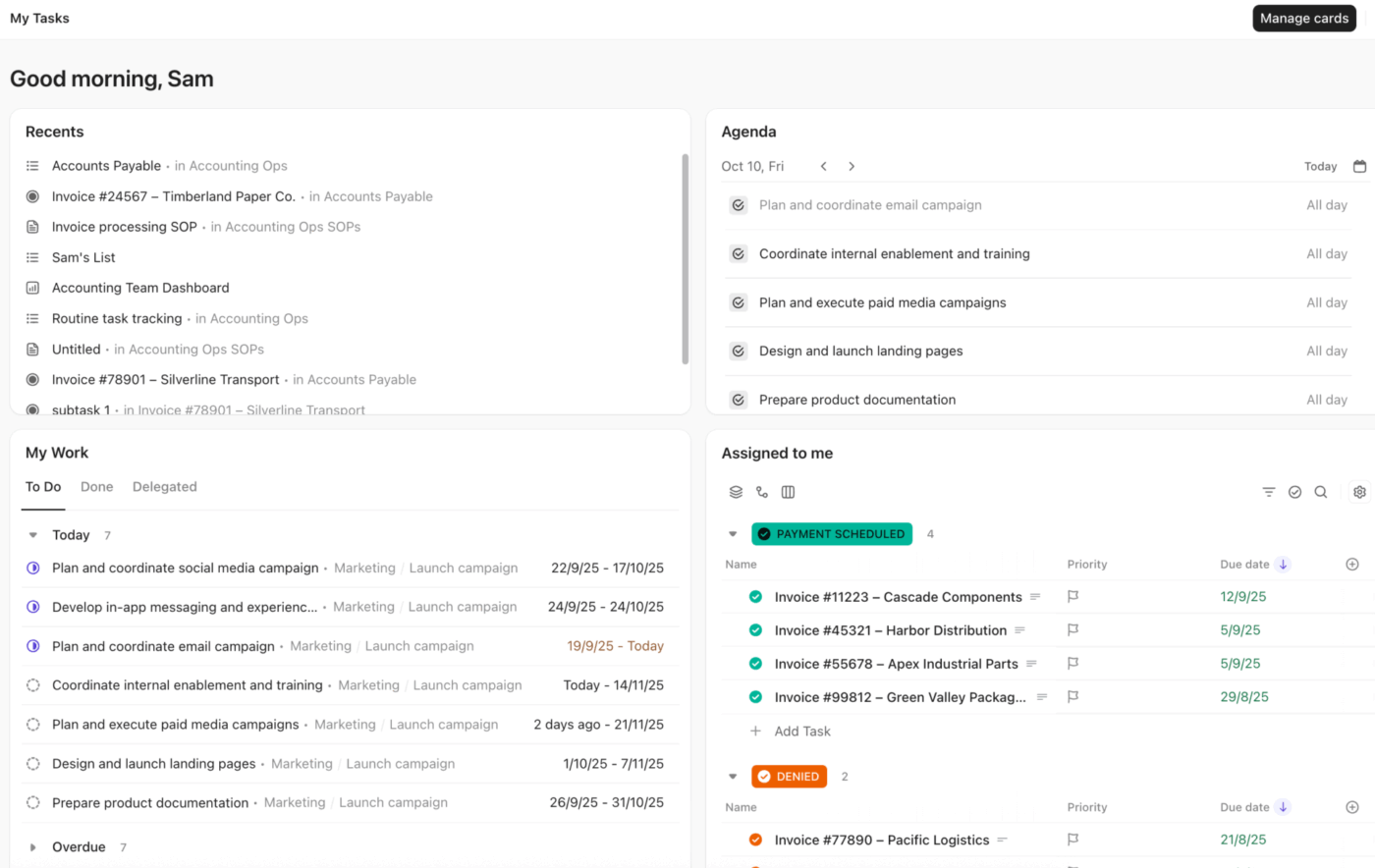
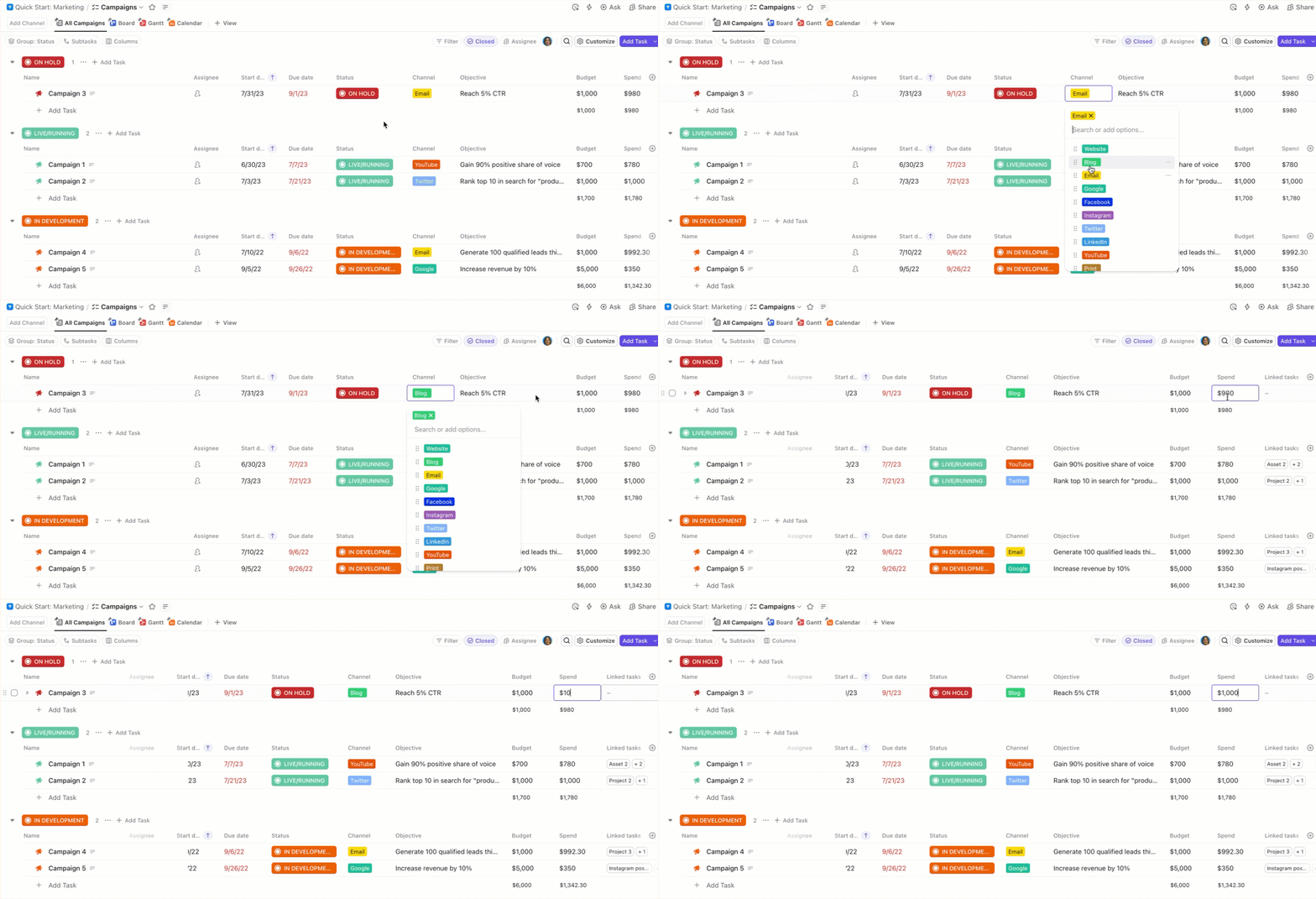
Sales manages the pipeline in ClickUp CRM Your sales team tracks advertisers, agencies, deal values, inventory, and stages directly in ClickUp CRM. Custom Fields capture everything that matters for ads. Budget, placements, formats, flight dates, audience, and creative requirements. Nothing is trapped in a deck or email thread. As deals move through stages, ClickUp maintains a live, visible pipeline that marketing can already see.
Capture critical details easily with Custom Fields in ClickUp Tasks
Marketing executes with full contextfrom sales Marketing works directly from ClickUp Tasks, tied back to the original deal. Creative briefs, specs, approvals, and launch checklists all live inside the same workspace. If someone asks, “Why is this ad structured this way?” the answer is already there. ClickUp Brain connects past campaigns, notes from the sales cycle, performance benchmarks, and conversations, so teams don’t waste time searching or re-explaining.
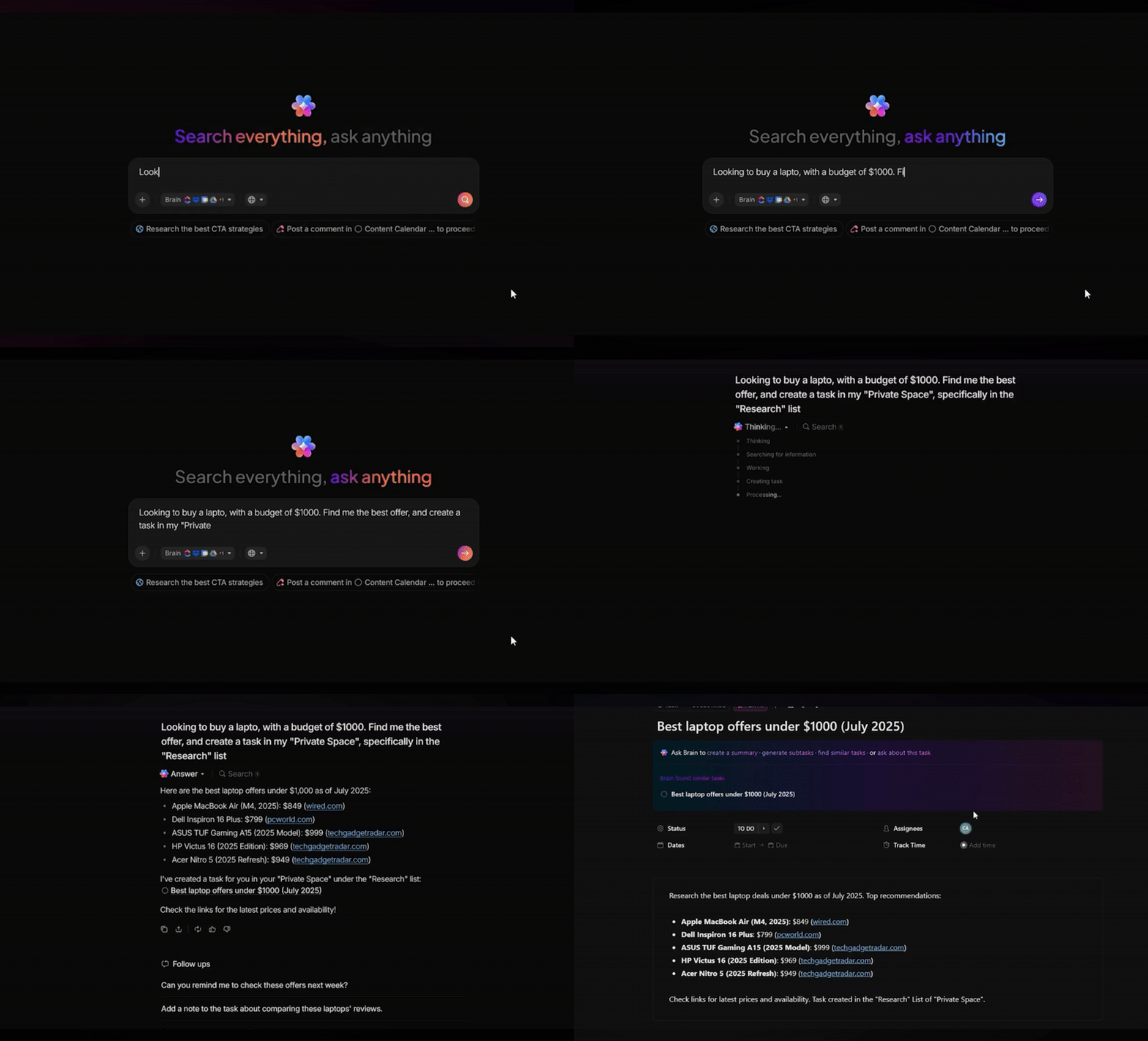
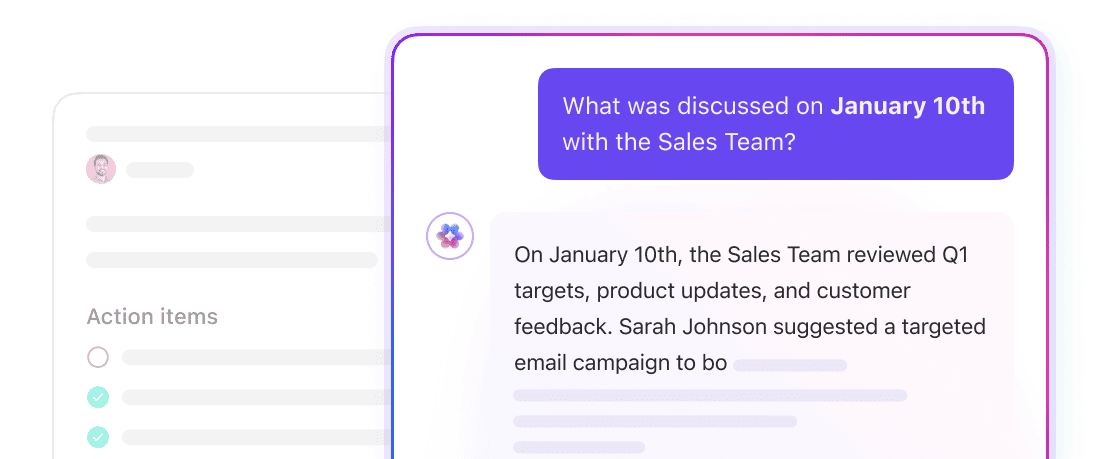
Every single conversation, action item, and task is searchable with AI in ClickUp
Deal closes → execution starts automatically When an opportunity moves to Closed/Won, ClickUp Automationsand Super Agents take over. Campaign tasks are created instantly. Owners are assigned. Due dates populate based on the campaign timeline. A linked campaign folder or Doc is generated with all deal details pre-filled.
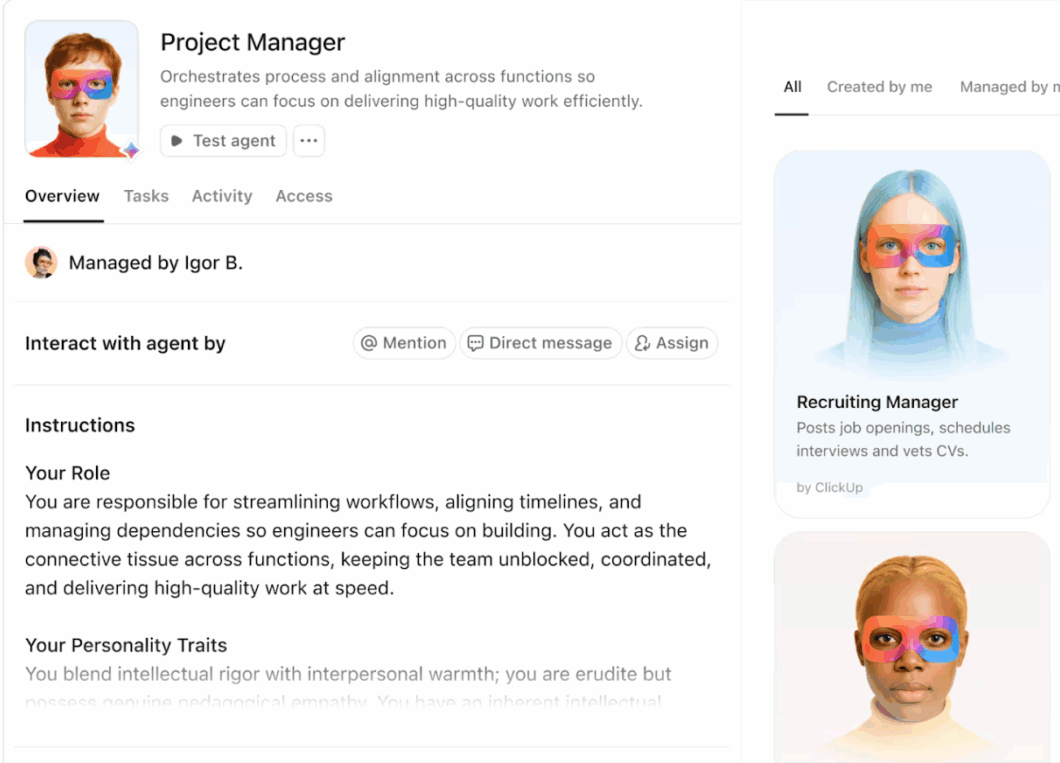
Create custom AI Agents with preconfigured instructions via ClickUp Super Agents
Updates flow back to sales automatically As marketing progresses, task status updates and key milestones are surfaced back to sales without extra meetings. Agents can post summaries, flag delays, or highlight launch readiness automatically. Sales always know what’s live, what’s blocked, and what’s coming next. That means better client communication and fewer last-minute scrambles.
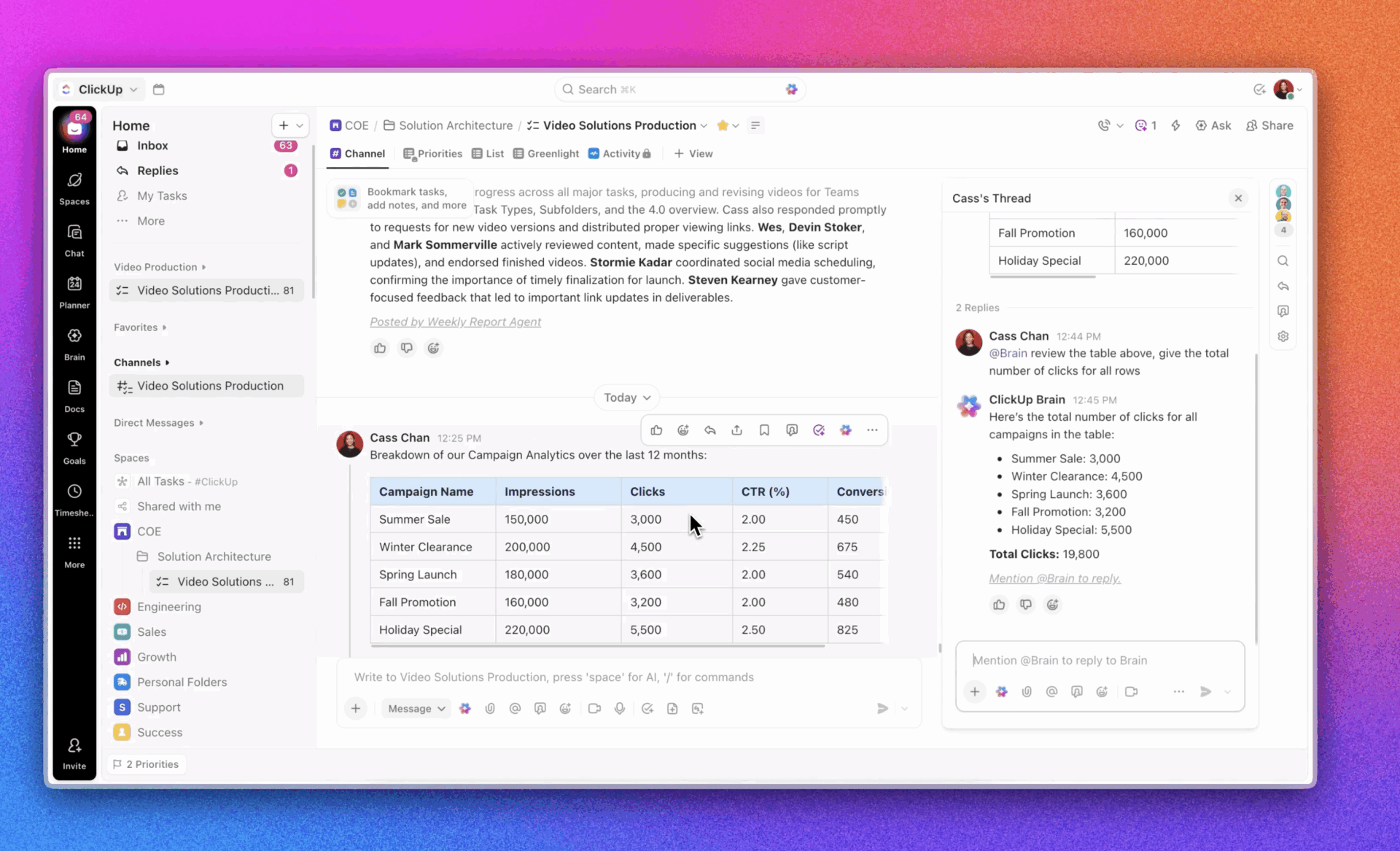
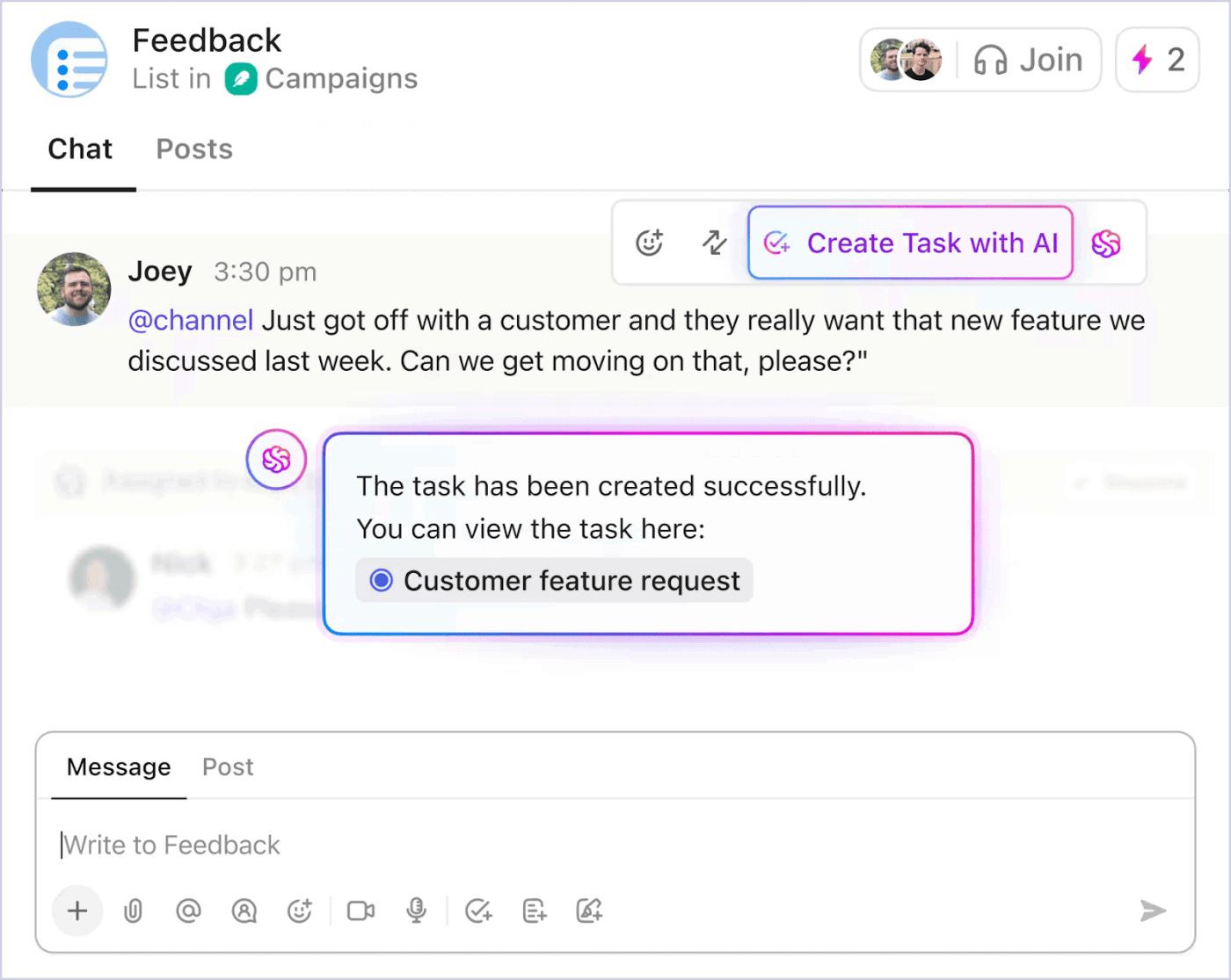
Collaboration stays centralized, not scattered Instead of bouncing between Slack, email, and meetings, teams collaborate in ClickUp Chat, right next to the tasks and campaigns they’re discussing. Conversations stay attached to the work, not buried in threads no one can find later.
Communicate with your team and create tasks within your chat window with ClickUp Chat
ClickUp removes the friction between selling Ads and delivering on them. Sales closes deals faster because execution is predictable. Marketing launches campaigns with fewer surprises because the context is complete. Leadership gets real visibility into pipeline, capacity, and delivery without chasing updates!
ClickUp best features
ClickUp CRM: Build custom pipelines that mirror your actual ad sales process with stages for prospecting, proposal, negotiation, and closed-won. You can track deal values, expected close dates, and probability to generate accurate forecasts, and link contacts to companies to see the full relationship history in one view
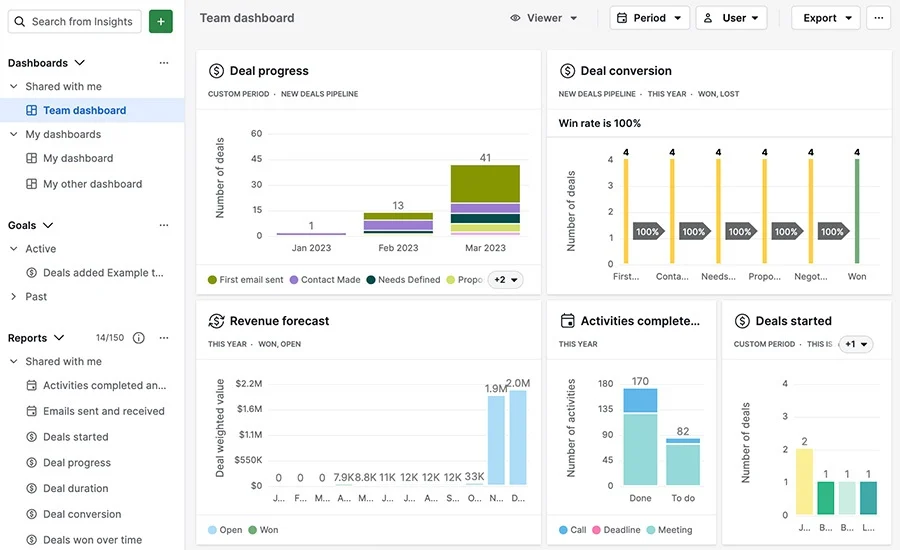
ClickUp Dashboards: Create real-time visibility into pipeline value, win rates, and revenue against targets without waiting for weekly reports. Build custom sales dashboards showing deals by rep or product line, so you can spot bottlenecks instantly and take action before opportunities slip away
ClickUp Brain: Get AI-powered assistance that actually understands your sales context because it’s connected to your entire workspace. Summarize client communication history before discovery calls, draft personalized follow-up emails based on meeting notes, and surface deals that need attention based on activity patterns
ClickUp Automations: Eliminate manual handoffs and status updates with rule-based workflows. Automatically notify operations when deals close, create campaign setup tasks with pre-populated client details, and trigger follow-up reminders when deals go quiet
ClickUp Docs: Keep proposals, media kits, and insertion order templates connected to deals and campaigns. Collaborate on RFP responses in real time with commenting and version history, so nothing gets lost in email attachments
ClickUp pros and cons
Pros:
Instead of paying for separate CRM and project management tools, everything lives in one platform, so client information and campaign status are always connected
Whether you’re selling direct campaigns or programmatic inventory, ClickUp’s Custom Fields and views adapt to your process
ClickUp Brain gets smarter as your team uses it, learning from your specific sales patterns and successful deals to provide better suggestions
Cons:
The depth of customization options can feel overwhelming initially; teams benefit from starting with templates
Mobile app functionality, while comprehensive, doesn’t include every desktop feature yet
ClickUp Pricing
free forever
Best for individual users
Free
Free
Key Features:
60MB Storage
Unlimited Tasks
Unlimited Free Plan Members
unlimited
Best for small teams
$7
$10
per user per month
Everything in Free +
Unlimited Storage
Unlimited Folders and Spaces
Unlimited Integrations
Most Popular
business
Best for mid-sized teams
$12
$19
per user per month
Everything in Unlimited +
Google SSO
Unlimited Message History
Unlimited Mind Maps
enterprise
Best for many large teams
Get a custom demo and see how ClickUp aligns with your goals.
ClickUp’s flexibility is the biggest advantage for us. We’ve customised the entire workspace around our business workflows instead of adjusting our processes to the tool. We use it across Customer Success, Growth, Operations, Compliance, Finance, and Tech, and having everything in one place has brought strong structure and visibility. Custom statuses, fields, automations, and dashboards help us run onboarding, compliance, integrations, and internal tracking smoothly, with far less dependency on emails and follow-ups.
2. Salesforce Media Cloud (Best for complex enterprise media operations)
via Salesforce
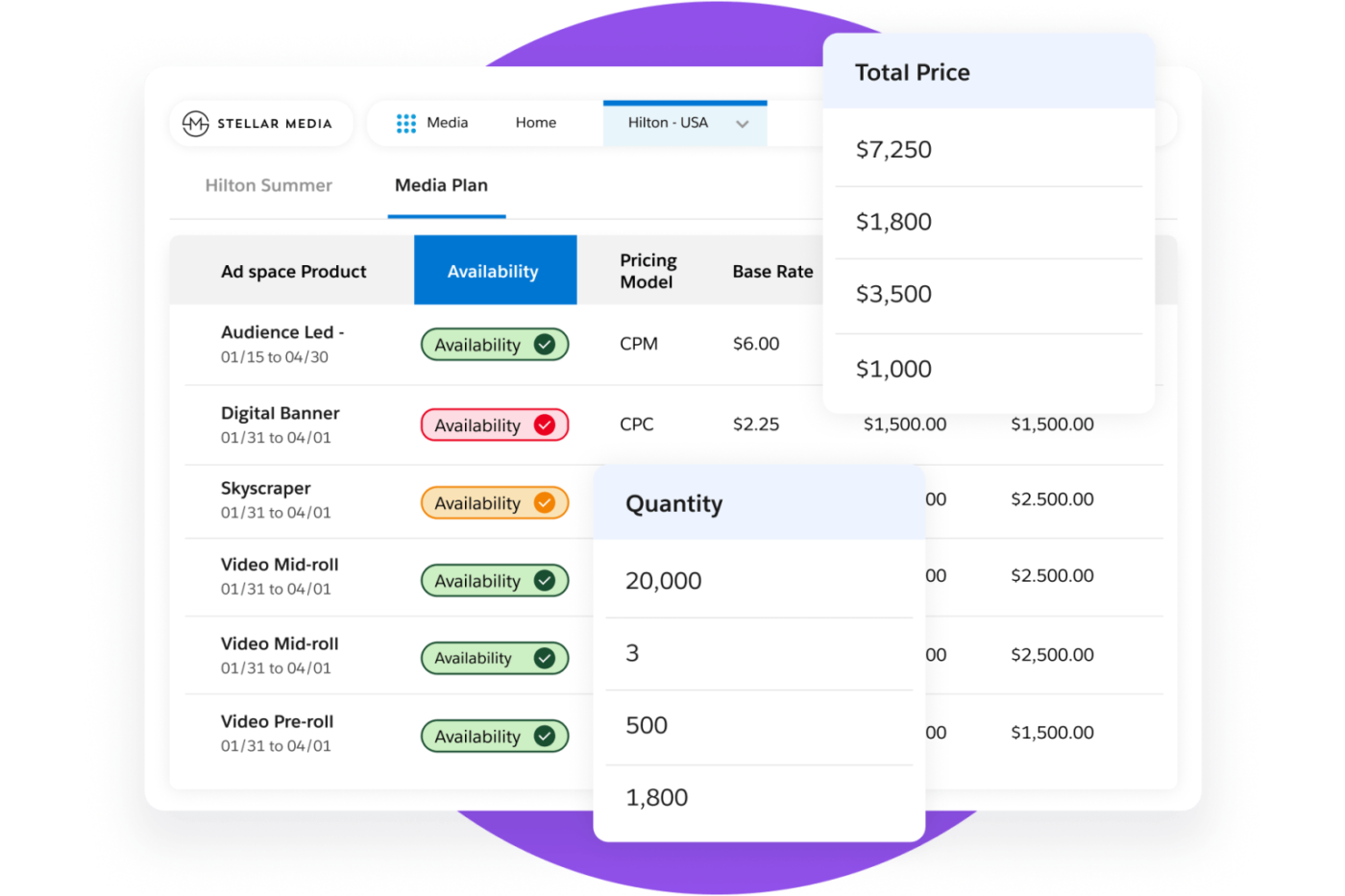
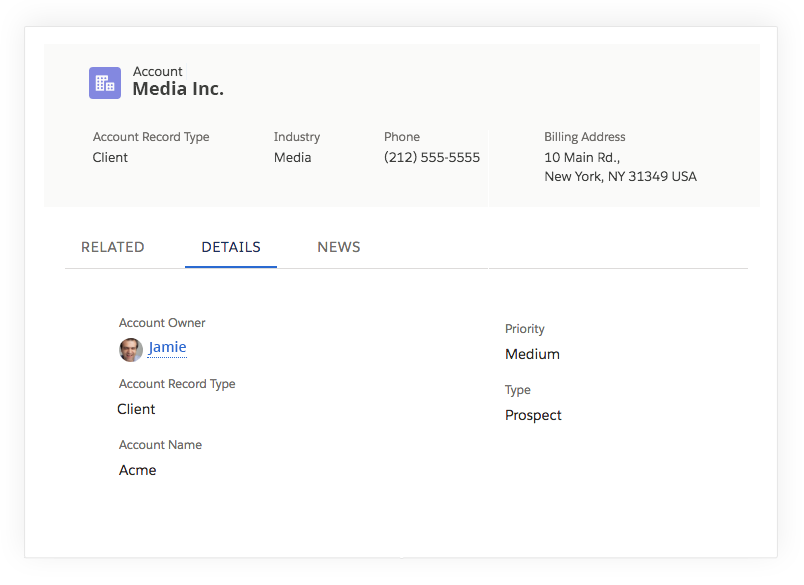
Salesforce Media Cloud is the heavyweight champion for enterprise-scale media companies that need to juggle complex, multi-channel ad operations. It goes far beyond a basic CRM by offering a purpose-built industry data model that unifies sales, subscriber management, and content monetization.
The platform features a powerful CPQ engine that handles complex attribute-based pricing and seasonal multipliers without breaking a sweat. With the recent integration of Agentforce AI, teams can now proactively surface insights and automate the quote-to-cash process across digital and linear channels.
It effectively kills the “data silo” problem by housing inventory forecasting and order management under one roof. While the implementation is a serious commitment, the payoff is a single source of truth for your entire media value chain. This is a good choice for organizations looking to scale their ad revenue while maintaining billing accuracy.
Salesforce Media Cloud best features
Ad sales management: Track complex media deals involving multiple products and pricing models in a unified view
Order management system: Convert closed deals into operational orders without re-keying data or manual handoffs
Revenue optimization: Leverage Einstein AI to identify pricing opportunities and forecast demand
Salesforce Media Cloud pros and cons
Pros:
Purpose-built for the unique workflows of selling advertising, reducing customization needs
Provides a unified view across digital, TV, and print channels
Scales to handle the volume and complexity of large media organizations
Cons:
Implementation is complex and often requires external consultants
The breadth of functionality creates a steep learning curve
Customization beyond standard configurations requires Salesforce development expertise
Salesforce Media Cloud pricing
Growth: From $165 per user/month (billed annually)
Advanced: From $475 per user/month (billed annually)
Salesforce Media Cloud ratings and reviews
G2: 4.3/5 (18,000+ reviews)
Capterra: 4.4/5 (18,700+ reviews)
What are real-life users saying about Salesforce Media Cloud?
For me, the standout feature is the platform’s automation capabilities. Journey Builder, audience segmentation, and trigger-based campaigns are all highly effective when properly configured. While there is an initial learning curve, once you become familiar with the system, it proves to be reliable and requires minimal ongoing maintenance.
Another major strength is its ability to consolidate data from various sources. Using Marketing Cloud together with Data Cloud has truly transformed my workflow. This combination allows me to derive valuable insights, create more intelligent segments, activate audiences, and deliver personalized communications that feel genuinely relevant and purposeful.
🧠 BrainGPT: Your AI command center
Say goodbye to “AI Sprawl.” BrainGPT is ClickUp’s specialized desktop application designed to be your primary interface for work. It sits on your desktop, ready to act on any information across your computer and connected apps.
Contextual universal search: Search across ClickUp, Google Drive, Slack, and GitHub simultaneously. BrainGPT doesn’t just find files; it understands the context of your conversations and project history
Model-agnostic intelligence: Toggle between the world’s best LLMs—including GPT-5.1, Claude 4.5, and Gemini 3—while keeping your proprietary workspace data secure and private
Talk-to-Text: Optimized for ad sales reps on the move, its industry-leading voice-to-text allows you to dictate creative briefs or meeting notes 4x faster than typing, directly into any app
Integrate all your work for faster results with ClickUp BrainGPT
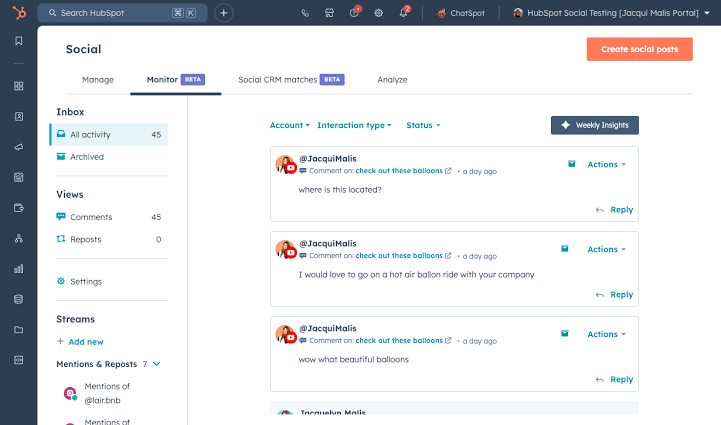
3. HubSpot Marketing Hub (Best for CRM-integrated lead attribution)
via HubSpot Marketing Hub
Marketing teams run ads in platform-specific tools while sales works in a separate CRM. This disconnect makes it impossible to see which campaigns actually drive revenue versus just clicks, leading to wasted ad spend.
HubSpot Marketing Hub is built for the modern team that believes marketing and sales should never be separate conversations. Its standout feature is the ability to connect Google, Meta, and LinkedIn ads directly to your CRM data for true closed-loop reporting.
Instead of just tracking clicks, you can see which specific ad campaign led to a signed contract and high lifetime value. The platform allows you to sync your CRM lists to ad platforms automatically, ensuring your retargeting is laser-focused on actual prospects.
With the addition of “ChatSpot” and predictive lead scoring, the software helps you identify which leads are ready to buy before they even ask. It simplifies the chaos of multi-channel attribution into visual dashboards that anyone on the team can understand. For growing brands, it offers the perfect blend of high-end automation and an interface that doesn’t require a computer science degree.
HubSpot Marketing Hub best features
CRM-powered audiences: Sync contact lists directly to ad platforms for targeting based on actual customer data
Attribution reporting: See which ad campaigns contribute to actual revenue, not just clicks or form fills.
Ad optimization recommendations: Get suggestions for improving campaign performance based on CRM outcomes
HubSpot Marketing Hub pros and cons
Pros:
Provides true closed-loop reporting by following contacts through the entire sales process
Simplifies audience management by syncing CRM segments across platforms
Offers native integration for teams already using HubSpot CRM
Cons:
Functionality is limited to Google, Facebook/Instagram, and LinkedIn
Advanced ad management features still require working in native platforms
Attribution accuracy depends on a proper tracking setup
HubSpot Marketing Hub pricing
Free
Starter: Starts at $20/month
Professional: Starts at $890/month
Enterprise: Starts at $3,600/month
HubSpot Marketing Hub ratings and reviews
G2: 4.4/5 (11,000+ reviews)
Capterra: 4.5/5 (6,000+ reviews)
What are real-life users saying about HubSpot Marketing Hub?
The thing I like most about HubSpot Marketing Hub is that it’s so convenient to use & also we can generate and organise whole team’s lead over a single portal so that things don’t get complicated and each person can view their own leads effectivelty.
4. Pipedrive (Best for visual activity-based selling)
via Pipedrive
Pipedrive is designed by salespeople, for salespeople, prioritizing the actual momentum of a deal over administrative busywork. It pioneered the visual Kanban-style pipeline that makes it incredibly easy to see exactly where every advertiser sits in your sales funnel.
The “Activity-Based Selling” philosophy ensures your reps are always focused on the next step, whether it’s a follow-up call or a creative brief review. Its AI Sales Assistant acts like a personal coach, flagging stagnant deals and suggesting the best times to reach out to your contacts. You can automate repetitive tasks—like creating a campaign task when a deal hits the negotiation stage—without needing help from IT.
The platform is famously easy to adopt, meaning your team will actually use it instead of fighting against it. It is a lean deal-closing tool for teams that want a high-velocity sales process without the enterprise bloat.
Pipedrive best features
Visual sales pipeline: Drag-and-drop deals across stages with instant visibility into pipeline health
Activity-based selling: Track and schedule the actions that drive deals forward, with reminders for upcoming activities
AI sales assistant: Get automated suggestions for next steps and deal prioritization based on pipeline patterns
Pipedrive pros and cons
Pros:
The clean, visual design drives adoption among sales reps
Every feature is designed to help close deals, not just for administrative tracking
The mobile app provides full pipeline access, essential for field sales teams
Cons:
Lacks robust marketing automation and campaign management features, unlike other Pipedrive alternatives
Reporting capabilities don’t match the depth of enterprise CRM platforms
Customization options are more constrained than highly flexible platforms
I find Pipedrive to be excellent for managing my clients and calls. I really like how it allows me to organize information and contact clients, all while keeping track of who I’ve called, how many times, and the reasons for each call. I also value the ability to take notes on my interactions, which helps me stay organized with every client.
Freshsales brings a refreshing level of intelligence to the ad sales process by embedding communication and AI directly into the deal screen. Its proprietary Freddy AI scores your leads in real-time, helping you ignore the noise and double down on the high-intent advertisers.
With built-in phone, email, and chat capabilities, your team never has to switch tabs to log a conversation or record a client call. The platform’s “Sales Sequences” allow you to automate personalized outreach that feels human but runs on autopilot. You get a 360-degree view of your customer’s journey, including their website interactions and past support tickets, right alongside your sales notes.
Freshsales best features
Freddy AI: Get intelligent lead scoring that prioritizes contacts most likely to convert based on engagement signals
Built-in phone and email: Make calls and send emails directly from contact records with automatic logging
Sales sequences: Automate multi-step outreach campaigns that adapt based on prospect responses
Freshsales pros and cons
Pros:
Unified communication eliminates tool switching and improves productivity
AI provides practical suggestions based on your data, not generic advice
The clean, modern interface reduces the cognitive load of navigating complex systems
Cons:
Advanced customization may require technical support
Reporting depth doesn’t match enterprise platforms
The integration ecosystem is smaller than major CRM platforms
I like how cost-effective Freshsales is; for the cost, you’re getting an entire suite with many features like sequences and email bulk facility. It was really easy to set up everything as it provides step-by-step guidance. We created accounts fields and company, and Freshsales provides templates for other things. We tested email health without connecting the inboxes, then tested it with DKIM, SPF & DMARC setup on Freshsales. You can use Sequences for sending emails using certain logic, like sending follow-ups to clients who opened emails. It allows you to send automated email campaigns, and with bulk email, we can send a single email as a campaign and personalize every aspect of each email.
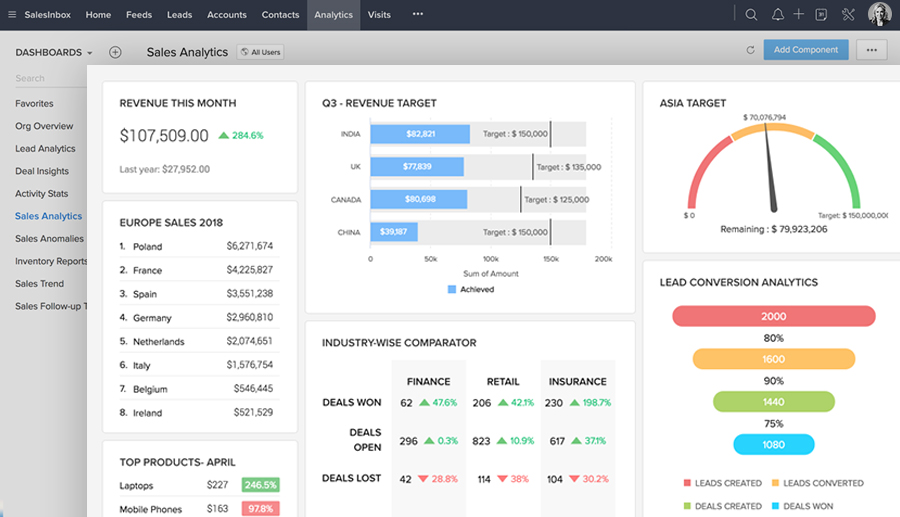
6. Zoho CRM (Best for affordable, deep customization)
via Zoho CRM
Growing teams need CRM functionality that scales, but enterprise platforms are expensive, and small-business tools are quickly outgrown.
Zoho CRM is the “chameleon” for budget-conscious teams that still demand enterprise-level power and deep customization. It offers an incredible range of features, from workflow automation to the Zia AI assistant, which can predict deal closures and detect anomalies in your data.
The platform’s Canvas design studio lets you completely rebuild the user interface to match your team’s specific terminology and ad sales workflow. Because it’s part of the massive Zoho ecosystem, it integrates natively with everything from your billing software to your webinar platforms. You can set up “SalesSignals” to get notified the second a prospect opens your email or visits your pricing page, allowing for perfect timing.
Zoho CRM best features
Zia AI assistant: Get predictions on deal closure likelihood and best times to contact leads
Workflow automation: Build complex automation rules without coding using a visual workflow builder
Multichannel communication: Engage prospects across email, phone, live chat, and social media from within the CRM
Zoho CRM pros and cons
Pros:
Offers exceptional value, providing enterprise features without enterprise costs
Deep integration with other Zoho products creates a unified business platform
Highly customizable to adapt to virtually any sales process
For teams seeking control without enterprise bloat, Zoho CRM is incredibly flexible and affordable. The Zoho ecosystem’s integrations are seamless, and the customization options (fields, workflows, automations) are extensive. It’s excellent for tracking pipelines, activities, and follow-ups in one location for recruiting or sales operations. When properly set up, reporting is reliable.
7. ADvendio (Best for Salesforce-native ad operations)
via ADvendio
Media companies using Salesforce for CRM often lack native functionality for managing advertising inventory and orders, creating data silos and integration headaches.
ADvendio is a powerhouse Salesforce-native solution designed specifically to bridge the gap between media buying and ad sales. Since it lives directly within the Salesforce ecosystem, the tool eliminates the need for messy data syncing and ensures a single source of truth for your entire ad operation.
The platform excels at omnichannel inventory management, allowing you to track availability across digital, print, and out-of-home assets in real time. Its built-in financial engine automates the complex transition from a signed insertion order to a final invoice, drastically reducing manual errors. With programmatic integrations to major SSPs and exchanges, it provides a unified view of both direct and automated revenue streams.
ADvendio best features
Order management: Manage the complete ad sales workflow from proposal to campaign execution within Salesforce
Inventory forecasting: See real-time availability across your ad products before committing to clients
Programmatic integration: Connect direct sales with programmatic demand through unified inventory management
ADvendio pros and cons
Pros:
As a native Salesforce app, it eliminates integration challenges
Understands advertising workflows like rate cards and makegoods that generic tools don’t
Adapts to different media business models, from digital-only to cross-channel
Advendio is a great CRM, ideally suited for all the sales processes involved in selling media services. Customer management, classification, offers, order confirmations, mailings, reports and much more is very well implemented. It exists completely in the cloud, you don’t have to worry about data backup and maintenance of the software, the availability is 100% for me so far.
8. Google Ad Manager (Best for optimizing publisher digital yield)
via Google Ads
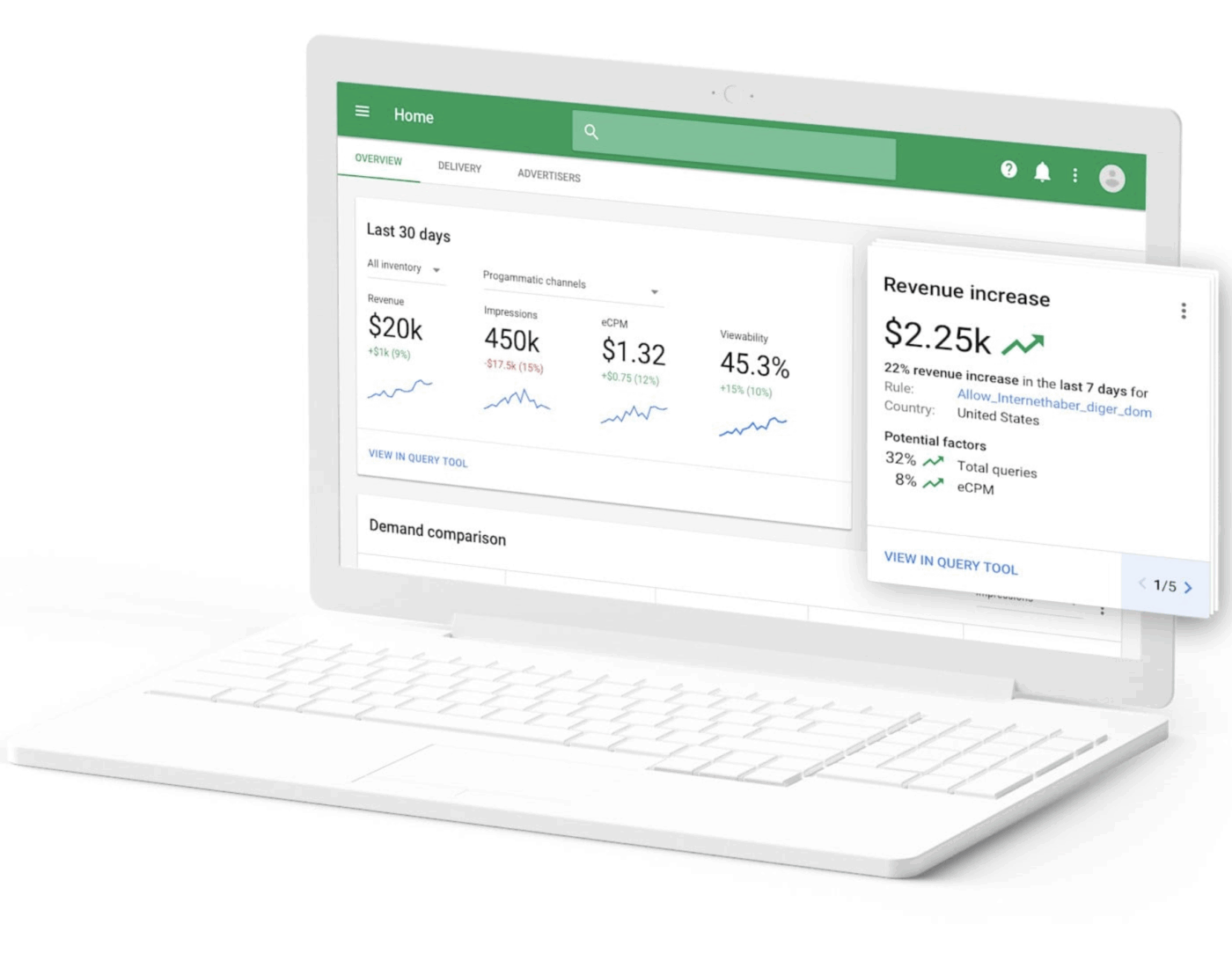
Google Ad Manager remains the gold standard for publishers who need to maximize yield across a massive volume of digital impressions. Its unified auction technology forces every demand source—including direct deals and programmatic buyers—to compete simultaneously for every single ad slot.
Recently, the platform has evolved with “Interactive Reports” that use AI to proactively surface revenue opportunities and identify delivery bottlenecks. It provides granular control over your inventory, from standard display banners to high-value CTV and video placements. The system’s dynamic allocation feature ensures that you never leave money on the table by automatically prioritizing the highest-paying ads in real time.
While the interface is notoriously complex, the depth of its data and its integration with the broader Google ecosystem make it indispensable for high-traffic sites. For publishers looking for total control over their monetization strategy, this platform is the industry’s ultimate heavy-lifter.
Google Ad Manager best features
Unified auction: Maximize revenue by having all demand sources compete simultaneously for every impression
Dynamic allocation: Automatically balance direct-sold campaigns with programmatic demand to optimize fill rate and yield
Advanced reporting: Understand revenue performance across dimensions like ad units, geographies, and devices
Google Ad Manager pros and cons
Pros:
Integration with Google’s ad ecosystem provides significant demand for publishers
Sophisticated algorithms continuously optimize for revenue across complex scenarios
Scales for any size, with a free tier for smaller publishers
Cons:
The complexity of features creates a steep learning curve
Creates dependency on Google’s ecosystem
Support access varies by publisher tier
Google Ad Manager pricing
Custom pricing
Google Ad Manager ratings and reviews
G2: 4.2/5 (50+ reviews)
Capterra: 4.5/5 (30+ reviews)
What are real-life users saying about Google Ad Manager?
I like Google Ad Manager for its powerful ad control and detailed analytics. It offers precise targeting, flexible ad formats, and strong revenue optimization tools. I also appreciate how it helps me optimize ad delivery, track performance, and maximize revenue efficiently. Switching to Google Ad Manager from basic ad networks and direct ad placements provided better control, scalability, and detailed reporting all in one platform.
9. Meta Ads Manager (Best for social media campaign reach)
via Meta Ads
Teams often struggle to reach their target audiences effectively on social platforms, wasting budget on irrelevant impressions because manual optimization can’t keep pace with platform algorithms.
Meta Ads Manager is the essential command center for reaching billions of users across Facebook, Instagram, Messenger, and Threads. The platform’s AI-driven Advantage+ tools automate creative variations and audience targeting to find the best-performing combinations. It allows you to build deep Custom Audiences using your own CRM data or website traffic tracked through the Conversions API for highly precise retargeting.
The visual dashboard simplifies the process by A/B testing headlines and video assets to see what actually drives conversions. With native support for immersive formats like Reels and Carousel ads, it offers sophisticated behavioral targeting, making it a “must-have” for brands looking to scale customer acquisition quickly. This is the definitive tool for turning social engagement into measurable revenue through machine-learning-optimized campaigns.
Meta Ads Manager best features
Audience targeting: Build precise audiences using demographics, interests, behaviors, and custom data like customer lists
Campaign optimization: Let Meta’s algorithms optimize delivery toward your chosen objective, whether it’s conversions, leads, or traffic
Cross-platform reach: Manage campaigns across Facebook, Instagram, and Messenger from one interface
Meta Ads Manager pros and cons
Pros:
Unmatched audience scale, reaching billions of users globally
Sophisticated targeting capabilities based on declared data and behavioral signals
Advertisers benefit from Meta’s continuous investment in machine learning for ad delivery
Cons:
Attribution has become more challenging with iOS privacy changes
Platform dependency means algorithm changes can significantly impact performance
10. Zendesk Sell (Best for sales and support visibility)
via Zendesk Sell
Sales teams often lack visibility into support interactions, leading to awkward conversations where reps don’t know about recent issues.
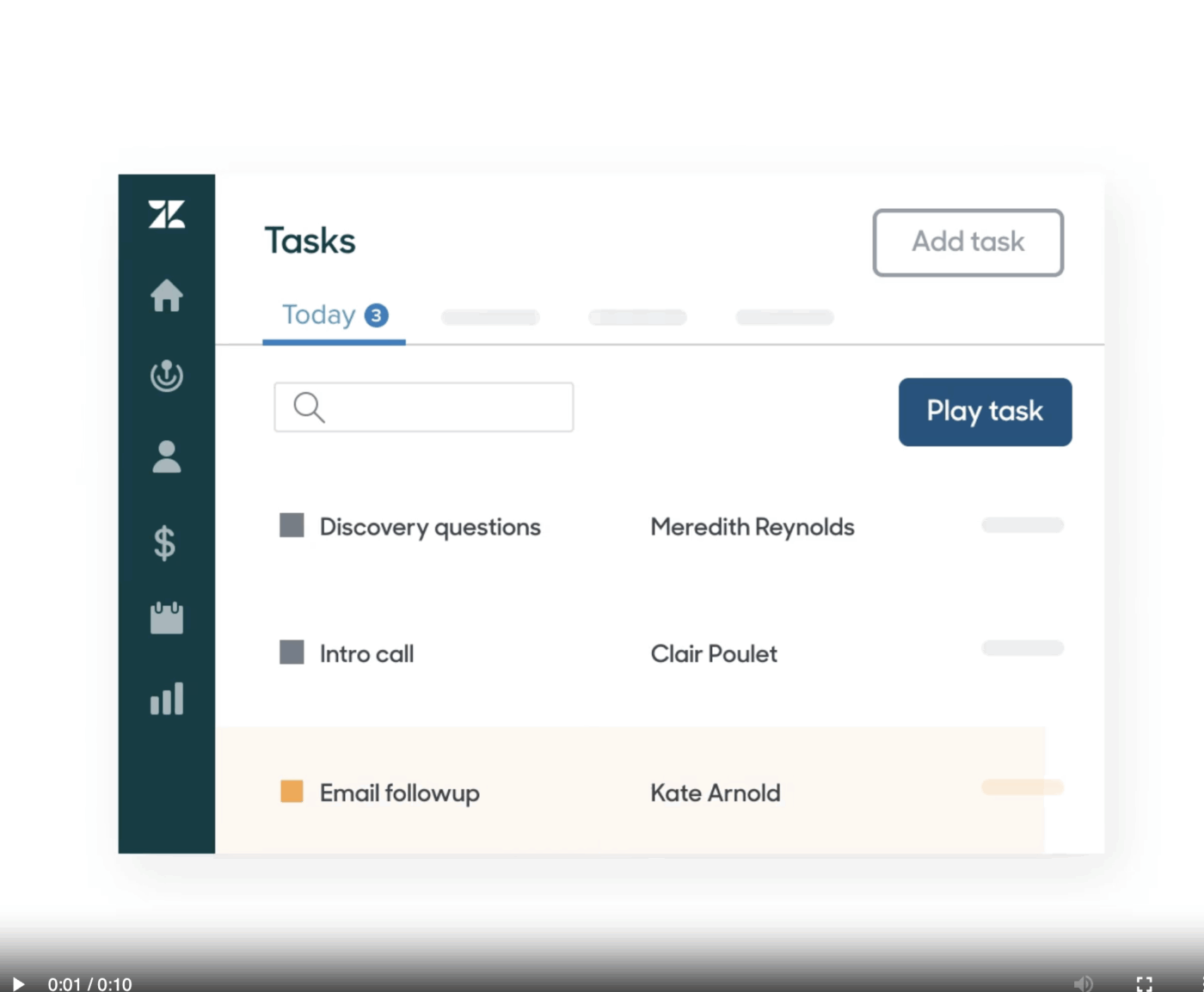
Zendesk Sell is the go-to CRM for teams that believe a salesperson’s best weapon is the full history of the customer’s experience. It uniquely dissolves the wall between sales and support by showing your reps every open ticket and past complaint directly within the contact record. This transparency prevents the “awkward outreach” problem and allows your team to time their pitches based on the client’s current satisfaction level.
“Smart Lists” in the tool automatically prioritize your daily tasks, ensuring you follow up with the hottest leads at exactly the right moment. Its mobile app is one of the best in the industry, offering geolocation tools and offline access for sales reps who are constantly on the move.
Zendesk Sell best features
Unified customer view: See sales pipeline data alongside support ticket history in one interface
Smart lists: Create dynamic lists that automatically update to prioritize daily activities for reps
Email and call tracking: Log all communication automatically with full context attached to contact and deal records
Zendesk Sell pros and cons
Pros:
Native integration with Zendesk Support provides unique customer visibility
The clean, focused interface avoids feature bloat and is intuitive for reps
The strong mobile app allows field sales teams to work from anywhere
Cons:
The value proposition is strongest for existing Zendesk Support users
Customization options are more limited than compared with other CRM platforms
Reporting capabilities don’t match the depth of enterprise sales analytics tools
One of the things I like best about Zendesk Support Suite is how intuitive and easy it is to use, even for new team members. The interface is clean and well-organized, which makes it simple to manage multiple conversations across channels like email, chat, and social media all in one place. The ticketing system is especially powerful—it helps us stay on top of customer requests, assign them efficiently, and track their progress without anything slipping through the cracks.
11. Insightly (Best for connecting sales to projects)
via Insightly
Insightly solves the “jarring handoff” problem by combining a high-performance CRM with a robust project management system in a single platform. Instead of losing momentum once a deal is signed, you can instantly convert an opportunity into a project with all the original files and notes intact.
Its unique “Relationship Linking” feature goes beyond basic lists to show you the complex web of contacts, organizations, and past projects that connect your stakeholders. The “Insightly Copilot” AI helps summarize long email threads and draft follow-up replies to keep your pipeline moving at top speed. It also offers an integrated marketing automation suite, allowing you to run coordinated lead-gen campaigns that feed directly into your sales funnel.
Insightly’s AppConnect engine provides no-code integrations with over 2,000 other tools, making it a highly flexible hub for your entire business. This is the ideal choice for teams that need to stay organized from the first pitch all the way through to final campaign delivery.
Insightly best features
Relationship linking: Connect contacts, organizations, and projects with visible relationship maps to understand stakeholder networks
Integrated project management: Convert closed opportunities into projects without re-entering information
Workflow automation: Build automated processes for lead routing, task assignment, and email notifications
Insightly pros and cons
Pros:
The combination of CRM and project management solves the sales-to-delivery handoff problem
Relationship intelligence helps teams understand complex stakeholder relationships in B2B sales
Provides solid functionality for growing businesses at reasonable price points
Cons:
Project management features don’t match the depth of dedicated platforms
Reporting customization requires some learning
Email integration can occasionally experience sync delays
I love the new capabilities that we have in Insightly Marketing. The email templates and creation are incredible, and we make great use of the journeys fuction.
12. Monday Sales CRM (Best for visual, no-code flexibility)
via Monday
Monday Sales CRM transforms the traditionally rigid world of sales tracking into a vibrant, visual workspace that teams actually enjoy using. Built on a flexible no-code foundation, it allows you to drag and drop your way to a perfectly customized pipeline without ever needing a developer.
Its “Board” view provides a high-level snapshot of your deal health, using color-coded statuses to highlight exactly where a campaign is stalled. With built-in automations, you can trigger instant notifications for your creative team the moment an insertion order is signed.
The AI features include automated lead enrichment, pulling in data from across the web to give you a head start on every prospect. It bridges the gap between sales and operations by keeping all communication and files in one centralized, searchable hub.
Monday Sales CRM best features
Customizable pipelines: Build sales pipelines that match your process using drag-and-drop customization
Visual deal management: See your entire pipeline at a glance with color-coded statuses and intuitive board views
Native work management integration: Connect sales activities to marketing campaigns, customer onboarding, and support requests
Monday Sales CRM pros and cons
Pros:
Extreme no-code flexibility lets teams build the exact CRM they need
The intuitive, visual interface minimizes training time and drives user adoption
Creates a unified platform for sales and operations for existing monday.com users
Cons:
Sales-specific features like email sequences are less developed than dedicated platforms
Flexibility can lead to inconsistent setups if not governed carefully
Reporting, while visual, may not satisfy teams needing deep sales analytics, compared to some monday alternatives
Monday Sales CRM pricing
Basic: $18 per seat/month
Standard: $25 per seat/month
Pro: $41 per seat/month
Enterprise: Custom quote
Monday Sales CRM ratings and reviews
G2: 4.6/5 (1,000+ reviews)
Capterra: 4.7/5 (4,500+ reviews)
What are real-life users saying about Monday Sales CRM?
I absolutely love the emails and activities feature of monday CRM, which automatically tags emails to clients and leads, making tracking incredibly efficient. This automation, combined with the AI features, helps me extract crucial information like follow-up dates and important details effortlessly. The Workflow Center is another standout feature, offering enhanced automation akin to having if-this-then-that statements that propel my work forward and prevent stagnation, ultimately saving both time and money.
13. WideOrbit (Best for broadcast TV and radio)
via WideOrbit
Broadcast media companies operate with workflows fundamentally different from digital advertising, and generic tools don’t understand concepts like avails, makegoods, or the complex scheduling of linear media.
WideOrbit remains the undisputed industry standard for broadcast media companies that need to manage the high-stakes complexity of that linear inventory. Unlike digital-only tools, it is purpose-built to handle the unique challenges of TV and radio, from managing “avails” to the precise scheduling of ad spots.
Its integrated billing engine automatically accounts for preemptions and “makegoods,” ensuring your financial reports are accurate to the cent. Connecting sales, traffic, and executive leadership, it creates a seamless flow of data that maximizes revenue across every broadcast grid. Other features include enhanced audience data integration, allowing broadcasters to prove the value of their reach with real-time analytics. For organizations operating in the traditional media space, this software provides the specialized infrastructure that generic CRMs cannot match.
WideOrbit best features
Traffic management: Schedule advertising spots across complex broadcast grids, preventing conflicts and optimizing inventory
Billing automation: Generate invoices that accurately reflect what aired, including makegoods and preemptions
Audience data integration: Connect ratings data to demonstrate campaign performance for advertisers
WideOrbit pros and cons
Pros:
Deep broadcast expertise means less customization and faster implementation
Covers the complete broadcast advertising workflow from sales to billing in one system
As an industry standard, it offers a mature, stable platform
Cons:
The specialization is a limitation for companies with significant digital operations
Implementation requires dedicated resources and training
The user interface may feel dated compared to newer platforms
Ease of use. Able to customize and create multiple orders.
14. Bitrix24 (Best for all-in-one small business tools)
via Bitrix24
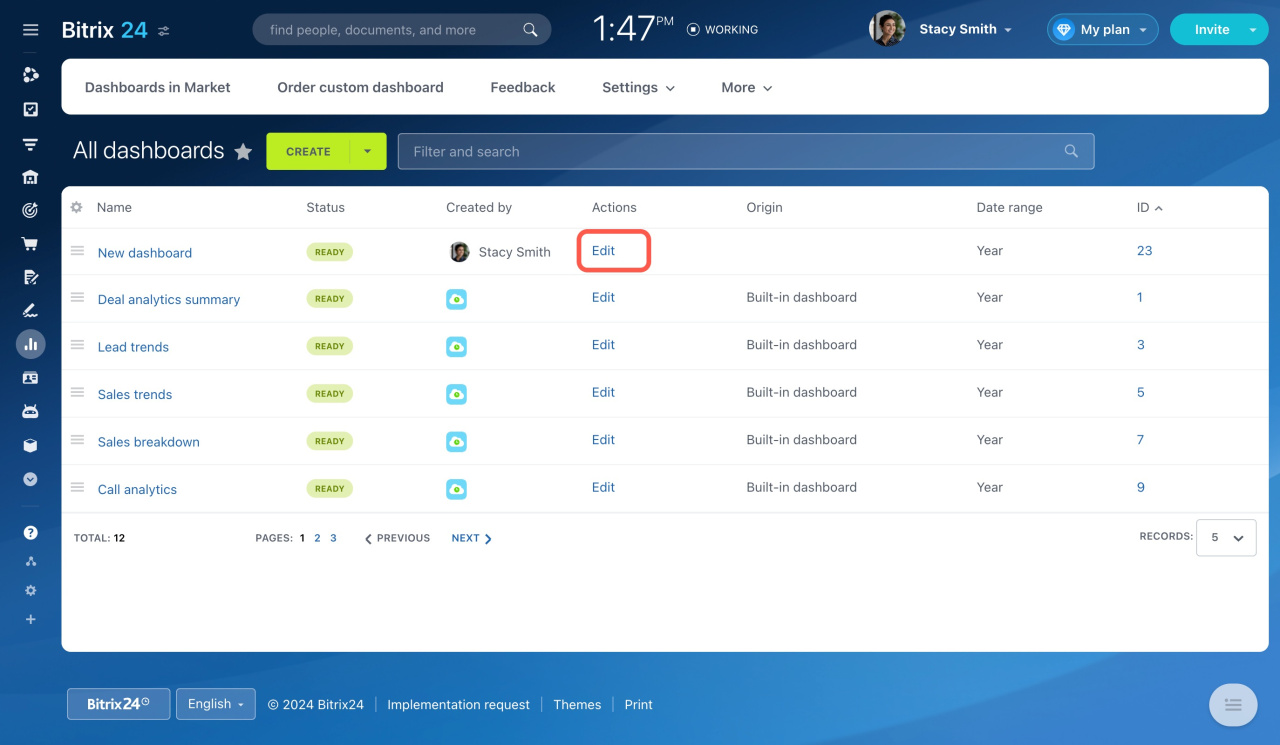
Bitrix24 is a massive, all-in-one digital headquarters that replaces the need for half a dozen separate subscriptions. It bundles a high-performance CRM with project management, video conferencing, and website building tools into a single, unified environment.
The tool excels at internal collaboration, offering social-style “Activity Streams” and instant chat windows right alongside your active sales deals. You can automate your entire sales funnel, from the initial lead capture form on your site to the final electronic signature on a contract.
For teams with strict security requirements, it is one of the few modern platforms that still offers a self-hosted on-premise version. Its “Super Agent” AI helps you manage your calendar, summarize meeting notes, and even draft marketing copy for your next outreach campaign.
Bitrix24 best features
Comprehensive CRM: Manage leads, deals, and quotes with customizable pipelines and automation rules
Built-in collaboration: Chat, video calls, and activity streams keep teams connected within the context of CRM records
Project and task management: Track projects with Gantt charts and Kanban boards, connected to CRM deals
Bitrix24 pros and cons
Pros:
Good value, bundling multiple tools into one platform to save costs
A self-hosted option is available for organizations with specific security requirements
The generous free tier allows teams to evaluate the platform thoroughly
Cons:
The breadth of features can be overwhelming for new users
Individual components may not match the depth of specialized, best-of-breed tools
The interface can feel cluttered with so many capabilities compared to Bitrix24 alternatives
15. AdRoll (Best for e-commerce retargeting campaigns)
via AdRoll
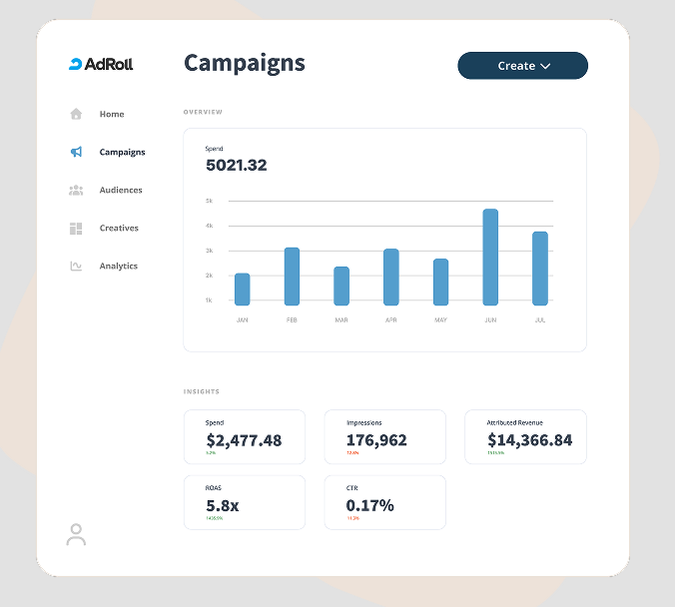
AdRoll acts as a powerful force multiplier for e-commerce and D2C brands that need to turn casual browsers into loyal customers. It specializes in sophisticated retargeting, allowing you to follow high-intent users with consistent, personalized messaging across display networks, social media, and email.
This tool also simplifies the often-frustrating world of cross-channel attribution by showing you exactly how each touchpoint contributed to a final sale. With native integrations for Shopify and WooCommerce, you can sync your product catalog and launch dynamic creative campaigns in just a few clicks.
It removes the technical barriers to entry for high-end digital advertising, giving smaller brands the same retargeting power as global retail giants. In 2026, its “Brand Awareness” suite has evolved to help you reach new lookalike audiences that mirror your best existing customers.
AdRoll best features
Cross-channel retargeting: Reach website visitors with coordinated messaging across display networks, Facebook, and email
Audience segmentation: Create segments based on website behavior, like pages visited or cart abandonment
Revenue attribution: Connect ad impressions and clicks to actual purchases with cross-device tracking
AdRoll pros and cons
Pros:
Simplified cross-channel management saves time and improves consistency
The e-commerce focus means it understands workflows like product feeds and dynamic creative
Makes retargeting technology accessible to brands without dedicated ad ops teams
Cons:
Limited upper-funnel capabilities for awareness campaigns
Attribution accuracy has been impacted by browser privacy changes
Creative options are more limited than dedicated creative tools
What I like best about AdRoll is how easy it makes retargeting across multiple channels from one place. The setup is straightforward, and the reporting is clear enough to quickly understand what’s driving conversions. It’s especially useful for staying top-of-mind with high-intent users without heavy manual effort.
Summarize this article with AI
ClickUp Brain not only saves you precious time by instantly summarizing articles, it also leverages AI to connect your tasks, docs, people, and more, streamlining your workflow like never before.
Summarize this article for me please
Bring Your Ads and Sales Together
The best advertising sales management software depends on your specific needs—whether you’re selling direct inventory, managing programmatic, or coordinating custom campaigns.
The right choice balances pipeline management, campaign coordination, and reporting capabilities.
Teams choosing integrated platforms over point solutions will spend less time on administrative work and more time building advertiser relationships.
Summarize this article with AI
ClickUp Brain not only saves you precious time by instantly summarizing articles, it also leverages AI to connect your tasks, docs, people, and more, streamlining your workflow like never before.
Summarize this article for me please
Frequently Asked Questions
How does advertising sales management software differ from a general CRM?
Advertising sales management software includes industry-specific features like inventory management, rate cards, and campaign trafficking that general CRMs lack. While CRMs track relationships, ad sales platforms also manage what you’re selling and how it gets delivered.
Can a project management platform replace dedicated ad sales software?
Project management platforms can handle pipeline tracking and campaign coordination, especially for custom advertising solutions. However, teams with complex inventory needs may still require specialized tools, though converged workspaces reduce the need for multiple systems.
What AI features should teams look for in sales management software?
Look for practical AI capabilities like lead scoring to prioritize outreach, deal insights to identify at-risk opportunities, and automated follow-up suggestions. The best AI surfaces actionable insights that help you sell smarter, not just generate more reports.
Is free advertising sales management software worth it for small teams?
Yes, free tiers from platforms like ClickUp, HubSpot, and Zoho provide genuine value for small teams starting out. You should evaluate limitations around user counts and features, but free options are absolutely viable starting points.
Everything you need to stay organized and get work done.