


Sorry, there were no results found for “”
Sorry, there were no results found for “”
Sorry, there were no results found for “”
Ah, reminders. Where would we be without them?
Between your to-do lists, multitasking, and carving out precious moments for yourself, your brain can’t keep up with all the information it processes in a day alone. This is why reminder apps are essential.
But how do you find a reminder app that helps instead of hinders? That’s where I come in! I’ve done the research and found the top 10 best reminder apps on the market, complete with pricing, reviews, pros, and cons.
Our editorial team follows a transparent, research-backed, and vendor-neutral process, so you can trust that our recommendations are based on real product value.
Here’s a detailed rundown of how we review software at ClickUp.
It’s time to get your brain a virtual assistant in the form of an awesome reminder app. Whether you’re looking for the best reminder apps or something paid, I have you covered.
Yep, ClickUp took the top spot. ✨ Sure, you probably expected it, but I put it here because it keeps our entire team on task! ClickUp has won several awards and topped multiple lists, but I won’t bore you with the details while you’re trying to get organized.
Instead, I want to tell you about the functionality of ClickUp’s Reminders and to-do list. You can create notifications for yourself and your team members in seconds and add files and attachments as reminders to make life easier. They’re easy to change, organize, comment on, update, and (best of all) customize.
ClickUp is a fantastic free reminder app with tons of features on the Free Forever plan. And with flexible goal tracking, flexible due dates, to-do-list templates, and time-blocking templates, it’s a perfect solution for teams of any size.
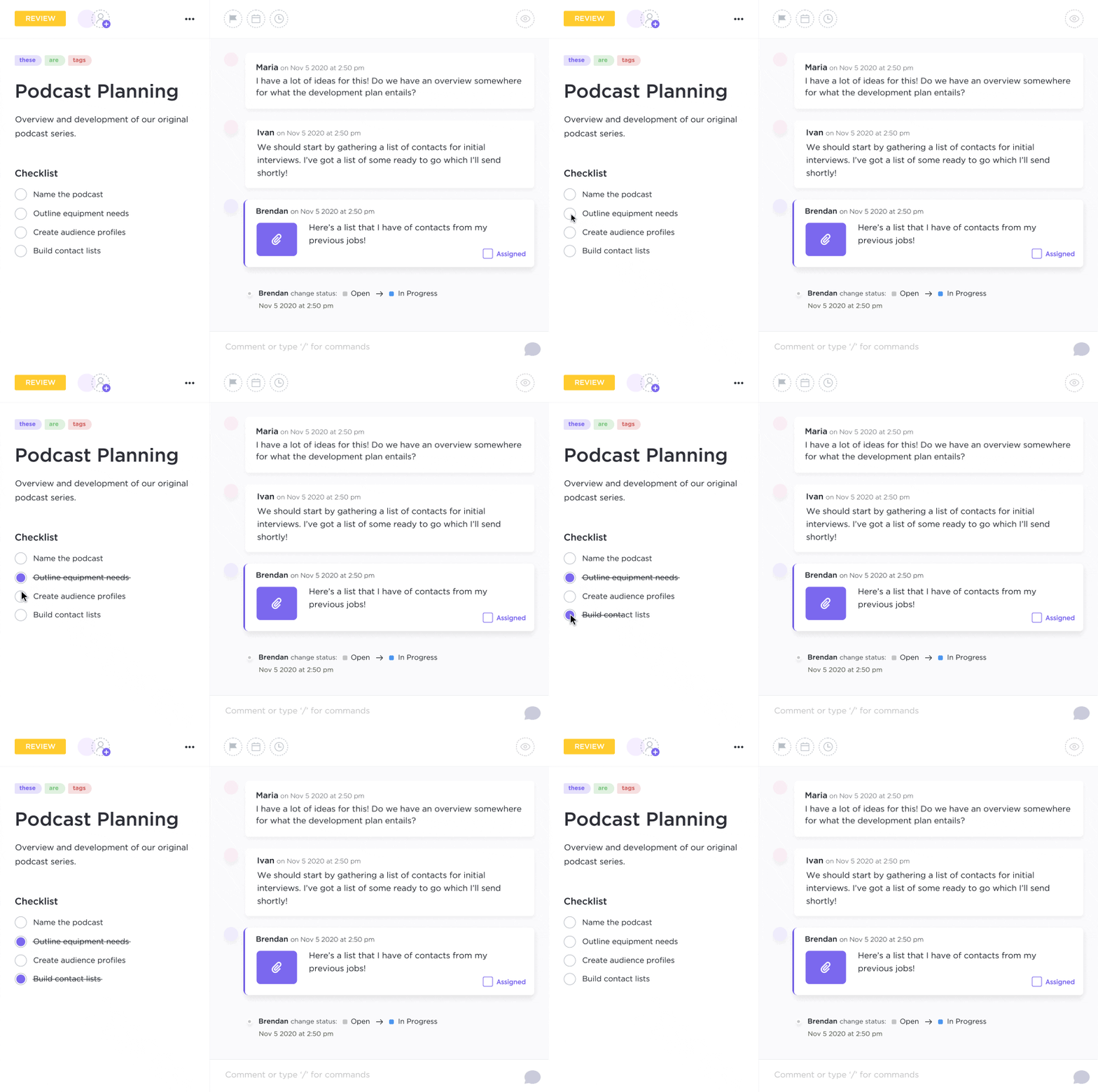
Speaking of teams, ClickUp has over 1,000 integrations and works on any device you could ask for, so it’s excellent for cross-platform teams. So ClickUp has you covered whether you want an iOS or Android app, browser functionality, or desktop download.
Did I mention that ClickUp has hundreds of other functional features to simplify life? Yep, it’s more than a to-do list app—it’s a personal assistant that can streamline every aspect of your workday. And it’s an excellent alternative to project management outsourcing.
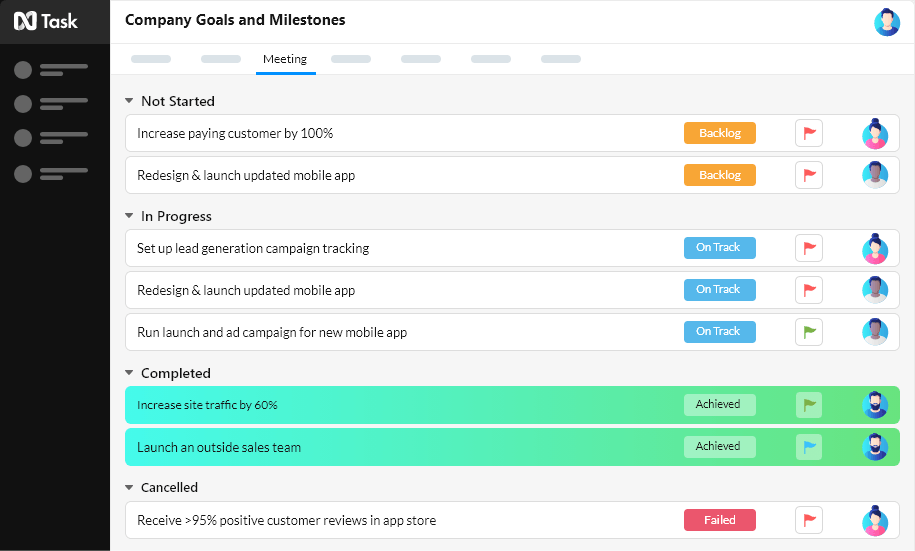
nTask is another option for anyone looking for a free reminder app. It’ll help you figure out how to prioritize your work with task lists, reminders, notifications, due dates, and collaboration functions. You can also view task statuses to track where your team is on any project.
As a handy reminder app, nTask also has good cross-platform functionality, providing to-do reminders for your team on almost any device. It’s also designed to help organize personal tasks, so whether you need to create reminders to get more milk or finish a project, it’ll help you get it done.
Check out these daily checklist apps!
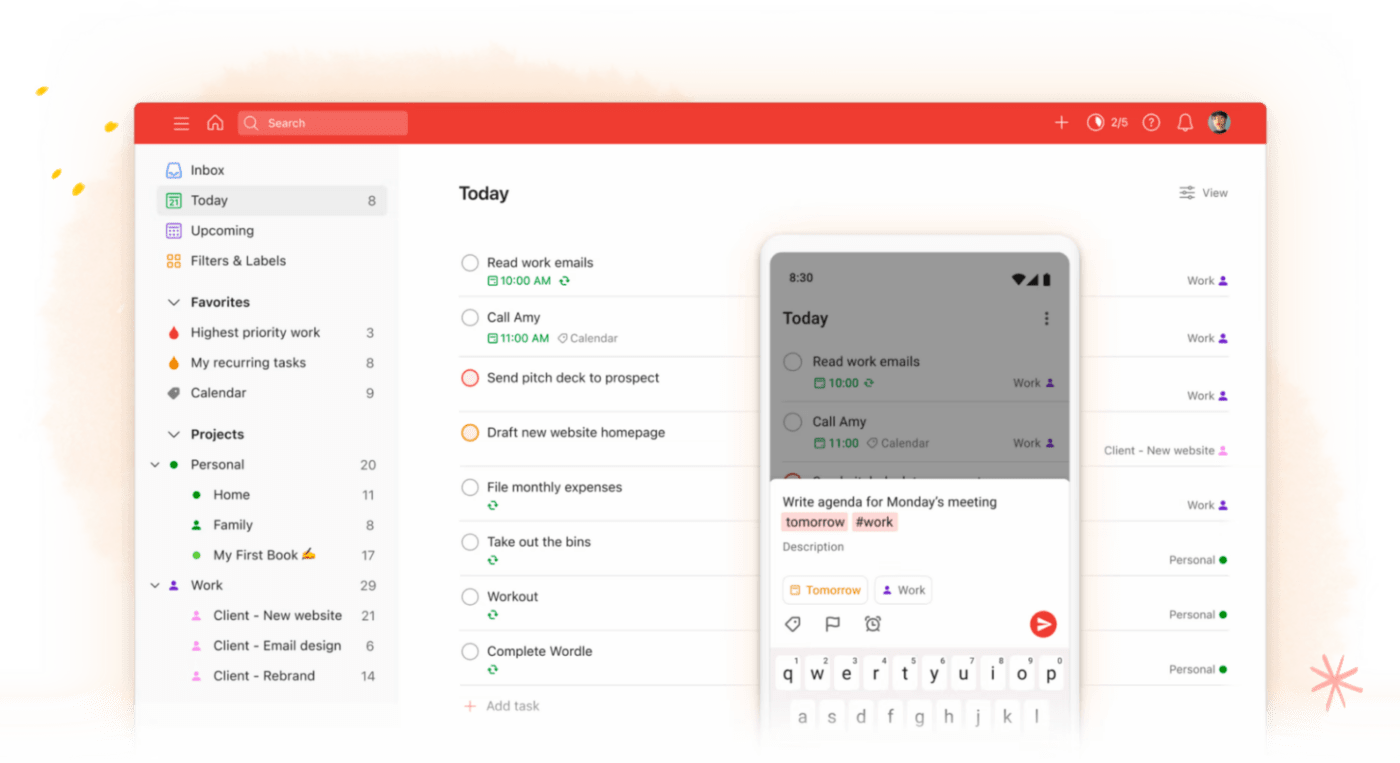
Todoist is one of this list’s most widely used daily reminder apps thanks to its extensive features, quick add options, and sleek interface. It’s a simple to-do list organizer designed to help you complete your tasks at work and in your personal life.
One of the most popular features of Todoist is the streak system, which gamifies your to-do list and helps motivate you to get stuff done. And since it’s optimized for delegation, it’s also useful for project managers trying to keep their teams on task.
Check out these Todoist alternatives!
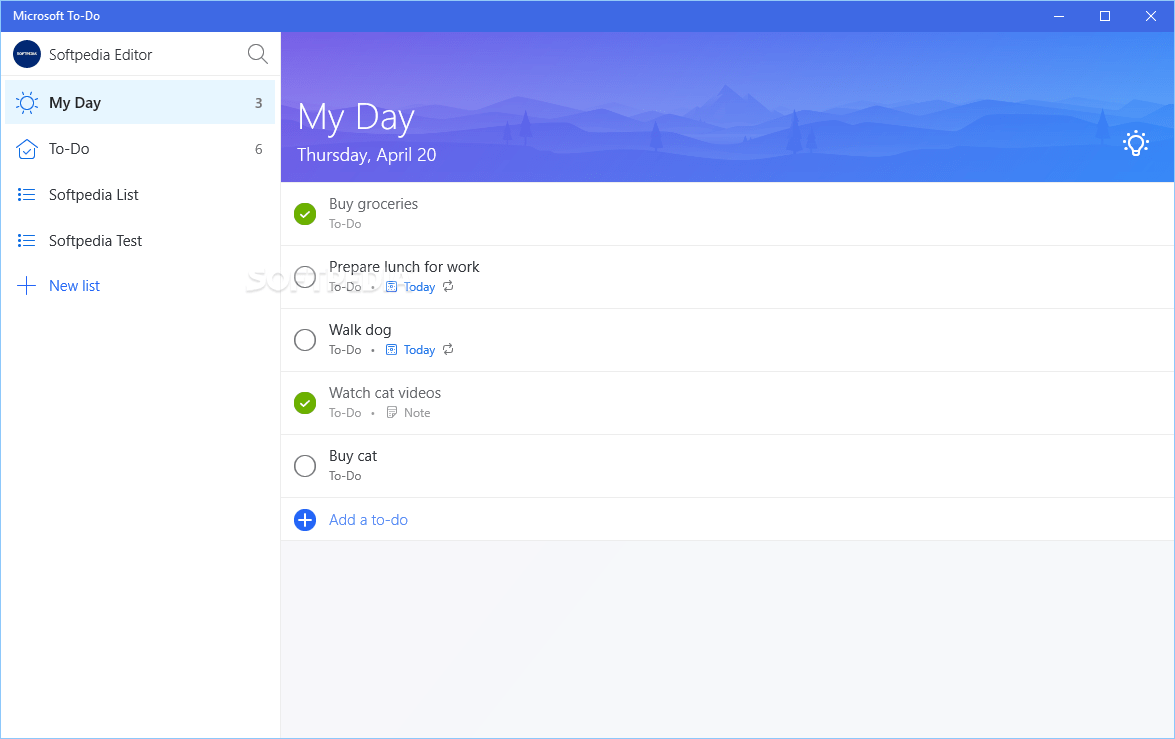
Microsoft To Do is a simple to-do list app that manages professional and personal tasks on one easy dashboard. It lets you view a snapshot of everything you need to do in a day or zoom in on particular lists as needed. And the best part? It’s completely free!
Microsoft To Do allows you to set due dates and reminders for each task and star your most important tasks to keep them visible. You can also use “steps” (aka subtasks) to break down larger tasks and add notes to each one as needed.
Check out these Microsoft To Do alternatives!
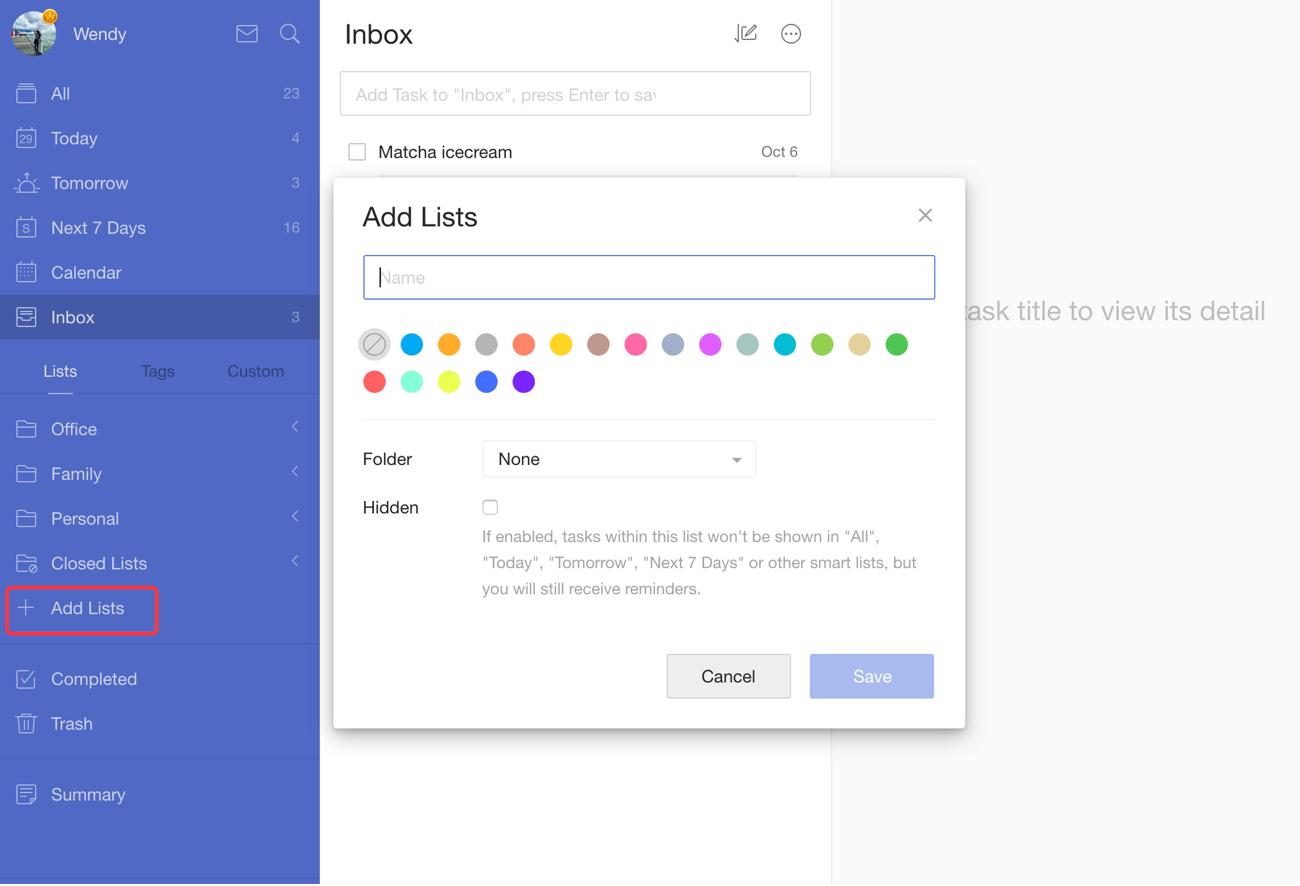
TickTick is another reminder app that makes a free version available to all users. And since finding the best reminder app can be challenging, it’s nice to have options you can take for a spin free of charge.
It’s designed for individuals and businesses of all sizes, with work scheduling features to help you manage tasks, deadlines, files, and correspondence from one dashboard. And since it creates automatic reminders, it’ll help you and your team members avoid forgotten tasks so you can all stay on track.
Compare Todoist Vs TickTick!
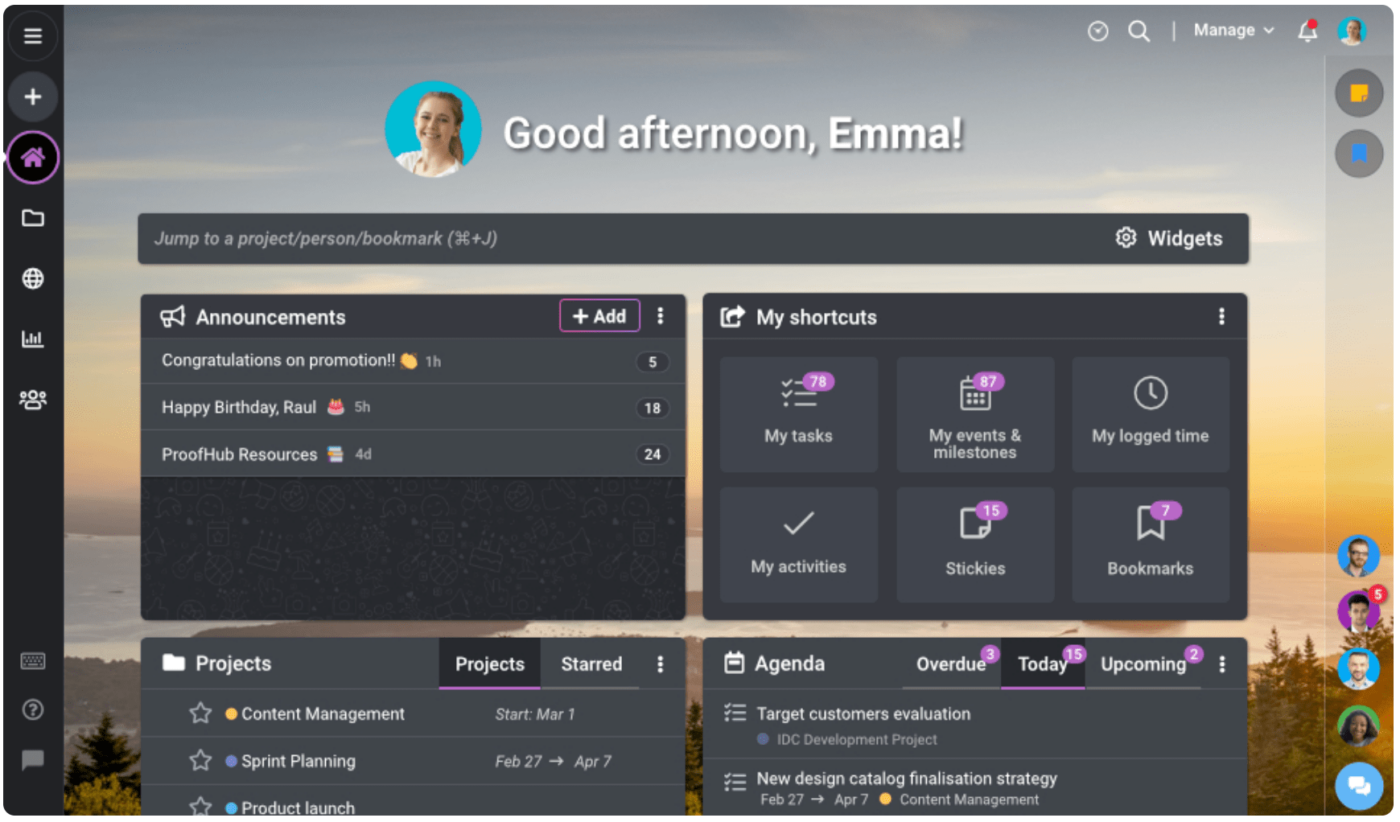
ProofHub is a reminder and project management app designed for businesses and large teams, and it’s loaded with collaboration features. From time tracking to chats and announcements, it has everything a project manager needs to keep team members moving forward with tasks.
ProofHub is designed for a minimal learning curve, making integration with team members more efficient. And since it’s available in multiple languages, it’s a popular option with multinational companies managing remote workers. ✨
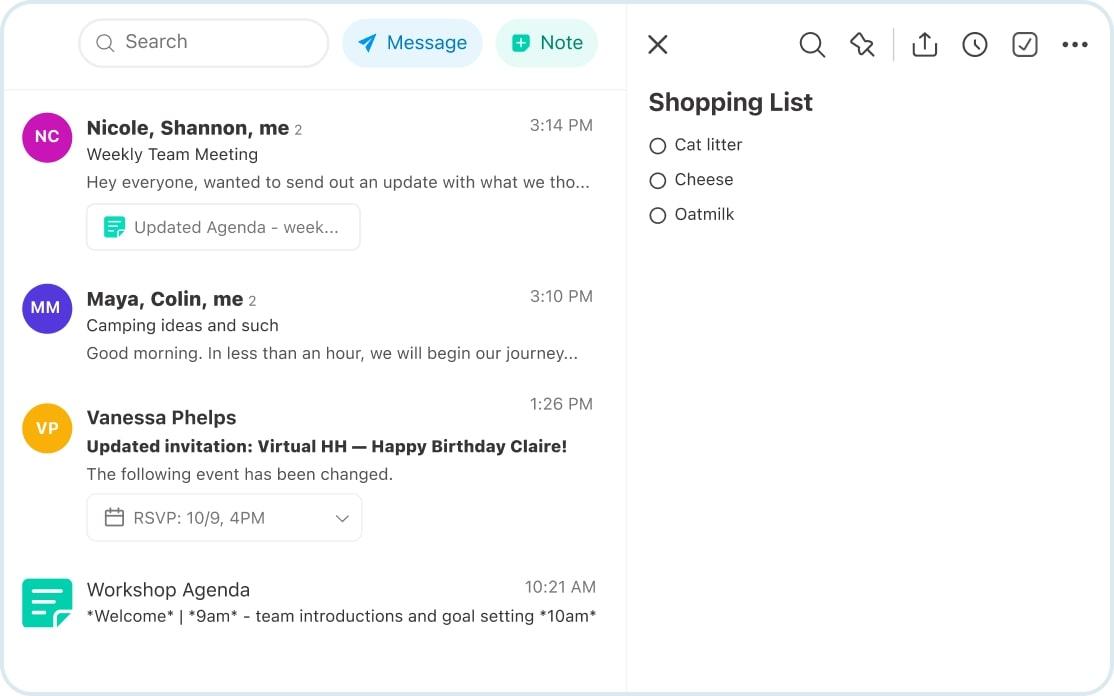
Twobird is arguably one of the best free reminder apps on this list because it’s 100% free. While they plan to add premium plans with extra features down the road, all of the app’s tools are currently available free of charge.
Instead of functioning like a separate tool, Twobird transforms your inbox into a multitasking to-do list, note-taking hotspot, and communication platform. It’ll send your shopping lists, team notes, and more to your inbox for quick and easy access.
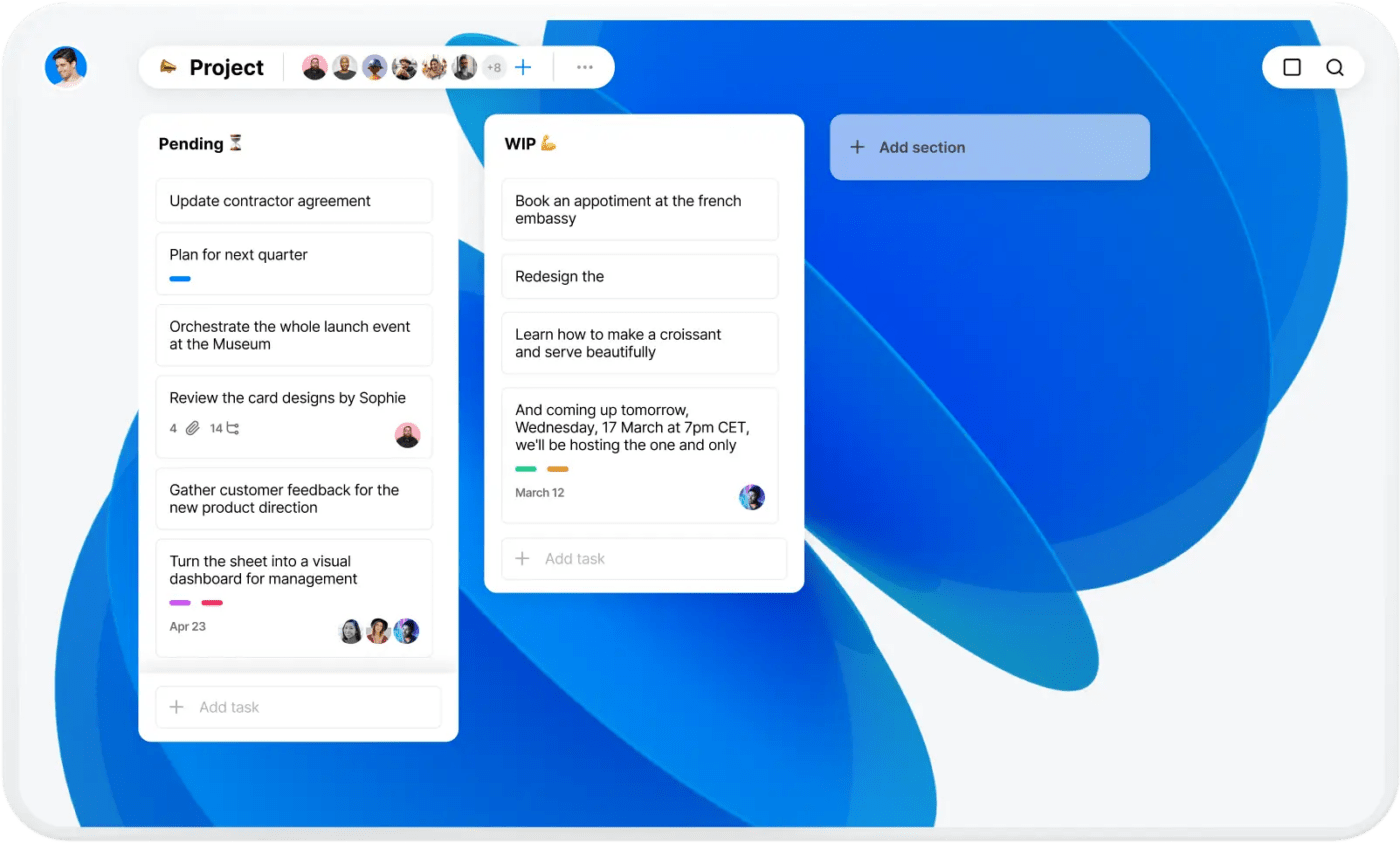
Any.do is a web-based task management app designed with simple features to make learning easier for team members. It can help with project management for teams of any size while keeping your personal life in order.
With to-do lists, tasks, daily planners, and a calendar, Any.do focuses on the key features of a reminder app without adding a bunch of clutter. And it has a free version, so you can give it a try before committing, which is always a bonus.
📮ClickUp Insight: 37% of workers send follow-up notes or meeting minutes to track action items, but 36% still rely on other, fragmented methods.
Without a unified system for capturing decisions, key insights you need may get buried in chats, emails, or spreadsheets. With ClickUp’s built-in reminders, you’ll always stay on top of your tasks—ensuring nothing falls through the cracks. Plus you can add exact time estimates and date details too!
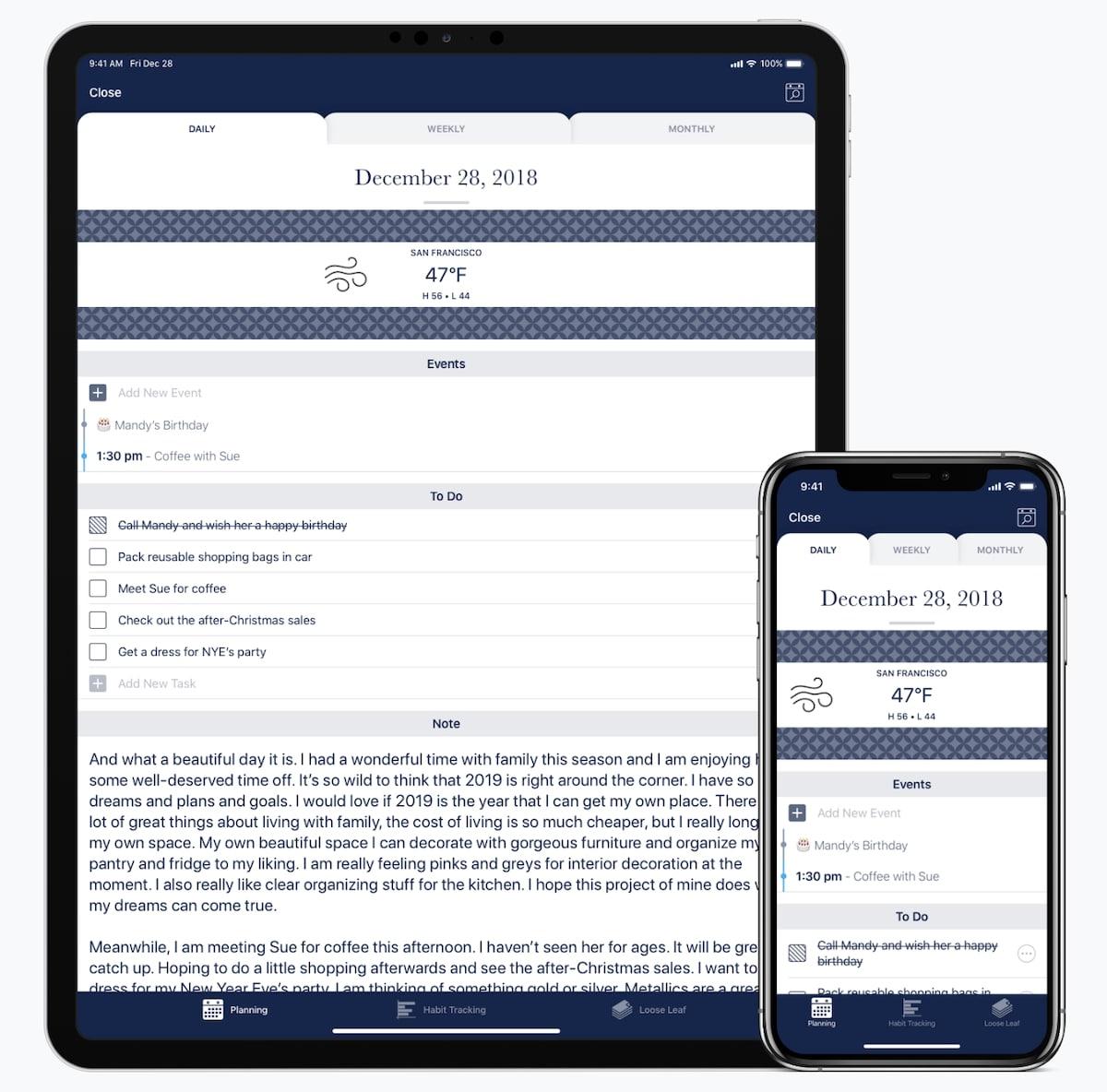
Capsicum is a to-do list and day planner app designed exclusively for iOS users. It’s optimized for personal use over professional use, with features designed to plan your days, track healthy habits, and encourage journal entries.
Capsicum also helps professionals check the forecast for upcoming tasks, take notes on projects, and plan workdays to stay organized. The design is inspired by physical day planners and may help professionals who are switching to digital task management.
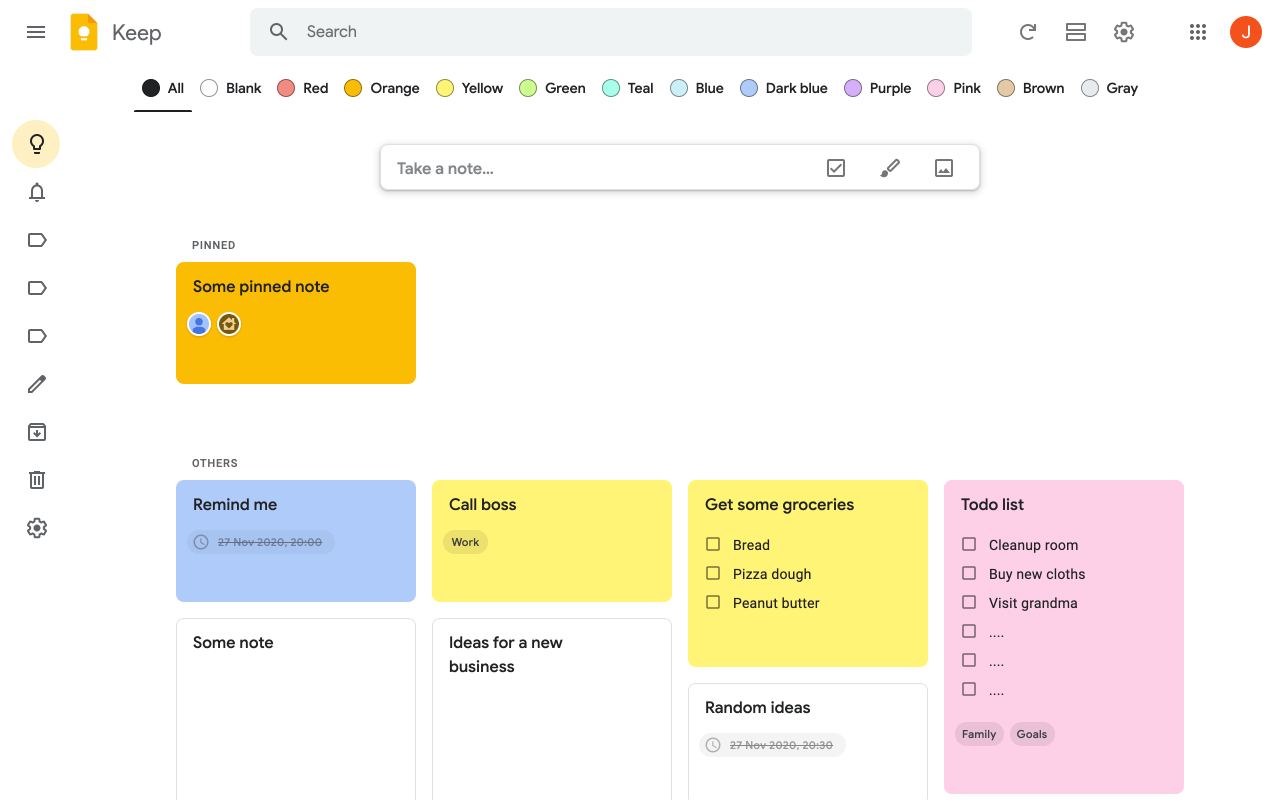
Google Keep is a note-taking and reminder app that’s free for anyone with a Gmail account. It lets you make lists, reminders, and to-do list tasks quickly and easily. You can also save images and integrate Keep with your Google Calendar.
Google Keep is useful for freelancers and small businesses that need to track multiple projects, but it’s also functional for personal use. And since you can edit tasks and lists whenever you’d like, it’s easy to create a short on-the-go note and expand it later.
A reminder app should help your brain keep track of everything, from essential tasks at work to daily to-do lists for personal use. The human brain forgets a lot—research shows that people forget 50% of new information within an hour of receiving it. After 24 hours, you’ve forgotten 70% of it; after a week, that figure jumps to 90%!
Reminder apps can help fill those gaps. Here are some key points to look for when choosing the best app for your daily tasks:
It’s OK to have high standards here! When you find an excellent reminder app, you don’t have to worry about forgetting anything, and you can get things done more efficiently.
It’s time to pick a reminder app and kiss those missed deadlines goodbye. These trusty helpers will keep you on top of your game to get you closer to a perfect track record in your personal and work life. You might even free up some time for happy hour—cheers to staying on top of things!
© 2025 ClickUp