Sorry, there were no results found for “”
Sorry, there were no results found for “”
Sorry, there were no results found for “”
Struggling to keep track of all the moving parts in your next webinar?
Between coordinating guest speakers, creating promotional content, and managing the technical setup of the webinar software, planning for webinars can quickly become overwhelming without a proper system in place.
What if you could access ready-made templates that handle the logistics so you can focus on delivering value to your audience? That’s exactly what we’re sharing today—from comprehensive event plan templates to specialized promotional calendars.
Let’s dive into the best webinar strategy templates to transform virtual events from stressful scrambles into streamlined successes.
🧠 Fun Fact: Webinar = Web + Seminar. The term ‘webinar’ is a blend of ‘web’ and ‘seminar,’ making it a portmanteau, just like ‘brunch’ or ‘smog.’
Webinar planning templates are pre-designed frameworks that organize all the essential elements needed to plan, execute, and follow up on virtual events. These structured documents outline the timeline, responsibilities, resources, and key deliverables for successful webinar implementation.
A well-designed webinar strategy template typically includes sections for:
Rather than starting from scratch for each webinar, these templates provide a repeatable process that saves time and ensures no critical steps are overlooked.
👀 Did You Know? Webinars (51%) are the second-most effective distribution channel for B2B organizations, nearly matching in-person events (52%) and significantly outperforming other digital channels like email (42%), organic social media (42%), and corporate blogs (41%).
An effective webinar strategy template perfectly balances comprehensive coverage and usability. It should be detailed enough to capture all essential elements while remaining flexible for different virtual events.
The best webinar strategy templates include:
💡 Pro Tip: Here are a few hacks for finding engaging webinar topics.
We’ve curated webinar planning templates from ClickUp, the everything app for work, alongside specialized solutions from industry experts like Airmeet, Nanoomarketing, and Experiencewelcome.
Each template offers a unique approach to tackling common webinar challenges, giving you multiple pathways to achieve your virtual event goals.
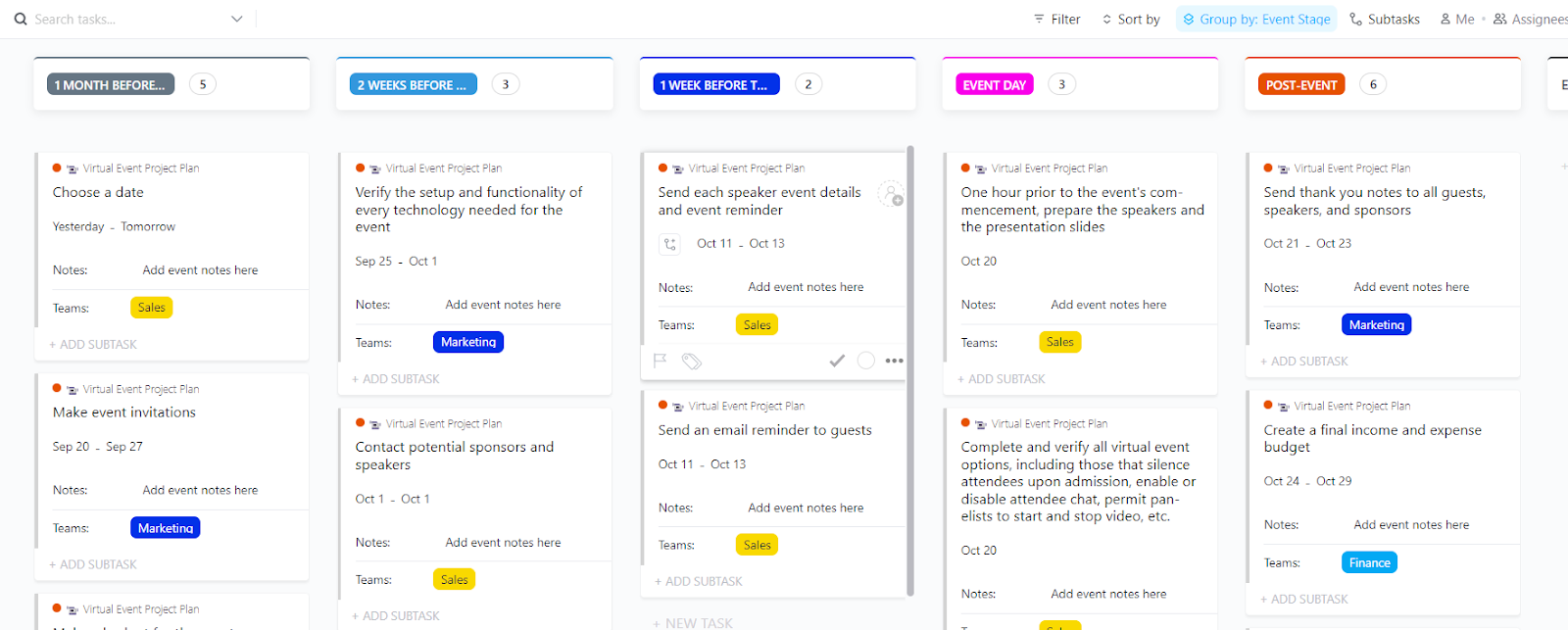
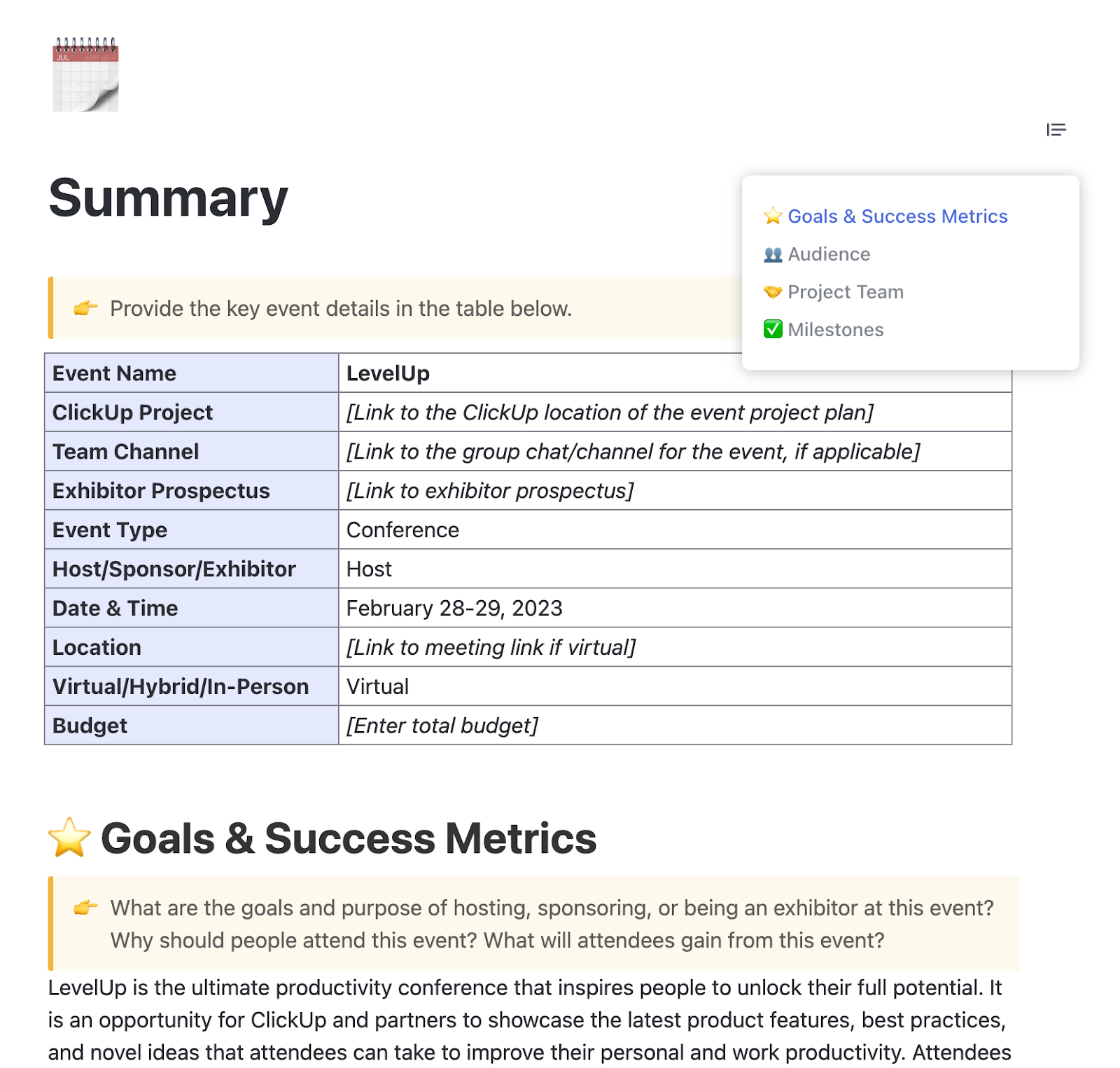
Have you ever found yourself drowning in separate spreadsheets, docs, and chat threads while planning a webinar? The ClickUp Virtual Event Project Plan Template brings everything together in one centralized workspace, making it the command center for your next virtual event.
This template transforms the complex, disjointed moving parts involved in event planning into a structured workflow:
This template’s comprehensive approach sets it apart. It covers everything from speaker management and content creation to technical setup and promotional activities. And it does this while maintaining clear organization through ClickUp’s intuitive interface.
💬 Ideal for: Marketing teams handling multiple webinars simultaneously, especially when they need a single source of truth for all event details
📮ClickUp Insight: 83% of knowledge workers rely primarily on email and chat for team communication. However, nearly 60% of their workday is lost switching between these tools and searching for information.
With an everything app for work like ClickUp, your project management, messaging, emails, and chats all converge in one place! It’s time to centralize and energize!
Organizations across industries have discovered the transformative power of centralizing their event planning.
Anna Shelton, Membership Experience Manager at ICPSR Enterprise, University of Michigan, shares:
Our team manages everything from graphic design to sales to social media to events, and we needed a system that could handle organizing work across various channels (Slack, Jira etc) along with multiple job types. We tried and failed a lot of other products, but once we found ClickUp we never looked back.
💡 Pro Tip: For more insights on maximizing virtual events using ClickUp’s features and templates, check out ClickUp’s webinar series, which features platform demonstrations and success stories.
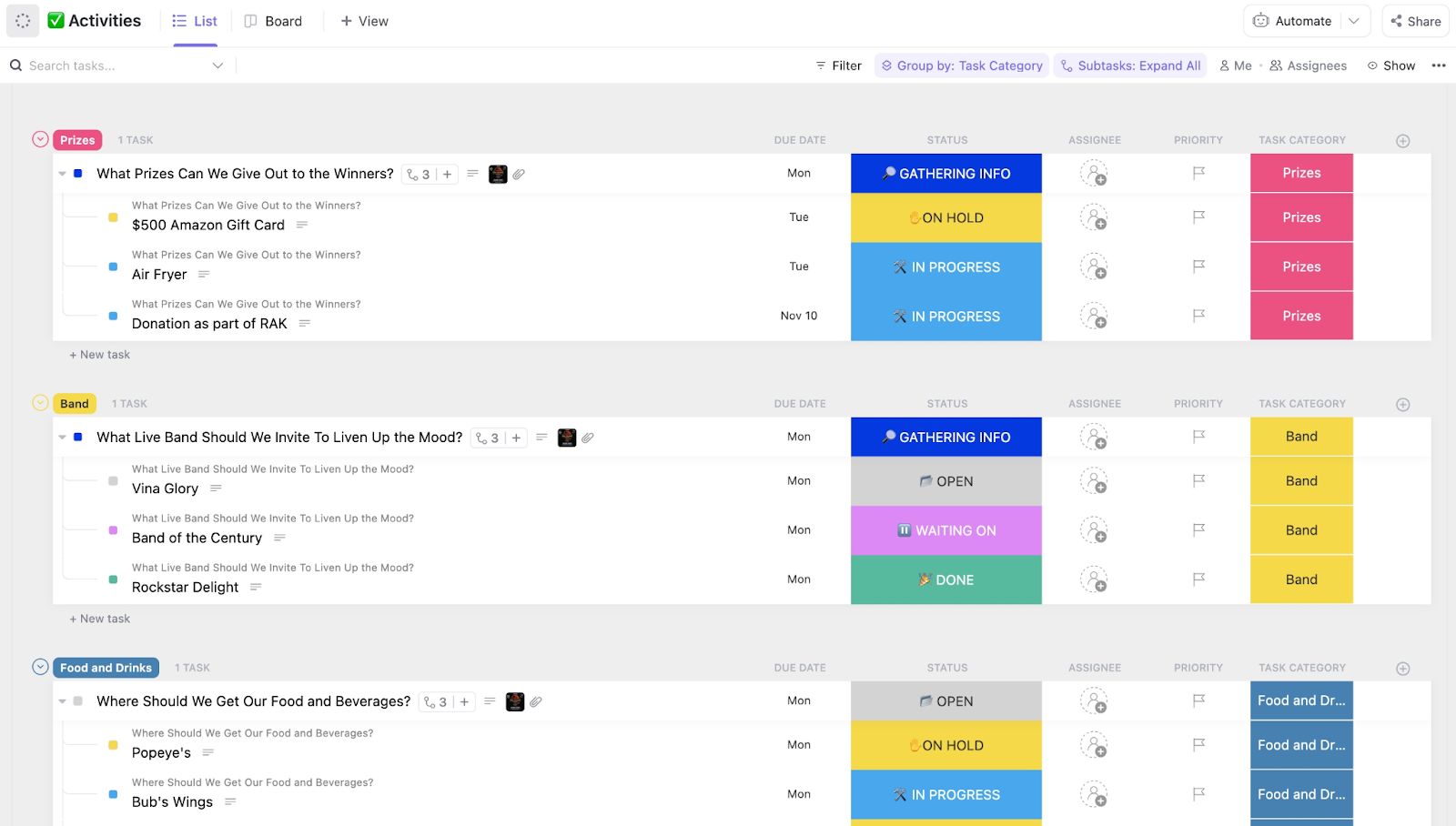
Starting your webinar with awkward silence or technical confusion? You’re bound to instantly lose audience engagement. The ClickUp Run of Show Template creates a minute-by-minute blueprint that ensures your webinar flows seamlessly from introduction to conclusion.
This powerful template organizes your event schedule with precision:
This run-of-show template effectively combines a high-level overview (list view) with granular details (board view). This lets you track both the comprehensive schedule as well as the status of each segment’s preparation.
💬 Ideal for: Webinar producers and hosts who need to orchestrate complex presentations with multiple speakers, demonstrations, and interactive elements
💡 Pro Tip: Share your run of show draft with all stakeholders before finalizing. This ensures everyone is literally ‘on the same page’ and allows subject matter experts to identify potential issues before they become problems during the live event.
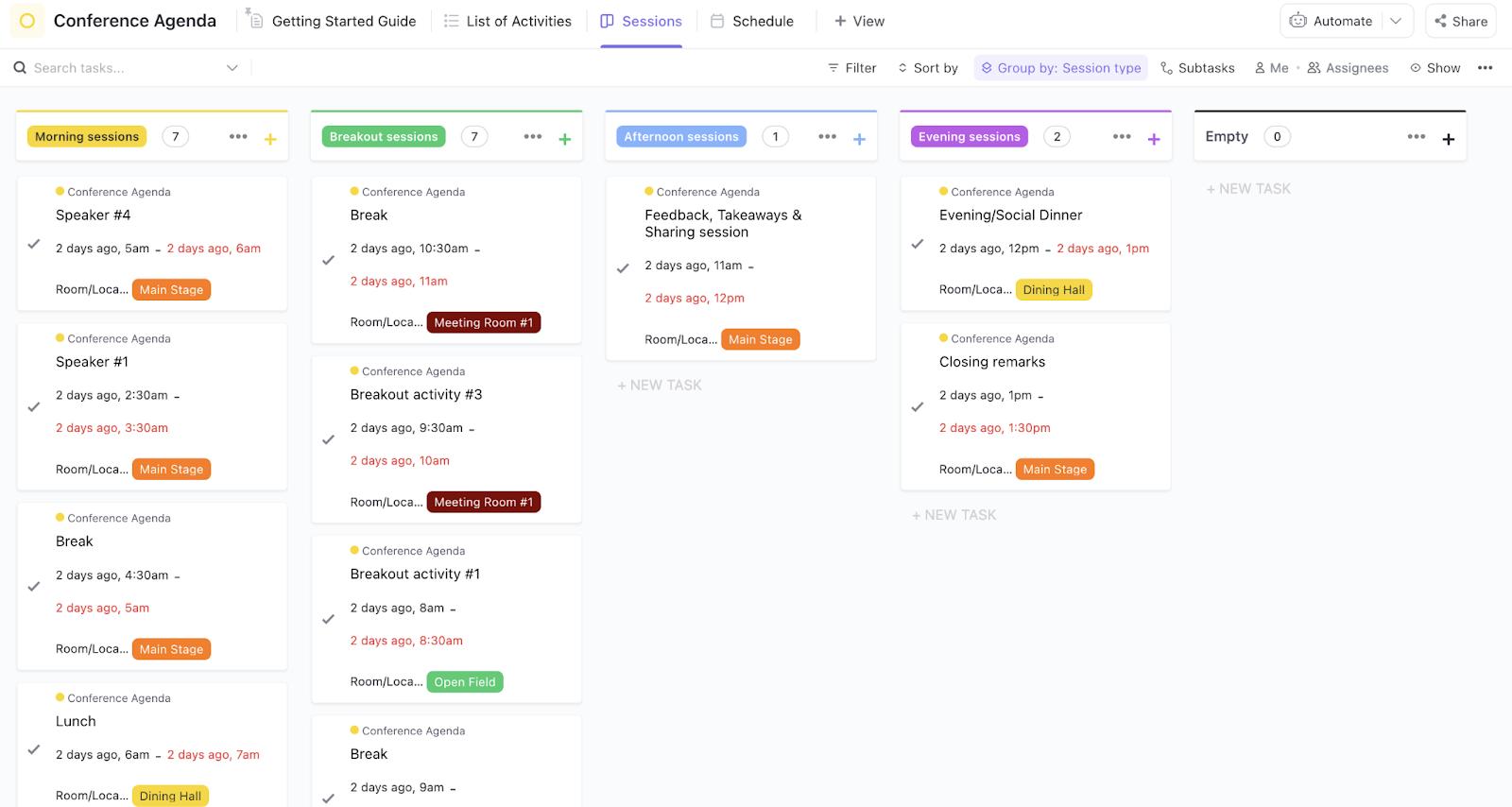
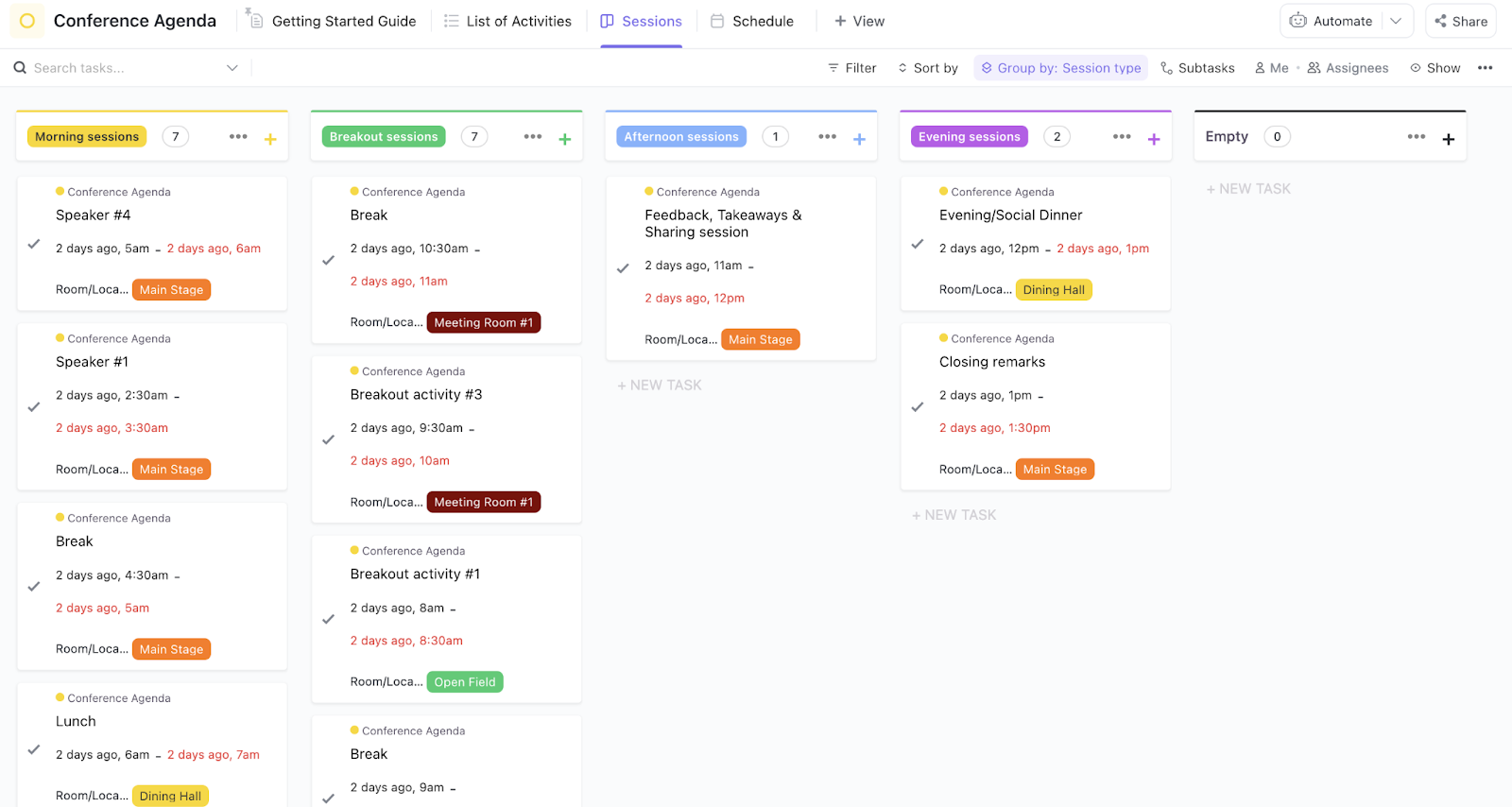
“What exactly will we cover in this webinar?” The ClickUp Conference Agenda Template answers this question with clarity, creating a compelling roadmap that keeps presenters and attendees aligned throughout your virtual event.
This comprehensive template helps you organize your conference agenda:
The standout feature of this template is the ability to share a polished, professional agenda with attendees while maintaining a more detailed internal version with presenter notes, technical requirements, and contingency plans—all organized in a single, accessible workspace.
💬 Ideal for: Content planners and webinar strategists focused on delivering high-value, well-structured presentations that maintain audience engagement from start to finish
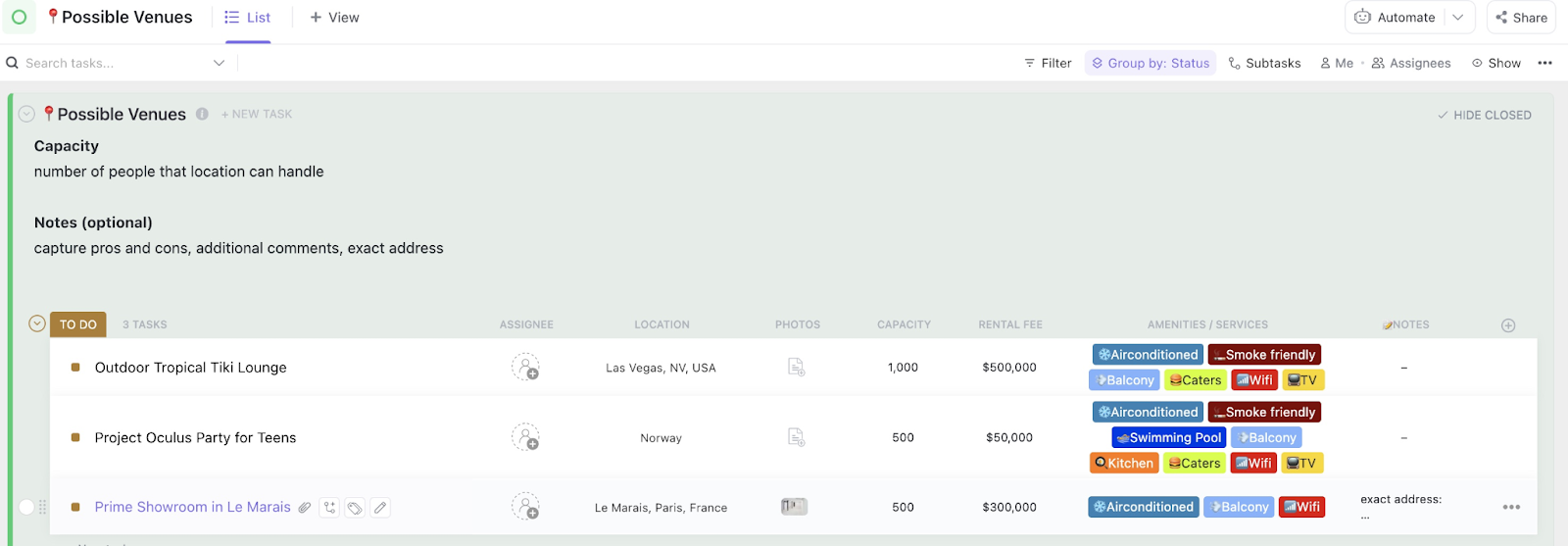
Why juggle multiple tools when you can manage every aspect of your webinar from a single dashboard? The ClickUp Conference Management Template creates a comprehensive command center for even the most complex virtual events.
This all-in-one free template helps you:
This template’s adaptability to virtual and hybrid events makes it particularly valuable. The pre-built folder structure organizes your content into logical categories (Budget, Calendar, Communications, Event Management, Marketing, and Speakers), giving you a solid foundation that can scale from simple webinars to multi-day conferences.
💬 Ideal for: Event managers handling large-scale webinars or virtual conferences with multiple tracks, speakers, and significant attendee numbers
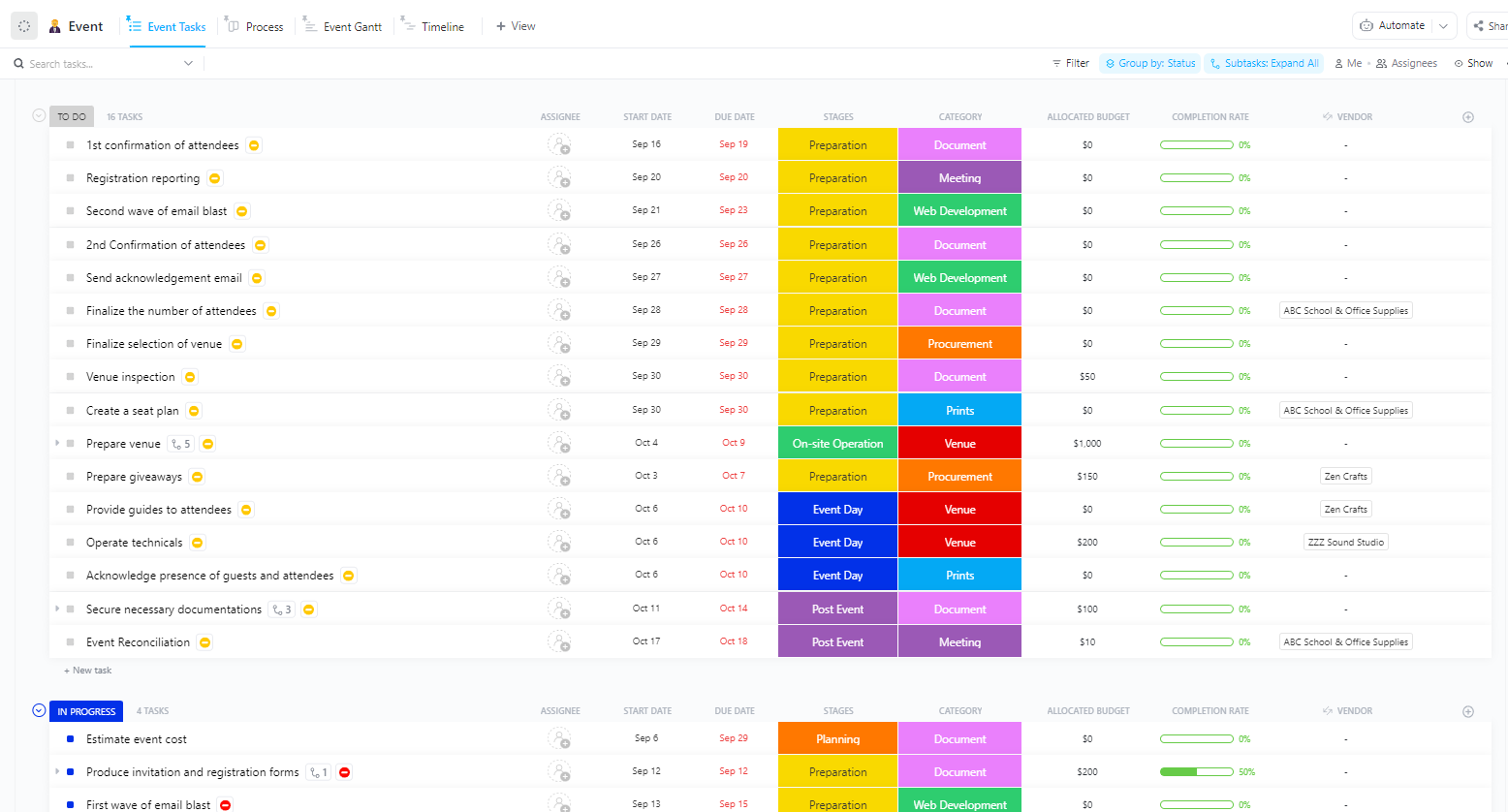
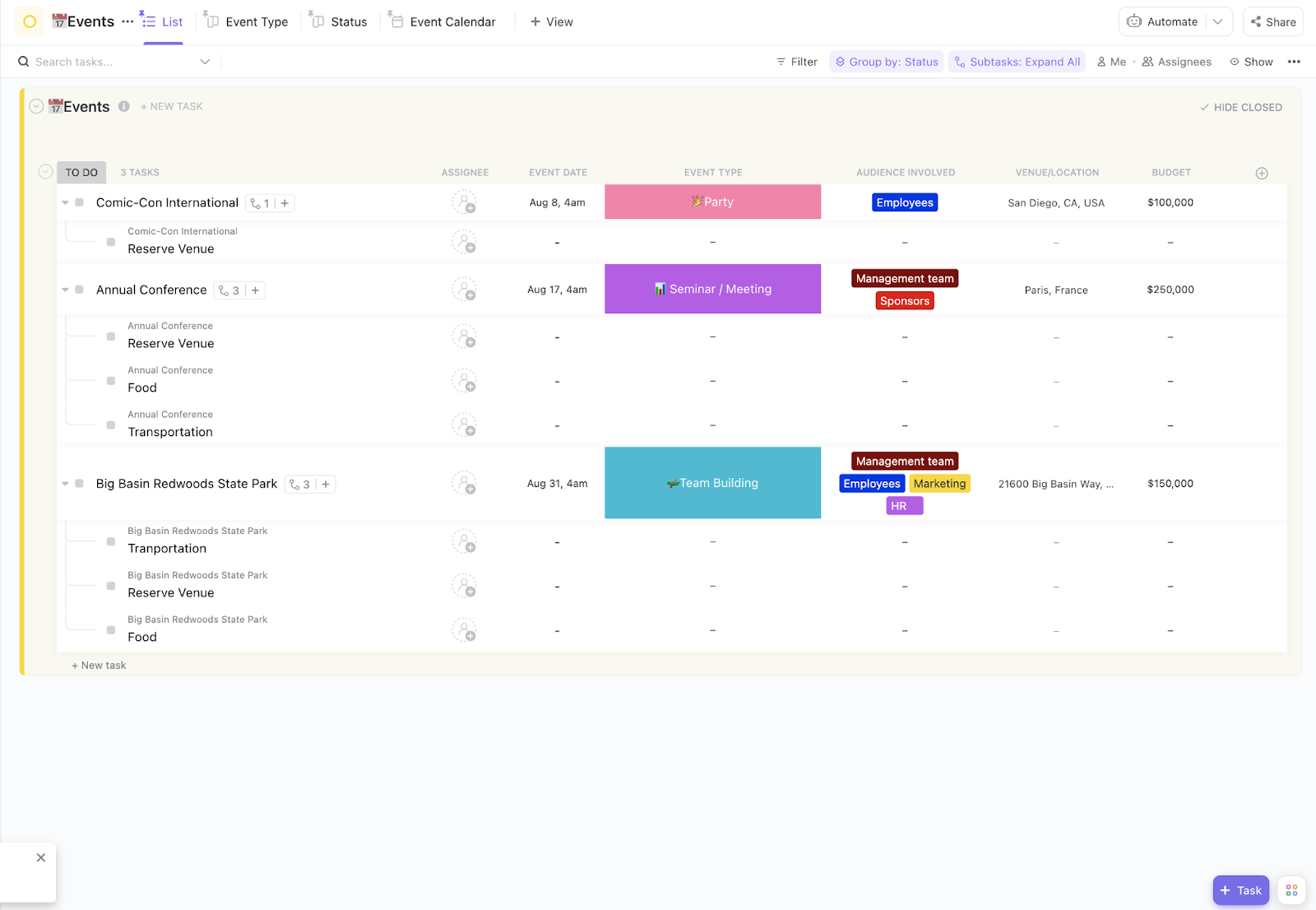
Wondering if you’re forgetting something crucial in your webinar preparation? The ClickUp Event Planning Template leaves nothing to chance with its comprehensive approach to virtual event management.
This template enables you to:
The template provides a structured framework for a range of events, from small webinars to large virtual conferences. It’s particularly powerful for maintaining consistency across recurring webinar series, allowing you to clone and refine your process with each iteration.
💬 Ideal for: Detail-oriented planners who want to ensure that nothing is missed when organizing webinars that represent their brand or organization
The financial side of webinar planning can make or break your event’s success. The ClickUp Event Budget Template brings much-needed clarity to your virtual event finances, helping you maximize impact while controlling costs.
Use it to:
What makes this template particularly valuable is its flexibility to adapt to different event types—from in-person conferences to virtual webinars—while providing the detailed financial organization needed to maintain budget control throughout the planning process.
💬 Ideal for: Marketing managers and event planners who need to justify webinar investments and demonstrate positive returns on virtual event spending
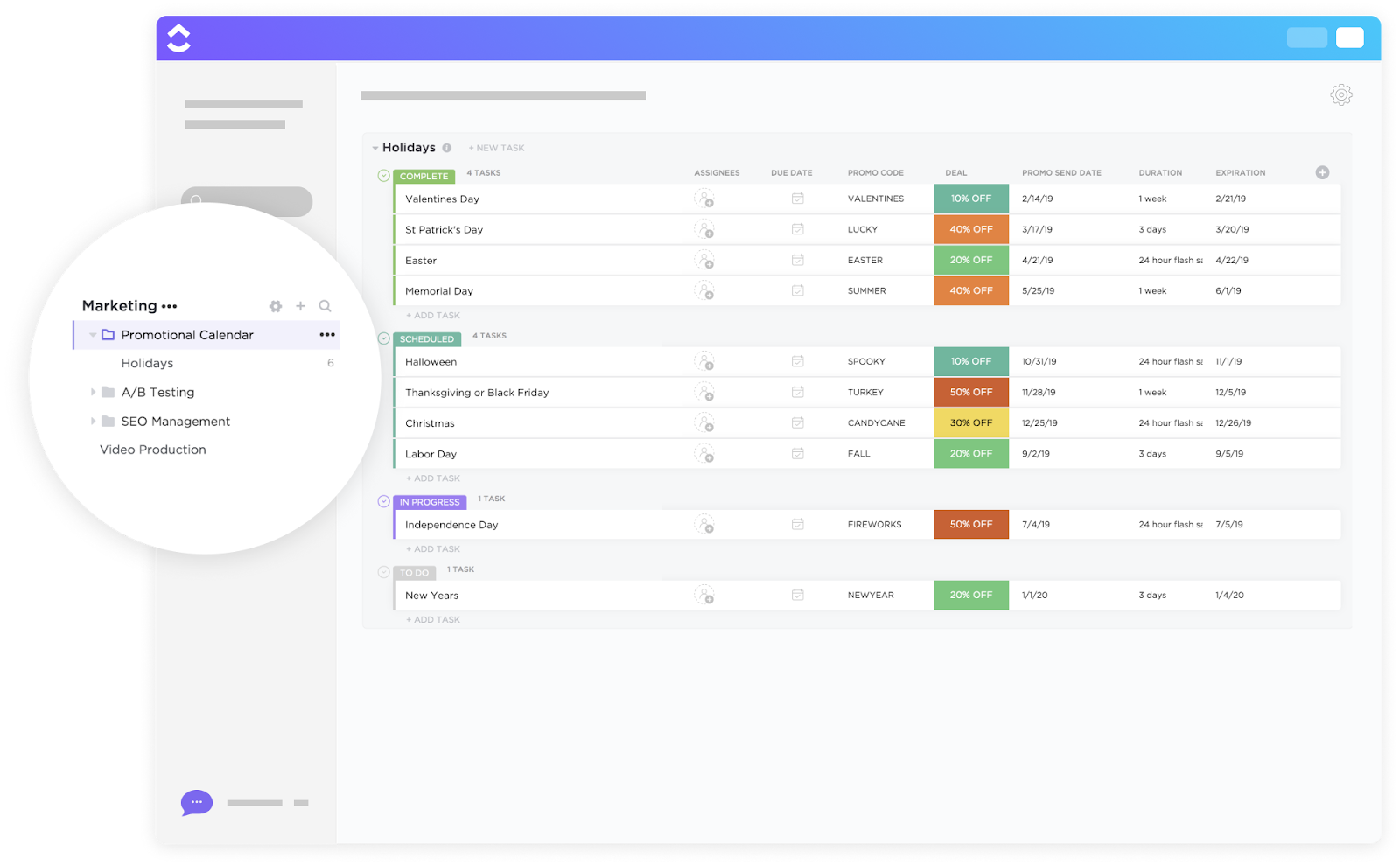
Even the best-planned webinar will fail without effective promotion. The ClickUp Promotional Calendar Template creates a strategic roadmap for building anticipation and driving registrations for your virtual event.
This template transforms your promotional efforts by letting you:
Take some time to brainstorm ideas for your promotional calendar at least a month before your event. Use ClickUp Whiteboards to collaborate on ideas and collect feedback from your team. The digital canvas gives you unlimited space to map out your promotional strategy, create content themes, and visualize the customer journey across multiple channels.
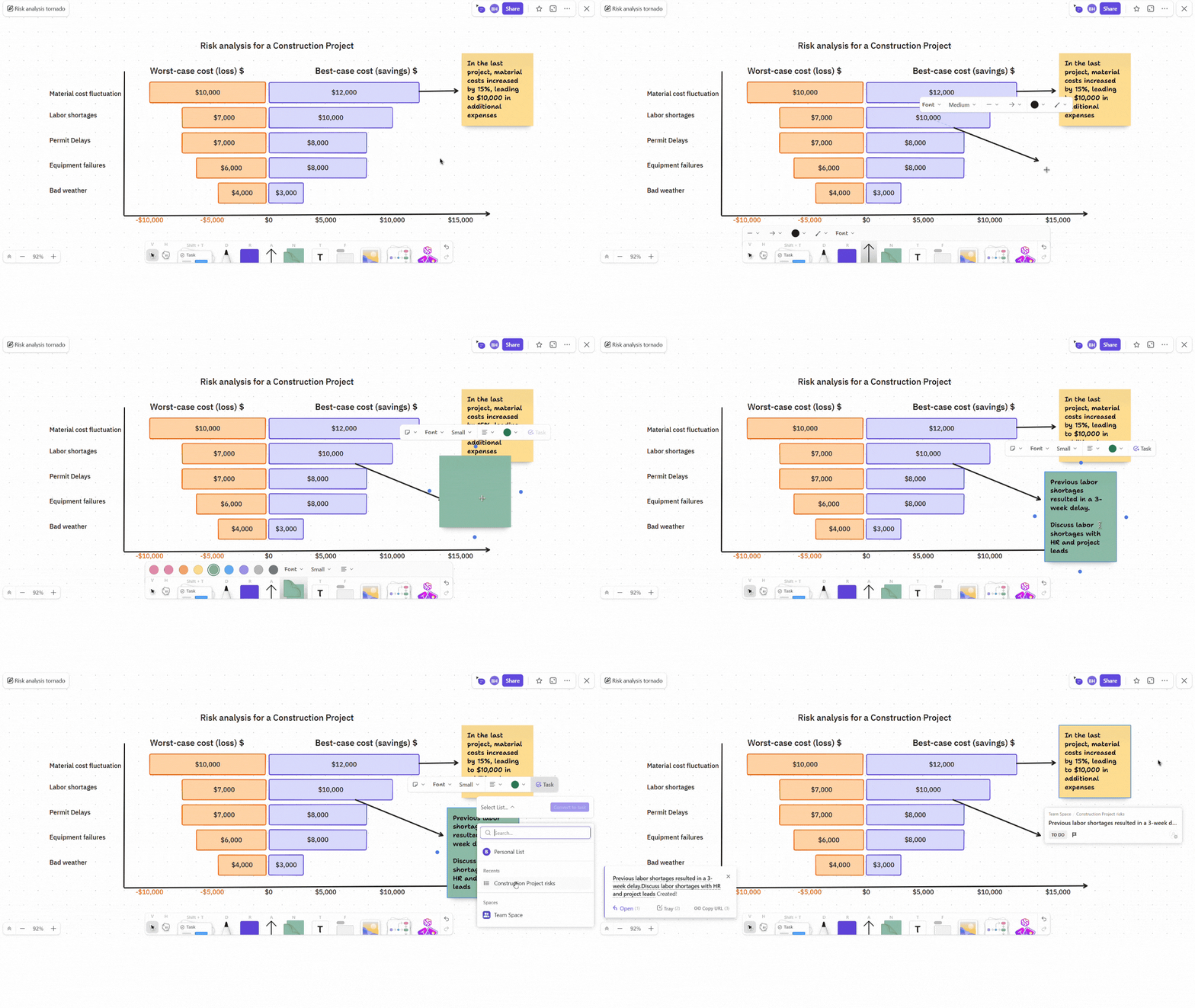
With real-time collaboration and interactive features, your entire marketing team can simultaneously contribute ideas, drag and drop elements to establish priorities, and convert brainstormed concepts into actionable tasks in your promotional calendar.
💬 Ideal for: Digital marketers responsible for driving webinar attendance and generating excitement around upcoming virtual events
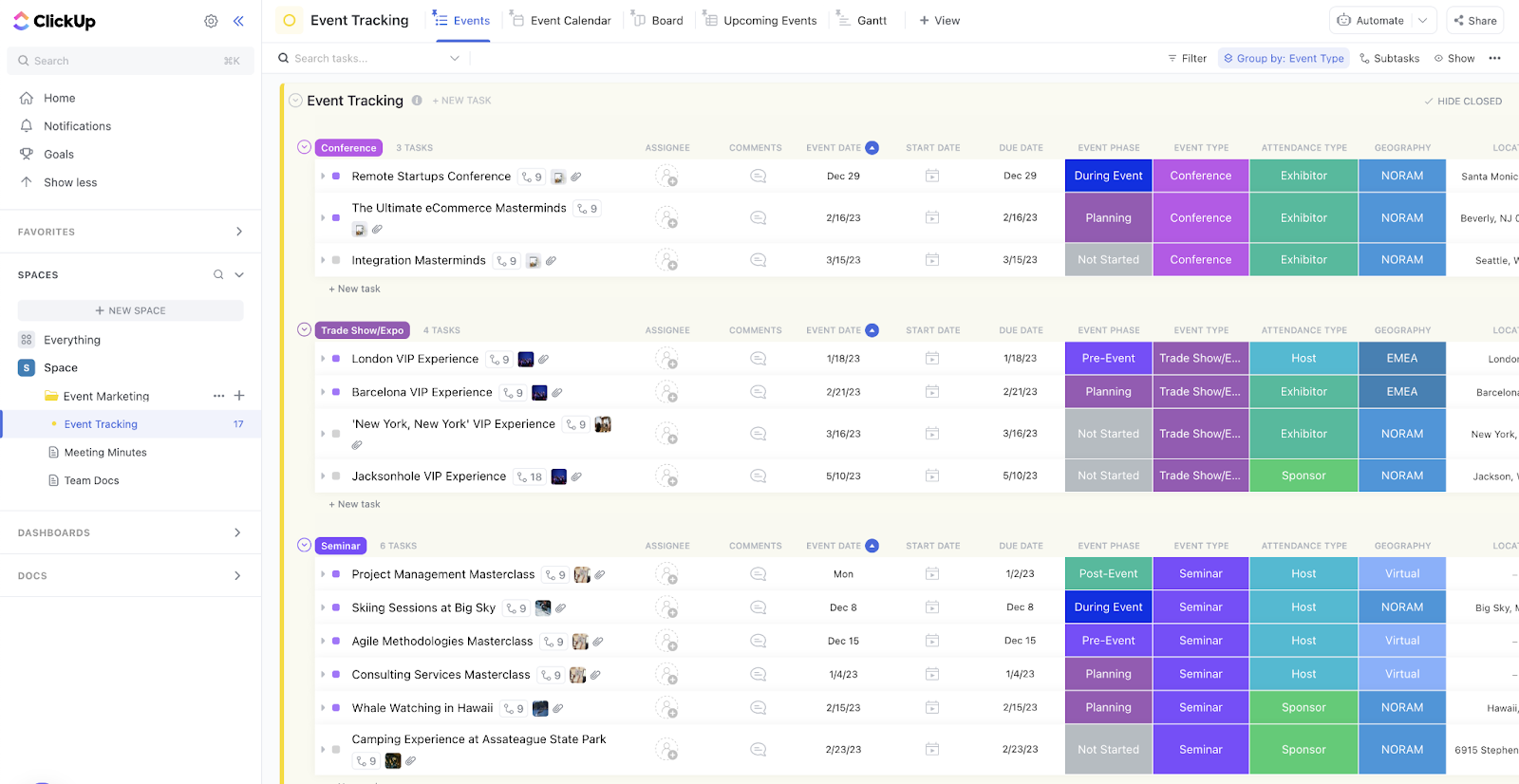
Looking to transform your webinar into a lead-generating machine? The ClickUp Event Marketing Template creates a comprehensive framework for managing all aspects of your event promotion and execution in one centralized location.
This powerful template lets you:
What distinguishes this template is its holistic approach to event marketing—connecting your pre-event promotion, day-of engagement strategies, and post-event follow-up into a seamless workflow that maximizes attendee conversion and ROI.
💬 Ideal for: Growth-focused marketers who view webinars as strategic assets in their lead generation and customer nurturing processes
Aligning stakeholders around a shared vision can be one of the biggest challenges in online event planning. The ClickUp Event Brief Template solves this by creating a definitive reference document that captures your virtual event’s essential purpose and parameters.
This clarity-creating template features tools to:
The template’s brilliance lies in its brevity—it forces you to distill complex ideas into clear, actionable concepts that everyone can understand and support. Establishing these parameters upfront prevents scope creep and ensures all team members are working toward the same goals.
💬 Ideal for: Team leaders who are initiating new webinar projects and must quickly align stakeholders and secure resources for successful execution
Internal webinars require a different approach than customer-facing ones. The ClickUp Company Event Template specializes in planning virtual conferences that engage employees, align teams, and strengthen company culture.
This template lets you manage them better:
The template’s most valuable aspect is its flexibility in handling in-person and virtual company events with the same organizational structure. This makes it perfect for hybrid workplaces that need consistent planning processes regardless of event format.
💬 Ideal for: HR professionals, internal communications specialists, and team leaders organizing company-wide virtual meetings, training sessions, or celebration events
📖 Also Read: Best AI Note-Taking Tools & Apps for Meetings
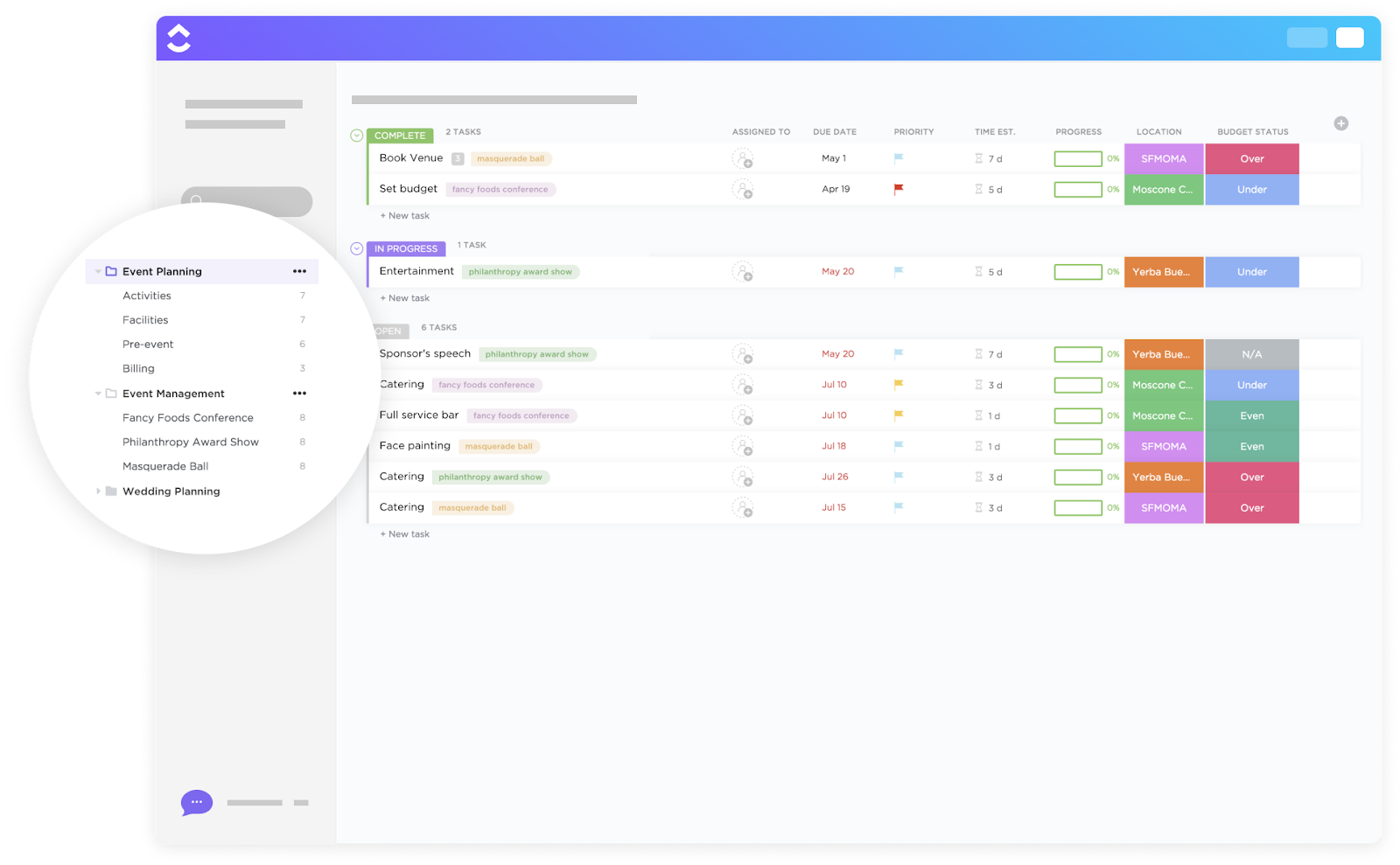
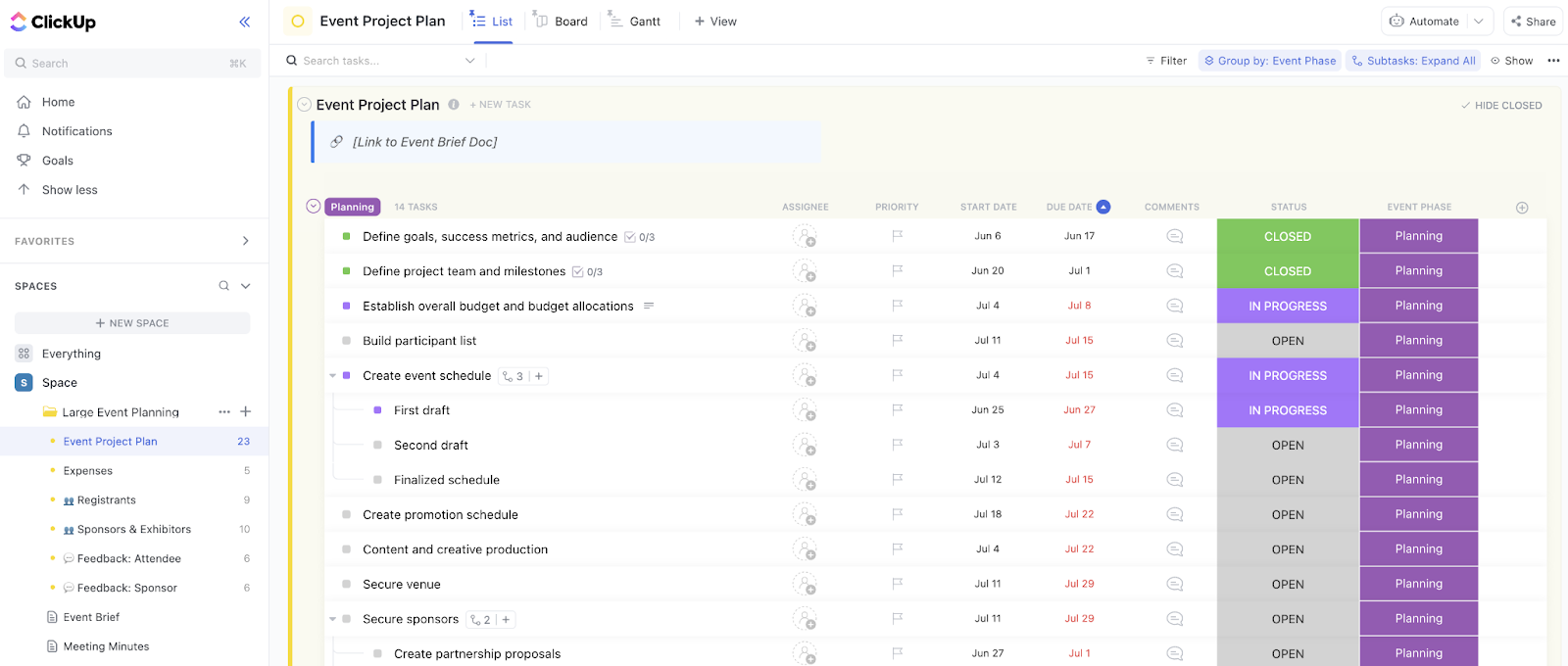
Managing large-scale webinars with many moving parts requires careful coordination. The ClickUp Large Event Planning Template scales up to meet the demands of major virtual events without sacrificing organization or accountability.
This power-packed template helps you:
The template’s organized folder structure creates dedicated spaces for every aspect of your webinar planning—from initial concept to post-event analysis—ensuring even the largest virtual events stay on track and budget.
It’s just one of the many templates within the Event Management Software by ClickUp. Designed with event management professionals in mind, it offers purpose-built workflows to help teams streamline complex processes, maintain vendor relationships, and scale operations while ensuring consistent event experiences.
💬 Ideal for: Senior event managers and project leaders responsible for high-profile, large-scale webinars or virtual conferences with substantial budgets and strategic importance
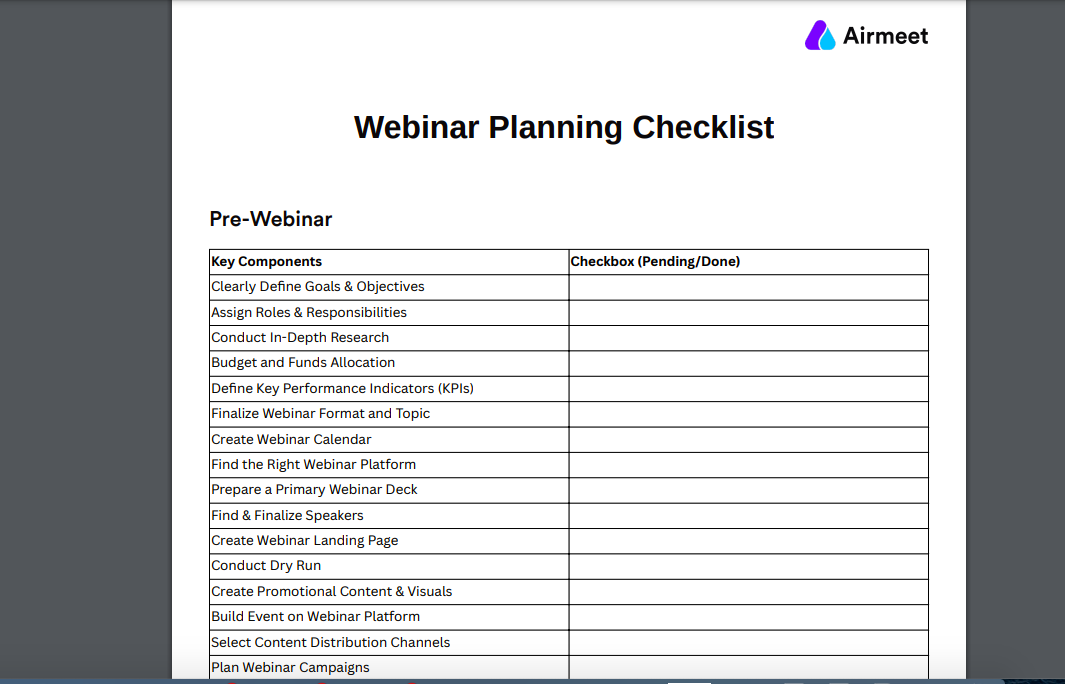
Sometimes, a straightforward event checklist is exactly what you need to stay on track. The Webinar Planning Checklist Template by Airmeet provides a comprehensive timeline-based framework that guides you through every stage of the webinar planning process.
This well-structured template lets you:
The beauty of this template lies in its thoroughness—it breaks down the potentially overwhelming process of online seminar planning into clear, actionable items that ensure no critical step is overlooked, from initial concept through content repurposing.
💬 Ideal for: Marketing strategy teams and event planners who want a systematic approach to online conference planning with clear timelines and accountability checkpoints
💡 Pro Tip: Turn one webinar into multiple content pieces using ClickUp Clips! This feature lets you easily record, edit, and share quick video snippets from your webinar recordings.
Create engaging clips for social media, training materials, and email newsletters without needing separate video editing software. Use ClickUp Clips to highlight key moments, demonstrations, or customer testimonials—effectively reducing your content creation costs while maximizing your webinar’s reach across multiple channels.
You can even leverage AI transcription tools to quickly convert your webinar recording into written content for those who prefer reading to watching, expanding your content’s reach and accessibility.
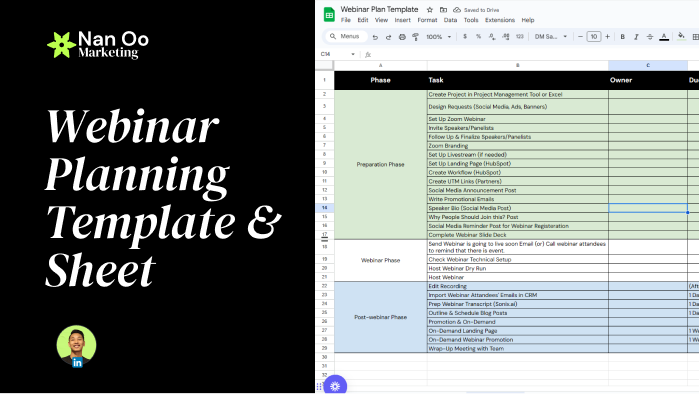
Converting webinar attendees into qualified leads requires strategic planning. The Webinar Planning Template by Nan Oo Marketing specializes in optimizing your virtual event for maximum marketing impact and lead generation.
This results-focused template format lets you:
What separates this template from the rest is its laser focus on business outcomes—every element is designed to deliver a successful event and generate measurable business results.
💬 Ideal for: Demand generation marketers and sales enablement teams focused on using webinars specifically for pipeline building and revenue generation.
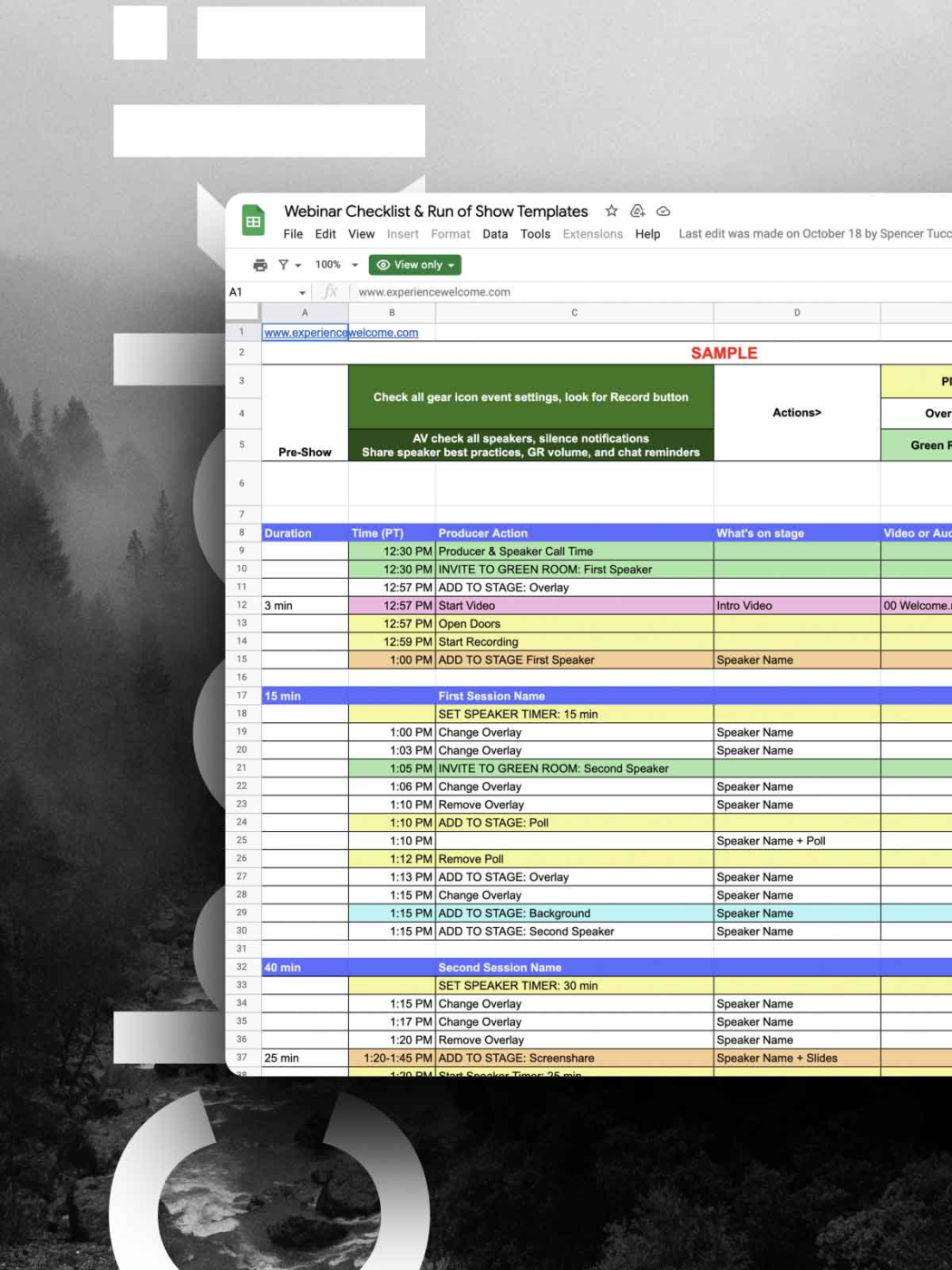
Audience engagement can make or break your webinar. The Webinar Planning Template by Experiencewelcome focuses on creating immersive, interactive experiences that transform passive viewers into active participants.
This engagement-centered template helps you:
The standout element is the template’s emphasis on ‘moments that matter’—strategically designed interaction points that break through screen fatigue and create memorable experiences that audiences will remember long after your webinar ends.
💬 Ideal for: Experience designers and content creators focused on delivering highly engaging, interactive webinars that stand out in a sea of virtual events
Whether you’re fine-tuning your first webinar or optimizing your fiftieth to generate leads, having the right structure and flexibility is key to elevating your process. Start with a template that fits your current needs, then expand your toolkit as you master different aspects of webinar management.
A successful webinar isn’t just about planning great content—it’s about seamless execution, which requires strategic planning and the right tools.
Yet, 61% of a team’s time is spent searching for, updating, and sharing information across multiple tools. Simply adding another webinar tool to the mix won’t solve the problem.
By centralizing projects, communication, and resources, teams can eliminate redundancy, minimize context-switching, and focus on meaningful work.
ClickUp is the everything app for work, integrating project management, knowledge sharing, and collaboration—powered by the world’s most cohesive work AI. Ready to upgrade your virtual events? Sign up for ClickUp today!
© 2025 ClickUp