


Who could forget the early days of the pandemic when we were trying to figure out how to use video conferencing apps? The world’s come a long way since then, but individuals, businesses, and event planners still rely on video and audio conferencing to stay connected. ?
But maybe your current video conference calling tool just isn’t doing it anymore. Or maybe you’re battening down the hatches and need a more security-minded solution. Fortunately, there are plenty of options on the market to choose from. It just comes down to picking the best web conferencing tool for your needs.
So, what should you look for in conference calling tools? Check out this guide for a quick checklist of must-have features, plus our 10 favorite conference call services of 2024.
10 Best Conference Calling Software in 2024 (Reviews & Pricing)

 Summarize this article for me please
What Should You Look For in Conference Calling Software?
Whether you want a mobile-friendly conference call solution with crisp audio quality or you need a robust online event conferencing solution, there are plenty of collaboration tools out there. Regardless of your specific use case, we recommend going for software with these audio conferencing features at a minimum:
- Video and audio quality: High-quality audio and visuals are non-negotiable. After all, if you can’t see or hear someone, what’s the point of meeting virtually? Look for software that provides HD video and clear audio conferencing, ensuring that your meetings are as close to face-to-face interactions as possible
- Ease of use: The best conference call software should be super intuitive and easy to navigate. Your solution should have a straightforward setup process and a simple user interface. All team members should be able to use it, regardless of how tech-savvy they are
- Device compatibility: Compatibility is essential for conference calling services. Since your team is likely logging in via desktop or mobile app, the solution should fit with a variety of operating systems. Look for software that includes a desktop version as well as an Android and iOS app
- Collaboration features: The goal of a conference call is to meet with other folks. Opt for team communication tools like screen sharing, whiteboard brainstorming sessions, real-time messaging, and file sharing. If you want to host conferences and events with this software, look for features like breakout rooms and polling to boost engagement
- Integrations: The best conferencing solutions have integrations for the tools you already use, like ClickUp (ahem), Slack, Google Calendar, and Salesforce
- Security: Do you remember the days of “Zoom bombing?” We don’t miss the trend, but it demonstrated the value of security. If you work with sensitive information, choose conference calling software with end-to-end encryption and secure conference lines
Summarize this article for me please10 Best Conference Call Software Solutions to Use in 2024
Your callers expect crystal-clear audio and video quality. Choose from these 10 vetted conference calling tools to find the best option for your biz.
1. Zoom
Best for Workplace Video Conferencing
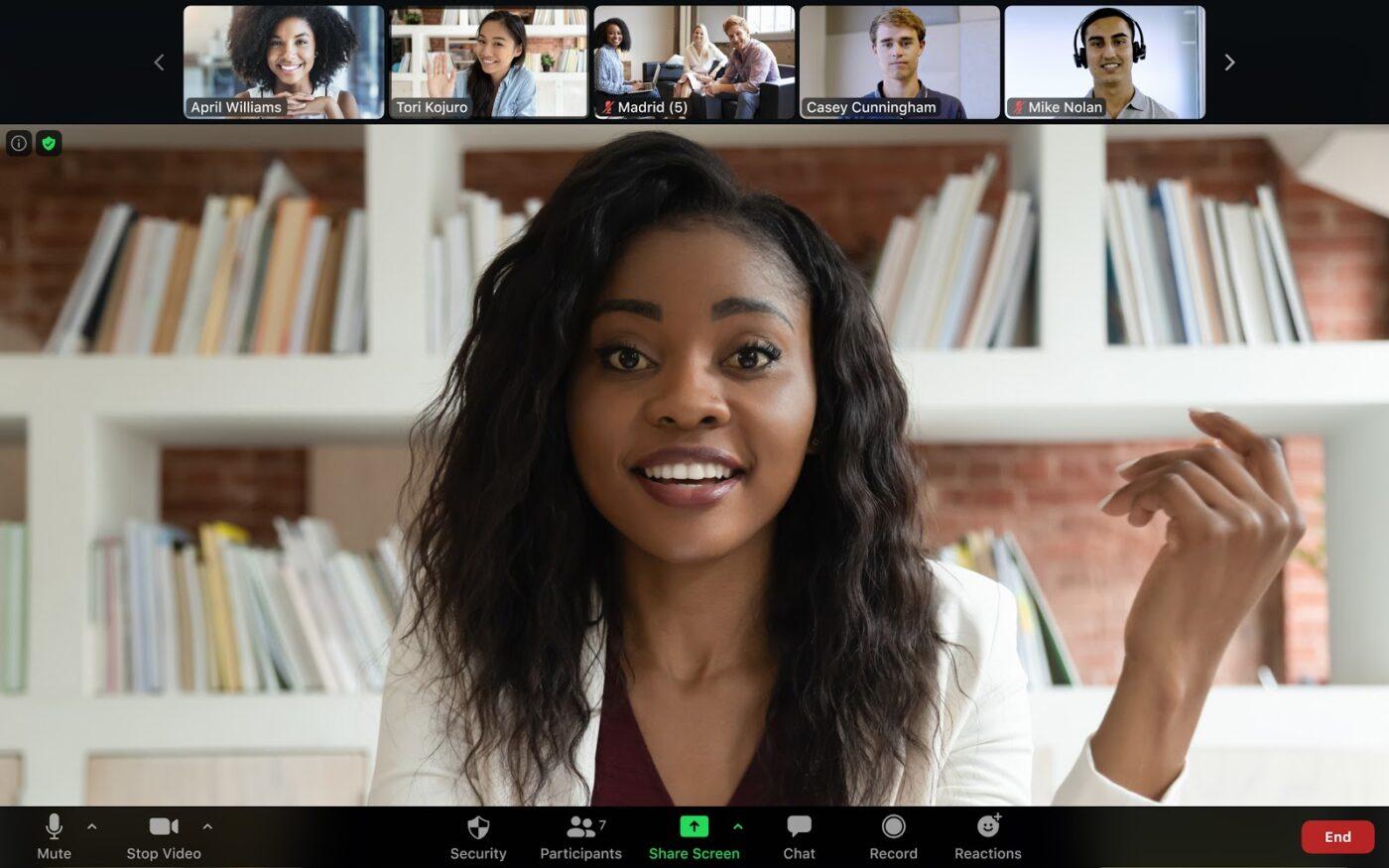
Zoom was the poster child of pandemic communications, so there’s no question that it deserves our number-one spot. What started as a video chat tool has evolved into much more, with features for whiteboards, team chats, video call recording, and even a VoIP phone system. ☎️
Zoom best features
- Try the Zoom AI Companion tool to generate meeting analytics, summaries, and more
- Hold single-session events or webinars with Zoom Events
- Build your very own contact center, complete with AI virtual agents
- Build cloud-based Zoom Workspaces for hybrid work
Zoom limitations
- Some people say Zoom is a bit pricey
- Other Zoom customers say they want more integrations and better documentation
Zoom pricing
- Basic: Free
- Pro: $149.90/year per user
- Business: $219.90/year per user
- Business Plus: $269.90/year per user
- Enterprise: Contact for pricing
Zoom ratings and reviews
- G2: 4.5/5 (53,000+ reviews)
- Capterra: 4.6/5 (13,00+ reviews)
2. GoTo Meeting
Best for Enterprise Teams with Diverse Communication Needs

GoTo Meeting is part of the larger GoTo product suite, which includes solutions for phone calls, online events, digital training, and even remote IT access. GoTo Meeting is a conference calling tool with enterprise-level security features, making it a fit for larger businesses.
GoTo Meeting best features
- Create one GoTo admin account to manage all GoTo properties
- GoTo Meeting has built-in background noise suppression and audio for VoIP
- Share your screen, host an in-session chat, and create separate meeting rooms
- GoTo Meeting has security features like single sign-on, encryption, and meeting locks
GoTo Meeting limitations
- Several users wish it integrated with Office 365 more effectively
- Some customers say GoTo Connect has all of the features of GoTo Meeting, so this solution might be a bit redundant
GoTo Meeting pricing
- Professional: $12/month per user, billed annually
- Business: $16/month per user, billed annually
- Enterprise: Contact for pricing
GoTo Meeting ratings and reviews
- G2: 4.2/5 (13,000+ reviews)
- Capterra: 4.4/5 (11,500+ reviews)
3. Google Meet
Best for Teams Integrated with Google Suite
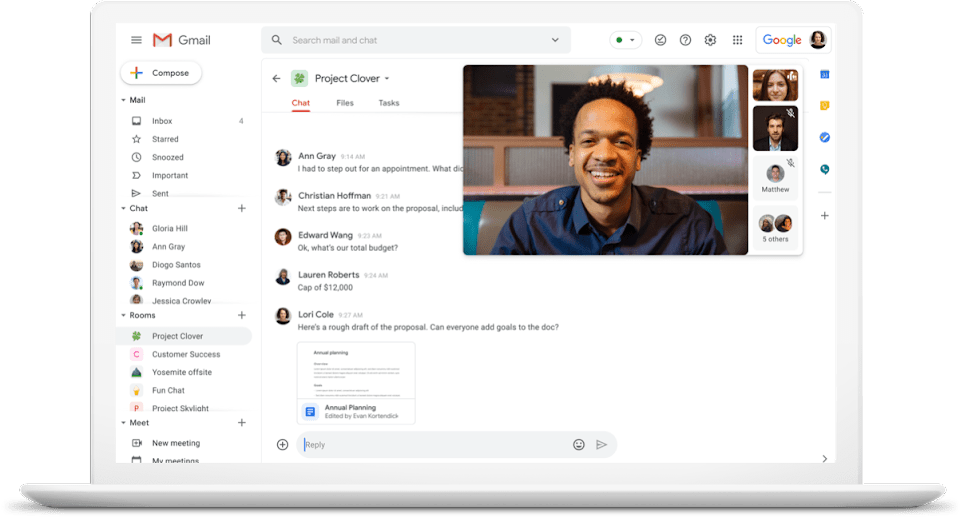
Is all of your stuff in the Google cloud? If so, Google Meet is a no-brainer. This conference cal software integrates with all Google properties—plus a lot of third-party apps—to run better meetings for less fuss.
Google Meet best features
- Schedule real-time video calls and phone calls or record video messages
- Google Meet is accessible on any device and works without a software installed on desktop devices
- All video calls have up to 4K video quality and the option to add stylized backgrounds and studio lighting
- Collaborate on Google Docs, Slides, Sheets, and more in Meet
Google Meet limitations
- Google Meet limits the number of participants you can have on a call
- It might not make sense to use Meet if you aren’t using other Google solutions
Google Meet pricing
- Business Starter: $6/month per user, billed annually
- Business Standard: $12/month per user, billed annually
- Business Plus: $18/month per user, billed annually
- Enterprise: Contact for pricing
Google Meet ratings and reviews
- G2: 4.6/5 (1,700+ reviews)
- Capterra: 4.5/5 (11,600+ reviews)
4. Microsoft Teams
Best for Teams Integrated with Microsoft Software

Microsoft Teams is an uber-popular chat and video conferencing solution, especially for security-minded enterprises. It comes with a range of features baked in, including instant messaging, screen sharing, digital hot desking, and virtual events.
Teams best features
- Microsoft provides virtual meeting devices, like speakerphones, for physical conference rooms
- Teams supports virtual conferences and webinars for up to 1,000 people and broadcasts for 10,000 people
- Edit Excel sheets, Word docs, and other Microsoft properties within a real-time Teams video chat
- Use the Teams online scheduling app to quickly plan follow-up meetings
Teams limitations
- Teams is so secure that it can be tough to collaborate with external stakeholders
- Some users say the follow-up meeting scheduler doesn’t always work
Teams pricing
- Microsoft Teams Essentials: $4/month per user, billed annually
- Microsoft 365 Business Basic: $6/month per user, billed annually
- Microsoft 365 Business Standard: $10.62/month per user, billed annually
Teams ratings and reviews
- G2: 4.3/5 (14,500+ reviews)
- Capterra: 4.4/5 (9,300+ reviews)
5. FreeConferenceCall.com
Best Budget-Friendly Conference Calling Solution

Are you looking for a free conference calling tool? Free is in its name, so it’s no wonder why FreeConferenceCall.com is a popular solution in the space. It actually works on a “pay what you can” model, so you do have the option of paying if you want to support the platform. FreeConferenceCall.com includes baseline features like audio conferencing, recordings, screen sharing, and video conferencing. It might not have a lot of bells and whistles, but this bare-bones solution is likely good enough for small businesses.
FreeConferenceCall.com best features
- Host up to 1,000 participants in one meeting
- Use drawing tools to collaborate with your team in real time
- Record presentations and share them as a live broadcast
- Chat with the entire group or with group members one-on-one
FreeConferenceCall.com limitations
- The interface is a bit dated
- Since it’s “pay what you can,” it isn’t really a free conference call service
- Several users say the platform occasionally drops calls
FreeConferenceCall.com pricing
- Pay What You Can
- Suggested Amount: $4/month
- Average Amount: $8.21/month
- Market Rate: $15/month
FreeConferenceCall.com ratings and reviews
- G2: N/A
- Capterra: 4.6/5 (370+ reviews)
6. Dialpad
Best for AI-Based Transcription and Remote Collaboration
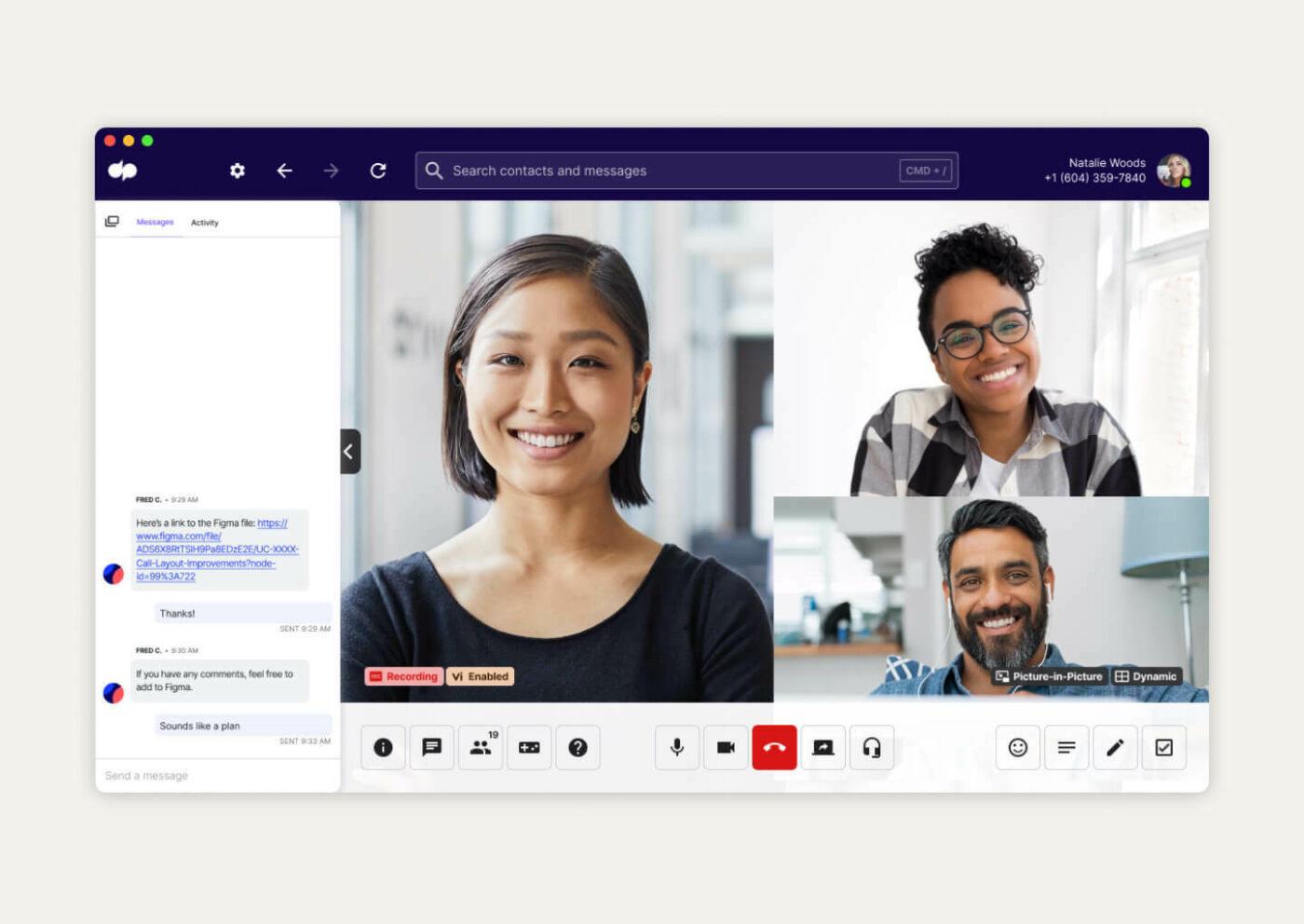
Dialpad rebranded as an AI-first conference calling service, which definitely sets it apart from the competition. Enjoy live AI transcriptions, one-click video conferencing, and real-time collaboration without leaving Dialpad. ??
Dialpad best features
- Personalize your Dialpad background, hold music, and meeting URLs
- It integrates with Microsoft 365, Google Calendar, Salesforce, and more
- Dialpad has add-ons for managing agendas and resources
- Stop running over time by adding a time limit to all meetings
Dialpad limitations
- Some calls can be choppy
- Some customers say Dialpad calls either won’t come through or will drop periodically
Dialpad pricing
- Standard: $15/month per user, billed annually
- Pro: $25/month per user, billed annually
- Enterprise: Contact for pricing
Dialpad ratings and reviews
- G2: 4.4/5 (2,000+ reviews)
- Capterra: 4.2/5 (500+ reviews)
7. RingCentral
Best for Unified Communication with Cloud-based Contact Center Solution

RingCentral is best known as a contact center solution, but it’s also popular for video conferencing and phone calls. Host digital events and webinars, generate revenue intelligence from your sales calls, and securely fax documents over the cloud.
RingCentral best features
- RingSense for Sales analyzes sales calls and suggests opportunities for improvement
- RingCentral’s AI tool automatically generates transcripts, summaries, and more
- Use RingCentral Enhanced Business SMS to stay in touch with both your employees and customers
- Why buy a fax machine? RingCentral lets you fax documents over the cloud
RingCentral limitations
- Its integrations aren’t always stable
- Some users think RingCentral’s quality lags behind providers like Zoom and Microsoft Teams
RingCentral pricing
- Core: $20/month per user, billed annually
- Advanced: $25/month per user, billed annually
- Ultra: $35/month per user, billed annually
RingCentral ratings and reviews
- G2: 4.1/5 (350 reviews)
- Capterra: 4.4/5 (1,100+ reviews)
8. Nextiva
Best for Comprehensive Business Communication with CRM Integrations

Nextiva’s conference calling software supports both internal and external conversations. It comes with voice, video, and messaging tools as well as analytics, customer surveys, and workflow automation.
Nextiva best features
- Does your physical office need a phone system? Install it quickly with Nextiva
- Nextiva is a communications hub for managing your reputation, social media, and customer care center
- Put communications on autopilot with drag-and-drop workflow sequences
- Use Call Pop to get a quick view of a customer’s history with you
Nextiva limitations
- Several users mention issues with troubleshooting and customer support
- Others say the app version glitches frequently
Nextiva pricing
- Essential: $20.74/month per user, billed annually
- Professional: $24.09/month per user, billed annually
- Enterprise: $30.79/month per user, billed annually
Nextiva ratings and reviews
- G2: 4.5/5 (2,800+ reviews)
- Capterra: 4.5/5 (510+ reviews)
9. ClickMeeting
Best for Online Event planners and Revenue-Generating Meetings

ClickMeeting is a different kind of conferencing service that focuses on revenue-generating meetings. If you’re an event planner, this platform is a must-try. Create marketing demos, online training sessions, or giant virtual events that won’t break the bank.
ClickMeeting best features
- Use the Automated Webinars feature to take the pressure off of presenting live
- Provide on-demand webinars and video content as lead-generation tools
- Easily process payment for monetized webinars
- Set up a customized waiting room and meeting agenda
ClickMeeting limitations
- ClickMeeting isn’t as customizable as other conference-calling software
- Some users say the video quality isn’t always the best
ClickMeeting pricing
- Free trial
- Live: $26/month per user for 10 users, billed annually
- Automated: $42/month per user for 10 users, billed annually
- Custom plan: Contact for pricing
ClickMeeting ratings and reviews
- G2: 4.1/5 (220+ reviews)
- Capterra: 4.4/5 (130+ reviews)
10. Vast Conference
Best for Professionally Managed Video Chats and Live Streams

Vast Conference is a cloud-based solution for pro-level calls, live streams, and video chats. If you want to create a next-level experience for your audience, hire Vast Conference’s professional operators. They handle all the finicky technical stuff and greet all participants, so you’re free to focus on the meat and potatoes of the call itself.
Vast Conference best features
- Transmit live or pre-recorded video to hundreds of people
- Get local access and dial-in in over 70 countries
- Connect to video meetings within your web browser—no need to download special software
- Vast Conference integrates with Outlook, Google, and Microsoft 365 calendars
Vast Conference limitations
- It doesn’t have a lot of reviews
- Some users say the time zones are a little confusing
Vast Conference pricing
- Pay As You Go: 2 cents per minute, per user
- Essentials: $13.19/month per user, billed annually
- Standard: $17.59/month per user, billed annually
- Professional: $35.19/month per user, billed annually
Vast Conference ratings and reviews
- G2: N/A
- Capterra: 4.5/5 (5+ reviews)
Summarize this article for me pleaseOther Team Communication Tools
The 10 conference calling services on this list will keep your team connected no matter where they are. But even so, this software can’t handle every aspect of team collaboration. When you need to wrangle documents, team chats, event projects, and data, go with ClickUp. ?
ClickUp
ClickUp might be the universe’s favorite project management app, but it’s also a solid accompaniment to any conference call software. We integrate with an impressive number of solutions, so chances are, you can integrate ClickUp with your video or audio conference solution.
Most video conferencing solutions allow recordings and transcripts, but you have to leaf through hundreds of hours of video and copy to find what you’re looking for. That’s why teams rely on ClickUp to streamline their meetings. Take notes in real time in a shared agenda, add rich formatting to your Docs, and tag team members.
By the way, you don’t have to create Docs from scratch. Choose from hundreds of ClickUp templates to get up to speed in no time at all. We recommend the ClickUp Conference Management template for busy event planners, but the ClickUp Meeting Minutes template is also a classic choice for note-taking.
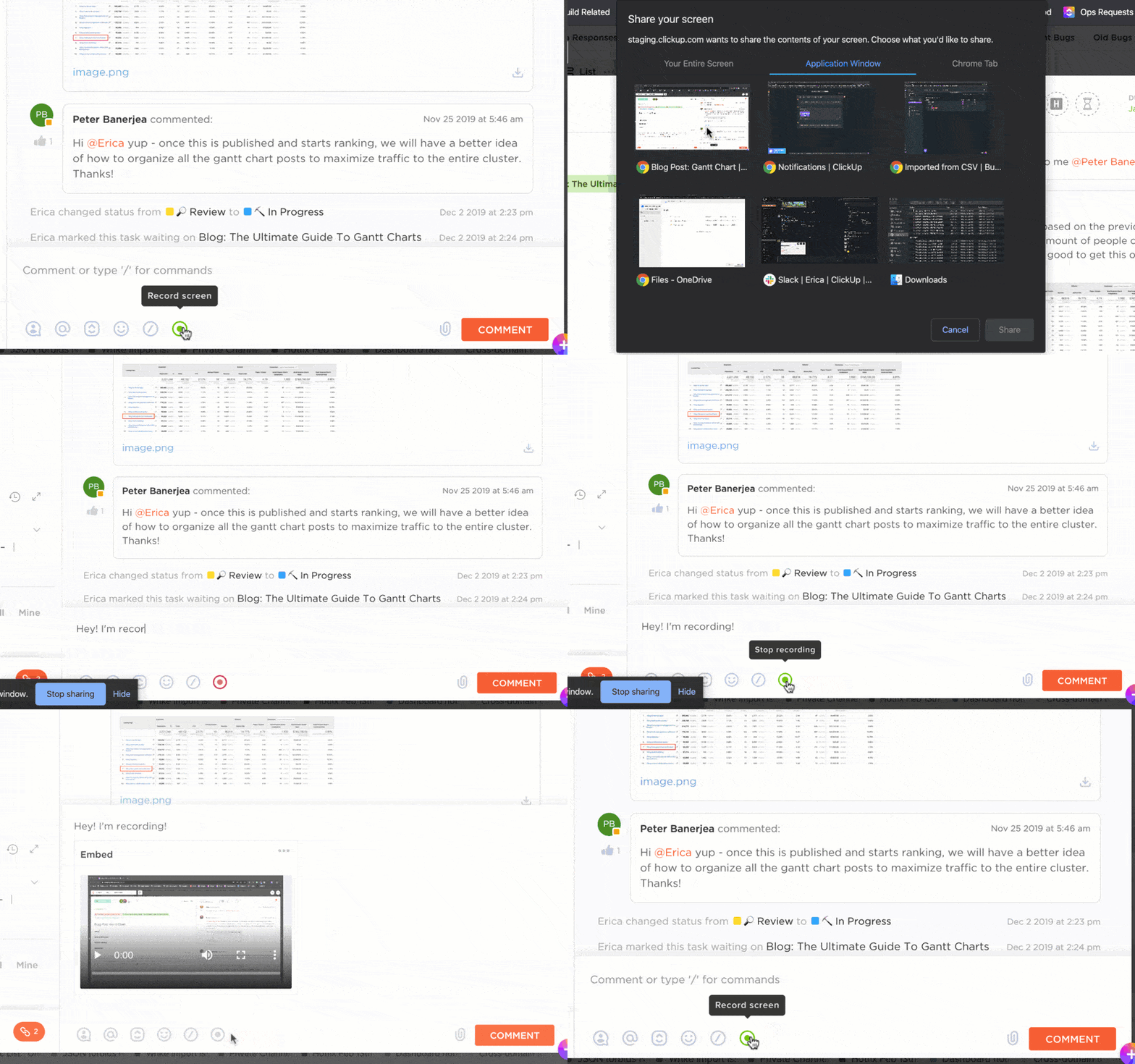
ClickUp supports multiple methods of communication, so you don’t have to schedule a meeting for every little thing. Free up your calendar with ClickUp Clips, our screen recording tool. Nobody has time to read a gigantic email, so explain everything in a quick video while sharing your screen.
To get more out of Clips use ClickUp Brain to automatically transcribe every Clip you record. On top of the transcription, use the ASK AI feature to ask any question you have. Brain then looks through every Clip transcript you’ve created to quickly find answers buried in videos.

We also make it a cinch to stay in touch with your team via real-time ClickUp Chat. Keep all team communications in one tool and see all communications about a task, project, or data point in one view. There’s no need to flip between solutions when you’re ready to work, either. Simply tag a team member and ClickUp will assign a task to them.
ClickUp best features
- Minimize unnecessary meetings with the ClickUp Clip screen recorder
- ClickUp Chat supports engaging messages with rich formatting and embeddable links
- Run tighter meetings by documenting everything, including your next steps, in ClickUp
- Need document formatting? There’s a ClickUp template for that
ClickUp limitations
- Certain advanced features, like the AI writing assistant, are only available on paid ClickUp plans
- The platform has a lot of features, so it might take a sec to get up to speed on all ClickUp has to offer
ClickUp pricing
- Free Forever
- Unlimited: $7/month per user
- Business: $12/month per user
- Enterprise: Contact for pricing
- ClickUp AI is available on all paid plans for $5 per Workspace member per month
ClickUp ratings and reviews
- G2: 4.7/5 (9,200+ reviews)
- Capterra: 4.7/5 (3,900+ reviews)
Summarize this article for me pleaseClickUp: Truly Unified Communications for the 21st Century
A dedicated conference call number and software is a must-have for modern businesses and remote teams. Regardless of whether you’re an event planner at a small business or you need a secure option for online meetings, these conferencing tools will keep your team on the same page.
While all of these service providers have their advantages, they can’t do everything. But you know what can do everything? ClickUp.
Bring your communications, Docs, templates, and screen recordings into a single platform. Create your free ClickUp Workspace now—no credit card required.

Everything you need to stay organized and get work done.
