







Still downloading templates?
There’s an easier way. Try a free AI Agent in ClickUp that actually does the work for you—set up in minutes, save hours every week.
Sorry, there were no results found for “”
Sorry, there were no results found for “”
Sorry, there were no results found for “”
The sprint starts, the pressure builds, and suddenly, everyone’s asking: ‘Where are we on this?’
For software development teams and project managers, staying organized and productive in Agile workflows is no small feat.
But here’s the payoff: a strong Agile culture doesn’t just improve teamwork—it can deliver real business results, boosting commercial performance by 277%.
The right Agile tools make all the difference. They streamline task management, improve team collaboration, and keep projects on track, even when priorities shift.
In this blog post, we’ll explore 15 of the best Agile tools to help you strengthen your workflows and achieve meaningful results. 📊
Here’s a round-up of the top 15 Agile tools:
When selecting an Agile tool, it’s essential to consider features that enhance team collaboration and streamline project workflows. Here are key aspects to look for:
As more teams adopt AI-powered Agile tools, AI Sprawl becomes a real risk. When AI lives across disconnected tools, insights lack context and teams spend more time interpreting outputs than acting on them. Agile tools work best when AI understands your sprints, tasks, backlogs, and discussions in one place.
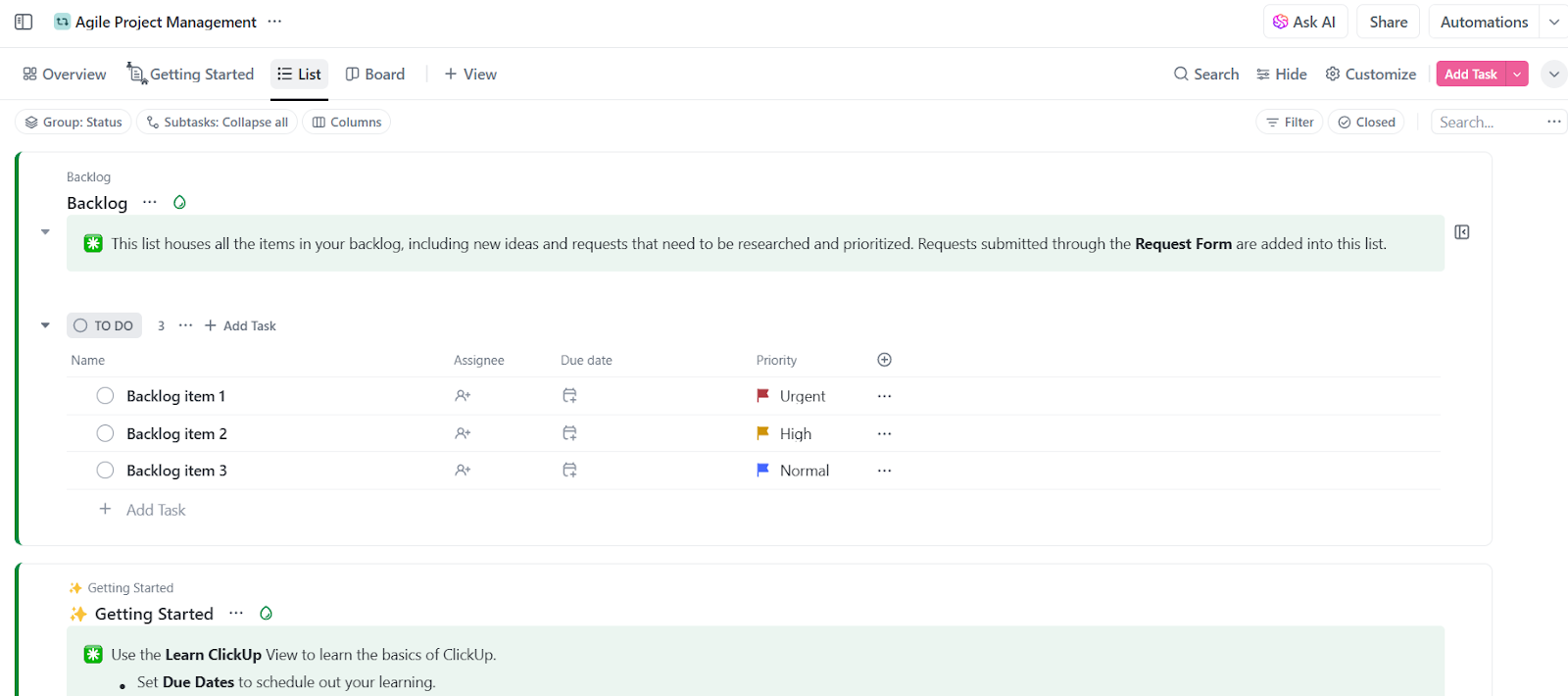
The ClickUp Agile Project Management Template helps teams adopt Agile without rebuilding workflows from scratch. It centralizes requests into a clear backlog, supports both Kanban and Scrum, and keeps planning, execution, and retrospectives connected in one place. Ideal for teams that want Agile structure without unnecessary complexity.
Agile software development tools are essential for teams looking to stay organized, prioritize tasks, and adapt to changes efficiently. To help you find the right fit, here’s a list of 15 tools that can enhance how your team works with Agile methodology. 👇
ClickUp stands out as an exceptional Agile project management software, perfectly suited for developers and project managers. It aims to simplify workflows, enhance team collaboration, and deliver quality results as the everything app for work.
ClickUp’s flexibility is one of its biggest strengths.
Whether you’re a startup or an enterprise, ClickUp Agile Project Management adjusts to your processes instead of forcing you to change how you work. Its adaptability makes it ideal for various Agile frameworks, including Scrum and Kanban, while its customizable features enable your teams to tailor their workspace to unique workflows and preferences.
For instance, ClickUp Tasks allows you to represent different types of workflows to align with your agile processes.
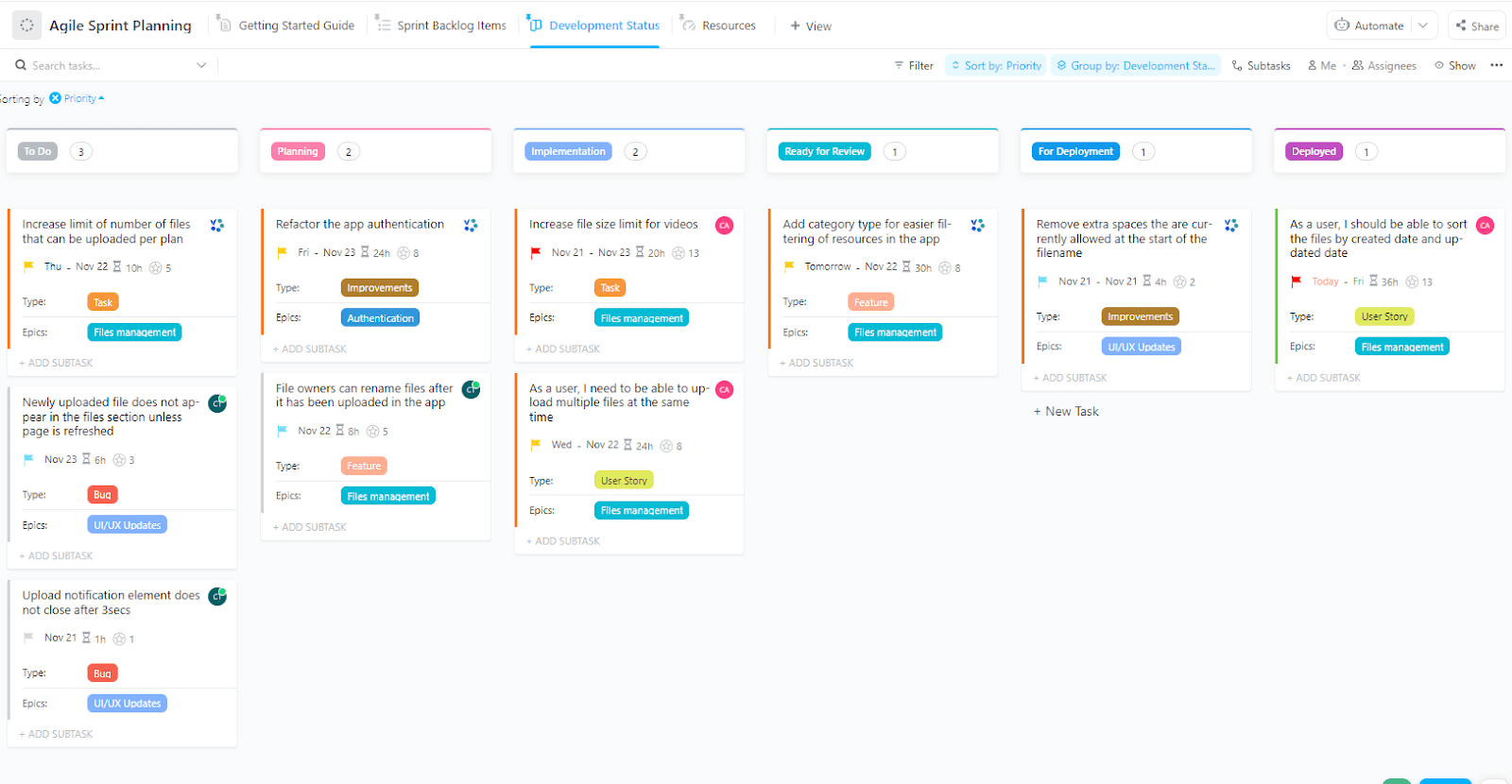
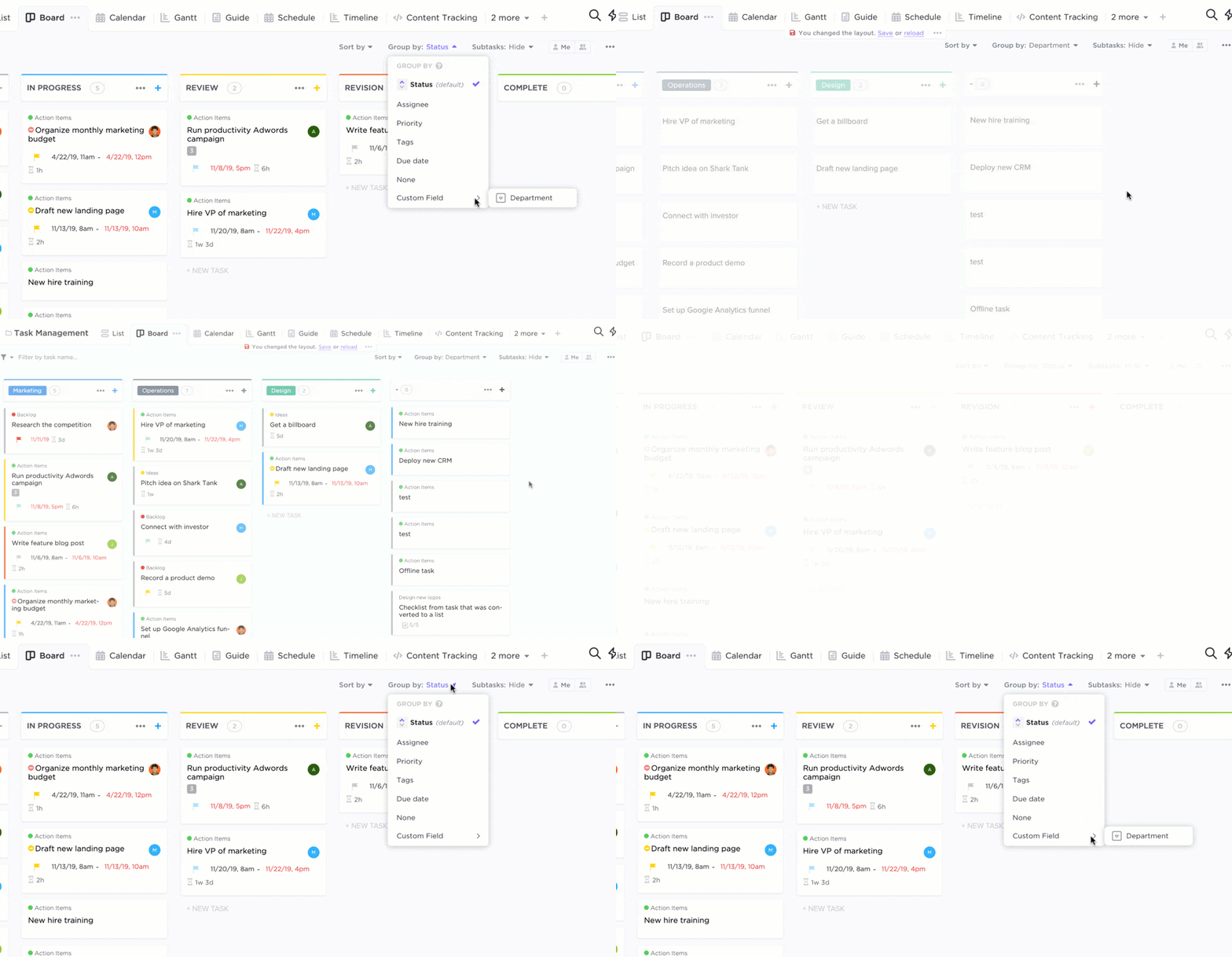
In addition, it offers a variety of views—ClickUp Kanban View for visual task management, ClickUp Gantt Charts for tracking dependencies and timelines, and ClickUp Calendar View for scheduling and sprint planning.
If there’s one thing every Agile team knows, it’s that managing sprints can quickly turn chaotic without the right tools. That’s where ClickUp Sprints come in. Designed to simplify every stage of the sprint process, including PI planning, this feature helps your team plan, track, and execute their work seamlessly.
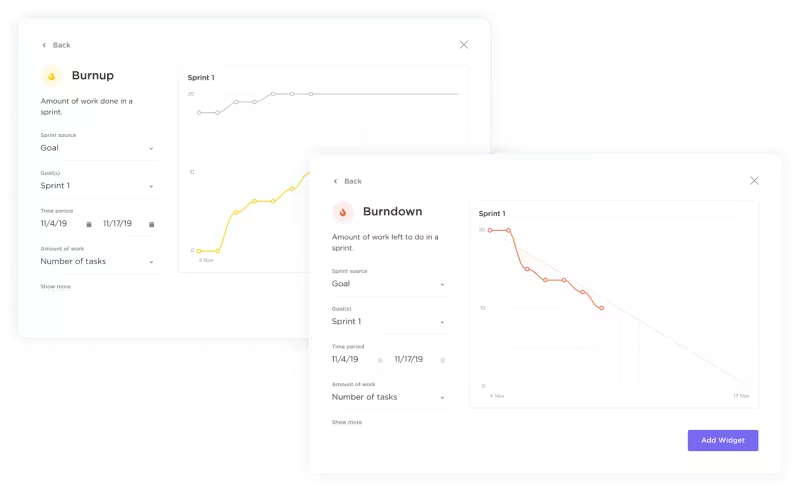
It offers key charts like Burnup and Burndown to help you track sprint progress.
Burndown Charts show how much work is left, so you can easily spot delays and adjust as needed. Burnup Charts, on the other hand, highlight the work completed and what’s still left, giving you a clear, transparent view of any changes throughout the sprint.
Lastly, the ClickUp Agile Project Management Template is perfect for non-software teams looking to adopt Agile methods like Kanban or Scrum.
It helps streamline requests into a backlog, making it easier to prioritize tasks. You can use a Board or Sprints to keep the team organized and focused on delivering value.
This template also supports agile ceremonies, like retrospectives, which are key for continuous improvement. They help your team reflect, adjust, and enhance productivity. Beyond task management, the agile template encourages collaboration, making your work environment more agile and responsive.
I like how customizable ClickUp is. The ability to create custom workflows and views to match our workflow has been a great benefit for my IT department. The flexibility in organizing tasks and milestones helps us stay on track, particularly with complex projects. Clickup also integrates well with other tools, such as Zapier, allowing us to automate tasks. Clickup has improved my team’s collaboration and project tracking.
Discover a collection of customizable Agile templates to help you hit the ground running. Get started with these powerful resources today!
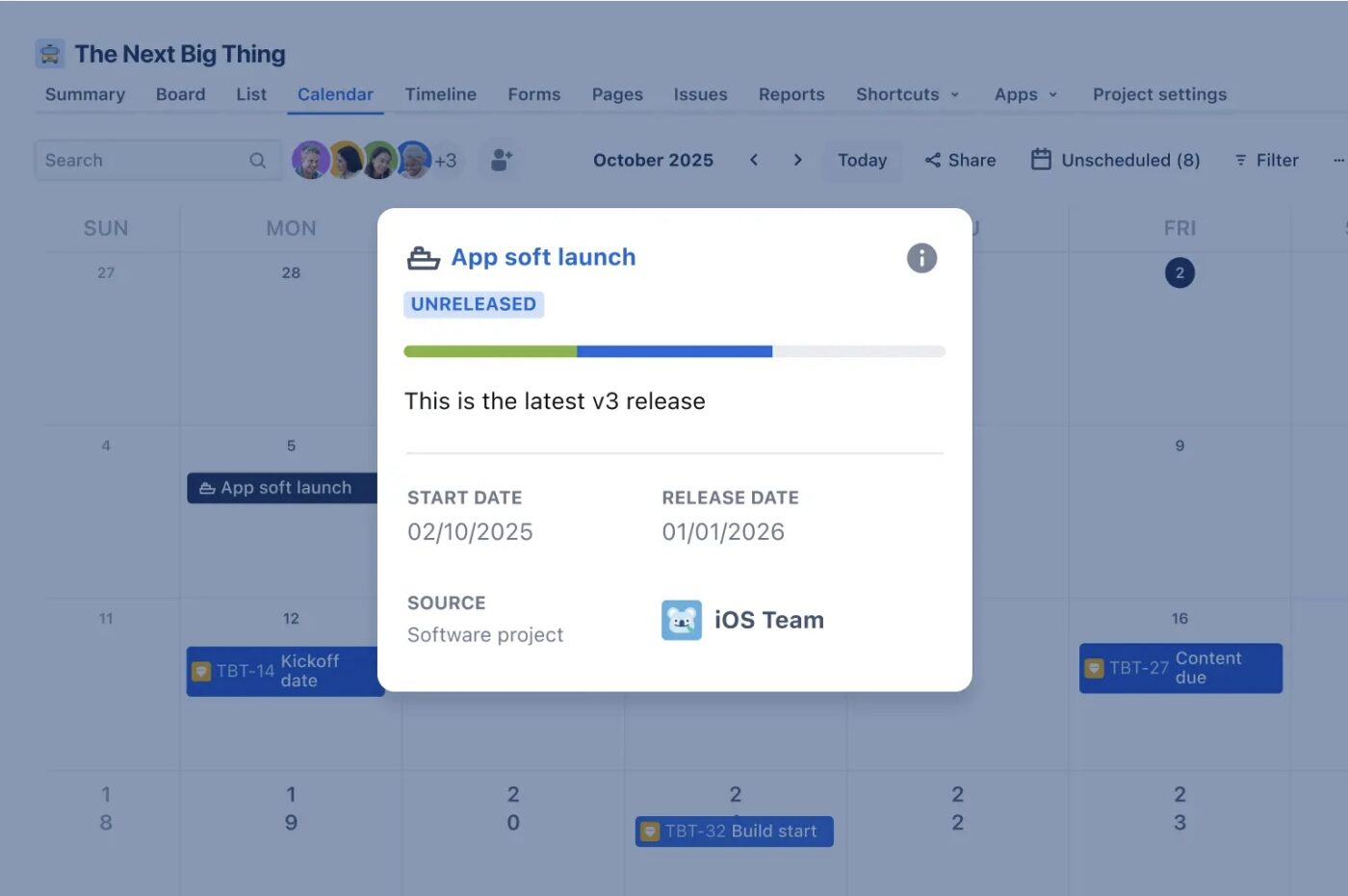
Jira is a robust tool tailored for agile software development teams. Its customizable workflows and advanced reporting capabilities make it ideal for managing complex projects.
The tool provides Project Boards to visualize task statuses and progress across Agile and traditional project management approaches. However, setting up Jira can feel like solving a Rubik’s Cube—it often requires technical expertise to configure workflows, as highlighted in many Jira reviews.
🔍 Did You Know? The Agile framework Scrum takes its name from a rugby formation where players huddle tightly to restart play, symbolizing teamwork and close collaboration.
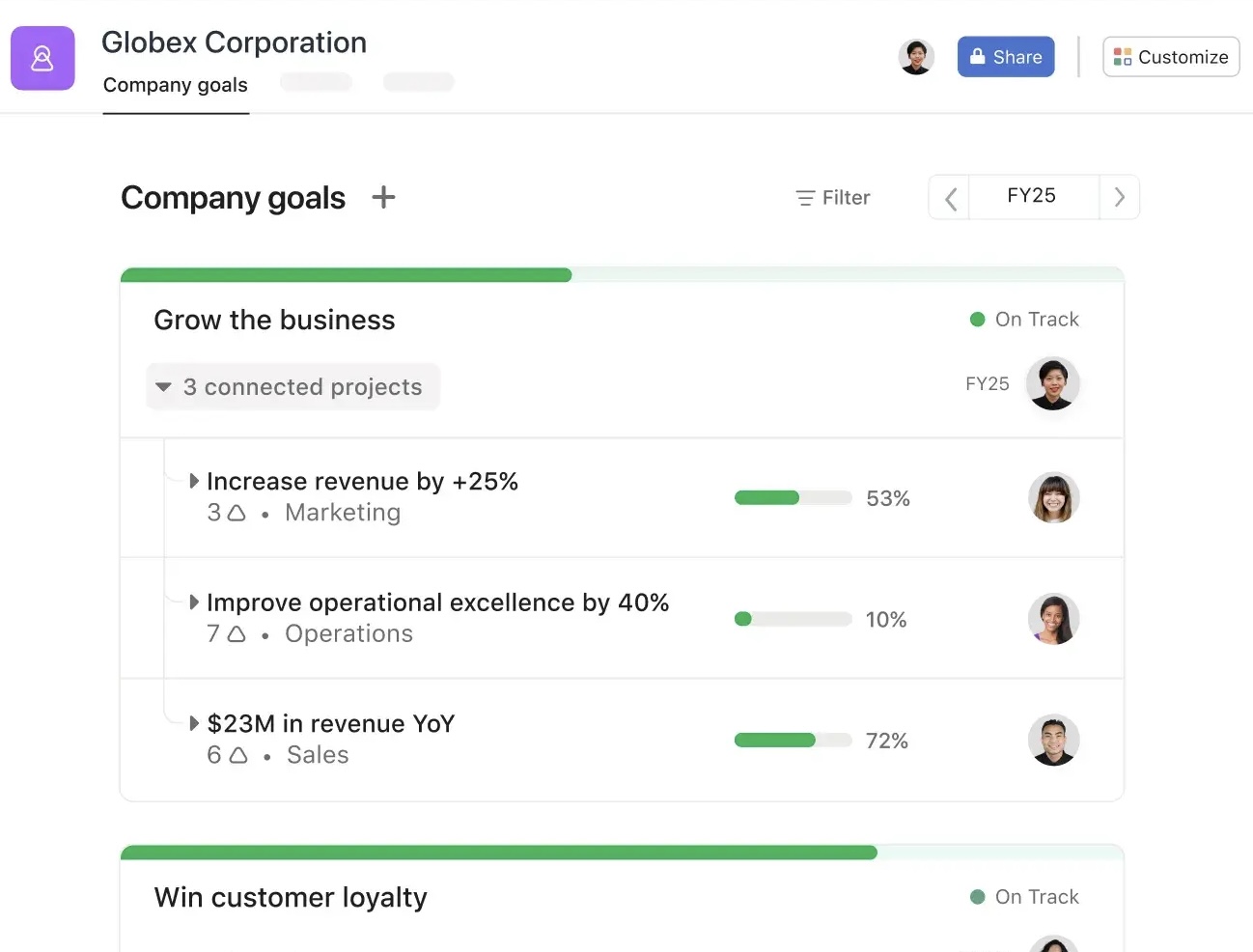
Asana is a user-friendly project management tool that balances simplicity with functionality. Its intuitive interface and versatile project views support various workflows, providing tools to connect company-wide objectives with day-to-day tasks.
Teams can create tasks, assign them to team members, set deadlines, and track progress, ensuring that everyone is aligned and accountable. This feature supports agile values like delivering incremental growth and maintaining a steady workflow.
Asana’s interface is easy to use and intuitive, which makes navigating the platform and performing specific tasks easier. Wide variety of functionalities: you can create and assign tasks, monitor task progress, collaborate in teams, and communicate with team members, among other things. This makes it an extremely versatile and useful tool for a variety of project types.
💡 Pro Tip: Run a ‘pre-mortem’ before each sprint. This involves imagining potential problems or risks ahead of time so the team can proactively plan solutions and avoid surprises.
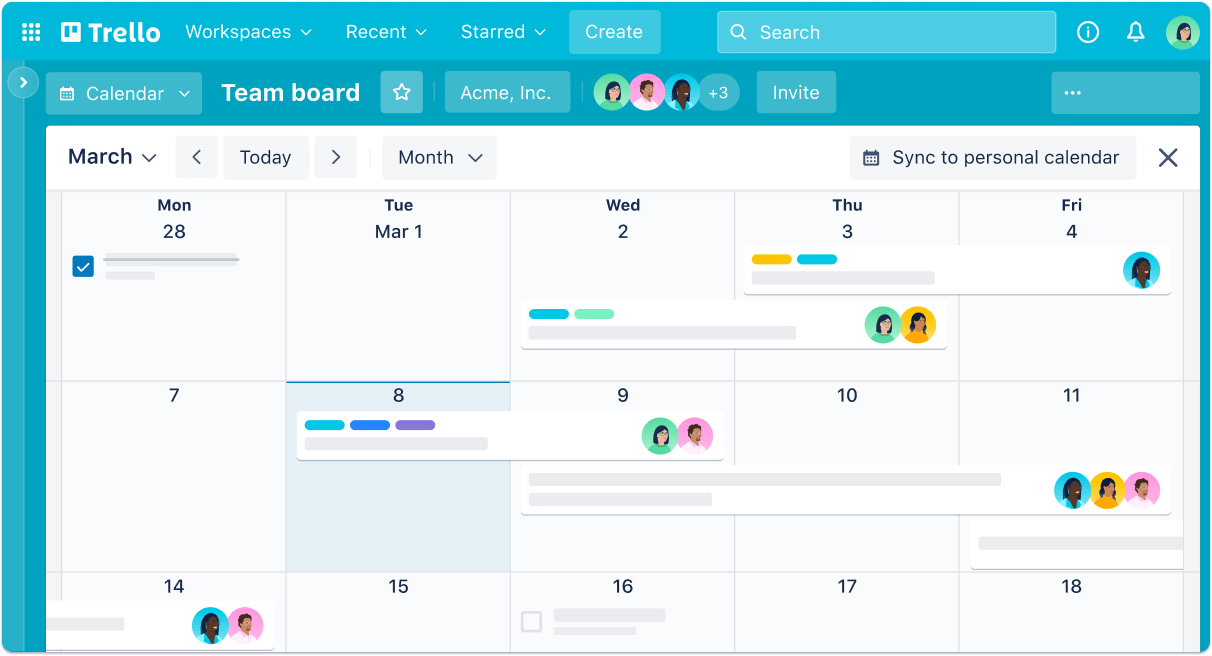
Trello is a visual Agile project management software that uses boards, lists, and cards to help teams organize tasks. It provides the flexibility to customize workflows while offering advanced automation through Butler and seamless integration with popular tools like Slack and Jira.
The tool’s strength lies in its ability to combine simplicity with powerful features. It gives teams the clarity to concentrate efforts on high-priority tasks and stay productive without getting bogged down by complicated processes.
🧠 Fun Fact: One of Agile’s core principles is flexibility, but many organizations rigidly follow Agile frameworks like Scrum, leading to a paradox known as ‘Agile purism.’
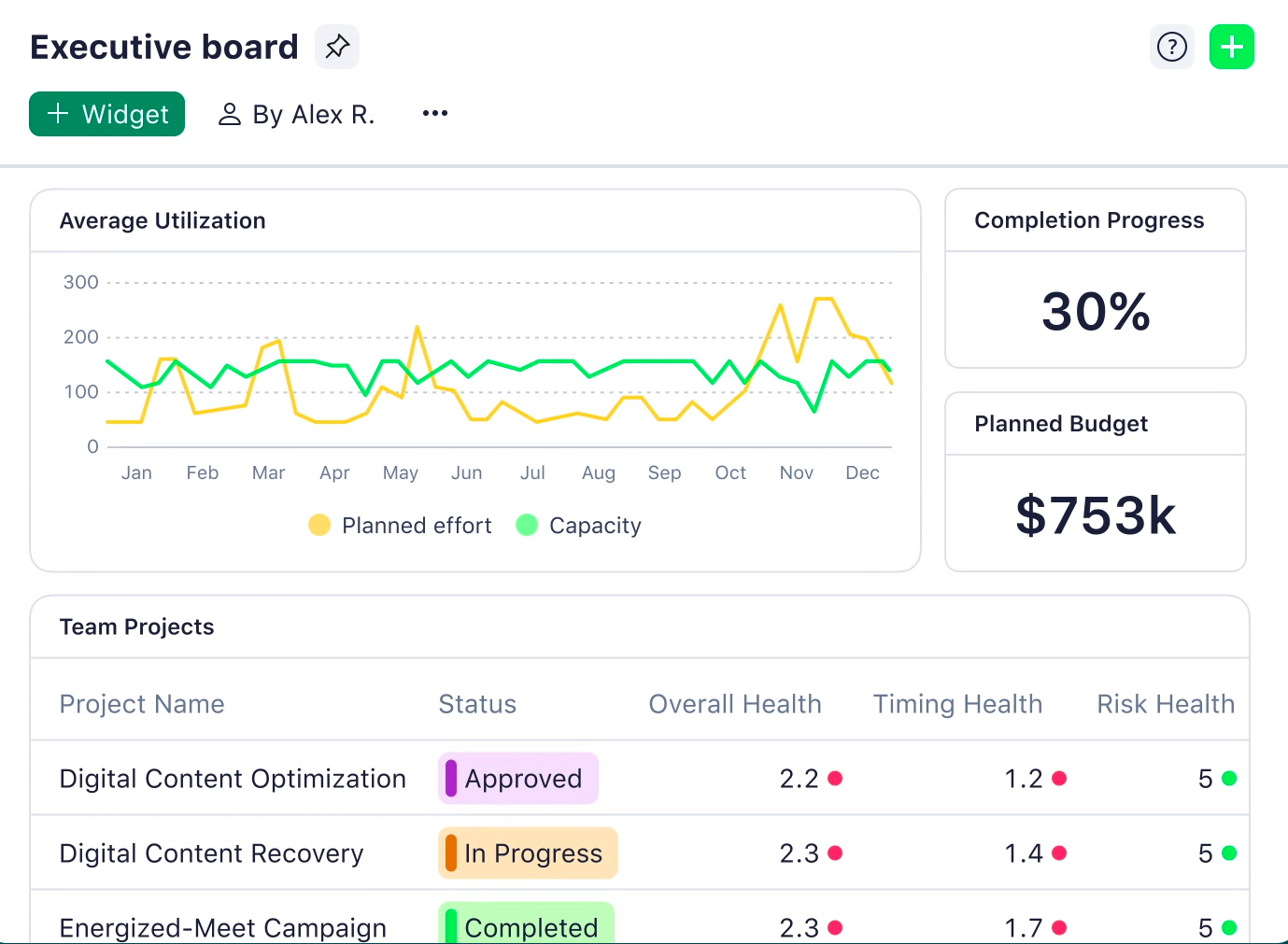
Wrike helps teams manage Agile projects with customizable workflows and real-time collaboration. It offers advanced reporting and analytics, so teams can track performance in real time and make data-driven decisions.
Wrike’s focus on adaptability, automation, and collaboration makes it a good choice for teams aiming to scale efficiently and achieve their goals with agility.
I absolutely love how flexible Wrike is and that it really gives you the opportunity to make it your own. Reporting tools are powerful, and visually they come together quickly and are incredibly useful.
🧠 Fun Fact: The Agile Manifesto was created in February 2001 by 17 software developers during a ski retreat in Snowbird, Utah. Their goal was to find better ways to develop software collaboratively.
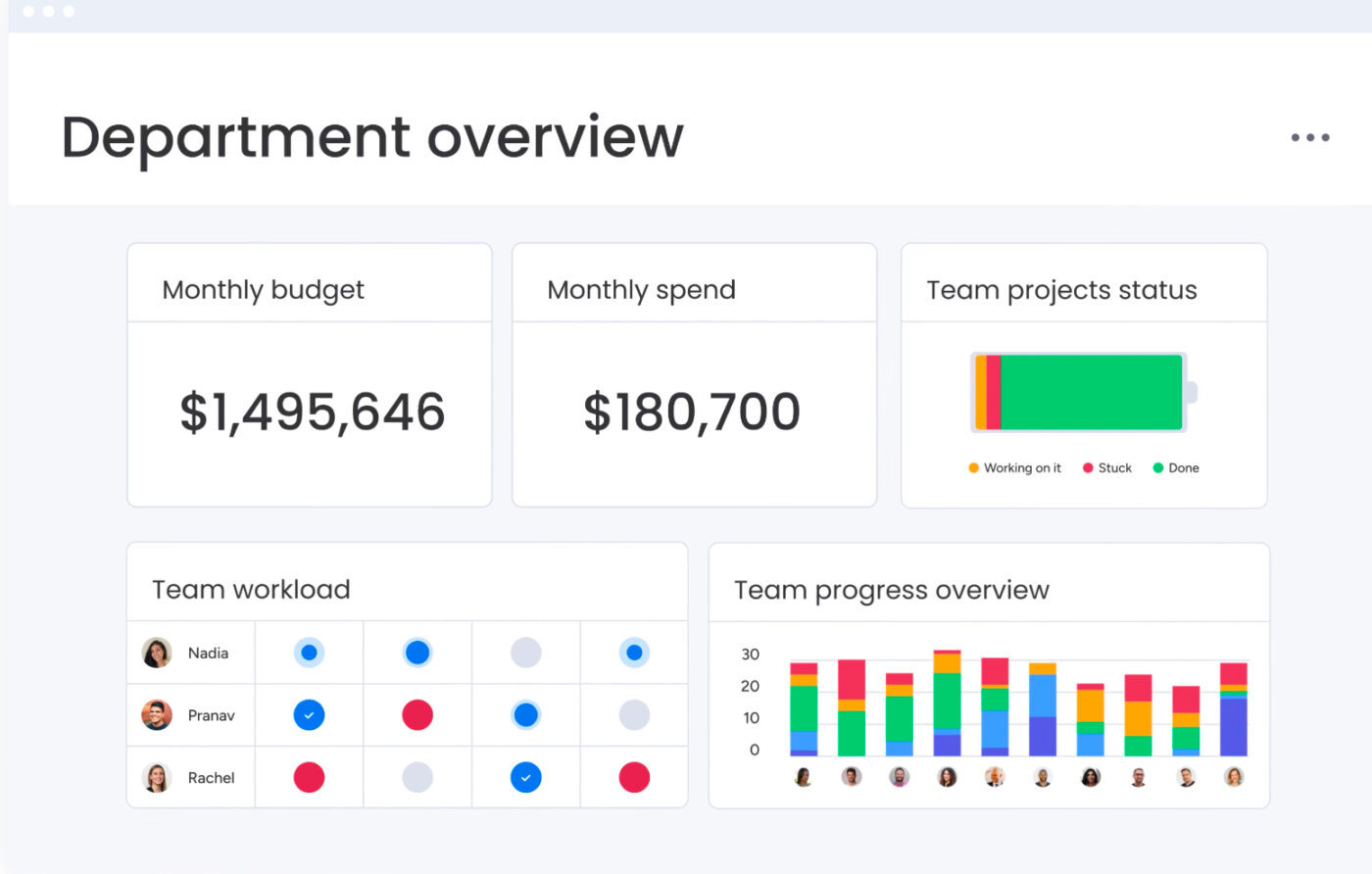
Monday.com helps teams refine processes, improve collaboration, and drive results. As an agile tool, it adapts seamlessly to dynamic work environments, enabling businesses to align strategies with execution.
Its robust portfolio management capabilities provide a high-level overview of ongoing tasks, while detailed project tracking features keep teams aligned and focused. From automating manual tasks to visualizing progress, Monday.com bridges silos and promotes accountability.
⚙️ Bonus: Check out this detailed guide on How to Apply an Agile Methodology for Non-Software Projects and learn how to simplify procedures, revamp workflows, and enhance collaboration!
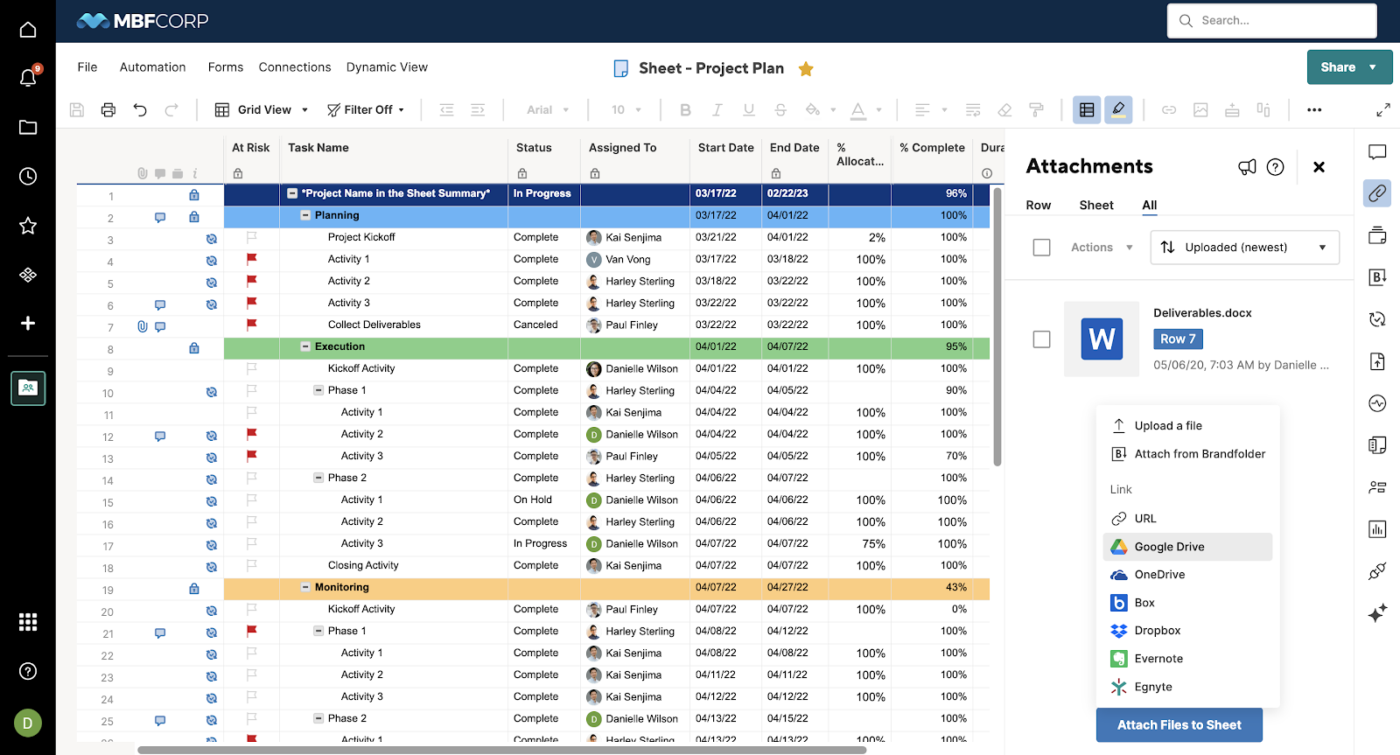
Smartsheet adapts to a wide variety of team needs, whether you’re managing small projects, overseeing enterprise portfolios, or driving innovation. It combines robust project management features with flexibility, making it a powerful platform for agile teams.
With Smartsheet, you can share updates, assign tasks, and work in real-time, ensuring all team members stay aligned regardless of location. Its integrations with popular tools, no-code automation capabilities, and AI-driven insights will help your teams achieve goals faster and smarter.
Smartsheet is a great hub for information storage and group collaboration. I like that it’s basically an excel sheet where you can attach documents and communicate with others across your business. I also especially like the automation feature which streamlines processes.
💡 Pro Tip: Prioritize customer value. When selecting tasks for a sprint, always ask: ‘How does this contribute to delivering value for the customer?’ This ensures you stay aligned with business goals and customer needs.
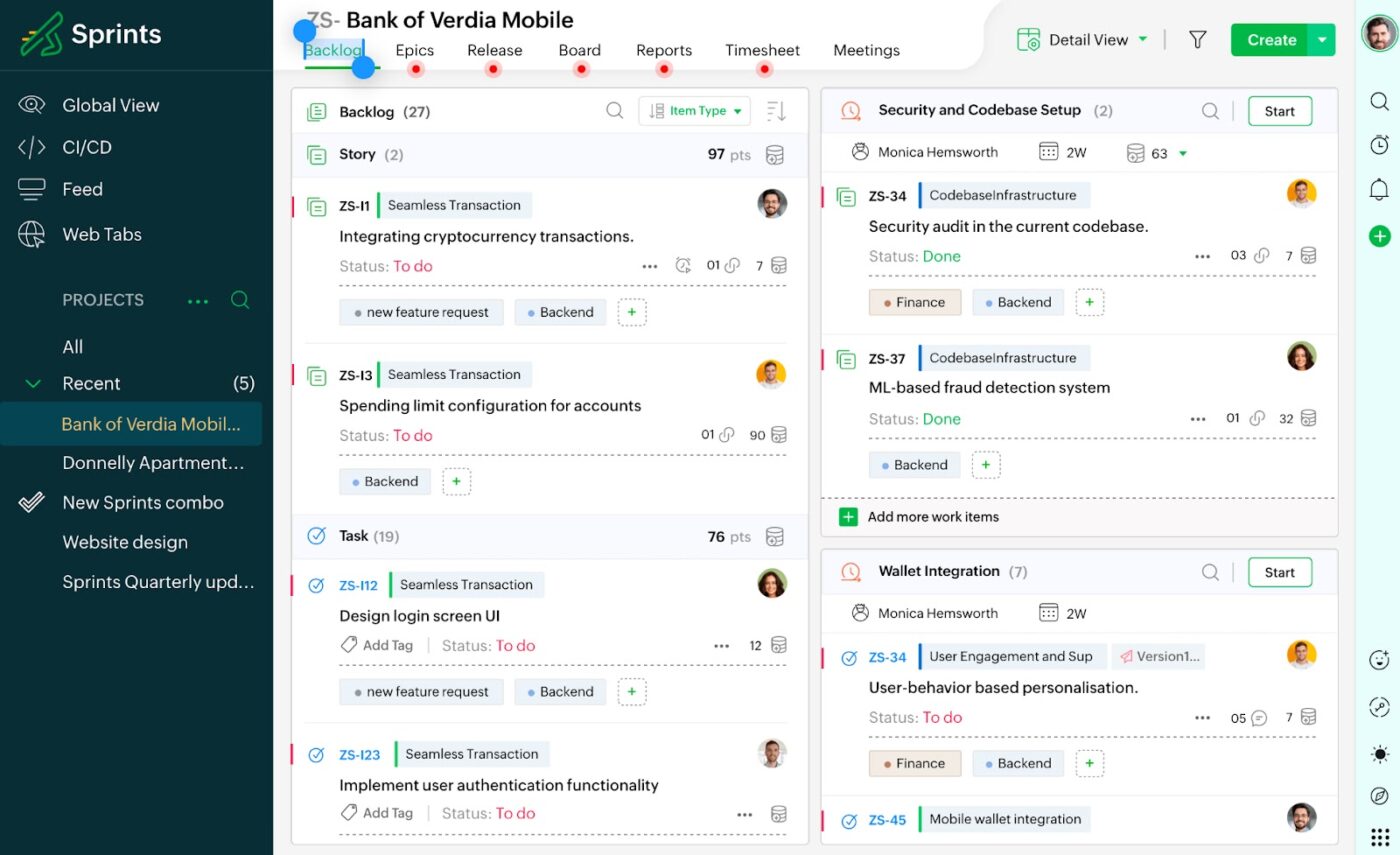
Zoho Sprints is an agile project management tool designed to help teams plan, collaborate, and deliver projects efficiently. If you’re new to agile or experienced, it simplifies project management and adapts to your needs.
The tool helps teams prioritize backlogs, visualize workflows, and stay on track with tasks, making complex processes easier. Its flexibility suits both small startups and large enterprises, with third-party integrations and features for iterative development.
🔍 Did You Know? Scaled Agile Framework (SAFe) remains the most popular enterprise-level framework, with 26% adoption.
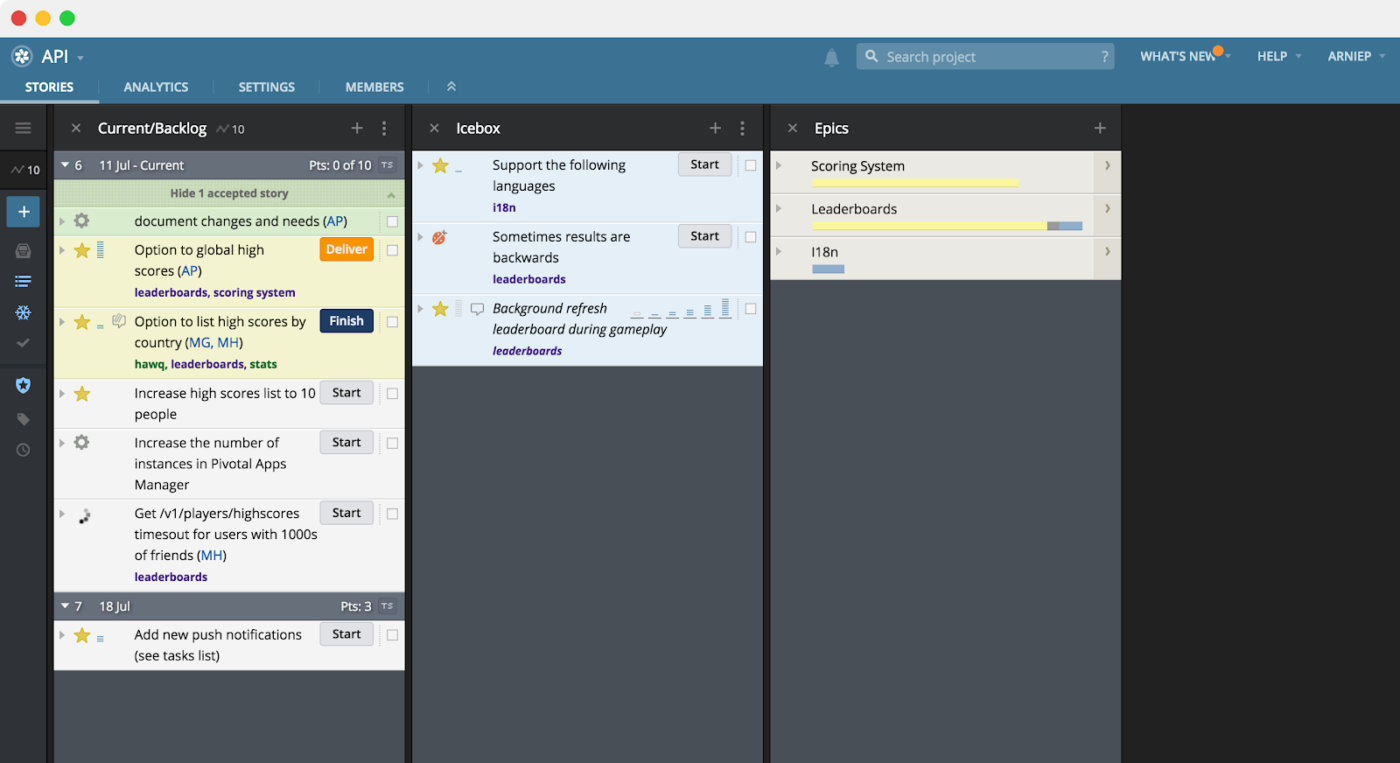
Pivotal Tracker simplifies tracking progress, managing iterations, and delivering high-quality products. Unlike other tools, It emphasizes maintaining steady progress with automatic planning, helping teams stick to realistic timelines based on their past performance.
The tool makes it easy to see how your projects advance at both the macro and micro levels, allowing agile teams to tackle potential issues before they escalate.
Pivotal Tracker is a tool that is used almost strictly for Scrum development. It’s pretty hard to use it for anything else. It has points built into the stories, auto calculates velocity (and brings in stories to the current sprint accordingly), and shows you metrics like a burndown chart. This is all out of the box with no setup needed (of course you have to actually write the stories and estimate them first).
🧠 Fun Fact: Workshops often use games like Scrum Poker and Lego Scrum to teach Agile principles in a fun and engaging way.
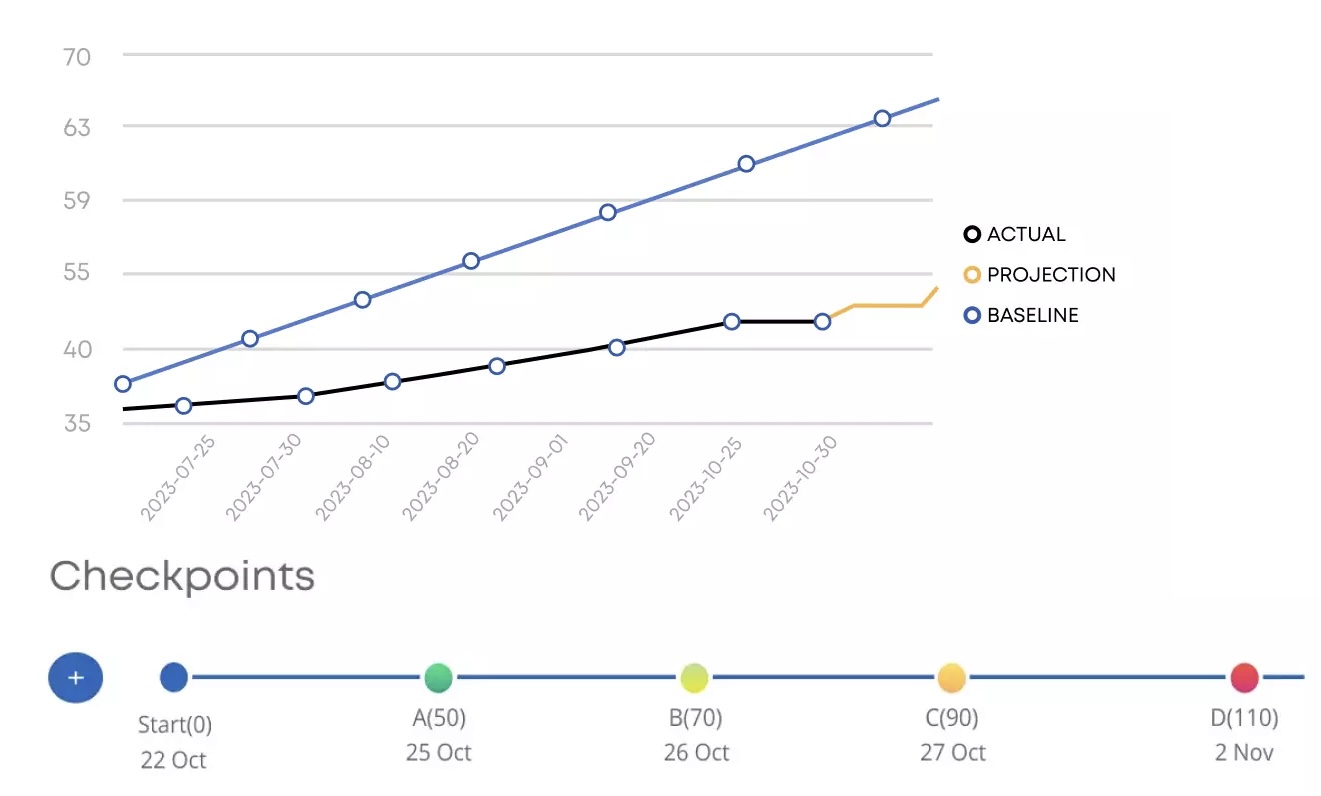
Ideal for enterprises that need both operational and strategic oversight, Businessmap provides clear visibility across all projects and portfolios, helping teams stay connected and focused.
Its flexible, outcome-driven approach ensures that businesses can align their goals with actual work delivery, creating a powerful bridge between strategy and execution.
The platform has advanced features like interlinked boards, customizable swimlanes, and automated projections for tracking agile metrics. It also helps organizations manage dependencies, measure progress, and adjust plans as needed.
🤝 Friendly Reminder: Use metrics, but avoid overloading your team with data. Track key metrics like velocity, cycle time, or lead time, but focus on the insights that directly impact team performance and project outcome.
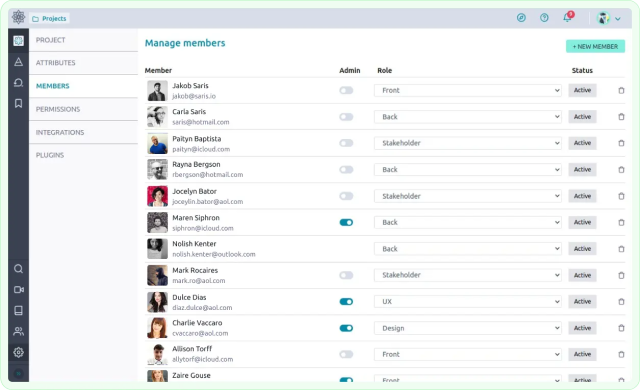
Taiga is an open-source agile software that prioritizes collaboration, transparency, and efficiency. It emphasizes simplicity and ease of use without sacrificing functionality.
The platform’s distinct strength lies in its ability to break down complex tasks into manageable stories and track progress against sprints. With a focus on collaboration, teams can effortlessly prioritize, assign, and complete tasks while maintaining alignment with stakeholders.
Taiga is a tightly focused Agile project management tool that does everything you need with a straightforward, well-designed UI. Lack of a mobile app is a significant drawback, and using the web app on a touch screen is not comfortable.
💡 Pro Tip: Involve the whole team in sprint planning. Don’t let only the product owner make decisions. Involving everyone in the planning process encourages ownership, provides valuable insights, and boosts team morale.
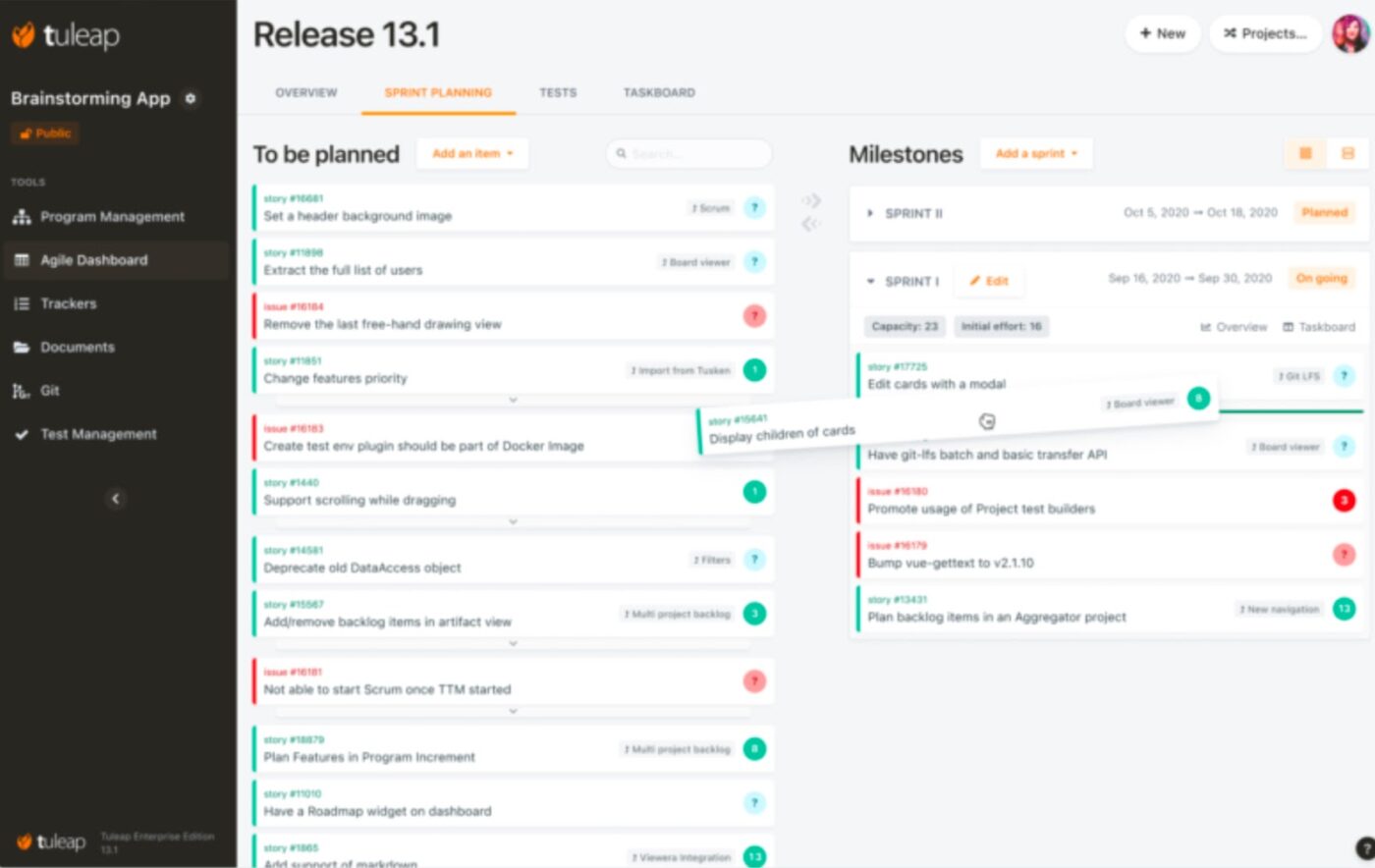
With Tuleap, you get a flexible platform that adapts to various team sizes and project requirements. You can organize backlogs, plan releases, track progress, and visualize data with ease. This tool’s open-source nature ensures no vendor lock-in, offering freedom and security for teams requiring agility and compliance.
It offers features that support everything from project tracking and agile planning to test management and DevOps integration. This makes it ideal for automotive, defense, and healthcare industries, where compliance with standards such as ISO, CMMI, and SPICE is essential.
🔍 Did You Know? 63% of Agile users adopt Scrum at the team level as their primary methodology.
💡 Pro Tip: Use ‘swarming’ to tackle blockers. When a task is stuck, pull in extra team members to break the deadlock quickly. This ensures your team keeps momentum and doesn’t get bogged down on a single issue for too long.
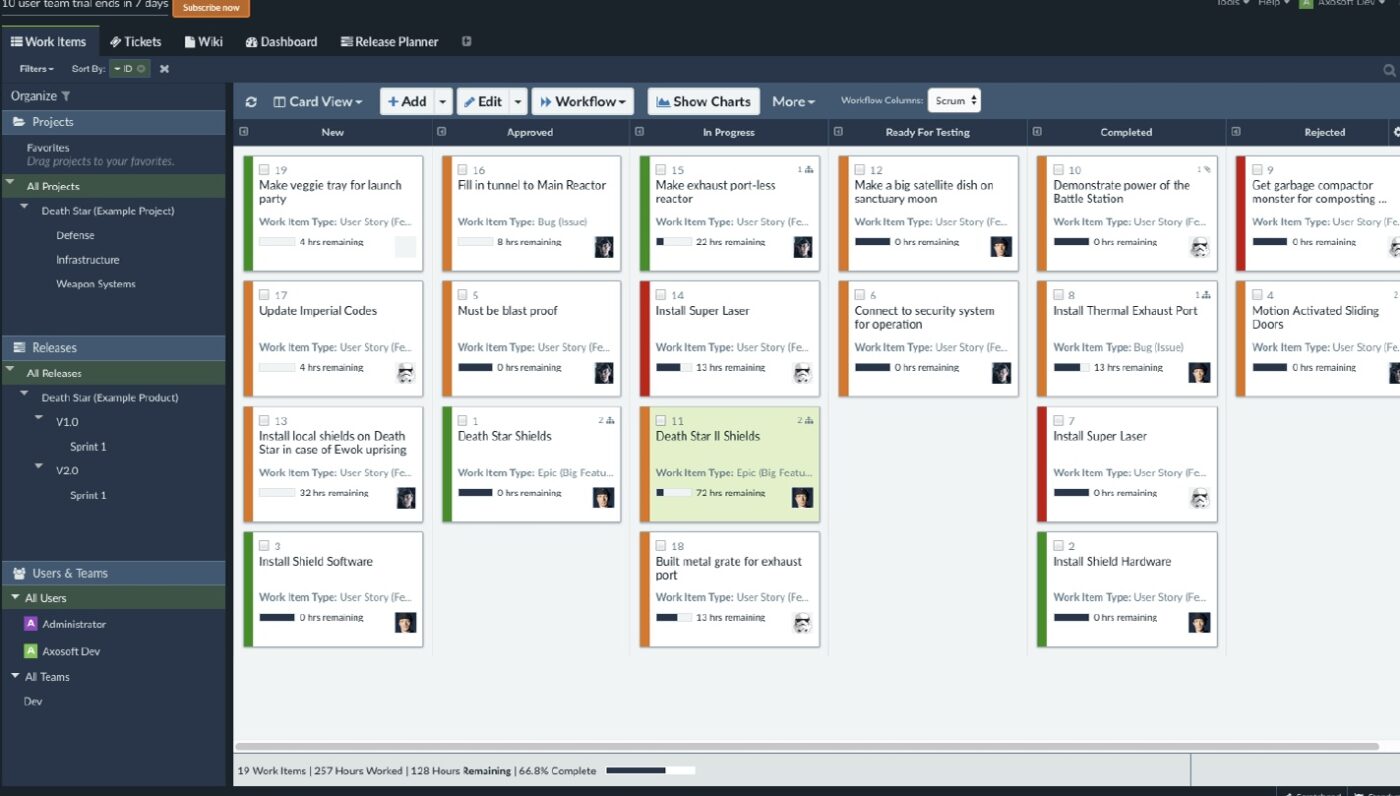
Axosoft monitors progress through various tools like burndown charts, cycle time, and projected ship dates, ensuring teams stay on track for releases. Its comprehensive suite of features supports Scrum, Kanban, and bug-tracking processes, making it a reliable choice.
One standout feature is its Release Planner, which allows teams to visualize the capacity of their sprint and individual team members, ensuring the right workload distribution. The Card View lets users interact with work items on a customizable Kanban board, giving teams control over work-in-progress limits and task status.
It is a very accessible and intuitive software, it offers excellent plugins to design or customize in fromes, as well as export to CSV files. Integrates with a wide list of third-party tools like Trello, Slack, GitHub, GoToMeeting, Google Calendar, Zapier, Microsoft 365, HubSpot CRM, QlikView, and many more.
💡 Pro Tip: Embrace ‘fail-fast’ to identify issues early. Don’t hesitate to pivot when something isn’t working. The sooner you spot a problem, the easier it is to make adjustments without derailing the entire project.
📖 Also Read: Shortcut Review (Features, Pros, Cons, and Pricing)
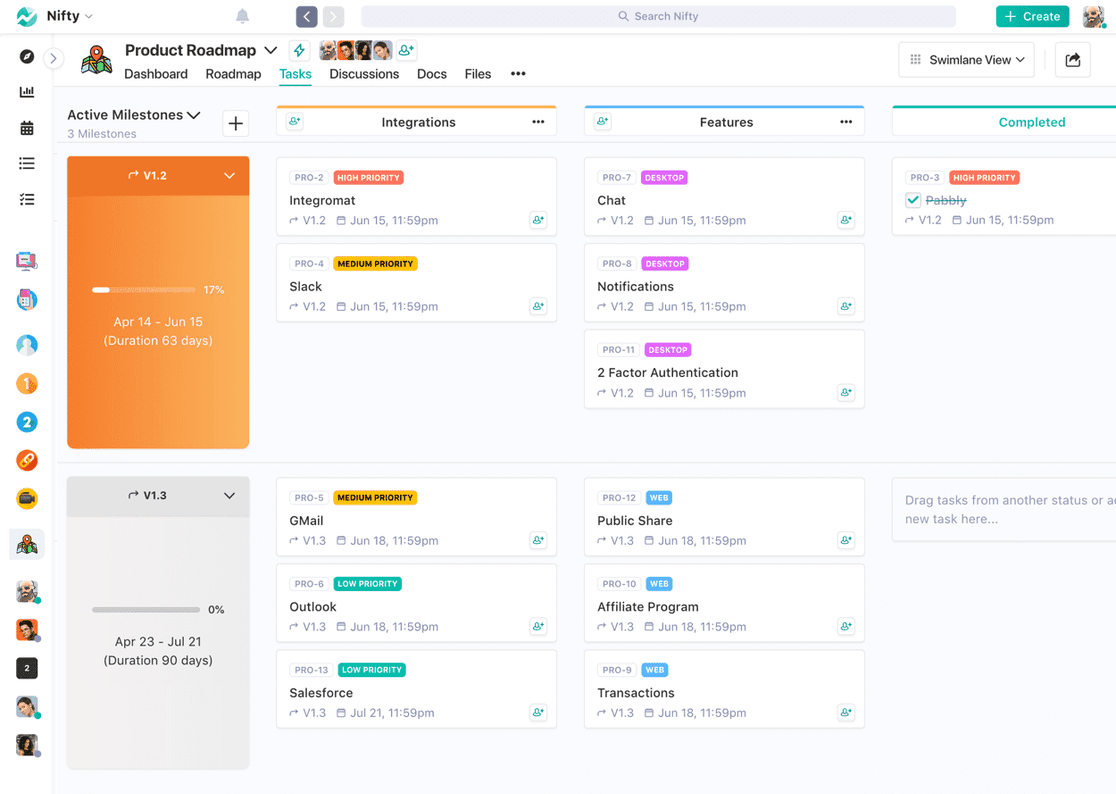
Nifty combines features like roadmaps, tasks, discussions, agile documentation, and reporting. Its intuitive interface supports streamlined project planning, task management, and real-time collaboration, making it a go-to solution for teams looking to stay aligned and efficient.
From automating progress reporting to integrating tools, Nifty ensures operational clarity while keeping projects on track. With its AI-powered features, such as workflow automation and project creation, Nifty helps teams save time and make smarter decisions.
💡 Pro Tip: Focus on ‘just enough’ documentation. Agile values working software over comprehensive documentation, so avoid overloading your team with unnecessary paperwork. Use concise, targeted documentation that directly supports the team’s goals.
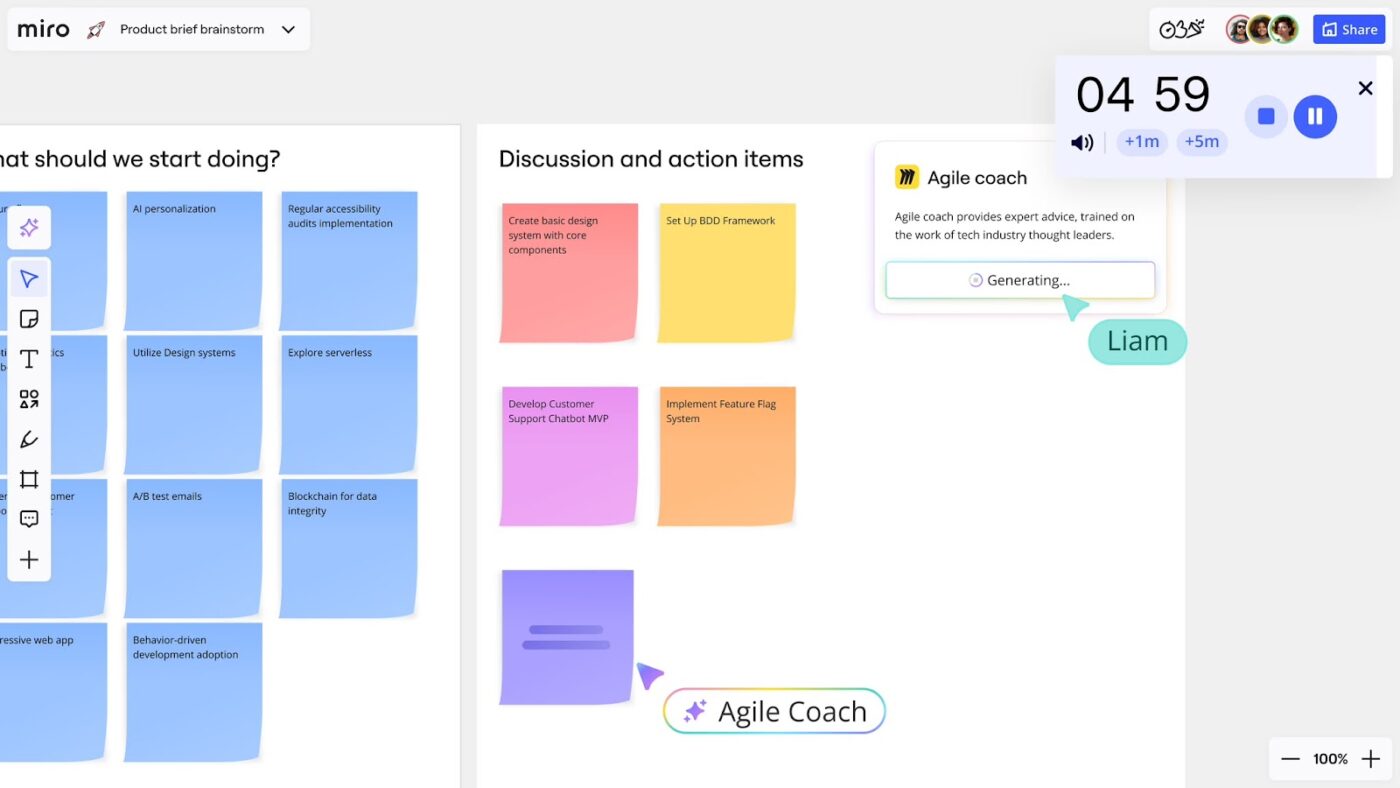
Miro transforms collaboration into a seamless and engaging process for Agile teams. With its AI-powered Intelligent Canvas, Miro empowers teams to move from brainstorming to execution without breaking their workflow.
This platform integrates dynamic tools like interactive widgets, AI assistants, and customizable project roadmap templates, ensuring that teams can adapt it to their unique Agile processes. Its powerful integrations with platforms like Google Workspace, Jira, and Adobe make it the go-to tool for Agile teams aiming to reduce context switching and maximize efficiency.
📮ClickUp Insight: About 35% of our survey respondents rate Monday as the least productive day of the week. Unclear priorities at the start of the workweek could be a contributing factor here.
ClickUp’s Task Management Solution eliminates this guesswork by enabling you and your team to set clear priority levels on all assigned tasks. Plus, you get ClickUp Brain, a powerful AI assistant that answers all your questions. With ClickUp, you always know exactly what needs to be done and when.
🤝 Friendly Reminder: Be realistic about how much your team can handle in one sprint. Overcommitting can lead to burnout and missed deadlines, so focus on delivering quality over quantity.
Choosing the right Agile tool is key to making your team more efficient and organized. Among the other project management tools listed above, ClickUp stands out as the top choice.
ClickUp is the everything app for work that covers every aspect of Agile project management. It offers customizable views like Kanban boards and Gantt charts, plus Docs and Whiteboards for seamless collaboration, all of which adapt to your team’s specific workflow.
Features like task tracking, team alignment tools, and productivity enhancers work together to streamline your Agile processes, making it easier to manage everything in one place. ClickUp simplifies the complexities of Agile, keeping your projects organized and your team focused on what matters most.
Sign up to ClickUp for free today! ✅
Agile tools are built specifically for iterative work like sprints, backlogs, and velocity tracking, while general project management tools may lack these Agile-native workflows.
No. Agile tools are widely used by marketing, operations, product, and RevOps teams that work in cycles and need fast feedback loops.
If your work runs in fixed iterations with planning rituals, Scrum-first tools fit better. If your work is continuous and flow-based, Kanban-focused tools are more effective.
Yes, modern Agile platforms can combine sprint planning, task tracking, docs, and collaboration into one workspace, reducing context switching.
Focus on visibility, dependency tracking, and shared workflows first before adding advanced metrics or automation.

© 2026 ClickUp

There’s an easier way. Try a free AI Agent in ClickUp that actually does the work for you—set up in minutes, save hours every week.