
Sorry, there were no results found for “”
Sorry, there were no results found for “”
Sorry, there were no results found for “”
Discord is one go-to platform for team communication. Over time, it has become a go-to communication platform for gamers, remote teams, educators, and businesses.
The platform offers voice and video calls, group chats, screen sharing, and community building in one place. Its versatility has made it a top choice for both casual and professional collaboration.
However, Discord isn’t perfect—issues like limited file sharing, lack of end-to-end encryption, and notification overload push many users to seek alternatives.
This guide covers some top alternatives to Discord for group conversations, video conferencing, and team collaboration. Here we go! 🎢
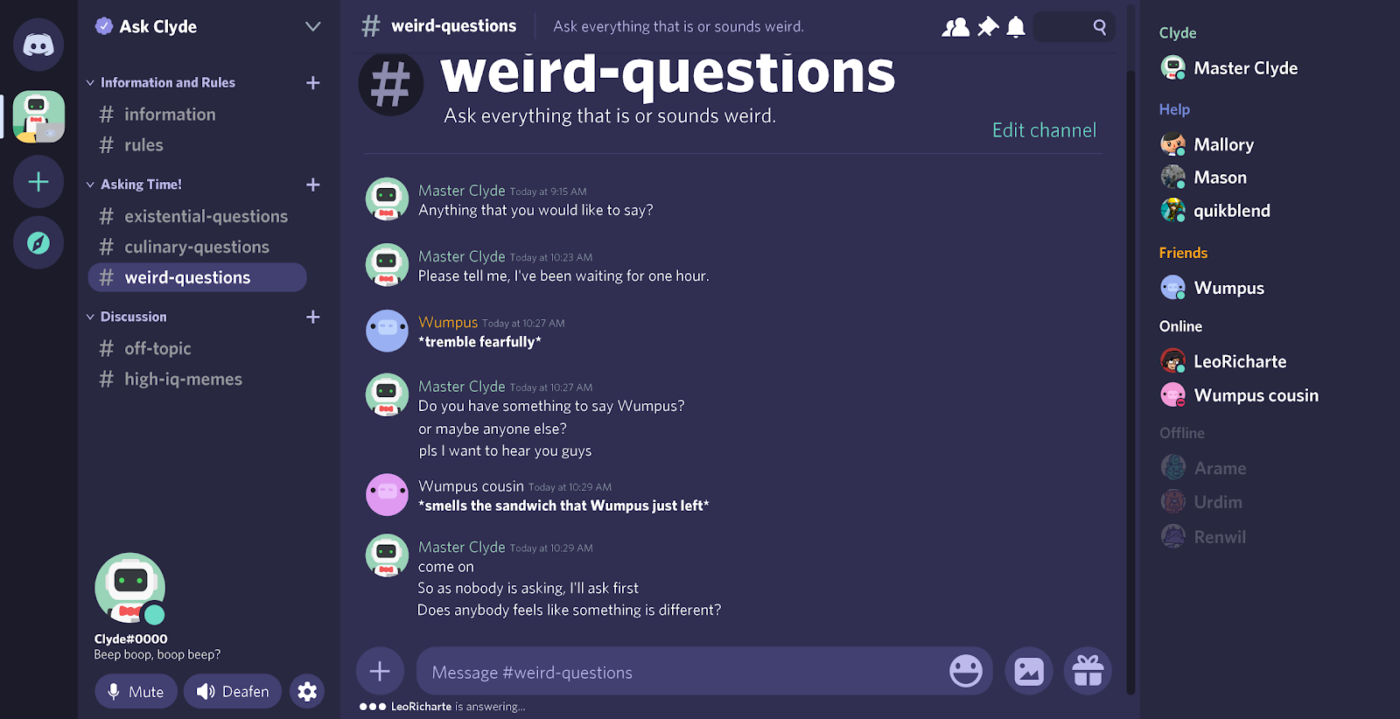
Discord is a popular communication platform designed for seamless voice and video calls, group chats, and community building. Its voice channels allow real-time audio communication, making it perfect for team discussions and gaming sessions.
Its screen-sharing feature helps you present ideas, while file-sharing features let you send documents, images, and videos effortlessly. You can create group chats, manage chat rooms, and send direct messages to keep conversations organized. For instant messaging and collaboration, Discord offers plenty of basic features to get started.
💡 Bonus Tip: Looking to level up your online community? Check out Discord Hacks to Enhance Community Engagement Beyond Gaming. Get powerful tips to boost interaction and keep conversations flowing!
Discord is a feature-rich chat platform, but it’s not always the best choice.
Here’s why you might want an alternative to Discord:
➡️ Read More: Best Discord Integrations (Reviews & Pricing)
Here’s a concise comparison table for the top Discord alternatives, including the tool, key features, best for, and pricing:
| Tool | Key Features | Best For | Pricing* |
| ClickUp | All-in-one work app: chat, tasks, docs, AI, screen recording, integrations | All business types | Free forever plan; Customizations available for enterprises |
| Slack | Team chat, channels, integrations, file sharing, search | Remote teams, businesses | Free plan available Paid plans start at $8.75 |
| Microsoft Teams | Channels, video calls, Office integration, file sharing, encryption | Businesses, organizations | Free plan available Paid plans start at $4 |
| Chanty | Team chat, Kanban tasks, audio/video calls, scheduling | Remote teams, small businesses | Free plan available Paid plans start at $4 |
| Mumble | High-quality, low-latency voice chat, positional audio, overlay | Gamers, community managers | Free forever |
| Steam Chat | Rich media chat, group channels, in-game overlay | Gamers | Free forever |
| Troop Messenger | Secure messaging, calls, file sharing, broadcast, self-destruct messages | Businesses, organizations | Free trial available Paid plans start at $2.50 |
| Google Chat | Google Workspace integration, Spaces, file sharing, calendar | Businesses, educators | Free with Google account |
| Messaging, calls, media sharing, group chats, end-to-end encryption | Community managers, global teams | Free forever | |
| Flock | Channel chat, video calls, productivity tools, integrations | Small teams, businesses | 30-day free trial available Paid plans start at $4.50 |
| Mattermost | Self-hosting, channel chat, integrations, voice/video calls | Organizations, developers | Free plan available Paid plans start at $10 |
| Zoom | Video meetings, webinars, screen sharing, chat | Businesses, educators | Free plan available Paid plans start at $15.99 |
| Element | End-to-end encryption, decentralized, file sharing, voice/video | Privacy-focused orgs, communities | Paid plans start at $5.40 |
| TeamSpeak | High-quality voice, file sharing, private channels, low latency | Gamers, esports teams | Free plan available Custom pricing for advanced features |
Our editorial team follows a transparent, research-backed, and vendor-neutral process, so you can trust that our recommendations are based on real product value.
Here’s a detailed rundown of how we review software at ClickUp.
Here are 15 Discord alternatives with better security, seamless integration, and enhanced team communication:
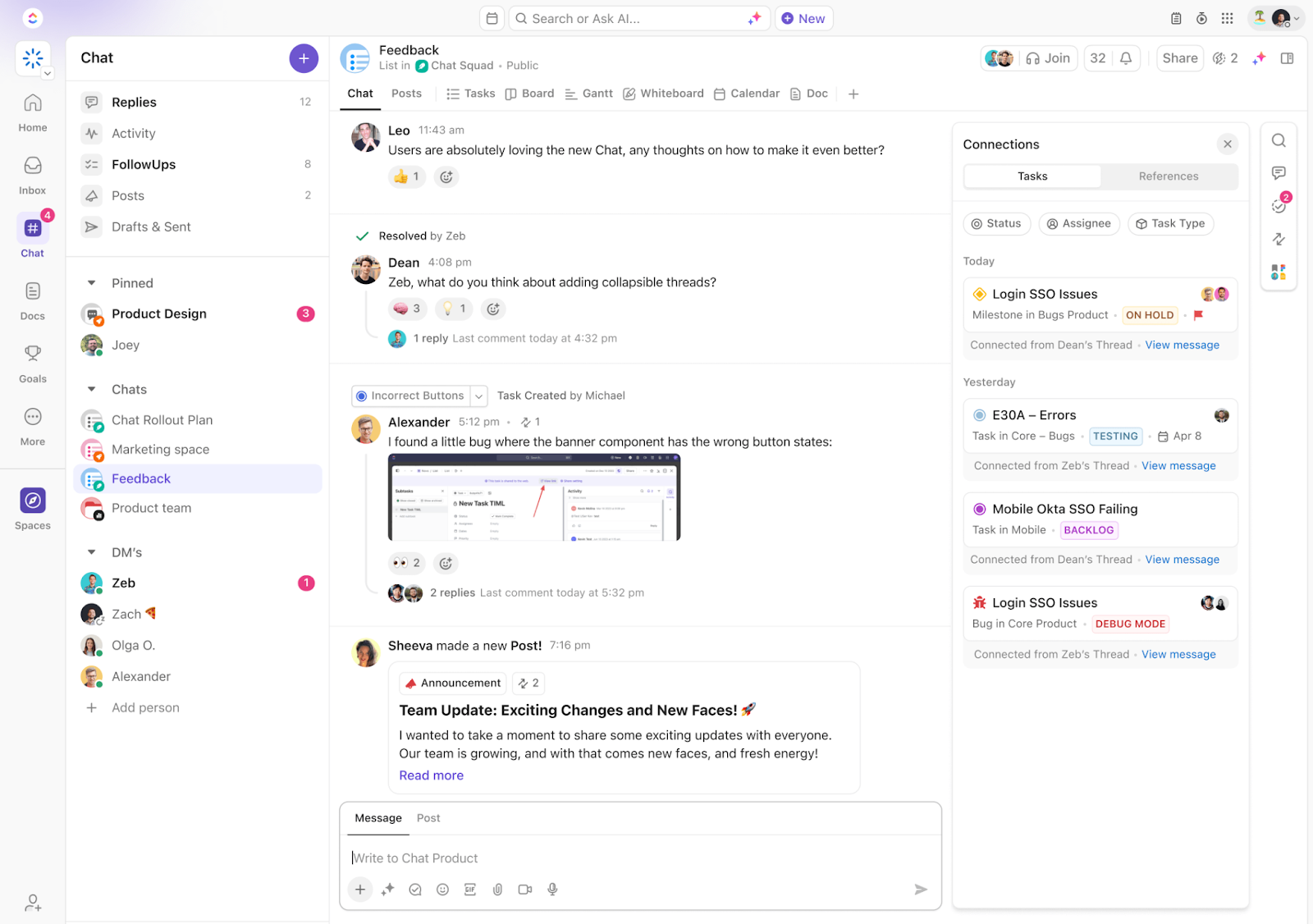
As the everything app for work, ClickUp integrates multiple tools for collaboration, communication, and task management, bringing everything together in one place. It’s a great Discord alternative because it does more than just send messages—it integrates conversations with work, ensuring that every discussion translates into action.
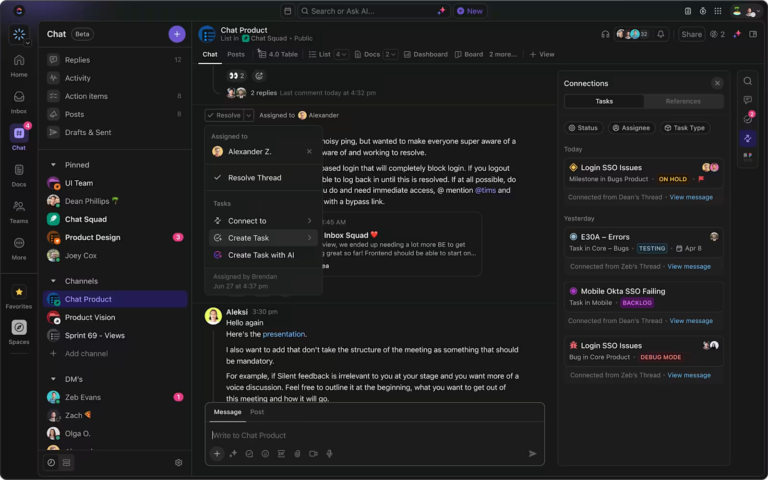
With direct messaging, team channels, and threaded discussions, you always stay in sync with your team using ClickUp Chat.
Need to discuss project updates? Create a dedicated chat channel for them. Want to follow up on a conversation? With just one click, you can turn any message into a task. Want to get a teammate’s immediate attention for a quick update? Just @mention them in chat.
What’s more? It lets you schedule messages for later, ensuring timely communication without interrupting your team’s workflow. Video and voice calls are just a click away with SyncUps, making it easy to hold real-time discussions.
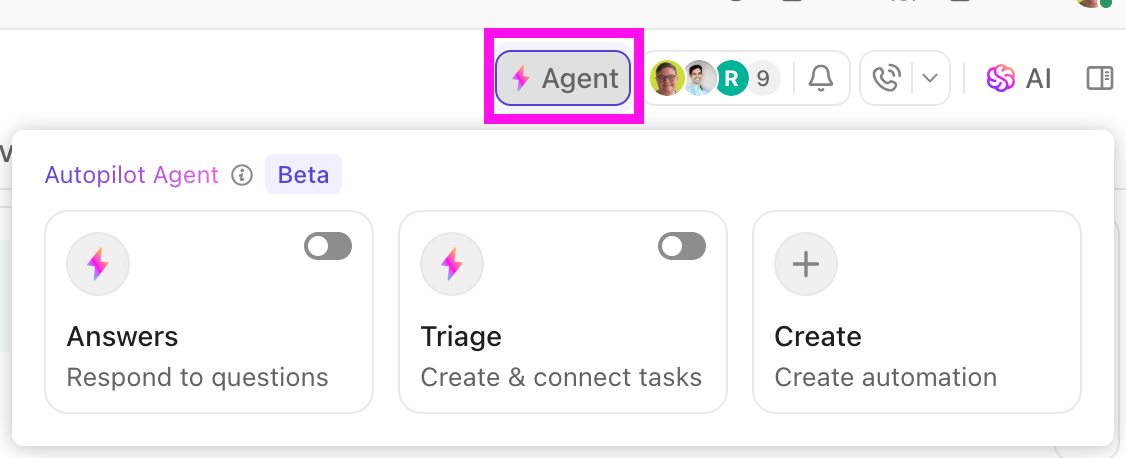
Want to switch up your screen sharing capabilities? ClickUp Clips, the platform’s built-in screen recorder, lets you easily share your screen when explaining complex ideas or reviewing documents. When discussions spark action items, you can instantly create and assign tasks from the chat itself, keeping everything organized and actionable.
Additionally, ClickUp Brain makes writing emails, drafting messages, or responding to team chats effortless with AI-powered quick replies. It even adapts to your tone, ensuring professional and personalized communication.
If you’re in a meeting, the powerhouse combo of ClickUp AI Notetaker + ClickUp Brain automatically transcribes conversations and extracts key action items, saving you time and effort. This way, it enhances productivity and ensures that important details are captured and actionable tasks are seamlessly assigned.
Here’s what Samantha Dengate, Sr. Project Manager at Diggs, has to say about ClickUp:
Before ClickUp, meetings, and back-and-forth email communications led to a black hole where items were left unseen and unattended. Due to this, tasks were not being reviewed on time, and no one knew how the creative development was going.Now, everyone on the team can clearly see when action items are due, chat, and collaborate within the tasks.

Slack is widely used by remote teams, businesses, and project managers to streamline workflows. Its channels let you structure conversations by topic, project, or team, so nothing gets lost.
Need to collaborate beyond your team? Slack Connect helps you work with external partners effortlessly, replacing endless email threads. And when quick decisions are needed, Huddles offer instant voice or video chats—no scheduling required.
Check out what this G2 user has to say about Slack:
Its integration with different cloud-based tools, for e.g., JIRA, along with its feature to use Slack bots to automate tasks and reminders, is one of the key features that’s been proved very useful. It has limited video calling features when compared to other tools. If we improve on this front, I guess it will prove to be a wholesome tool for companies.
➡️ Read More: The Pros and Cons of Slack at Work
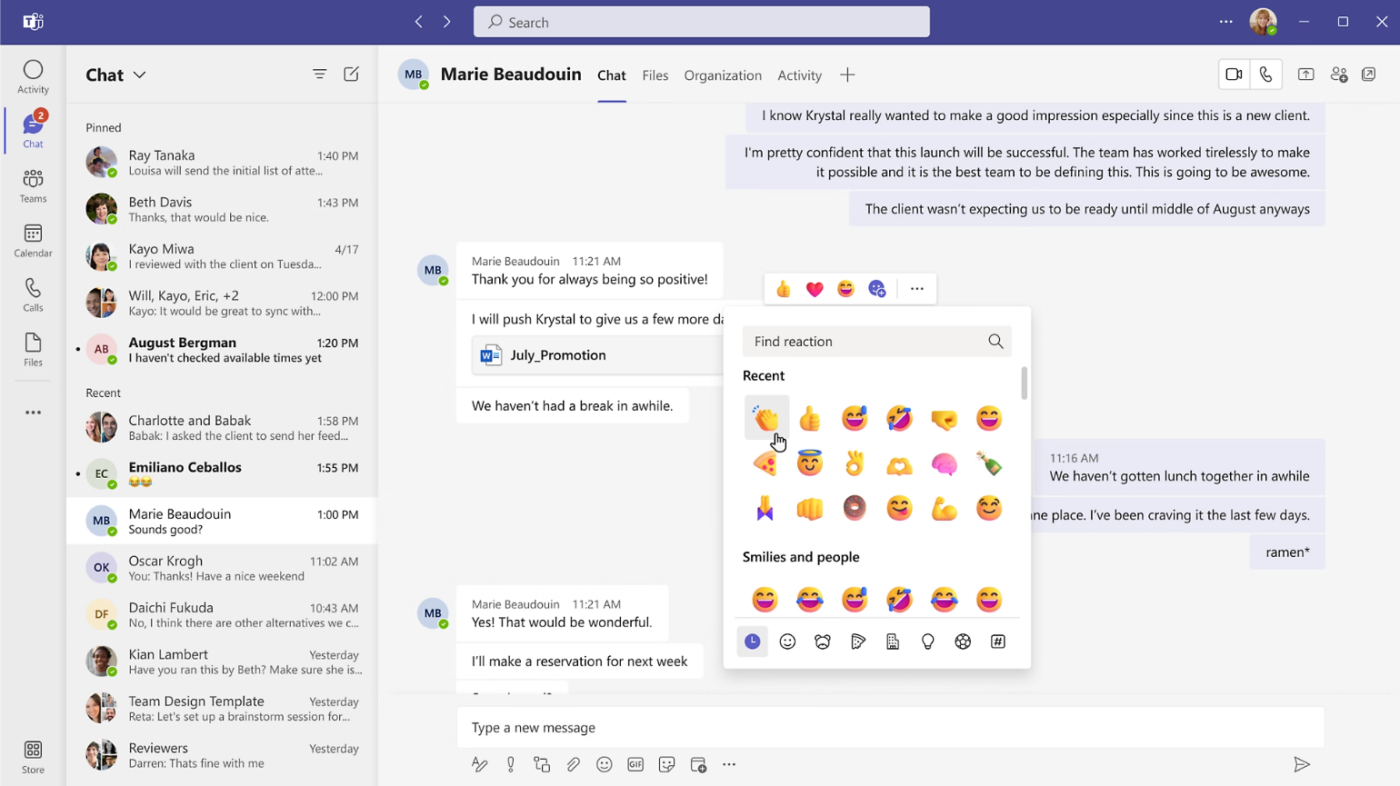
For seamless collaboration, video calls, and professional communication, Microsoft Teams is a top Discord alternative. Whether you’re managing projects, hosting virtual meetings, or team chatting, it keeps everything in one place.
With channels, you can organize group chats by project or department to keep discussions focused. Plus, end-to-end encryption ensures your team’s conversations remain private and secure.
Check out what this Capterra user has to say about Microsoft Teams:
Microsoft Teams helps me as a PhD student, especially during the COVID-19 time, as it facilitated virtual meetings and discussions. The interface can be cluttered and overwhelming at times, and performance can slow down with larger or more complex data.
📮 ClickUp Insight: About 41% of professionals prefer instant messaging for team communication. Although it offers quick and efficient exchanges, messages are often spread across multiple channels, threads, or direct messages, making it harder to retrieve information later.
With an integrated solution like ClickUp Chat, your chat threads are mapped to specific projects and tasks, keeping your conversations in context and readily available.
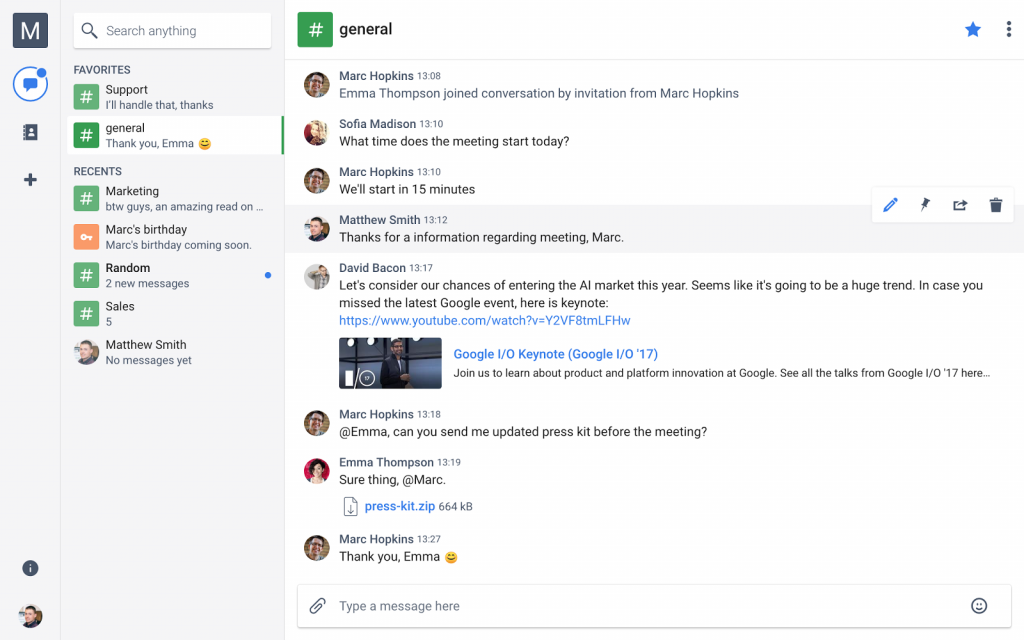
Chanty offers a seamless experience with its intuitive interface. Its Teambook feature keeps all your messages, files, and tasks organized, ensuring you can easily access important information. With threaded conversations, you maintain focused discussions, preventing information overload.
Chanty’s Kanban board view allows you to monitor and manage tasks efficiently, turning messages into actionable items. For example, during a team chat, you can assign a task directly from a message, ensuring clarity and accountability.
Check out what this Trustpilot user has to say about Chanty:
Chanty turned out to be a true game-changer for me! The simplicity of the interface, fast performance, and ease of use have made this service my favorite tool for team collaboration.
I especially appreciate the ability to organize tasks directly in chats — it saves so much time. Another highlight is the seamless integration with other services like Google Drive and Trello, which makes the workflow even more efficient.
I highly recommend Chanty to anyone looking to simplify team workflows and focus on achieving results. It’s simply a perfect service!
➡️ Read More: Best Screen Share Software for Remote Meetings
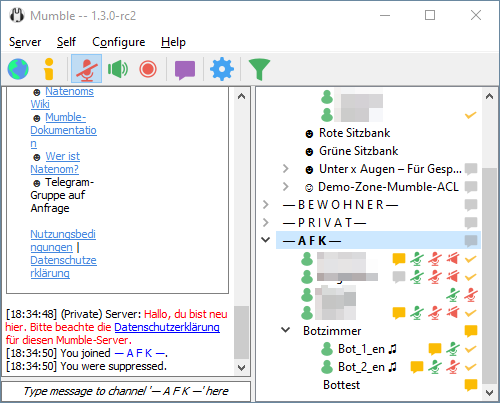
Mumble is a VoIP communication app renowned for its low-latency, high-quality voice chat, making it a compelling alternative to Discord. Ideal for gamers and communities, Mumble offers key features designed to enhance your communication experience.
With positional audio, in-game voice chat becomes immersive as voices pan based on in-game locations. For instance, in compatible games, you’ll hear teammates’ voices coming from their character’s direction, adding realism to your gameplay.
💡 Pro Tip: Wondering how to make the most out of workplace communication tools?
Here are some tips to follow:
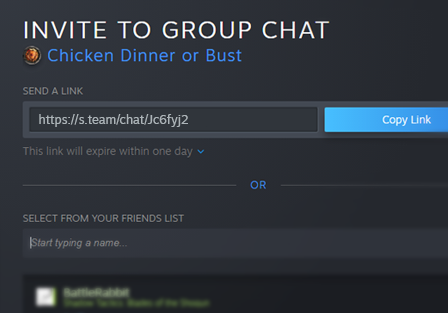
Steam Chat is a great Discord alternative, especially for those already in the Steam ecosystem. Designed for gamers, it seamlessly integrates with your gaming library, making it easy to connect with friends.
With features like rich text chat, you can share videos, images, tweets, and more directly in your conversations, enhancing your interactions. The group chat function enables you to create persistent channels for your gaming squads, making coordination a breeze.
Here’s what a Reddit user says about Steam Chat:
It’s honestly pretty solid. You can use it on your phone, it has voice calls, and you can even screen share or watch someone’s game without even being in a call. Just click their name and boom you’re watching. It feels super seamless compared to setting up a Discord server or group.
Plus, you’re already friends with most people you game with on Steam anyway. No need to ask for a Discord tag or join five different servers.
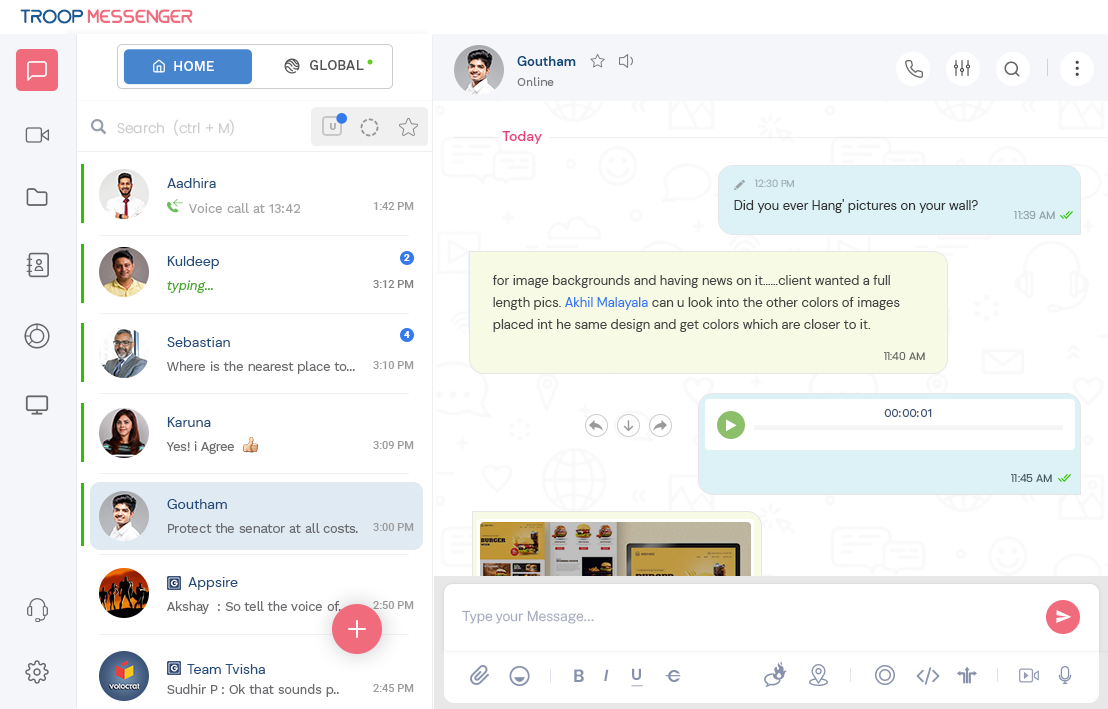
As an alternative to Discord, Troop Messenger offers a comprehensive communication platform designed to enhance team collaboration and productivity. You can seamlessly connect with your team with features like instant messaging, voice and video calls, and group chats.
Troop Messenger’s “Forkout” lets you broadcast messages to multiple users simultaneously, streamlining announcements and updates.
Check out what this G2 user is saying about Troop Messenger:
I like the overall experience with Troop messenger, There are many cool emojis that makes communicate much funny. Overall a great communicate tool for team chat.
💡 Pro Tip: Ever sent a message and instantly regretted it? Master team chat etiquette at work for optimal collaboration with these game-changing tips!
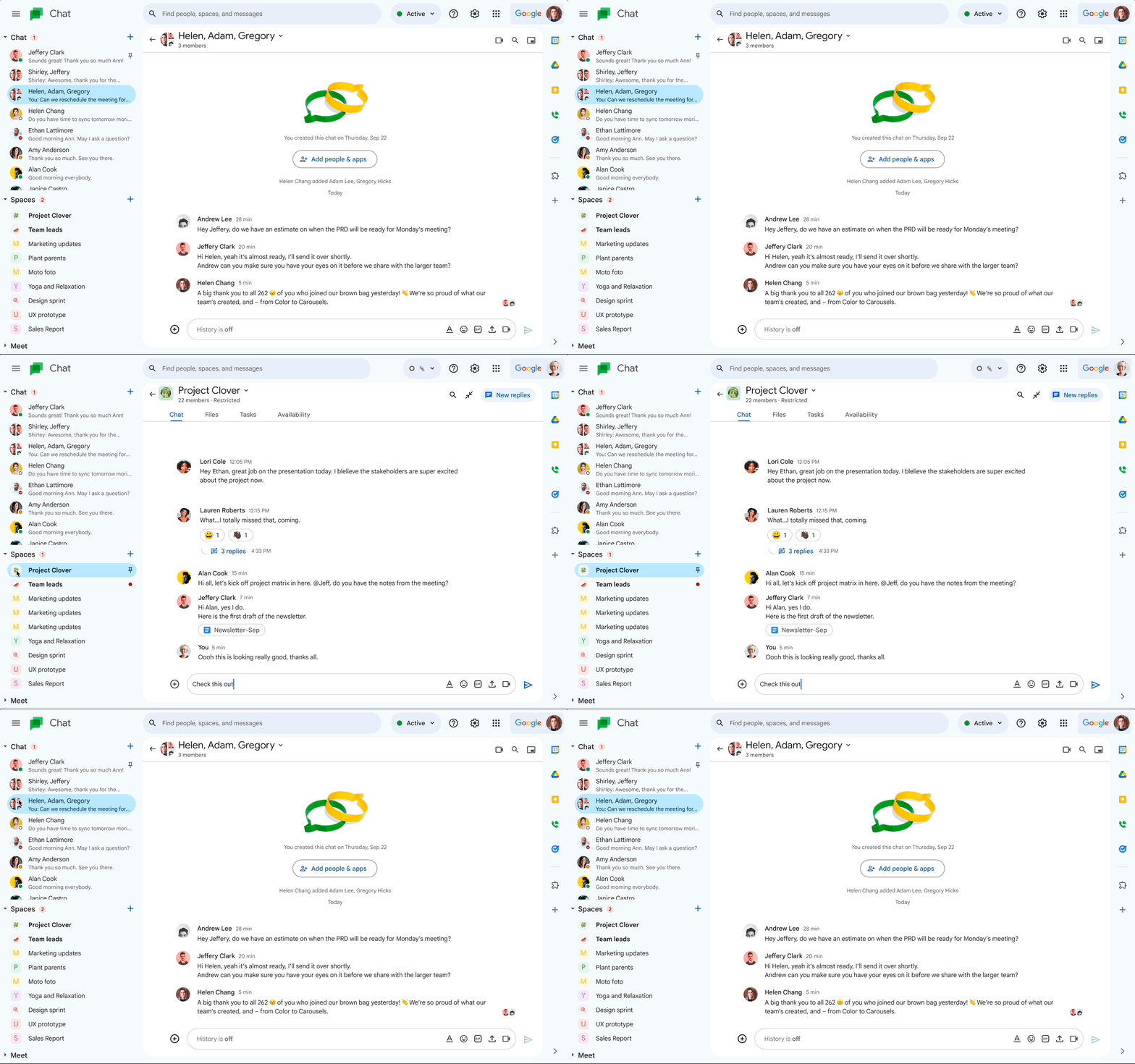
As an integral part of Google Workspace, Google Chat offers seamless integration with apps like Google Drive, Calendar, and Meet. This lets you share files, schedule meetings, and collaborate on documents directly within the chat interface.
Its Spaces feature enables you to create a space for your marketing team to discuss campaign strategies, share relevant files, and assign tasks, ensuring everyone stays on the same page.
Check out what this Capterra user has to say about Google Chat:
Google Chat works well for basic communication needs and integrates smoothly with other Google apps, but it can feel a bit limited for more complex, feature-rich conversations or large teams.
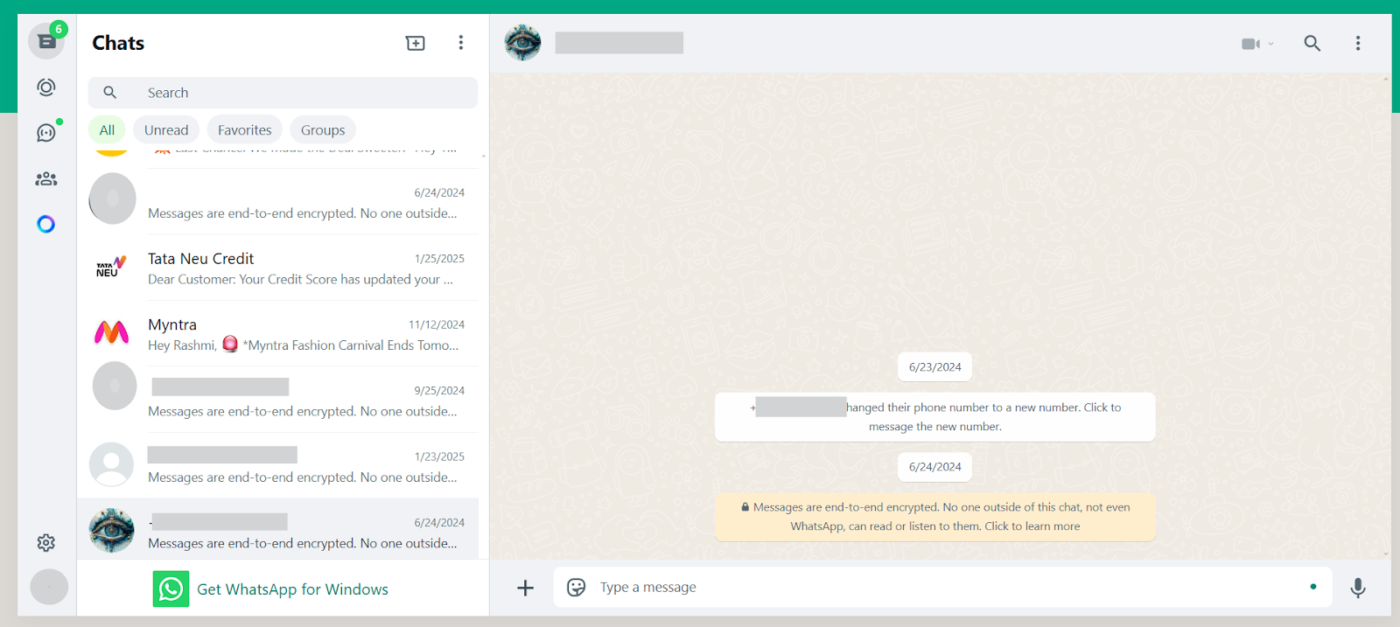
WhatsApp is a free, cross-platform messaging app that lets you stay connected with friends and family through text, voice calls, and video chat. You can send text messages, share photos, videos, and documents, and make audio and video calls—all over an internet connection without extra charges.
WhatsApp also offers group chats, allowing you to connect with multiple people simultaneously, making it easy to coordinate plans or stay in touch with various social circles. Its end-to-end encryption ensures that your conversations remain private and secure.
Here’s what a GetApp user is saying about WhatsApp:
It is very easy to use, it makes international communication very easy, works perfectly for work communication, the business option is great for communication with clients.
➡️ Also Read: Best All-in-One Messaging Apps
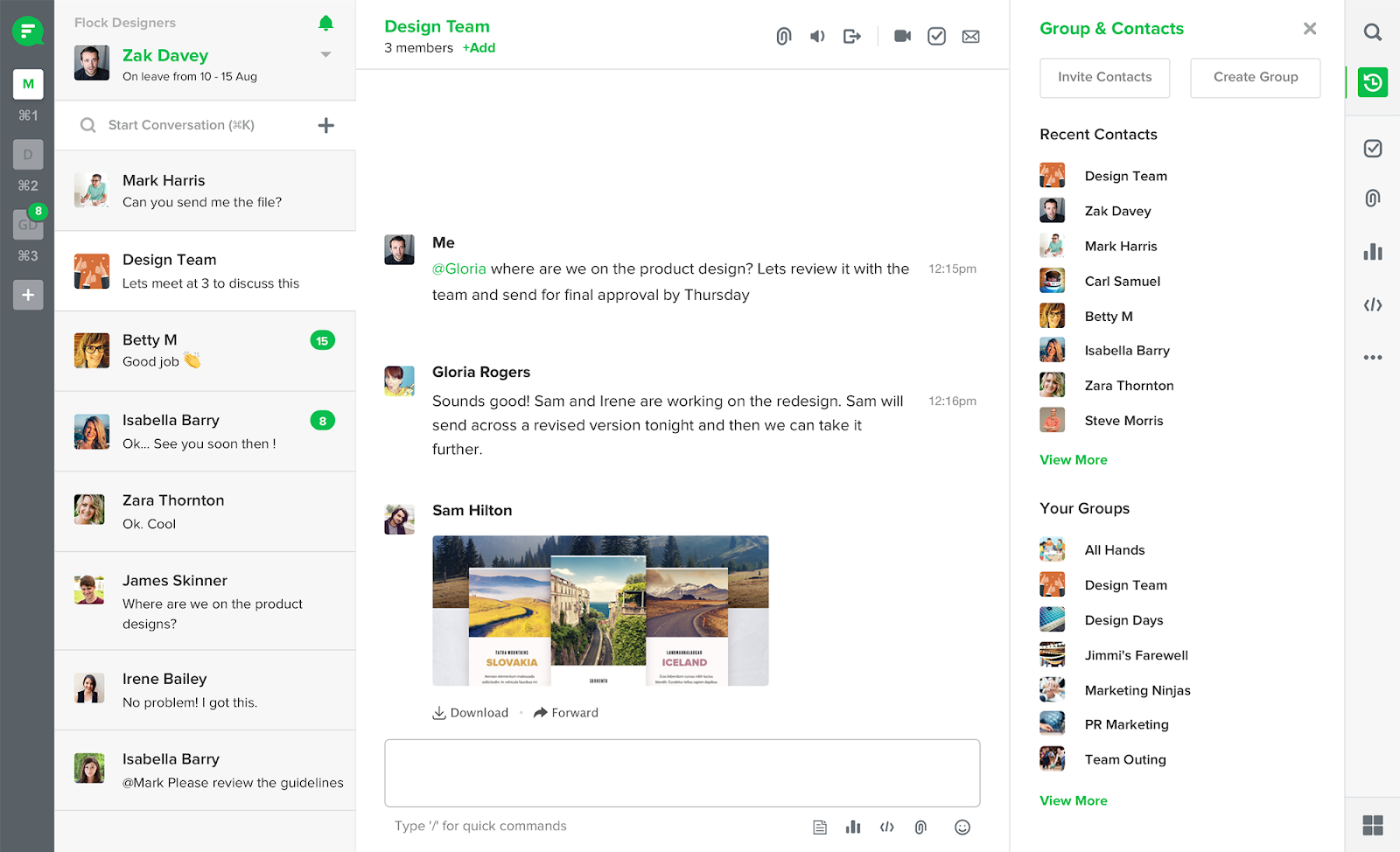
Flock is an excellent alternative to Discord, especially for professional environments. With Flock, you and your team can engage in direct and group messaging through organized channels, ensuring focused discussions on specific projects or topics.
Additionally, Flock integrates seamlessly with various productivity tools like Google Drive and Trello, enabling you to manage tasks and share files effortlessly. For instance, you can assign to-dos, set reminders, and conduct polls directly within the app, keeping everyone aligned and on track.
Check out what this Capterra user has to say about Flock:
I like the user interface; it’s clean and, for the most part, works for what we need. You can’t DM multiple people, and it is hard to manage a lot of different conversations, which we need a lot in our organization. There’s parts of the UX that are just clunky and annoying.
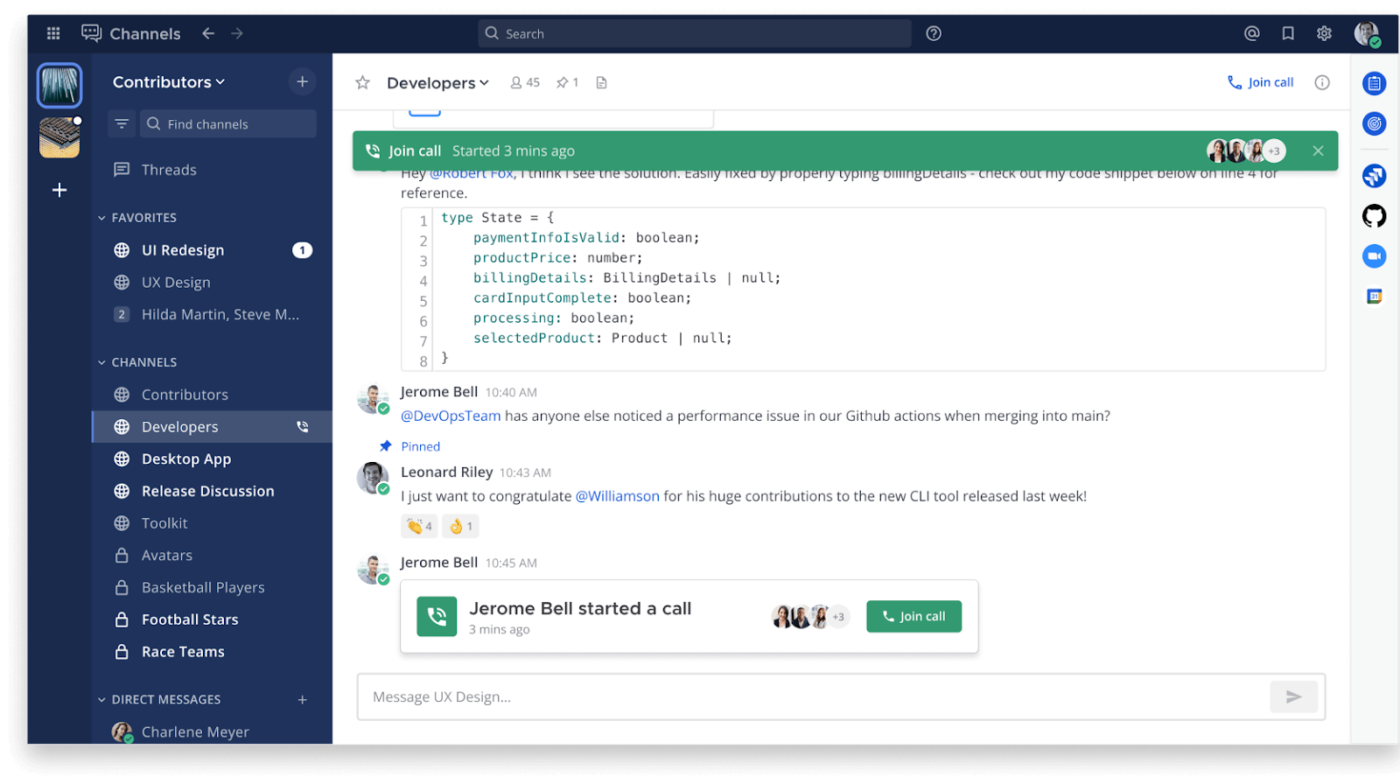
Unlike Discord, Mattermost offers self-hosting options, granting you full control over your data. Its channel-based messaging system ensures organized discussions, while integrated voice and video calls facilitate seamless real-time collaboration.
Developers appreciate its extensive integrations with tools such as GitLab and Jira, streamlining workflows within a unified environment. It lets you automate deployment notifications directly into specific channels, keeping your team informed without manual updates.
Here’s what a Gartner user says about Mattermost:
Mattermost offers room for the creation of an unlimited number of communication channels under one roof. I like how Mattermost streamlines internal and external collaboration via instant messaging and live chat.
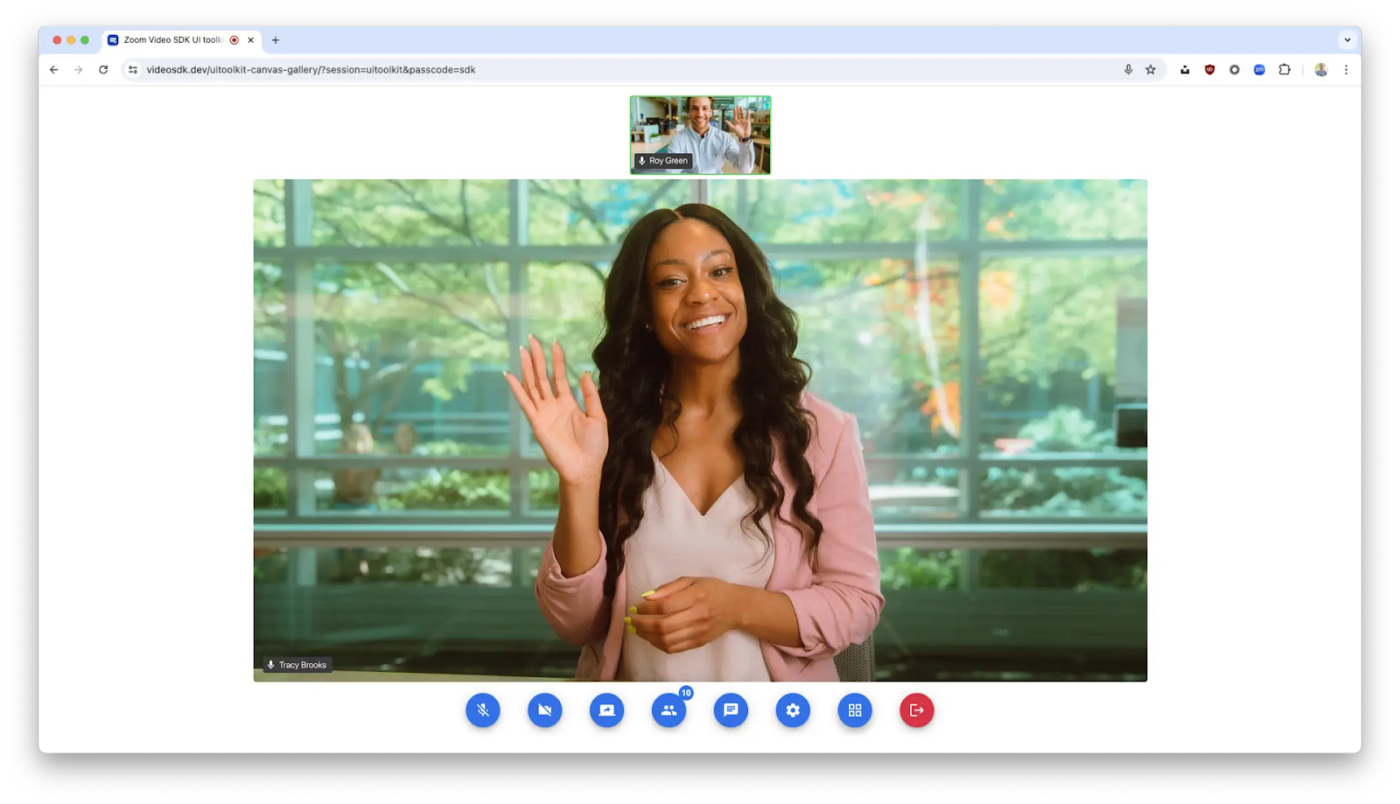
Zoom is a leading video conferencing platform renowned for its high-quality audio and video capabilities, making it a great alternative to Discord. It facilitates seamless virtual meetings, webinars, and collaborative sessions and allows you to host or join meetings effortlessly.
Features like screen sharing enhance presentations, while virtual backgrounds add a personal touch to your video feed. During a project discussion, you can share your screen to walk colleagues through a proposal, ensuring everyone stays on the same page.
Check out what this G2 user has to say about Zoom:
As a frequent user of Zoom for workplace communication, I find it to be an invaluable tool for keeping teams connected, especially in a hybrid or remote work environment.
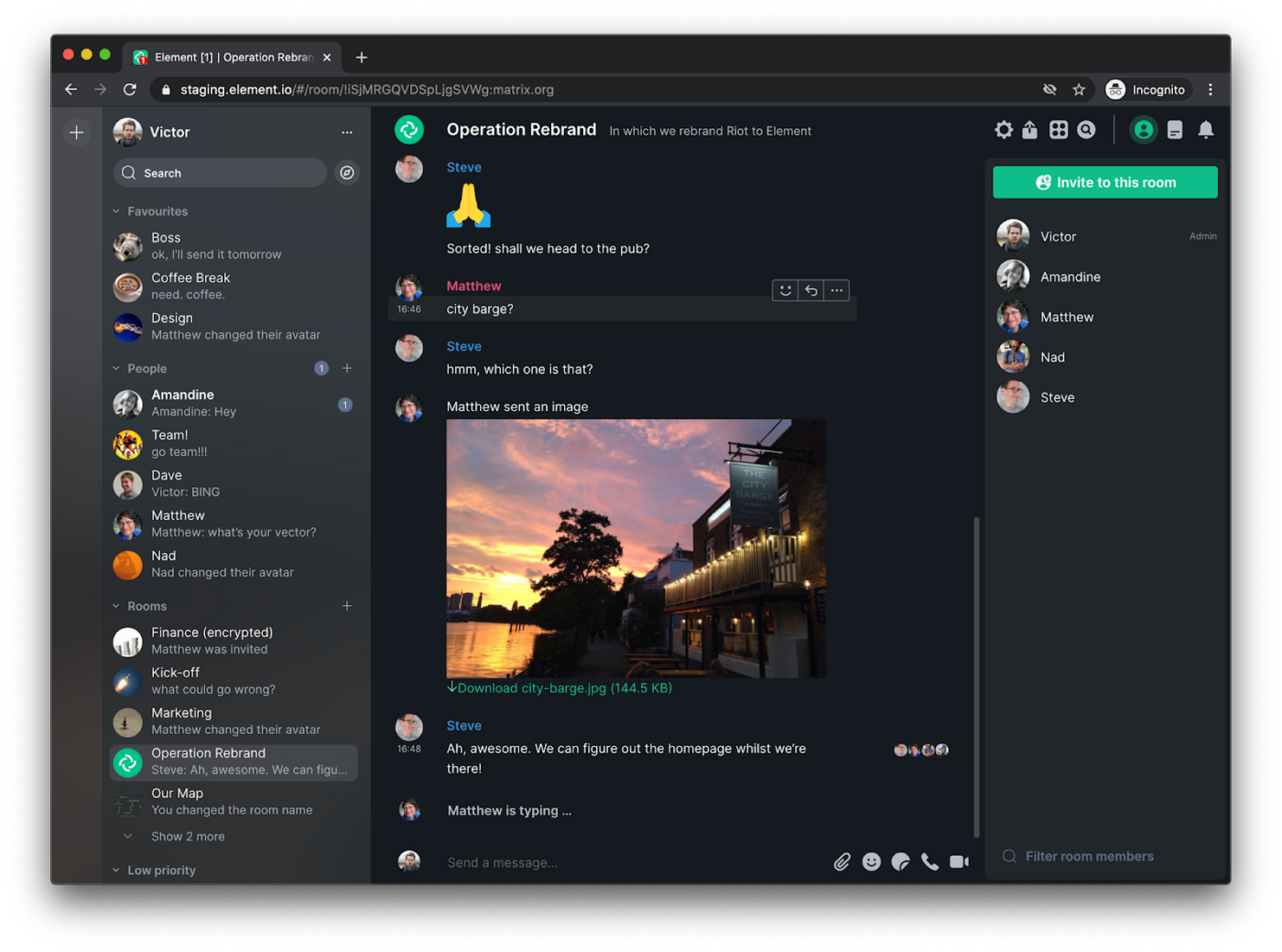
Unlike Discord, Element offers end-to-end encryption by default, ensuring your conversations remain confidential. Its decentralized architecture allows you to self-host servers, granting full control over your data—a critical feature for privacy-conscious users.
With support for text, voice, and video chats, Element facilitates seamless collaboration across various formats. For instance, during a project meeting, you can share files directly within the chat, streamlining workflow without relying on third-party services.
Here’s what this G2 user has to say about Element:
I absolutely love the level the security features they have for each conversation. Along with the encryption and server options. I use it to communicate with my private network.
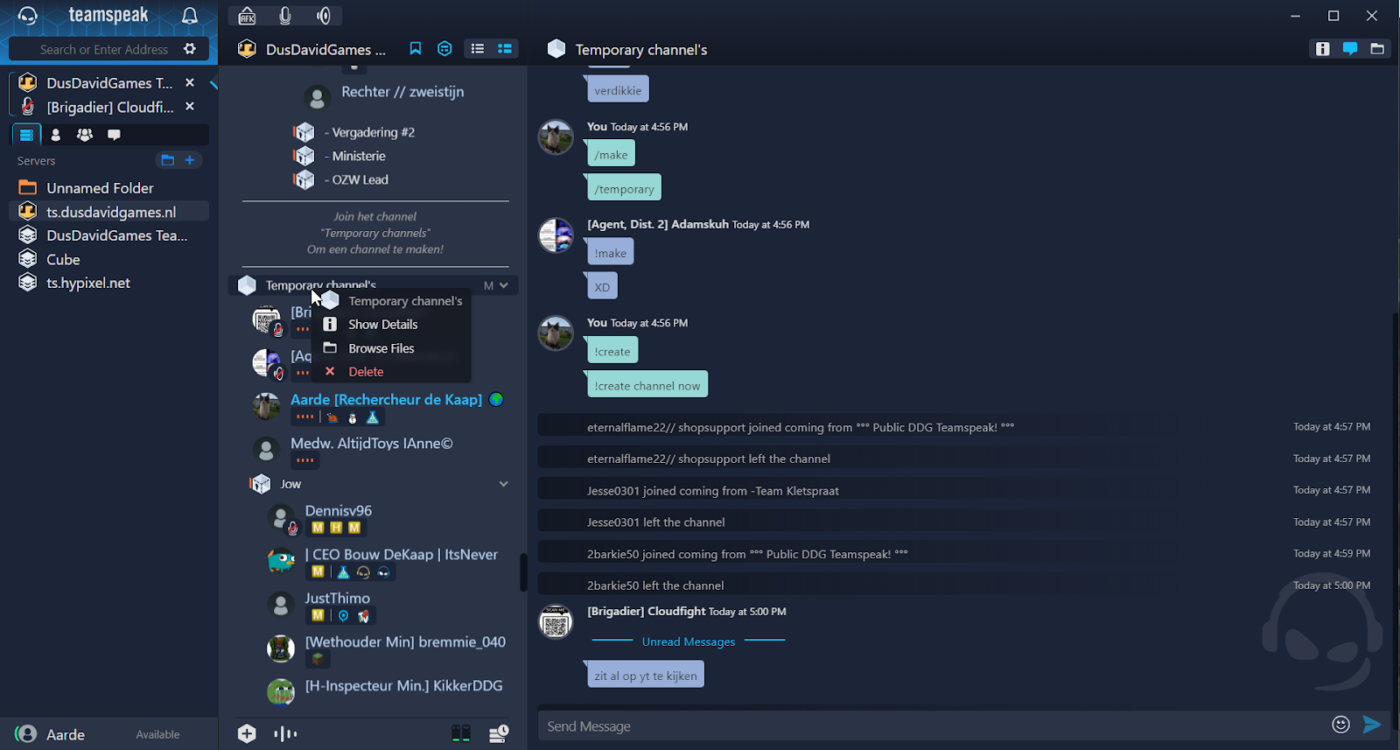
Designed for gamers, esports teams, and professionals, TeamSpeak offers robust, customizable, and efficient voice communication tailored for gaming and professional use. It’s integrated automatic microphone volume adjustment, background noise reduction, and echo cancellation ensure superior sound during intense gaming sessions or collaborative projects.
For instance, during a competitive match, you can create private channels to strategize with your team without interruptions, enhancing coordination and performance.
Here’s what a Reddit user says about TeamSpeak:
With teamspeak, you actually own and control the server. Not some company who gives away Spyware. Other than that, you can transfer files with no size limit. The amount of system resources discord uses is 10x that of teamspeak. The only feature Discord has that won’t be found in teamspeak is the screenshare. I prefer teamspeak over discord, and thats all it really is, is a preference.
In addition to the different Discord alternatives mentioned above, here are a few more worth noting:
Effective communication is the backbone of any successful team. Whether you’re managing projects, hosting virtual meetings, or coordinating tasks, the right tools can make all the difference. The 15 Discord alternatives in this list offer powerful messaging, collaboration, and productivity solutions.
But why juggle multiple apps when you can have everything in one place?
With ClickUp, you get a one-stop solution for work and communication. Chat in real-time, start voice and video calls, turn messages into tasks, and let ClickUp Brain automate your workflow.
Everything stays connected—tasks, docs, and conversations—all in one app. So why wait? Sign up on ClickUp to simplify your work and boost productivity today! 🚀

Manasi Nair
Max 27min read
Manasi Nair
Max 32min read
Manasi Nair
Max 14min read

© 2026 ClickUp