

Sorry, there were no results found for “”
Sorry, there were no results found for “”
Sorry, there were no results found for “”
A great idea can strike at any time, but capturing, refining, and building on it with a team can be tricky.
Sticky notes pile up, whiteboards get erased, and email chains turn into a mess of scattered thoughts. That’s why many teams turn to brainstorming software—digital tools designed to organize creative ideas, encourage collaboration, and turn scattered thoughts into actionable plans.
Let’s take a look at some of the best options available today. 📝
The right brainstorming software helps capture, structure, and develop ideas seamlessly. Here’s what to look for:
📮 ClickUp Insight: AI is no longer a futuristic concept—it’s already woven into daily workflows. In fact, 88% of survey respondents use AI in some way. What’s even more noteworthy is people’s willingness to embrace this technology—55% of respondents use AI for brainstorming, content creation, and more, multiple times a day.
And if you’re looking for the perfect AI-powered space to bring those ideas to life, ClickUp has you covered. It’s where freeform brainstorming meets smart organization, with AI that helps generate ideas, structure thoughts, and turn messy scribbles into real plans.
Big ideas need the right space to take shape. The best brainstorming software helps capture thoughts, organize them effortlessly, and turn scattered ideas into real plans.
Here are the top tools to keep creativity flowing and collaboration seamless. 🫱🏼🫲🏽
Our editorial team follows a transparent, research-backed, and vendor-neutral process, so you can trust that our recommendations are based on real product value.
Here’s a detailed rundown of how we review software at ClickUp.
ClickUp is the everything app for work that combines project management, knowledge management, and chat—all powered by AI that helps you work faster and smarter. It’s packed with tools designed to support brainstorming, making it easy to map out ideas, collaborate in real time, and turn discussions into actionable plans.
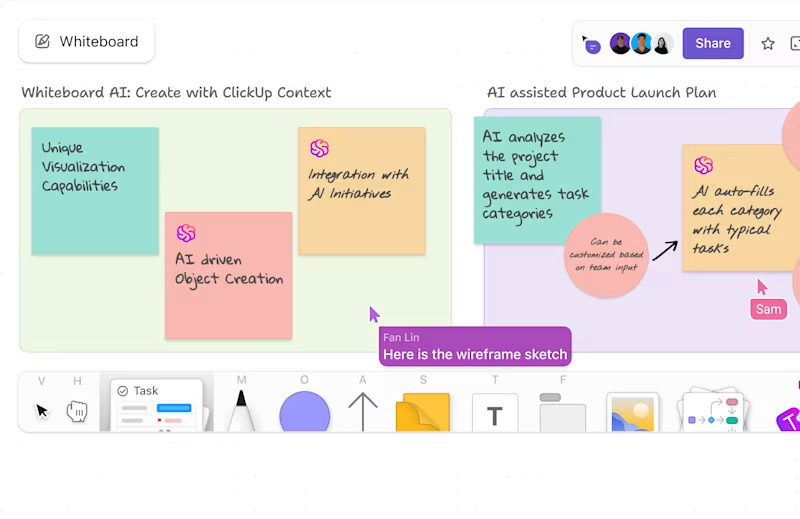
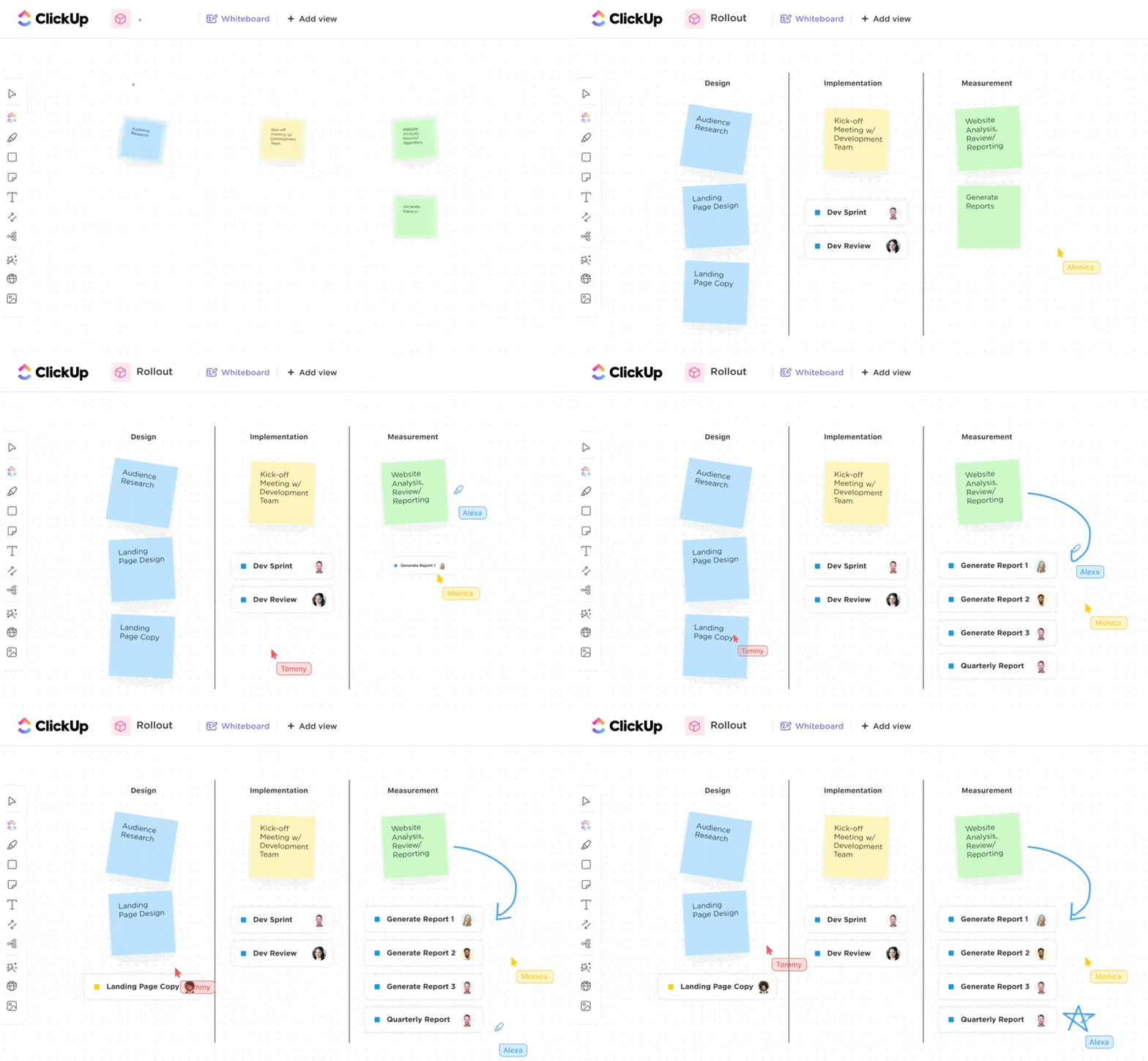
A great place to start is ClickUp Whiteboards, a digital space where teams can sketch out concepts, connect ideas, and plan workflows together. Unlike physical whiteboards that get cluttered or erased, ClickUp keeps everything editable and organized.
A marketing team planning a product launch can use Whiteboards to brainstorm campaign ideas, sort them into categories, and add sticky notes with feedback. Every idea stays visible, making it easier to refine and build on them without losing track of anything.
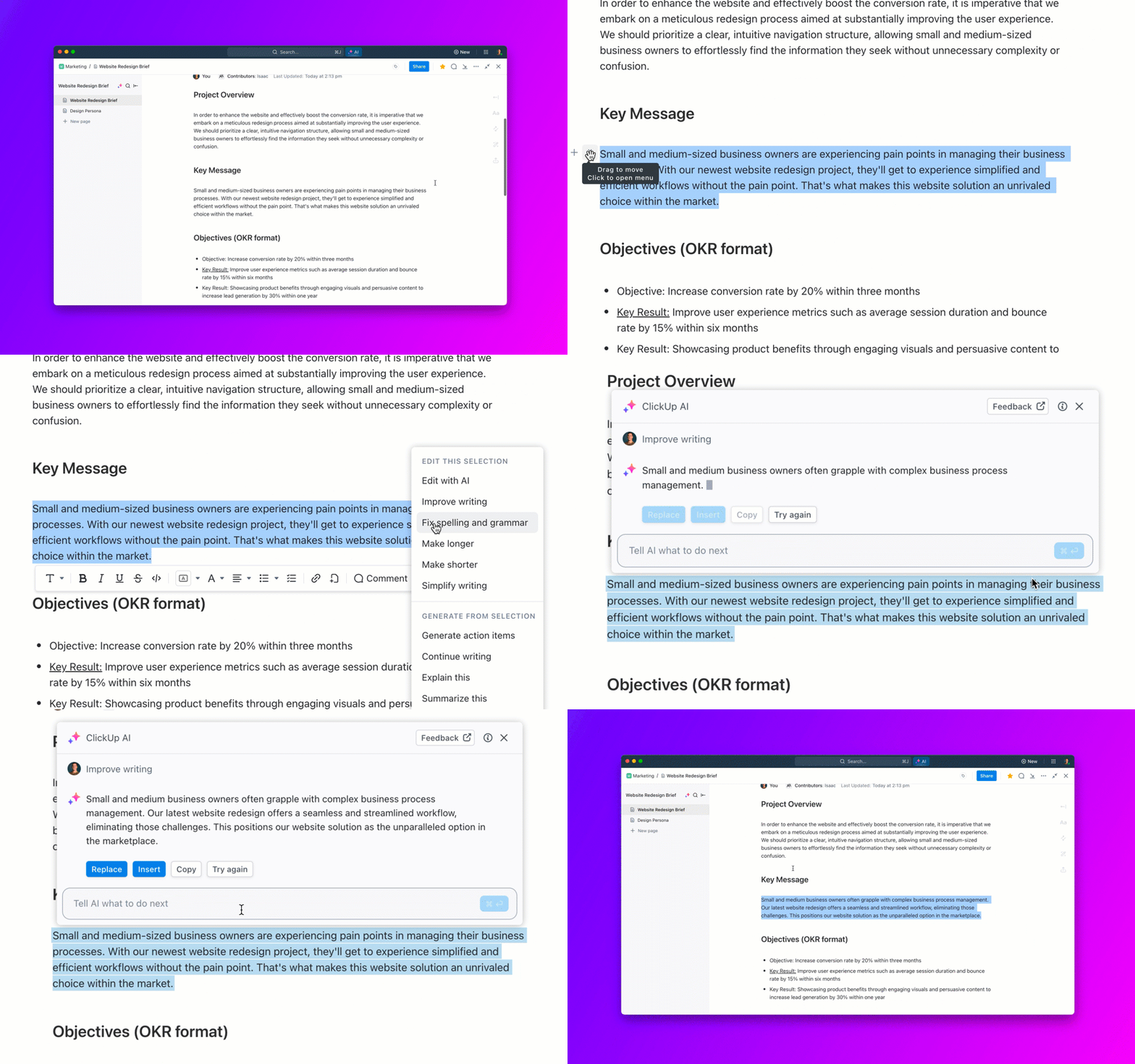
ClickUp Brain takes this further by offering AI-powered suggestions and image generation.
When teams hit a creative block, it analyzes the discussion and provides relevant ideas. It can also generate visuals to bring abstract concepts to life.
Suppose a product team is designing a new app feature. ClickUp Brain can suggest potential use cases based on the team’s input and create a quick visual representation of the user interface. This keeps the session dynamic, helping teams move from rough ideas to clear plans faster.
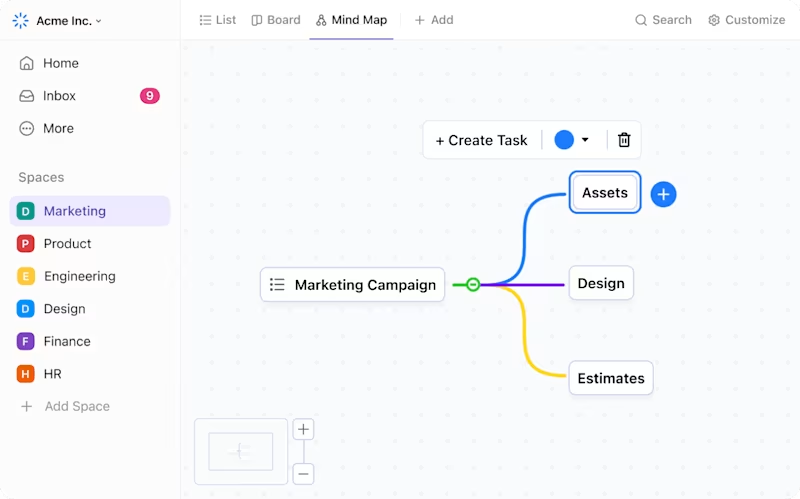
If you prefer a more structured approach, ClickUp Mind Maps help organize thoughts logically.
Starting with a central concept, you can expand on ideas, map connections, and visually structure brainstorming sessions. An educator planning a curriculum can create mind maps to outline key topics, break them into lessons, and link supporting resources.
Everything remains structured, making it easier to navigate and refine as the plan takes shape.
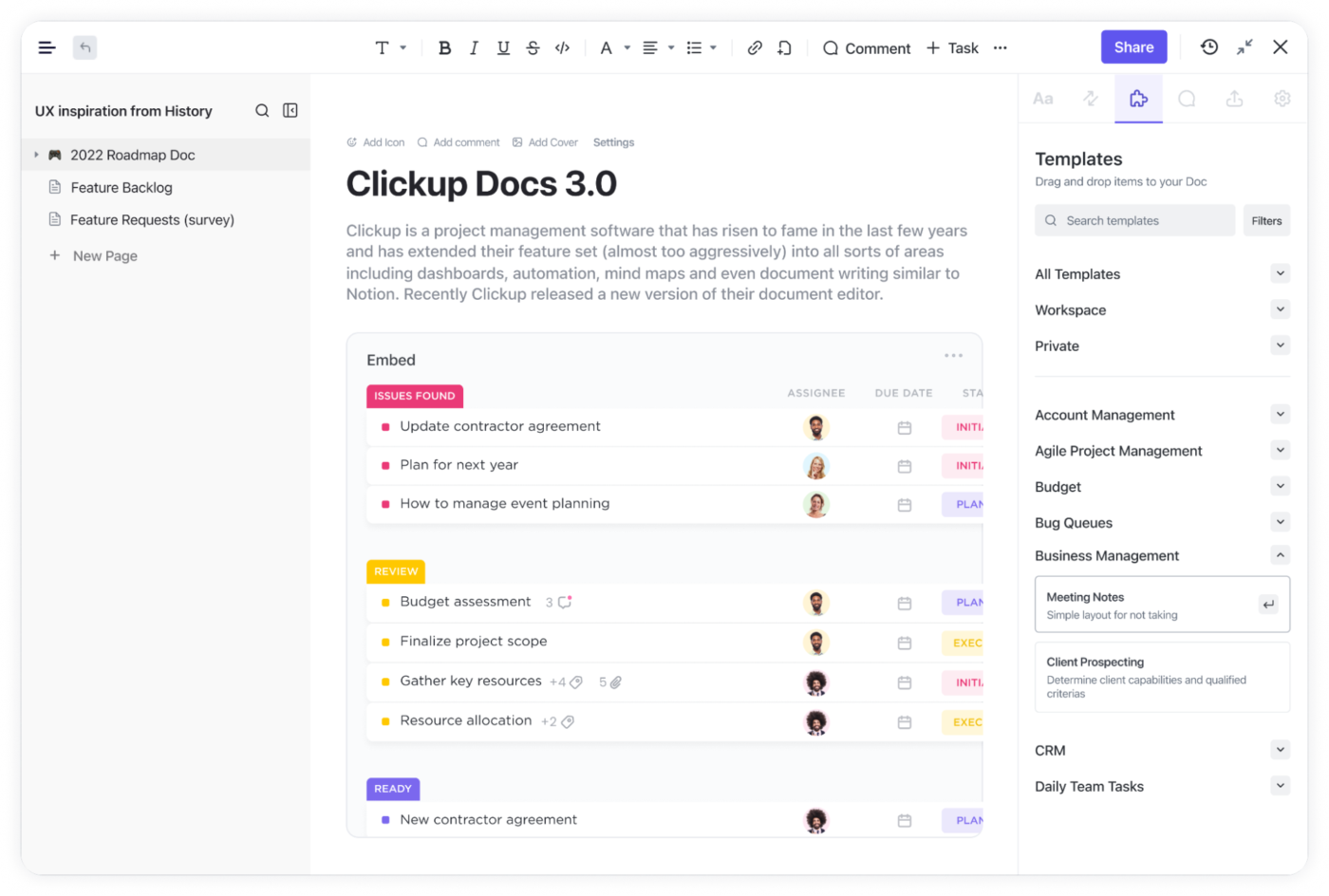
Once ideas are mapped out, ClickUp Docs make it easy to turn brainstorming sessions into actionable plans. Notes, research, and key takeaways stay in one place, and since Docs link directly to ClickUp Tasks and Whiteboards, teams can move smoothly from ideation to execution.
In my experience, no multi-tool software promising to replace all others for project management had delivered on that promise…except for ClickUp. […] ClickUp is constantly improving: as a multi-year user and administrator, I’ve witnessed their docs become more robust to rival Notion pages and Google Docs, the introduction of whiteboards for collaborative brainstorming, and the simple change of their system font from the wide and thin Gotham to the more readable Segoe UI font. There is a clear attention to detail paid to the development of this app and it makes me look forward to what ClickUp 3.0 has in store.
🧠 Fun Fact: Advertising executive Alex Osborn came up with the term ‘brainstorming’ while trying to improve creative problem-solving in his agency. He later wrote about it in his 1953 book Applied Imagination.
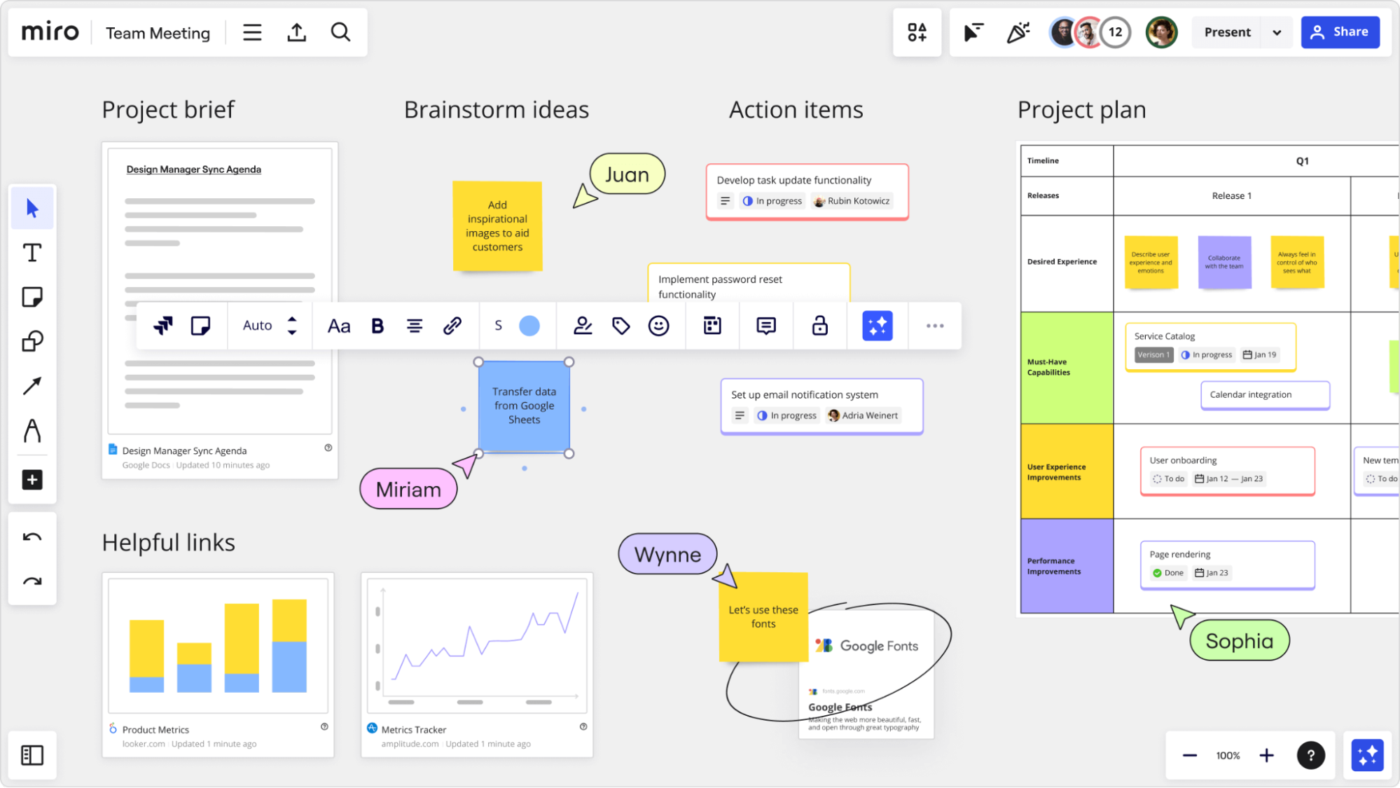
Miro transforms remote collaboration into a dynamic visual experience that mimics the energy of standing around a physical whiteboard. The infinite canvas expands as ideas flow, giving teams plenty of room to explore concepts without constraints.
Digital sticky notes, diagrams, and mind maps coexist on the same board, adapting to different thinking styles within your team.
Many users report that Miro bridges the distance gap remarkably well—you can literally watch teammates’ cursors move as they build upon ideas in real time. The whiteboard software integrates smoothly with your existing workflow tools, ensuring great ideas actually make it to implementation rather than dying in isolation.
🔍 Did You Know? While brainstorming in groups can generate ideas quickly, studies have shown that individuals often come up with more original ideas when thinking alone due to a phenomenon called production blocking, where people hesitate to speak or forget ideas while waiting their turn.
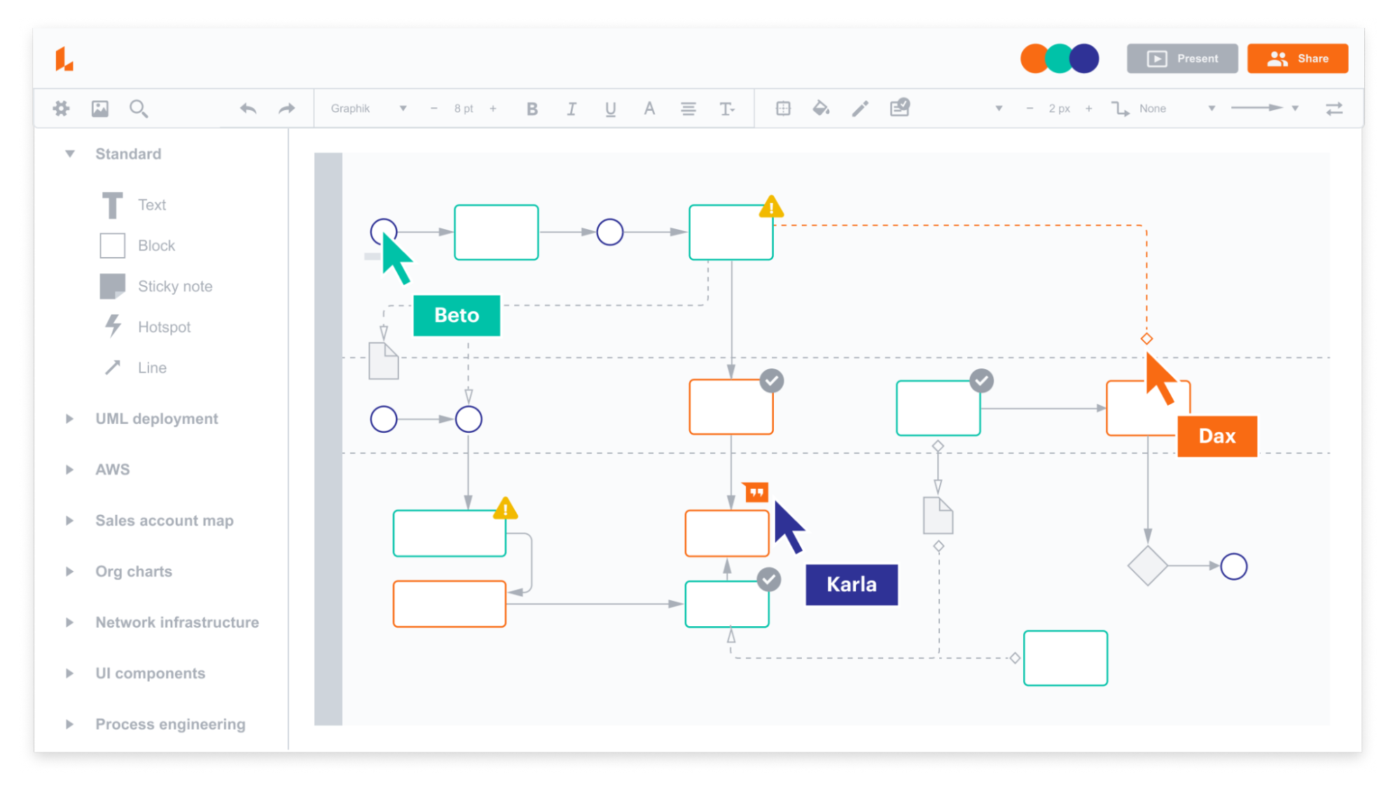
Lucidchart excels at turning abstract concepts into structured visual diagrams that everyone instantly understands. The drag-and-drop interface makes creating flowcharts, process maps, and org charts surprisingly intuitive.
Teams particularly value how the software maintains precision even as diagrams grow more complex since relationships between elements stay clear and organized. If you need to visualize logic, systems, or hierarchies rather than free-associate ideas, Lucidchart provides the perfect balance of flexibility and structure.
As much as I love Lucidspark, there are a few things that could be better. The mobile version, for example, feels a bit limited compared to the desktop app. If I’m on the go and need to make quick edits, it’s not as smooth as I’d like. Also, working on really big diagrams can feel a bit clunky on older devices.
🧠 Fun Fact: Steve Jobs believed that movement helped creativity. He often held brainstorming meetings while walking around Apple’s headquarters, a practice that many tech leaders still follow today.
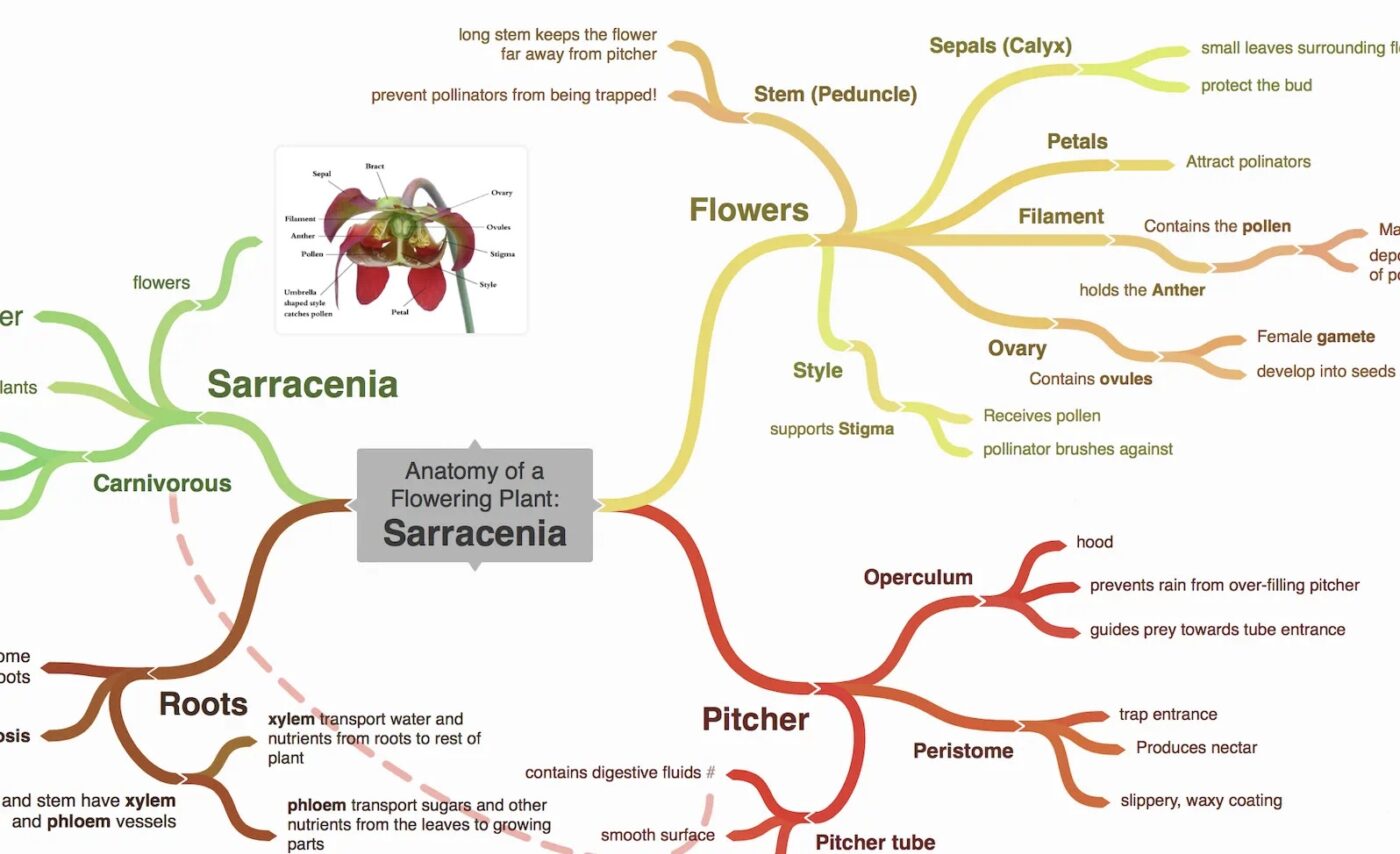
Coggle strips away complexity to focus on lightning-fast mind mapping that captures thoughts as they occur.
The interface responds immediately to your input—just type and branch out with simple keystrokes or clicks. Each new branch automatically appears in a different color, creating visual distinction that helps your brain spot connections and categories naturally.
Sharing takes seconds, making Coggle perfect for impromptu brainstorming sessions that shouldn’t be bogged down by technical setup. The markdown support adds another dimension to your maps, letting you emphasize important points without cluttering the visual space with formatting controls.
🔍 Did You Know? The incubation effect suggests that stepping away from a brainstorming session can lead to better ideas. This is why many people have ‘eureka’ moments in the shower or just before bed.
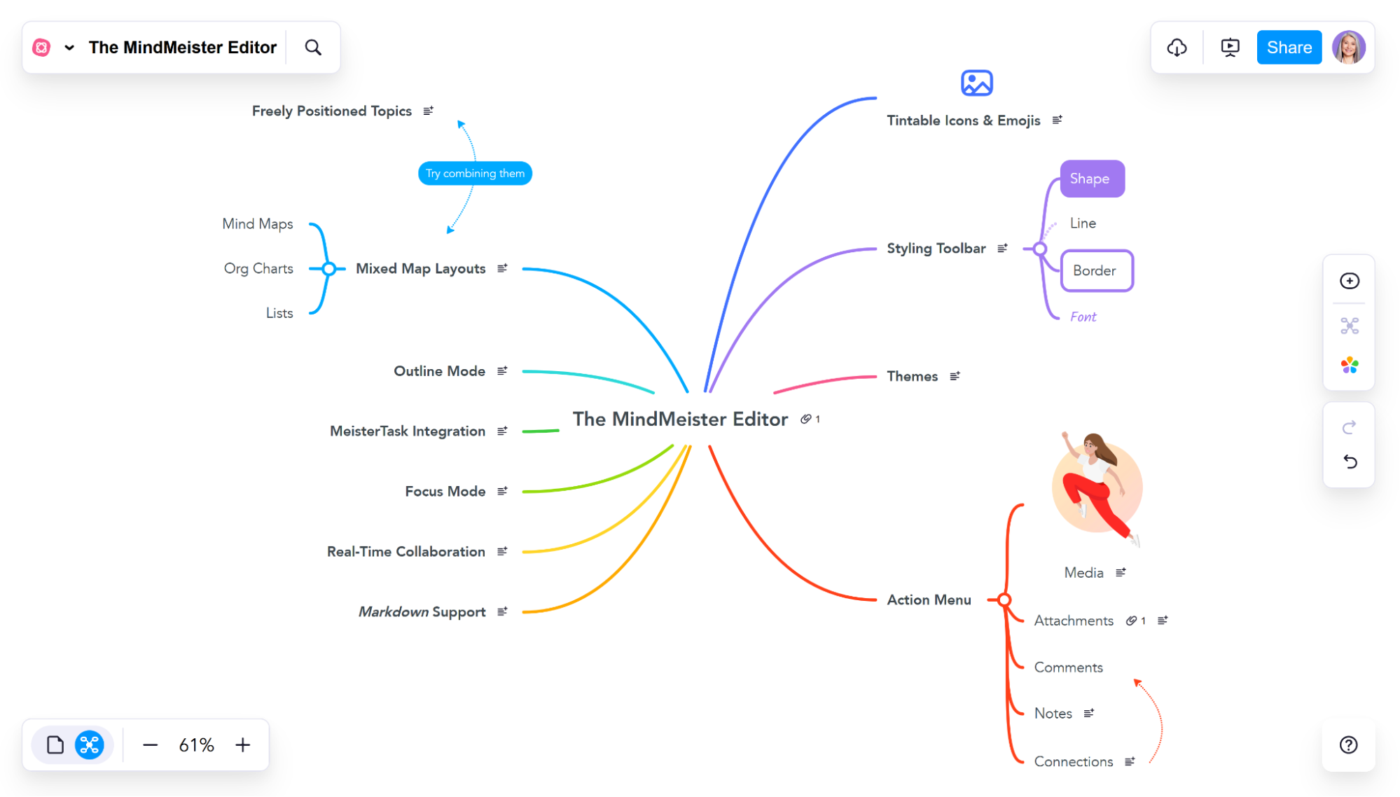
MindMeister makes visual project management accessible to team members who normally avoid diagram tools. The gentle learning curve emphasizes capturing ideas rather than mastering software features.
Many teams appreciate how seamlessly maps transform into presentation slides—you can brainstorm and present concepts without rebuilding your work in a separate presentation tool. What’s more, the voting functionality turns individual brainstorming into group decision-making, helping teams prioritize which ideas deserve further development.
MindMeister is really limited right now on Macs for some reason. The phone app does not have as much capability as it should and the web version of MindMeister pretty much always crashes right now. There are also few to no integrations, and even though they have MeisterTask, you can only integrate via the web version, which means I can’t cause it crashes constantly.
🧠 Fun Fact: Albert Einstein’s creative process involved combinatory play, where he would mix unrelated ideas like playing the violin while thinking about physics to spark new insights.
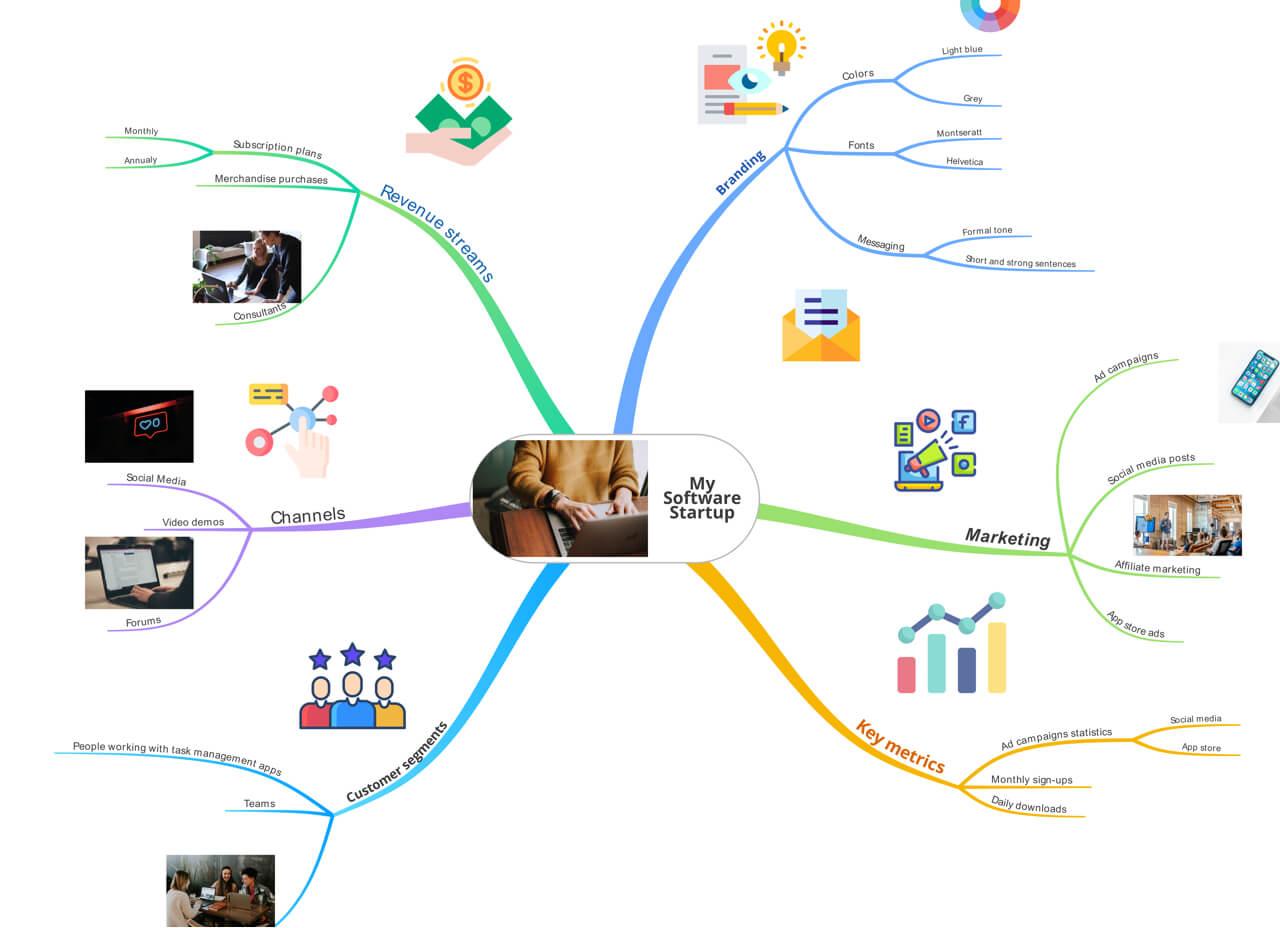
Ayoa stands out by bridging the gap between creative brainstorming techniques and practical execution.
The software weaves task management directly into visual mapping, eliminating the typical disconnect between idea generation and implementation. The distinctive radial mind maps offer a fresh perspective compared to traditional branch structures, often revealing unexpected connections between concepts.
Ayoa accommodates different thinking styles—visual thinkers can explore ideas in maps, while linear thinkers can switch to task boards showing the same information. This flexibility helps cross-functional teams collaborate without forcing everyone into the same thinking pattern.
🔍 Did You Know? A brainstorming technique called the 100 Ideas Method forces participants to generate 100 new ideas quickly. The first 30 are usually obvious, but the real creativity comes from pushing past mental blocks in the later ideas.
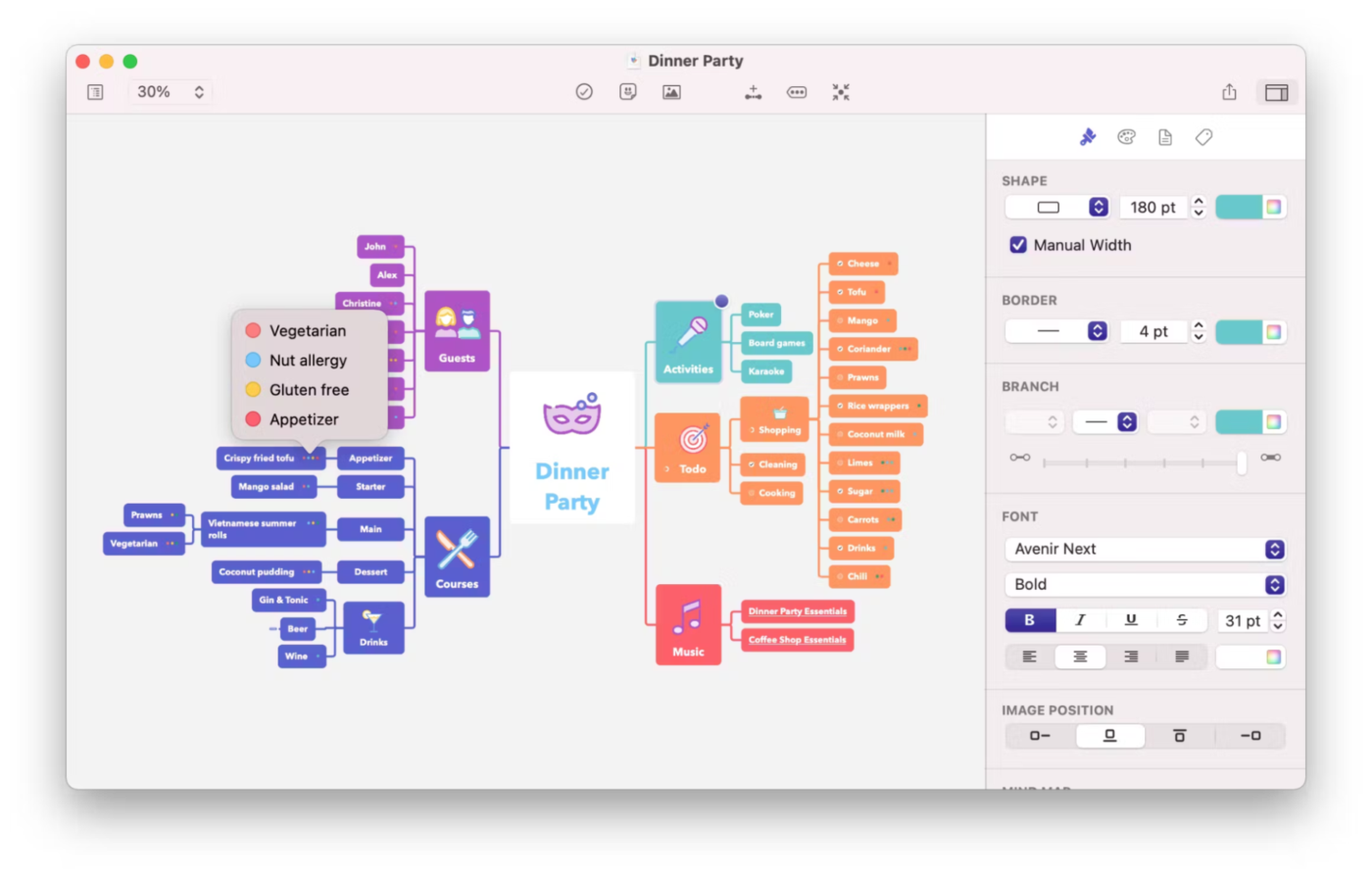
MindNode embraces Apple’s design philosophy with an elegant interface that removes everything standing between you and your ideas. The software starts beautifully simple—a blank canvas and a single node—then expands organically as your thoughts flow.
Its visual tags system adds organization without complicating the interface, keeping maps clean yet informative.
Apple enthusiasts particularly appreciate how smoothly MindNode syncs across devices, allowing seamless transitions from capturing quick thoughts on the idea board in iPhone to developing them further on Mac or iPad.
🧠 Fun Fact: The brain’s default mode network (DMN) is responsible for daydreaming and free association. Brainstorming taps into this network, allowing unexpected connections to form.
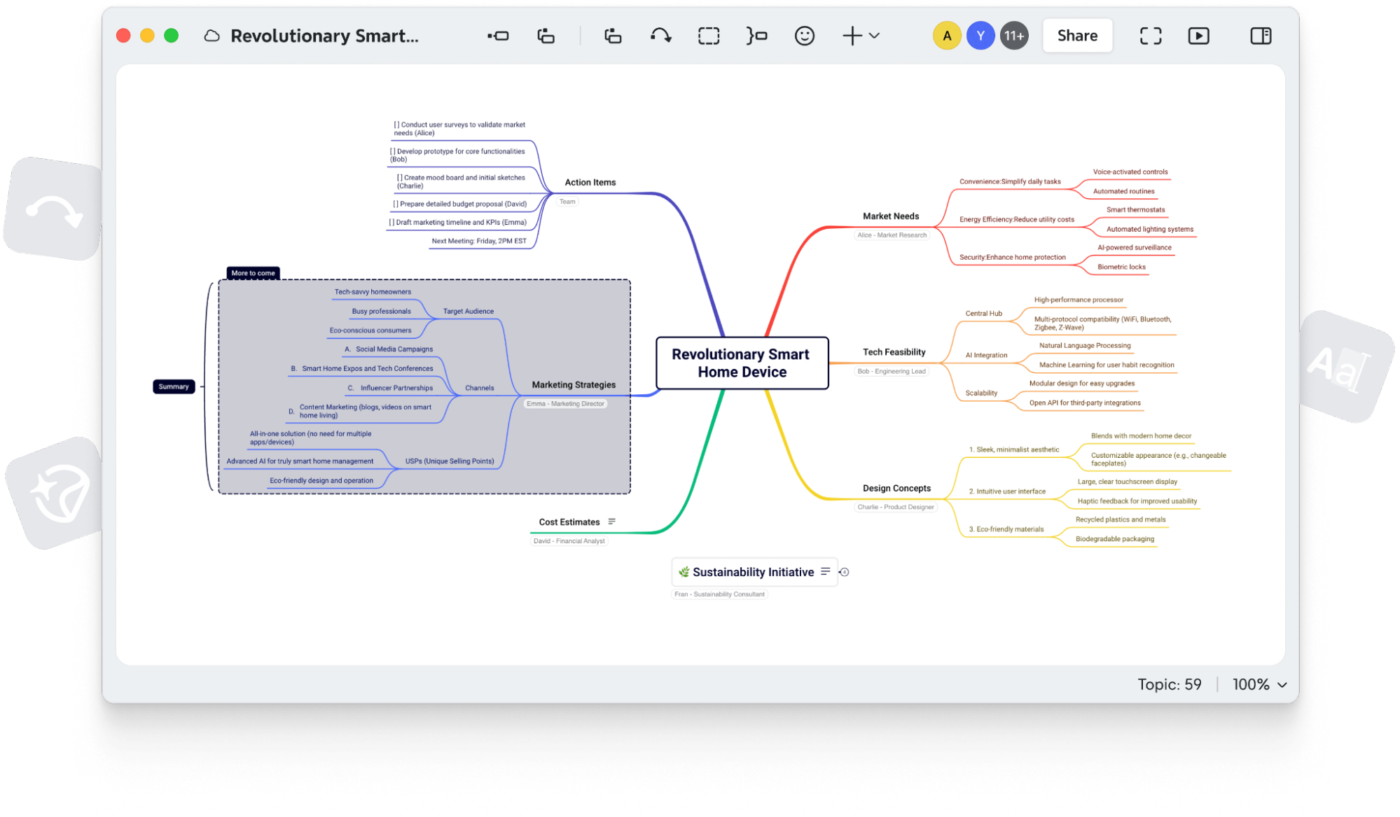
XMind adapts to different thought patterns by offering various diagram structures beyond traditional mind maps. The AI mind mapping tool excels at helping users organize ideas according to logical relationships rather than just associations.
It includes Gantt charts, logic trees, fishbone diagrams, and standard mind mapping. The zen mode temporarily hides all toolbars and options, creating a distraction-free environment where ideas can flow without interruptions.
Xmind really falls behind other vendors when it comes to data control; it has relatively weak support for file formats and doesn’t appear to support OPML or Markdown export which is crucial for using mind maps as part of a sophisticated document authoring workflow.
🔍 Did You Know? In Japan, Chindōgu (literally ‘unusual tools’) refers to brainstorming impractical but hilarious inventions. While most are intentionally useless, they inspire creative problem-solving and fresh thinking.
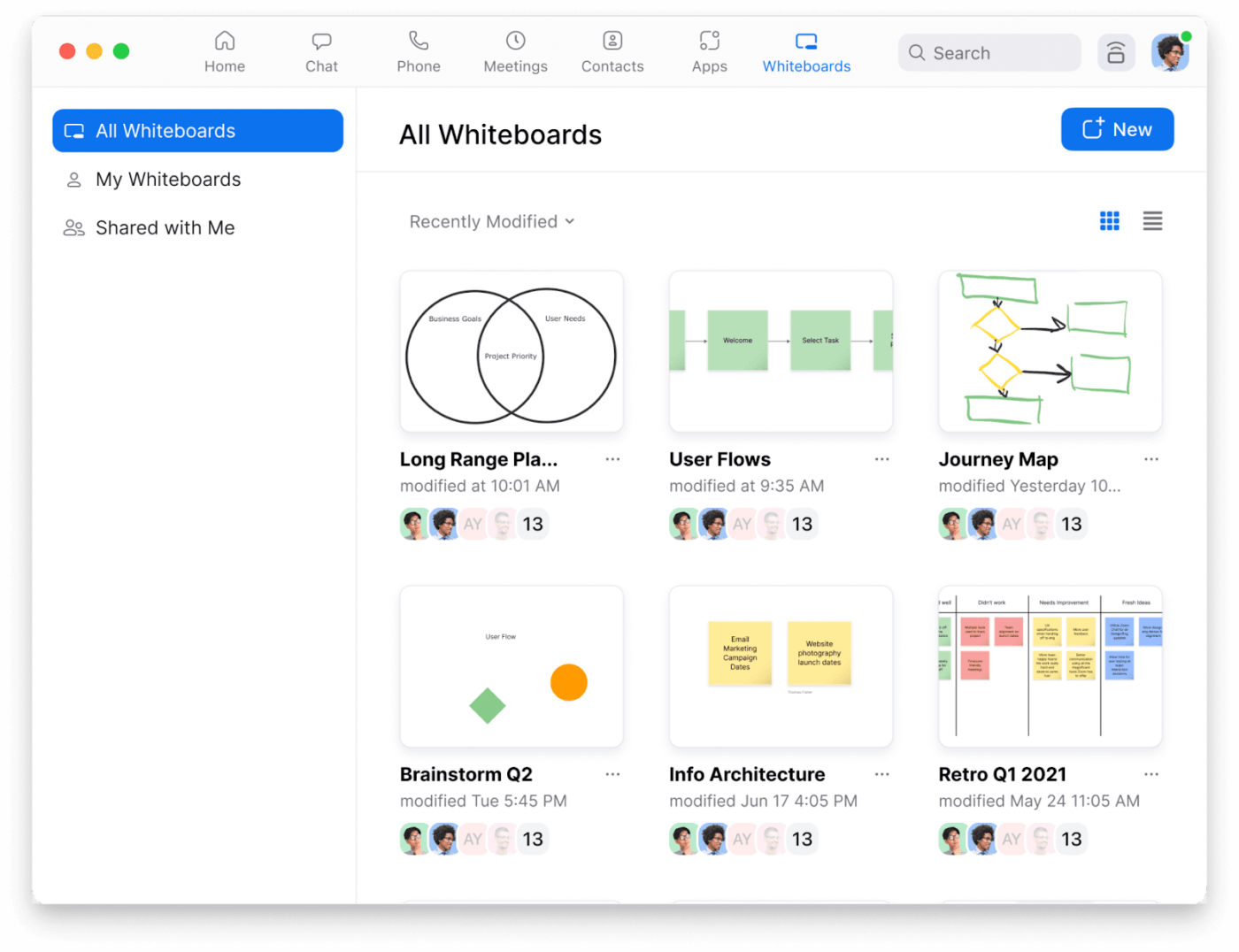
Zoom has evolved beyond simple video conferencing into a capable brainstorming platform with its whiteboard and breakout room features. The combination of seeing facial expressions while collaborating on a shared visual space creates uniquely productive ideation sessions.
Its breakout room feature allows splitting larger groups into focused mini-brainstorming sessions before bringing everyone back together to share discoveries. The familiar interface reduces technical friction as most team members already know how to use Zoom.
For teams that think better through conversation than typing, Zoom provides the perfect interactive environment.
🧠 Fun Fact: LEGO has a method called LEGO Serious Play, where participants use bricks to model ideas physically. This hands-on approach helps unlock new ways of thinking.
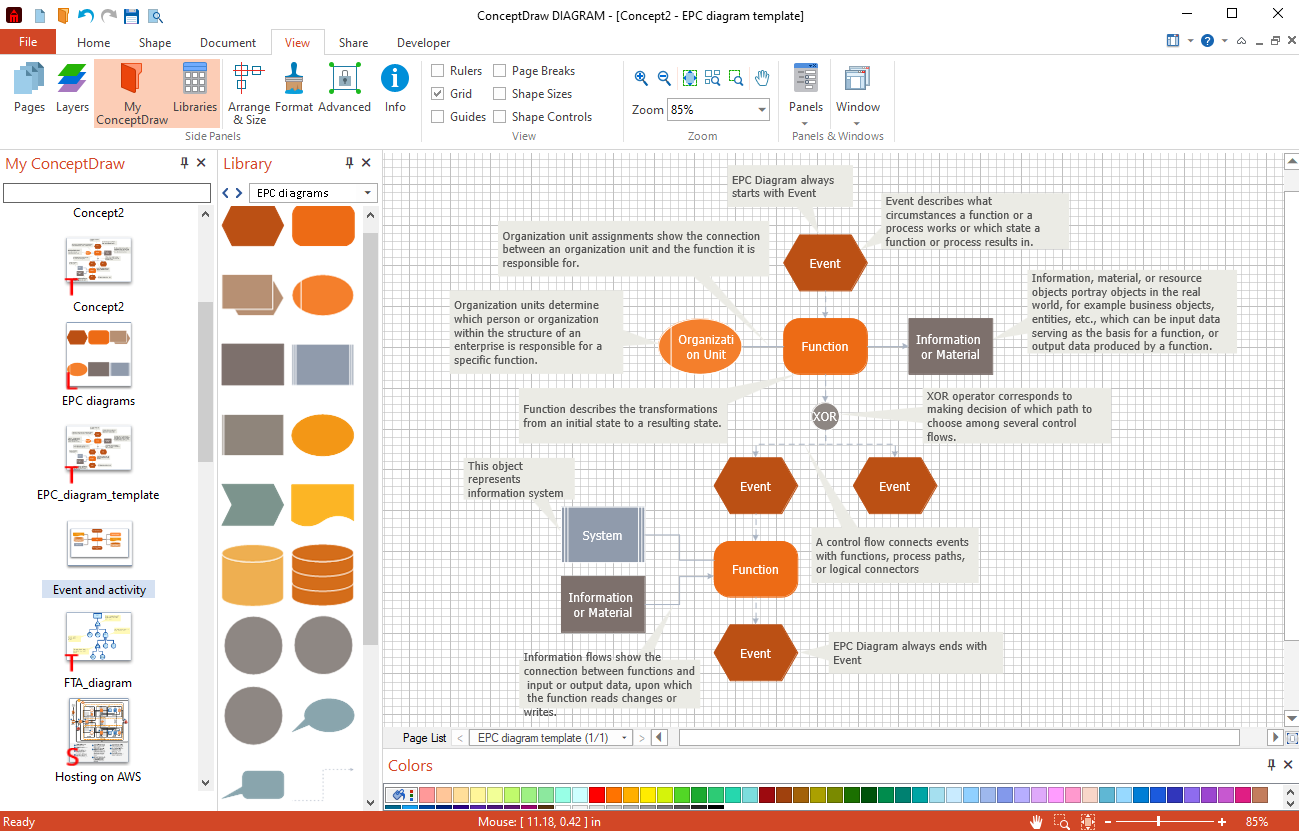
ConceptDraw delivers enterprise-level diagramming power with remarkable precision and depth. The data visualization tool shines when brainstorming sessions need to produce professional-quality visual documentation rather than just capturing ideas.
Many technical teams appreciate the extensive libraries of industry-specific shapes and symbols that make diagrams instantly recognizable to stakeholders. Even better? The intelligent connectors maintain perfect relationships between objects even as diagrams evolve through multiple revisions.
The overall software is very resource-intensive and will slow your computer down to a crawl if you are attempting to multitask. On top of this, there are many glitches in the software where graphics within the software itself do not properly draw/appear on the screen. […] The graphics/shapes are very clean and crisp but getting them to work together is a little tricky at times.
🔍 Did You Know? Some brainstorming sessions start with listing the worst ideas possible. This lowers the fear of judgment and often leads to surprisingly useful ideas when bad ones get reworked.
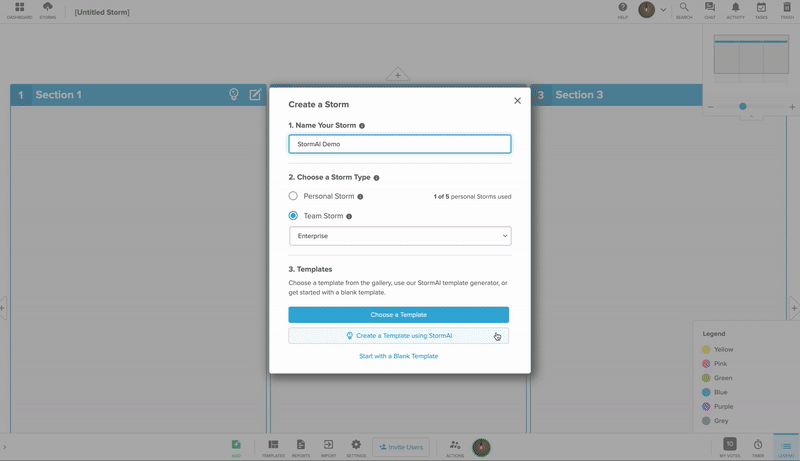
Stormboard transforms chaotic mind map note-taking into organized action plans through its unique combination of sticky notes and storm sections.
The voting mechanism helps large groups reach consensus without endless discussion—participants simply indicate preferences visually. Many facilitators appreciate how Stormboard provides templates specifically designed for different brainstorming methodologies like SWOT analysis or design thinking workshops.
For teams that struggle with the ‘now what?’ question after generating ideas, Stormboard creates natural pathways from creative thinking to practical execution.
If you need to have control over your meetings and get everyone on board with their requirements and responsibilities, and track how far along everyone is, Stormboard will help you a lot. The problem with not having integration with SalesForce and ZenDesk is that you need to add all the information for each supplier or client, instead of having the system pull it from the other systems we use.
Great ideas need the right space to grow.
The right brainstorming software keeps creativity flowing, ideas organized, and collaboration effortless. Instead of losing track of inspiration, turn rough thoughts into clear, actionable plans.
ClickUp makes it easy to brainstorm, organize, and execute—all in one place. Sketch out ideas on Whiteboards, connect concepts with Mind Maps, and turn discussions into tasks without switching tools. AI-powered features help refine ideas faster, so nothing gets lost in the shuffle.
Sign up for ClickUp today and bring your best ideas to life! ✅

Manasi Nair
Max 14min read

Arya P Dinesh
Max 21min read
Arya P Dinesh
Max 15min read

© 2026 ClickUp




