


Sorry, there were no results found for “”
Sorry, there were no results found for “”
Sorry, there were no results found for “”
Microsoft Teams is a powerful collaboration tool, especially for those using the Microsoft ecosystem. However, every team has unique needs, and some may prefer a platform with a different interface, more flexibility, or tailored features that better align with their workflow.
The right collaboration tool should enhance productivity and communication effortlessly. Whether you’re looking for a more intuitive design, smarter notifications, or built-in task management that fits your team’s style, there are plenty of options available.
This guide explores 13 Microsoft Teams alternatives, each designed to help your team collaborate more effectively based on your specific needs.
If Microsoft Teams feels limiting, it’s likely because it wasn’t built with integrated project management in mind. A stronger alternative should offer more than just messaging; it should help you keep your work organized and teams aligned on objectives.
Here’s what to look for in a Microsoft Teams alternative:
Still sticking with Microsoft Teams for now? Check out these Microsoft Teams hacks to make the most of it while you explore better Teams alternatives.
| Tool | Best For | Standout Feature | Pricing* |
| ClickUp | Integrated project management & collaboration | Built-in task management, whiteboards, AI-powered assistance, Microsoft Teams integration | Free plan available; Customizable paid plans for enterprises |
| Slack | Robust team chat & spontaneous communication | Slack Huddles for quick audio chats, extensive app integrations | Free plan available; Customization available for enterprises |
| Zoom | High-quality video conferencing & virtual meetings | HD video calls, Zoom AI Companion | Free plan available; Customization available for enterprises |
| Google Chat | Seamless integration with Google Workspace | Deep integration with Gmail and Google Docs | Free plan available; Customization available for enterprises |
| Discord | Informal team communication & community building | Voice channels, low-latency video calls | Free plan available; Customization available for enterprises |
| Chanty | Simple, intuitive team chat | AI-powered search, unlimited message history in paid plans | Free plan available; Customization available for enterprises |
| Mattermost | Open-source and self-hosted collaboration | Full data control, self-hosting | Free plan available; Customization available for enterprises |
| Rocket.Chat | Secure, self-hosted messaging | End-to-end encrypted messaging | Free plan available; Customization available for enterprises |
| Webex by Cisco | Enterprise-grade video conferencing & secure meetings | Integrated virtual whiteboards | Free plan available; Customization available for enterprises |
| Pumble | Lightweight direct messaging & file sharing | Simple interface, quick messaging, efficient file sharing | Free plan available; Customization available for enterprises |
| Twist | Organized, thread-based communication | Asynchronous, distraction-free messaging, threaded conversations | Free plan available; Customization available for enterprises |
| Flock | Integrated team chat & task management | Built-in to-do lists and reminders, guest access | Free plan available; Customization available for enterprises |
| RingEX | Unified communication with video chat & calling | Group video calls, direct messaging, secure file sharing | Custom pricing |
Here are the best Microsoft Teams alternatives to keep communication seamless.
Our editorial team follows a transparent, research-backed, and vendor-neutral process, so you can trust that our recommendations are based on real product value.
Here’s a detailed rundown of how we review software at ClickUp.
What if team communication, project management, and collaboration happened in one place without toggle tax and productivity loss?
That’s precisely what ClickUp does. It brings messaging, tasks, docs, and interactive whiteboards together in a single platform, with AI to power up your workflows.
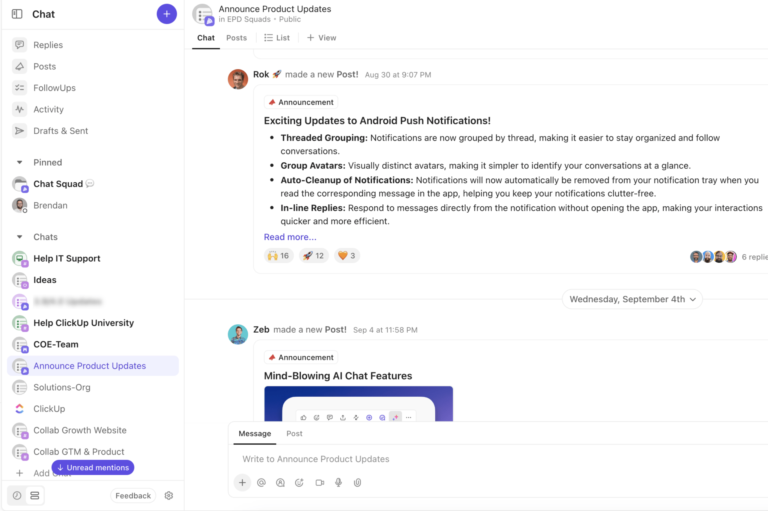
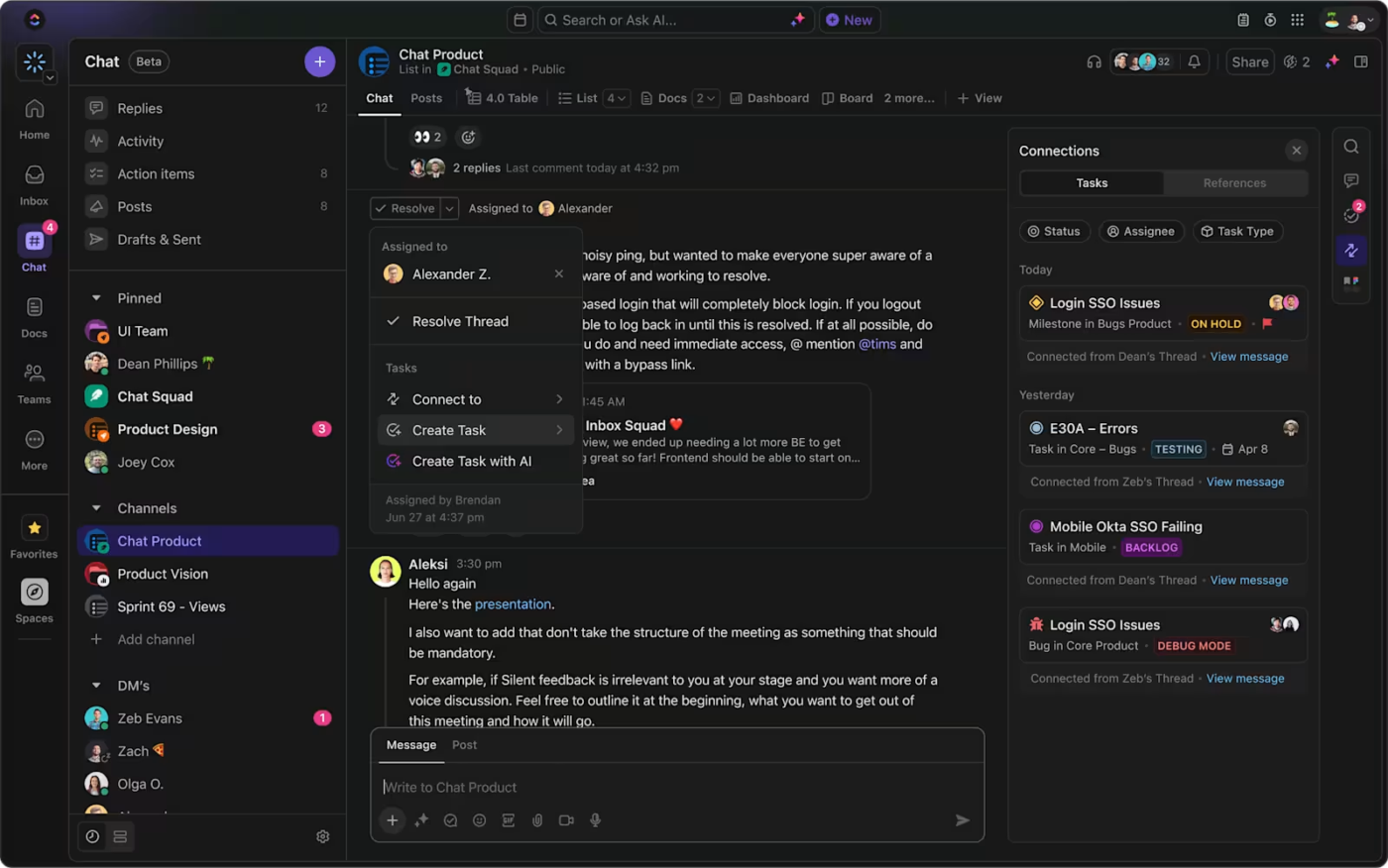
For example, with ClickUp Chat, you can create a new task directly from a chat window or even let AI turn action items into tasks instantly.
The integrated AI also summarizes long chat threads to quickly catch you up and highlight to-dos. Moreover, SyncUps allows you to start video calls with individual team members or groups for quick conversations, project updates, and knowledge transfer. You can record these calls and share your screen for better collaboration.
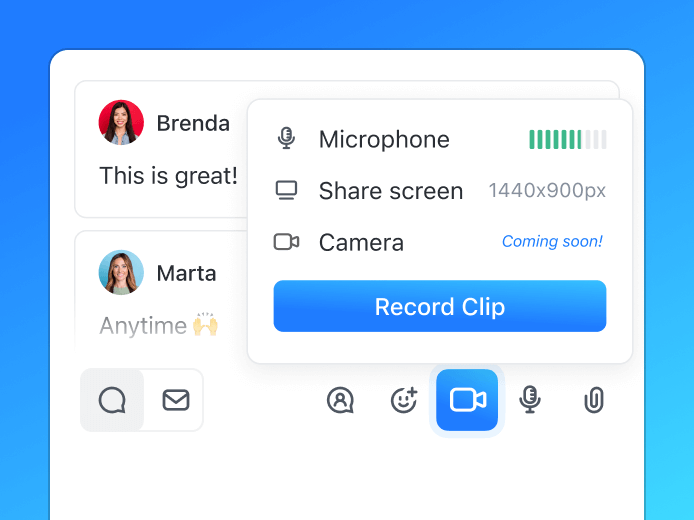
When discussing complex ideas, record your screen with ClickUp Clips instead of typing out a long explanation. Share it directly in the chat or attach it to a task, so supporting information is always available when somebody needs it.
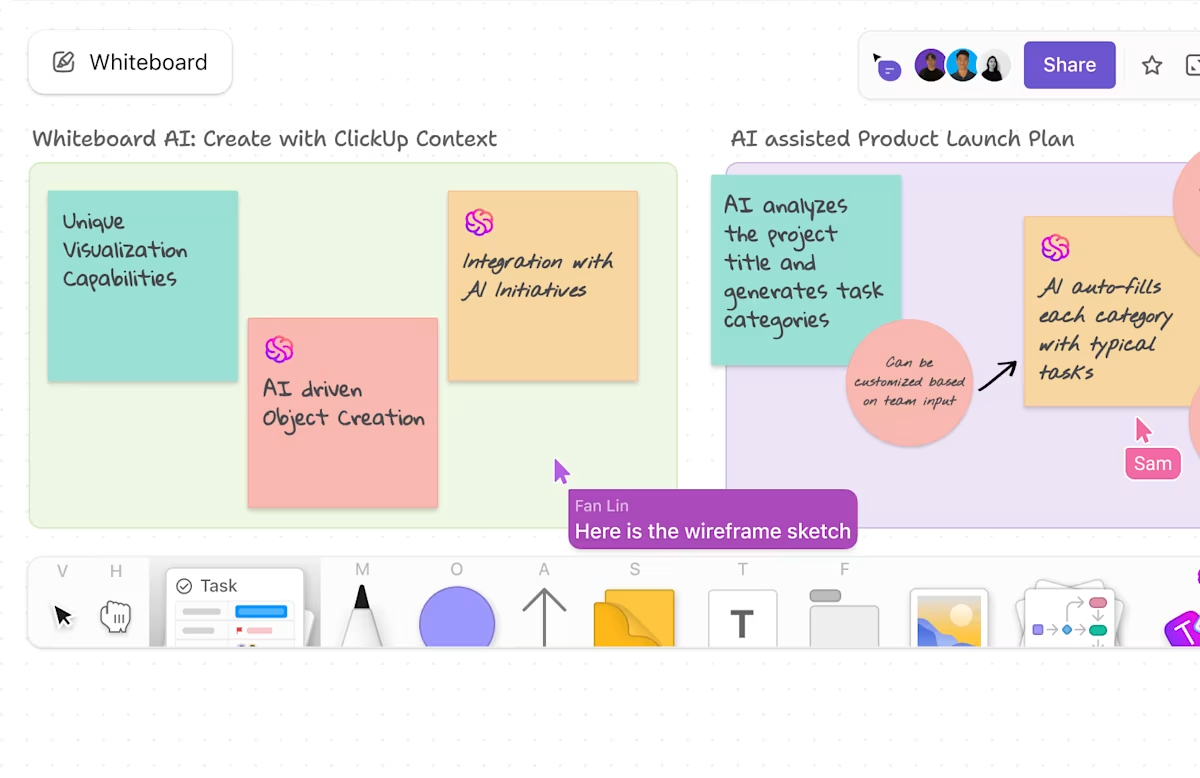
When ideas need room to grow, ClickUp Whiteboards help your team map out concepts, connect ideas to tasks, and collaborate visually. You can add sticky notes, text, shapes, and images to map out thoughts and organize concepts, perfect for brainstorming sessions, mind mapping, and strategy planning.
When it’s time to turn discussions into structured plans, ClickUp Docs keeps everything organized and linked to your work, be it meeting notes, project plans, or wikis. While real-time editing allows multiple team members to work on the same doc simultaneously, page history helps maintain version control.
Styling options, such as headers, tables, bullet points, callouts, and embeds, make docs visually appealing, and slash commands (/) insert elements like images, links, or tasks.
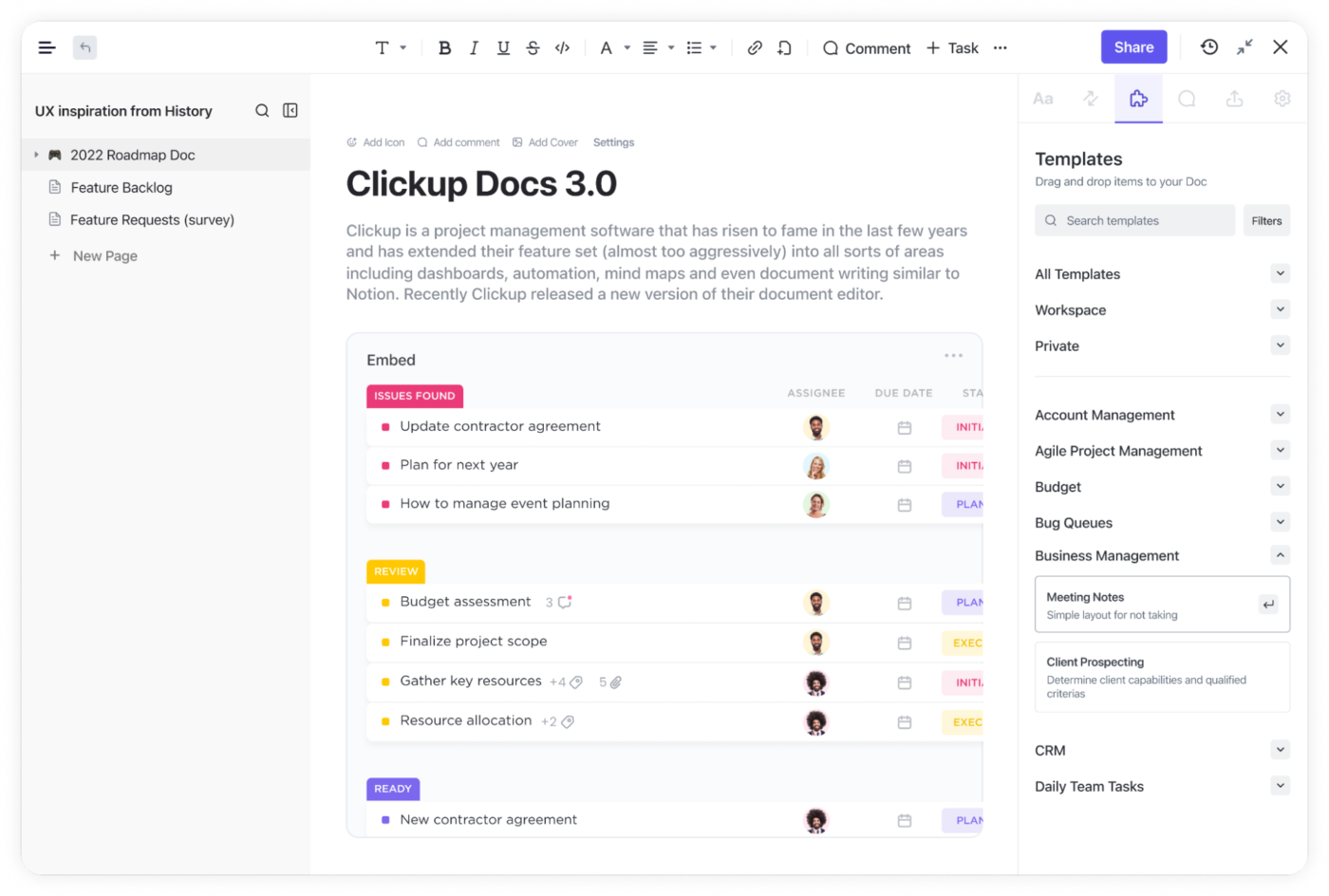
Lastly, meetings don’t have to end in scattered notes or forgotten follow-ups. With ClickUp Meetings, you capture key decisions, assign tasks in real time, create a checklist of open items, and even set up recurring tasks for sharing the meeting agenda with stakeholders.

ClickUp’s Microsoft Teams integration lets you manage work without switching apps. Turn team conversations into tasks, update projects, and get ClickUp notifications all from within Teams.
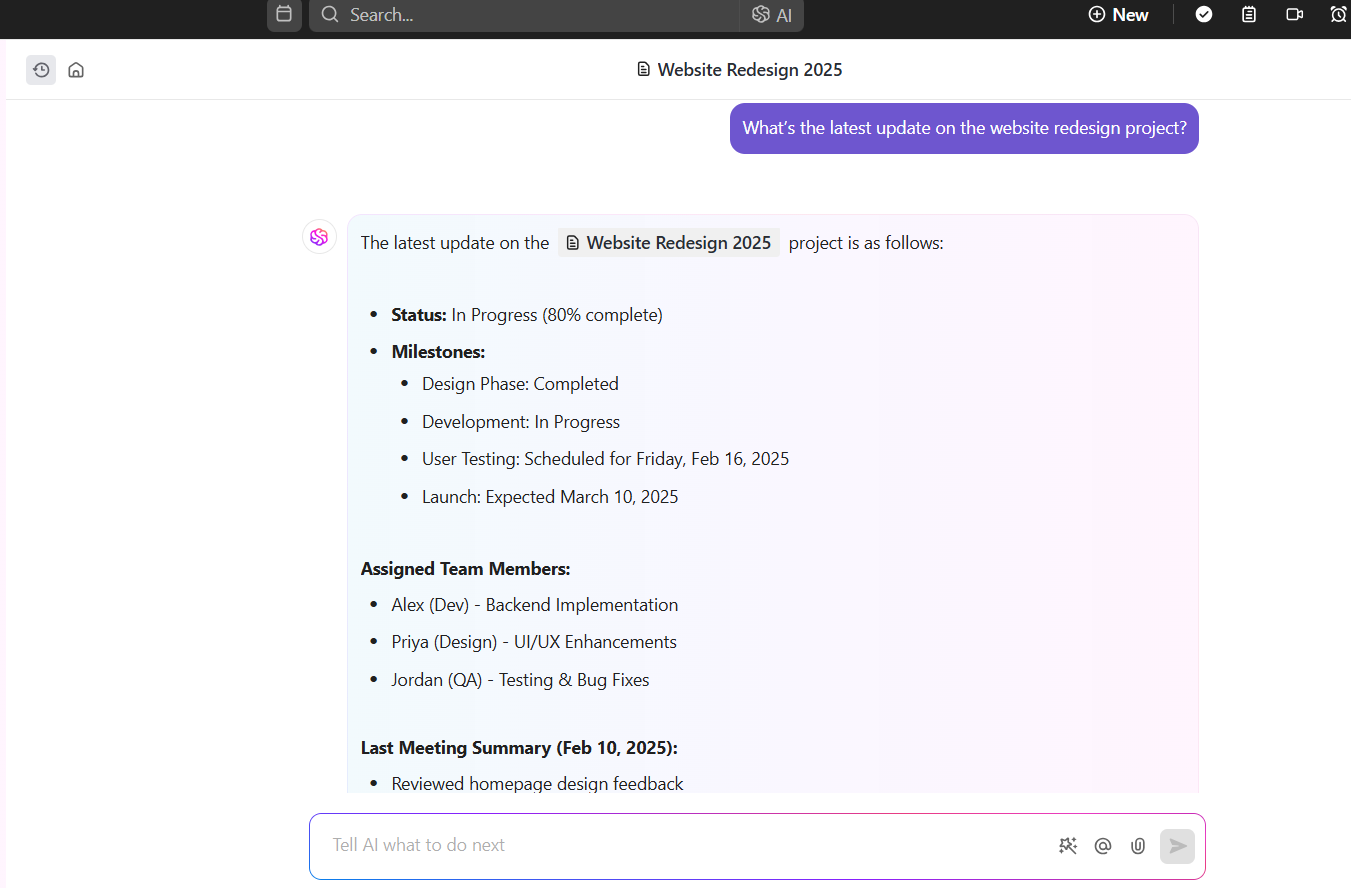
ClickUp Brain, ClickUp’s own AI assistant, connects everything within your workspace. It pulls relevant information instantly from tasks, documents, and past discussions, eliminating the need to dig through files.
In addition to helping you write emails, report outlines, and everything in between, it fetches details of pending tasks from your list and enables you to prioritize based on importance and urgency.
📮 ClickUp Insight: We recently discovered that about 33% of knowledge workers message 1 to 3 people daily to get the context they need.
But what if you had all the information documented and readily available? With ClickUp Brain’s AI Knowledge Manager by your side, context switching becomes a thing of the past. Simply ask the question right from your workspace, and ClickUp Brain will pull up the information from your workspace and/or connected third-party apps!
Here’s a G2 review:
ClickUp is an incredibly flexible and powerful project management tool that perfectly suits the needs of my development teams. The ability to customize workflows, automate processes, and integrate seamlessly with other tools makes it an essential part of our daily operations. The different views (list, board, and calendar) allow for efficient task management, and the built-in documentation features help keep everything in one place. The platform’s speed and reliability ensure that our projects stay on track without disruptions.
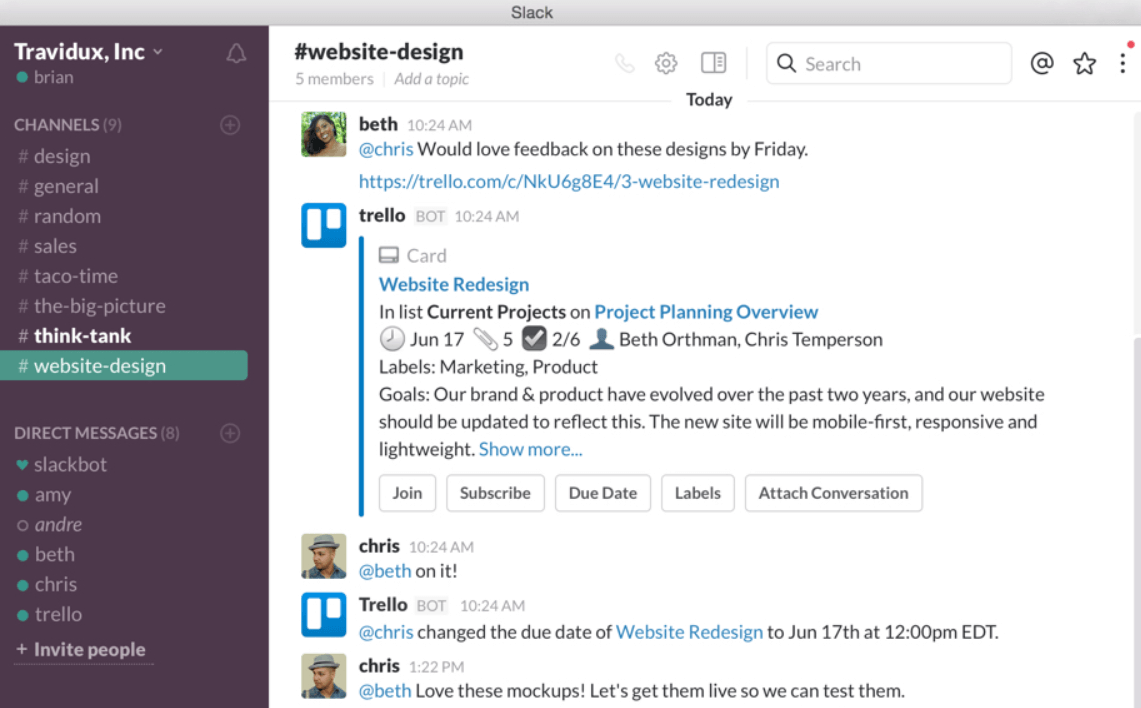
Slack organizes everything into dedicated channels, so your conversations are focused and clutter-free. Integration with over 2600 apps, like Google Drive and Office 365, ensures you can share files, manage tasks, and collaborate in one place.
The advanced search feature in this Microsoft Teams alternative makes it super easy to dig up past messages or files. For quick chats, there are Huddles for voice calls and Clips for video messages, making communication faster and more personal.
Here’s a Capterra review:
I find the huddle feature particularly useful; its informal nature allows for quick, one-to-one interactions that can resolve issues more efficiently than text messages.
💡 Pro Tip: Avoid awkward silences and distractions. Learn the dos and don’ts of virtual meetings with our virtual meeting etiquette guide.

Zoom is another popular Microsoft Teams alternative. It makes virtual meetings seamless, whether you’re hosting a quick check-in or a large webinar. It delivers HD video and audio so discussions feel clear and natural, even with up to 1,000 participants.
Screen sharing with annotation tools makes it easier to present information and collaborate better. For more interactive sessions, ‘Breakout Rooms’ split meetings into smaller discussions.
Zoom’s AI Companion further summarizes key points and action items so nothing gets lost.
💫 Fun Fact: Zoom’s founder, Eric Yuan, got 35 rejections when pitching his idea. Now, the whole world is saying, ‘Let’s hop on a Zoom call.’ 💻
💡 Pro Tip: Brainstorming across time zones? Skip the blank slate and jump straight into creativity with ClickUp’s ready-made whiteboard templates—perfect for meetings and remote teamwork!
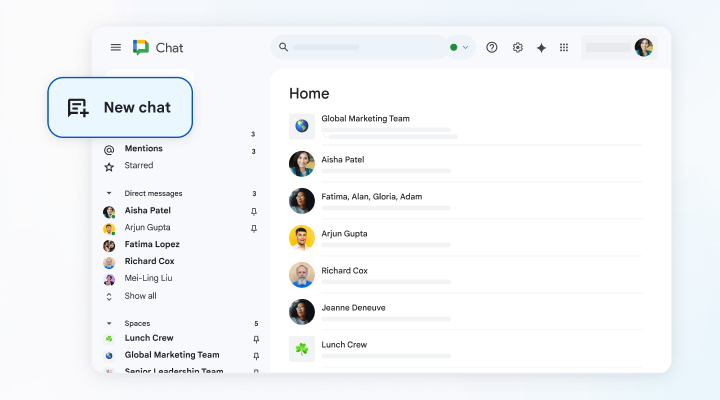
Google Chat is a free Microsoft Teams alternative that keeps team communication organized for those already using Google Workspace. Spaces act as dedicated hubs where teams can collaborate on projects, share files, and have threaded discussions.
The ‘Smart Compose’ feature suggests messages as you type, helping cut down on time and errors. And when a chat isn’t enough, ‘Huddles’ allows you to hop on an audio call right from the chat window.
🔍 Did You Know: Google Chat was originally Hangouts Chat, launched on March 9, 2017. It became Google Chat in 2020 and was exclusive to Workspace users until 2021. On November 1, 2022, it fully replaced Hangou
No more digging through endless folders—check out our top picks for file-sharing software that keeps your team organized and in sync.
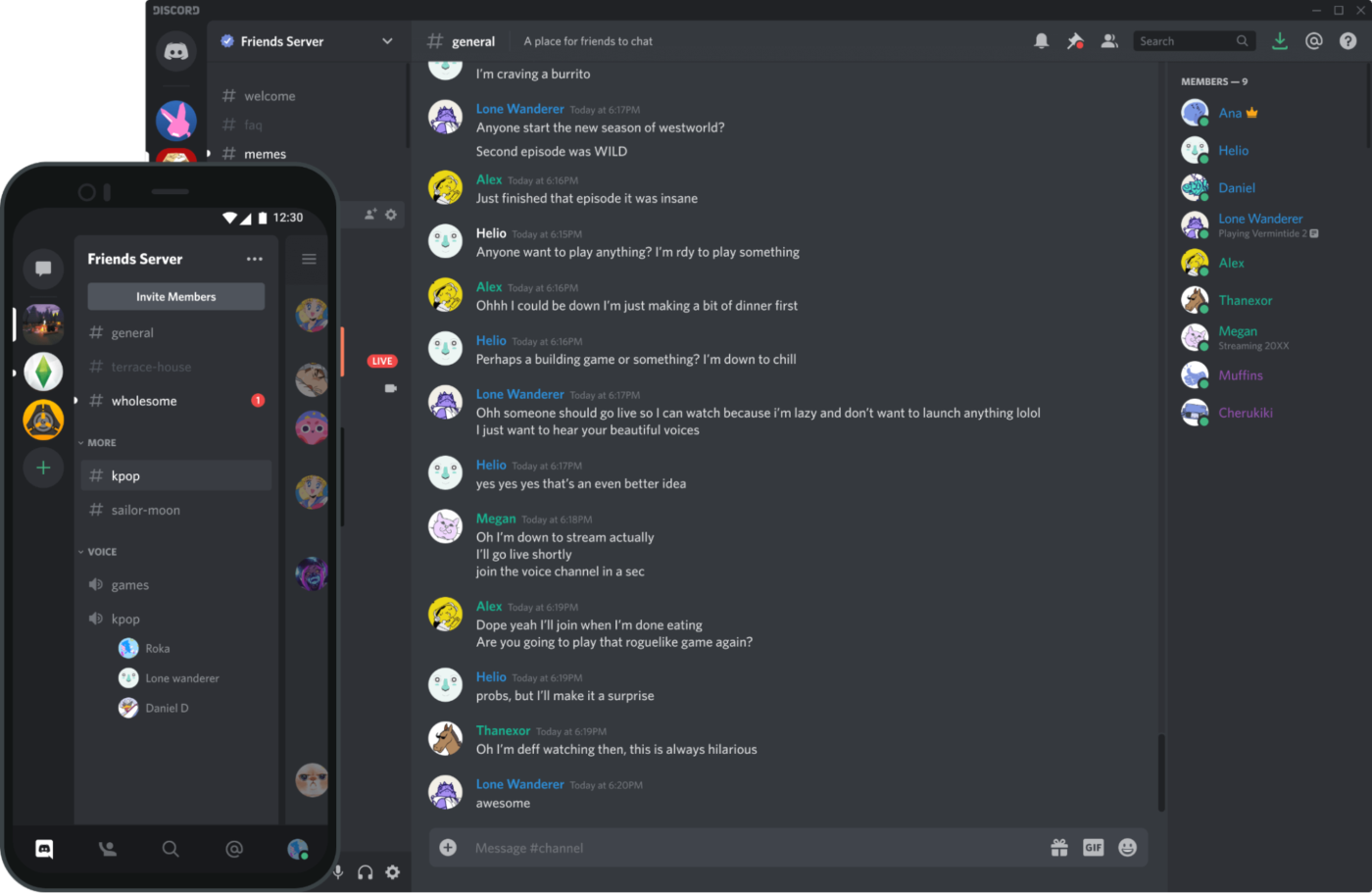
Discord keeps conversations flowing, whether you’re chatting with a small team or managing a large community. Organized servers and channels help keep discussions focused, whether for work, gaming, or a shared interest. It is a popular Microsoft Teams alternative for communities in particular.
Team communication also becomes easier with file sharing and message pinning for crucial updates.
Here’s a Capterra Review:
You can maintain high-quality voice and video calls even if there are multiple people within the call.
💡Bonus: Check out our roundup of the best online meeting tools to keep your team connected and productive, no matter where they are.
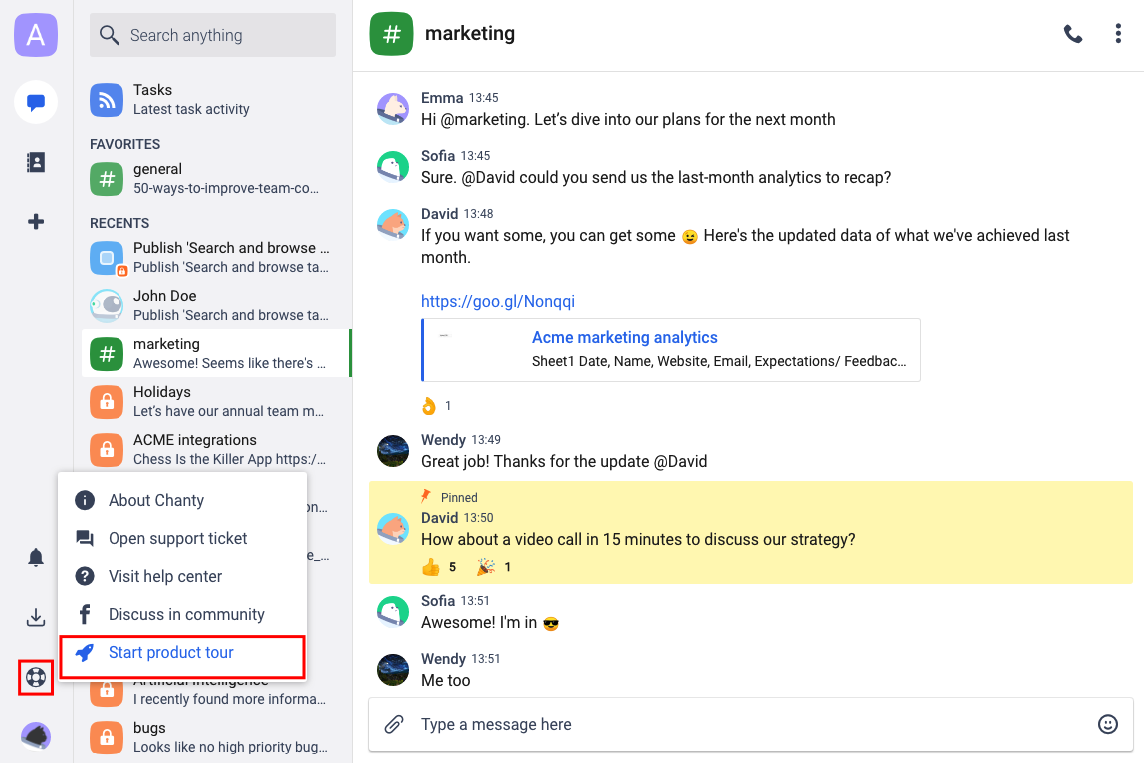
Chanty helps eliminate scattered team communication by keeping messages, tasks, and files in one structured hub. Instead of copying tasks between apps, you can turn any message into an action item, assign it, and track it with a Kanban board.
When a quick call is needed, built-in voice and video meetings with screen sharing make collaboration seamless. Whether sending a voice message, sharing a code snippet, or managing daily tasks, this Microsoft Teams alternative keeps work flowing smoothly.
Here’s a G2 review:
Chanty offers fast messaging and stable audio/video calls, which have significantly improved our team’s communication. Scheduled messages help manage conversations across time zones and keep teams organized.
📮ClickUp Insight: About 41% of professionals prefer instant messaging for team communication.
Although it offers quick and efficient exchanges, messages are often spread across multiple channels, threads, or direct messages, making it harder to retrieve information later. With an integrated solution like ClickUp Chat, your chat threads are mapped to specific projects and tasks, keeping your conversations in context and readily available.
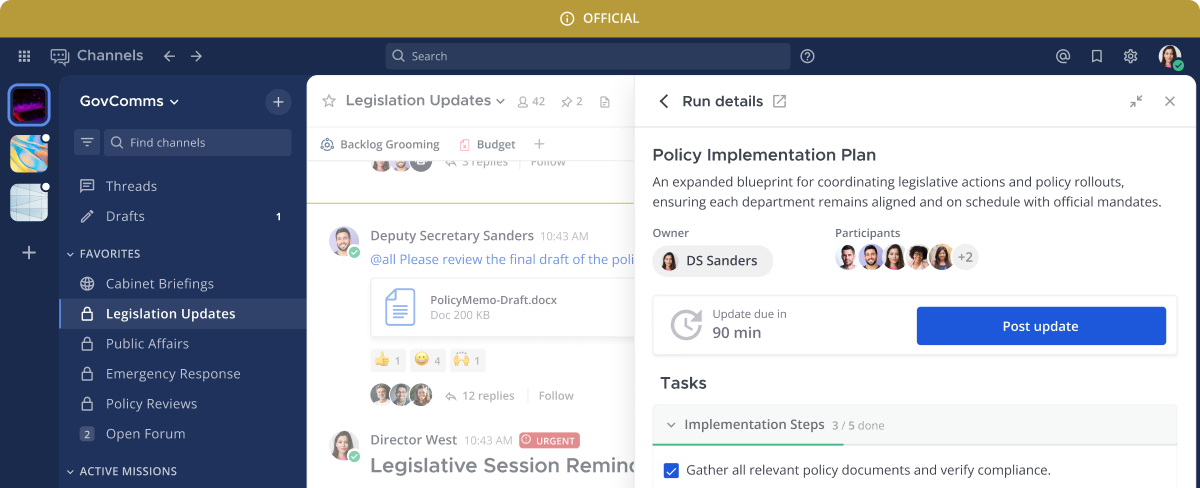
Mattermost is a collaboration platform built for technical teams that need complete control over their workflows and security. Developers can easily share and review code snippets right in the chat with built-in syntax highlighting.
Whether you’re running incident response, DevOps workflows, or just need a more customizable business messaging platform, this Microsoft Teams alternative gives you the flexibility and security to do it your way.
See how the right project tools can take your team’s productivity up a notch in our article on Microsoft Teams Project Management.
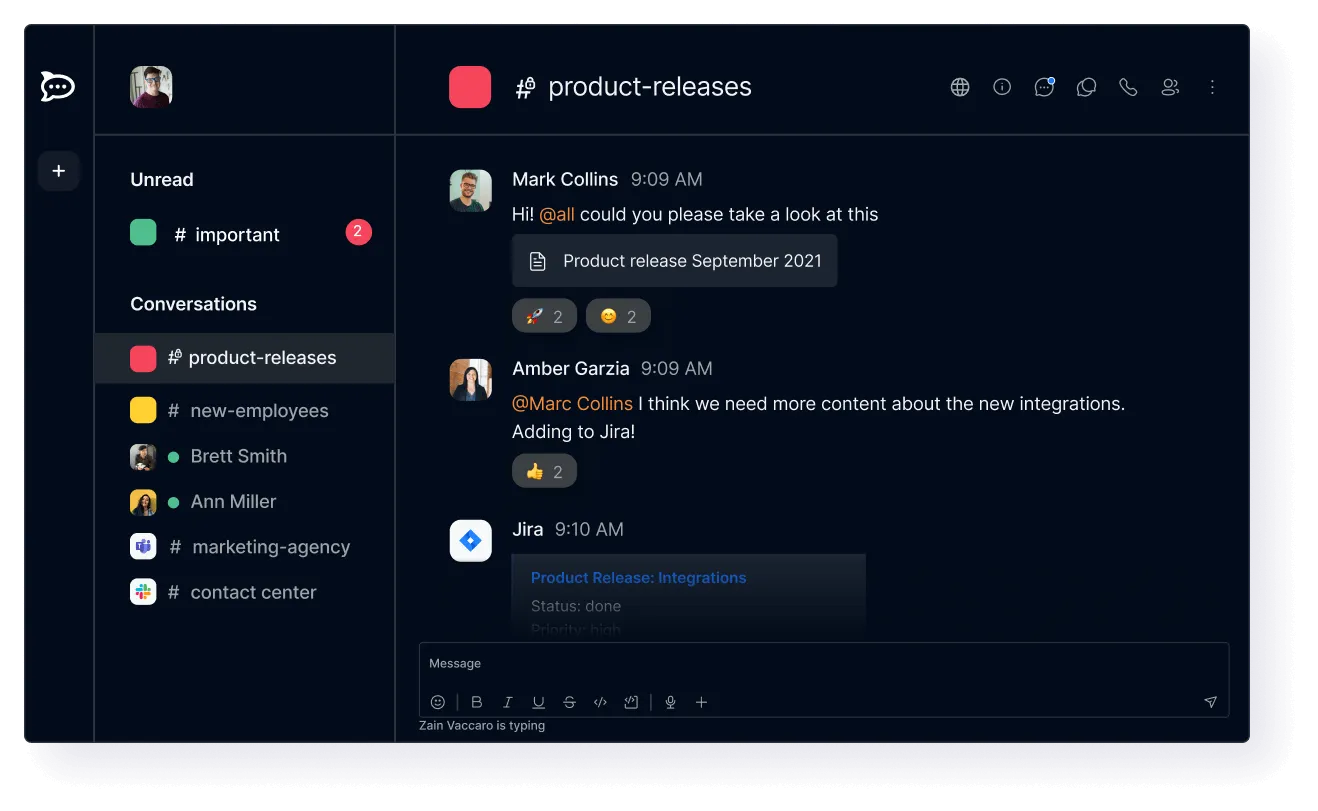
Rocket.Chat is another open-source Microsoft Teams alternative that emphasizes security and customization. Users can also pin and star messages for easy access, format text with Markdown support, and manage customer interactions via the omnichannel dashboard.
The platform is highly customizable with white-labeling options, a marketplace for third-party plugins, and REST API webhooks for workflow automation. It can be deployed as a hybrid cloud or self-hosted solution, ensuring flexibility.
Struggling with messy meeting notes? Here’s a list of AI tools that fix that instantly!
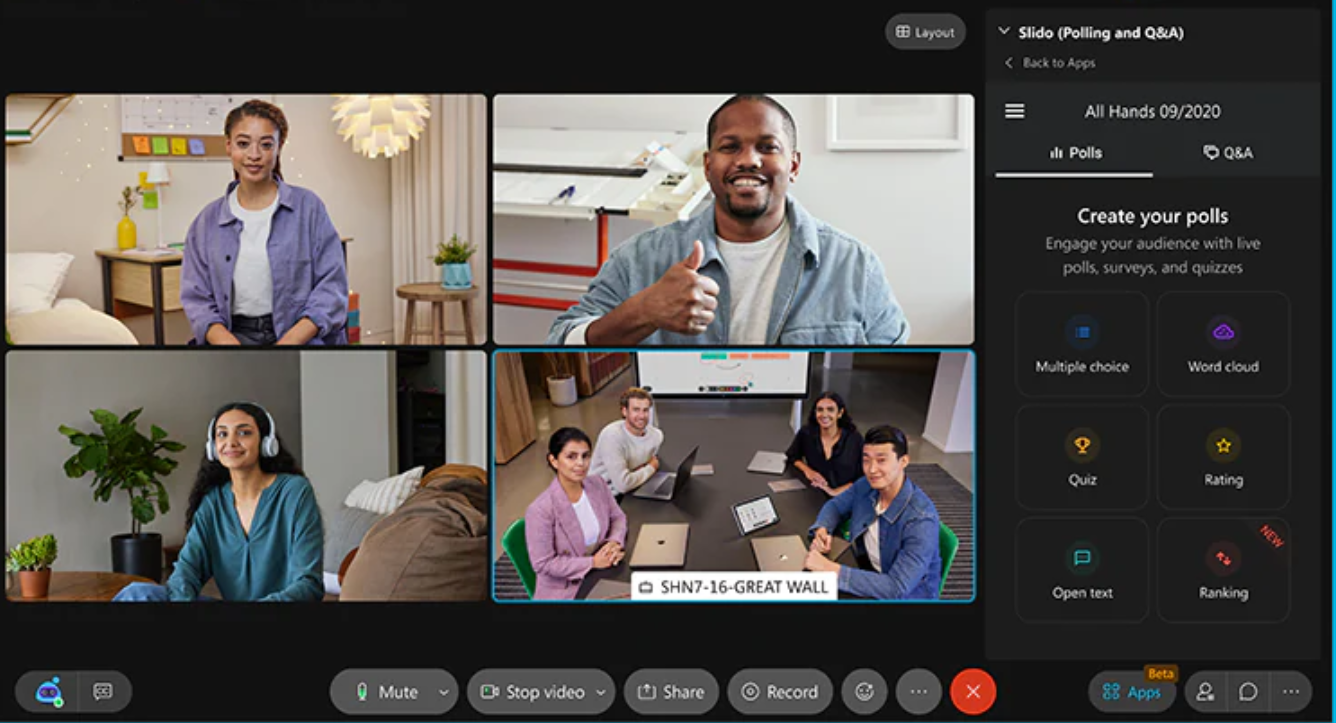
Cisco Webex Teams is an enterprise-grade video conferencing tool with advanced collaboration features. For calling, it provides a cloud-based PBX system with PSTN connectivity, voicemail transcription, and device handoff for uninterrupted communication.
Teams can collaborate in dedicated chat spaces, use integrated whiteboarding, and organize projects through spaces and teams. The Webex Assistant also enhances productivity by generating automated meeting summaries and action items.
With Webex, users can join meetings effortlessly from any device, ensuring seamless remote collaboration.
🌟Bonus: If keeping your team on the same page feels like a challenge, these communication plan templates can make it easier.
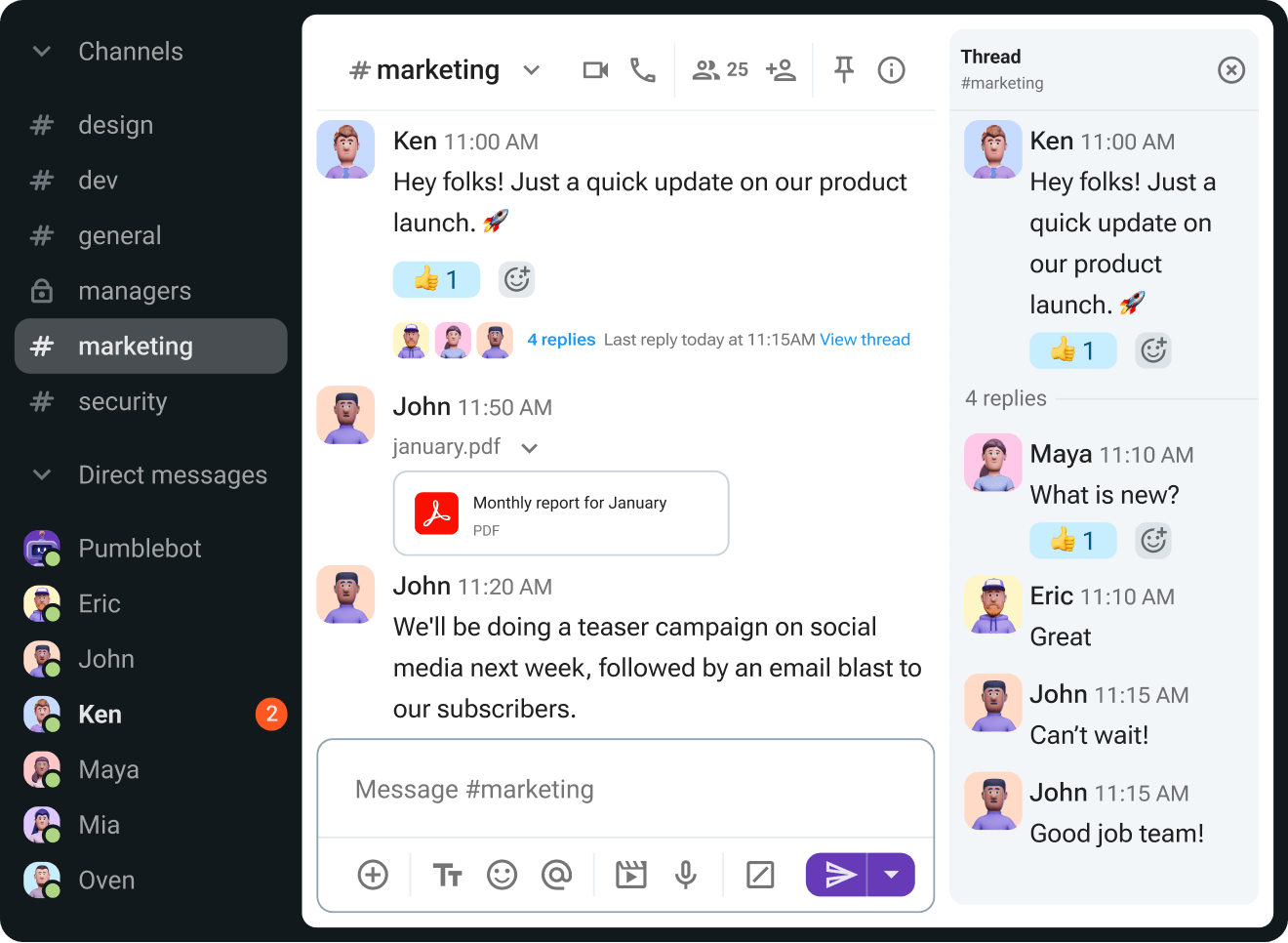
Pumble keeps team communication simple and organized. Unlike many other platforms, it offers unlimited messaging and file sharing, so you never lose important conversations to restrictions.
Smart notifications and reminders ensure you never miss key updates, while strong security measures like SSO and SOC 2 compliance keep your data safe.
Here’s a G2 review:
Pumble design is clean and intuitive, making it easy for the team to navigate and communicate.
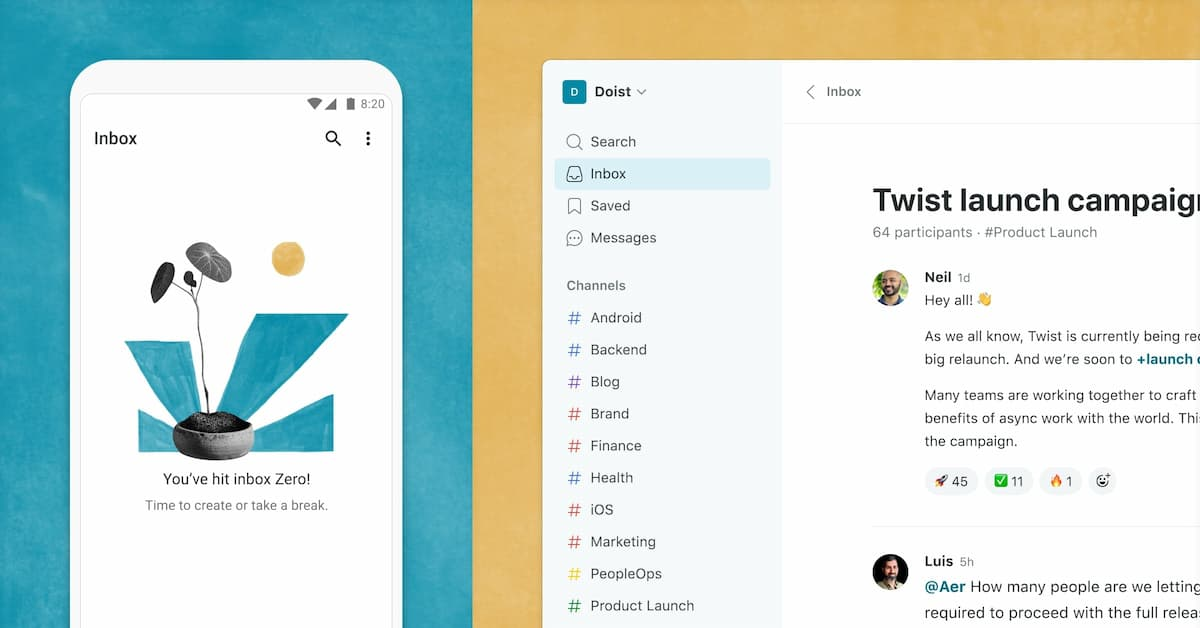
Twist allows team members to engage in discussions and respond at their own pace, reducing the pressure of immediate replies and promoting deep work. Its advanced search filters make finding past conversations effortless, letting you locate specific messages by keywords, dates, or participants.
Custom user roles help teams manage access and responsibilities, ensuring the right people see the right information. Furthermore, team check-in automation eliminates the need for manual follow-ups by posting scheduled update threads.
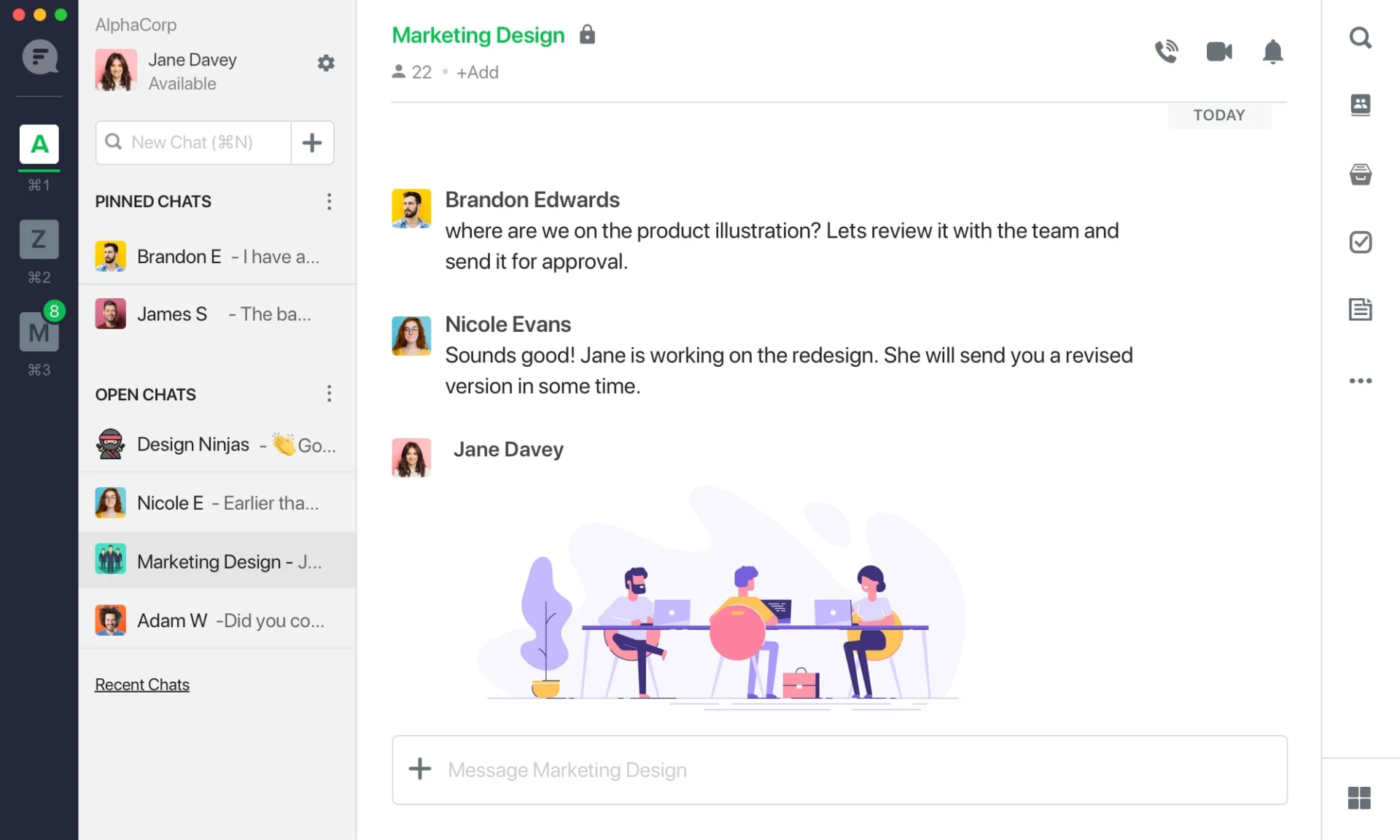
Flock includes built-in task management to enhance team collaboration, enabling users to assign tasks, set deadlines, and track progress within chats.
Teams can share files directly in chats and use the integrated search function to find messages, links, and documents instantly. The Microsoft Teams alternative also features email-to-chat conversion, allowing users to forward emails into Flock channels.
Here’s a G2 review:
Easy to install and drive, with low need of help from the management for almost any part.
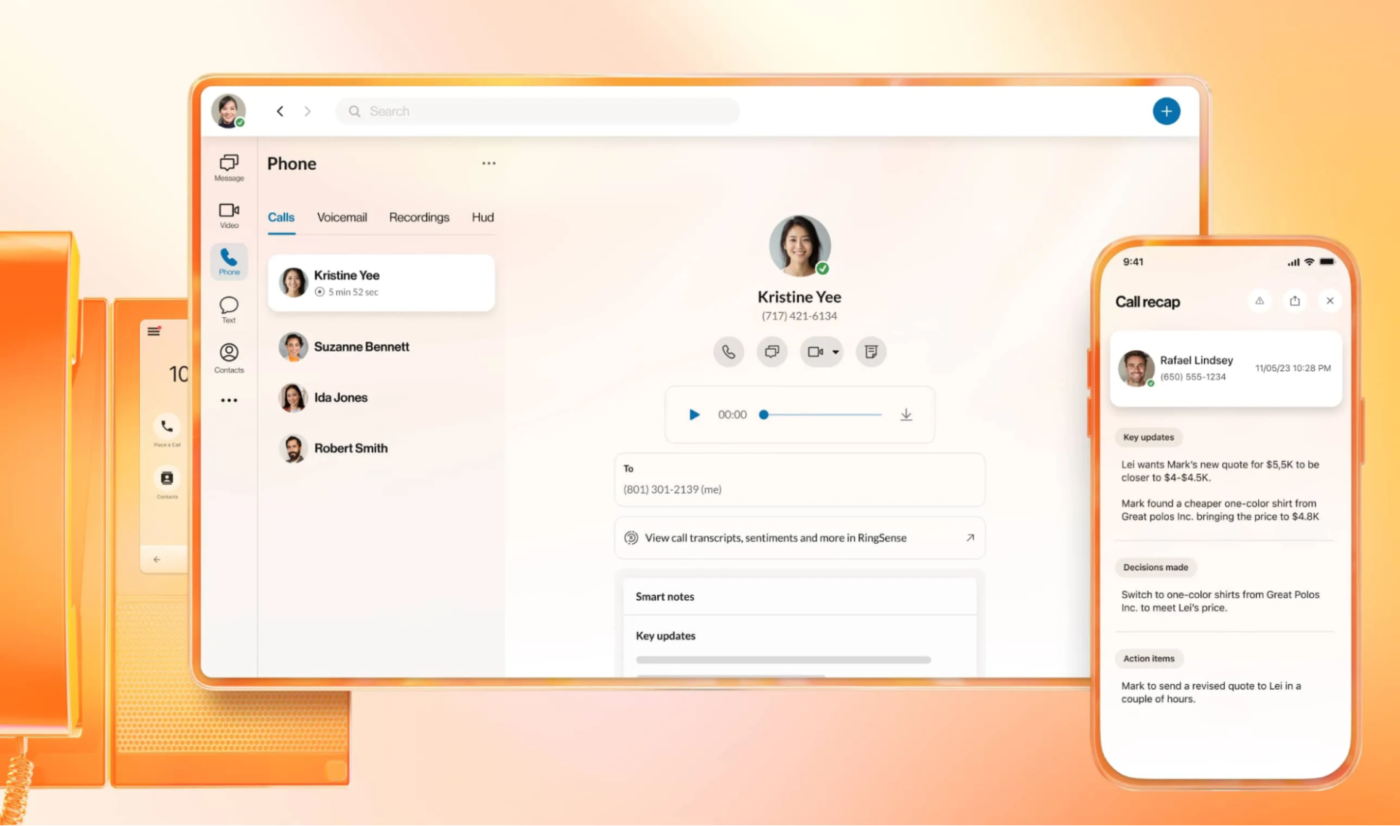
RingEX combines calls, video meetings, messaging, SMS, and fax within a single app and has a personal AI assistant that can capture call notes, transcribe calls, translate messages, and refine writing.
It supports over 400 integrations with popular tools such as Salesforce, Google Workspace, Microsoft Teams, and Zendesk.
Organizations can use this Microsoft Teams alternative to customize call flows and permissions for multiple locations.
Using Microsoft Teams with other tools? Check our Microsoft Teams etiquette guide for practical tips.
While Microsoft Teams packs a punch, it often leaves gaps that slow down your team. Instead of piecing together multiple apps to cover every need, switch to a platform that does it all.
ClickUp combines robust task management, seamless team collaboration, and powerful communication tools within one unified AI-powered workspace. It’s your best bet for a Microsoft Teams alternative.
Sign up on ClickUp for free and start collaborating like never before.

Arya P Dinesh
Max 15min read

Manasi Nair
Max 15min read
Manasi Nair
Max 19min read

© 2026 ClickUp




