
Sorry, there were no results found for “”
Sorry, there were no results found for “”
Sorry, there were no results found for “”
In August 2026, Bending Spoons bought Airtable for $1.285 billion in enterprise value.
That’s a steep drop from 2021, where Airtable was valued at $11.7 billion. But it’s not over yet for the relational database platform. It still runs inside 500,000 organizations and 80 of the Fortune 100, generating roughly $480 million in ARR, and growing over 20% a year.
But the acquisition may change things that will leave long-term Airtable users uneasy. Prevously, Bending Spoons capped Evernote’s free tier at 50 notes within a year of owning it. Customers of its other acquisitions say their bills doubled. It says it has no current plans to raise Airtable’s prices, but it’s unclear when that will change.
So yes, nothing has changed yet. But that’s exactly why you want to look for an Airtable alternative now, not during a renewal call.
The complication is that ‘Airtable alternatives’ is really two searches. Some of you are replacing a relational database with rollups, chained formulas, and an API feeding downstream systems. The rest are replacing a project tracker that grew a grid view. Tools that nail one job tend to fail badly at the other.
Find ten tools below, each with a verified price, a real limit, and the exact point where it stops fitting.
| Tool | Best for | Standout feature | Pricing* | Where it’s not ideal |
| Notion | Product & content teams needing documents, wikis, and databases in a single workspace | Documents and databases are the same object, allowing nested databases inside pages and AI status summaries across linked databases | Free; Paid plans start at $10/member/mo | Strongest when people are the main consumers of your data; relations export as plain-text URLs, and the API allows roughly 3 requests/sec, so a base feeding downstream systems needs a different hub. |
| Smartsheet | Enterprise project & compliance teams managing large spreadsheet portfolios with native Gantt dependencies | Built-in Gantt charts with dependencies, baselines, critical paths, ProofHQ creative approvals, and cell-level audit trails | No free plan; Paid plans start at $9/user/mo | Has no native linked-record field type, relying on formulas or the paid DataMesh add-on to connect sheets |
| ClickUp | Agile project & operations teams replacing Airtable grids with full task management and workload views | Combines table grid views with native task hierarchy, subtasks, auto-shifting dependencies, Docs, Chat, and Brain AI Super Agents | Free; Paid plans start at $7/user/mo | Best fit when tasks and tables live together; bases that chain rollups into formulas across three levels are better served by a purpose-built database. |
| NocoDB | Engineering & DevOps teams adding an Airtable-style UI directly on top of live SQL databases | Connects directly to existing Postgres or MySQL databases with zero sync lag, auto-generating REST APIs and local LLM AI via Ollama | Cloud: Free; Cloud Plus: $12/seat/mo; Self-hosted Community: Free | Self-hosting requires dedicated DevOps management for database infrastructure, deployment, and uptime |
| Baserow | Regulated & IT teams requiring self-hosted open-source databases with strict EU data residency | MIT-licensed core operating out of the Netherlands featuring view-level RBAC, an AI prompt field, and an MCP server for external AI agents | Cloud/Self-host: Free; Premium: $10/user/mo; Advanced: $18/user/mo | Free self-hosted edition drops Kanban, timeline, and AI views, and its native integration ecosystem is still small |
| SmartSuite | Power-user operations teams executing a direct structural migration of complex linked relational bases | Closest structural match for Airtable’s relational model, adding native Gantt, timeline, map, and document views directly inside records | No free plan; Paid plans start at $15/seat/mo | Lacks a native Airtable importer, forcing you to manually recreate linked records, rollups, and automations from CSV exports |
| Grist | Technical & financial teams building calculation-heavy spreadsheet apps with Python formulas | Runs full Python 3.11 inside formula cells (allowing loops and functions) and saves entire database files as portable SQLite documents | Free; Paid plans start at $8/user/mo | Minimal, developer-centric interface that non-technical users comfortable with polished SaaS tools may find steep |
| monday.com | Visual project & creative teams tracking workflow pipelines using color-coded status boards | Color-coded status boards, AI Agents that monitor activity continuously, and a pre-installed MCP server across all accounts | Free; Paid plans start at $9/seat/mo | Built for board-level visual workflows; teams needing column-level privacy for external collaborators, or linking more than 10,000 items across boards, will hit the ceiling of that design. |
| Microsoft Lists | Microsoft 365 business teams tracking simple internal data and processes without added software cost | Zero incremental cost for Microsoft 365 users, featuring deep Teams integration, Power Automate actions, and Copilot assistant support | Free with Microsoft 365 business plans | Hits a 5,000-item view threshold for sorting/filtering on non-indexed columns, and lacks native Gantt or Kanban views |
| Google Sheets | Solo users & small teams staging and cleaning exported CSV data while evaluating permanent tools | Universal familiarity, 10 million cell limit, seamless connectivity to BI tools, and inline Gemini AI (=AI()) for text processing | Free with a Google Account | Lacks true relational integrity (relies on text-matching VLOOKUP), with performance degrading above 50,000 formula rows |
Expect higher prices on paid plans, a smaller free tier, and faster feature releases. That is the pattern Bending Spoons has followed with every product it has acquired, and its own press release describes the playbook in plain language: “reorganizing teams, overhauling technology, redesigning user interfaces, accelerating product development, and enhancing marketing and monetization.”
The company disputes that read for Airtable. It told Bloomberg on August 13 that it has no current plans to raise Airtable’s prices, in the same story where one Harvest user’s annual bill jumped from $211.20 to $2,547.60. The deal closes before year-end pending approval, and on the Evernote timeline, plan changes land in 2027. That’s your window to evaluate calmly instead of under a renewal quote.
The Evernote timeline shows what ‘deep transformation’ looks like in practice:
For Airtable, the free plan is the exposed surface: 1,000 records per base, five collaborators, 500 AI credits per editor per month. That is most likely to tighten first, based on the Evernote precedent.
Score every tool against seven criteria: relational depth, record and storage limits, data residency, migration path for linked records, task and project hierarchy, AI access model, and automation ceilings.
Ten tools made this list: Notion, Smartsheet, ClickUp, NocoDB, Baserow, SmartSuite, Grist, monday.com, Microsoft Lists, and Google Sheets.
Some replace Airtable’s relational engine. Others replace the project tracker that it was never meant to be. A few do both. Every pick below gets the same breakdown: what it does well, where it stops, and who should skip it.
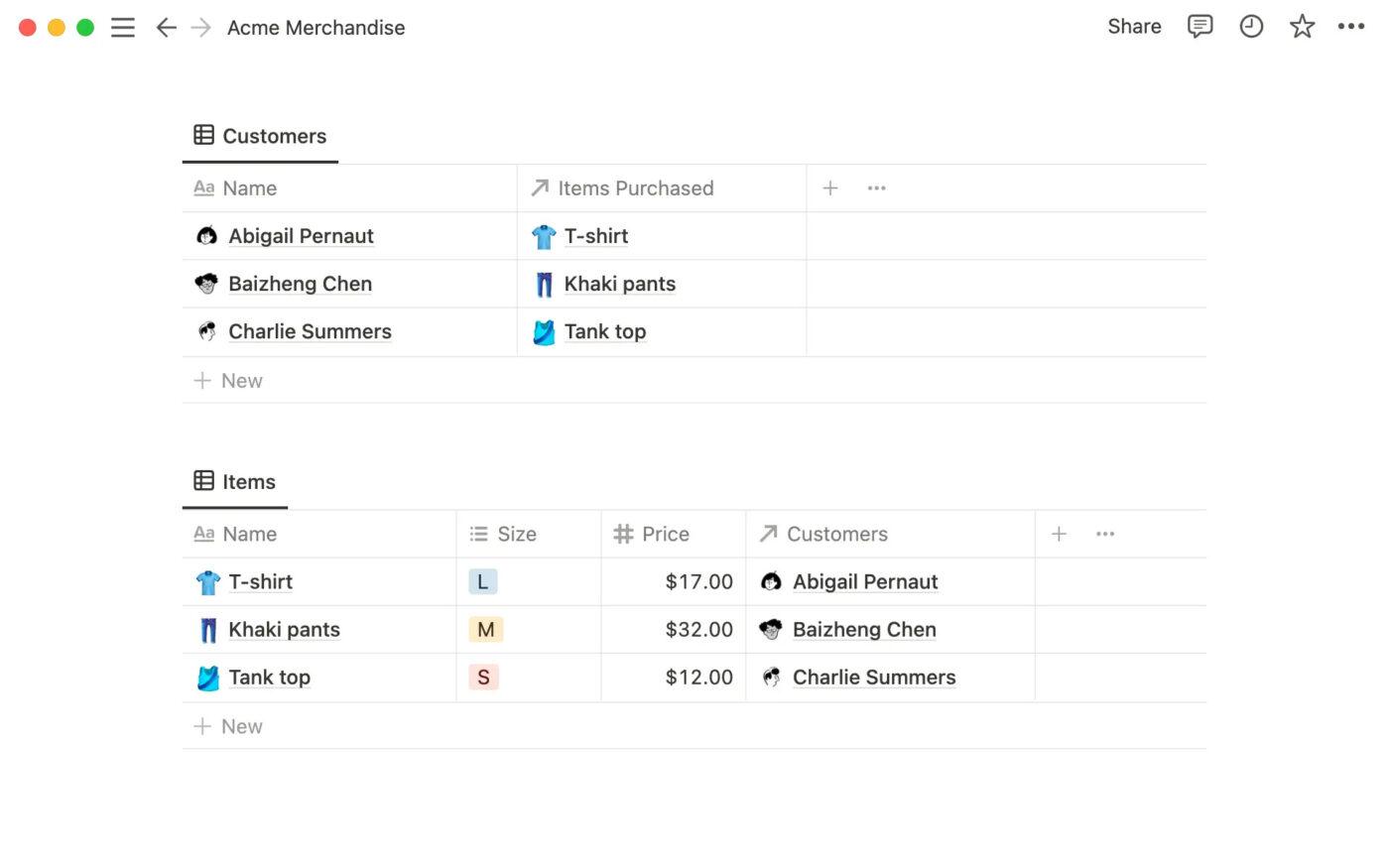
If your Airtable base exists to hold context that nobody can find, switch to Notion. Here, the document and the database are the same object. Open a row, and find yourself inside a full page with text, embeds, toggles, and sub-databases.
The relational model works the way Airtable trained you to expect: a Relation property links two databases, and a Rollup aggregates values across that link. Where it gets interesting is what you can do with a page that you can’t do with an Airtable record. Nest a database inside another database’s page or build a client-facing wiki where every page is also a queryable row.
You can also ask the Notion AI assistant to pull a status summary across three linked databases and get an answer that reads their page content, not just their field values.
Where it falls short: Relations export as plain-text URLs. You cannot re-import them as functional links. Also, the public API rate-limits at three requests per second per integration. If your Airtable base feeds a downstream system such as a warehouse sync, Notion cannot serve as that hub.
Skip it if: Your base’s primary consumer is another system. The API rate limit and non-portable relations make Notion a terminal destination for data.
This G2 reviewer sheds light on how Notion has helped them:
I really like how Notion consolidated multiple tools like Evernote for notes, Trello for tasks, Airtable for databases, and Google Docs for writing into one flexible platform. This consolidation saves me time and money and creates a single source of truth that saves me hours weekly. Notion’s databases replaced Airtable for my CRM and project pipelines with full relational capabilities.
Smartsheet replaces Airtable’s linked-record dependency hacks entirely. It doesn’t maintain start dates, end dates, and predecessor relationships through linked records and manual shifts. Instead, it has a native Gantt chart with dependencies, baselines, and critical path calculation built into the grid.
Its governance layer also makes it an ideal fit for construction, manufacturing, and regulated industries with SAML SSO, directory provisioning, event reporting, and data-retention controls. If your IT team blocks tools without a SOC 2 report and a DPA, Smartsheet already has both.
Where it lacks a linked-record field type, it compensates with AI that works directly in the cells. Add a Smart Column to a sheet, and it classifies, categorizes, or extracts structured values from unstructured text in the same row. A column of messy client notes becomes a tagged, filterable dataset without manual cleanup or formula work.
Where it falls short: Smartsheet has no linked-record field type. Relationships between sheets are built through formulas or the paid DataMesh add-on, which means every connection you add is another formula to maintain rather than a visible, clickable link between two rows.
Skip it if: Your Airtable base relies on linked records connecting multiple tables bidirectionally. Smartsheet handles large, complex project sheets well, but it was not built to model relational data the way Airtable does.
See how this G2 reviewer summarized Smartsheet vs. Airtable:
Compared to Airtable, Smartsheet handles larger datasets more reliably and offers better performance when things get complex. It supports more advanced formulas and makes it easier to connect data across multiple sheets. Smartsheet is also more enterprise-ready, with stronger permission controls, robust dashboards, and automation tools—making it a better fit for large teams or formal project workflows.
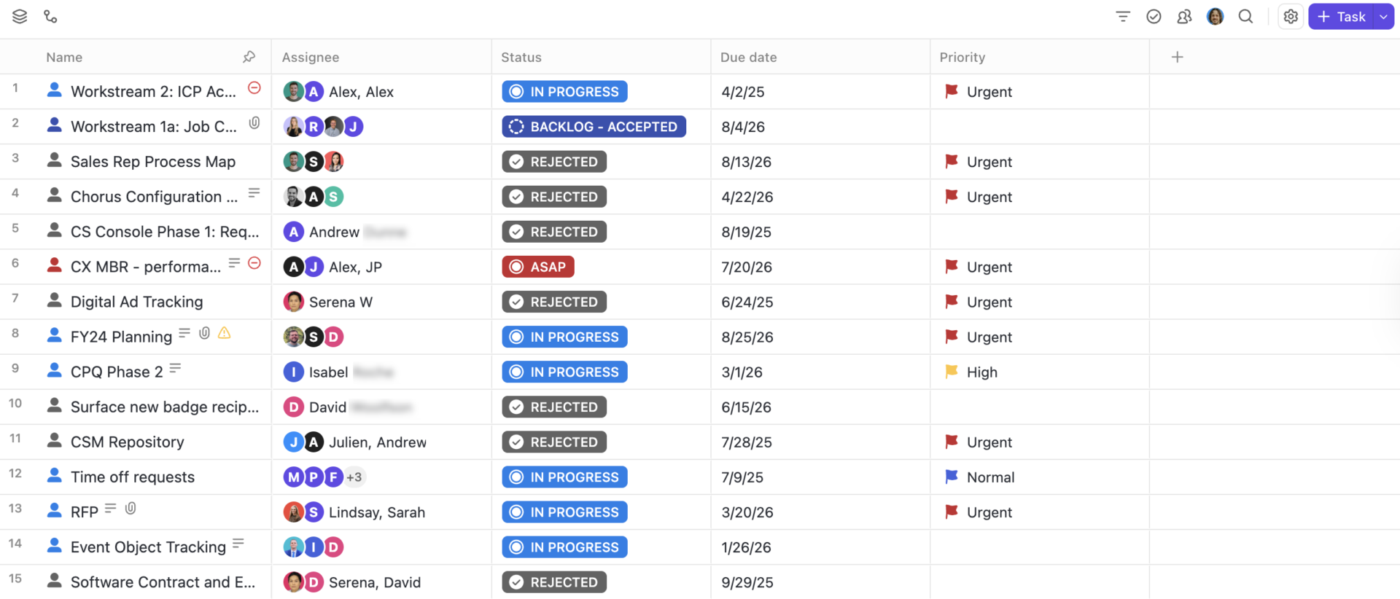
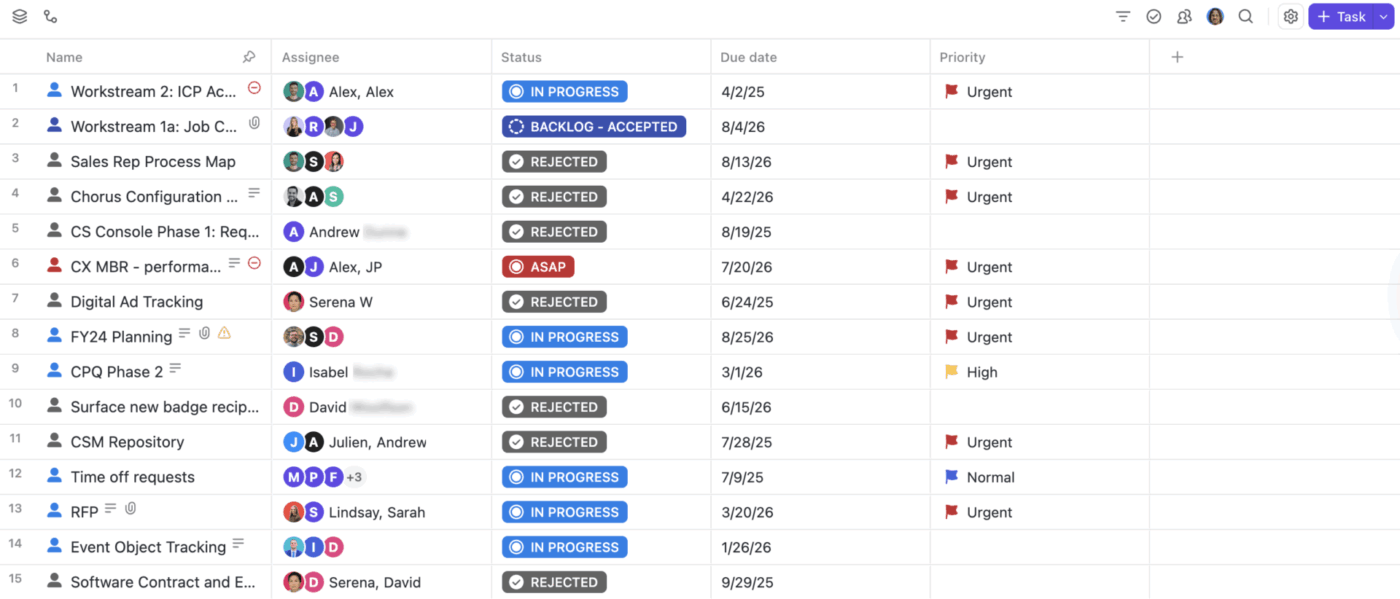
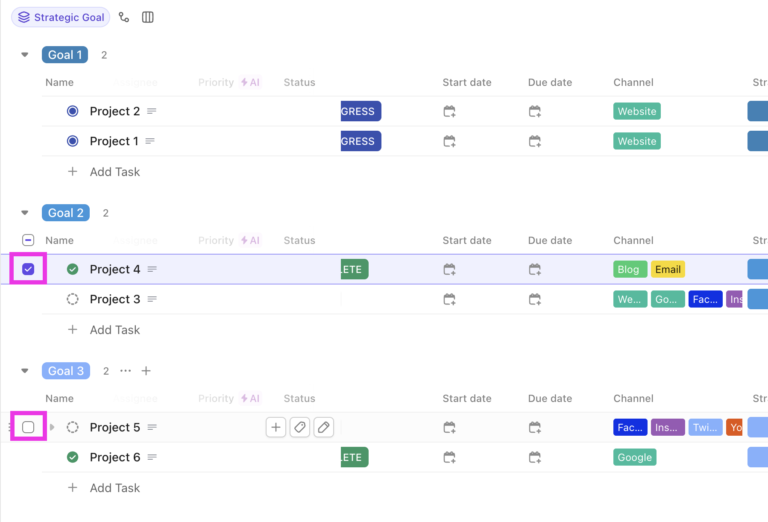
An Airtable task list with columns, an owner field, a status field, and a due date is project management software in disguise. ClickUp gives you that table view and everything Airtable never could: subtasks, native dependencies that auto-shift dates, sprints, workload views, Docs, and real-time Chat in one workspace.
The ClickUp Table View works like a familiar grid: tasks are rows, multiple Custom Field types are columns, and you edit inline. The same data renders as a Gantt Chart View with dependency lines, a Board View with status swim lanes, a Calendar, or a Workload View showing who is overallocated.
The AI layer connects to all of it. Ask ClickUp Brain “What did the design team ship last week?” and it reads across tasks, Docs, Chat messages, and comments to deliver a contextual response.
Assign a Super Agent to a project, and team members can @mention it for research, status updates, or action. For example, it can update a field, post to Chat, or send an email. AI Fields auto-generate content inside Custom Fields using the task’s own description, comments, and linked data as context.
Where it falls short: A rollup in ClickUp can’t be referenced by a formula the way an Airtable rollup can. Formula nesting is capped at one layer. Rolling up arbitrary Custom Fields works only for List-to-List relationships. If your core need is many-to-many aggregation flowing up three levels, a purpose-built database fits better.
Skip it if: Your Airtable base chains rollups into formulas that reference other rollups. ClickUp’s one-layer formula cap means you can’t replicate that logic without flattening it into manual fields or Dashboard widgets.
See how this G2 reviewer feels after switching from Airtable to ClickUp:
I use ClickUp for task management and it solves app fatigue for me. I like the UI because of its clean look. I also find the ‘everything view’ useful. The ease of use was a big motivating factor for me to switch from Airtable to ClickUp.
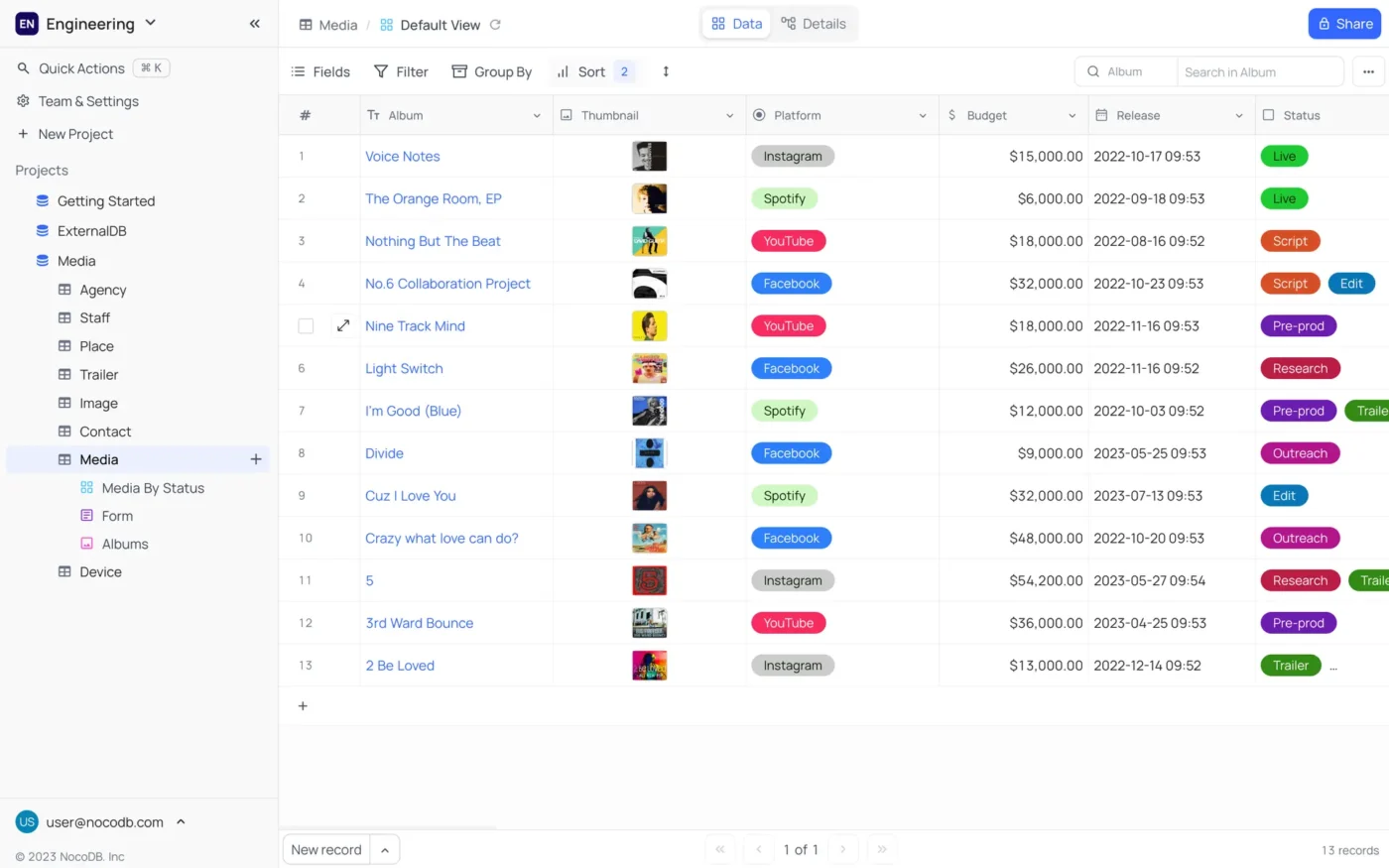
Teams already running a Postgres, MySQL, or SQL Server database and using Airtable as a friendlier front-end maintain two copies of the same data. NocoDB removes that duplication by pointing at your existing database instance. It renders an Airtable-style grid over your live production tables. Changes write directly to the source without data migration or sync lag.
Links, Lookups, Rollups, and Formula fields are all present. Six view types (grid, kanban, gallery, form, calendar, map) work on every tier, including the free self-hosted edition. Every base auto-generates a REST API with Swagger documentation, so downstream tools query your data without custom backend code.
The AI layer ties directly into the data sovereignty story. Connect a local model through Ollama.ai and use AI to generate bases, write formulas, build filters, and scaffold views from plain-language prompts. That combination makes NocoDB the pick for healthcare, finance, and legal teams that can’t send structured data to a third-party API under any circumstances.
Note: NocoDB’s license changed from AGPL-3.0 to the Sustainable Use License (‘fair-code’). It is source-available, not OSI-approved open source. Teams with procurement checklists specifying MIT or Apache should note this.
Where it falls short: Self-hosting NocoDB requires your team to manage the infrastructure: deployment, backups, scaling, and uptime. If your team does not have someone comfortable with Docker and database administration, the maintenance overhead can outweigh the flexibility.
Skip it if: Your team does not have a DevOps function or a dedicated technical owner who can keep the self-hosted instance running reliably.
This Reddit reviewer explains why they like NocoDB:
My reason for self hosting NocoDB is privacy and also rate-limiting. I’ve found cloud too restrictive, and being a tinkerer, I simply enjoy the experience of self hosting vs. paying for someone else to host my app data.
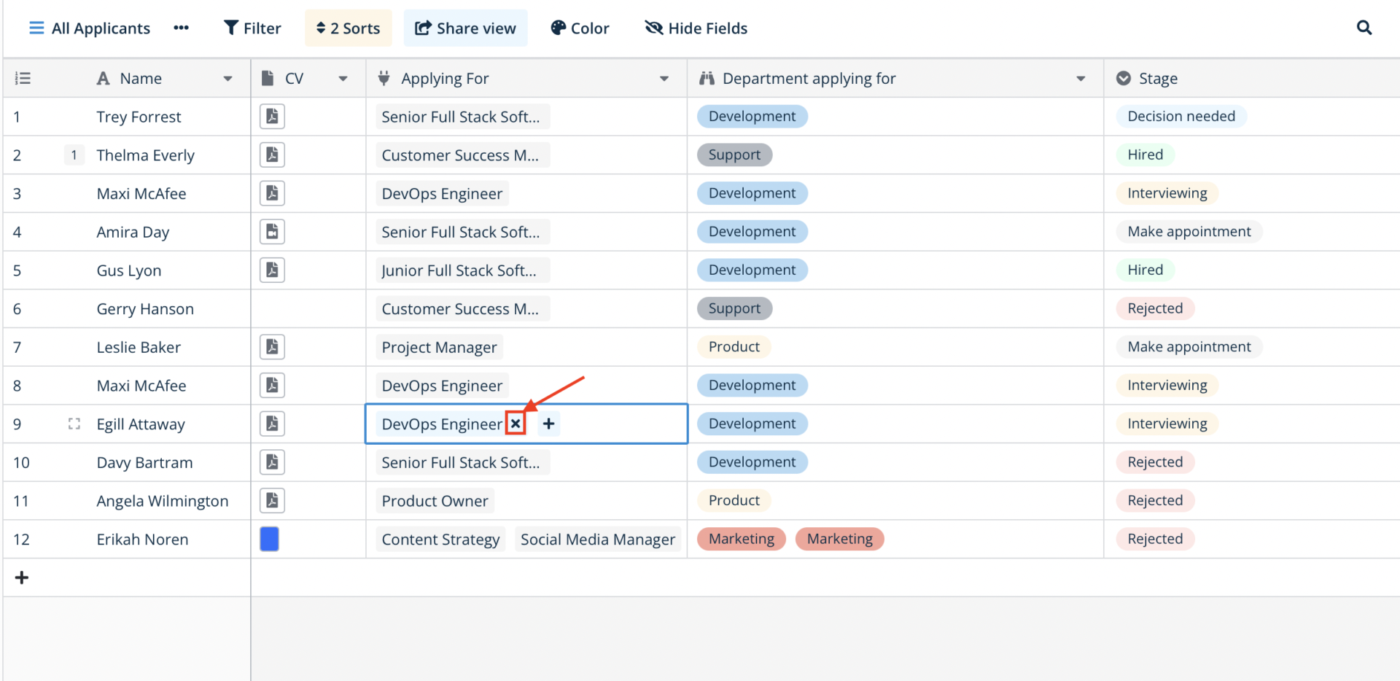
Baserow ships an MIT-licensed core, operates out of the Netherlands, and stores cloud data in the EU. For teams where the procurement conversation starts with data residency and source code auditability, it answers both in one product. You can fork the entire codebase, host it on your own infrastructure, and never depend on the vendor again.
Field types cover what an Airtable migration needs: linked records, lookups, formulas, single/multi-select, file attachments, and 20+ others. Views include grid, gallery, kanban, calendar, timeline, form, and survey. Automations support data triggers, conditions, webhook calls, and AI steps that classify or generate content mid-workflow.
AI lives inside the workflow. The AI prompt field generates, classifies, or enriches data per row using dynamic prompts that reference other fields and process images and PDFs. Add an AI action inside an automation, and it classifies incoming records or routes items to the right table based on content. Kuma (the assistant) goes broader: describe a process in plain language, and it creates the tables, fields, automations, and even full applications to support it. Self-hosters choose their LLM.
Where it falls short: The free self-hosted edition includes only grid, gallery, and form views. Kanban, calendar, timeline, and AI features require a Premium license even when you host it yourself. The integration ecosystem is thin compared to Airtable’s marketplace, and the community is still young: fewer templates, fewer tutorials, and fewer answers on forums when you hit an edge case.
Skip it if: You need a wide library of native integrations and pre-built templates ready to use on day one. Baserow’s strength is sovereignty and extensibility, not plug-and-play breadth.
This Capterra reviewer thinks Baserow can surpass both Notion and Airtable:
I think the most I liked about Baserow was that it offered a lot of the features I was expecting coming from using Notion. I also worked with Airtable before and I think that Baserow can substitute both those platforms. But it exceeds them because Baserow is open source. That’s what I like about this app. You can host it wherever you want and you get a solid user experience.
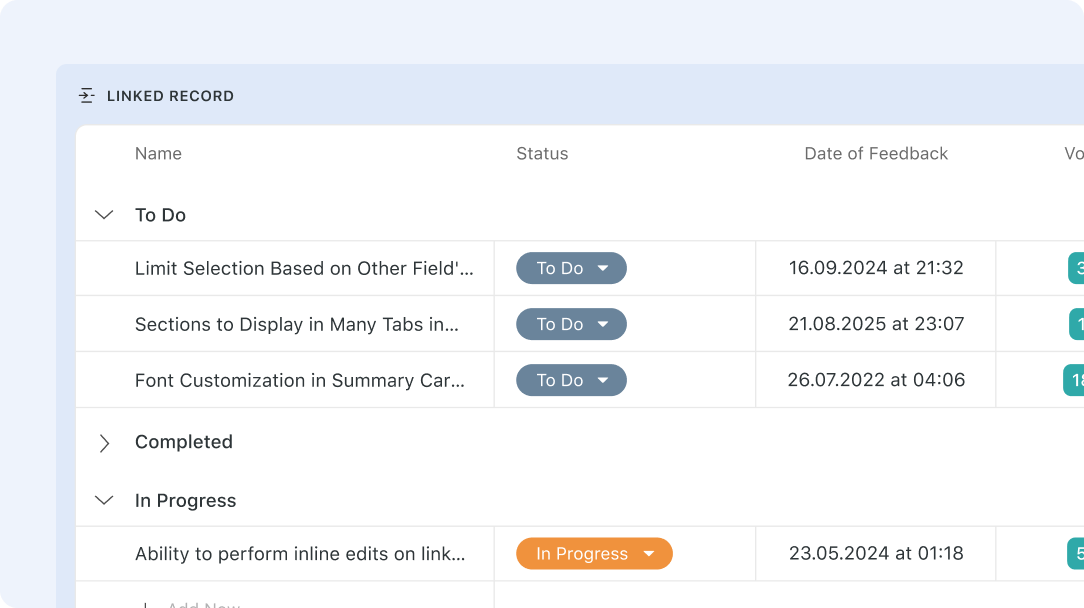
SmartSuite preserves the relational model that Airtable trained you on. And adds native Gantt, timeline, map, and calendar views that Airtable requires extensions or Interface Designer to achieve. It is the shortest path for teams migrating a heavily linked base that want to keep the same architecture with better views.
The architecture mirrors Airtable; Solutions contain Apps (tables). Links work across Solutions, so your CRM can reference your Project Delivery workspace without merging both into a monolith. No native Airtable importer exists. Export CSVs, import, then recreate linked fields, rollups, and automations manually.
AI Field Agents run prompts using the record’s own context. For example, you can reference a linked conversation record to auto-classify a support ticket. The prompt editor supports rich formatting and can pull from any field in the record or its linked records. This is the closest functional equivalent to Airtable’s AI Fields in another product.
Where it falls short: It has no native Airtable importer, so every linked record, rollup, and automation is rebuilt manually from a CSV export.
Skip it if: Your team wants a one-click migration.
This G2 Reviewer thinks SmartSuite is ahead of Airtable as well as monday.com:
The flexibility and the ease of use. It’s super quick to get started, and with powerful database-like connections and automations it really has been a game changer for our business. We use it for project management, resource management, equipment tracking, human resources and employee reviews, and dozens of internal and external forms that enter data directly where it’s needed. They are miles ahead of Monday in data and project management, and catching up to Airtable fast for database capabilities.
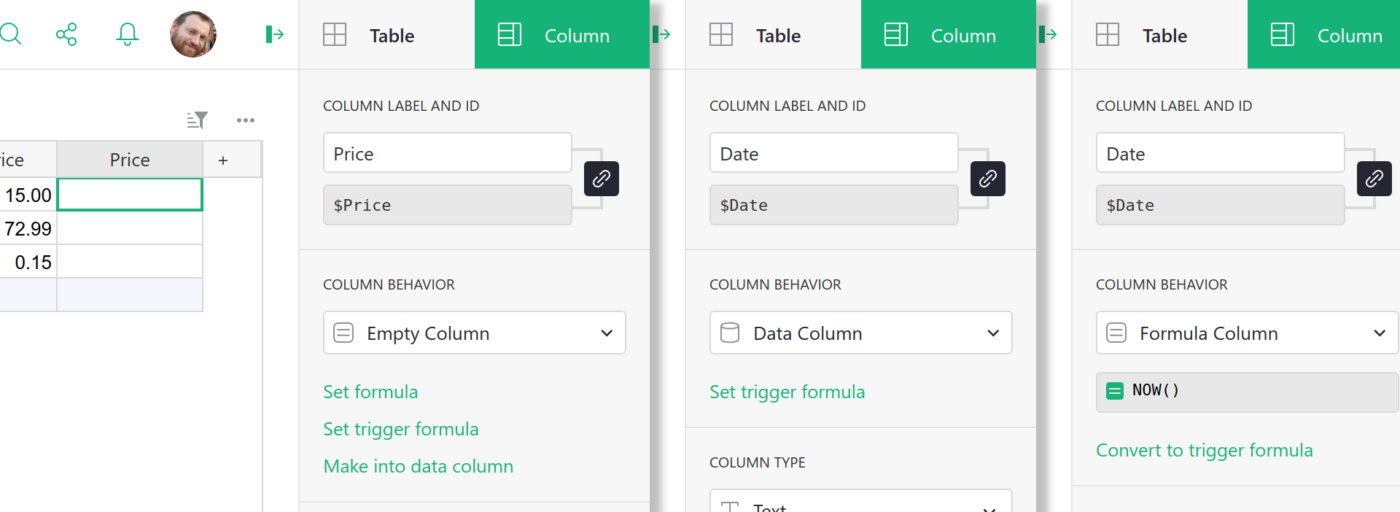
Grist is the Airtable alternative for anyone who has hit the formula-language wall and started writing scripts to get around it. It replaces that ceiling with full Python 3.11, including the standard library, running inside every formula cell.
It offers what Airtable structurally cannot: Loops, local variables, and user-defined helper functions. Summary tables (Grist’s version of rollups) group and aggregate, with full Python available for the aggregation function. Documents are stored as portable SQLite files: back up by copying one file, version-control in Git, and migrate by reading the file directly.
The AI assistant understands your schema when you ask it to write a formula. It sees the tables, columns, relationships, and existing formulas in your document. So ‘calculate total revenue per client for Q3’ produces a working Python formula, referencing the correct linked tables by name. You can also describe a full document structure, and the assistant generates tables, columns, relationships, and sample data.
Where it falls short: The interface is functional but minimal. It looks and feels more like a developer tool than a modern SaaS product. Non-technical team members comfortable with Airtable’s polished UI may find Grist’s spreadsheet-forward design less approachable.
Skip it if: Your team is non-technical and uncomfortable writing any code. Python formulas are powerful for those who use them and a barrier for those who do not.
As per this G2 reviewer, Grist is Excel reimagined:
Grist is a revolutionary spreadsheet that allows you to crossbreed between – internal app + spreadsheet + Airtable. Imagine Excel, but it’s not a web app that allows you to create a full-blown mini CRM for your company. With this spreadsheet-database hybrid, I can organize, analyze, and share my data in a way that works for me.
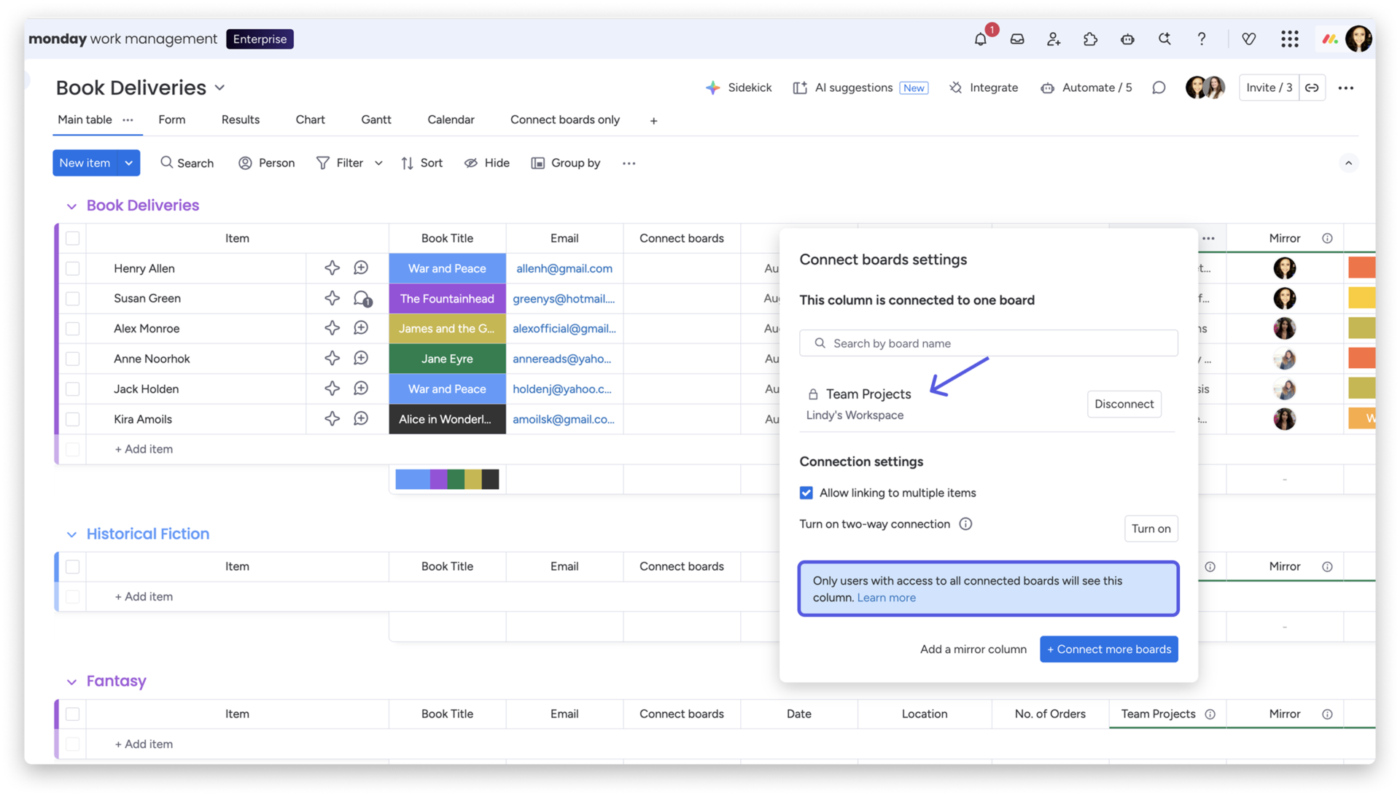
monday.com turns Airtable-style pipelines into color-coded status boards where delays show by color alone without opening anything. Its strength is visual work management for teams that think in stages rather than in relational schemas.
Connect Boards links items across boards, and Mirror columns surface specific fields from connected items. However, it does not handle normalized databases with many-to-many links and multi-level rollups. Hard limit: 10,000 linked items per board.
AI Agents differentiate monday.com from rule-based automation tools. Where an automation fires on a fixed trigger, an agent monitors board activity continuously and analyzes context based on priorities you define. It then decides the next best action within guardrails you set.
Where it falls short: There are no column-level privacy controls. You cannot hide a specific column from a guest or contractor on a shared board without creating a separate filtered view. The relational layer (Connect Boards) also hard-caps at 10,000 linked items per board, with no override available.
Skip it if: You need granular per-column visibility for external collaborators, or your base has tables with more than 10,000 records that link to another table.
See what monday.com is perfect for, according to this G2 reviewer:
I have used Asana, Trello, Airtable, Jira and others in my day to day and nothing makes me as happy as Monday. The flexibility of the platform, along with how easy it is to customize every aspect of it is so powerful. It’s perfect for team and department level work, and my own work, as well as things like note taking, automation, etc. I use it daily and can’t imagine not having it in my arsenal.
Teams already paying for Microsoft 365 Business Basic or higher already have Microsoft Lists at no additional cost. That zero-incremental-cost argument makes it a suitable Airtable alternative.
Microsoft Lists is SharePoint lists rebuilt as a standalone app. It has structured data with typed columns, multiple views, conditional formatting, and rules-based automation. It lives inside Teams, SharePoint, and the dedicated Lists app. For teams already running operations in the Microsoft ecosystem, it adds structured data tracking without introducing another vendor.
Where AI enters the picture: teams with a Copilot license can create lists from a description, get column type suggestions, build rules, format views, and ask questions about list data in natural language. Without Copilot, the Quick Steps column adds one-click action buttons directly inside rows that trigger Power Automate flows.
Where it falls short: The 5,000-item list view threshold restricts sorting and filtering on non-indexed columns once a view exceeds 5,000 items. You can index up to 20 columns per list as a workaround, but it requires planning ahead. There are no native Gantt, Kanban, or timeline views unless you build a Power App.
Skip it if: Your list will regularly exceed 5,000 items, or you need project views beyond grid and gallery without building a custom application on top.
See why this Capterra reviewer uses Microsoft Lists:
We use Microsoft Lists to track client training records. Using Power Apps, we’ve been able to set reminders of upcoming expiry dates sent directly to the client.
Google Sheets is not an Airtable alternative. The database vs. spreadsheet distinction is clear here: Sheets has no linked records, relational model, record-level permissions, or views beyond the grid. It is on this list because it is free, universally familiar, and the most common place teams land temporarily while deciding where to migrate.
What makes it useful in this context: 10 million cells per spreadsheet, real-time multi-user editing, a formula language most teams already know, and connectivity to every other tool on the market. If you exported your Airtable base to CSV and need a holding environment while you evaluate alternatives, Sheets is the zero-friction option.
The =AI() function changes what Sheets can do with unstructured data. Type =AI(“categorize this feedback as positive, negative, or neutral”, A2) and Gemini processes it inline. Across hundreds of rows, you can summarize, categorize, extract entities, or generate text without a single traditional formula.
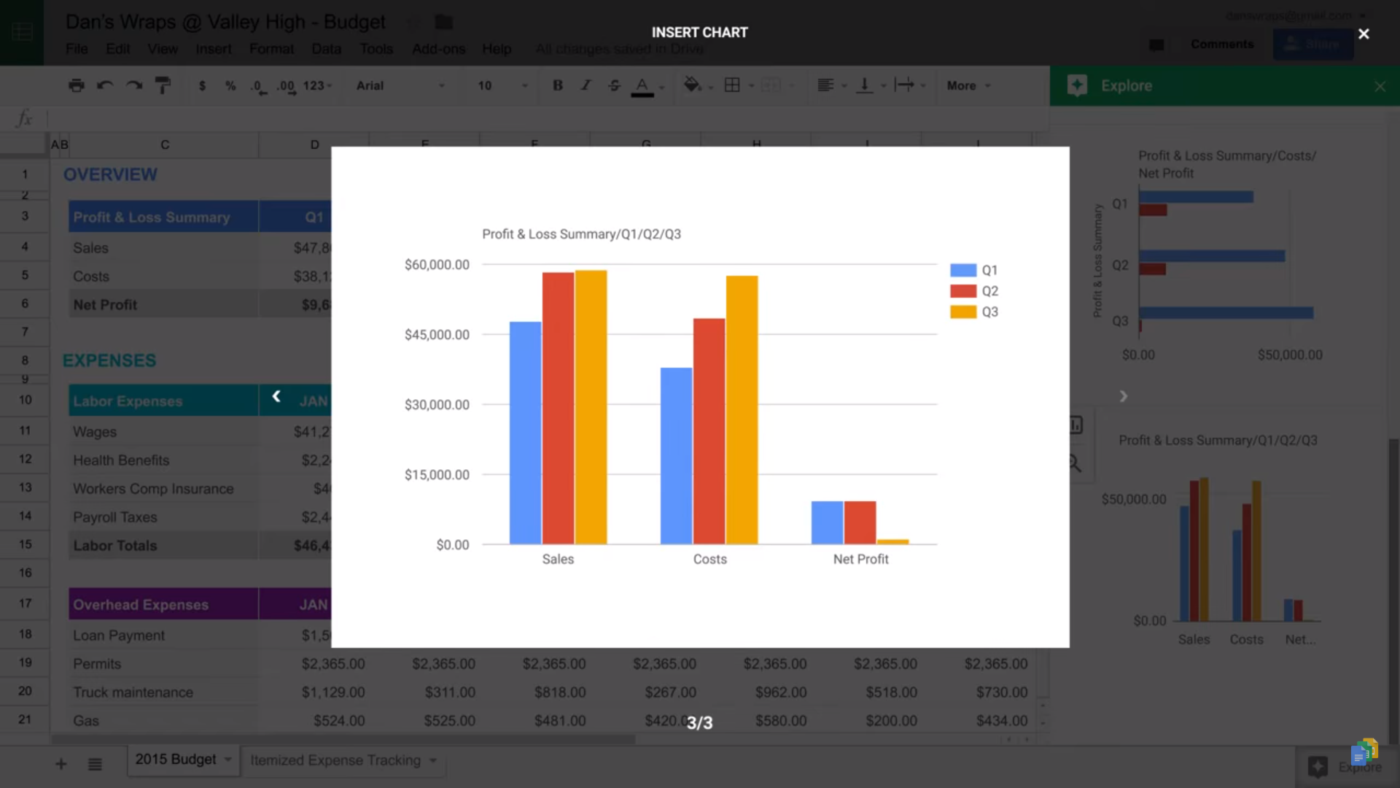
Gemini in the sidebar can also build entire spreadsheets from a prompt, create pivot tables, apply conditional formatting, and generate charts. It can clean and organize your exported Airtable data.
Where it falls short: Lookups are string matches, not pointers. VLOOKUP finds a text match, and if two rows contain the same value, it returns the first one. There is no relational integrity between sheets. Performance also degrades visibly above 50,000 rows with formulas active.
Skip it if: You need relational integrity between tables. The moment you are writing VLOOKUP or INDEX(MATCH) to simulate linked records, you have outgrown Sheets.
This is what a Capterra reviewer thinks about Google Sheets:
Google Sheets offers excellent features for a great value of money. Features like formula calculations make simple to complex budgeting data analysis smooth. It’s interface is user friendly even for beginners. It also offers real time collaboration which allows number of people to work on same work sheet at the same time without any hassle.
If the main consumer of your base is a person updating a status, it’s a project tracker. If it’s another system reading through the API, it’s a database. Teams that guess wrong migrate twice.
| If your Airtable base is really… | Start with | Why |
|---|---|---|
| A normalized database with many-to-many links, rollups, and downstream API consumers | SmartSuite, NocoDB, Baserow | They preserve the relational model that Airtable trained you on |
| A project tracker with owner/status/date fields and hacked-together dependencies | ClickUp, monday.com, Smartsheet | They give you native task hierarchy, dependencies, and project planning views |
| Docs and structured data in one place | Notion | Document = database row. Context lives next to the record |
| A spreadsheet you wish was a database | Google Sheets (temporary), then migrate | Sheets holds data. It doesn’t structure it |
| Something regulated where you need to control the server | NocoDB, Baserow, Grist | Self-host with your own LLM and never depend on a vendor’s uptime |
| A tracker you already have Microsoft 365 for | Microsoft Lists | Zero incremental cost. Good enough for single-table workflows |
Rebuild your schema and relationships in the new tool before importing a single record, and document every formula and rollup while you still have access to them. A CSV export carries your values and drops your data model. The only question is whether you recreate them from notes or from memory.
Here’s what a plain CSV export actually does:
| Airtable element | What you get after export |
|---|---|
| Linked records | Plain text names, no working links |
| Attachments | URLs, not files |
| Formulas and rollups | Computed values, no logic |
| Automations and interfaces | Nothing |
| Comments and revision history | Nothing |
Native importers recover some of that, and each one drops something different. Baserow keeps table relationships and attachments and generates a failure report. But drops Formula, Lookup, and Rollup fields. NocoDB imports rollups and lookups, but no formulas. Grist preserves data, attachments, and relationships but no views, interfaces, or forms. SmartSuite has no importer at all.
A sequence that works in practice:
For a mid-sized base with a handful of related tables, budget a week of real work spread across a month.
Here’s a walkthrough of building a database-style system for your projects:
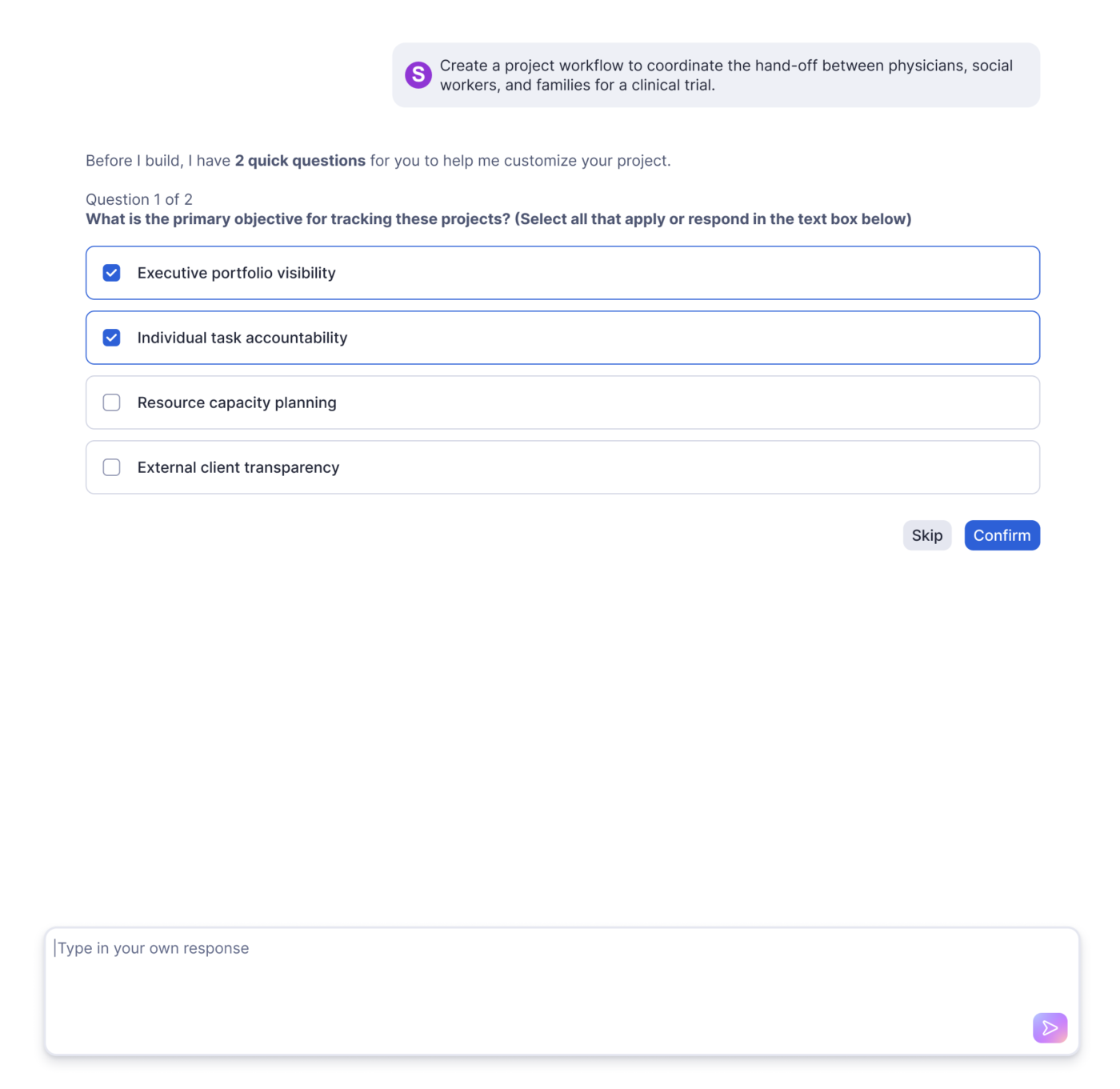
Match the tool to the job your base needs to do. If you have been running a project tracker inside a database tool, pick something built for projects. Choose a tool that preserves structure if you have been running a real relational system.
For a workspace that covers both (tables, tasks, docs, automations, and AI in one login), ClickUp is a fit.
Get started with ClickUp for free and build your first database view in an afternoon.
For most small teams, the best value is ClickUp (from $7/user/mo) if you need work management, or Notion (free, then $10/member/mo) if you mainly need docs plus light databases. If you can run a server, NocoDB and Baserow are free to self-host with unlimited records. Airtable’s own paid entry is $20/collaborator/mo.
Coda is a strong alternative to Airtable when you want documents and databases in one surface, much like Notion, with tables, buttons, and integration Packs. It suits interactive docs and lightweight workflows better than large, heavily relational bases. For heavy rollup-across-tables work, a dedicated database like SmartSuite or NocoDB fits better.
Baserow is the most permissive: its core is MIT-licensed, and self-hosting is free with unlimited rows, users, and storage. Grist’s core is Apache 2.0. NocoDB is free to self-host and the most popular by far, but its Sustainable Use License is source-available.
No. Bending Spoons agreed to acquire Airtable in an all-cash deal at a $1.285 billion enterprise value, implying about $2.25 billion in equity value (Bending Spoons). The two companies operate independently until the deal closes, expected before the end of 2026 pending regulatory approval. Airtable reported roughly $480 million in ARR as of June 2026, growing over 20% year over year, across more than 500,000 organizations. No product, pricing, or plan changes have been announced.

Arya P Dinesh
Max 27min read

Manasi Nair
Max 27min read
Manasi Nair
Max 32min read

© 2026 ClickUp




