






Still downloading templates?
There’s an easier way. Try a free AI Agent in ClickUp that actually does the work for you—set up in minutes, save hours every week.
Sorry, there were no results found for “”
Sorry, there were no results found for “”
Sorry, there were no results found for “”

You’re three meetings deep by 11 AM, and you’ve already switched between your video tool, project management app, and note-taking software six times. On an average day, a single employee toggles between apps and windows more than 3,600 times.
Here’s the thing: video meetings shouldn’t exist in a vacuum. When your call tool is disconnected from where work actually happens, decisions get lost and follow-ups fall through the cracks.
And the real question isn’t just about video quality or screen sharing. It’s about what happens after the call ends. Do those action items automatically become tasks? Can you pull up the project context mid-meeting without switching tabs?
That’s where Zoho Meeting and ClickUp’s SyncUp both promise seamless video collaboration, but they take wildly different approaches. Let’s compare them and see which actually delivers.
Here’s a quick overview for you:
| Feature | ClickUp SyncUp | Zoho Meeting |
| Available on | ClickUp workspace, mobile app, Chrome extension | Android, iOS, Linux, macOS, Windows |
| Maximum participants | 200 | 250 for meetings, 5,000 for webinars |
| Maximum speakers | 24 at once | Everyone in the meeting |
| Audio conferencing | Can record audio SyncUps | Secure dial-in numbers for over 55 countries |
| Pricing plan* | Free plan, Custom pricing for larger teams | $1/month per host for meeting subscription and $8/month per organizer for webinar subscriptions |
| Workflow management | Tasks, Docs, and meetings all connected under one workspace | Works as a standalone app—requires separate PM tools |
| Calendar management | Unified calendar that integrates with Google Calendar and Microsoft Outlook for instant meeting sync and other 1,000+ apps | Calendar invites via Zoho Calendar and Zoho Mail only |
| Resource management | Assign workloads, track capacity, and align schedules from within ClickUp Tasks | Limited to meeting scheduling |
| Technical expertise | Minimal—set up meetings and automations without coding | Moderate—requires integration with Zoho apps |
| Storage | Recordings stored in Clips Hub with transcripts | Cloud storage on paid plans (up to 5 GB free) |
📚 Read More: All-in-One Messaging Apps for Seamless Communication
This is a hidden cost of disconnected video tools. And ClickUp is built to bridge that gap that hinders productivity, and allows us to do our best work.
ClickUp is the world’s first Converged AI Workspace, bringing together all work apps, data, and workflows.
Your video calls happen where your work already lives—next to the tasks being discussed, the docs being reviewed, and the projects being planned.
No Work Sprawl, no manual follow-ups, no hunting for context from last week’s meeting. For remote teams and ops leads who need meetings that actually translate into action, here’s what makes ClickUp work differently from standalone video tools.
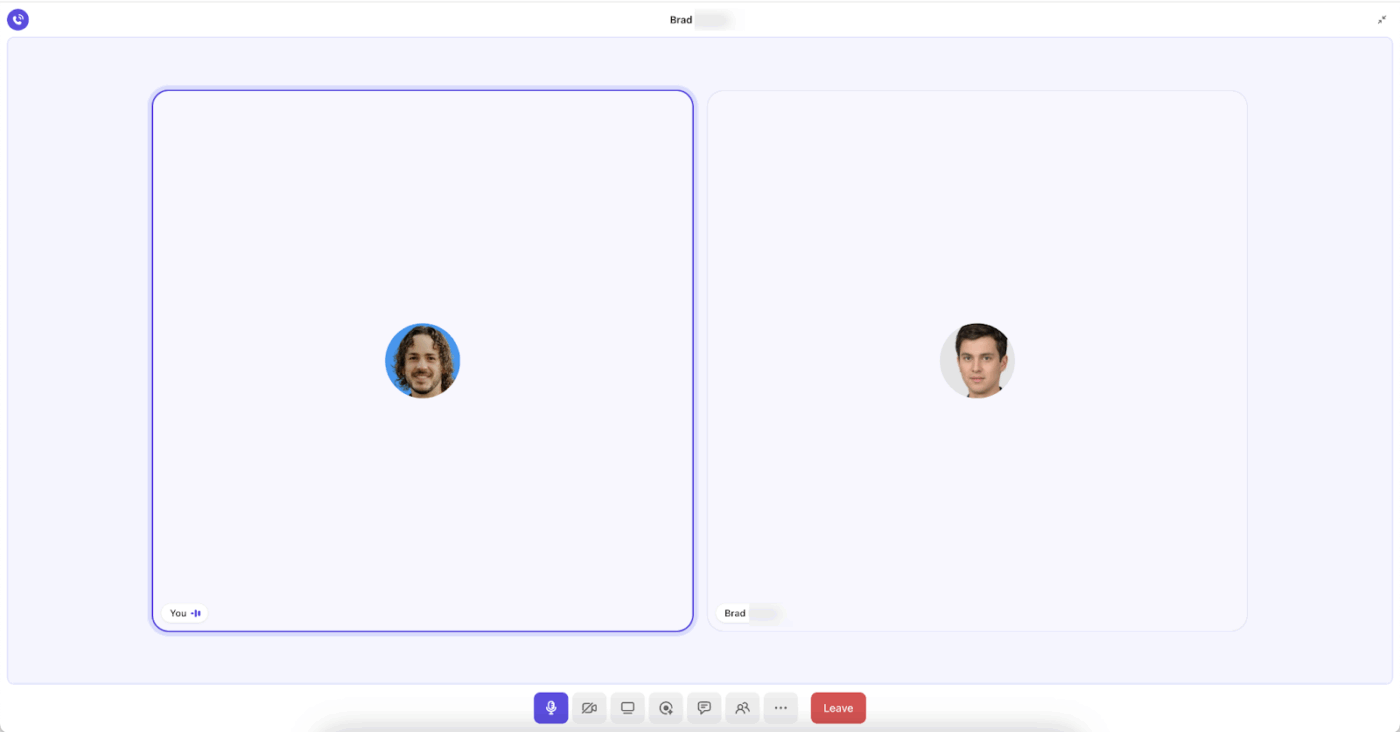
ClickUp SyncUp takes place right where you work. You don’t need to switch apps, hunt for meeting links, or transfer files just to talk with your team.
This in-app setup, along with the following features, makes SyncUp a solid Zoho alternative:
Never lose meeting context again. ClickUp SyncUp is an integrated video and audio calling feature built directly into ClickUp’s project management tool. Users can start instant one-on-one or group voice and video calls from any chat channel, direct message, or task conversation without switching apps.
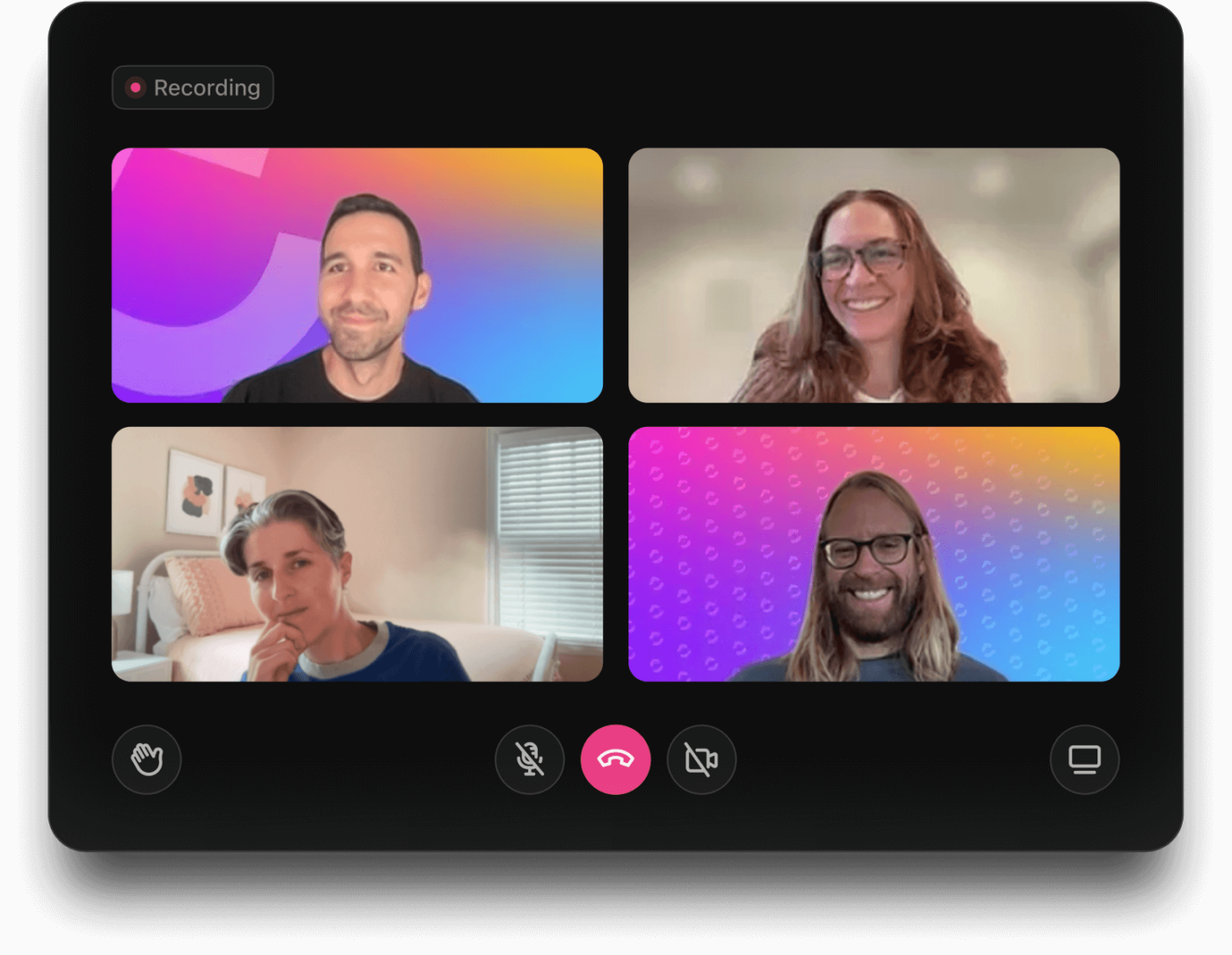
As you refine the complex project plans, connect discussions directly to ClickUp Tasks. Say you want to assign new responsibilities, you can create or update tasks in real time. Each SyncUp automatically logs a summary in the chat thread, so team members who missed the call can quickly catch up.
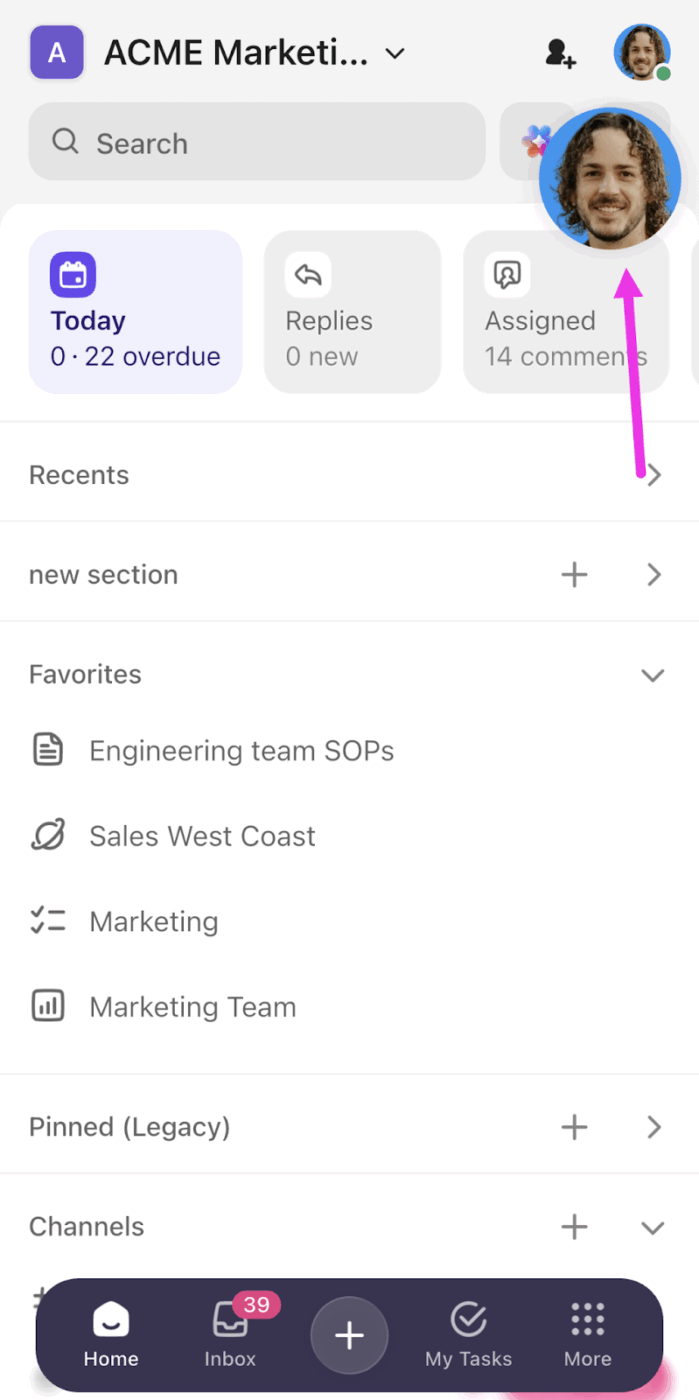
With Mobile SyncUp advanced feature, take your face-to-face communication anywhere, even when you are not at your desk. Start or join SyncUps on the ClickUp mobile app from any channel or direct message.
🚀 Smart Sync: ClickUp Integrations eliminate context switching with your current tool stack.
ClickUp connects with tools your team already uses, like Google Workspace, Microsoft Teams, and Slack, to ensure no conversation or task lives in isolation.
These integrations save time and improve workflow management by keeping files, meetings, and updates accessible in one place.
Stop repeating yourself in meetings or typing out lengthy explanations.
ClickUp Clips lets you record your screen or voice-only clips and drop them directly into Docs, Comments, or Chat—so your team gets context instantly, on their own time.
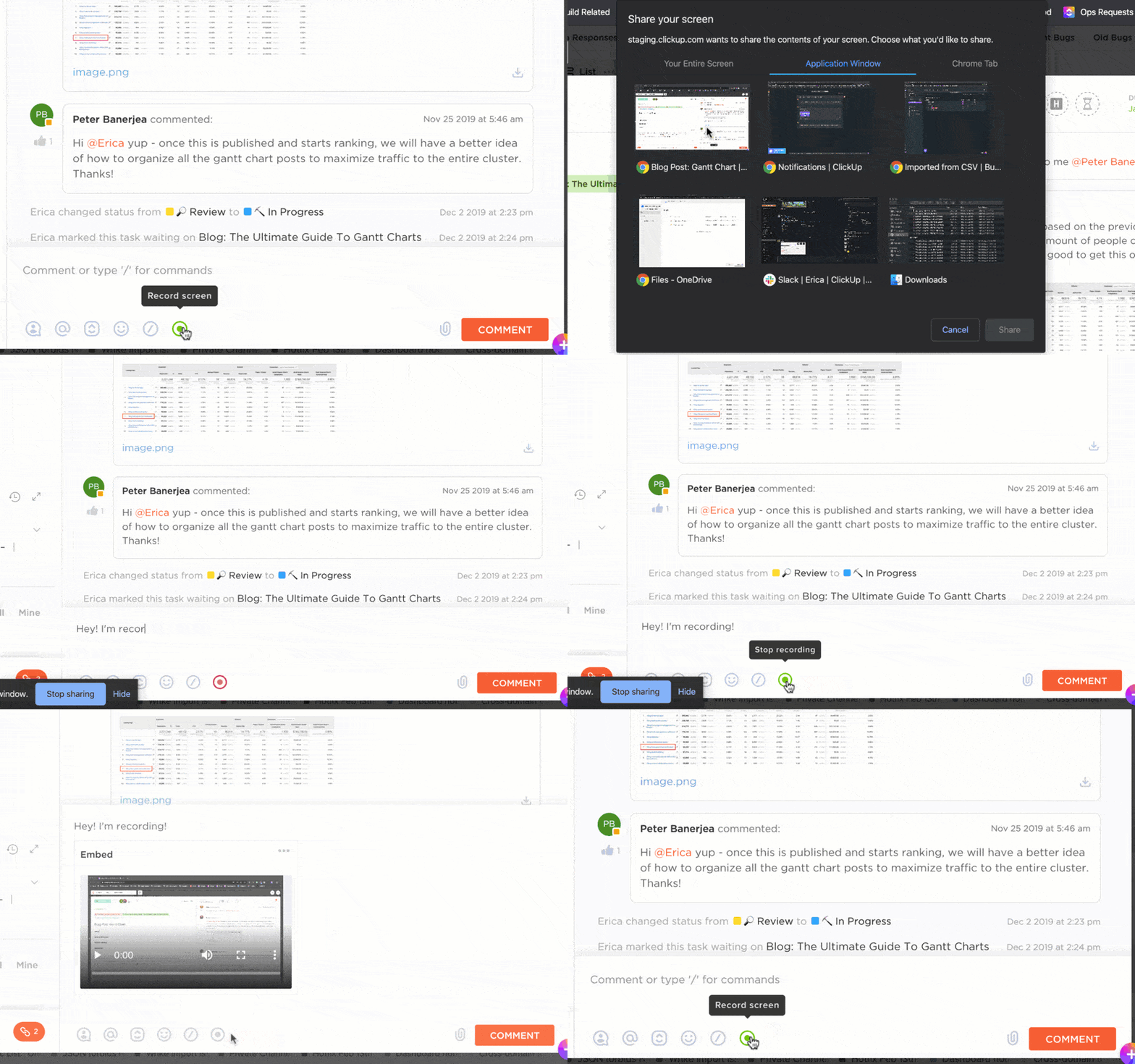
Plus, all your recorded Clips and recorded SyncUps are stored in Clips Hub. You can access these recordings at any time, along with transcripts, and add timestamped comments to direct a very specific conversation.
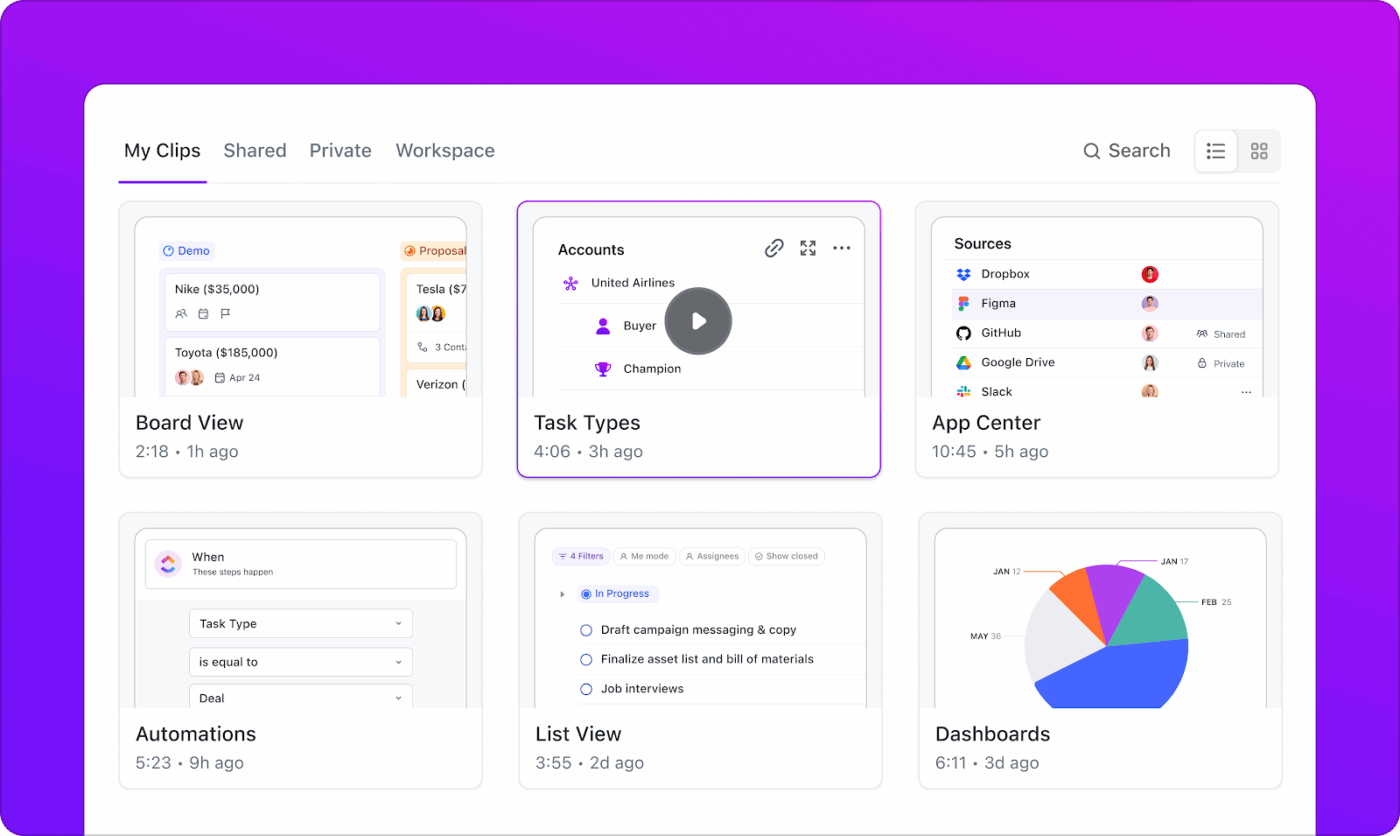
In fact, anyone in your workspace who has access to the channel (where the SyncUp was recorded) can view the transcript and add comments to the recording
📮 ClickUp Insight: Context-switching is silently eating away at your team’s productivity. Our research shows that 42% of disruptions at work come from juggling platforms, managing emails, and jumping between meetings. What if you could eliminate these costly interruptions?
ClickUp unites your workflows (and chat) under a single, streamlined platform. Launch and manage tasks from across chat, docs, whiteboards, and more—while AI-powered features keep the context connected, searchable, and manageable!
Your best conversations happen when they’re connected to the work being discussed. And you can start a call (aka initiate the SyncUps) right from your Chat window.
ClickUp Chat allows you to communicate and collaborate with your team by bringing all your discussions and tasks into one unified platform. Send up to 1,000 messages per workspace (free plan) and organize them neatly in threads and channels.
Within Chat, you can triage comments and turn them into actionable tasks and to-do lists. You can also share files, set announcement posts, carry on task management, and search for specific messages through keywords (just like Slack).
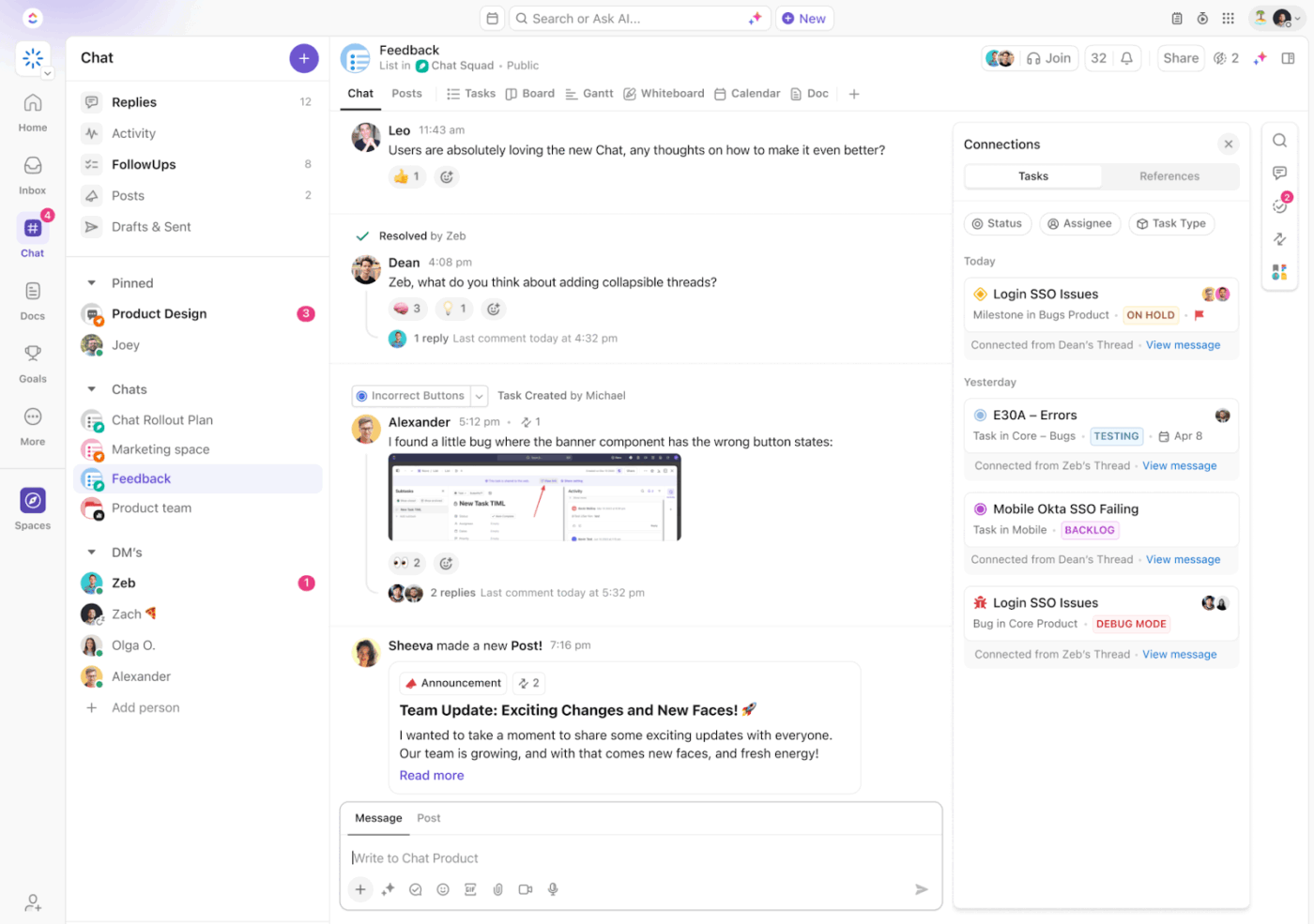
You can directly start a SyncUp from ClickUp Chat. Since your team members already have access to that communication thread, you won’t have to spend time building context or sharing files over multiple collaboration tools.
⭐ Bonus: ClickUp’s AI Notetaker automatically records, transcribes, and summarizes discussions in real time—turning every conversation into actionable insights.
Once the meeting ends, the AI Notetaker generates concise summaries, captures decisions made, and even identifies next steps or owners. These notes are instantly linked to your ClickUp Tasks or Docs, keeping your entire team aligned, even when the team is working on multiple projects.

Tired of wasting time searching for key takeaways after a video call? With ClickUp Brain, a powerful contextual AI layer built into your workspace, your tasks, docs, chats, meetings, and dashboards are all connected. This means Brain truly understands your work context.
The best part is that Brain automatically extracts action items from meetings and converts them into properly formatted, assigned tasks as soon as the call ends. So you don’t need to dig through past agendas or Slack threads either.
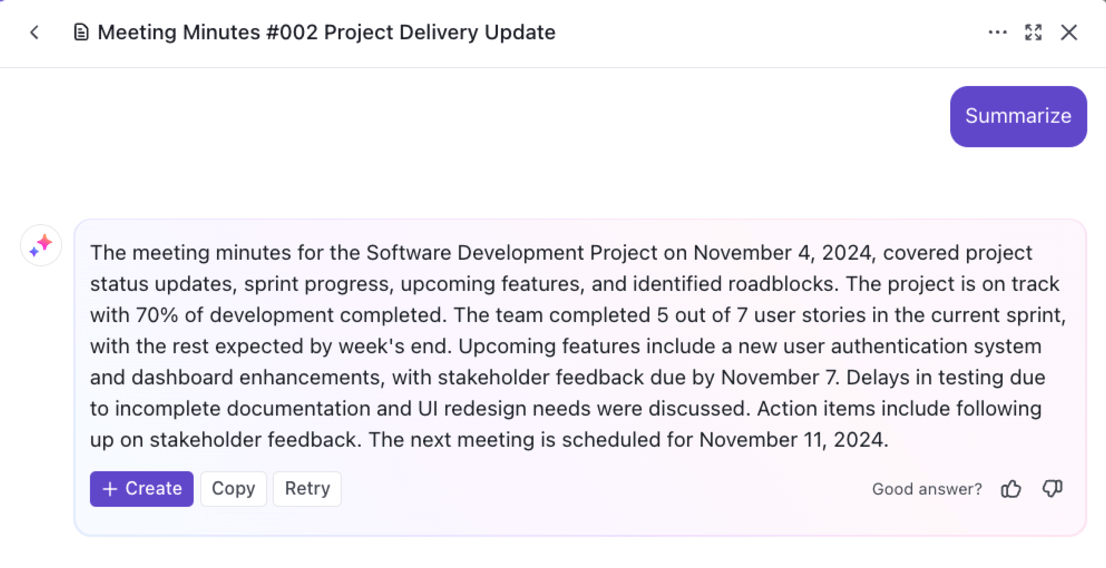
Plus, it can summarize previous meeting notes, highlight key task progress and blockers, generate talking points, and next steps.
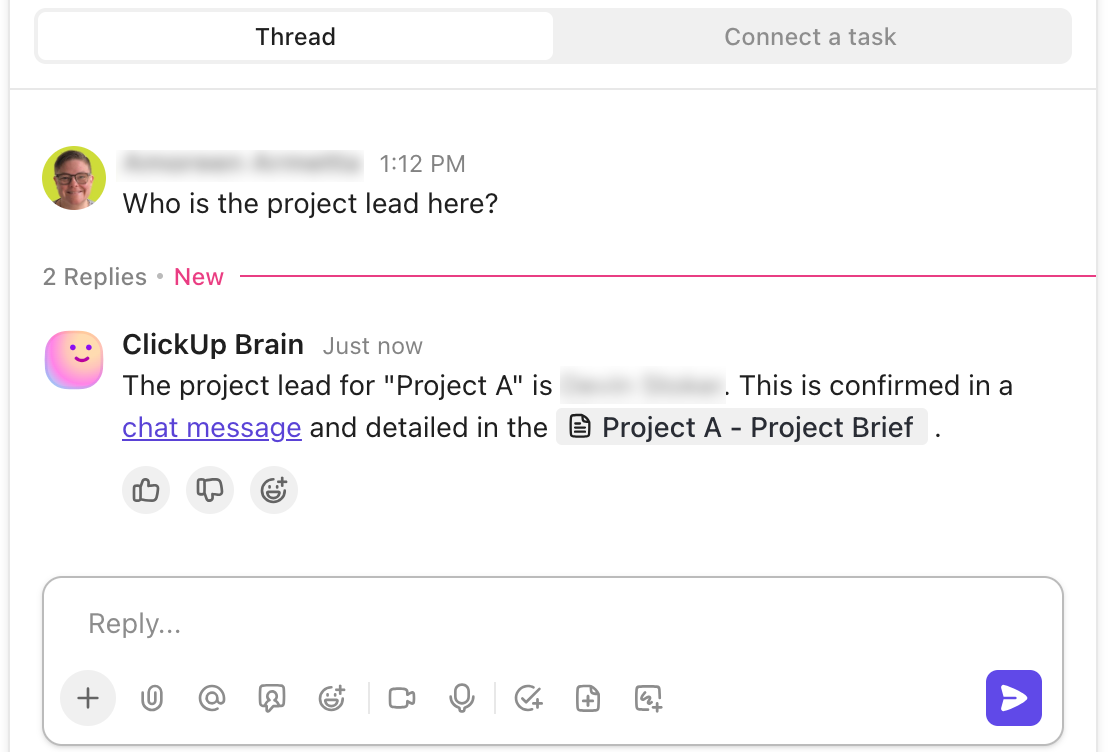
💡 Pro Tip: Use ClickUp’s Agents in your team channels to respond to straightforward questions.
This agent pulls information from the Channels it has access to and answers questions like “Who is the project lead here?” or “Who was assigned the testing task in yesterday’s meeting”? Without interrupting anyone on your team. Automate repetitive tasks in your workflow within minutes.

Zoho Meeting is an online meeting and webinar platform designed for workplace collaboration and communication for businesses and individuals. It is one of the many components in the broader Zoho ecosystem.
The platform supports dedicated virtual meeting rooms with assigned controllers and integrates directly with calendar systems and Zoho’s suite of applications (including Zoho CRM). It offers advanced security with its SSL/128-bit AES encryption, with features like password-protected rooms and waiting room controls to keep uninvited guests out.
Zoho Meeting is a standalone app built for hosting both internal meetings and external webinars.
From one-on-one individual meetings to a group meeting of 250 and a webinar of up to 5,000 people—this app is used by remote teams and webinar hosts for the following key features:
Zoho Meeting Rooms transforms your physical conference spaces into a virtual meeting platform where teams can join online meetings together.
Users can set up a room by pairing a display (such as a TV or monitor) with a dedicated controller app on an iOS device (the Zoho Meeting Rooms Controller app) for hands-free operation.
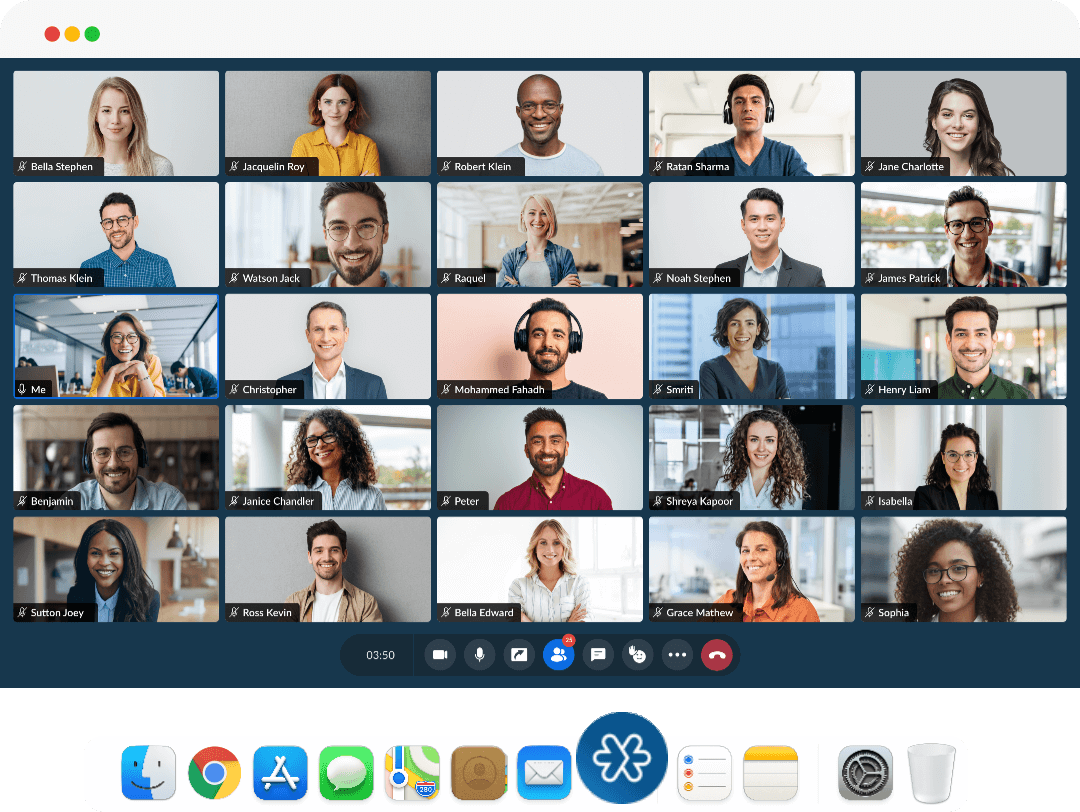
You can create and manage multiple rooms from your Zoho Meeting account and associate them with specific sessions while scheduling. The controller also allows you to adjust audio and video preferences, record sessions, and track all room-based actions through an action log viewer.
⚡ Template Archive: Free Note Taking Templates for Better Organization
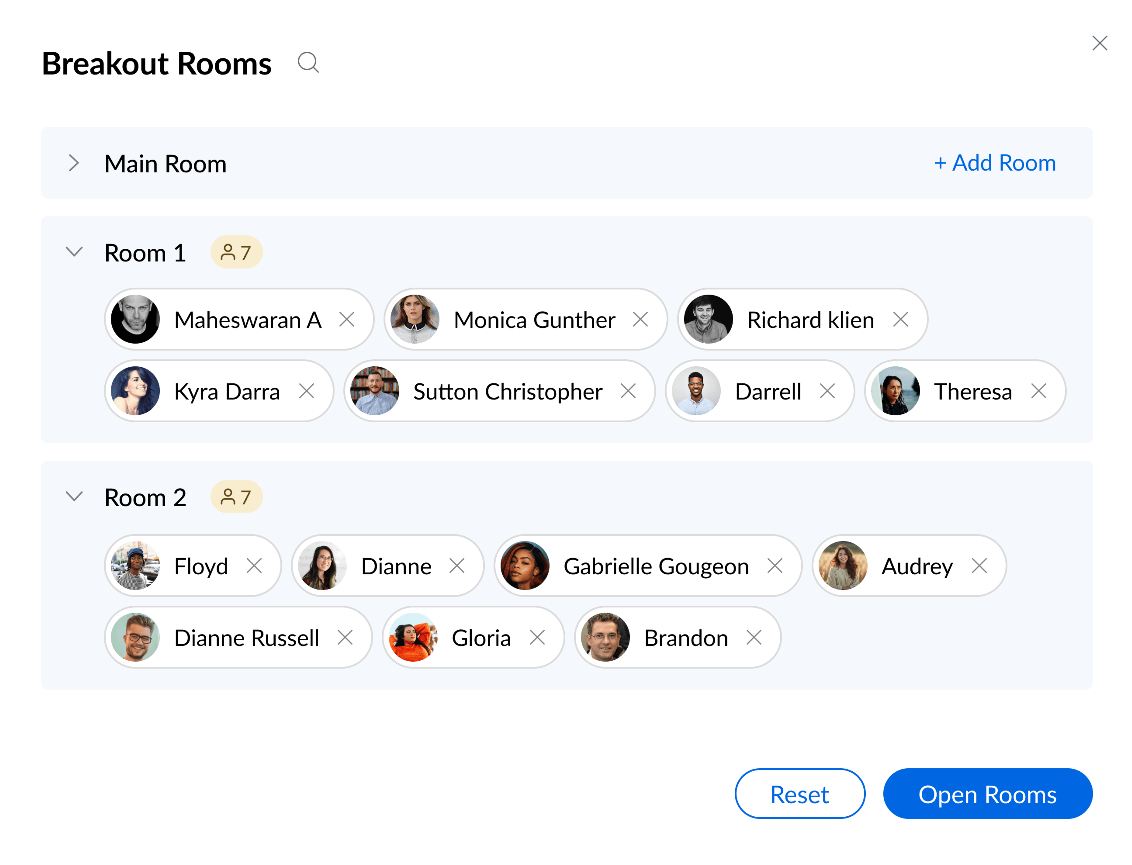
Breakout rooms are virtual spaces within a meeting where you can split participants into smaller groups for focused discussions and brainstorming. During an ongoing session in Zoho meetings, hosts can create multiple rooms (up to 20), assign participants manually or automatically, and set timers for how long each group works independently.
Each breakout room functions like a mini-meeting with its own screen sharing and whiteboard access. During workshops and cross-functional team meetings, the host can monitor discussions (in individual breakout rooms) before bringing everyone back to the main session.
👀 Did You Know? Nearly 55% employees multitask during long meetings. They are likely to miss some key insights and may need some help with notes and summaries to connect the vague dots.
Always share the meeting summary with attendees so they can refer back and connect the dots.
Virtual Whiteboard is a collaborative tool that allows participants to brainstorm and visualize ideas in real time during online meetings.
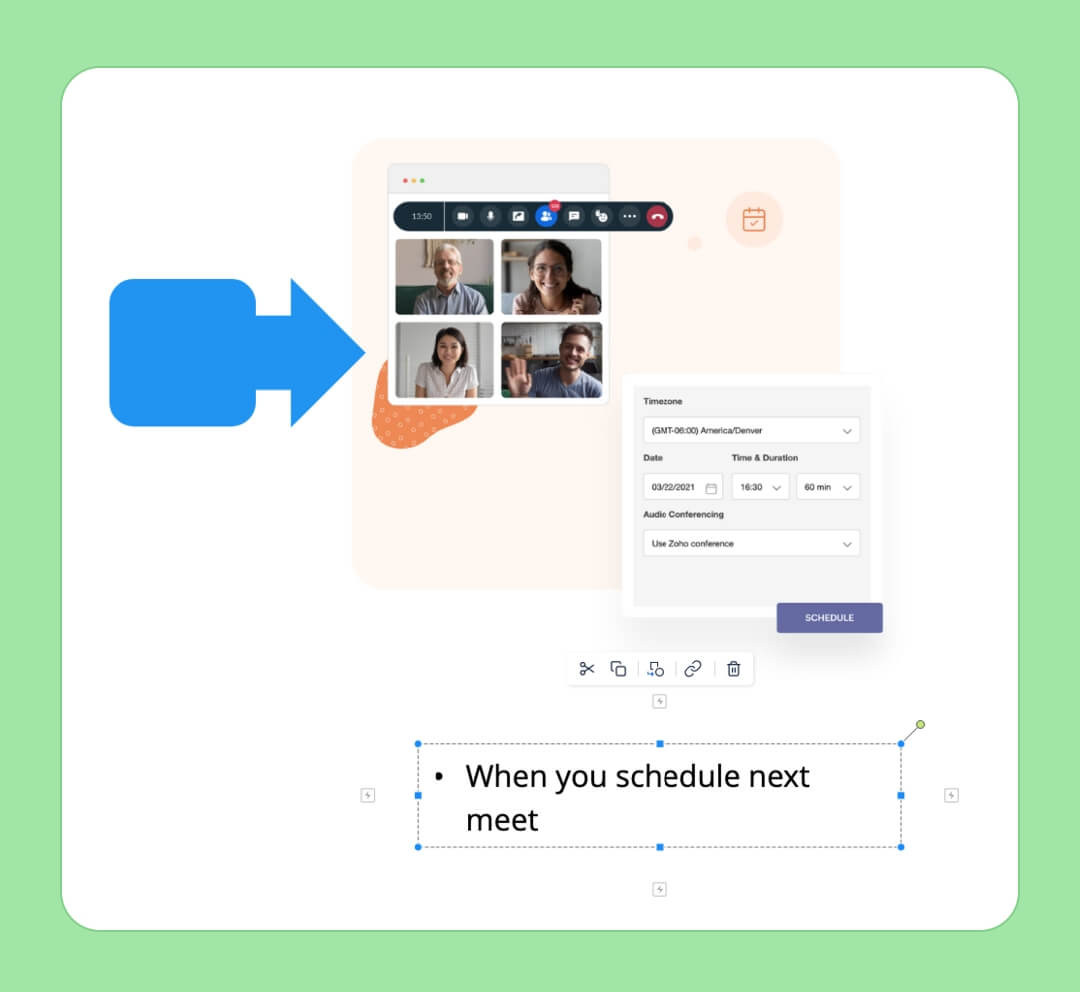
The whiteboard features text formatting options (fonts, colors, and alignment) and advanced shape recognition, which converts your rough sketches into precise geometric shapes. You can upload and annotate images directly onto the canvas and download the whiteboard as an image for future reference or sharing.
⭐ Bonus: You can assign tasks to team members in between SyncUps just by mentioning their name. With ClickUp Brain MAX’s Talk to Text, you can also transcribe your thoughts in 50+ languages without any extra steps. Check out Brain Max’s extensive capabilities in this video:
Both ClickUp SyncUp and Zoho Meeting help remote teams stay connected through video calls and collaboration features.
While ClickUp SyncUp is built for quick internal alignment (jumping from task discussions to live calls without switching tabs), Zoho Meeting focuses on structured meetings and webinar hosting.
Let’s break down how they (ClickUp SyncUp vs. Zoho Meeting) differ across core features.
Both these tools use AI in video calls. You get timestamped transcripts of your audio and video SyncUps with ClickUp Notetaker (no separate integration needed). It identifies speakers and builds clean, searchable transcripts along with smart summaries in your ClickUp Docs. Brain further extracts actionable items from the transcript to create and assign tasks with due dates and attachments.
Zoho Meeting uses Rev AI and Zia (powered by OpenAI) to generate summaries and real-time transcriptions. Besides, in Zoho Meetings, you cannot assign tasks directly from transcripts. You’ll need to manually transfer action items into your project management software or task list, making it less actionable.
🏆 Winner: ClickUp wins for its task integration feature that bridges the gap between notes and execution.
ClickUp SyncUp allows you to add a video background if you’re using a Mac with Apple silicon on macOS Sequoia. There’s no option to upload custom virtual backgrounds with your company branding or logos.
Zoho Meeting, however, lets you upload custom virtual meeting backgrounds, including your business branding and logos. You can choose from pre-designed templates for a background that minimizes distractions.
🏆 Winner: Zoho Meeting since it allows customization across all devices and operating systems.
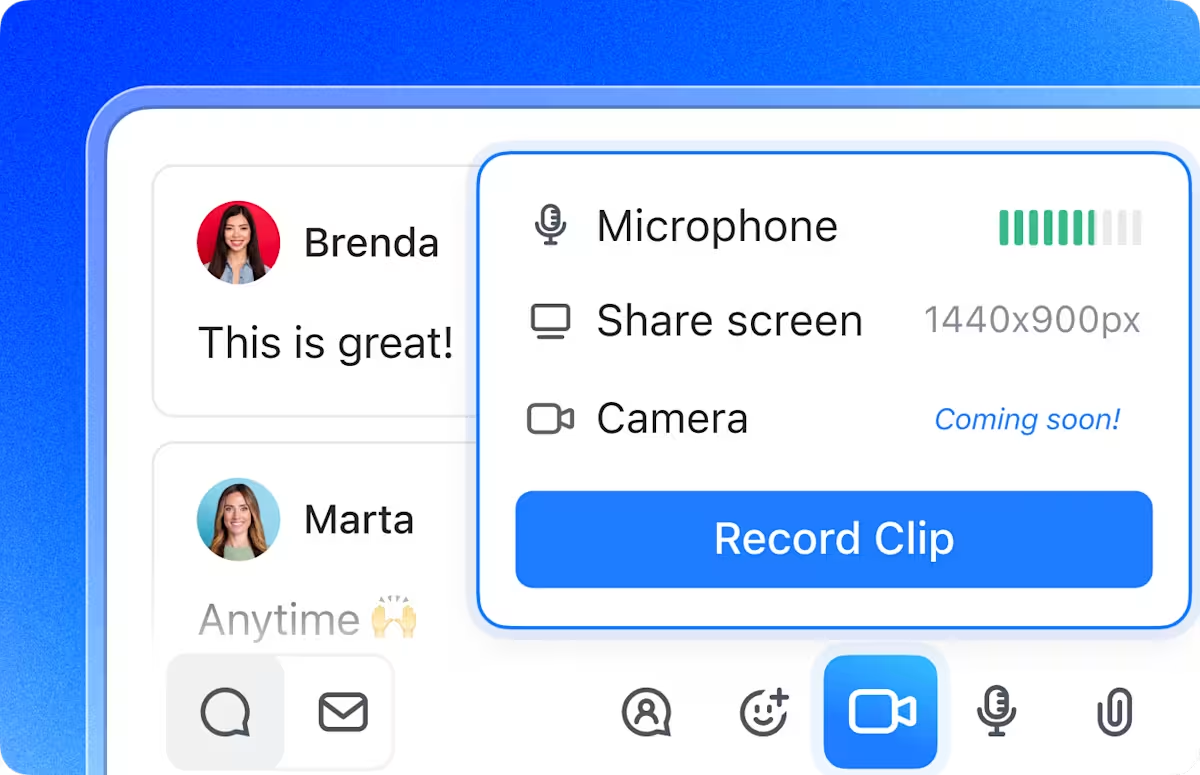
ClickUp SyncUp allows screen sharing during audio and video calls. You can share their entire screen, a specific application window, or a browser tab. The standout feature here is timestamped comments. If you have some notes or questions for a specific team member at 2:15, you can click there and add a comment.
Zoho Meeting also lets you share screens and individual application windows. It’s interactive in a way that users can draw or annotate while recording their screens, but again, you cannot handle task management.
🏆 Winner: ClickUp wins for its timestamped commenting feature that turns screen shares into searchable, collaborative discussions even after the meeting ends.
📚 Read More: Best Screen Share Software for Remote Meetings
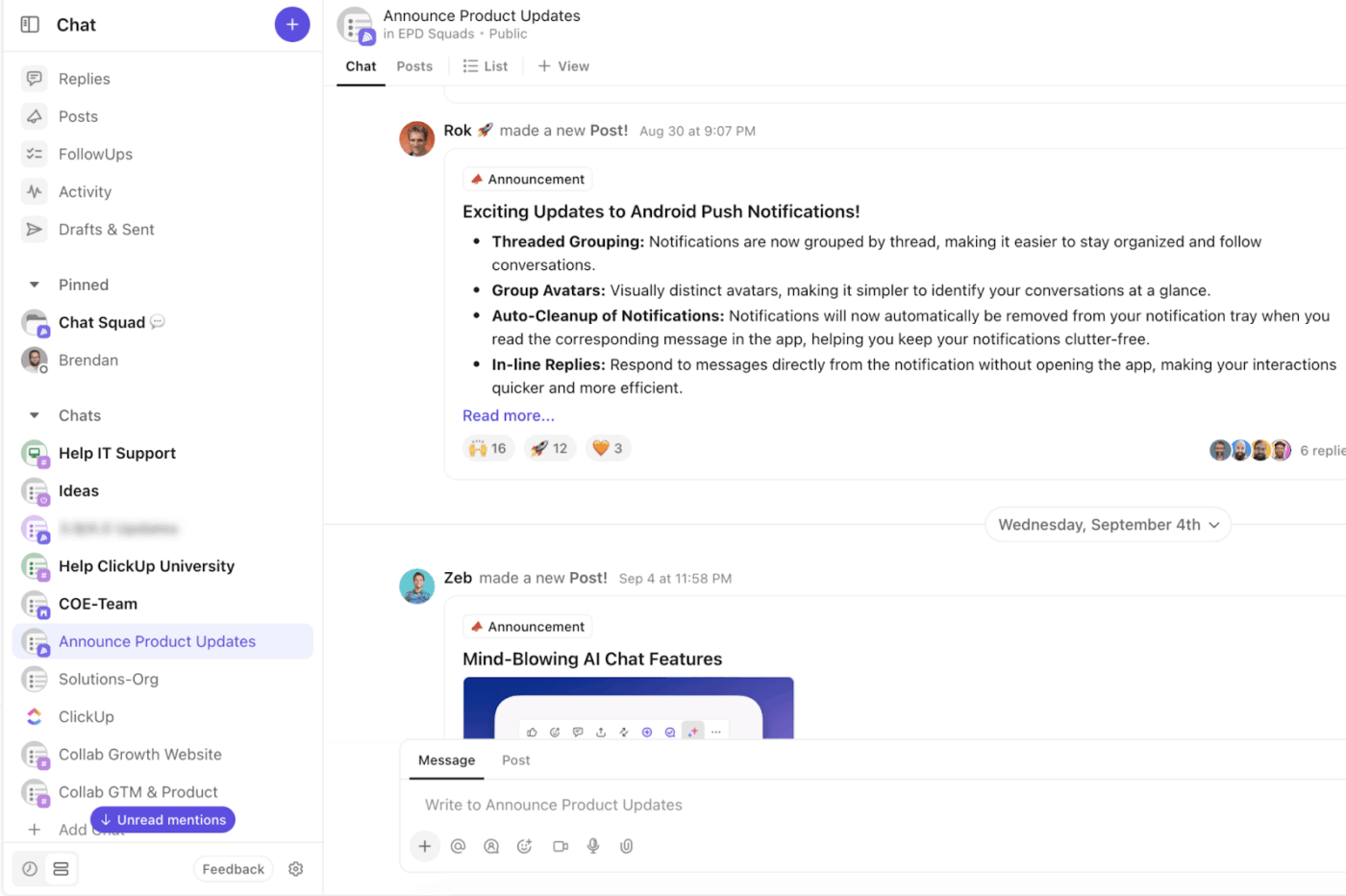
ClickUp SyncUp happens inside ClickUp Chat, which means the conversation thread you’re already using becomes your meeting space. Send messages, share files, and create tasks from the chat without opening a separate meeting chat window.
Zoho Meeting includes a built-in chat platform during meetings that lets participants send text messages and links to each other. You can chat publicly with all meeting participants or send private messages to specific people.
However, the chat is separate from your broader team communication. It exists only within the meeting window and doesn’t connect to your project management or task systems.
🏆 Winner: ClickUp wins for keeping chat and meetings in one continuous thread and being context-aware.
🧠 Fun Fact: Nearly 70% of employees believe that poor collaboration limits their productivity and wastes their time. Your overworked and overwhelmed employee needs a communication system that doesn’t require them to switch between 10 apps.
📚 Read More: Best Chat Platforms for Business Communication
You can track broader workspace activity through ClickUp Dashboards, but ClickUp doesn’t offer native analytics specifically for SyncUp meetings. In other words, you cannot track meeting-specific metrics such as attendance duration, participant engagement, or call frequency in ClickUp.
Zoho Meeting, however, does offer detailed analytics tracking of session count, duration, and session history. The platform tracks participant engagement, including levels of activity, device preferences, and time in session, giving webinar hosts granular-level insights.
🏆 Winner: It’s a tie. Zoho Meeting is ideal for hosting training and department-wide meetings. ClickUp SyncUp works best for quick cross-team or workplace communication.
👀 Did You Know: Over a three-year period, organizations using ClickUp achieved an estimated 384% return on investment (ROI), according to Forrester Research. These organizations generated about US $3.9 million in incremental revenue through projects enabled or improved by ClickUp.
Apart from members and admins, ClickUp gives free forever guests (with channel access) permission to initiate SyncUps. Any workspace with the Chat ClickApp enabled can access and use SyncUps (also for free plan users). Currently, up to 200 participants can join a SyncUp, and calls can last for up to 10 hours per session. 24 speakers can speak at once.
Up to 2 hosts can host a meeting in Zoho, and only the co-hosts have the permission to mute participants, lock meetings, and manage screen shares. Zoho Meeting’s Free plan supports 100 participants for 60-minute sessions, and for its paid plan, a maximum of 250 participants can join regular meetings.
🏆 Winner: Again, the winner depends on your needs. ClickUp for project management teams who need task-linked permissions and all-in-one pricing. Zoho Meeting for webinar hosts who need dedicated organizer controls, 1000s of attendees, and lower entry costs.
For an unbiased opinion on both the tools, we took to Reddit and G2.
Here’s what real-life users have to say about both AI meeting tools.
A ClickUp user says,
We’ve been testing this feature in every meeting lately, and honestly, it’s been a game-changer. It records Zoom calls, creates summaries and full transcripts, and even pulls out action items we can automate into tasks. It’ll also flag potential problems and solutions that come up during the discussion. Super helpful for follow-ups.
Another user who found Brain MAX’s contextual ability handy for finding useful documents says,
It can access your other apps, for example, I have my drive synced and it’s so much quicker to find a spreadsheet or something through Brain Max than opening Drive, looking for it, etc.
Since Zoho Meeting did not have many Reddit reviews, we sourced them from G2.
Most users complain about the audio and video quality, as you can see from this review:
The video quality could be better—sometimes it feels a bit laggy and blurry, even with a stable internet connection. Improved video optimization and clarity would make the overall experience much smoother.
Another user complains of frequent app crashes:
Every time I screen share, the app crashes. It is frustrating to say the least. The other’s who I meet with have video that is choppy. They freeze up. Not sure if that’s their internet connection or the app.
📚 Read More: Top AI Transcript Summarizers to Save You Time
The verdict on the best video meeting tool is here. ClickUp takes the crown.
Zoho Meeting is helpful for webinars. It gives you access to key features like breakout rooms, virtual whiteboards, detailed analytics, and custom branding that make external presentations look professional.
But its AI feature stops at summarization. It doesn’t draft action items or propel the work forward. You’re stuck with notes of tasks that need to be assigned and tracked manually.
Whereas, ClickUp Syncups takes it further. It is built for teams that need to move fast without switching contexts. You’re already discussing a task in Chat, someone has a question, you hit SyncUp, talk it through, and get moving with the work. Focus on execution while ClickUp handles the rest.
Sign up on ClickUp for free to get started!

© 2026 ClickUp

There’s an easier way. Try a free AI Agent in ClickUp that actually does the work for you—set up in minutes, save hours every week.