
Sorry, there were no results found for “”
Sorry, there were no results found for “”
Sorry, there were no results found for “”
The lives of IT managers, DevOps pros, and business process analysts are…chaotic.
One minute, you’re fixing a broken data pipeline; the next, you’re chasing a malfunctioning automation at 2 AM. And nothing says ‘fun’ like troubleshooting integration failures right before deadlines.
When smooth operation is at stake, you need more than just automation. You need coordination.
👀 Did You Know? Business inefficiencies quietly drain 20–30% of a company’s revenue annually.
Workflow orchestration tools help you define, schedule, and monitor workflows across teams and systems, ensuring even the most complex workflows run with minimal manual intervention.
To help you choose wisely, we’ve rounded up the top workflow orchestration platforms and what makes each one stand out. Let’s begin!
Want a quick comparison of all the tools? Here’s an overview before we discuss them in detail.
| Tool | Key features | Best for | Pricing* |
| ClickUp | All-in-one platform for task management, automation, real-time collaboration, and AI suggestions | Cross-functional teams, startups, and growing businesses that manage complex projects | Free plan available; customizations available for enterprises |
| Apache Airflow | Python-based workflows using DAGs with real-time monitoring and integration with cloud/data tools | Data engineering and DevOps teams that manage complex pipelines and ML workflows | Free forever |
| AWS Step Functions | Provides a visual builder for orchestrating serverless workflows with built-in error handling and native AWS integration | Teams building and managing serverless or microservice architectures on AWS | Free; custom pricing |
| Microsoft Power Automate | Easy business processes automation across Microsoft 365 with AI-driven flows and robotic process automation for legacy systems | Microsoft-centric businesses that require low-code automation across departments | Free; paid plans from $15/month per user |
| Nected | A low-code platform to build logic-based workflows with real-time orchestration, seamless API connections, and intuitive UI | Business users and developers seeking customizable, logic-driven workflow automation | Free; custom pricing |
| Prefect | Python-native tool that supports event-driven workflows without DAGs, offering flexibility, caching, and real-time triggers | Data scientists and engineers looking for scalable Python-based workflows | Free; custom pricing |
| Google Workflows | Orchestrates cloud-native services in a serverless environment with real-time triggers | Teams working in the Google Cloud ecosystem to build event-driven or API-based workflows | Free; custom pricing |
| Azure Data Factory | Data integration with a low-code interface, hybrid data handling, and real-time pipeline monitoring | Enterprises managing large-scale data integrations | Custom pricing |
| Control-M | Complex workflow management across hybrid environments with predictive analytics, CI/CD integration, and secure data transfers | Enterprises handling mission-critical workloads requiring governance and automation | Custom pricing |
| Flyte | Scales machine learning workflows with dynamic execution, parallel task handling, and strong version control | Data and ML engineering teams managing big data science projects and workflows | Custom pricing |
Before getting to the list, let’s discuss the key features to consider when choosing the right IT automation software.
The right tool makes working a breeze and improves productivity across the company. You’ll wonder how you ever managed without it!
💡 Pro Tip: Don’t just evaluate a tool based on your current needs. Consider your organization’s three-year roadmap when selecting a workflow software tool.
Our editorial team follows a transparent, research-backed, and vendor-neutral process, so you can trust that our recommendations are based on real product value.
Here’s a detailed rundown of how we review software at ClickUp.
Now that you know your priorities, let’s explore the cream of the crop!
Work today is broken. Our projects, knowledge, and communication are scattered across disconnected tools that slow us down.
If you’re building complex workflows, ClickUp is the one tool you’ll wish you had started using sooner.
As the everything app for work, ClickUp combines projects, knowledge, and chat in one place—all powered by AI that helps you work faster and smarter.
🧠 Fun Fact: 40.9% of ClickUp users were able to replace three or more tools after switching to ClickUp.
Let’s say your DevOps team is managing a major deployment. There are server upgrades to handle, testing pipelines to monitor, release notes to update… basically, a ton of moving parts to take care of. The first step is to break the entire mammoth project down into smaller, trackable tasks.
ClickUp Tasks make this simple. Use them to create detailed tasks and subtasks, assign them to the right people, set deadlines, manage priorities, and even link dependencies.
Launching a new internal tool? Break it down into: setting up the dev environment, finalizing UI/UX, and rolling out v1.0. Depending on the urgency of the tasks, set priorities like Urgent, High, Normal, and Low. This ensures that every step flows in the right order.
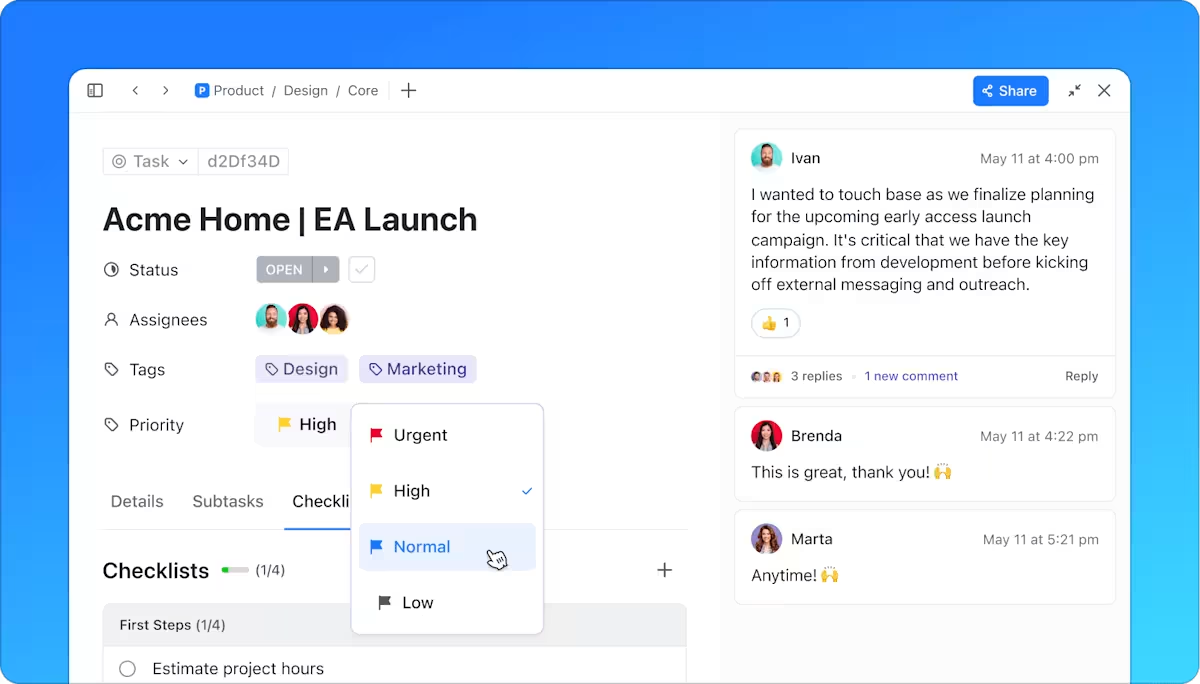
What about the times you need to add more context to tasks, such as sprint numbers or approval dates? ClickUp Custom Fields eliminate the need to share multiple spreadsheets and random notes by helping you add the information your team needs right within the task.
Additionally, ClickUp Custom Task Statuses help your team track the stage at which each task is, keeping you and your team updated on the overall project progress.
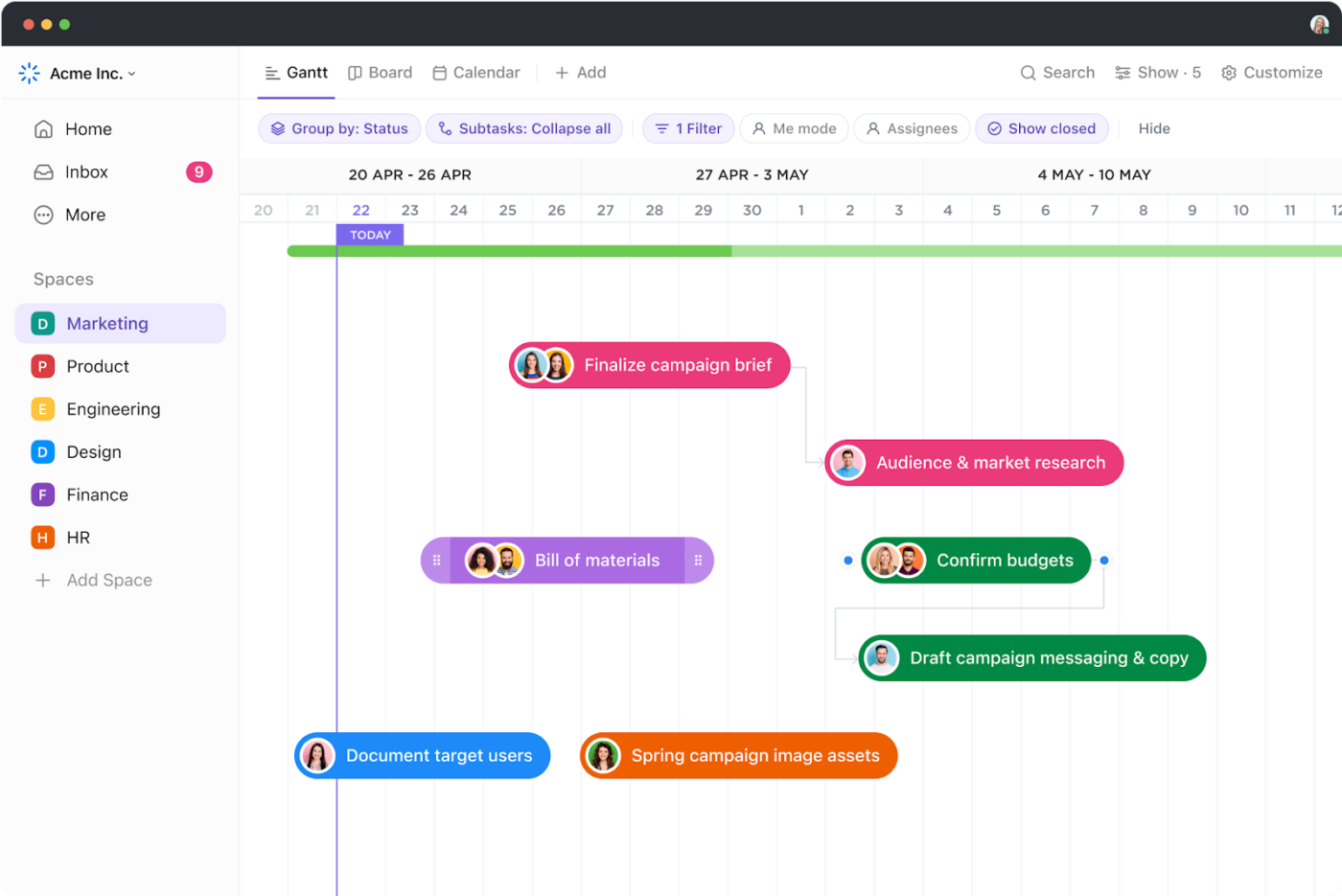
Once you have assigned the tasks, how do you view them? We say, however you like to! ClickUp’s 15+ Views are customizable and let you visualize workflows your way.
Whether you want to use the ClickUp List View for a perfectly structured task list or go for the ClickUp Gantt View to view project timelines and dependencies, ClickUp offers it all!
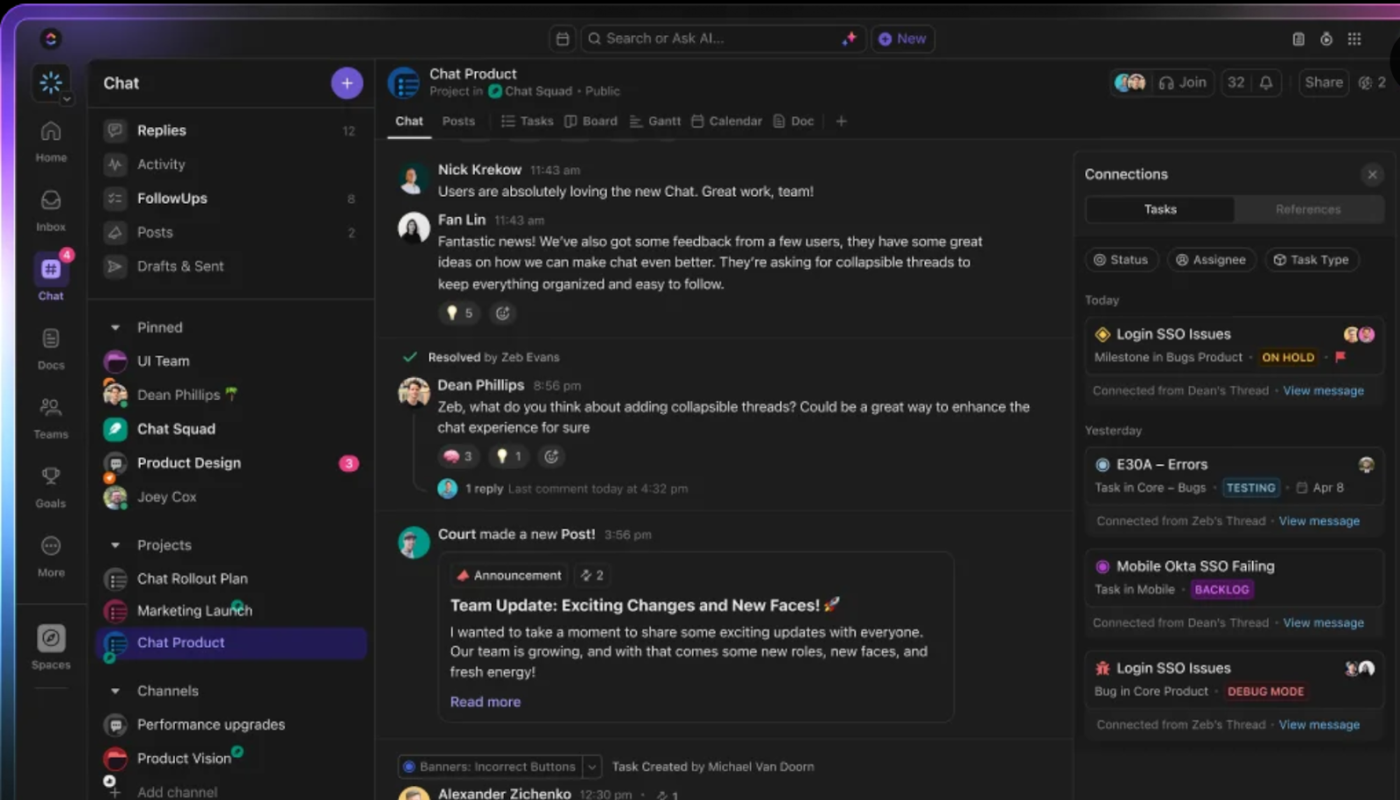
Once tasks are rolling, you’ll want to ensure no one is stuck with questions. Instead of relying on scattered communication through different channels, use ClickUp Chat and ClickUp Assigned Comments to centralize discussions.
Get real-time updates, @mention teammates, and resolve blockers directly within the task or in a centralized chat channel connected to your task list and project space. This helps you make your team communication more efficient and prevent the top enemy of productivity—context-switching.
📮ClickUp Insight: Context-switching is silently eating away at your team’s productivity. Our research shows that 42% of disruptions at work come from juggling platforms, managing emails, and jumping between meetings. What if you could eliminate these costly interruptions?
ClickUp unites your workflows (and chat) under a single, streamlined platform. Launch and manage your tasks from across chat, docs, whiteboards, and more—while AI-powered features keep the context connected, searchable, and manageable!
One of the main purposes of workflow management is to save time on repetitive tasks.
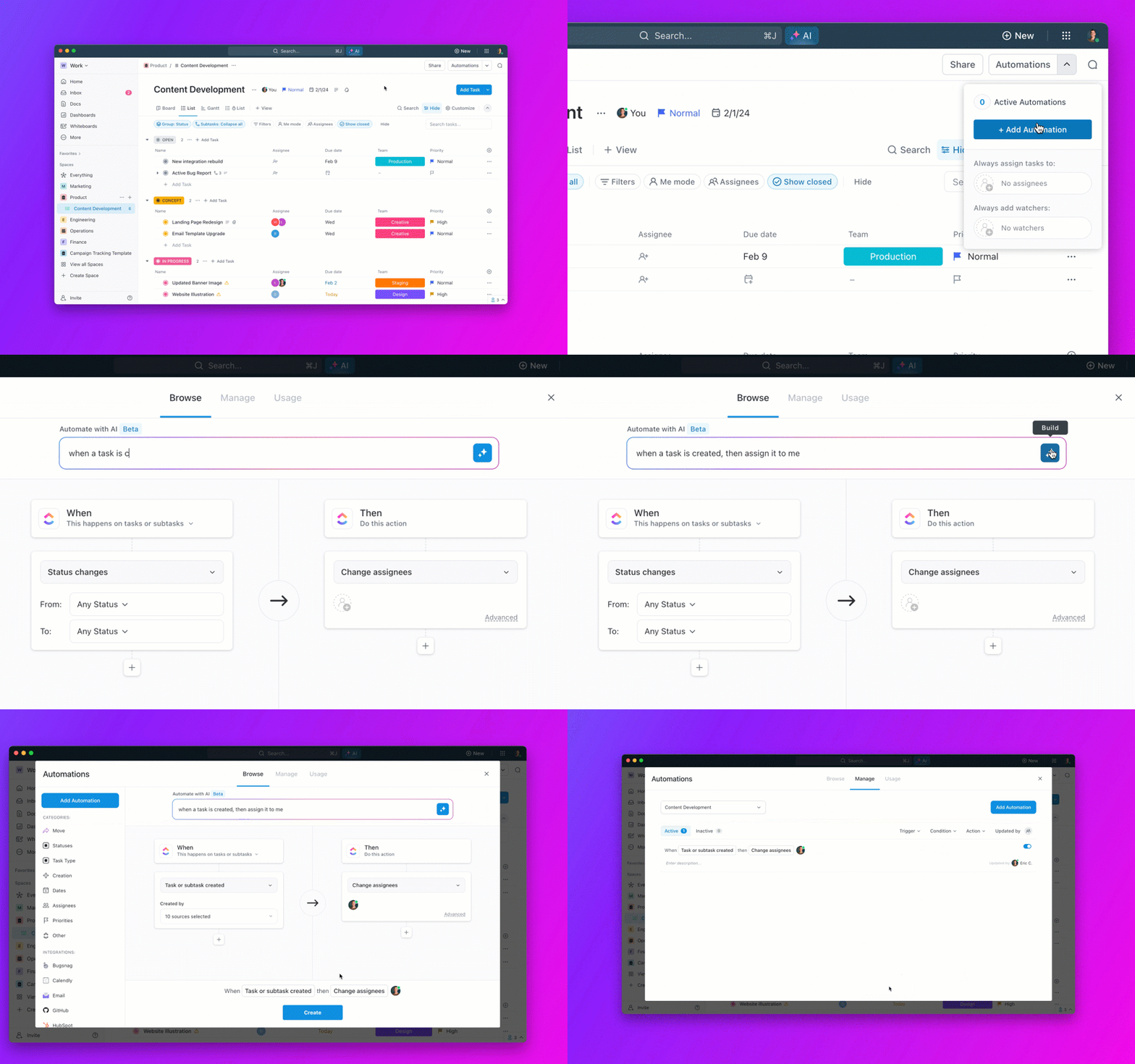
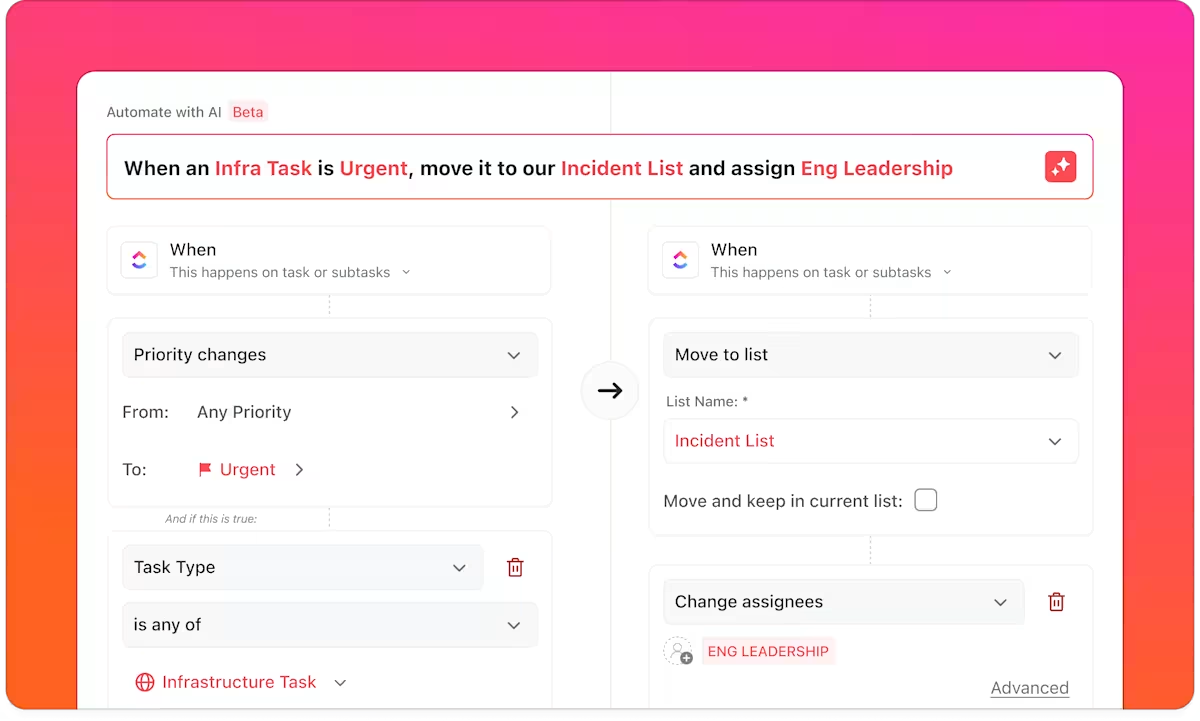
ClickUp Automations help you eliminate manual steps, such as assigning tasks when statuses change or sending reminders before due dates, with custom triggers that execute actions independently.
👀 Did You Know? ClickUp discovered that 21% of people say more than 80% of their workday is spent on repetitive tasks. And another 20% say repetitive tasks consume at least 40% of their day. That’s nearly half of the workweek (41%) devoted to tasks that don’t require much strategic thinking or creativity (like follow-up emails 👀).
Imagine a workflow where tickets are assigned, approvals are requested, and reports are generated—without you lifting a finger. That’s automation done right.
Want to take it a step further? ClickUp Brain helps you prioritize work based on deadlines, workload, and dependencies. The AI assistant, built into your ClickUp workspace, even suggests ways to optimize processes by spotting delays or overlaps.
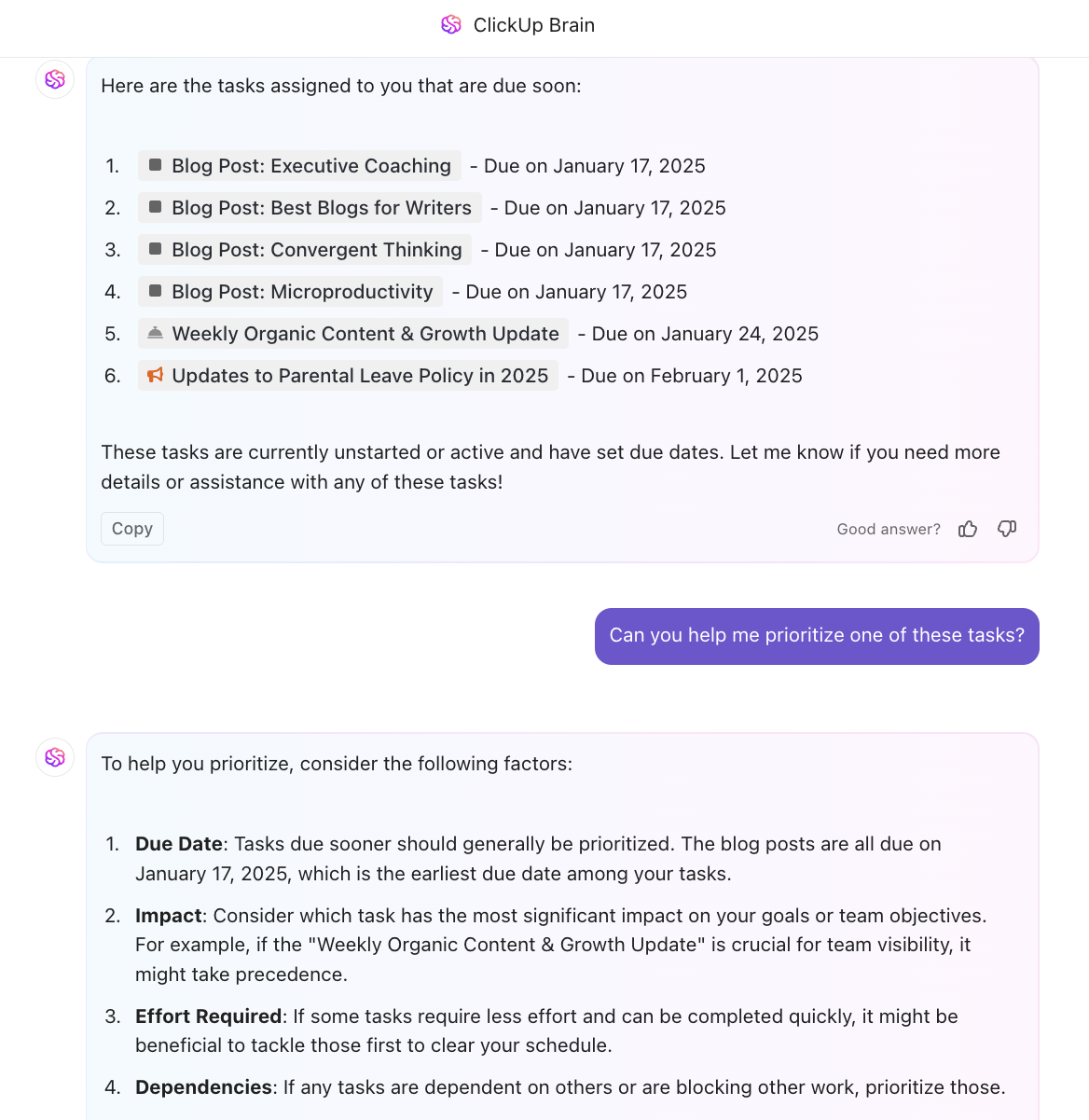
And when you need tasks to be completed autonomously, ClickUp Autopilot Agents are a huge help. They can help you summarize updates in a team standup, answer repetitive questions in chat, and generate daily or weekly task reports, so you can focus on moving the needle.
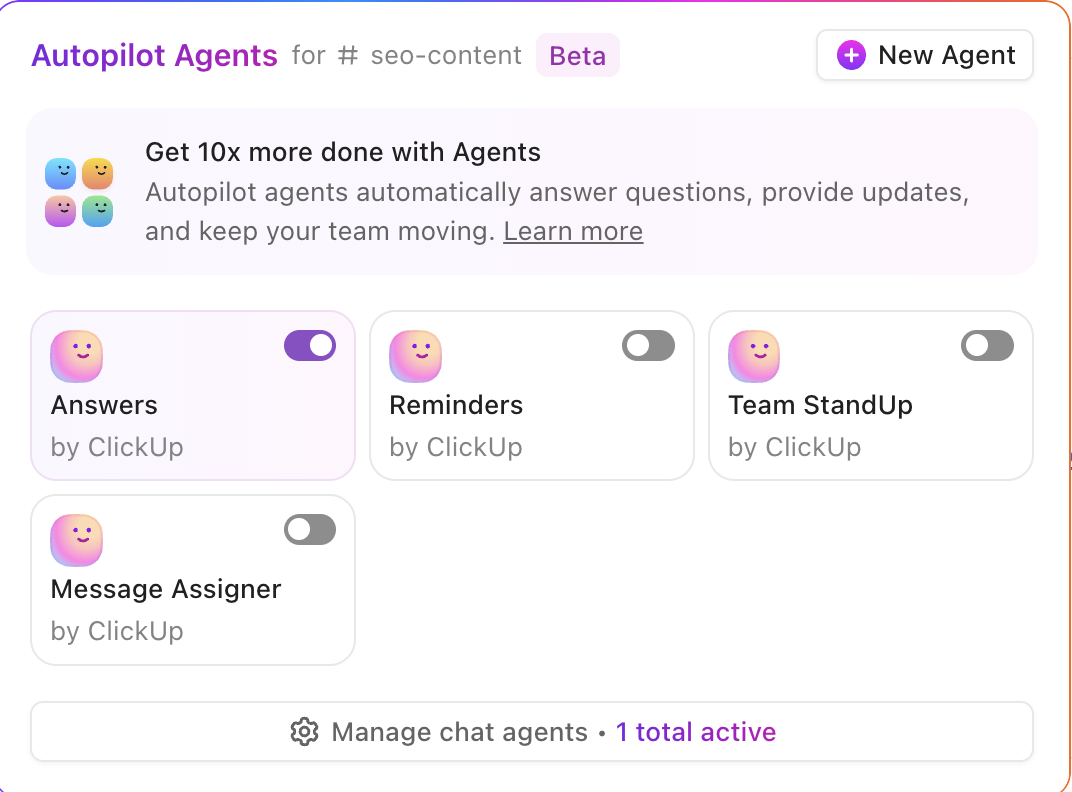
We did say that ClickUp does it all, didn’t we?
From real-time collaboration to powerful automation, ClickUp removes friction from workflows so you can focus on what matters—delivering results.
A Capterra user says:
Its intuitive task-tracking system provides a clear overview of responsibilities and project progress, ensuring seamless collaboration. The platform is both user-friendly and visually appealing, making it easy to monitor workflows and stay organized. Whether for individual use or team management, ClickUp proves to be a highly valuable tool.
📮 ClickUp Insight: 64% of employees occasionally or frequently work outside their scheduled hours, with 24% logging extra hours most days! That’s not flexibility—that’s never-ending work. 😵💫
ClickUp Tasks help you break big goals into smaller, manageable steps, so you always know what to tackle next—without the overwhelm. Just ask ClickUp’s AI to generate subtasks, add checklists, and map dependencies to stay organized and in control. Meanwhile, ClickUp Automations streamline routine work by handling updates, assignments, and reminders—so you can spend less time on busy work and more time on what matters. 🚀
💫 Real Results: Pigment improved team communication efficiency by 20% with ClickUp—keeping teams better connected and aligned.
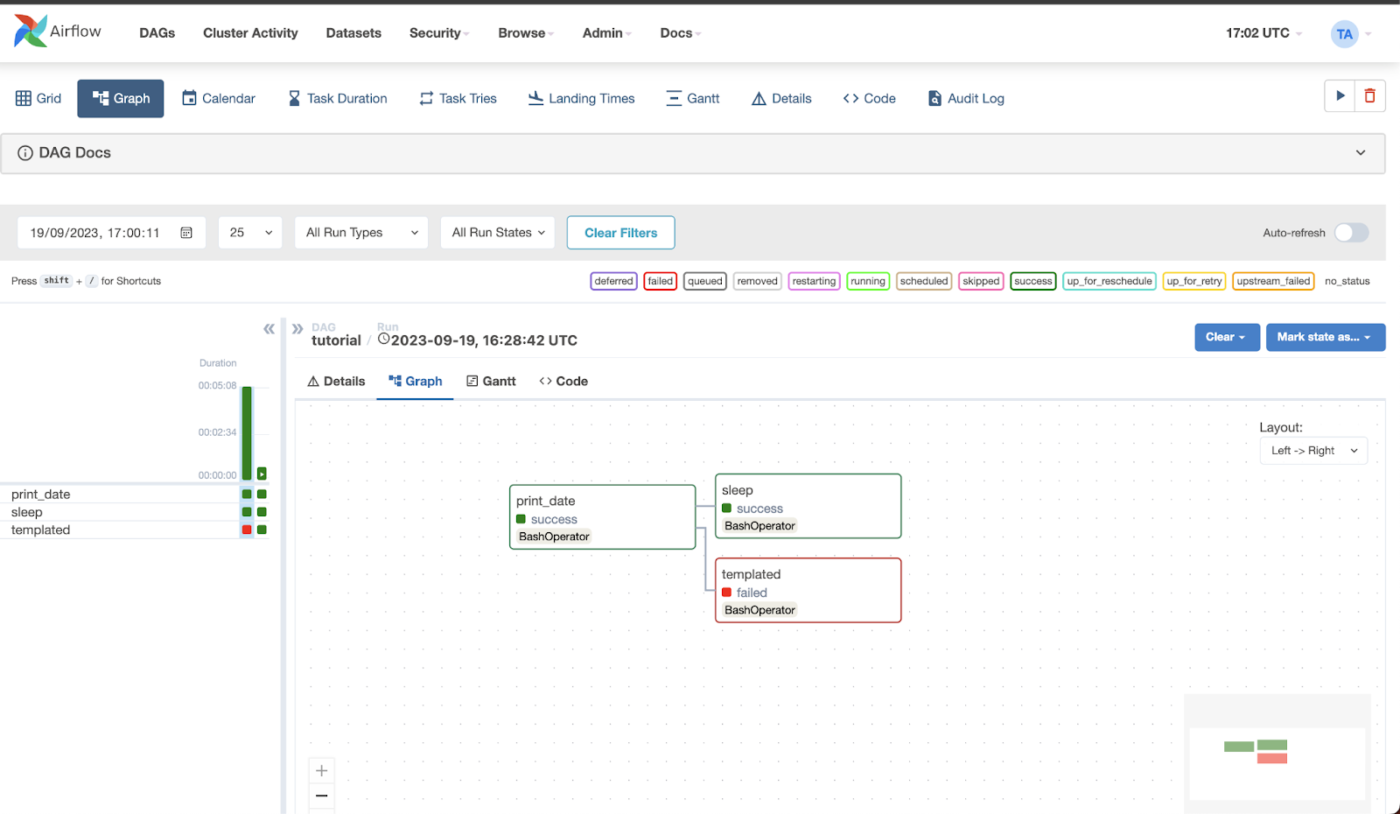
If you’re an IT pro dealing with complex data pipelines, Apache Airflow can make your life easier. Developed initially at Airbnb in 2014, Apache Airflow programmatically schedules, monitors, and manages workflows with dynamic control.
With a Python-first approach, a directed acyclic graphs (DAG)-based execution, and easy integrations, it’s ideal for orchestrating scalable data pipelines, machine learning workflows, and business automation.
A G2 user says:
Airflow is the most intuitive interface for setting up daily workflow jobs that I’ve come across. The API’s are mostly easy to learn/use and it’s all I love that it’s all in Python. There are a few people on my team who are not trained programmers but they have figured out how to create simple daily jobs.
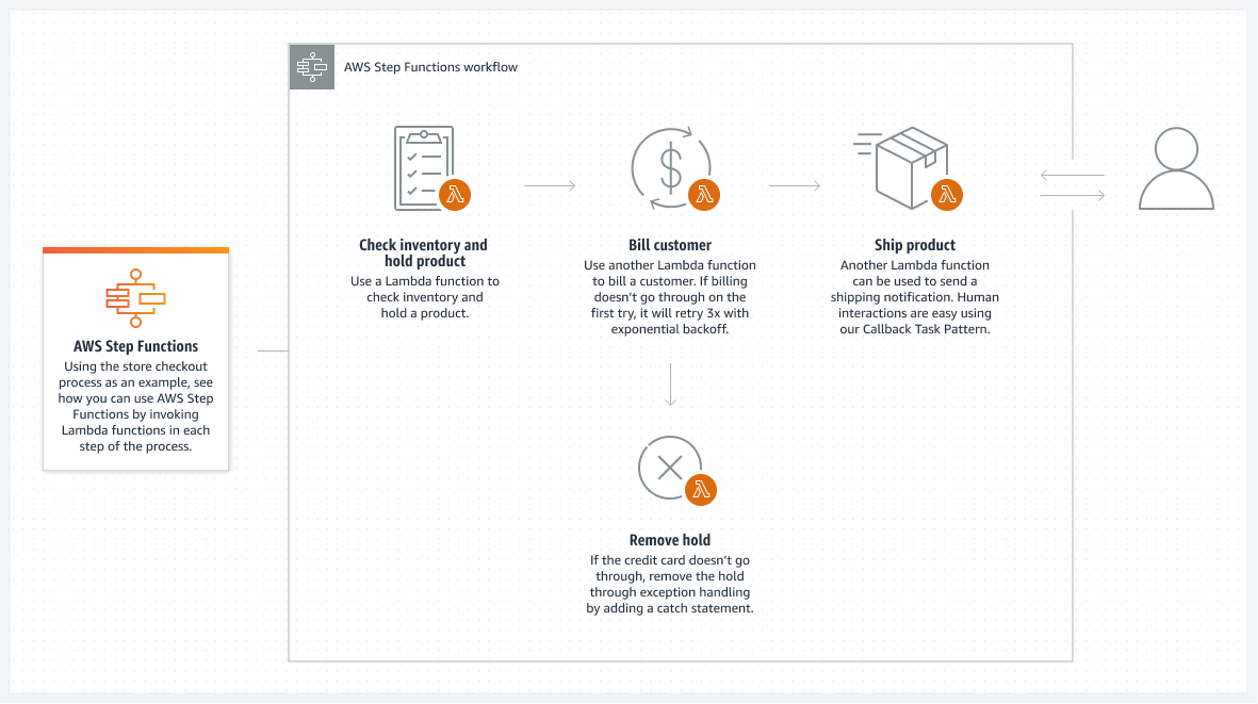
Amazon Web Services (AWS) Step Functions is a serverless workflow orchestration platform designed for modern applications. With its visual-first approach, it simplifies complex processes, whether you’re automating data pipelines, managing microservices, or orchestrating machine learning workflows..
Its built-in error handling, scalability, and seamless integration with over 220 AWS services enable teams to focus on business logic without worrying about infrastructure.
A G2 review shares:
It is easy to create an ETL flow in this service. It provides a feature to create workflow visually; in the back-end, it makes the whole JSON according to the visually prepared flow
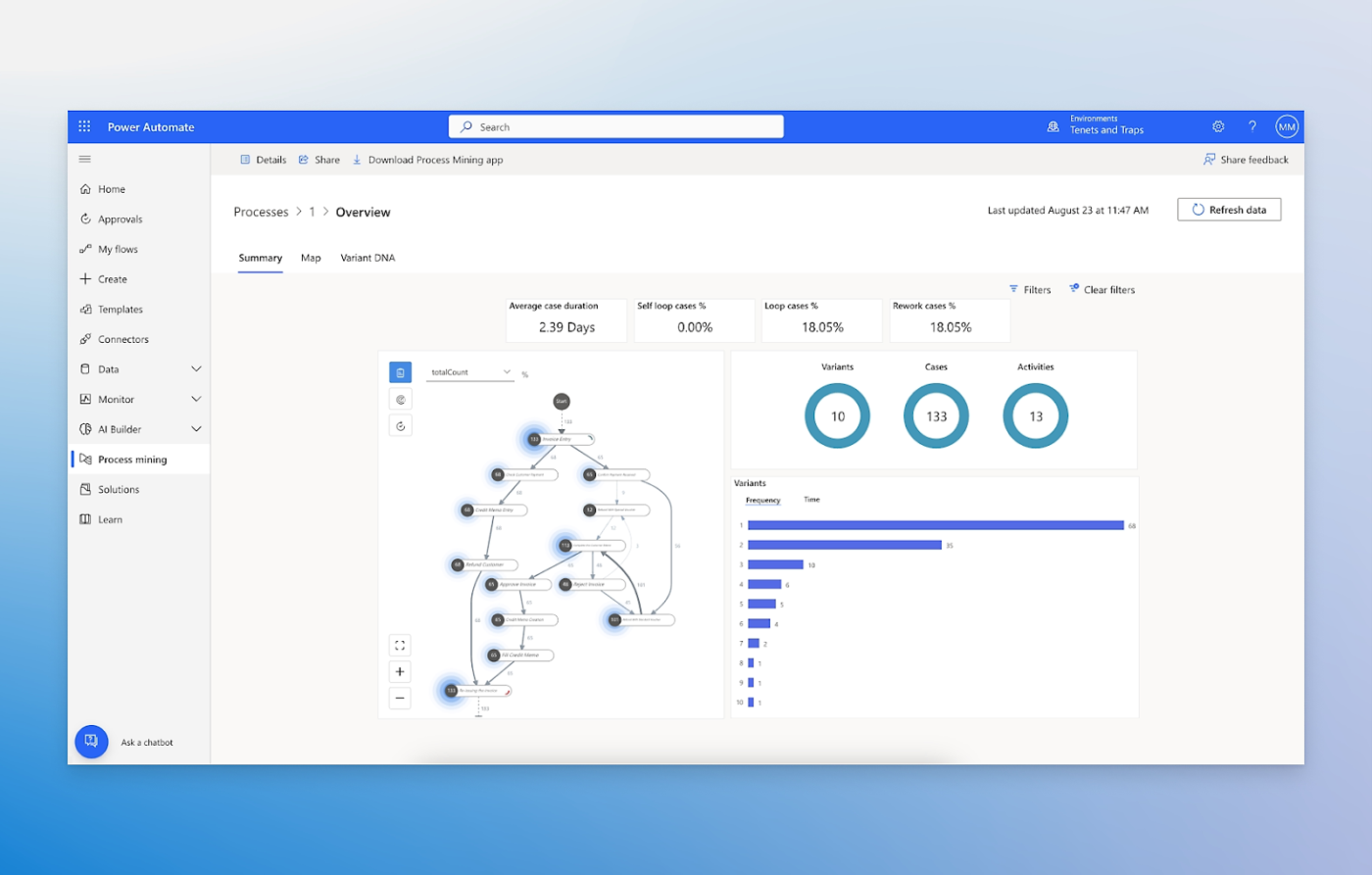
If your business runs on Microsoft 365, Power Automate can be your automation sidekick. It automates repetitive tasks across Outlook, Teams, SharePoint, and Excel, cutting down manual effort and errors.
With AI Builder and robotic process automation (RPA), you can build smart workflows and automate legacy systems without coding. Plus, with a vast library of connectors that showcase numerous workflow automation examples, you can automatically save email attachments, send alerts, and more to improve your workflow.
A Capterra user says:
My experience with Power Automate has been largely positive. It’s a versatile and powerful tool for automating a wide range of tasks within the O365 ecosystem, allowing teams to save time and reduce errors in repetitive processes.
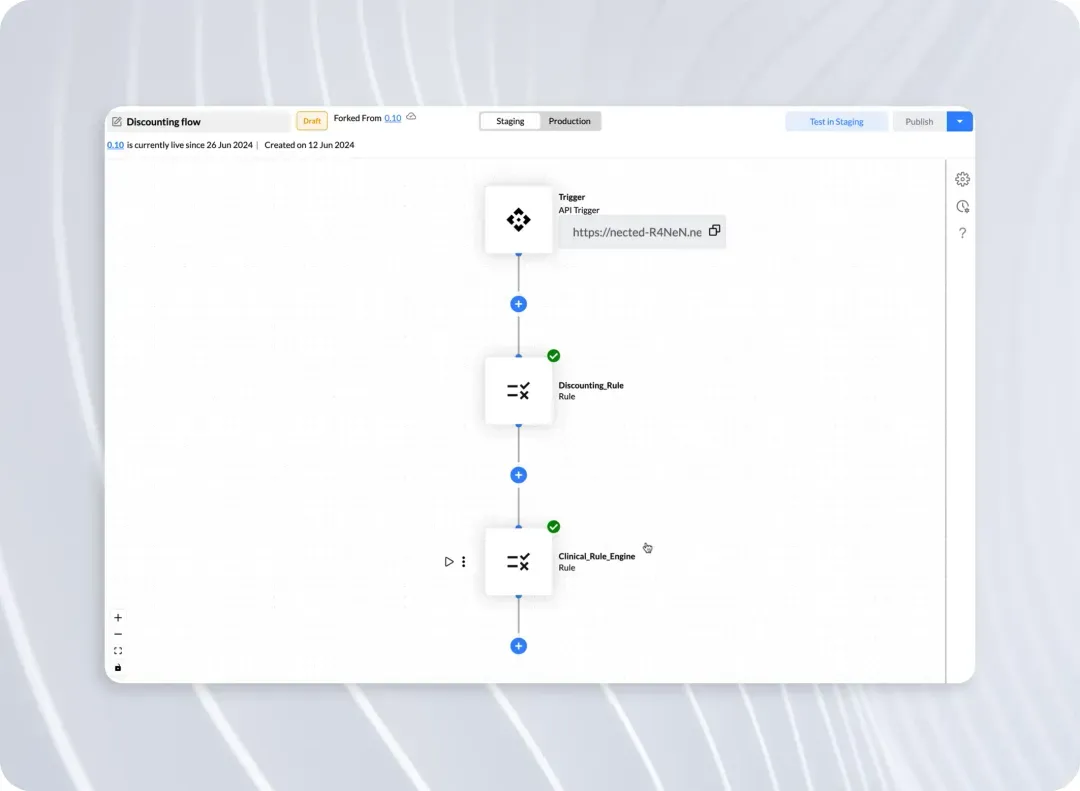
If you need a powerful yet flexible workflow automation tool that blends decision logic, API management, and process orchestration, Nected is a game-changer.
The best part is that it suits technical and non-technical users and simplifies complex workflows. This enables easy data processing and intelligent decision-making without heavy coding.
A G2 user says:
For the past five months of using Nected AI daily, managing my business has never been easier. The tool has enabled me to easily delegate tasks, achieving better results with little effort. It also seamlessly integrates with our other business tools, such as MongoDB and Google Sheets, via API.
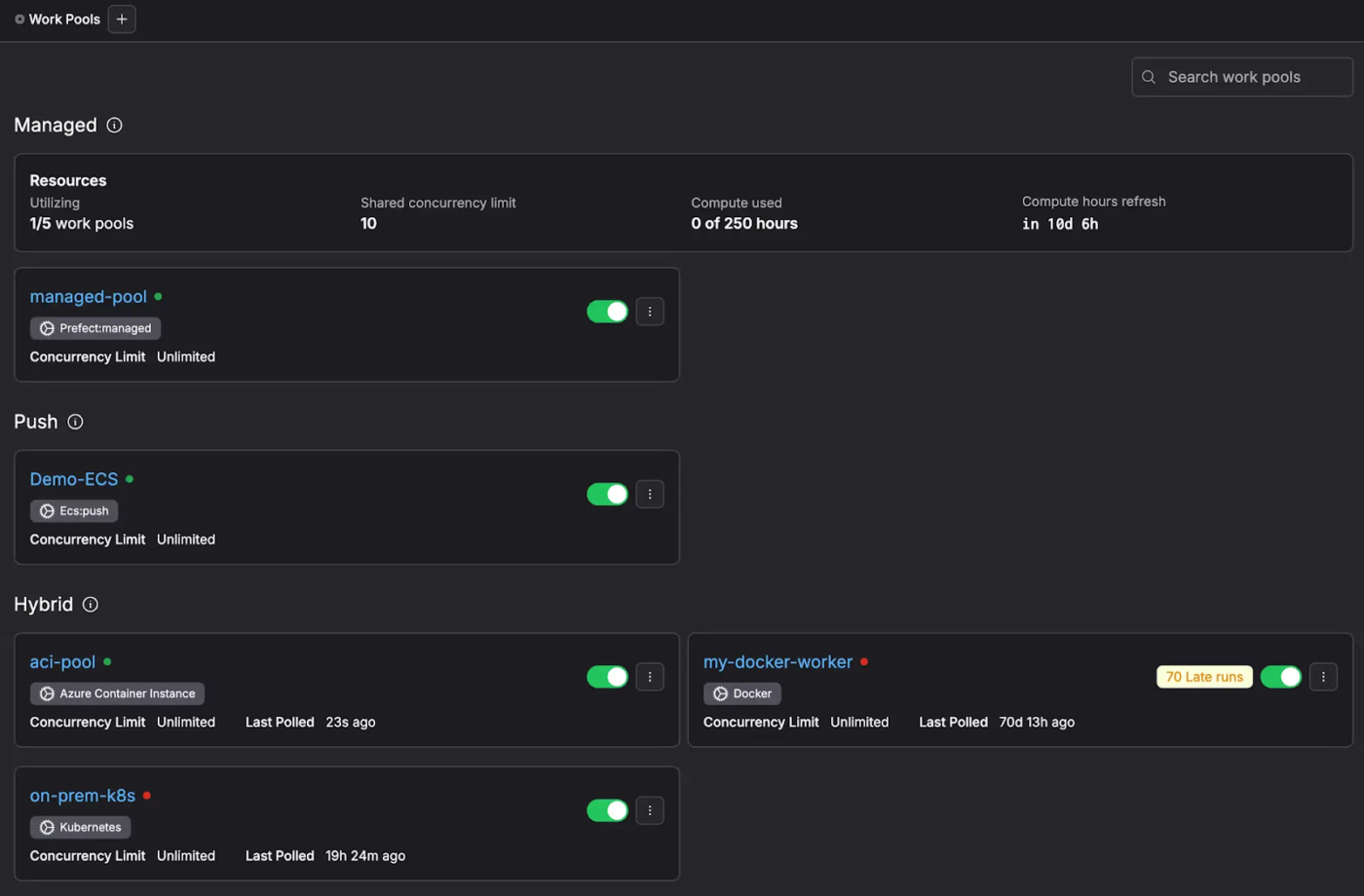
Prefect is yet another Python-native workflow software solution. It turns your Python code into resilient, production-ready workflows without the complexity of DAGs.
It handles everything from managing data pipelines, machine learning workflows, and cloud-based automation while ensuring scalability and reliability. Because of the Python-first approach, Prefect is very popular among data scientists.
A G2 user says:
The developer experience is seamless. Getting started is so easy and the flexibility of the framework goes so far beyond anything else I have used. And the icing on the cake is that the community and the developers supporting it are so helpful for anything you are trying to accomplish.
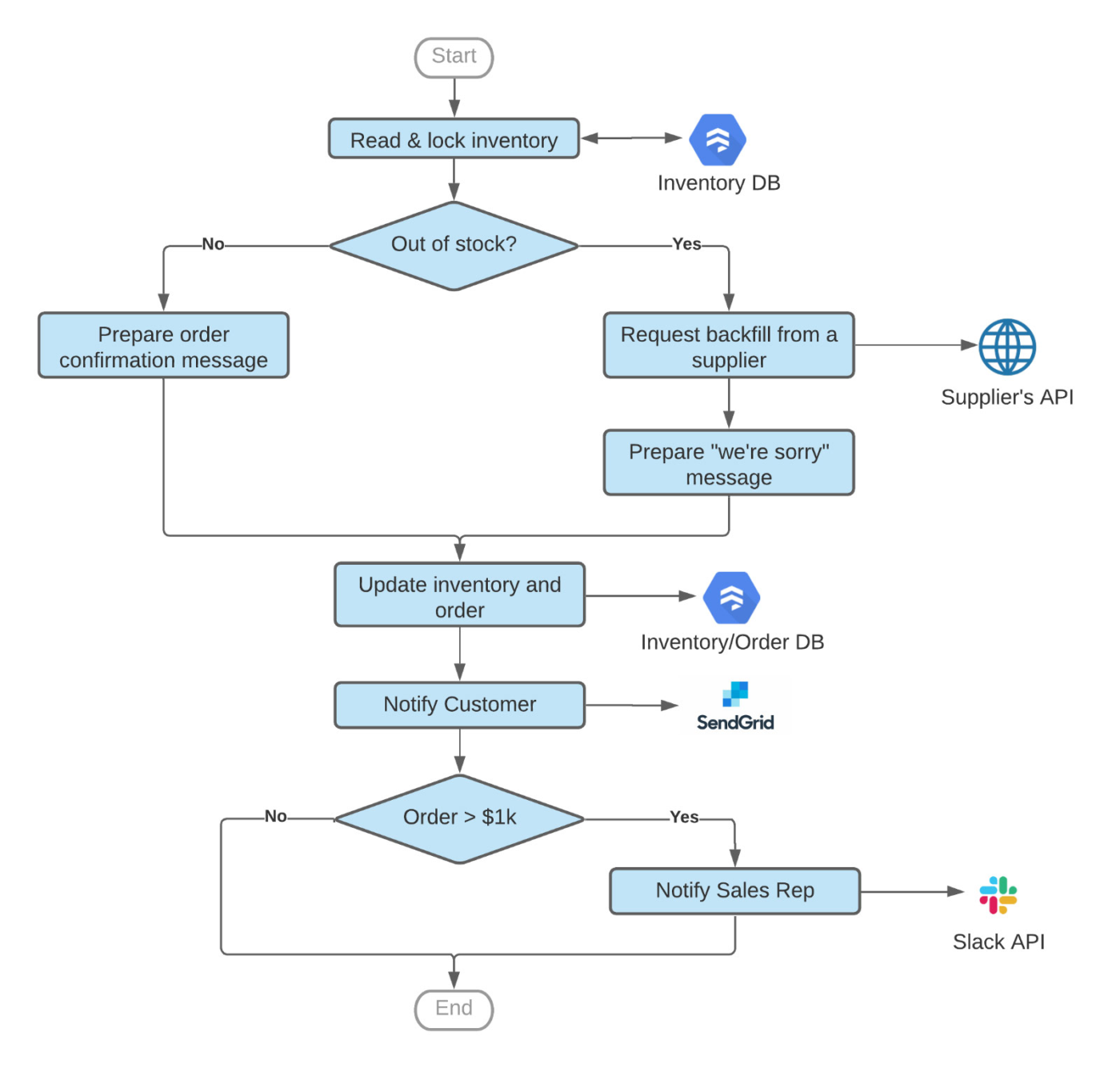
If you’re looking for a workflow orchestration tool that effortlessly connects Google Cloud services, APIs, and event-driven processes, Google Workflows is a top choice.
Its fully managed, serverless architecture eliminates infrastructure concerns, allowing teams to focus on building and automating workflows without worrying about scaling.
A G2 user shares:
Cloud Workflows simplifies the complex architecture of solution. It does not require any resources for maintenance. You scale as required. Implementing is quite easy. Integration is very simple through SDK
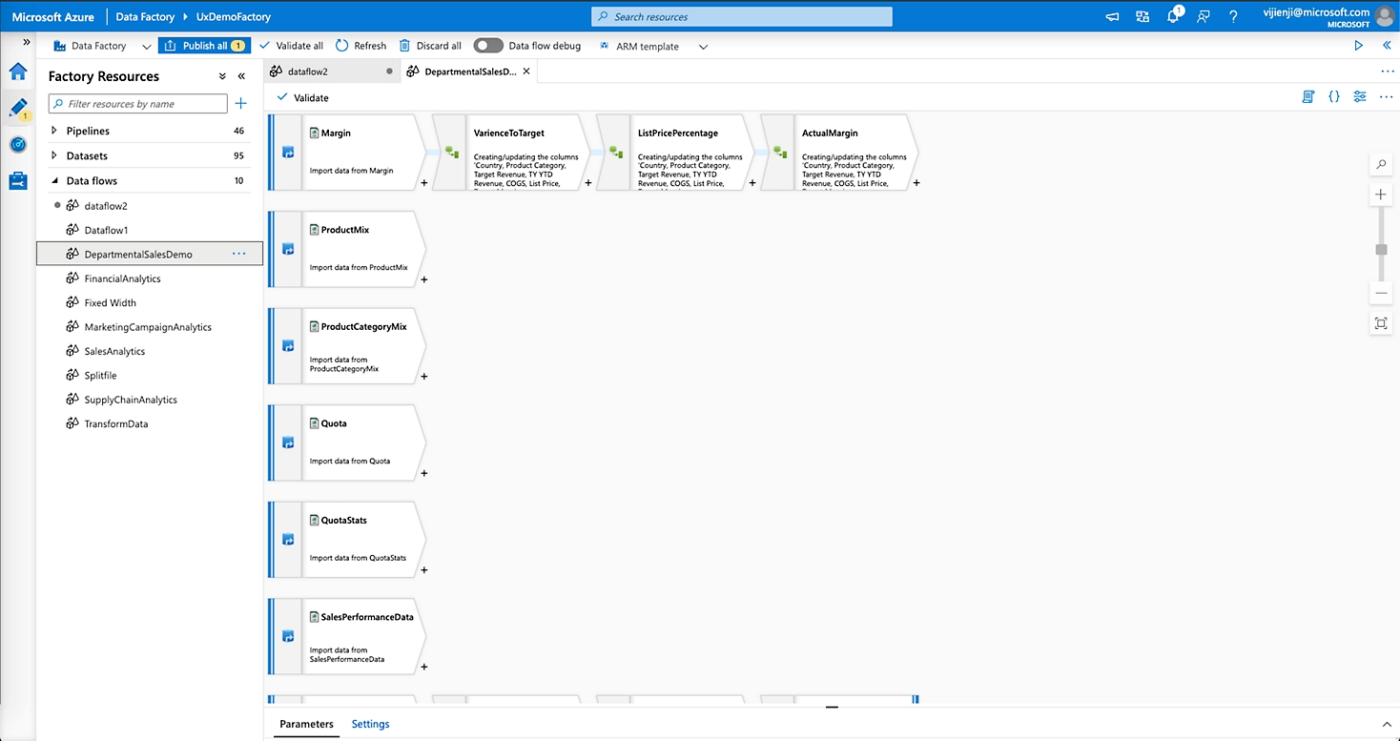
Azure Data Factory (ADF) is the perfect choice for dealing with large-scale data integration across cloud, on-premises, or hybrid environments, especially within the Microsoft ecosystem.
This enterprise workflow management software allows time-based scheduling and event triggers. It simplifies data movement with over 90 pre-built connectors. Its low-code interface allows anyone to build complex pipelines without requiring deep programming expertise.
A Reddit review shares:
It’s a decent orchestrator plus good enough for basic ETL tasks. The copy activity is pretty good to bring data from various sources. But it can get very expensive if you do the transformations via ADF data flows. Also the low code approach of data flows may not suit everyone.
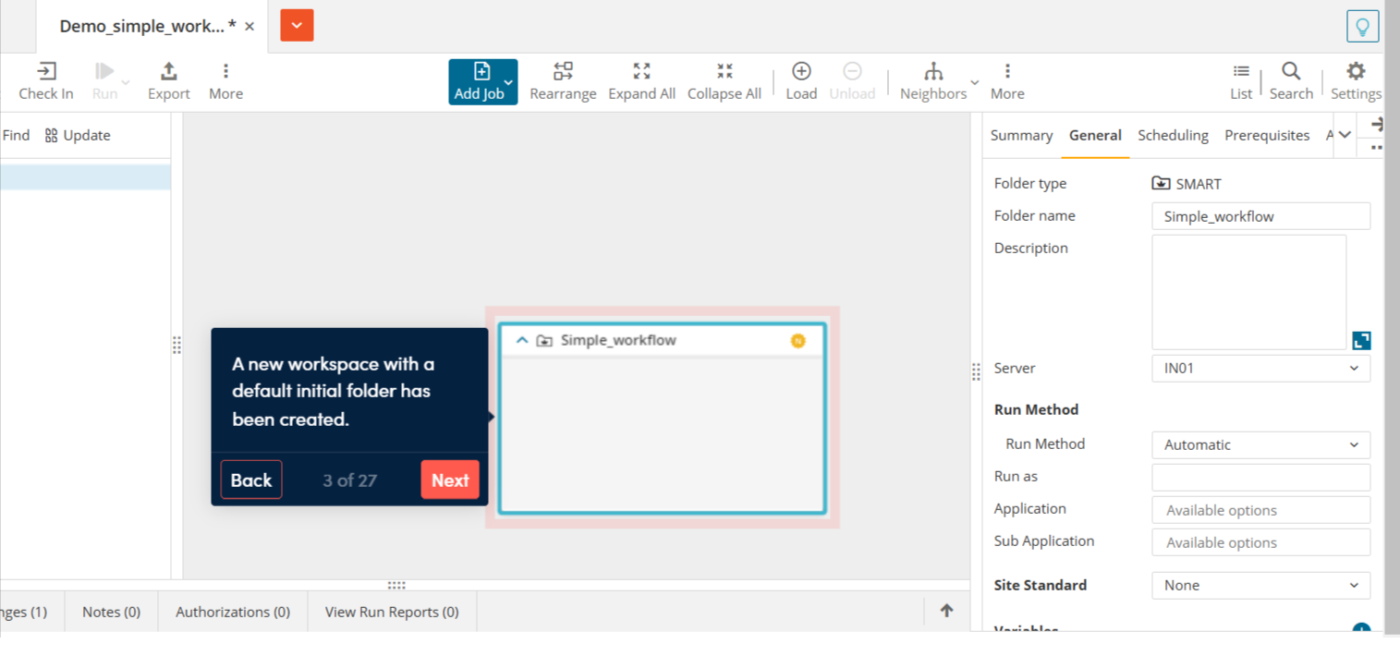
Control-M by BMC Software is a powerful workflow orchestration tool designed to automate complex data pipelines, application workflows, and file transfers across hybrid and multi-cloud environments.
It’s ideal for enterprises managing mission-critical workloads. Control-M enhances efficiency with automation, predictive analytics, and DevOps-friendly features.
A G2 user says:
I like the way it monitors batch jobs in sequence and alerts us of the warning and errors in it so that we can fix them, and it will help the business in continuity
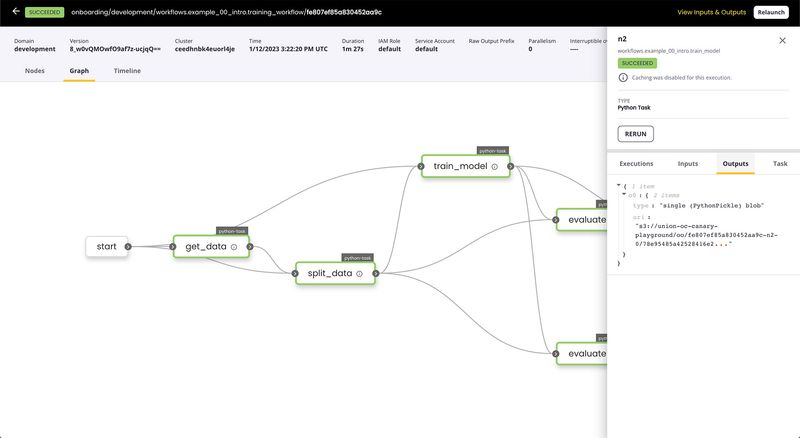
Flyte is built for heavy-duty data and machine learning (ML) workflows. It’s all about bridging the gap between scalability and ease of use, letting you build dynamic, production-grade pipelines.
It simplifies complex processes with dynamic workflows, strong data validation, and multi-language support while ensuring reproducibility across distributed environments.
Workflow orchestration tools handle it all. From managing complex data pipelines and coordinating tasks across systems to automating workflows and strengthening team communication, they ensure error-free execution from start to finish. While some tools cater to niche needs, ClickUp is the ultimate all-rounder. It’s flexible, intuitive, and packed with automation and agentic options.
Whether you’re managing deadlines and workflows or just trying to survive Monday, ClickUp keeps your team in sync without breaking a sweat.
Because why work harder when you can work smarter? Sign up for a free ClickUp account today!

© 2026 ClickUp