






Still downloading templates?
There’s an easier way. Try a free AI Agent in ClickUp that actually does the work for you—set up in minutes, save hours every week.
Sorry, there were no results found for “”
Sorry, there were no results found for “”
Sorry, there were no results found for “”
Your game has a killer core loop, unique art, and a build that mostly runs. But your bug list lives in Discord, your level notes are buried in Google Docs, and nobody knows where that one final “approved” version of the cutscene script went.
That’s not a production pipeline. That’s work sprawl.
As more indie teams and studios ship faster and leaner, your ability to plan and execute cleanly becomes a competitive edge. Whether you’re building a single level or prepping for launch, you need systems that can keep up with your momentum.
This guide rounds up the best video game templates—from design docs to sprint boards—that help you build smarter, align your team, and avoid painful rebuilds before release.
Whether you’re an indie dev, a studio, or just starting your first game, these templates will help you organize, plan, and streamline every stage of your video game development journey.
| Template Name | Download Template | Ideal For | Best Features | Visual Format |
| ClickUp Game Design Document Template | Get free template | Indie developers, game design students, and studios documenting decisions and tracking execution | Game design Doc for goals, mechanics, and assets; supports List and timeline-style views | ClickUp Doc + List + Gantt + Workload + Calendar |
| ClickUp Bug and Issue Tracking Template | Get free template | Quality assurance (QA) testers, developers, and studios tracking bugs across builds | Central bug log with assignment, priority, and status tracking; keeps repro info and files together | ClickUp Folder (5 views) |
| ClickUp Task Management Template | Get free template | Indie developers and small studios managing production from prototype to launch | Task planning by milestone/feature; supports owners, due dates, and dependencies | ClickUp Folder (3 views) |
| ClickUp Storyboard Template | Get free template | Narrative designers and creative teams planning story-driven games | Scene and sequence planning; change tracking and approvals | ClickUp Whiteboard |
| ClickUp Creative Brief Document Template | Get free template | Studios and indie teams aligning creative direction early | Creative brief Doc for goals, audience, tone, and deliverables | ClickUp Folder (3 views) + Docs + Whiteboards |
| ClickUp Scrum and Sprint Planning Template | Get free template | Agile dev teams and producers running iterative cycles | Backlog and sprint planning with statuses, blockers, and reviews | ClickUp Folder (4 views) |
| ClickUp Product Launch Plan Checklist Template | Get free template | Indie studios and publishers coordinating launch work | Launch checklist with custom statuses and key fields for tracking | ClickUp List + Board + Calendar + Timeline |
| ClickUp Asset Management Template | Get free template | Teams managing assets, tools, licenses, and equipment | Asset tracking with custom statuses and timeline visibility | ClickUp List + Board + Table + Timeline + Calendar + Workload + Gantt |
| ClickUp Marketing Plan Template | Get free template | Indie teams and studios planning campaigns and launch beats | Objectives, task-based planning, and progress tracking views | ClickUp List + Board + Calendar + Timeline + Gantt + Workload |
| Video Game Script Template by Template.net | Download this template | Narrative designers, voiceover (VO) teams, and indie devs sharing scripts | Editable script layout with export options (Word/Docs/PDF) | Template.net online editor + downloadable formats |
| Video Game Shooting Schedule Template by Template.net | Download this template | Studios and indie teams coordinating voiceover, motion capture (mocap), and capture days | Shoot/session scheduling with exportable formats | Template.net online editor + downloadable formats |
| Character Sheet Template by Genially | Download this template | Game designers, artists, and educators building consistent characters | Interactive character sheet for backstory, traits, and references | Interactive online template + download |
A video game template is a ready-made structure for planning one part of development, such as design docs, bug tracking, sprints, or launch checklists.
Instead of starting from a blank page every time, you start with a format that already includes the sections you’re likely to forget when you’re deep in production.
Most game templates help you log decisions and keep core elements consistent, like mechanics, levels, assets, test notes, and release tasks. Whether you work solo or on a team, these templates help you avoid missing details and move faster from idea to release.
A good video game template should keep planning clear while offering features that fit your genre and workflow.
Here’s what the ideal video game template should have:
📖 Also Read: How to Create and Implement a QA Checklist
Game dev isn’t just about managing files and tasks anymore—it’s about managing intelligence. But when AI tools for docs, chat, notes, and planning all live in separate systems, you end up with what we call AI sprawl: disconnected insights, scattered updates, and no single source of truth.
That’s where ClickUp’s converged AI workspace changes the game. It brings everything—tasks, docs, assets, timelines, and now AI—into one place that understands your work. So you’re not just moving faster… you’re moving smarter.
Below, you’ll find 12 game development templates built to reduce rework, eliminate blind spots, and actually help you ship—whether you’re sketching your first mechanic or planning a global release.
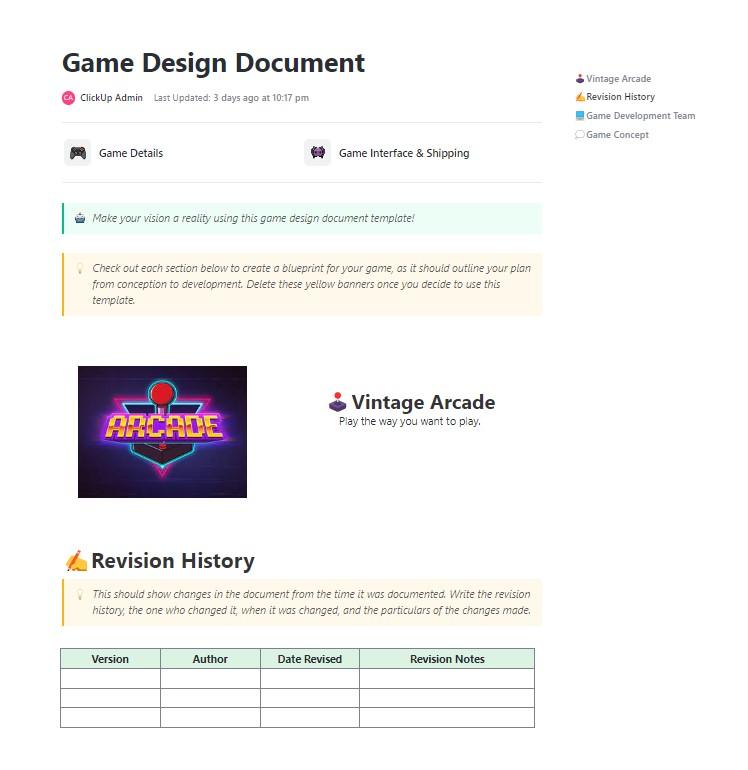
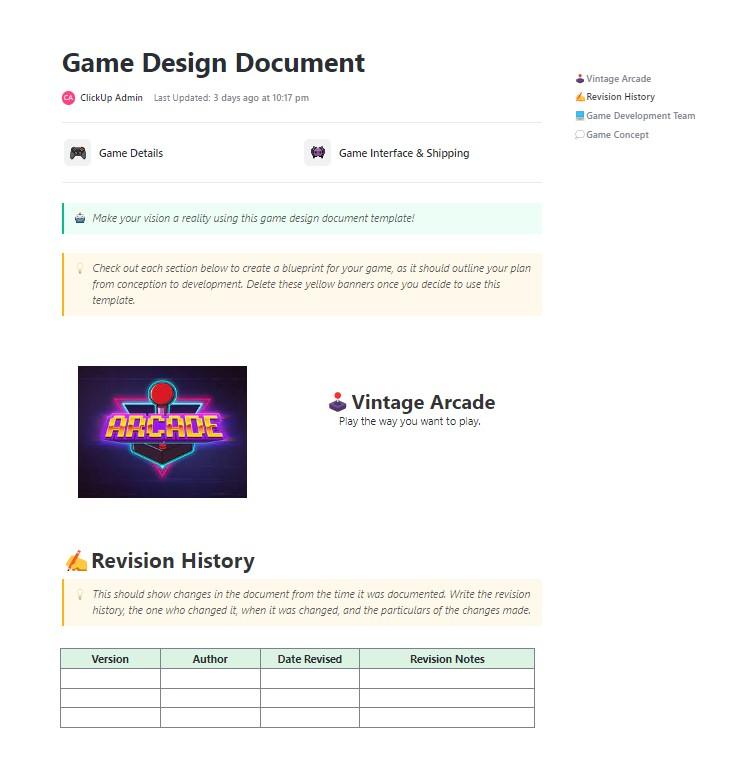
When you’re deep in production, it’s dangerously easy to forget what the team actually agreed on. The ClickUp Game Design Doc Template keeps your core loop, mechanics, features, and asset plans in one editable hub, so decisions don’t disappear mid-sprint.
Built as a ClickUp Docs template, it’s designed to cover goals, features, gameplay education, mechanics, and assets, and it also supports building out a wider workflow with features such as Lists, Gantt, Workload, Calendar, and more. It’s also made to support tracking with collaborative editing, automations, screen recording, and AI inside your process.
✨ Ideal for: Indie developers, game design software users, students, and studios that want one video game template to document decisions and track execution in the same place.
💡 Pro Tip: A great game design document is only useful if it stays current as your mechanics, levels, and scope continue to evolve.
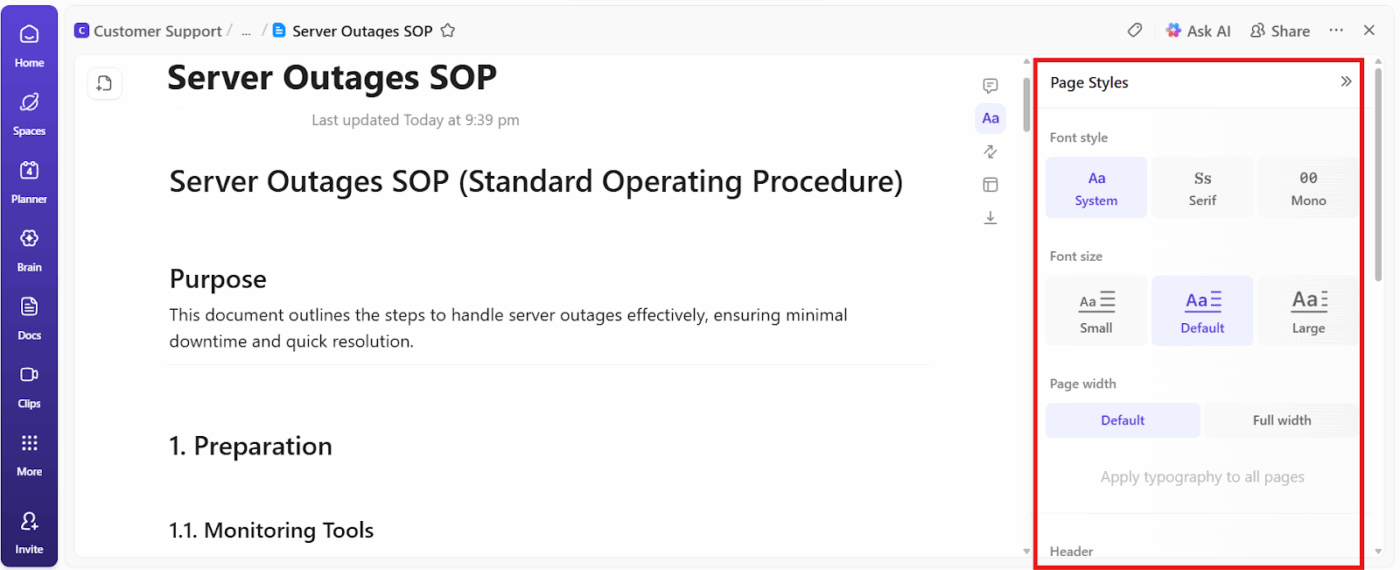
Use ClickUp Docs as the “source of truth” for your document. Then, connect it directly to production work so you’re not copying sections into tasks every sprint. ClickUp Docs supports nested pages, tables, embeds, and templates, and you can collaborate in real time and turn text into trackable tasks right from the doc.
To keep your team moving from ideas to execution:
AI can make writing documents easier, from user guides and standard operating procedures to legal contracts and product descriptions.
📽️ In this video, we’ll demonstrate how to use AI to write documentation with real-world examples and proven prompts.
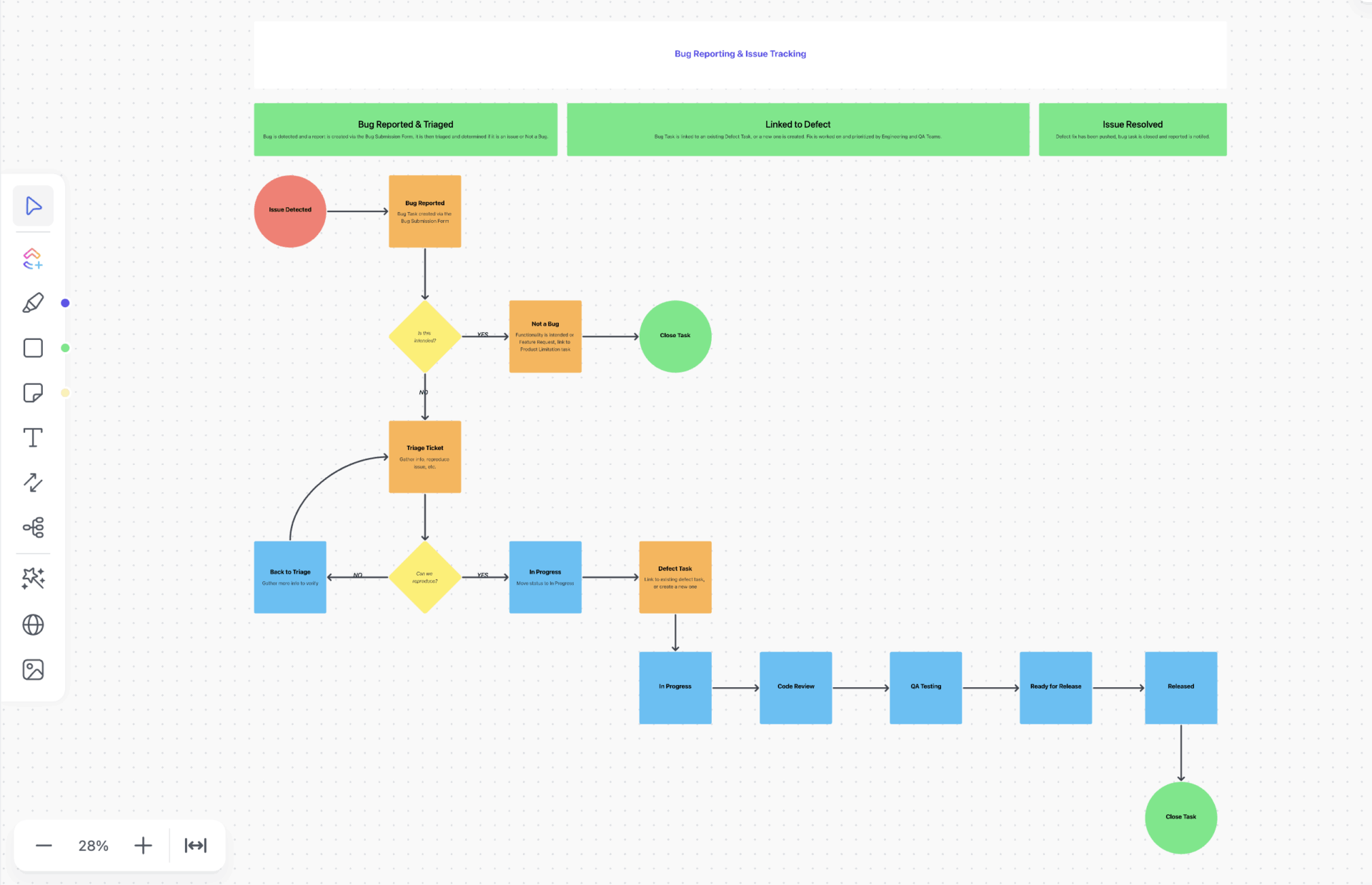
A great build can still feel broken when bugs are reported in Discord, reproduced in messages, and “tracked” in someone’s personal notes. The ClickUp Bug and Issue Tracking Template gives your team one shared log for issues, so nothing disappears between testing and fixes.
It’s built to support structured reporting, assignment, priority, and resolution tracking, so the QA and dev teams don’t waste cycles re-triaging the same problems. You can keep repro steps, screenshots, logs, and status updates tied to the issue record so anyone can jump in without guesswork.
✨ Ideal for: QA testers, developers, and studios that need a reliable bug log they can keep current across builds.
💡 Pro Tip: Pair ClickUp Agents with a few targeted automations so your QA pipeline stays consistent even when the team is moving fast.
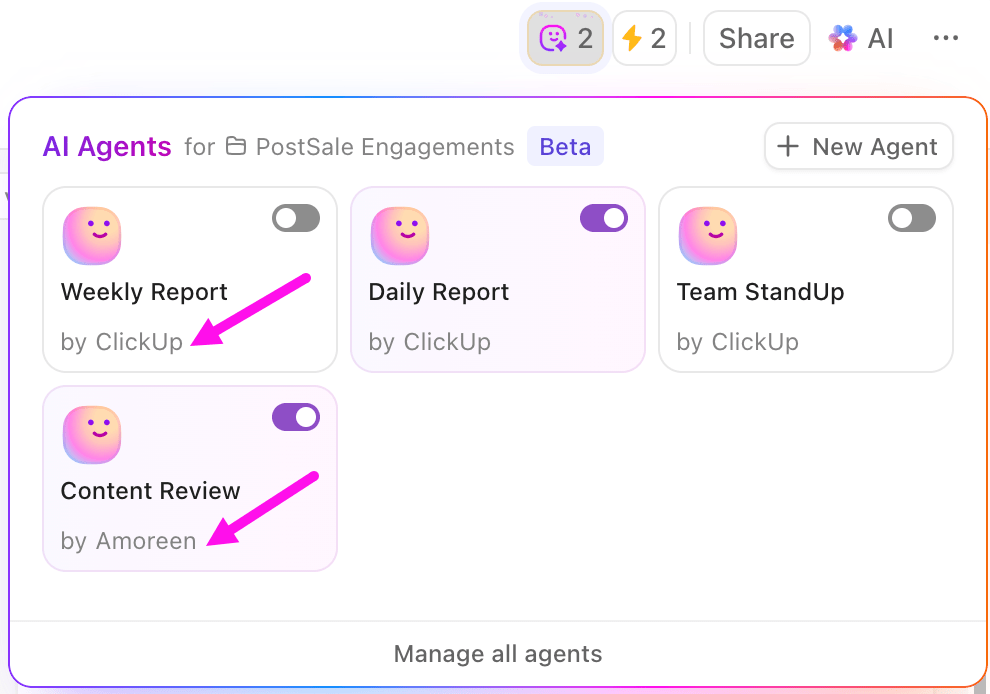
ClickUp Agents can autonomously act based on instructions you give them (including prebuilt options and a no-code builder). They’re also great for repetitive, time-intensive workflows, such as summarizing updates into a leadership channel or creating tasks from action items.
Here’s a practical setup that fits game testing:
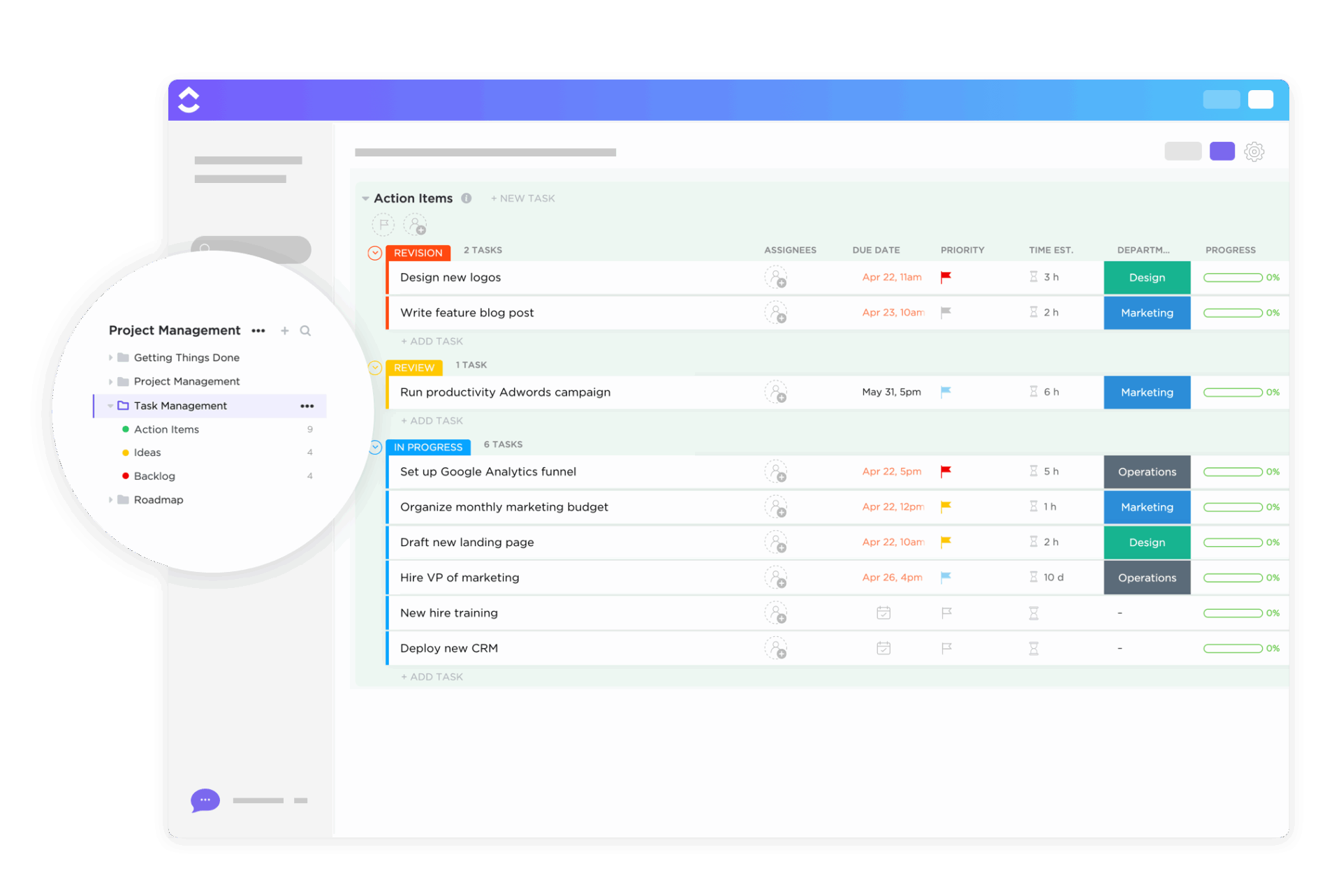
If your dev plan lives in your head, you’ll keep rebuilding it every time something slips. The ClickUp Task Management Template helps you turn work into an actual plan you can assign and review, whether you’re building solo or coordinating a small studio.
It’s a flexible foundation for organizing tasks by milestone, role, or feature area. This template works exceptionally well when you’re trying to keep production moving while still tracking testing and build preparation.
✨ Ideal for: Indie devs and small studios that want one place to plan tasks, track progress, and stay consistent from prototype to launch.
🧠 Fun Fact: In software engineering, studies show developers introduce 15–30 defects per 1,000 lines of code, and fixing them often takes longer than writing the initial feature.
📮 ClickUp Insight: 92% of knowledge workers risk losing critical decisions scattered across chat, email, and spreadsheets.
That’s where ClickUp comes in. With powerful Task Management features, you can turn conversations into action instantly. Create tasks directly from chat messages, comments, docs, or even emails, all with a single click.
Here’s a testimonial from one of our customers!
A project management platform is essential for a marketing team, and we love that it helps us stay connected to other departments. We use ClickUp literally every day, for everything. It has been very helpful for our creative team and has made their workflow better and more efficient.
📖 Also Read: UX Design Tools
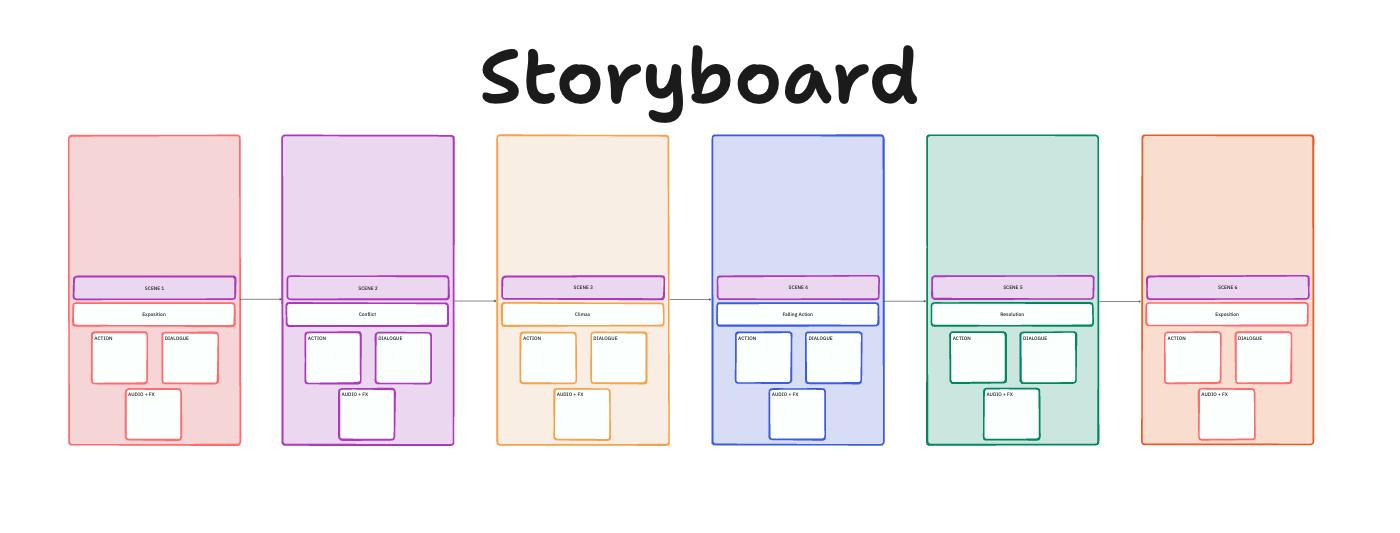
Story-heavy games get messy when the plot lives in a doc, the cutscene list lives in a spreadsheet, and the visual references are scattered across folders. The ClickUp Storyboard Template helps you map scenes and sequences so narrative beats stay consistent while you iterate.
It’s useful for planning cutscenes, tutorials, quests, or even UI flow. This storyboarding template is especially useful when multiple people need to review the same scene in context and leave feedback without rewriting everything.
✨ Ideal for: Narrative designers and creative teams building story-driven games with lots of scenes and revisions.
💡 Pro Tip: Consistency is the hardest part of building a game—primarily when documenting feedback mid-production. ClickUp BrainGPT makes it effortless with Talk to Text, letting you log playtest notes, summarize updates, and ask questions like “Which level has the most open bugs?” without breaking focus.
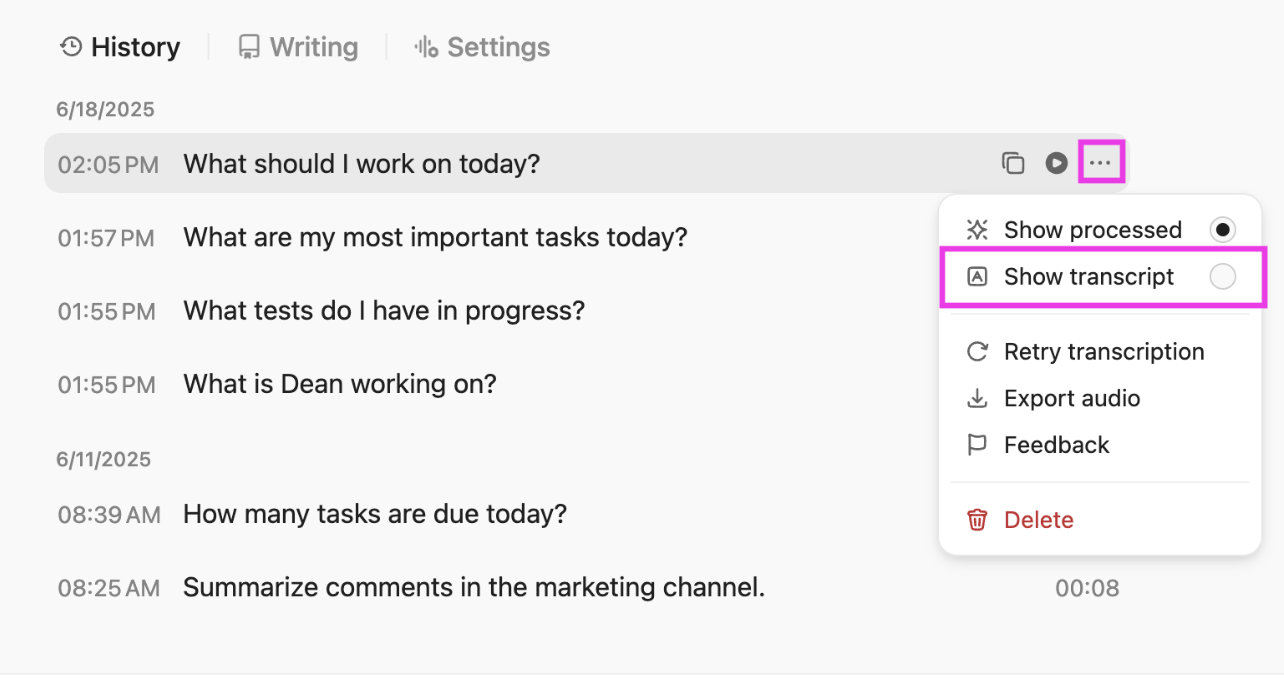
You can even search across GitHub, Google Drive, and your workspace with the Chrome extension, choose from multiple AI models (like Claude or ChatGPT), and trust ClickUp’s privacy-first design to keep your IP secure.
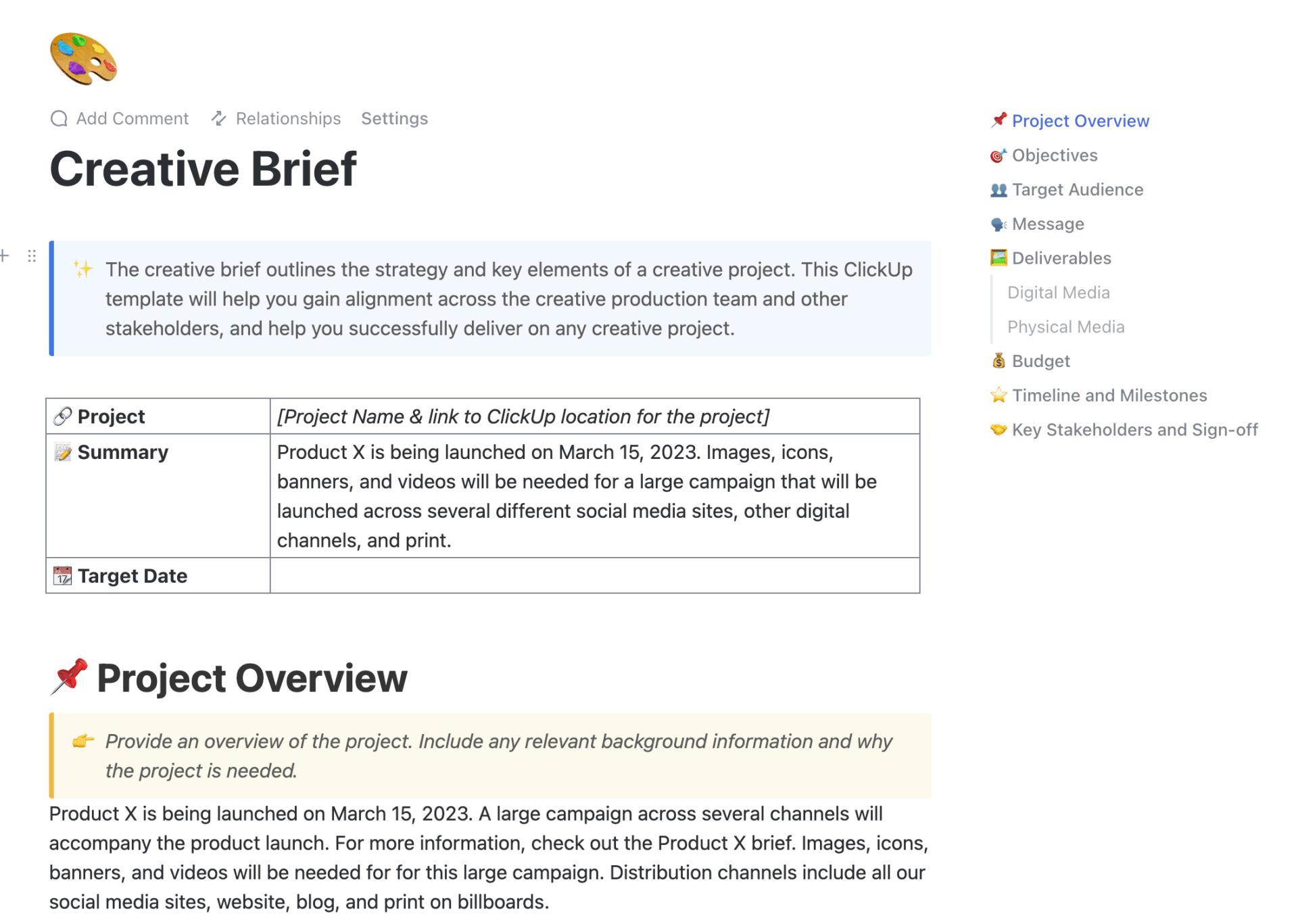
When your team isn’t aligned on what the game is trying to achieve, you end up with great work that doesn’t fit together. The ClickUp Creative Brief Document Template helps you define the vision early on, so that art, writing, UX (user experience) design, and development are all building toward the same target.
It provides a structured framework for outlining goals, audience, tone, key deliverables, and constraints, and it’s easy to keep updated as the project evolves.
✨ Ideal for: Studios and indie teams that need a concise brief to align creative direction before production begins.
💡 Pro Tip: Once your creative brief has the core pieces locked (objectives, desired outcomes, timeline, budget), use ClickUp Brain to turn that Doc into an execution-ready plan.
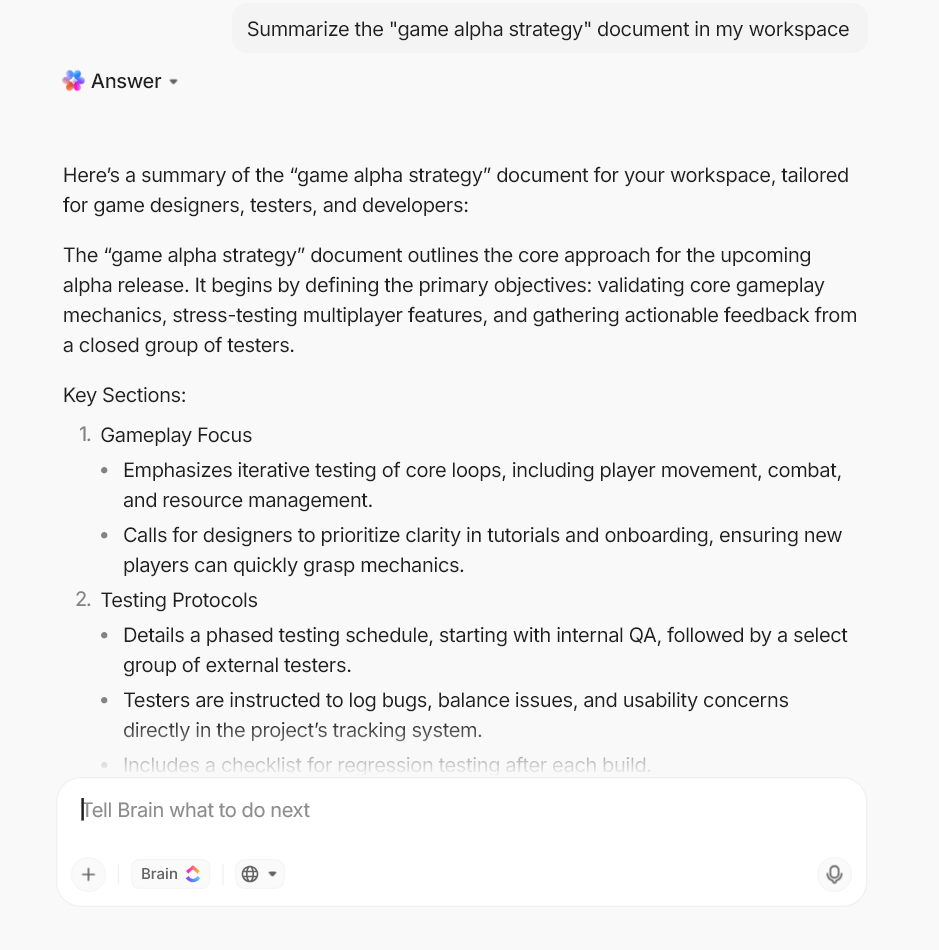
Ask ClickUp Brain to summarize the brief into a “north star” your team can reference, then have it extract deliverables and constraints into a short task checklist that makes it easier to track everything.
ClickUp Brain can also summarize Docs in seconds, which is perfect for keeping everyone aligned when the brief inevitably evolves mid-production.
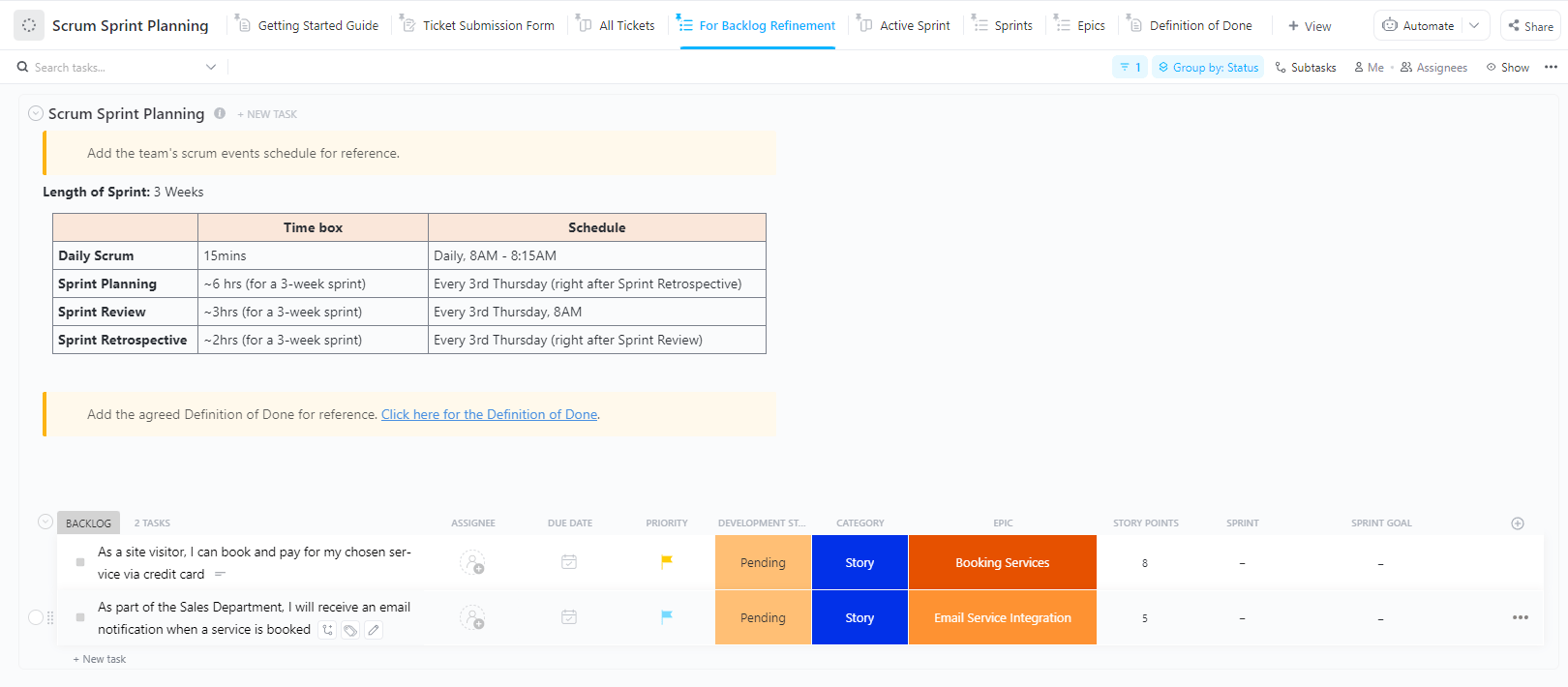
Game dev deadlines slip when sprint planning is vague, the backlog isn’t prioritized, and blockers are discovered too late. The ClickUp Scrum and Sprint Planning Template gives you a repeatable sprint structure so you can plan iterations, ship improvements, and keep work visible from backlog to done.
It’s designed for organizing sprint work and reviewing what happened so the team learns from each cycle instead of repeating the same mistakes.
✨ Ideal for: Agile dev teams and producers who want a sprint system that supports frequent builds and structured iteration.
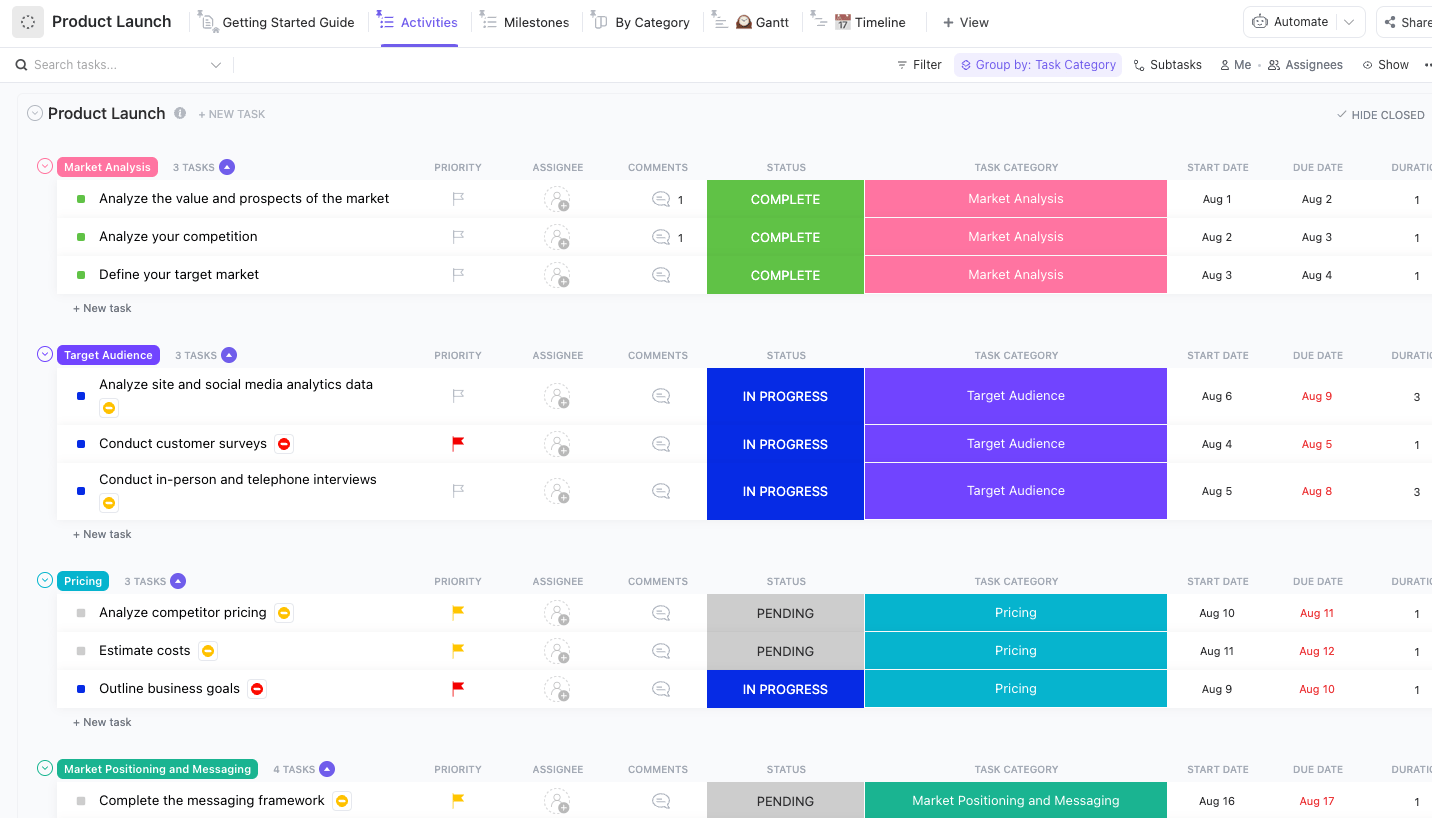
A launch gets stressful when trailer deadlines, QA gates, store assets, patch notes, and community updates are all tracked in different places. The ClickUp Product Launch Checklist Template provides a clear timeline and checklist, ensuring that every launch task is accounted for and progress remains visible.
It’s designed to help align teams with timelines and resources and to support real-time progress tracking so stakeholders always know where things stand. It includes Custom Statuses like Complete, For Review, In Progress, On Hold, and Pending, plus Custom Fields such as Task Category and Duration to keep launch work organized.
✨ Ideal for: Indie studios and publishers coordinating marketing, QA, store setup, and post-launch follow-ups in one launch checklist.
💡 Pro Tip: Use ClickUp AI Notetaker for launch readiness calls and playtest debriefs.
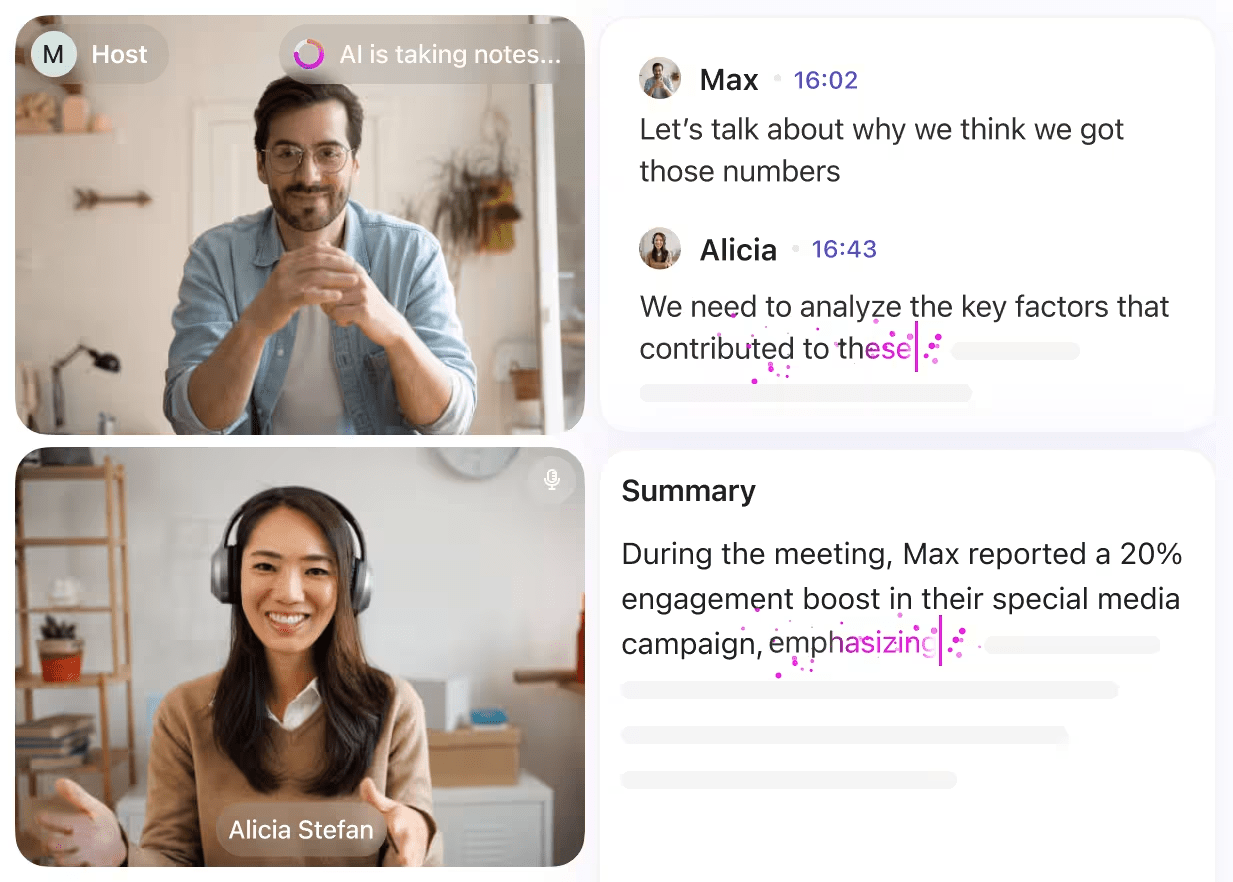
It can capture discussion, summarize decisions, and surface action items so you can convert “we should fix this before release” into assigned tasks immediately.
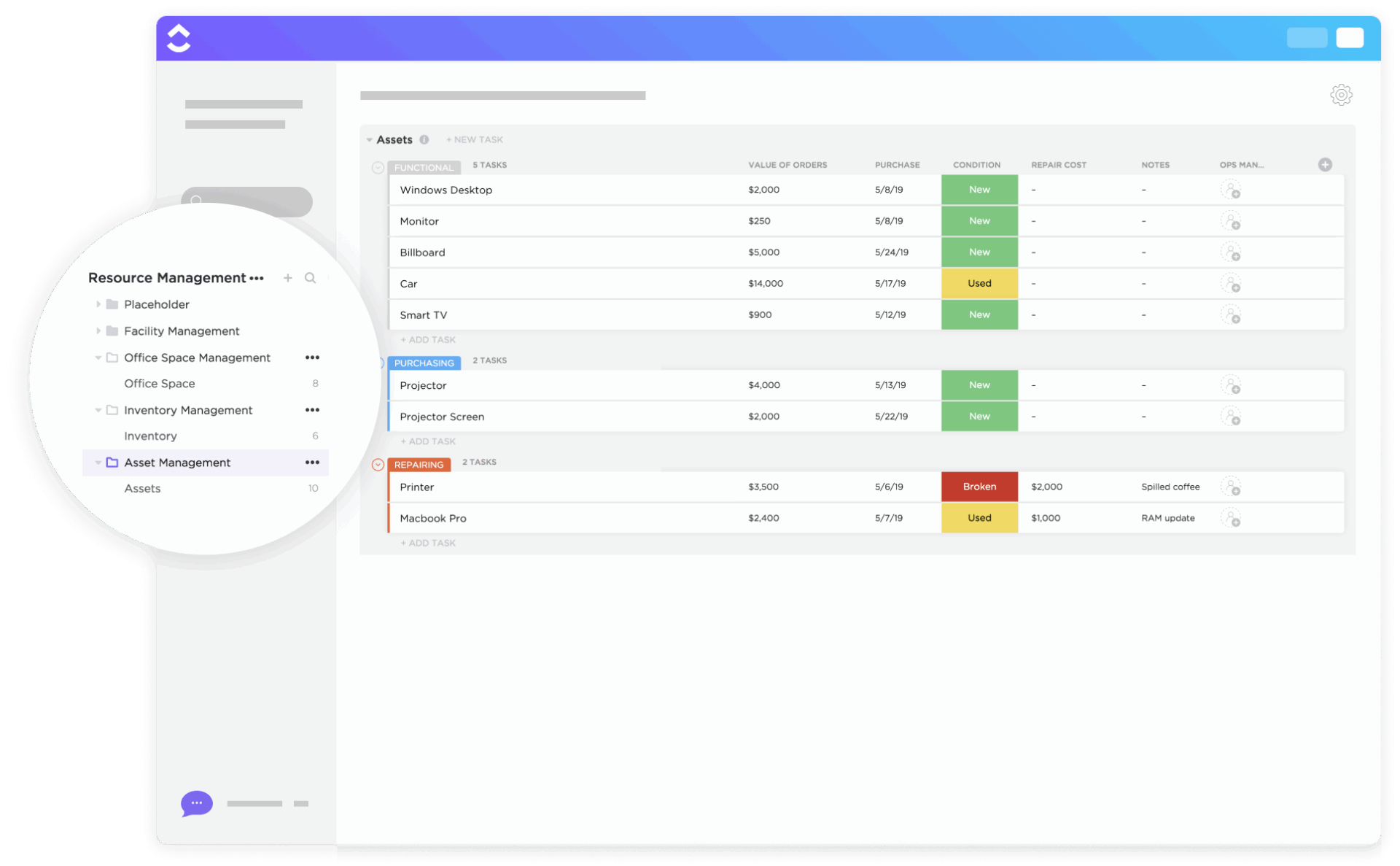
Game files pile up fast. And if you’re not tracking what’s final, who owns what, or where things live, you’ll end up recreating assets you already made. The ClickUp Asset Management Template helps you organize and store asset data, track usage, and visualize timelines (including with simple Gantt charts).
While it’s built for asset tracking broadly, it adapts well to game production needs like tracking art packs, audio libraries, licenses, devices, and equipment. It includes custom statuses such as Complete, Functional, Purchasing, Repairing, and Selling, as well as multiple views (including a repair calendar and cost views) that allow you to track updates and costs over time.
✨ Ideal for: Teams managing a growing library of art/audio assets, tools, licenses, and production equipment that must stay organized through release.
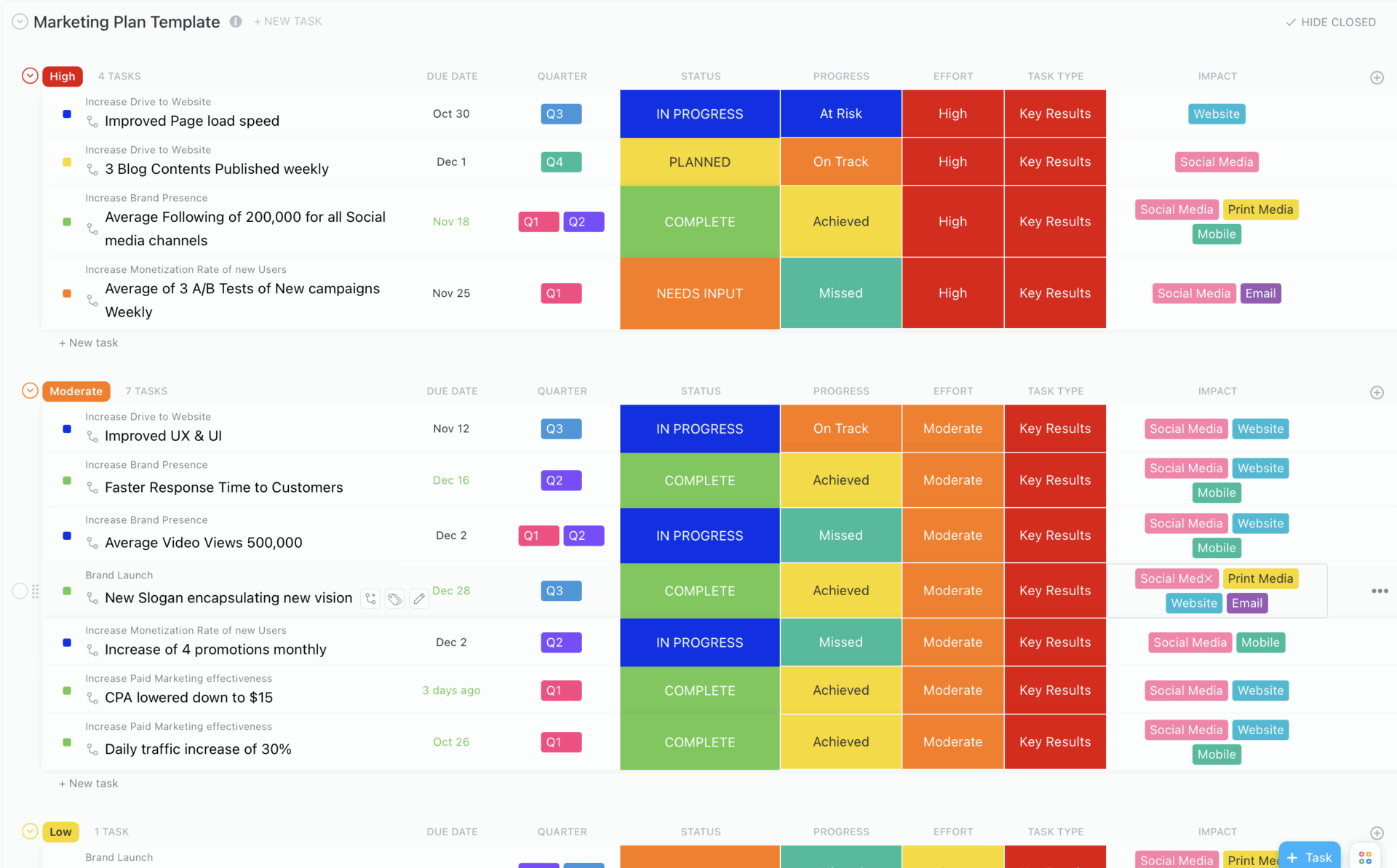
Even a strong game can underperform if marketing tasks aren’t tracked and results aren’t reviewed. The ClickUp Marketing Plan Template helps you plan and optimize campaigns in one place. It also helps you build a space to set objectives and break work into actionable tasks that can then be tracked with ClickUp Tasks.
This ClickUp template includes custom statuses such as Cancelled, Complete, In Progress, Needs Input, and Planned, as well as custom views like Key Results, Timeline, Objectives, and Progress Board to monitor and track progress.
✨ Ideal for: Indie teams and studios planning store pages, social content, press outreach, and community beats alongside launch timelines.
🧠 Fun Fact: One of the earliest and most famous video game Easter eggs appeared in the 1980 game Adventure for the Atari 2600, hidden by developer Warren Robinett.
📖 Also Read: Workflow Automation Examples
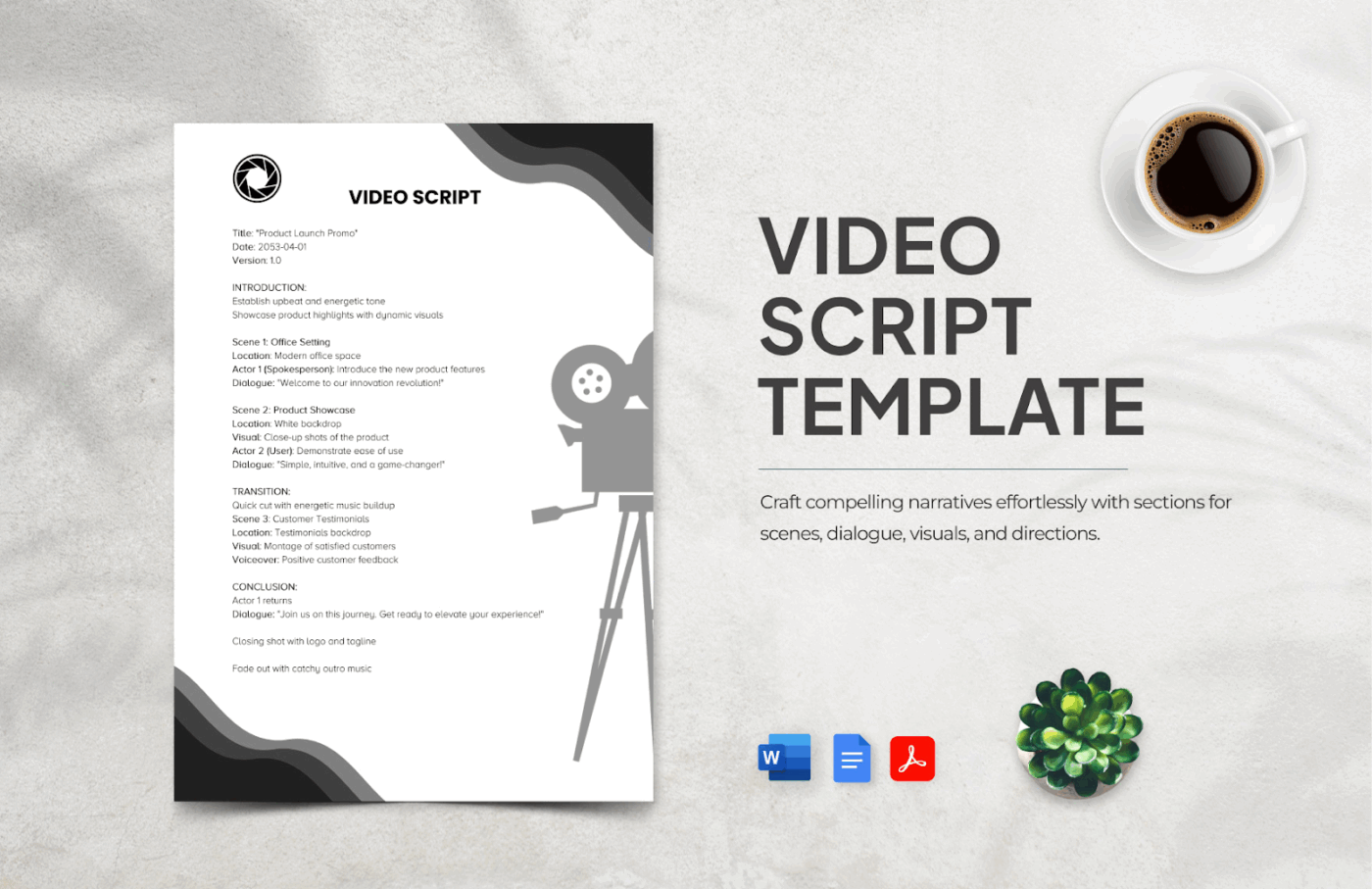
When scripts on dialogues and cutscenes are scattered across files, writing becomes harder to review and even harder to implement. The Video Game Script Template by Template.net gives you a ready layout you can edit online and share with collaborators instead of formatting from scratch.
It also supports an online download workflow for common formats, including Microsoft Word, Google Docs, and PDF. This can especially be helpful when you need to hand scripts to writers, actors, or localization partners using different tools.
✨ Ideal for: Narrative designers and indie devs who want a clean script format they can edit online and export for collaborators.
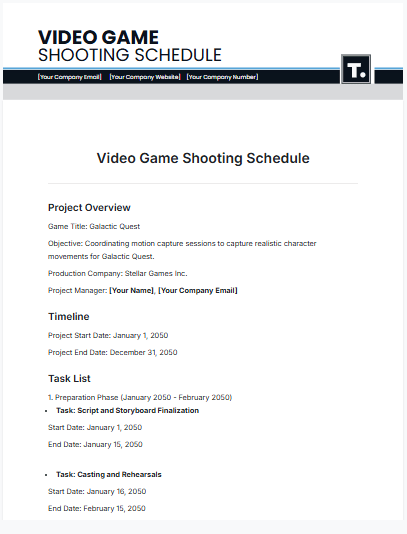
Voiceover sessions and cutscene capture go sideways when availability and timing are tracked in messages and memory. The Video Game Shooting Schedule Template by Template.net helps you map sessions in a schedule format so production days stay organized.
Like other Template.net files, it’s built around an editor-first workflow with export options that support common download formats. This is useful when your schedule needs to be shared beyond your core team.
✨ Ideal for: Studios and indie teams coordinating recorded content like VO, mocap, and cutscene capture across limited time windows.
📖 Also Read: Software Project Management Best Practices
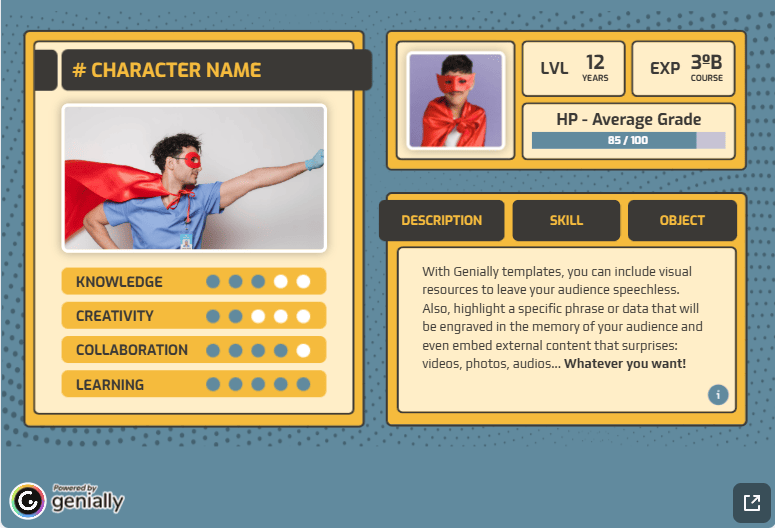
Characters become inconsistent when the “real version” of a backstory lives in one doc and visual references are somewhere else. The Character Sheet Template by Genially gives you a structured character sheet you can share so writers and designers work from the same source of truth.
This Genially template is built for interactive, shareable content creation, with no coding, which can be ideal for nontechnical users.
✨ Ideal for: Game designers, artists, and educators who want a character sheet they can share and maintain across a growing cast.
💡 Pro Tip: If you’re constantly switching between docs, tasks, and notes, use ClickUp Brain to summarize what changed.
Drop playtest feedback into a Doc, ask ClickUp Brain to extract the top issues, and have it draft tasks with owners and priorities so your templates stay current without manual copy-paste.
Creating a video game is a highly collaborative, multi-disciplinary process—and without a structured system, it’s easy for core details to fall through the cracks.
Here’s why templates matter more than ever:
Whether you’re building your first game or your fiftieth, using structured templates helps you move faster without losing context.
Most dev teams outgrow spreadsheets and basic task lists by the time they hit beta. That’s where ClickUp gives you a real edge.
Here’s what sets it apart for game development:
Here’s what a G2 reviewer had to say:
ClickUp has been a game-changer for our creative marketing agency. I use it every day! It helps us stay organized across all our tasks and projects, and the workload view combined with time estimates makes it easy to manage our team’s capacity. We love how customizable everything is—it really allows us to tailor the platform to fit our exact workflow. It’s also great for collaboration and tracking progress on multiple projects at once.
If your team already uses tools like GitHub, Drive, Unity, or Figma, ClickUp integrates with them too, keeping the ecosystem connected from idea to launch.
Most game teams start with a patchwork system. One team may have a creative brief in one document, mechanics notes in another, and production updates hidden in chat.
After a few iterations, it gets harder to remember what changed. That’s work sprawl, and it quietly slows down everything from design decisions to QA sign-off.
Free templates give you a cleaner way to plan and build. You can document your vision early and keep everyone aligned as the game evolves. When it’s time to ship, the Launch Checklist and Marketing Plan help you track every moving piece so launch work doesn’t turn into last-minute scrambling.
ClickUp gives these templates a real home.
You can keep docs, tasks, assets, and approvals connected in one workspace, then use ClickUp’s AI features to reduce busywork as the project grows.
Ready to work more effectively? Sign up for ClickUp and get access to customizable templates and real-time collaboration.
A game design document template helps you plan your game. It covers things like mechanics, characters, levels, and story. Templates give you a ready-made layout so you don’t forget key parts of your game while building.
Yes. Indie developers often manage everything themselves—from design to marketing. Templates help organize ideas, track progress, and save time by giving you a head start on planning.
It should have sections for your concept, gameplay systems, characters, assets, and testing notes. A good template also tracks changes, helps with teamwork, and fits into tools you already use.
Use a bug tracking template to log problems with details like platform, severity, and screenshots. This keeps all issues in one place and helps teams fix bugs faster without confusion.
Yes. Many templates are flexible. For example, an RPG game might need sections for quests and skill trees, while a platformer might need level timing and layout details.
ClickUp lets you keep your game docs, tasks, bugs, and sprints all in one place. Its templates work for planning, tracking, and managing every part of your game build—whether you’re a solo dev or part of a team.

© 2026 ClickUp

There’s an easier way. Try a free AI Agent in ClickUp that actually does the work for you—set up in minutes, save hours every week.