







Still downloading templates?
There’s an easier way. Try a free AI Agent in ClickUp that actually does the work for you—set up in minutes, save hours every week.
Sorry, there were no results found for “”
Sorry, there were no results found for “”
Sorry, there were no results found for “”
Vendor evaluation usually breaks down in predictable ways: the “scorecard” lives in someone’s spreadsheet, the real feedback lives in Slack, and renewals get decided in a meeting where everyone remembers different incidents.
In a world where supply risk is constant, that setup is way too fragile. Procurement leaders consistently rank risk mitigation as a top priority, and many point to keeping active alternate sources as the most effective move.
This guide gives you 10 ready-to-use vendor scorecard templates so you can score vendors with consistent criteria, spot risks early, and make sourcing decisions you can actually defend. We’ll also show how to run weighted scoring inside ClickUp when you want more than a simple 1–5 rating.
| Template | Download Link | Ideal For | Best Features | Visual Format |
|---|---|---|---|---|
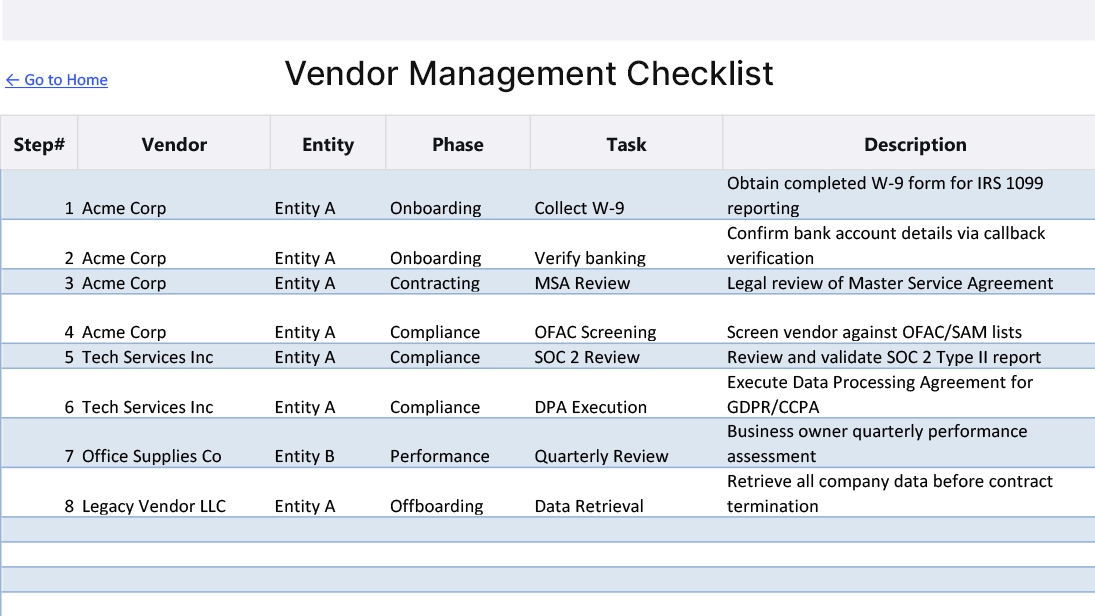
| ClickUp Vendor Management Checklist Template | Get free template | Teams onboarding vendors and managing compliance steps | Pre-built qualification checklist, Custom Fields for vendor data, assignees and due dates, supports adding scoring | Checklist workflow |
| ClickUp Vendor Retro Template | Get free template | Teams reviewing vendor performance after projects or contracts | Structured reflection sections, collaborative Docs, tagging, qualitative insight capture | Retrospective template |
| ClickUp Vendor Master List Template | Get free template | Organizations managing multiple suppliers in one place | Centralized vendor database, Table view, Custom Fields for contacts, certifications, and risk | Master database |
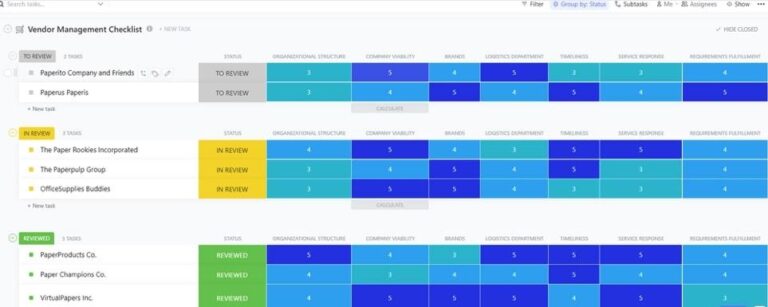
| ClickUp Comparison Matrix Template | Get free template | Procurement teams comparing vendors side-by-side during RFPs | Matrix layout, weighted scoring fields, color-coded indicators, automated ranking | Comparison matrix |
| ClickUp Balanced Scorecards Template | Get free template | Teams evaluating vendors across financial, quality, process, and growth dimensions | Four-quadrant scorecard, Custom Field scoring, dashboard integration | Balanced scorecard |
| ClickUp Software Evaluation Template | Get free template | IT, procurement, and ops teams assessing software and SaaS vendors | Evaluation across integrations, compliance, support, pricing, weighted scores, cross-functional feedback | Software scorecard |
| ClickUp Vendor Agreement Template | Get free template | Teams documenting contracts, SLAs, renewal timelines, and vendor obligations | Tracks contract terms, SLAs, renewal dates, linked review workflows, Custom Fields | Agreement tracker |
| Vendor Evaluation Form by Jotform | Download this template | Organizations wanting a simple form-based vendor evaluation process | Customizable form builder, rating scales, structured fields, real-time submissions, centralized response storage | Evaluation form |
| Lead Scoring Template by HubSpot | Download this template | Teams needing a simple spreadsheet-based vendor scoring model | Basic scoring fields, customizable metrics, easy comparison, spreadsheet-friendly layout | Spreadsheet template |
| Vendor Management Checklist Template by Coefficient.io | Download this template | Teams tracking compliance steps and vendor process workflows | Checklist-based task tracking, structured workflow, documentation fields, process consistency | Checklist template |
A vendor scorecard template is a standard framework for measuring and comparing supplier performance using the same criteria every time, like quality, delivery reliability, cost, responsiveness, and risk.
Instead of relying on opinions or one-off feedback, it gives your team a repeatable way to score vendors consistently, spot performance trends over time, and make decisions you can actually explain during renewals or escalations.
📮 ClickUp Insight: 92% of knowledge workers risk losing important decisions scattered across chat, email, and spreadsheets. Without a unified system for capturing and tracking decisions, critical business insights get lost in the digital noise. With ClickUp’s ClickUp Task Management capabilities, you never have to worry about this. Create tasks from chat, task comments, docs, and emails with a single click!
If you don’t have a scorecard system, vendor management turns reactive fast. You only notice problems when something breaks: a late shipment, a failed SLA, a support escalation that suddenly becomes your emergency.
A scorecard flips the dynamic. You get early signals, a paper trail, and a way to compare vendors without shifting the goalposts mid-quarter.
Using a standardized vendor management scorecard helps you:
💡 Pro Tip: Vendor history shouldn’t live in people’s memories
When a vendor issue pops up, the worst question is “Where was that documented?” With ClickUp Enterprise Search, you can pull past scorecards, incident notes, renewal decisions, contract terms, and stakeholder feedback with one query so evaluation is based on evidence, not Slack archaeology.
🎥 When evaluating software vendors, understanding key development metrics can help you assess their technical capabilities and delivery performance more effectively. This video provides an overview of essential software development KPIs that can inform your vendor evaluation criteria.
These 10 free vendor scorecard templates give you a head start, so you can pick the one that best fits your needs and customize it from there.
Tired of steps getting missed during vendor onboarding? This task-based checklist Vendor Management Checklist Template by ClickUp ensures every compliance check and management activity is tracked from start to finish. It’s perfect for teams that need a repeatable process for bringing on new vendors and conducting periodic reviews.
This template combines process with performance tracking.
What this template includes:
Stop manually tracking renewal dates—automation in procurement processes delivers an average 18% ROI with just 12-month payback. Never miss a contract deadline by setting up ClickUp Automations to automatically trigger review tasks or send notifications when a due date is approaching.
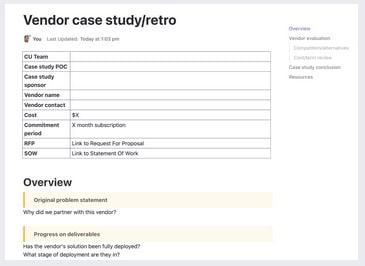
Sometimes a simple score doesn’t tell the whole story. This retrospective-style Vendor Retro Template by ClickUp helps your team conduct meaningful post-project or post-contract vendor reviews to capture valuable lessons learned. It’s ideal for teams who want to understand the “why” behind a vendor’s performance.
This template transforms feedback into actionable insights.
What this template includes:
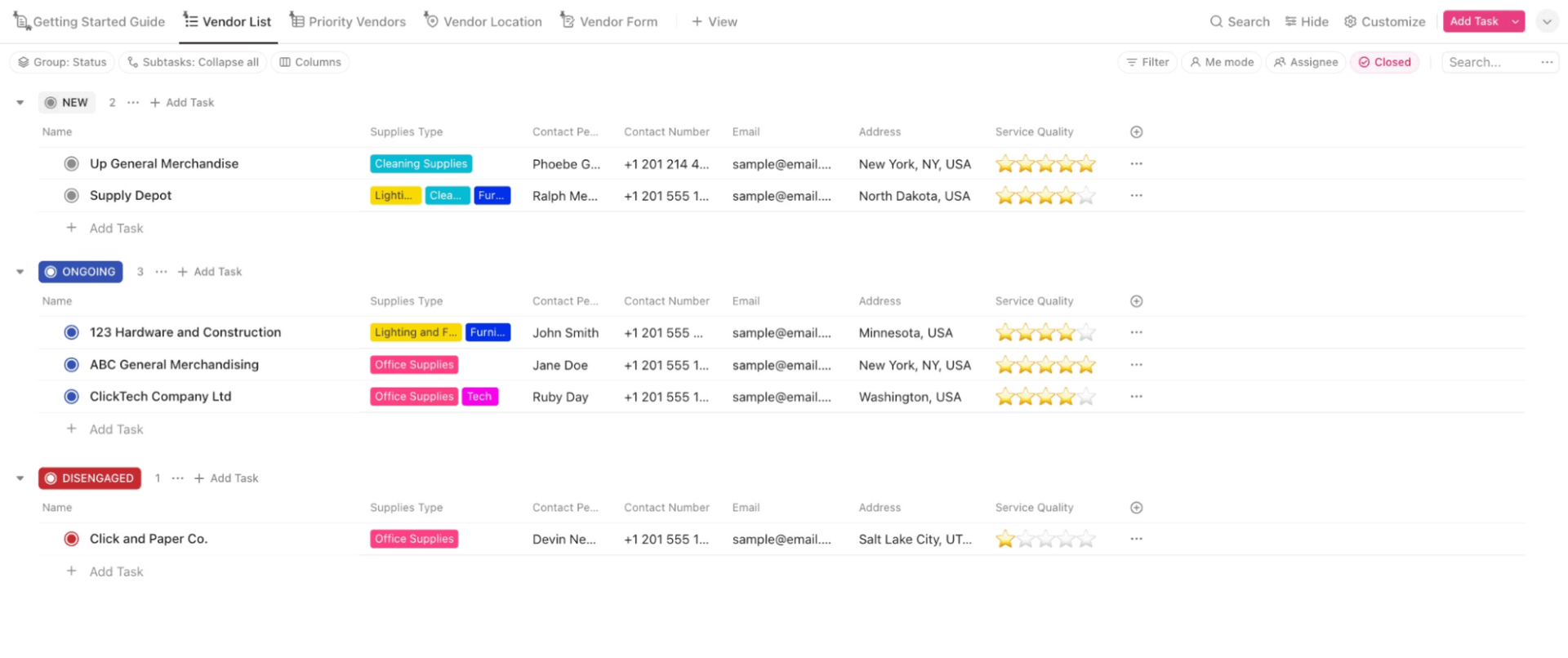
Is your vendor information scattered across a dozen different files? This centralized database Vendor Master List Template by ClickUp solves that by tracking all your vendors in one place, complete with key details and performance indicators. It’s a must-have for any organization managing multiple suppliers and needing one centralized vendor database.
This supplier scorecard template serves as the foundation for your entire vendor management program.
What this template includes:
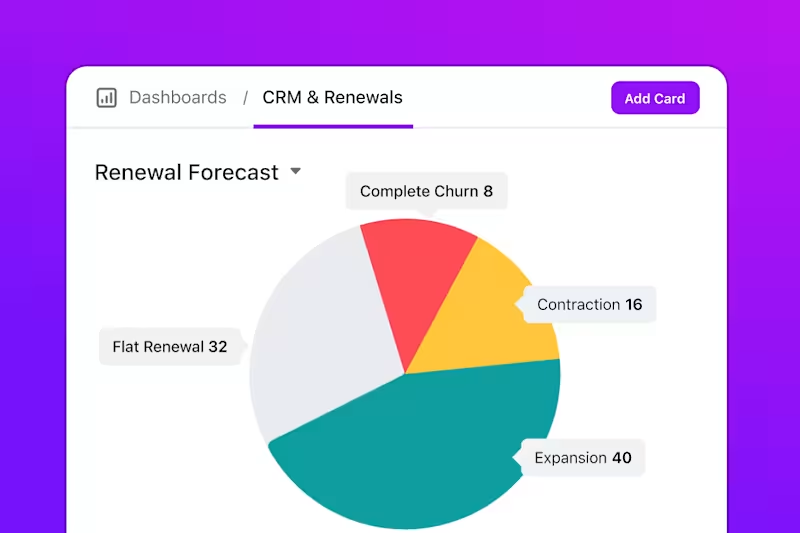
Turn raw data into powerful insights. Get a high-level look at your entire supplier network at a glance by pulling data from this list into real-time vendor performance overviews with ClickUp Dashboards.
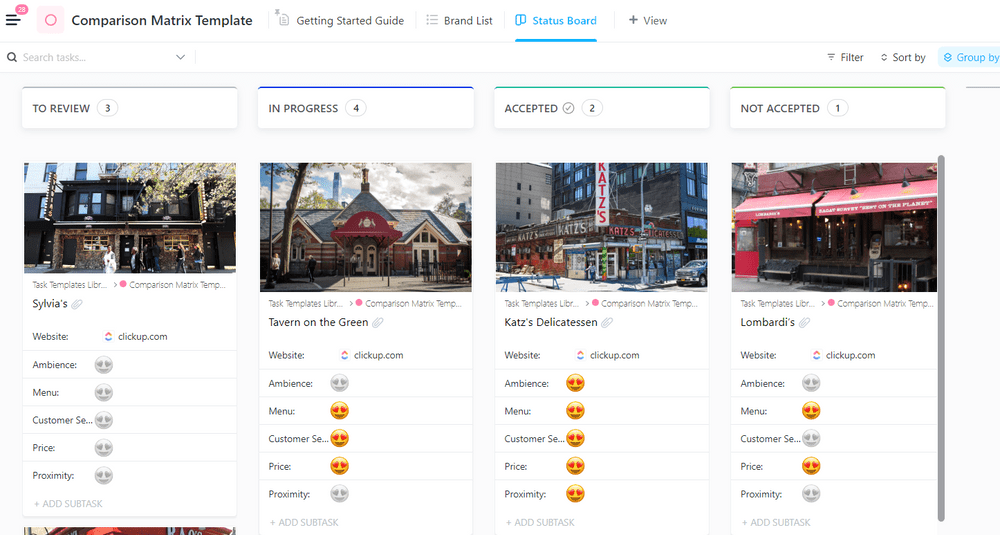
Choosing between multiple vendors during an RFP process can feel like comparing apples and oranges. This side-by-side Comparison Matrix Template by ClickUp brings clarity to the vendor evaluation scorecard process by letting you evaluate multiple suppliers against the exact same criteria. It’s built for procurement teams who need to make defensible, data-driven selection decisions.
This template is purpose-built to help you move from a long list to a shortlist with confidence.
What this template includes:
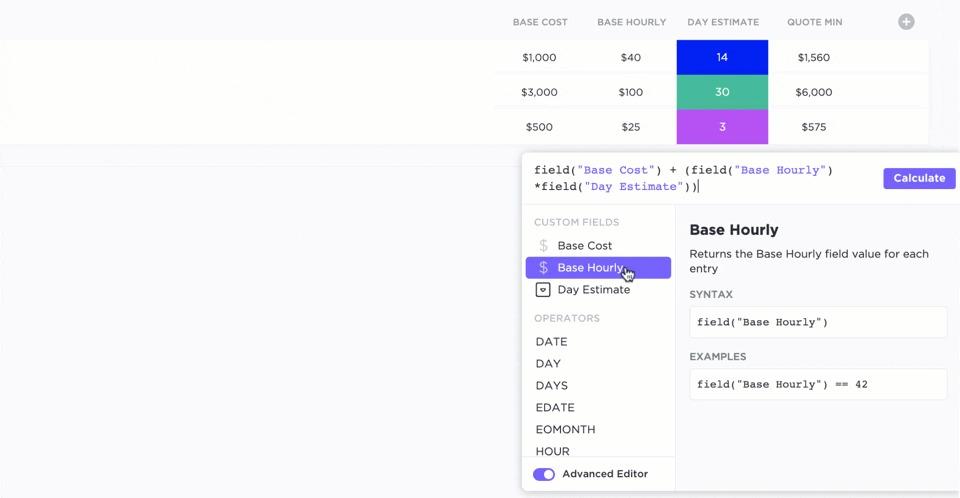
Want weighted scoring without spreadsheet math?
In ClickUp, add each KPI as a Custom Field, then use Formula Fields to calculate weighted totals automatically. That way the template stays consistent even when multiple reviewers score vendors. ✨
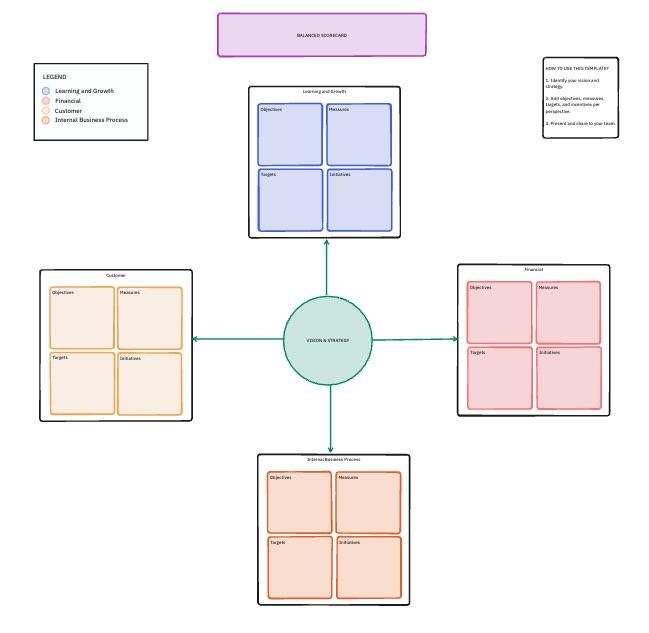
Focusing only on cost is a common mistake that can lead you to choose a cheap vendor who ends up costing you more in the long run due to poor quality or service. This strategic scorecard Balanced Scorecards Template by ClickUp helps you evaluate vendors across multiple performance dimensions, ensuring you get a holistic view of their value.
This template prevents you from over-indexing on price at the expense of quality or innovation.
What this template includes:
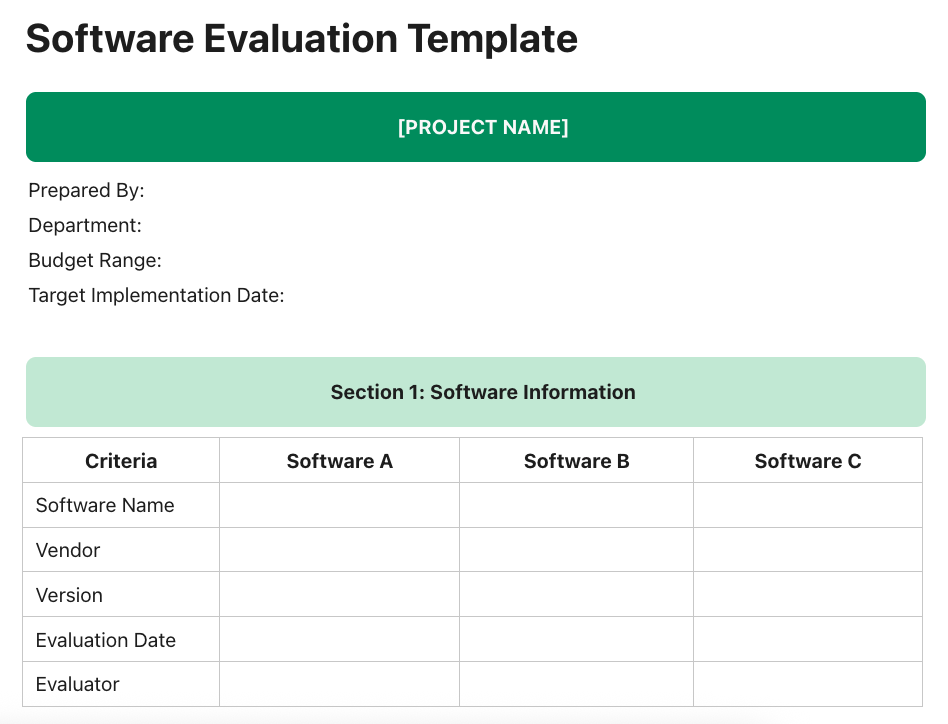
Evaluating software vendors comes with its own unique set of challenges. This specialized scorecard Software Evaluation Template by ClickUp is designed specifically for IT, procurement, and operations teams tasked with assessing technology vendors and SaaS tools.
This template addresses the unique considerations of software procurement. 🛠️
What this template includes:
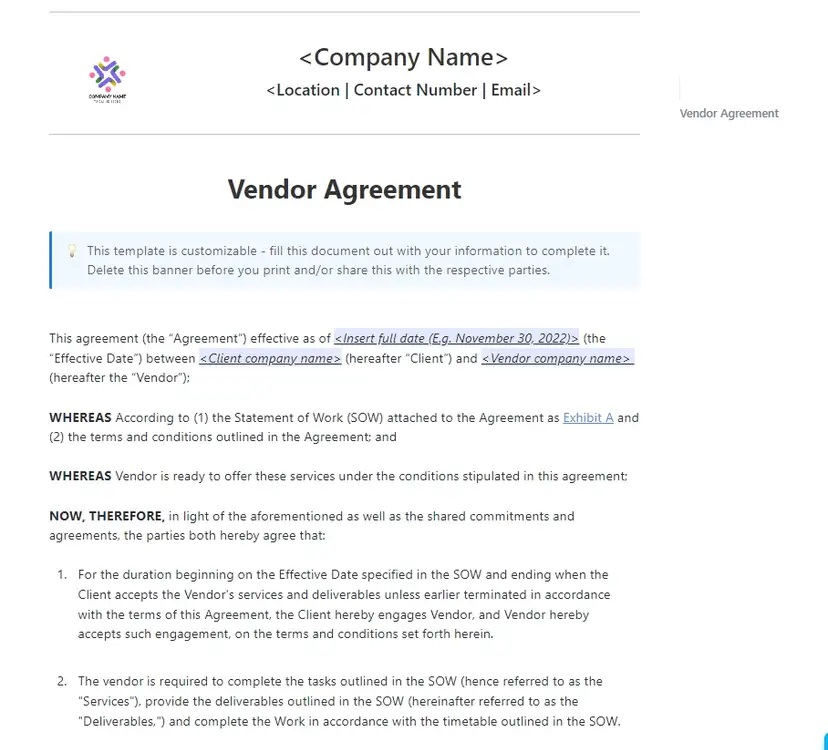
A vendor contract is more than just a legal document—it’s a promise of performance. This Vendor Agreement Template by ClickUp helps you bridge the gap between legal agreements and operational reality by documenting vendor agreements alongside performance expectations and Service Level Agreements (SLAs). It’s perfect for teams who want to hold vendors accountable for what they actually promised.
This template turns your contracts into living documents.
What this template includes:
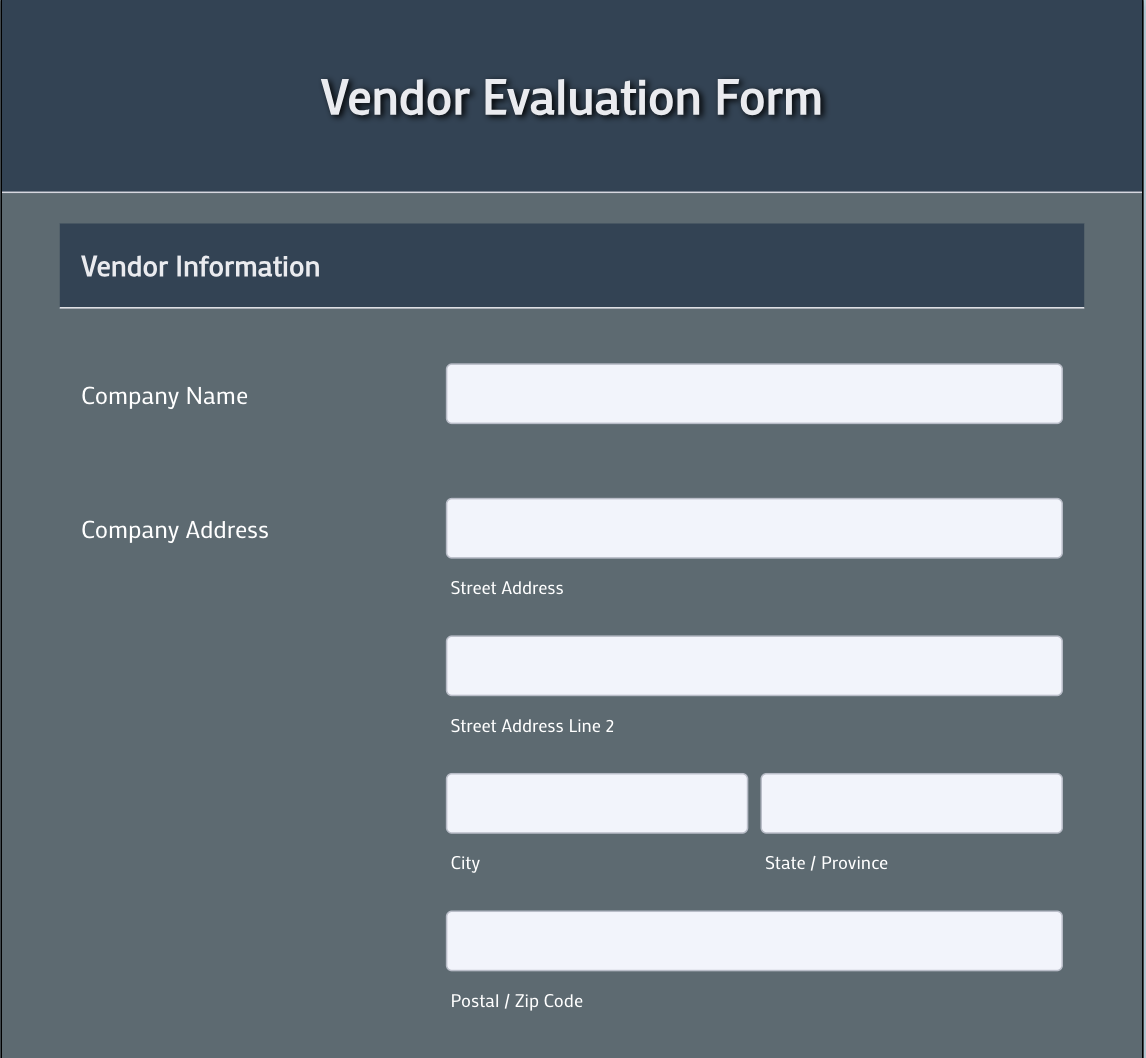
The Vendor Evaluation Form Template provides a structured way to assess supplier performance using standardized rating criteria and feedback fields. It helps teams collect consistent evaluation data on vendor quality, reliability, and service efficiency, making it easier to compare vendors and identify improvement areas. This template is ideal for organizations that want a simple, form-based approach to vendor performance tracking without complex setup.
This template supports consistent and structured vendor assessment.
What this template includes:
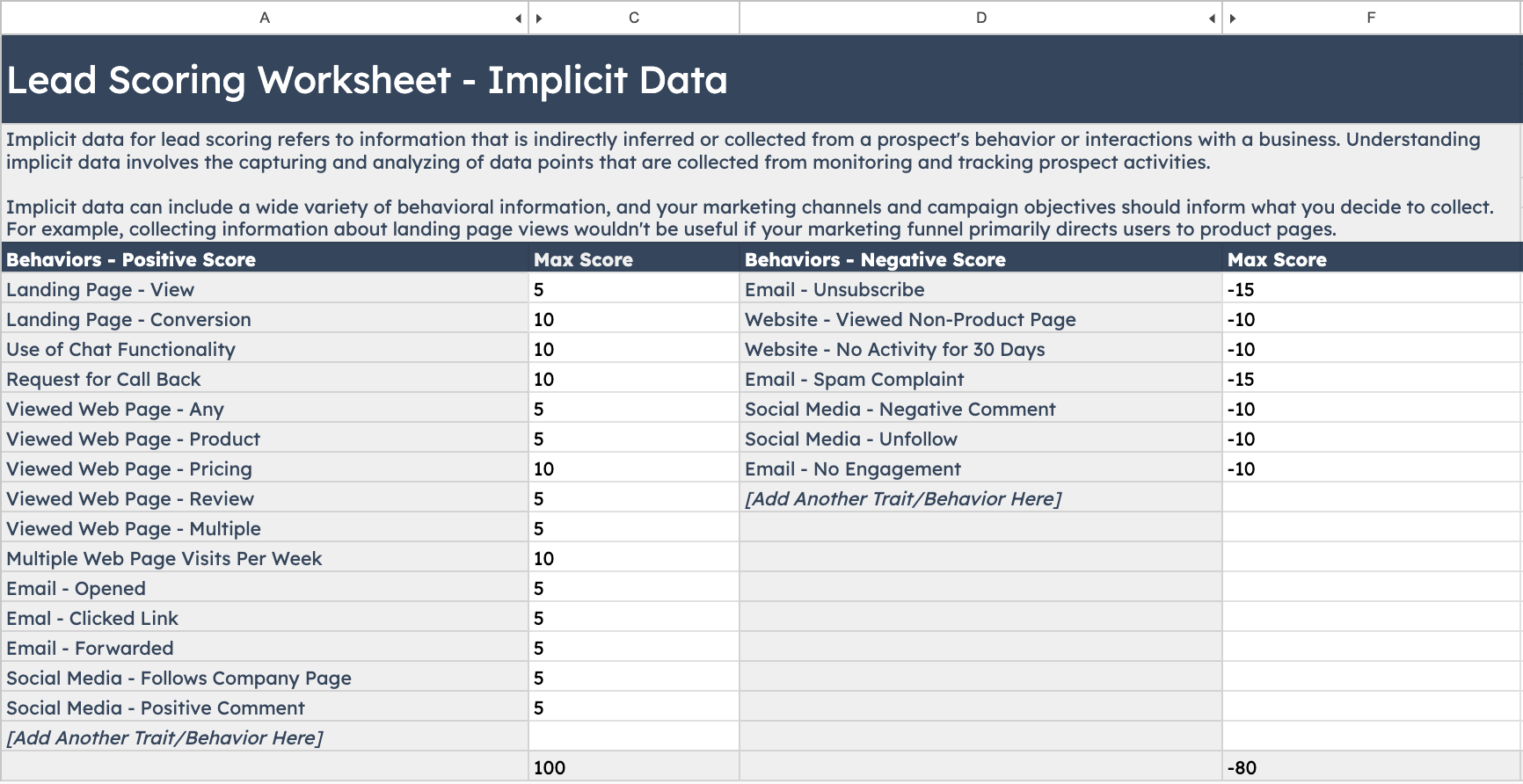
If you’re looking for a simple, no-frills starting point for your vendor rating Lead Scoring Template by Hubspot, this downloadable spreadsheet from HubSpot is a quick and easy option. It provides a basic framework that you can customize in Excel or Google Sheets.
This template is great for getting started quickly.
What this template includes:
As a static spreadsheet, this template requires manual updates and calculations. It exists outside of your project management workflows, which can lead to data silos and context sprawl.
This checklist-style Coefficient.io’s Vendor Management Checklist Template from Coefficient.io focuses on the procedural side of vendor management, such as compliance and task tracking. It’s a practical choice for teams who want a task-oriented approach to vendor oversight.
This template excels at process compliance.
What this template includes:
While excellent for tracking process completion, this checklist approach is less suited for quantitative performance scoring and trend analysis over time.
Before you pick a template, lock three things. This is the difference between a scorecard your team trusts and a scorecard people ignore.
Once the scoring logic is set, you can choose the template that matches your workflow.
Tracking the wrong metrics is just as problematic as tracking nothing at all. A great vendor evaluation scorecard focuses on a balanced set of key performance indicators (KPIs) that reflect what truly matters to your business. While the specifics depend on your industry, most scorecards include these core procurement KPIs.
Even the best vendor scorecard template will fail if your team doesn’t follow a consistent process. Here are some best practices to ensure your vendor evaluation program succeeds. 🙌
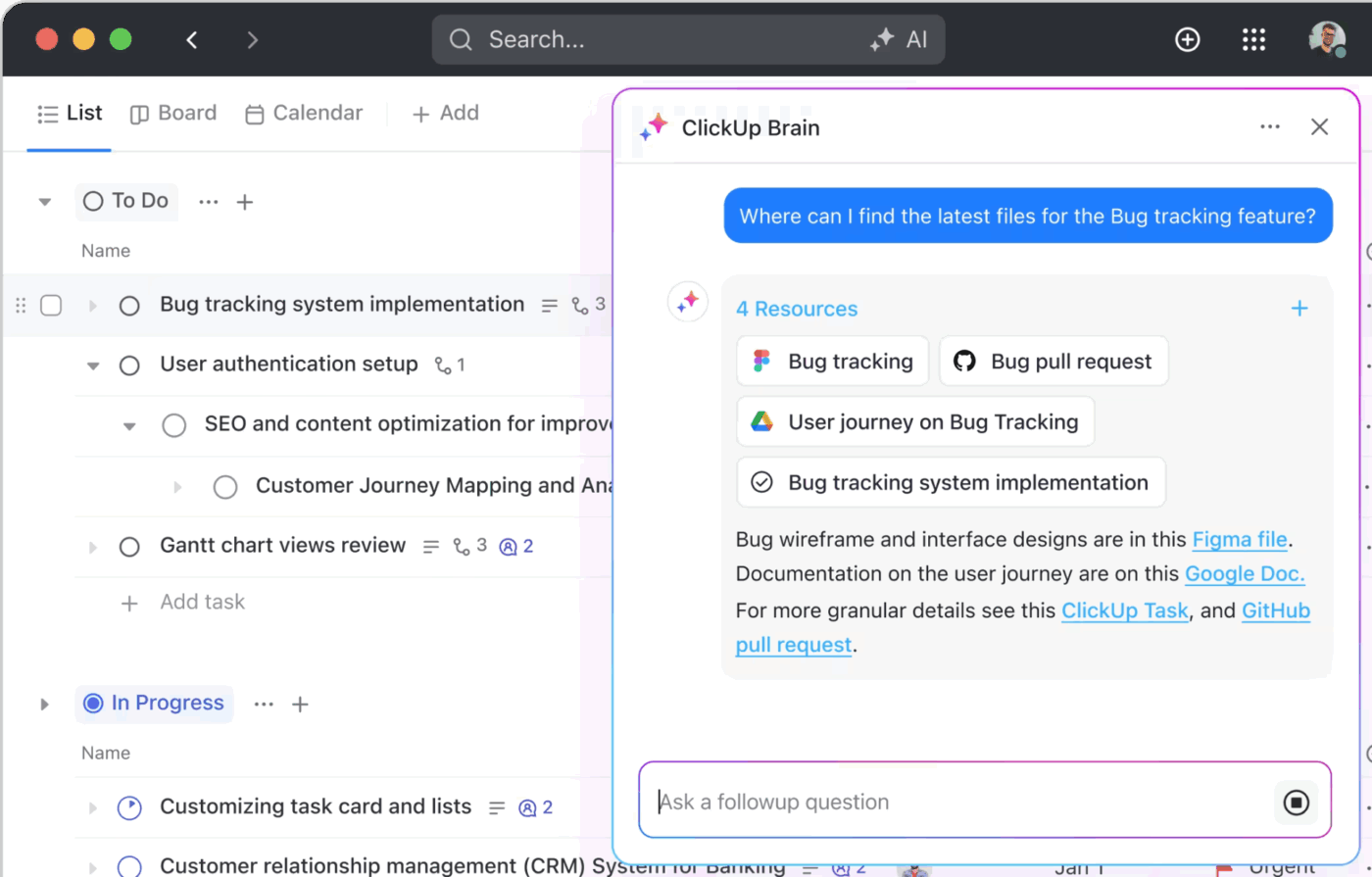
Stop letting valuable insights get lost in static reports. Visualize score trends over time and turn your data into actionable intelligence by using ClickUp Dashboards, which pull real-time data from your tasks and Custom Fields. To dig even deeper and turn your data into actionable intelligence instantly, ask ClickUp Brain to summarize vendor performance data or identify top performers.
💡 Pro Tip: Keep vendor reviews on track
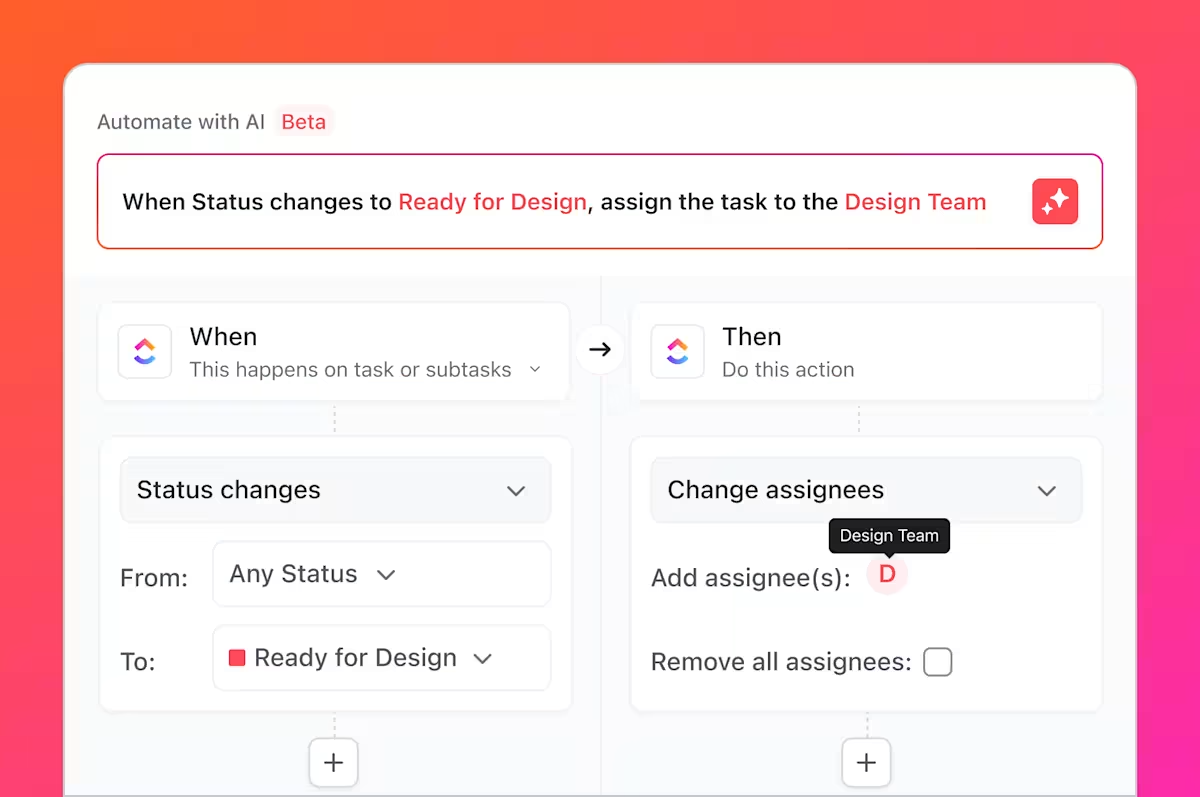
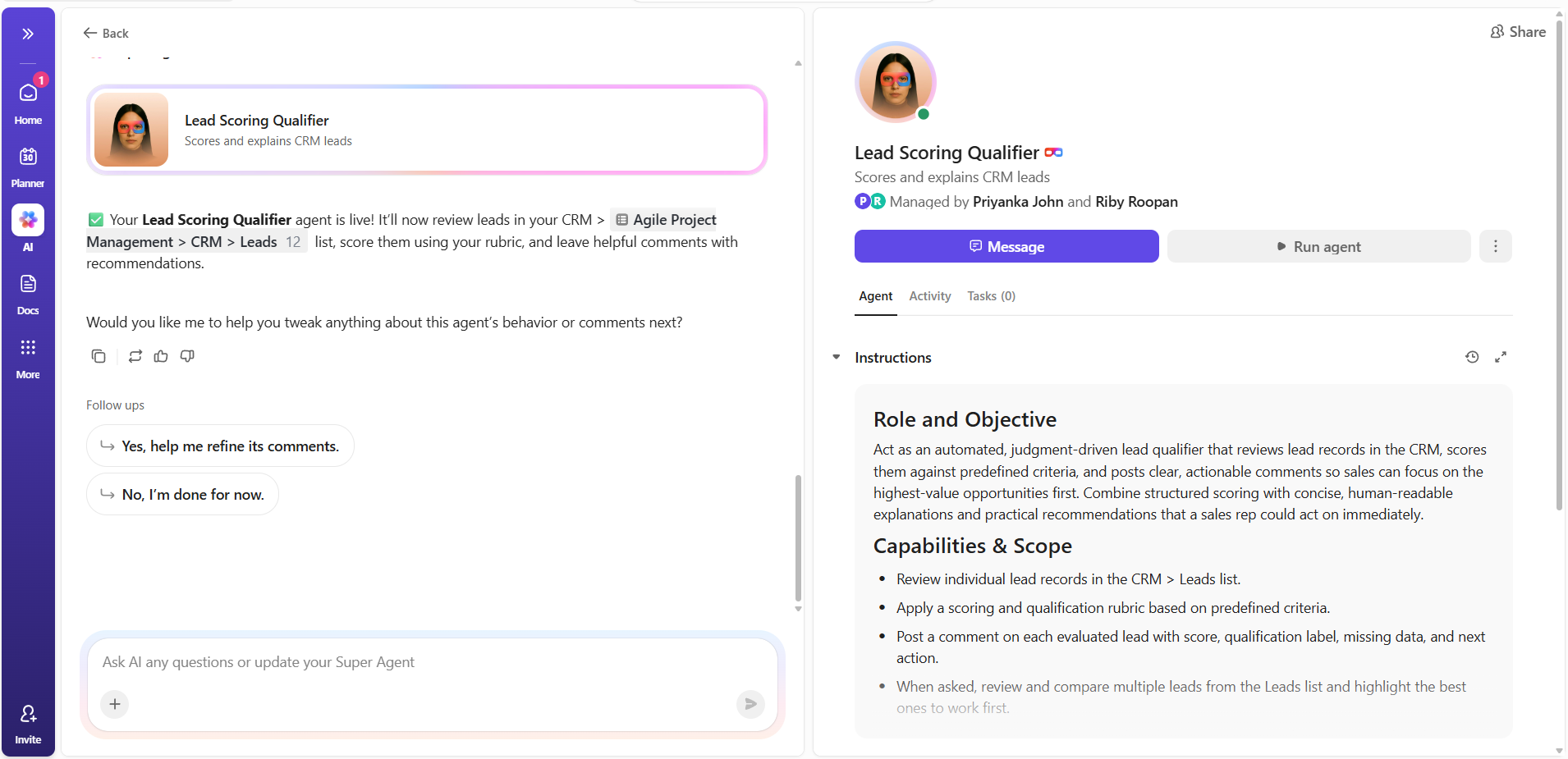
Vendor scorecards fail when the process isn’t enforced consistently. ClickUp Super Agents can monitor scorecard due dates, flag vendors with declining scores across cycles, and nudge owners when a review is overdue, so “quarterly reviews” stop being an aspirational sentence and become an operational habit.
Vendor scorecards work because they make performance visible before it becomes a fire drill. With a consistent scoring system, you can spot drift early, reward vendors who actually deliver, and walk into renewals with receipts instead of vibes.
Pick the template that fits your use case, set your scoring logic once, and run your first review cycle. After that, the process compounds.
Get started for free with ClickUp and customize the templates to match how your team evaluates vendors.
Quarterly reviews work well for most vendor relationships, providing enough time to observe meaningful performance patterns without creating excessive administrative burden. For critical suppliers or those with recent performance issues, monthly check-ins may be appropriate. The key is consistency—irregular reviews undermine the credibility of your evaluation process and make trend analysis unreliable.
A vendor assessment is typically a point-in-time evaluation conducted during vendor selection or qualification—essentially a snapshot of capabilities and fit. A vendor scorecard, on the other hand, is an ongoing performance tracking tool that measures how well an established vendor is meeting expectations over time. Think of assessments as the hiring interview and scorecards as the ongoing performance reviews.
Start by demonstrating the cost of the current approach—the time wasted searching for information, the decisions made on incomplete data, and the problems that weren’t caught early. Then propose a pilot program with three to five of your most important vendors. Quick wins from the pilot build momentum for broader adoption, and early participants often become advocates for expanding the program.

© 2026 ClickUp

There’s an easier way. Try a free AI Agent in ClickUp that actually does the work for you—set up in minutes, save hours every week.