Our brains aren’t built to multitask. When we switch from one task to another, each switch drains mental energy and reduces efficiency. The phenomenon is known as the ‘switching cost,’ which leads to slower responses and more errors.
This is why you feel drained after a day of bouncing between apps.
Enter Upbase vs. ClickUp, two very different takes on reducing the switching cost. Upbase leans into simplicity, while ClickUp offers structure and scalability.
But which approach works better for you? Let’s find out! 📝
Upbase vs. ClickUp: Which Work Management Platform is Better?
Our editorial team follows a transparent, research-backed, and vendor-neutral process, so you can trust that our recommendations are based on real product value.
Summarize this article with AI
ClickUp Brain not only saves you precious time by instantly summarizing articles, it also leverages AI to connect your tasks, docs, people, and more, streamlining your workflow like never before.
Summarize this article for me please
ClickUp vs. Upbase: Comparison Table
Feature
ClickUp
Upbase
User interface
Feature-rich but can be complex for new users
Simple, clean, user-friendly
Core functionality
Comprehensive all-in-one work management
Focuses on core tasks, chat, scheduling, and note-taking
Task management
Advanced with subtasks, dependencies, priorities
Unlimited tasks and subtasks with essentials
Views
List, Board, Gantt, Calendar, Timeline
List and Kanban only
Collaboration and communication
In-task comments, chat views, and assigned comments
Global chat, 1-on-1, group, and list chats
Document management
ClickUp Docs linked to tasks, real-time updates
Documents centralized within the workspace
Personal productivity tools
Task priorities, time tracking, reminders
Daily planner, Pomodoro timer, and advanced reminders
Customization
Highly customizable with automations, templates
Organized hierarchy but simpler customization
Summarize this article with AI
ClickUp Brain not only saves you precious time by instantly summarizing articles, it also leverages AI to connect your tasks, docs, people, and more, streamlining your workflow like never before.
Get full-scale scalability in an easy-to-customize ClickUp workspace
Work today is broken.
60% of our time is spent sharing, searching for, and updating information across different tools.
Most of that wasted time comes from Work Sprawl, the fragmentation of tasks, information, and conversations across too many tools. ClickUp reduces this by acting as a Converged AI Workspace where your projects, knowledge, communication, and AI all live in one connected system.
Our projects, documentation, and communication are scattered across disconnected tools that drain productivity.
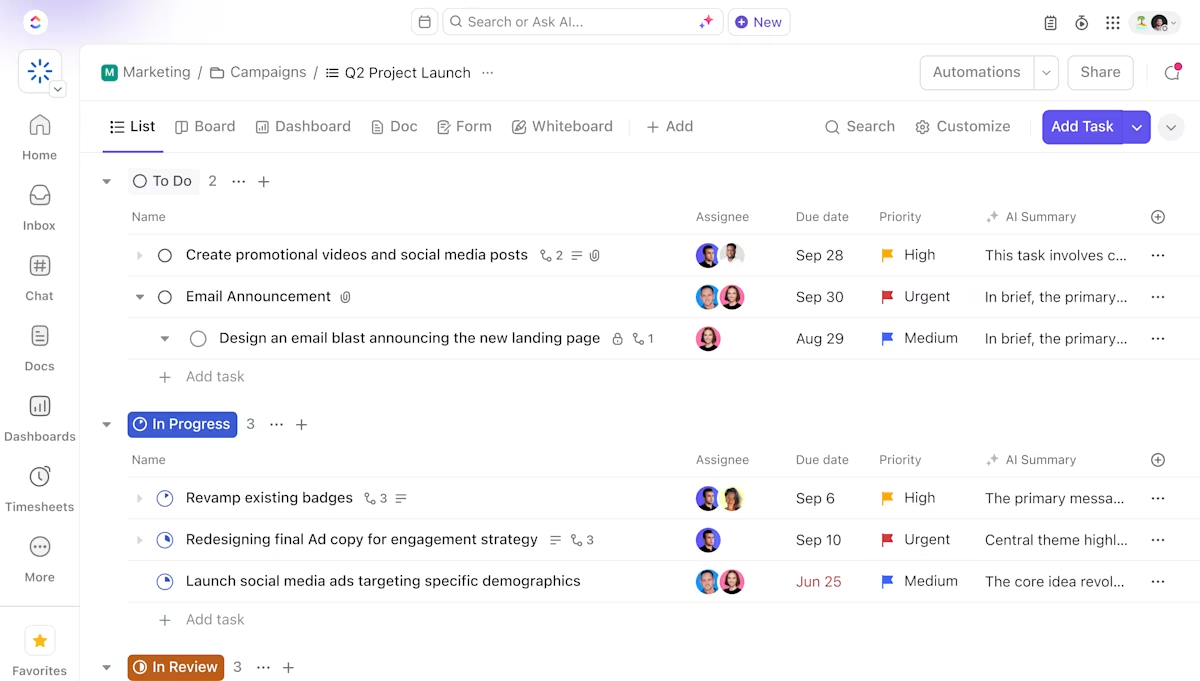
ClickUp solves this problem with the everything app for work that combines project, knowledge, and chat in one place—all powered by the world’s most cohesive work AI.
Today, over 3 million teams use ClickUp to work faster with more efficient workflows, centralized knowledge, and focus-driven chat that eliminates distractions and unlocks organizational productivity.
ClickUp features
Feature #1: Plan your time in one place
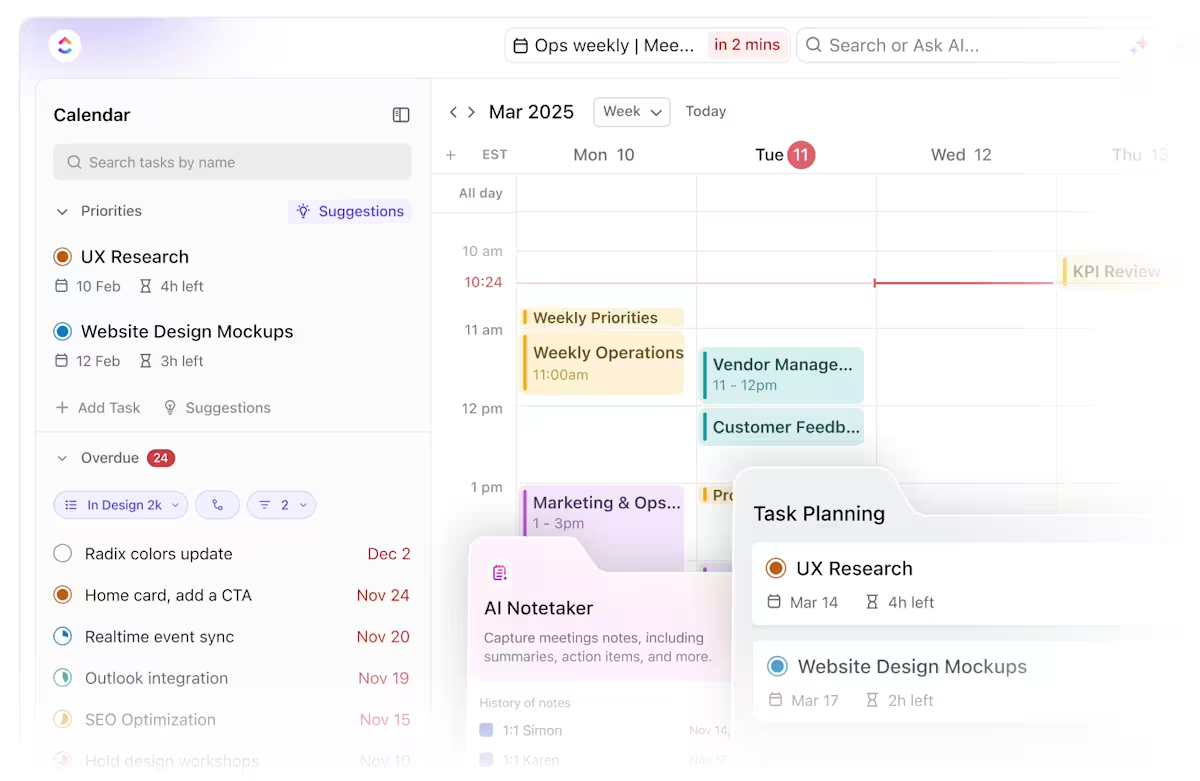
ClickUp Calendar is a command center for your time. You can plan, visualize, and manage everything, from weekly tasks to big launch deadlines, in a centralized space.
Its biggest perk is the two-way sync with Google Calendar (and others). So when you update a ClickUp Task, it automatically updates in your Google Calendar and vice versa. This way, your work is all there, in real time.
Get a unified location to schedule your work with ClickUp Calendar
For instance, if your marketing team moves a campaign deadline in ClickUp, everyone’s external calendars instantly reflect that change.
Additionally, its view is built to match your rhythm. Prefer to plan your day hour by hour? Switch to the daily layout. Want a big-picture view for the week or month? Just toggle the view. You can drag and drop tasks into time slots, reschedule on the fly, and even color-code tasks by priority or status.
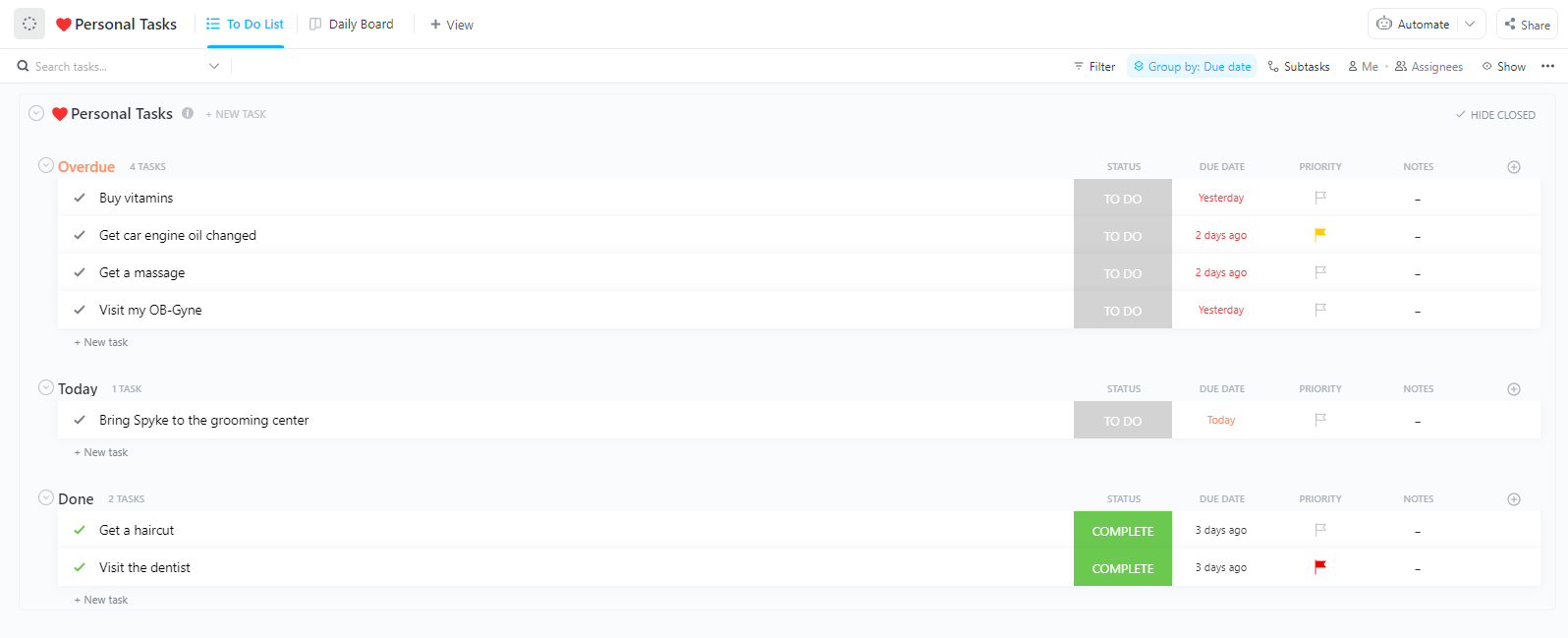
⚡ Template Archive: The ClickUp Daily Planner Template organizes your data with intent, turning every task, meeting, and note into a trackable schedule.
Organize tasks into different categories so you’re always on top of them with the ClickUp Daily Planner Template
Break down your day hour by hour, prioritize tasks with simple drag-and-drop ease, and even block time for deep work or quick breaks. You can add recurring tasks, link documents, set reminders, and use color-coded priorities to instantly spot what deserves your focus first within the daily planner template.
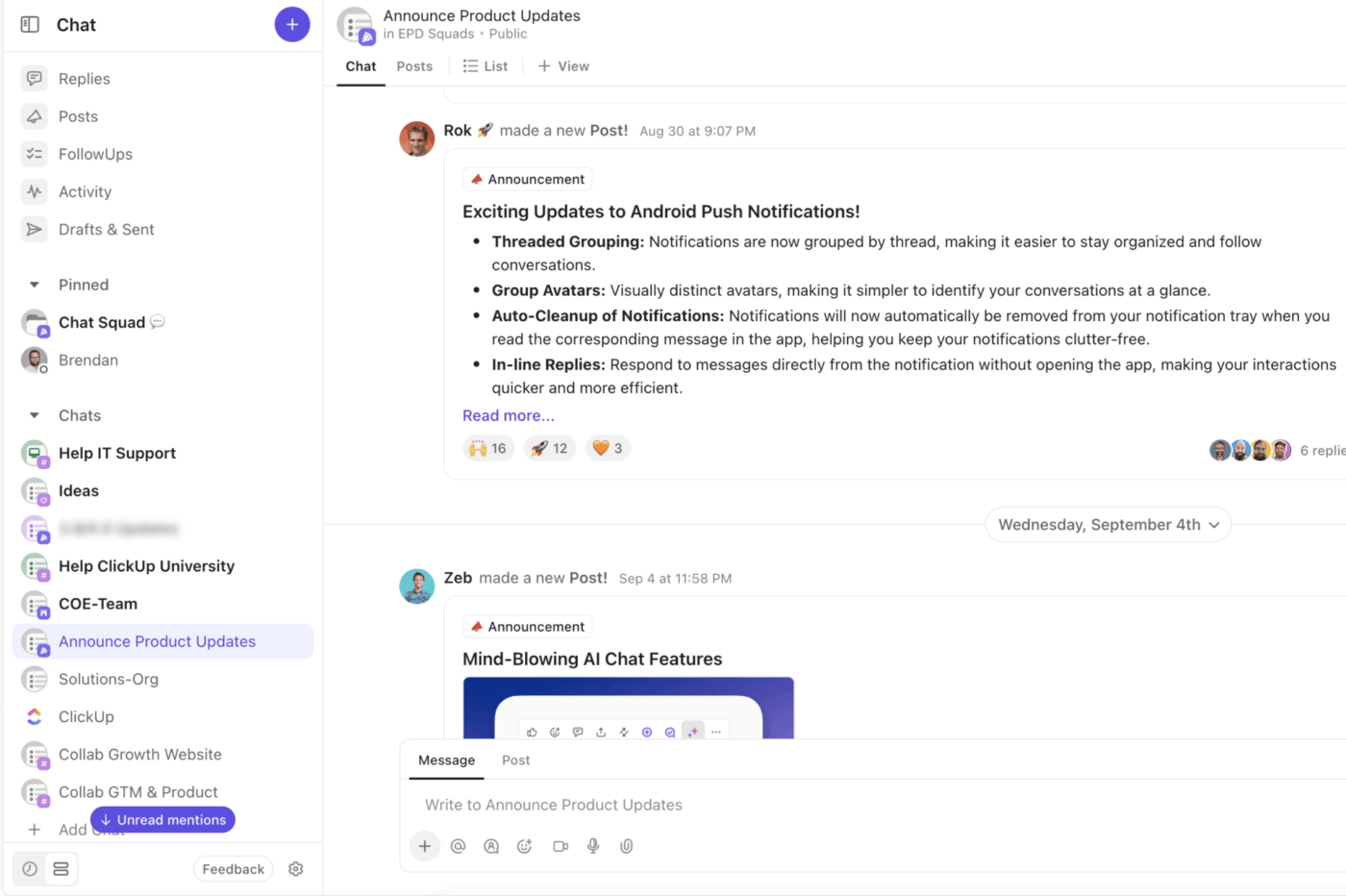
Create different channels to manage work contextually and streamline communication with ClickUp Chat
ClickUp Chat is a built-in messaging tool designed to merge team conversation and work management.
You can message teammates directly using Direct Messages or use Channels to organize discussions by teams, projects, or even releases. The chat platform also supports location-based Channels, meaning changes in your Space or List automatically reflect in the chat (and vice versa).
For instance, a marketing team can create a ‘Campaign Launch’ channel to discuss copies, visuals, and ads, all while linking relevant Tasks there.
Additionally, Chat enables action. You can create or link tasks directly from messages, ensuring ideas instantly turn into action. Got an urgent request in a thread? Convert it into an action item with one click and route the task without leaving the chat.
💡 Pro Tip: When you need a quick standup, start a ClickUp SyncUp video call right within the platform. And when you want to update your entire team at once, use Announcements, Ideas, or Posts to avoid them getting lost.
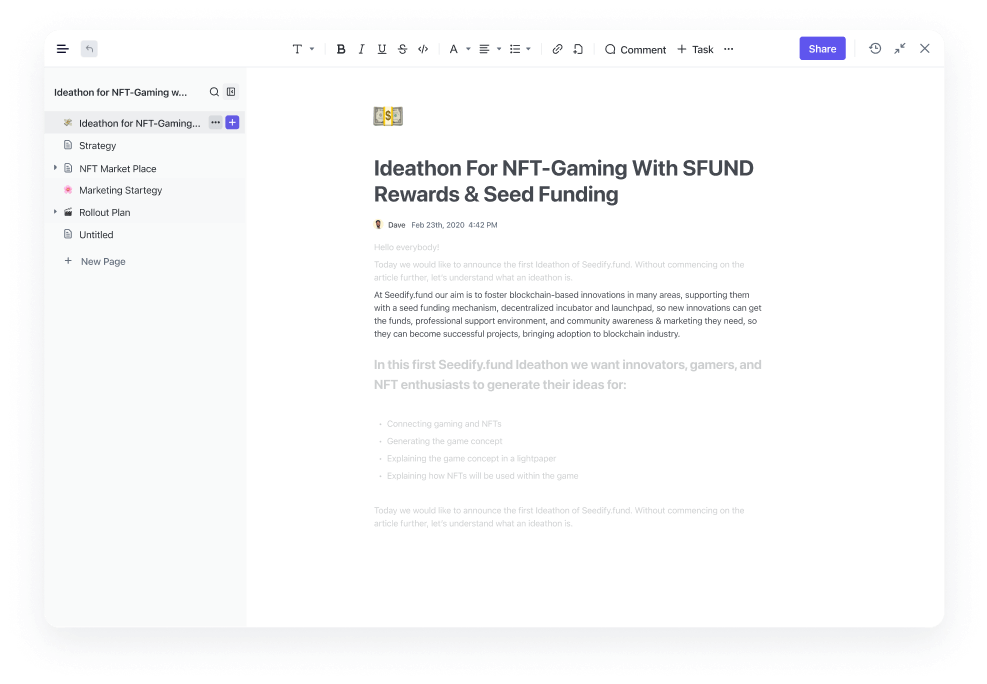
Collaborate on project documentation inside ClickUp Docs
Brainstorm, draft, and collaborate on documentation and campaigns in real time, then connect them directly to tasks, projects, or goals. Add comments and assign action items from within a document to avoid app-switching.
Feature #3: Built-in time tracking
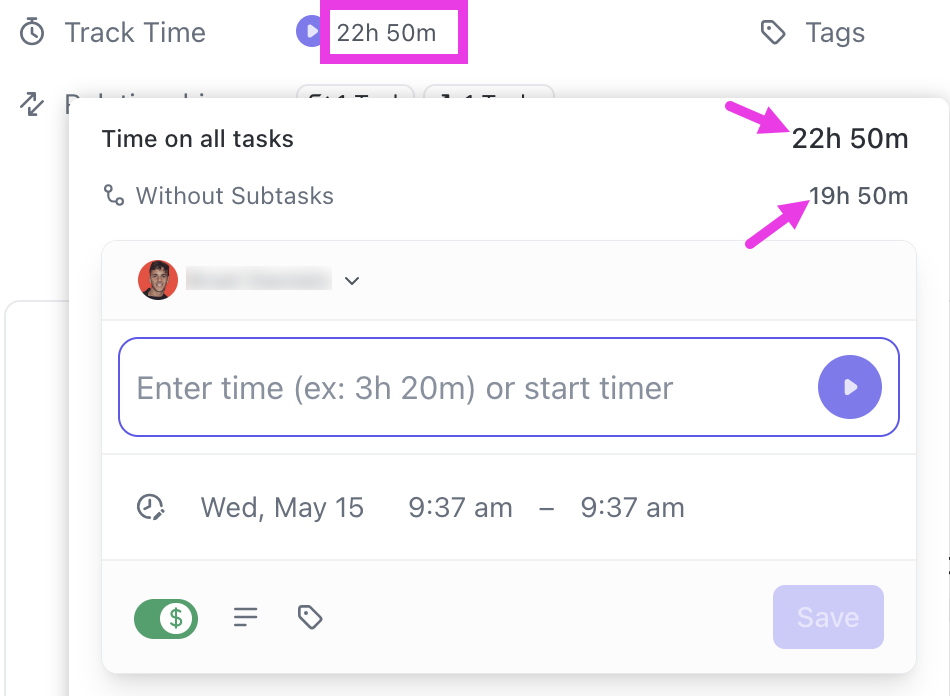
ClickUp Project Time Tracking helps you see exactly where your hours are going. Start and stop timers directly from your desktop, mobile app, or even the ClickUp Chrome extension, making it easy to stay on top of your time from anywhere.
Log time spent on every task or project with ClickUp Project Time Tracking
Say you’re a content manager switching between writing blog drafts and reviewing creative briefs. With ClickUp, you can log time for each task separately or track it in real time as you work. Prefer manual entry? No problem. You can add time retroactively or for a specific date range for optimized time tracking reporting.
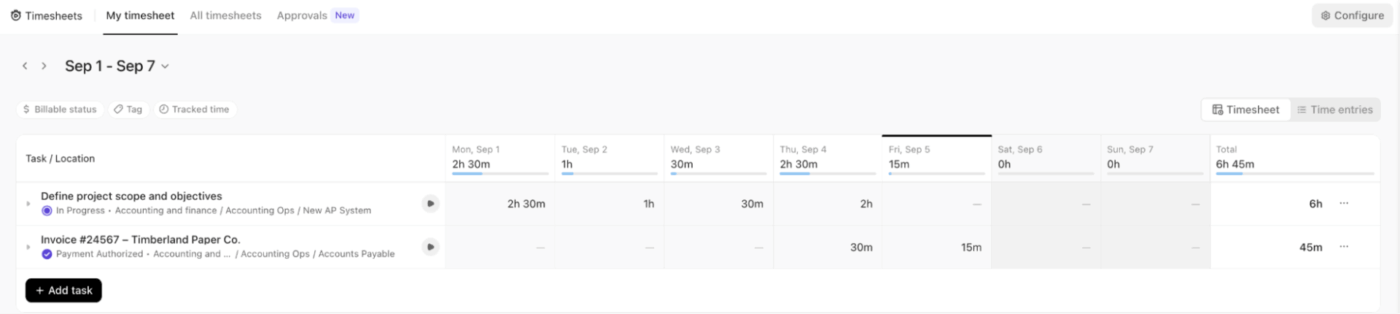
Access all your work logs from the Timesheets Hub to track billable hours with ClickUp Project Time Tracking
Once your hours are tracked, Timesheets automatically organize your data by day, week, or month. You can track time spent on tasks and projects, filter by assignee, and even compare actual vs. estimated time.
🔍 Did You Know? Planning daily tasks boosts work-day performance. A study in the Journal of Applied Psychology found that when employees engaged in ‘time management planning’ (i.e., making task lists, setting when/how to do tasks) on a given day, they had better performance that day than on days without that planning.
Feature #4: AI capabilities
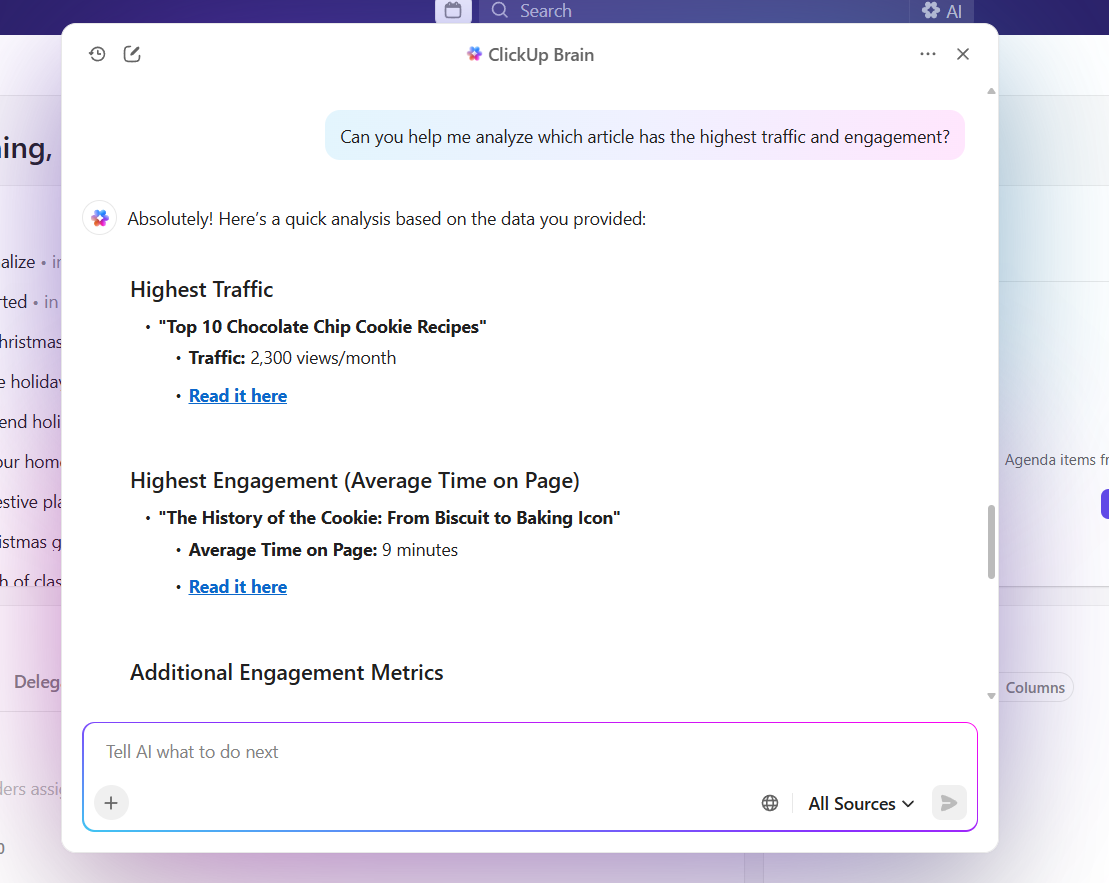
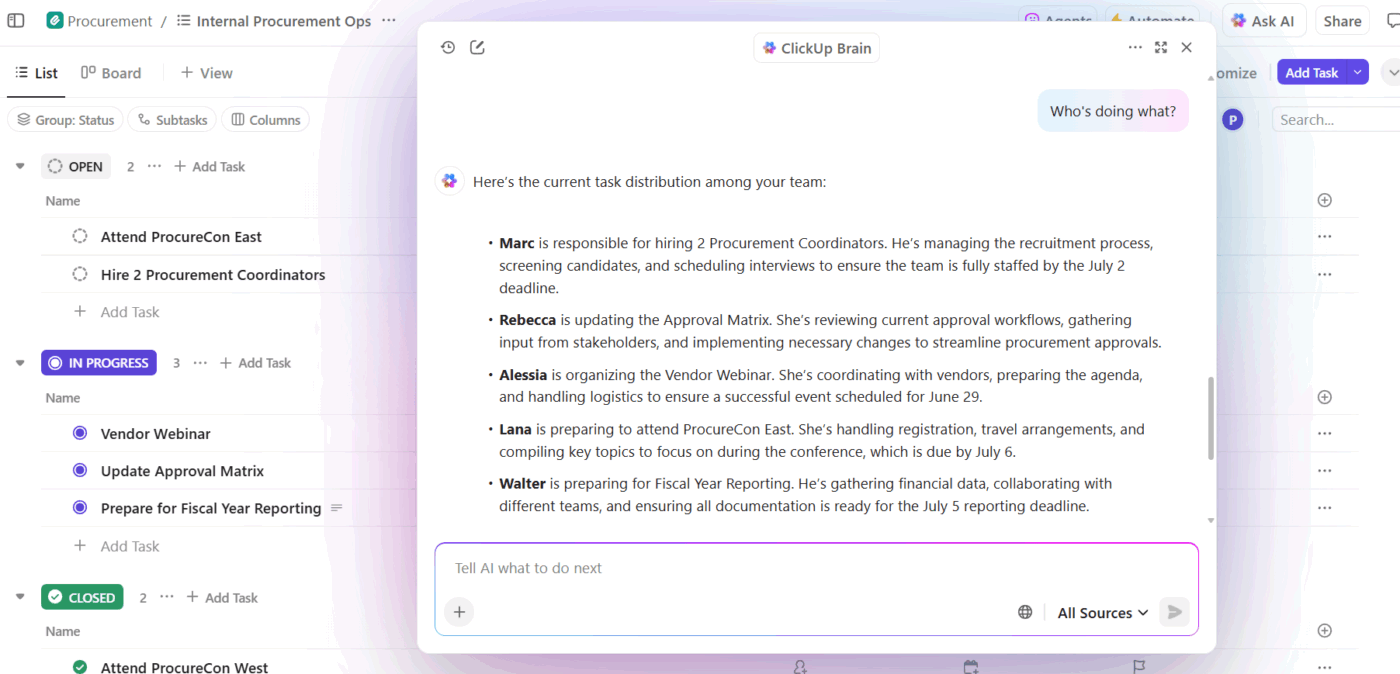
ClickUp Brain brings intelligence to your work. This built-in AI assistant connects your tasks, docs, chats, and people, helping you work smarter without mental overload.
Ask ClickUp Brain to summarize workspace insights to ensure data-driven decision-making
The platform operates on three key pillars: the AI Knowledge Manager (ClickUp Enterprise Search!), the AI Project Manager, and the AI Writer for Work.
Say you’re gearing up for a client strategy presentation tomorrow.
First, you turn to the Enterprise Search, prompting it to: Show last quarter’s campaign performance summary and client feedback. In seconds, it pulls insights from all the related information from your workspace and connected apps.
Next, you ask the AI Project Manager to check what’s pending. It automatically flags missing slides, updates task statuses, and even generates a checklist for review before the meeting. You can ask: Create follow-up tasks for the creative team based on feedback from the last meeting, and it’s done in seconds.
Use ClickUp Brain for project management and task distribution
Finally, the AI Writer for Work steps in to help you polish the presentation narrative. You ask it to: Draft a client-ready summary slide with key wins and next steps in a confident but friendly tone. It refines your text and ensures your messaging stays on brand.
Reduce switch cost with ClickUp BrainGPT
ClickUp BrainGPT gives you a single, uninterrupted flow of thinking and doing. Instead of jumping between notes, drafts, tabs, and task lists, you can speak your thoughts out loud and ClickUp BrainGPT turns them directly into structured tasks, meeting notes, summaries, and follow-ups.
Because Talk-to-Text works inside your desktop workspace, your ideas land exactly where they need to go — no context switching, no copy-paste fatigue, no losing momentum mid-sentence.
It’s like lowering the cognitive tax on every idea you capture, which is why teams feel noticeably less drained after a full day of work.
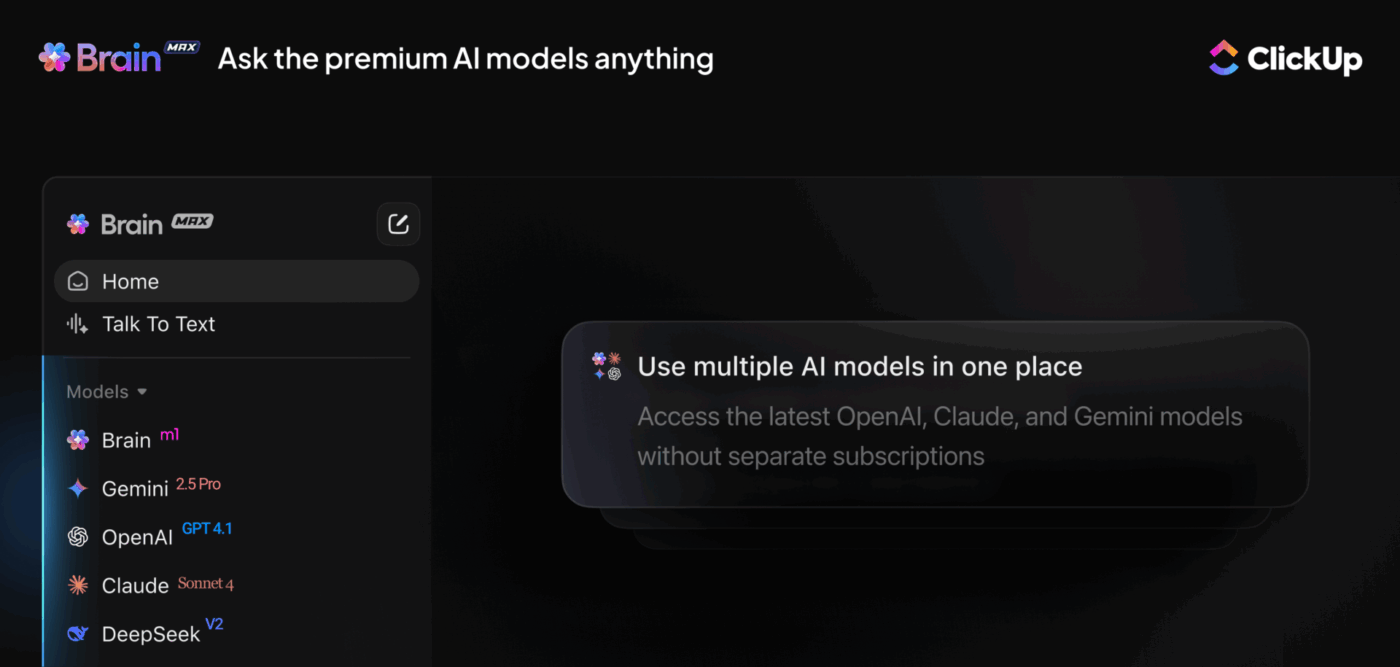
Switch between ChatGPT, Claude, and Gemini in ClickUp BrainGPT, the desktop companion
📮 ClickUp Insight: 24% of people fantasize about a “master tab” that handles everything at once.
The logic is simple: our brains are not built to juggle dozens of open tabs, and each new window adds subtle stress and cognitive overhead, even if you don’t notice it. 🧠
With ClickUp Brain MAX, you can centralize information, search across multiple AI models, and retrieve what you need instantly. This AI desktop companion gives you a single point of access without the anxiety of keeping everything open. Less clutter, less stress, more control. ✨
Summarize this article with AI
ClickUp Brain not only saves you precious time by instantly summarizing articles, it also leverages AI to connect your tasks, docs, people, and more, streamlining your workflow like never before.
Upbase is a project and work management platform that helps individuals and small teams organize their tasks, documents, files, and communications. It emphasizes simplicity and ease of use, making onboarding quick.
Designed for freelancers, startups, and small teams, Upbase combines task management, scheduling, document collaboration, and chat features.
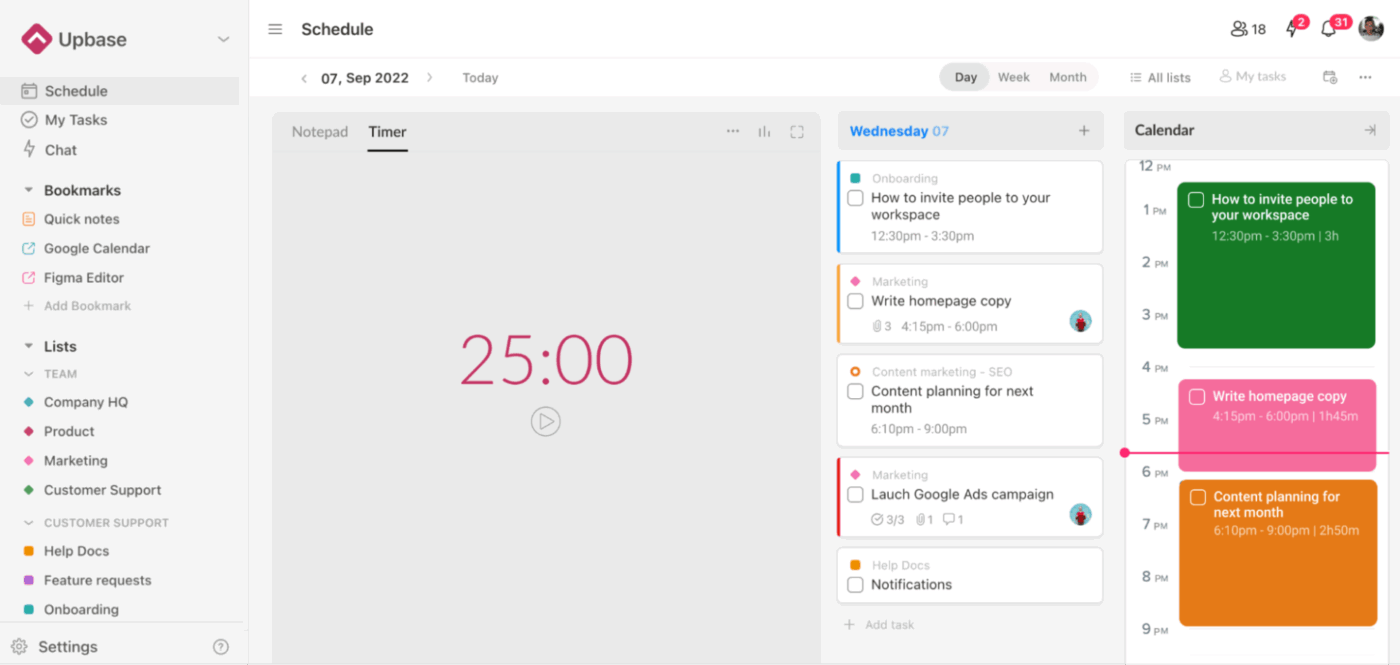
Get an in-built timer to ensure focused work with Upbase
Upbase acknowledges that productivity is about ‘staying in the flow.’ This is why it includes thoughtful tools like a built-in Pomodoro timer, Time Blocking, and Daily Notes for journaling or quick reflections.
Bookmark frequently used items and use handy keyboard shortcuts to fly through tasks. This way, your brain stays clear and your to-dos are in check.
Plan your work hour-by-hour or weekly with Upbase’s scheduling tools
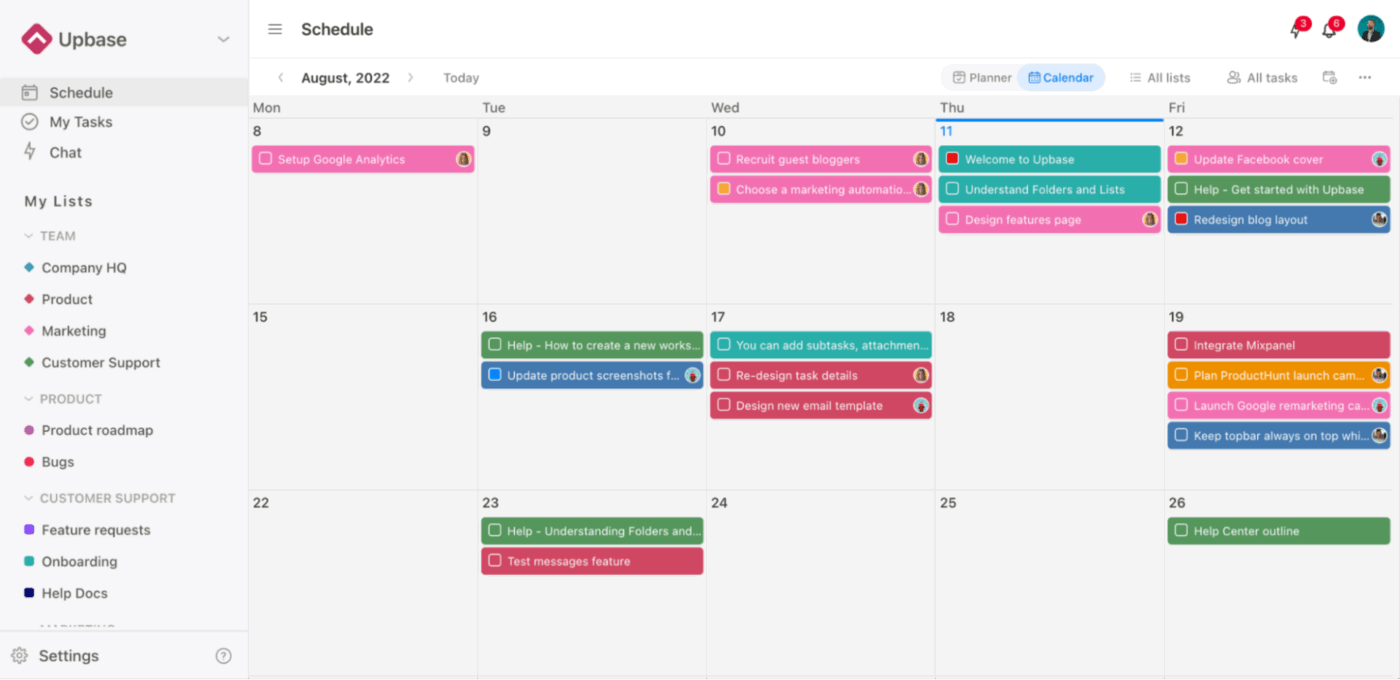
If you’re a ‘calendar’ person, Upbase is a good choice. You can plan your week in a Kanban board Weekly Planner, block time hour by hour in the Weekly Calendar, or zoom out to see everything on a Monthly Calendar. Drag and drop tasks, color-code deadlines, and filter by assignee.
Feature #3: Task management for internal and external users
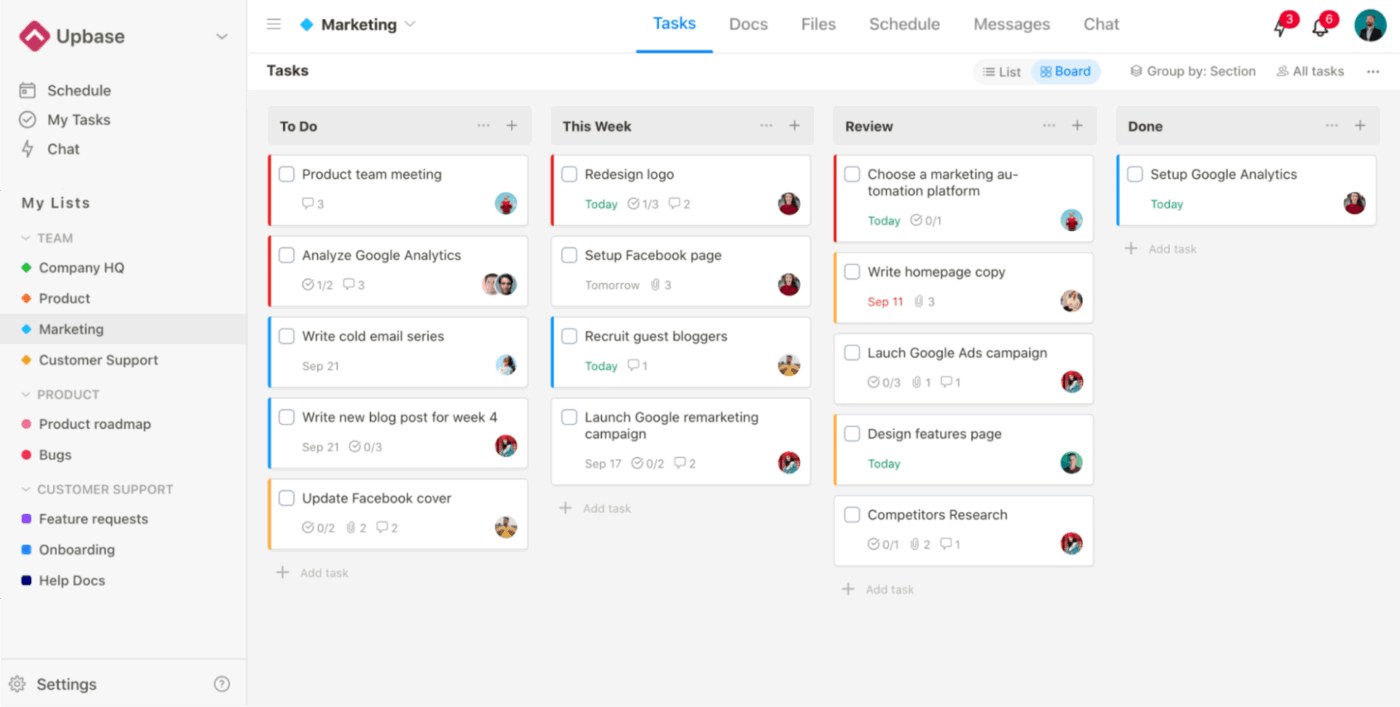
Organize your work as tasks, complete with all the information you need, using Upbase
Upbase lets you organize files and folders in any way you want. View your work as a Kanban board, a sortable list, or a visual calendar, whichever fits your flow.
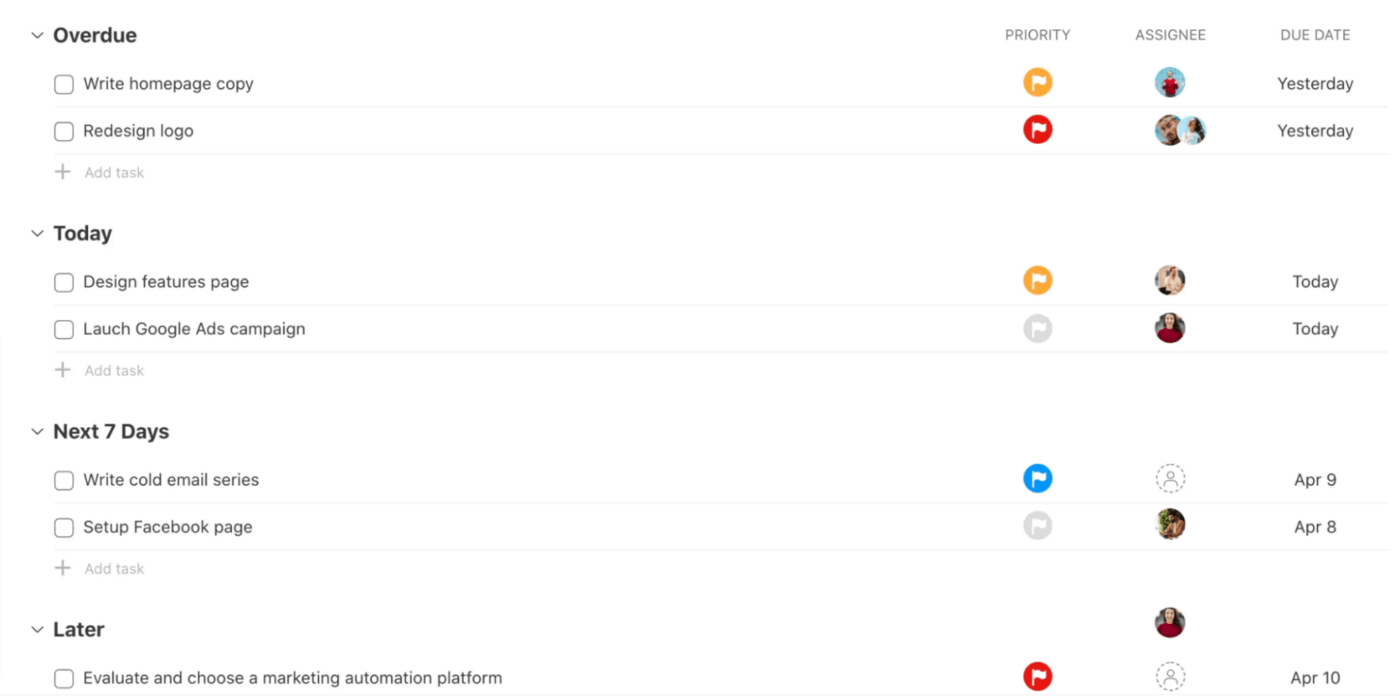
Each task can have multiple assignees, color-coded priorities, deadlines, attachments, comments with mentions and emojis, and even watchers for keeping tabs without spamming inboxes. Plus, you can tag and filter tasks across projects to see exactly what matters most, fast.
🔍 Did You Know? When teams schedule collaboration and review touchpoints in advance, projects move faster. Research shows that when feedback and decision points aren’t planned, work stalls and context switching increase. Setting these checkpoints in the daily plan helps keep tasks moving without bottlenecks.
Summarize this article with AI
ClickUp Brain not only saves you precious time by instantly summarizing articles, it also leverages AI to connect your tasks, docs, people, and more, streamlining your workflow like never before.
Summarize this article for me please
ClickUp vs. Upbase: Features Compared
Both ClickUp vs. Upbase aim to simplify your day, but they go in different directions.
ClickUp is the power tool built for scaling teams who want everything. On the other hand, Upbase keeps things clean and structured, appealing to teams or individuals.
Let’s break down how each platform handles essentials. 👀
Feature #1: Project hierarchy and structure
ClickUp
ClickUp brings a deeply layered hierarchy: Workspace > Spaces > Folders > Lists > Tasks > Subtasks (and even nested subtasks if you turn that feature on). This structure is ideal for scaling teams or workflows where you’ll need clear departmental divisions, multiple project phases, and nuanced permissions or views across units.
Upbase
Upbase, on the other hand, keeps things simpler. Its core structure is Workspace > optional Folder > List, and then you get Sections, Tasks, and Subtasks. That means fewer levels to worry about, which can make setup faster and navigation easier.
🏆 Winner: It’s a tie! If you’re building for the long haul, ClickUp is a better investment. If you want something simple, Upbase is a good choice.
Feature #2: Customization and automation
ClickUp
You can toggle ‘ClickApps’ on or off to customize everything, like custom fields, automations, multiple assignees, and more. Automated triggers help handle repetitive actions like changing task statuses, assigning teammates, or sending reminders.
Upbase
Upbase allows custom fields and tags, too, making it easy to track priorities or categories. It’s clean, simple, and great for users who prefer fewer clicks and settings.
🏆 Winner: It’s close, but ClickUp takes the win. It’s great for teams that want end-to-end control and hands-off automation.
Feature #3: Reporting and dashboards
ClickUp
ClickUp Dashboards make it a breeze to see how your team’s performing in real time. You can create cards for tasks, time tracking, goals, and workload, all in one view.
Managers can also track performance, visualize goal progress, and even identify bottlenecks early through workload and efficiency charts.
Upbase
Upbase, on the other hand, offers a simpler setup that works best for freelancers and small teams.
It includes built-in time tracking and scheduling tools that help users monitor productivity and stay organized day to day. However, it lacks advanced dashboards, granular performance tracking, or cross-project insights.
🏆 Winner: It’s ClickUp! It offers far more depth, flexibility, and real-time visibility, helping teams move from busy to truly productive.
Summarize this article with AI
ClickUp Brain not only saves you precious time by instantly summarizing articles, it also leverages AI to connect your tasks, docs, people, and more, streamlining your workflow like never before.
Summarize this article for me please
ClickUp vs. Upbase on Reddit
We took to your favorite platform platform, AKA Reddit, to find out what real-life users are saying about Upbase vs. ClickUp.
While there weren’t any specific threads, we scoured through the digital clutter for some excellent insights.
Here’s what a user had to say about using Upbase for freelance project management:
From my experience: Upbase is a kind of ClickUp light. It is actively developed. On the whole people are satisfied from what I’ve read. Most of your points can be answered positively.
Would try a few monts first before deciding on LT. If the budget is tight, try the free version of ClickUp. [sic]
Reddit user
Another user seconds that your use case matters most:
Been using Upbase for more than a year now and I love it, was initially using clickup but my brain needed less… I’m a solopreneur so i dont need something too big or complex…it really depends what you need it for, i you need tons of automation, and task dependencies then ClickUp might be a better fit.
Reddit user
Taken together, Reddit confirms the core theme of this comparison: ClickUp is built for scale, while Upbase wins when simplicity is the priority.
🚀 ClickUp Advantage: The ClickUp AI Notetaker automatically records, transcribes, and summarizes meetings within ClickUp Calendar. It captures every key point, decision, and action item (also creating a ClickUp Doc with all of this info at the end of every meeting) without you lifting a finger!
Summarize this article with AI
ClickUp Brain not only saves you precious time by instantly summarizing articles, it also leverages AI to connect your tasks, docs, people, and more, streamlining your workflow like never before.
Summarize this article for me please
Which Work Management Tool Reigns Supreme?
Drumroll, please. 🥁
It was a close one, but ClickUp takes the crown!
Upbase works well for personal productivity and for smaller teams that want simplicity.
However, ClickUp scales power for entire organizations. Your workspace evolves as your projects grow. From flexible hierarchies and collaborative Docs to dashboards, time tracking, and ClickUp Brain, everything connects to turn ideas into results.
Connect your entire workflow in one place and sign up to ClickUp for free today! ✅
Everything you need to stay organized and get work done.