






Still downloading templates?
There’s an easier way. Try a free AI Agent in ClickUp that actually does the work for you—set up in minutes, save hours every week.
Sorry, there were no results found for “”
Sorry, there were no results found for “”
Sorry, there were no results found for “”
Keeping team communication clear and organized isn’t easy.
Messages pile up, updates get buried, and before you know it, you’re sifting through endless conversations just to find what matters.
Some teams thrive on instant feedback and dynamic collaboration, while others prioritize thoughtful communication and asynchronous collaboration. The key is to choose a communication tool depending on how your team works best.
And that’s where the Twist vs. Slack debate begins. Slack keeps conversations flowing, which is perfect for fast-moving teams. Twist, on the other hand, focuses on deep, structured discussions; great for teams that prefer deep work over constant pings.
Both serve different needs, but which one works for your team? Let’s figure it out.
Here’s a quick comparison to get you started:
| Feature | Twist | Slack | ClickUp (Bonus) |
| Communication Style | Thread-first approach | Instant message approach | Combines project and task management with chat; chat threads can be tied to tasks and docs |
| Meetings & Calls | No built-in voice/video calls | Enhanced collaboration with Huddles and Clips; supports calls/sharing | Supports video/voice calls and screen sharing; integrates with Zoom, Google Meet, and more |
| AI Capabilities | Limited automation via Zapier | AI to generate summaries, take meeting notes, automate tasks, optimize search | Integrated AI for creating tasks, generating summaries, writing assistance, meeting notes, automations, and search optimization directly within tasks, docs, and chats |
| Automation | Limited automation via Zapier | Workflow automations, reminders, integrations | Extensive native automation (e.g., status updates, task assignments, due date adjustments, custom workflows, and more) and AI Autopilot Agents |
| File Sharing | Share up to 100 MB in threads/comments | Share up to 1 GB in messages/channels | Attach files up to 1 GB in tasks, docs, and comments; advanced file management with version control and embedding |
| Interface | Clean and minimal | Clean and intuitive | Highly customizable interface with flexible views (List, Board, Calendar, Gantt, etc.) |
| Security | GDPR compliant | SOC2, SOC3, and ISO/IEC compliant | SOC2 Type II, GDPR, HIPAA, and ISO/IEC compliant; enterprise-grade security |
| Support | Standard and priority support, knowledge base | Standard/priority support; dedicated support for Enterprise | 24/7 support across all plans |
| Pricing | Cost-effective, limited plans | Pricey, many pricing tiers | Free plan, customization for enterprises |
Our editorial team follows a transparent, research-backed, and vendor-neutral process, so you can trust that our recommendations are based on real product value.
Here’s a detailed rundown of how we review software at ClickUp.
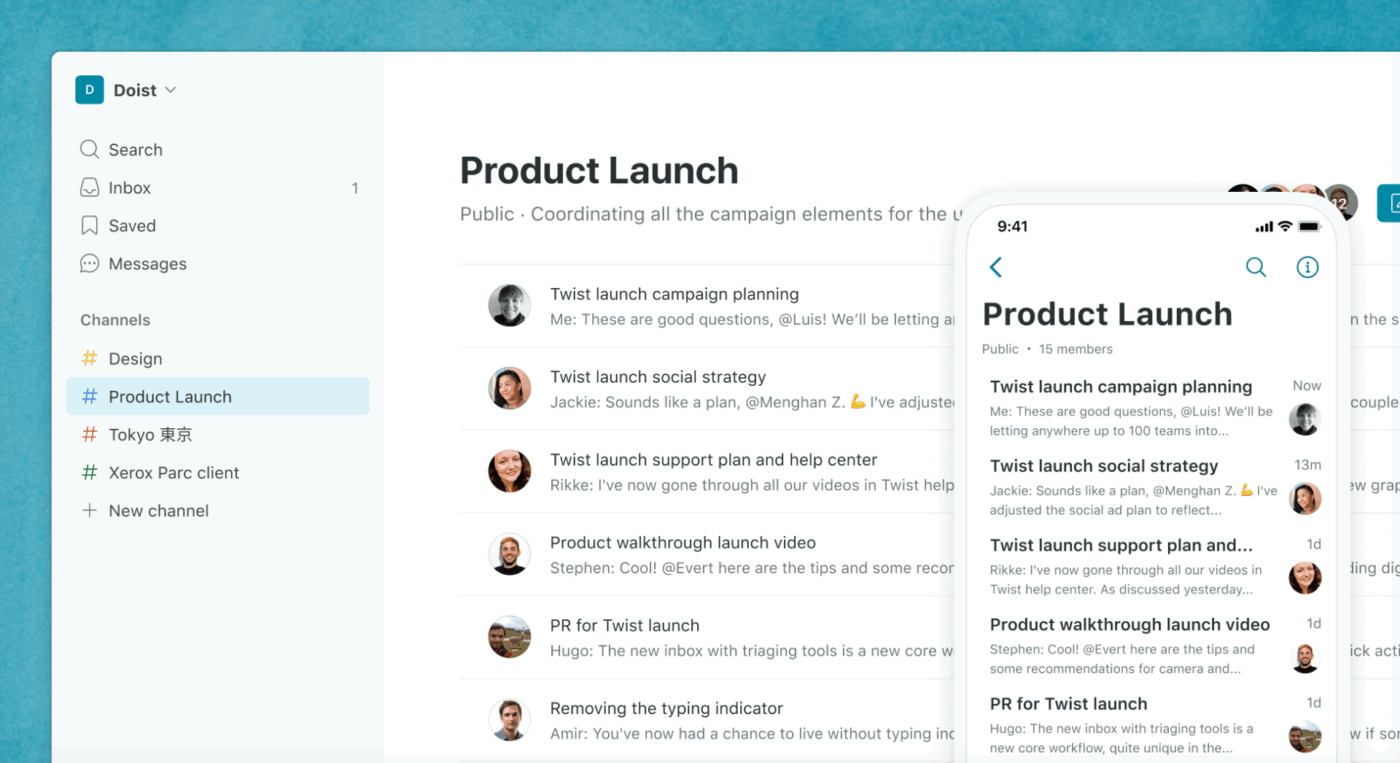
Twist is a team communication tool built for async collaboration. You can respond thoughtfully and at your own pace without the pressure of real-time messaging.
The tool allows users to focus on deep work with minimal interruptions.
It keeps conversations structured and separates discussions by topic. This ensures replies are contextual, so you don’t have to keep scrolling to find important updates. By default, Twist doesn’t send constant notifications for every new message that pops up. Users are notified if they’re mentioned or if they’re following a specific thread.
Developed by Doist, Twist is ideal for teams that need forum-style asynchronous communication. It’s especially suited for remote teams spread across different time zones.
📚 Also Read: Asynchronous Communication Tools
Here are some of the key features of Twist that support structured, focused collaboration for teams that prefer asynchronous communication.
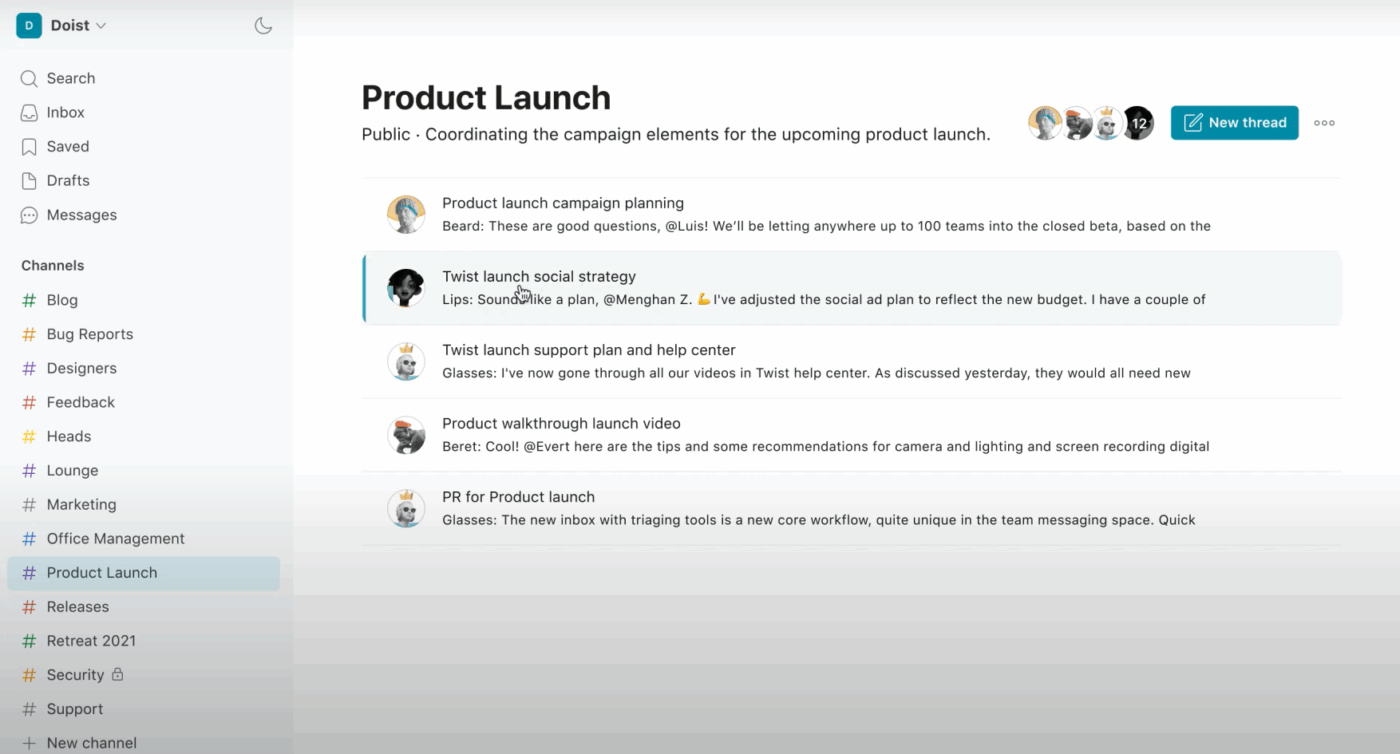
In Twist, a channel serves as a dedicated space for project, client, or topic-specific discussions. Within these channels, threads keep conversations structured by grouping related messages together.
There is no option to send standalone messages in a channel; every message must be part of an existing thread, or you can create a new thread in the relevant channel.
This way, communication remains focused, and messages don’t get lost. The threaded structure makes it easier to track and revisit discussions without losing context.
💡 Did You Know? You can send an email to a Twist thread just like a message? Twist gives you a special email address for each thread, forward an email to it, and it shows up in the conversation.
Twist makes it simple to keep all context in one place. Instead of splitting updates across multiple short messages, users can write detailed responses within a thread, just like drafting a well-structured email.
This is especially useful when documenting project progress, summarizing discussions, or sharing next steps. You can interlink references, add files, and keep everything tied to a single thread, making it easy for anyone to follow along. Team members can grasp key information at a glance without the need for constant back-and-forth.
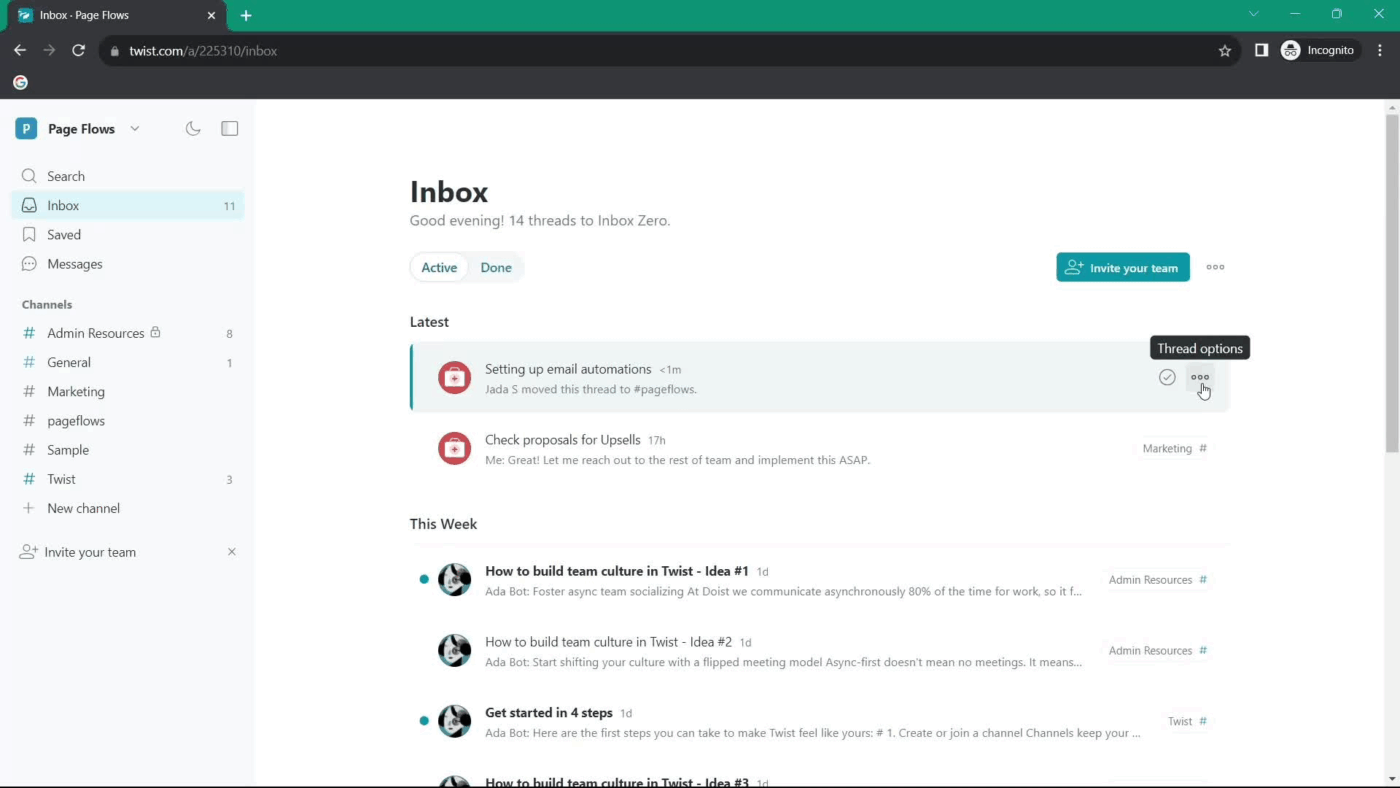
Inbox is your home in Twist. It gathers all the threads and direct messages assigned to you so that no important updates go unnoticed. This way, you can prioritize your responses without feeling pressured to check every conversation. After responding to the message, you can mark the thread as done to clear it from your inbox.
The tool automatically saves all conversations, threads, and messages for up to a month on the free plan. Its advanced search filters make it easy to find messages, discussions, and shared files without going through your entire chat history. Simply filter your search with keywords, participants, or specific threads.
The searchable archive in Twist keeps communication organized and accessible for quick retrieval.
Twist offers two monthly subscription plans, priced per user:
📮 ClickUp Insight: Our survey found that knowledge workers maintain an average of six daily connections at their workplace.
This probably entails multiple pings back and forth across emails, chat, and project management tools. What if you could converge all these conversations in one place?
With ClickUp, you can! It’s the everything app for work that combines projects, knowledge, and chat in one place—all powered by AI that helps you and your team work faster and smarter.
For instance, you can simply ask your ClickUp AI a question, and it’ll find what you need without having to ping six people!
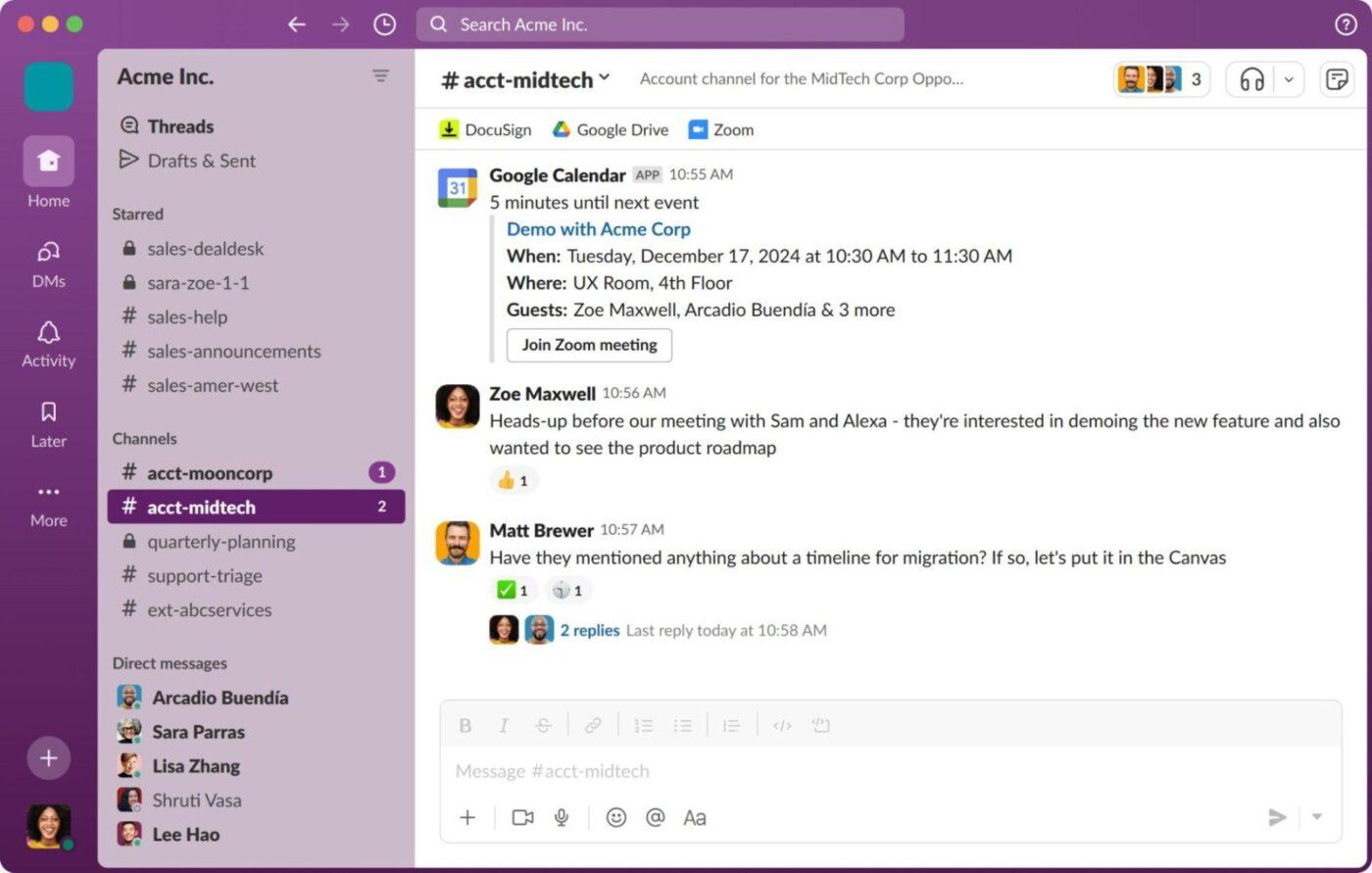
Slack is a real-time messaging and collaboration tool designed to keep teams connected. Its interface and features are built for synchronous, instant communication, making it essential for quick decision-making.
Slack replaces clunky email threads and unorganized communication with structured channels, direct messaging, and seamless integrations. It essentially provides a centralized hub where teams can chat, share files, and collaborate efficiently.
A part of Salesforce, Slack is best suited for teams working in a fast-paced environment, especially those that require instant responses.
Now, let’s look at the key features that make Slack a good fit for real-time, seamless communication.
Team collaboration in Slack starts with a channel. Channels, whether public or private, serve as dedicated spaces for projects, departments, or specific discussions.
Messages are posted directly within channels, and users can create threads within messages to keep discussions focused, clutter-free, and easy to follow.
Slack also supports one-on-one conversations through direct messages. This way, team members can share necessary information privately without involving the entire team.
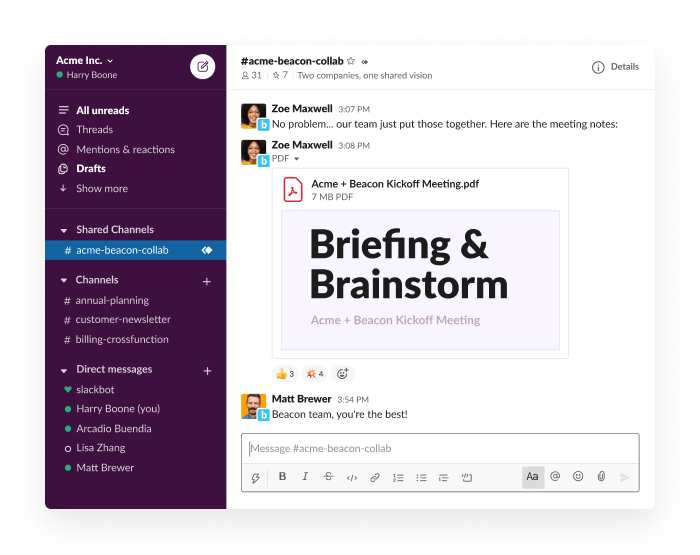
Slack offers a way to hold quick audio and video call sessions with your team without scheduling a meeting. With Huddles, you can share documents, templates, references, and even your screen in real time for a more interactive and contextual conversation.
If a team member is unavailable, you can even record and send video, voice, or screen recordings with Clips. This allows them to review the details at their convenience while making sure no communication gets lost in translation.
📚 Also Read: Best Screen Share Software for Remote Meetings
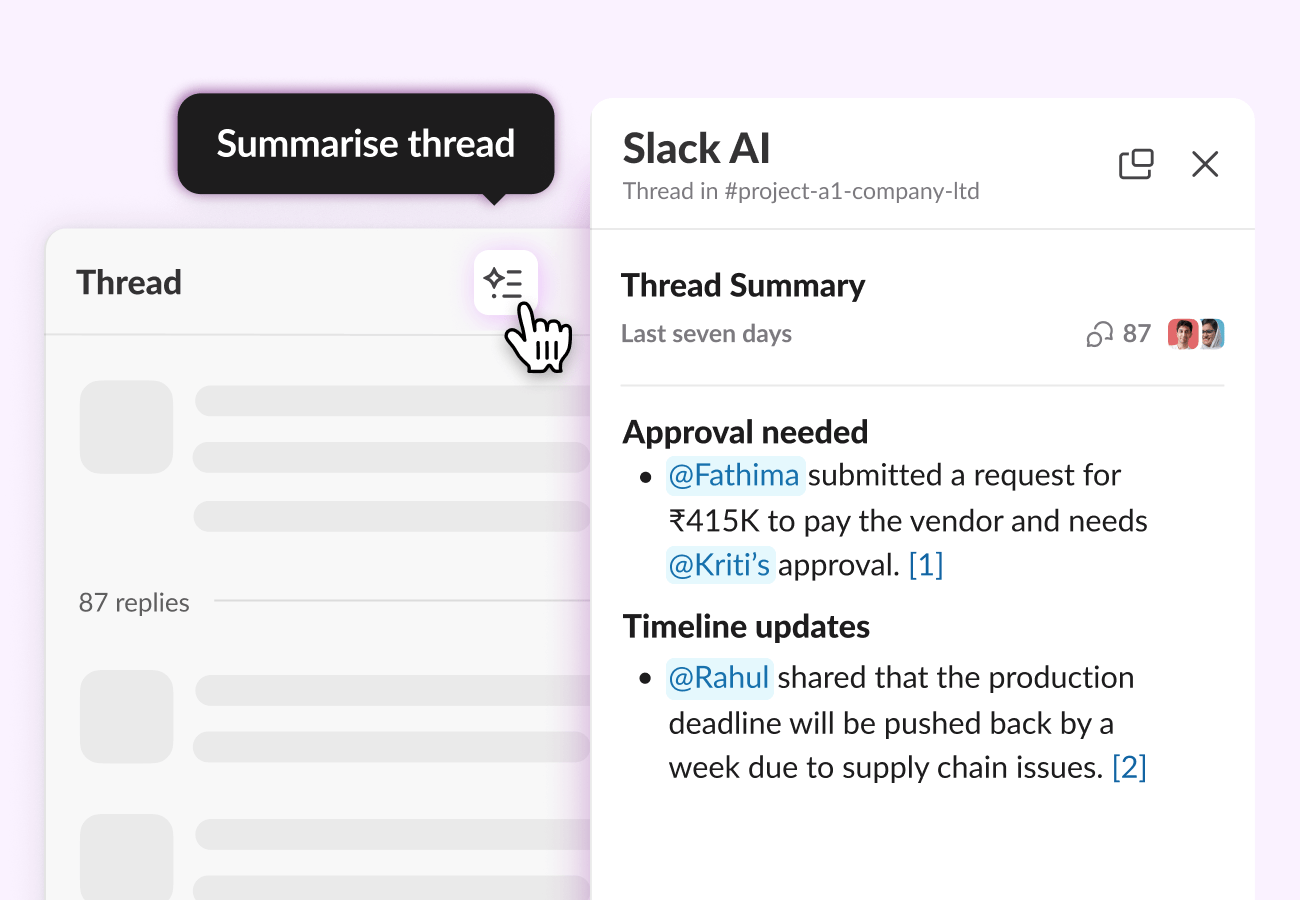
Slack AI helps users find answers instantly. Whether it’s “Who should I talk to about page load time issues?” or “What were the key takeaways from yesterday’s discussion?”, Slack searches public conversations and shared files to surface the most relevant information.
It provides smart summaries, thread recaps, and advanced search capabilities, allowing users to catch up on long conversations without reading every message. It can also take notes during Huddles and automate routine tasks by integrating with the Workflow Builder.
💡 Pro Tip: Use Slack’s /remind command to set personal or team reminders within any channel or direct message. For example, typing “/remind me to check the report at 3 PM” will prompt Slackbot to send you a reminder at the specified time.
Slack’s ready-to-deploy templates give teams a quick head start with pre-configured channels, streamlined workflows, canvases, and lists. These templates simplify common tasks like project management, onboarding, and meeting management, helping the teams focus on execution instead of setup.
Slack Canvas acts as a dedicated workspace for organizing and sharing important information. Teams can create, edit, and collaborate on documents directly within Slack. This structure makes resources accessible and handy without having to switch between multiple tools.
Both Twist and Slack are powerful team communication tools, but they take different approaches to collaboration. While Twist prioritizes async discussions, Slack is built for real-time, rapid collaboration.
Neither is inherently better—it all depends on what your team needs, including the workflow, communication expectations, and level of immediacy your work requires.
Let’s take a more detailed look at how both Slack and Twist compare against each other.
The way a team communicates directly impacts productivity, collaboration, and workflow efficiency. While both Slack and Twist are designed to help teams collaborate effectively, they follow distinct communication styles that cater to different work environments.
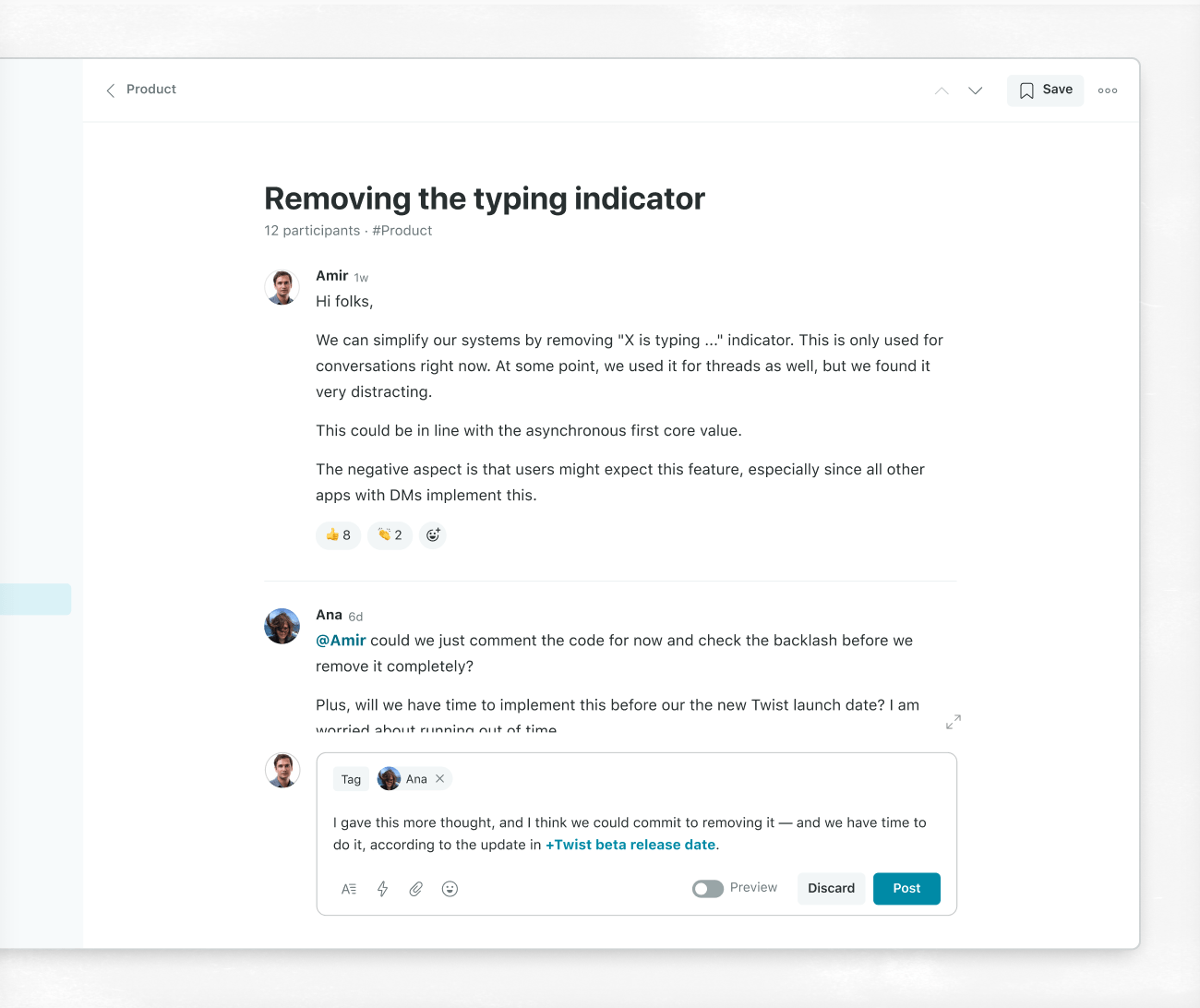
Twist is built for asynchronous communication. It allows the team members to reply at their own pace without the pressure to respond instantly. To support async collaboration, Twist uses threaded conversations within channels.
This structure keeps discussions organized, reduces message clutter, and ensures team members stay focused. Instead of constant interruptions, teams engage in meaningful, thoughtful conversations without losing track of important updates.
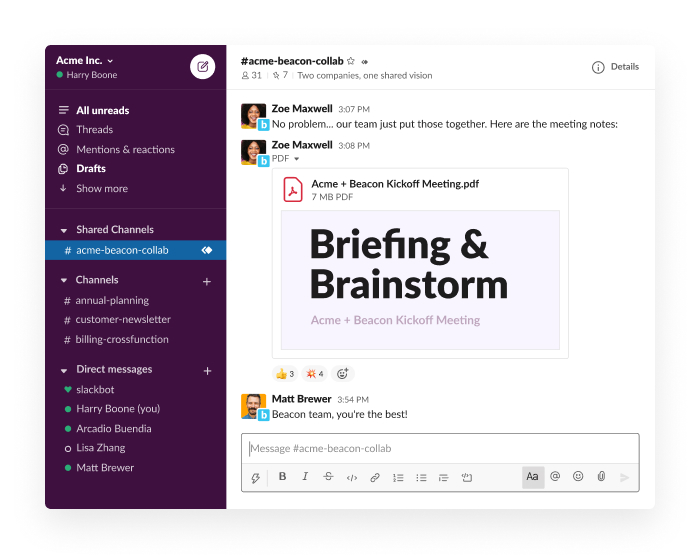
Slack, however, focuses on synchronous and asynchronous communication; it supports instant decision-making, real-time collaboration, and fast-moving discussions with advanced features, such as Huddles, Clips, Canvases, and Workflow Builder.
🏆 Winner: It’s a tie! The twist is ideal for teams that require structured, distraction-free discussions, and Slack wins for teams requiring real-time instant communication.
Whether you spend most of your day on a communication app or use it only for essential updates, you need a tool that is clean, easy to use, and doesn’t overcomplicate communication.
Both Twist and Slack offer intuitive interfaces, but they are designed with different priorities in mind.
Twist’s interface is built around a threaded structure that resembles an email inbox. The left side of Twist’s interface displays threads, inbox, and messages, and the right side shows the selected thread and its full conversation. This split layout helps users follow discussions without losing context.
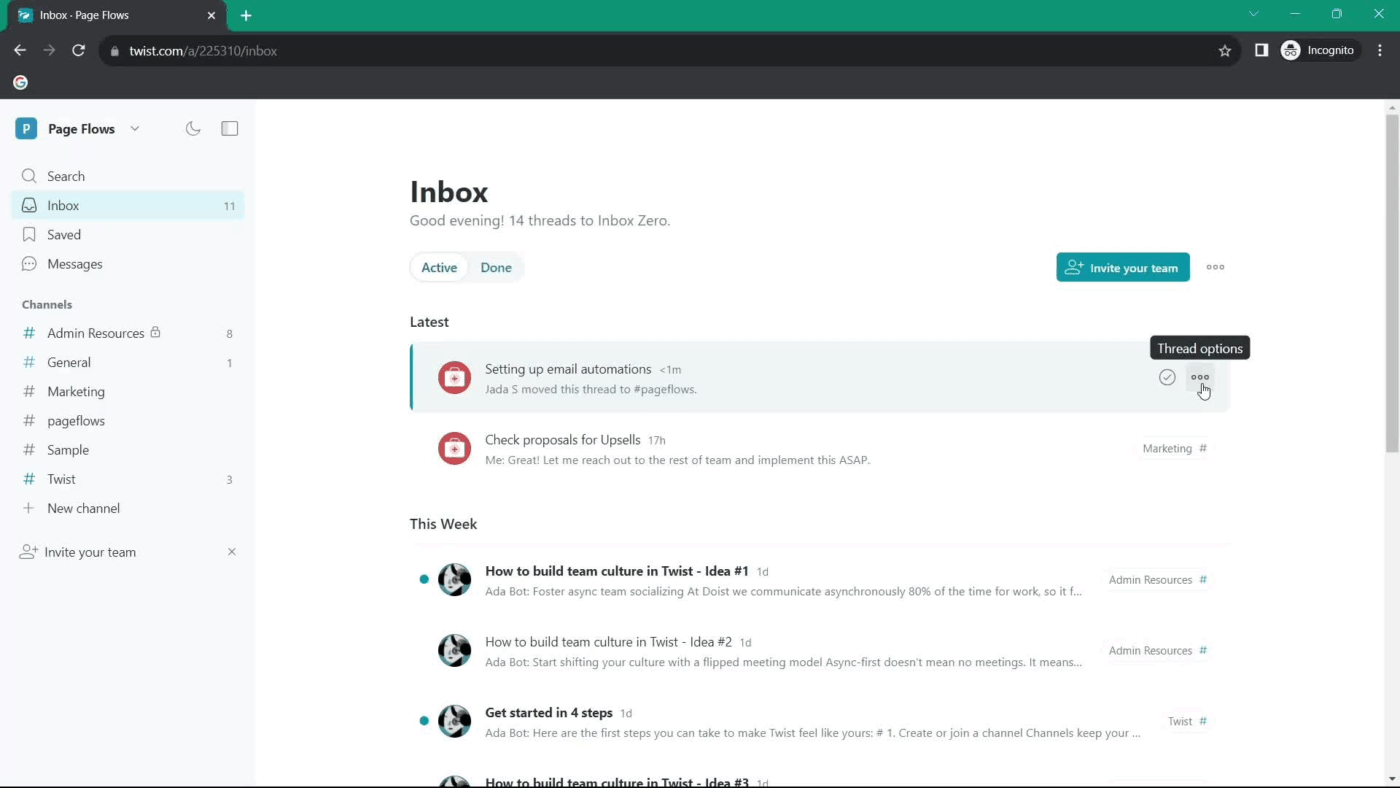
You can also tag new employees in the thread, and they can catch up on past discussions quickly without needing separate briefings. Users can also attach links, files, and references within threads, keeping all relevant information in one place.
Twist also offers a calm, minimal design that supports focused work. It avoids real-time chat cues like typing indicators or online statuses, which some teams may find distracting during heads-down work. Additionally, users can switch between dark and light modes for a more comfortable experience.
Slack’s interface is lively and interactive. It keeps every conversation within reach by placing channels, DMs, and threads in a single visible sidebar. It follows a direct message-first approach reflecting its focus on fluid, real-time communication. Features like Huddles, Clips, Canvases, and Templates help teams communicate and collaborate seamlessly.
In addition to switching between dark and light modes, users can even create custom themes to personalize their workspace.
🏆 Winner: While both Slack and Twist offer a clean and intuitive interface, Slack offers more control over design with its personalized themes and layout adjustments.
Integrations with other apps help manage tasks, share files, sync important data, and automate workflows. Let’s take a closer look at how Twist and Slack handle integrations.
Twist integrates with key tools like Todoist, Google Drive, GitHub, Zapier, Skype, Trello, and a couple more (33 to be precise) to support async communication and seamless file sharing. Its minimal integrations align with its structured and distraction-free workflow without adding unnecessary complexity.
Slack integrates with over 2,400 tools across categories like analytics, customer support, file management, security & compliance, and more. These Slack integrations allow teams to manage projects, track tasks, and share updates without leaving the platform.
🏆 Winner: Slack wins for offering the most extensive integration library, making it easier for teams to streamline work.
A good communication tool should provide control over notifications so that users don’t miss important messages while also avoiding constant distractions. Both Twist and Slack offer notification management, but their approaches are quite different.
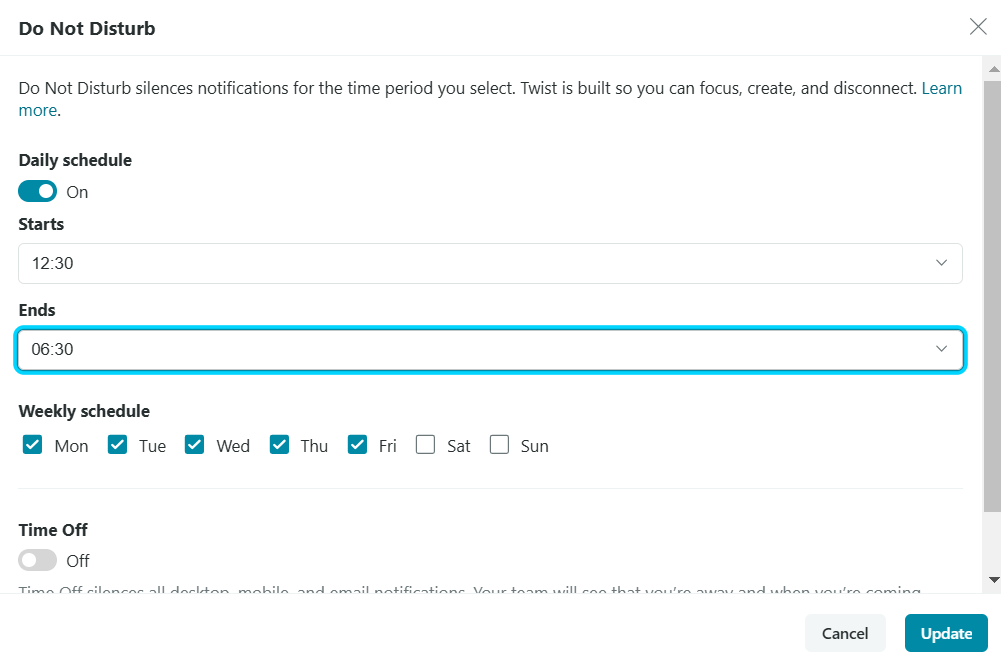
Twist keeps notifications simple and distraction-free by sending alerts only for mentions, assigned tasks, and followed threads.
Users have full control over how they receive alerts, choosing between email, mobile, or desktop notifications. Twist also allows users to set their time off, which appears under their name so teammates know when they are on vacation, asleep, or focused on deep work.
Further, there’s a Do Not Disturb (DND) mode and an option to schedule DND weekly, which helps teams respect each other’s working hours.
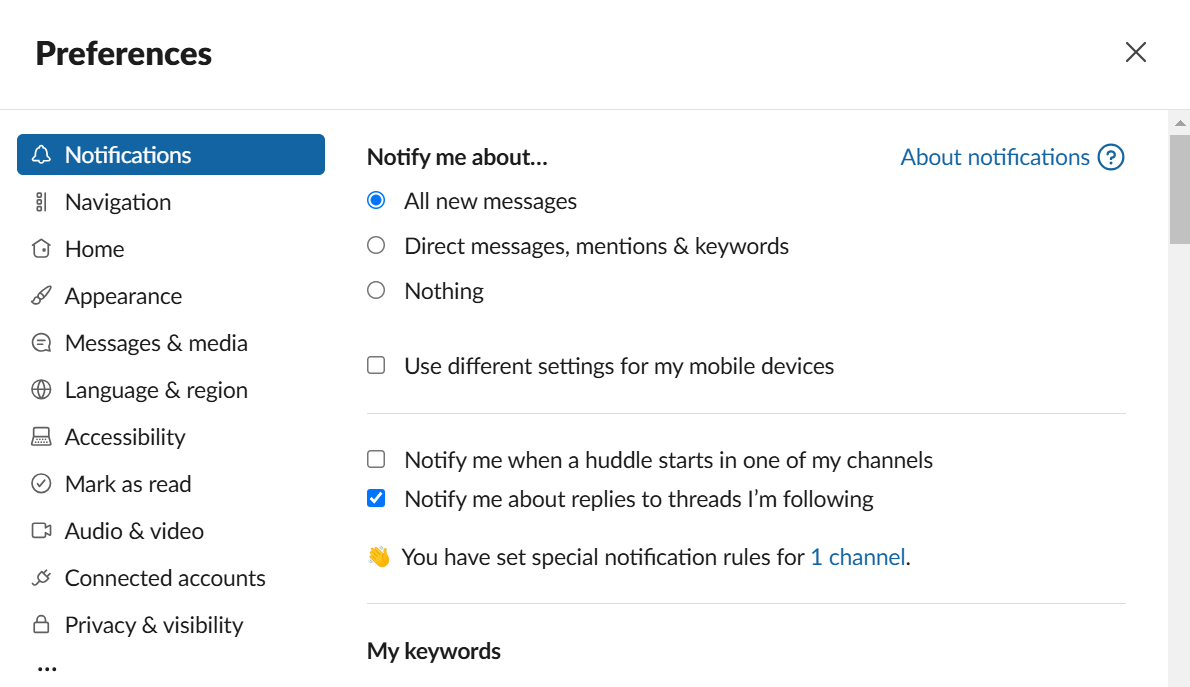
Slack, on the other hand, offers more control over managing notifications. Users can customize alerts at the channel, keyword, or direct message level, ensuring they receive only the most relevant updates.
The platform also allows users to set their profile to “Away” or enable the Do Not Disturb (DND) mode when they want to mute notifications and focus without distractions.
🏆 Winner: While Twist minimizes distractions, Slack takes the lead by offering more flexibility and control over managing notifications, ensuring users get the updates they need without unnecessary noise.
Users need instant access to past messages, discussions, and shared files without wasting time scrolling through cluttered conversations. Both Twist and Slack allow users to retrieve past messages, but they handle message history and search differently.
Twist’s free plan offers access to one month of comments and messages, while its Unlimited plan unlocks full conversation history.
Its search function helps users find specific information buried in threads by allowing searches based on thread and message. Users can further filter results by specifying criteria such as thread names or participants. This advanced search criterion makes it easier to locate relevant discussions without endless scrolling.
Slack’s free plan offers access to over 10,000 past messages, while its paid plans unlock full conversation history.
It provides fast and flexible search across channels, DMs, and shared files. With AI-powered suggestions, search modifiers, and filters, users can quickly find specific messages without digging through long chat histories.
Slack also allows you to search for content within a specific channel or even exclude certain channels from your search.
🏆 Winner: Slack takes the lead with AI-powered search, smart filters, and access to unlimited message history on paid plans, making it easier to find past conversations, files, or updates in seconds.
We took to Reddit to see where people land on the Twist vs. Slack debate. When you search Twist vs. Slack on Reddit, many users agree that Twist’s structured approach keeps the conversation clutter-free and easy to follow.
One Reddit user preferred Twist over Slack for its chat features,
I love Twist and prefer it. This is coming from someone who has used Slack since it was released, both for business and non-work groups. The thing I like most about Twist is how structured these group conversations are, down to a subject line.
Another Reddit user praised the tool for keeping work conversation focused and organized,
Twist is very good for meaningful, focused threads. In Slack people quickly start to ramble and get off topic. This is less likely happening in Twist, as it’s structured more toward topics rather than chatrooms.
Other Reddit users share how Slack channels are good for dedicated discussions and quick clarifications.
Slack is more like chat with different rooms on different topics. And like every chat it has real-time effect: what happened yesterday = never happened. It is not a good place to keep ideas. But it’s good enough to discuss something that’s happening right now, to find who is responsible for smth, to get quick answer on simple question.
Slack and Twist keep teams talking. You can chat, organize group discussions together, and even assign tasks with these team communication apps. But what happens next?
How do you track progress when tasks live in a project management tool while updates stay buried in chat threads? Conversations move fast, but execution falls behind.
When work and communication aren’t connected, gaps appear, leading to Work Sprawl. Teams lose context, chase updates, and waste time switching between apps. Discussions flow, but the execution feels scattered.
This is where ClickUp’s everything app steps in. It brings chat, tasks, and projects together, keeping everything aligned in one place so you can say goodbye to disjointed workflows and unnecessary tab-switching.
Before we discuss how ClickUp is a better alternative, here’s a surprising insight from our survey:
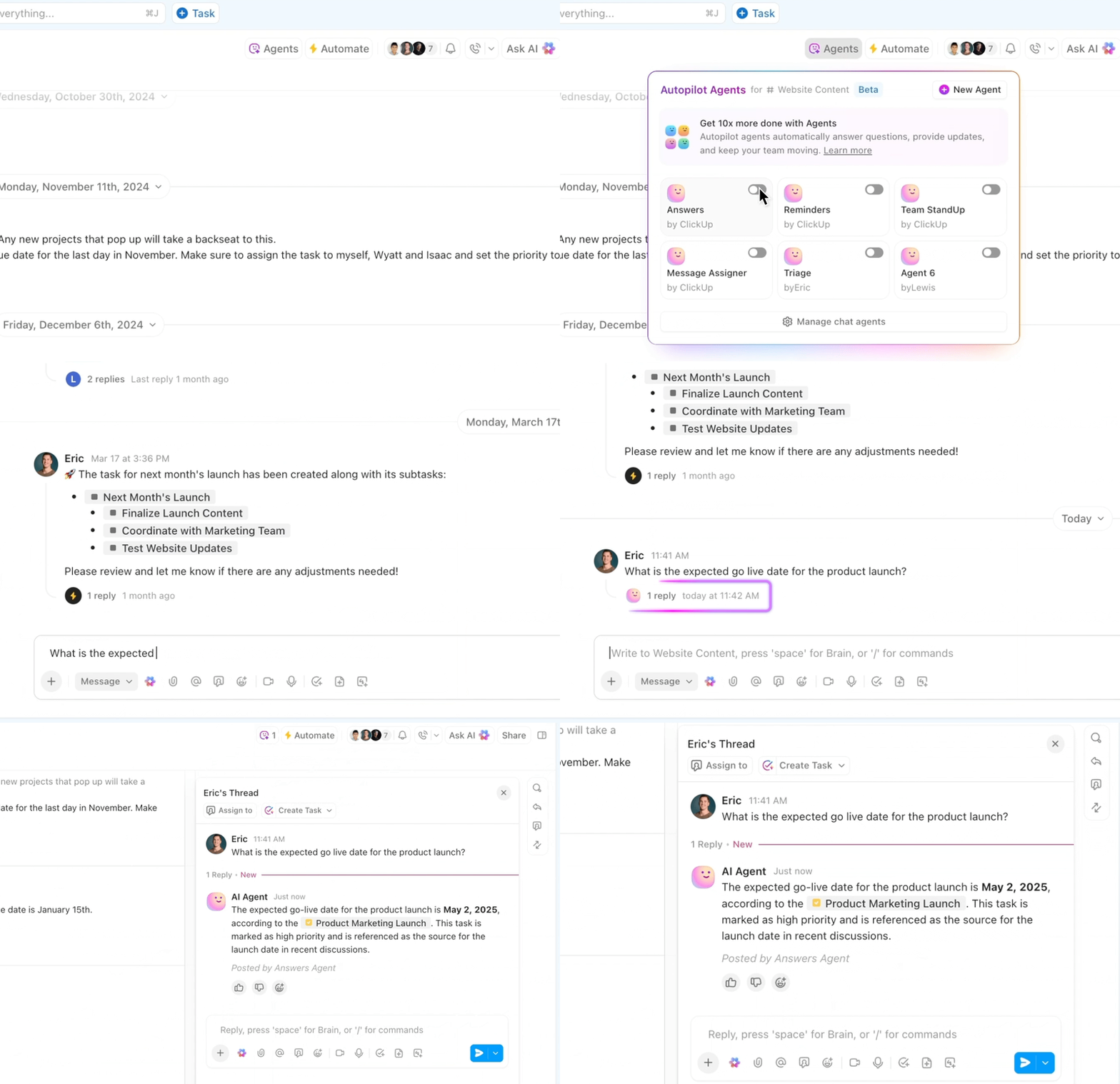
ClickUp Chat is more than just a messaging tool; it keeps your conversations connected to work.
Teams can chat, share updates, and take action without switching between apps. Instead of scattered messages across different platforms, everything stays inside ClickUp so that discussions turn into trackable tasks.
Here’s how ClickUp Chat stands out:
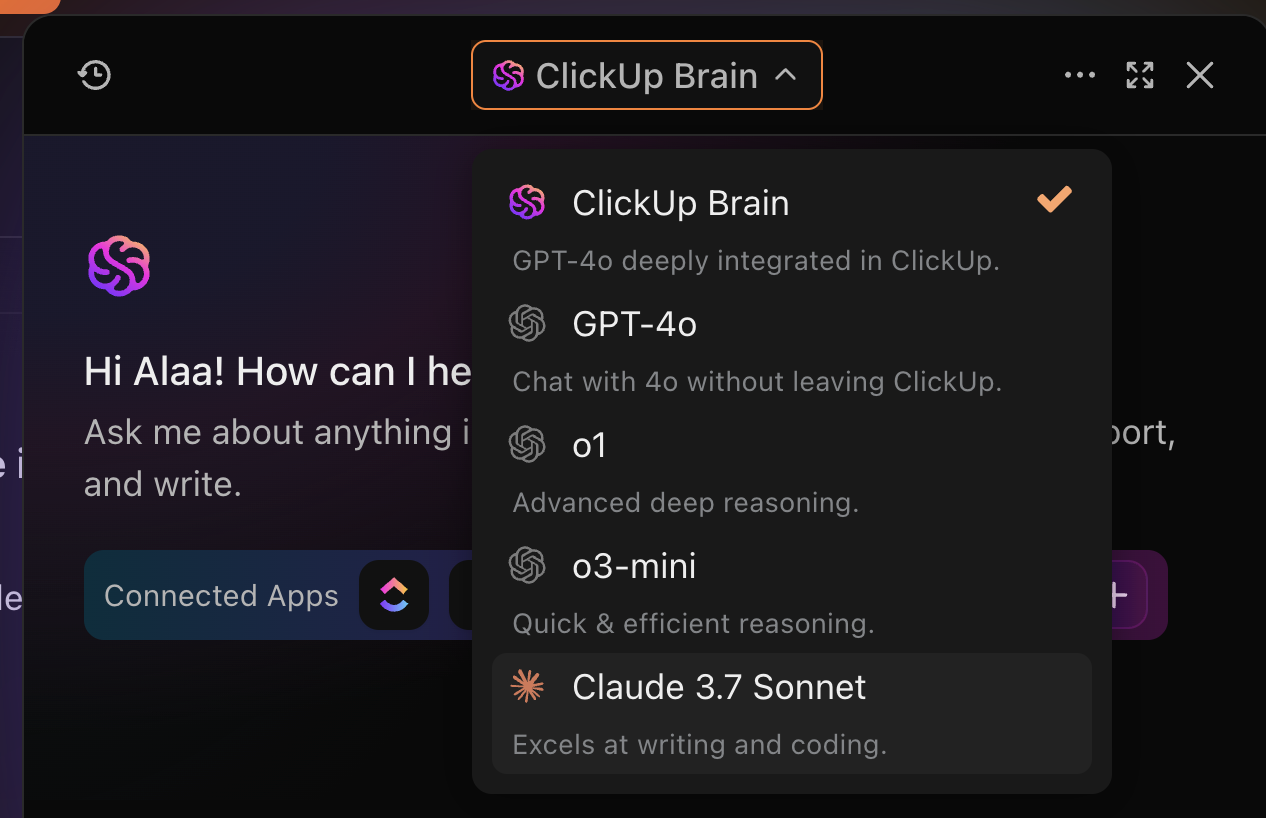
ClickUp’s AI transforms the way teams work by connecting conversations, tasks, and knowledge with intelligent automation and instant answers. Instead of spending time searching for information, catching up on meetings, or handling repetitive work, your team can focus on what matters most: getting things done.
With AI built into every corner of ClickUp, you’ll move faster, stay aligned, and never miss a beat. Here’s how ClickUp AI stands out:
💡 Pro Tip: Use ClickUp’s ‘Catch Me Up’ feature to quickly summarize unread messages in any Channel, up to 14 days back. It’s the fastest way to stay in the loop without scrolling through every conversation.
Getting work done often requires input from multiple team members. But when tasks involve back-and-forth discussions, requests can get lost, and accountability becomes unclear.
Here’s how ClickUp Assign Comments keeps discussions on track:
💡 Pro Tip: Your clients or external collaborators can be assigned comments too, as long as they have access to the task. This is one great way to streamline approvals or get quick inputs without long email chains.
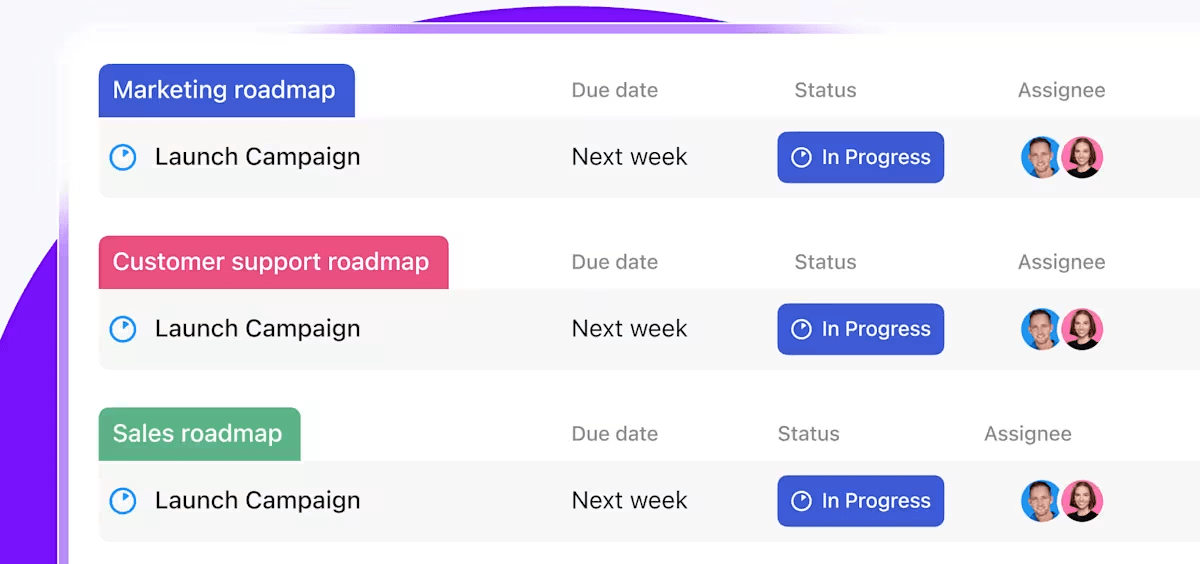
ClickUp Tasks sit at the centre of execution, bringing assignments, deadlines, discussions, and progress tracking into one place. Instead of scattered to-do lists and endless follow-ups, teams can plan, collaborate, and take action—all within a single task.
Here’s how ClickUp Tasks keeps teams aligned:
👉 Try this: Just dropped an update in a thread? Create a task directly from your message so it’s tracked, assigned, and doesn’t get buried in chat.
Note: Caught up in the Slack vs. ClickUp debacle? While you decide, keep in mind that ClickUp integrates with Slack, allowing teams to create tasks, set reminders, and update statuses directly from Slack conversations.
Both Twist and Slack are solid communication tools for businesses of all sizes.
They help teams stay connected, share updates, and collaborate; whether in real-time or asynchronously. But communication alone doesn’t get work done.
Teams need a centralized system where tasks, projects, and discussions stay connected. Without it, work gets scattered across multiple tools, making it harder to track progress and keep context in one place.
Sign up for ClickUp and bring chat, tasks, projects, and automation together, all powered by AI. Experience seamless collaboration that turns conversations into execution.

© 2026 ClickUp

There’s an easier way. Try a free AI Agent in ClickUp that actually does the work for you—set up in minutes, save hours every week.