

Sorry, there were no results found for “”
Sorry, there were no results found for “”
Sorry, there were no results found for “”
Stansa AI is an AI-powered content generation platform known for its flexible, unrestricted AI interactions, which is great for creative writing.
However, when you’re working in a team, using a standalone AI tool creates a frustrating gap between generating content and getting work done.
This disconnect, known as context sprawl—when teams waste time switching between apps and hunting for information scattered across multiple platforms—forces you to constantly copy, paste, and reformat AI outputs into your project management system.
With companies now juggling 275 separate SaaS applications on average, this fragmentation has become a critical productivity challenge.
This guide covers 10 Stansa AI alternatives that solve different problems. Some focus on fiction writing with fewer content restrictions. Others, like ClickUp, offer AI that works alongside your tasks and team communication.
Let’s get to it.
| Tool name | Best for | Key features | *Pricing |
| Teams of all sizes needing AI-powered content creation integrated with work management | ClickUp Brain for context-aware writing, ClickUp Docs for collaborative content, ClickUp Automations for content workflows | Free forever; customizations available for enterprises | |
| DreamGen | Writers seeking unrestricted creative fiction generation | Uncensored story generation, character customization, multiple AI models | Free; Paid plans start at $7.83/month per user |
| NovelAI | Fiction writers wanting customizable AI storytelling | Custom AI models trained on literature, image generation, memory system | Free; Paid plans start at $10/month per user |
| AI Dungeon | Teams creating interactive storytelling and game-like narrative experiences | Text adventure format, multiplayer scenarios, custom worlds | Free; Paid plans start at $14.99/month per user |
| Sudowrite | Professional fiction authors needing writing assistance | Story engine, describe feature, brainstorm mode, rewrite tools | Free; Paid plans start at $19/month per user |
| Claude | Research and creative teams needing conversational AI with nuanced responses | Long context window, thoughtful responses, document analysis | Free; Paid plans start at $20/month per user |
| DeepFiction AI | Writers aiming for quick story generation with genre templates | Genre-specific templates, story continuation, character creation | Free; Paid plans start at $5/month per user |
| ChatGPT | Individuals and teams that need general-purpose AI assistance across content types | Versatile content generation, plugins, GPT-4 capabilities | Free; Paid plans start at $20/month per user |
| Jasper | Lean marketing teams needing brand-consistent content | Brand voice training, marketing templates, campaign tools | Paid plans start at $69/month per user |
Our editorial team follows a transparent, research-backed, and vendor-neutral process, so you can trust that our recommendations are based on real product value.
Here’s a detailed rundown of how we review software at ClickUp.
Teams often look for Stansa AI alternatives for a few key reasons:
The right alternative for you depends on your goals. Whether you need more creative freedom, professional content generation, or an AI tool that’s fully integrated into your work management platform, there’s an option out there.
📮ClickUp Insight: 83% of knowledge workers rely primarily on email and chat for team communication. However, nearly 60% of their workday is lost switching between these tools and searching for information.
With an everything app for work like ClickUp, your project management, messaging, emails, and chats all converge in one place!
Using a standalone AI writing tool for team projects often leads to frustration. You generate great content in one app, but then you’ve got to manually copy it into your documents, create tasks for your team, and explain the context all over again in a separate chat.
ClickUp’s Converged AI Workspace—a single platform where projects, documents, and conversations live together with AI embedded as the intelligence layer—helps teams avoid this constant app-switching by keeping everything in one place.
Stansa AI excels at high-volume, unfiltered content generation. ClickUp, however, is designed for the professional content team that needs its AI to understand their specific business data, collaborate in real-time, and move pieces through a production pipeline automatically.
Here is how ClickUp’s core features stand out in that context:
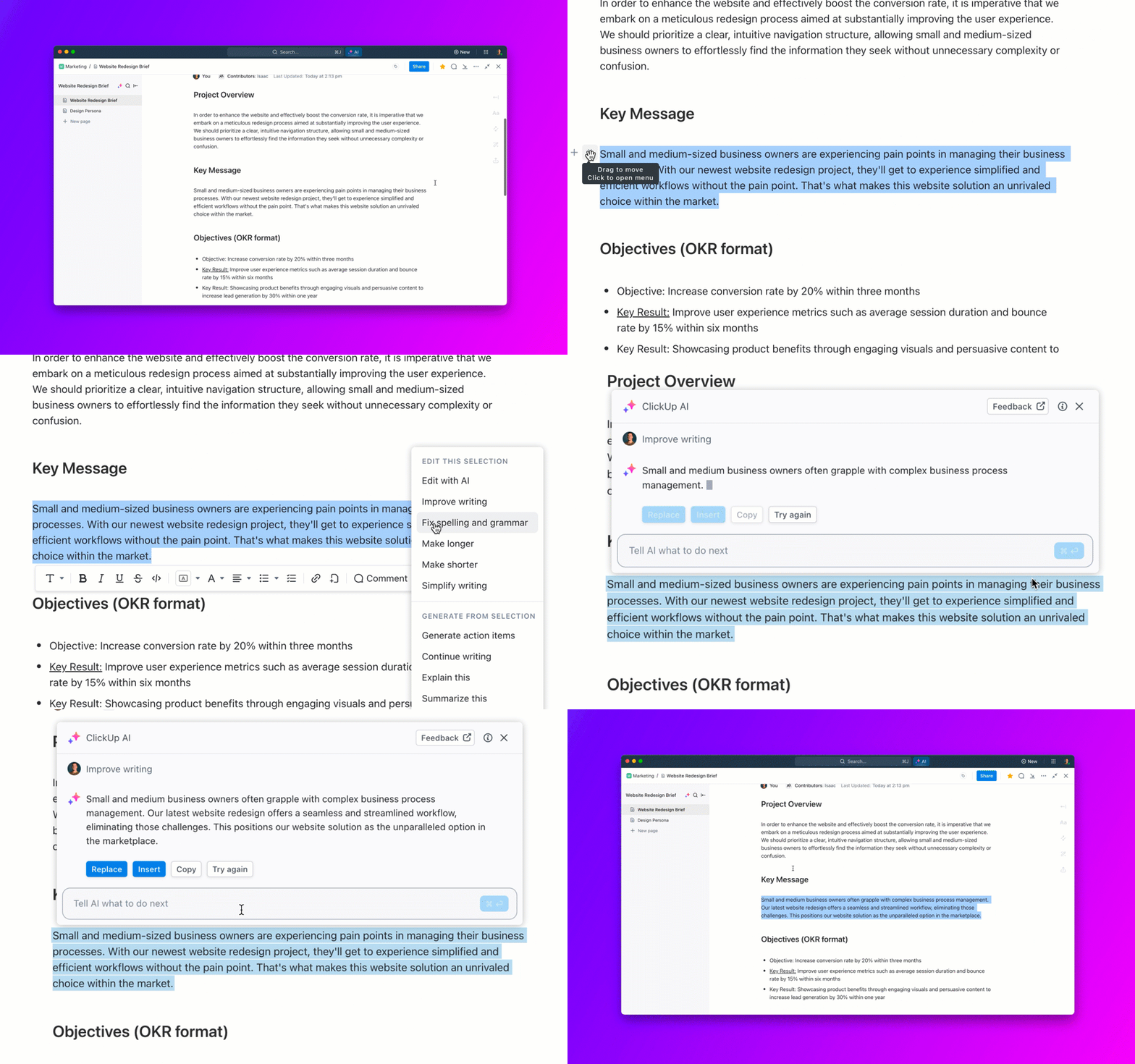
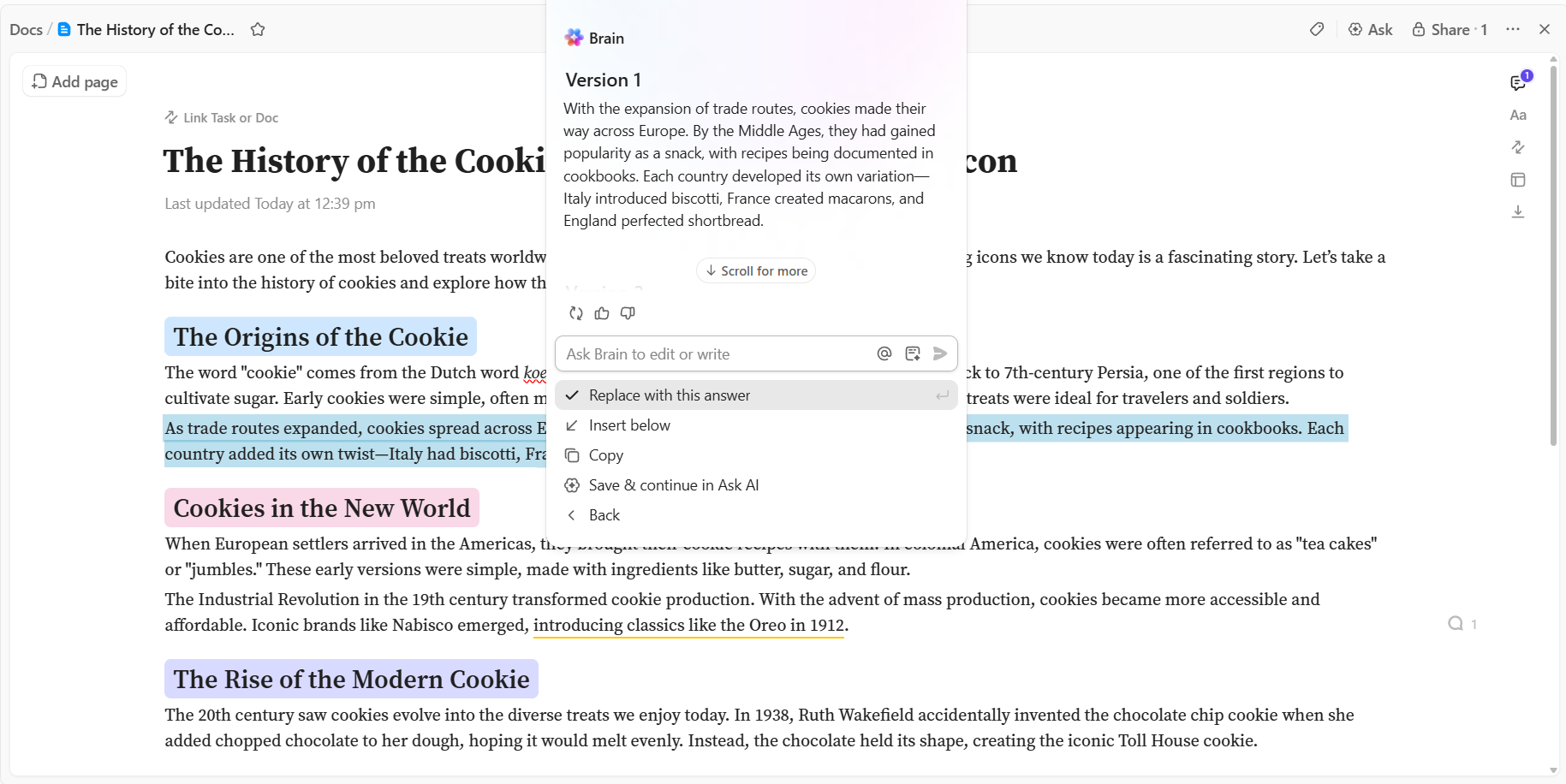
While Stansa AI generates text based on general training data, ClickUp Brain generates text based on your data. It is a neural network for your workspace that connects your tasks, docs, and people.
Instead of juggling multiple tools, you can generate content right where your projects, documents, and team communication already live. It knows your project deadlines, your brand’s previous documents, and who is responsible for what.
Brain eliminates the “copy-paste” shuffle because the AI already has access to your internal knowledge base.
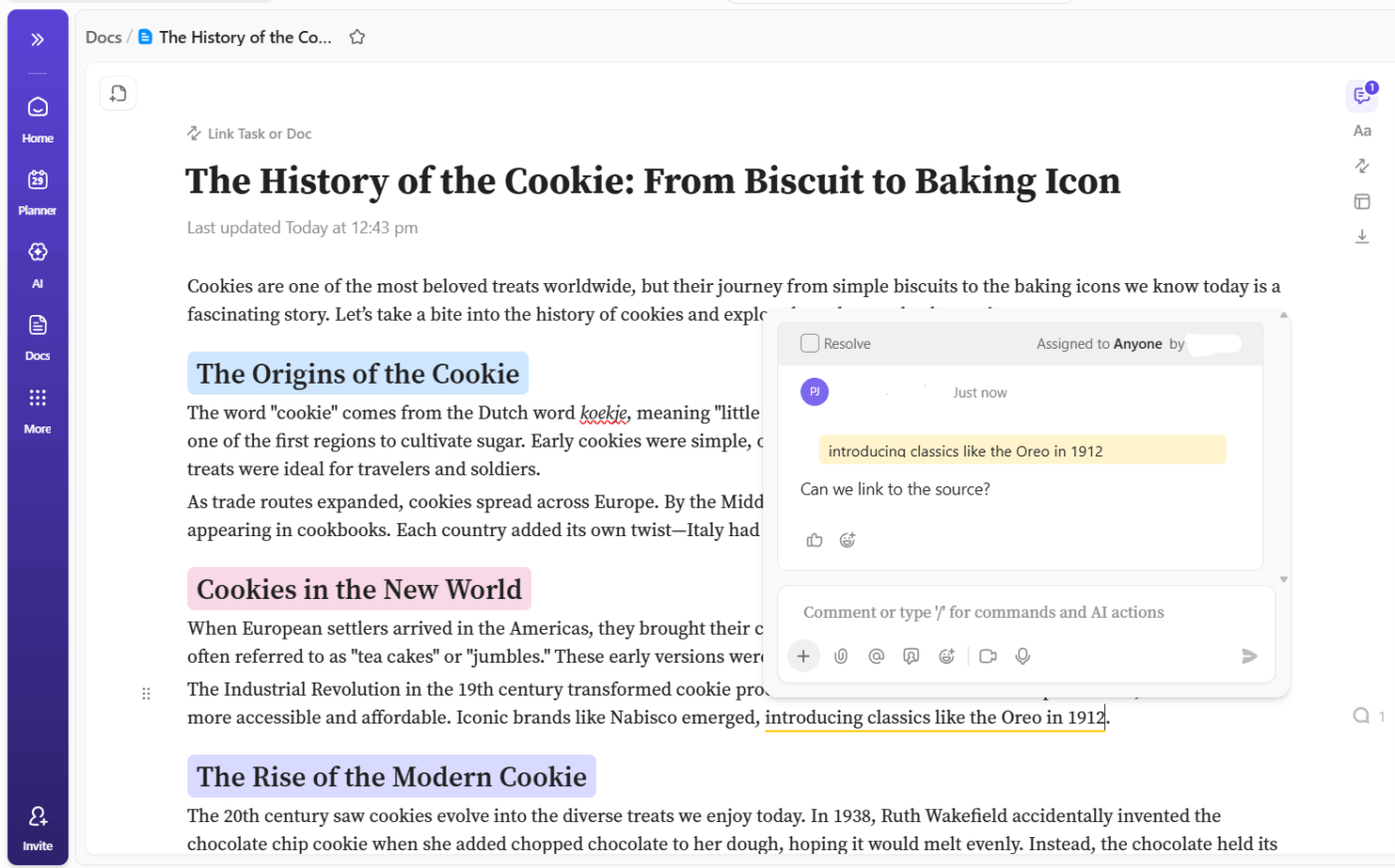
Stansa AI is largely a solitary experience—you prompt, it writes. ClickUp Docs transforms content creation into a team sport. It replaces the need for separate tools like Google Docs.
You can streamline the content creation process by drafting an outline in a ClickUp Doc, using ClickUp Brain to expand on it, and then creating ClickUp Tasks for editing and review—all without leaving the platform.
Teammates can add context, leave real-time comments, or @mention each other to settle edits. With rich formatting and variable permissions, Docs becomes your secure collaborative space for all kinds of content projects.
Turn any highlight in a Doc into a trackable task. If an editor leaves a comment saying “fix this intro,” that comment can be assigned as a formal task with a due date, ensuring nothing gets missed—a level of accountability Stansa AI doesn’t offer.
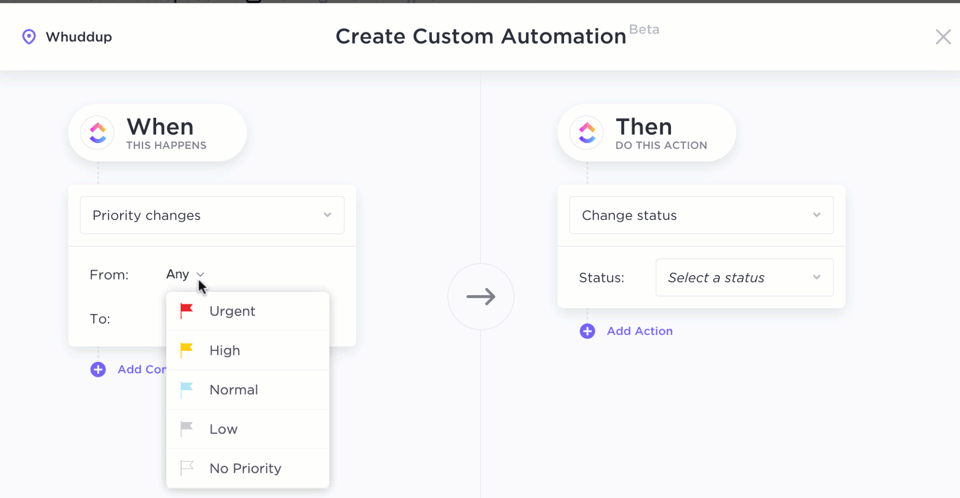
ClickUp Automations handle the “busy work” of the editorial process. Teams can stay aligned throughout the content creation by using ClickUp Automations to create automated workflows to notify stakeholders and move content through approval stages.
For example, you can set up triggers so that when a writer finishes a draft in ClickUp Docs, the status automatically changes to “Ready for Review,” and the editor is notified via Slack or email.
You can even use AI-powered automations. For example, when a task moves to “Done,” ClickUp Brain can automatically generate a summary of the work completed and post it as a comment for stakeholders, keeping everyone in the loop without you writing a single word.
| Pros | Cons |
|---|---|
| Reduces context sprawl by keeping content, projects, and communication in one place with ClickUp’s Converged AI Workspace | The sheer number of features can take time to fully explore |
| AI is context-aware, leading to more relevant and useful content generation | The mobile app experience has some differences from the desktop version |
| Content is seamlessly connected to tasks, streamlining your entire workflow from start to finish | New users may experience a learning curve when setting up their initial workspace structure |
A G2 reviewer notes:
What I like most about ClickUp is how it brings everything together in one place—tasks, timelines, comments, documents, and accountability are all interconnected. This reduces unnecessary back-and-forth and makes work much more transparent. The flexibility in customizing workflows, statuses, and views allows different teams to work in ways that truly fit their processes, while still maintaining visibility and control. ClickUp has greatly improved coordination, follow-ups, and the overall execution of daily tasks.
💡Pro Tip: In ClickUp, you can create Super Agents for virtually any task. Try creating one today for researching information, or writing blog outlines, or even repurposing published pieces into social-media friendly formats!
Learn more about Super Agents here:
Many AI writing tools have strict content filters that can stifle creativity, especially for fiction writers who want to explore complex characters or unconventional storylines.
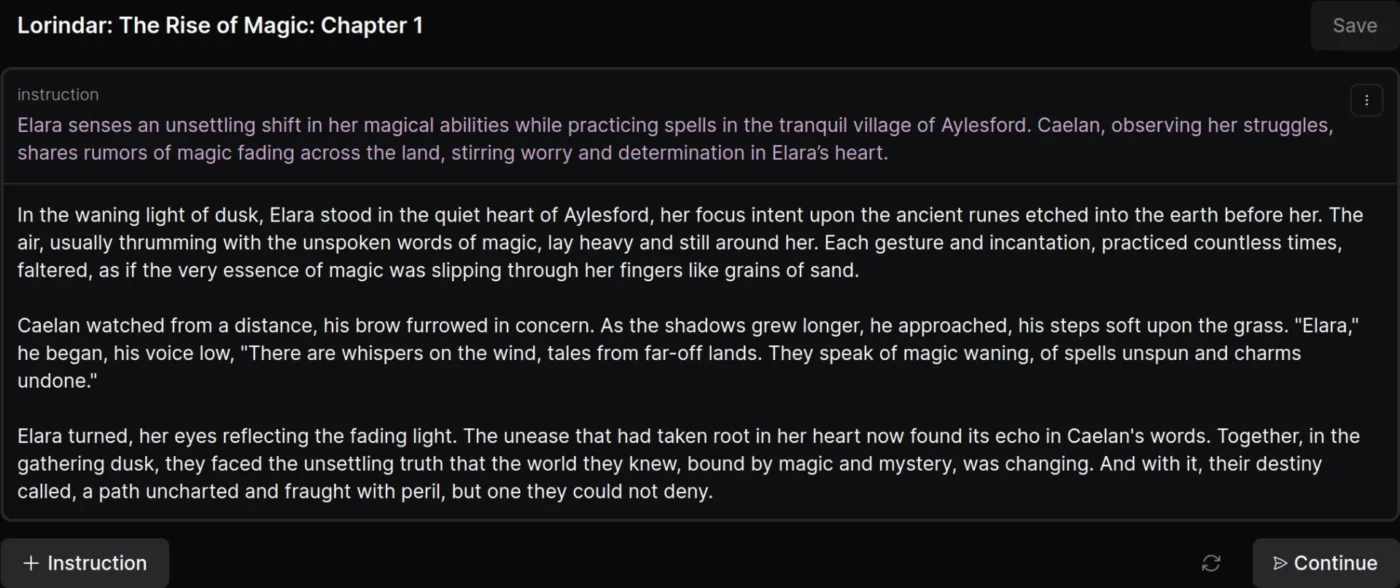
DreamGen is a platform designed for creative fiction writers who need more flexibility. It focuses on story generation without the heavy content restrictions found in other platforms, allowing you to explore a wider range of themes and scenarios.
With DreamGen, you can create custom characters, build detailed story scenarios, and generate narrative content with minimal interference from content moderation. This helps you maintain a consistent voice and story thread, which is crucial for longer fiction projects.
| Pros | Cons |
|---|---|
| Offers creative freedom for fiction writers to explore diverse storylines | Limited integration with external writing or project management tools |
| Strong character consistency helps maintain narrative coherence in long stories | Focused on fiction, making it less suitable for professional or marketing content |
| Access to community-created content provides inspiration for new projects | There’s a learning curve to optimizing prompts for the best results |
Here’s what a Redditor shared:
I definitely like the concept of being able to create multiple characters for one story. It’s unique and this site has lots of potential! I made my own (private) bot, it has 16 characters, all with very lengthy descriptions. It was working fine halfway into creating it, but it glitches out now that I’m done.
Need help creating a script? This video tells you how to use AI for the best results!
Generic AI tools often produce predictable, uninspired prose that doesn’t feel right for fiction. Writers need an AI that understands literary conventions and can adapt to specific genres and styles.
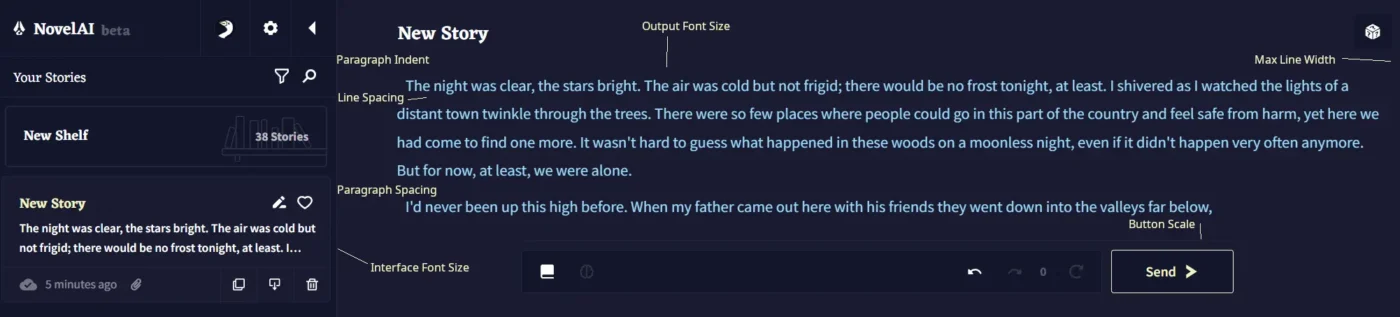
NovelAI is a platform built specifically for storytellers. Its models are trained on literature, giving them a better grasp of narrative structure and prose style, which makes the output feel more literary.
You can create custom modules based on your favorite authors or genres, and even generate images to help you visualize your characters and scenes.
NovelAI also emphasizes user privacy, ensuring your stories remain private and are not used for training.
| Pros | Cons |
|---|---|
| Produces literary-quality prose that feels more natural than general-purpose AI | A subscription is required to access advanced features and models |
| Your stories remain private and are not used for model training | The quality of image generation can vary |
| Deep customization options allow you to shape the AI’s output to your needs | Not designed for professional or marketing content |
A G2 review mentions:
I mostly use NovelAI for creative writing. I like how flexible it is and how well it adapts to different writing styles. It helps me when I’m stuck with writer’s block and don’t know how to continue a story. The flexibility lets me adjust the tone or style without starting over, which saves a lot of time. I appreciate how it keeps the context and characters consistent, even when I change styles. This makes experimenting a lot easier and less frustrating. It’s really helpful when working on longer stories and keeping things consistent.
🌟 Bonus: ClickUp BrainGPT is the perfect AI assistant for writers. It eliminates “toggle tax” (the time lost switching between apps), centralizes research and writing, and automates repetitive steps. This lets writers and researchers focus on high-value work—ideation, analysis, and creativity—while the AI handles the heavy lifting of drafting, summarizing, and organizing.
Traditional AI writing tools generate static text, but what if you want a story that responds to your choices? For creators who want a dynamic, game-like experience, a simple text generator won’t cut it.
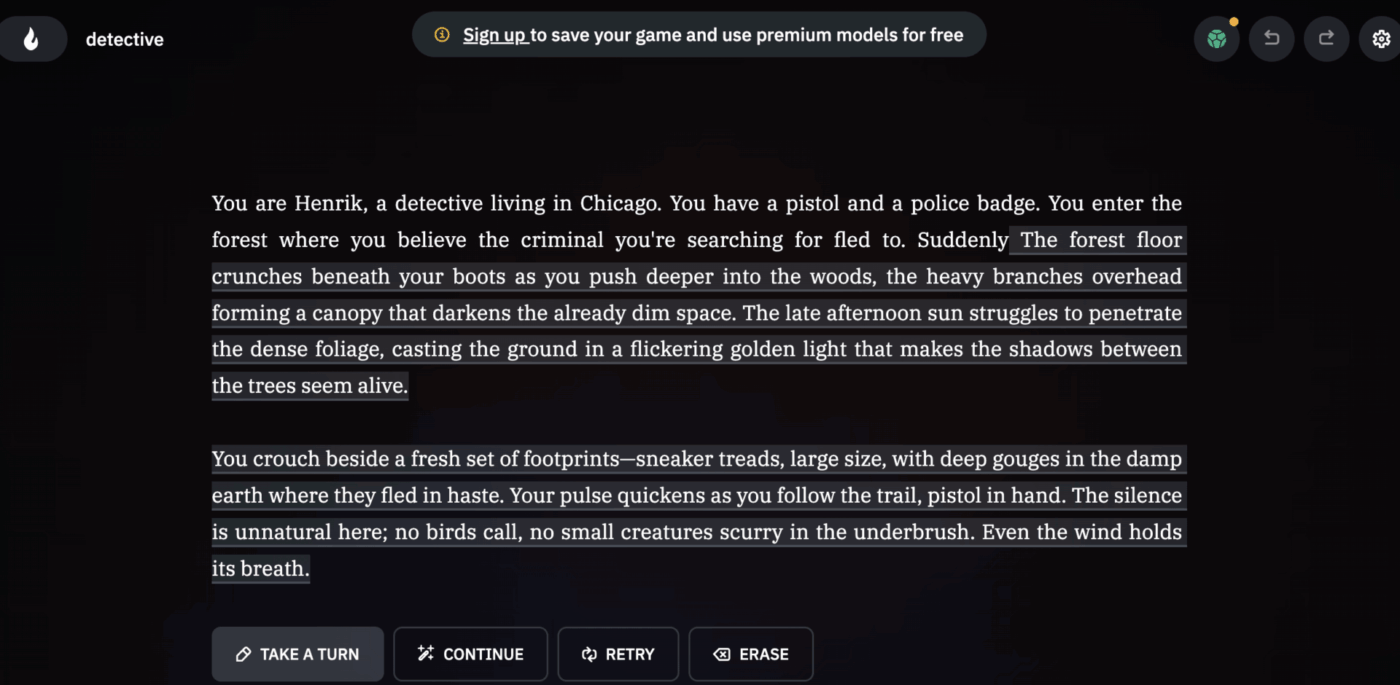
AI Dungeon is a pioneer in AI-powered interactive storytelling. It creates dynamic narratives that respond to your input, functioning more like a text-based adventure game than a writing assistant.
You can start with premade scenarios or build your own custom worlds. The AI adapts to your actions in real-time. It also offers multiplayer features, making it a great tool for collaborative storytelling or tabletop gaming groups.
| Pros | Cons |
|---|---|
| The unique interactive format makes storytelling feel more personal and engaging | Less suitable for producing polished, publishable content |
| A strong community and content library provide endless inspiration for new stories | Content moderation policies have evolved, which may affect some use cases |
| The game-like format is an accessible entry point for new users of AI storytelling | Output quality can be inconsistent depending on the complexity of the scenario |
Learn how to use AI Agents for content creation 👇
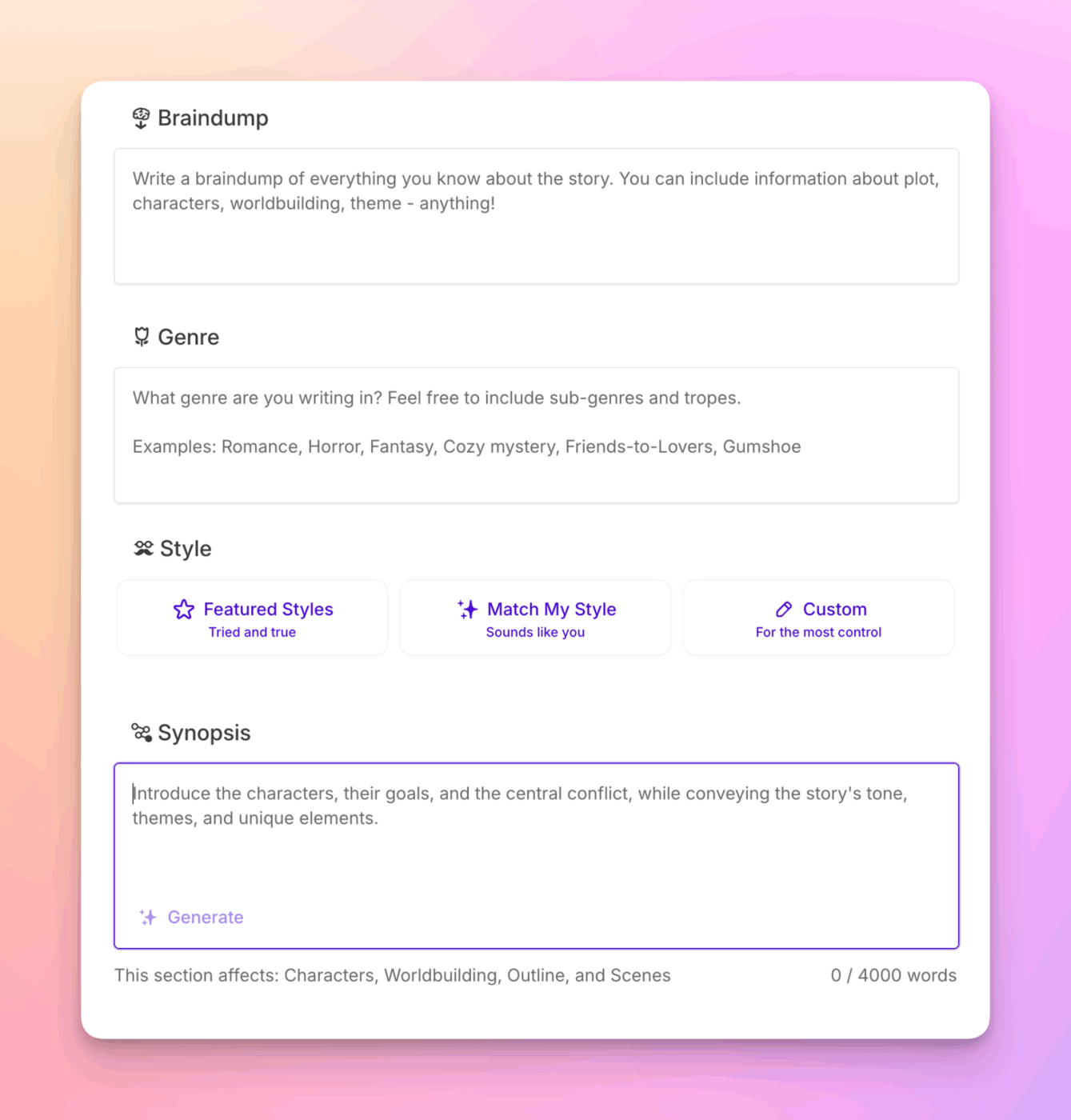
Professional fiction writers need more than just raw text generation. They need tools that understand story structure and can help with specific writing challenges, like crafting vivid descriptions or refining dialogue.
Sudowrite is designed for serious fiction writers, offering specialized features that go beyond simple AI content generation. It acts as a writing partner, helping you brainstorm, expand, and polish your work.
With tools like “Describe” for sensory details and a “Story Engine” for developing novel-length plots, Sudowrite helps you maintain momentum on long-form projects. Many professional authors use it because it fits into a serious writing workflow.
| Pros | Cons |
|---|---|
| Every feature is designed specifically for the challenges of fiction writing | Focused exclusively on fiction, so it’s not suitable for other types of content |
| The Story Engine supports long-form projects, not just short-form content | Requires time to learn the specific tools and workflow to get the most value |
| It has gained traction among published authors, indicating its professional quality | The subscription model can be a significant investment for hobbyist writers |
A G2 review shares:
It provides a variety of tools to help write and rewrite parts of a story. The inclusion of a story bible really helps, prevents the need to use multiple tools. AI works in both the manuscript and the story bible, so you can rapidly develop all aspects of the story.
📖 Also Read: Sudowrite Alternative Tools for Writers
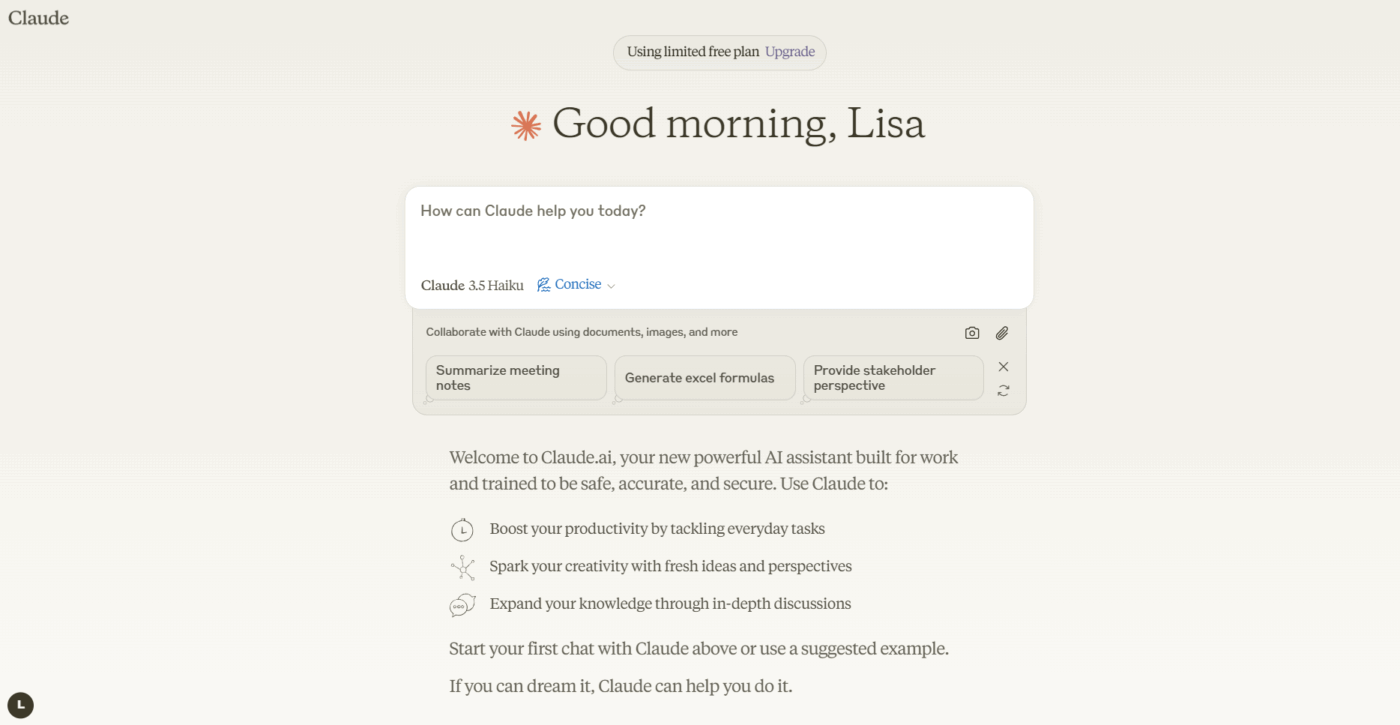
Many AI tools produce responses that feel robotic and miss the mark on nuance. When you’re dealing with complex topics, you need an AI that can provide thoughtful, considered responses instead of generic, formulaic text.
Claude, an AI assistant from Anthropic, is known for its high-quality conversational abilities. Its responses often feel more thoughtful, making it a great choice for content that requires subtlety or complex reasoning.
One of Claude’s key strengths is its large context window, which allows it to process long documents for summarization or analysis. You can upload a PDF and have Claude provide insights, which is a huge time-saver for research-heavy workflows.
| Pros | Cons |
|---|---|
| Produces thoughtful, nuanced outputs that feel less mechanical | May be more cautious when handling certain topics or requests |
| Strong document processing capabilities are great for research-heavy tasks | The free tier has usage limitations that may not support heavy workflows |
| Interactions feel more natural and conversational | No native integration with project management platforms |
A Capterra user shares:
What strikes me most about using Claude is its conversational approach. Rather than feeling like I’m simply querying a database, the interactions feel collaborative. Claude asks clarifying questions when my requests are ambiguous, which has often helped me refine my own thinking about what I actually need. This back-and-forth has proven valuable not just for getting better outputs, but for developing clearer ideas in the first place.
📖 Also Read: Best Claude AI Alternatives
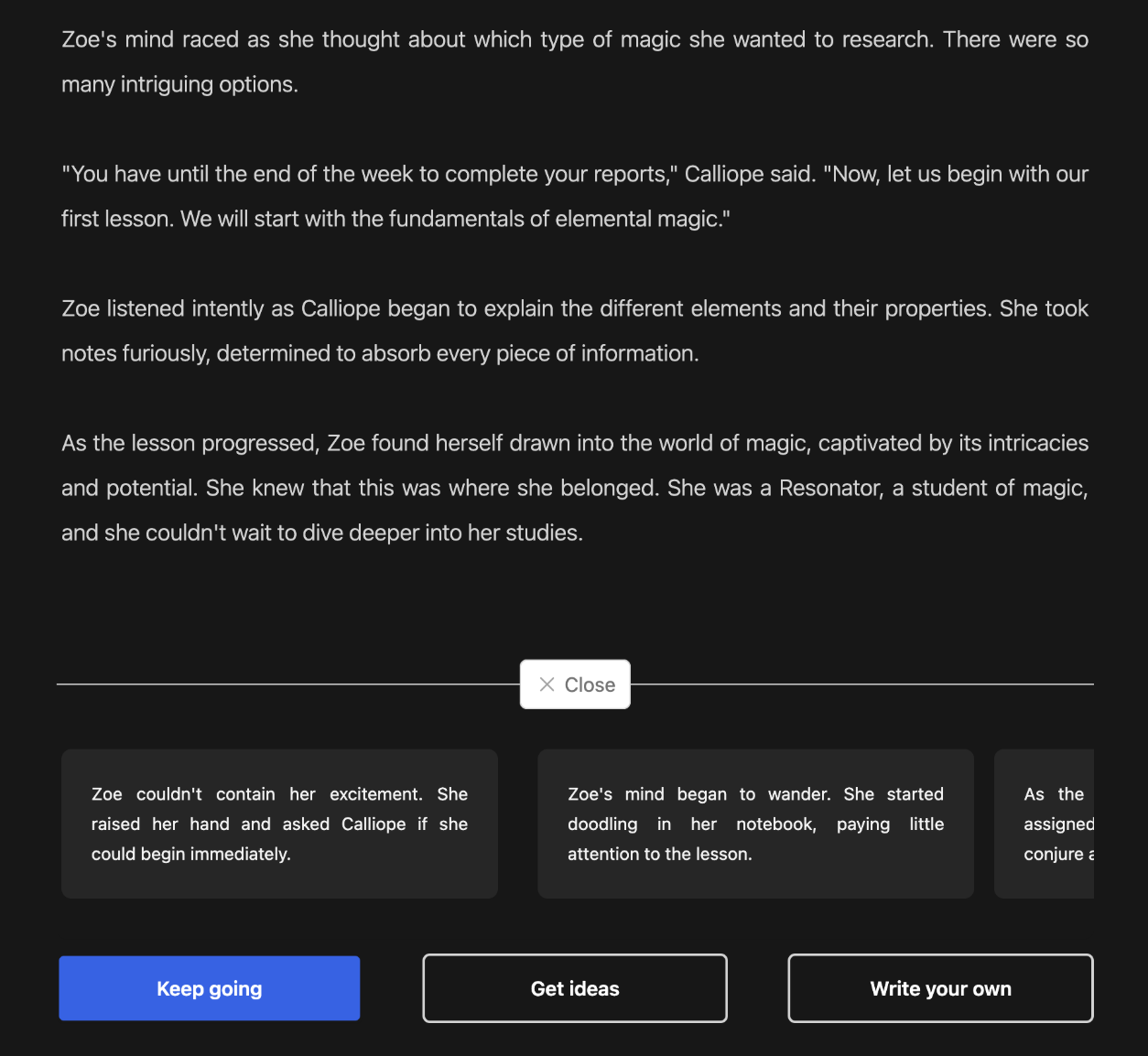
Sometimes you don’t need a complex writing tool with a steep learning curve. You just want to generate a story quickly for entertainment or a quick creative spark, without having to spend a lot of time on setup.
DeepFiction AI is an accessible entry point for AI story generation. It offers genre-specific templates that let you create stories quickly without needing to become a prompt engineering expert.
You can choose from categories like romance, fantasy, or mystery, and the AI will generate content that aligns with those genre conventions. It’s a straightforward tool focused on accessibility and entertainment value.
| Pros | Cons |
|---|---|
| The template-based approach makes it accessible for users new to AI tools | Less customization than more advanced fiction writing platforms |
| Fast content generation is great for quick creative exercises or entertainment | Output quality may not be as refined as more specialized tools |
| Genre-focused outputs help ensure the content aligns with your expectations | Limited features for long-form or professional fiction projects |
📮ClickUp Insight: 62% of our respondents rely on conversational AI tools like ChatGPT and Claude. Their familiar chatbot interface and versatile abilities—to generate content, analyze data, and more—could be why they’re so popular across diverse roles and industries.
However, if a user has to switch to another tab to ask the AI a question every time, the associated toggle tax and context-switching costs add up over time. Not with ClickUp Brain, though. It lives right in your Workspace, knows what you’re working on, can understand plain text prompts, and gives you answers that are highly relevant to your tasks!
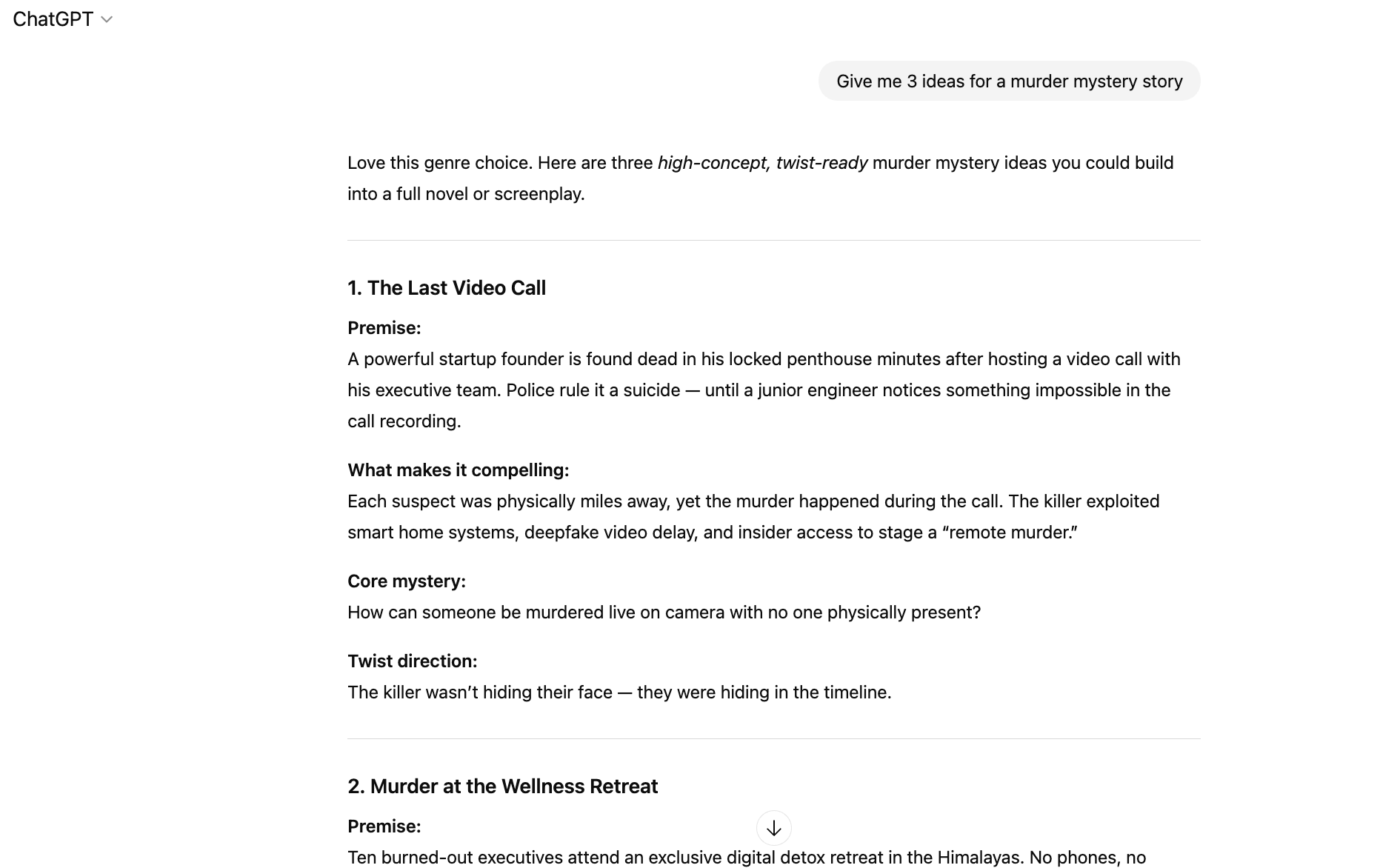
Your team’s content needs are diverse. One day you’re drafting emails, the next you’re creating marketing copy, and the day after you’re trying to simplify a complex technical topic. Using a specialized tool for each task is inefficient and costly.
ChatGPT is the Swiss Army knife of AI assistants, capable of handling an enormous range of content tasks. Its versatility makes it the go-to option for teams that need a single tool for everything from creative writing to technical explanations.
With ChatGPT, you can draft emails, write code, brainstorm ideas, and simplify complex topics through a natural, conversational interface. However, it operates as a standalone tool, so you’ll still face context sprawl—something ClickUp’s Converged AI Workspace is designed to solve.
| Pros | Cons |
|---|---|
| Unmatched versatility makes it a reliable option for teams with diverse needs | Operates as a standalone tool without native integration into work platforms |
| Regular updates and model improvements mean its capabilities are always expanding | Content needs to be manually transferred to where your work actually happens |
| A large user community provides extensive resources and shared prompts | Content filters can sometimes interrupt creative or professional use cases |
A G2 review shares:
What I like most about ChatGPT is how intuitive and reliable it is; it understands context quickly and gives clear, well-structured responses without needing too much back and forth. I especially appreciate how it adapts to different tones and requirements, whether I need something professional, creative, or concise.
📖 Also Read: Best ChatGPT Alternatives
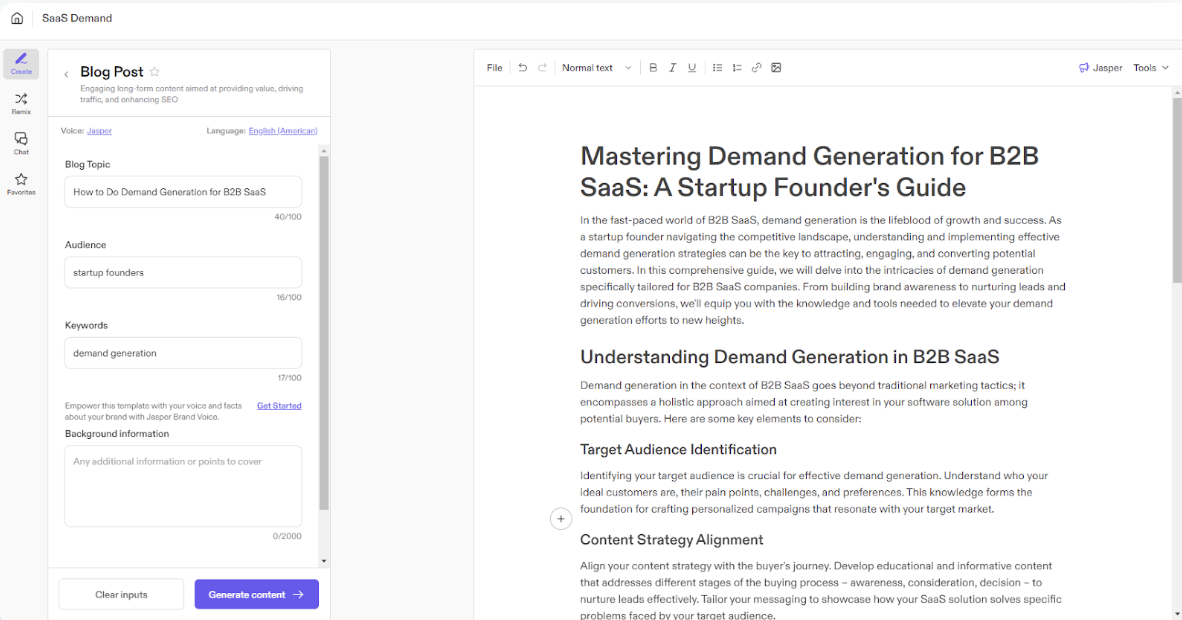
Marketing teams are under constant pressure to produce high-volume, on-brand content. Generic AI tools don’t understand your brand voice, which means your team wastes valuable time editing outputs to align with your company’s standards.
Jasper is an AI content platform designed specifically for marketing teams. It focuses on brand consistency and provides templates that support content production at scale.
With Jasper’s Brand Voice feature, you can train the AI on your specific guidelines, ensuring that all generated content aligns with your brand. It also offers collaboration tools and campaign management features, making it a solid choice for marketing teams.
However, it remains a specialized content tool rather than a comprehensive work management platform.
| Pros | Cons |
|---|---|
| Every feature is designed around the needs of marketing teams | Less suitable for other business functions or content types |
| The Brand Voice feature ensures brand consistency at scale | Requires an initial investment of time to set up the Brand Voice feature |
| Built-in collaboration tools support marketing team workflows | Individual users may find it has more features than they need |
A Capterra review says:
You can use Jasper to brainstorm, reformulate ideas, organize thoughts, and write much faster than you would if starting from scratch. Overall, it has introduced tangible individual and team efficiencies and we are very happy with the constant improvements made to the platform!
📖 Also Read: Best Jasper AI Alternatives & Competitors
The right Stansa AI alternative depends on what you’re trying to accomplish. Creative fiction writers will benefit from specialized tools like NovelAI or Sudowrite. Marketing teams will find value in brand-focused platforms like Jasper.
But the real challenge isn’t just finding an AI that generates good content—it’s finding one that fits into how your team actually works. Standalone AI tools create friction, forcing you to manually transfer content between your project management system, your documents, and your team chats.
The most effective AI solution is one that closes the gap between content generation and execution. Whether you choose a specialized fiction tool or a marketing platform, prioritize solutions that reduce friction in your workflow.
For teams looking to eliminate the context sprawl between AI content generation and work management, ClickUp offers AI that lives where the work happens. ✨/
Sign up for free today.
Stansa AI is an AI-powered content generation platform known for its flexible interactions, primarily for creative and professional writing. Teams often seek alternatives to get features like team collaboration, better integration with work management systems, or specialized capabilities for marketing or fiction.
Unfiltered AI writing tools have fewer content restrictions, which allows for the exploration of unconventional themes that might be blocked by mainstream tools. Platforms like ChatGPT prioritize safety and broad accessibility, which can sometimes interrupt the creative flow for certain fiction genres.
For teams that need to collaborate on content and integrate it into their workflows, ClickUp is the strongest choice. It combines AI content generation with project management and documentation, eliminating the need to switch between separate tools.
Yes, most AI writing alternatives, including ClickUp and Jasper, are designed for commercial content creation and allow you to use the generated content for business purposes. However, it’s always a good idea to review each platform’s terms of service regarding content ownership.

© 2026 ClickUp




