






Still downloading templates?
There’s an easier way. Try a free AI Agent in ClickUp that actually does the work for you—set up in minutes, save hours every week.
Sorry, there were no results found for “”
Sorry, there were no results found for “”
Sorry, there were no results found for “”

SoSococo offers a virtual office for remote and hybrid teams, helping them collaborate as if they were together in person. However, many users report technical issues and high costs.
If you’re searching for a more affordable alternative that provides:
Then, you’re in the right place. This guide highlights the best Sococo alternatives to help your team collaborate more effectively.
If you’re a Sococo user, you’ll probably relate to a few of these:
🧠 Fun Fact: Nearly 67% of workers in the technology industry report that they work remotely. It’s by far the industry with the highest share of remote workers.
Before we start exploring each Sococo alternative, here’s a quick roundup of each tool’s features, ideal team size, and pricing. So, whether you’re looking to create a virtual office, host online events, or simply keep your remote team together, there’s a tool for each of your needs.
| Tool | Key Features | Best For | Pricing* |
| ClickUp | ClickUp Brain, AI Agents smoothen real-time collaboration, custom views and dashboards, workflow automation craete the world’s most complete work AI | Startups to large enterprises needing a unified platform for project management, automation, and cross-functional collaboration. | Free plan available; Customization available for enterprises |
| Tandem | Instant voice/video, screen share, co-working mode, presence indicators | Small to medium remote teams that value spontaneous voice/video chats and real-time presence for agile collaboration | Free plan available; Paid plans start at $59/month |
| Kumospace | Virtual office platform with spatial audio, interactive rooms, and collaboration tools | Distributed teams (5–100+) in creative, tech, or agency environments seeking immersive, interactive virtual office experiences | Free plan available; Paid plans start at $16/user/month |
| Teamflow | Spatial audio, persistent whiteboards & docs, confidential rooms, multiple screen share, productivity integrations | Hybrid and remote teams (10–200) wanting to recreate the feel of a physical office with persistent collaboration spaces | Free plan available; Paid plans start at $20/user/month |
| Microsoft Teams | Chat, video calls, file sharing, channels, deep Microsoft 365 integration, webinars up to 10,000, enterprise-grade security | Mid-sized to large enterprises in regulated industries needing secure, scalable communication tightly integrated with Microsoft 365 | Paid plans start at $4.80/user/month |
| Slack | Channel-based messaging, hurdles, 2000+ integrations, workflow builder, powerful search, file sharing | Tech startups and SMBs prioritizing fast, channel-based messaging and deep integration with developer tools | Paid plans start at $8.75/user/month |
| Zoom | HD video meetings, breakout rooms, webinar hosting, screen sharing, and AI meeting companion | Large enterprises needing reliable, high-quality video meetings, webinars, and virtual events | Paid plans start at $13.33/user/month |
| Connecteam | Time tracking, shift scheduling, task updates, internal newsfeed, location tracking, HR tools, training modules | Field service companies, retail, hospitality, and logistics teams managing deskless or mobile employees at scale | Free trial, Paid plans start at $35/month |
| Cisco Webex | Video meetings (HD), calling, webinars, whiteboarding, polling, file sharing, persistent messaging, AI-powered collaboration, strong security | Large enterprises and government organizations requiring robust security, compliance, and advanced video conferencing features | Free plan available; Paid plans start at $14.50/user/month |
| Google Workspace | Gmail, Drive, Docs, Meet, Calendar, 5000+ app marketplace integrations, strong admin controls, data protection & compliance | Small to mid-sized businesses and education teams seeking an integrated productivity suite with easy admin and collaboration tools | Paid plans start at $8.40/user/month |
Our editorial team follows a transparent, research-backed, and vendor-neutral process, so you can trust that our recommendations are based on real product value.
Here’s a detailed rundown of how we review software at ClickUp.
Whether you’re looking to create a virtual office, host online events, or simply keep your remote team together, there’s a tool for each of your needs.
Let’s take a closer look at what each tool has to offer.
Some teams might move away from Sococo’s virtual office concept because they’re looking for a platform that helps their team work more effectively and intelligently.
Enter ClickUp. It is the world’s first Converged AI Workspace, bringing together collaboration, task, and project management, chat, and Agents in one place—all powered by AI.
When remote teams work in a fast-paced environment, work is often fragmented across multiple tools, chat windows, documents, emails, ad systems that simply don’t talk to each other. The result: teams spend precious time switching between apps, hunting for context, and battling information silos, while organizations face growing losses in productivity and efficiency.
ClickUp eliminates this Work Sprawl by consolidating the tools remote teams actually use daily.
So, instead of jumping between Sococo for virtual presence, Slack for chat, a separate tool for tasks, and Google Docs for collaboration, everything converges in one platform. That’s the power of a convergence in a platform.
With that, let’s explore each of ClickUp’s features:
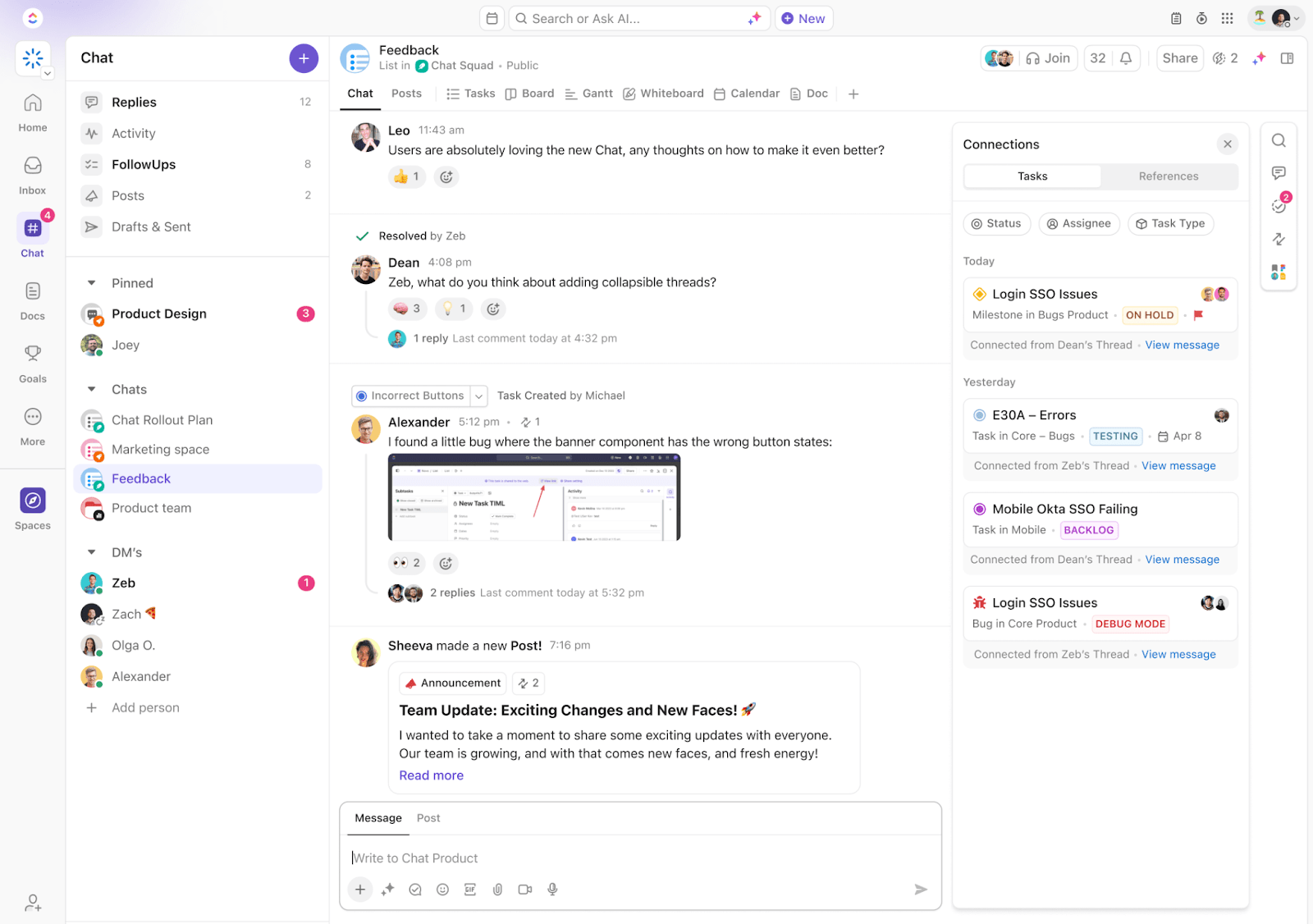
Today, seamless communication is the backbone of productive teams. With ClickUp Chat, you’ll never have to waste time switching to communication tools again. Chat is truly the future of work.
This is because conversations, tasks, and projects don’t just connect—they converge. You can communicate with your team using channels or direct messages, create tasks from chat messages, use ClickUp AI to summarize threads, and much more.
Or if you want to catch up on video, ClickUp SyncUps keep remote teams aligned with quick, structured check-ins, right inside your workspace. You can assign action items, review project progress, and document decisions—all within the SyncUp session (which you can start with a click right inside your chat window)!

💡 Pro Tip: Async video is often easier when your team works across time zones. ClickUp Clips allows you to record your screen and voice directly from within the platform. You can record screens with only voiceover, annotate the content, and share the resulting videos easily.
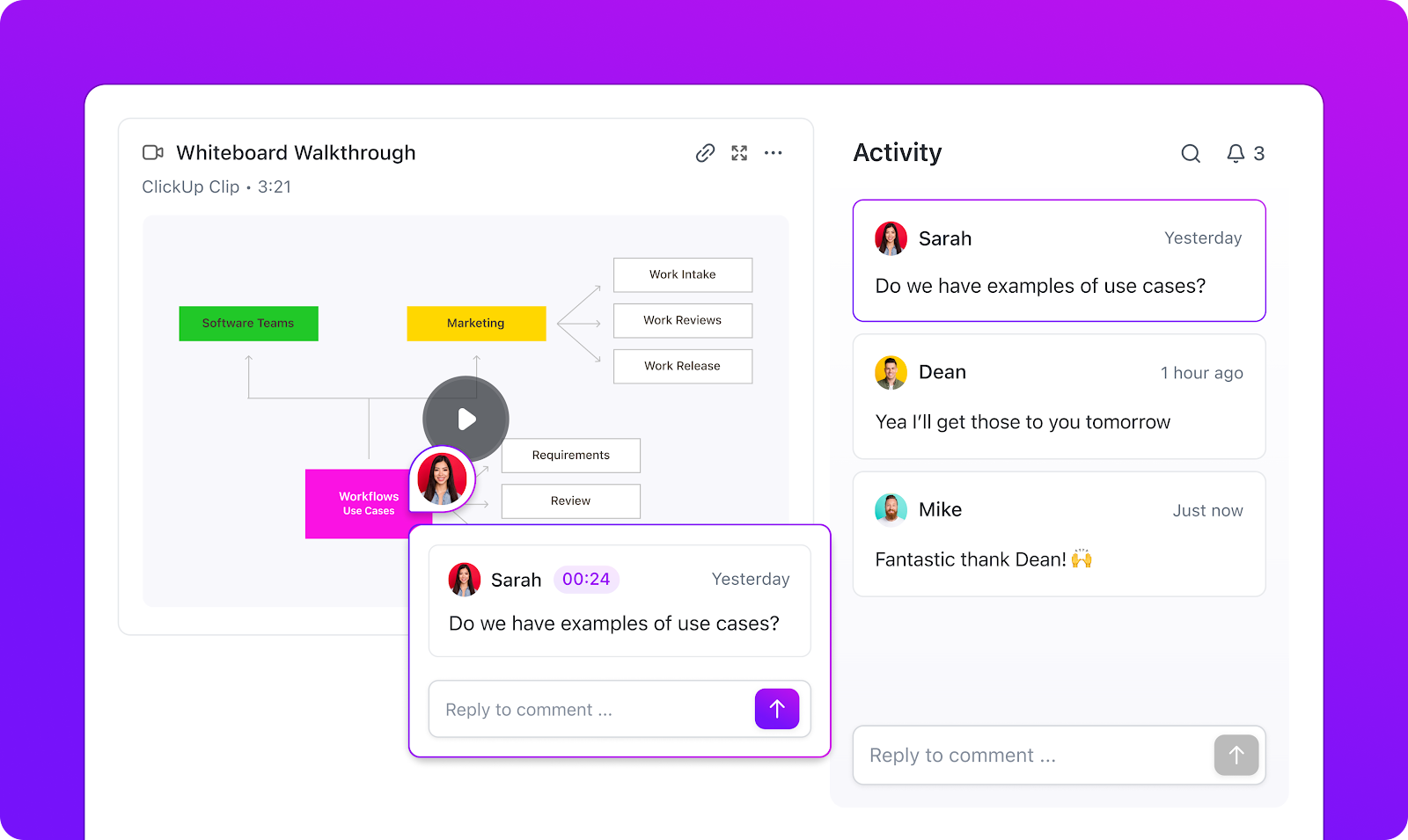
ClickUp’s project management features are truly a perfect fit for virtual team collaboration because they can be customized to every working style. Here are some of them that make async work feel easy:
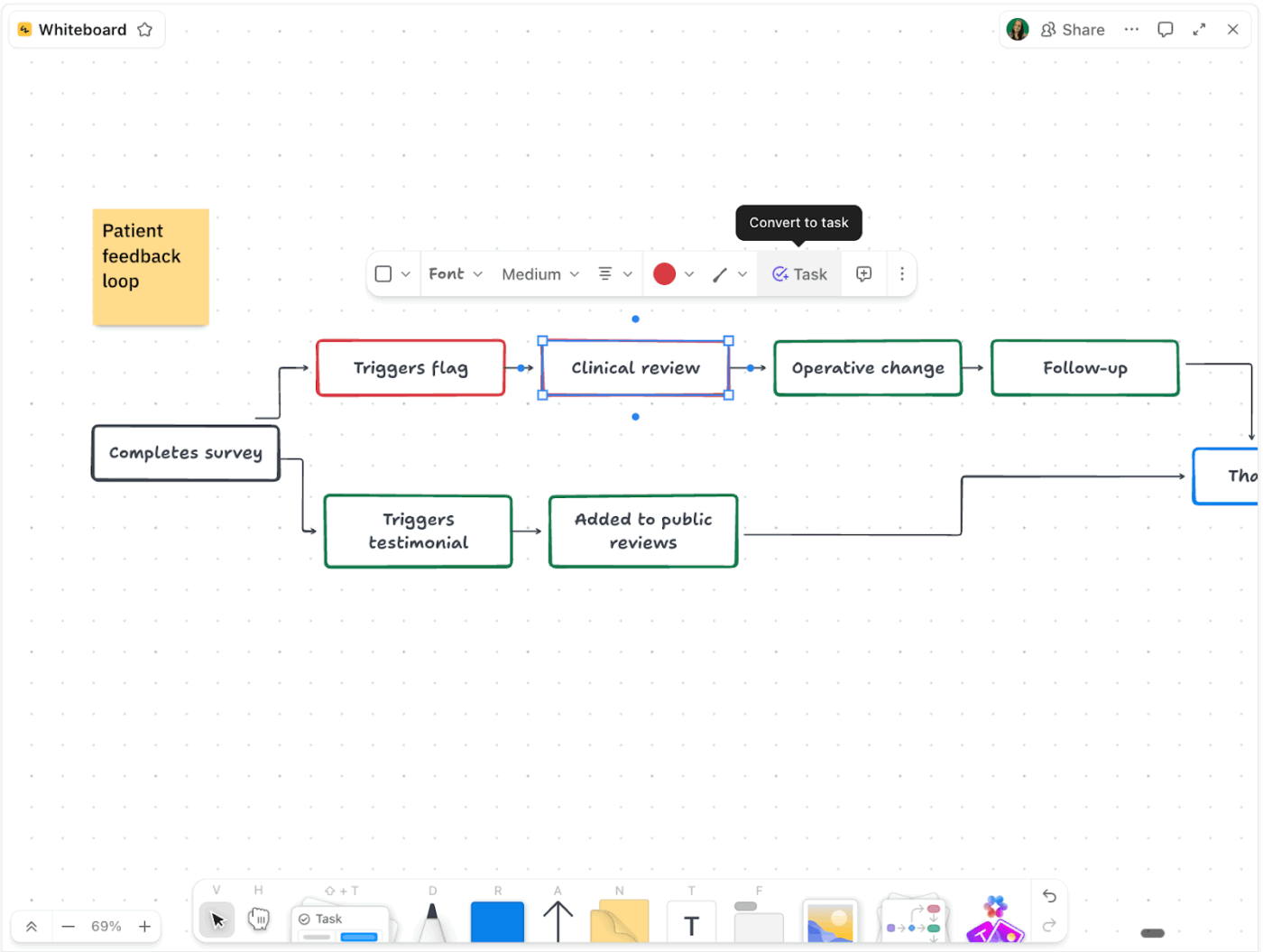
💡 Pro Tip: Use ClickUp’s Collaboration Detection to see real-time typing indicators, live editing alerts, and instant updates when teammates are working on the same task or doc. This feature helps remote teams avoid overlapping edits and stay in sync across devices.
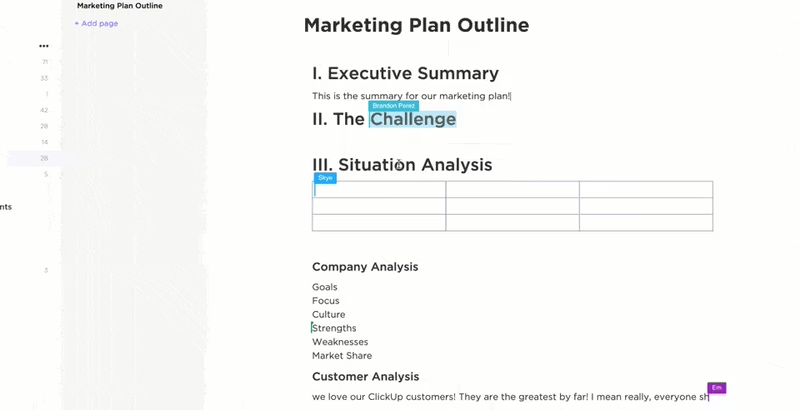
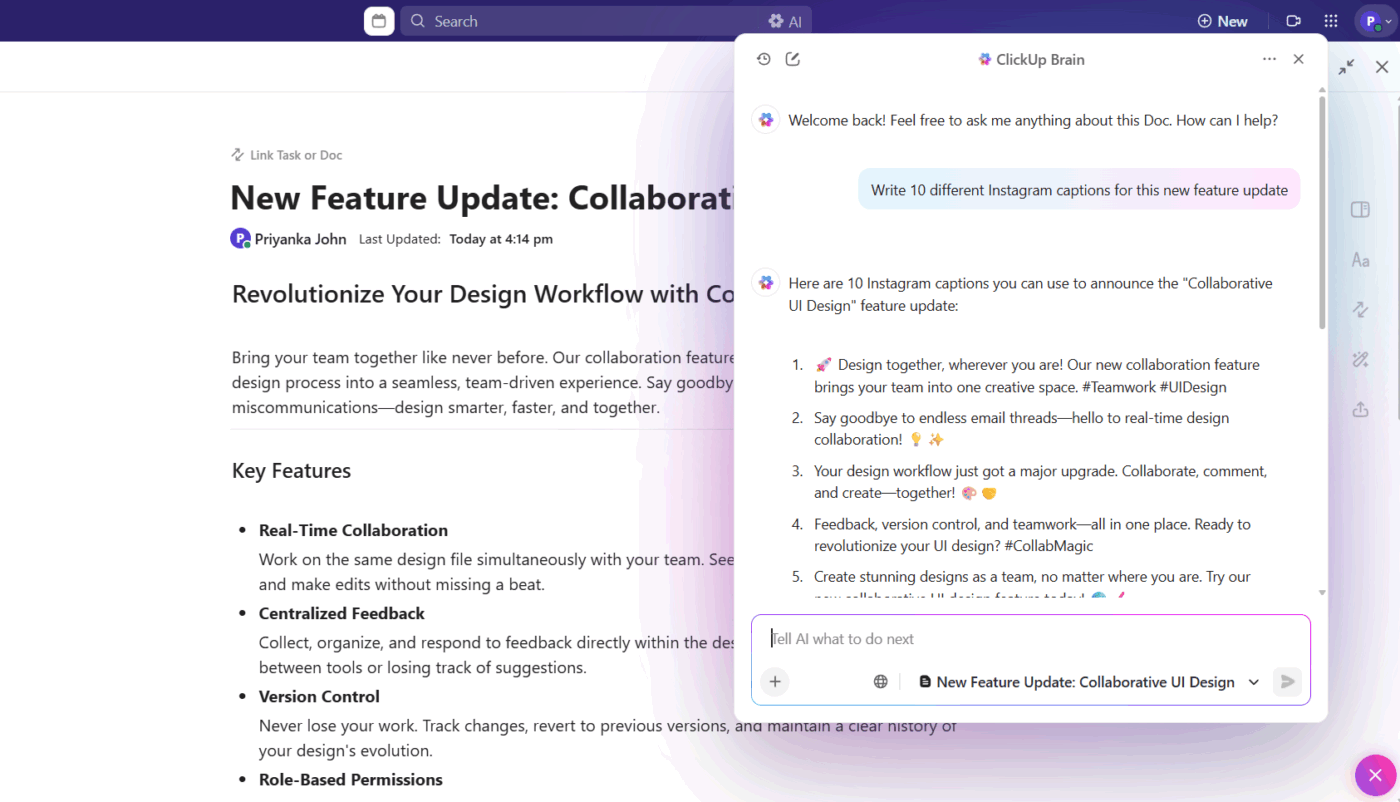
ClickUp Brain is your AI teammate designed to make remote collaboration smarter, faster, and more intuitive. With Brain, you can collaborate on the same Doc, get recommendations, instant summaries, external research, and everything a full-fledged LLM does.
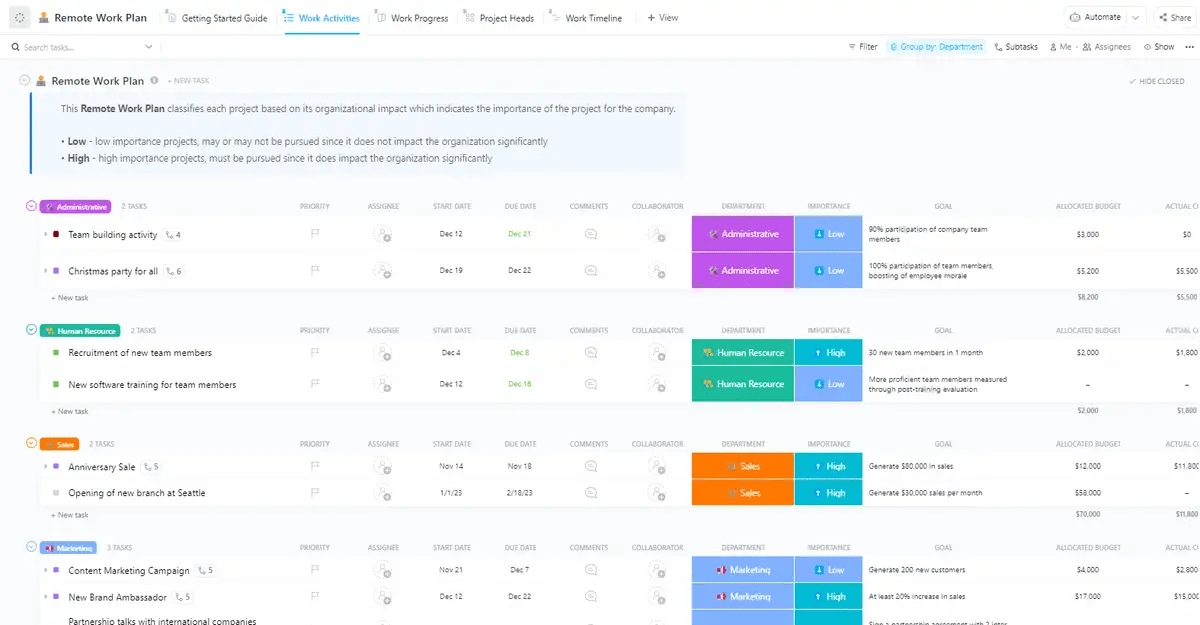
The ClickUp Remote Work Plan Template is designed to help teams manage tasks, schedules, and priorities from anywhere. Easily assign responsibilities, set deadlines, and track progress in real time. This template keeps remote teams organized, accountable, and connected—regardless of where work is done.
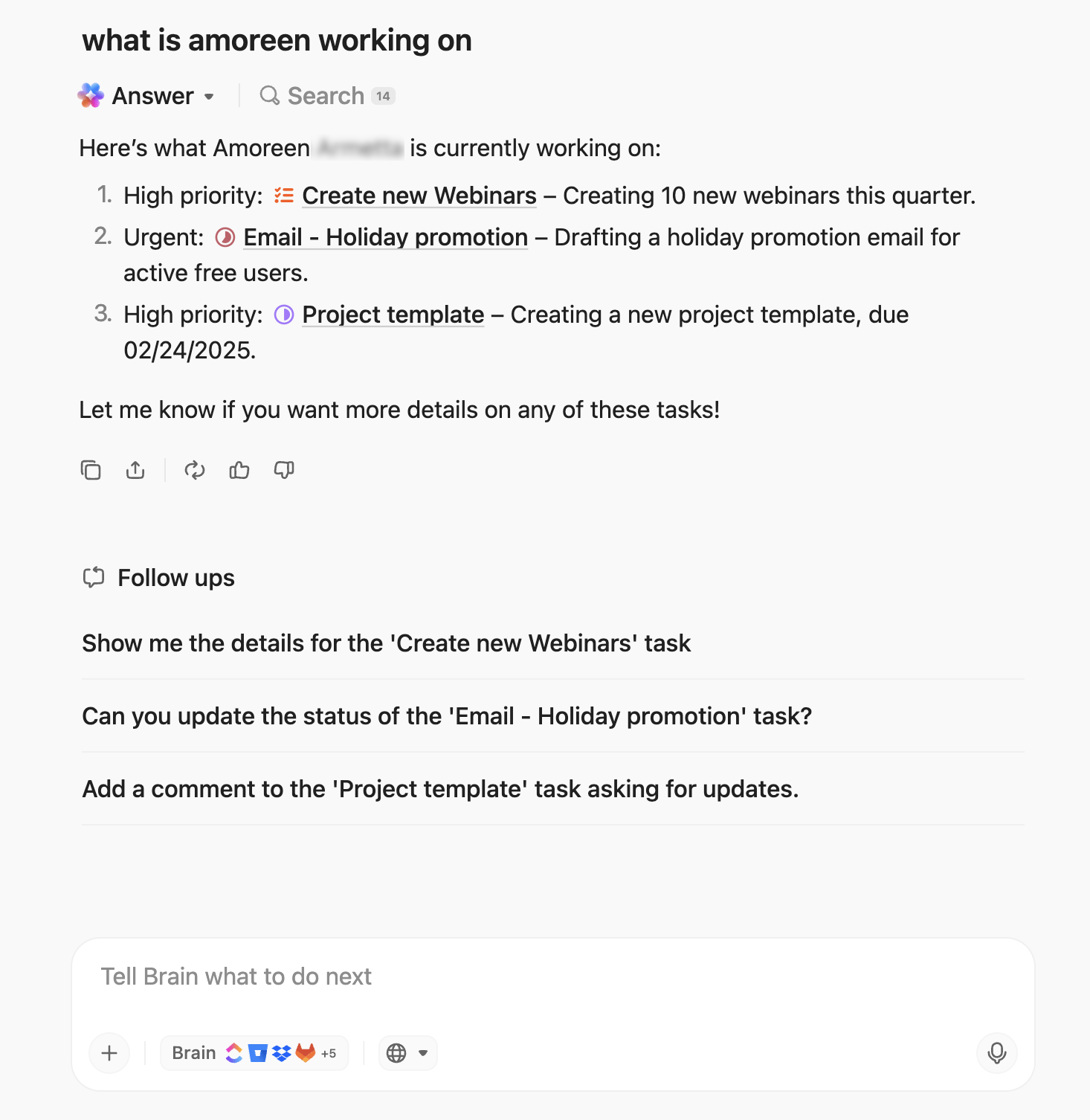
💡 Pro Tip: Tired of interrupting your team just to find out who’s working on what? ClickUp BrainGPT helps distributed teams collaborate effectively without the constant interruptions that can slow down remote work. It’s a desktop AI companion that helps you:
A G2 review reads:
ClickUp is incredibly versatile and has become our go-to for managing everything from daily tasks to long-term projects. I love how customizable it is — we’ve been able to tailor it to fit our team’s workflow perfectly. The ability to create dashboards, automate recurring tasks, and integrate with tools like Slack and Google Drive has saved us tons of time. The user interface is also clean and easy to navigate once you get the hang of it.
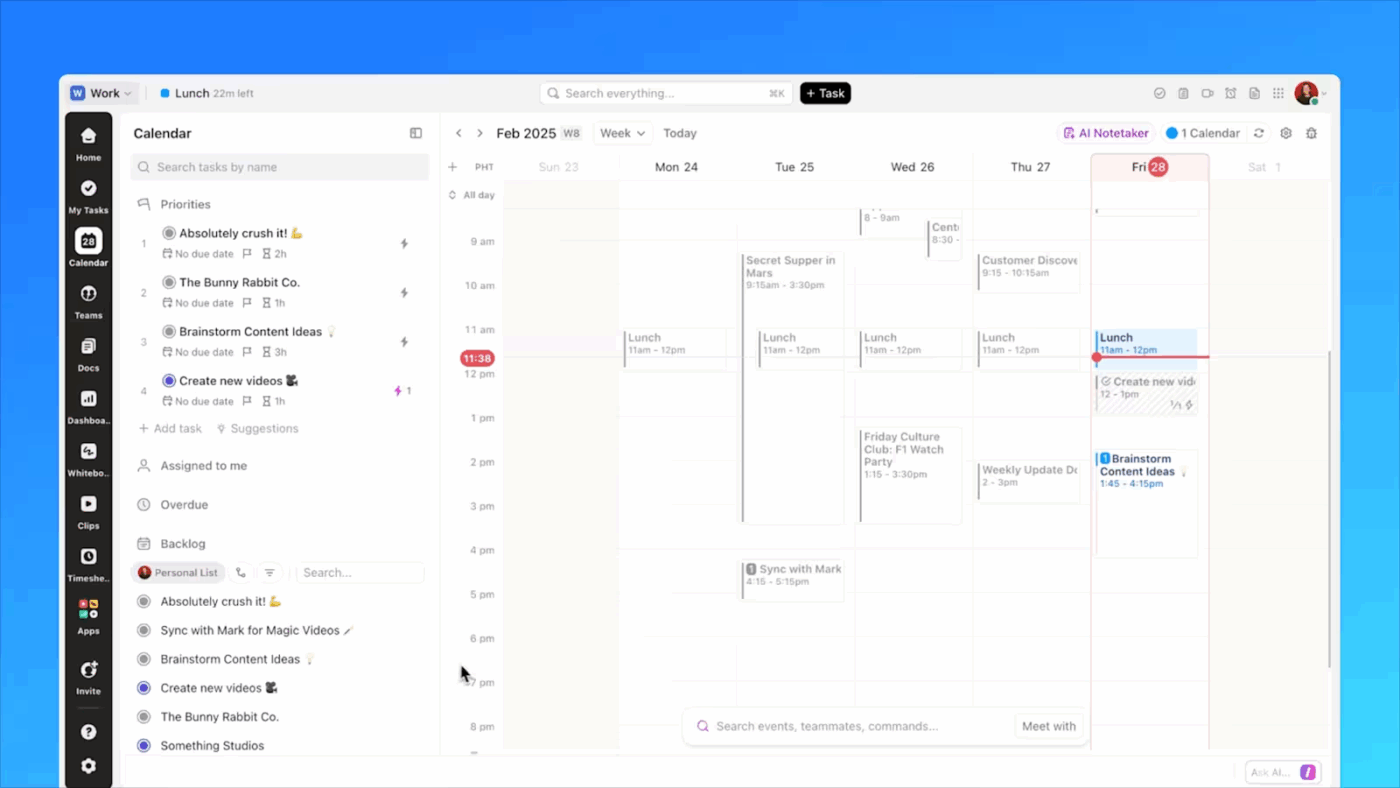
💡 Pro Tip: Try ClickUp AI-powered Calendar, where tasks, events, and team availability merge into one intelligent dashboard. Similar to Sococo, it creates a shared space where time serves as the anchor for collaboration, without the use of visual avatars.
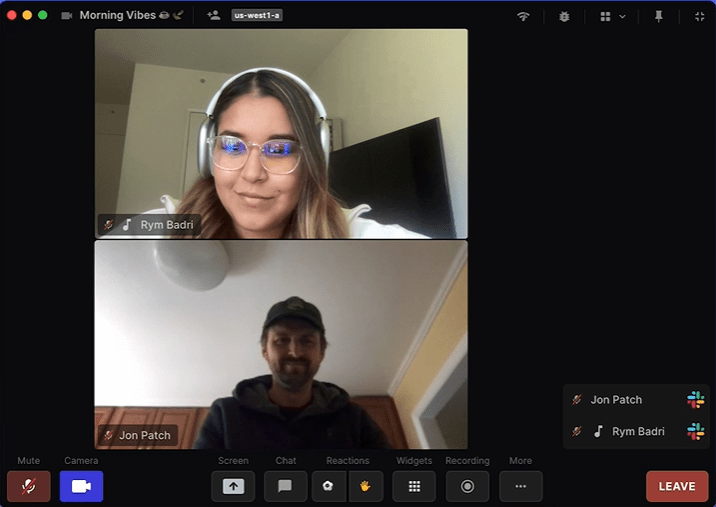
If you’re looking for virtual meeting platforms that encourage impromptu brainstorming sessions and spontaneous conversations, Tandem is a good option. You can view teammates’ presence and start conversations with a click using ‘Wave & Talk’ or ‘Notify Me When Free.’
You get structured collaboration spaces like Tables and Rooms, and built-in collaboration tools like instant screensharing, shared cursors, and remote screen control. The tool also integrates with Google Docs, Trello, Asana, Slack, GitHub, and more to extend in-app collaboration.
However, the integrations mean you’re still switching between tools to access actual project data. While conversations happen in Tandem, the follow-up tasks and documentation live elsewhere.
Here’s a Capterra review:
A great tool for efficient remote work, an easy-to-use alternative that brings together several functions in one program.
📮 ClickUp Insight: Nearly 50% of survey respondents say the biggest extra step chat adds is manually moving tasks into another tool. Another 20% spend time re-reading threads just to find the real action item.
Those tiny interruptions compound because each handoff is a small leak of time, energy, and clarity.
ClickUp replaces the relay race with a single motion. Within ClickUp Chat, your conversation threads can be instantly turned into trackable Tasks. You don’t lose momentum transferring context because ClickUp’s Converged AI Workspace keeps it intact for you.
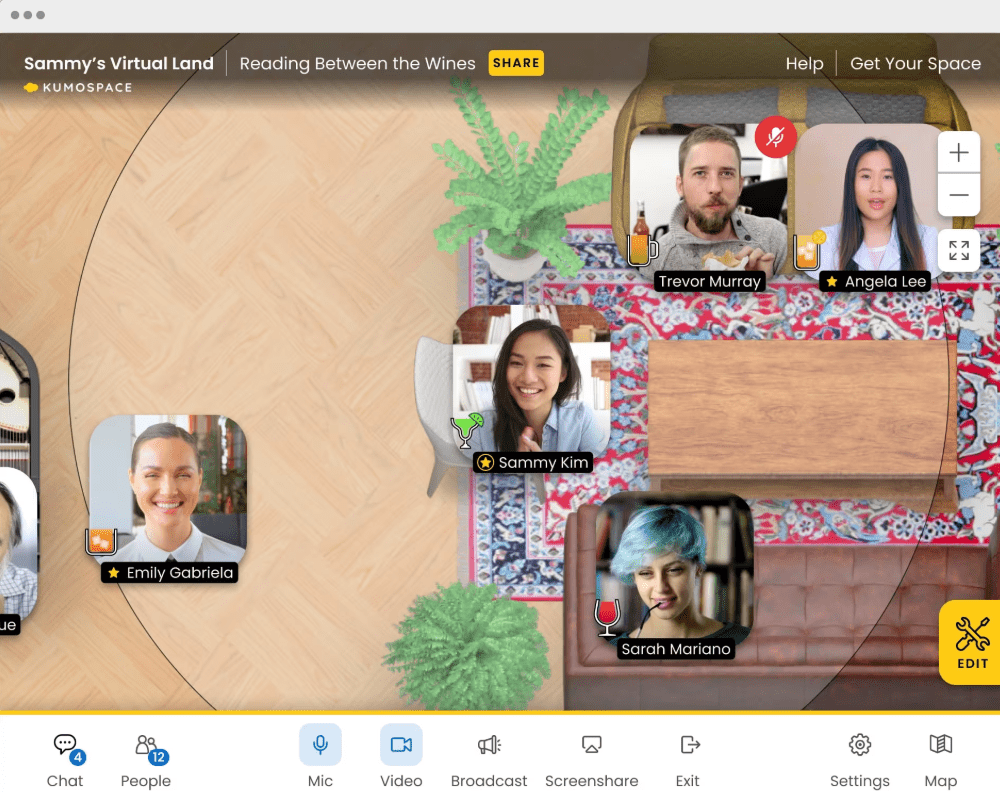
Kumospace provides a digital version of your real office in video-game-style virtual environments—offices with coffee tables, lounges, custom decor, and themed rooms.
Your teams can engage via video calls and chats, collaborate on docs, ideate on virtual whiteboards, and even play interactive games. So, you’re not just having meetings but building an office culture, even remotely.
When hosting spontaneous meetings, Kumospace’s system supports simultaneous screen sharing, multi-user presentations, and intuitive presenter controls. Additionally, features like hand-raising and meeting recording are built in, ensuring clarity and accountability during discussions.
Here’s a G2 review:
Kumospace’s interface is intuitive and easy to use, making the transition from in-person to virtual meetings much smoother. Additionally, the ability to customize spaces and add interactive elements like music and games significantly enhances the experience, making it more fun and engaging.
🎥 Watch: Tired of juggling chats, docs, and endless notifications across five different apps?
In this video, we’re breaking down the best online collaboration tools that actually bring your team together—not tear your focus apart.
Here’s what we’ll cover 👇
✅ Top collaboration platforms for remote & hybrid teams
✅ Real-time document sharing, whiteboards, and task tracking
✅ How ClickUp replaces five tools in one for seamless teamwork

Teamflow’s interactive 2D or 3D layout allows users to customize virtual spaces with rooms, desks, furniture, zones, and even personalized avatars. Collaboration tools, like proximity-based audio, multiperson shared browsers, and mobile accessibility, make for an immersive experience.
Files and documents from Google Docs, Trello, Notion, Figma, and other platforms can be embedded directly within the workspace.
The tool also features a specialized sales floor mode designed for SDRs, which allows for live call sessions, peer shadowing, real-time feedback, and virtual celebrations. You can also integrate it with sales platforms like Aircall, Salesloft, Outreach, etc., for live call coaching and collaboration.
Here’s a G2 review:
Teamflow creates this virtual space to allow us who works remotely to have the flexibility to feel connected to others and work. I enjoy the flexibility to design the space to our liking and decorate the virtual office space to have pretty views and cute pets that we all love.
📚 Also Read: Top Teamflow Alternatives for Virtual Collaboration
👀 Did You Know: Over a three-year period, organizations using ClickUp achieved an estimated 384% return on investment (ROI), according to Forrester Research. These organizations generated about US $3.9 million in incremental revenue through projects enabled or improved by ClickUp.
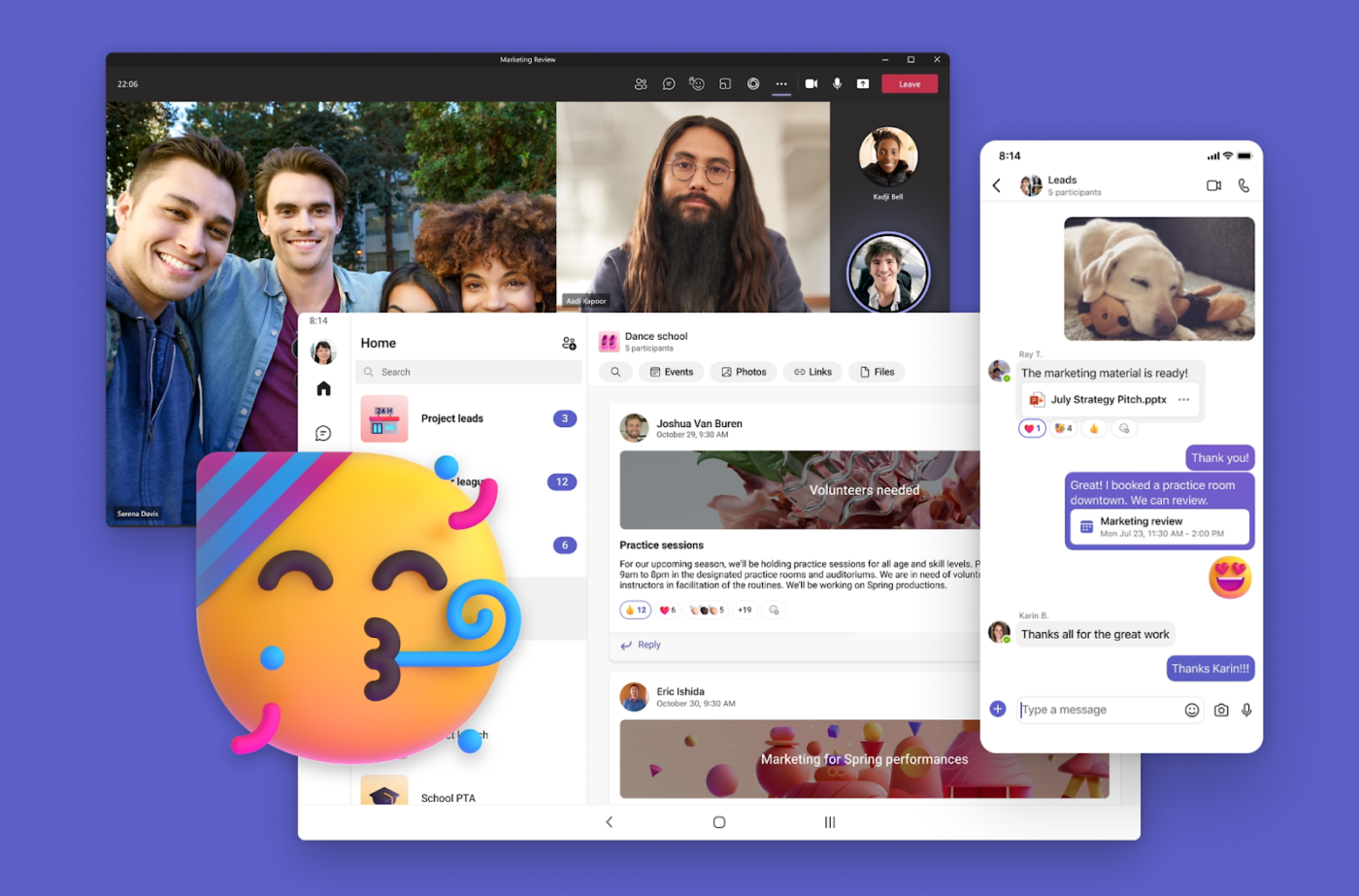
Microsoft Teams is one of the most widely used platforms for virtual collaboration among remote and hybrid teams. Launched as part of the Microsoft 365 suite, it combines communication, file sharing, project tracking, and integrations into one hub.
Administrators can also organize webinars and large meetings with up to 10,000 participants. Teams’ user-friendly interface seamlessly integrates with other Microsoft 365 applications, such as PowerPoint, Word, and Excel.
Additionally, the video calling experience is intuitive, thanks to features such as raise hand, breakout rooms, background blur, and live reactions, which are seamlessly integrated into the meeting interface for a user-friendly experience. The platform utilizes the Secure Real-time Transport Protocol (SRTP) technology to safeguard organizational data during audio and video calls.
Here’s a G2 review:
What I like best about Microsoft Teams is how everything is integrated into one platform — chats, meetings, file sharing, and even third-party apps. It really makes day-to-day collaboration easier, especially when working with cross-functional teams. The ability to jump into a quick call or schedule meetings right from a chat is super convenient.
🧠 Fun Fact: The world’s largest all-remote company, GitLab, has over 2,000 team members across 60+ countries—proving remote cultures can scale bigger than many headquarters.
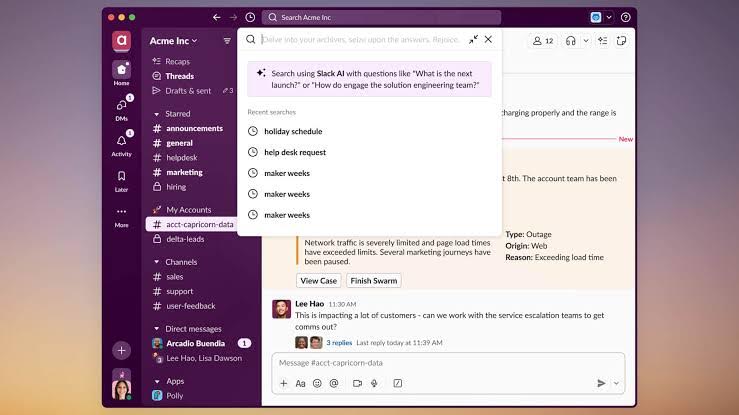
You can mimic Sococo’s virtual rooms in Slack using dedicated channels for team communication, such as #marketing-hub, #dev-room, #sales-floor for different departments, and #project-alpha for project-specific discussions.
Then, there are Huddles that can be started in any channel or DM for audio and video calls with screen sharing. Team members can drop in/out casually, just like walking into a virtual office room. You can add emoji reactions to keep conversations fun and interactive.
Integrations are simple. You can connect Google Calendar or Outlook to track team schedules in real-time and add files from Google Drive, Dropbox, Notion, and others to relevant channels.
Here’s a G2 review:
Slack has honestly made a big difference in how our team works together. It’s super easy to use and helps us stay connected, whether we’re in the office or working remotely. Instead of digging through emails, we can quickly chat, share files, and keep everything organized in one place.
📚 Also Read: Best Slack Alternatives for Team Chat

Whether you’re hosting a large-scale webinar, a quick meeting, or a virtual happy hour with friends, Zoom is a reliable option. It integrates a variety of communication tools into a single platform, such as video conferencing for meetings, instant messaging for team collaboration, appointment scheduling, and more.
For asynchronous communication, Zoom Clips allow users to create and share video messages or screen recordings. Zoom Docs enables real-time document editing with version history and comments. And, not to be outdone, the Zoom Whiteboard offers a virtual canvas for brainstorming and planning with the team.
However, Zoom still lacks native project management capabilities. Teams often need to manually transfer decisions and action items from Zoom into their project management tools, leading to context switching.
Here’s a G2 review:
The best thing about Zoom Workplace is how seamlessly it combines video conferencing, chat, whiteboards, and file sharing all in one platform. The video and audio quality are consistently good, even with large meetings. I also like the breakout rooms and webinar features, which are super useful for both internal and external sessions.
📚 Also Read: Best Zoom Alternatives
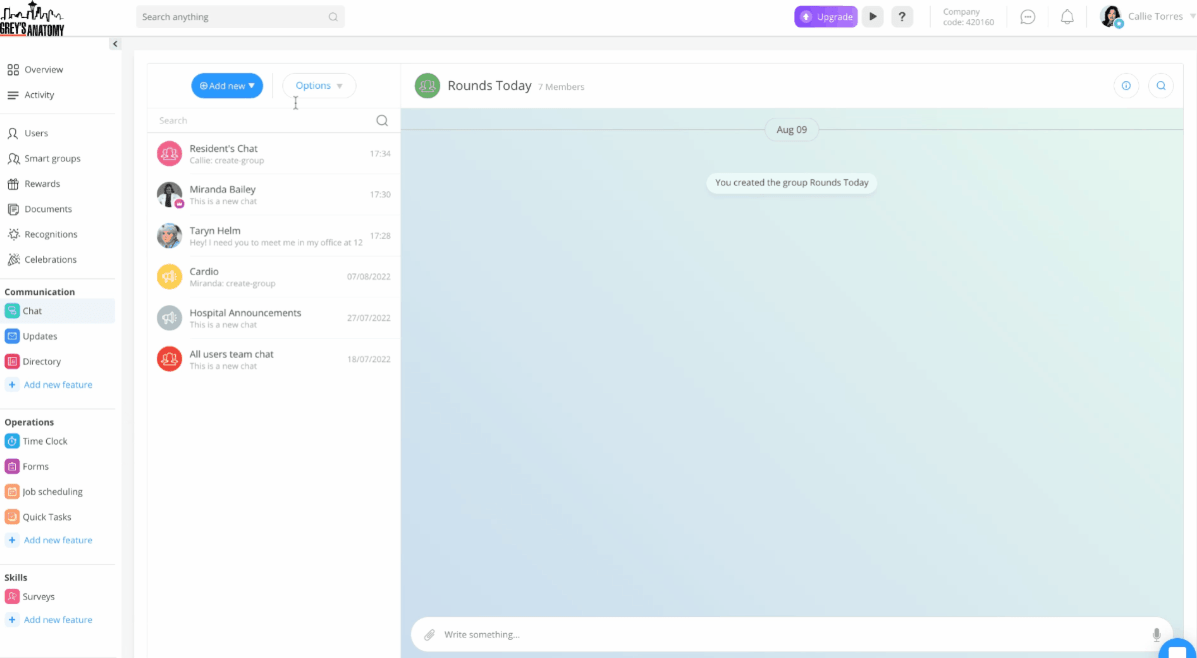
While Connecteam doesn’t have Sococo’s spatial audio or room-based video calls, you can still create dedicated groups or chats for departments, projects, and social spaces. The Announcements feed is where management can share CEO messages or daily office news, and the employee directory shows who’s on the team, their role, and how to reach them.
The tool also features time-tracking capabilities, allowing team members to clock in/out or mark shifts, so everyone can see who’s active, on break, or off-duty. You can also set custom statuses and automated alerts for task updates, keeping everyone aware of team activity in real-time.
Connecteam includes scheduling tools for shift planning, training modules for onboarding and compliance, and a mobile-first design that works well for teams who aren’t at desks all day. The platform combines workforce management with team communication in one app.
Here’s a G2 review:
What I like best about Connecteam is how user-friendly and all-in-one it is. The platform makes it incredibly easy to manage schedules, track time, and communicate with the team without having to juggle multiple apps. I especially like how simple it is for employees to clock in/out from their phones, request time off, and stay updated through the company newsfeed.
📚 Also Read: Top Connecteam Alternatives
📮 ClickUp Insight: 48% of employees say hybrid work is best for work-life balance. Yet, with 50% still working mostly in the office, staying aligned across locations can be a challenge. But ClickUp is built for all kinds of teams: remote, hybrid, async, and everything in between.
With ClickUp Chat & Assigned Comments, teams can quickly share updates, give feedback, and turn discussions into action—without endless meetings. Collaborate in real time via ClickUp Docs and ClickUp Whiteboards, assign tasks directly from comments, and keep everyone on the same page no matter where they work from!
💫 Real Results: STANLEY Security saw an 80% increase in teamwork satisfaction thanks to ClickUp’s seamless collaboration tools.
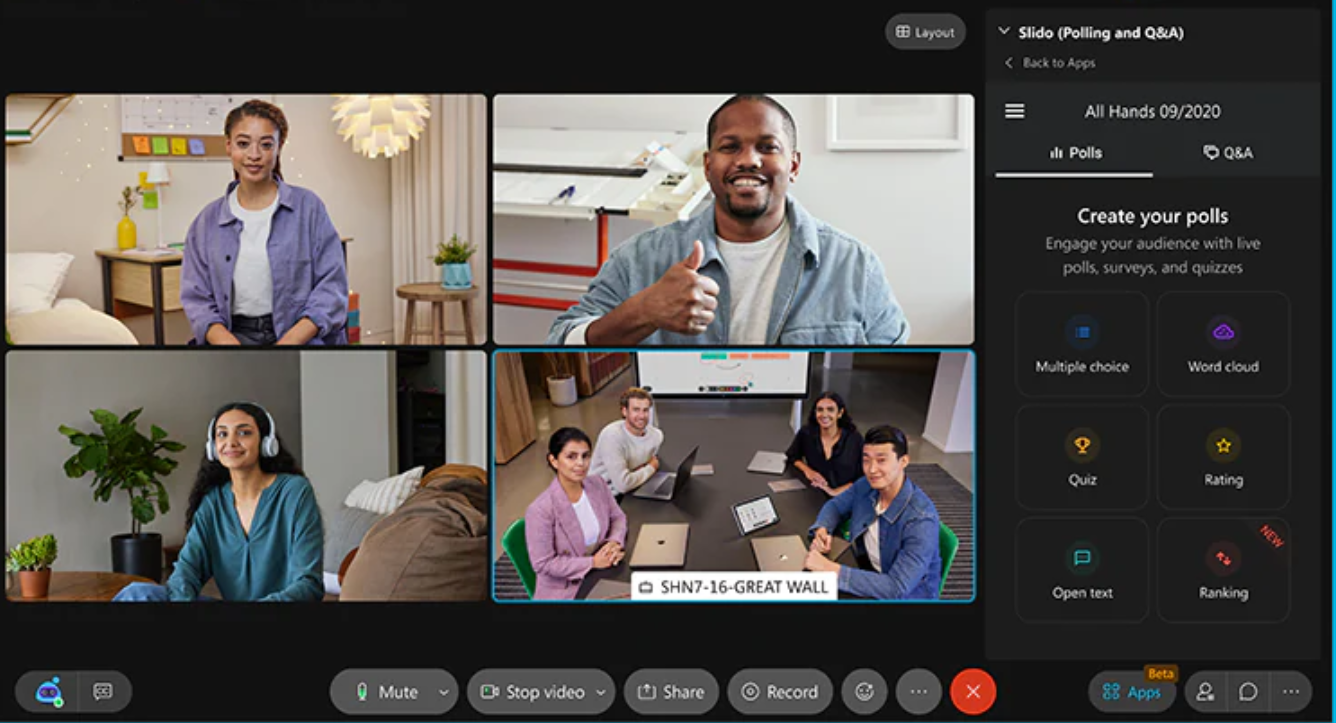
Webex by Cisco began as a meeting and webinar tool but has since added a wide range of enterprise collaboration tools. Its most popular products are Webex Calling and Webex Meetings. Meetings in Cisco are held in HD video and audio for up to 1,000 participants.
There are several ways to attend, including direct dial-in number, VOIP, or being called by the meeting host. Webex also integrates with a number of calendars, such as Google, making scheduling meetings more straightforward.
Security is another area where Cisco Webex stands out. Cloud meetings are all encrypted, and you can add meeting passwords and lock rooms, too. It has AI-powered features like real-time transcription, automated meeting summaries, and noise cancellation to improve meeting quality.
The platform works well for enterprises that need enterprise-grade security, compliance certifications, and integration with existing Cisco communication infrastructure.
Here’s a G2 review:
I love how webex makes virtual meetings feel seamless with its sharp video and audio quality, it makes virtual meetings feel like in person chat. The real-time collaboration tools like whiteboards and instant file sharing, make it easy to brainstorm and keep everyone on the same page.
🧐 Did You Know? Gallup’s State of the Global Workplace report found that fully remote workers report the highest engagement (31%) compared to 23% of hybrid and only 19% of on-site workers.
📚 Also Read: Top Webex Alternatives

If you work remotely, you’re probably already using a couple of Google Workspace’s integrated apps, such as Gmail, Drive, Calendar, Meet, etc. It’s a collection of cloud-based applications, designed to enhance productivity in the workplace.
Google Workspace offers instant communication and meeting tools to mimic Sococo’s “drop-in” interactions, such as Google Meet for spontaneous video meetings directly from Chat, Calendar, or Gmail. Helpful features such as Google Calendar’s working hours and Google Chat’s presence indicators (Active, Away, and Do Not Disturb) help team members see each other’s presence and availability.
Additionally, Google Docs, Sheets, and Slides enable your teams to collaborate on documents in real-time, making them a reliable tool for brainstorming or project planning. You can integrate with apps like ClickUp directly inside Gmail/Chat to connect task management with team communication.
Here’s a G2 review:
Google Workspace really shines in real-time collaboration, multiple teammates can work in a Doc or Sheet simultaneously, and you see everyone’s changes live. Having Gmail, Calendar, Drive, Meet and Chat all under one roof means I never have to hunt across different tools; everything’s just a click away.
📚 Also Read: Top Google Meet Alternatives
There you have it: the best virtual collaboration tool for your remote team today.
Whether your priority is clean UI, avatar-driven lounges, or high-performance collaboration hubs, there’s a platform out there designed to meet your specific needs. But only a few bring everything under one roof.
That’s why ClickUp becomes an ideal choice. It’s got all the features needed to streamline virtual collaboration with your remote team. If you’re ready to centralize your tools and facilitate collaboration across teams, ClickUp’s your all-in-one solution.
Sign up for free on ClickUp to bring your team together, wherever they are.

© 2026 ClickUp

There’s an easier way. Try a free AI Agent in ClickUp that actually does the work for you—set up in minutes, save hours every week.